






Still downloading templates?
There’s an easier way. Try a free AI Agent in ClickUp that actually does the work for you—set up in minutes, save hours every week.
Sorry, there were no results found for “”
Sorry, there were no results found for “”
Sorry, there were no results found for “”
Money shouldn’t feel like the boss you never applied to work for—yet somehow, it’s still calling the shots.
For many of us, between surprise bills, forgotten subscriptions, and those ‘just this once’ splurges, our paycheck vanishes before the month even begins. No wonder 77% of Americans feel anxious about their financial future, and 58% say money controls their lives.
That’s where Notion budget templates step in. These flexible, plug-and-play tools help you track expenses, plan better, and answer the age-old question: ‘Where did all my money go?’
But do they truly deliver the clarity you need? Or are there more effective alternatives—with built-in structure, automation, and real-time insight? Let’s find out! ✅
🧠 Fun Fact: The word budget comes from the Latin bulga, meaning ‘small pouch.’ By 1773, it had evolved into a financial term, first used in The Budget Opened, a pamphlet by William Pulteney (a British politician with early influence on financial planning).
The ideal Notion budget template is simple, flexible, and tailored to your money management style, whether you’re a student on a tight budget, a freelancer with variable income, or a family tracking joint expenses.
Some of the key things to look for include:
💡 Pro Tip: Loud budgeting—the trend of sharing your financial goals publicly—boosts accountability and helps curb impulse spending. Pair that mindset with the right template, and you’ll turn good intentions into real, measurable progress. Watch how you can keep accountability high with ClickUp templates:
Here’s a summary table for all the Notion budget templates you’ll find in this blog. As a bonus, we’ve also thrown in a few ClickUp budget templates to transform the way you manage your money.
| Template Name | Download Template | Ideal For | Best Features | Visual Format |
| Notion Budget 101 Planner Template | Download this template | Students, freelancers, professionals | 50/30/20 rule, monthly grid, savings goals | Notion Page/Database |
| Notion Budget Planner Template | Download this template | Design-minded, creative, wellness-focused users | Category tracking, income vs. cost, habit building | Notion Page/Database |
| Notion Personal Finance Tracker Template | Download this template | Freelancers, gig workers | Automation, audit-ready logs, summaries | Notion Page/Database |
| Notion Budget Tracker Template | Download this template | Busy professionals | Real-time balance, custom categories, and monthly tabs | Notion Dashboard |
| Notion Monthly Budget Template | Download this template | Freelancers, budget-conscious users | Fixed/variable split, monthly reset, planned vs. actual | Notion Page/Database |
| Notion College Budgeting Template | Download this template | College students | Category breakdown, semester planning, deadlines | Notion Page/Database |
| Notion Budget Tracker (with Charts) Template | Download this template | Data-driven, visual thinkers | Notion2Charts integration, color-coded, goal linking | Notion Dashboard/Charts |
| Notion Savings Template | Download this template | Goal-oriented savers, couples | Custom buckets, milestones, and contribution analysis | Notion Page/Database |
| Notion Everyday Budgeting Template | Download this template | Daily spenders, real-time trackers | Daily/weekly/monthly caps, quick log, recurring costs | Notion Page/Database |
| Notion Debt Tracker Template | Download this template | Young professionals, graduates | Auto-calc balances, sort by urgency, payoff goals | Notion Page/Database |
| Notion Travel Budget Planner Template | Download this template | Travelers, digital nomads | Preset categories, projected vs. actual, expense log | Notion Page/Database |
| Notion Bill Payment Tracker Template | Download this template | Roommates, shared households | Calendar view, status filter, payment history | Notion Dashboard |
| Notion Business Finance Tracker Template | Download this template | Solopreneurs, small business owners | Linked databases, profit/cash flow, budget vs. actual | Notion Page/Database |
| Notion Home Budget Planner Template | Download this template | Families, couples | Fixed/flexible/shared categories, visual cues, milestones | Notion Dashboard |
| Notion Event Budget Template | Download this template | Event planners, coordinators | Sectioned tracking, real-time expense vs. budget, closure docs | Notion Page/Database |
| ClickUp Simple Budget Template | Get free template | Freelancers, students, small households | List/Board/Calendar views, progress bars, reminders | ClickUp List, Board, Calendar |
| ClickUp Marketing Budget Template | Get free template | Marketing leads, agencies | Dashboards, goal alignment, reporting | ClickUp List, Board, Dashboard |
| ClickUp Project Budget Template with WBS | Get free template | PMOs, consultants, construction teams | WBS, cost rollups, time tracking, reports | ClickUp List, Board, Gantt |
| ClickUp Business Budget Template | Get free template | Startups, ops heads, finance managers | Cash flow, department views, and integrations | ClickUp List, Board, Dashboard |
| ClickUp Event Budget Template | Get free template | Event planners, office managers | Category/phase filters, variance tracking, summaries | ClickUp List, Board |
| ClickUp Budgeted Project Management Template | Get free template | PMs, resource-intensive teams | Task/phase costs, live spend, impact focus | ClickUp List, Board |
| ClickUp Project Cost Management Template | Get free template | PMOs, agencies, cost controllers | Nested tables, approvals, client-ready reports | ClickUp List, Board |
| ClickUp Budget Proposal Template | Get free template | Consultants, agencies, freelancers | Proposal views, notes | ClickUp Doc, List |
| ClickUp Monthly Expense Report Template | Get free template | Professionals, team leads | Auto visuals, trend graphs, exportable reports | ClickUp List, Board, Dashboard |
| ClickUp Budget Report Template | Get free template | Finance managers, consultants | Charts + notes, automated reporting, audience views | ClickUp Doc, Dashboard |
| ClickUp Finance Management Template | Get free template | Small business, startups | Grouped dashboards, task checkpoints, rollups | ClickUp List, Board, Dashboard |
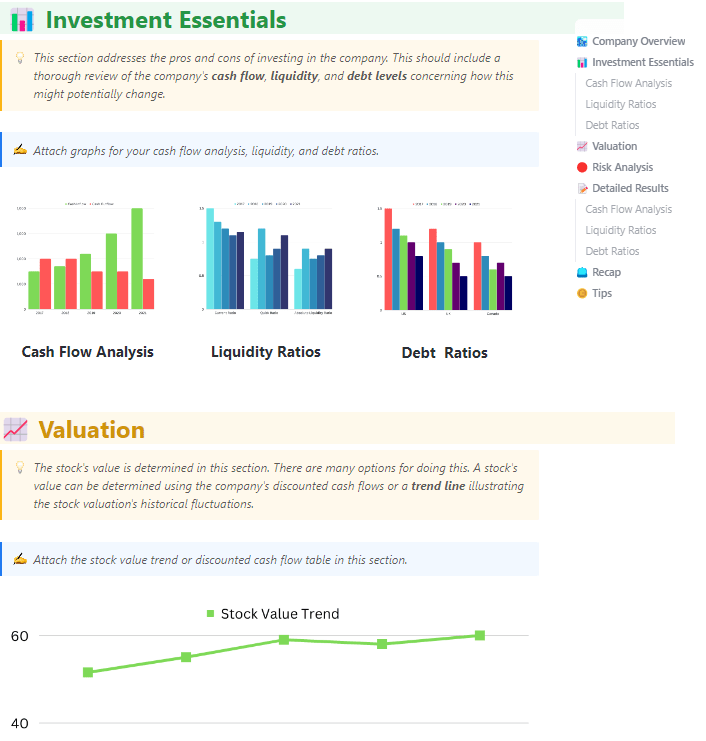
| ClickUp Financial Analysis Report Template | Get free template | Founders, finance leads | Benchmarks, AI trends, collaborative comments | ClickUp Dashboard, Doc |
| ClickUp Account Management Template | Get free template | Customer success, ops teams | At-risk views, playbooks, renewal pipeline | ClickUp List, Board |
| ClickUp General Ledger Template | Get free template | Controllers, accounting leads | Chart of accounts, versioning, doc attachments | ClickUp List, Board |
| ClickUp Accounting Journal Template | Get free template | Accountants, bookkeepers | Debit/credit logs, auto-calcs, approvals | ClickUp List, Board |
| ClickUp Balance Sheet Template | Get free template | Accountants, business owners | Versioning, review cycles, ratio charts | ClickUp List, Board |
These ready-to-use Notion budget templates are built for real-life money tracking—clean, customizable, and easy to update. Whether you’re looking to cut back, grow savings, or achieve financial stability, there’s a template here to support your next step.
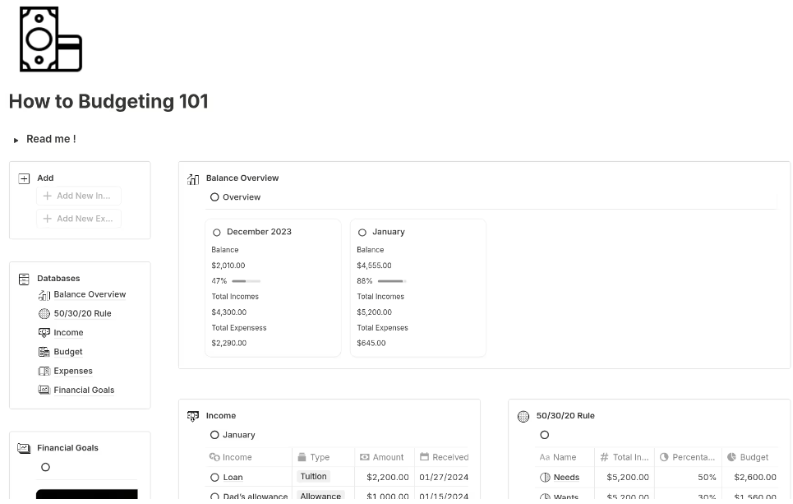
Starting a budget feels intimidating—where do you even begin? The Notion Budget 101 Planner Template gives you an actionable plan from day one by applying the 50/30/20 rule to divide your income between essentials, lifestyle choices, and savings.
Its monthly grid shows your entire financial picture at a glance, making it easier to spot overspending, set realistic limits, and adjust as life changes. From building an emergency fund to cutting back on extras, this template makes budgeting simple and doable.
🔑 Ideal for: Students, freelancers, or professionals looking for a no-fuss, practical starting point to plan budgets and manage money.
🔎 Did You Know? The 50/30/20 rule is a go-to strategy for low-stress, high-impact budgeting. It splits your income into 50% for needs, 30% for wants, and 20% for savings or debt, so every dollar works on purpose.
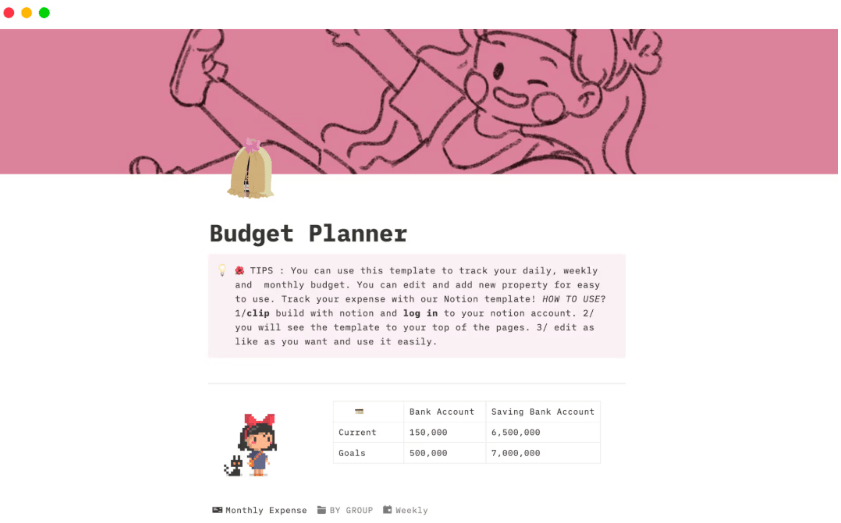
The Notion Budget Planner Template takes a softer, lifestyle-focused approach to money management. Its pastel aesthetic and clean grids make it inviting to use, while its daily and weekly tracking keeps you mindful of your spending without the pressure of rigid frameworks.
It’s designed for consistent check-ins that help you build sustainable habits. You can customize categories for what matters most—like self-care, travel, or creative projects—and plan for both immediate needs and long-term goals in one place.
🔑 Ideal for: Design-minded students, creative professionals, or wellness-focused users who want a calm, visually appealing way to manage finances.
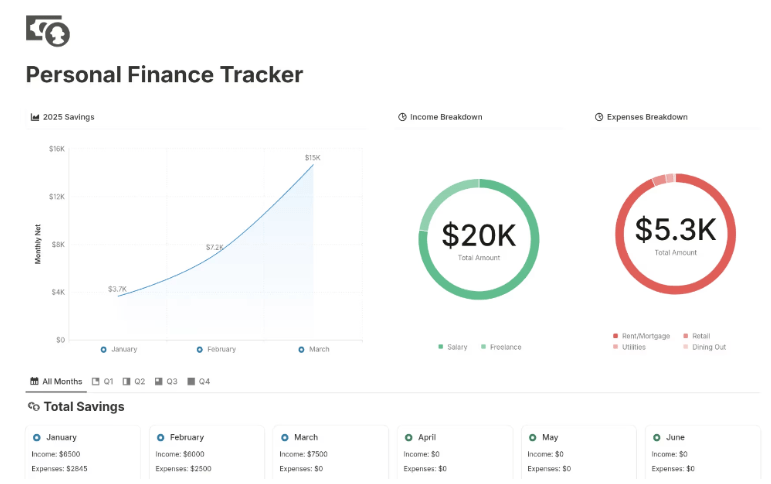
The Notion Personal Finance Tracker Template gives your budget a brain of its own. It auto-updates entries as you log income or spending, syncs categories, and generates clear summaries. The result? You get organized, audit-ready records without the manual hassle.
It even nudges you to set aside money for taxes on relevant income streams, giving you a realistic view of your true earnings. With everything tracked in one system, you can analyze trends, maintain a clean financial journal, and make informed decisions with confidence.
🔑 Ideal for: Freelancers, consultants, and gig workers who need consistent, low-maintenance financial tracking with real-time updates.
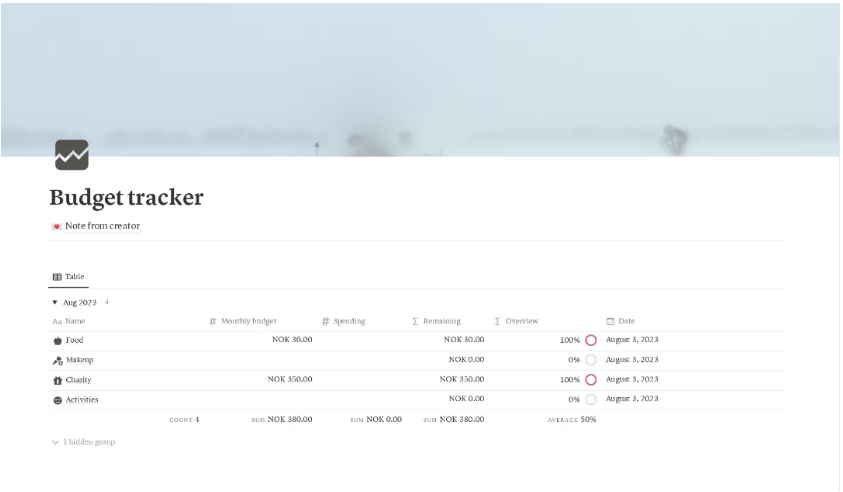
This Notion Budget Tracker template offers an intuitive dashboard to plan monthly income and expense categories. As you input your values, it automatically calculates and displays your remaining budget in real time, so you always know exactly how much you have left.
With built-in indicators, it immediately flags overspending or underrunning, helping you stay financially disciplined without diving into spreadsheets. Each month has its own tab with linked databases to keep past budgets organized and accessible. Plus, you can easily add custom categories or adjust income sources.
🔑 Ideal for: Busy professionals who need a quick glance overview each month and want an uncomplicated budget tracker they can trust.
➡️ Also Read: How to Organize Finances: A Step-by-Step Guide
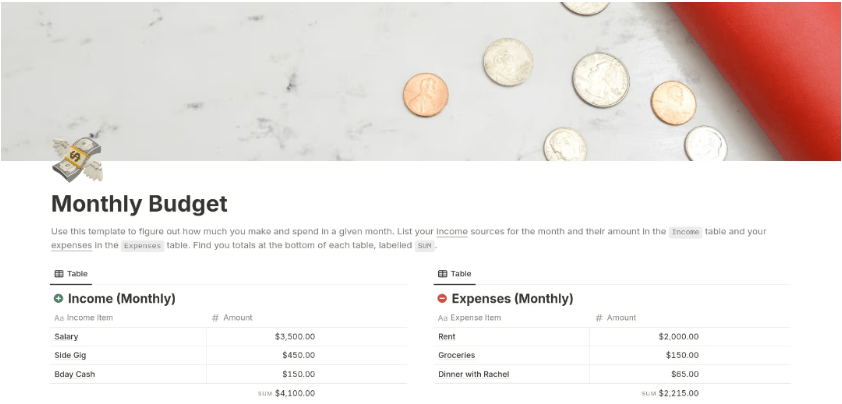
The Notion Monthly Budget Template is a minimalist expense tracker designed for people who plan for monthly financial cycles—paychecks, bills, and recurring expenses. It separates fixed costs from variable ones, giving you a view of what’s non-negotiable and what you can adjust.
With its monthly reset system, you can update categories at the start of each cycle, set new targets, and compare planned versus actual spending. It’s a streamlined way to stay in control and maintain financial stability, no matter what surprises come your way.
🔑 Ideal for: Freelancers or budget-conscious professionals who want a simple monthly expense tracker to balance monthly income, outflows, and finance goals.
➡️ Also Read: Free Monthly Budget Templates to Manage Expenses
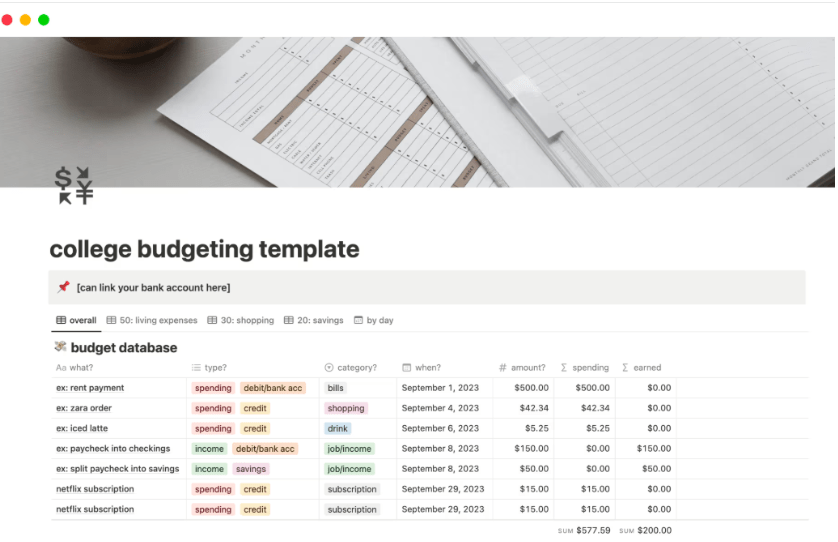
College isn’t just classes and exams—it’s your first real test at managing money. The Notion College Budgeting Template gives you a simple way to stay on top of it all, from big-ticket costs like tuition, subscriptions, and rent to smaller daily expenses that quickly add up.
Instead of just tracking numbers, it helps you connect your spending to your priorities. By sorting expenses into clear categories, you can spot patterns, make smarter choices, and start building financial habits that set you up for independence beyond college.
🔑 Ideal for: College students who are managing their finances for the first time and need a stress-free, structured way to stay accountable.
💡 Pro Tip: Budgeting isn’t about restrictions—it’s about freedom. The U.S. Department of Education recommends these habits to stretch your student budget:
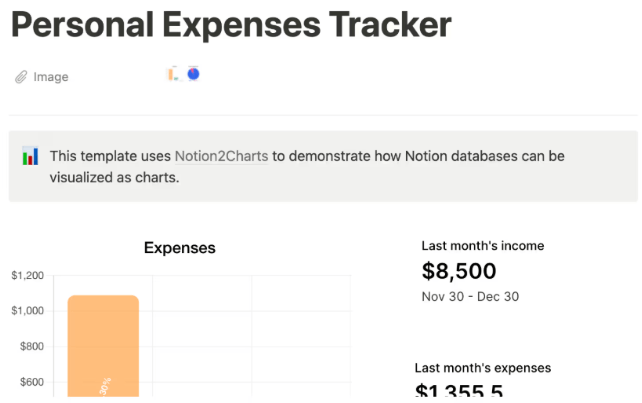
Budgets only click when you can see the visual story behind the numbers. The Notion Budget Tracker (with Charts) Template syncs with Notion2Charts to transform your data into clean bar graphs, line charts, and donut plots—turning static figures into a clear picture of where your money’s going and why.
As you log expenses, your data updates automatically in real time. This makes it easier to spot overspending patterns, compare categories, and track progress toward your savings goals. It’s budgeting with context—turning raw numbers into insights that drive smarter financial decisions.
🔑 Ideal for: Data-driven users and visual thinkers who want a snapshot view of where their money’s going—and why it matters.
Bonus: If you want to:
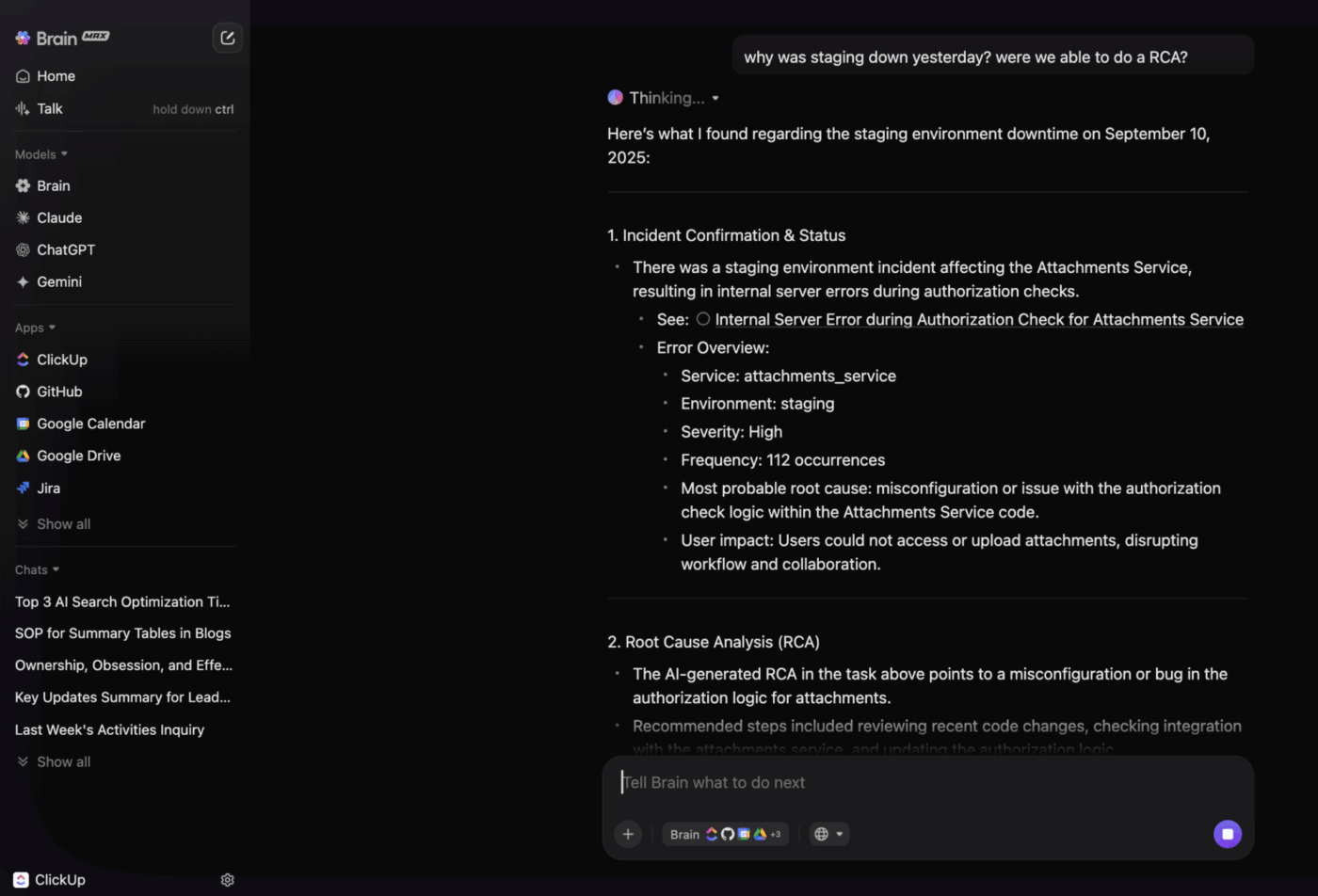
Try ClickUp Brain MAX—the AI Super App that truly understands you, because it knows your work. Ditch the AI Tool Sprawl, use your voice to get work done, create documents, and more.
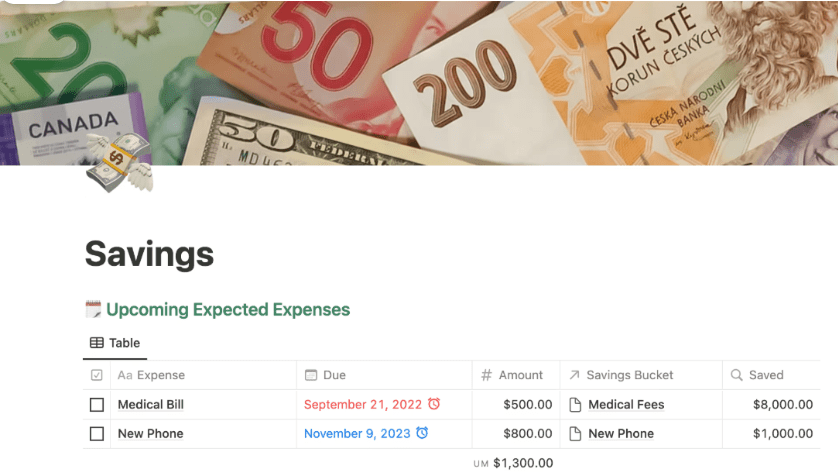
This Notion Savings Template focuses on what most people overlook—savings goals. Whether you’re preparing for emergency expenses or future investments, it helps you update your balance, assign funds to ‘buckets,’ and know exactly how close you’re to each goal.
That’s not all! It goes beyond tracking by connecting your savings to your priorities. The visual breakdown highlights which goals are fully funded, which need more attention, and guides you on where your next contribution will have the most impact.
🔑 Ideal for: Goal-oriented savers or couples planning shared goals, such as a wedding, travel, or home purchase, without compromising on essentials.
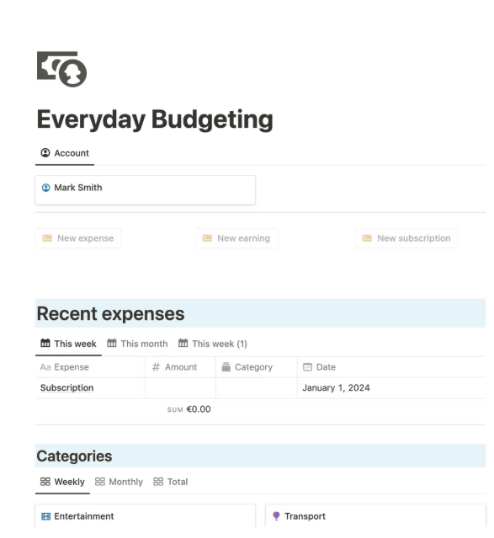
Want to track all your expenses without waiting for a month-end review? The Notion Everyday Budgeting Template is built for your daily hustle, with a real-time view of your balance, spending, and earnings—updated weekly and monthly.
It helps you manage the little stuff that adds up—whether you’re using it to split bills, track pocket money, or handle day-to-day habits. Pre-set categories for dining, entertainment, and essentials keep your budget clear, while quick-action buttons make logging expenses, income, or subscriptions effortless.
🔑 Ideal for: Anyone seeking a Notion budget template free of clutter—to track income sources, spending, and progress in real-time.
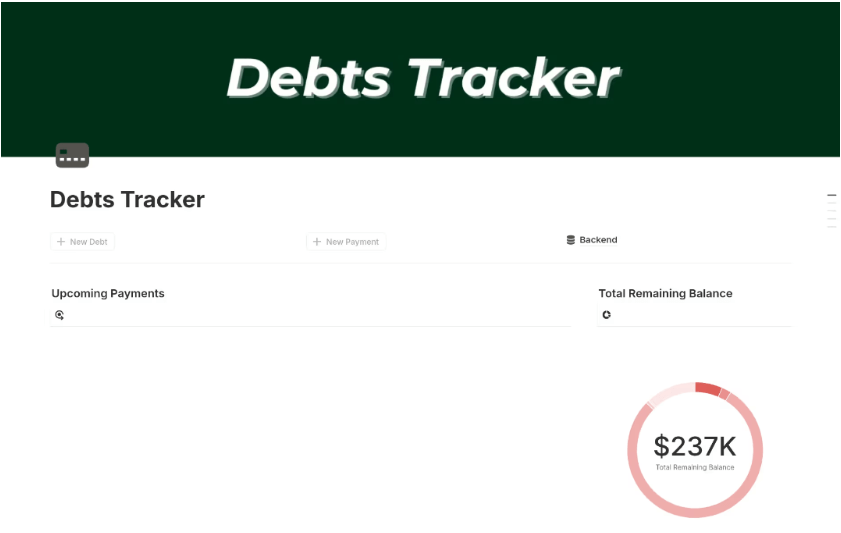
The Notion Debt Tracker Template is built for smarter debt management. It offers a user-friendly interface for logging payments and tracking payoff timelines, whether you’re managing credit cards, student loans, or mortgages.
Smart formulas and automations update your remaining balances, upcoming due dates, and payoff timelines automatically as you log debt payments. Custom views help you prioritize what to pay off first, keeping you focused and motivated on your path to becoming debt-free.
🔑 Ideal for: Young professionals or recent graduates managing student loans, credit cards, and EMIs, who want to stay organized and hit debt payments faster.
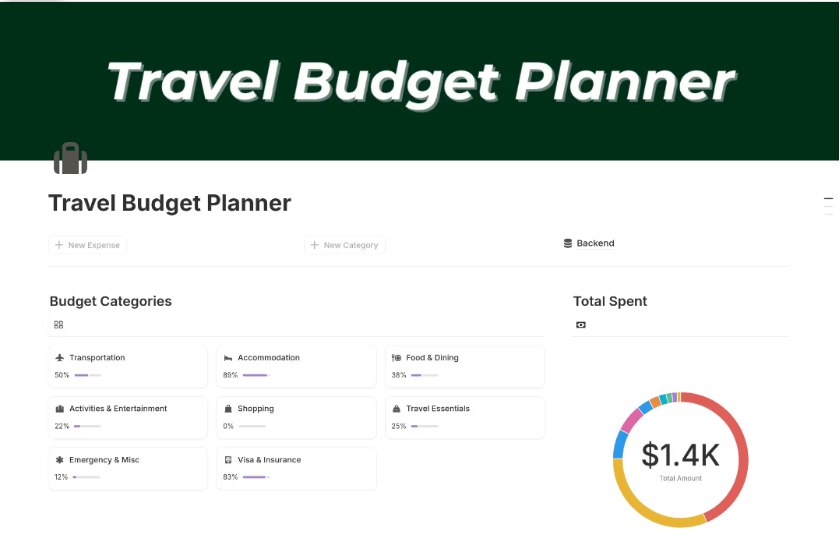
Trips can get expensive fast—hidden fees, spontaneous plans, and last-minute changes add up quickly. The Notion Travel Budget Planner Template comes loaded with pre-set categories (flights, food, stays, and activities) so you know exactly how much budget to allocate before you even pack.
As you log spending, your totals update in real time, showing what’s left in each category and helping you adjust on the go. It’s a simple, customizable system that keeps your finances on track without cutting into the experiences that make travel memorable.
🔑 Ideal for: Digital nomads, couples planning shared travel budgets, or solo travellers looking for a sleek, on-the-go way to gain control over vacation expenses.
🔎 Did You Know? Travel spending in the United States is projected to reach $1.22 trillion by 2027. With that much movement (and money), a smart budget is essential to keep your adventures thrilling and financially on track.
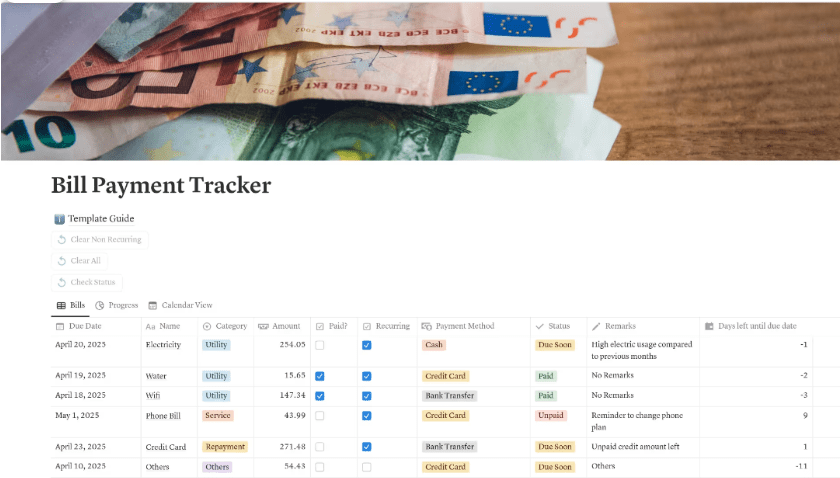
When bills pile up—rent, Wi-Fi, phone, utilities, streaming, insurance—it’s easy to lose track of what’s paid, pending, or overdue. The Notion Bill Payment Tracker Template centralizes all your payments in one place, helping you stay in control and avoid surprises.
Its calendar-based layout lets you log due dates, mark payments as cleared, and categorize expenses by type or urgency. You can filter by status or billing cycle to quickly see what needs attention and use visual indicators to prevent missed deadlines or late fees.
🔑 Ideal for: Roommates or shared households juggling multiple subscriptions, utilities, and rent payments who want to stay synced and stress-free.
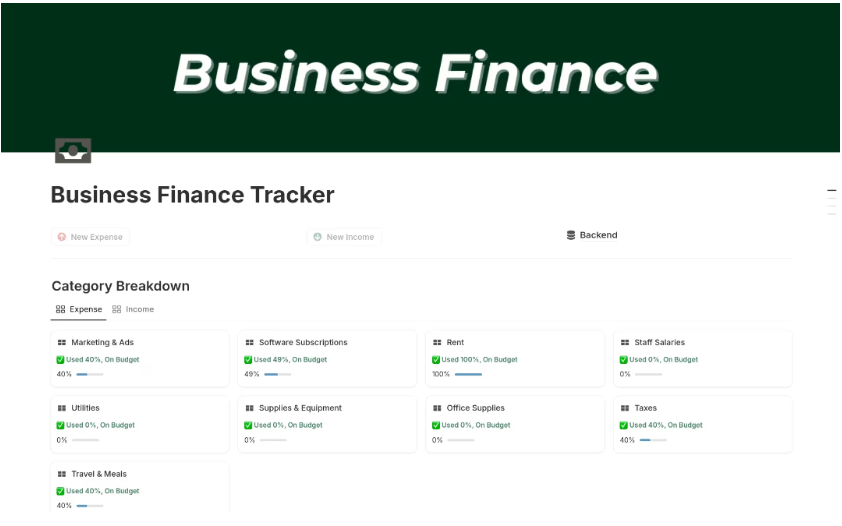
Knowing your numbers is one thing—understanding what they mean for your business is another. The Notion Business Finance Tracker Template turns raw transactions into clear, actionable insights on profits, budgets, and cash flow to help you make smarter decisions.
It combines three linked databases—transactions, categories, and monthly summaries—so you can log every transaction, track category-wise budgets, and get an instant read on your profits. With built-in budget vs. actual comparisons and progress tracking, you’ll always know exactly where your business stands financially.
🔑 Ideal for: Solopreneurs, digital creators, and small business owners who want a fuss-free way to gain visibility into cash flow and make data-led money decisions.
➡️ Also Read: How to Use Notion for Project Management
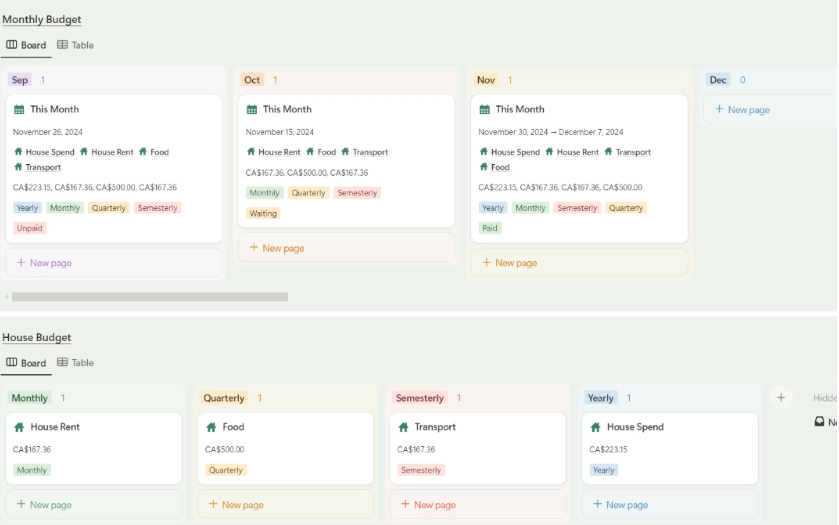
Running a household budget means aligning priorities, managing shared bills, and planning for family goals. And when everyone has different spending habits, things get messy fast. The Notion Home Budget Planner Template creates a single, transparent system so everyone knows exactly where the money’s going.
Its category-based dashboards let you assign expenses to family members or spending groups, ensuring full transparency. Plus, you can track progress toward shared goals—like savings for renovations or big purchases—without juggling multiple tools.
🔑 Ideal for: Families or cohabiting couples managing shared expenses who want a more organized, transparent system to stay on top of their home finances.
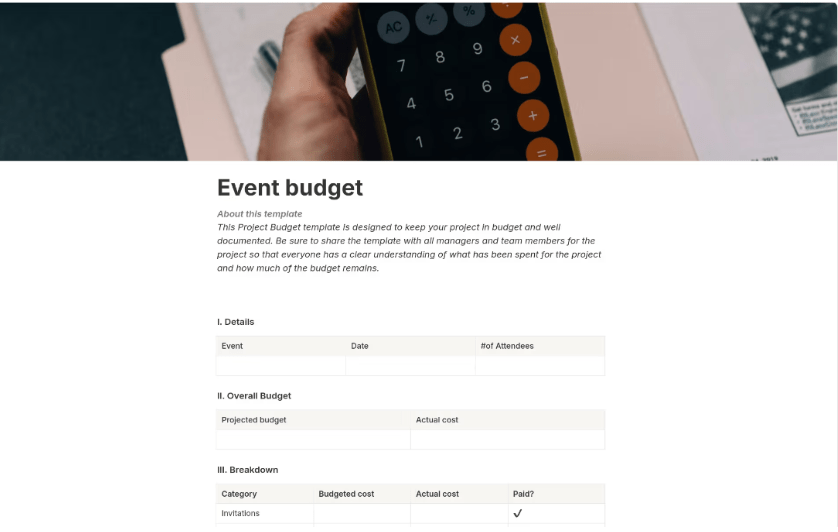
Event budgets can spiral out of control fast—last-minute vendor changes, delayed payments, and shifting priorities could wreck your plan. The Notion Event Budget Template gives you a structured financial game plan to keep every detail in check, from start to finish.
It’s split into four sections—Project Info, Financials, Tracking, and Closure—so you can track your budget against actual spending and review what worked (and what didn’t) to make the next event even smoother. With customizable tables and visual trackers, staying on budget becomes a lot less stressful.
🔑 Ideal for: Event planners, coordinators, or anyone organizing events who need a structured and detailed budgeting tool to manage finances effectively.
➡️ Also Read: How to Manage a Project Budget in Easy Steps
Notion templates are a great starting point, but cracks begin to show when budget planning or team workflow becomes more complex.
Here’s what to watch for:
Understanding genuine user experiences is key before committing to any tool. We checked G2 and Reddit discussions to see how the community feels about Notion templates—and here’s what we found:
One G2 user flagged customization hurdles:
Notion can be tedious for users who don’t have the patience to code. Even with available templates, it takes critical thinking to tweak them to your own needs.
Another Reddit user raised concerns around template complexity:
Most templates are either so simple you could’ve made them yourself, or so bloated that you end up deleting half the features.
So, how do you overcome these challenges? The answer lies in finding more flexible, dynamic Notion alternatives that blend structure with efficiency.
That’s where ClickUp—the everything app for work—comes in! It delivers clarity, creativity, speed, and smart automation to your budget tracking that Notion often lacks.
With customizable templates, real-time dashboards, and native integrations, ClickUp makes budgeting seamless, whether you’re managing personal finances or running full-scale business ops.
Let’s dive in and find a perfect fit for your budgeting needs!
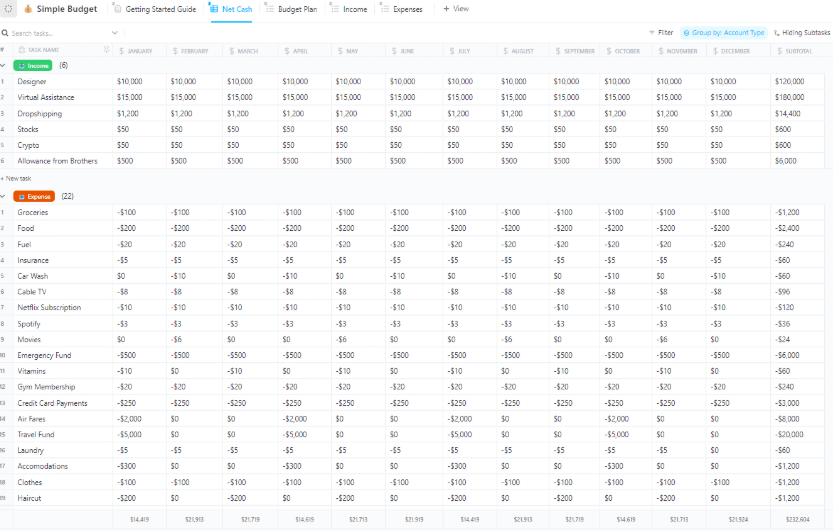
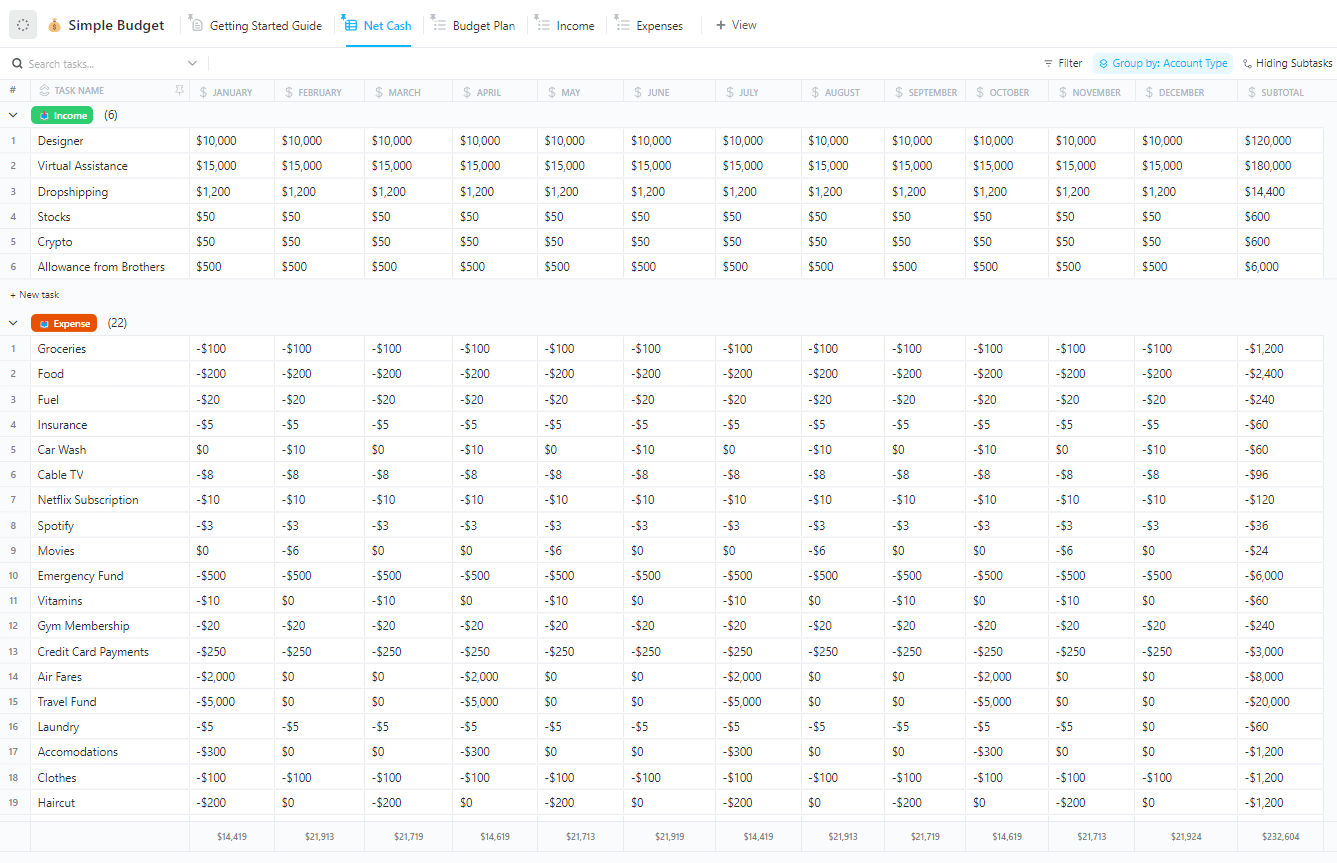
Budgeting shouldn’t feel like untangling a pile of receipts. Yet, for 73% of people, financial management is the number one stress trigger. The ClickUp Simple Budget Template flips that script, turning financial chaos into a streamlined, visual workspace you’ll want to use.
You can tag fixed vs. variable costs, automate reminders, and switch seamlessly between views—all in one place. Built inside your existing ClickUp workspace, this template makes budgeting feel less like a chore and more like progress.
🔑 Ideal for: Freelancers, students, or small households who want a no-fuss, powerful tool to stay on top of daily finances.
➡️ Also Read: Best Project Budgeting Software to Stay on Track
📣 Customer voice: Here’s what a G2 reviewer has to say:
ClickUp offers unmatched flexibility with customizable views (List, Board, Gantt, Calendar), powerful automations, and built-in docs, goals, and time tracking—all in a single workspace. It centralizes team collaboration and project management, allowing us to replace multiple tools like Trello, Asana, and Notion with one cohesive system.
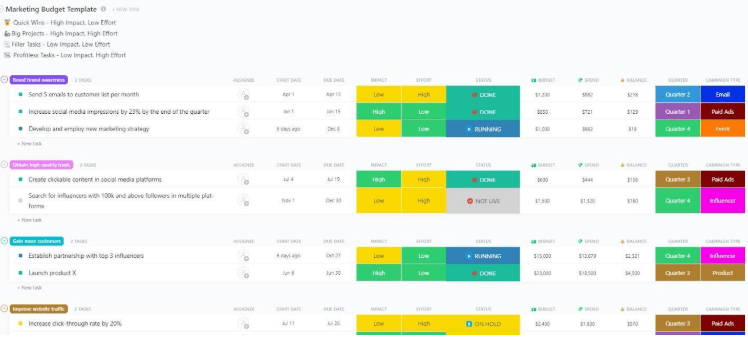
A shocking 26% of marketing spend goes to waste every year. That’s not just inefficiency—it’s lost opportunity. The ClickUp Marketing Budget Template helps you reclaim your ROI by tying every dollar to results that matter.
Plan budgets by channel, visualize quarterly spend, and align campaign costs with conversion milestones using ClickUp’s built-in dashboards. Plus, connect to ClickUp Goals to directly link each cost to tracked KPIs your CMO cares about.
🔑 Ideal for: Marketing leads, content strategists, or agency teams balancing multiple campaigns across platforms.
📮 ClickUp Insight: 78% of our survey respondents make detailed plans as part of their goal-setting processes. However, a surprising 50% don’t track those plans with dedicated tools. With ClickUp, you seamlessly convert goals into actionable tasks, allowing you to conquer them step by step. Plus, our no-code Dashboards provide clear visual representations, showcasing your progress and giving you more control and visibility over your work. Because “hoping for the best” isn’t a reliable strategy.
💫 Real Results: ClickUp users report being able to take on ~10% more work without burning out.
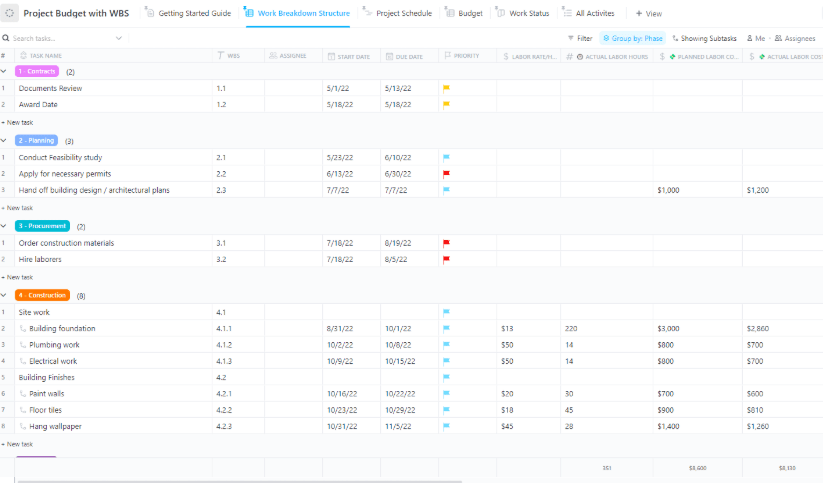
Projects rarely go over budget overnight—it’s the small missteps that add up. The solution? A Work Breakdown Structure (WBS) that transforms big-picture goals into costed, actionable chunks. ClickUp’s Project Budget Template with WBS gives you a bird’s-eye view of every task, milestone, and dollar.
Built for clarity and control, it helps you visualize costs at every phase, track spending in real time, and avoid financial surprises—without the spreadsheet overload.
🔑 Ideal for: PMOs, construction teams, or consultants managing detailed, multi-stage projects with strict budget tracking.
➡️ Also Read: How to Create a Cost Breakdown Structure (With Examples)
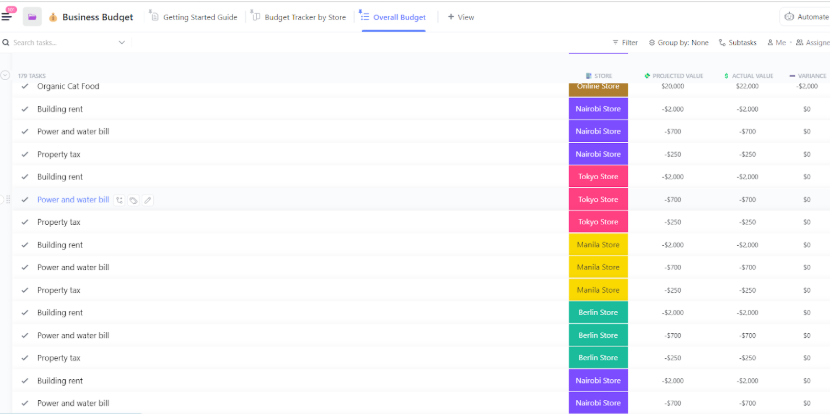
82% of business failures aren’t about profit—they’re about cash flow. If your departments are working in silos, even healthy revenue can spiral into chaos. The ClickUp Business Budget Template consolidates all teams into a single, shared financial view.
Segment revenue by department or initiative, set rolling forecasts, and track performance with live dashboards. Designed for all kinds of teams, not just finance pros, this project budget tool turns financial oversight into a built-in business advantage.
🔑 Ideal for: Startup founders, operations heads, or finance managers who want full-budget visibility, without the overhead of complex enterprise systems.
➡️ Also Read: Best Marketing Budget Templates to Manage Finances
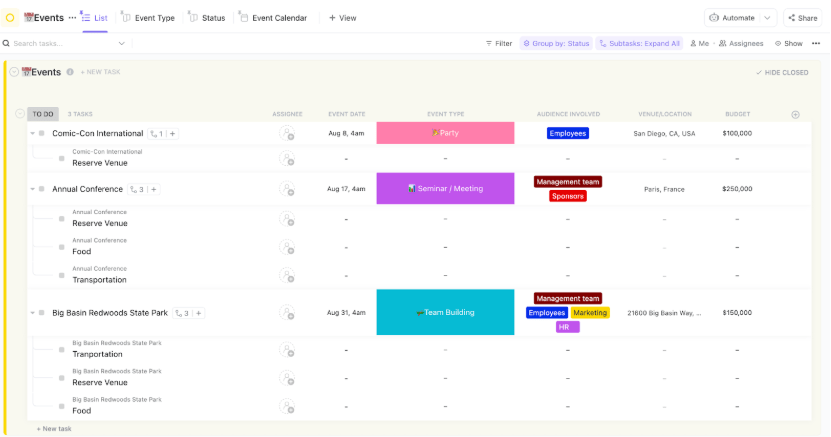
Big or small, every event is a balancing act between vision and budget. From vendor quotes and venue deposits to marketing costs and last-minute surprises, it’s all too easy to overspend—or miss critical payments.
The ClickUp Event Budget Template streamlines the process. Whether you’re hosting a conference, product launch, or team offsite, this template enables you to track every cost, make real-time adjustments, and align your spending with your event goals.
🔑 Ideal for: Event planners, marketing teams, or office managers coordinating internal or public events, especially when multiple vendors and budgets are involved.
🎥Event-prep stress? Watch this quick video on how to seamlessly plan an event in ClickUp:
🔎 Did you know? 86.4% of conference organizers plan to host more in-person events this year. With rising costs and tighter timelines, a smart budget template is your secret weapon for organizing fast, spending wisely, and pulling off seamless events.
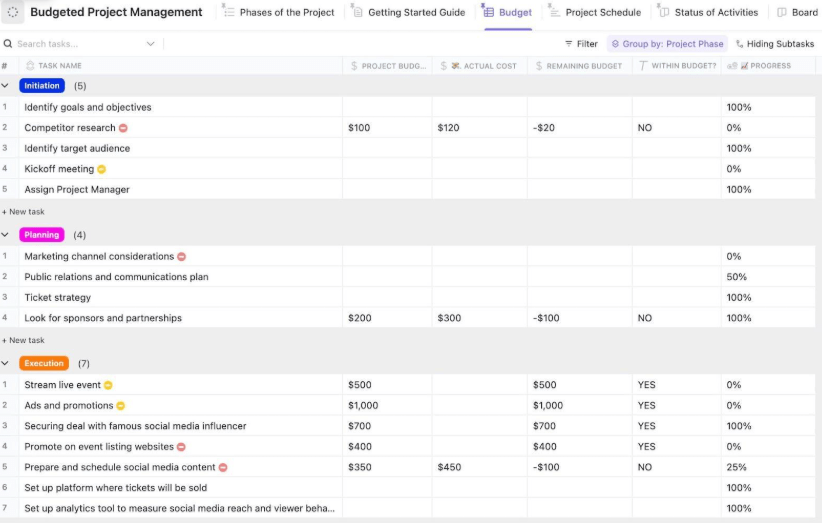
Why do so many projects go over budget? Teams often chase deadlines and deliverables without considering the real-time cost impact. ClickUp’s Budgeted Project Management Template bridges that gap by embedding real-time budget insights right into your workflow.
It pulls budget visibility into every task, tracks resource spend as you go, and instantly shows the financial impact of project scope or timeline shifts. With live, task-level budget insights, you can course-correct early, before minor overruns become major setbacks.
🔑 Ideal for: Project managers or resource-intensive teams navigating strict budgets and complex deliverables who need full visibility into costs, progress, and priorities.
💡 Pro Tip: Before kickoff, use the MoSCoW method—must have, Should have, Could have, Won’t have—to align with stakeholders on top priorities. It helps you guard against scope creep, cut out non-essentials, and focus your budget on what truly drives results.
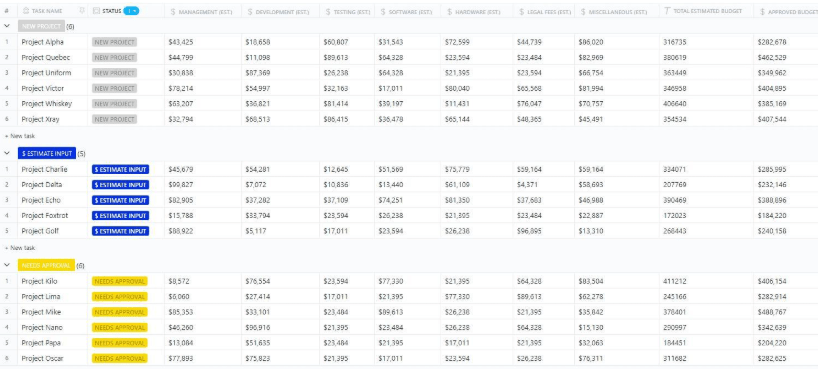
When project costs spiral, it’s usually not one big expense—it’s a hundred small ones that go unchecked. The ClickUp Project Cost Management Template helps you catch and document every cost, down to the task level.
Designed for audit readiness, this template tracks estimates, approvals, and actuals at every step. Whether you’re managing internal teams or billing clients, this gives you financial traceability from kickoff to wrap-up.
🔑 Ideal for: PMOs, cost controllers, or agencies managing billable projects across complex teams.
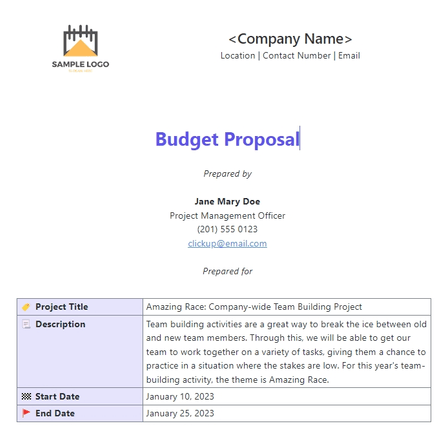
What’s the difference between landing a project deal and losing it? Often, it’s not the price, it’s how you present it. ClickUp’s Budget Proposal Template helps you turn numbers into narratives, showcasing your pricing in a way that’s not just clear but compelling.
This template helps you craft polished proposals with detailed breakdowns, ROI callouts, and tiered pricing options that make decision-making easy for clients. It’s designed to help you sell the value behind every line item while protecting your margins.
🔑 Ideal for: Consultants, agencies, and freelancers who need to present project budgets that win client approval while maintaining profitable operations.
➡️ Also Read: Free Budget Proposal Templates in Excel and ClickUp
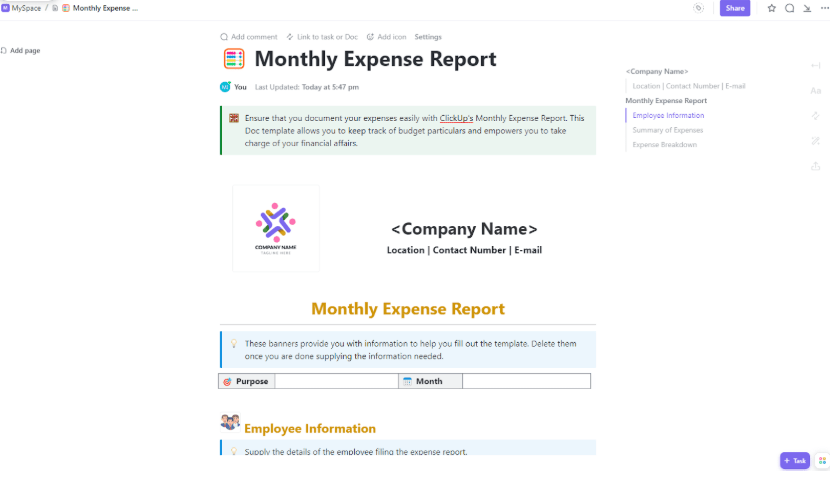
The average person underestimates their monthly spending—a blind spot that leads to mounting debt and missed financial goals. The ClickUp Monthly Expense Report Template helps you bring your actual spending habits into focus.
Whether you’re managing a home, tracking team reimbursements, or trying to cancel sneaky subscriptions, this template helps you log every expense, clearly identify patterns, and plan more effectively with month-to-month insights.
🔑 Ideal for: Busy professionals, team leads logging shared expenses, or anyone trying to break the ‘where did my money go?’ cycle.
Only 21% of CFOs or financial decision-makers fully understand the intelligence reports they receive. Why? Most reports present numbers without explaining what matters.
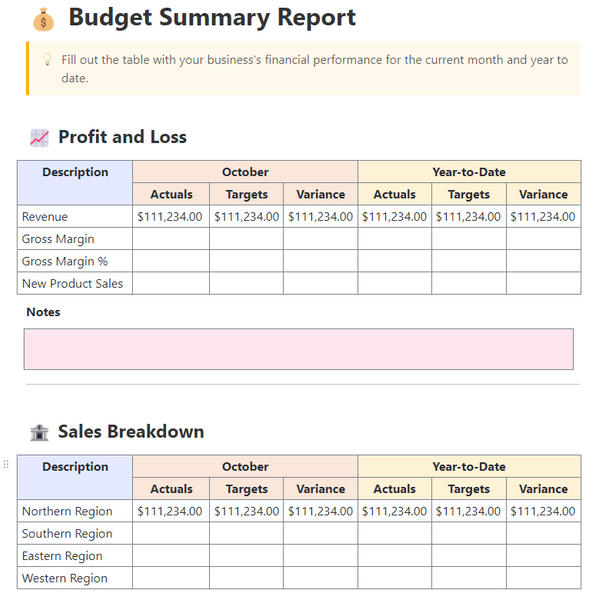
The ClickUp Budget Report Template helps you turn dense financial data into clear, narrative-driven reports that show not just what changed, but why. Automate delivery, tailor insights by audience, and keep your reports both on-brand and on point.
🔑 Ideal for: Finance managers, client-facing consultants, or ops leads who need to turn raw budget data into insight-driven reports—fast.
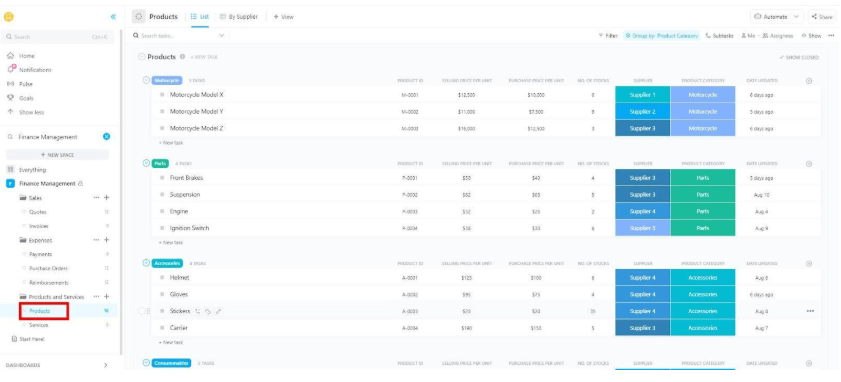
Managing finances across clients, projects, and categories can become messy quickly, especially without a dedicated finance team. The ClickUp Finance Management Template provides a centralized command center for budget tracking, approvals, and performance reporting.
You can tag transactions, group expenses by client or cost type, and stay on top of cash flow across teams. Smart triggers let you know when spending veers off-course—before it becomes a problem.
🔑 Ideal for: Small business owners, startups, or finance-light teams managing fragmented budgets across multiple initiatives.
👏 Success Story: Finastra’s marketing team faced a familiar challenge: scattered tools, siloed budgets, and slow GTM execution. By consolidating workflows with ClickUp, they had clarity on financial planning, campaign coordination, and team collaboration. Here’s how:
60% of small businesses that review their financials regularly are more profitable. But if you’re buried in spreadsheets or static dashboards, that review becomes a full-time job.
The ClickUp Financial Analysis Report Template cuts through the clutter. It turns financial data into visual summaries, benchmarks, and auto-generated reports, so you can understand what’s helping (or hurting) your profits.
🔑 Ideal for: Founders, finance leads, or freelancers who need a fast, visual way to translate financial data into smart decisions and scalable strategies.
💡 Pro Tip: Simplify your financial review with AI. ClickUp Brain pinpoints what matters: cost spikes, unexpected variances, and growth signals. Whether you’re prepping for a pitch, a stakeholder update, or next month’s plan, it’s like a financial analyst on call 24/7.
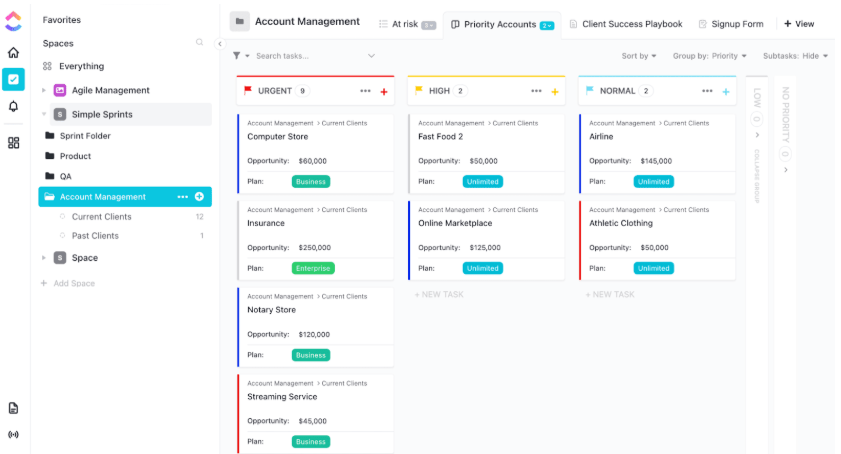
Most teams only act after a client or customer churns. By then, it’s too late. The ClickUp Account Management Template helps you stay ahead by identifying early risk signals and automating follow-ups to retain, renew, and revive key accounts.
This isn’t just CRM tracking. It’s a live command center where every client interaction, such as demo attendance, email engagement, and shifts in sentiment, feeds into a central workflow. Tag account health, assign next steps, and scale what works with repeatable success playbooks.
🔑 Ideal for: Customer success leaders, AMs, or ops teams who want to reduce churn, personalize outreach, and operationalize retention across every account.
💡 ClickUp Hack: Use ClickUp’s Formula Fields to automate client follow-ups based on specific conditions. For example, auto-trigger a task when an account’s sentiment score drops or when contract value dips below target, so you act before they churn.
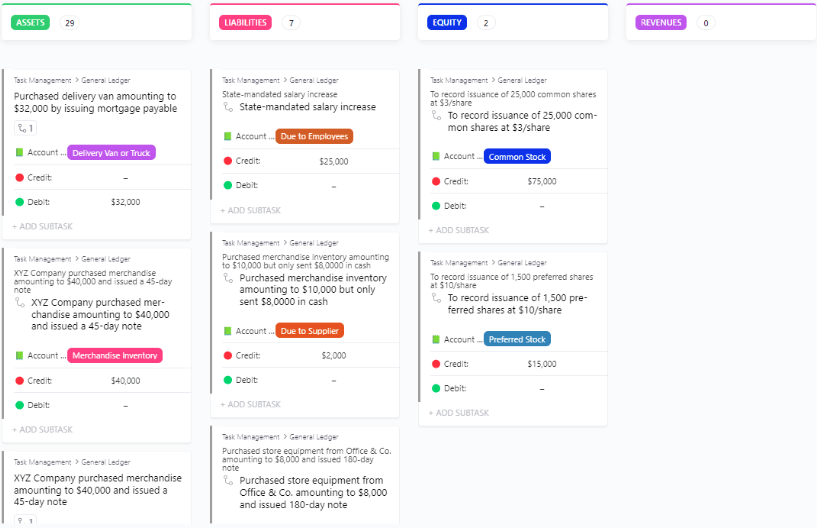
Your general ledger isn’t just a financial archive—it’s the backbone of your reporting, tax filing, and business forecasting. When accuracy is non-negotiable, ClickUp’s General Ledger Template gives you structure, control, and traceability from day one.
Group entries by account type, and attach receipts, notes, and approvals—everything stays documented and review-ready. Version tracking and reviewer assignments ensure that your ledger reflects accurate, current data you can trust for reports, funding, or compliance purposes.
🔑 Ideal for: Controllers, accounting leads, and finance managers who need a trusted, up-to-date general ledger that supports financial oversight and compliance.
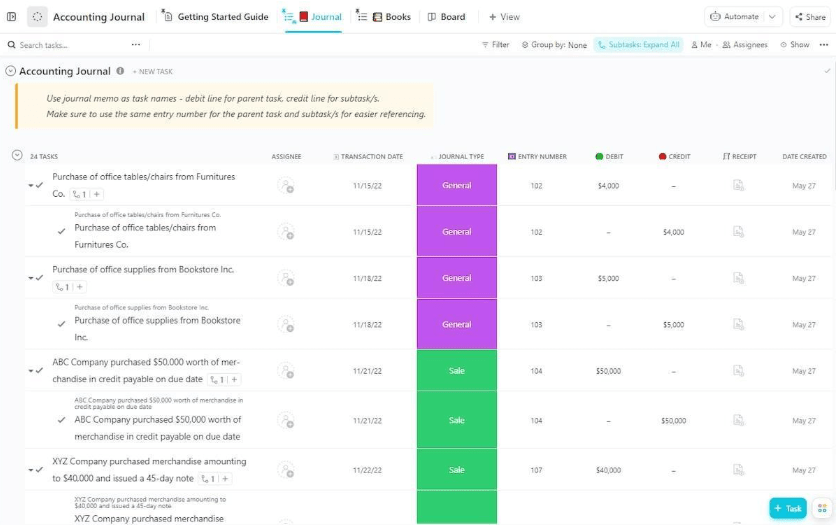
Manual journal entries leave too much room for error, and even small mistakes can throw off your books. The ClickUp Accounting Journal Template brings precision to your transaction tracking, helping you log, balance, and review each entry with zero guesswork.
Customize fields for journal type, entry number, account impact, receipts, and amounts. Use Books and Journal views to sort by transaction date or status. You can assign tasks for review, automate balance checks, and ensure every entry adds up before it rolls up to your ledger.
🔑 Ideal for: Accountants, bookkeepers, or finance teams who manage high-volume daily transactions and want clean, audit-safe records.
➡️ Also Read: Best Accounting AI Software & Tools
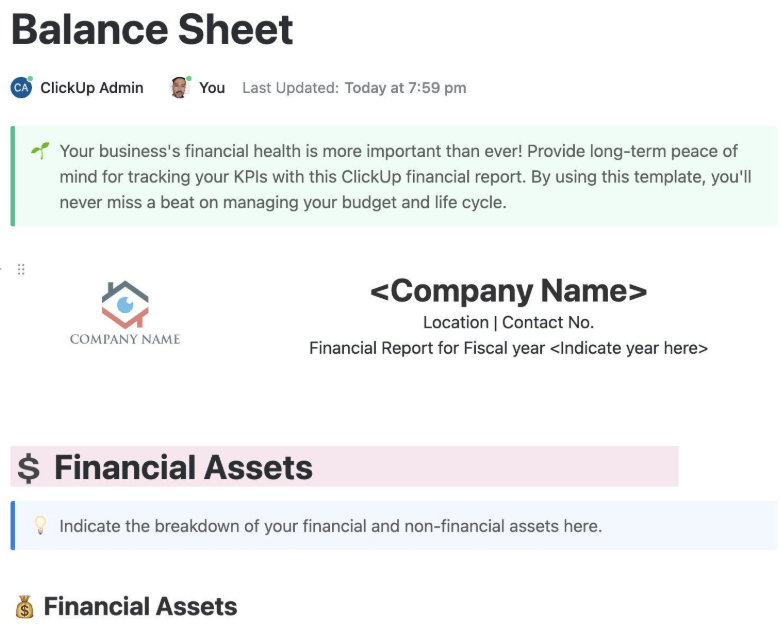
Balance sheets shouldn’t be static snapshots—they should grow with your business. The ClickUp Balance Sheet Template transforms traditional financial tracking into a dynamic workspace where assets, liabilities, and equity stay accurate, accessible, and audit-ready.
Log opening balances, group entries by account type, and assign review tasks to streamline reconciliation. Whether you’re prepping for board review or closing the quarter, this template keeps your financials organized, current, and team-aligned.
🔑 Ideal for: Accountants, business owners, or finance teams who need a collaborative balance sheet that evolves with every financial move.
Budgeting isn’t just about tracking spending—it’s about making faster decisions that fuel growth.
Notion budget templates are a starting point, but when you need automation, real-time collaboration, and enterprise-level scale, ClickUp delivers what Notion can’t.
With live dashboards, smart triggers, and AI-powered insights, ClickUp transforms static budgets into dynamic systems that help you plan more effectively, pivot more quickly, and stay aligned across teams.
Switch to ClickUp now—where your next smart financial decision starts.

© 2026 ClickUp

There’s an easier way. Try a free AI Agent in ClickUp that actually does the work for you—set up in minutes, save hours every week.