







Still downloading templates?
There’s an easier way. Try a free AI Agent in ClickUp that actually does the work for you—set up in minutes, save hours every week.
Sorry, there were no results found for “”
Sorry, there were no results found for “”
Sorry, there were no results found for “”
You add one AI agent to speed things up. Then another. Then five more for research, routing, drafting, QA, and approvals.
Now nobody knows who is doing what, two agents are repeating the same task, and a single bad handoff has quietly broken the entire workflow. Great. 😶
That is the catch with multi-agent systems: the more capable they get, the easier they are to mismanage.
In this blog post, we’ll walk through 10 multi-agent orchestration templates that help you assign roles, manage handoffs, and keep your AI workflows from spiraling into chaos. ⚙️
| Template | Download Link | Ideal For | Key Features |
|---|---|---|---|
| ClickUp Software Integration Template | Get free template | Running sequential, dependency-based agent workflows | Phase-based workflows, task dependencies, integration sequencing |
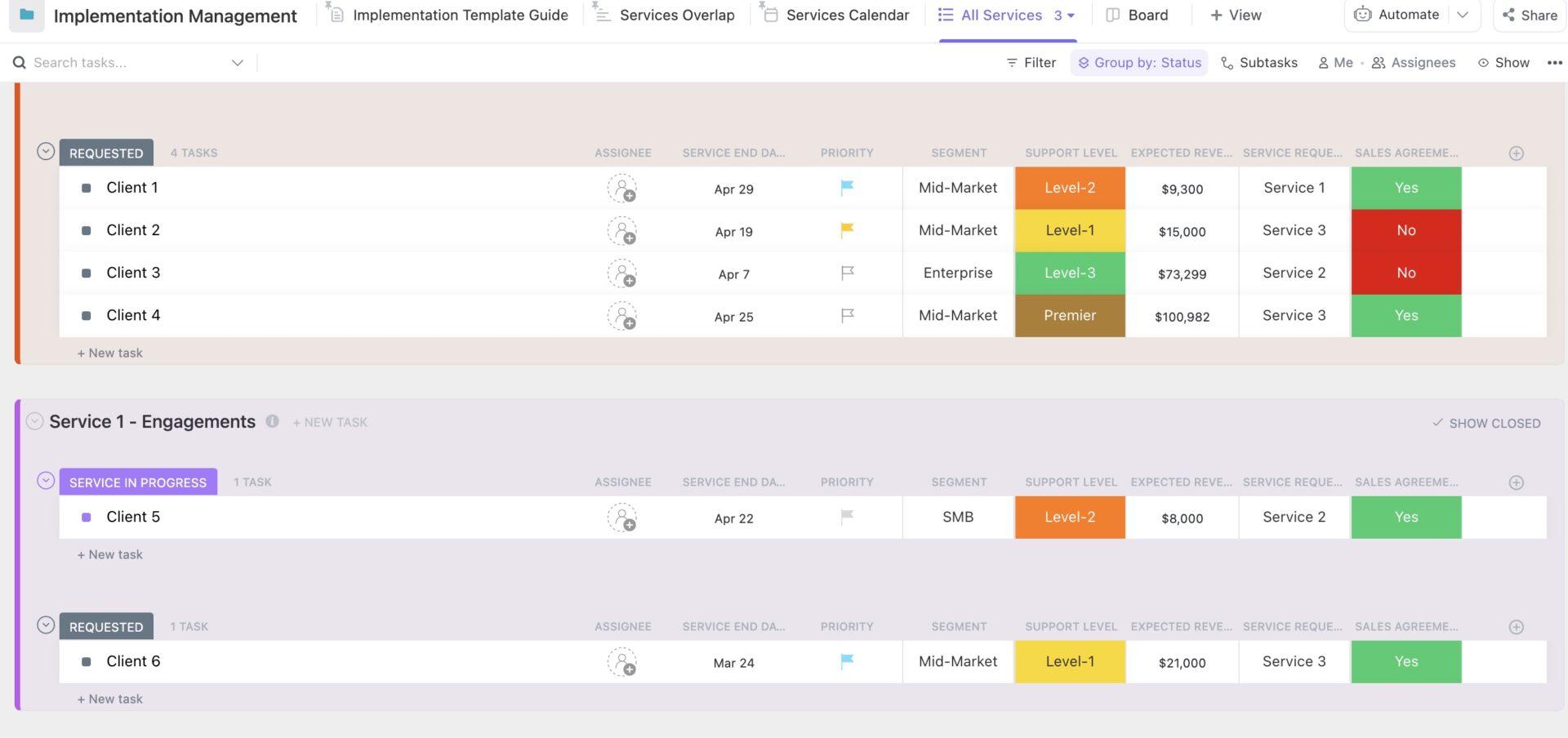
| ClickUp Implementation Management Template | Get free template | Managing hierarchical agent delegation | Task-subtask structure, phased rollout tracking, supervisor visibility |
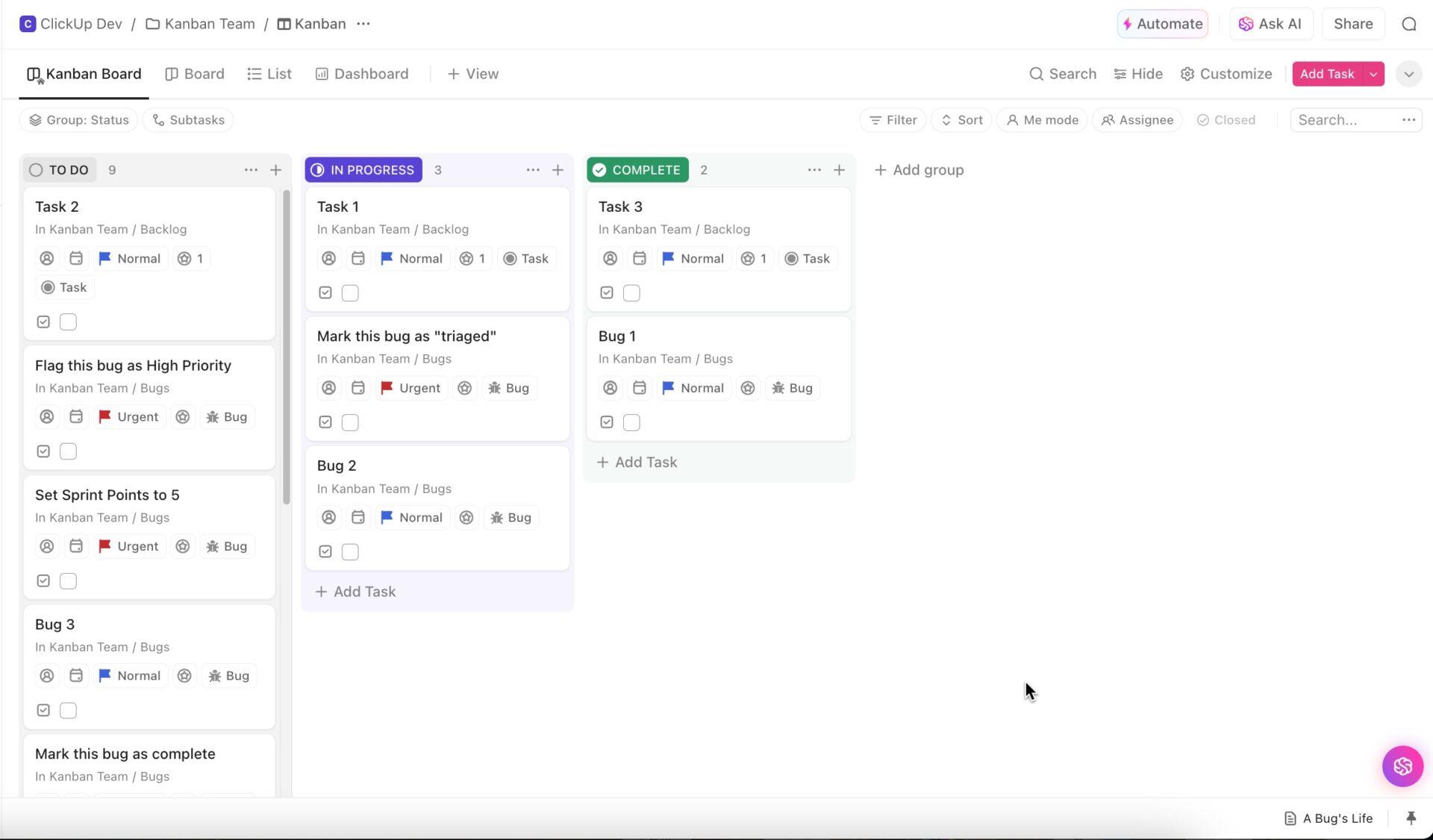
| ClickUp Kanban Team Template | Get free template | Coordinating event-driven agent workflows | Kanban queues, automated handoffs, real-time task visibility |
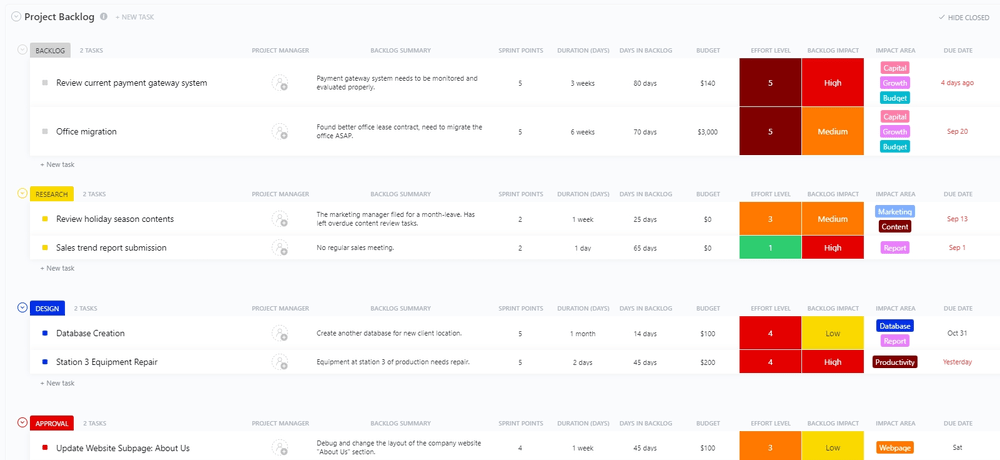
| ClickUp Project Backlog Template | Get free template | Prioritizing parallel agent execution | Backlog scoring, prioritization fields, dynamic task ordering |
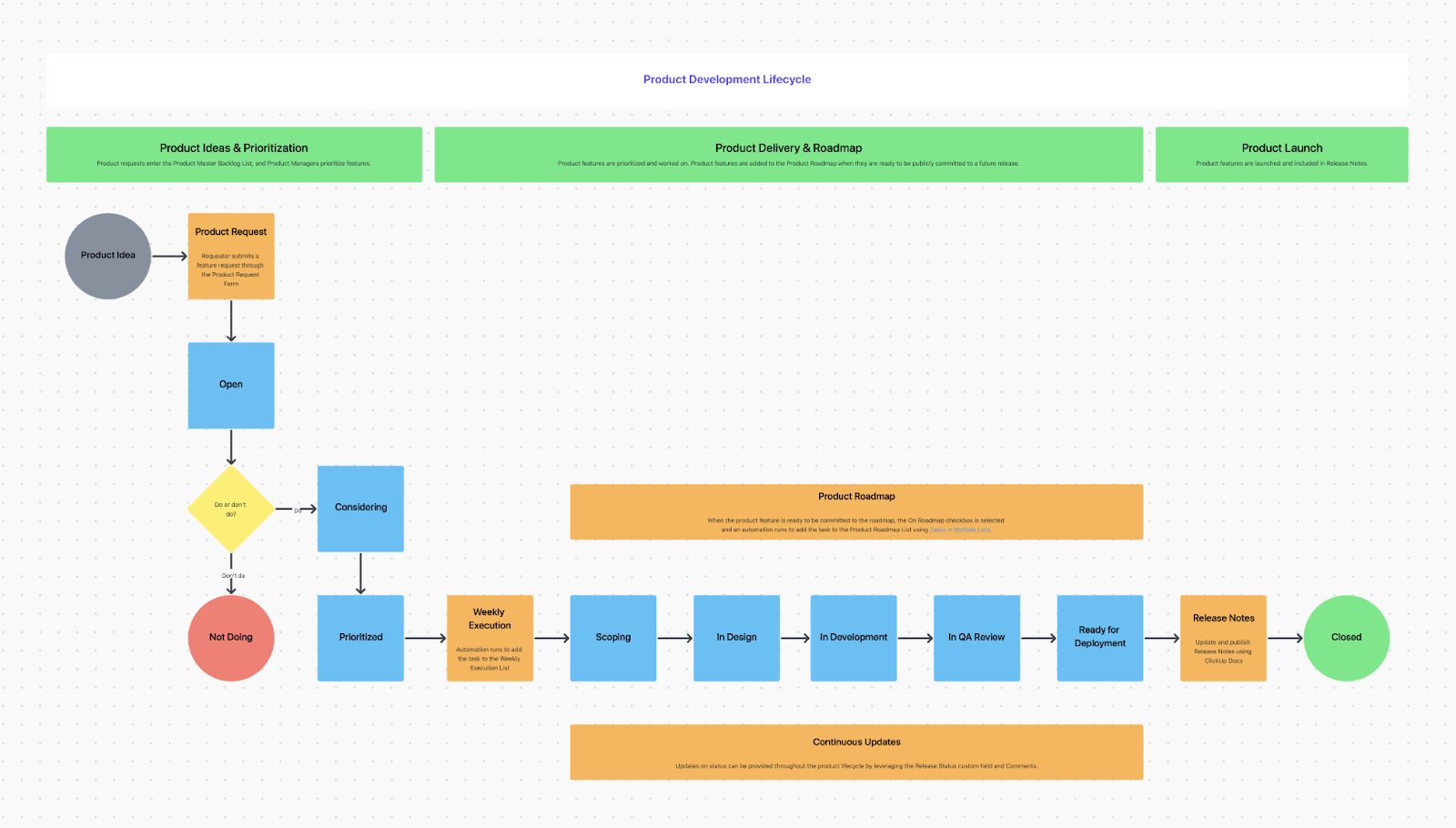
| ClickUp Product Roadmap Template | Get free template | Aligning multi-agent workflows to product timelines | Lifecycle mapping, milestone tracking, dependency visualization |
| ClickUp Project Management Dashboard Template | Get free template | Monitoring agent performance and workflow health | KPI dashboards, performance tracking, bottleneck detection |
| ClickUp Flowchart Diagram Template | Get free template | Designing orchestration logic and handoffs | Visual workflow mapping, decision nodes, routing logic documentation |
| ClickUp Squad Brainstorm Template | Get free template | Running collaborative multi-agent ideation | Idea capture, prioritization, human-AI collaboration |
| ClickUp Team Communication and Meeting Matrix Template | Get free template | Defining communication rules across agents | Communication mapping, escalation paths, sync point planning |
| ClickUp Quality Control Checklist Template | Get free template | Validating outputs before agent handoffs | QA checklists, pass/fail tracking, workflow checkpoints |
Multi-agent orchestration is the practice of coordinating multiple AI agents, so they work together to complete complex tasks that no single agent could handle alone. An AI orchestrator—whether it’s a human, a set of rules, or another AI—acts as the director, managing which agents activate, in what sequence, and how they share information.
Without this orchestration layer, your collection of powerful agents remains just that—a collection. With it, you transform them into a coherent, autonomous system. This involves a few key functions:
🧠 Fun Fact: The word “machine learning” came from a 1959 paper about checkers. IBM traces it to Arthur Samuel, whose whole dream was to make a computer that could learn to play better than the person who wrote the program.
⭐️ Bonus: What Is Proprietary Agentic Technology?
You know you need to get your agents working together, but forcing them all into the same rigid workflow isn’t working. A linear process, perfect for content creation, is causing bottlenecks in your software development cycle. This is because different types of work require different coordination methods or orchestration patterns.
Understanding these common agentic patterns gives you a blueprint for designing effective AI-powered workflows. Instead of starting from scratch, you can pick a proven structure that fits the job. Most real-world systems even blend these patterns, but it all starts with knowing the fundamentals:
🧠 Fun Fact: One of AI’s earliest “whoa” moments involved a room-sized machine learning left from right on punch cards. Cornell says Rosenblatt’s Perceptron learned to distinguish cards marked on the left from cards marked on the right after about 50 trials, and Rosenblatt called it the first machine capable of having an “original idea.”
📚 Also Read: Best Workflow Orchestration Tools for Efficiency
Building complex multi-agent systems from scratch for every new project is a massive time sink. Your team ends up wasting hours recreating the same task structures, dependency chains, and custom fields.
Stop reinventing the wheel every time! Get pre-built structures that provide the exact scaffolding for each orchestration pattern with ClickUp’s Template Library.
Let’s take a look:
The ClickUp Software Integration Template is built for the sequential pipeline pattern. It’s perfect for orchestrating agents through phased integration projects where each step must be completed before the next can begin.
The structure is broken down into phases like planning, development, testing, and deployment, with ClickUp Dependencies already built in. This mirrors how you’d coordinate agents handling API connections, data mapping, and validation.
✅ Ideal for: Solutions engineers and IT teams orchestrating multi-step agent workflows for integrations, migrations, and system rollouts.
✨ ClickUp Hack: To keep integrations reliable after go-live, pair this template with the ClickUp Integration Health Checker Agent. While the template helps you orchestrate each phase of the rollout, the agent helps monitor live integration health. That means your team can spot issues early, respond faster, and protect downstream workflows from silent failures.

📚 Also Read: How to Build AI Agents for Agency Management
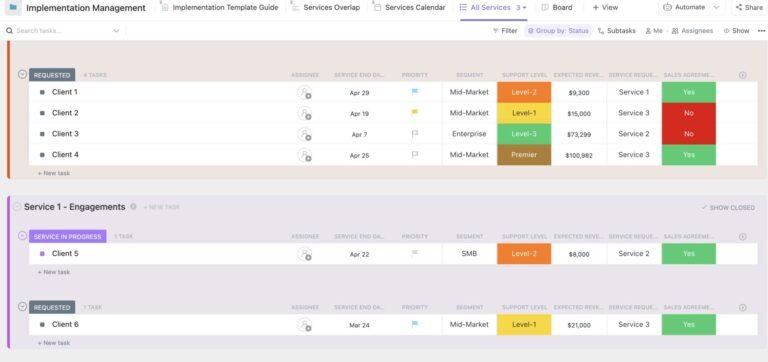
The ClickUp Implementation Management Template is designed for the hierarchical orchestration pattern. It’s where a project manager—or a supervisor agent—delegates work to specialized agents. The structure is organized into implementation phases, with nested subtasks for each functional area, such as technical setup, user training, and documentation.
The template’s hierarchical structure, with ClickUp Tasks and nested subtasks, naturally accommodates a supervisor agent that can monitor overall progress at the parent task level. Meanwhile, specialized agents can focus on their assigned subtasks.
✅ Ideal for: Implementation managers, solutions teams, and onboarding leads coordinating supervisor-and-specialist agent workflows across phased rollouts.
💡 Pro Tip: Create a high-level view for the orchestrator that pulls data from all subtasks to track agent activities and spot blockers in real time with ClickUp Dashboards.
Not every multi-agent workflow should run in a fixed sequence. Some work moves best when agents pull from a shared queue, act when capacity opens, and hand off tasks as soon as their part is complete. That is where the ClickUp Kanban Team Template fits really well.
Built around a visual Kanban board, this template helps manage event-driven orchestration across changing workloads. Tasks move through columns as work progresses, so agents can pick up the next available item, complete their step, and pass it forward without waiting for a rigid chain to unfold.
✅ Ideal for: Ops teams, support teams, and product or engineering teams coordinating event-driven agent workflows with shared queues and fast handoffs.
🎥 Good orchestration is not just about who does what. It is about who remembers what happened. ClickUp Super Agents have an evolving memory that helps them keep track of recent interactions, preferences, and useful context across the workflow. Want to know more? Watch this:
📚 Also Read: How to Build an AI Agent for Better Automation
The hardest part of orchestration is not always execution. It is deciding what deserves attention now. When requests, bugs, research questions, and new opportunities keep piling up, agents need a shared source of truth for what to pick up next and what can wait.
The ClickUp Project Backlog Template gives you that control layer. It creates one prioritized backlog where work can be scored, grouped, and reordered as conditions change. That makes it easier for an orchestrator agent to manage the queue while multiple execution agents work through tasks in parallel.
✅ Ideal for: Product ops teams, engineering managers, and research teams coordinating parallel agent workflows across feature backlogs, bug queues, or rolling project priorities.
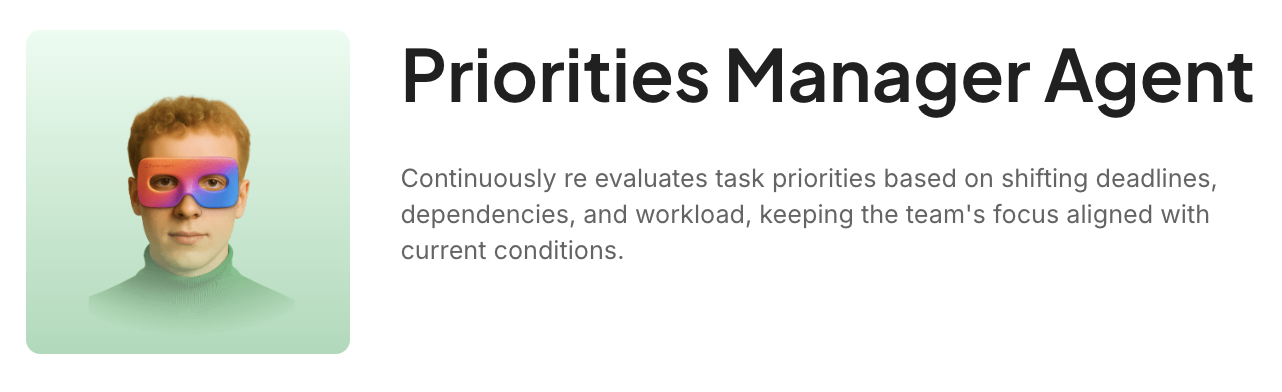
✨ ClickUp Hack: Pair this template with the ClickUp Priorities Manager Agent to keep the backlog responsive as work keeps changing. It continuously re-evaluates task order based on shifting deadlines, dependencies, and workload. In other words, your orchestrator agent always has a current queue to pull from.
Priorities may be clear at the top, but the real complexity shows up lower down, where different teams are scoping, building, reviewing, and preparing releases simultaneously. Without a shared view, coordination breaks down as work moves closer to launch.
The ClickUp Product Roadmap Template helps you map that flow from idea to release. Built on ClickUp Whiteboards, it outlines the product lifecycle across stages such as prioritization, scoping, design, development, QA, deployment, and launch. That makes it easier to coordinate agent teams working at different layers of the roadmap while keeping progress tied to milestones and release timing.
✅ Ideal for: Product ops teams and launch managers coordinating multi-agent workflows across roadmap planning, release sequencing, and phased delivery.
📚 Also Read: Top AI Orchestration Tools for Business Workflows
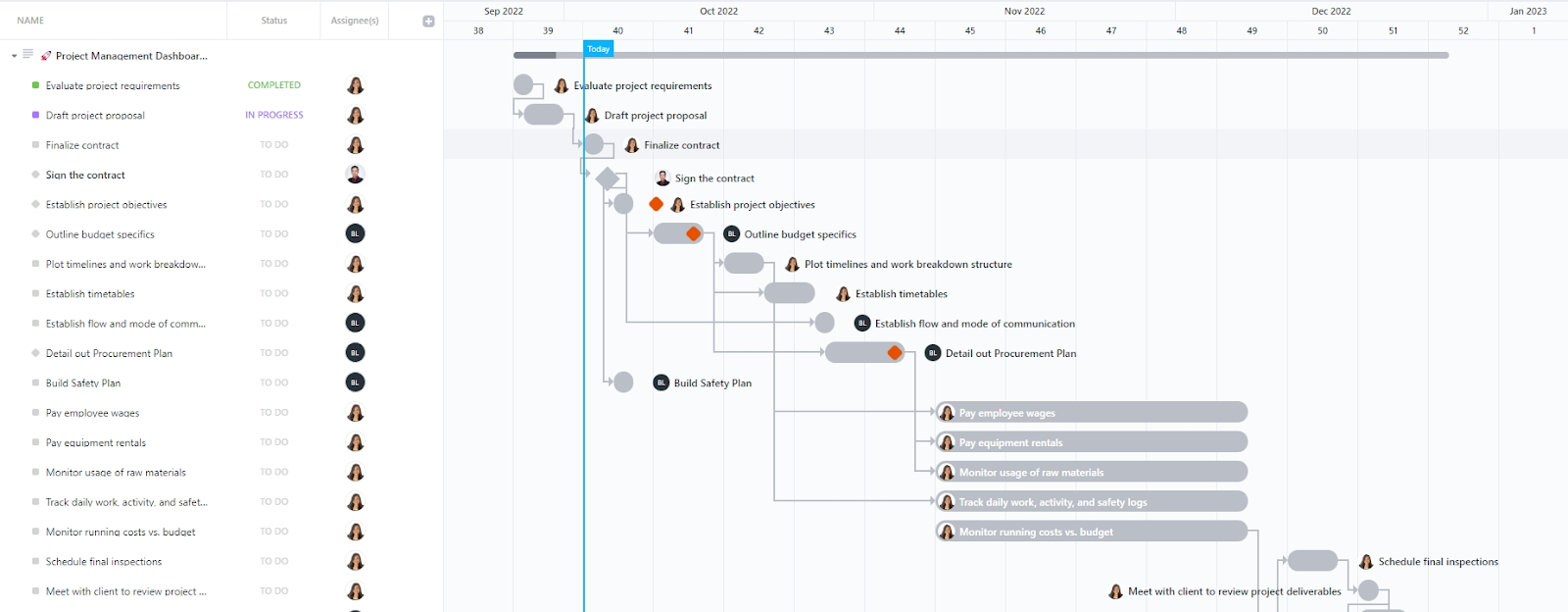
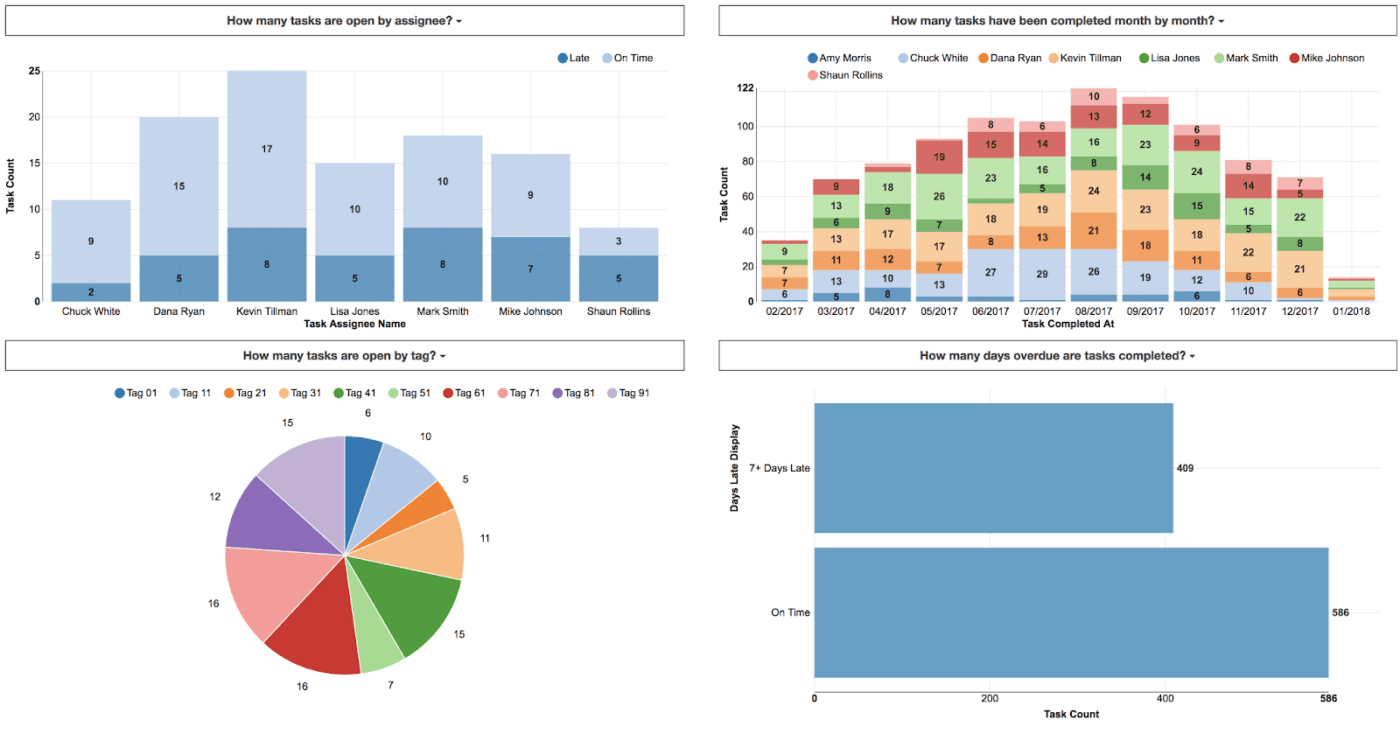
How do you know if your agent orchestration is actually working? The ClickUp Project Management Dashboard Template acts as the orchestration visibility layer. It’s the command center where human operators or supervisor agents can monitor all agent activities and the system’s overall health.
The dashboard aggregates key metrics, status summaries, and progress indicators from across all your agent-driven projects. Moreover, it shows you agent-specific metrics, such as tasks completed per agent, average cycle time, and error rates.
✅ Ideal for: AI ops teams, technical program managers, and workflow owners monitoring multi-agent execution across complex projects and handoff-heavy systems.
👉 Dashboards show the numbers. ClickUp AI Cards help explain them. Add an AI Executive Summary or AI Project Update card to turn agent activity and workflow signals into a quick read for the team. Want to know more? We’ve a video walkthrough for you:
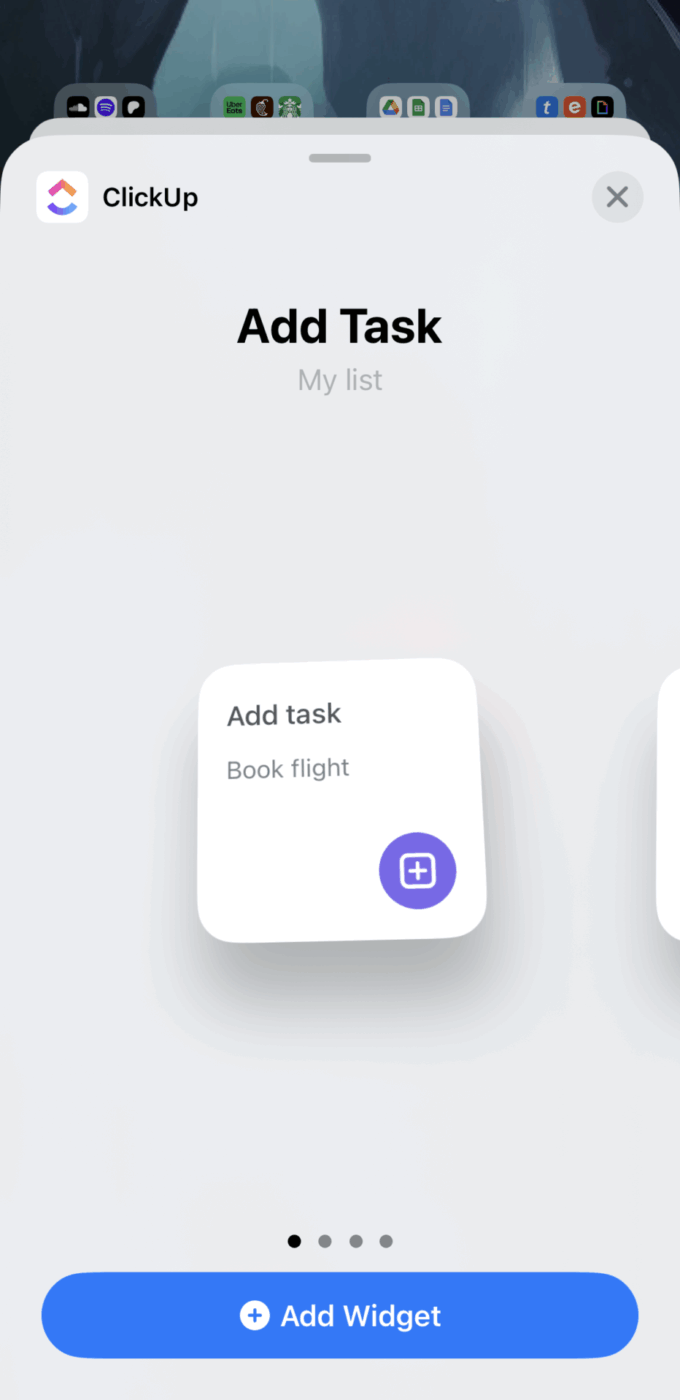
💡 Pro Tip: Your ClickUp workspace doesn’t have to stay tied to the app alone. Add a ClickUp widget to your phone’s home screen for quick task creation, reminders, or a live view of what’s due today.
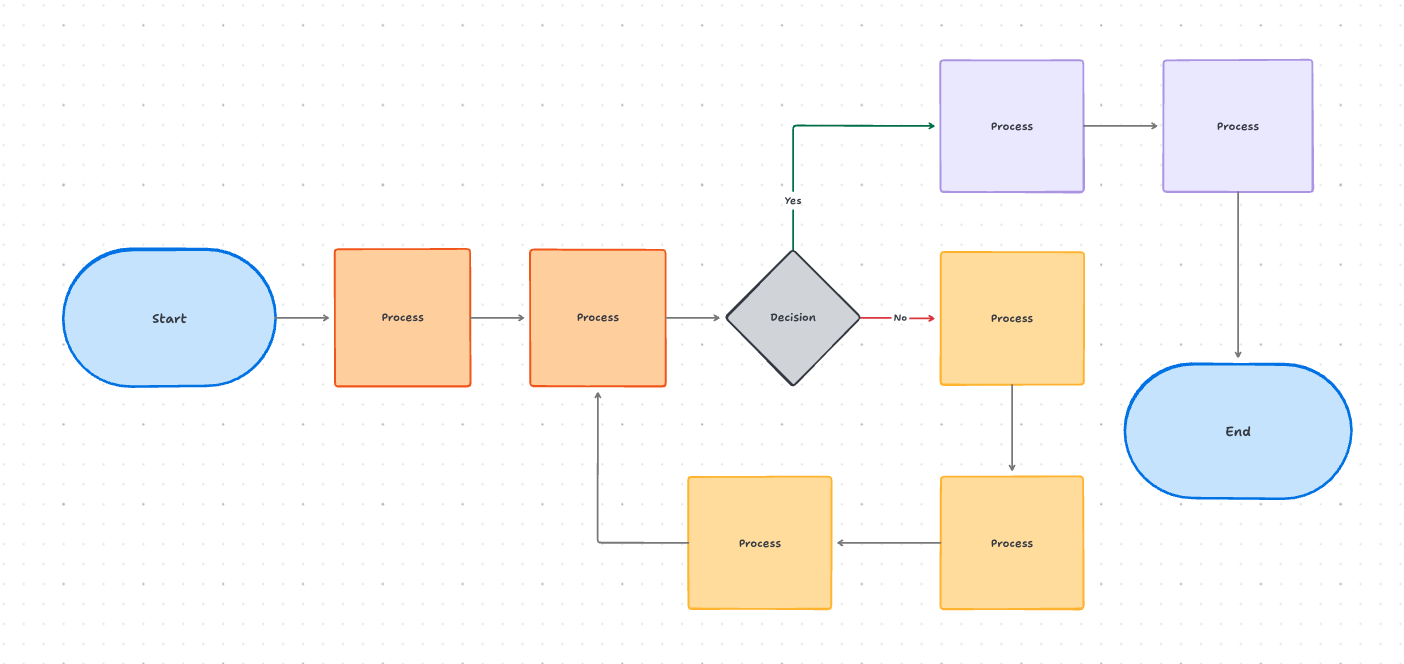
A multi-agent system is much easier to manage when the workflow is visible before anything goes live. You need to see where work starts, what decisions route it forward, when handoffs happen, and where different paths reconnect.
Otherwise, orchestration logic stays trapped in someone’s mind and breaks the moment the workflow gets more complex.
The ClickUp Flowchart Diagram Template gives you a visual canvas to design that logic upfront. Built on ClickUp Whiteboards, it lets teams map processes, decision points, parallel paths, and handoff rules in one place.
It also doubles as living documentation, so the same diagram that helps you plan the system can later help the team understand and maintain it.
✅ Ideal for: AI ops teams and workflow designers mapping multi-agent logic before rollout.
📮 ClickUp Insight: 46% of people say the biggest potential benefit of AI agents is saving time they didn’t know they still had.
That kind of time rarely comes from speeding up a single step. Instead, it comes from collapsing multi-step workflows: the handoffs, follow-ups, and coordination work that quietly fill your day.
Super Agents in ClickUp can chain actions to move work forward from intake to follow-through in one flow, without needing each step to be triggered manually.
Because time can only be reclaimed via dozens of small transitions that no longer need constant human oversight!
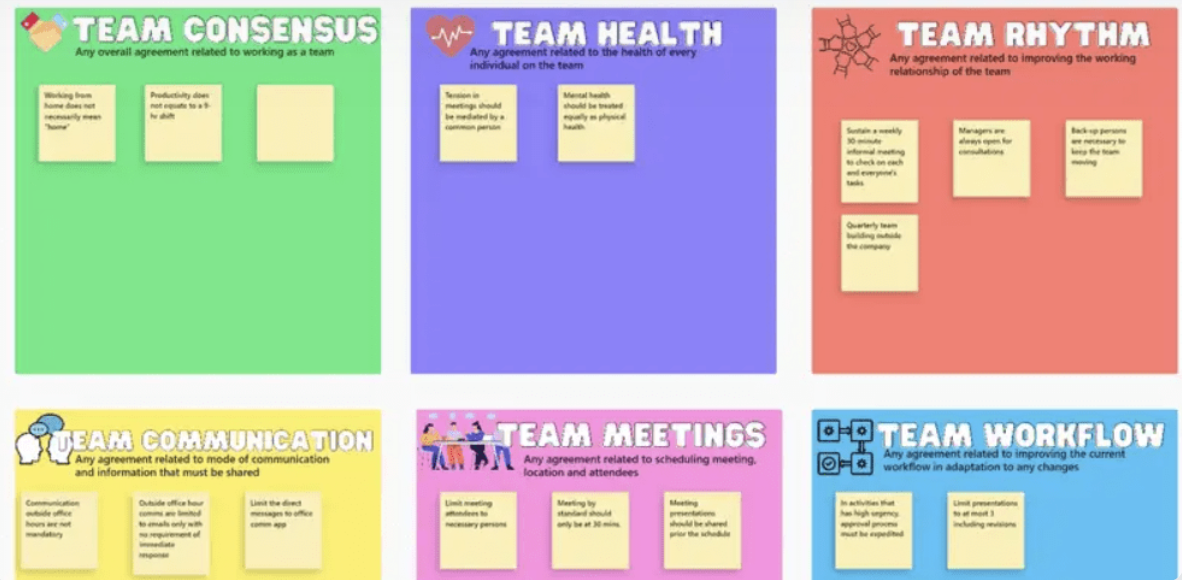
The ClickUp Squad Brainstorm Template supports collaborative orchestration patterns. This is where multiple agents—or teams of humans and agents—contribute ideas that are then synthesized into actionable outputs.
This template comes with a great format for capturing, categorizing, and prioritizing ideas from a group session. In it, you can have multiple research agents contribute their findings to a shared space, or run human-AI brainstorming sessions where ClickUp Brain participates alongside your team.
Configure ClickUp Brain to generate alternative perspectives on each idea submitted, or use it to synthesize themes across all contributions at the end of a session.
✅ Ideal for: Product teams, strategy teams, and innovation leads running collaborative multi-agent brainstorming for research, planning, and solution design.
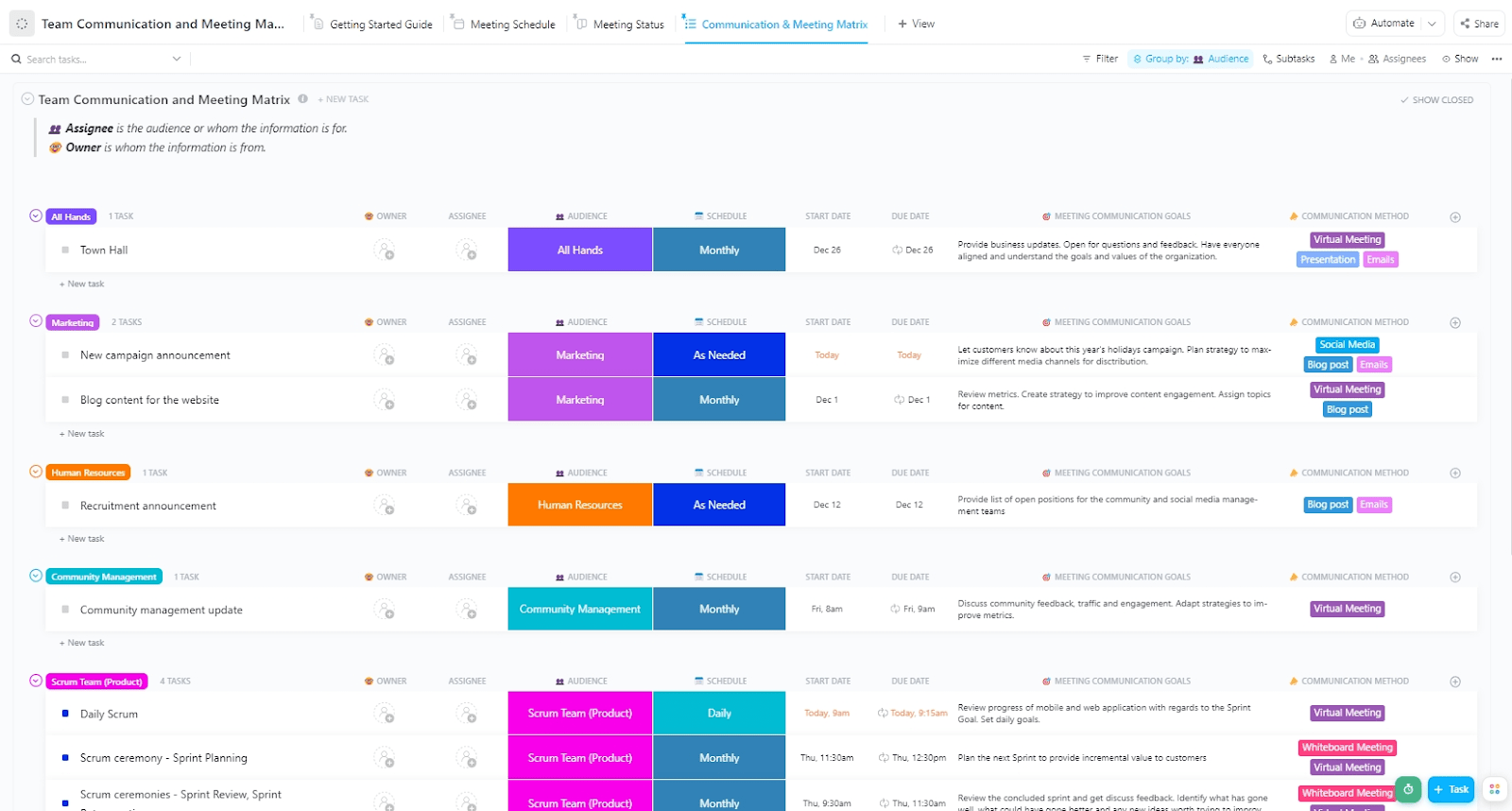
Orchestration can fail even when the tasks are clear. That’s because the real issue often boils down to communication. One agent updates too late, another sends the wrong signal, and a human reviewer gets pulled in without enough context. When those rules are undefined, coordination starts to slip.
The ClickUp Team Communication and Meeting Matrix Template helps you define how information should move across the system. You can map audiences, owners, schedules, communication goals, and methods in one place. That helps set sync points, clarify escalation paths, and decide when human review should step in.
✅ Ideal for: Workflow managers and human-in-the-loop teams defining communication protocols for multi-agent systems.
An orchestration flow is only as reliable as its checkpoints. Work can move quickly from one agent to the next, but speed doesn’t help much if the output is wrong, incomplete, or not ready for handoff. That is why quality gates matter. They give the system a clear pause point before work moves forward.
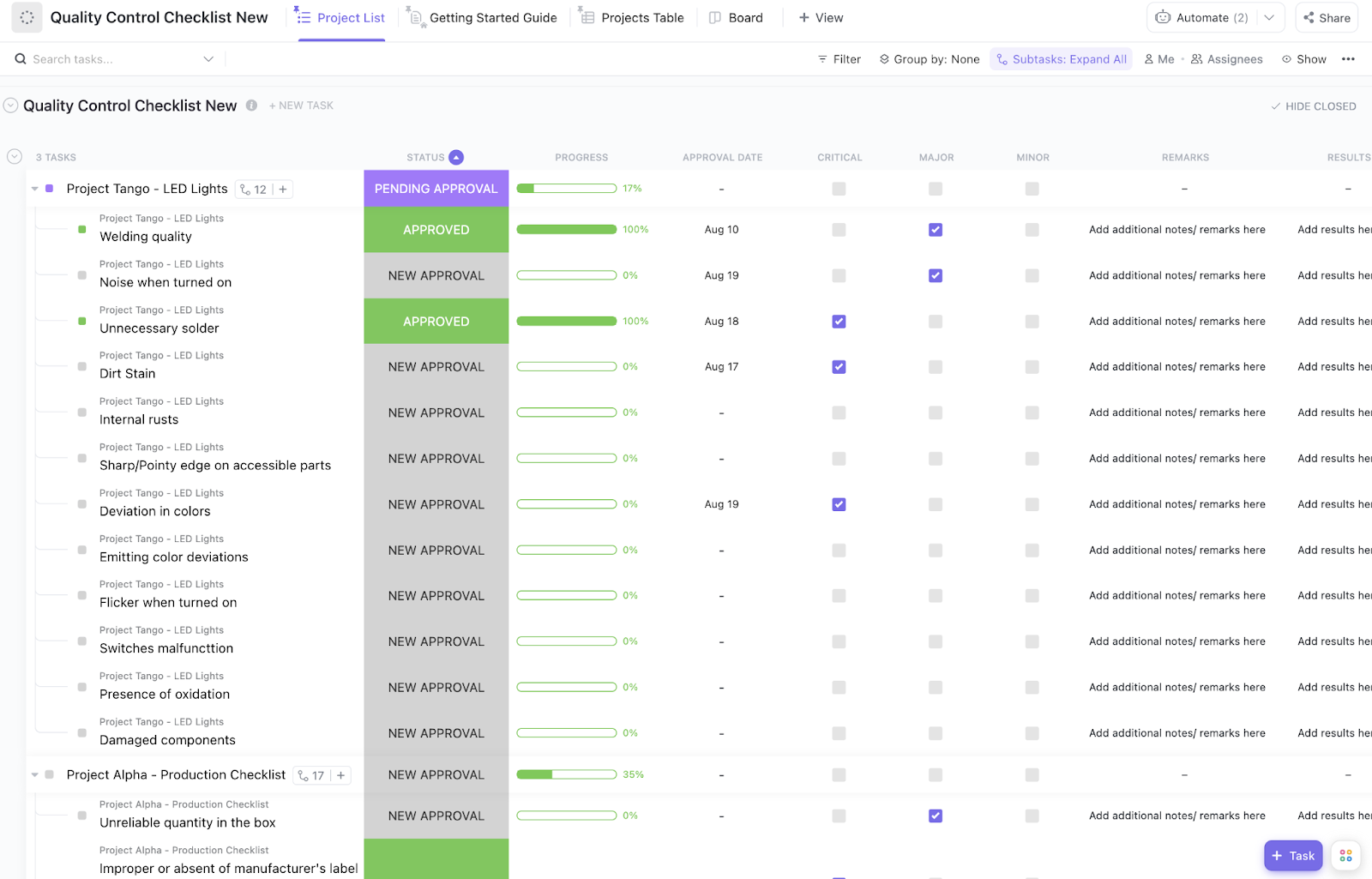
The ClickUp Quality Control Checklist Template helps you build those checks into the workflow itself. You can review each output against defined criteria, track pass-fail signals, capture remarks, and record approval status in one place. That makes it easier to verify agent outputs before they reach the next step, the next agent, or the final release.
✅ Ideal for: QA managers and workflow owners adding validation checkpoints to multi-agent systems before handoff or release.
⭐️ Bonus: MCP vs. RAG vs. AI Agents
Choosing the wrong template can create more friction than it solves, leaving you fighting against the structure. The solution is to follow a simple decision framework.
Start by asking what kind of coordination your workflow requires, then consider your visibility and governance needs.
Match your orchestration pattern first:
| Pattern | Suitable Template |
| Linear and dependent: Your process is like an assembly line | Start with the Software Integration or Implementation Management templates |
| Parallel and queue-based? Agents work independently from a shared list | Use the Kanban Team or Project Backlog templates |
| Strategic to tactical? High-level plans break down into smaller tasks | The Product Roadmap template is your best bet |
Consider your visibility and design needs:
Finally, think about customization. Modify all of these templates to fit your exact needs using ClickUp Custom Fields, ClickUp Automations, and ClickUp Views. The goal is to start with the closest match and adapt it to your exact needs.
| If your workflow is… | Start with… |
|---|---|
| Sequential with dependencies | Software Integration Template |
| Multi-workstream with oversight | Implementation Management Template |
| Continuous flow with queues | Kanban Team Template |
| Prioritized parallel execution | Project Backlog Template |
| Timeline-based with milestones | Product Roadmap Template |
| Requiring performance monitoring | Project Management Dashboard Template |
| Needing design documentation | Flowchart Diagram Template |
| Collaborative ideation | Squad Brainstorm Template |
| Communication-heavy | Team Communication and Meeting Matrix Template |
| Quality-critical | Quality Control Checklist Template |
The right template gives you that starting point—so you don’t have to build handoffs, roles, approvals, and fallback logic from scratch every time.
And if you want to go beyond static planning, ClickUp’s converged AI workspace gives you room to run the workflow, too. You can start with its template library, layer in ClickUp AI Agents, and manage everything from documentation to execution in one place. All of that without stitching the system together across five different tools.
Ready? Get started with ClickUp today.
An orchestrator agent acts as the coordinator, deciding which specialized agents handle which tasks, managing the sequence of operations, and ensuring that information flows correctly between them.
Templates provide pre-built structures with task hierarchies and status workflows that map to orchestration patterns. Teams then configure automations within these structures to trigger agent handoffs when tasks change status or meet specific criteria.
Standard automation executes predefined rules, while multi-agent orchestration coordinates autonomous agents that can make decisions and adapt to context. The orchestration layer manages agent interactions rather than just triggering fixed actions.
Not necessarily. Templates in a converged workspace like ClickUp provide the structural foundation for orchestration, and when combined with native automations and AI features, teams can coordinate agent workflows without a separate, specialized platform.

© 2026 ClickUp

There’s an easier way. Try a free AI Agent in ClickUp that actually does the work for you—set up in minutes, save hours every week.