






Still downloading templates?
There’s an easier way. Try a free AI Agent in ClickUp that actually does the work for you—set up in minutes, save hours every week.
Sorry, there were no results found for “”
Sorry, there were no results found for “”
Sorry, there were no results found for “”
Mistral AI has become one of France’s most talked-about tech startups and is often seen as Europe’s answer to OpenAI. While Mistral AI excelled in fulfilling its motto,” frontier AI in the hands of everyone,” many people using it say the responses aren’t always accurate or factual.
That doesn’t diminish the extent to which AI technology has already helped people at work across various industries. A recent McKinsey study shows that employees are far more open to using AI than their leaders might think.
That’s why it’s important to have access to a smart, multilingual AI assistant that understands different ways of working.
In this article, we’ll look at some of the best alternatives to Mistral AI that can help with writing, analyzing information, and making everyday tasks easier.
🤔 Did You Know? According to Accenture research, more than 40% of all U.S. work activity can be augmented, automated, or reinvented with GenAI. The changes are expected to have the largest impact on the legal, banking, insurance, and capital-market sectors—followed by retail, travel, health, and energy.
Here’s a quick comparison of the best state-of-the-art Mistral AI alternative options to help you choose the right fit based on a few key features, processing speeds, multimodal capabilities, pricing, and user ratings.
| Tool | Best for | Key features | Pricing* | Ratings |
| ClickUp | Integrating AI with project management, docs, and workflows | ClickUp Brain for writing and summarizing, automations, AI-powered Talk to Text, and AI Agents | Free plans; customizations for enterprises | G2: 4.7/5 Capterra: 4.6/5 |
| OpenAI GPT-4 | Accurate and versatile AI responses | Handles complex reasoning and problem-solving, advanced data analysis, GPT‑4o for real-time processing, multilingual capabilities, and customizable GPTs | Paid plans from $20/month per user | G2: 4.7/5 Capterra: 4.5/5 |
| Claude AI | Natural, human-like conversations | Context-aware reasoning, multilingual support, advanced data analysis, multiple models (Haiku, Sonnet, Opus), collaboration features | Paid plans from $20/month per user | G2: 4.4/5 Capterra: 4.6/5 |
| Google DeepMind Gemini | Multimodal AI and deep reasoning | Text, image, audio, and video understanding, Deep Think mode, multilingual support, integration with Google Workspace, custom assistants (Gems) | Free | G2: 4.4/5 |
| Llama (Meta AI) | Scalable, open AI development | Multimodal capabilities, model customization options, large context windows, and cost-effective scaling | Free | G2: 4.3/5 |
| Cohere | Enterprise-grade, private AI solutions | Multilingual generative models, semantic search and ranking, secure deployments, enterprise AI workspace | Custom pricing | G2: 4.5/5 Capterra: 4.5/5 |
| Hugging Face | Open-source AI collaboration and NLP projects | 1M+ open-source models, pre-trained transformers for NLP and vision, collaborative Spaces, ML library integration, enterprise tools | Paid plans from $9/month per user | |
| Microsoft Azure AI | Scalable, enterprise-ready AI solutions | Access to OpenAI GPT models, Azure AI Foundry, built-in compliance and security, advanced search and retrieval, and monitoring tools | Custom pricing | G2: 4.4/5 Capterra: 4.6/5 |
| Perplexity AI | Real-time research and multi-model AI search | Live web search with citations, GPT-4, Claude, Grok support, PDF and CSV uploads, collaborative Spaces | Free plan; Paid plans from $20/month per user | G2: 4.7/5 Capterra: 4.7/5 |
| AI21 Labs Jurassic-2 | Long-form, factual content generation | Generates coherent, multilingual, factual content, zero-shot instruction-following, APIs for summarization and grammar correction, latency | Custom pricing |
Our editorial team follows a transparent, research-backed, and vendor-neutral process, so you can trust that our recommendations are based on real product value.
Here’s a detailed rundown of how we review software at ClickUp.
Tools like Mistral AI can handle writing or reasoning well enough, but they live outside your projects and docs. That means endless copying, switching between tabs, and re-explaining the same context over and over.
The result? Fragmented data, slower projects, and teams that feel like they’re always one step behind.
Due to its smaller size, Mistral 7B occasionally lacks depth in complex reasoning or nuanced conversation, especially when compared to larger models.
This honest take from a Mistral AI user reflects a challenge many others experience. Unfortunately, that’s not all.
The AI platform also faces these common issues:
These gaps explain why many teams are now exploring alternatives for Mistral AI that bring more depth, precision, and stronger multilingual capabilities to their AI workflows.
📖 Also Read: Best Large Language Models (LLMs)
The goal is not just about moving away from Mistral. It’s about using AI for productivity in a way that is a better fit for how you work every day. Maybe you need clearer answers, stronger language support, or just an assistant that feels more intuitive when handling your projects.
Below, we’ve reviewed some of the best Mistral AI alternatives that people like you are turning to.
Most AI tools promise to make work easier, but here’s the truth: they’re often just another disconnected app in an already crowded stack. You might use one tool to generate text, another to summarize meeting notes, and a separate platform to manage tasks. This web of scattered context and siloed tools is work sprawl, and it exacts a heavy toll on your team’s productivity and potential.
ClickUp offers a different approach.
Instead of bolting AI onto yet another standalone tool, ClickUp Brain lives right inside your existing systems where your work happens. Your tasks, Docs, Chats, and reports all stay connected—and the AI already knows the context of every project.
Let’s see how it works.
Enable AI to work where you work using ClickUp Brain
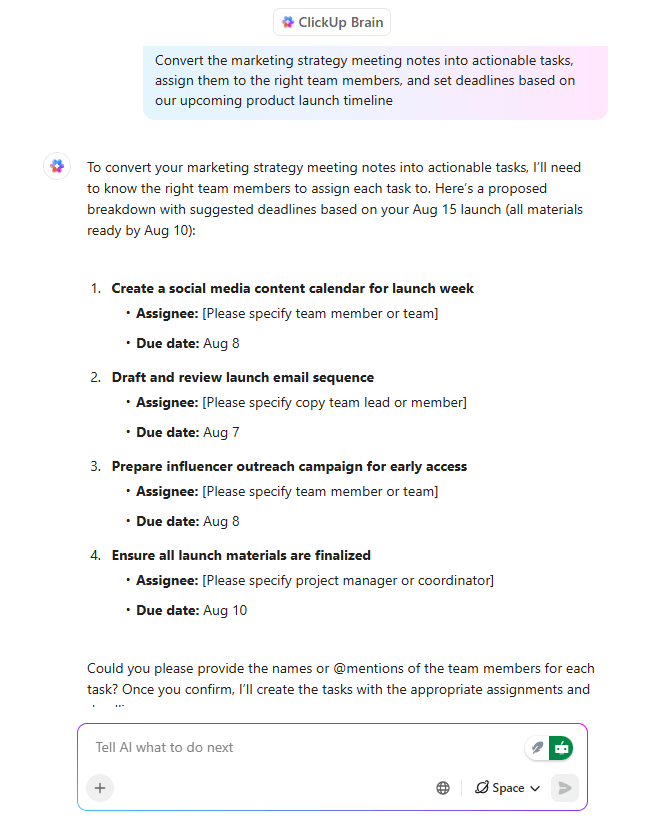
ClickUp Brain is built right into ClickUp, so you don’t have to jump between tools to draft ideas or figure out what’s next.
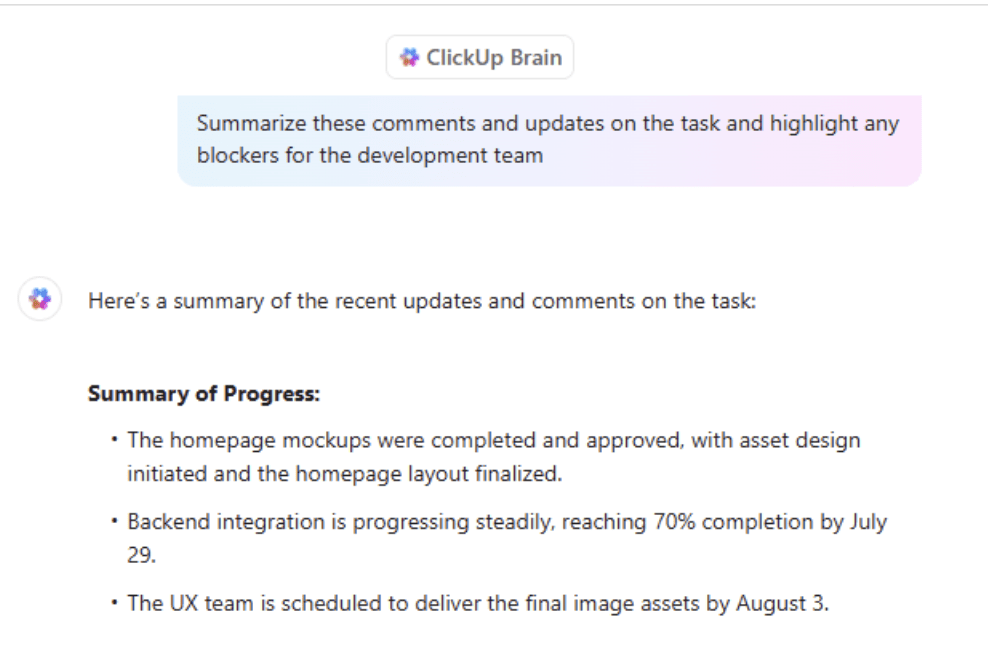
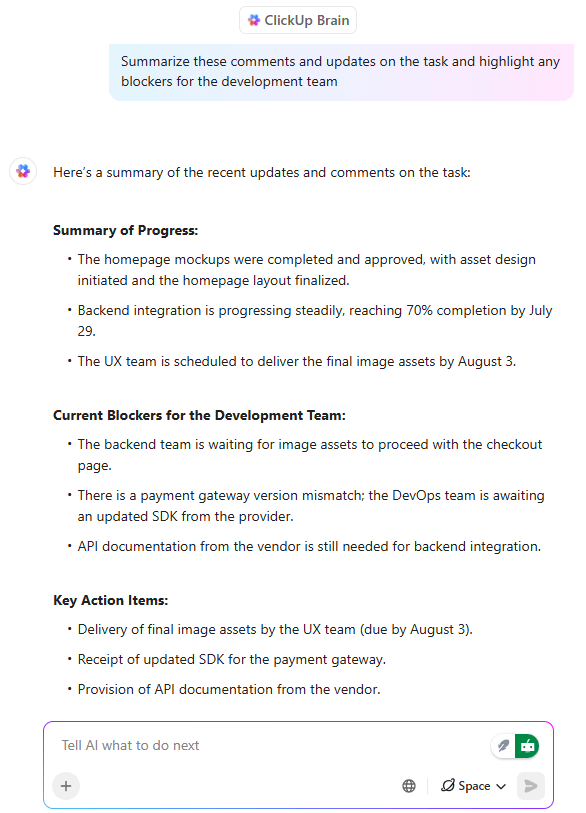
With ClickUp Brain, you can open a task and instantly summarize a week’s worth of comments into a neat update. You can draft project briefs, clean up long messages, or even rewrite content to fit a different tone. ClickUp Brain’s feature, Connected AI, is like having someone who already knows your projects whispering the next step in your ear.
💯 Try this: When starting a new project, drop a quick prompt in ClickUp Brain like “Summarize key risks based on past launches.” It will pull insights from your existing docs and tasks to give you a head start.
Then there’s ClickUp Brain MAX, which takes things up a notch:
📌 Example: A creative director runs a brainstorming session for a new ad campaign. With Brain Max, every idea is captured, sorted by theme, and turned into tasks for copywriters, designers, and media planners before the team has even left the room.
Teams using Brain Max report saving 1.1 days of work every week, completing tasks 4x faster than typing manually, and cutting software costs by up to 88%.
🎥 Watch how you can maximize productivity and pull insights from tools across your workflows using ClickUp Brain:
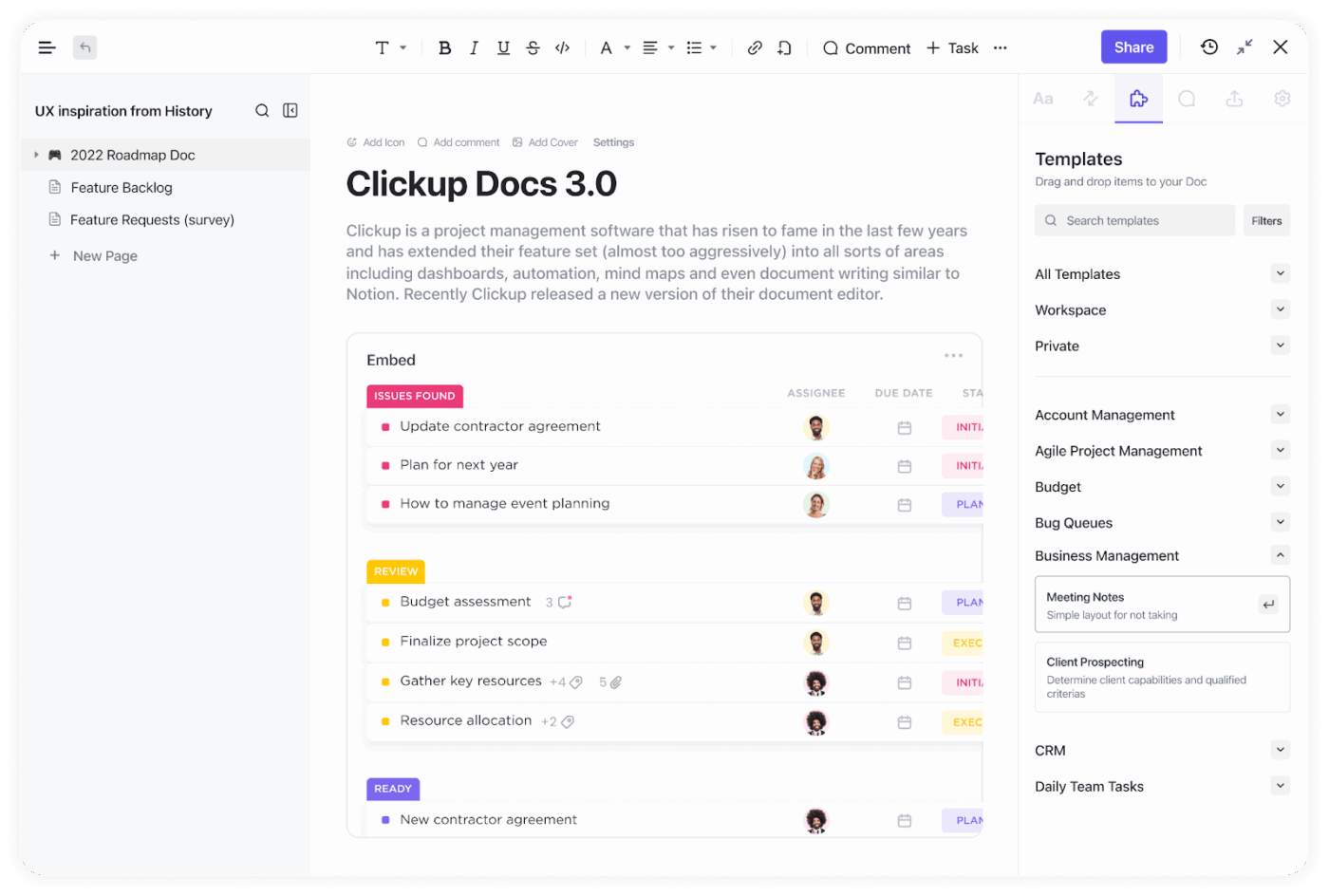
ClickUp Docs feels like a shared notebook that never runs out of space.
You can start small, scribbling a few ideas for a project, and watch it grow into a full strategy with tables, images, and links to tasks. What makes it special is that everything stays connected. A note in a doc can instantly become a task, and you can tag teammates to jump in with feedback right where you need it.
📌 Example: A data science lead drafts a plan for fine-tuning a language model in Docs. With one click, model training steps become tasks assigned to engineers and ML ops specialists, each with deadlines and context-rich comments, enabling seamless collaboration without extra sprint planning meetings.
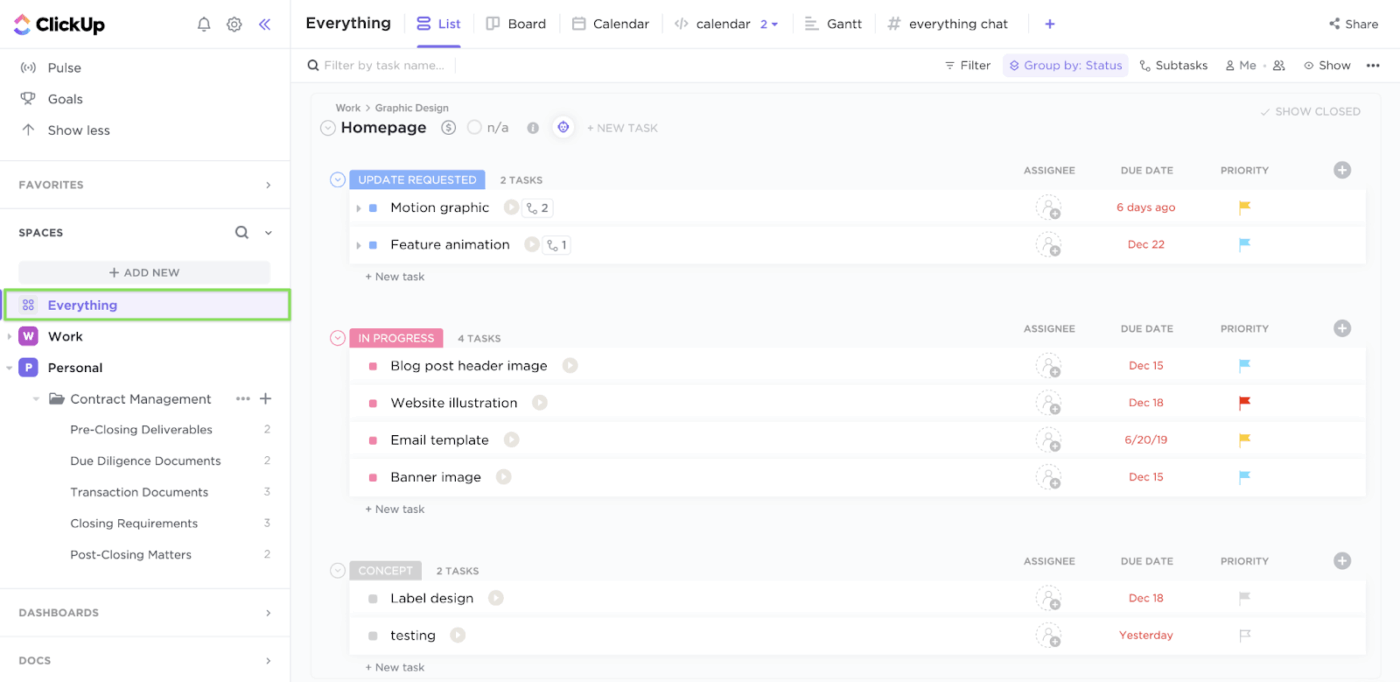
ClickUp Tasks are like small guideposts that tell you exactly what needs to happen next. Each task can hold discussions, attachments, and progress updates, so you never have to wonder where things stand.
You can customize tasks to fit your style, whether you like color-coded priorities, recurring reminders, or breaking big goals into subtasks. Everything is right there, visible to your team, so nothing slips through the cracks.
💡 Pro Tip: Try asking ClickUp Brain to summarize long task threads. It saves time and helps new team members understand what’s already been decided.
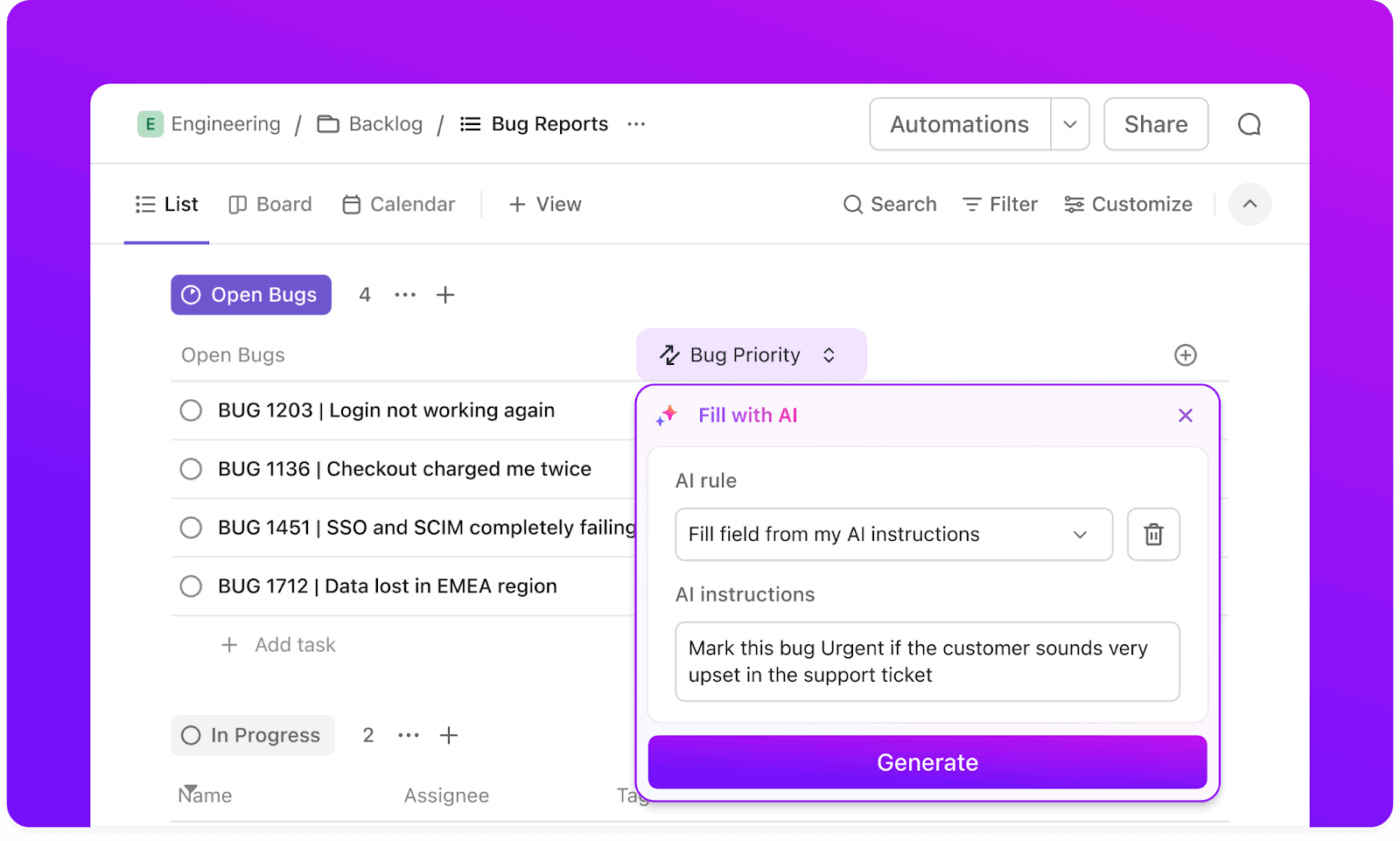
ClickUp Automations is a gentle hand moving things along in the background. You set them up once and then watch as routine updates, assignments, and status changes happen without you lifting a finger.
With the AI builder, you can simply describe what you want to automate, and ClickUp sets it up for you. From automatically assigning new tasks to updating project statuses, automations keep the momentum going so you can focus on meaningful work.
📌 Example: An agency or team can use ClickUp Automations to instantly assign new client requests to the right account manager. Deadlines and follow-up reminders are created automatically, making sure every client gets timely attention without manual sorting.
This G2 review noted:
The continuous rollout of new features and updates demonstrates the team’s commitment to enhancing the user experience. One of the standout additions is the AI tool, ClickUp Brain. It’s transformed how I manage tasks and projects by automating routine processes and providing intelligent suggestions, saving me considerable time and effort.
Here’s a quick visual guide on how you can connect scattered tools and project resources for a smoother workflow with ClickUp Brain:
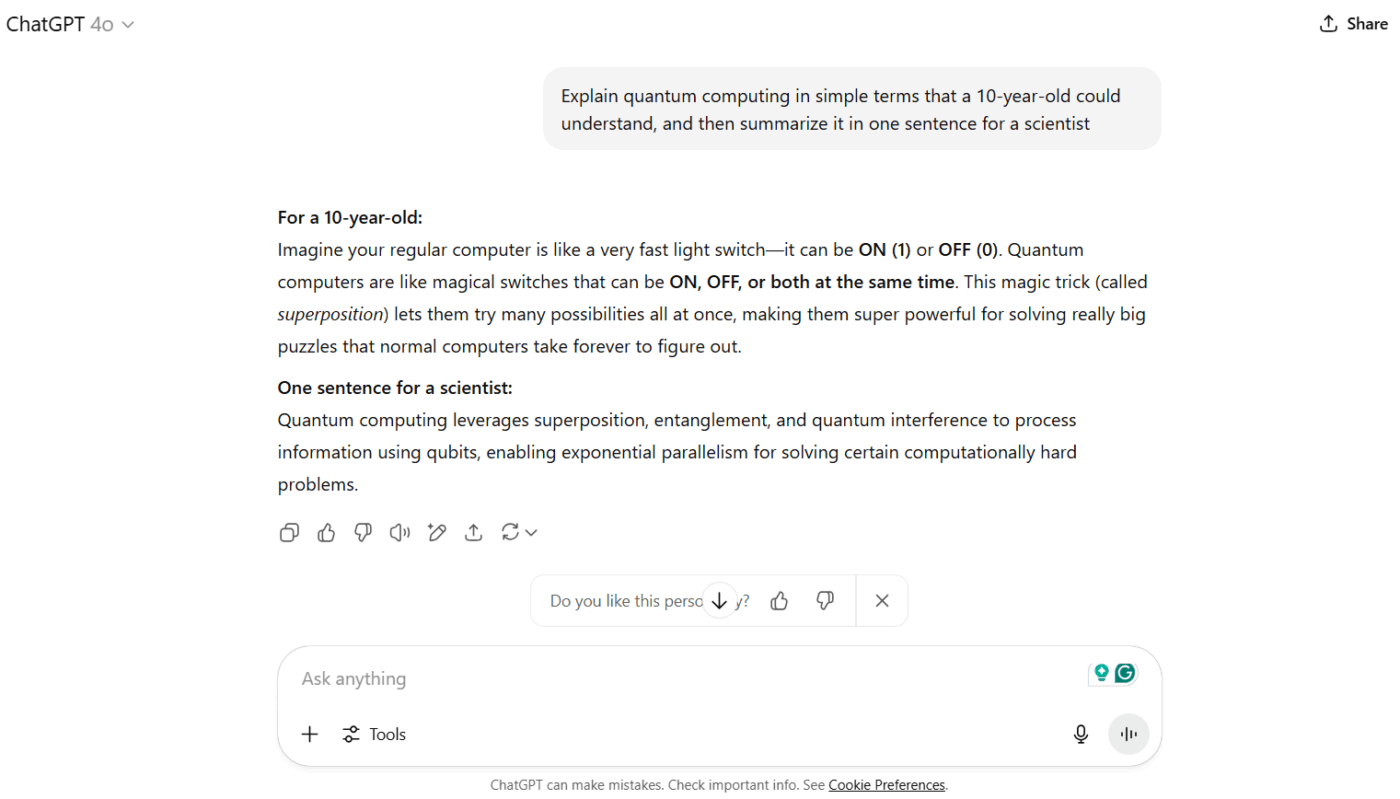
When it comes to large language models, GPT-4 has set a standard that many other tools are still trying to match. The reason behind its success: it feels closer to having a thoughtful conversation with someone who truly understands context.
For developers, data scientists, and businesses looking for a Mistral AI alternative, GPT-4 offers deeper reasoning, a broader knowledge base, and better multilingual support for global projects.
This G2 review highlighted:
Ability to complete the same work in minutes which would take a person days to complete. It can remember chats which makes it an efficient tool when we want the modification to certain information multiple times.
📮 ClickUp Insight: A third of respondents highlighted skill development as a top reason for exploring AI. Picture this: a non-technical teammate wants to create code snippets for a webpage. The more context AI has about its work, the smarter and more useful its help becomes.
That’s where ClickUp’s AI stands out. As the everything app for work, it already understands your projects and can guide you through each step—or even generate those code snippets for you.
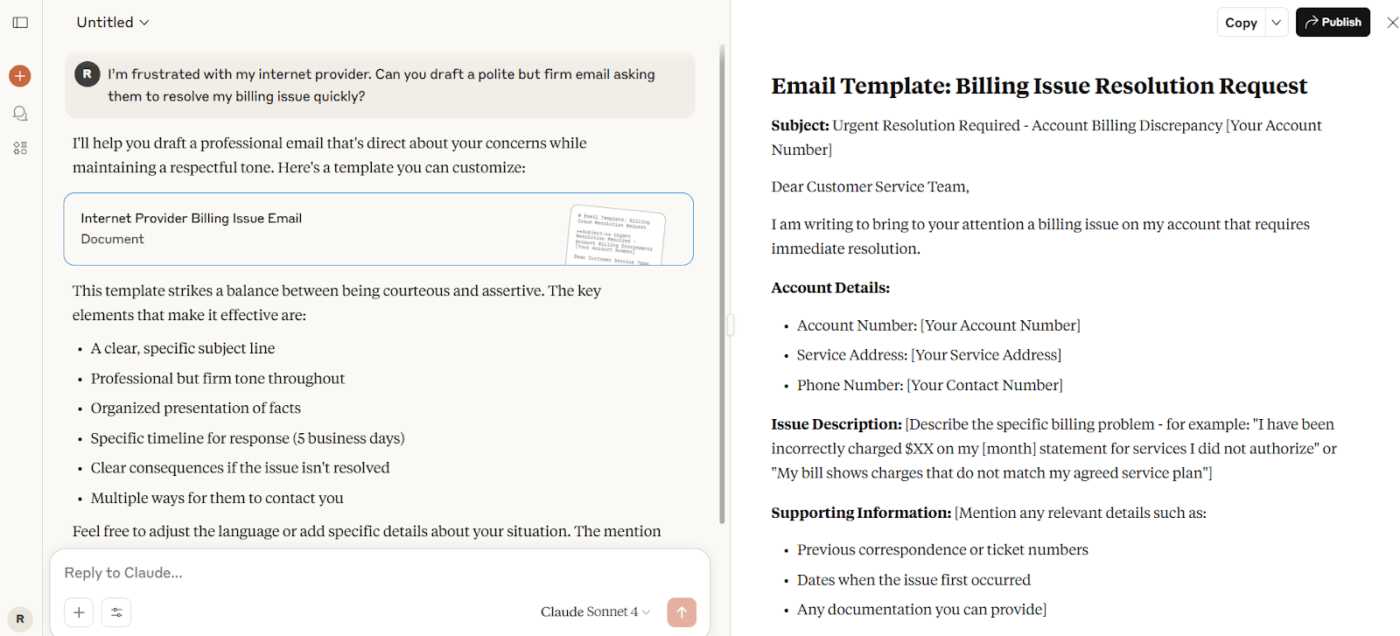
“Is anyone else tired of talking or listening to a chatbot instead of a real human being when trying to deal with some sort of support or issue?” This Reddit comment sums up how many people feel when AI tools sound robotic or detached.
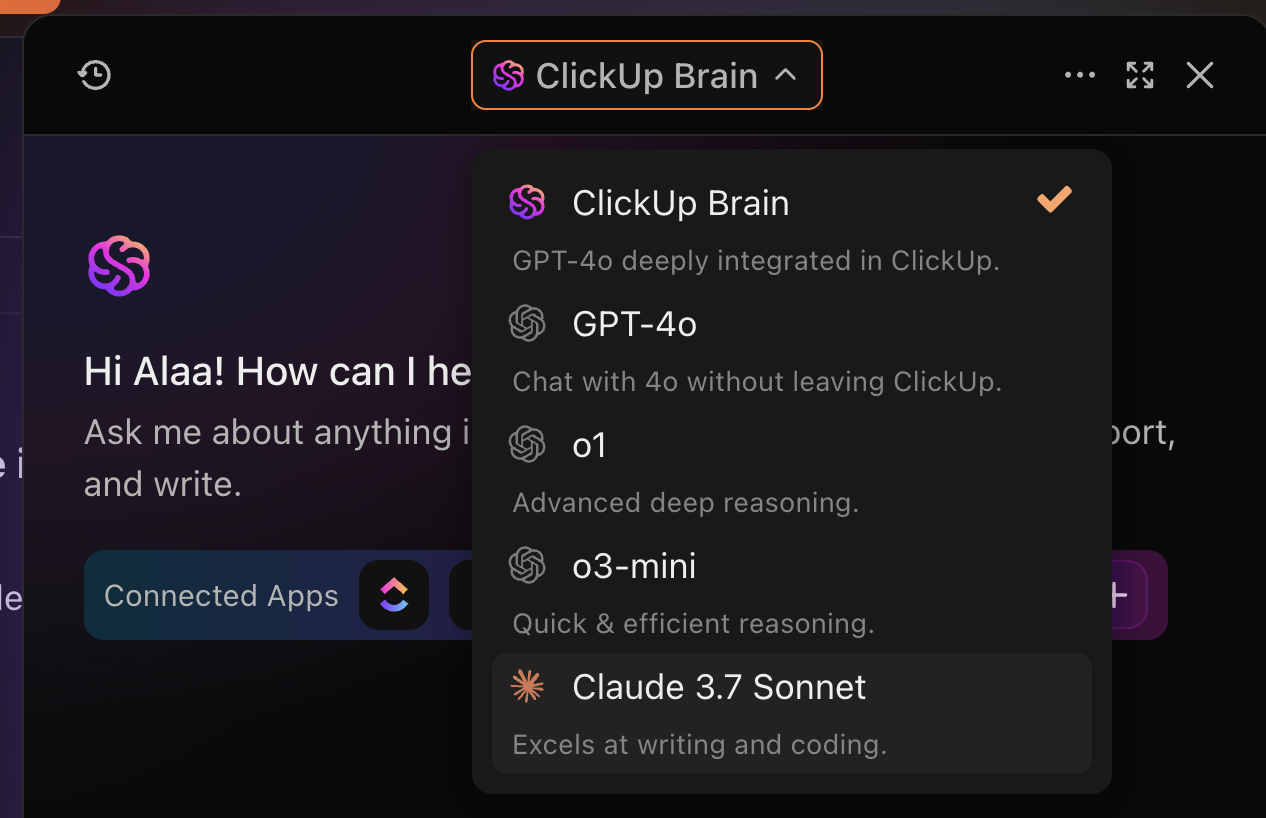
But not Claude. Built by Anthropic, it focuses on making conversations feel natural, almost like you’re talking to someone who truly understands what you’re asking.
For anyone exploring a Mistral AI alternative, Claude stands out for its ability to handle thoughtful reasoning, data analysis, and multilingual conversations. Most Claude reviews suggest that it does so without losing that human touch.
This Capterra review captured:
Claude feels me like I am talking to a real person who is so much smart. It is realistic and answer my query honestly. I get mostly accurate answer from it.
👀 Fun Fact: Adding the simple phrase “Let’s think step by step” to an LLM’s instructions can increase the accuracy of its output more than threefold across a range of tasks from math to strategic reasoning, according to a study.
📚 Also Read: Best Claude AI Alternatives
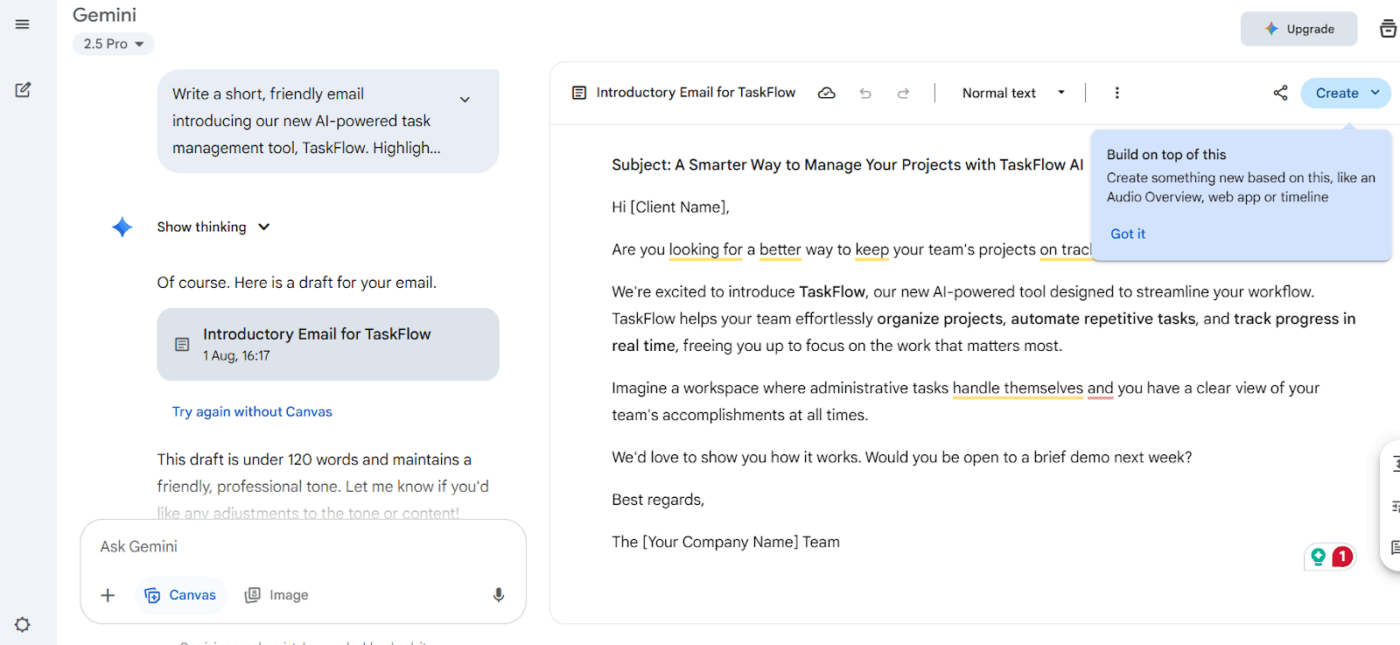
Gemini feels like a quiet helper that can handle just about anything you give it. It’s not limited to text – you can bring in images, audio, even video, and it will still find a way to understand and respond thoughtfully.
Recently, it even solved five out of six problems at the International Mathematical Olympiad, showing how well it can think through complex challenges.
What makes Gemini special is how it works alongside you. Whether you’re looking through research papers, translating between languages, or pulling insights from large sets of information, it feels calm, steady, and reliable.
And if you’re already using Gmail, Docs, or other Google tools, Gemini just slips right in without asking for extra effort.
This G2 review noted:
Gemini has become a core part of our workflow. Over time, the responses have significantly improved, especially with the newer 2.5 Flash model. I also like how it works well with Vertex AI for file indexing; the integration is smooth, and the model follows instructions well and delivers accurate results
📖 Also Read: Gemini vs. ChatGPT for Coding: Which Is Better?
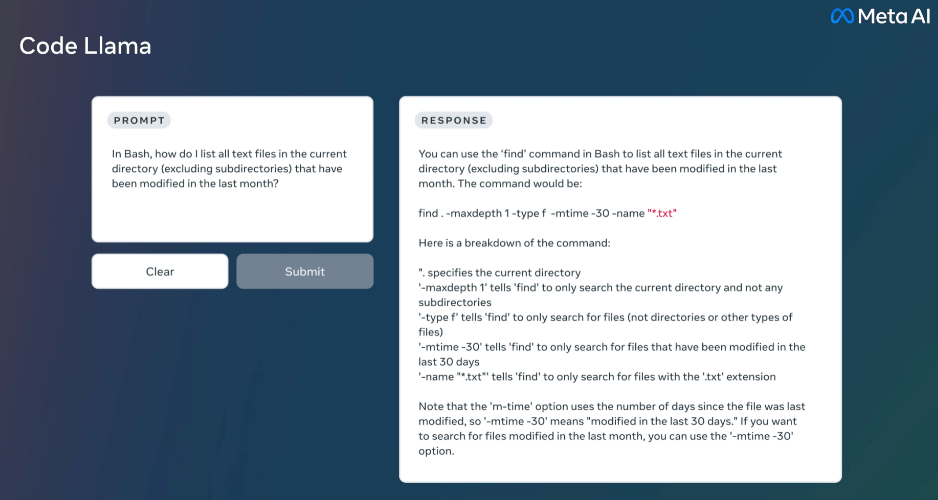
“We’re constantly listening to feedback from the developer community and our partners to make our models and features even better and look forward to working with the community to continue iterating and unlocking their value,” says Meta spokesperson Ryan Daniels.
That spirit of openness is exactly what makes Llama appealing. Designed for developers and businesses who want more control, Llama 4 offers multimodal capabilities, understanding both text and visuals while staying fast and cost-efficient.
It’s built for scale, making it easier to experiment, test, and deploy AI applications without heavy infrastructure needs. And the community around Llama is growing quickly, with Meta’s ecosystem supporting everything from chatbots to document analysis to advanced agentic reasoning tools.
This G2 review noted:
Meta Llama 3 is fantastic at understanding and responding to natural language, making conversations feel smooth and natural. It’s highly accurate than previous versions of Llama and gives relevant answers, which boosts productivity and user experience. It also intergrates with development applications.
👀 Fun Fact: The term “artificial intelligence” was coined in 1956 during a summer workshop at Dartmouth College, where researchers explored the idea of machines that could “think.”
📚 Also Read: Best Anthropic AI Alternatives and Competitors
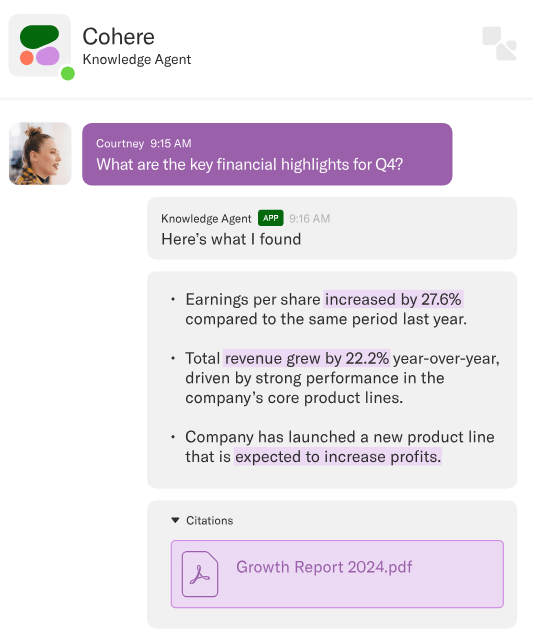
“I’m enjoying Cohere way more than the GPT assistant API…it’s faster, returns consistent results, and citations are accurate,” shared one Reddit user when discussing real-world AI deployments. This sentiment reflects why many teams are turning to Cohere.
Designed for businesses that need secure, customizable AI, Cohere brings together multilingual generative models, powerful retrieval tools, and an AI workspace tailored for complex enterprise use cases.
From document analysis to AI-powered assistants, Cohere stands out for its ability to fine-tune models on proprietary data while maintaining strict data privacy.
👀 Fun Fact: IBM’s Watson, which famously won Jeopardy! in 2011, was later used in healthcare to assist doctors with cancer diagnoses and treatment recommendations.
📖 Also Read: Best Meta AI Alternatives
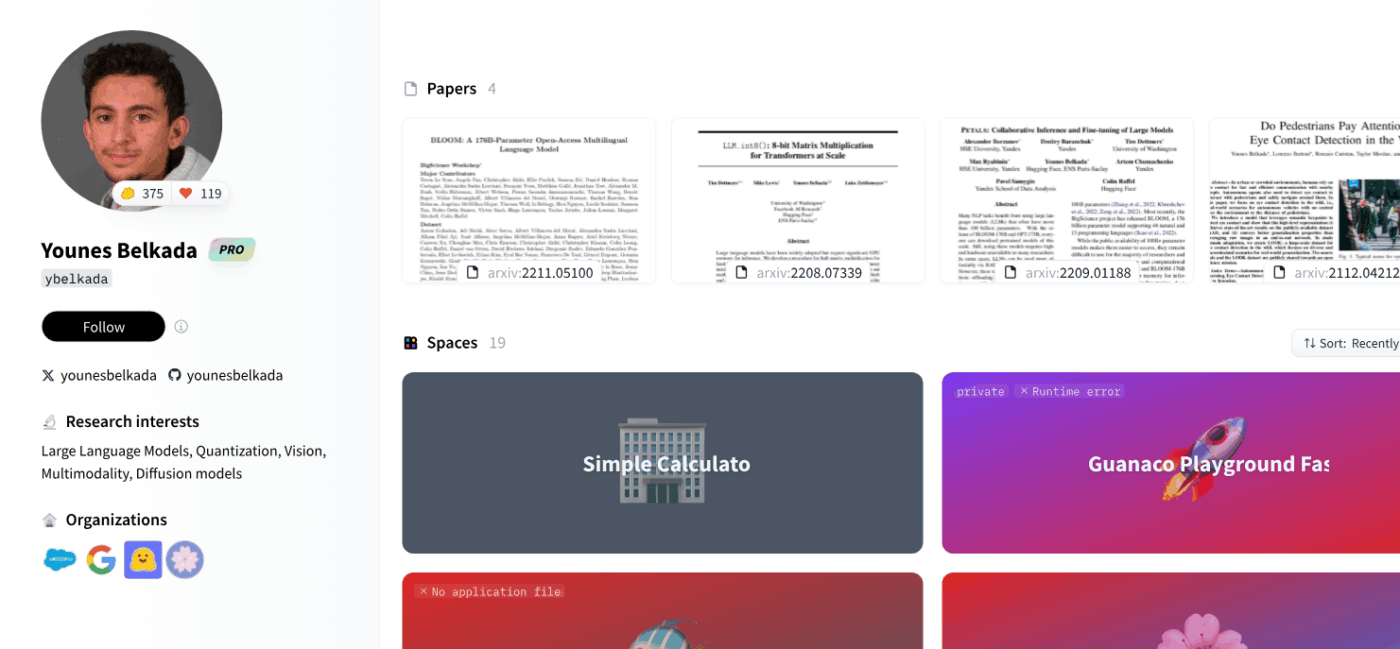
Hugging Face feels a bit like a friendly community café for AI builders with an intuitive interface. It’s the place where people share models, ideas, and tools openly, helping each other learn and create. You don’t need to be a tech wizard to find your way around here.
Whether you’re trying to teach a computer to understand language, create a voice assistant, or just explore what AI can do, Hugging Face gives you a warm space to start.
This Gartner Peer Insights review shared:
The platform offers an extensive library of pre-trained models & NLP, this reduces time and effort required for development. What has worked well is the amazing integration with libraries such as PyTorch and TensorFlow.
👀 Did you know: The movies Her (2013) and Ex Machina (2014) won Academy Awards for screenplays that explored human-AI relationships. Both truly innovative and ahead of their time.
📖 Also Read: Best Poe AI Alternatives
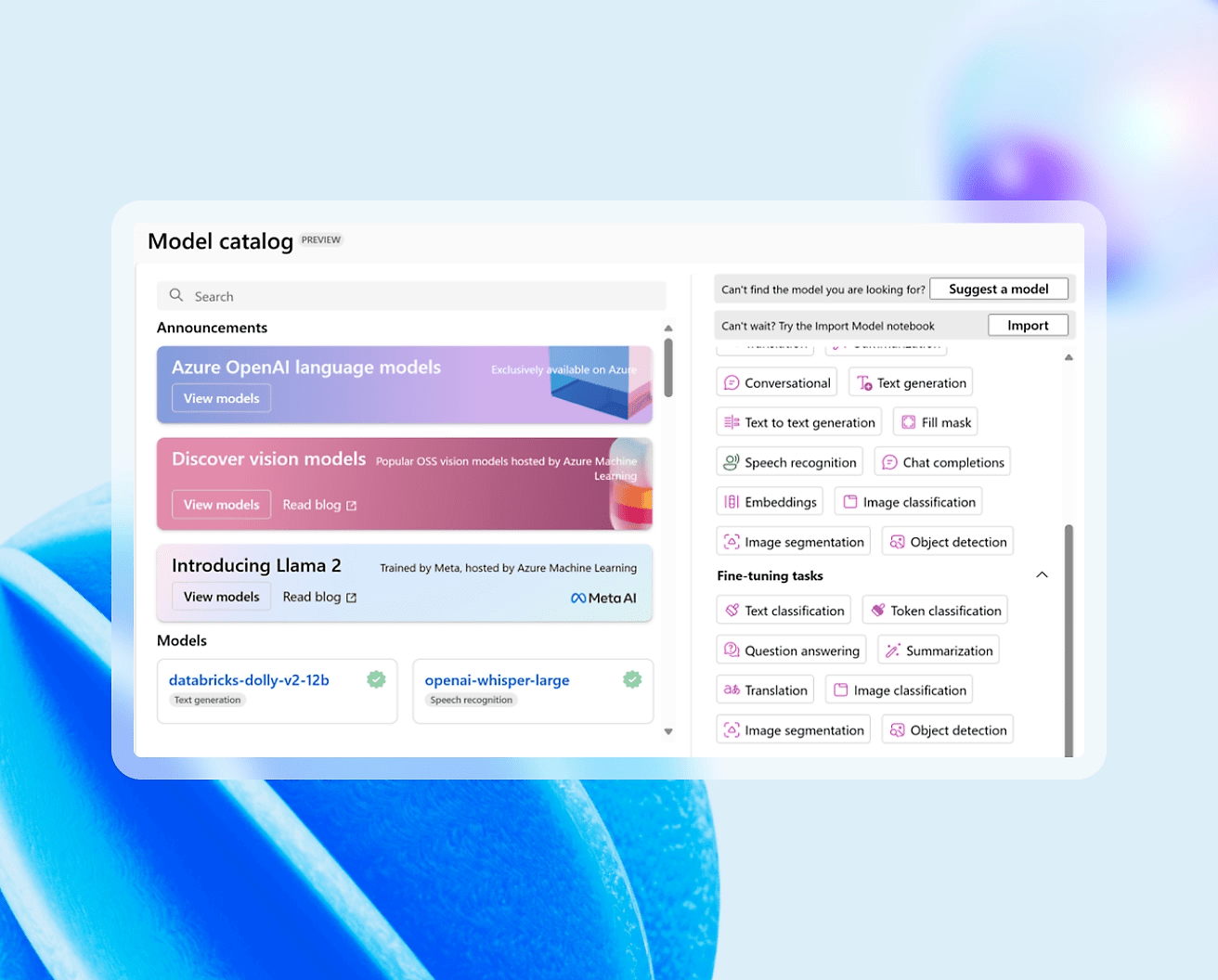
“Just like with any other service on Azure, if you know what you’re doing and know why you are using a service, you will get the wanted results.” This Reddit comment sums up Microsoft Azure AI perfectly. It’s not a plug-and-play magic wand but a powerful, reliable platform that rewards teams who understand their goals.
Azure AI is built for businesses that want to develop intelligent applications at scale while keeping data secure and compliant. From building HR chatbots to powering knowledge mining and large-scale customer support, companies like Vodafone and McDonald’s have used Azure AI to create more personalized and efficient experiences.
This G2 review noted:
Microsoft Azure stands out for its comprehensive suite of cloud services that support a wide range of business needs, from simple app hosting to advanced AI and machine learning solutions. Its global reach with an extensive network of data centers ensures high availability, low latency, and regulatory compliance across regions.
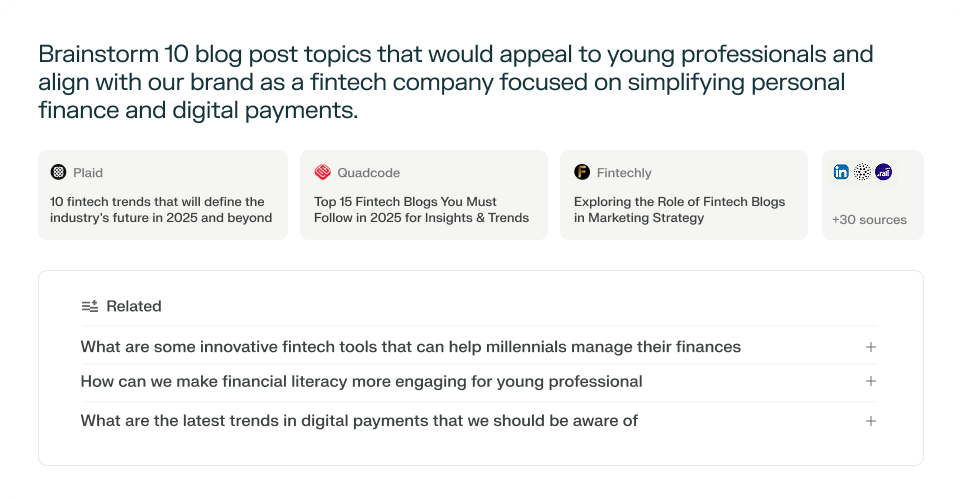
Over a third of Americans now turn to AI tools for research in work or school projects. This growing trend shows how AI has become a trusted companion for finding information and making sense of complex topics. Among the many options available, Perplexity AI stands out as one of the most reliable tools for real-time research.
Unlike static chatbots, Perplexity actively searches the web while you chat, pulling in fresh, cited information to support its answers.
Whether you’re analyzing data, writing research papers, or preparing presentations, it gives you access to multiple AI models like GPT-4 Omni, Claude 3, Grok, and DeepSeek R1—all in one place.
You can even upload PDFs, CSVs, or images to get summaries and insights in seconds. For teams, its collaborative Spaces make it easier to share findings and keep everyone aligned during research-heavy projects.
This Capterra review shared:
I use it daily and created a ton of collections to fit many different contexts that can help me in the daily organisation of my very versatile job. It works wonder, and I expect the further evolution of the associated LLMs will make it even more profitable.
📖 Also Read: Perplexity vs. ChatGPT Comparison
🤔 Also Try: Best Perplexity AI Alternatives and Competitors
Sometimes you just need an AI tool that feels steady and dependable, especially when you’re creating long reports or detailed documents where accuracy really matters.
That’s where AI21 Labs’ Jurassic-2 comes in. It’s built to help people and teams write clear, polished content that actually sounds like it was written by someone who knows the subject well.
Jurassic-2 can handle big, complex pieces of writing without losing track of the facts. It also understands multiple languages and can follow your instructions without needing lots of examples first. Businesses often use it when they want to write professional reports, technical guides, or even just well-structured articles without spending hours editing.
📖 Also Read: Best AI Search Engines You Need to Try
If you’re still exploring options beyond the ones we’ve covered, here are several other AI tools gaining traction for their ability to handle specialized tasks:
We’ve explored some impressive AI tools, each offering ways to write, plan, and think faster.
But here’s the reality: most of these tools, including Mistral AI, still feel like separate apps that you have to bolt onto your workflow. That means constant context-switching and retyping the same details.
ClickUp is different. Instead of being just another AI chatbot or document generator, it places AI directly where your work already lives—your projects, tasks, and docs.
With ClickUp Brain and ClickUp Brain Max, you’re not just generating text; you’re automating entire workflows, turning ideas into actionable plans, and getting answers in full context without leaving your workspace.
If you’re ready to move beyond AI tools that work in silos and instead bring intelligence into the heart of your projects, sign up for ClickUp today!

© 2026 ClickUp

There’s an easier way. Try a free AI Agent in ClickUp that actually does the work for you—set up in minutes, save hours every week.