






Still downloading templates?
There’s an easier way. Try a free AI Agent in ClickUp that actually does the work for you—set up in minutes, save hours every week.
Sorry, there were no results found for “”
Sorry, there were no results found for “”
Sorry, there were no results found for “”


The global diet and nutrition apps market is projected to reach about $6.94B.
That growth isn’t happening just because people suddenly love logging their food. Most of us simply want a diet that is predictable, workable, and just enough.
So if you are wondering how to get there, then start with tracking your macros. When you can see your protein, carbs, and fats in real numbers, you start making small changes that stack.
This guide breaks down the 10 best macro trackers, what each is strongest at, and who it makes life easiest for.
| Tool name | Key features | Best for | Pricing* |
| ClickUp | Task-based daily or meal logging, macro Custom Fields with formulas, Dashboards for weekly and monthly rollups, Docs for recipes and meal plans, Reminders for consistency | People who want a flexible macro tracker that they can customize into a full meal planning and habit system, powered by AI | Free forever; Custom pricing for enterprises |
| Cronometer | Verified food databases, deep micronutrient tracking alongside macros, custom targets, recipe and meal logging, device integrations | Data-focused tracking with macros plus micronutrients (vitamins, minerals, sodium, fiber) | Free plan available; Paid plans available |
| MacroFactor | Adaptive weekly macro and calorie targets based on weight trend and intake, expenditure estimation, and flexible logging modes | People who want coached macro targets that adjust automatically as progress changes | Paid plans start at $71.99/per year |
| MyFitnessPal | Massive food database, fast barcode logging, recipe importer from URLs, voice logging, broad integrations | Fast daily logging with a huge database and quick meal entry | Free trial available; Paid plans start at $24.99/month |
| Lose It! | Photo logging, voice logging, goals and streaks, progress views, and challenges | Lightweight logging with photo and voice-first entry | Custom pricing |
| FatSecret | Food diary with calendar views, photo-based logging, recipe builder, community features, wearable integrations | Macro tracking with strong repeat-meal workflows and global food coverage | Custom pricing |
| Carb Manager | Net carbs tracking, low-carb and keto recipe library, fasting tracker, glucose and ketone logging | Keto and low-carb tracking where net carbs matter most | Free plan available; Paid plans start at $5.50/month |
| Nutritionix Track | Natural language meal logging, strong U.S. restaurant database, exports, and coach sharing | People who want fast logging for mixed home meals and restaurant foods | Custom pricing |
| Yazio | Macro tracking plus fasting timer, recipe ideas, progress analytics, and measurements | Macro tracking paired with intermittent fasting routines | Free trial; Custom pricing |
| Samsung Health | Food logging alongside sleep, workouts, steps, and stress; device sync; challenges for motivation | Samsung users who want macros inside an all-in-one health dashboard | Free (included with Samsung devices) |
Our editorial team follows a transparent, research-backed, and vendor-neutral process, so you can trust that our recommendations are based on real product value.
Here’s a detailed rundown of how we review software at ClickUp.
A macro tracker is a digital tool, like an app or software, that helps you log and monitor your daily intake of macronutrients—protein, carbohydrates, and fats. Unlike a simple calorie counter, it focuses on the composition of your food.
Generally speaking, you log what you eat in a macro tracker, and it totals how many grams of each macro you’ve had versus your target for the day. Example target:
A macro tracker shows your progress like, ‘You’ve had 95g protein, 130g carbs, 40g fat so far.’
The foundation of any macro tracker is its food database. A tracker is only as useful as its ability to recognize what you’re eating, so look for apps with verified nutritional data. The best macro trackers offer multiple ways to log your food to make the process as quick and painless as possible.
Now, let’s dive in and look at the top ten selections ⬇️
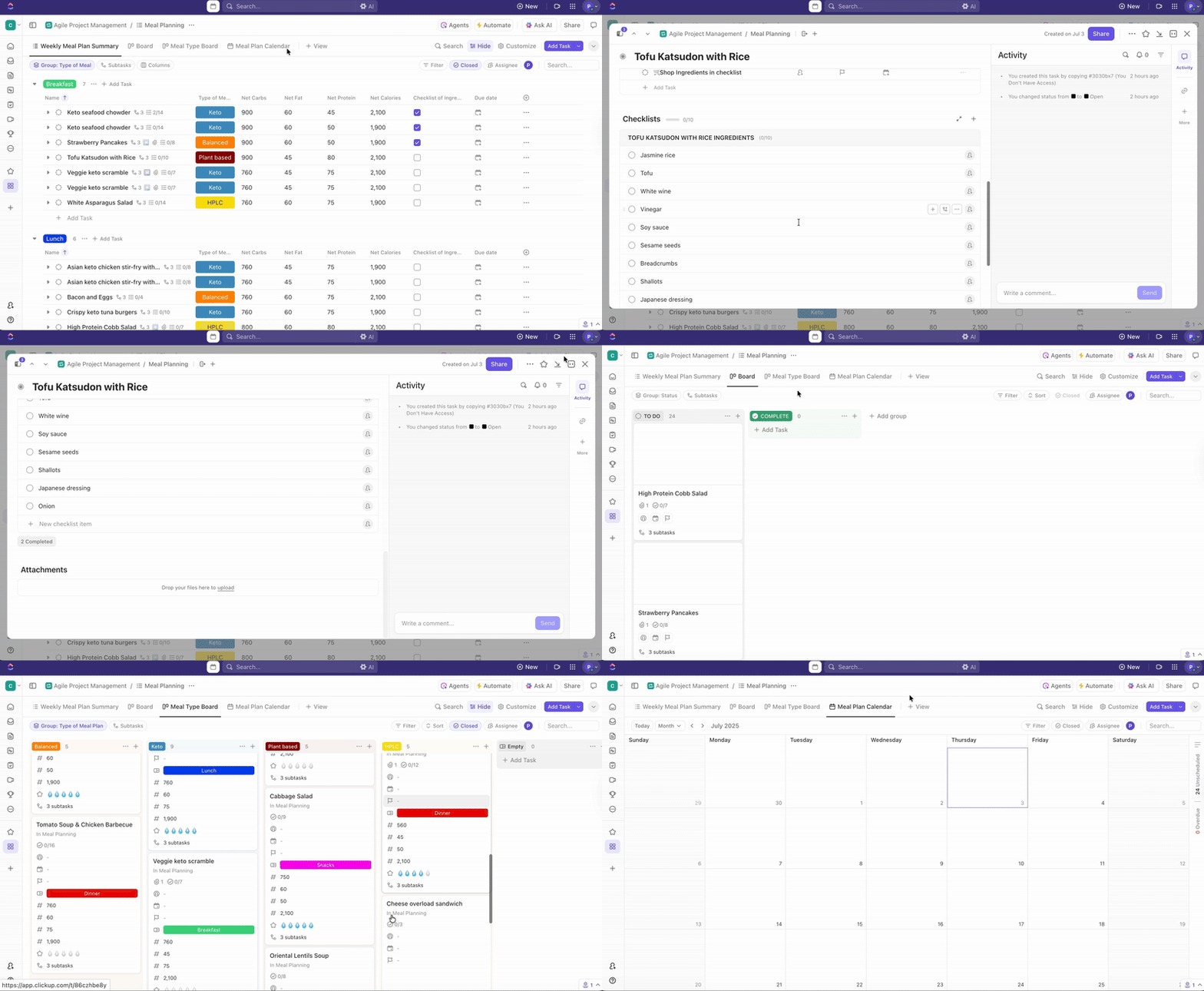
ClickUp, the world’s first Converged AI Workspace, gives you a central location to track macros, plan meals, and keep your habits tied to your diet.
To start with, create a dedicated ClickUp Space and name it ‘Macro Tracker’ or ‘Nutrition Tracker.’ This becomes your home base for everything diet-related, separate from your work projects.
From here, you can:
Create ClickUp Tasks for each day if you want a simple setup (e.g., ‘Feb 1 Daily Macros’), or create a task for each meal if you want more detail (Breakfast, Lunch, Dinner, Snacks). If you want to go deeper, use subtasks for individual food items, or add a checklist for a quick list of them with little to no overcomplication.
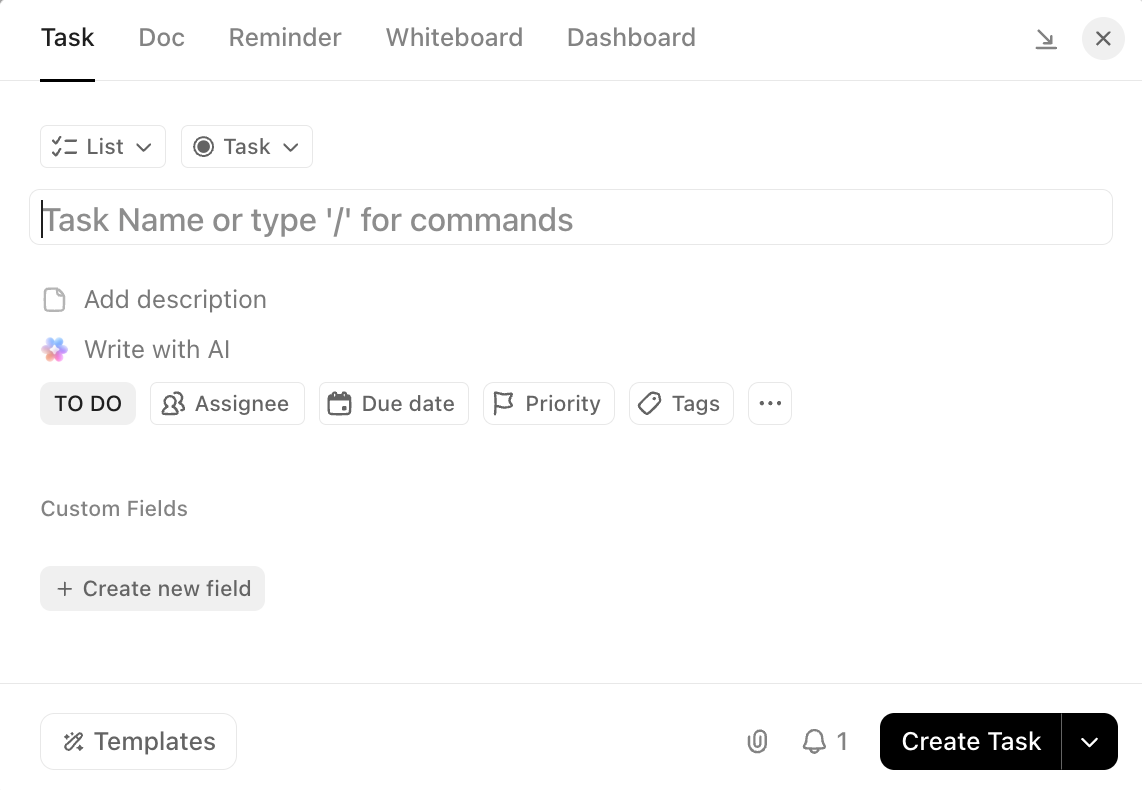
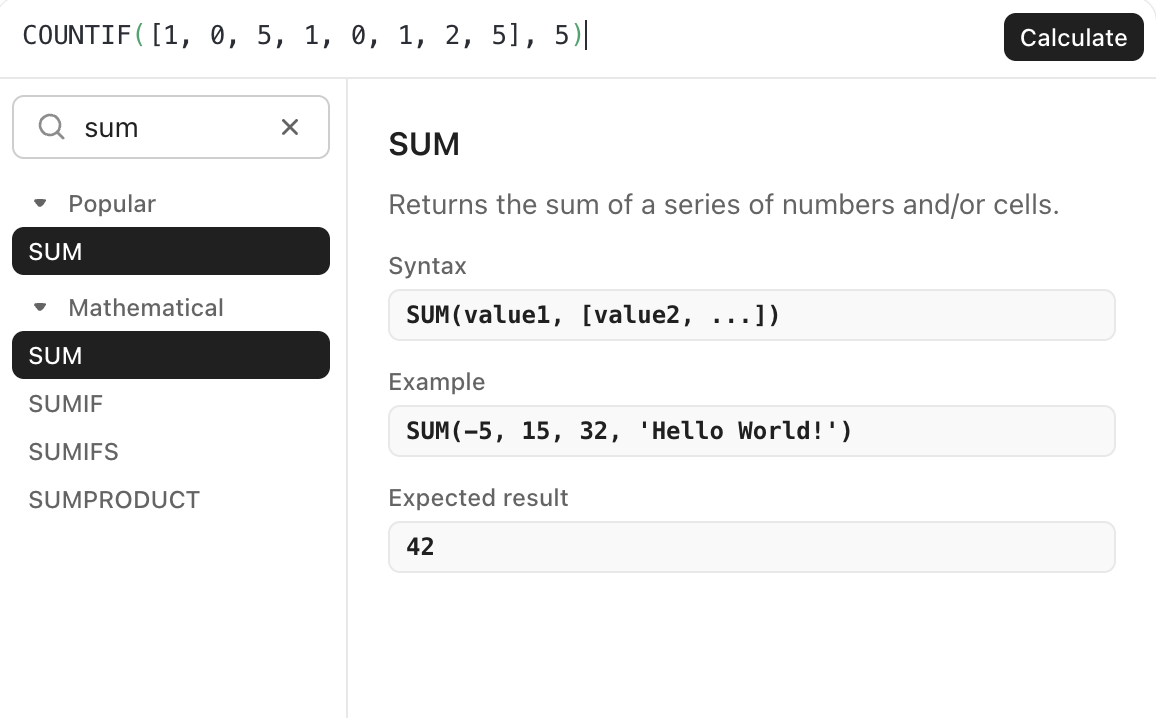
Further, layer in ClickUp Custom Fields for Calories, Protein, Carbs, and Fat. You can also add a Formula Field to calculate quantities (for example, daily protein, carbs, and fat) using numeric fields, so the totals update automatically as you log.
Once your macros are consistent, you will probably want to zoom out and see the bigger picture. If you want to track your weekly and monthly targets and effortlessly spot whether you are hitting them, use ClickUp Dashboards.
In this solution, you can add cards as per your needs, like:
And for all things diet, use ClickUp Docs as your recipe library and meal prep hub.
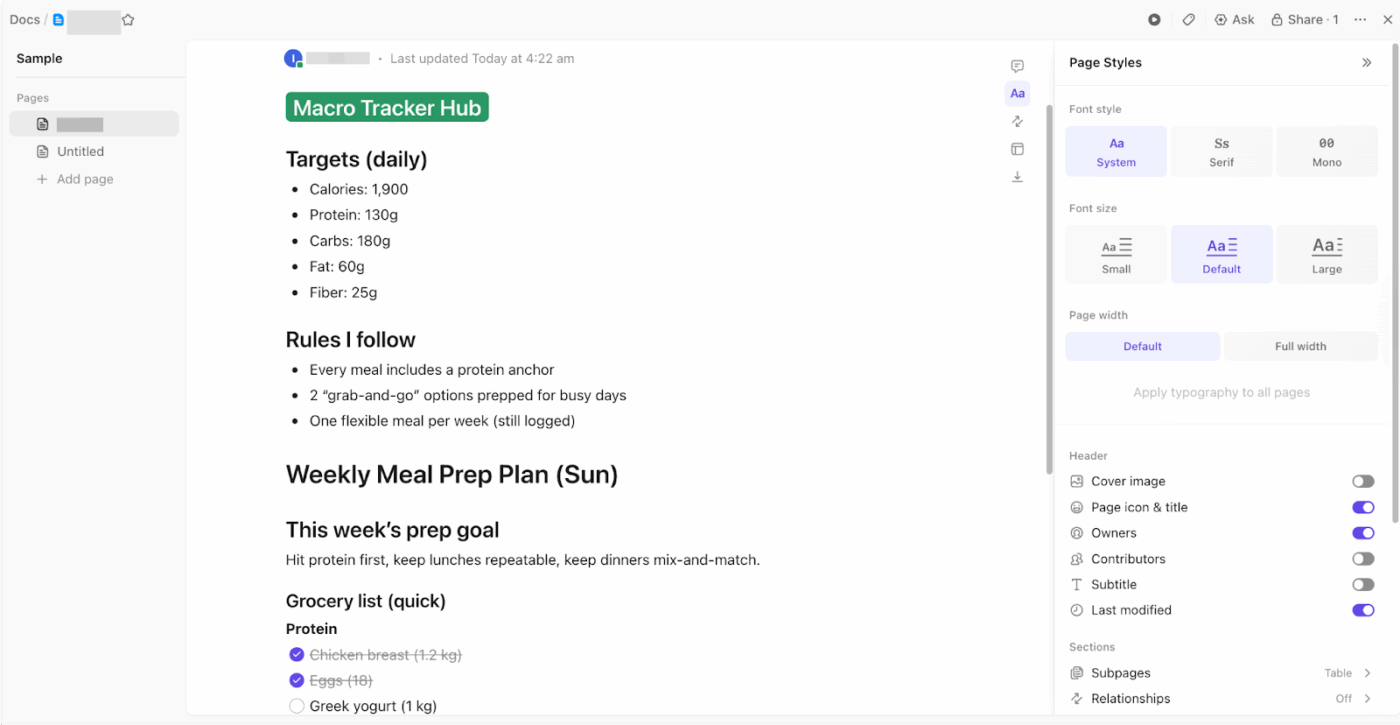
Just create a Doc, then organize it with pages like ‘High-Protein Breakfasts,’ ‘Meal Prep Staples,’ or ‘Weekly Plan.’ If you find a structure you like, save it as a Doc template so every new recipe page follows the same format.
Better yet, you can embed helpful recipe references (like a YouTube walkthrough or a sheet of ingredients) directly into the Doc so everything stays in one place while you prep.
On top of the structure, ClickUp also gives you an AI layer with ClickUp Brain. You can use it to draft meal plans or recipe playbooks based on your personal diet plans and long-term goals.
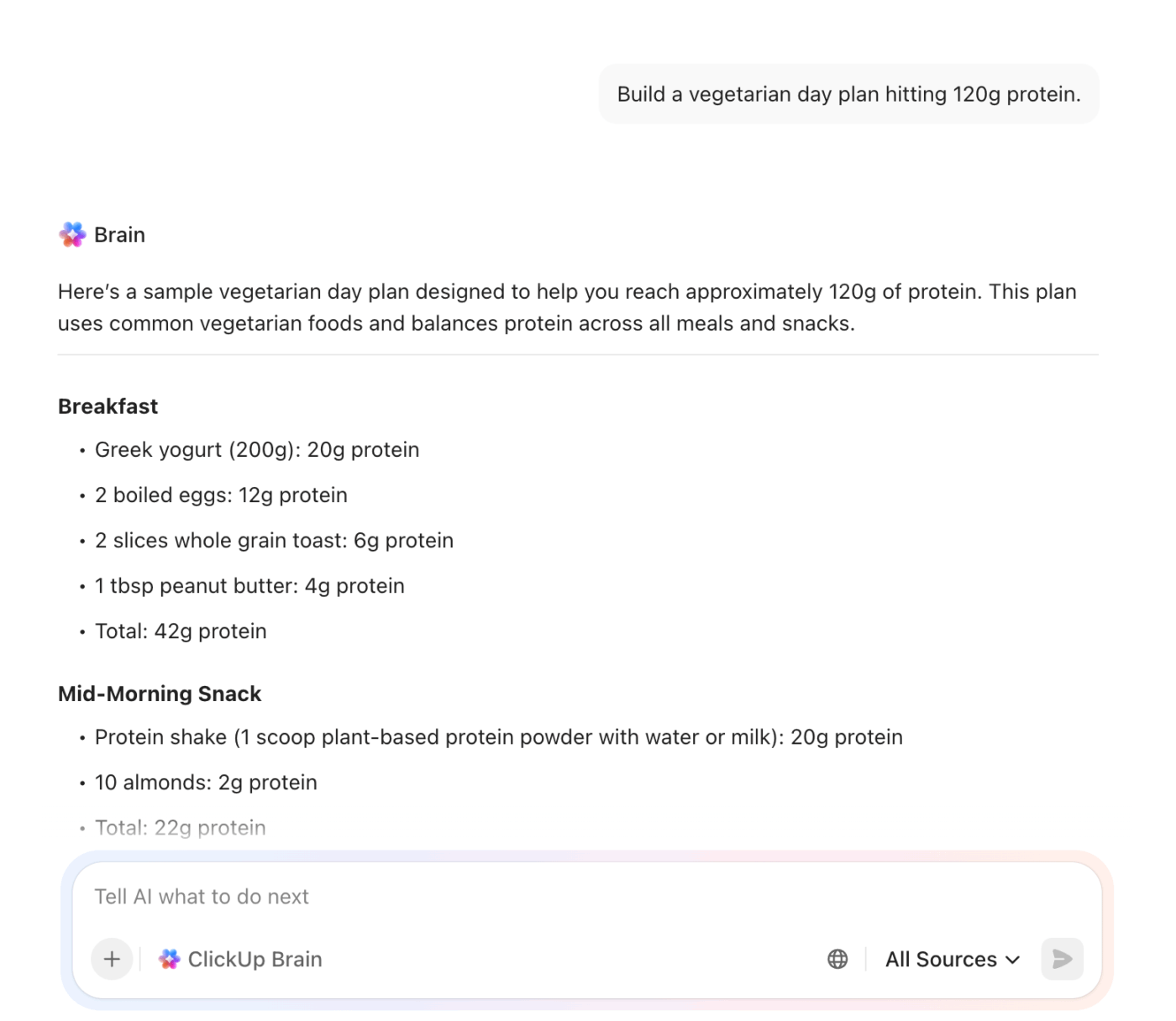
And that’s not all. It can also help you stay aligned to your targets by summarizing progress toward your goals, and flag when your logs show you are drifting off track.
A G2 user says:
I used ClickUp earlier to manage my clinic and education-related work. As a dietician and homeopathy clinic manager, I had many small but important tasks like patient follow-ups, diet plan revisions, report reviews, and content planning. ClickUp helped me keep all these tasks organized in one place, which made daily work easier to handle.
It was easy to start using and did not require much setup. I could quickly create tasks for patient diet reviews, set reminders for follow-ups, and track pending work. I used it regularly during that time to plan clinic activities and organize health education topics. The features were practical for my needs, such as task lists, due dates, and progress tracking. It also fit well into my daily workflow and helped me stay clear about what needed attention. Overall, ClickUp supported better organization and smoother work management when I was using it.
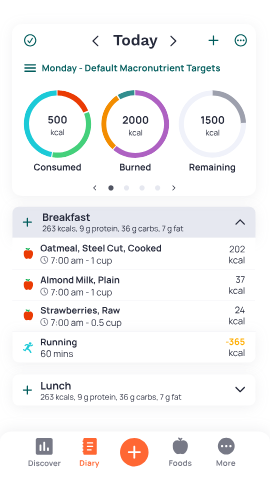
Cronometer is a nutrition tracking app that lets you log food and exercise with a strong focus on data quality. It pulls from verified, lab-analyzed nutrition databases and distinguishes data sources in search, which helps when you want more reliable macro numbers.
Beyond macros, Cronometer tracks a broad set of micronutrients and turns them into daily snapshots, charts, and trends over time. You can also customize nutrient targets directly in settings or from the diary. This is typically beneficial when you are tracking specific ranges for protein, fiber, sodium, or vitamins.
For day-to-day logging, it supports a free barcode scanner, plus custom meals and recipes for repeat foods. If you want nutrition and activity to live in the same place, Cronometer also syncs with devices and platforms like Fitbit, Garmin, and Apple Health.
A Reddit user says:
I want to keep on top of my nutrients, as I exercise a lot, and lost 105 pounds (over a 2-year period) using Cronometer. I’ve kept it off for a year, and maintaining my weight loss and good health is of utmost importance to me. I log everything I eat and drink.
📮 ClickUp Insight: 26% of workers say their best way to unplug is by immersing in hobbies or workouts, while 22% use end-of-day rituals like closing laptops at a set time or changing out of work clothes when working from home. But 30% still find it difficult to mentally disconnect!
ClickUp Reminders help reinforce healthy habits. Set an end-of-day wrap-up alert, auto-update your team on completed tasks with AI standups, and use ClickUp Brain, the built-in AI assistant, to run through your tasks daily so you’re always on top of your most important tasks.
💫 Real Results: Lulu Press saves 1 hour per day, per employee using ClickUp Automations—leading to a 12% increase in work efficiency.
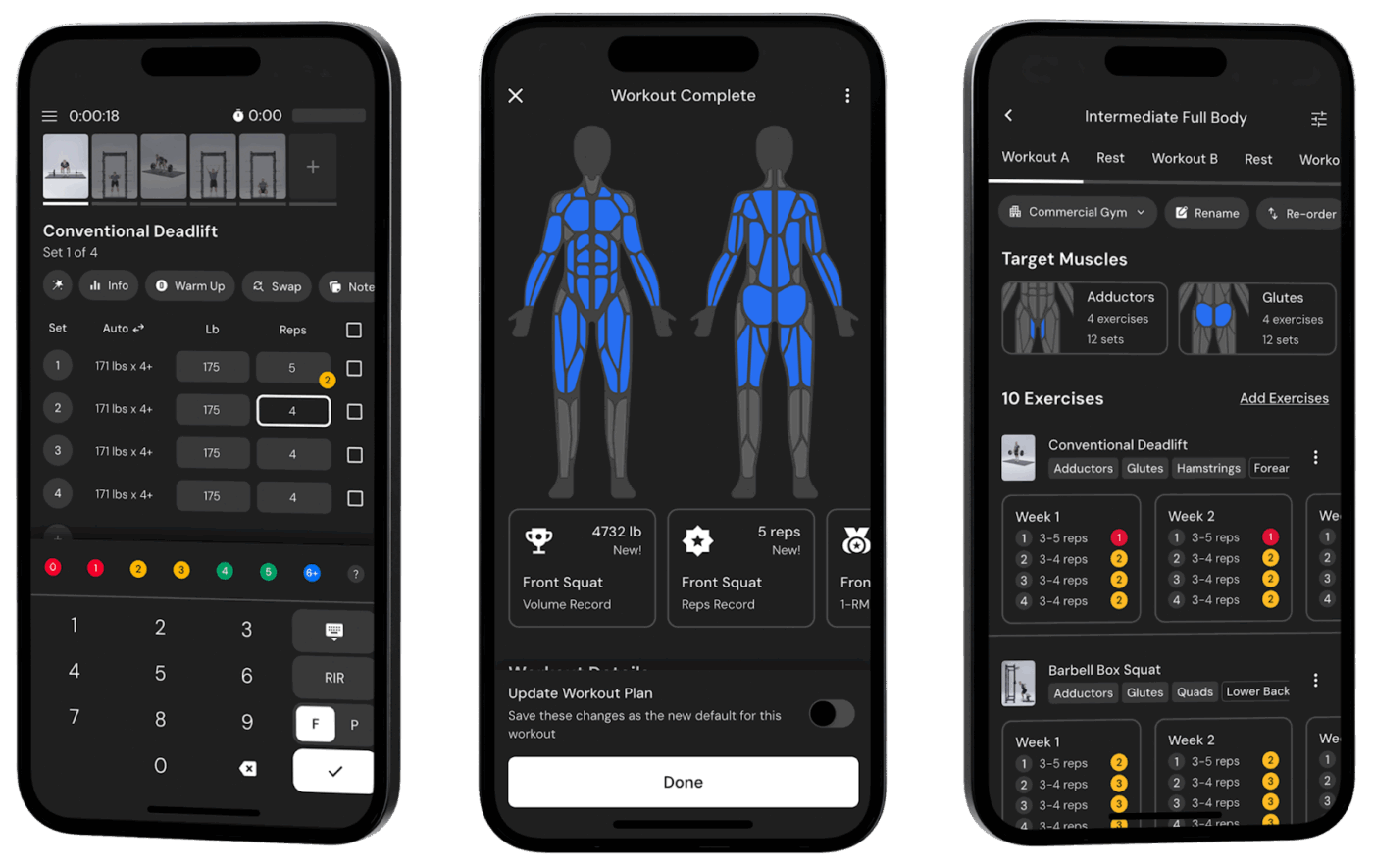
MacroFactor is a premium macro tracker and nutrition coach app built around one core loop: log your food and weight consistently, then get updated calorie and macro targets based on your actual progress. Instead of locking you into a static plan, it recalculates your energy expenditure estimate from your calorie intake and weight trend, then adjusts your targets during weekly check-ins.
The app’s expenditure algorithm analyzes your logged food and weight to determine your true energy needs. Each week, it recalculates your calorie and macro targets based on your progress. This removes the guesswork from adjusting your diet.
MacroFactor is ideal if you’ve hit plateaus with static targets.
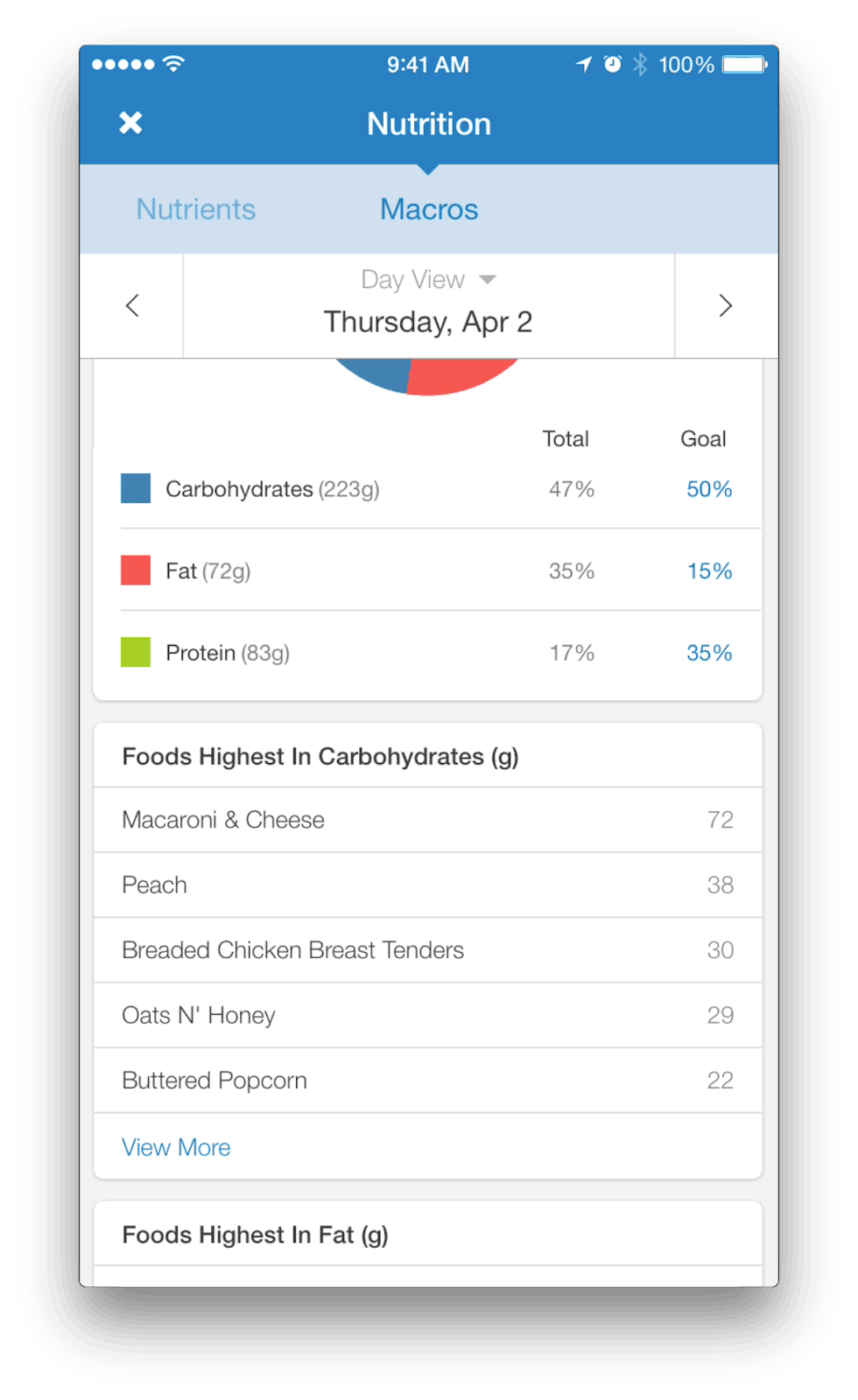
MyFitnessPal is a nutrition tracking app built around a huge food database and a diary-first workflow for logging meals, calories, and macros.
The massive dataset allows the barcode scanner to instantly pull data for packaged foods, while the recipe importer analyzes recipes from URLs to calculate per-serving macros. It also syncs with fitness apps and wearables to adjust your daily calorie allowance based on activity.
It also supports features like intermittent fast tracking and day-specific goals, which are great for targets that shift across training and rest days.
A Google Playstore user says:
MFP really helps with mindful eating. At the start, it takes some time to get used to tracking your intake, but the habit builds healthy intuitive eating. Love it and highly recommend! I also got the premium version, and the barcode scanner is such a game changer.
📖 Read More: Best AI Recipe Generators
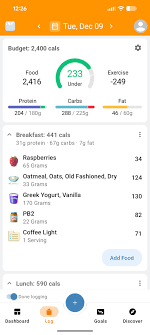
Lose It! is a calorie and macro tracker built to help you log consistently, then turn that log into progress. In other words, you set a goal, track meals in a food diary, and use built-in progress views to stay aligned with your targets, whether that is calories, macros, or an intermittent fasting schedule.
Apart from that, Lose It! is best known for its speed of entry. The AI Voice logging lets you capture meals on the fly, with features for meal planning and meal targets.
Lose It! works best for visual learners and users who respond to gamification.
A Trustpilot user says:
Like the app, it could use a thing or two, but otherwise, it is great for tracking.
⚡ Template archive: Free Dinner Menu Planning Templates
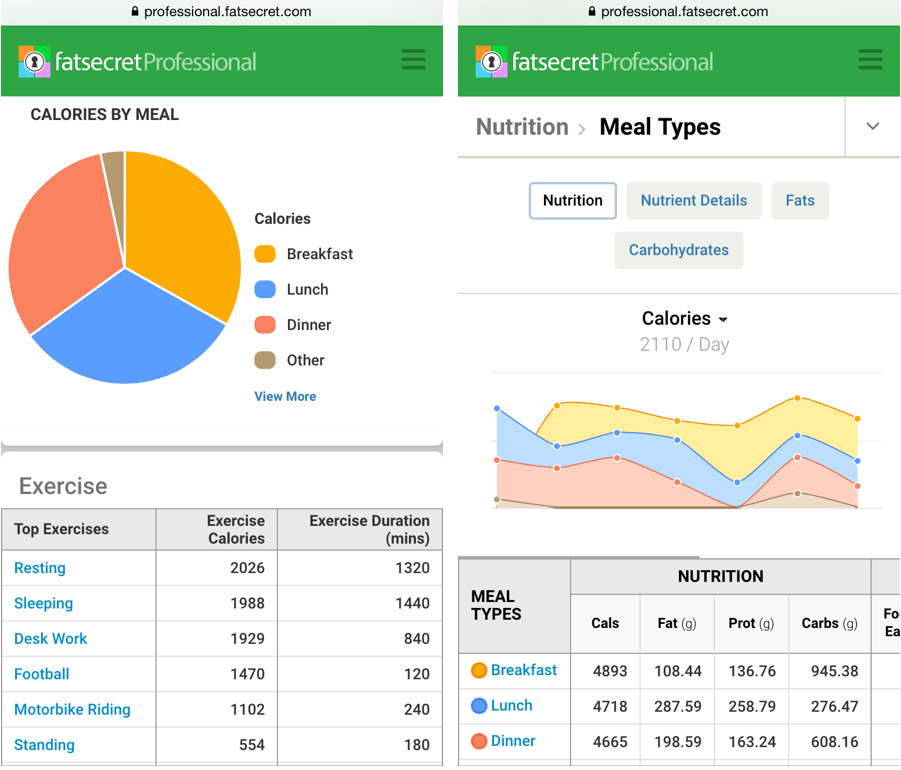
FatSecret is a calorie and macro tracker that combines a structured food diary with built-in image recognition for meals and products. Instead of searching every time, you can log a meal from a photo and store it in a photo album, which makes it easier to stay consistent when eating patterns repeat.
Tool comes a clear day-level visibility. FatSecret includes a diet calendar, weight tracker, and detailed reporting and goals for calories and macros, which helps you review patterns across days, beyond single-only meals.
If you track activity alongside intake, FatSecret supports syncing with apps like Samsung Health, Fitbit, Apple Health, Google Health, and Garmin.
A Google Playstore user says:
Love this app. It’s bigger, more open. Easier to read and navigate, especially for the elderly or those who struggle with technology. Lots of daily information can be a bit much, but you can read or delete as you desire. A list of your regular foods can be saved, so you don’t have to search every time. It makes me accountable to see my tracking and progress in front of me. It points out how many wasted calories I used to eat daily and why I put on the weight. Give it a go. Only weight to lose.
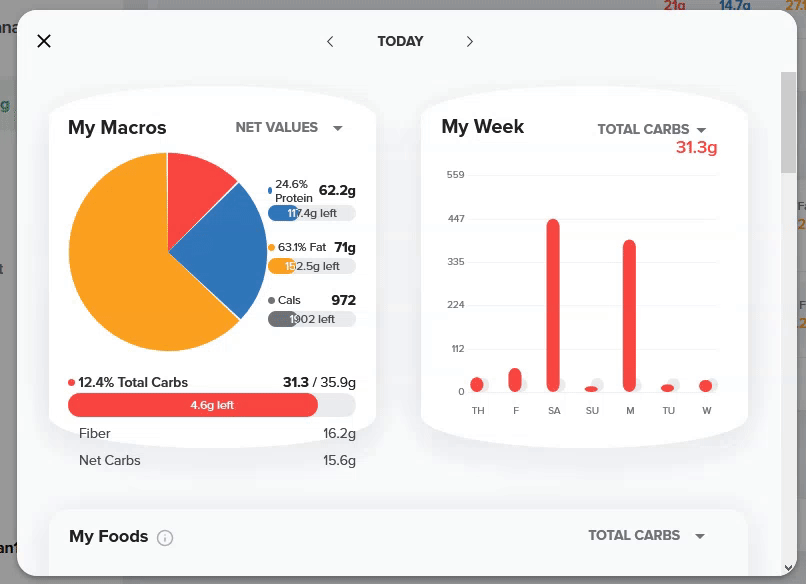
Standard macro trackers treat all carbohydrates equally, but for keto dieters, net carbs are what matter. Carb Manager is built for this use case, automatically calculating net carbs and providing features tailored to low-carb lifestyles.
The app displays net carbs prominently. A library of keto-specific recipes helps you find meals that fit your macros, and a flexible meal planning template can help you track them. You can also log blood glucose and ketone readings to correlate with your diet.
Carb Manager is an usefulchoice for anyone following keto, Atkins, or other low-carb protocols.
A Google Playstore user says:
This is a great app if you are trying to follow a strict diet. It’s super easy to use, just look up a food you ate and add it to your meal (breakfast, lunch, dinner, and snack), and it calculates the nutritional info for you and keeps a daily log. It has every kind of food with all of its nutrition info, and you can add it by weight or piece(s), and it even has fractions from 1/8 to 7/8. You put in your goals, and you can plan your meals, look up recipes, add exercises, and even daily water intake!
Searching food databases and scanning barcodes still requires effort. Nutritionix Track offers natural language logging—you simply type or speak what you had in plain English, and the app parses it into accurate nutritional data. This conversational interface makes logging feel more natural.
The ‘Track’ feature accepts inputs like ‘two eggs with toast and a glass of orange juice’ and automatically logs the nutritional breakdown. Plus, the app uses a commercial-grade database that powers nutrition data for major restaurant chains.
Nutritionix Track works well for users who find traditional food logging tedious. The natural language processing is beneficial and handles complex meal descriptions well.
A Google Playstore user says:
This app helped me identify high intakes of bad things that you might not expect. Sodium was easy to track where too much was coming from, and with that, easily corrected. How much sodium and cholesterol are in your food might surprise you once you start using the app. The bar scanner is a must-use, really makes it user-friendly. Occasionally, you might see a small inaccuracy in data, but nothing major, and not at a high rate of occurrence.
⚡️ Template Archive: Free Food Journal Templates to Track Meals
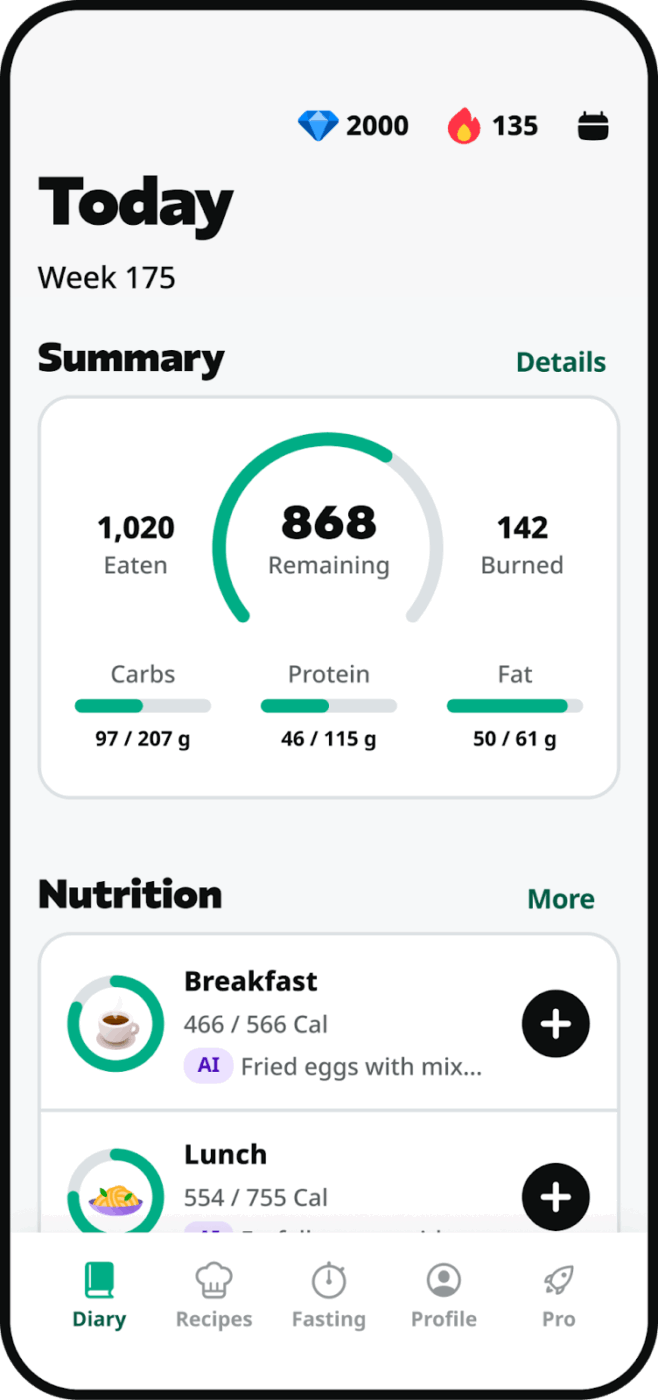
Many people combine macro tracking with intermittent fasting, but several of those applications are separate. Yazio integrates both experiences. That means a built-in fasting timer alongside macro tracking.
The fasting timer tracks your eating and fasting periods, with notifications to remind you when your window opens or closes. Further, personalized meal plans suggest meals that fit your macro targets and eating schedule.
Yazio is ideal for users practicing intermittent fasting who also want detailed macro tracking. The combined approach is more convenient than using separate apps.
A Google Playstore user says:
So far, I love it. If anyone has a hard time with restrictive eating, this app is seriously amazing. In the last year, I’ve lost nearly 100 pounds, and it’s been really, really hard to maintain, and so much so that sometimes I’m afraid to eat too much, and I don’t count calories, so then I just don’t eat much all day, then I might binge like a day later. Not anymore! Another BIG PRO is that they have everything in their database. Not a single food I’ve searched up wasn’t on there! LOVE
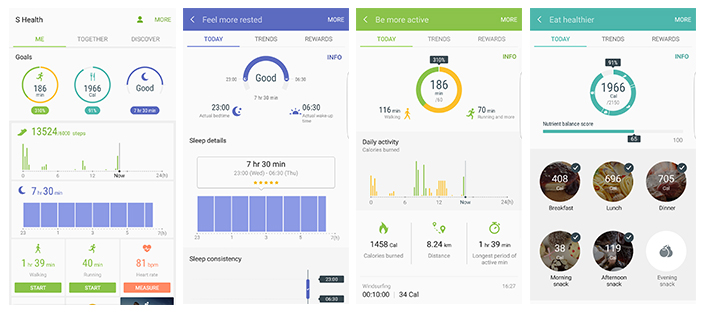
Samsung Health provides macro tracking as part of a comprehensive health platform that’s already on your device.
The food logging feature includes a searchable database and a barcode scanner. But the real value is the integration, your nutrition data lives alongside sleep, stress, and workout logs from your Galaxy Watch, all synced automatically.
Samsung Health makes sense for Samsung device owners who want a unified health tracking experience. The macro tracking is functional but basic compared to dedicated nutrition apps.
The best macro tracker isn’t the most advanced one. It’s the one that quietly fits into your routine and doesn’t make tracking feel like a second job.
That’s where ClickUp works differently. Instead of forcing you into a rigid nutrition app, it lets you build a simple system around how you already plan your week, check in on progress, and adjust when life gets busy. Your meals, targets, reminders, and notes all live in one place, so nothing slips through the cracks.
Over time, patterns become easier to spot, adjustments feel intentional instead of reactive, and tracking stops being something you “try to keep up with.” It becomes part of how you take care of yourself.
Get started for free with ClickUp and build a macro system that actually fits your life. ✨
A calorie counter only tracks your total energy intake. A macro tracker breaks those calories down into protein, carbohydrates, and fats, showing you the composition of your diet.
Most macro trackers let you save meals or copy entries from previous days. This turns repetitive eating into a tracking advantage, as you only need to log a meal once and can then reuse the entry.
Yes, apps without premium subscriptions can be accurate enough for most users. The main source of inaccuracy is often user-submitted data in the food database, so it’s a good practice to verify entries against nutrition labels.
AI features like photo recognition are convenient for quick estimates but are generally less accurate than manual logging with verified data. They are great for casual tracking, but for precise goals, you should double-check the AI’s entries.

© 2026 ClickUp

There’s an easier way. Try a free AI Agent in ClickUp that actually does the work for you—set up in minutes, save hours every week.