






Still downloading templates?
There’s an easier way. Try a free AI Agent in ClickUp that actually does the work for you—set up in minutes, save hours every week.
Sorry, there were no results found for “”
Sorry, there were no results found for “”
Sorry, there were no results found for “”

Teaching is tough. You’re juggling lesson prep, student engagement, and a ticking clock—all while trying to meet the diverse needs of your classroom.
And generic lesson plans often fall short, leaving you searching for something that truly works.
You need practical, proven lesson plan examples that solve real classroom challenges. No theory, no fluff, just examples that simplify your planning, engage your students, and break your routine.
In this guide, we will explore 10 lesson plan examples that help energize the classroom and make learning fun. We’ll also throw in lesson plan types, and free tools like ClickUp, to create them!
A lesson plan is a structured outline for teaching that lists the study topics, teaching strategy, educational resources, and the timeframe for each activity. It sets clear learning objectives and ensures every moment in class serves a purpose, keeping you and your students focused on the goals.
An effective lesson plan includes essential components that help you stay organized by:
🧠 Did you know? 64% of educators say incorporating active, hands-on learning experiences helps keep students excited and engaged.
Different teaching scenarios call for different approaches.
Here are the most versatile lesson plan types:
| Lesson plan type | Definition | Best for | Quick example |
| Traditional lesson plans | A structured format with a clear sequence of activities and assessments | Teachers who need structure and clear objectives | A lecture with exercises and a quiz at the end |
| Thematic lesson plans | Organized around a central theme, connecting multiple subjects | Teachers who want to integrate multiple subjects around a central theme | A “Seasons” theme combining weather and art |
| Project-based lesson plans | Focuses on long-term, collaborative projects to solve real-world problems | Teachers who focus on long-term, collaborative projects | A group project on building a model of a sustainable city |
| Digital/dynamic lesson plans | Integrates technology for interactive and flexible learning | Teachers who want to integrate technology for interactive lessons | Virtual field trips and interactive online discussions |
| Collaborative lesson plans | Emphasizes teamwork and peer-to-peer learning | Teachers who encourage teamwork and shared problem-solving | A group research project on climate change solutions |
📖 Read More: Lesson Plan Templates for Teachers and Educators
Each of these examples addresses specific classroom challenges with practical solutions that save time and boost engagement.
⛑️ Challenge: Keeping students engaged, especially when learning feels boring or passive.
Turn your classroom into an exciting, participatory space where every student actively takes part in learning. Use digital study tools to make lessons come alive and ensure students are not just sitting and listening, but truly involved.
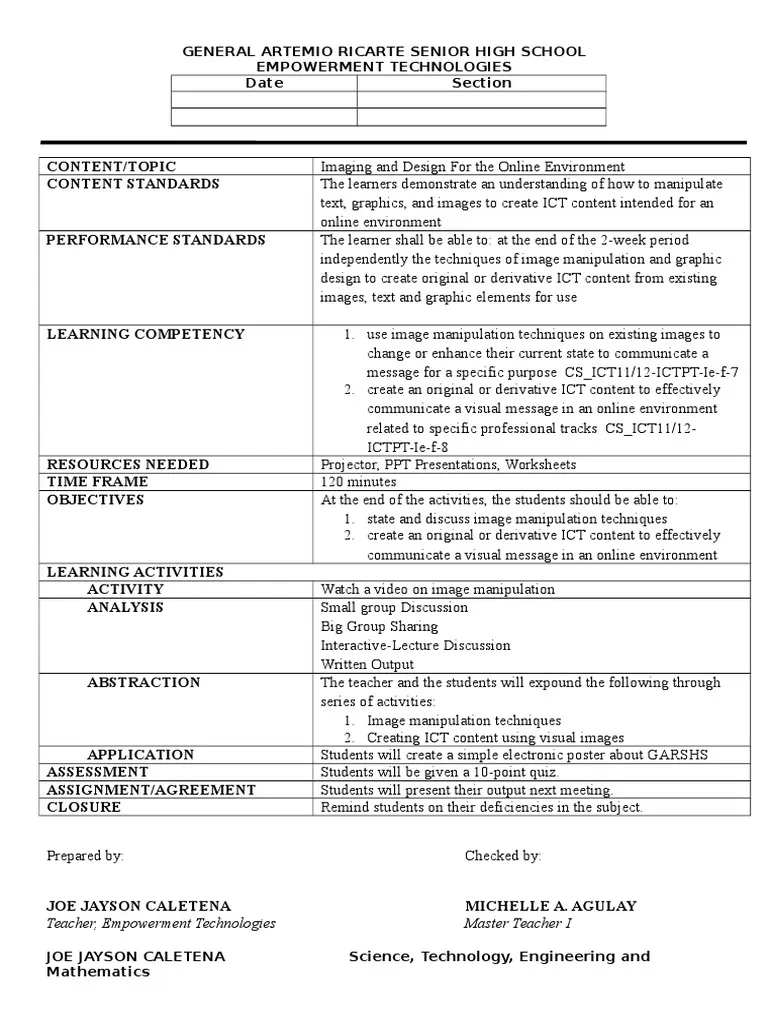
⚒️ Implementation:
🚀 Why it works:
💡 Pro Tip: Use online teaching tools, such as ClickUp and Google Classroom to make lessons interactive. Get students involved as participants, not just listeners.
⛑️ Challenge: Limited time to deeply explore and apply classroom concepts.
Change how learning happens by having students review content at home, freeing up class time for discussions, problem-solving, and hands-on activities. This approach gives students more time to understand and practice what they’re learning.
⚒️ Implementation:
🚀 Why it works:
⛑️ Challenge: Connecting classroom learning to real life and making lessons meaningful.
Move beyond textbooks by giving students projects that solve actual problems. This method helps students use what they learn in creative, practical ways that show how classroom knowledge applies to the world around them.

⚒️ Implementation:
🚀 Why it works:
✨ Fun Fact: Many successful entrepreneurs, from Steve Jobs to Elon Musk, credit early experiences with hands-on projects as key to their later success.
📖 Read More: How to Use AI for Note-Taking
⛑️ Challenge: Supporting students with different learning needs in the same classroom.
Create lessons that work for everyone. Provide multiple ways for students to learn and show what they know, ensuring that each student can succeed regardless of their strengths or challenges.
⚒️ Implementation:
🚀 Why it works:
📖 Read More: Free KWL Templates and Resources for Teachers
⛑️ Challenge: Making STEM (science, technology, engineering, and mathematics) subjects interesting and understandable.
Transform science and math from abstract concepts to exciting discoveries. Let students experiment, build, and explore to truly understand how technical principles work in the real world.

⚒️ Implementation:
🚀 Why it works:
📖 Read More: How to Use AI for Lesson Planning
⛑️ Challenge: Making lessons more creative and engaging for different types of learners.
Use art to help students understand academic subjects. Let them express their learning through creative projects that make complex ideas more memorable and enjoyable.
⚒️ Implementation:
🚀 Why it works:
🧠 Did you know? 73% of educators believe integrating creative thinking is essential, yet only 44% of jurisdictions have guidelines for assessing creativity.
⛑️ Challenge: Helping students become curious and independent learners.
Encourage students to drive their own learning by asking questions, researching topics they’re interested in, and discovering knowledge on their own. This approach makes learning feel like an exciting adventure.
⚒️ Implementation:
🚀 Why it works:
💡 Pro Tip: Use AI writing tools to help students organize their ideas and structure inquiry-based projects more efficiently.
⛑️ Challenge: Adapting to different student needs and technology access.
Create a flexible learning environment that combines in-person teaching with online resources. This approach allows students to learn in ways that work best for them.
⚒️ Implementation:
🚀 Why it works:
🌟 Fun Fact: Studies show students in blended learning environments often outperform peers in traditional settings, achieving higher grades and better retention.
⛑️ Challenge: Helping students see beyond their immediate environment.
Bring global perspectives into your lessons. Help students understand how events around the world connect and impact their lives, building empathy and broader understanding.
⚒️ Implementation:
🚀 Why it works:
⛑️ Challenge: Preparing students with important life skills beyond academics.
Teach students how to understand their own emotions and work well with others. These lessons help students develop empathy, communication skills, and emotional intelligence that are crucial for success in school and life.
⚒️ Implementation:
🚀 Why it works:
A clear, organized plan is essential for teachers and administrators, especially when managing small groups.
ClickUp for Education Teams simplifies the management of academic and administrative resources all in one place, so you can focus on delivering an exceptional learning experience without administrative hassle.
These free, customizable templates cover everything from classroom management to college lesson plans, saving time and ensuring your lessons are always structured, engaging, and tailored to your students’ needs.
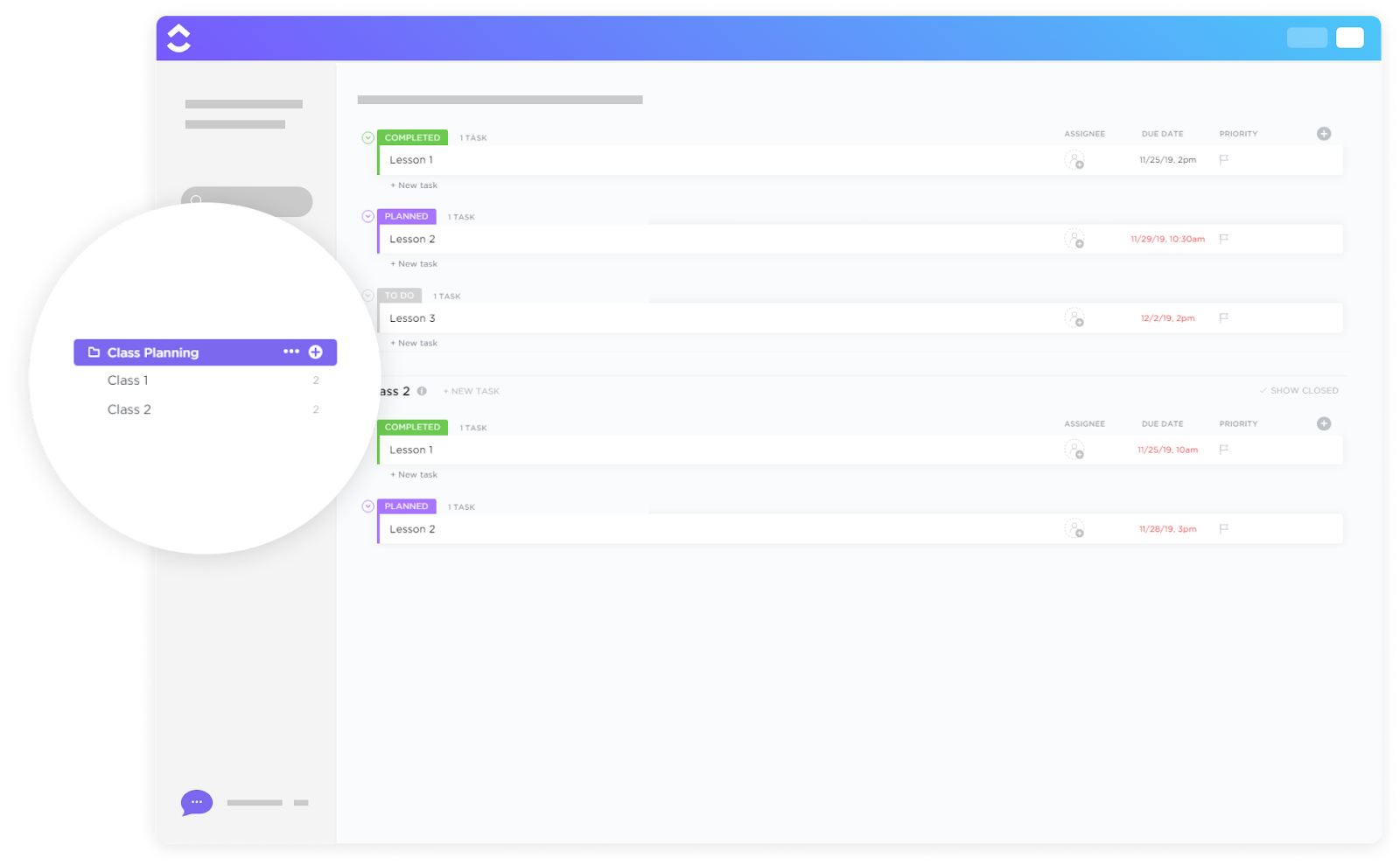
Planning a class involves managing tasks, setting deadlines, and organizing resources—all while ensuring every lesson runs smoothly. The ClickUp Class Planning Template simplifies this process by keeping everything you need in one place. Whether assignments, projects, or class materials, this daily lesson plan template helps with the entire process and keeps you on track.
With this template, you can:
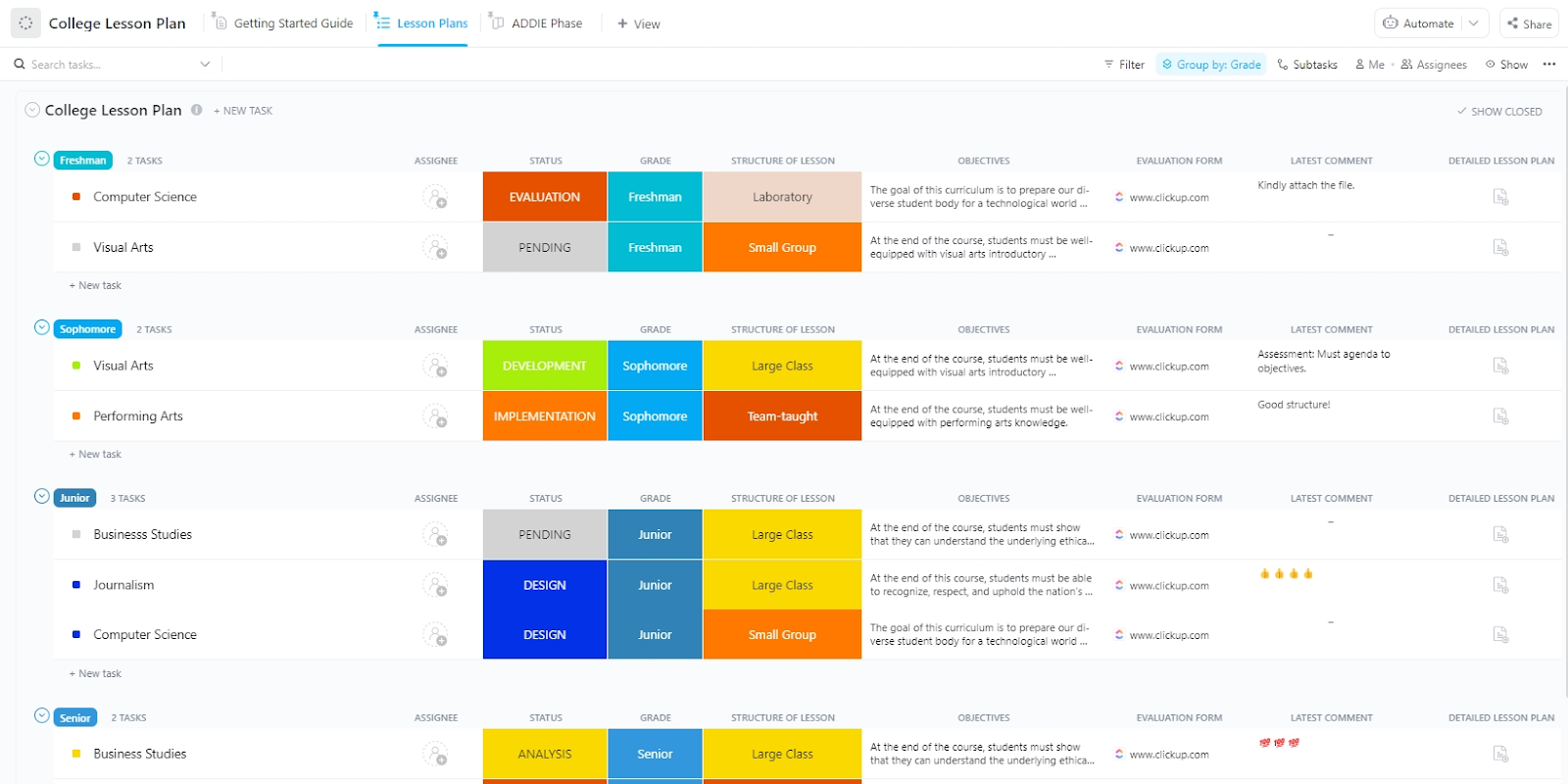
As a college professor, managing your lesson planning process efficiently is crucial. The ClickUp College Lesson Plan Template makes creating, organizing, and tracking your lessons easy while saving time on tedious administrative tasks.
With this template, you can:
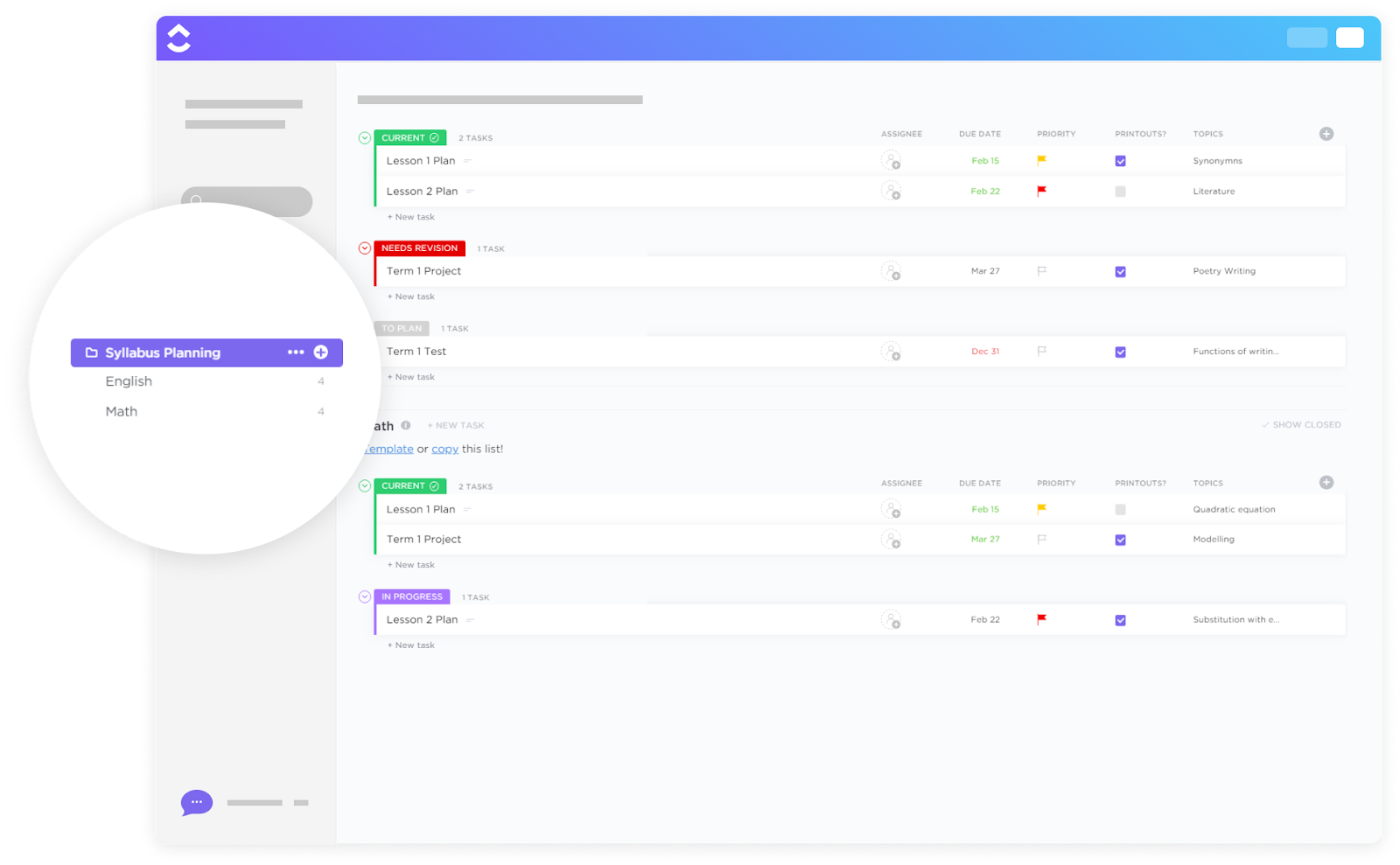
Creating an engaging and well-structured syllabus can be challenging, especially when balancing multiple tasks, deadlines, and resources. The ClickUp Syllabus Planning Template simplifies this process by helping you visualize the course flow, organize materials, and track progress all in one place.
With this template, you can:
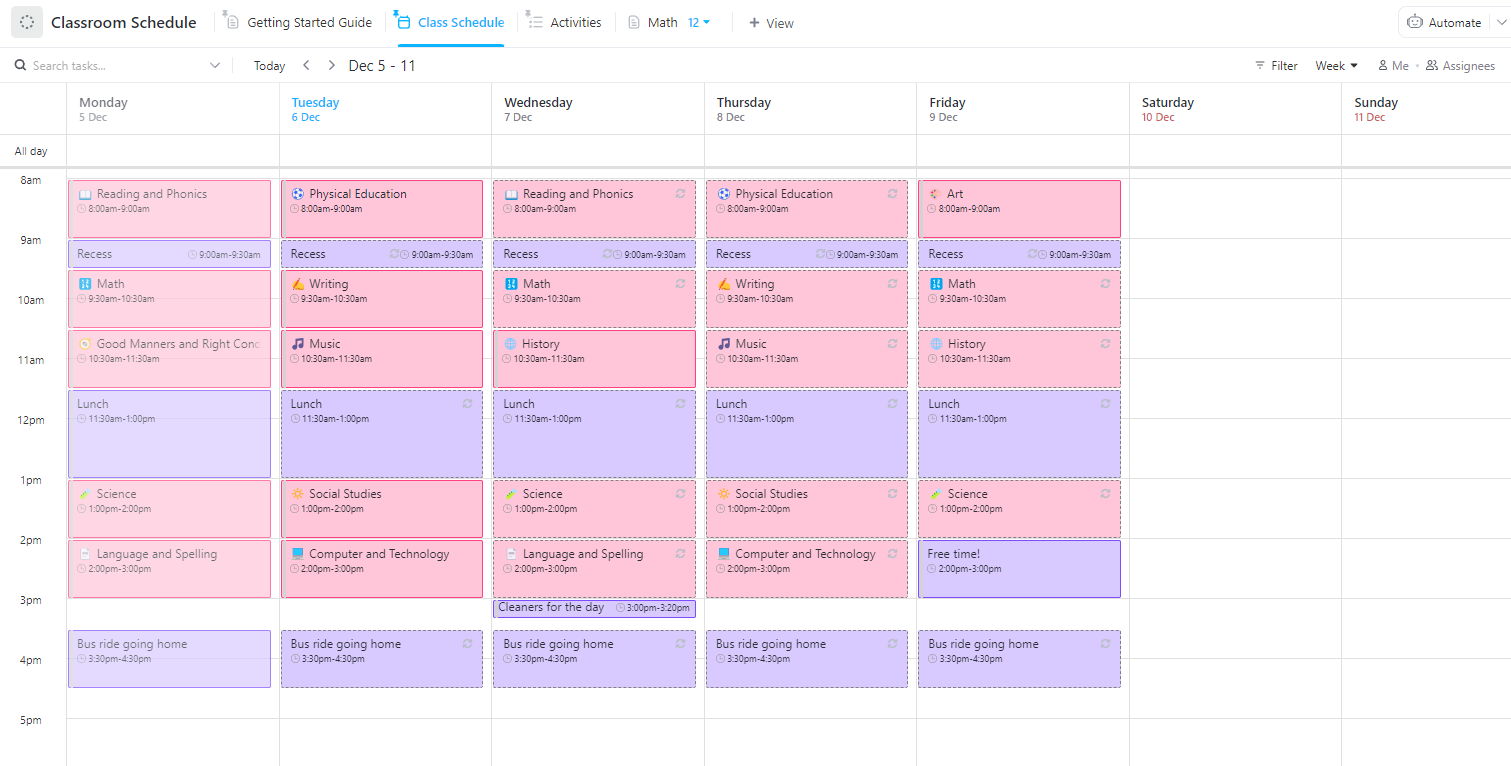
Teachers face unique challenges when managing lessons and classroom dynamics. The ClickUp Classroom Schedule Template helps you stay organized and on track by providing a structured approach to planning and executing the lessons.
With this template, you can:
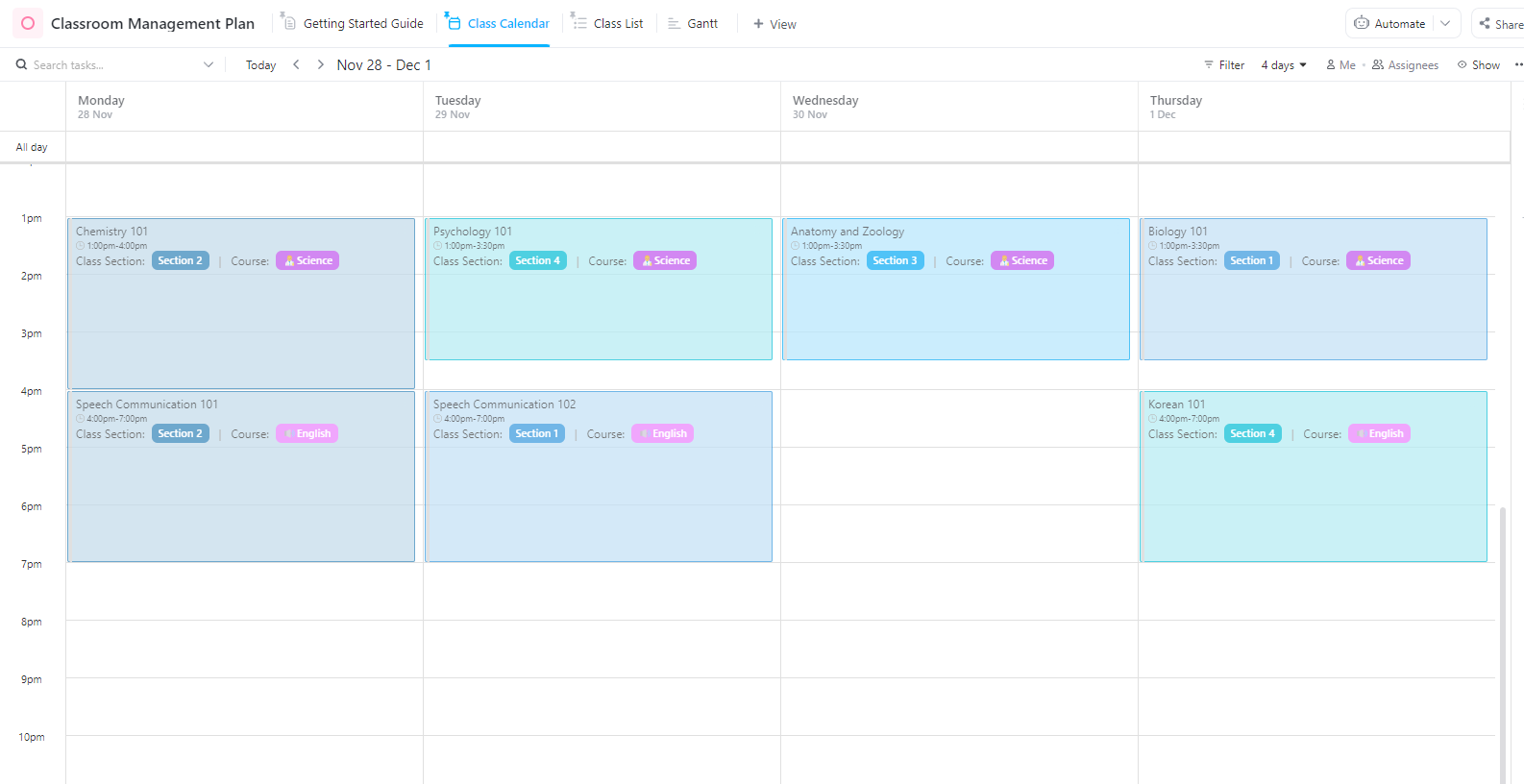
Managing a classroom effectively requires organization and structure. The ClickUp Classroom Management Plan Template helps you stay on top of classroom activities, student behavior, and lesson plans.
With this template, you can:
📖 Read More: An Educator’s Guide to ClickUp Forms
Designing a personalized lesson plan that fits your teaching style and meets student needs can be challenging. However, following a few simple steps and using the right tools can streamline your planning process and focus more on engaging your students.
Before you even begin designing your lesson, you need to know exactly what you want your students to accomplish.
Once you have clear goals, you can shape every part of your lesson around them (from selecting activities to deciding how you’ll assess students). Identifying goals ensures you stay focused and that your students know exactly what is expected.
Start by asking:
With ClickUp Goals, you can set measurable targets for your lessons, track progress in real time, and ensure you stay on track to meet your lesson objectives. It lets you easily break down goals, set timelines, and monitor success through key results—all within one place.

📮ClickUp Insight: About 41% of professionals prefer instant messaging for team communication. Although it offers quick and efficient exchanges, messages are often spread across multiple channels, threads, or direct messages, making it harder to retrieve information later.
With an integrated solution like ClickUp Chat, your chat threads are mapped to specific projects and tasks, keeping your conversations in context and readily available.
A well-organized lesson structure keeps the class running smoothly and ensures that no critical content is skipped. Once you’ve defined your goals, break your lesson into clear, manageable sections. Each part should align with your objectives and provide a natural flow to your class.
Divide your lesson into three key parts:
ClickUp Docs lets you create a detailed outline for each lesson, organize it clearly, and keep all your materials in one place. You can easily connect your lesson plans to workflows, add attachments, and make real-time updates to stay on top of changes.

Choosing the right activities and resources can keep students engaged. These elements should actively support the lesson goals and appeal to various learning styles. You want your activities to challenge students while encouraging critical thinking, creativity, and collaboration.
Here’s how to think about it:
You can use ClickUp Brain, ClickUp’s AI assistant, for crafting customized, interactive, and age-appropriate lesson plans.
By simply inputting key details such as your subject, grade level, and learning objectives, ClickUp Brain creates a customized plan that aligns with your curriculum needs. You can even ask ClickUp Brain for classroom management strategies or project progress.
And there’s more! ClickUp Brain users can choose from multiple LLMs, such as Claude and GPT-4o, right from within ClickUp. So teachers and education professionals never need to look for another AI tool.
Here’s a prompt given to Brain and its response:

📖 Read More: Best AI Tools for Teachers
Assessment is a key component in any lesson plan. It helps you gauge whether your students are achieving the learning objectives and gives them feedback on their progress.
Setting precise assessments ensures that you’re measuring the right things at the right times, giving students clear expectations for success.
Start by considering:
Be specific about how and when you’ll assess students. This ensures that your evaluations are tied directly to your lesson goals and that your students understand the criteria for success.
💡Pro Tip: Use ClickUp’s Assessment Report Template to capture performance metrics and data efficiently. With it, you can:
No matter how well you plan, things don’t always go as expected. Whether it’s a student’s misunderstanding, a lack of engagement, or something entirely unforeseen, flexibility is key. Being able to adjust your lesson plan in real time ensures that you can still meet your objectives, even when the unexpected happens.
ClickUp’s Task Management can help you track lesson progress, monitor milestones, and make adjustments as needed. You can even link dependent tasks to create effective lesson plans. For example, selecting the topic for a lesson plan depends on defining the learning objective.

Want to learn how to prioritize tasks? Watch this quick explainer video!👇
That’s not all! ClickUp’s AI Calendar helps you plan your course schedule based on your tasks, events, and goals. It can automatically schedule your priority tasks and block focus time.

📖 Read More: Best AI Calendar and Planner Apps
Innovative, diverse lesson plan examples help solve specific classroom challenges, from boosting engagement to smoother lesson execution.
Each lesson plan idea addresses a unique need: managing student behavior, incorporating hands-on learning, or fostering collaboration. With the right lesson-planning approach, you can enhance your students’ experience while keeping yourself organized.
ClickUp helps you do this with customizable templates, Task management, Goals, Chat and Calendar, all under one roof. What are you waiting for?
Sign up for ClickUp today to streamline your lesson planning, enhance classroom management, and create an engaging learning environment!

© 2026 ClickUp

There’s an easier way. Try a free AI Agent in ClickUp that actually does the work for you—set up in minutes, save hours every week.