






Still downloading templates?
There’s an easier way. Try a free AI Agent in ClickUp that actually does the work for you—set up in minutes, save hours every week.
Sorry, there were no results found for “”
Sorry, there were no results found for “”
Sorry, there were no results found for “”

If your team has a ‘knowledge base’ and still asks the same questions in chat every week, the issue boils down to retrieval.
Knowledge tools are good at storing information. Fewer are good at getting the right answer to the right person at the precise moment work is happening.
Knowmax can work well for structured support knowledge and guided resolutions. But if you’re looking for Knowmax alternatives, it usually means you need knowledge management that feels like an operating system. Faster search, easier upkeep, better AI help, and tighter connection to everyday workflows.
In this guide, we’ll cover the 10 best Knowmax alternatives for knowledge management, what each one is strongest at, and how to pick the right fit based on how your team finds, uses, and maintains knowledge every day.
You’re probably looking for a Knowmax alternative because your current knowledge base feels like a dead end. Information gets stored there, but it doesn’t connect to the work your team has to do next.
And that’s how tool sprawl creeps in. People waste hours bouncing between disconnected tools, switching tabs, and hunting down files.
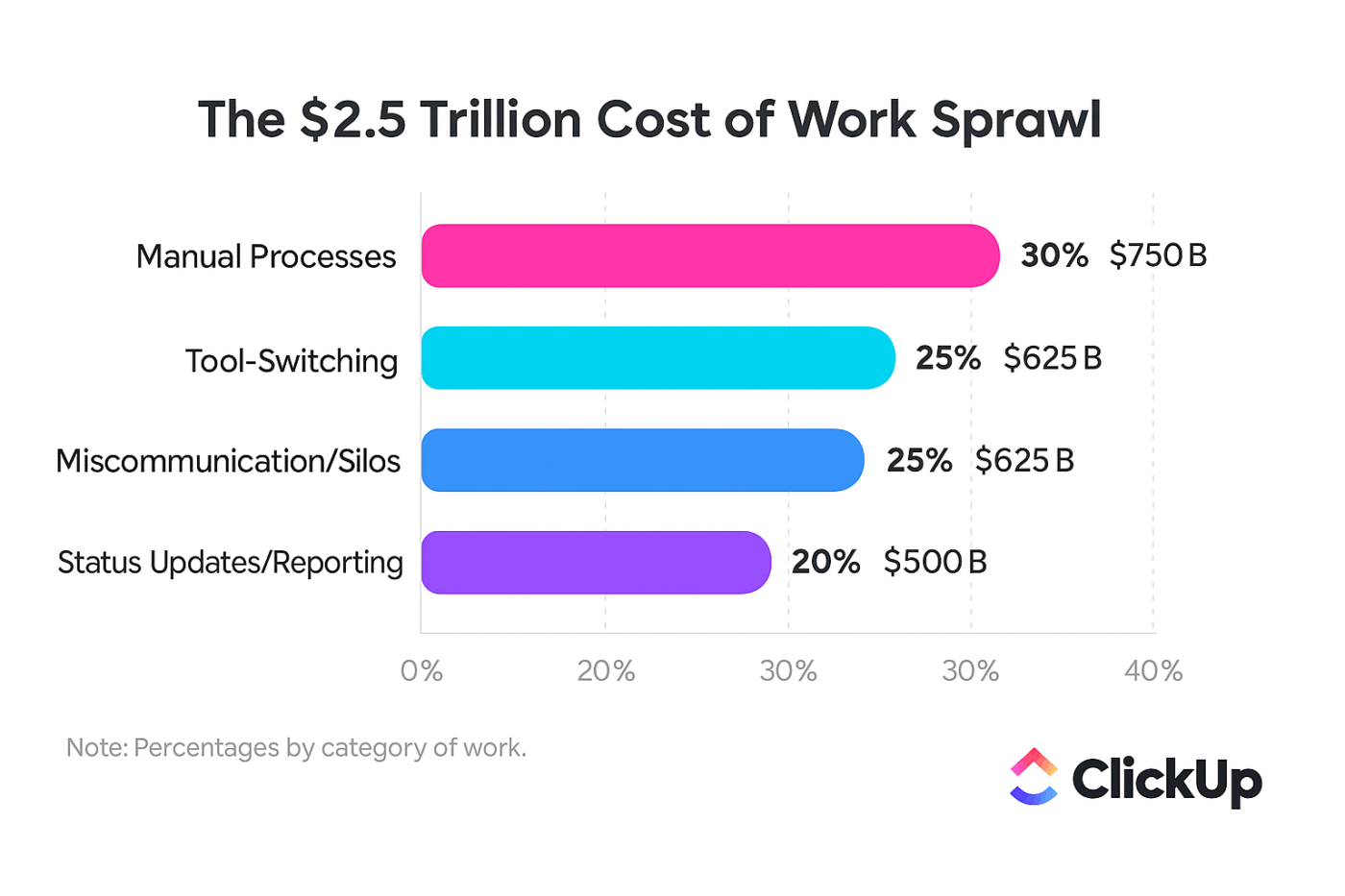
This disconnect creates problems like:
Summarize this article with AI ClickUp Brain not only saves you precious time by instantly summarizing articles, it also leverages AI to connect your tasks, docs, people, and more, streamlining your workflow like never before.Knowmax Alternatives at a Glance
Tool Key features Best for Pricing* ClickUp Knowledge Management; Docs + Wikis; Brain + Brain MAX; Enterprise Search; Automations AI-powered knowledge management connected to task execution Free Forever; Customization available for enterprises Document360 Public + private KBs; Ask Eddy AI; versioning/rollback; analytics Self-service knowledge bases with analytics Custom pricing Guru Verified Cards; browser extension; AI answers; verification workflows Real-time knowledge delivery inside workflow tools Paid plans from $25/user/month; Custom pricing available Confluence Spaces; page permissions; templates; Atlassian Intelligence Team wikis in the Atlassian ecosystem Free plan available; Paid plans from $5.42/user/month; Custom pricing available Notion Wikis + databases; verified pages; Notion AI Q&A; permissions Docs and databases for internal wikis Free plan available; Paid plans from $12/seat/month; Custom pricing available Helpjuice Custom branding; AI search; analytics; multilingual KBs Customizable knowledge bases with powerful search Paid plans from $249/month; AI plans from $449/month; Unlimited AI from $799/month Bloomfire Q&A knowledge sharing; moderation tools; analytics suite; access controls AI-powered enterprise knowledge sharing Custom pricing Freshdesk KB + ticketing; AI suggestions; multilingual KB; community forums Customer support teams needing integrated ticketing Free plan available; Paid plans from $19/agent/month; Custom pricing available ServiceNow KM + ITSM workflows; KCS alignment; Now Assist Enterprise IT service knowledge management Custom pricing Zendesk Help Center; content blocks; analytics; AI search Omnichannel self-service and support Paid plans from $25/agent/month; AI included in Suite plans; Enterprise options available *Please check each tool’s website for the latest pricing
How we review software at ClickUp
Our editorial team follows a transparent, research-backed, and vendor-neutral process, so you can trust that our recommendations are based on real product value.
Here’s a detailed rundown of how we review software at ClickUp.
Each platform below serves different needs.
Some focus purely on creating a knowledge base, while others connect your documentation directly to your team’s broader workflows.
Let’s take a look:
Knowmax is great as a dedicated knowledge layer, but the day-to-day reality is that knowledge rarely lives on its own. Then you have answers sitting in one tool, the work in another, and your team spends the in-between time context switching.
ClickUp, the world’s first Converged AI Workspace, bakes in convergence by connecting your docs to the broader workflow.
ClickUp Knowledge Management is a full-scale system for creating and organizing knowledge that your team uses every day. You can set up a shared hub for SOPs, wikis, onboarding docs, project briefs, and playbooks, and keep it organized as the library grows.
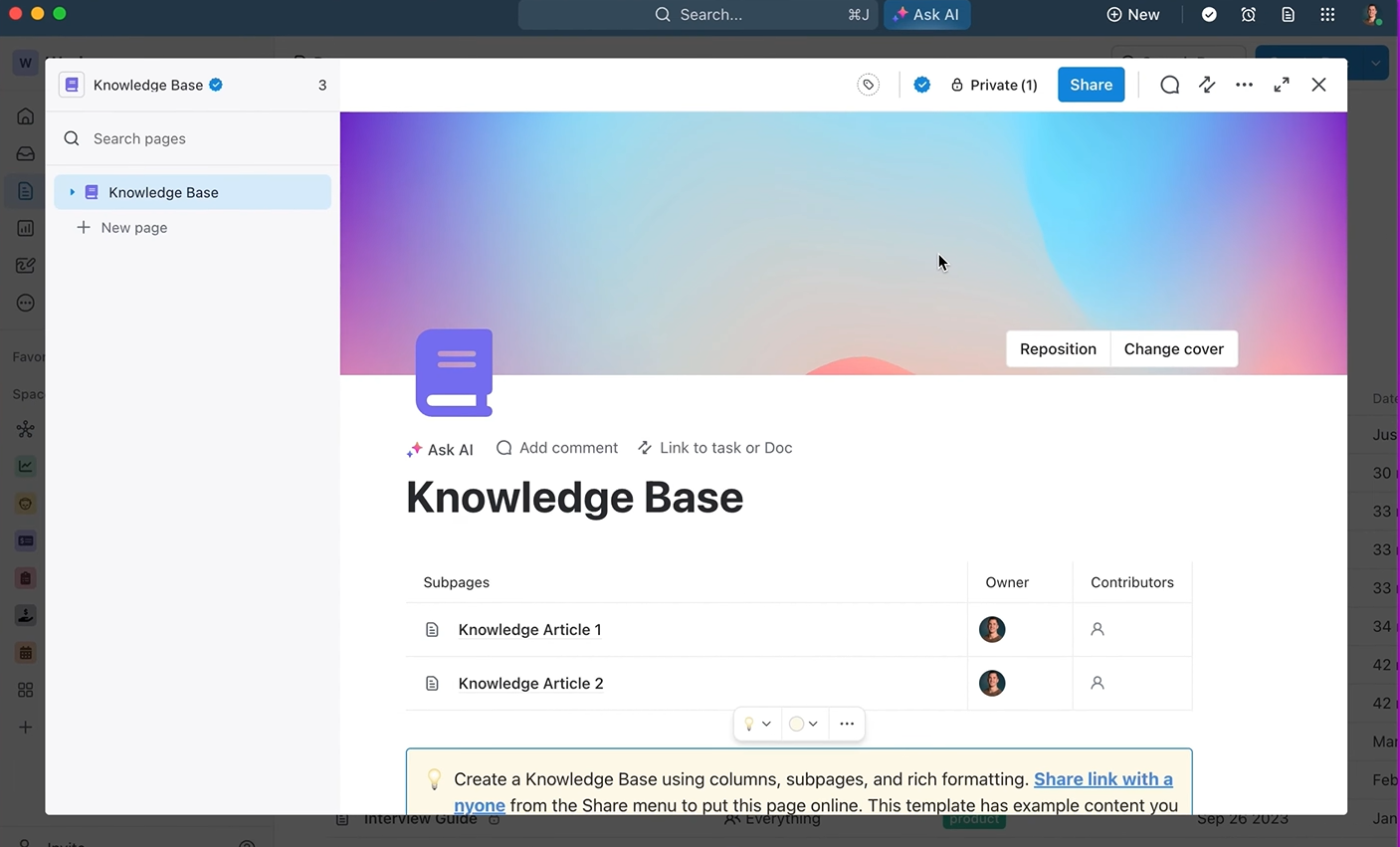
Teams commonly standardize their knowledge by publishing key resources as wikis and using templates to keep documentation consistent across functions.
ClickUp Docs keeps all your work documentation in one place. You can create SOPs, onboarding guides, process docs, and project briefs with rich formatting and real-time collaboration, so the doc becomes the shared reference point for everyone.
Docs also keep writing and execution tight-knit. Teams can leave comments, tag teammates, and convert key lines into trackable ClickUp Tasks when a doc turns into a plan. That’s useful for launch checklists, escalation playbooks, and weekly operating notes, where the next steps should not live in a separate tool.
From there, the Docs Hub becomes the place people go when they need an answer instantly. It centralizes Docs and wikis in one view and makes it easy to browse, search, and manage shared knowledge.

And when access control matters, you can share Docs with specific people or teams and set permissions so the right folks can edit while everyone else can view.
ClickUp Brain is your built-in AI teammate for working with knowledge at speed. It can summarize, answer questions using your workspace content, and turn long updates into next steps.
It’s incredibly handy for everyday questions that should never become a back-and-forth in chat. Ask it, ‘What’s our parental leave policy?’ and Brain can pull the relevant documentation from your knowledge hub, summarize it in plain language, and point you to the source so you can self-serve with confidence.
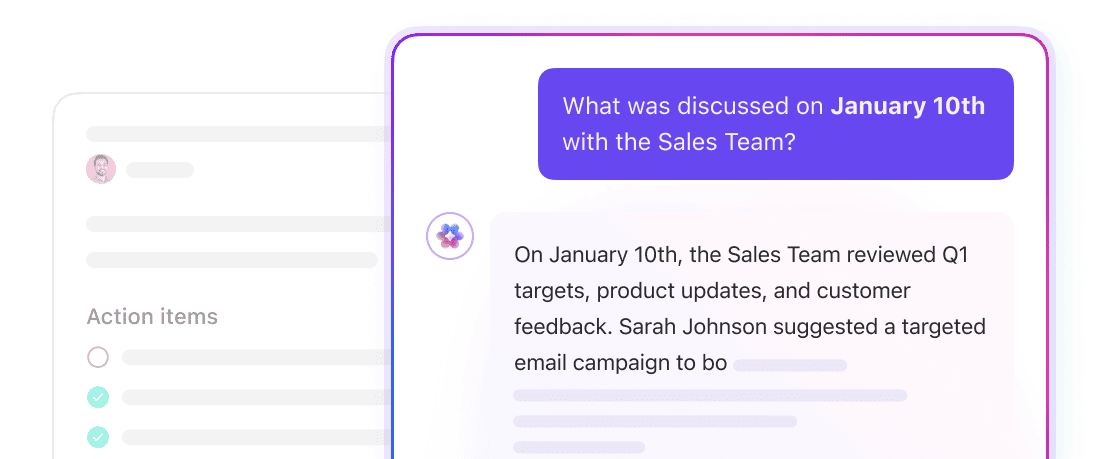
It works just as well on the customer side. When you publish help content and policies in ClickUp, customers can query Brain with plain-language questions and get an answer in seconds, so they can self-serve without waiting for human replies.
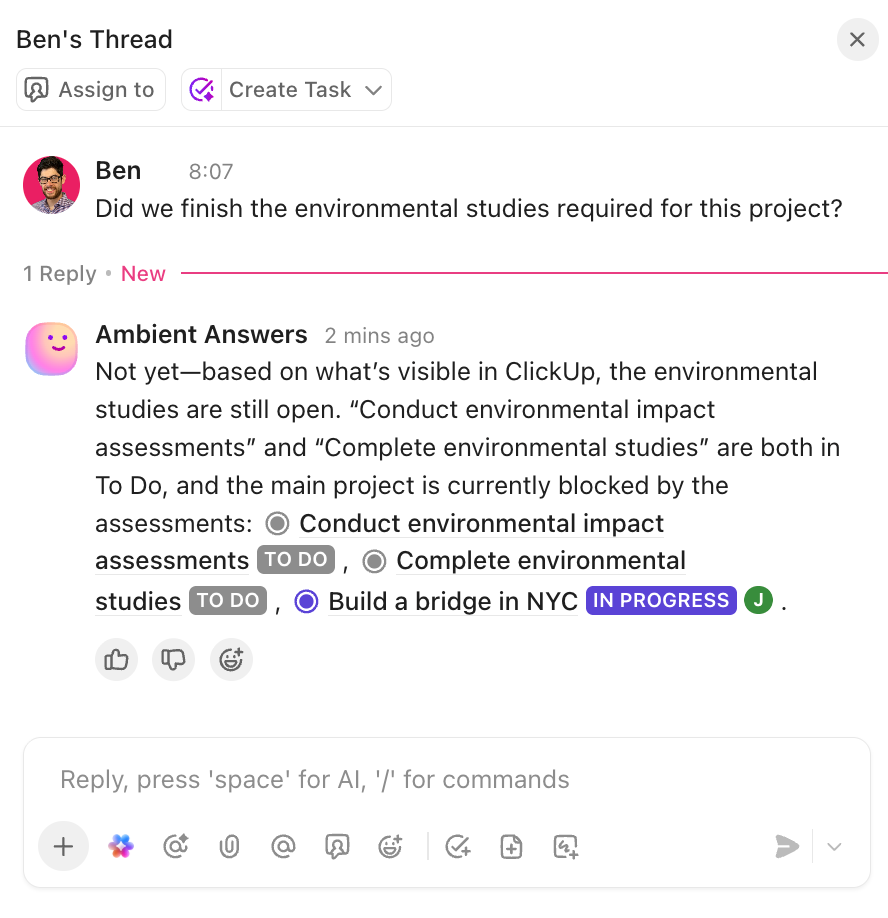
The Ambient Answers Agent takes this a step further by proactively surfacing answers where work is already happening.
Instead of searching for information or interrupting teammates, the agent continuously scans your workspace knowledge and delivers contextual answers directly within tasks, docs, and conversations.
When someone asks a question in a comment thread or within a task discussion, the agent can instantly pull the relevant information from your knowledge base and respond with the right documentation.
This makes knowledge feel present in the workflow rather than locked inside a separate knowledge system.
A G2 user says:
What I find most useful about ClickUp is its ability to bring structure to complexity. I use it all the time to design clear, scalable systems that replace scattered emails, informal processes, and reactive work. I use it for daily task tracking and also for building organized, repeatable workflows with defined accountability, visibility, and governance. ClickUp allows me to translate strategic thinking into operational structure. The biggest upside for me is leverage, scalability, and integrations. ClickUp allows me to turn ideas, processes, and best practices into concrete systems that can be replicated, automated, and even productized.
🚀 ClickUp Advantage: Use ClickUp Brain MAX as your ‘one search bar for work.’ It’s ClickUp’s AI-powered desktop companion that can search across ClickUp, the web, and files from connected apps like Google Drive, SharePoint, and GitHub.
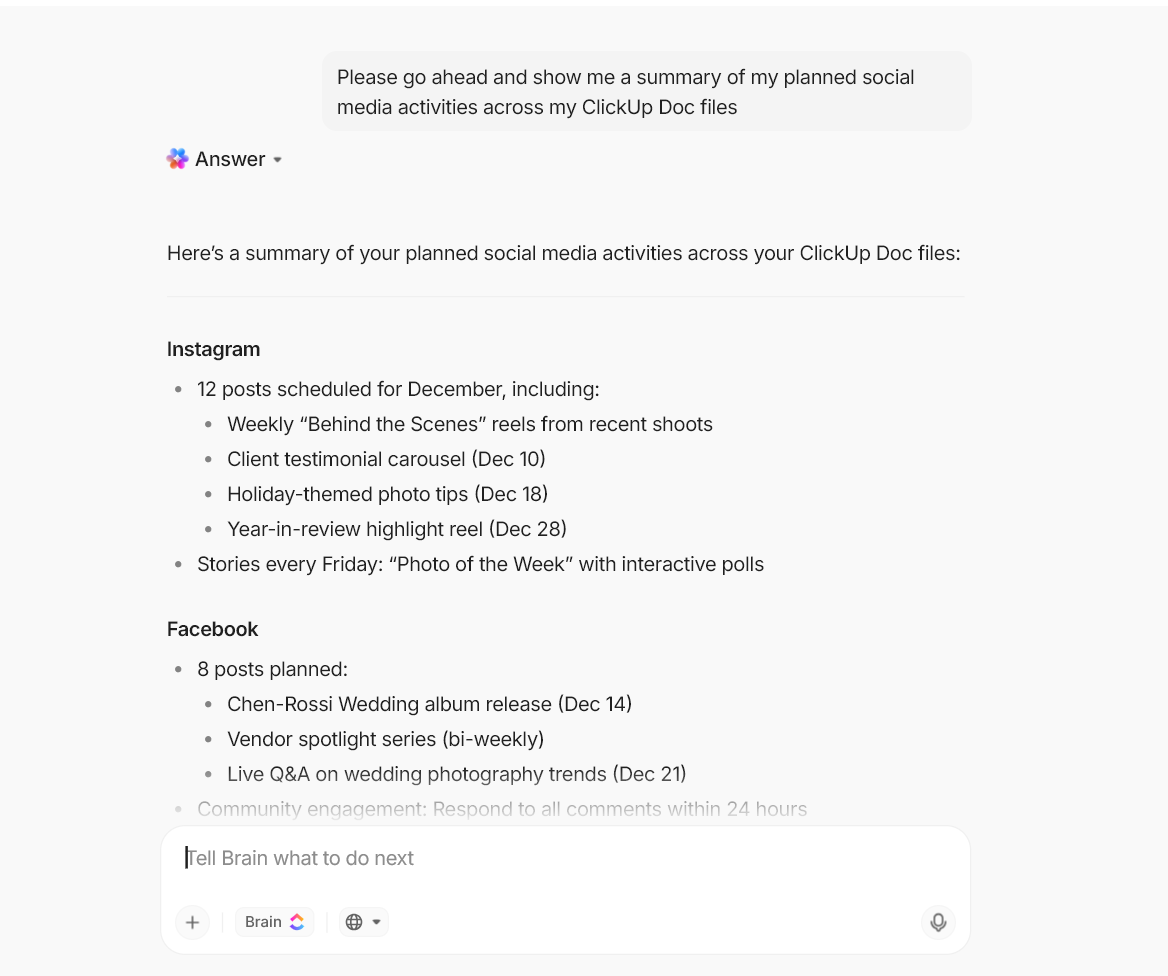
And when you want speed, not typing, Talk-to-Text lets you speak the question and get the output hands-free, which is great for quick research, meeting follow-ups, and on-the-fly clarification.
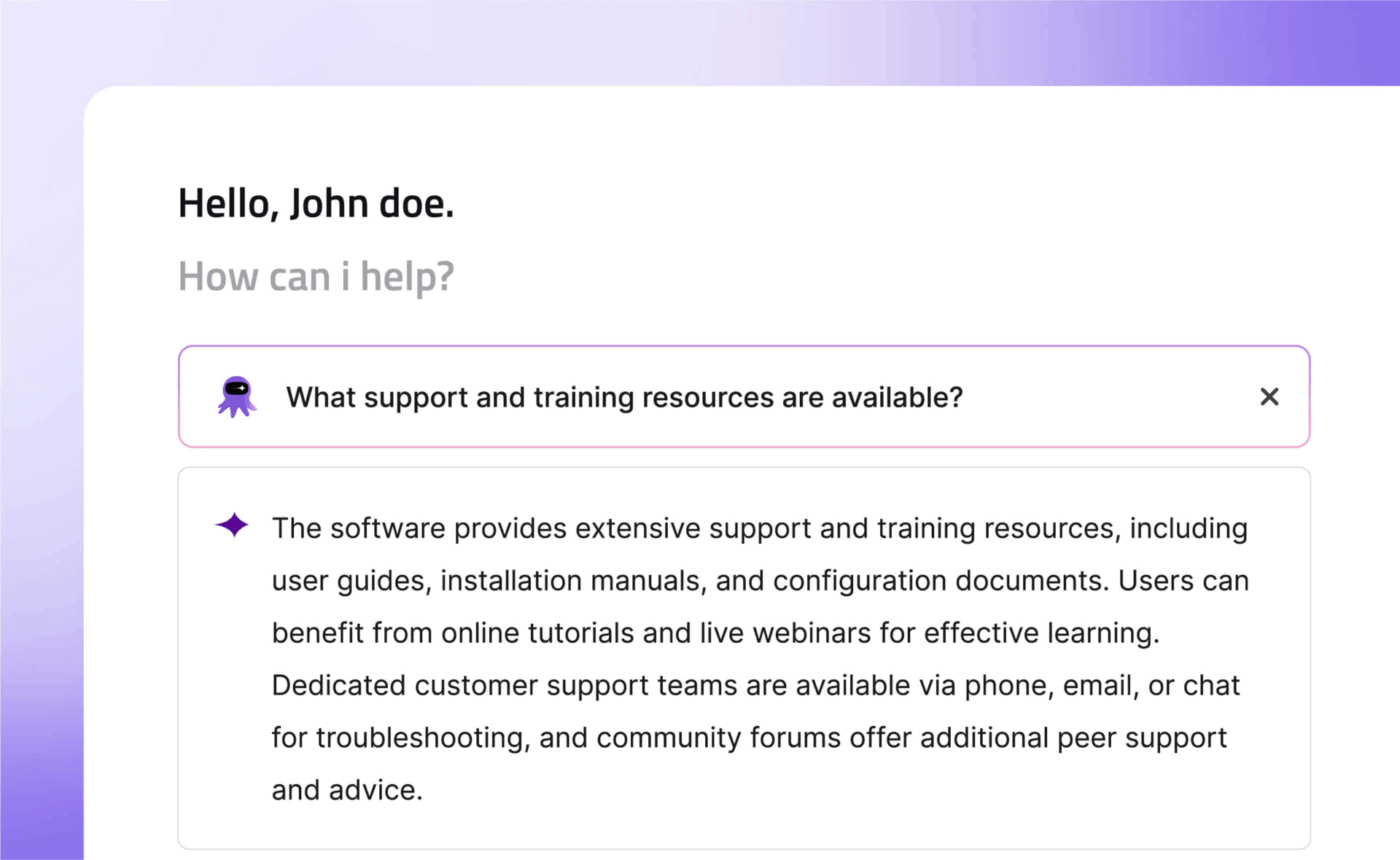
Document360 is an AI-powered knowledge base platform you use to create public, private, or mixed-access documentation for customers and internal teams. It’s built for structure (categories, labels, hierarchy), solid authoring (Markdown + Word-like editor), and controls to keep content accurate as it scales.
The tool’s category manager makes organizing large volumes of content intuitive, while version control ensures you can track changes and roll back when needed. The platform prioritizes content quality with features such as broken link detection and SEO optimization for public-facing articles.
A G2 user says:
The user-friendly interface and robust article editor are excellent. It makes creating, organizing, and updating documentation significantly faster than our previous method. I especially appreciate the version control and rollback functionality, which gives us confidence in managing changes. The ability to create private portals/documentation sites for internal teams while maintaining a separate public-facing site is a huge benefit for controlling access and ensuring data security.
👀 Did You Know? 75% of people agree that AI agents will reshape the workplace more than the internet did. That is a massive signal that we are undergoing a major shift in how work gets done.
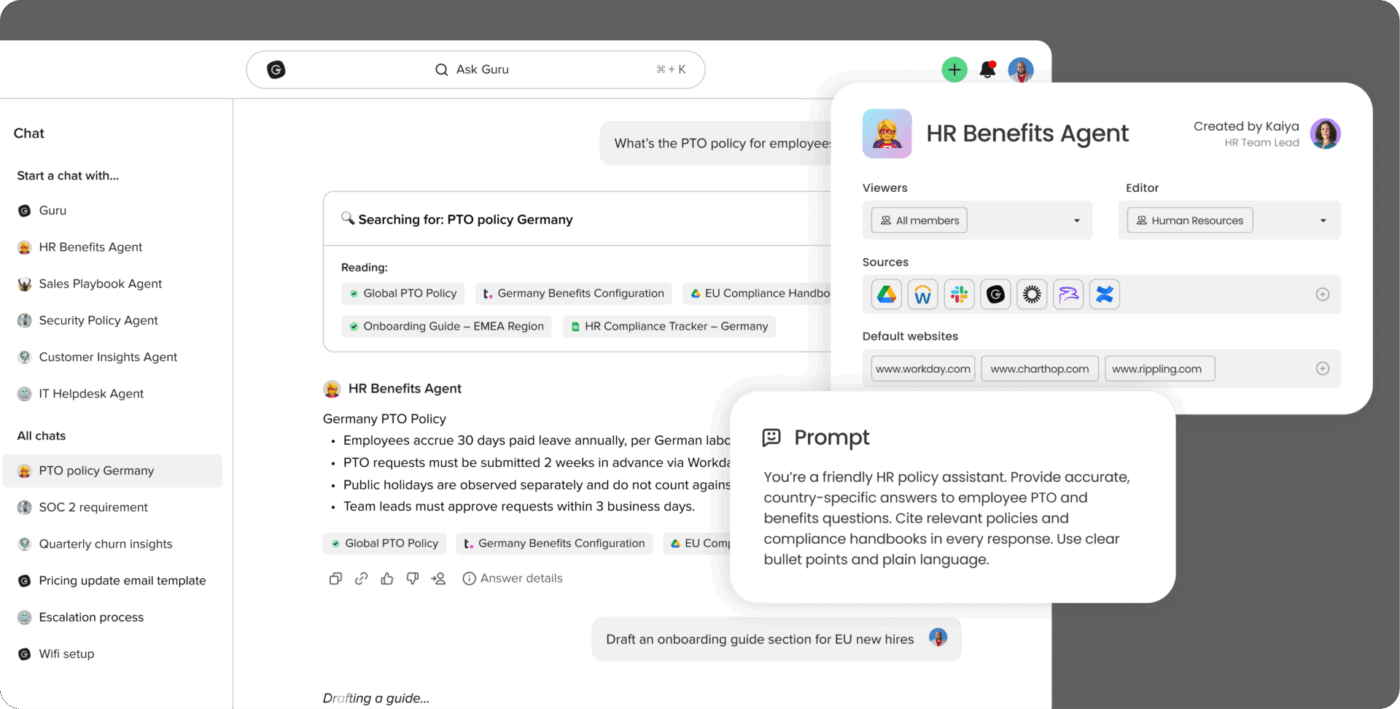
Guru is designed to help teams capture company knowledge as Cards, keep it up to date with verification, and surface it right where people work (like Slack, Teams, your browser, or core business apps).
It also blends retrieval with upkeep. That means you can assign experts to verify content regularly to ensure freshness, and use Guru’s AI layer to answer questions with verified, permission-aware knowledge.
Guru’s browser extension and app integrations mean knowledge surfaces contextually. When a support agent opens a ticket about a specific feature, relevant articles appear automatically.
A G2 user says:
In Guru AI, the UI contains well-organized Card format structure that helps us to understand information easily. And it directly provides answers in the extension so I dont even need to switch my current workflow. That saves a lot of my time and manual efforts. And also, it AI features that work together and give outstanding results.
📮 ClickUp Insight: Every time you’re interrupted at work, it takes nearly 23 minutes to get back into the flow.
The nonstop pings on your work chat? They’re destroying your productivity and limiting your potential. Our knowledge management survey found that nearly half of employees have to interrupt colleagues for information they should already have. 😱
ClickUp transforms this frustrating cycle with seamless knowledge workflows.
With ClickUp’s Enterprise Search, every file becomes instantly searchable across your entire workspace. Need quick insights? Ask ClickUp Brain to summarize any document on demand. Together, this powerhouse duo eliminates unnecessary interruptions, creating the uninterrupted focus time you need to do your best work!
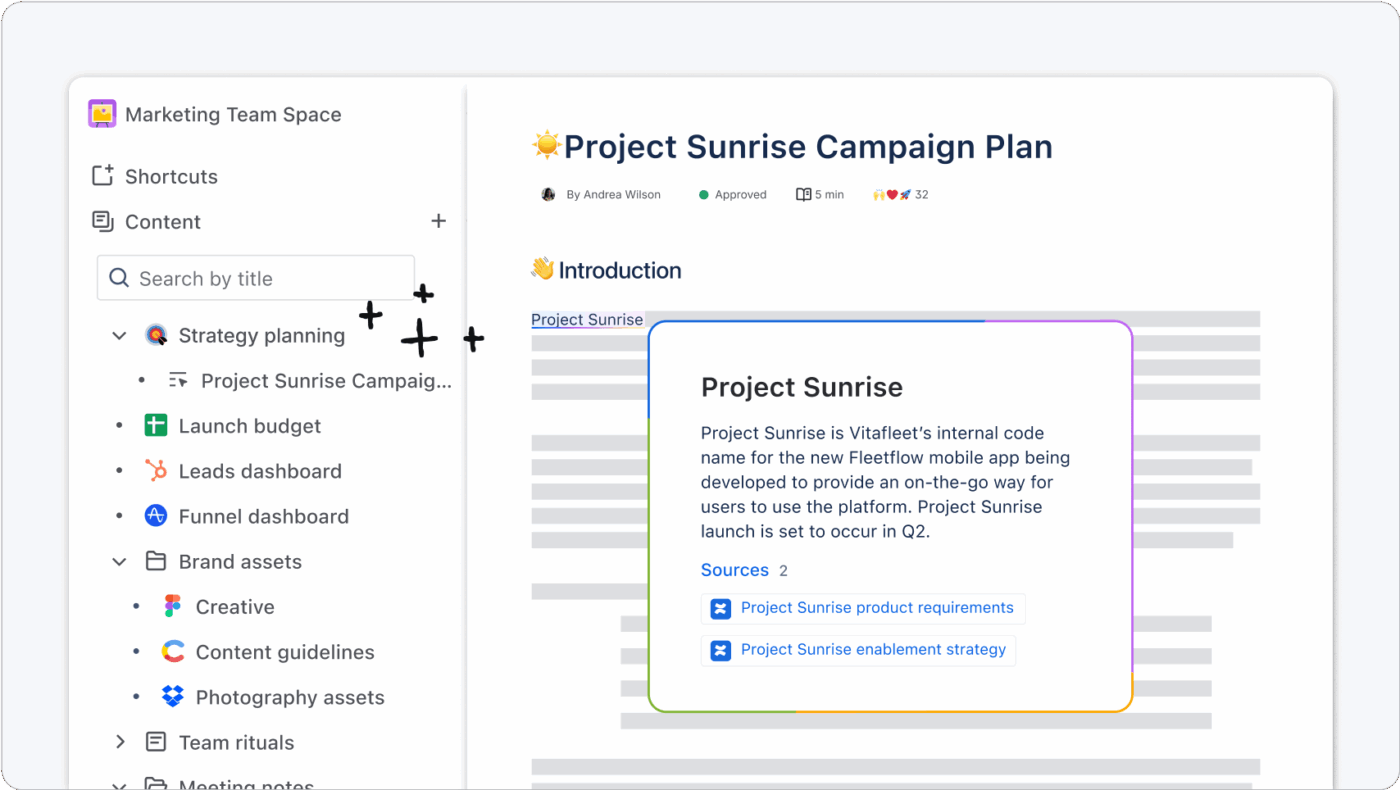
Confluence is Atlassian’s knowledge base and collaboration hub for building internal wikis, SOP libraries, project docs, and decision logs.
Teams organize content in Spaces, publish Pages and blogs, and control access with page and space permissions. All of this makes it a common choice for process-heavy orgs that need governance alongside documentation.
Where it’s especially useful for support and ops teams is the ‘doc to action’ loop. Confluence includes AI features that can summarize pages, help create and edit content, and support Q&A-style search.
A G2 user says:
I really enjoy using Confluence because it integrates closely with Jira and Jira Service Manager, which we also use. Even before we integrated everything, it was still simple and easy to work with. We use it as our knowledge base, and we share articles from it daily with the people who rely on us for support. Customer support has been amazing, and since this is a cloud solution, implementation was relatively straightforward.
👀 Did You Know? GenAI is already showing measurable time savings. A St. Louis Fed analysis found GenAI users saved 5.4% of work hours on average (≈ 2.2 hours/week for a 40-hour worker).
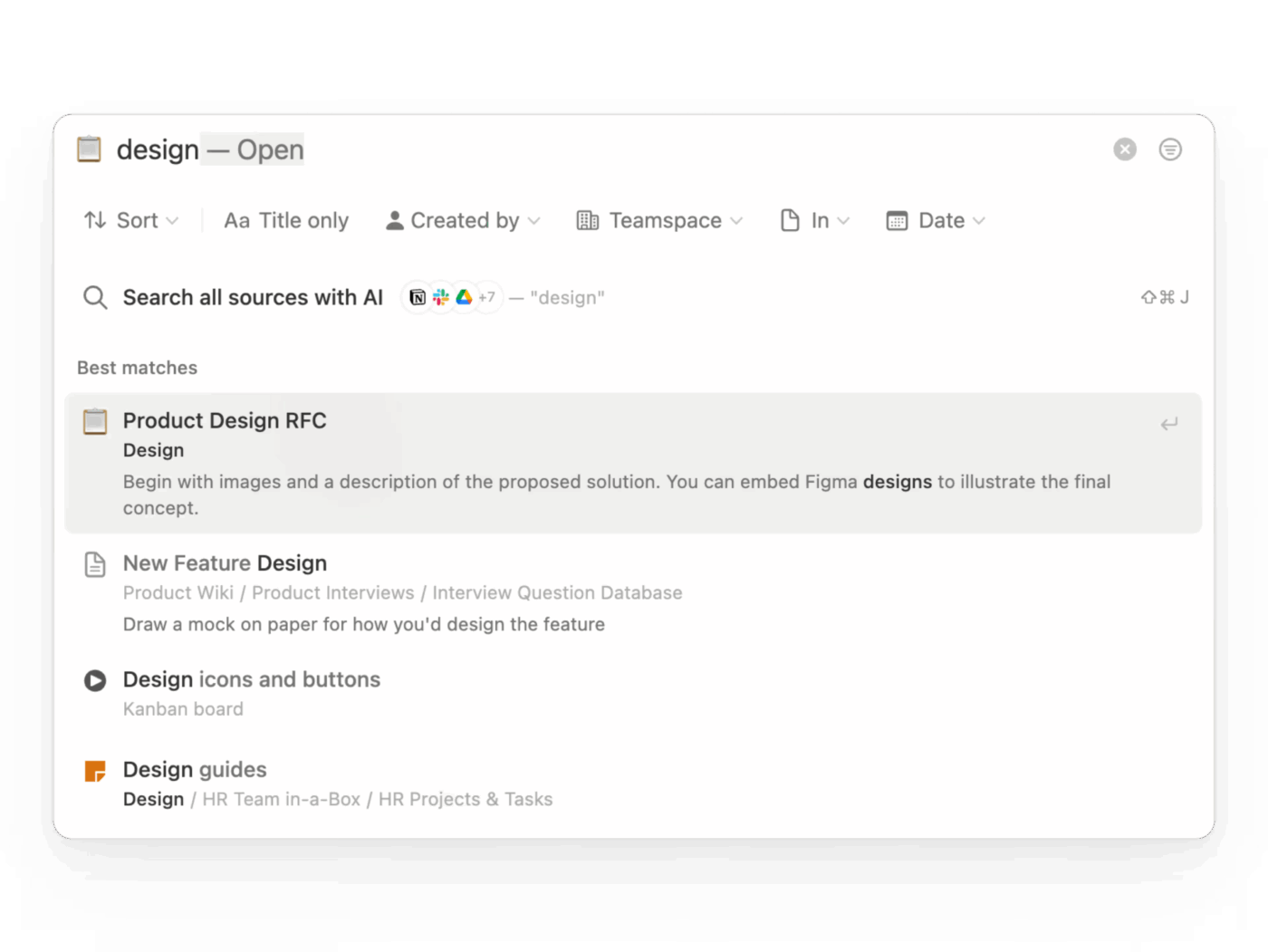
Notion offers a modular, blank-canvas approach for teams who want to build exactly the knowledge base they envision—whether that’s a simple wiki or a complex operational hub.
It combines documents, databases, and project tracking in one workspace. For knowledge management, this means you get to create a wiki that doubles as a searchable database, complete with custom properties, filters, and views.
It further adds an AI layer. With Notion AI, you can ask questions in plain language and get answers pulled from your workspace, connected apps, and even the web.
A Capterra user says:
Overall, Notion is a super useful app that helps with organizing and tidying everything no matter how complex. It’s an excellent tool for business and students alike if you are willing to invest the time to get a hang of its features.
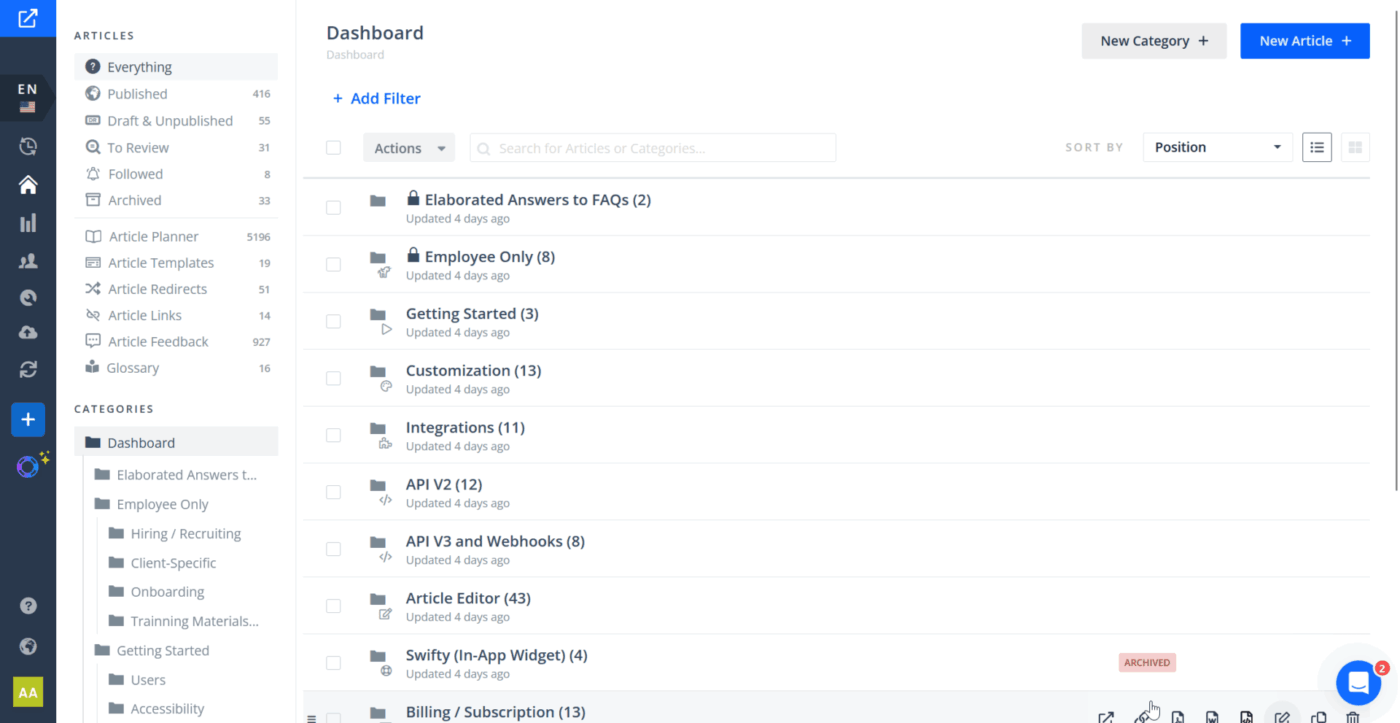
Helpjuice is a platform designed for teams that want to publish help content that matches the look and feel of their product. You can structure articles into categories, control access, and customize the design heavily (CSS, layout, branding) so your KB stays consistent with your website and in-app experience.
It offers an AI-powered search to help users find answers instantly. Plus, the tool includes knowledge base analytics so you can see what people read, what they search for, and where searches fail.
A G2 user says:
As one of the main contributors to our knowledge base, I really appreciate how intuitive and user-friendly the Helpjuice editor is. It’s straightforward, easy to navigate, and makes creating and organizing content simple. Another standout feature is their customer support, especially the live chat option. Whenever I’ve needed assistance, the support team has been responsive and helpful, which makes a big difference when managing a large internal knowledge base.
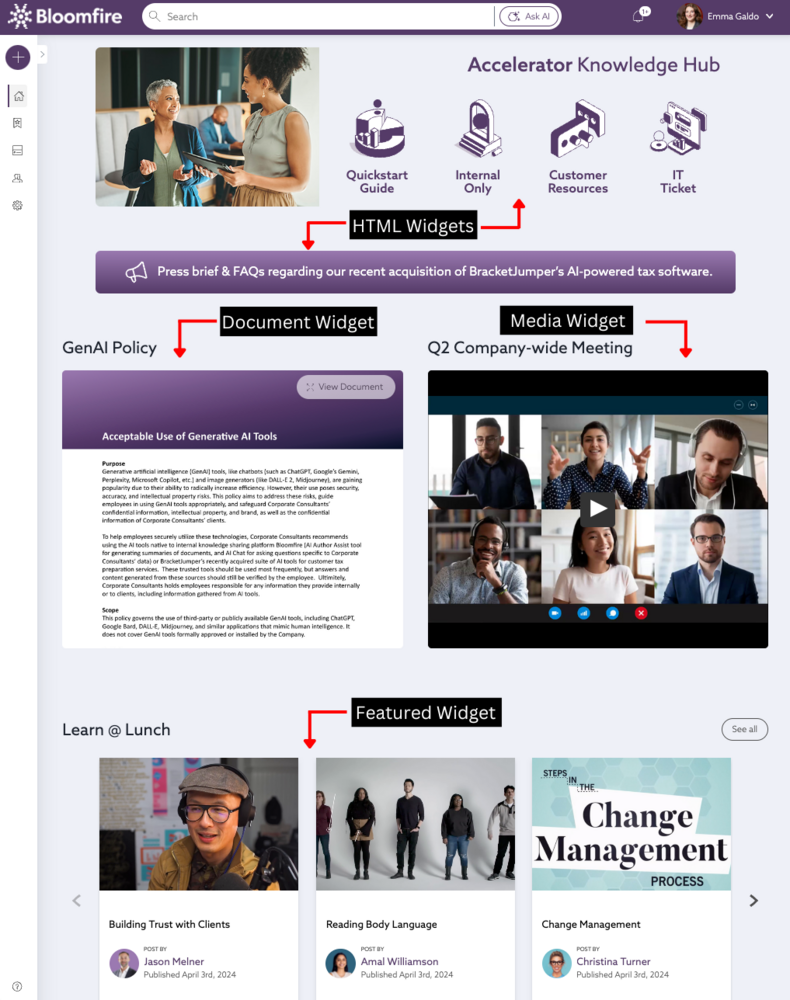
Bloomfire is a knowledge management platform for enterprises that need a single internal hub for answers, docs, and institutional know-how.
It leans heavily into fast discovery through AI-powered search and content indexing, plus a Q&A-style knowledge engine. This is where teams can ask questions, crowdsource answers from subject matter experts, and fill gaps over time.
Bloomfire also offers dedicated Microsoft Teams and Slack integrations so people can search, ask AI, and share verified answers without leaving their chat workflow.
A G2 user says:
Our team uses Bloomfire, and it’s been a very helpful tool and resource. With Bloomfire, doing research is much easier and more efficient. It also has an AI assistant feature where you can simply ask for what you need, and it provides a direct, clear answer.
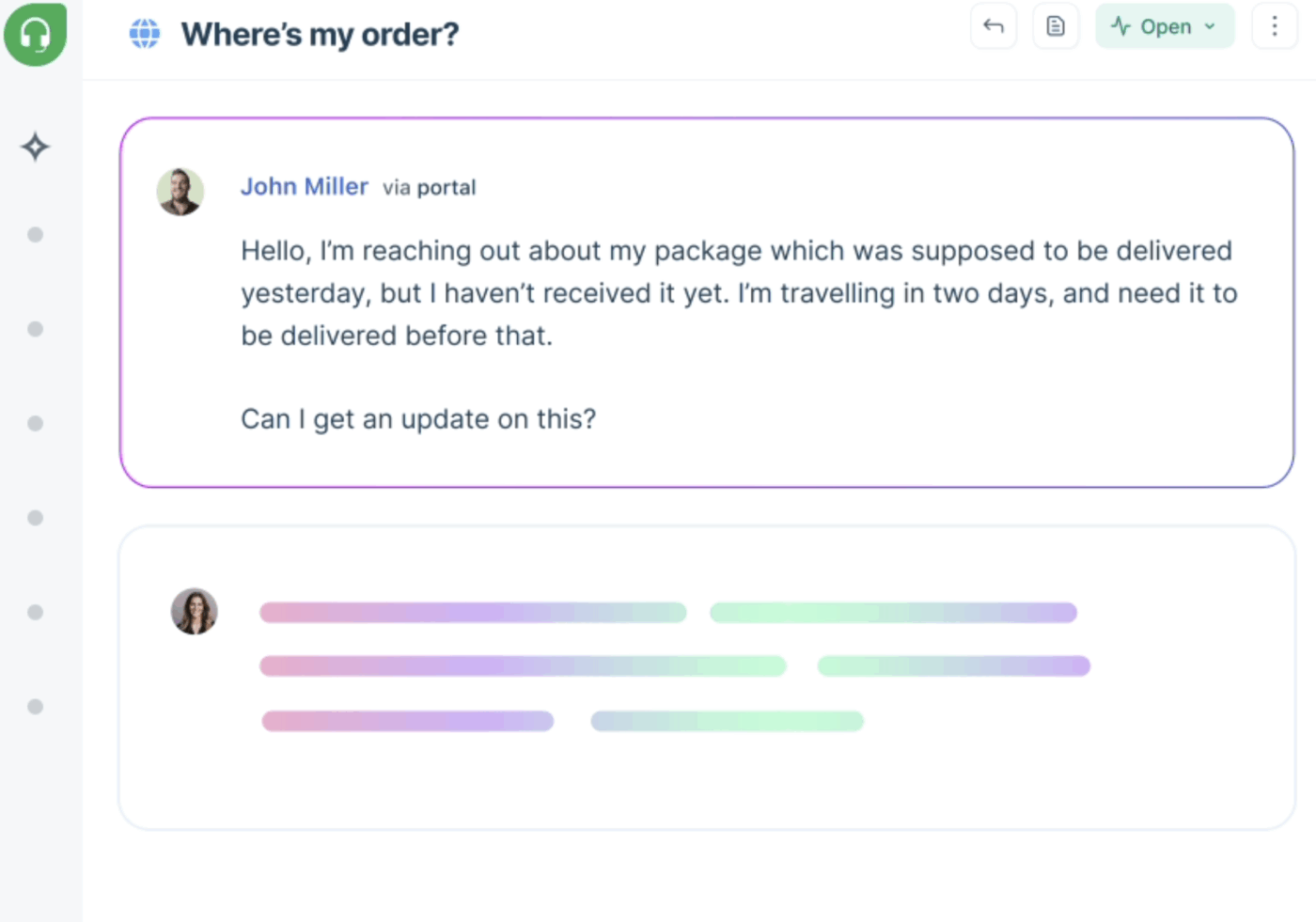
Freshdesk combines a customer-facing knowledge base with a full helpdesk in one platform, so support agents don’t have to switch tools.
It also emphasizes deflection. In other words, Freshdesk can auto-suggest relevant articles before a customer submits a ticket. Then it turns the ticket replies into solution articles so your KB grows from real support conversations.
Plus, it comes with community forums where customers can help each other and share ideas alongside official documentation.
A G2 user says:
Freshdesk is very easy to use and doesn’t feel overwhelming, even on busy days. It helps me stay organized by keeping all tickets in one place and making it clear what needs priority. Features like canned responses and automation save a lot of time, and internal notes make team coordination smoother. Overall, it helps me work faster, stay on track, and handle customer issues more confidently.
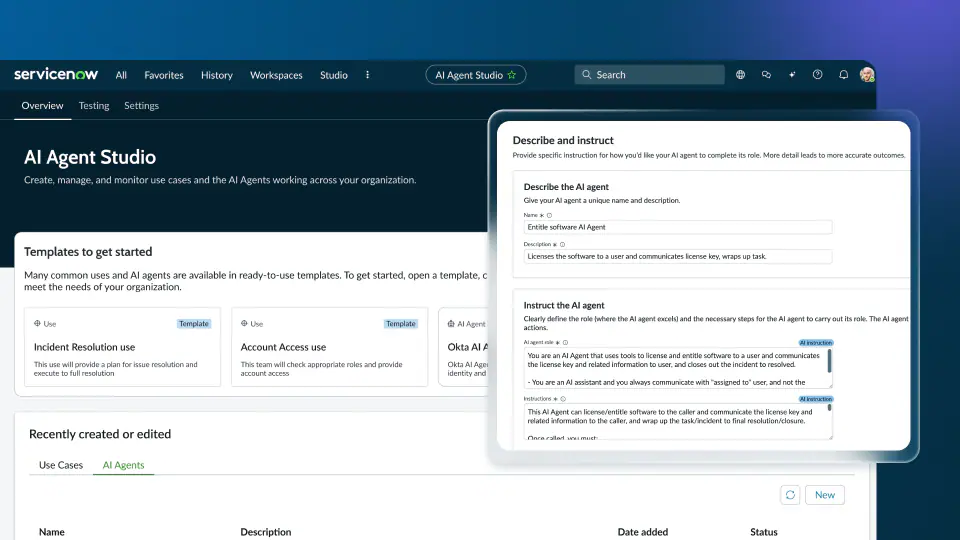
ServiceNow delivers knowledge management integrated with incident management, change management, and service catalogs. It delivers this with an enterprise-grade knowledge management module built into its broader ITSM platform.
ServiceNow’s knowledge management module follows the Knowledge-Centered Service (KCS) methodology, which connects knowledge creation directly to incident resolution. This ensures that the knowledge base is constantly improving as part of the support process.
A Capterra user says:
ServiceNow is one of the famous tool for all types of organization. It provides a platform where we can build things as per our requirements. It is highly customizable. Its very user-friendly, also uses no code for development.
⭐️ Bonus: How to organize SOPs?
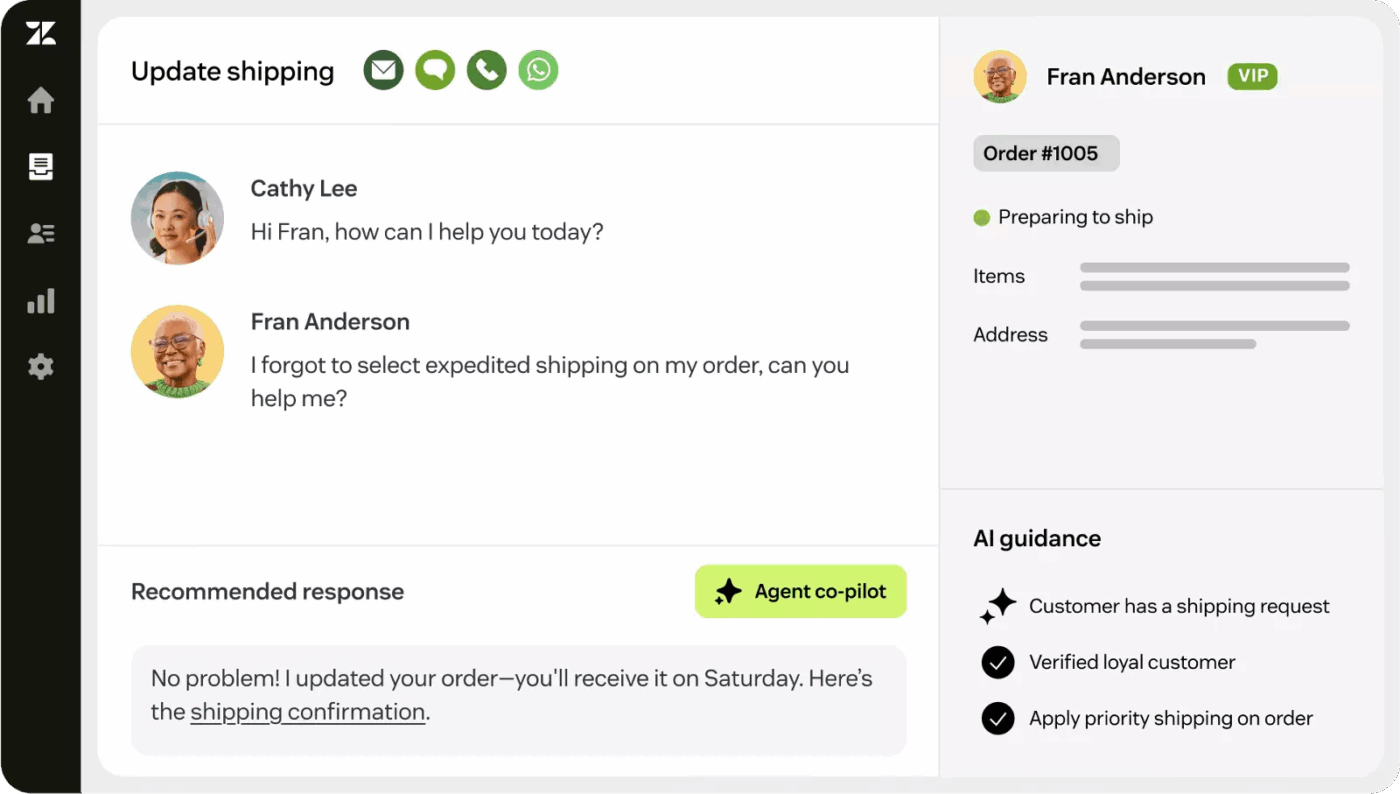
Zendesk is great at omnichannel customer service, powering self-service across channels—email, chat, and social media—as part of the broader Zendesk Suite to deliver consistent answers everywhere.
Zendesk Guide is the knowledge base component of Zendesk’s customer service platform. It powers your help center, feeds the Answer Bot for automated responses, and integrates with community forums, all to reduce ticket volume via self-service.
It also offers tools like Knowledge Builder to help kickstart and speed up KB creation when you’re building from scratch.
A Capterra user says:
We integrated zendesk chatbot with our clients portal it was not that struggle. So everytime now when portal users needs help they can reach out to us via just clicking on chat icon.
Plenty of knowledge management tools can store information. The real challenge is choosing one that helps your team find and use the right answer while work is moving, without creating more tool sprawl.
ClickUp is a converged AI workspace designed to keep knowledge connected to execution. Instead of maintaining a separate knowledge hub and a separate place where work happens, your team can document processes, search context, collaborate, and move tasks forward in one place with AI built into the workflow.
Because knowledge is most valuable when it shows up at the moment someone needs to act on it.
Try ClickUp and see how connected knowledge management feels. ✅
Focus on AI-powered search, content verification workflows, deep integrations with your existing tools, and analytics that show content effectiveness. Most importantly, consider whether you need knowledge connected to task execution.
Yes, most modern knowledge management platforms offer integrations with project management tools through native connectors or APIs. However, ClickUp is built differently because it combines both capabilities in one platform, eliminating the need for a separate integration.
An internal knowledge base software serves employees with SOPs and policies, typically with stricter permissions. A customer-facing knowledge base focuses on self-service support for your customers, with an emphasis on public access and SEO.
Generally, basic AI features are available in entry-level plans, while advanced capabilities like natural language search and content generation are typically included in higher-tier plans.

© 2026 ClickUp

There’s an easier way. Try a free AI Agent in ClickUp that actually does the work for you—set up in minutes, save hours every week.