






Still downloading templates?
There’s an easier way. Try a free AI Agent in ClickUp that actually does the work for you—set up in minutes, save hours every week.
Sorry, there were no results found for “”
Sorry, there were no results found for “”
Sorry, there were no results found for “”
62% of knowledge-workers spend too much time searching for information. For sales teams, that’s lost revenue. Every minute a rep spends digging through docs, Slack threads, or old decks is a minute not spent selling. Even minor delays can break a fast-moving deal. They lead to slower replies, mixed messages, and missed buying signals.
Knowledge management for sales fixes this. It turns scattered know-how into repeatable, revenue-driving playbooks. When reps can find the right pitch, pricing precedent, or product nuance in seconds, deals close faster, new hires ramp sooner, and buyers feel more confident.
In this blog post, we’ll show you how to build a sales knowledge management system that puts the right answers, context, and proof exactly where your reps work. And how ClickUp makes it easier to do at scale.
Knowledge management for sales is the process of capturing, organizing, and sharing sales-critical information so reps can find it fast. This includes product messaging, pricing rules, objection handling, and competitive insights.
Instead of relying on tribal knowledge or scattered tools, teams use one trusted, centralized system for sales enablement. The result is consistent selling, faster decisions, and better outcomes across the pipeline.
Sales knowledge comes in two forms: tacit and explicit. Tacit knowledge lives in your reps’ heads. It’s their instincts, judgment calls, and small conversational moves. Explicit knowledge is written down. Think sales scripts, battle cards, and documented processes.
⚡️ A strong sales knowledge management system turns tacit knowledge into explicit knowledge. That way, the entire team can learn from top performers—not just the people sitting next to them.
💡 Pro Tip: A central knowledge hub prevents reps from chasing information across emails, spreadsheets, and chat threads. It also helps eliminate context sprawl, where critical details are spread across too many tools.
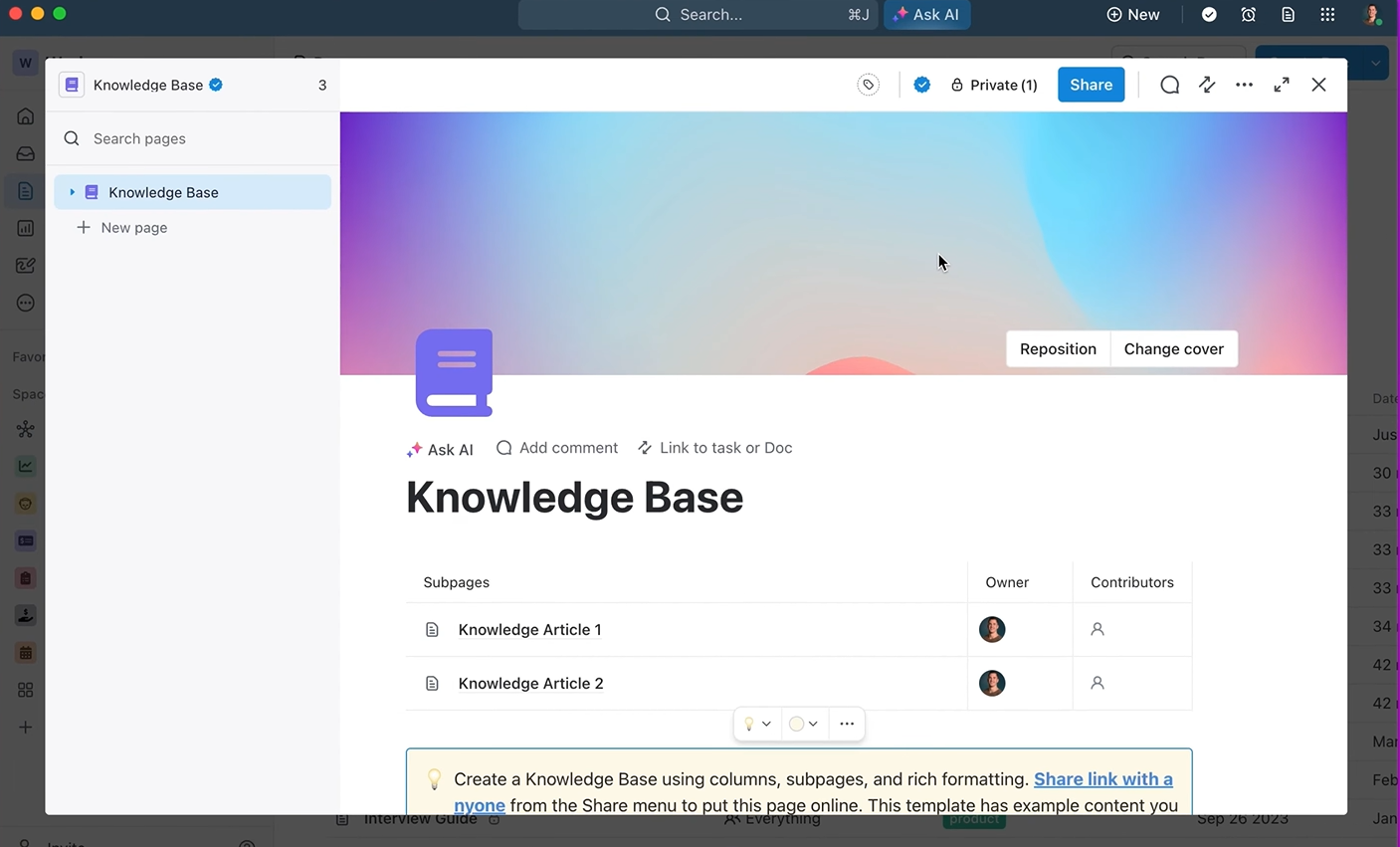
To build one, create a single source of truth with ClickUp Docs, a document manager that lets you create, edit, collaborate on, and link docs together—while letting you control access and making context easier to share.
Another tip? Give your team instant access to knowledge with ClickUp Brain.
Built into your workspace, this is the world’s most context-aware AI assistant. It searches, summarizes, and surfaces information from your ClickUp Docs, ClickUp Tasks, and ClickUp Chat conversations. So, your reps get fast, reliable answers—without digging through folders or breaking their flow.
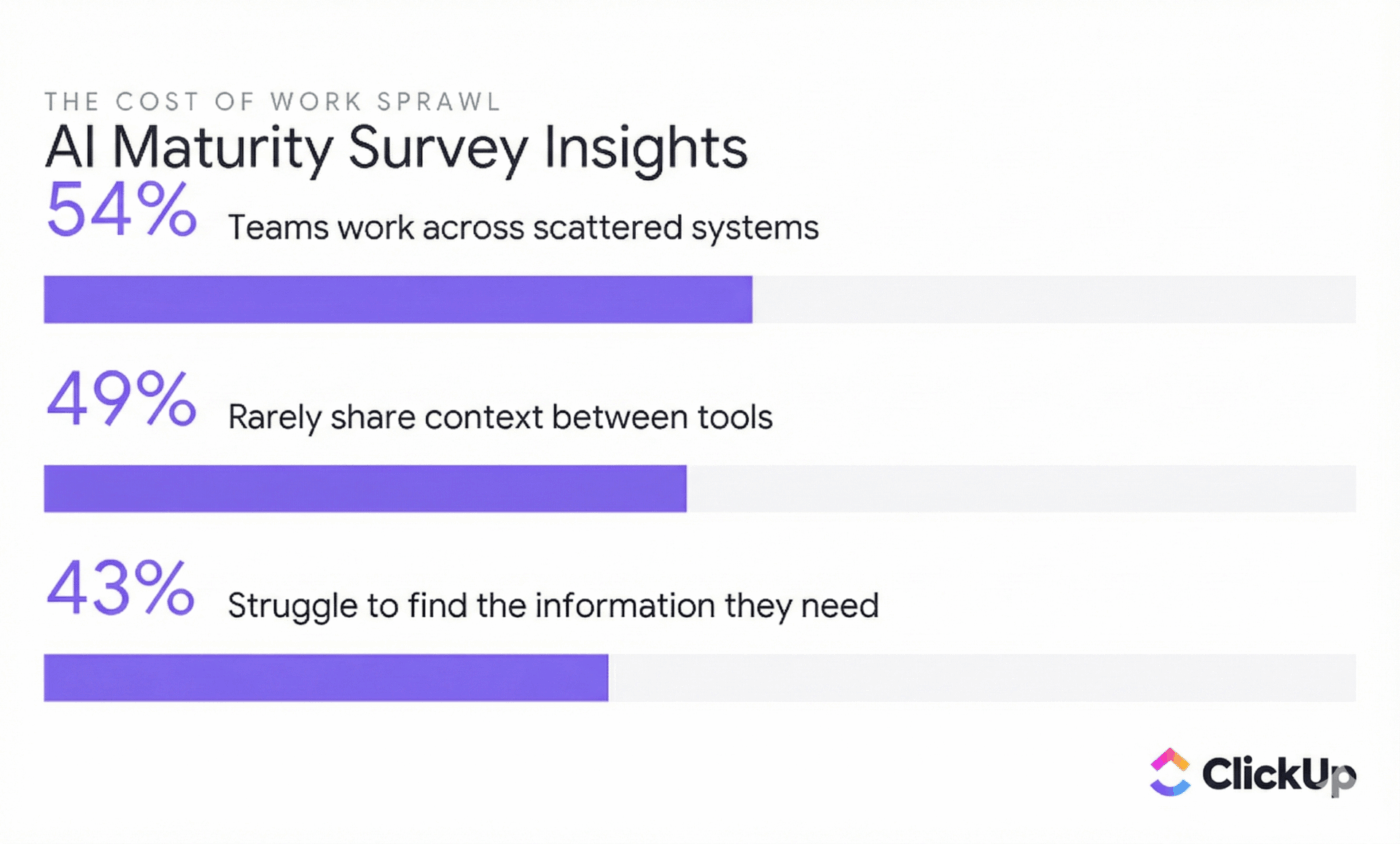
Employees lose 32 work-days a year switching between apps just to find what they need.
For sales teams, that friction slows deal cycles, delays follow-ups, and drains momentum—especially when critical context lives across disconnected tools.
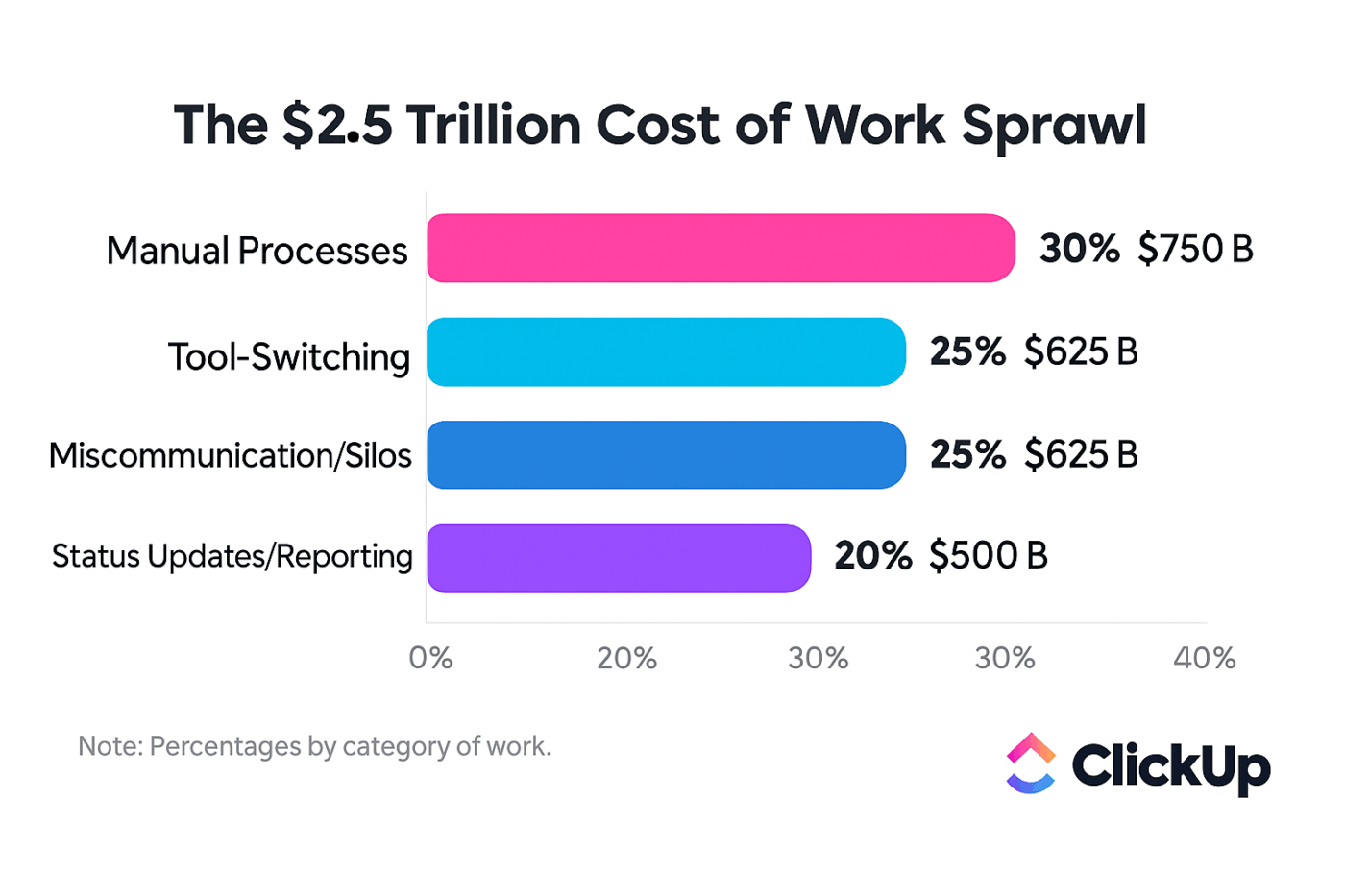
This problem is often caused by Work Sprawl. When knowledge, conversations, and tasks are spread across too many platforms, reps waste time hunting instead of selling. Over time, even top performers feel the drag.
Strong sales knowledge management changes this. Teams with centralized, easy-to-access knowledge see clear, measurable results:
AI accelerates these gains. Recent surveys show 62% of workers already saving time through AI tools at work. This is largely due to the ability to find information faster and reduce manual effort.
Here’s a deeper look at the benefits:
👀 Did You Know? In APQC’s KM survey, 41% of practitioners said the top expected benefit of KM technology is reducing redundant, siloed work; 30% pointed to better decision-making, and 22% highlighted improved cycle time.
A centralized knowledge base solves the “I know I saw that somewhere…” problem that kills sales momentum. Instead of digging through old emails or chat histories, your reps can get what they need and get back to selling. This focus is key to hitting quota and keeping morale high.
📮 ClickUp Insight: The average professional spends 30+ minutes a day searching for work-related information—that’s over 120 hours a year lost to digging through emails, Slack threads, and scattered files. An intelligent AI assistant embedded in your workspace can change that. Enter ClickUp Brain. It delivers instant insights and answers by surfacing the right documents, conversations, and task details in seconds—so you can stop searching and start working.
💫 Real Results: Teams like QubicaAMF reclaimed 5+ hours weekly using ClickUp—that’s over 250 hours annually per person—by eliminating outdated knowledge management processes. Imagine what your team could create with an extra week of productivity every quarter!
When you reduce the need to constantly switch between different apps, you give your reps their most valuable resource back: time. You can get instant answers pulled directly from your team’s Docs, Tasks, and comments by asking ClickUp Brain questions in plain English. No more trying to remember exact file names or folder structures.
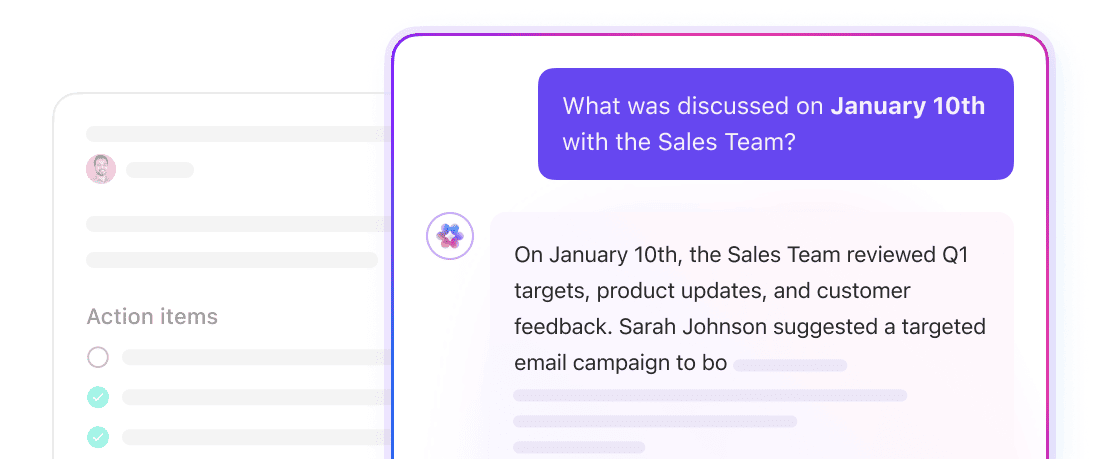
New hires often feel bombarded with information. It can take months for them to become fully productive.
A good knowledge management system lets them self-serve answers instead of constantly interrupting senior teammates who should be focused on closing deals. This autonomy empowers new reps and accelerates their ramp time.
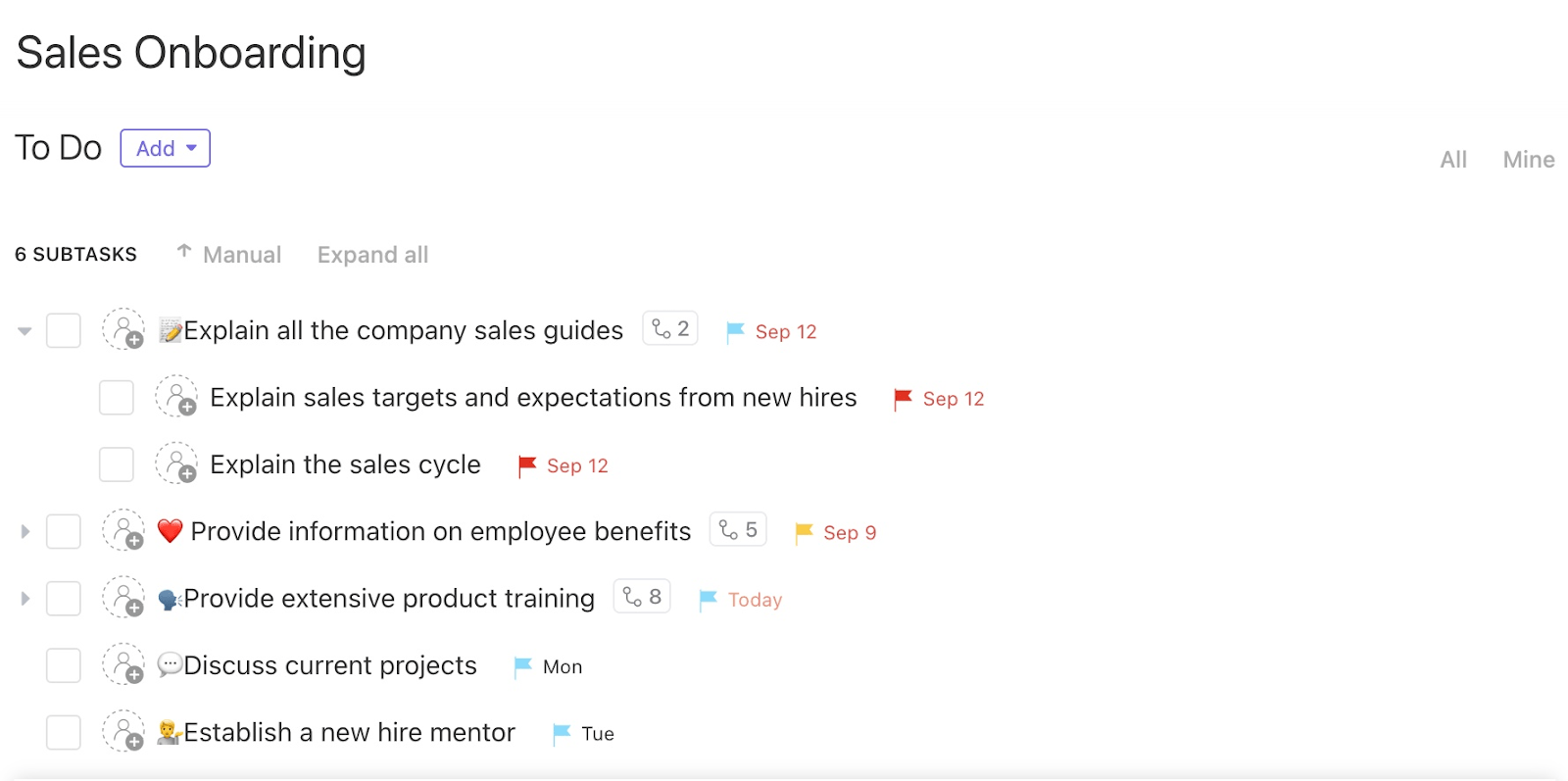
You can use the Sales Onboarding Template in ClickUp as a guided ramp. Assign each new rep a pre-built onboarding task list with clear owners, deadlines, and linked knowledge docs.
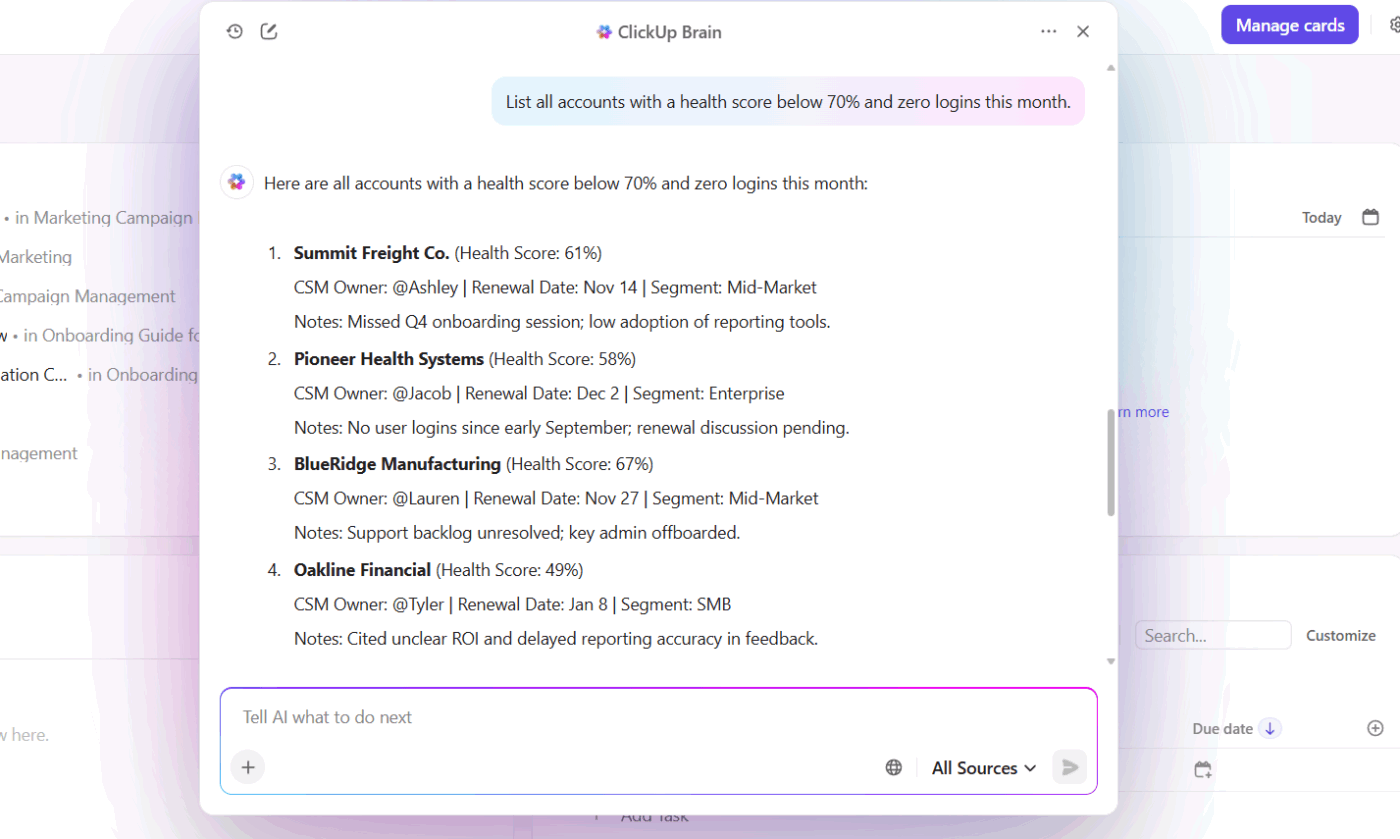
Pair it with ClickUp Brain so reps can ask questions like “How do we handle pricing objections?” and get instant answers from your playbooks—cutting ramp time without constant manager hand-holding.
💡 Pro Tip: You can keep all your essential onboarding materials—like playbooks, objection-handling guides, and product FAQs—in one searchable place with ClickUp Docs. To make learning even faster, you can use ClickUp Brain to instantly summarize long documents, turning a dense 50-page sales methodology into a few key takeaways.
When every rep is pulling from a different set of notes or outdated files, your message to the market becomes fractured. Prospects get confused, and your brand’s credibility takes a hit. A centralized knowledge base ensures every rep uses approved, up-to-date messaging that resonates with your ideal customers.
💡 Pro Tip: Prevent outdated battle cards or pricing sheets from circulating by using the version control features in ClickUp Docs. Track changes and maintain a single source of truth that everyone can trust. Consistent messaging leads to a better buyer experience. It also builds the brand trust that is essential for long-term success.
When done right, a sales knowledge system turns scattered insights into clear, usable knowledge that improves over time. Instead of static docs, you get a living system your team actually relies on.
You can manage this entire process with native AI tools on a single platform. Why? Because it helps you avoid AI Sprawl—the unplanned proliferation of AI tools with no oversight or strategy, leading to wasted costs and duplicated effort.
A strong system covers the full knowledge lifecycle, which generally follows five key stages:
Let’s see what’s most important in each stage:
The first step is getting knowledge out of people’s heads and into a system. This includes insights from sales calls, deal reviews, and team conversations. The easier it is to capture information, the more likely reps are to do it.
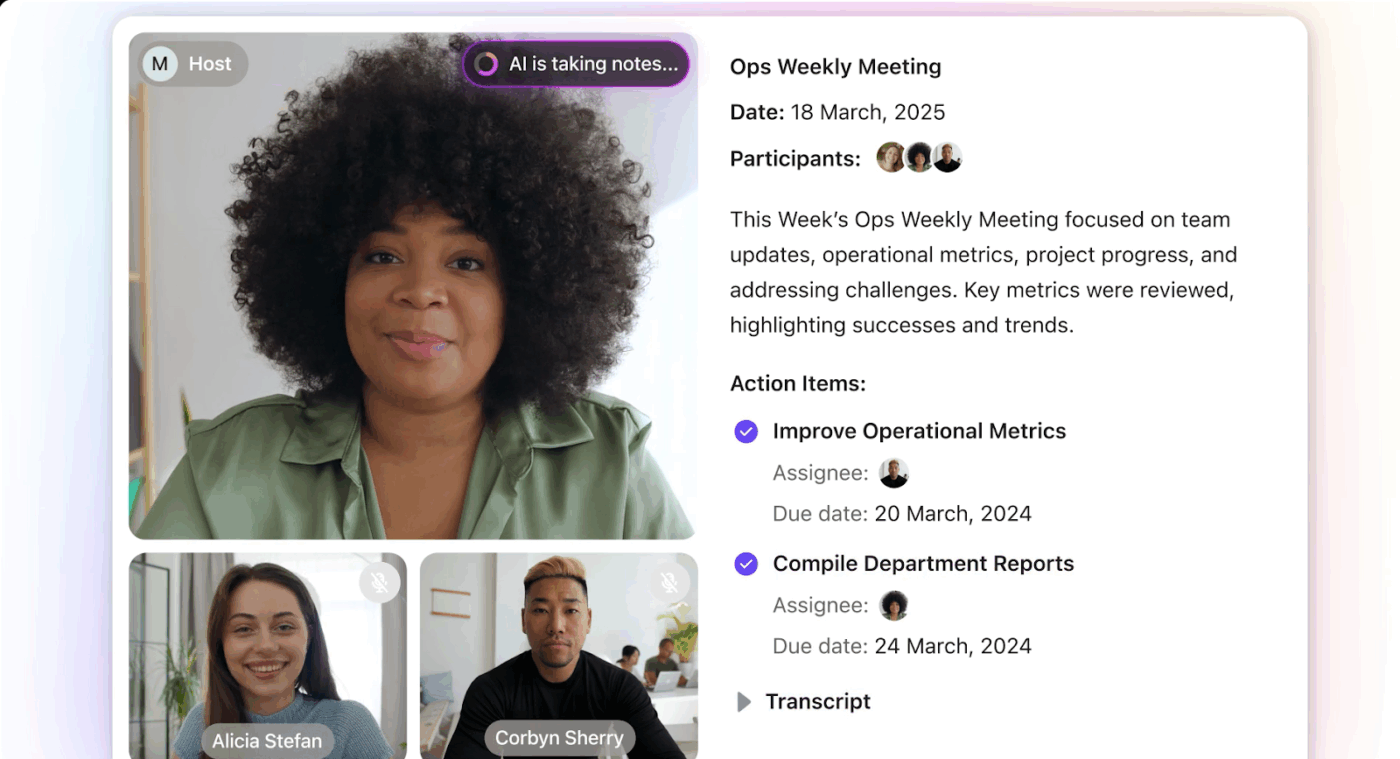
You can automate this process by using ClickUp’s AI Notetaker to transcribe and summarize your sales calls. It joins your meetings, takes notes for you, and creates a searchable record of your discussions. For quick thoughts or ad-hoc insights, your reps can use ClickUp Notepad or add notes directly to ClickUp Docs or ClickUp Task Comments.
🧠 Fun Fact: With Talk to Text inside the ClickUp BrainGPT desktop app, you can capture ideas by speaking them out loud. Talk to Text instantly converts speech into structured text and even adds it to the right Doc or Task in ClickUp if you need it to.
Captured knowledge only helps if people can find it. Without structure, your knowledge base becomes cluttered and hard to use.
A good structure offers:
ClickUp Enterprise AI Search helps sales teams find organized information fast. Reps can search across their workspace and connected tools using simple keywords. Even if they don’t know where something lives, they’ll still find it.
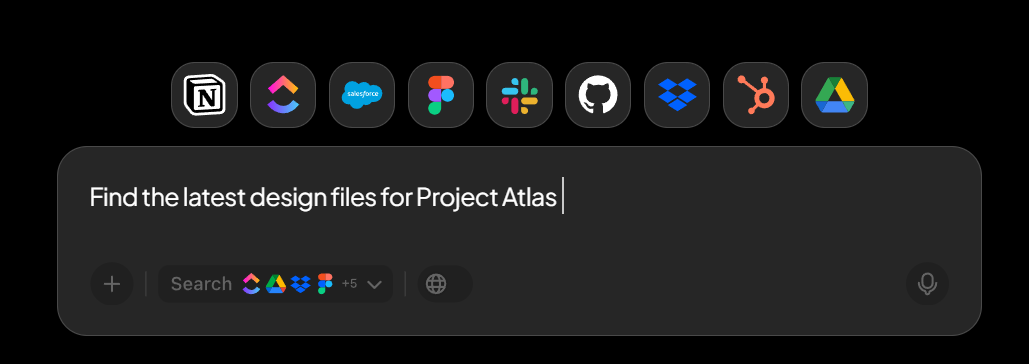
Results respect permissions and point to the original source. That means no guessing and no chasing teammates for answers.
Knowledge only creates value when the right people can access it at the right time. You need a system that makes sharing easy but also allows you to control who sees what. For example, you might want your entire company to see product updates, but you’ll want to keep sensitive competitive intelligence restricted to the sales team.
Manage who has access to specific documents or folders with ClickUp’s permissions. You can also use ClickUp Integrations to share updates in the tools your team already uses—without adding more noise.
The best systems surface knowledge at the moment it’s needed. Reps shouldn’t stop working to search for answers. The information should come to them.
Bring relevant context into your sales process right when you need it by using ClickUp Brain. For example, when a rep is working on a task for a specific account, they can ask Brain to pull up the account history, previous call notes, or relevant pricing information without ever leaving the task.
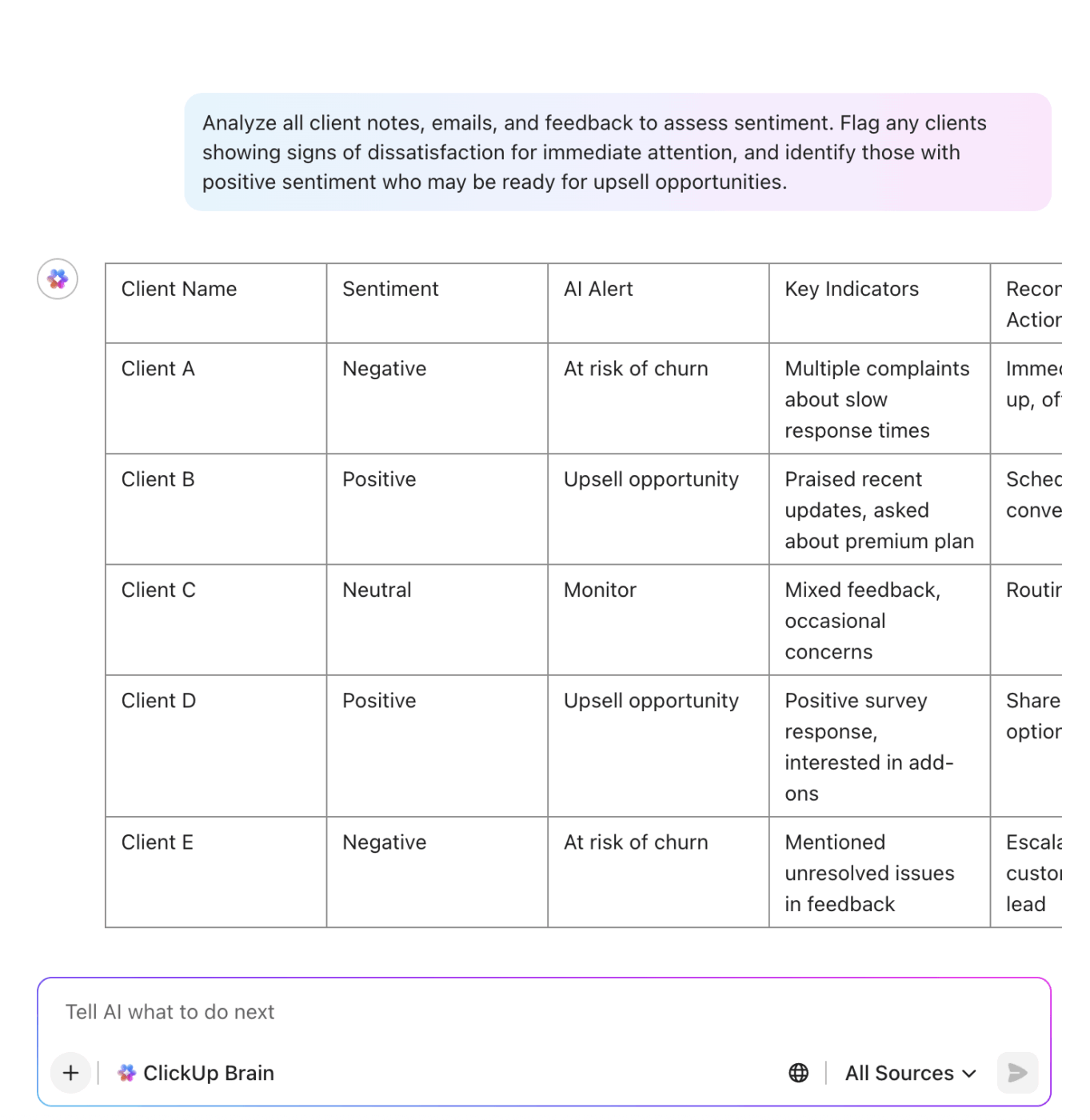
When knowledge lives inside daily workflows, adoption goes up without forcing behavioral changes.
An outdated knowledge base is worse than no knowledge base at all. Stale content erodes trust and can lead to costly mistakes. That’s why regular reviews are essential.
Keep your knowledge base up to date by assigning ownership for each piece of content in ClickUp. Simplify regular content reviews using ClickUp Reminders. Let content owners audit their documents on a quarterly or semi-annual basis. Reps can also flag outdated information in Task comments, creating a simple feedback loop.
Building a great knowledge management system requires a thoughtful approach and consistent habits. Many teams struggle with issues such as knowledge hoarding, a lack of clear ownership, and poor search functionality.
Here are some best practices to help you build a system that scales and delivers real value. 🛠️
Product knowledge management is especially critical. Keep all your product details—features, benefits, use cases, and technical specs—accurate and easily accessible. Your reps can’t sell what they don’t understand, and outdated product information can lead directly to lost deals.
Creating a sales knowledge base that can grow with your team requires a solid foundation. It’s not just about choosing a tool; it’s about designing a system.
Watch this comprehensive video guide to see the step-by-step process of building and managing an AI knowledge base using ClickUp Brain, from defining your goals to organizing documents and training your AI system for optimal results.
📮ClickUp Insight: Low-performing teams are 4 times more likely to juggle 15+ tools, while high-performing teams maintain efficiency by limiting their toolkit to 9 or fewer platforms. But how about using one platform?
ClickUp brings your tasks, projects, docs, wikis, chat, and calls under a single platform, complete with AI-powered workflows. Ready to work smarter? ClickUp works for every team, makes work visible, and allows you to focus on what matters while AI handles the rest.
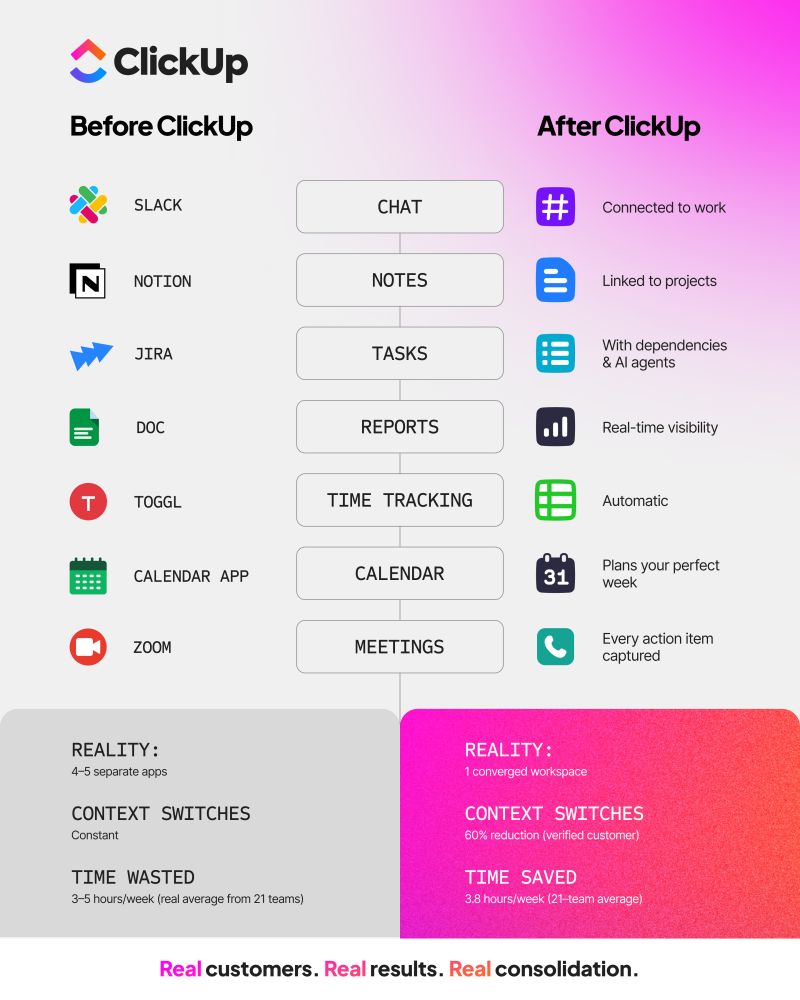
Keeping everything in one place reduces context switching and speeds up execution. Start with two core steps.
Before building anything, find out what information your sales team needs most. Audit your current situation. Where do reps get stuck? What questions do they ask over and over again?
You can find these answers by:
Storage alone isn’t enough. Look for a platform that makes knowledge easy to use.
Prioritize:
A single, connected platform (like ClickUp’s Converged AI Workspace) prevents Work Sprawl and scales with your team.
Ready to build your sales knowledge base that actually gets used? Start for free with ClickUp!
A knowledge management platform for sales is a system that helps your team store, organize, and quickly find sales-critical information. This includes playbooks, battle cards, pricing notes, and product details. Instead of information living across emails, chats, and folders, everything sits in one place. The goal is simple: help reps get the right answers fast, stay consistent, and spend more time selling instead of searching.
Content management is about creating and publishing external-facing materials like case studies and blog posts for your customers. Knowledge management is about capturing and organizing internal insights and information for your team’s use.
Sales doesn’t work in isolation. Product teams share feature updates and roadmaps. Marketing provides positioning and competitive insights. Customer success adds real-world feedback and objections from live accounts. A strong knowledge management system brings all this input together, so sales reps always have the latest context.
Yes, product knowledge management is a critical part of sales knowledge management. It ensures product features, benefits, use cases, and positioning stay accurate and easy to access. When reps clearly understand what they’re selling, they handle questions better, avoid misinformation, and build trust faster.

© 2026 ClickUp

There’s an easier way. Try a free AI Agent in ClickUp that actually does the work for you—set up in minutes, save hours every week.