






Still downloading templates?
There’s an easier way. Try a free AI Agent in ClickUp that actually does the work for you—set up in minutes, save hours every week.
Sorry, there were no results found for “”
Sorry, there were no results found for “”
Sorry, there were no results found for “”

Job titles are great—until you realize “manager” means five different things across your team or even across the organization.
If you’ve ever struggled to define roles, align expectations, or explain what career growth actually looks like, it’s time to build a job leveling matrix.
Whether you’re in HR, running a startup, leading a team, or untangling org charts in Operations, a job leveling structure helps bring order to the chaos. It’s your secret weapon for career clarity, internal equity, and smoother scaling.
In this guide, we will discuss how to create a job leveling matrix and look at examples from different companies. The best part? You don’t have to start from scratch. ClickUp has templates and tools to make job leveling less of a headache and more of a high-five.
A job leveling matrix, also called a job leveling framework, is like a roadmap for roles in your company—it outlines what different job levels look like, the salary bands for each level, what’s expected at each stage, and how someone can grow from one level to the next. Think of it as the internal logic behind titles, roles and responsibilities, and career progression.
At its core, it breaks down roles into levels (like Junior, Mid, Senior, Lead) and competencies (like communication, problem-solving, leadership, etc.).
Each level describes what success looks like for that competency. This makes promotions less mysterious and more merit-based, and it gives employees a clear picture of how to grow, without having to guess what “doing a good job” means.
Here’s what a sample job-leveling matrix can look like for software engineers:
| Level | Title | Technical Skill | Collaboration | Salary Range* (USD) |
|---|---|---|---|---|
| L1 | Junior Software Engineer | Learning core programming, debugging simple issues, understanding development tools and processes | Works within a team, actively learns from peers, open to feedback | $80,000– $110,000 |
| L2 | Software Engineer | Delivers features independently, writes clean/tested code, understands system design basics | Collaborates closely with teammates, participates in code reviews, communicates blockers effectively | $105,000– $135,000 |
| L3 | Senior Software Engineer | Collaborates closely with teammates, participates in code reviews, and communicates blockers effectively | Mentors juniors, cross-team collaboration, clear written/spoken communication | $130,000 – $175,000 |
| L4 | Staff Software Engineer | Designs scalable systems, leads feature development, deeply understands the stack and architecture | Architects systems, sets technical standards, solve org-level challenges | $160,000– $220,000 |
| L5 | Principal Engineer | Strategic collaboration across business units, coaches senior engineers, and represents engineering in exec discussions | Influences cross-functional teams, leads projects, and collaborates with product/design/stakeholders | $190,000 – $280,000 |
When everyone from HR to managers to the Engineering team uses this, the team is on the same page.
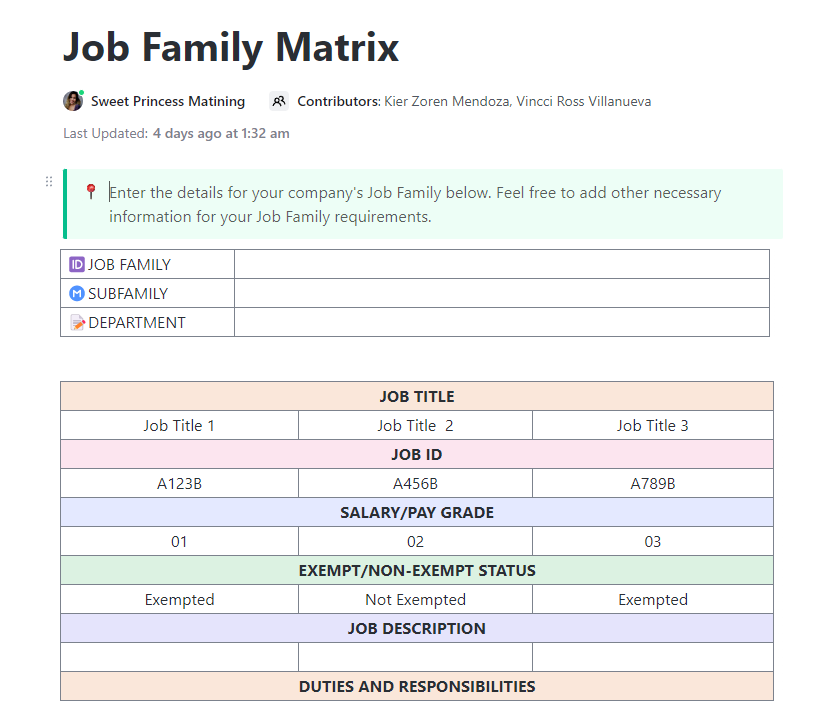
The ClickUp Job Family Matrix template helps organizations clearly define job roles, responsibilities, and career progression paths across different departments. It streamlines workforce planning by providing a structured overview of skills, competencies, and expectations for each job level.
📖 Also Read: Best HR Software for People Teams
A solid job leveling matrix has a few key components that make it useful, fair, and actually helpful for growth conversations. Let’s walk through the must-haves, with examples to bring them to life.
These are the “rungs” on the ladder. Job levels show progression from entry-level to leadership. You can name them “Junior,” “Mid-Level,” “Senior,” or get fancy with numbers like “Level 1–5.” Just make sure they’re consistent and understandable across roles.
These are the skill categories or behaviors you expect in a role—things like communication, leadership, technical skills, recruitment skills, problem-solving, or project ownership. Competencies give shape to the job beyond just task lists.
For every competency, spell out what it looks like at each level. How does a junior employee demonstrate “communication” versus someone in a senior role? These descriptions help people know exactly what’s expected (and what’s next).
This is where you get more concrete. What actual work does someone at this level do? What are they owning? This part helps tie your matrix back to job descriptions and day-to-day expectations.
Include indicators of when someone might be ready to move up, like consistent performance, taking on stretch projects, or mentoring others. It takes some of the mystery out of promotions.
While titles can vary, including them can make it easier to align your matrix with job descriptions and organizational charts. Just keep it flexible—they’re signposts, not rules.
Creating a job leveling matrix isn’t just an HR exercise—it’s a game-changer for team alignment, growth, and fairness. Here are its benefits:
📮 ClickUp Insight: More than half of employees struggle to find the information they need at work. While only 27% say it’s easy, the rest face some level of difficulty, with 23% finding it very difficult.
When knowledge is scattered across emails, chats, and tools, wasted time adds up fast.
With ClickUp, you can turn emails into trackable tasks, link chats to tasks, get answers from AI, and more within a single workspace.
💫 Real Results: Teams are able to reclaim 5+ hours every week using ClickUp—that’s over 250 hours annually per person—by eliminating outdated knowledge management processes. Imagine what your team could create with an extra week of productivity every quarter!
📖 Also Read: A Day in the Life of a Human Resources Manager
Creating a job leveling system isn’t just about organizing titles—it’s about building a clear, fair framework for growth, performance, and expectations across your organization.
Whether you’re starting from scratch or refining an existing structure, this step-by-step process will walk you through how to design a matrix that aligns with your company’s goals and gives every employee a clear path forward.
Let’s kick things off by getting crystal clear on your North Star. Why are you diving into this whole job leveling process? This is your guiding light and will shape how you approach everything.
Here are some reasons you might be doing it:
Once you’ve got your “why” locked down, you’ll want to start making some decisions about the details:
Your company’s size will definitely influence this. If you’re a smaller team, you might only need three levels—junior, intermediate, and senior. But if you’re running a larger organization, five levels (with some sublevels) could be the way to go.
🌻 Friendly reminder: Don’t forget to figure out who’s in charge of making this happen. Are you going to hand the whole thing off to one person? Or will you involve a few different people across the organization to help design the job leveling matrix, gathering feedback along the way?
ClickUp is the everything app for work for HR teams. It helps you create the perfect system to simplify hiring, onboarding, and employee development with ClickUp’s all-in-one HR management platform.

With ClickUp Docs, you can collaborate in real time with your team to define job functions, identify skill gaps, clarify areas of responsibility, and process all knowledge in one place—without jumping between tools.
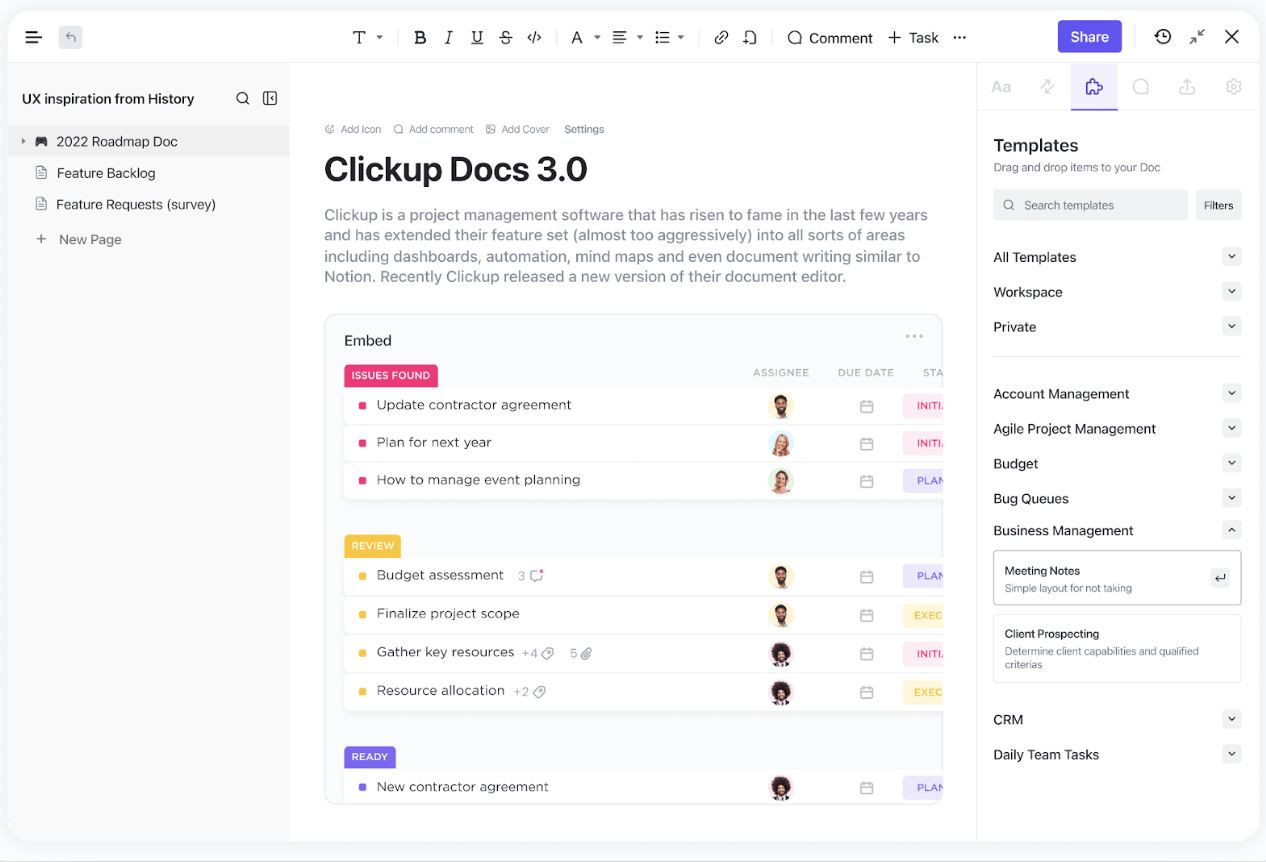
By using ClickUp Docs, teams can create organized, searchable knowledge that updates instantly. Departments can collaborate on job leveling frameworks, link Docs to specific tasks, and keep all role-related information in one place, eliminating the need to juggle multiple tools.
📖 Also Read: Best Talent Assessment Tools for Recruiters
Before you dive into creating your job leveling matrix, it’s essential to get a solid grasp of how your team is currently structured. Here’s what you’ll want to do:
This is the perfect time to either create or refine a competency model—a framework that outlines the skills needed for various positions across your organization.
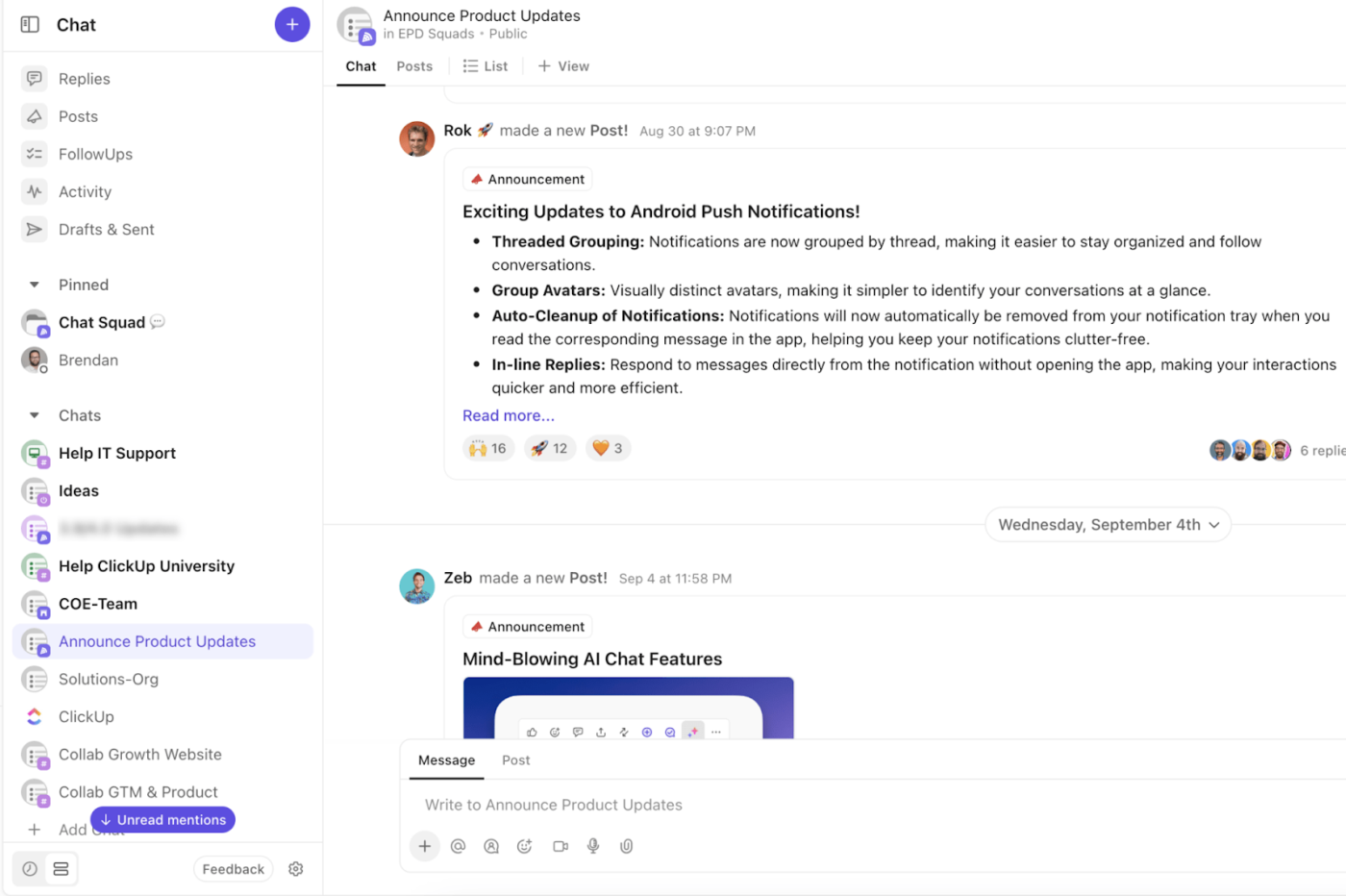
ClickUp Chat takes real-time, contextual communication to the next level. You can create Chat channels right from within a project or List, assign comments in Chat, create Tasks using ClickUp AI within Chat, and lots more.
Next, it’s time to figure out how to group your roles. While the jobs within each family don’t need to be identical, they should share something in common.
Usually, they’re connected in one of these ways:
Start by collecting your job descriptions and identifying patterns. Look for jobs with similar tasks, goals, or expertise. For example, you might place both sales and marketing in the same family because they work towards overlapping business goals.
Organizing and managing a team of employees can be tricky. A key part of success lies in assigning each job to the right employees and defining job roles and hierarchies. That’s why ClickUp’s Job Family Matrix Template is a must-have tool for any HR team!
This free job leveling template helps you:
💡Pro Tip: It’s important to keep each role distinct—make sure you clearly define what each job entails and what the expected results are. This way, everyone knows their specific responsibilities, and there’s no confusion.
Now that you’ve got your roles and families in place, it’s time to define what makes each level unique. Here’s how to break it down:
Each level should come with a bigger set of responsibilities. For example, entry-level roles may involve handling smaller projects or assisting with daily tasks, while senior roles are expected to assume leadership, make strategic decisions, and manage high-impact projects.
The skills required for each level should increase as employees move up. For example, entry-level positions might focus on learning and executing tasks, whereas higher-level roles might require skills in strategic thinking, team management, and data analysis.
Employees’ impact on the company should scale with their level. Entry-level employees typically focus on execution and supporting team efforts, while senior roles help shape strategy and contribute to the company’s broader goals.
It’s important to define what employees need to do to level up. What goals or milestones do they need to hit to move from one level to the next? This could be hitting performance targets, showing leadership potential, or mastering certain skills.
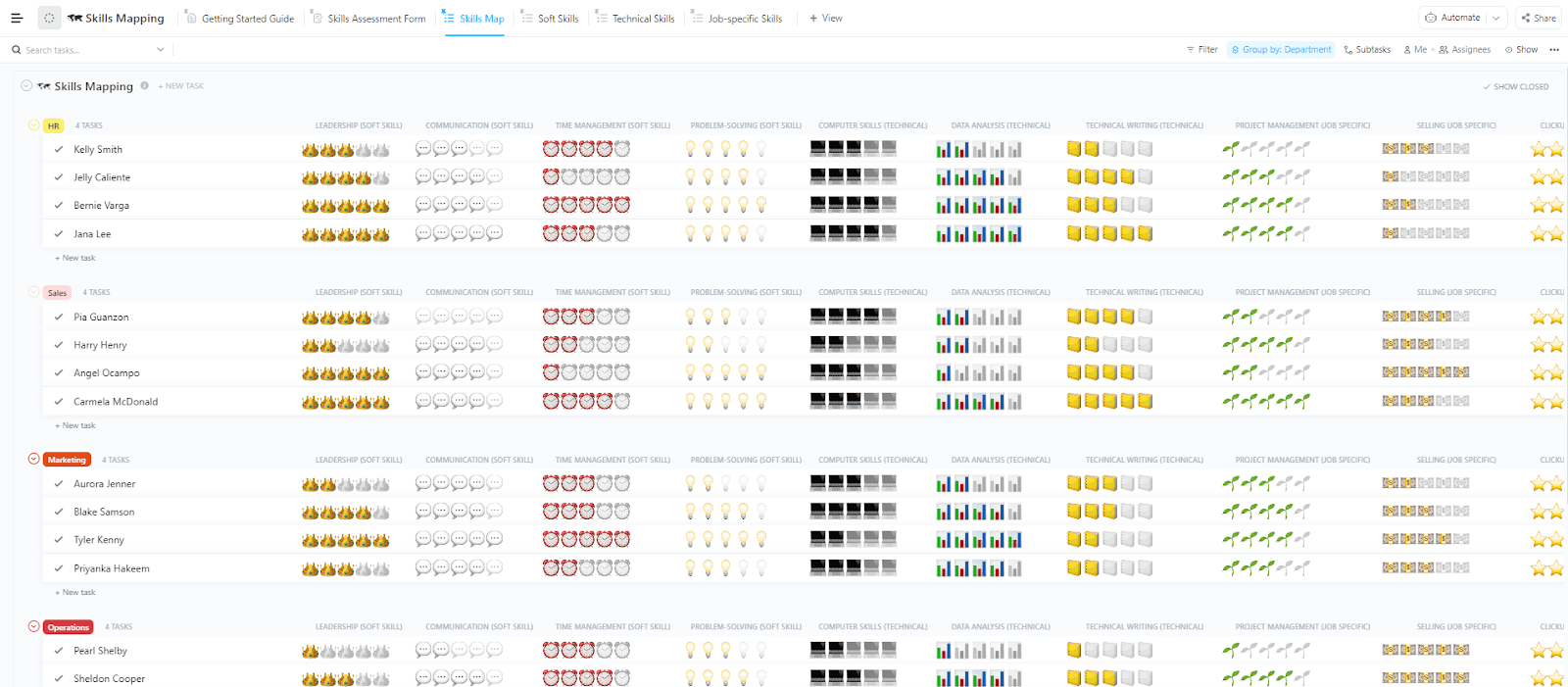
ClickUp’s Skills Mapping Template is designed to provide visibility into your team’s skill sets, so that you can make informed decisions about training, development, roles, projects, and more.
This template helps teams and organizations:
Now, it’s time to bring your job leveling matrix to life. This is where you design the matrix in a way that visually showcases your organization’s roles and job levels.
The goal is to make it easy for both employees and managers to understand the career development and progression paths.
At its core, your skills matrix will have two axes—one horizontal for job levels and one vertical for job levels. The intersections of these axes will be where you detail key information such as required skills, responsibilities, and impact.
Here’s an example of how this could look for a marketing team:
| Title | Technical Skill | Collaboration | Average Salary Range* |
|---|---|---|---|
| Marketing Coordinator /Associate | Executes campaigns, manages content calendars, basic SEO/email/social skills | Collaborates with peers, communicates clearly with team leads | $55,000 – $75,000 |
| Marketing Specialist/ Manager | Owns specific channels (e.g., paid search, email), develops strategy within scope, uses tools like GA, HubSpot, etc. | Works cross-functionally with sales/product; presents findings; manages contractors | $70,000 – $100,000 |
| Senior Marketing Manager | Leads meetings, mentors team members, and aligns stakeholders | Leads meetings, mentors team members, aligns stakeholders | $95,000 – $135,000 |
| Marketing Director | Sets strategy for departments (e.g., brand, growth), optimizes budgets, and uses advanced attribution modeling | Collaborates with senior leadership, builds cross-functional roadmaps | $130,000 – $180,000 |
| VP of Marketing / CMO | Defines company-wide marketing vision, drives brand/ROI/market positioning, owns full funnel | Leads entire department, collaborates with C-suite and external partners | $170,000 – $300,000 |
Let me know if you want this in spreadsheet format or adapted to a specific type of marketing (e.g., content, performance, product marketing).
ClickUp AI Knowledge Management serves as the central brain of your organization. Your team benefits from Connected Docs, Wikis, and the world’s most complete Work AI, yielding instant answers and ensuring that company knowledge is always available.
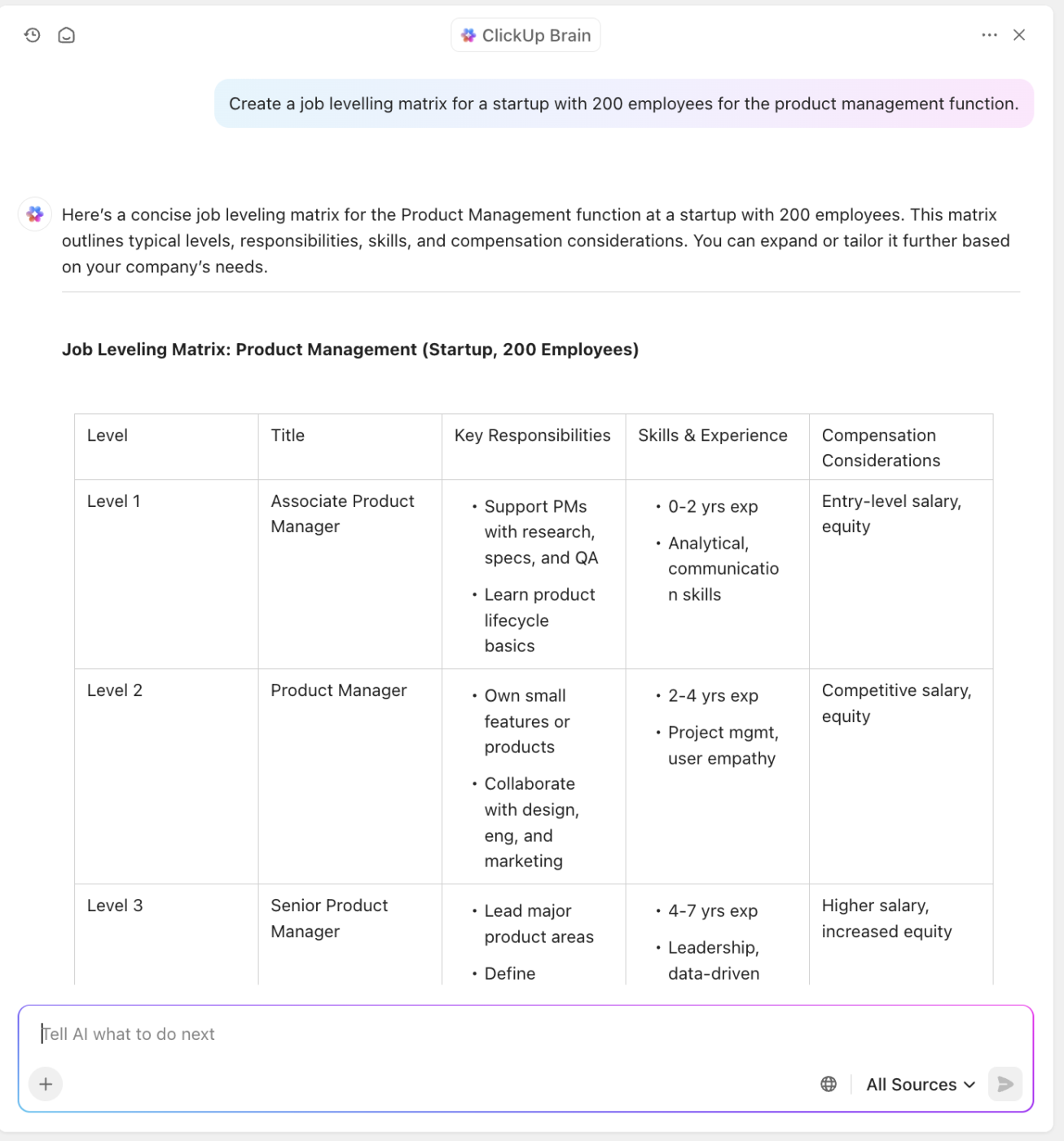
To power up the creation process of your matrix, you can use ClickUp Brain. This AI tool generates tailored content for your needs.
📖 Also Read: HR Challenges & Solutions for HR Teams
Start by gathering market data to see how your salaries compare to similar roles in your industry. You can partner with compensation experts or use tools like Glassdoor or levels.fyi to get up-to-date benchmarks.
Keep in mind that salaries will vary depending on factors such as location, team size, company revenue, and whether roles are remote or in-office.
Now, it’s time to build your compensation model:
💜 How ClickUp can help:
ClickUp Mind Maps make it easier to bring structure to job levels. By visualizing the relationships between roles, teams, and workflows, you can clearly define scope and responsibilities—without unintentionally creating bottlenecks or overlap. It’s a simple way to ensure every level has purpose and clarity within the bigger picture.

It’s time to ensure that your framework is robust under real-world conditions and doesn’t just look good in a document.
Start by validating it. Share the draft with key stakeholders: department heads, HR professionals, and even a few trusted employees across different roles. Ask them: Does this reflect our actual work? Are the levels realistic? Are the responsibilities clear? Their feedback will help you catch any blind spots or confusing gaps.
Then, communicate it, loud and clear. A shiny new matrix won’t do much if it’s hidden away in a folder. Roll it out company-wide. Host a walk through session, create a dedicated page in your internal wiki (hello, ClickUp Docs!), and link it to performance review resources.
⚡️Bonus: Try the ClickUp Training Matrix Template to easily create and manage an effective training program that ensures your team has the required skills when they need them.
💜 How ClickUp can help:
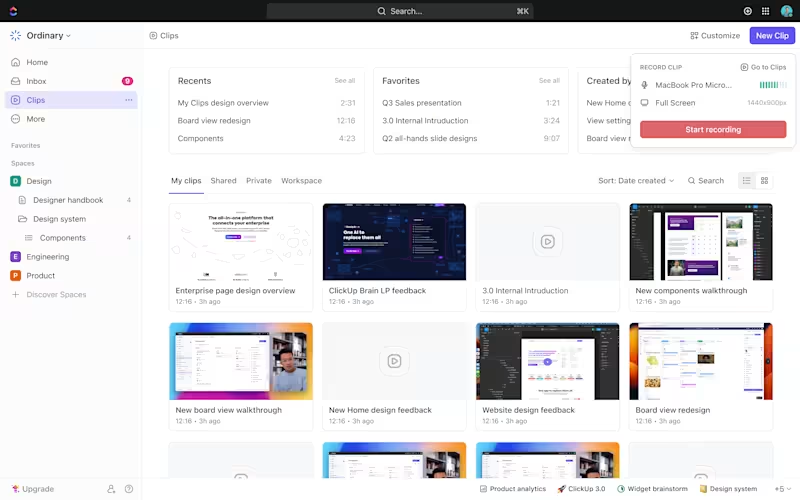
That’s where tools like ClickUp Clips come in. Leaders and HR teams can record short, on-screen walkthroughs to clarify role expectations, skill requirements, or growth paths at each level. No lengthy documentation or meetings required—just clear, visual guidance delivered instantly.
Make sure every employee understands how they fit into the matrix, what growth looks like, and how they can level up.
Let’s explore how job leveling works in practice at real companies of different sizes: a startup, a mid-sized company, an enterprise organization, and ClickUp.
We’ll use real examples and include various roles—from engineering and product to design and customer success— to illustrate the contrast.
Employees: 50
PostHog has a very flat structure. Employees are expected to operate autonomously, and job titles reflect responsibility more than seniority. The company doesn’t publish a formal leveling guide, but internal documents and GitHub discussions offer insight into how they evaluate impact
Note: PostHog uses compensation bands based on responsibility, not title.
Employees: 600+
Webflow has adopted more formal levels as it has scaled, especially in Product, Design, and Engineering. While not publicly published, roles can be inferred from job posts, manager interviews, and internal frameworks shared by former employees.
Product Management
| Level | Title | Responsibilities |
|---|---|---|
| L1 | Associate PM | Supports roadmap and metrics |
| L2 | Product Manager | Owns end-to-end product areas |
| L3 | Senior Product Manager | Cross-team leadership |
| L4 | Principal PM / Group PM | Vision setting and mentoring |
| L5 | Director of Product | Leads team of PMs |
I can’t say enough good things about it. Between the automation, templates, and all the different sorts of tracking and views, there’s just no way to go wrong with ClickUp.
Employees: 1000+
ClickUp uses job levels similar to other modern SaaS companies (e.g., Stripe, Notion, Airtable), with an emphasis on scope and ownership over tenure. ClickUp focuses on outcome-based progression: level increases are tied to business impact and cross-functional leadership.
| Level | Title | Responsibilities |
|---|---|---|
| L1 | Software Engineer | Works within squad, junior contributor |
| L2 | Mid-Level Engineer | Owns features, helps with architecture |
| L3 | Senior Software Engineer | Leads features, mentors others |
| L4 | Staff Engineer | Leads architecture for pods or products |
| L5 | Principal Engineer | Cross-team technical leadership |
| L6 | Engineering Director / VP | Runs departments, sets vision |
Employees: 7000+
HubSpot is a leading CRM and marketing automation platform with over 7,000 employees globally. It has a mature Customer Success organization with well-defined levels and responsibilities, tailored to both SMB and enterprise clients.
| Level | Title | Responsibilities |
|---|---|---|
| L1 | Customer Success Manager (CSM) | Manages a book of SMB customers, supports onboarding and adoption |
| L2 | Senior CSM | Handles mid-market or high-growth accounts, leads retention strategy |
| L3 | Strategic CSM / Enterprise CSM | Owns large/enterprise accounts; acts as a strategic advisor |
| L4 | Customer Success Team Lead | Player-coach role, supports team members while managing customers |
| L5 | CS Manager | Leads a regional or segment-based team of CSMs |
| L6 | Director / Sr. Director of CS | Owns CS metrics and strategy across regions or customer tiers |
Notes:
Employees: 220,000+
Microsoft has one of the most widely documented and structured leveling systems. Roles use “L” level codes, and there are distinct IC and management tracks in every function.
| Level | Title | Notes |
|---|---|---|
| L59–60 | Product Designer | Execution-focused |
| L61–62 | Senior Designer | Owns UX for product areas |
| L63–64 | Principal Designer | Design leadership and systems thinking |
| L65+ | Partner Design Manager | Org-wide strategy and leadership |
Note: Microsoft IC vs. management track divergence begins at L63.
Even with the best intentions, job leveling frameworks can go off course. Here are the most common mistakes companies make — and how to steer clear of them:
Trying to include every nuance or scenario can lead to bloated, unusable matrices. Stick to clear, scalable criteria that reflect real responsibilities.
✅ Solution: Keep it simple enough that managers and employees can actually use it in performance and promotion discussions.
Use ClickUp Docs + Tables to build a clean, readable matrix with collapsible sections for each function or level. Keep complexity hidden unless needed.
Years of experience ≠ level. Promotions should reflect increasing scope, complexity, and influence — not just time served.
✅ Solution: Focus on outcomes, autonomy, and contribution to the business.
Track outcomes using ClickUp Goals and Custom Fields tied to measurable impact (like revenue influence, initiative ownership, or cross-functional collaboration).
Words like “sometimes leads” or “often collaborates” are subjective and hard to evaluate consistently.
✅ Solution: Use specific, observable behaviors (e.g., “leads cross-functional initiatives with minimal oversight”).
Standardize expectations using ClickUp Templates and Checklists for each level or role. Use Custom Fields like “Leadership Scope” or “Decision Autonomy” to quantify behaviors.
If only engineering had a leveling matrix while Marketing and Design do not, internal equity and collaboration suffer.
✅ Solution: Create aligned frameworks across functions, even if tailored to each domain. Centralize job levels across all departments using ClickUp Docs in a shared folder, and tag stakeholders across departments.
Top-down matrices often miss the realities of day-to-day work. ICs and front-line managers offer critical insights into what each level really entails.
✅ Solution: Co-create levels with stakeholders across levels and departments. Use Comments, Assigned Comments, and Forms to collect feedback from ICs and managers during creation.
As your team scales, the scope of roles will evolve. A static matrix becomes outdated fast.
✅ Solution: Review your framework quarterly or annually, and adjust as roles change. Set Recurring Tasks and Reminders to review and update your matrix quarterly or annually.
Levels define expectations; performance reviews evaluate how well someone meets those expectations.
✅ Solution: Separate conversations about level from short-term performance ratings. Separate leveling documentation in one Doc, and performance reviews in another. Link them only where relevant.
📖 Also Read: Top Strategic Questions to Ask in an Interview
Summarize this article with AI ClickUp Brain not only saves you precious time by instantly summarizing articles, it also leverages AI to connect your tasks, docs, people, and more, streamlining your workflow like never before.Build a Leveling Matrix on ClickUp that Grows With You
Creating a job leveling matrix isn’t just an HR exercise — it’s a powerful way to bring clarity, consistency, and fairness to how your team grows.
And the best part? You don’t need to start from scratch or juggle spreadsheets to manage it. With ClickUp, you can build your job leveling matrix in a dynamic Doc, link it directly to role descriptions, goals, and performance reviews, and collaborate with your whole team in one place.
Templates for HRs, Docs, Chat, and Clips? All built-in—so your framework actually gets used, not just filed away.
👉 Ready to bring structure to your team’s growth? Sign up for ClickUp for free and start building your leveling matrix today.

© 2026 ClickUp

There’s an easier way. Try a free AI Agent in ClickUp that actually does the work for you—set up in minutes, save hours every week.