






Still downloading templates?
There’s an easier way. Try a free AI Agent in ClickUp that actually does the work for you—set up in minutes, save hours every week.
Sorry, there were no results found for “”
Sorry, there were no results found for “”
Sorry, there were no results found for “”
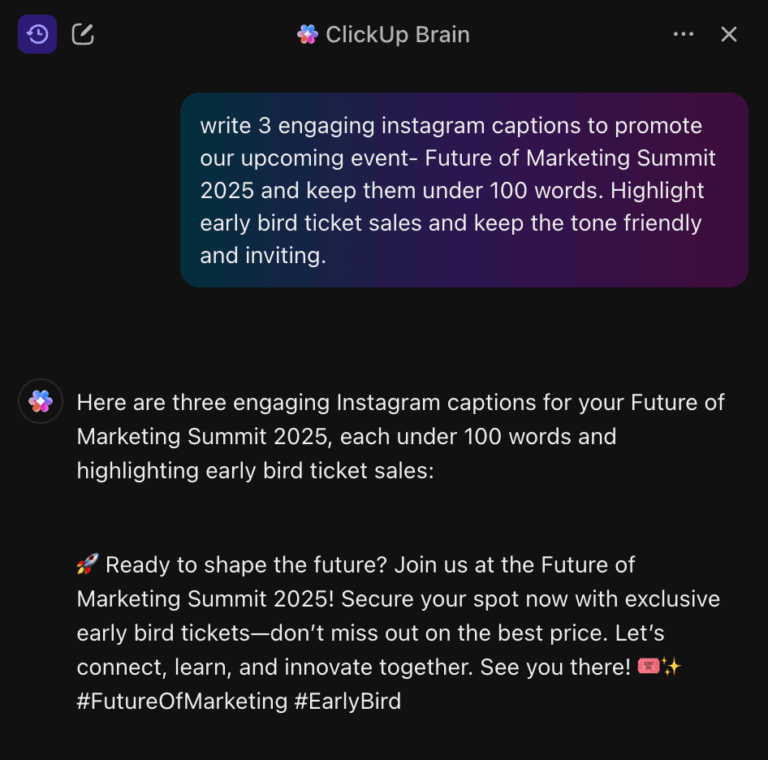
You’re on Instagram, thumb hovering, caption half-written—and your brain has officially clocked out. You don’t want to leave the app, open five tabs, or overthink it. You just want something that works.
That’s the reality for most content creators on Instagram. And luckily for you, that’s exactly what Meta AI can help you with. Built right into Instagram, Meta AI is a personal AI assistant that helps creators brainstorm ideas, draft captions, reply to comments, and generate visuals in seconds.
This guide shows you how to use Meta AI for Instagram content creation.
And if you’re looking for smarter AI tools that also support content calendars, approvals, and collaboration, stay tuned, because we’ll introduce you to ClickUp and its powerful, Contextual AI.
Meta AI is Instagram’s built-in AI assistant, powered by Meta’s Llama 3, a type of large language model (LLM). Think of it as a conversational, generative AI chatbot that lives directly inside the app, so you don’t need a separate download or subscription to use it.
This chatbot is designed to be a multimodal assistant. It can understand and generate both text and images.
🧠 Fun Fact: 77% of organizations that have adopted generative AI use it for creative tasks such as writing social media copy and generating visuals.
It’s frustrating when you know a feature exists but can’t seem to find it. You might see others using Meta AI, but it feels hidden in the app, which wastes your time before you even get started.
Here’s exactly where to look so you can access it in seconds. 👀
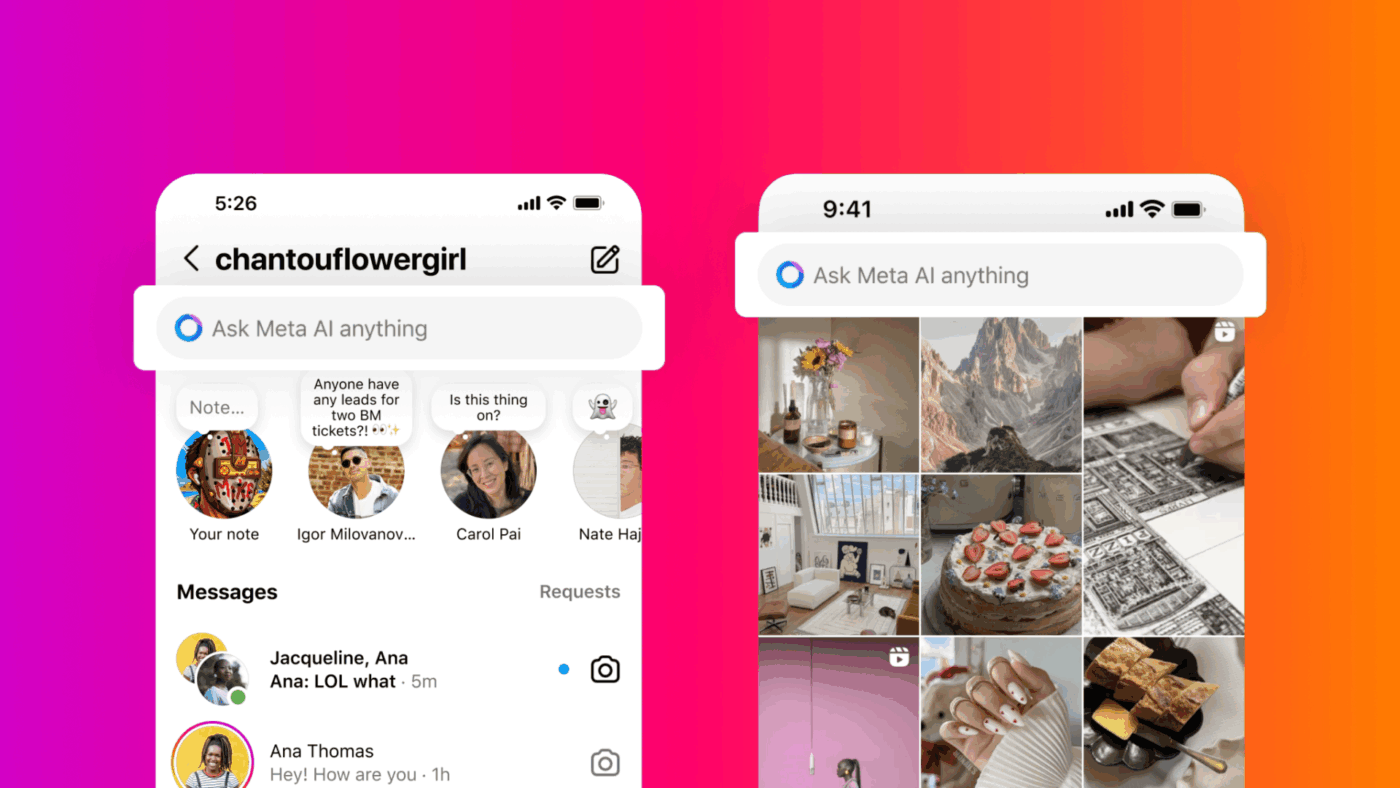
⚠️ Note: If you don’t see the blue circle icon or any of these prompts, Meta AI might not be available to you yet. As of early 2026, it’s being rolled out gradually and can vary by region, account, and app version.
Now, finding the tool is the easy part. The real challenge is learning how to use it well.
Staring at a blank chat window with Meta AI can feel just like staring at a blank page. You know it can help, but you’re unsure what to ask. This leads to generic, unhelpful results.
Here are three main ways you can use it to speed up content creation:
Tired of switching to a browser every time you need to research a topic? Use Meta AI as a research assistant directly within your Instagram DMs. This is perfect for brainstorming and getting quick answers without breaking your focus.
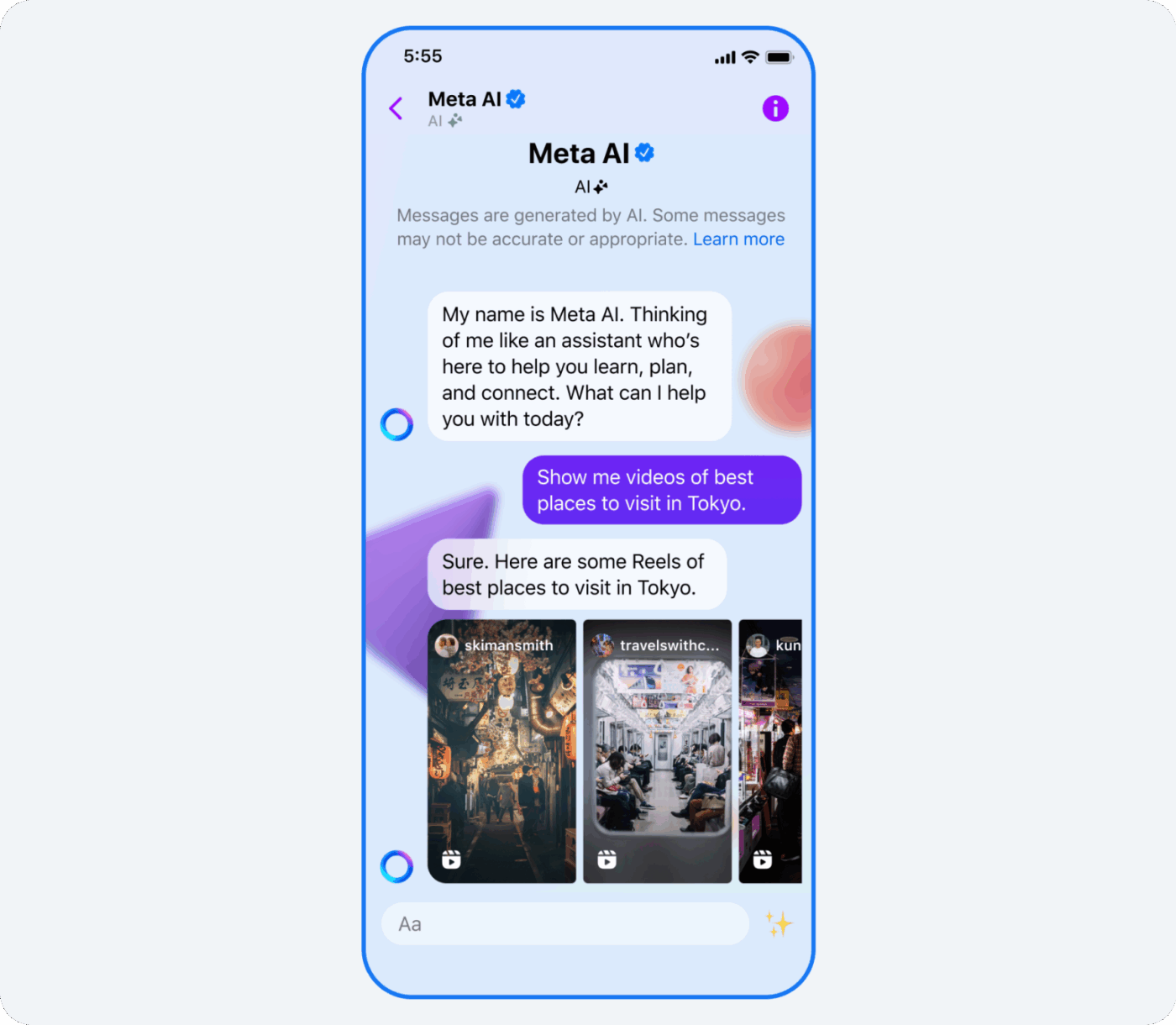
Start a conversation and try asking for:
✅ Meta AI remembers the context within a single conversation. You can ask follow-up questions without starting over.
⚠️ However, it can’t access your specific account data or analytics, so its advice will always be generic. It won’t know which of your past posts performed best or what your audience uniquely responds to.
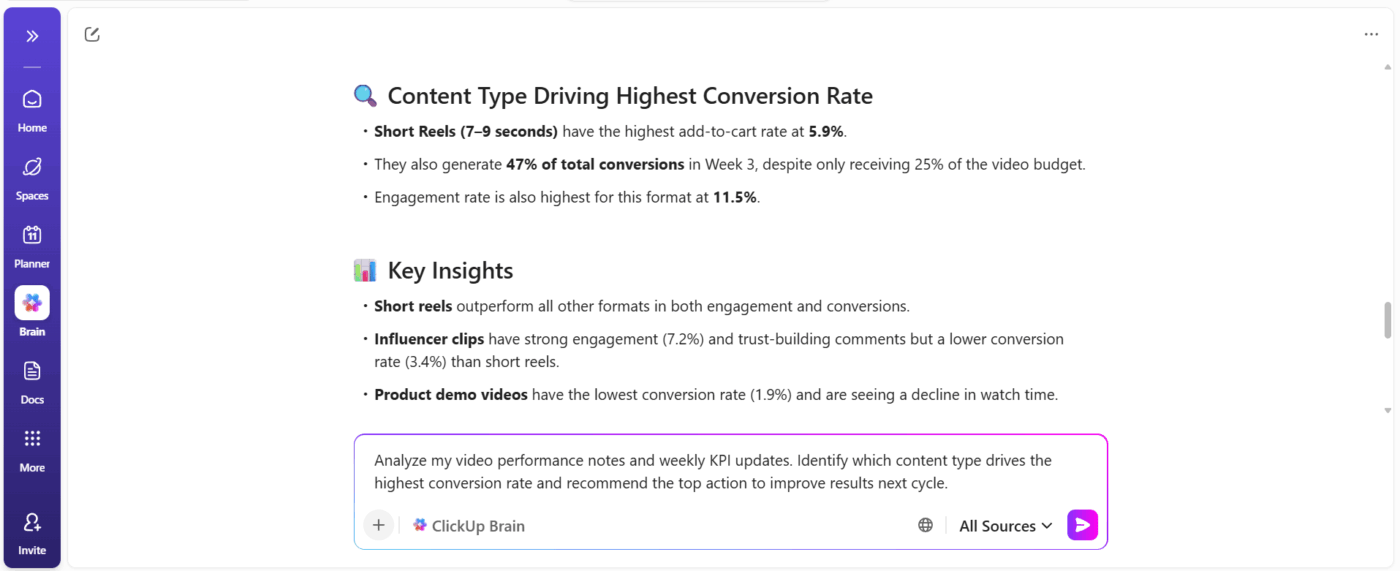
💡 Pro Tip: Consider creating a central hub for your content workflows in a content management platform such as ClickUp. Why?
You’ll experience the difference between AI that guesses and AI that knows your work. When ClickUp is your content hub, ClickUp Brain, its context-aware AI can reference past posts, campaign notes, and performance insights you’ve already documented and share tailored suggestions. This helps you make decisions that reflect what’s already worked for your audience.
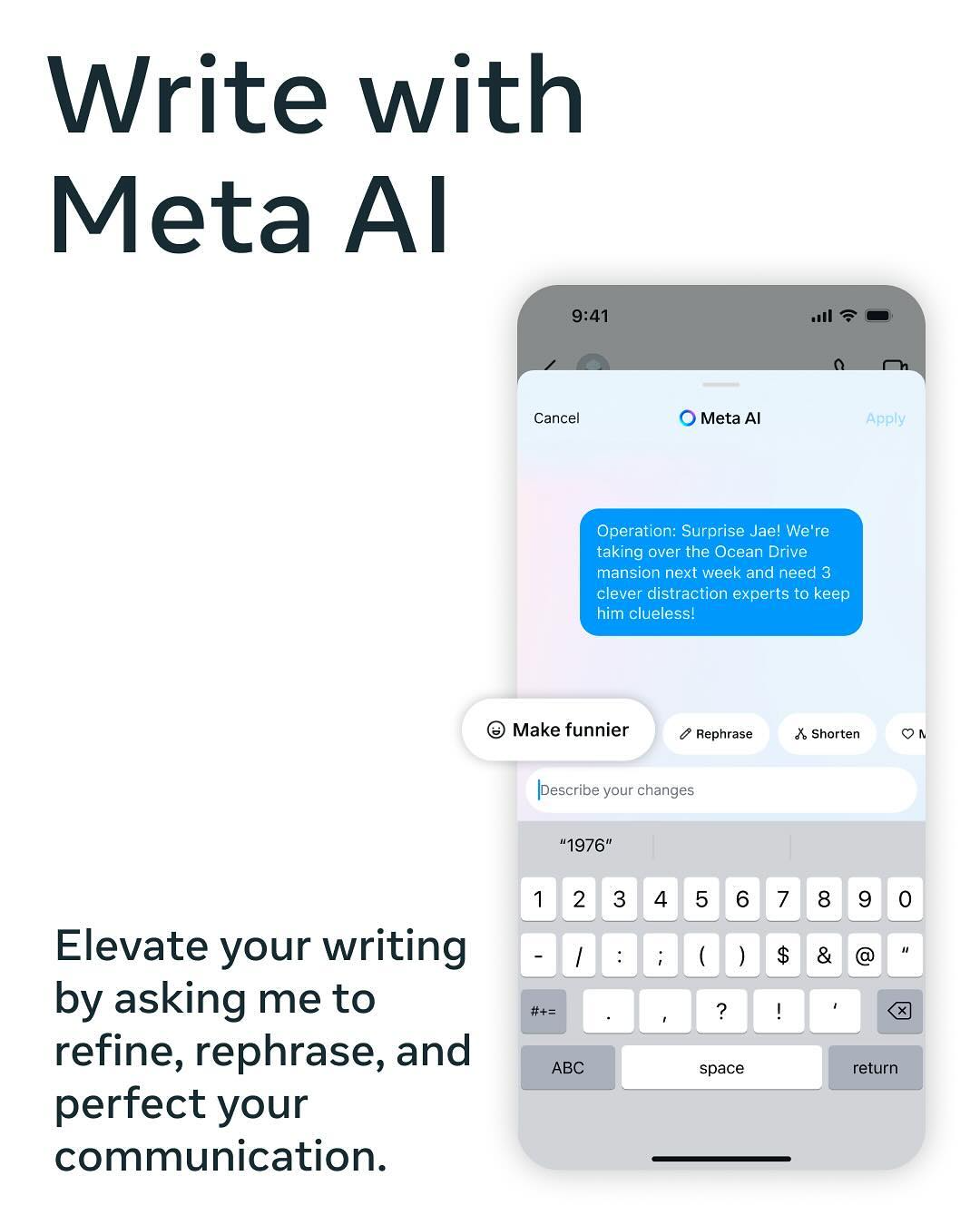
Drafting the perfect caption or reply can be time-consuming. Try the “Write with Meta AI” feature in Instagram’s comment and caption composer to speed this up.
Here’s how it works:
To get better results, give it specific instructions.
📌 For example, instead of just asking it to write a caption, try “Write a casual and witty caption for a photo of my dog at the park.” You can also ask it to “Draft a professional and empathetic reply to a customer complaint about shipping delays.”
⚠️ While it offers preset tones, Meta AI can’t learn your specific brand voice. It forgets what you’ve approved before, so every new caption feels like starting over.
📮 ClickUp Insight: 37% of our respondents use AI for content creation, including writing, editing, and emails. However, this process usually involves switching between different tools, such as a content generation tool and your workspace. With ClickUp, you get AI-powered writing assistance across the workspace, including emails, comments, chats, Docs, and more—all while maintaining context from your entire workspace.
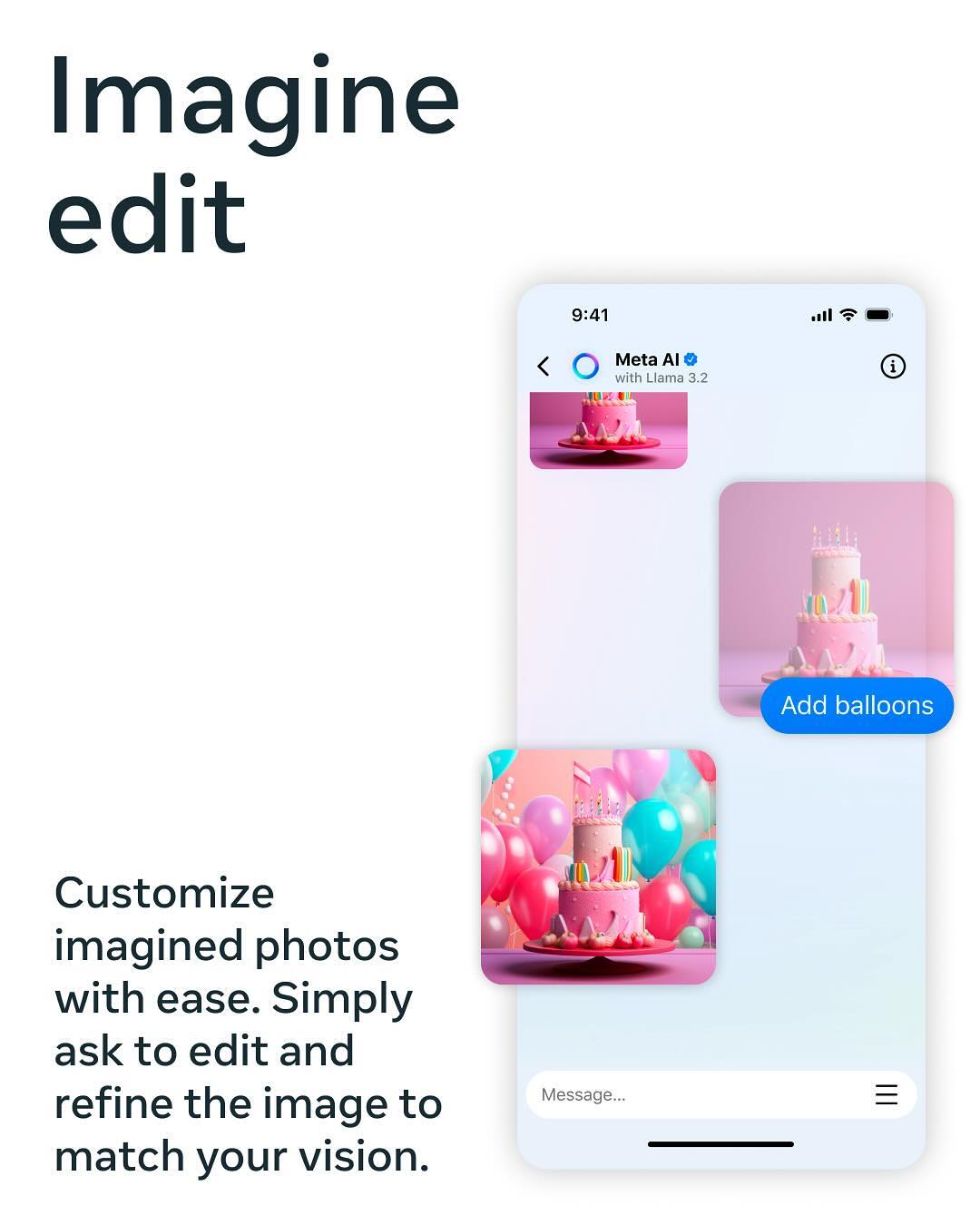
Need a quick visual for a story? You can generate AI images by typing “Imagine” followed by a description in any DM with Meta AI. The assistant uses Meta’s Emu image model to create visuals from your text.
For the best results, structure your prompt with clear details:
✅ You can request changes in follow-up messages, like “make it more colorful” or “change the angle.”
⚠️ However, generated images include a visible watermark. You can’t upload a reference image to guide the style, nor can you save prompts to reuse later for consistent branding.
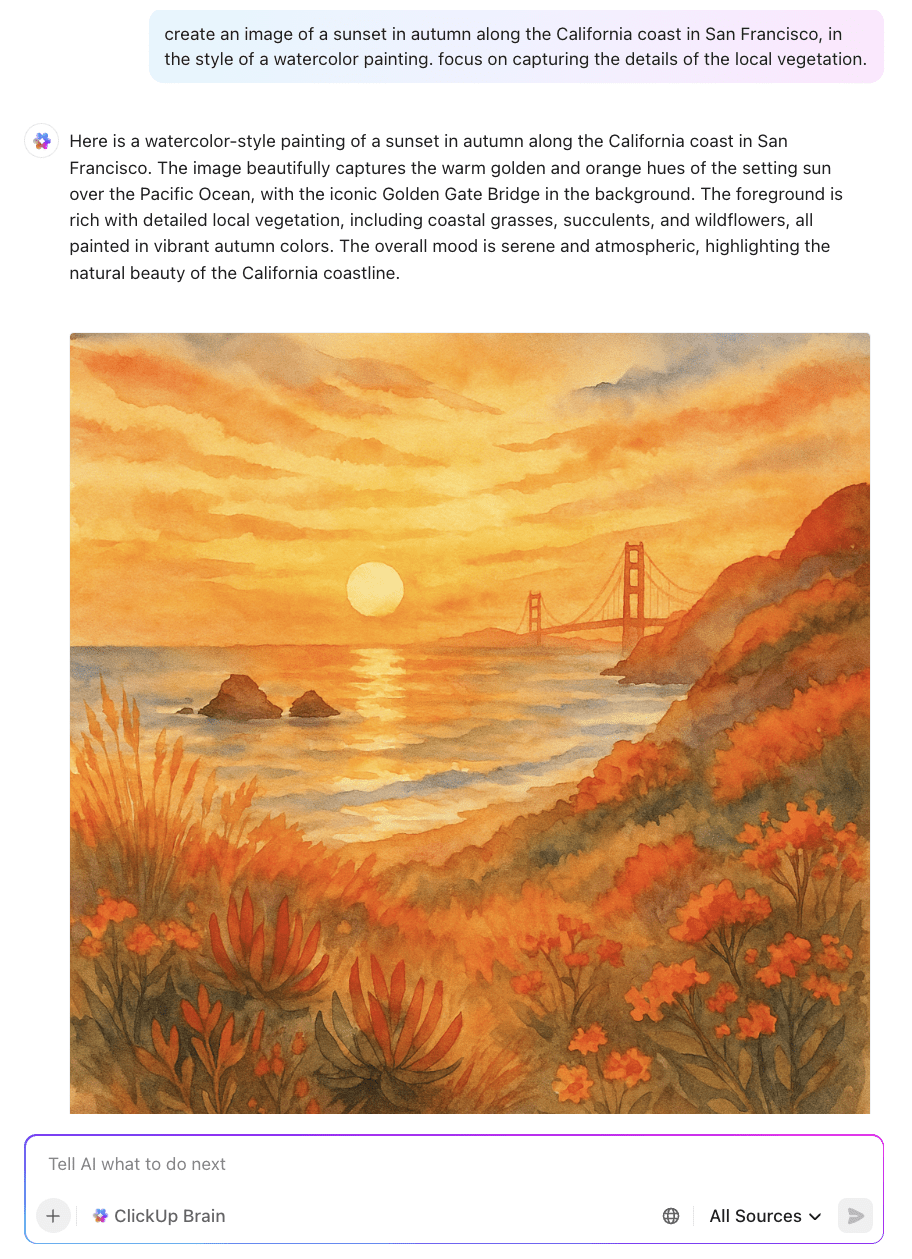
💡 Pro Tip: ClickUp Brain can generate high-quality visuals directly in your work hub (no Instagram-style labels bogging you down) and lets you save, share, and reuse prompts right inside ClickUp so your best instructions aren’t lost forever. You can even organize prompt templates for your team to grab anytime, keeping visuals and messaging on brand, always.
Getting generic or uninspired results from Meta AI is a common frustration. The problem isn’t the tool—it’s the way you are prompting it. Vague instructions lead to vague outputs. To create content that feels more aligned with your brand, you need to provide clear, detailed directions.
Use the CRISP Framework to give Meta AI the guidance it needs:
| Weak Prompt | Strong Prompt |
|---|---|
| “Write a caption” | “Act as a social media manager for a fitness brand. Write a motivating caption for a morning workout photo. Keep it under 100 characters, use active voice, and end with a question to boost engagement.” |
| “Imagine a dog” | “Imagine a French bulldog wearing a tiny chef’s hat, standing in a bright modern kitchen, photographed in a lifestyle editorial style with soft natural lighting.” |
🤝 Friendly Reminder: Even with a perfect prompt, you might hit a wall. Meta AI operates in a silo, disconnected from your content calendar, brand assets, and team feedback. This creates friction and slows you down when you’re trying to scale your content production.
🎥 Here’s a mini guide to prompt engineering to help you improve your interactions with AI tools:
The bottom line is that Meta AI is best suited for quick, in-the-moment assistance. It’s not built for the complex, multi-step content workflows that professional creators and teams rely on.
Its major limitations include:
If you’re exploring AI tools for social media content creation and management across platforms, check out this video:
Using Meta AI often starts the same way: an idea in DMs, a caption draft in chat, a few tweaks… and then the real work begins.
Where does this live? Who needs to review it? Is this on-brand? And when are we actually posting it?
This is the gap ClickUp is designed to fill.
ClickUp’s Converged AI Workspace is where your content plans, drafts, feedback, and timelines live together. This is why, unlike with Meta AI, your ideas don’t disappear the moment you close a chat. Instead of bouncing between tools, everything from brainstorming to publishing happens in one place.
At its center is ClickUp Brain, the AI built directly into your workspace.
💡 Pro Tip: Type @brain in any Task Comment or ClickUp Chat message to get instant AI help. You can ask it to summarize a long thread of feedback or generate action items from a meeting, and it will reply right where you’re working!
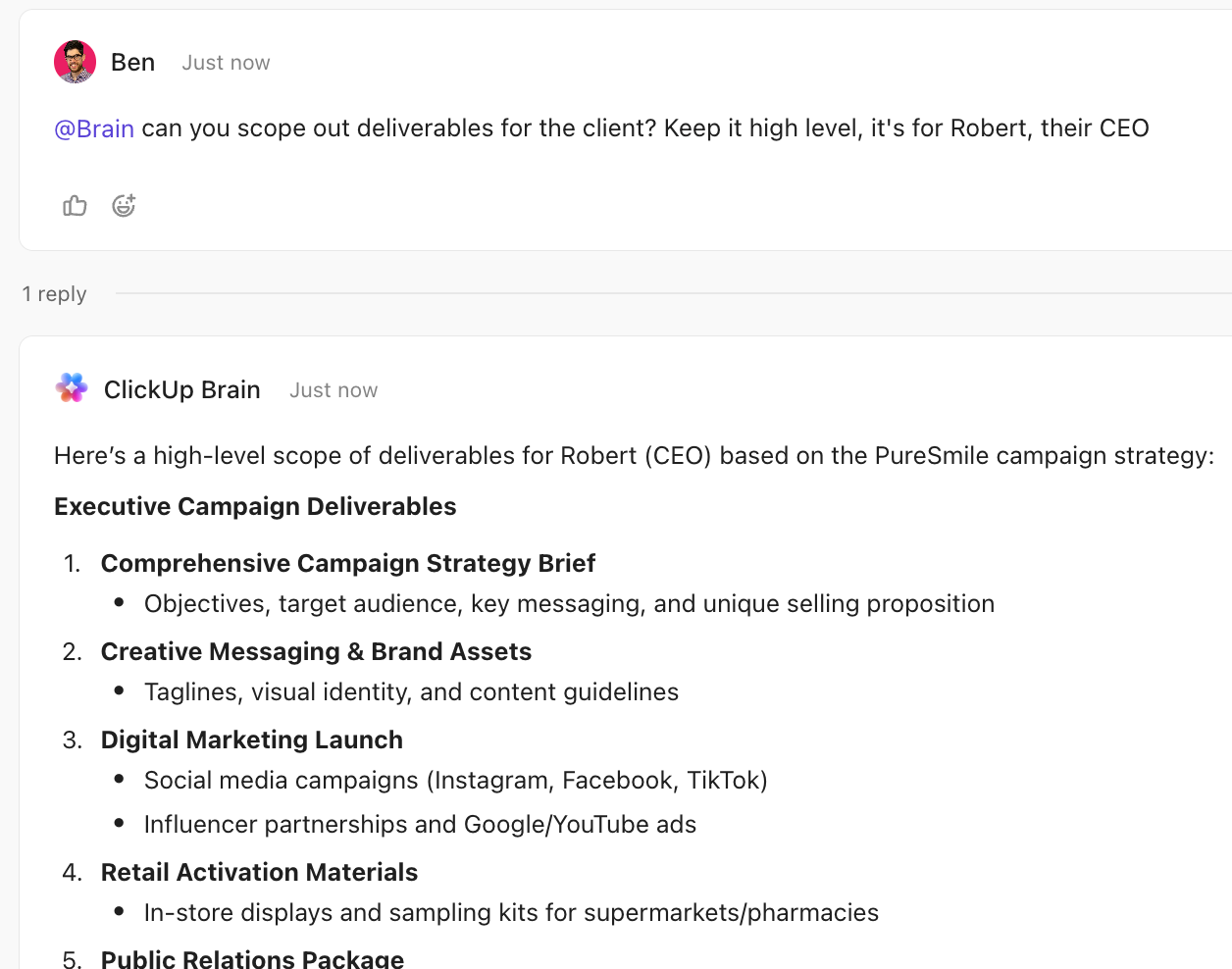
And when something’s ready to move forward, it doesn’t get stuck in a chat thread. You can turn messages from your ClickUp Chat channels and DMs into tasks with owners and deadlines.
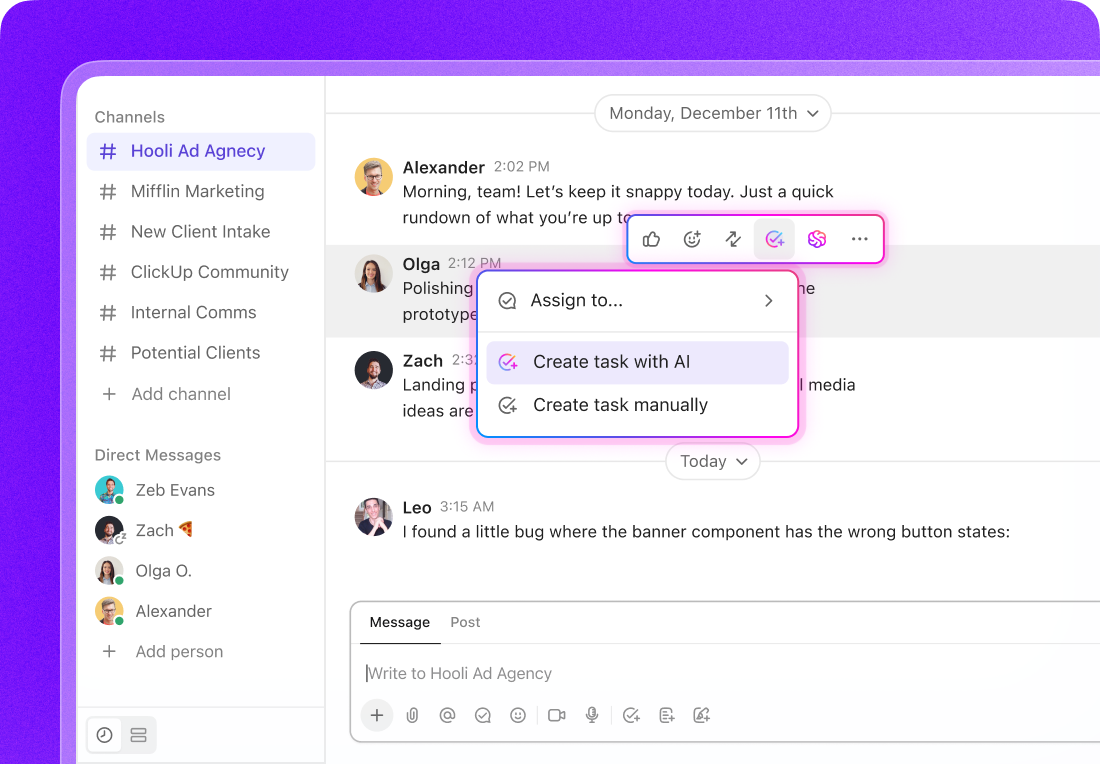
In ClickUp, feedback lives next to the work it refers to. You can leave comments on Tasks and Docs, co-edit Docs in real time, and even Assign Comments to your team where action is needed.
The best part? With ClickUp Automations and Super Agents, approvals move automatically through your workflow instead of getting lost in DMs.
📌 For example, for a campaign review workflow, Automations can take over simple repetitive tasks like moving a draft to “Ready for Review,” notifying your editor, or assigning a reviewer based on status changes.
Meanwhile, a Super Agent can act more like an AI teammate: it understands context, can be @mentioned to draft updates, summarize feedback, and even take actions automatically based on triggers you define—handling multi-step work the moment conditions are met.
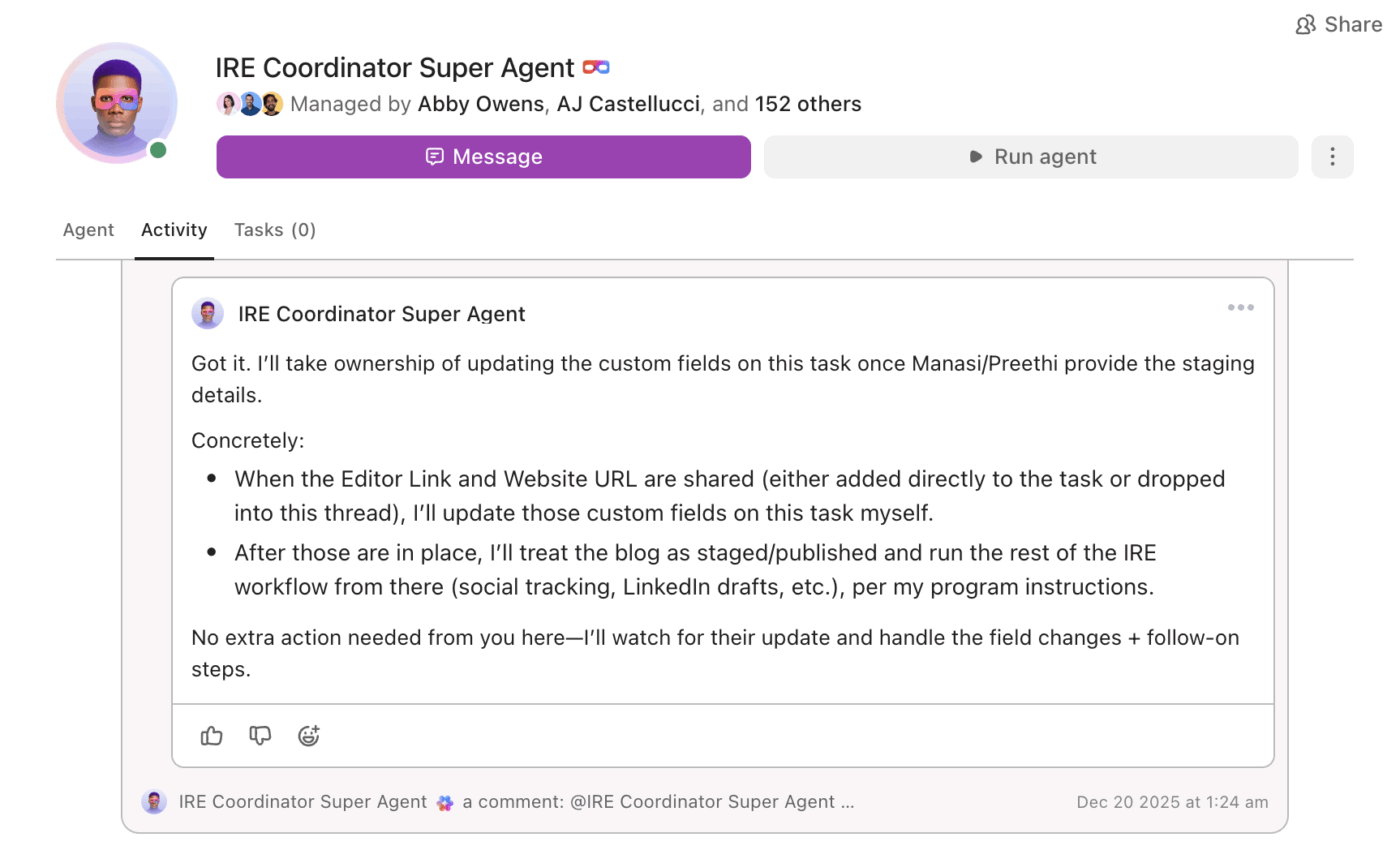
As your content engine scales, visibility matters just as much as speed. ClickUp makes it easy to see what’s in progress, what’s waiting on review, and what’s ready to ship.
Meta AI on Instagram is great for creating content on the spot. ClickUp is what helps you turn it into a repeatable, collaborative content system.
| Capability | Meta AI on Instagram | ClickUp |
|---|---|---|
| Brand voice memory | ❌ No | ✅ Yes—ClickUp Brain references stored guidelines |
| Content calendar integration | ❌ No | ✅ Yes—your tasks, timelines, docs, and projects live in one AI-powered workspace |
| Team collaboration | ⚠️ Limited to DM sharing | ✅ Full workspace collaboration |
| Approval workflows | ❌ None | ✅ Built-in with Automations and Super Agents |
| Analytics context | ❌ None | ✅ ClickUp Brain can reference performance data inside ClickUp |
Plan, create, and manage content at scale with a unified system—ClickUp is built for teams who have outgrown in-platform AI tools.
Meta AI is great when you need a quick nudge (an idea, a caption, or a reply) right inside Instagram. It keeps you moving and removes friction in the moment, especially if you’re creating solo or posting occasionally.
But as soon as content becomes a system—with schedules, approvals, and the need to maintain a consistent brand identity—speed alone isn’t enough. That’s when teams need AI that works with their process, not outside of it.
The sweet spot? Using AI for fast content creation and a unified workspace to plan, review, and reuse what works. When everything lives in one place, content stops feeling scattered and starts scaling.
Try ClickUp for free and see how ClickUp Brain connects planning, creation, and collaboration in one place.
You can’t fully disable Meta AI. However, you can minimize its presence by muting, hiding, or blocking the @MetaAI account in your DMs.
Its main limitations are a lack of brand memory, watermarked images, no integration with content calendars, and an inability to access your account’s performance data.
Meta AI is a creative tool and does not directly influence how your content performs in the algorithm. Your posts are still ranked based on standard factors, such as engagement and relevance.
It’s generally safe, but since conversations can be used to train the AI, you should avoid sharing sensitive or proprietary business information in your chats.

© 2026 ClickUp

There’s an easier way. Try a free AI Agent in ClickUp that actually does the work for you—set up in minutes, save hours every week.