



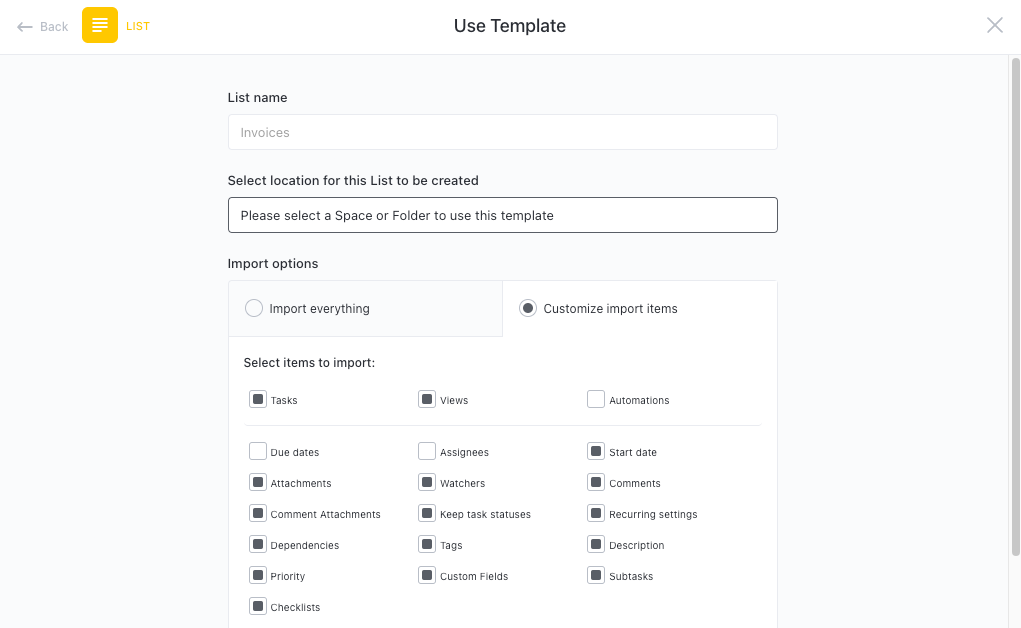



Still downloading templates?
There’s an easier way. Try a free AI Agent in ClickUp that actually does the work for you—set up in minutes, save hours every week.
Sorry, there were no results found for “”
Sorry, there were no results found for “”
Sorry, there were no results found for “”
If you manage content on X, formerly Twitter, your best thread ideas may begin with a quick takeaway from customer conversations. The problem is that your attention is pulled away before you can shape those inputs into clear key points that drive engagement.
Research by Microsoft found that employees are interrupted every two minutes during core work hours, adding up to 275 times a day.
That level of disturbance makes it easier to repeat yourself and miss what matters, so your thread reads like a brainstorm instead of a campaign asset.
Grok AI, a conversational generative AI model, can search public X posts and run a real-time web search, helping you stay up-to-date on trending topics. That way, you know what people are looking for and what your next post should look like.
In this guide, we’ll walk you through using Grok to plan a thread and refine the final copy to drive traction.
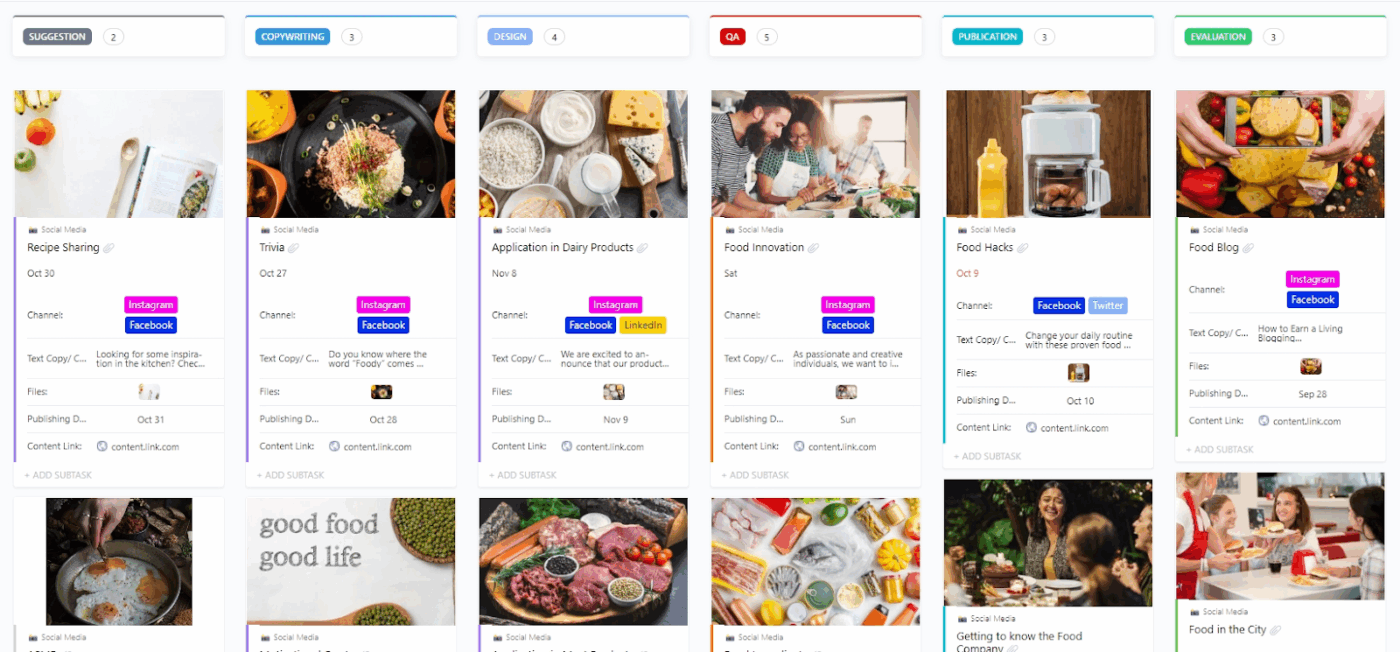
If you want your threads to stop feeling like one-off posts, drop your planning into the ClickUp Social Media Template. This template gives you a consistent way to capture ideas and move drafts through review across your team.
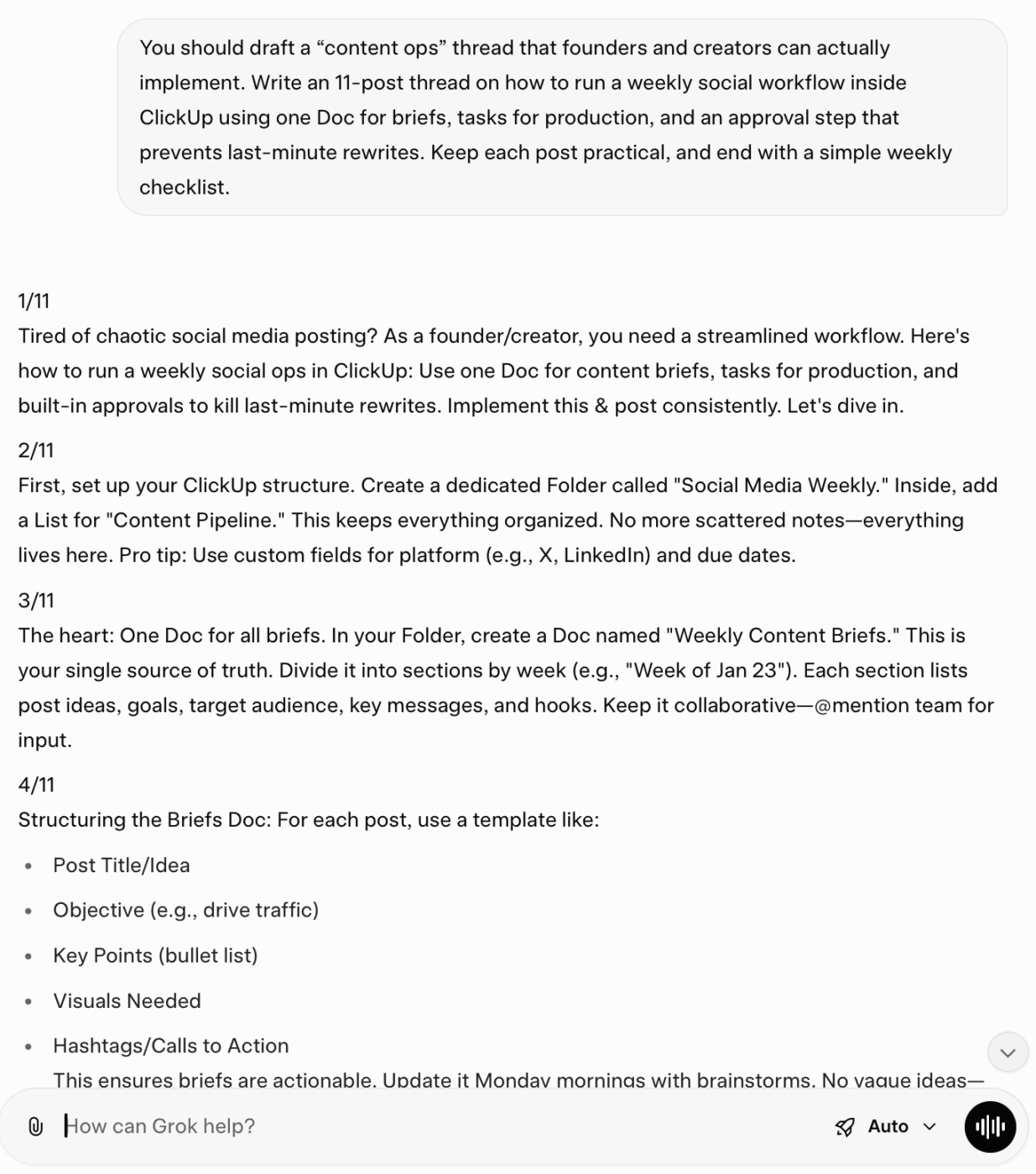
Grok is xAI’s chatbot inside X. You can use it to brainstorm angles, structure your thread, and pull fresh context from public X posts plus the broader web, which is useful when you’re writing about trends or fast-moving topics.
One important caveat: Grok can still get details wrong or oversimplify sources. Treat outputs as a draft, not a fact-check. If you’re citing stats, quotes, product claims, or competitor comparisons, verify before publishing.
✅ Here’s what Grok is genuinely good at for thread creation:
🧠 Did You Know? X’s developer documentation notes that most posts can contain up to 280 characters, and some characters can count differently depending on their weight.
📖 Also Read: Free Content Calendar Templates For Social Media
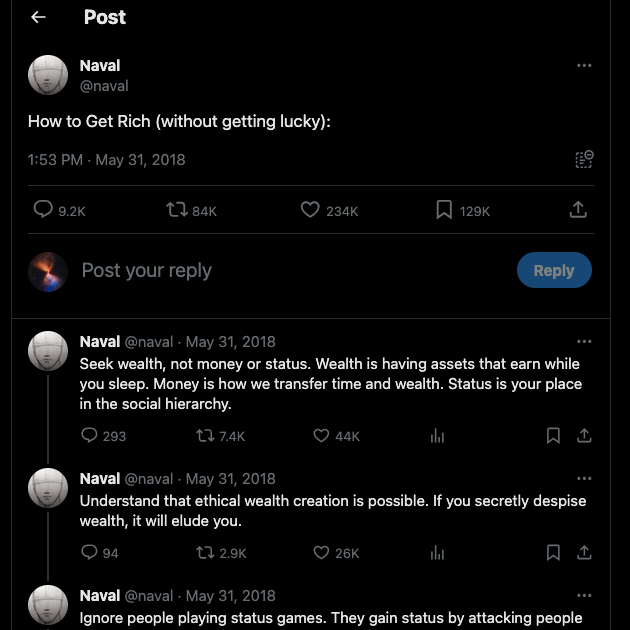
A high-performing X thread keeps people reading past your first post. It then rewards them with useful context and a clear takeaway. A thread is a series of connected posts from one person that lets you add context or expand on a point.
For marketers and creators, that format works because you can explain concepts in small steps and still land on one clear action. Your opener should promise a specific payoff and earn the next scroll.
✅ Here’s what usually drives traction in an X thread:
If you get this right, you can save time in content creation because one thread can become a short post and a sales enablement snippet without rewriting everything from scratch.
The most reliable way to use Grok is to treat it like a research assistant first, and a writer second. Get the inputs right, lock the structure, then draft.
✅ Here are a few steps to follow for using Grok AI for thread creation:
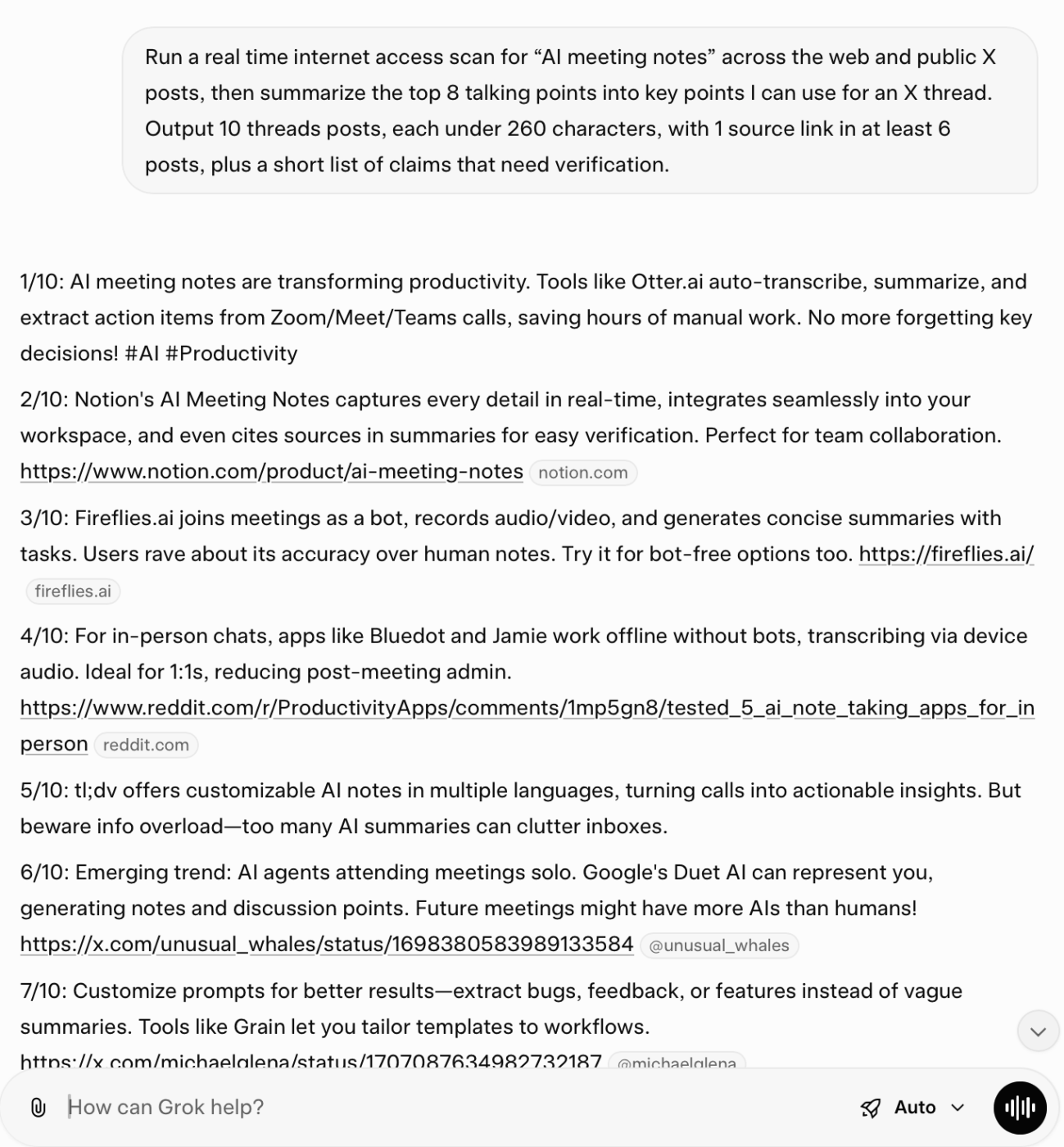
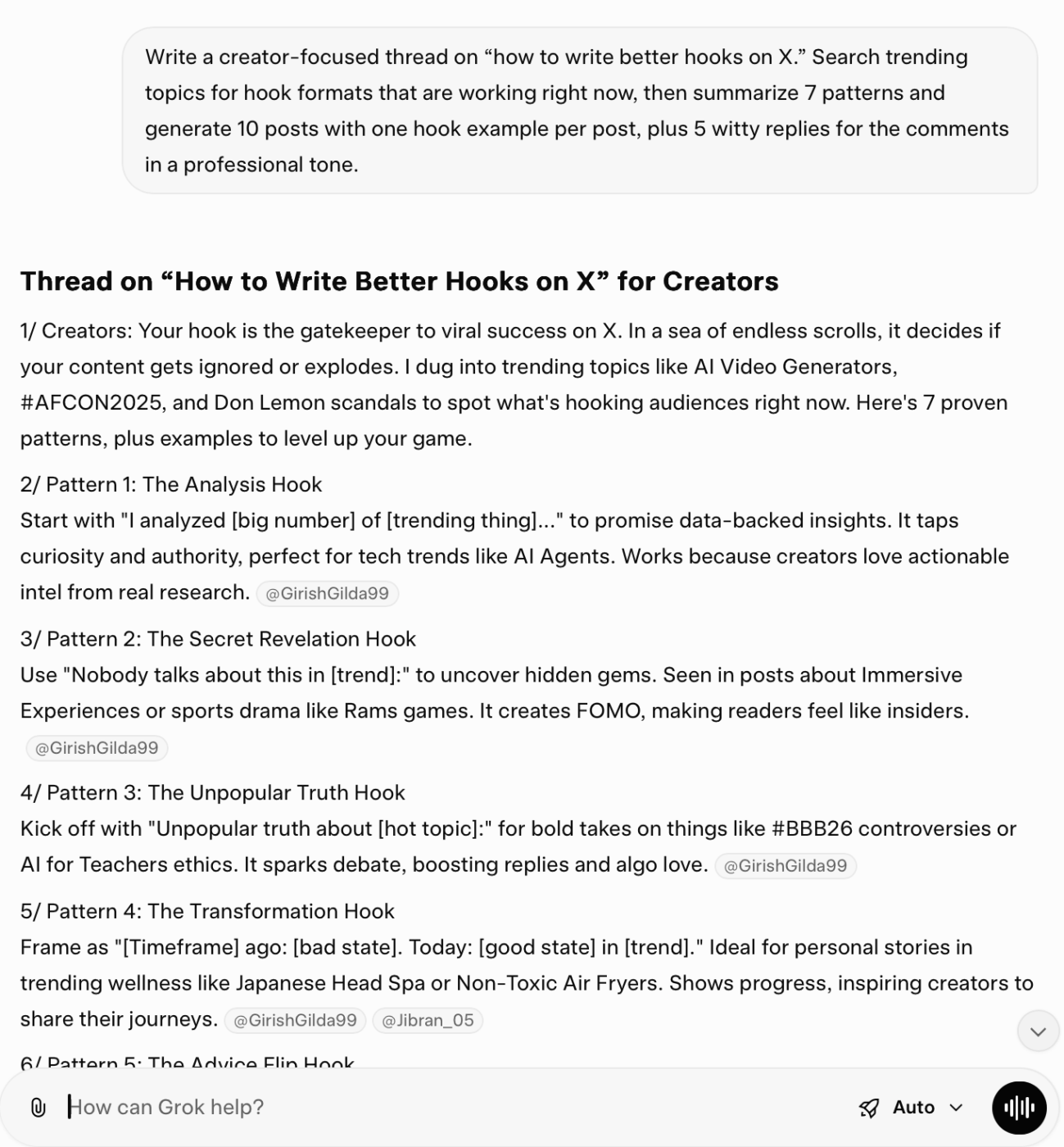
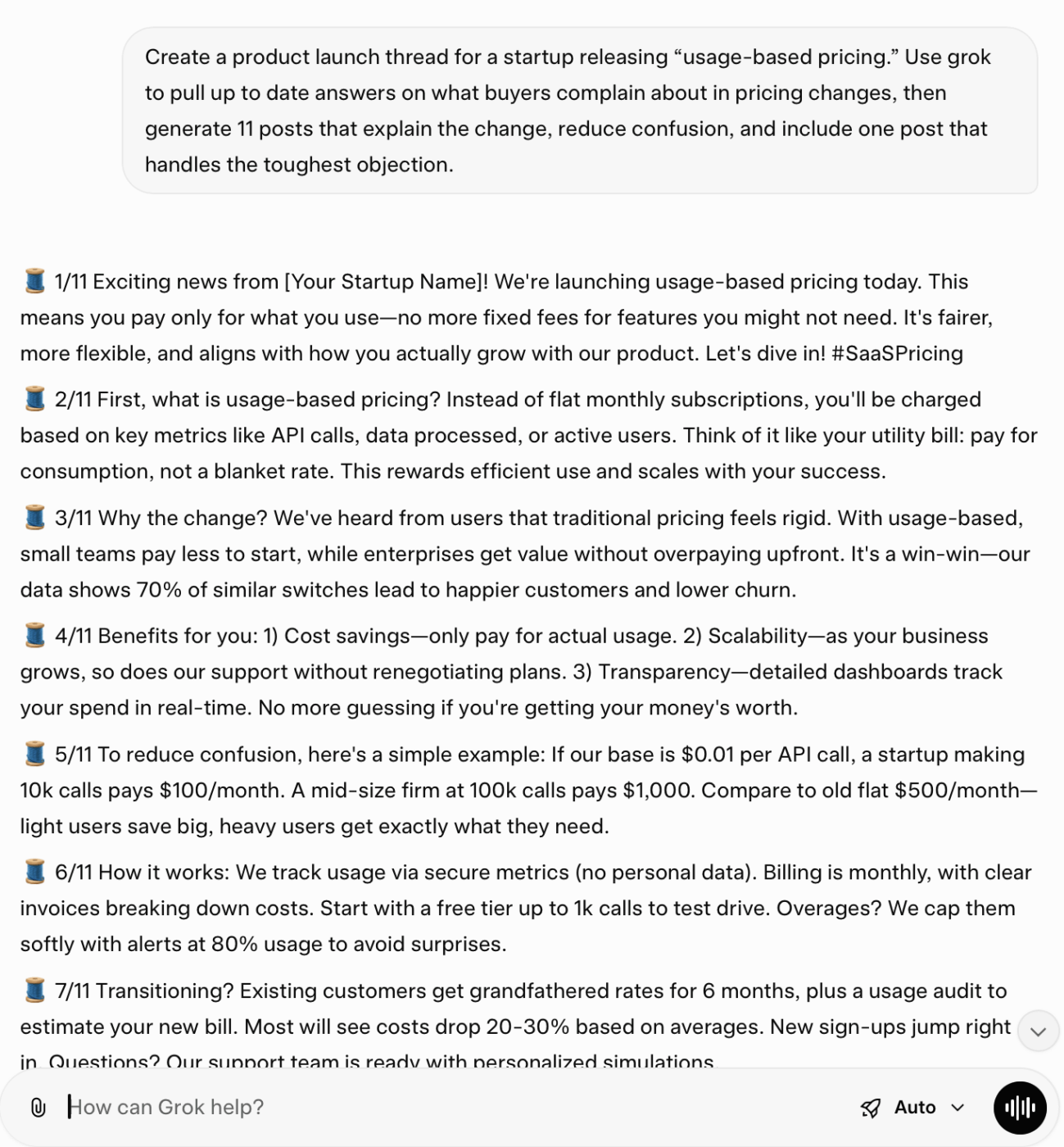
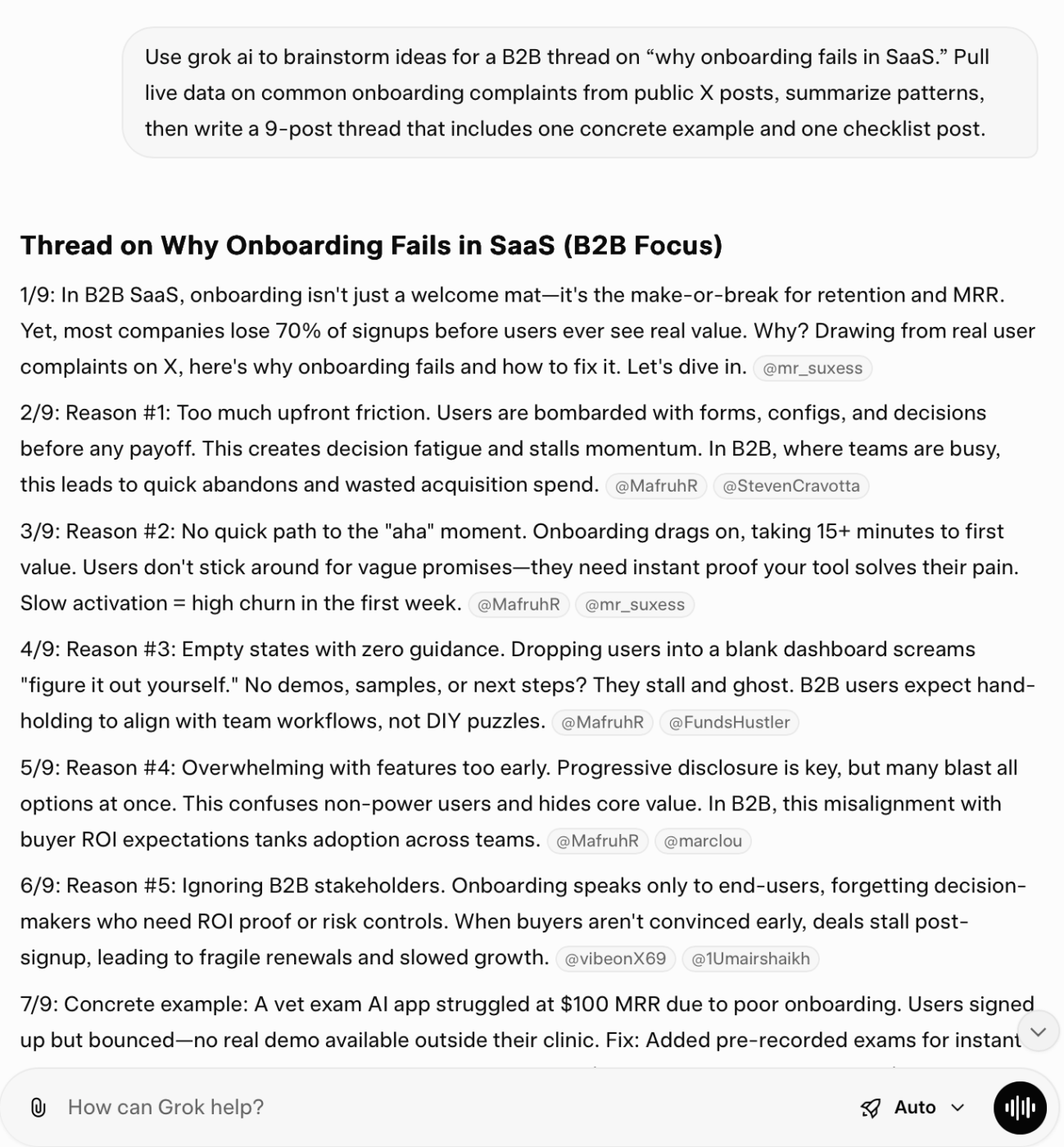
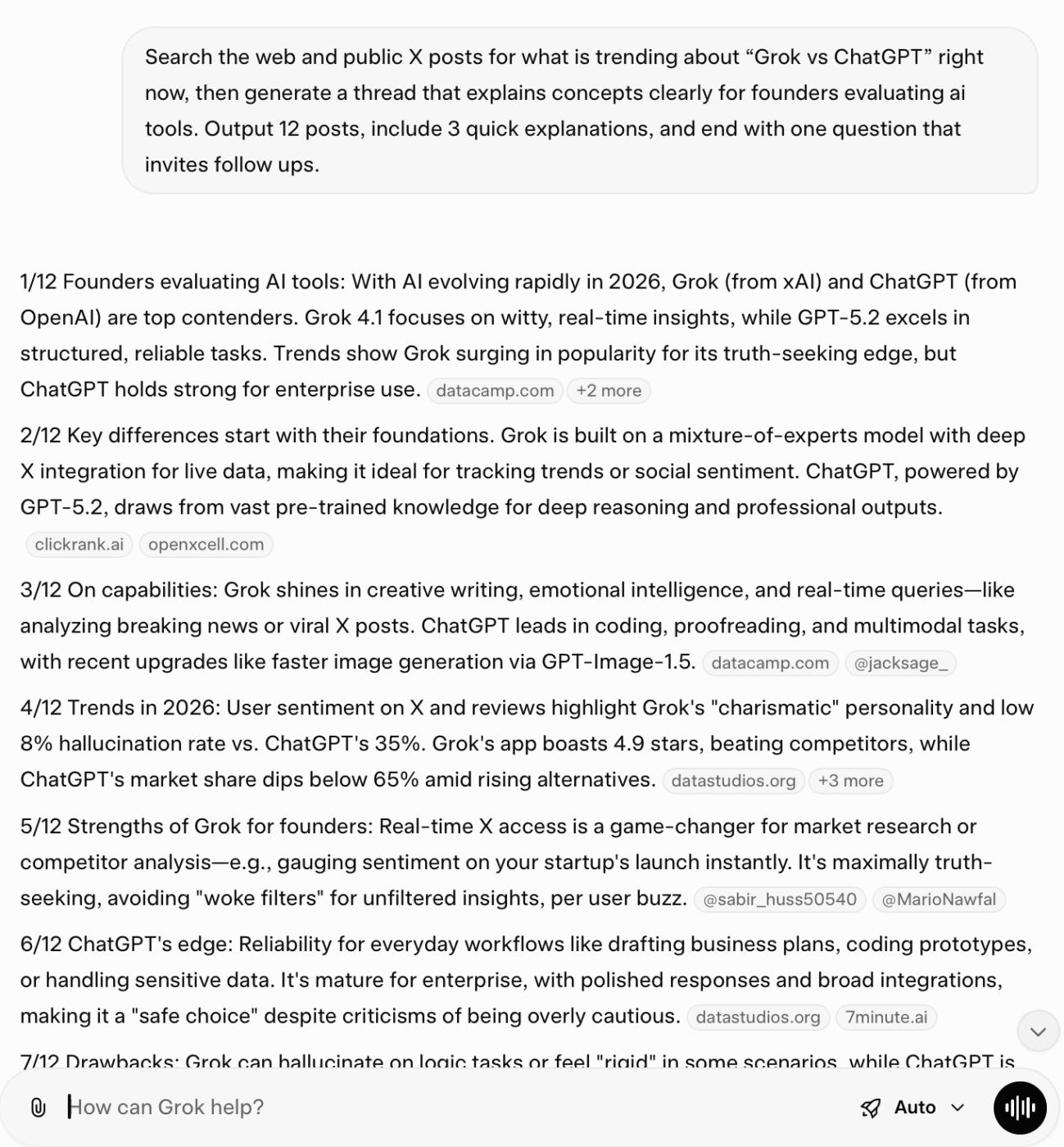
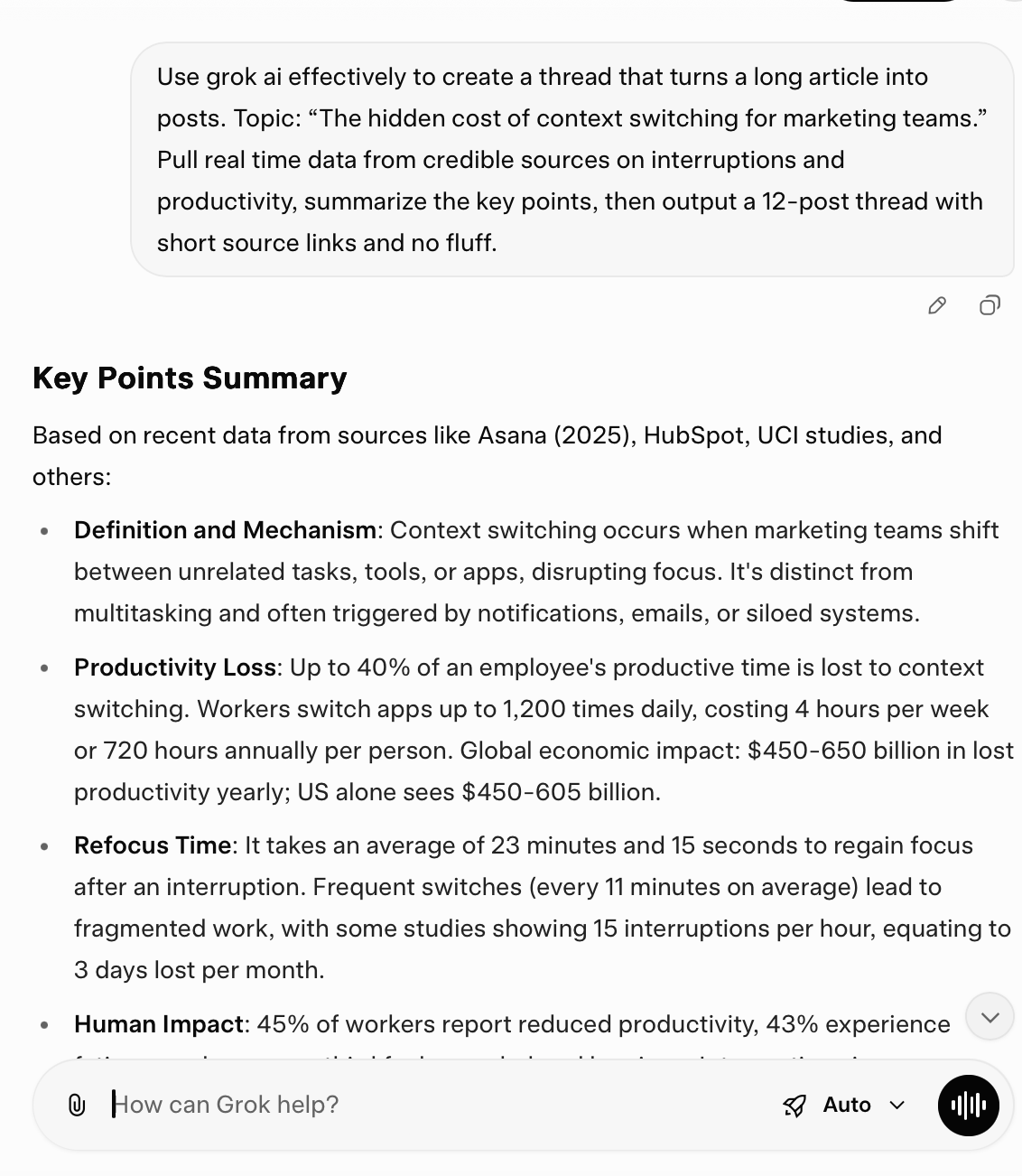
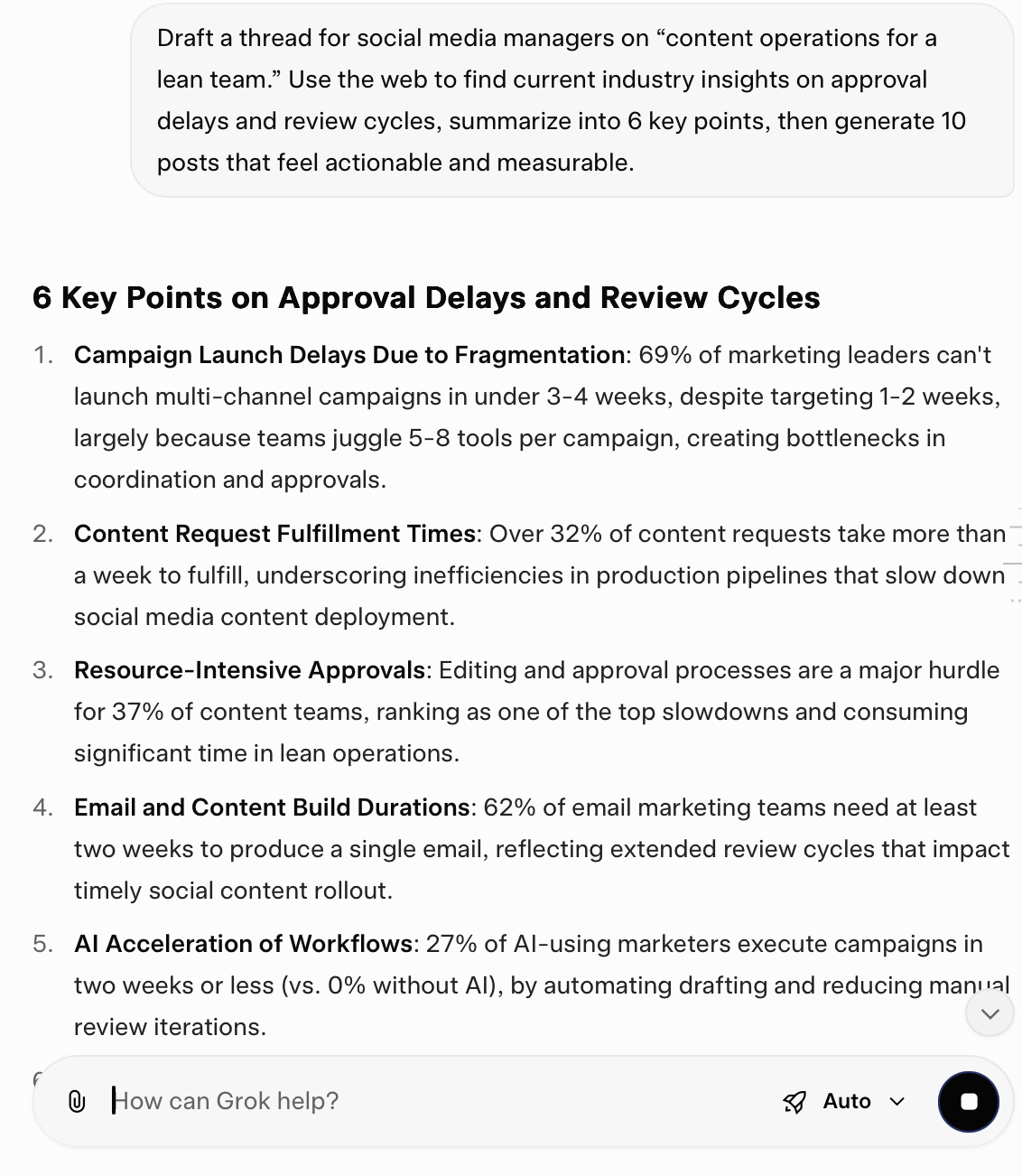
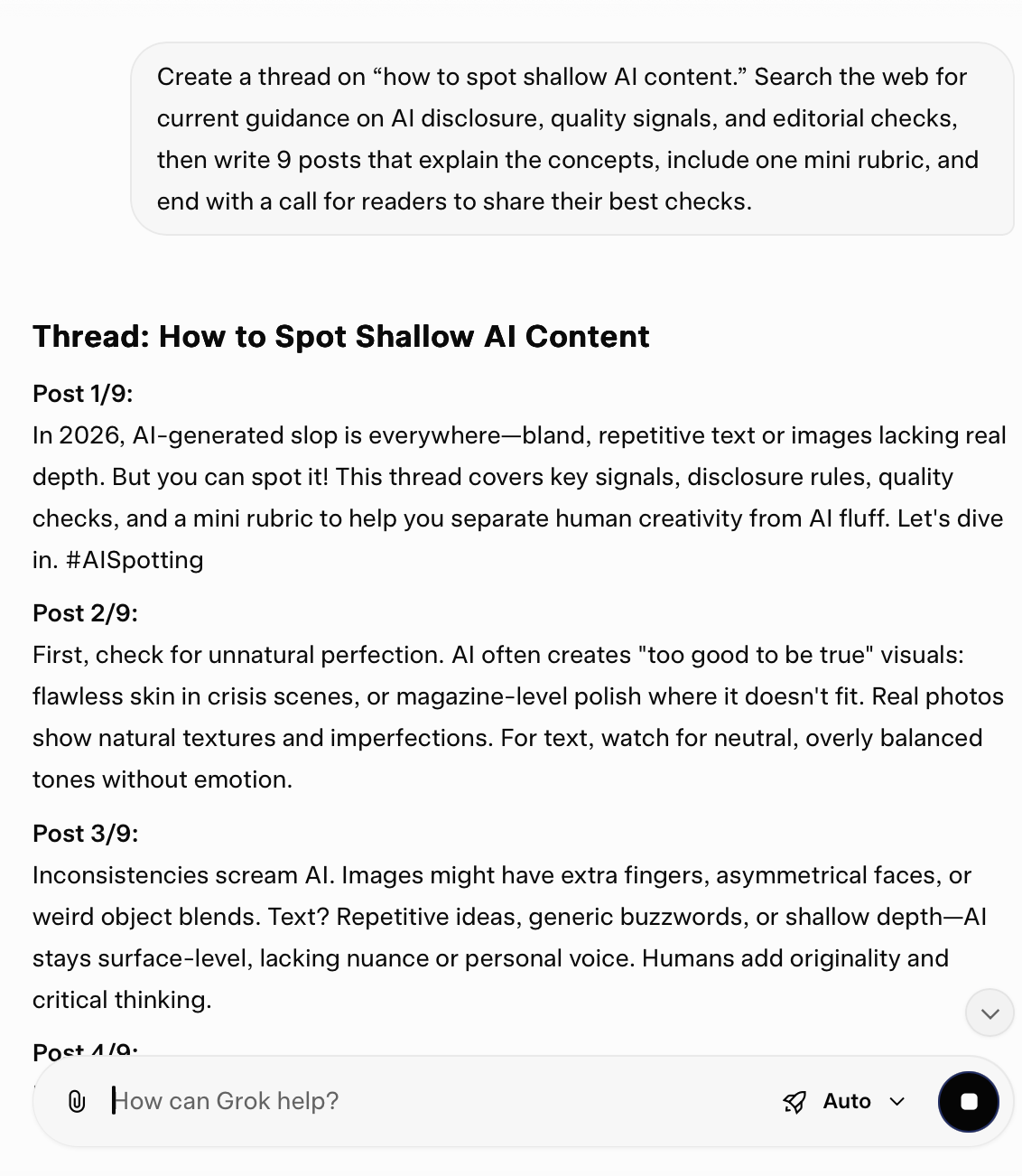
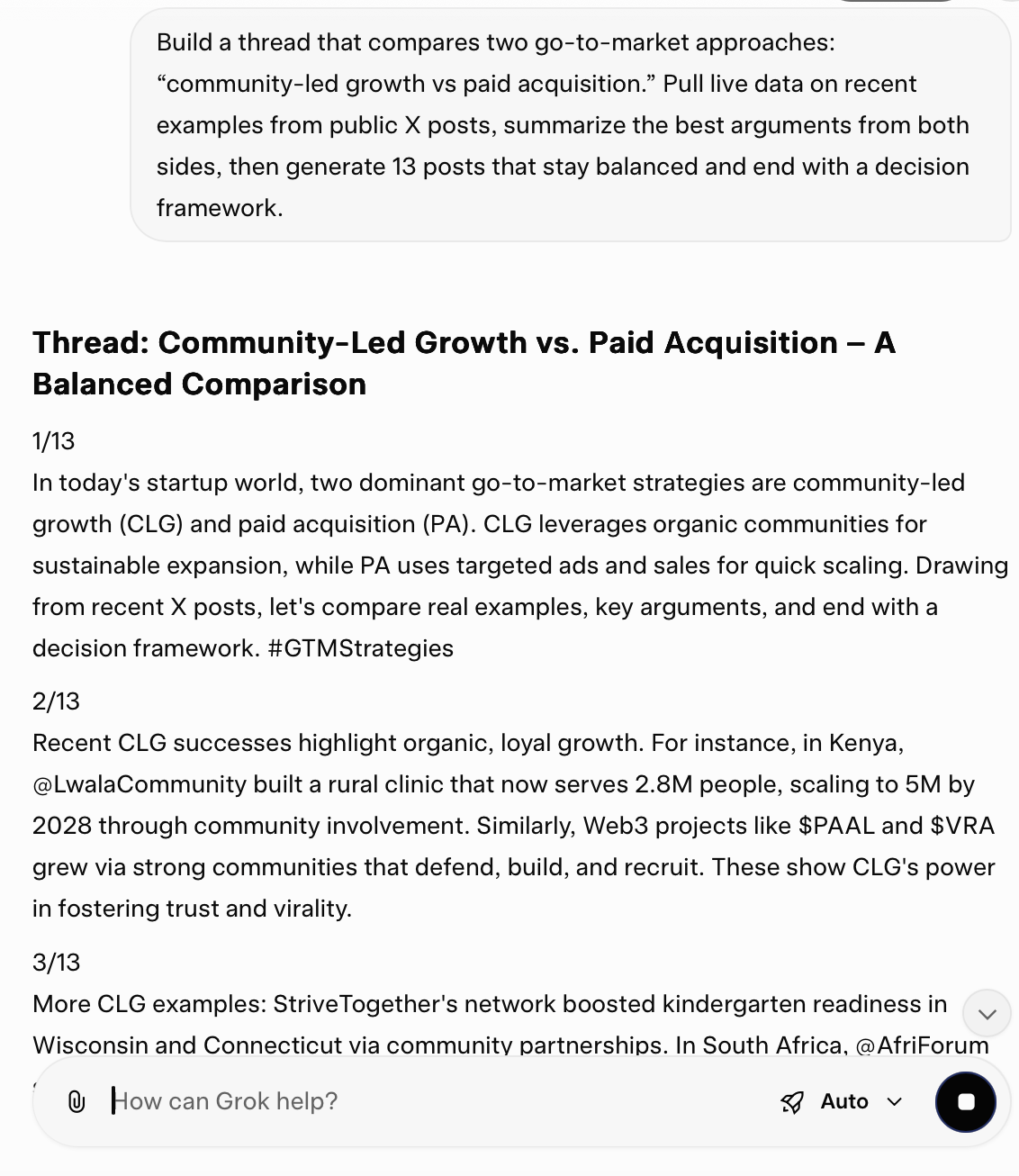
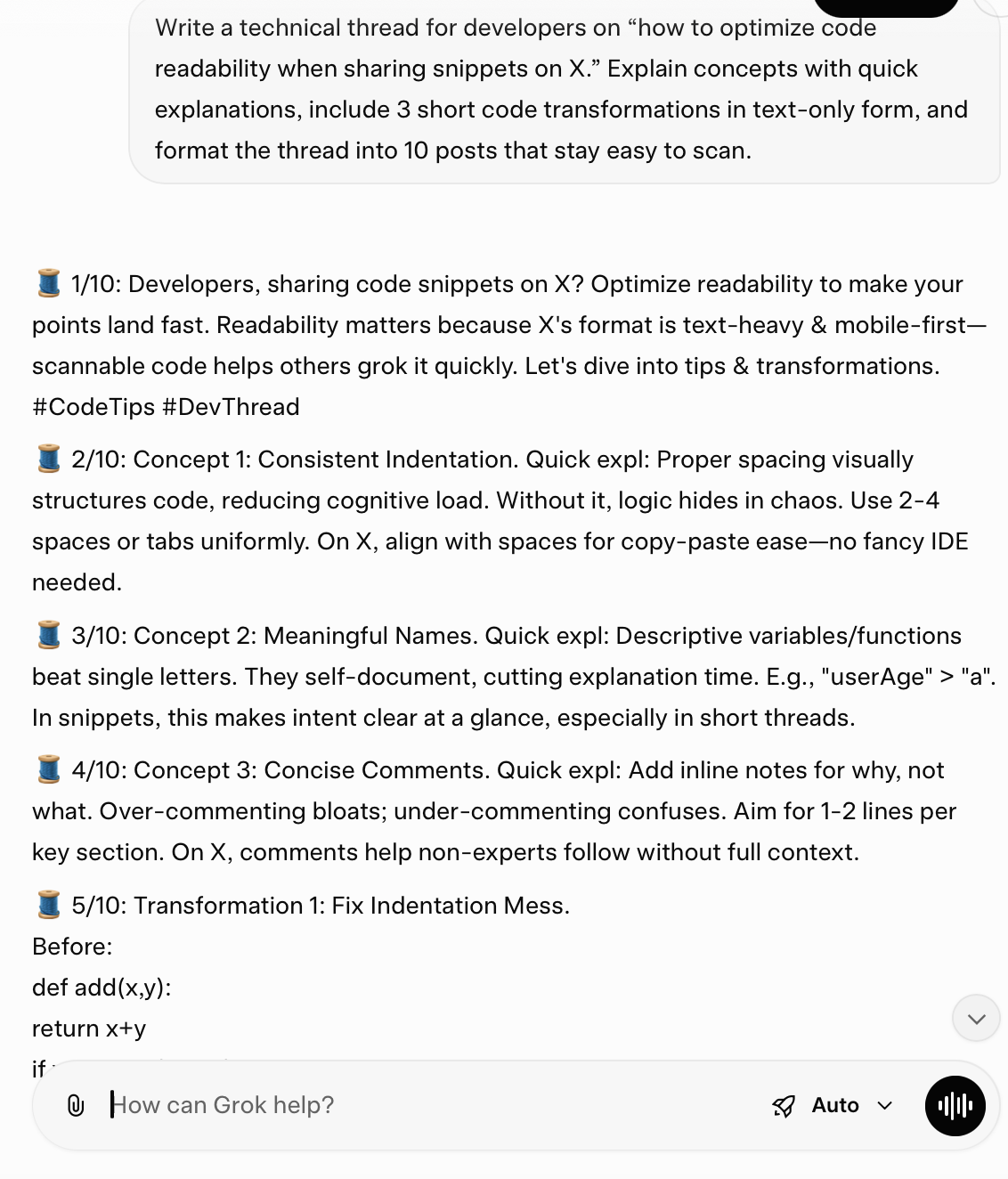
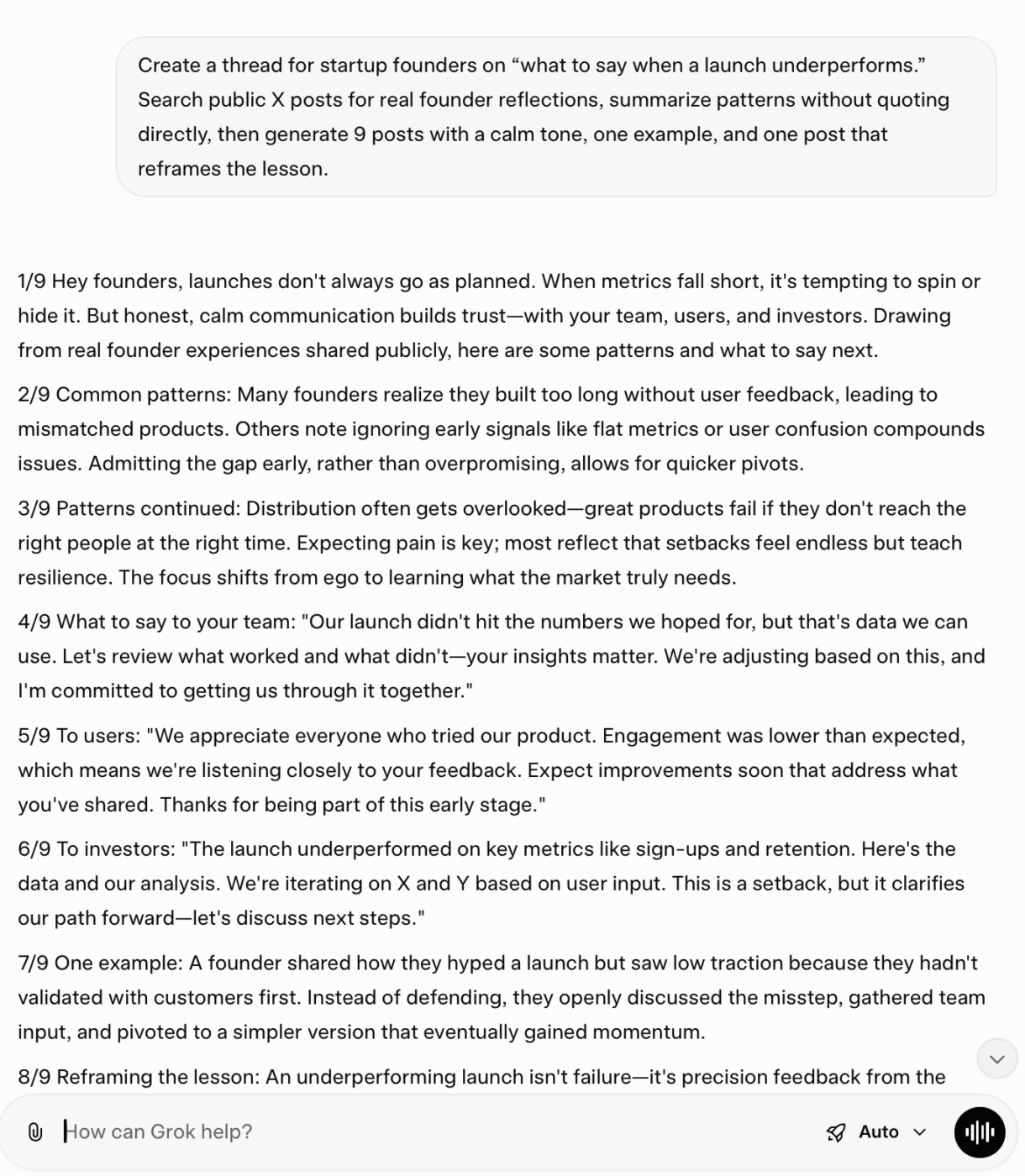
Here are 12 Grok AI prompts built for marketers and creators for specific scenarios. Each one helps you use Grok to move from live research to a structured thread:
📮 ClickUp Insight: 70% of managers use detailed project briefs to set expectations, 11% rely on team kickoffs, and 6% tailor their project kickoffs based on tasks and complexity.
That means most kickoffs are documentation-heavy, not context-driven. The plan might be clear, but is it clear to everyone, the way they need to hear it?
ClickUp Brain features help you tailor communication from the very start. Use it to summarize kickoff docs into role-specific task briefs, generate action plans by function, and surface who needs more detail vs. who needs less.
💫 Real Results: Hawke Media cut project delays by 70% with ClickUp’s advanced project tracking features and automation.
If you want Grok to produce threads that feel sharp, the trick is simple: force structure before draft and force proof before publishing.
✅ Here are the best practices to help you maximize Grok for thread creation:
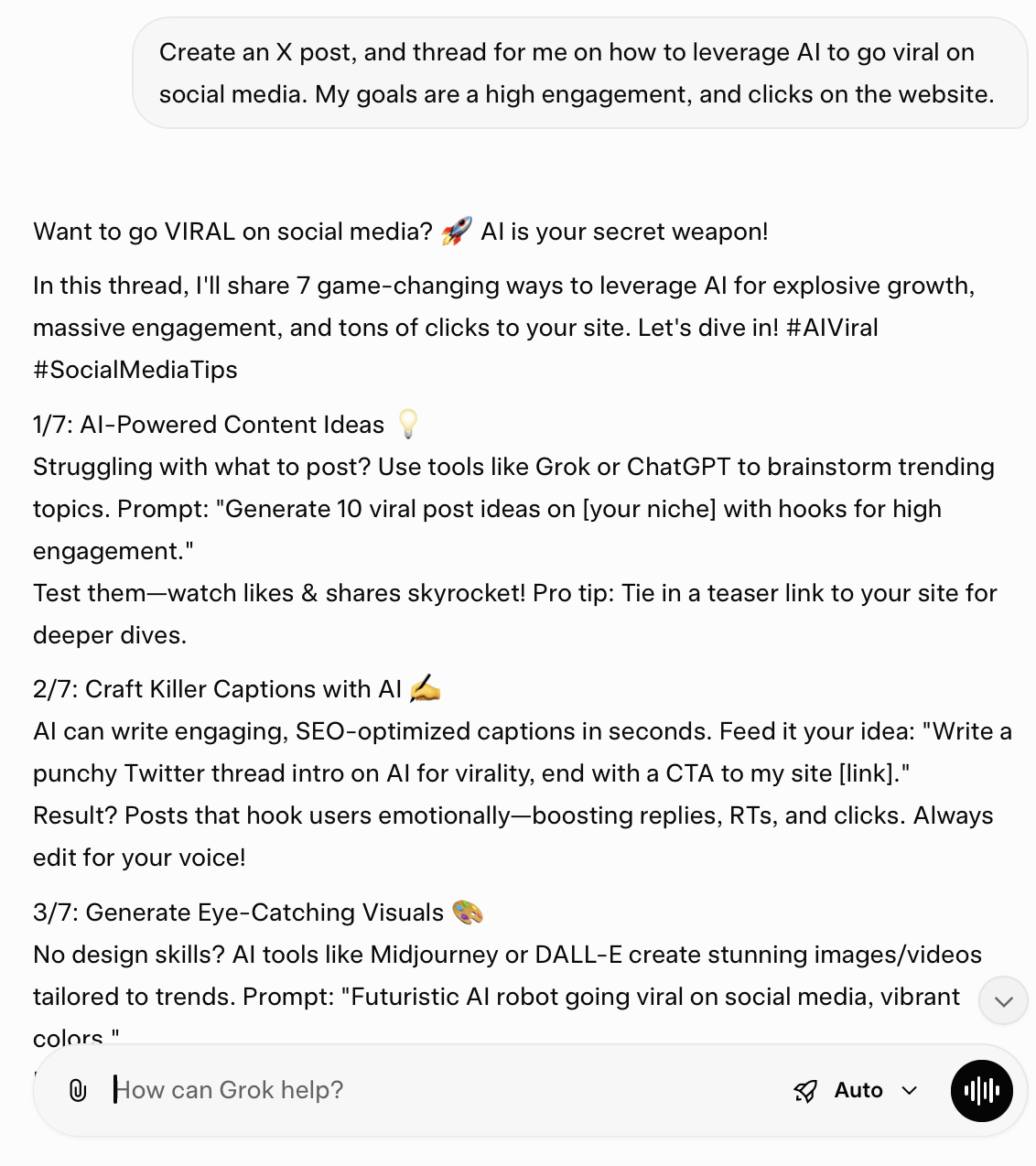
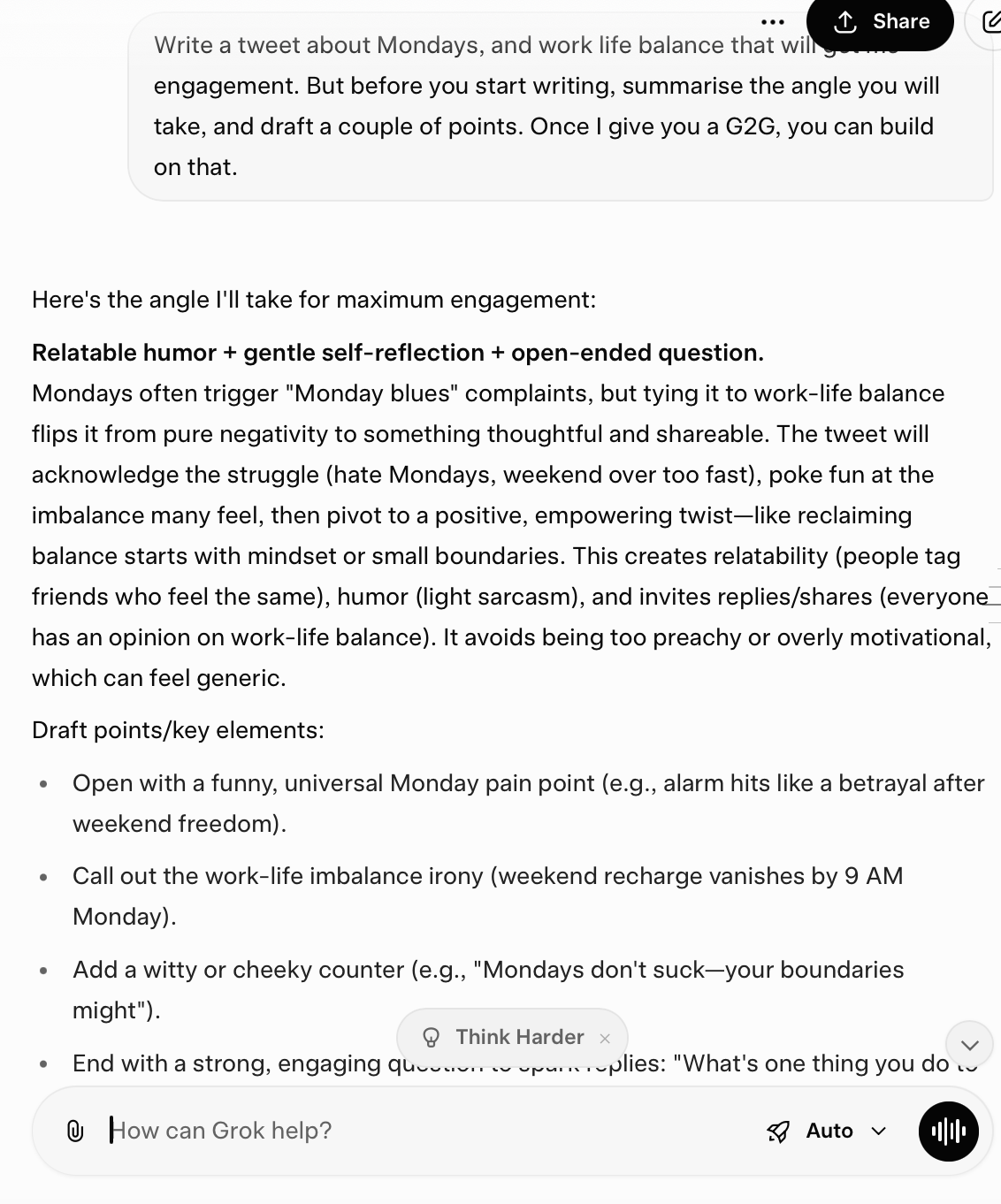
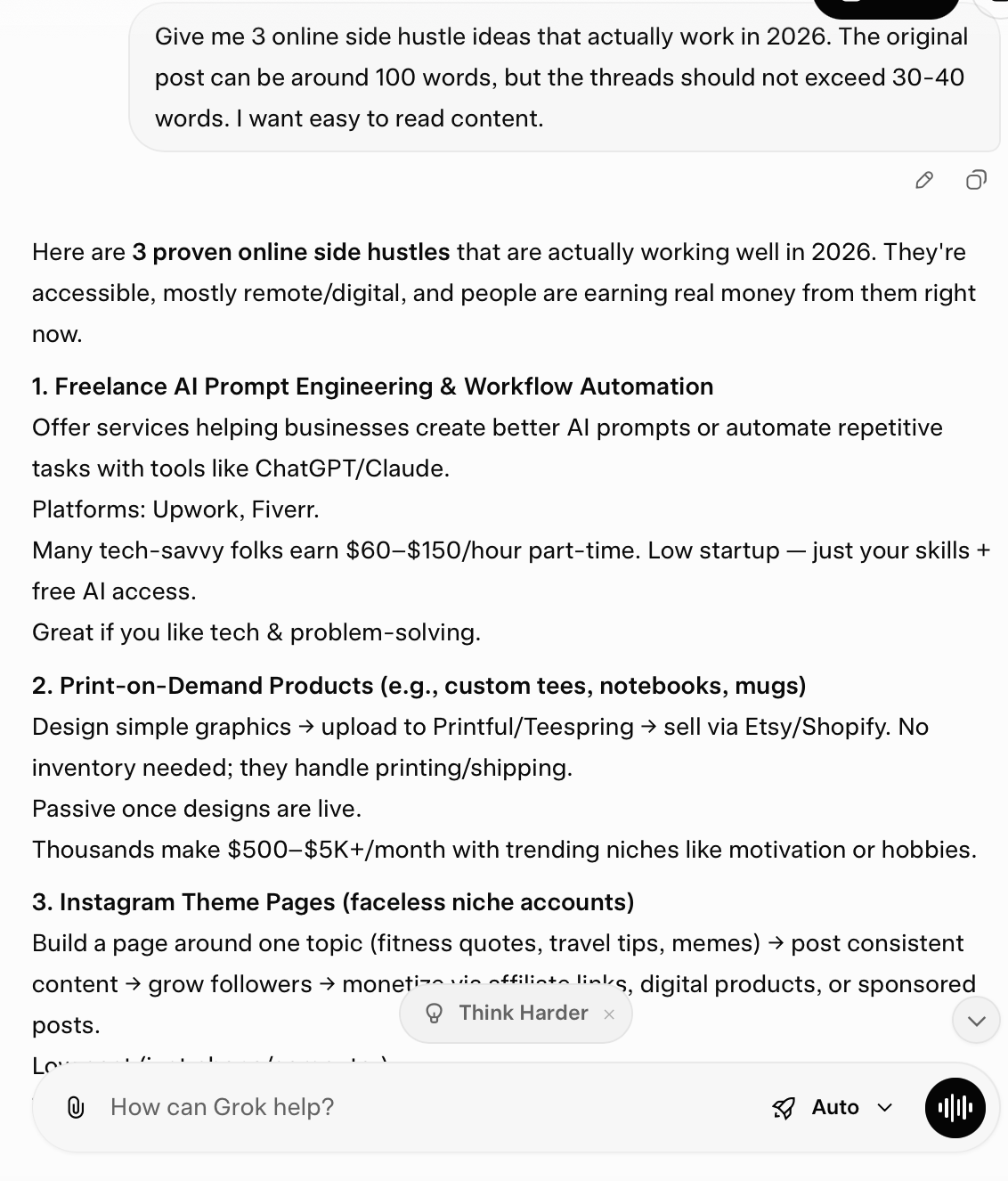

When you apply these practices, Grok AI becomes a valuable tool for structured threads. The tool helps you produce cleaner drafts and achieve more consistent content creation across your team.
📖 Also Read: Automate Workflows To Boost Productivity
Here are some common mistakes you should avoid when writing threads with Grok:
📖 Also Read: Brainstorming Techniques to Spark Creative Ideas
🧠 Did You Know? Grok accepts text or voice input, which can help when you want quick explanations during planning on mobile.
It is possible to use Grok AI effectively for thread creation, but it has certain limitations. Let’s discuss them below:
It can pull from public X posts and web sources, but it won’t magically surface private context or protected conversations. Treat it as outside-in research, not inside knowledge.
📖 Also Read: Content Workflow Software for Marketing Teams
It can pull from public X posts and web sources, but it won’t magically surface private context or protected conversations. Treat it as outside-in research, not inside knowledge.
📖 Also Read: Best Content Writing Services
Even a strong draft falls apart if feedback lives in DMs and the “final version” is whoever posted last. That’s a workflow problem, not an AI problem.
If you pair Grok with a simple review workflow, you get the speed without the chaos.
📖 Also Read: Best AI Productivity Tools
📽️ Watch a video: Struggling to keep up with content creation?
In this video, we’ll show you exactly how to use ChatGPT as your AI social media assistant:
Grok helps you draft your threads quickly, especially when you want quick answers or you want to check trending topics on X. But thread creation seldom ends at the draft. You still need a brief and a workflow that keeps your team aligned across platforms.
That’s where work sprawl shows up. With your thread plan in one app and your edits in another, you end up switching between multiple tools and wasting time.
On top of this, AI sprawl makes it worse. You draft in one AI tool and rewrite in the second tool, but in the process, you lose the context.
This is where a converged AI workspace like ClickUp helps. With ClickUp, you can eliminate both work and AI sprawl by embedding various tools directly into your workflows.
If you are looking for significant traction from X threads, prioritize a workflow with ClickUp that keeps ideas, drafts, and follow-ups in one place.
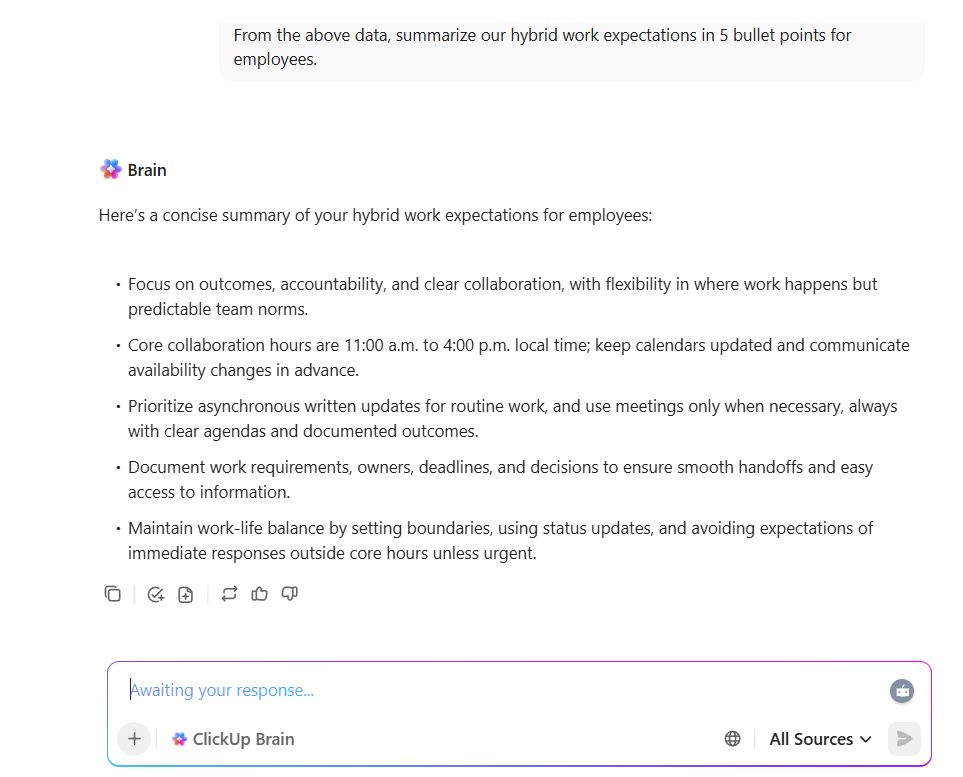
When you create X threads as part of campaigns, you need one system that connects your writing with execution. You hunt for notes and links, and then you repeat work because the details are split across tools.
ClickUp Brain gives you a workspace-first AI layer, where you can generate and keep knowledge tied to the work your team actually delivers. This matters for marketers and founders because the thread is not the only deliverable; you also need supporting assets and a schedule.
📖 Also Read: How To Use Grok To Boost Productivity in Business
✅ Here’s how ClickUp Brain can help you with thread creation:
Grok is great when you need live context from public X posts and the web. But a lot of thread creation is not trend-dependent. It’s pulling insights from your own work: customer notes, internal docs, launch messaging, support patterns, and campaign briefs.
That’s where ClickUp Brain earns its spot. It helps you turn your existing workspace context into a thread outline and draft without re-collecting inputs across tools.
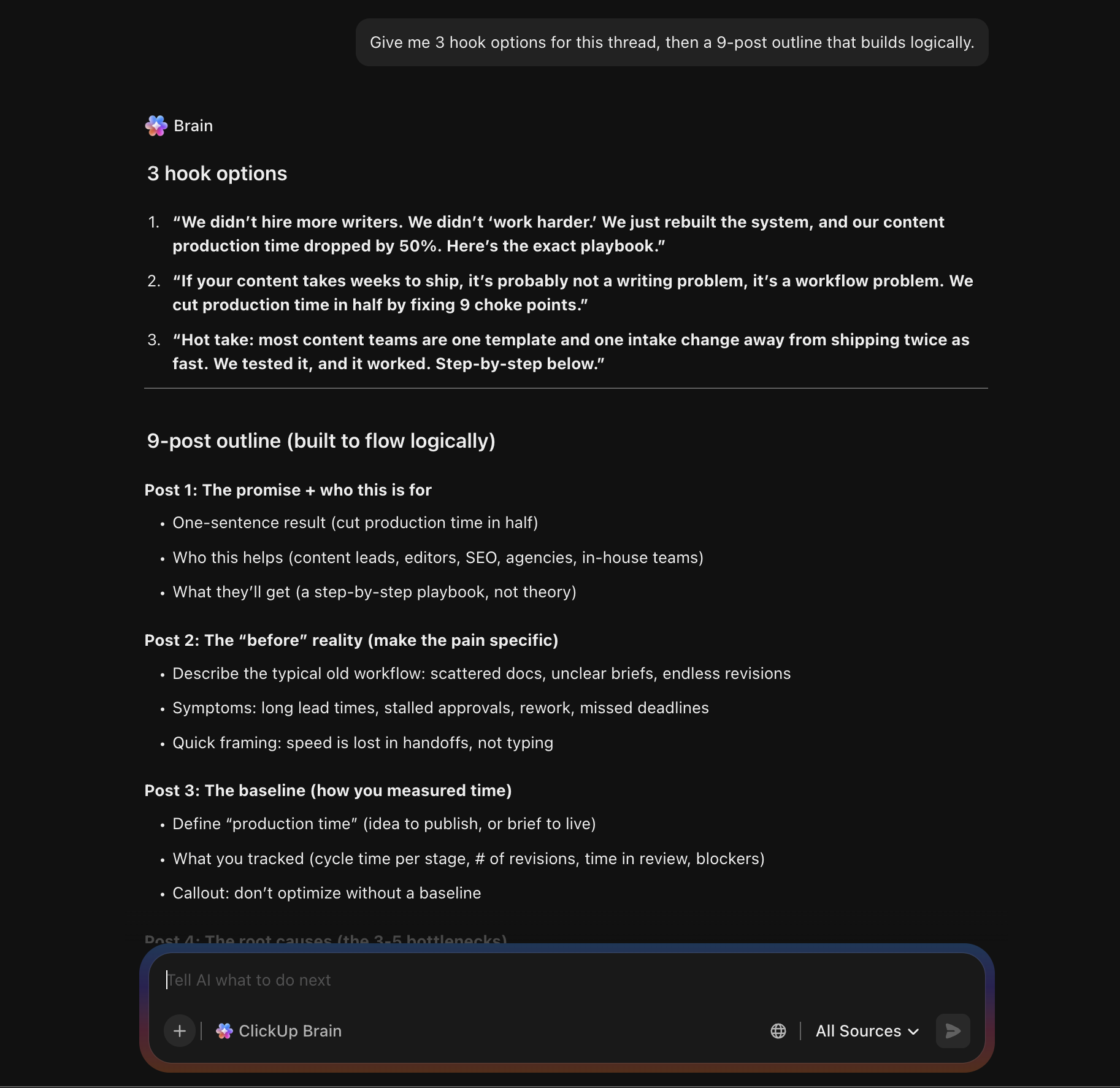
Use ClickUp Brain to generate a clean thread plan from the raw material you already have, like meeting notes, customer call summaries, product briefs, or a blog post draft.
Try prompts like:
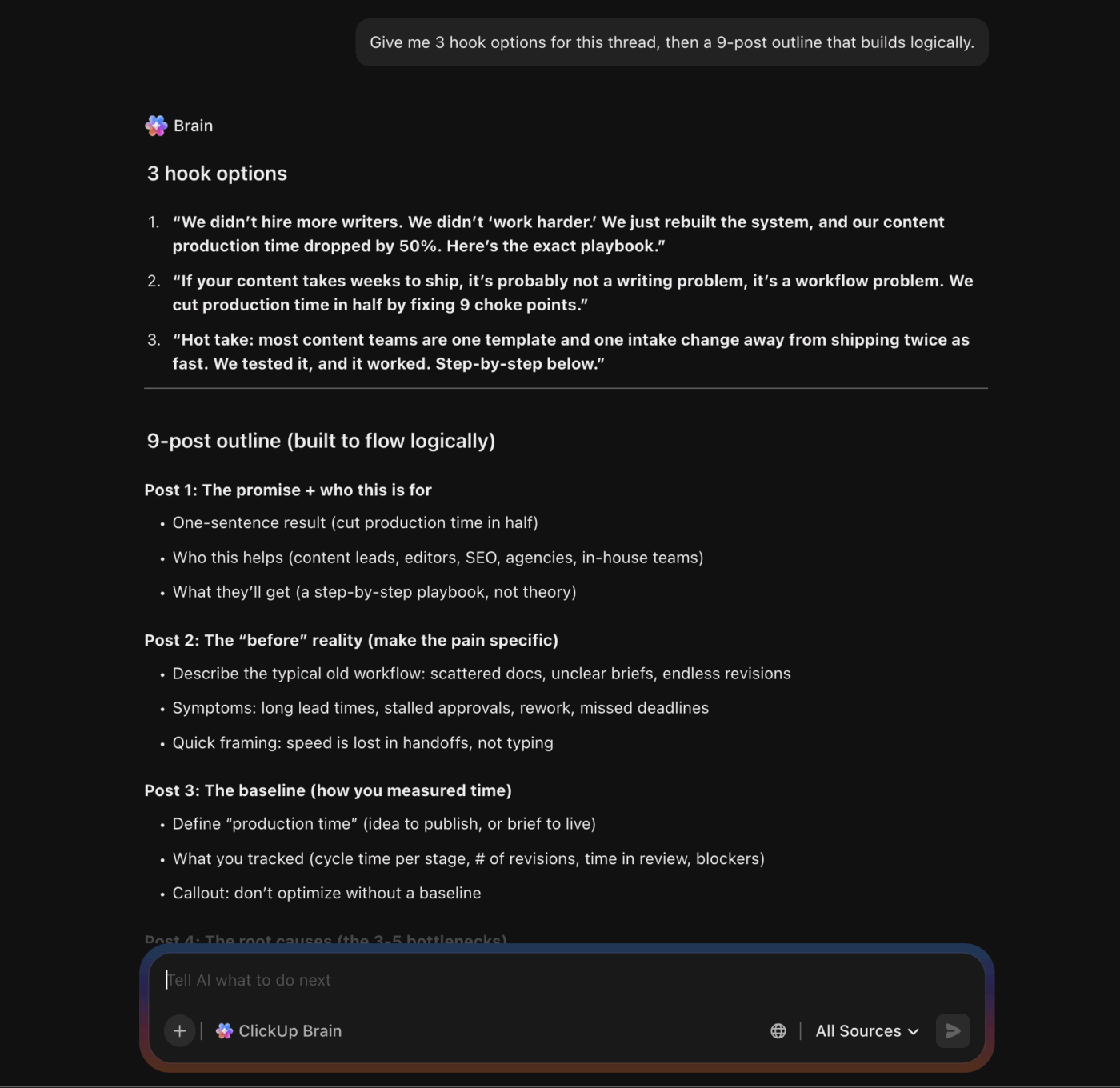
Once you have the outline, use ClickUp Brain to draft posts in your preferred style, then run quick quality passes before you ever paste into X.
Try prompts like:
If you publish often, the biggest win is reuse. Create a thread “starter” format inside your workspace, then ask ClickUp Brain to fill it based on the topic.
Example reusable formats:
Prompt:
💡Pro Tip: Build your thread brief in ClickUp Docs, then turn it into trackable work
ClickUp Docs lets you draft briefs and collaborate across teams in real time. It helps you convert content into tasks, so your writing and execution stay connected.
✅ Here’s a thread-ready workflow you should run inside a doc:
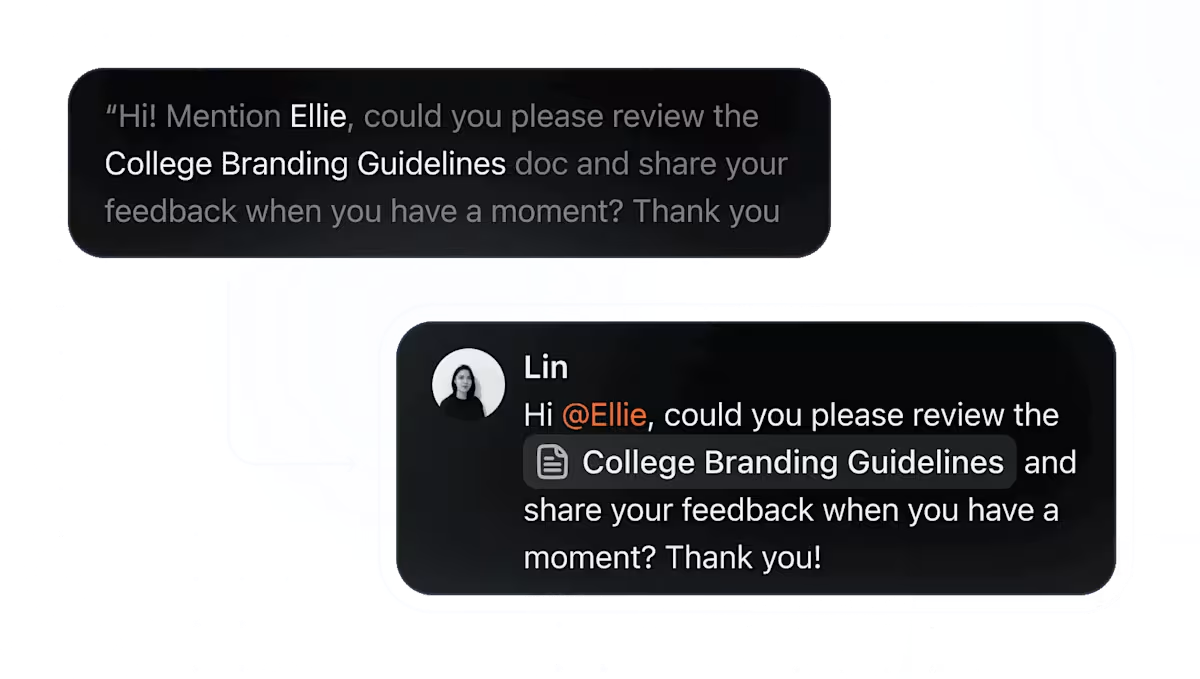
Grok can support quick drafting, but thread writing gets easier when your AI can work across multiple AI tools. With ClickUp Brain MAX, you can ask questions and chat with multiple AI models without switching apps. This helps when you write and edit across different thread types.
📖 Also Read: Grok Vs ChatGPT: Which Chatbot Wins
✅ Here’s how ClickUp Brain MAX can help you with thread creation:
💡Pro Tip: Use ClickUp AI Cards and ClickUp Dashboards to keep thread production review-ready
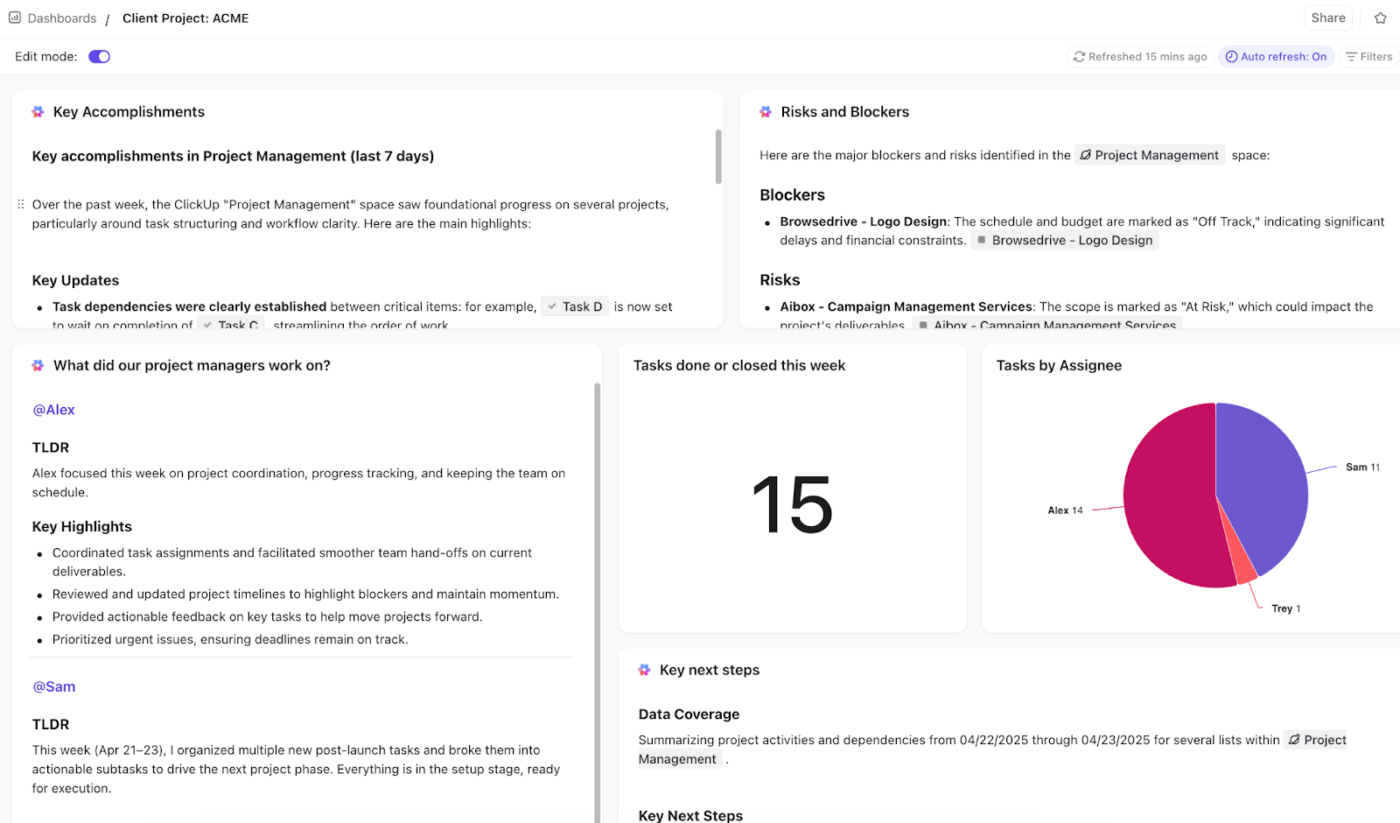
ClickUp’s AI Cards let you generate AI-powered reports on ClickUp Dashboards and Overviews using context from your team’s work, so you can see what is ready to publish and what needs fixes.
✅ You can keep a thread dashboard that tracks:
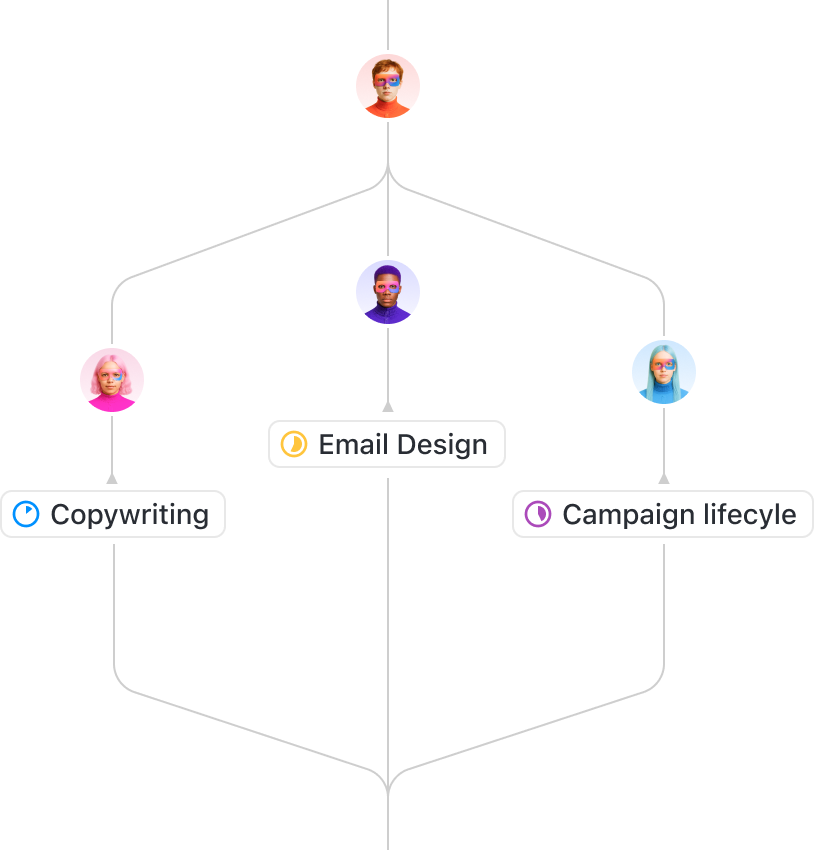
If you only use Grok AI for your X thread drafts, your quality checks depend on who reviews the thread on that day. One thread may read sharp, while another may repeat points. That may lead to inconsistency, and the team ends up spending a lot of time fixing instead of creating.
ClickUp Super Agents are designed to handle busywork while you work, so you can systematize checks like structure and clarity using the same workspace. Maintaining this consistency is crucial for teams when you’re publishing multiple posts and threads under a brand or account.
✅ Here’s how ClickUp Agents can help you with thread creation:
💡 Pro Tip: Keep thread decisions inside ClickUp Chat so you don’t lose context
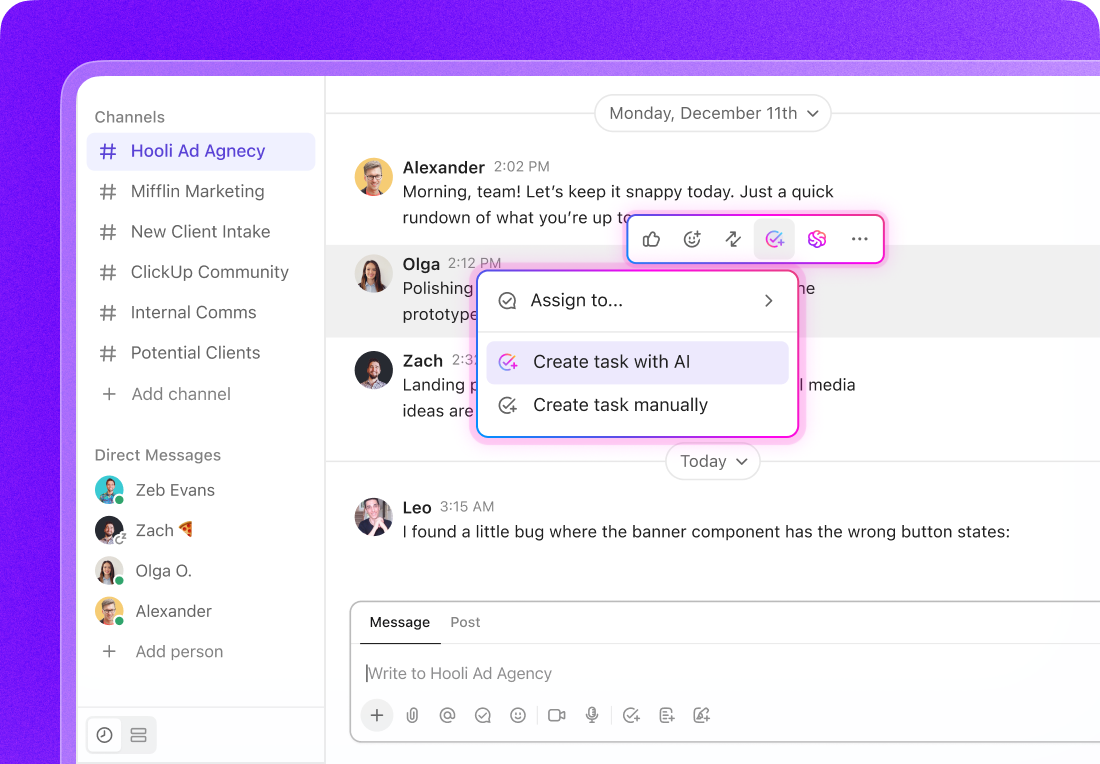
ClickUp Chat can be connected to your work, where conversations link back to tasks and docs. This helps when you’re creating X threads for multiple topics across your team.
✅ You should route feedback through ClickUp Chat when:
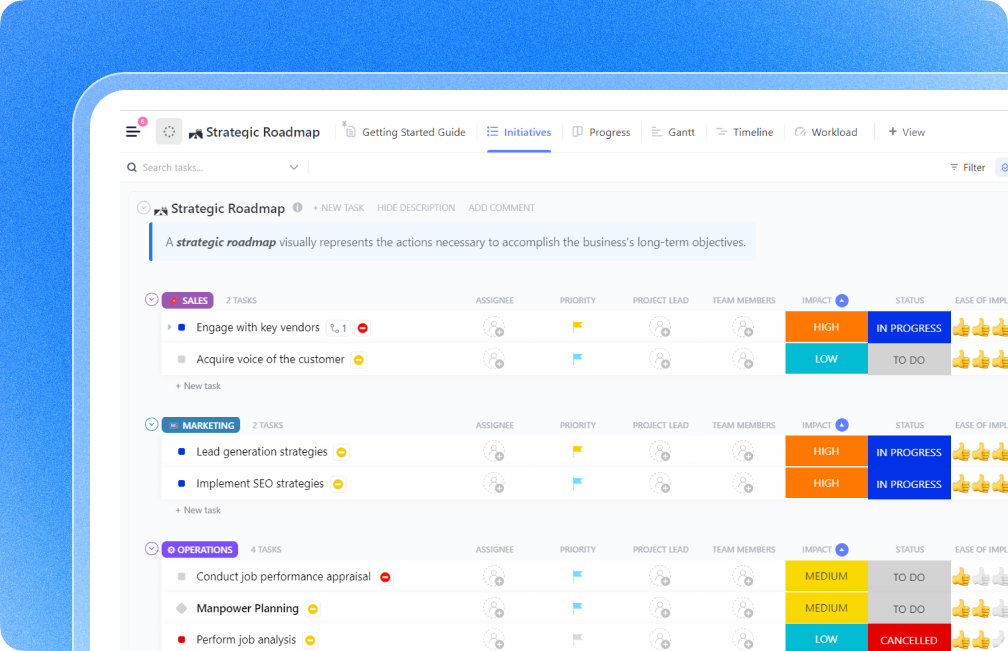
When you draft threads in Grok AI, you can move quickly from an idea to a draft. The problem shows up when you still need a system for ownership and reviews. Or when your thread turns into a one-off post.
ClickUp brings planning and execution into the same workflow by connecting ClickUp Tasks, ClickUp Docs, and ClickUp Automations. Here, ClickUp Tasks keep every post and update accountable, while with ClickUp Docs, you can hold the brief and sources in one place. Additionally, ClickUp Automations removes manual handoffs so you keep momentum even when the team is busy.
This is significant because a thread that gets traction usually goes through multiple follow-ups and stakeholder questions. ClickUp gives you one unified workspace with multiple tools and benefits, for your ideas to convert into an excellent working draft.
📖 Also Read: Grok Alternatives and Competitors
✅ Here’s how ClickUp can help you plan and ship thread campaigns:
💡Pro Tip: Plan your thread calendar with ClickUp’s Social Media Template
Even after you pick the right AI tool for drafting, X thread creation can stay inconsistent if every teammate plans posts in their own way. You may end up rewriting the same ideas or losing track of what is ready to post.
ClickUp’s Social Media Template gives you a consistent structure to plan content in one place. It helps you create a unified plan for all your social channels and streamline collaboration between team members.
🌻 Here’s how this template can help:
Grok AI can generally help you brainstorm ideas and summarize what’s trending. It can also help you draft threads faster, especially when you need updated answers from live data on the web.
But if threads are part of your content creation engine, the bigger challenge is keeping context and follow-ups organized, which helps your posts stay consistent and campaign-ready.
That’s where ClickUp becomes the ideal Grok AI replacement. With ClickUp, you get to keep research, briefs, drafts, tasks, reviews, and scheduling in one converged AI workspace. This makes your team spend much less time fixing avoidable issues and more time creating threads that earn traction with the right audience.
If you want a repeatable way to plan, draft, review, and ship threads without losing momentum, sign up for ClickUp now ✅.
When you are writing threads for X, start by telling Grok AI the exact audience and your goal. Then talk about the angle, and ask Grok to pull up-to-date answers from public X posts and a real-time web search if the topic depends on trends.
The best prompt gives Grok clear constraints regarding tone, thread length, and proof sources, plus a request for real-time internet access when you need live data. Grok can also respond in the conversational style you specify, so you should lock that in early.
Yes, you can ask Grok to respond in a style you choose, so you can get witty replies without losing clarity. However, make sure to verify facts before you post.
For keeping voice consistent while using Grok, paste a short “voice guide” at the top of the conversation. Then ask Grok to rewrite each post in that same voice, not to invent a new one per draft. Keep one thread topic per conversation, and start a new conversation when you change audience or campaign.
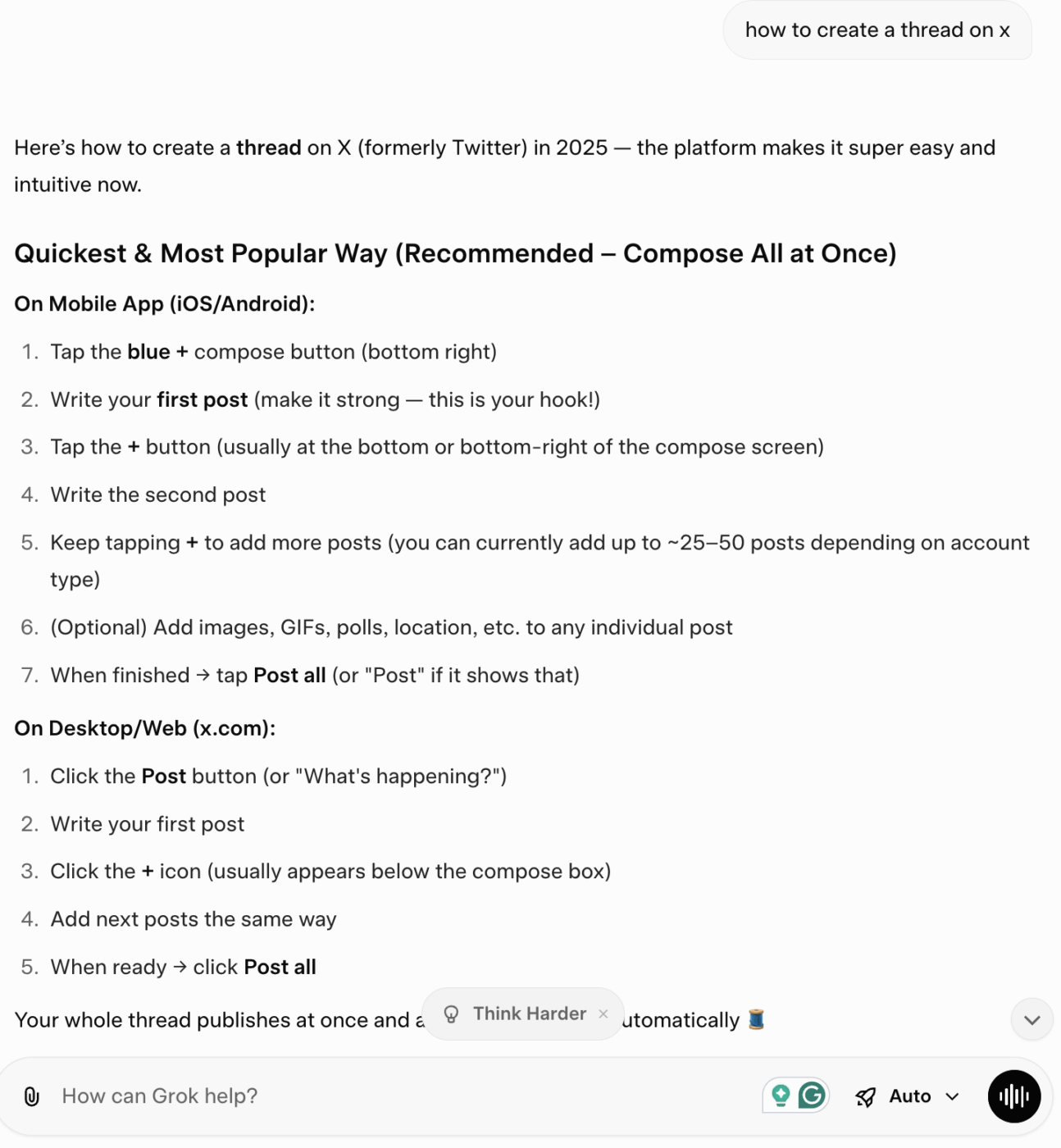
Ask Grok to generate the thread as numbered posts, each under 280 characters. Instruct it to have one idea per post and a clear transition line. Then paste it into X using the compose flow and the plus icon to add posts, and hit “Post all” when it’s ready. This is the cleanest way to move from a draft to a formatted thread on X.
ClickUp can replace Grok for end-to-end thread production because you can draft briefs in docs, track tasks, and manage approvals in one workspace, instead of splitting work across tools.
ClickUp Brain and Brain MAX add AI support inside that workflow, so you keep context tied to the work you ship. Grok is strong for live search and quick answers, but it does not run your campaign workflow.
With ClickUp, you can dictate hooks and drafts with Talk to Text in ClickUp Brain MAX, and it handles the typing and editing, so you save time. You can also summarize tasks and doc activity, and pull key points into your thread outline without digging through old conversations.

© 2026 ClickUp

There’s an easier way. Try a free AI Agent in ClickUp that actually does the work for you—set up in minutes, save hours every week.