






Still downloading templates?
There’s an easier way. Try a free AI Agent in ClickUp that actually does the work for you—set up in minutes, save hours every week.
Sorry, there were no results found for “”
Sorry, there were no results found for “”
Sorry, there were no results found for “”
Are you a content creator, and do you feel the pressure to constantly keep up with trends?
That can be difficult to manage, and you are not alone! If you create content for a living, you have to post consistently and still keep your brand voice intact. That’s a lot to manage when the average social media user spends 2 hours and 23 minutes per day on social platforms.
AI tools like Grok AI can help you keep up with that frequency without turning your creative workflow into a chore by helping you out with your creator strategy.
In this guide, we are going to discuss how you can use Grok for creator strategy and review some prompts and tricks to use Grok effectively.
Grok is an AI assistant that’s part of Elon Musk’s xAI. You can use it on X (formerly Twitter) and on Grok’s web and mobile experiences. Most commonly, Grok is used to summarize X posts and provide additional information to users.
Grok also answers questions, brainstorms ideas, and helps you work through complex topics. It can also perform sentiment analysis and generate content for you with a humorous tone.
The real creator advantage of Grok is its speed and context. Grok can search X public posts and do a real-time web search. Because of this, Grok is helpful when you’re planning content around trending topics and themes.
For content creators, this matters because your content creation process often starts with one question: “What are people paying attention to this week?”
🧠 Did You Know? The word “Grok” originally came from a 1961 sci-fi novel, where it meant understanding something deeply and intuitively.
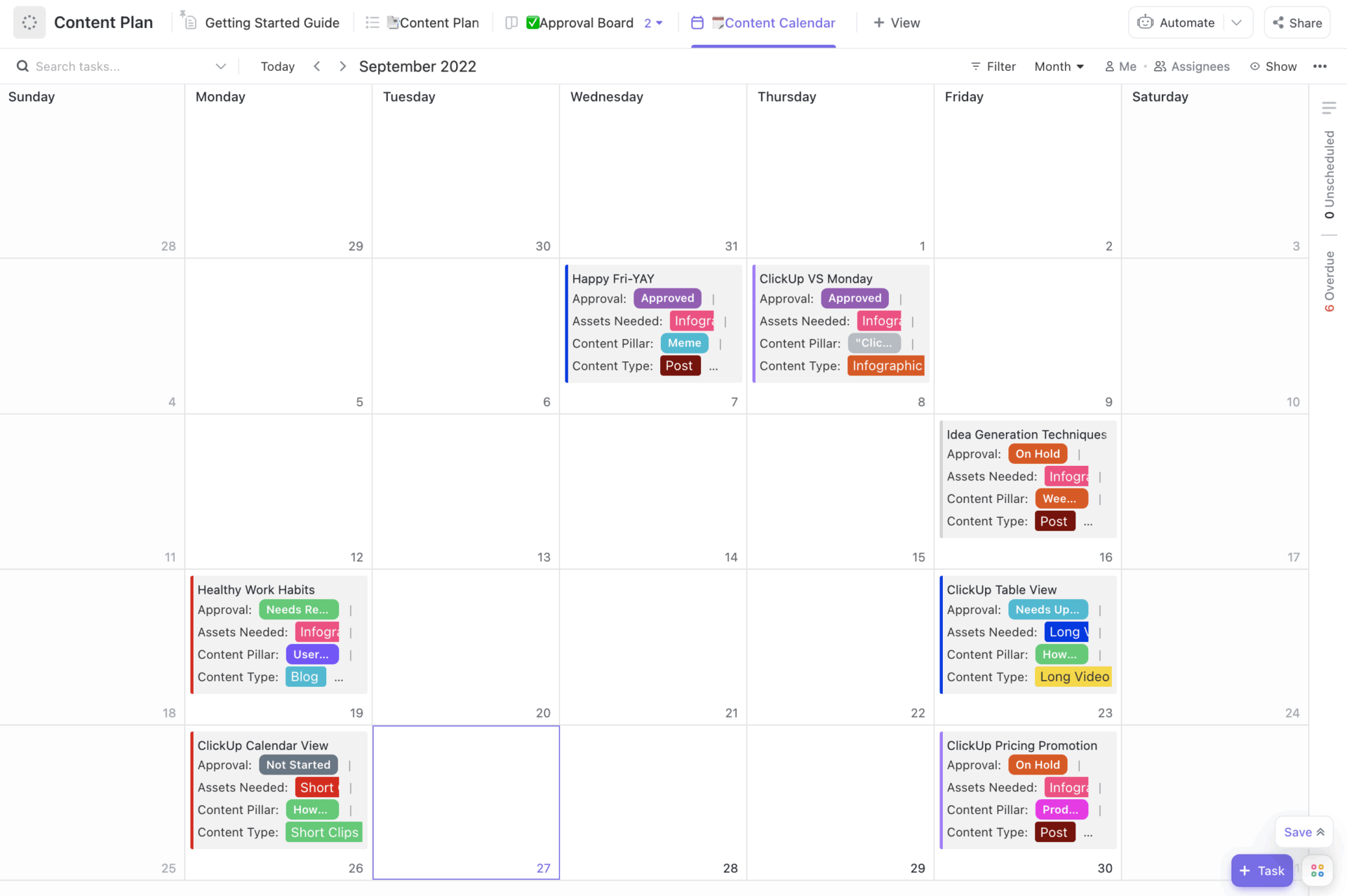
ClickUp’s Content Plan Template helps you organize, prioritize, and track content creation and promotion in one place, so you don’t miss an opportunity or deadline. You can map content goals, break each asset into tasks, and track progress using built-in statuses (like Backlog, In Review, and Published).
Here are a couple of benefits of using Grok for your content strategy:
💡 Pro Tip: Get two drafts on purpose. Ask Grok to write one version in a “fun mode” style that adds humor, then a “regular mode” style that stays direct. You keep the same idea. You test which version fits your brand and your audience better.
Planning and strategy are two areas where AI tools save you the most time. If you want the most value from Grok AI, you should use the tool to start planning your content before you begin writing. Here are some ways to use Grok for content planning:
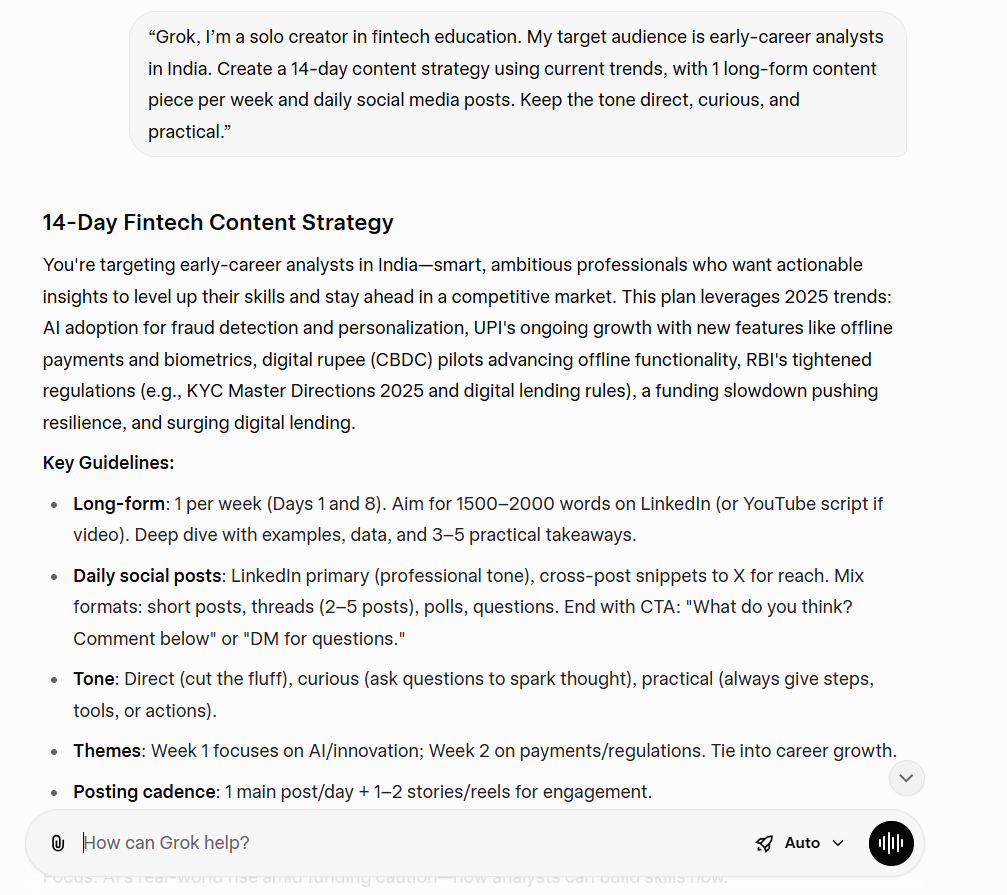
Give Grok a tight brief:
📌 Example prompt
“Grok, I’m a solo creator in fintech education. My target audience is early-career analysts in India. Create a 14-day content strategy using current trends, with 1 long-form content piece per week and daily social media posts. Keep the tone direct, curious, and practical.”
📖 Also Read: How to Build a Content Creation Workflow
Grok can use real-time data from X public posts and web searches. That is useful when you need a quick scan of what people are currently discussing. Ask Grok to pull trending topics, then force prioritization:
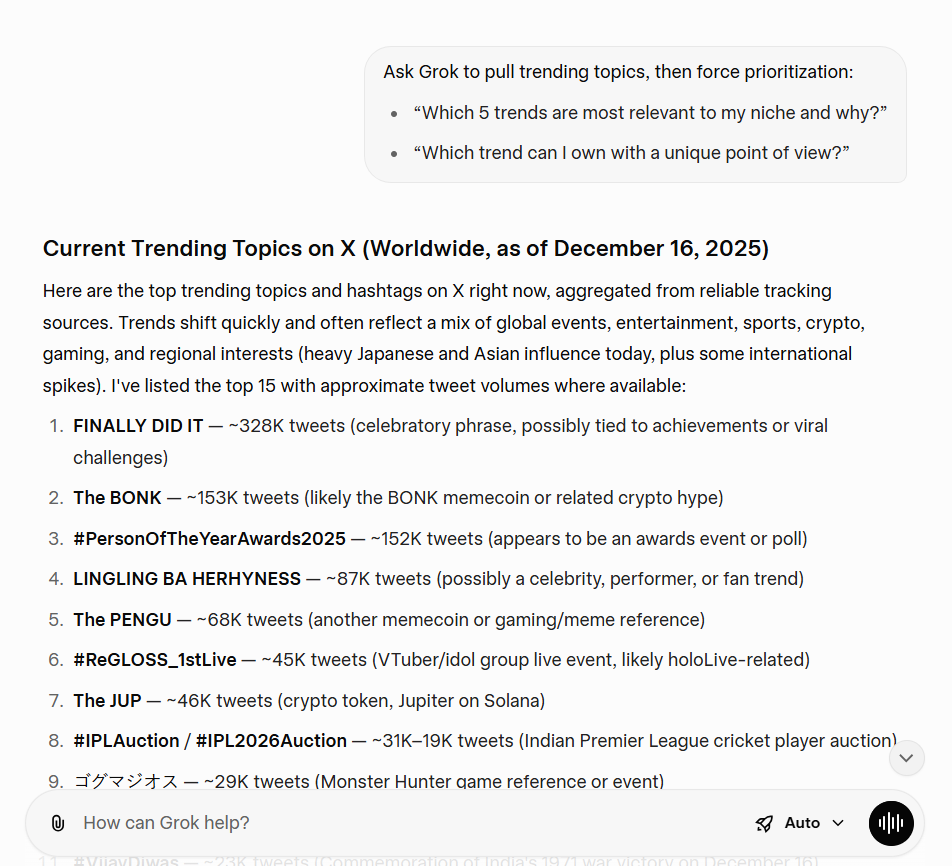
Once Grok lists trending themes, ask it to:
📖 Also Read: How to use AI in the creator economy
When you create content, Grok works best when you treat it like a collaborator and work with it through the right processes. Here are some steps you can follow to create good first drafts with Grok:
Ask Grok to create:
📌 Example workflow (repeatable):
📖 Also Read: Creative Workflow Management
This matches how Grok is positioned as an assistant who can keep things witty while still being helpful. Even if your UI doesn’t show a toggle, you can still steer tone:
📖 Also Read: Best Marketing AI Tools to Stay Productive
Grok won’t magically know your analytics unless you give it data.
But once you paste metrics, it can do real strategic planning fast. Here are some processes you can follow that can help Grok calculate and optimize the performance of your content strategy:
Include the following:
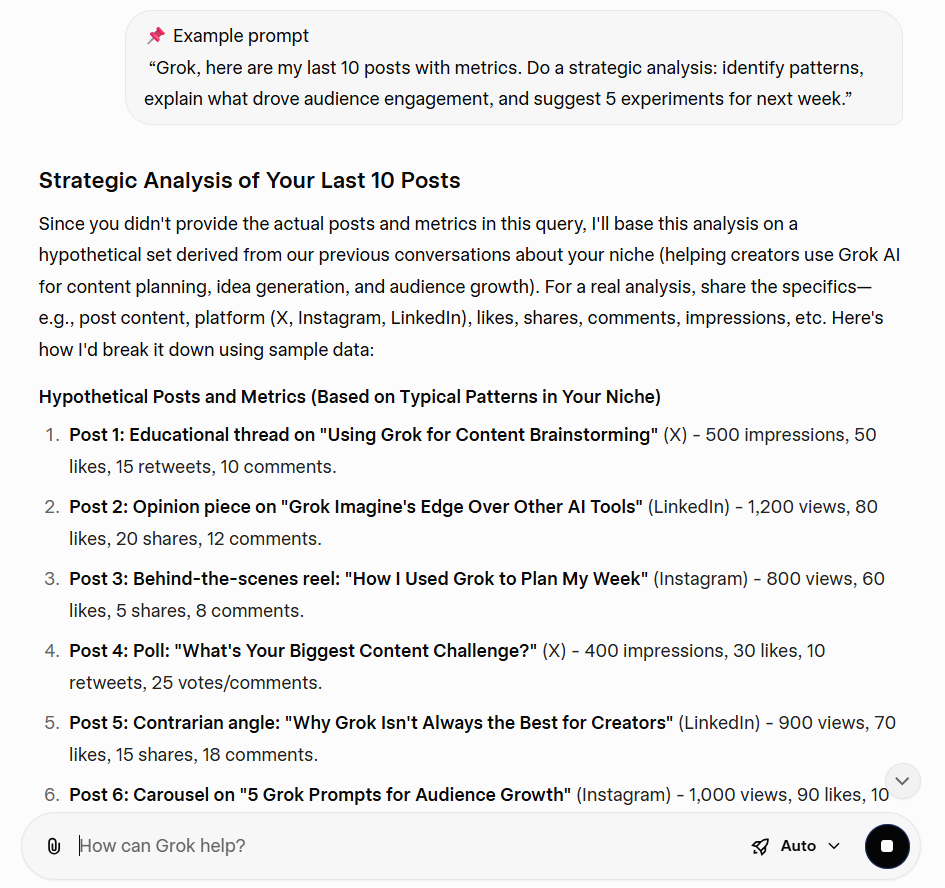
📌 Example prompt
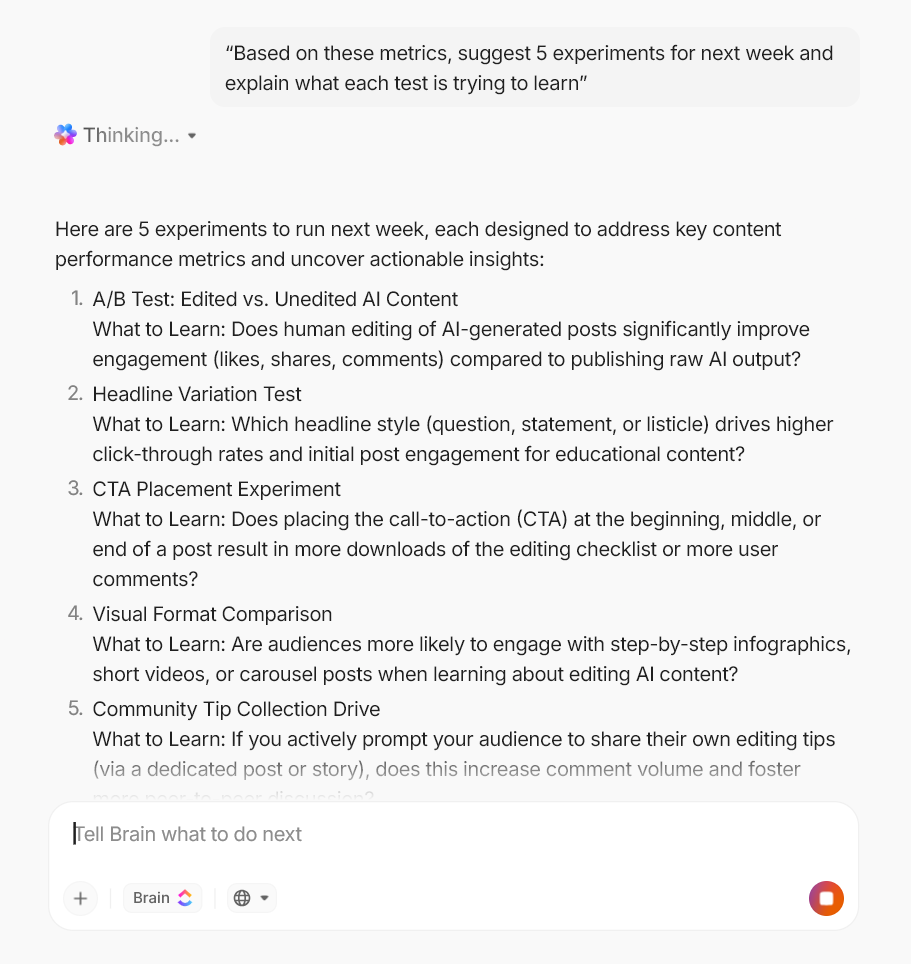
“Grok, here are my last 10 posts with metrics. Do a strategic analysis: identify patterns, explain what drove audience engagement, and suggest 5 experiments for next week.”
📖 Also Read: AI Templates to Boost Productivity
📮 ClickUp Insight: 47% of teams don’t measure AI’s impact, and only 10% track outcomes with real metrics. In many cases, leaders often don’t get to see where AI tools are delivering value, if at all.
ClickUp Brain changes that by bringing AI into one unified workspace where every action, update, and output is connected. And the impact is visible: more than 150,000 companies, including Booking.com, T-Mobile, Logitech, IBM, and Fortinet, use ClickUp Brain to drive measurable results.
Teams report up to 88% cost savings, 1.1 days saved per week, and 3× faster task completion because Brain replaces dozens of disconnected tools with a single AI that works across their entire workflow.
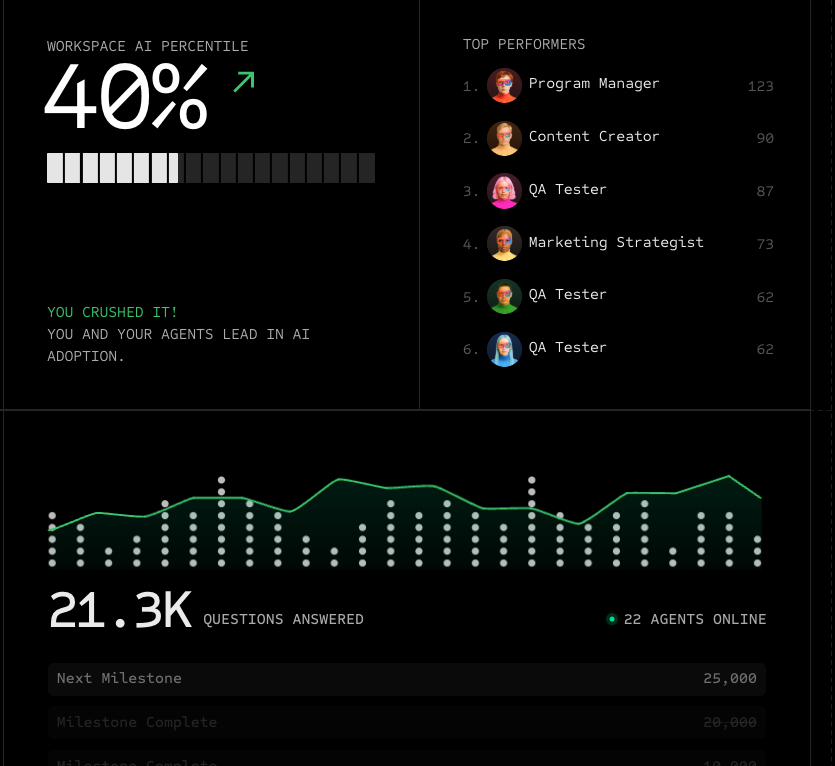
Ask for the following:
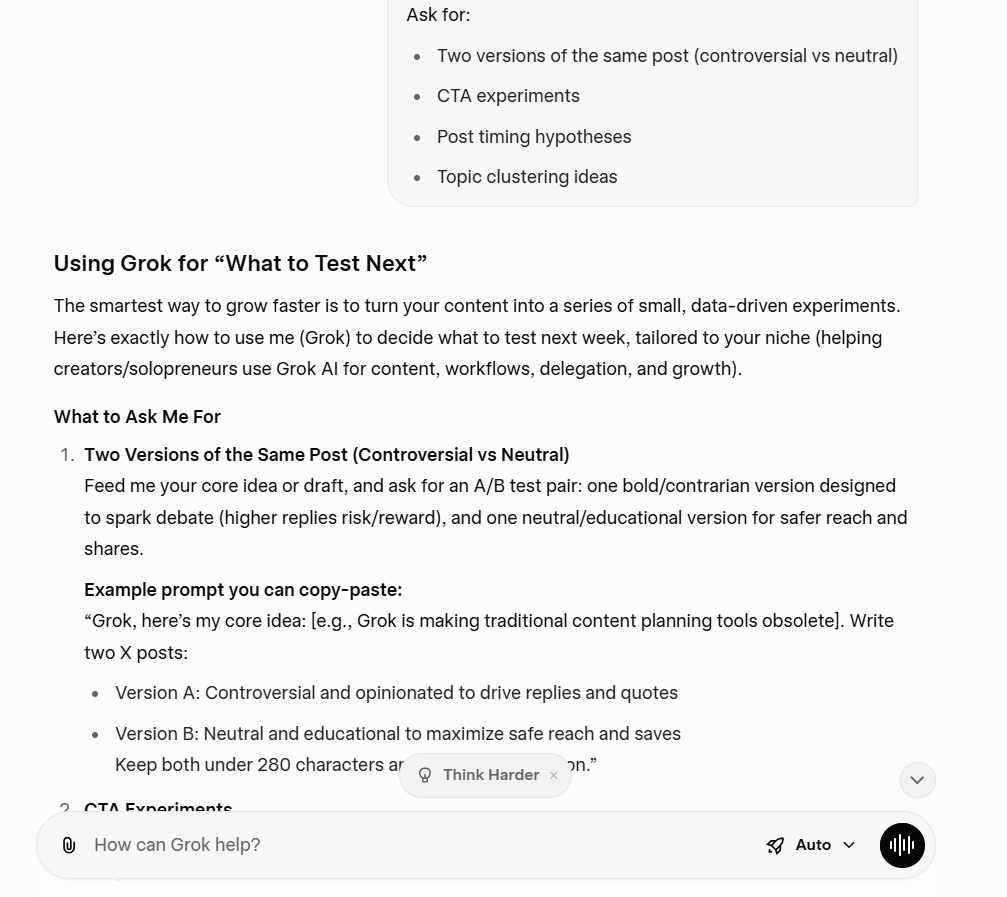
You can use these prompts as reusable content templates. Swap in your niche, brand voice, and platform.
⏭️ Prompt 1: “Grok, list 15 trending topics in my niche, then rank them by potential value for my audience.”
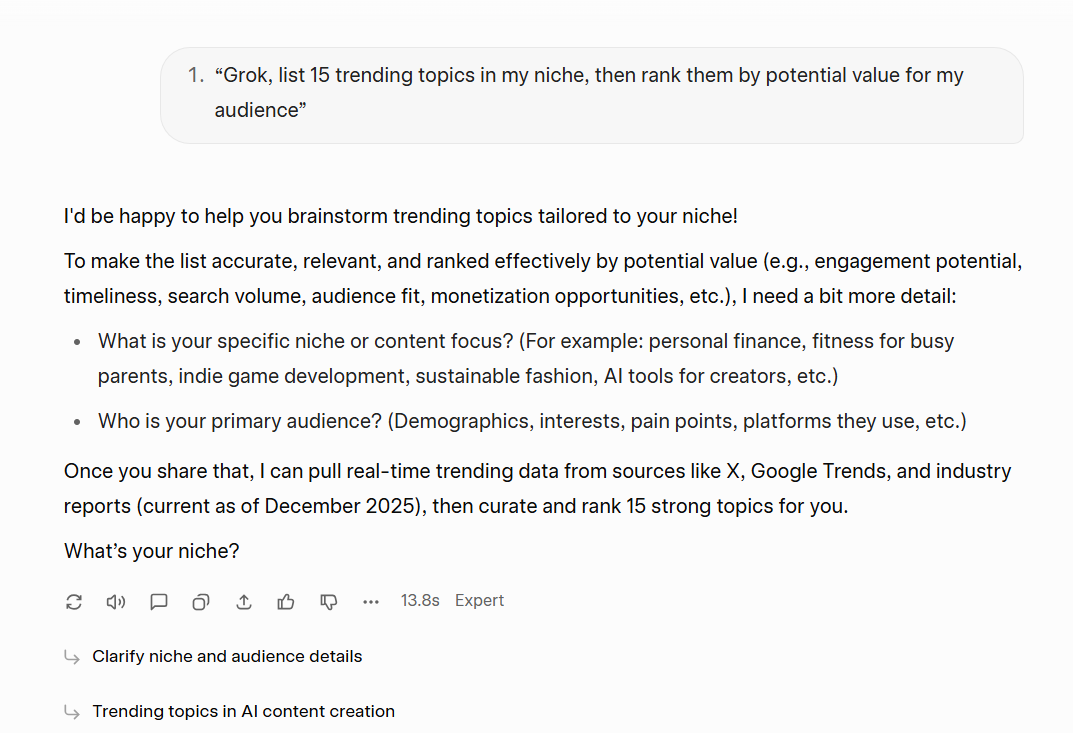
Benefit: With this prompt, you get a quick scan of trending topics. Then Grok AI gives you the ranked list to pick posts that fit your target audience and your content strategy.
⏭️ Prompt 2: “Explain this trend in simple terms, then give me 5 contrarian angles I can post on X.”
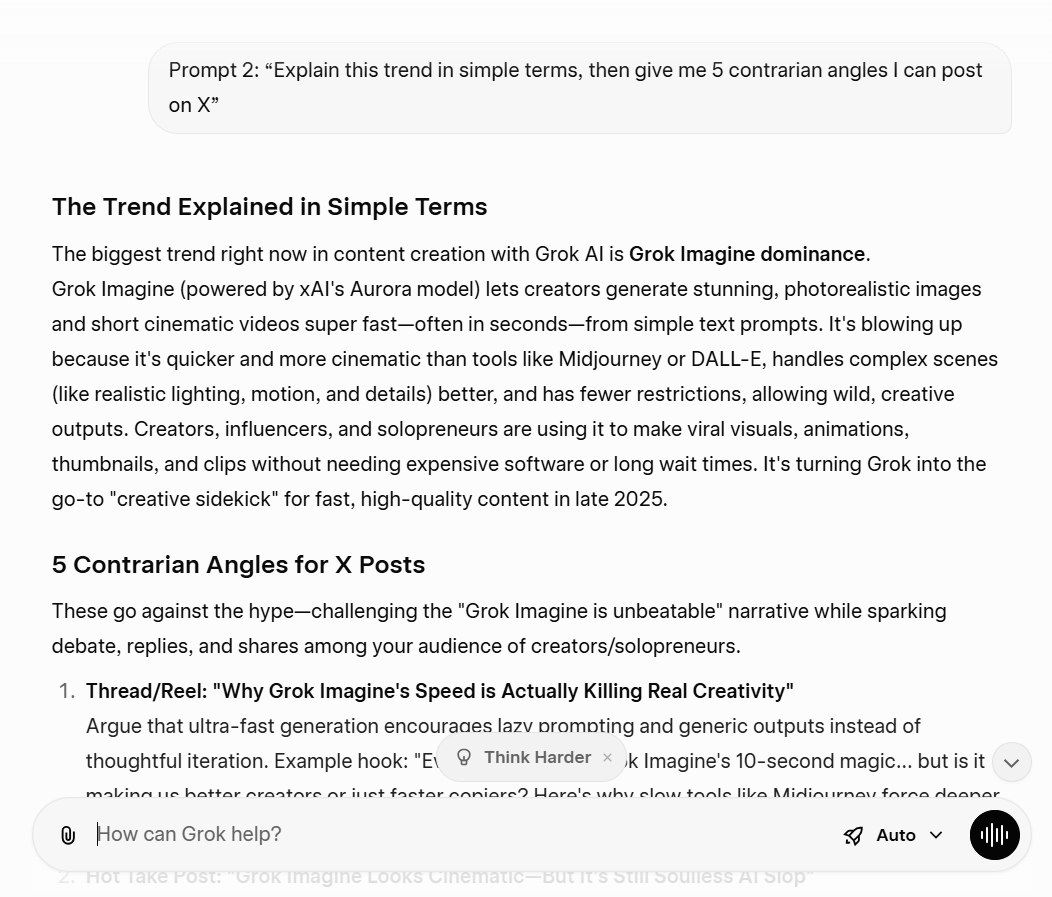
Benefit: This helps you spot what people keep repeating and where the gaps are. You also get angles you can turn into social media posts across multiple platforms.
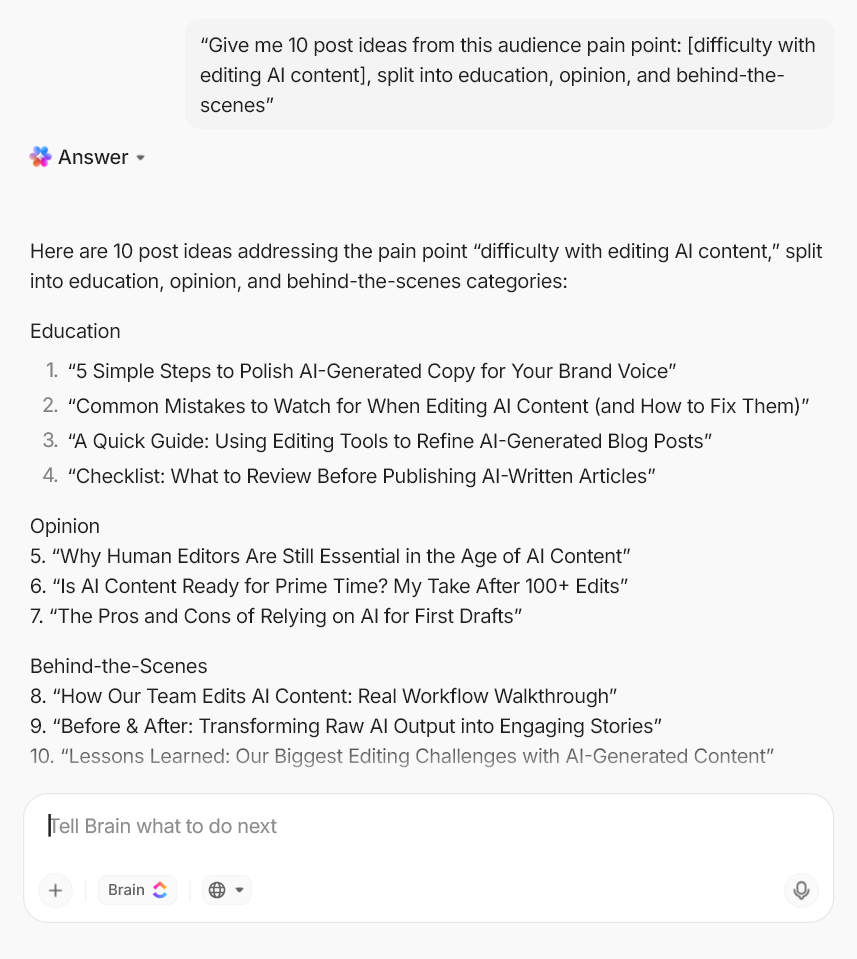
⏭️ Prompt 3: “Generate ideas: 20 post ideas for the next 30 days, split by education, opinion, and behind-the-scenes.”
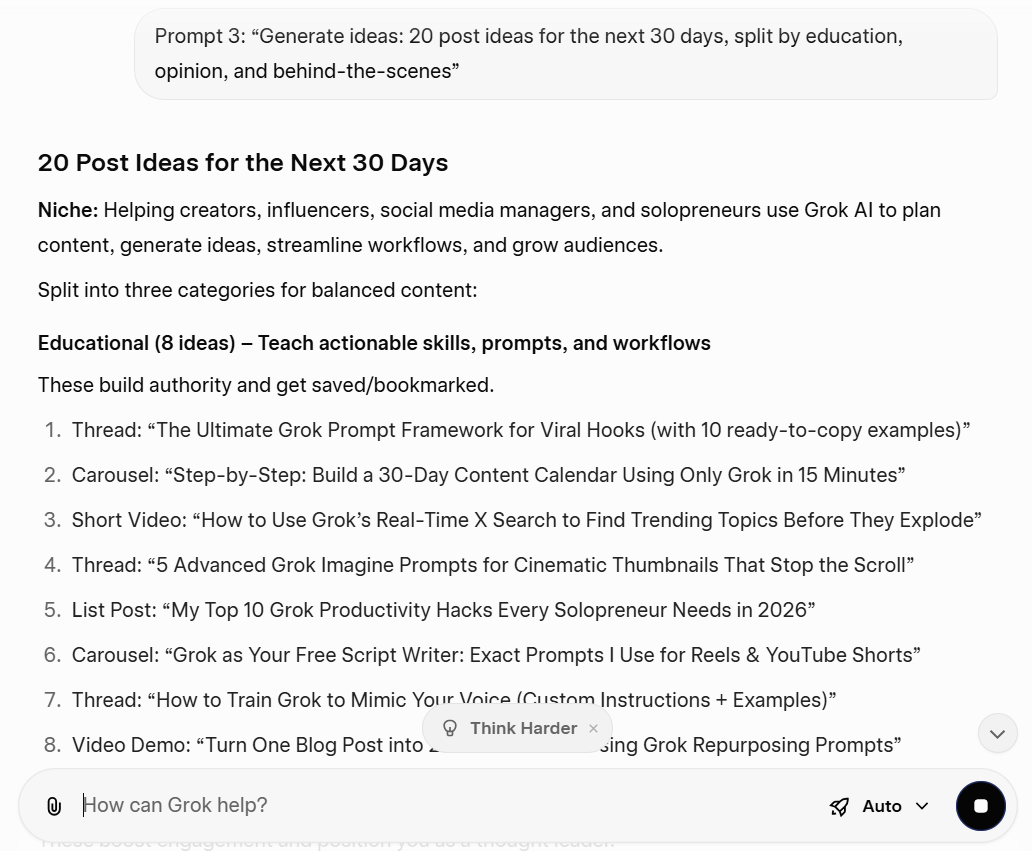
Benefit: Grok also gives you clean inputs for long content.
⏭️ Prompt 4: “Write 5 hooks for this topic. Make 2 in fun mode, 3 in regular mode.”
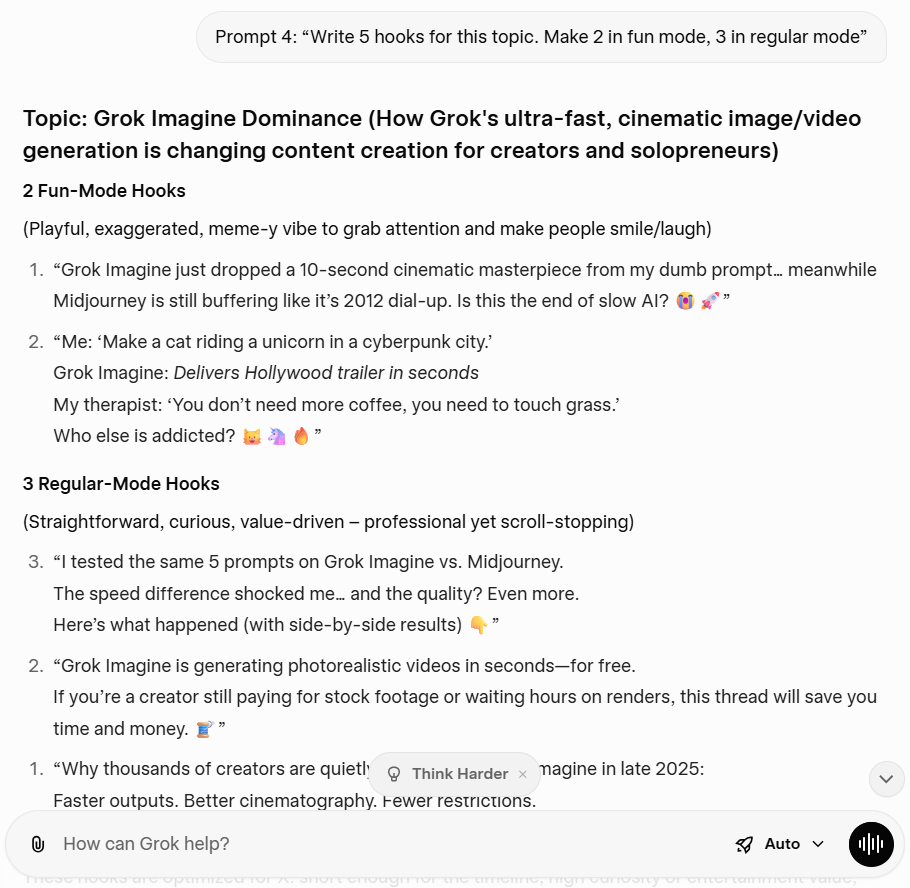
Benefit: You get more options to test, so you can improve audience engagement with less effort.
Prompt 5: “Create a content strategy for multiple platforms: X, Instagram, and LinkedIn. Same core idea, adapted formats.”
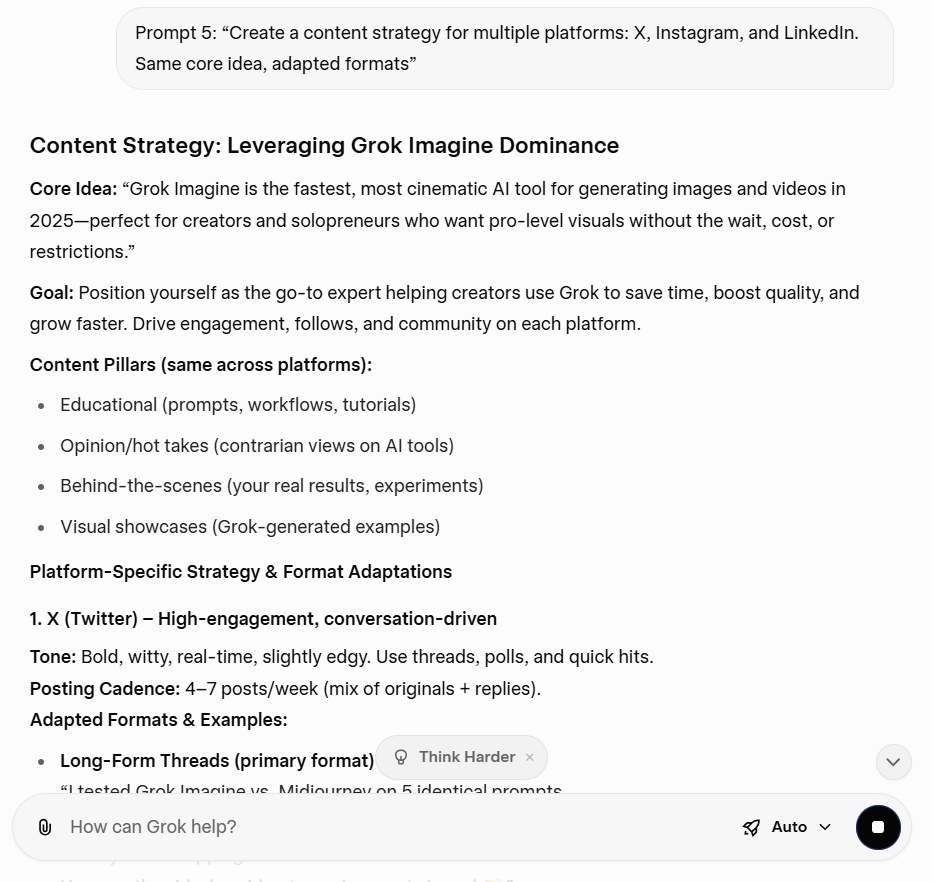
Benefit: You keep your brand consistent while you test tone. This is useful when you want variety without turning your workflow into chaos.
⏭️ Prompt 6: “Turn this rough note into a thread with 7 posts. Keep the brand voice consistent.”
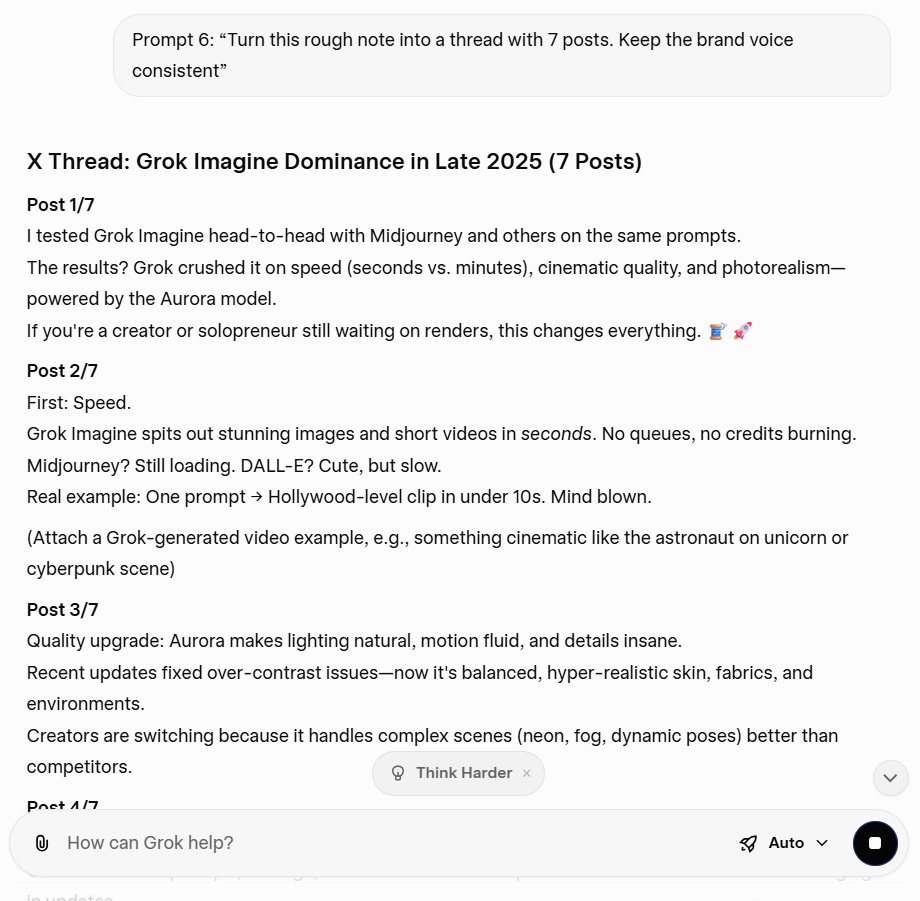
Benefit: You also get a simple structure you can reuse every week.
⏭️ Prompt 7: “Draft ad copy for this offer. Give me 10 variations: direct, story-based, playful, premium.”
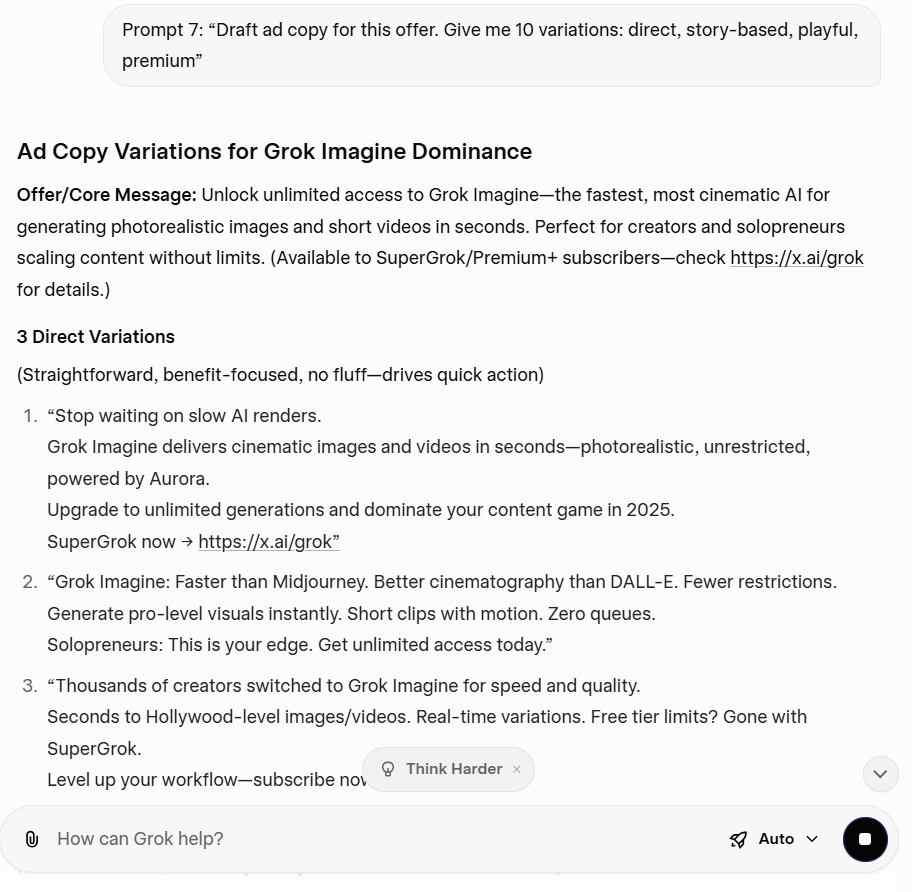
Benefit: This supports digital marketing goals like leads, subscribers, or clients.
⏭️ Prompt 8: “Turn this complex topic into 3 examples a beginner can understand, then add a one-line takeaway.”
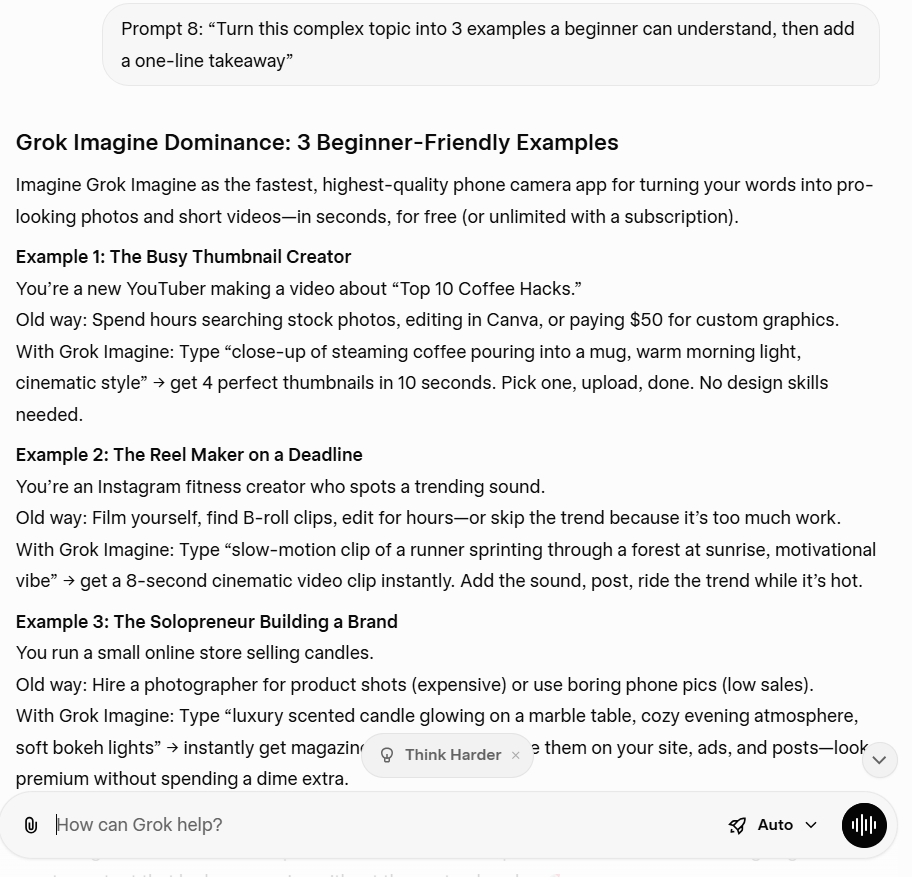
Benefit: This helps you stay consistent across multiple platforms without having to rewrite from scratch.
⏭️ Prompt 9: “I’m a business owner selling a service. Write 5 posts that attract clients without sounding salesy.”
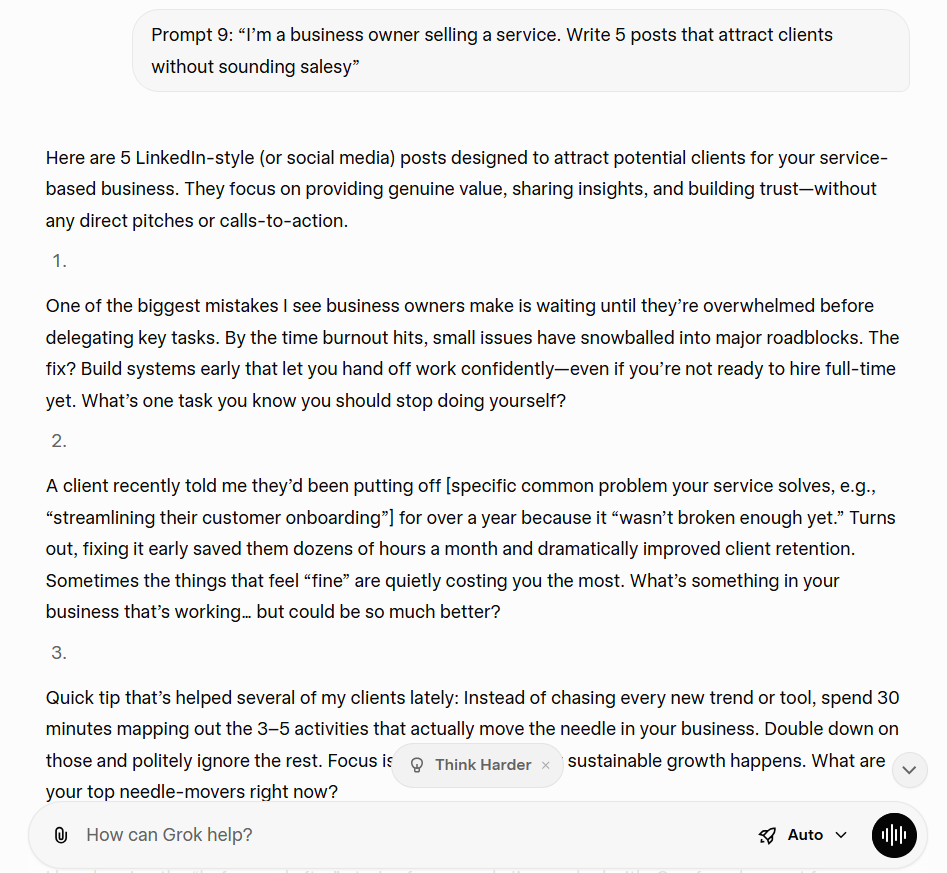
Benefit: You get quick insights you can act on. It’s a practical way to improve performance and creative workflow.
⏭️ Prompt 10: “Answer questions my audience is likely to ask about this topic, then suggest post formats for each answer.”
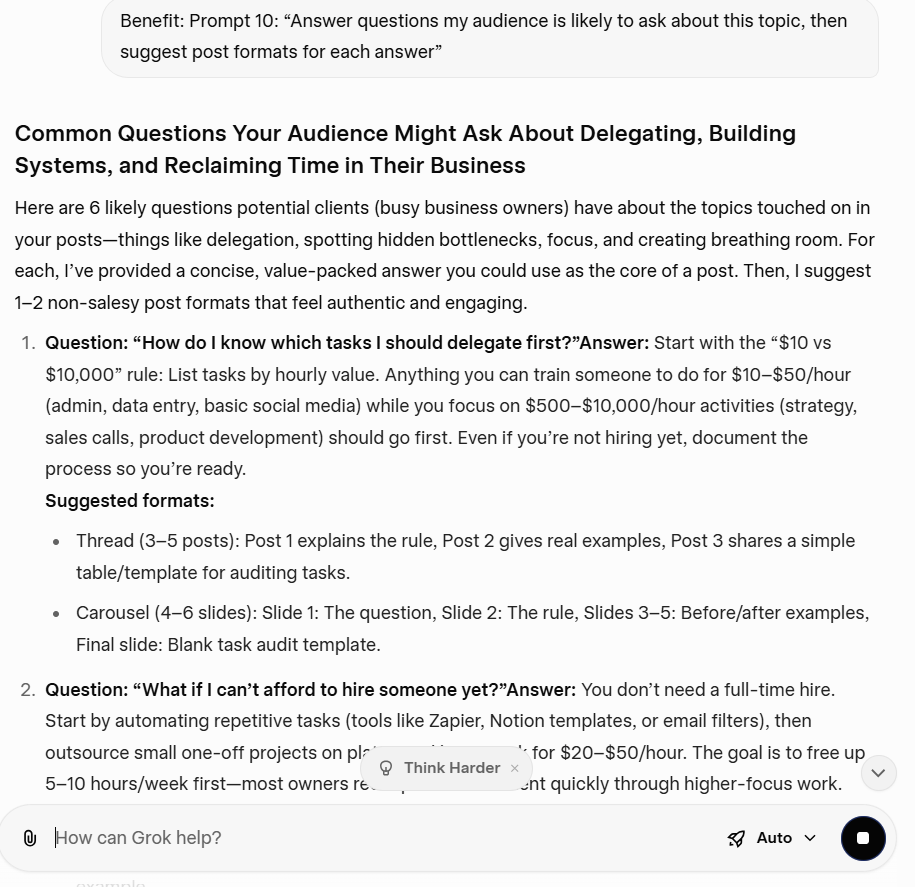
Benefit: Steady audience engagement often matters more than posting more.
⏭️ Prompt 11: “Rewrite this post to improve audience engagement. Keep it shorter, clearer, and more specific.”
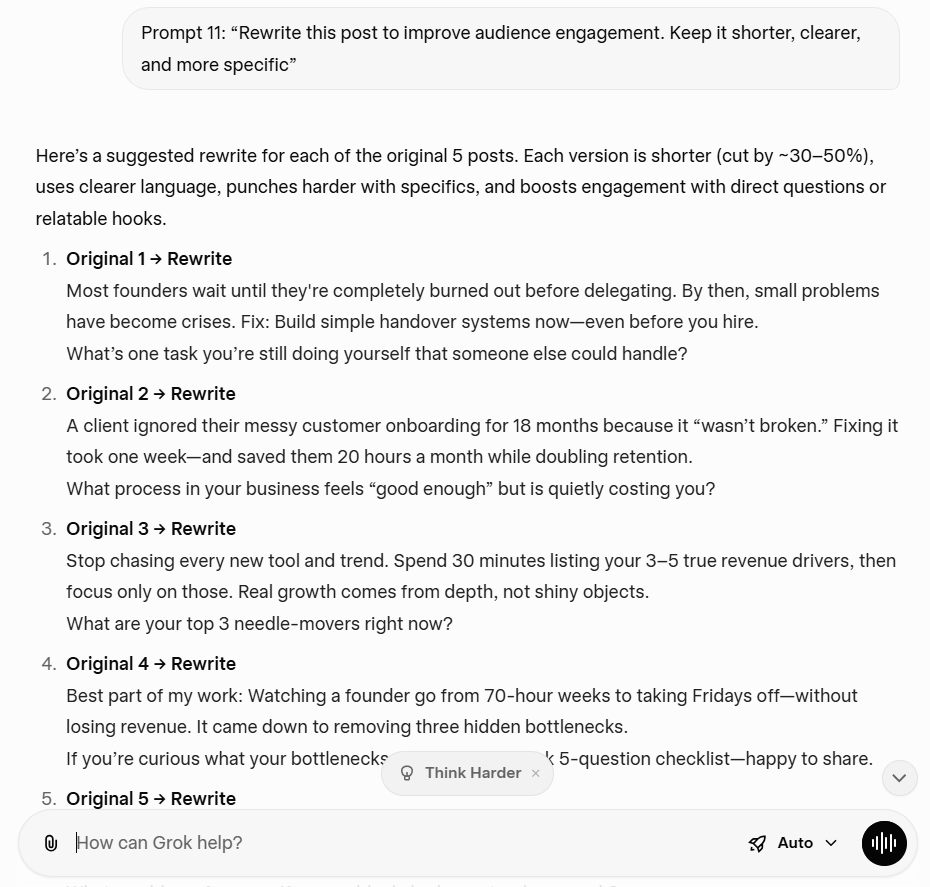
Benefit: This is useful for small businesses and any business owner testing paid social.
⏭️ Prompt 12: “Create a clean brand mood board for a creator in the [niche] niche. Use a [color palette] palette, [2–3] textures, and [3] icon styles. Add a hero tile with ‘[brand tagline]’ as a placeholder area (no readable text). Include space for a logo in the top right. Style: modern, minimal, high-quality content. Aspect ratio 1:1.”
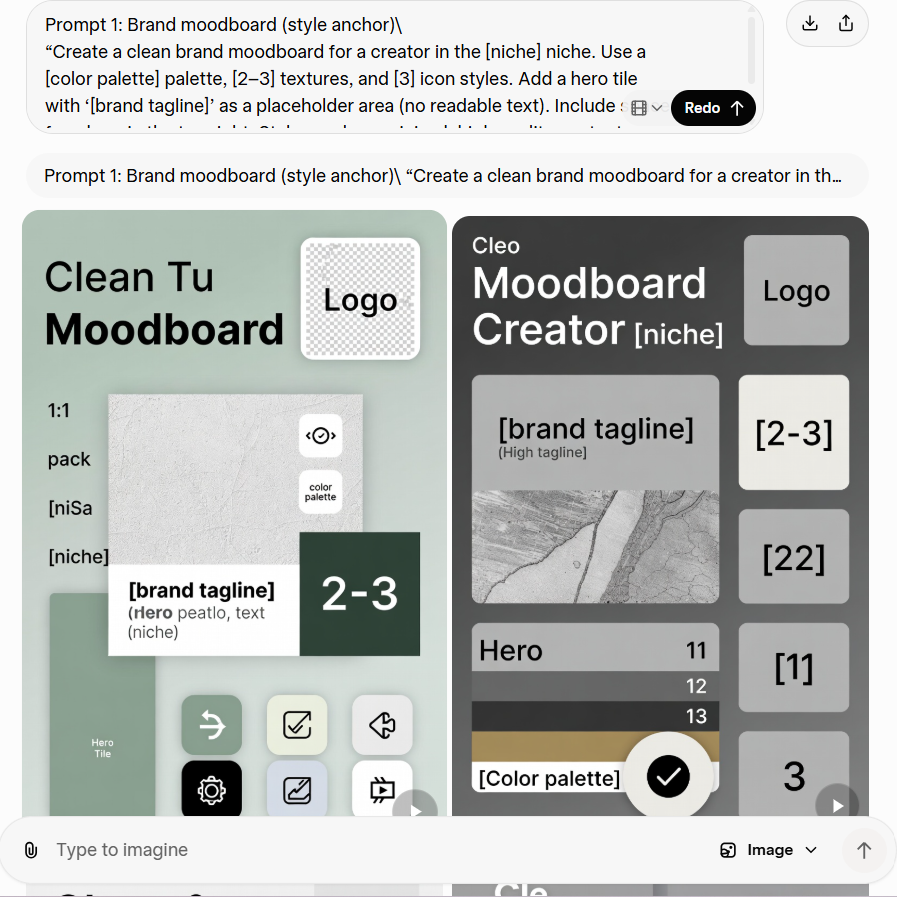
Benefit: This helps you lock a consistent brand look before you create content at scale. You can reuse the same colors and icon style across social media posts and templates, so your audience starts recognizing your work faster. It also speeds up your creative workflow by eliminating the need to make design decisions from scratch every time.
⏭️ Prompt 13: “Design a bold carousel cover image for a social media post about ‘[topic]’. Show a simple visual metaphor (no words). Leave a large empty area for a headline. Use a consistent brand style: [adjectives], [color palette]. Add subtle motion cues, such as arrows or shapes. Aspect ratio 4:5.”
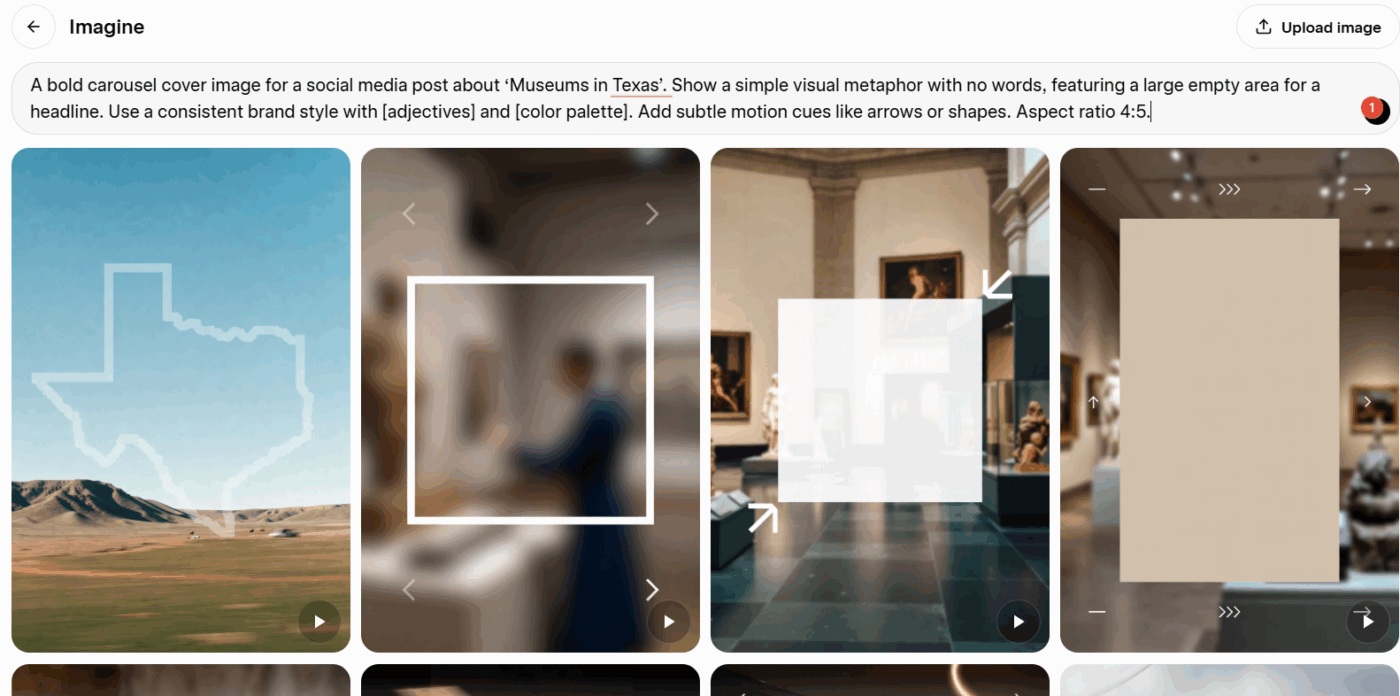
Benefit: This gives you a scroll-stopping first slide that improves audience engagement. The empty headline space makes it easy to reuse the design for new topics, while the visual metaphor helps you communicate complex topics in simple terms. You also keep your content strategy consistent by using the same visual system for every carousel.
⏭️ Prompt 14: “Create an eye-catching graphic for the X platform that signals ‘trending topic’ without using text. Use a clean abstract chart shape, attention markers, and a strong focal point. Keep it on-brand for [niche] creators. Style: crisp, high contrast, not cluttered. Aspect ratio 16:9.”
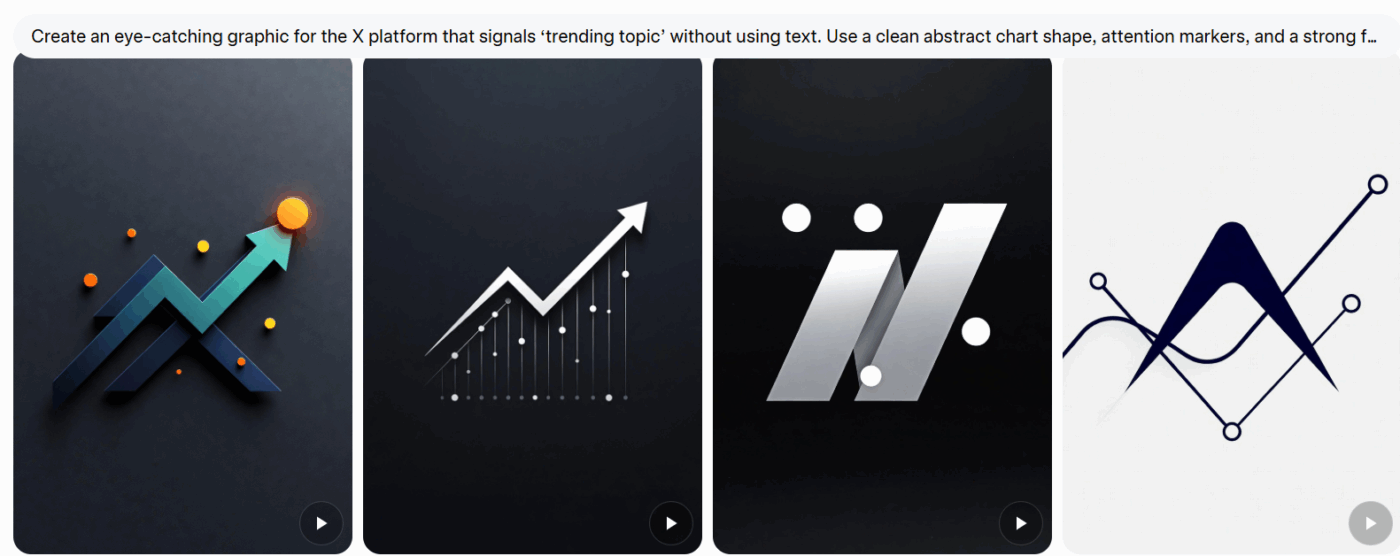
Benefit: This helps you react to trends without relying on text-heavy posts. It’s useful when you want a clean visual that signals “this is about current trends” and fits your brand, even if you’re posting quickly. You can also reuse the same layout as a repeatable style for trend detection posts.
⏭️ Prompt 15: “Create a YouTube thumbnail background for a video about ‘[topic]’. Show a creator desk setup with [key prop 1], [key prop 2], and a subtle AI theme (floating UI shapes). Make the subject on the left and keep the right side clean for text overlay (no readable text). Lighting: studio, sharp focus. Aspect ratio 16:9.”
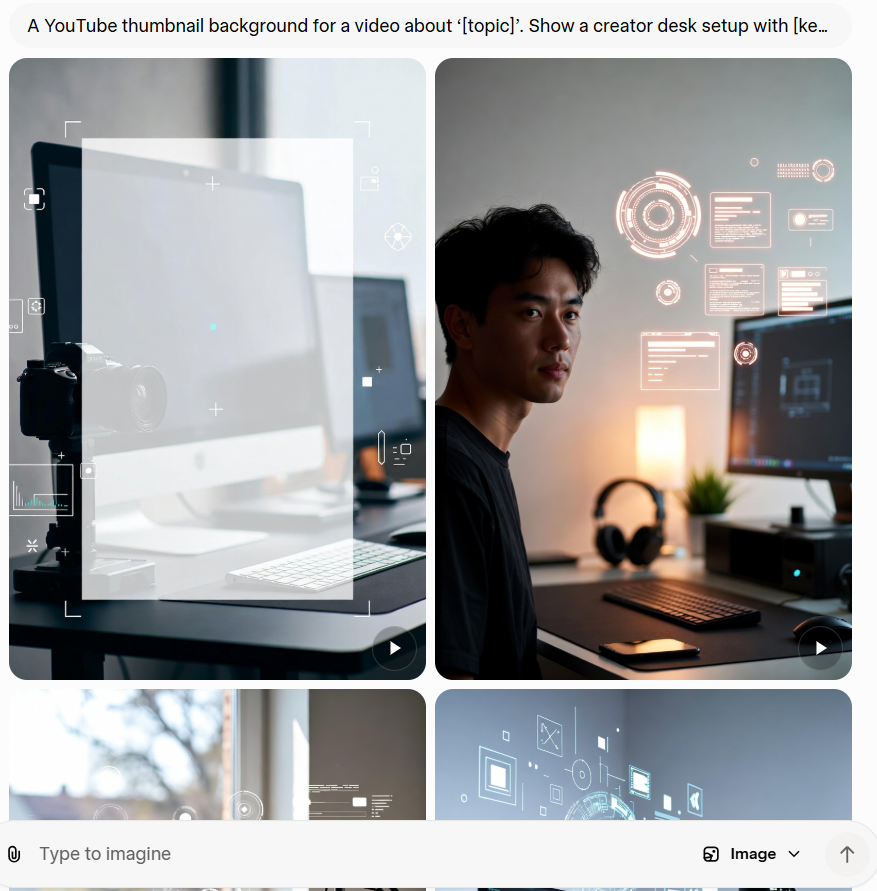
Benefit: This helps you produce high-quality content faster by giving you a thumbnail base that’s already composed for text overlay. The left-subject/right-space layout makes your title readable and keeps the thumbnail clean.
📖 Also Read: How to Use AI for Marketing Automation
An AI tool will give you results as good as the prompts you enter into it. Here are some tips for using Grok effectively:
Grok works best when you share more details about your brand, target audience, intent, and long-term content plan. Tell Grok who you are, what you create, and who you serve. Then say what “done” looks like.
📌 Example prompt: “Grok, I create social media content for solo founders. My target audience is early-stage small businesses. Generate ideas for 10 posts. Keep the tone practical. Add 1 clear CTA per post.”
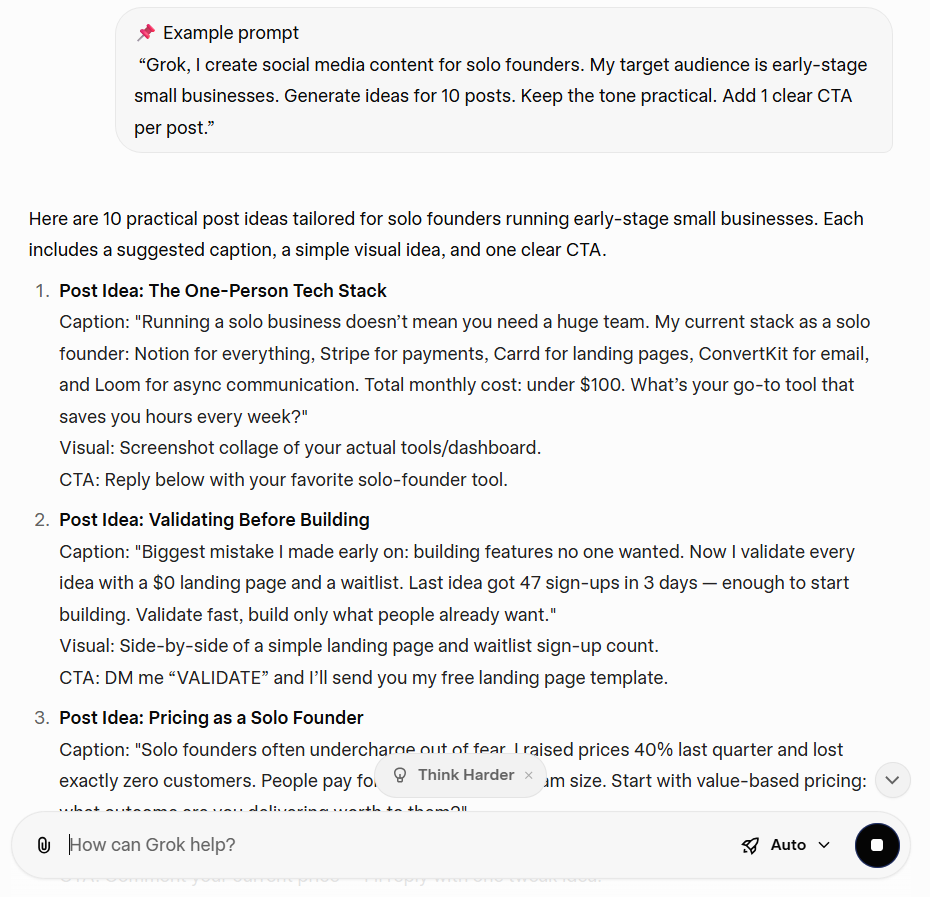
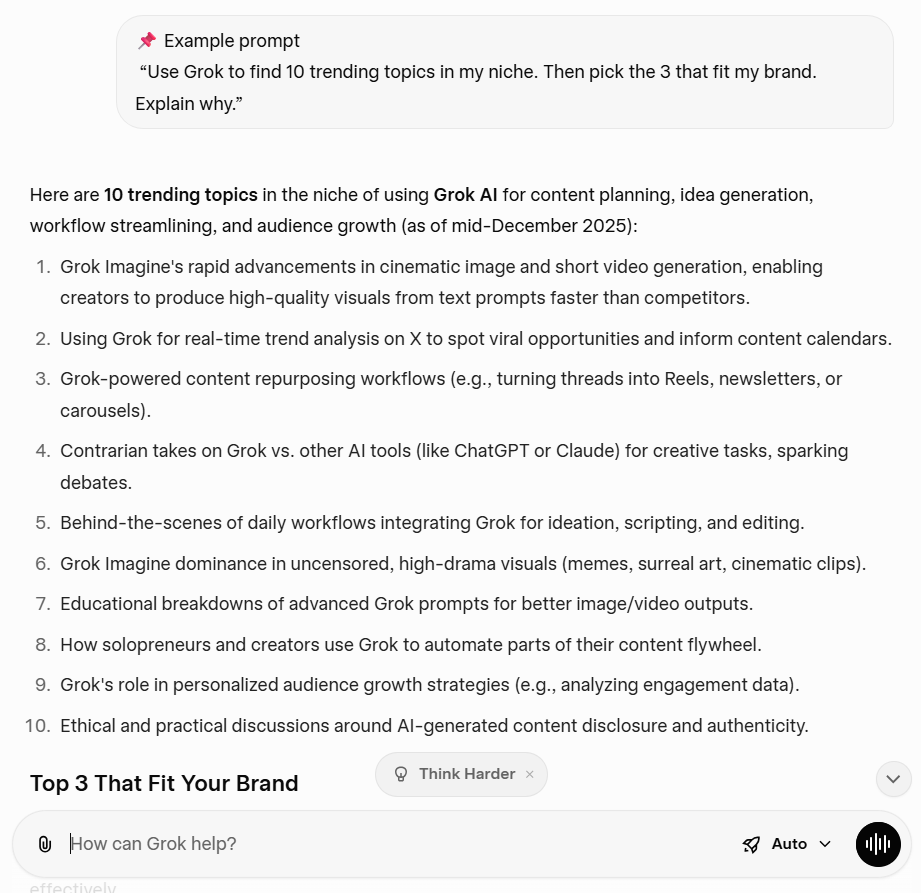
Ask Grok to scan current conversations first. Then, instruct Grok to search X public posts and run a real-time web search. Put a filter in place to ensure the results are focused and relevant to you and your audience.
📌 Example prompt: “Use Grok to find 10 trending topics in my niche. Then pick three that fit my brand. Explain why.”
📖 Also Read: Best Content Creation Tools
Start with the content formats you need right now. Then ask Grok to create content.
You can try this order:
This keeps your content creation process tight and leads to more focused outputs that are more relevant for your target audience and content strategy.
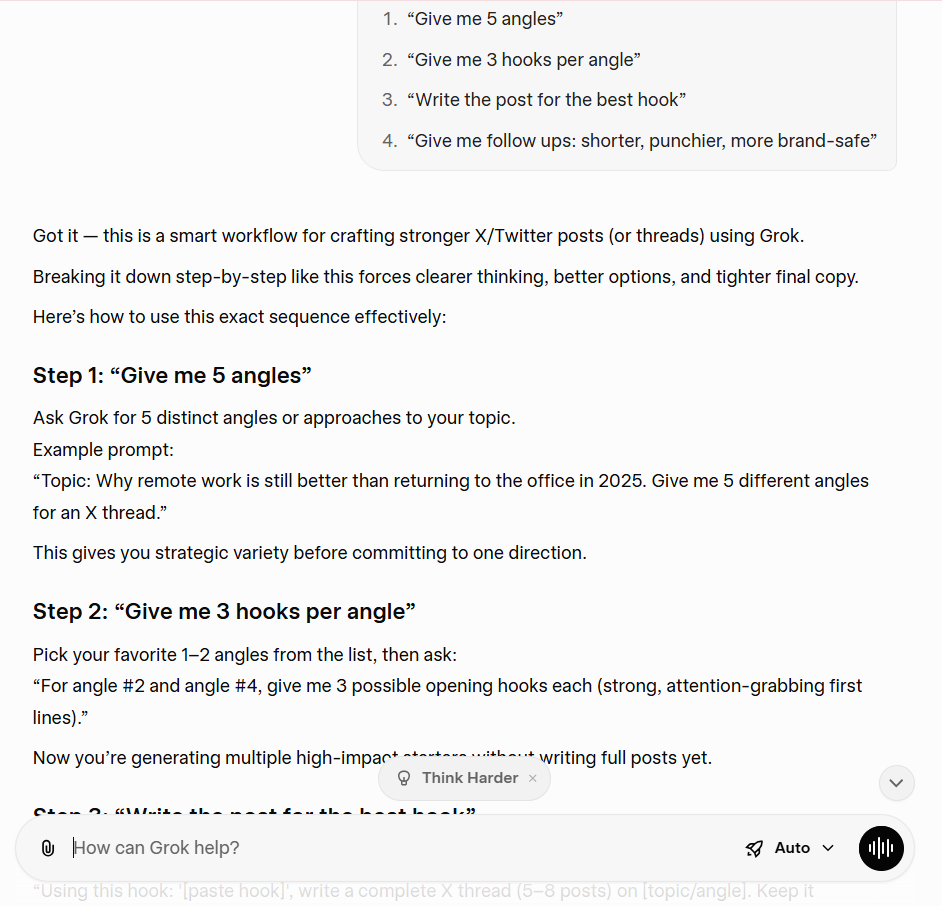
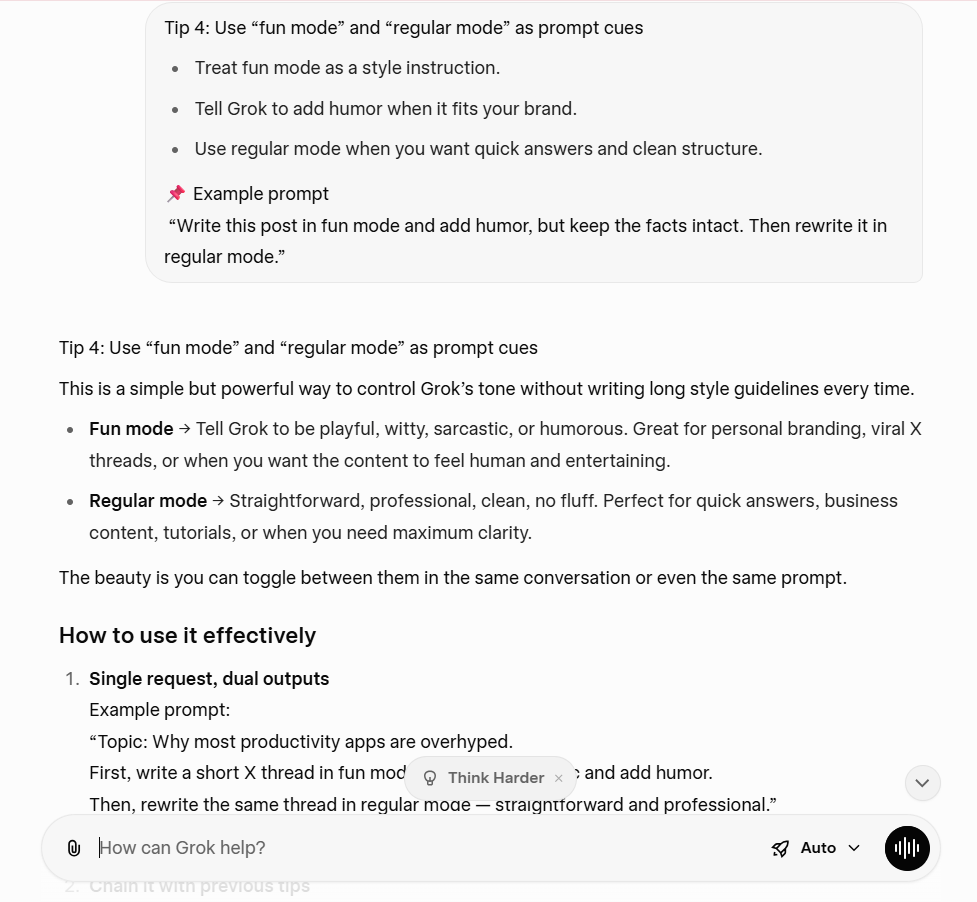
📌 Example prompt: “Write this post in fun mode and add humor, but keep the facts intact. Then rewrite it in regular mode.”
🧠 Did You Know? GWI data shows the typical user visits 6.75 social platforms each month. That’s why “multiple platforms” planning matters. Your audience moves around more than you think.
Grok is a helpful way to generate ideas, draft social media posts, and react to trends.
It also feels more plugged into the X platform than most AI chatbots. But there are certain limitations to using Grok. Let’s discuss them below:
Grok is still an early version in some contexts. X explicitly warns that it may “confidently provide factually incorrect information,” mis-summarize, or miss context. That matters when you create content about current trends, trending topics, or complex topics.
So when you use Grok for anything factual, do a quick verification step to ensure all the information is accurate.
📖 Also Read: Top Alternatives for Grok
Real-time data sounds perfect for trend detection. But in practice, it can also end up drowning you in irrelevant content. That’s especially true on the X platform, where trends move fast and context changes quickly.
Grok can decide to search public X posts and perform real-time web searches, which is great for speed, but you still need to filter what’s actually relevant to your niche and target audience.
If you chase every trend, your content strategy can lose focus. You’ll post more, but your brand voice can start to feel inconsistent across multiple platforms.
📖 Also Read: How to Use AI in Content Marketing
If you use Grok on X, xAI says it may share your public X data and your interactions, inputs, and results with Grok to train and fine-tune models, and it explains the controls you can use (like Private Chat, where available) to avoid that. That’s a real consideration if you write client drafts or sensitive campaign notes inside the chat.
The takeaway is simple: don’t treat Grok like a private notebook unless you’ve checked your settings and you’re comfortable with the policy.
📖 Also Read: Best AI Writing Prompts for Marketers & Writers
X explicitly tells you not to share personal data or sensitive and confidential information in conversations with Grok. xAI’s privacy policy also asks you not to include personal information in prompts and inputs.
If you’re a business owner or manage clients, keep draft documents generic. Redact names, budgets, and any identifying details. You can still get strategic planning help, outlines, and ideas without exposing any confidential information.
You can use Grok through X as a standalone app and on Grok.com. Features can differ by location and plan. So a workflow that works on your phone might not match what you see inside your X account, or vice versa.
That’s why you should keep your creator strategy tool stack flexible. Grok can be a powerful tool, but you’ll still want other AI tools for planning, production, and publishing when you need consistency.
📖 Also Read: Free Content Strategy Templates for Marketing
Creator strategy rarely fails because you “ran out of ideas.” It fails because work sprawl takes over: the trend scan lives in one tab, drafts live in another, feedback gets buried in DMs, and your content calendar is somewhere else entirely.
Then AI sprawl kicks in, where your team uses multiple AI tools to ideate and create content.
That’s where ClickUp works as a smarter alternative to Grok.
Instead of adding another AI chatbot, ClickUp is built as a converged AI workspace, where your tasks, Docs, chat, dashboards, and AI assistants/agents can work together with full context. So your “idea engine” and your execution system stop being separate tools.
ClickUp Brain is designed to work across your actual work context (tasks, Docs, chats, and meetings) and ensures all your content and data are embedded in the creative workflow where you plan and execute.
ClickUp also supports multi-model access (to models from ChatGPT, Gemini, and Claude) with unified privacy and security controls, so you’re not shifting through multiple platforms to get different writing styles or reasoning depth.
Here’s how ClickUp Brain comes in handy when you’re trying to keep up with social media trends and content creation:
Here is a video on how you can write just about anything with ClickUp Brain:
💡Pro Tip: ClickUp Super Agents are built to take actions based on triggers and conditions using instructions you define. This ensures your content creation process keeps moving even when you’re busy with just ideating your content.
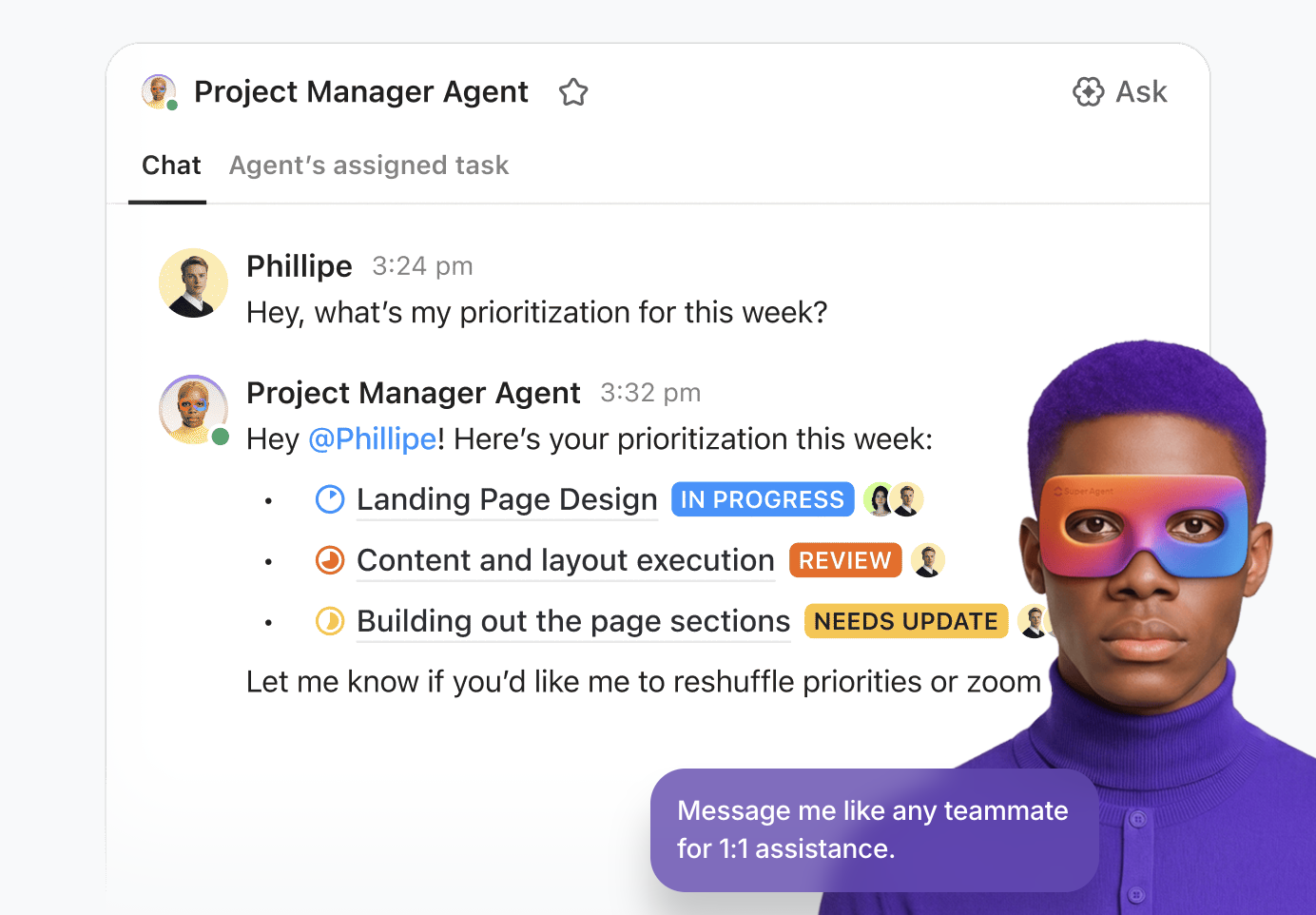
For creators and social media managers, the ideal process would look something like this:
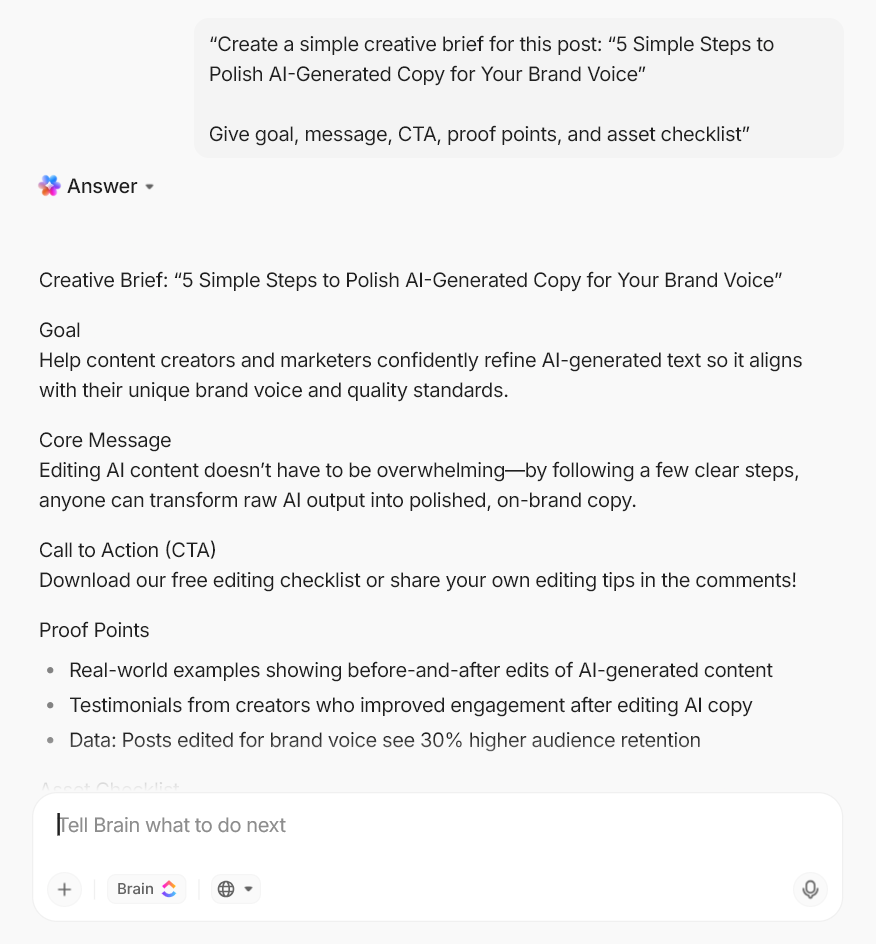
Here are a few prompts you can try out in ClickUp Brain to develop and optimize your content strategy:
One of Grok’s biggest limitations for creators is trust: it can sound certain and still be wrong, especially when you’re moving fast on trending topics.
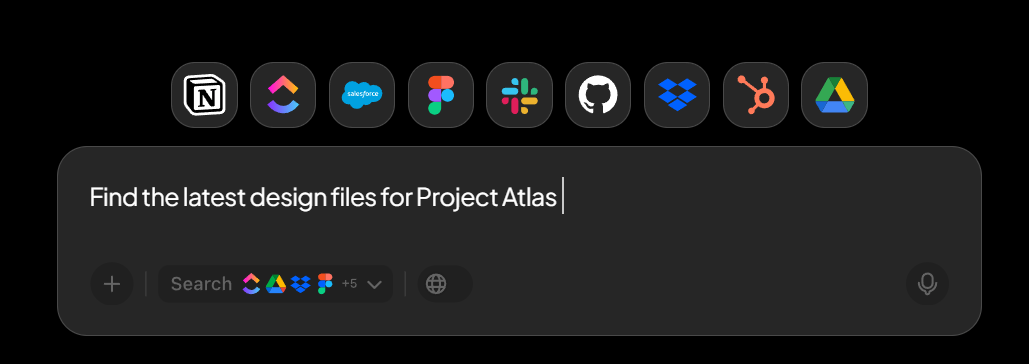
ClickUp’s Enterprise Search is built for “trusted answers” inside your workspace and extracts data from tasks, Docs, chats, and meetings, and presents responses with context (and citations, depending on the experience). It also indexes frequently, so your search results stay up to date as your work changes.
Even better for teams: Enterprise Search is permission-aware, so people only see what they already have access to in connected tools (helpful when you’re managing client folders, brand assets, or partner docs).
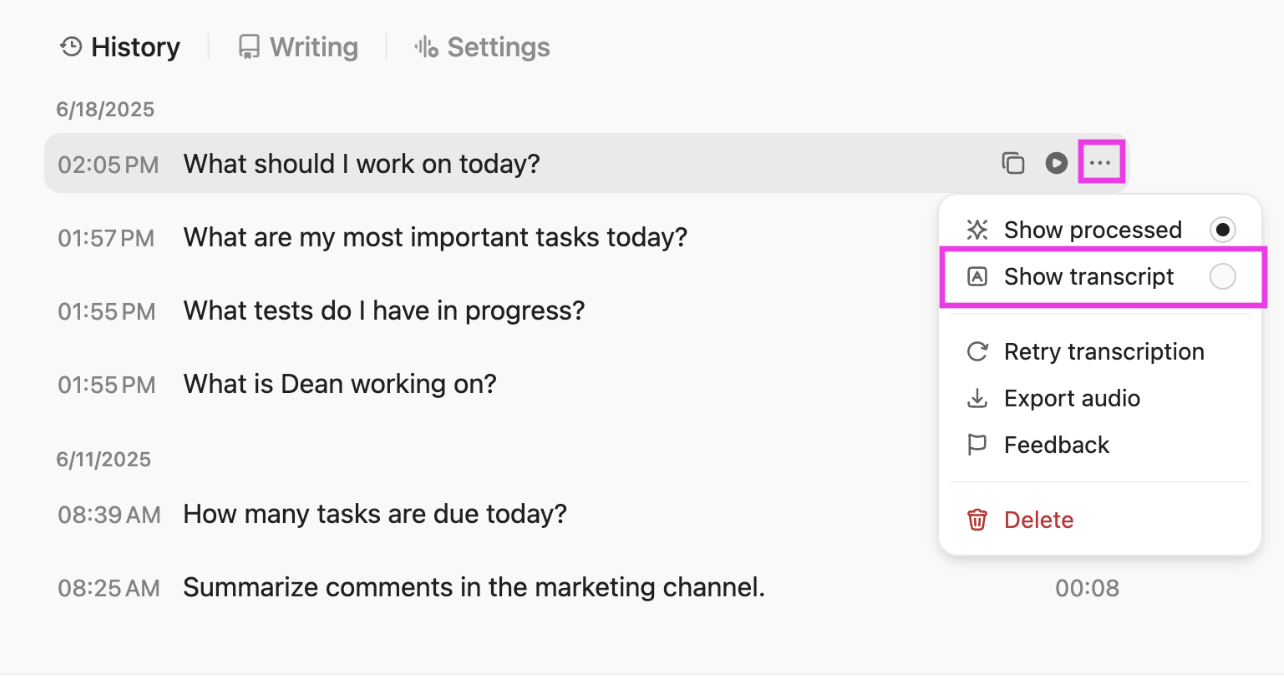
If you liked Grok’s voice mode for quick capture, ClickUp BrainGPT, the standalone AI app from ClickUp, and its Talk to Text are the “creator ops” versions of that workflow.
With Talk to Text, you can dictate ideas and instantly turn them into polished text. This is especially great for hooks, ad copy, or a rough long-form content outline when you’re mid-walk or between shoots.
You can access ClickUp BrainGPT through its dedicated desktop app or use the BrainGPT Chrome extension, which lets you search ClickUp, the web, and connected files (like Drive/SharePoint/GitHub) directly from your browser.
📖 Also Read: How to Use Grok AI to Boost Productivity
Using Grok AI for creator strategy works best when you treat it as your idea engine.
You use Grok to generate ideas, explore trending topics, and get quick answers from real-time information. Then you move the work into a system that helps you plan, write, review, and publish without losing your brand voice or your calendar.
That’s where ClickUp fits in as a converged AI workspace that lets you ideate, plan, create, and execute your content strategy on a single platform.
With ClickUp Brain, you can turn drafts into trackable work, summarize feedback, and ensure your team is aligned with your long-term content goals.
Sign up for ClickUp for free and take your content strategy to the next level.

© 2026 ClickUp

There’s an easier way. Try a free AI Agent in ClickUp that actually does the work for you—set up in minutes, save hours every week.