


Sorry, there were no results found for “”
Sorry, there were no results found for “”
Sorry, there were no results found for “”
Your inbox is overflowing, and you’re constantly playing catch-up.
The result? You’re perennially digging through long email threads and too overwhelmed to craft the perfect reply.
Email overload is a real problem!
Enter: Gemini in Gmail, an AI-powered sidekick that helps you with smarter email management. Whether you want to summarize email threads, draft responses, or fine-tune your tone, Gemini AI is the email productivity tool you need.
In this guide, we’ll walk you through how to use Google Gemini in Gmail to manage your inbox, save time, and maybe even make email feel less like a chore. Because, let’s face it, your Gmail inbox could probably use a little AI magic.
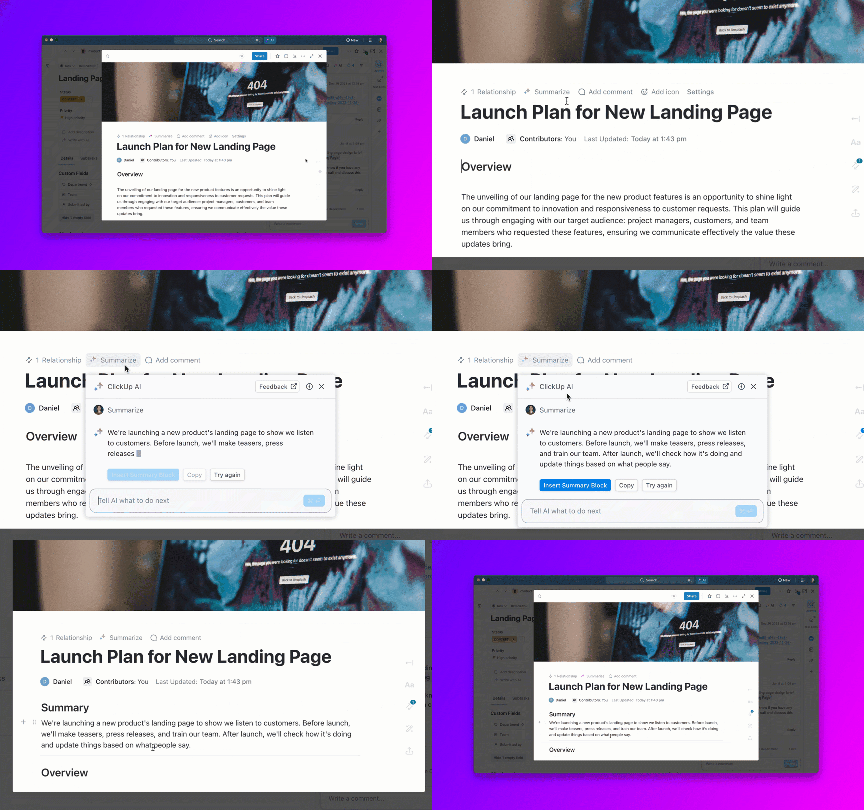
But that’s not all. We’ll also introduce you to a bonus AI assistant—ClickUp Brain—that not only makes email management a breeze but also makes your work life easier in every possible way! 🤩
Here’s a quick rundown of how you can make the best of using Gemini AI in Gmail (and a sneak peek into a smarter alternative!):
Maybe you are returning from a vacation to a packed inbox, or you just can’t determine which emails need your attention first. Either way, the Gemini-Gmail integration has your back, helping you sort through the clutter and prioritize focusing on the most valuable, urgent, or important tasks.
🔑 To access Gemini in Gmail, you must either subscribe to the Google One AI Premium plan or have Gemini enabled in your Google Workspace account.
Here’s how you can find Gemini in Gmail:

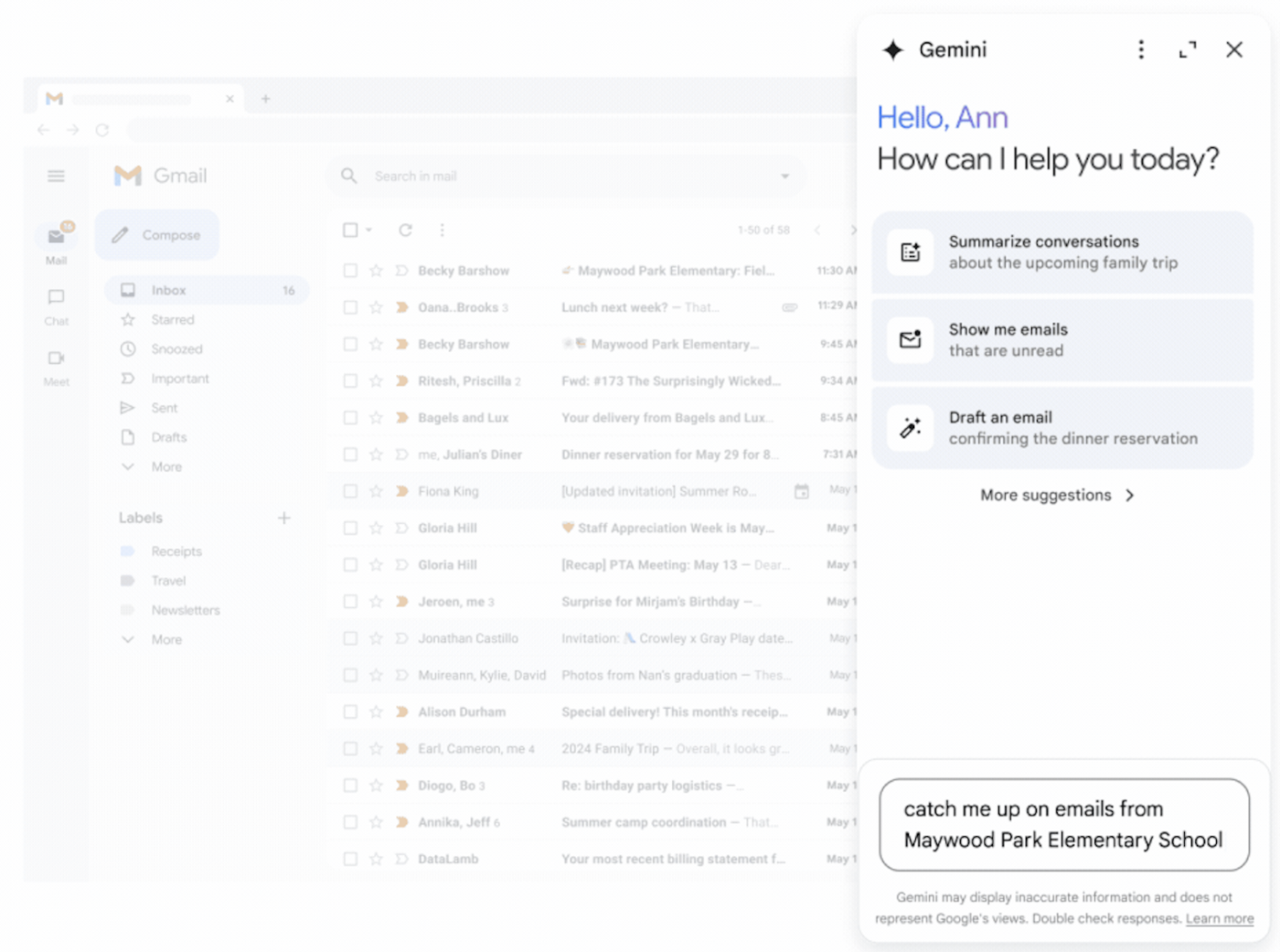
You can use Gemini’s built-in prompts to generate responses or ask freeform questions like, “Catch me up on emails from <sender>,” and watch Gemini AI work its magic in Gmail.
Now that you know how it works, are you ready to use AI in Gmail for smarter email management?
Let’s show you the three top use cases for Gemini in Gmail:
👀 Did You Know? Sophisticated computer logging techniques reveal that the median human attention span is 40 seconds.
No one enjoys reading long emails, and Gemini understands this. Here’s how to use it to make short work of your long emails:
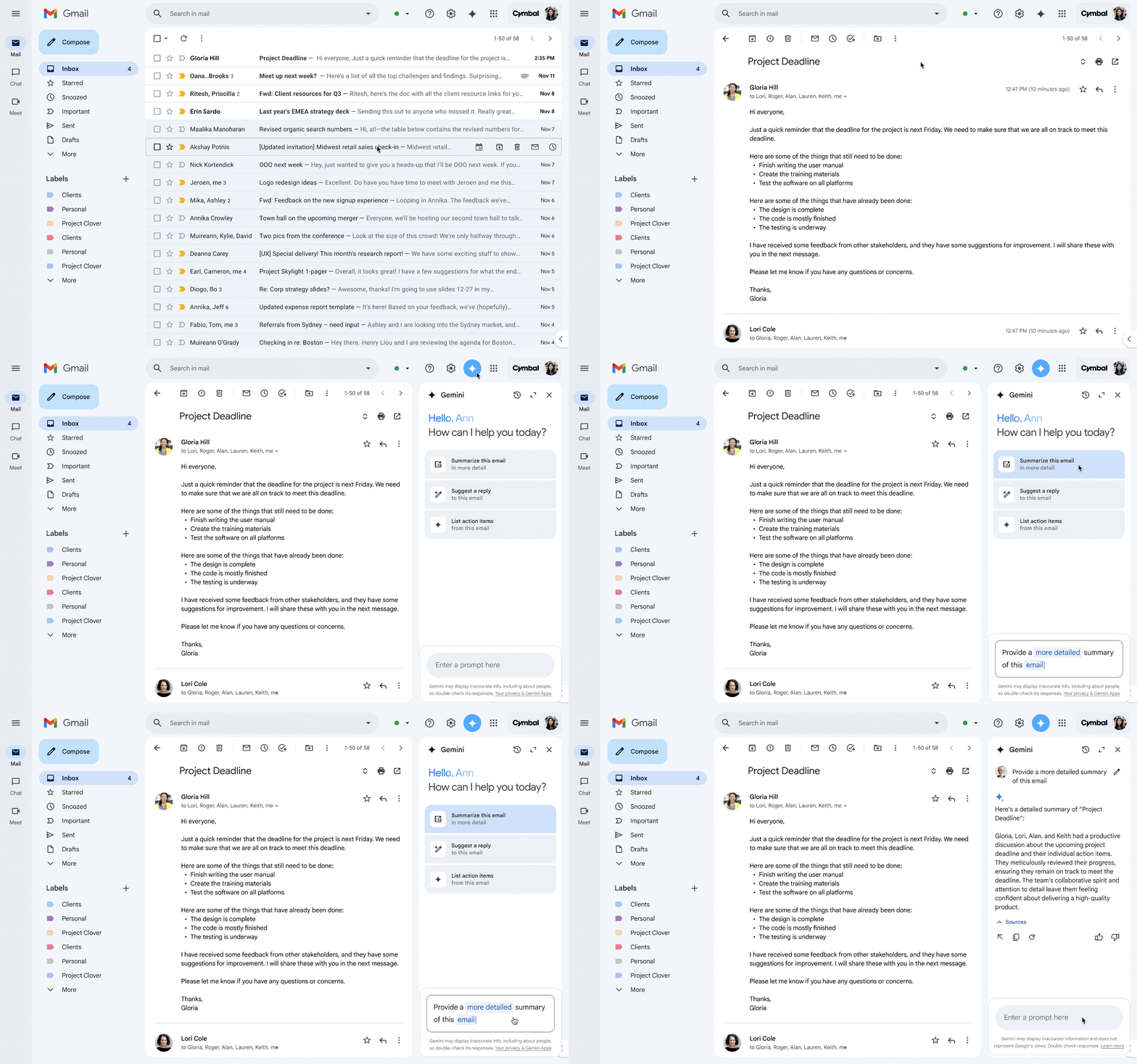
💡 Pro Tip: At the end of Gemini’s AI-generated summary, you can select the appropriate thumb gesture to provide positive feedback. Give a thumbs up for a good suggestion, or submit a bad suggestion report if the response needs improvement. This helps the AI model to learn from your preferences and tailor future responses better.
Ever spent way too long staring at a screen, trying to figure out the perfect first line for your email? Let’s skip that struggle and let Google AI do the heavy lifting for you.

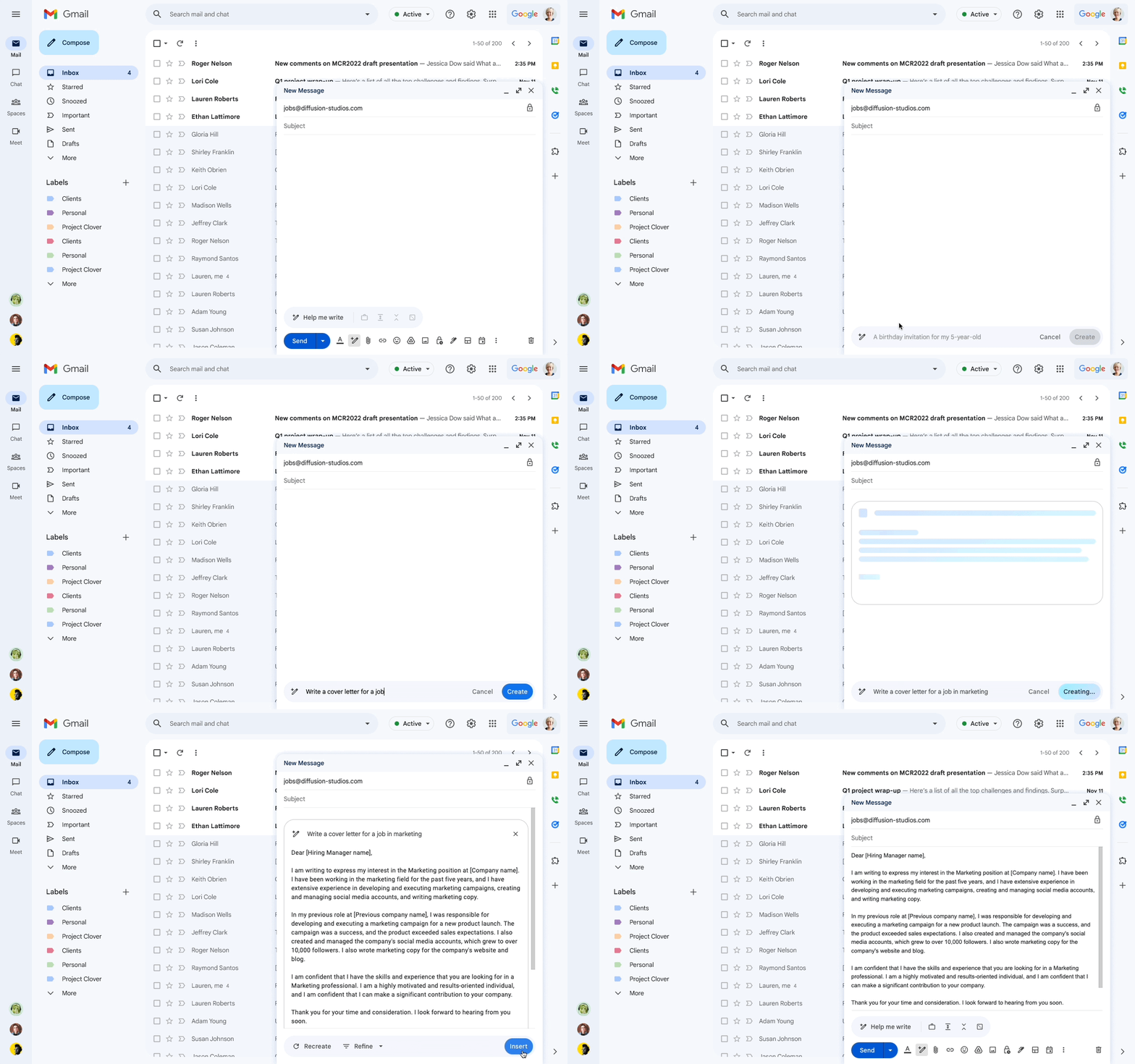
Follow this method and customize the prompt based on the situation so that it can be used to reply to a conversation.
📖 Also Read: Best Shared Inbox Software (Reviews & Pricing)
🧠 Fun Fact: An email productivity hack by Google’s productivity advisor, Laura Martin, is to divide emails into three categories: respond, read, and revisit. Tackle these during dedicated time slots rather than constantly checking them throughout the day.
Sometimes, that email draft just doesn’t hit the mark, but with Gemini in Gmail, you can quickly refine it and ensure your message lands perfectly.
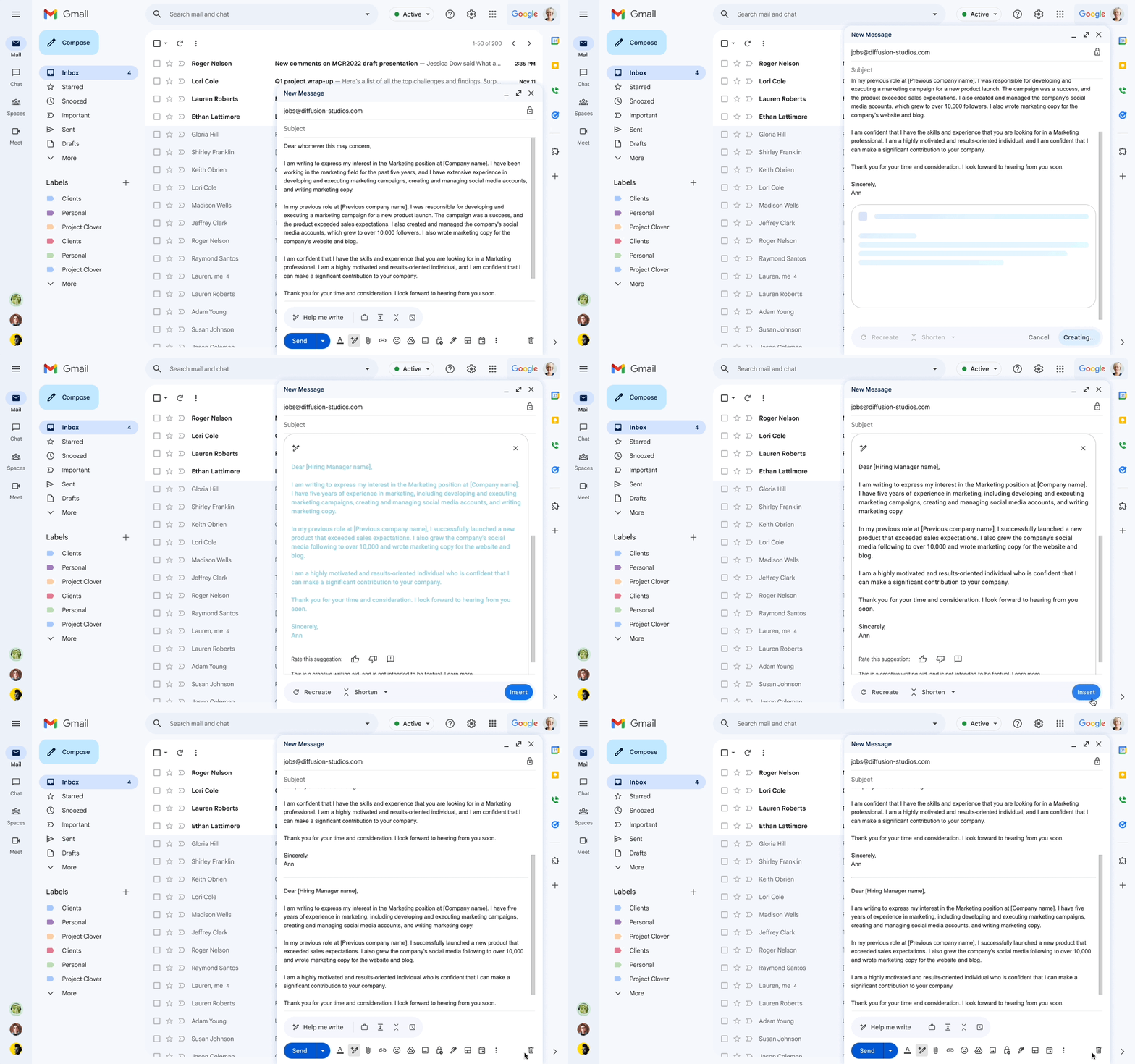
💡Pro Tip: Use Gmail Q/A to ask Gemini questions about the conversations within your inbox. For example, in the prompt box, you can ask, “What was the recent feedback for my Project X?” Gemini will scan the relevant email threads and return a summarized response.
Gemini in Gmail brings a mix of convenience and limitations. While it takes the heavy lifting out of analyzing your messages, it still doesn’t quite match up to manually organizing emails.
That said, here are five more things to keep in mind when using Gemini in Gmail:
📖 Also Read: How to Set Up Automatic Forwarding in Gmail?
👀 Did You Know? Gmail blocks nearly 15 billion unwanted messages daily, which is more than 99.9% of spam, phishing, and malware. During the holidays, the number can touch 231 billion spam and phishing messages, 10% higher than the average volume.
Want to learn prompt engineering to get better responses from Gemini and other AI tools? Watch this short crash course on refining your questions for AI 👇🏽
Gemini in Gmail acts as an AI email writer that follows your instructions when drafting responses. While it can streamline the writing process, it isn’t a replacement for comprehensive email management software.
That’s where ClickUp comes in. Work today is scattered—emails in one tool, tasks in another, docs buried in endless folders. ClickUp brings it all together.
As the everything app for work, It’s your single source of truth for your projects, docs, whiteboards, automation, dashboards, goals, and more.
It goes beyond helping you with simple email drafting and summarizing. With its built-in email management, you can send, receive, and track emails without leaving your ClickUp workspace. Let’s see how:
The ClickUp and Gmail Integration fills the gaps left by Gemini AI, letting you break information silos and manage your emails and tasks together.
Here’s how it can enhance your workflow:
👉🏼 Unlike Gemini AI, which focuses solely on drafting and refining responses, ClickUp offers complete email manipulation alongside task management.
📮ClickUp Insight: Nearly 42% of knowledge workers prefer email for team communication. But it comes at a cost. Since most emails only reach select teammates, knowledge stays fragmented, hampering collaboration and quick decisions. To improve visibility and accelerate collaboration, leverage an everything app for work like ClickUp, which turns your emails into actionable tasks within seconds!
You can send and receive emails directly within ClickUp, create tasks, attach emails to relevant work items, and collaborate with your team without leaving the platform.
The best part? ClickUp’s email integration works with platforms like Microsoft Outlook, IMAP, and Microsoft 365—not just Gmail!
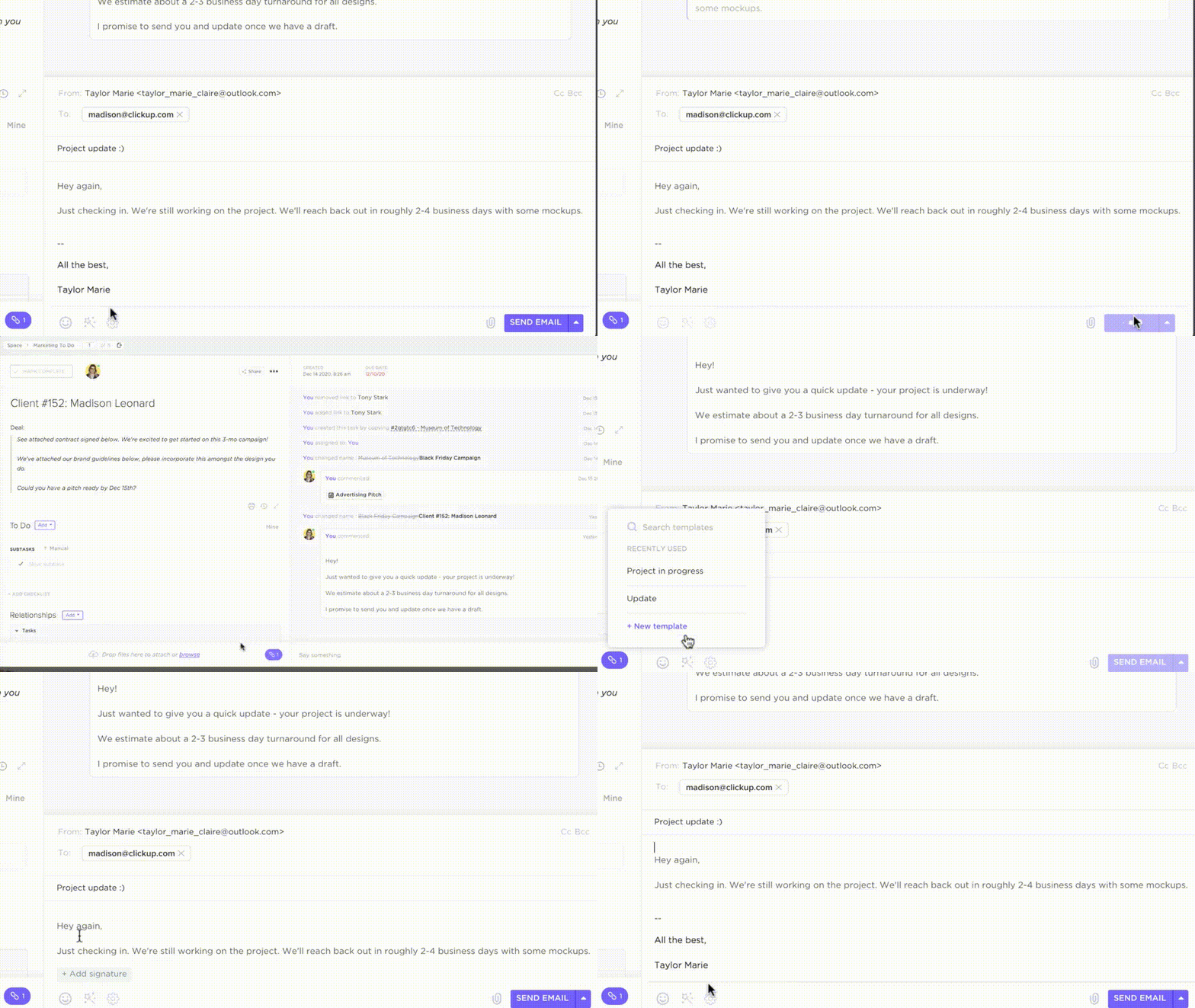
You can generate an email draft using the /Slash Command (/write). Adjust the tone and creativity level, insert the text into your email, and send it without leaving the task interface. Forget about switching tabs and laboring over manual email drafts!
What’s more, you can even automate your emails, triggering them to be sent based on Custom Fields, form submissions, or task events within ClickUp.
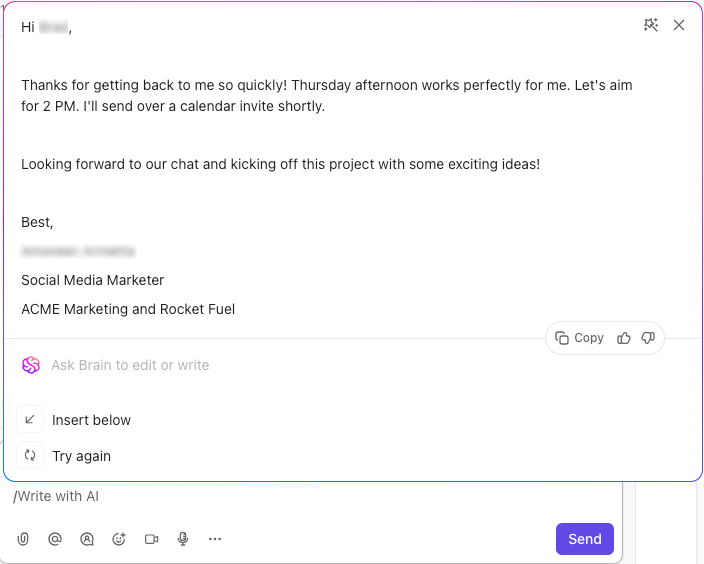
This consolidation allows you to enhance productivity by keeping emails, tasks, and conversations in one place!
But how does it all work? While Gemini AI boosts your Gmail experience by providing contextual insights and suggested responses, ClickUp Brain—the built-in AI assistant—goes even further.
It integrates directly with your workspace, absorbing workflow data, analyzing team activities, and tracking project timelines.
By understanding the context from within your system, ClickUp Brain provides actionable, intelligent professional advice.
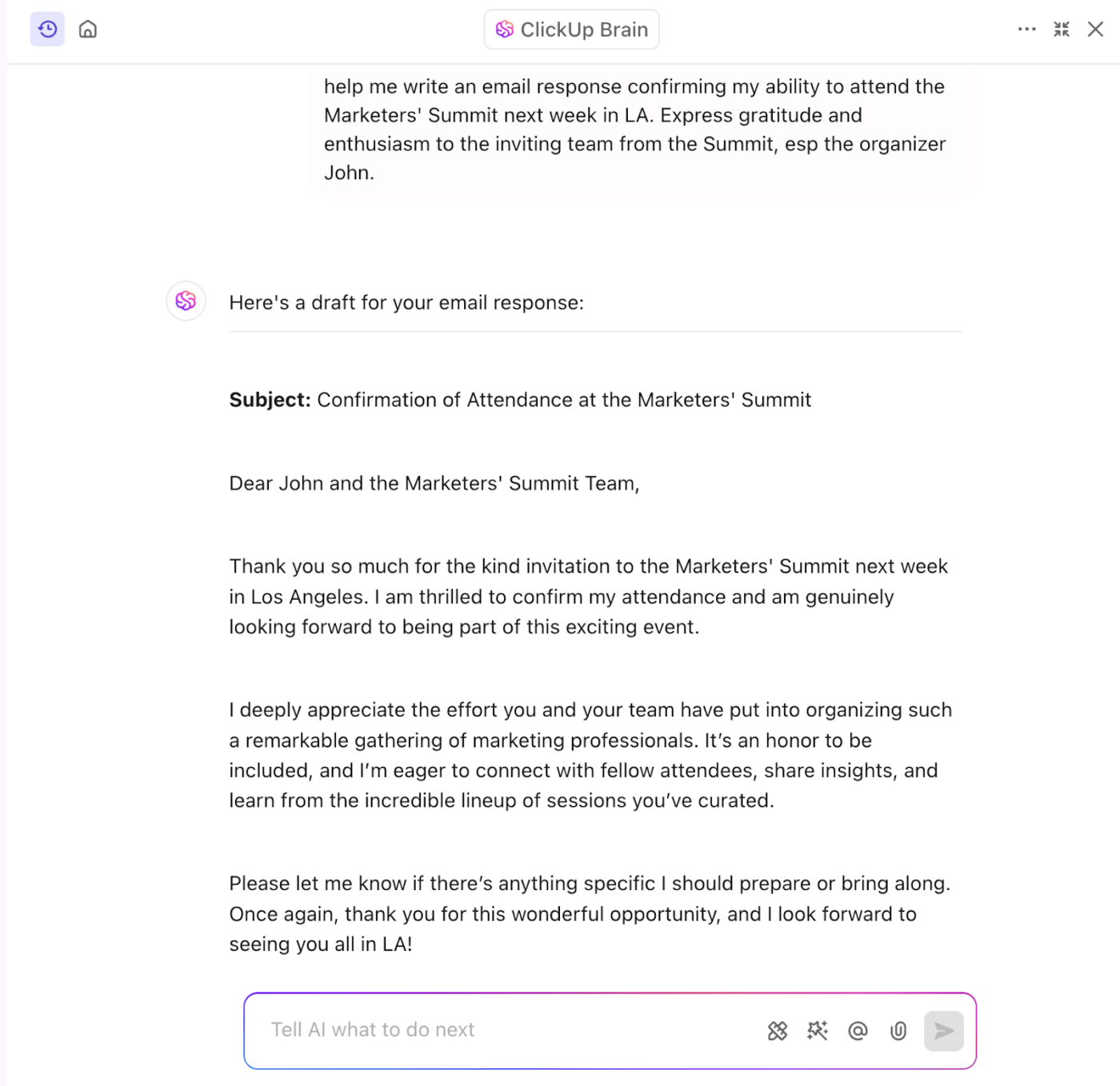
With ClickUp Brain, you can:
📖 Also Read: The Ultimate Guide To Email Project Management
While pairing AI with your inbox can help tame the email overload, what if we told you it could be eliminated altogether?
ClickUp Chat offers you and your team a real-time communication alternative to email by embedding conversations directly within your workflow and project context.
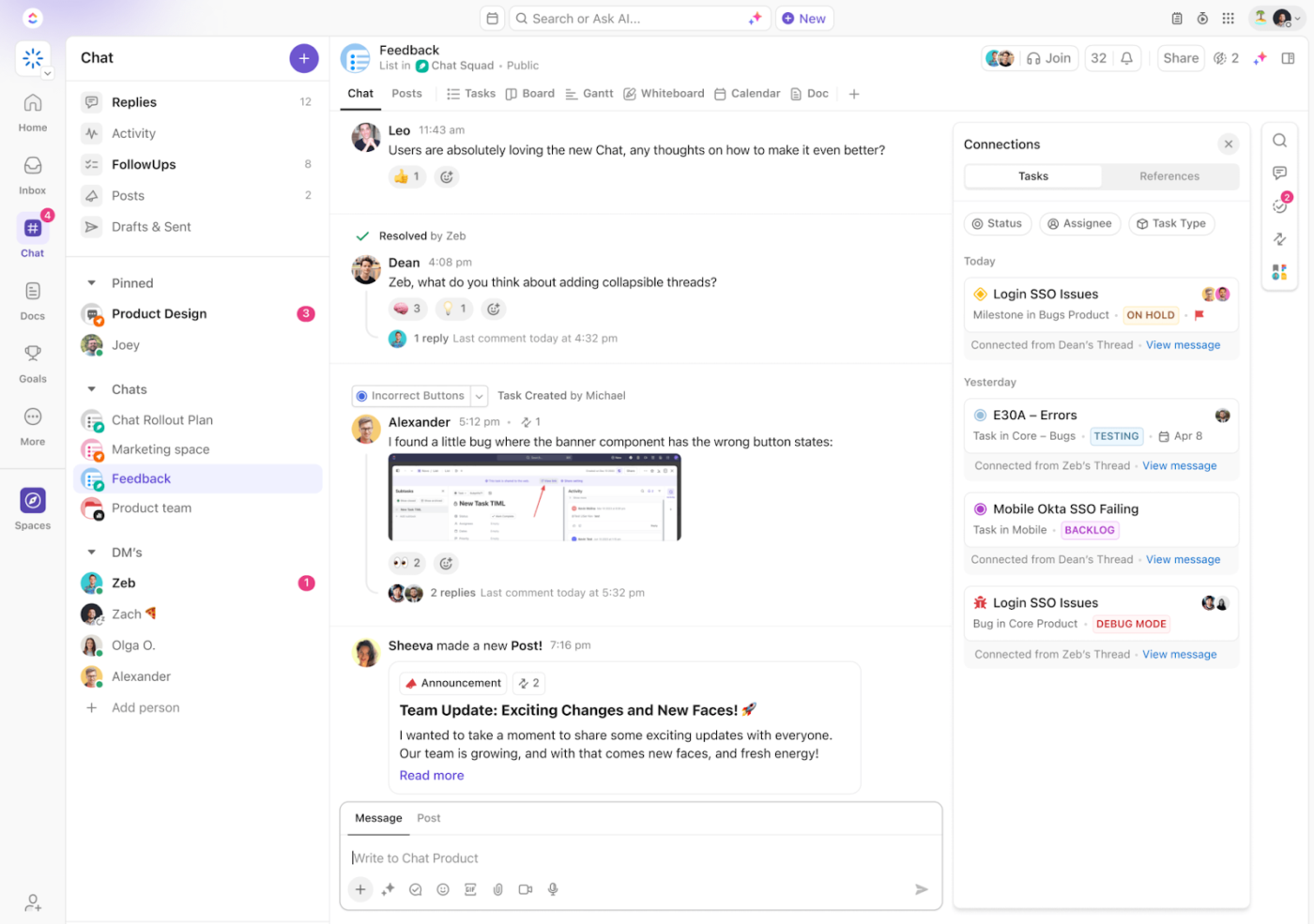
Switching to chat from emails allows you to:
By using ClickUp Chat for internal communications and project-related discussions, you can significantly reduce the volume of emails in your inbox. Plus, reducing context switching between email and project management platforms can boost your individual and team productivity.
📮 ClickUp Insight: Knowledge workers send an average of 25 messages daily, searching for information and context. This indicates a fair amount of time wasted scrolling, searching, and deciphering fragmented conversations across emails and chats. 😱
If only you had a smart platform that connects tasks, projects, chat, and emails (plus AI!) in one place. But you do!
ClickUp is an incredibly versatile software that has enhanced my productivity at least 10x. I love the blend of personal task management, with business knowledge management, quick notes and the AI ClickUP brain is FANTASTIC. it is amazingly context aware and literally a beast of an assistant.
Gemini AI in Gmail is definitely a handy assistant, but if you’re looking for a more comprehensive solution for both project and email task management, ClickUp has you covered.
With ClickUp, you can convert emails into to-dos and keep context intact across conversations and projects—no more app-hopping or missing details.
Teams that switch to ClickUp report better efficiency, collaboration, and visibility in addition to replacing 3 or more tools and saving 3+ hours weekly.
So, you’ve got a choice: Gemini AI offers an in-built summarization and writing assistant for Google apps such as Gmail, Google Sheets, and Google Docs, while ClickUp delivers AI-powered tools for complete email and project management.
If you’re ready for the latter, sign up for ClickUp for free today!

Sean Hardy
Max 26min read

Manasi Nair
Max 19min read
Manasi Nair
Max 19min read

© 2026 ClickUp




