
Sorry, there were no results found for “”
Sorry, there were no results found for “”
Sorry, there were no results found for “”
There’s a paper due tomorrow. You start researching, and before you know it, three hours have passed, 27 tabs are open, and you’ve somehow ended up reading about a conspiracy theory on why pigeons aren’t real.
Research can be a black hole of distractions, but AI can help you stay on track by finding credible sources, summarizing key information, and even organizing your ideas efficiently.
But how do you use AI to streamline your workload without skipping essential details?
In this blog post, we’ll explore how to use AI for students to make learning a little less stressful. 📚
AI isn’t just for sci-fi movies or tech geniuses—it’s revolutionizing how we encourage students to learn. From personalized study plans to constructive feedback, AI tools make learning smoother, more engaging, and less stressful.
Plus, they handle the tedious stuff—like grading, tackling math, language learning, and organizing notes—so students and educators can focus on creative problem-solving, critical thinking, and deeper learning.
But how do AI tools for students improve learning and critical thinking skills?
AI tools adapt to every student’s strengths, weaknesses, and study habits to create a personalized learning experience. They help students stay on track and achieve SMART goals for college students. Here’s how:
Tools like ChatGPT prompt critical thinking, understanding and engagement in students, moving away from the rote memorization and copying methods of yesteryears.
Yes, AI tools can be used to copy. But just as a pen can be used to write poetry, create art or solve equations, AI can be used to provoke thought, enhance understanding and encourage learning.
The challenge lies in how we, as educators, guide our students in harnessing the potential of AI tools like ChatGPT. We must teach them to use these tools responsibly, to understand their workings, to question their outputs and to critically engage with them.
To this end, I created a ChatGPT Learning Code that I’ve plastered around my classroom walls and expect all of my students to follow.
🧠 Fun Fact: Jill Watson became the world’s first AI teaching assistant in 2016 at Georgia Tech. Students interacted with her for months without realizing she was AI—until the professor revealed the secret at the end of the semester!
AI is quickly becoming a student’s best friend. From creating personalized study plans to automating tedious tasks, AI can take the guesswork out of learning and make your academic life much easier.
Let’s look at some ways you can use AI for productivity and study more efficiently. 🏅
Who said learning had to be boring?
With AI-powered educational games, studying becomes an engaging, interactive experience. AI adapts tests and challenges in real time based on your performance, ensuring you receive content that matches your skill level—neither too easy nor too difficult. It personalizes your own learning journey, keeping you engaged without feeling overwhelmed.
Beyond just fun, AI tracks your progress, analyzes engagement patterns, and rewards achievements with points, badges, or even virtual incentives. This built-in motivation system keeps you focused and encourages consistent learning, making study sessions feel more like a rewarding game than a chore.
📌 Example: Duolingo uses AI to help you learn languages, adjusting difficulty levels based on how well you’re mastering vocabulary and grammar. It creates mini-games to make learning feel more like playing.
🔍 Did You Know? According to the CDC (Centers for Disease Control and Prevention), 1 in 36 children is diagnosed with autism, highlighting the need for inclusive learning solutions.
AI ensures you get the right content at the right time, making learning more inclusive and accessible. Adaptive learning platforms assess your strengths, weaknesses, and learning preferences in real time, adjusting lessons to meet your unique needs—whether that means extra practice, alternative explanations, or different formats like audio or visual aids.
If you’re struggling with a topic, AI provides targeted support until you feel confident, offering scaffolding instead of one-size-fits-all instruction. This personalized approach empowers you to learn at your own pace, ensuring no one is left behind while maximizing your potential.
📌 Example: Khan Academy uses adaptive learning to tailor math lessons to your needs. If you struggle with a particular concept, it’ll provide additional practice problems to help you master it and be more productive.
Students should use chatbots like personal tutors. If students don’t understand a mathematical operation, they can ask ChatGPT to explain it and give examples.
Teachers can also ask ChatGPT to recommend different levels of math problems for students with different mastery of the concept. This is particularly helpful for teachers who are new to the profession or have students with diverse needs.
💡 Pro Tip: Engage with AI-powered chatbots like ChatGPT, Claude, or ClickUp Brain to simulate exam scenarios or quiz yourself on key topics, turning revision into an interactive learning session.
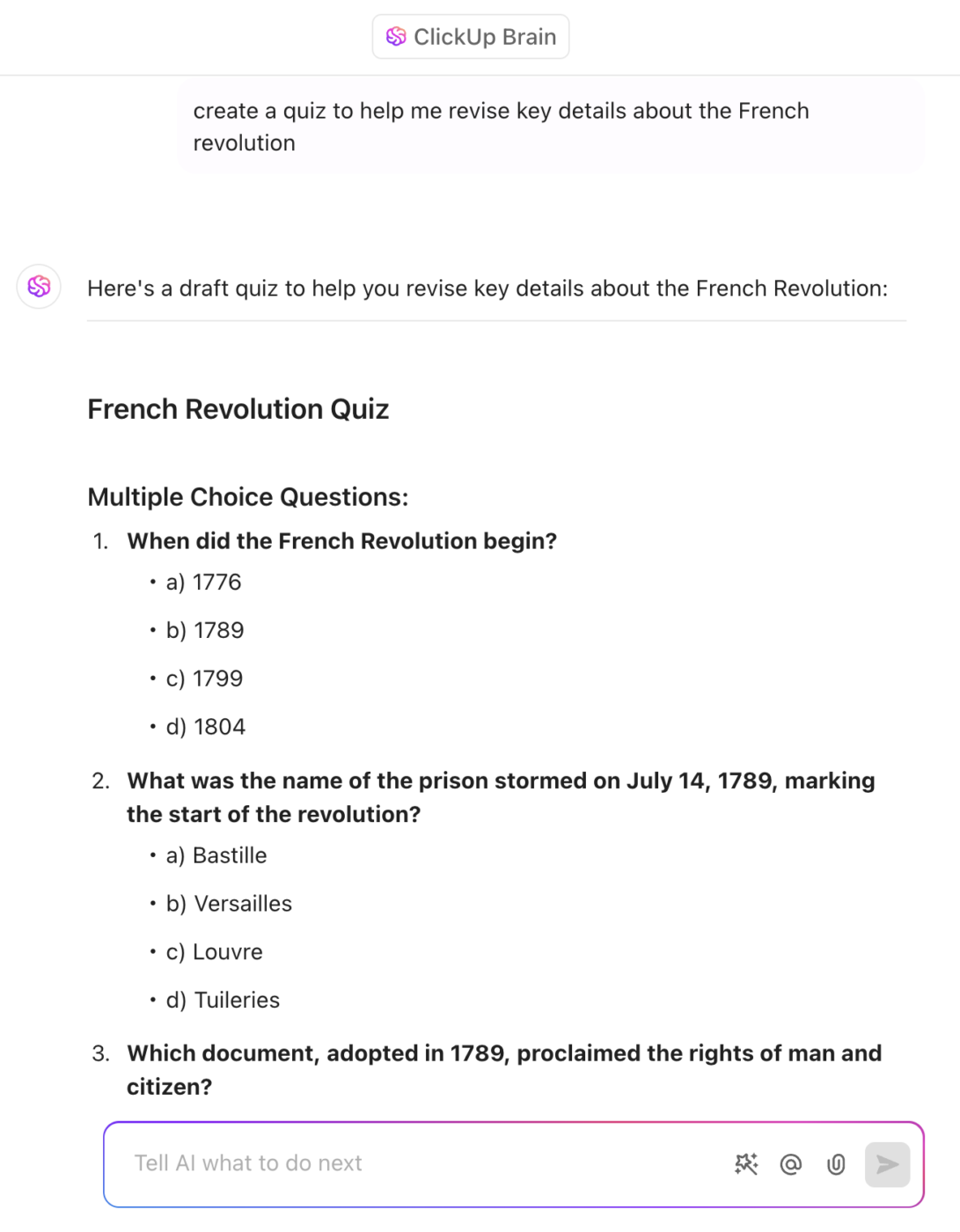
No two students learn the same way, and that’s where artificial intelligence comes in. AI factors in your availability, learning habits, and cognitive patterns (e.g., when you’re most focused) to recommend optimal study times and session lengths. It can also adjust for missed sessions and reschedule topics as needed.
Through quizzes, assignments, and behavioral data (such as time spent on tasks), AI identifies areas for improvement and refines the study plan accordingly, such as introducing spaced repetition or additional practice for better retention.
You can also use AI to plan lessons so that you avoid wasting time on things you already know while spending extra time on concepts that need more attention. It’s like having a personal tutor on-demand.
📌 Example: Socratic by Google uses AI to help students solve math problems and understand complex concepts. After analyzing your question, it’ll suggest resources and quizzes to remind you of key concepts and reinforce the lesson, building a study plan around your weaknesses.
🤝 Friendly Reminder: There’s no single ‘right’ way to learn or teach students. Each individual has unique needs, and embracing diverse teaching methods ensures inclusive and effective learning.
Artificial intelligence doesn’t just help you with your study materials—it’s also a writing coach. Use it to get instant feedback on clarity, conciseness, and tone while you’re working on an essay, a research paper, or even a simple assignment.
For example, if your argument lacks coherence, AI can restructure paragraphs for better flow or recommend citations to strengthen your points.
Additionally, AI can detect passive voice, repetitive phrasing, and weak word choices, helping you refine your writing style and make your arguments more persuasive.
📌 Example: Grammarly is a popular AI writing tool that checks grammar, spelling, tone, and readability. It gives suggestions to improve sentence structure and style, helping you produce polished essays or reports.
Originality is key to maintaining academic integrity. AI-powered plagiarism detection tools scan your work against vast databases to ensure everything you submit is entirely your own. It’s a great way to ensure that your job is authentic and well-cited while teaching you the importance of proper referencing.
They highlight unoriginal content, suggest proper citations, and help rephrase sections for better authenticity. For instance, if your research paper includes a paraphrased section too similar to the original source, AI will flag it and offer rewording suggestions.
📌 Example: Turnitin is a plagiarism detection tool widely used by universities. It checks your work against a massive database of academic articles and web content to ensure originality.
Sifting through endless research papers and not finding what you need? AI can help.
Instead of painstakingly spending hours reading each word in lengthy articles, these tools extract key points and summarize them for you. They break down dense research into digestible summaries, making it easier to identify relevant studies, compare arguments, and organize citations.
Some AI tools even generate structured outlines for research papers, helping you get to the heart of the content quickly. This streamlines the research process, allowing you to focus on analysis, critical thinking, and writing rather than getting lost in pages of complex information.
📌 Example: SMMRY is a free online tool that uses AI to summarize research papers or articles by extracting the most essential information, making it easier to get to the core of the research.
📖 Also Read: Best AI Research Paper Writing Tools
🔍 Did You Know? 1 in 5 college students admit to using AI tools to complete their schoolwork.
As a student, balancing lectures, assignments, exams, and everything in between can feel like a never-ending compromise. But there’s a smarter way to stay on top of it all. AI tools simplify your study routine, help you learn faster, and save time, especially for higher education use cases.
ClickUp, the everything app for work, is also a standout choice as an organization tool for students. With its built-in AI-driven features, it helps you plan tasks and assignments, optimize study and rest schedules, manage complex projects like thesis submissions, and automate repetitive actions.
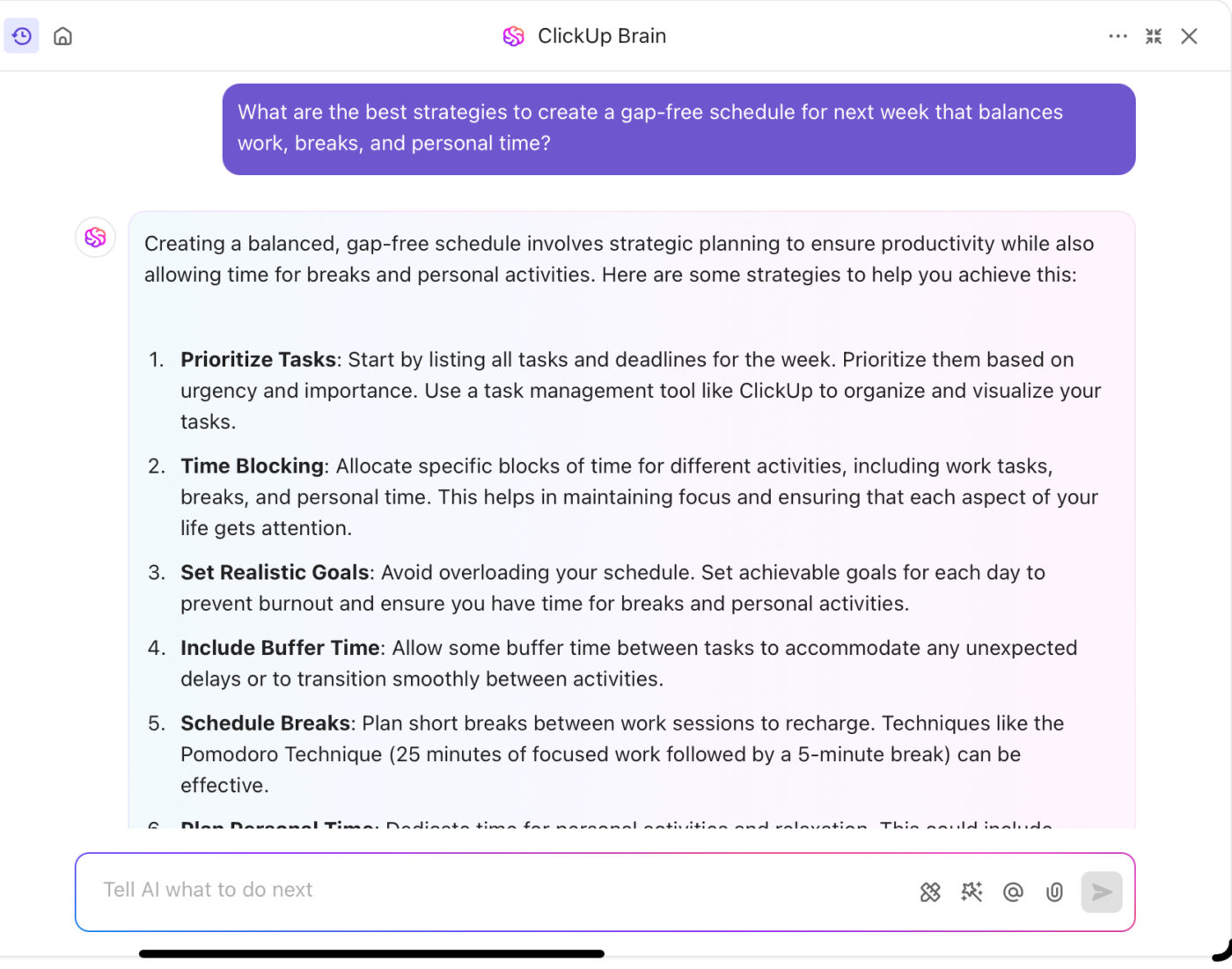
ClickUp for Students, combined with the ClickUp Education Project Management Solution, simplifies study planning, assignment tracking, and collaboration–keeping everything in one place so you can focus your time and energy on learning and achieving your academic goals.
Integrated directly into your workspace, ClickUp Brain acts as an AI-powered assistant, automating tasks, organizing information, and seamlessly connecting your projects with class materials.
Here’s how it supports students across various use cases:
Balancing multiple assignments, deadlines, and group projects can quickly become overwhelming. ClickUp Brain simplifies this by breaking down larger tasks into smaller, actionable subtasks.
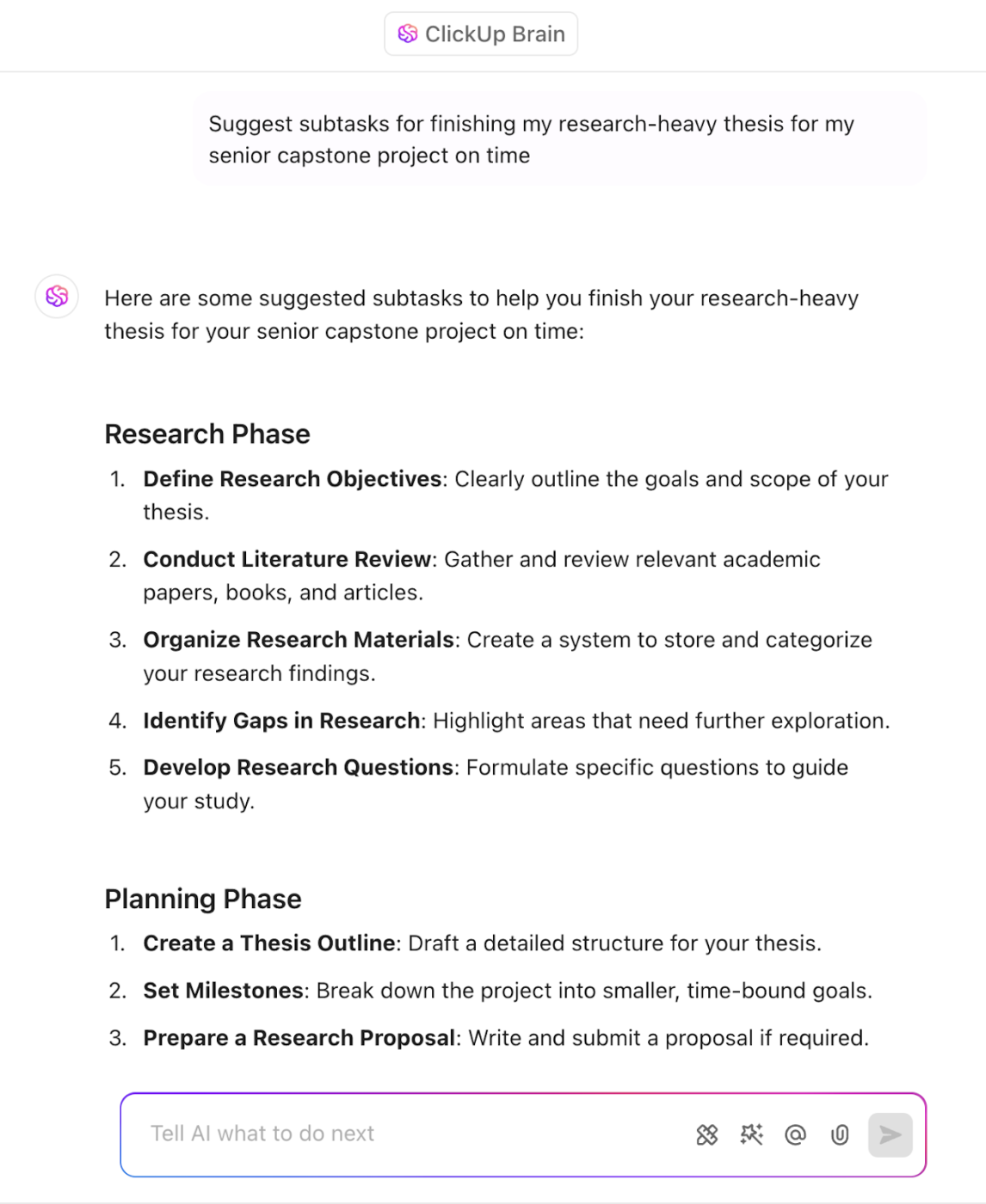
With ClickUp Tasks, you can plan and submit your assignments on time, every time. Easily set Start and Due Dates, create Reminders to stay on top of deadlines, and track assignment stages (To-do, In Progress, Done, etc.) through Custom Task Statuses in ClickUp.
As you complete your tasks, you can also generate summarized, real-time activity reports using AI, which will give you a clear view of what’s been completed and what still needs attention.
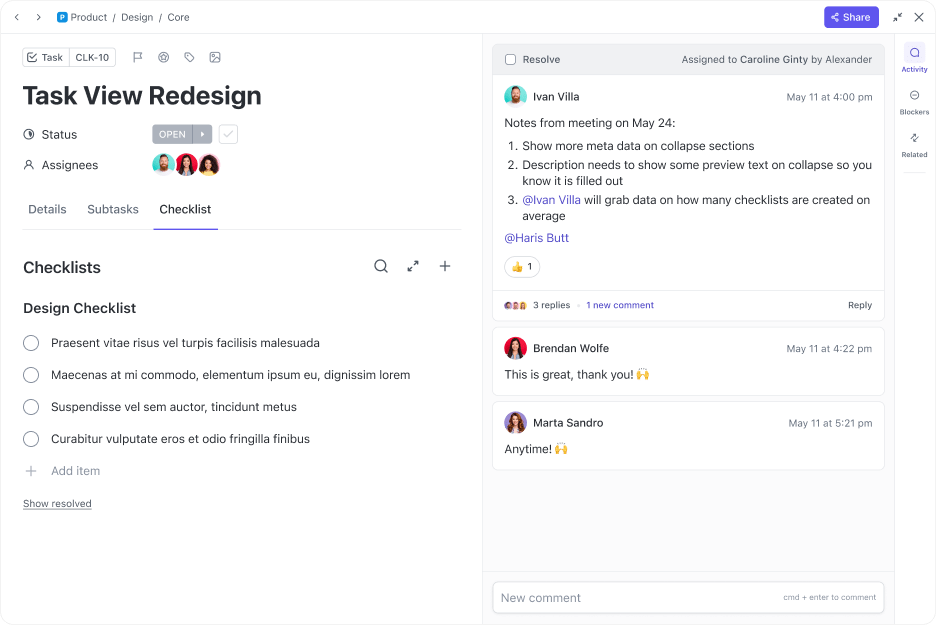
Group projects also become more manageable with ClickUp Task Lists for organizing assignments. You can assign tasks to team members, monitor their contributions, and maintain seamless coordination—all in one place.
📮 ClickUp Insight: Our recent survey shows that 65% of workers prioritize easy wins over high-value tasks without an effective system. The same happens with students—when submitting a quick assignment feels easier than starting a research paper, procrastination takes over.
ClickUp’s AI-powered task workflows and custom priority flags highlight top priorities so you focus on what moves the needle instead of what feels easy.
Taking notes is one thing; synthesizing them into useful study material is another. ClickUp Brain can simplify the latter by:

⚠️ Always check your school’s policies and ask for permission before recording lectures to avoid potential issues related to privacy concerns, intellectual property, consent laws, and academic integrity.
This way, you can focus on a deeper understanding of the material while the AI assistant captures key points and arranges them into clear, searchable formats.
⚙️ Bonus: Don’t want to start from scratch? Use free note-taking templates to get a headstart.
Managing deadlines, study sessions, and personal commitments can be tricky without a structured plan. ClickUp Brain integrates seamlessly with ClickUp Calendar, setting up automated reminders for assignments, exams, group study sessions, and project deadlines.
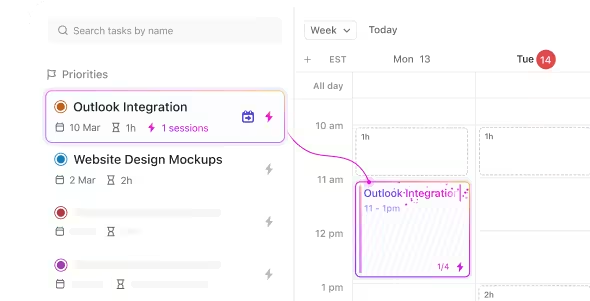
No more scrambling at the last minute—this AI tool helps distribute your study workload evenly, reducing cramming and last-minute stress. Tracking the time spent on each task also helps identify areas where you might need to adjust study habits, ensuring you stay productive without burning out.
📖 Also Read: Important Project Management Tips for Students
Working on group projects often leads to miscommunication and lost updates due to scattered files. ClickUp’s collaboration tool for students can help.
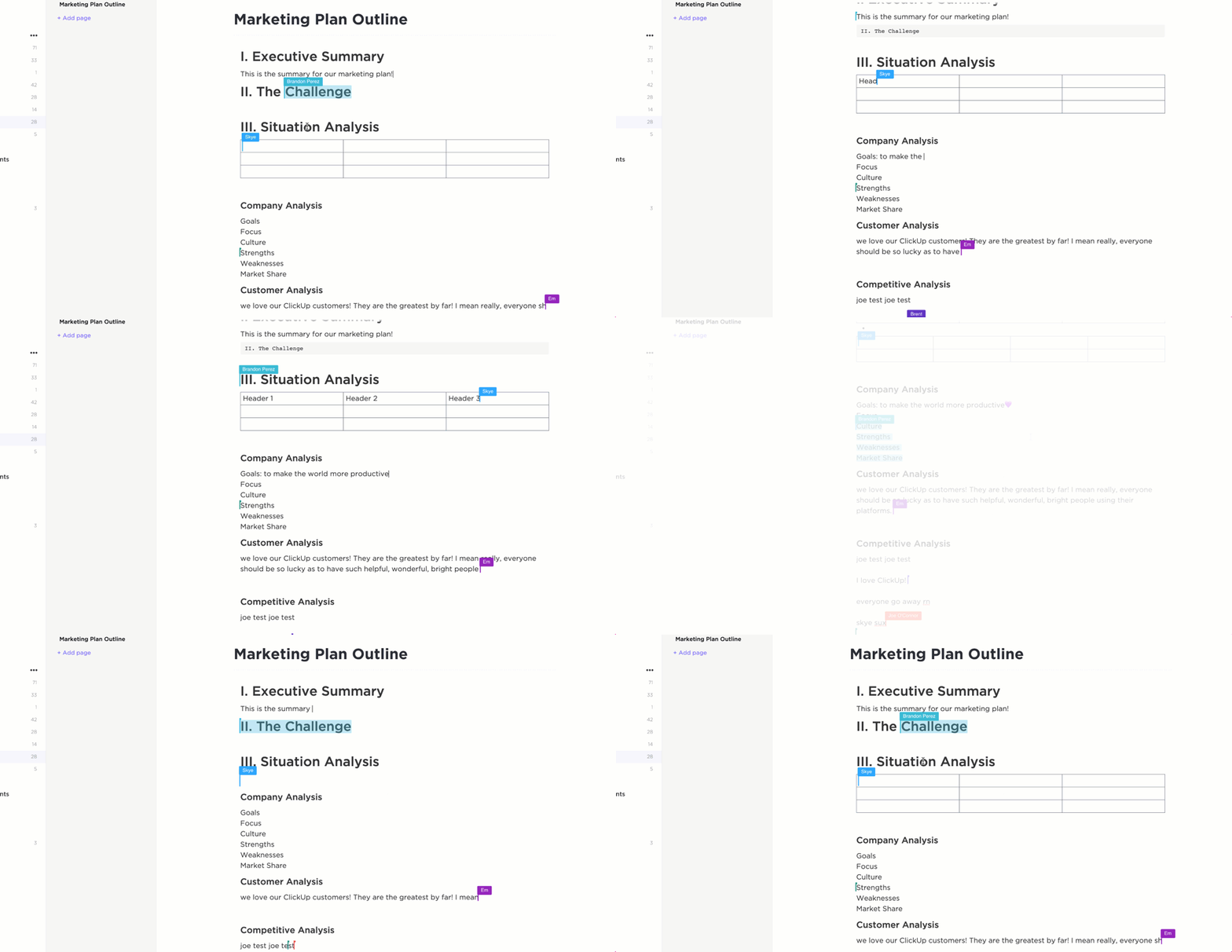
ClickUp Docs allow students to collaborate on shared notes, research papers, and presentations without endless email threads. With built-in chat and document collaboration, you can leave comments, make edits, and get instant updates without constant context switching.
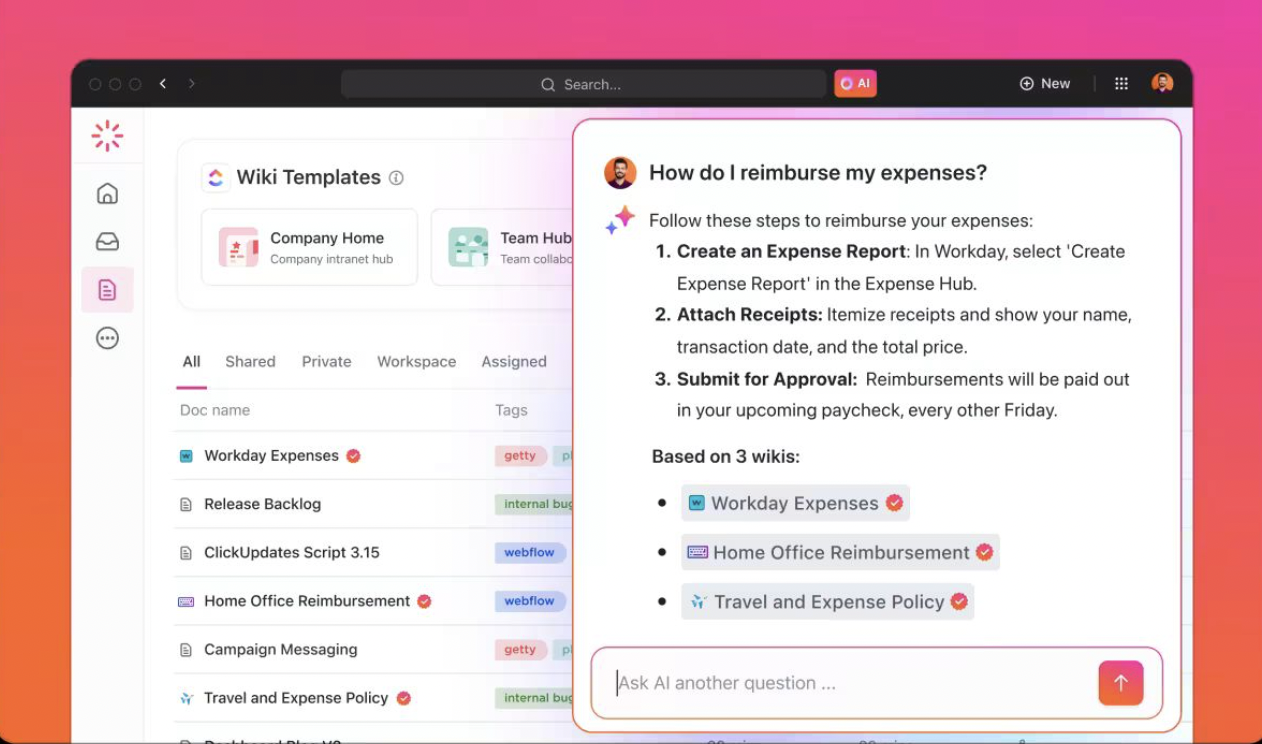
Use ClickUp Brain within Docs to instantly summarize notes, generate key takeaways, and suggest edits. ClickUp Brain can pull highlights from your notes and organize them for quick review. Plus, it answers questions on the fly, so you can clarify concepts without digging through pages of text.
⚙️ Bonus: Want to ace every course in school? Use the ClickUp Class Schedule and Time Study Template to organize and prioritize upcoming classes, schedule time for studying, and track progress on course-related tasks.
One of ClickUp Brain’s standout features is the AI Knowledge Manager. It analyzes past performance, study patterns, and areas of difficulty to provide personalized study plans tailored to your needs.
For instance, if you’re working on a project and need specific information about a task, Brain will instantly pull up the relevant details, saving you time and preventing the frustration of searching multiple documents. It’s like having a virtual research assistant that’s available 24/7.
Writing essays, research papers, or reports can be time-consuming and challenging, especially when structuring arguments and refining clarity. ClickUp Brain’s AI Writer for Work helps you generate, edit, and summarize everything, from essays to reports. It uses natural language processing to refine your academic writing, suggesting improvements in clarity, tone, and structure.
If you’re stuck on a paragraph or need help finishing your draft, Brain can even complete sentences or rephrase sections, making it easier to express your ideas clearly and effectively.
Beyond managing tasks and deadlines, ClickUp Brain automates repetitive academic tasks, such as setting reminders, syncing schedules, and organizing research materials. It also categorizes notes, embeds external references, and creates structured study materials.
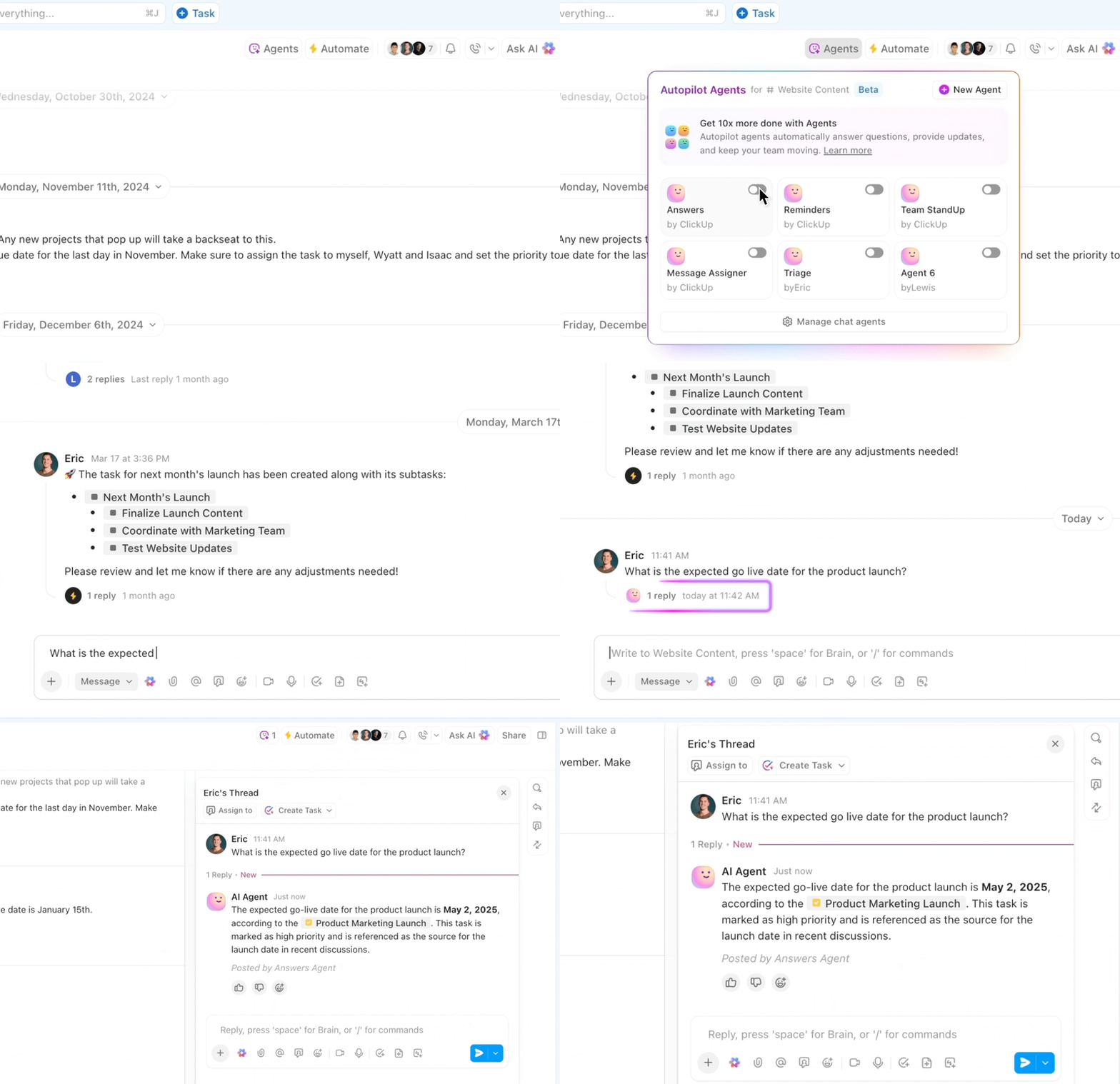
ClickUp also offers Autopilot Agents to help educators cut down on busywork and stay on top of student progress. You can set up agents to auto-post weekly updates, flag students falling behind, or even reschedule class tasks when conflicts pop up. The Auto-Answers Agent, for example, lets you quickly ask questions and get summaries from Docs, tasks, or comments right within ClickUp Chat—no digging required.
Even better? ClickUp’s built-in lesson plan templates help you quickly outline study sessions, map out coursework, and ensure a well-organized approach to learning. This reduces distractions and allows you to dedicate more time to actual learning.
🧠 Fun Fact: The oldest university in the world, the University of al-Qarawiyyin in Morocco, was founded in 859 AD by a woman, Fatima al-Fihri.
The ClickUp College Lesson Plan Template lets you create and customize lesson plans and organize content for lectures, assignments, and exams.
It aims to help instructors create well-structured learning environments, maintain a consistent approach to lesson delivery, and focus on student learning outcomes.
⚙️ Bonus: Use the ClickUp Student Template to create and customize lesson plans easily, organize content for lectures, assignments, and exams, and track task progress.
No student enjoys drowning in assignments, endless research, or scrambling to meet deadlines. The good news? Learning how to use AI for students can take a lot of the stress out of studying, helping you work faster, stay organized, and encourage critical thinking by allowing you to focus on problem-solving and deeper learning.
ClickUp, the everything app for work, brings everything together—your notes, deadlines, projects, and even AI-powered writing assistance. With ClickUp Docs, you can draft, organize, and collaborate on assignments seamlessly, while ClickUp Brain automates note-taking, generates study materials, and keeps you on track with personalized reminders.
No more juggling five apps just to stay on top of your coursework.
Study smarter. Sign up to ClickUp for free today! ✅

Manasi Nair
Max 18min read

Arya P Dinesh
Max 26min read

Sean Hardy
Max 26min read

© 2026 ClickUp