






Still downloading templates?
There’s an easier way. Try a free AI Agent in ClickUp that actually does the work for you—set up in minutes, save hours every week.
Sorry, there were no results found for “”
Sorry, there were no results found for “”
Sorry, there were no results found for “”
Ever feel like you’re juggling five campaigns while sprinting on a treadmill?
That’s modern marketing. One minute, you’re reviewing the ad copy, and the next, you’re buried in the dashboards, while someone asks if that email sequence is still going out tomorrow. 😵💫
Managing one project is tough. Managing many is a skill of its own.
The good news: you can build it—without burnout or 14 calendars before your second coffee. With the right process (and tools), you’ll keep projects moving, teams focused, and deadlines intact.
In this guide, you’ll learn how to run multiple marketing projects with less chaos and more clarity—and how ClickUp helps you prioritize, organize, and track it all. 🎯
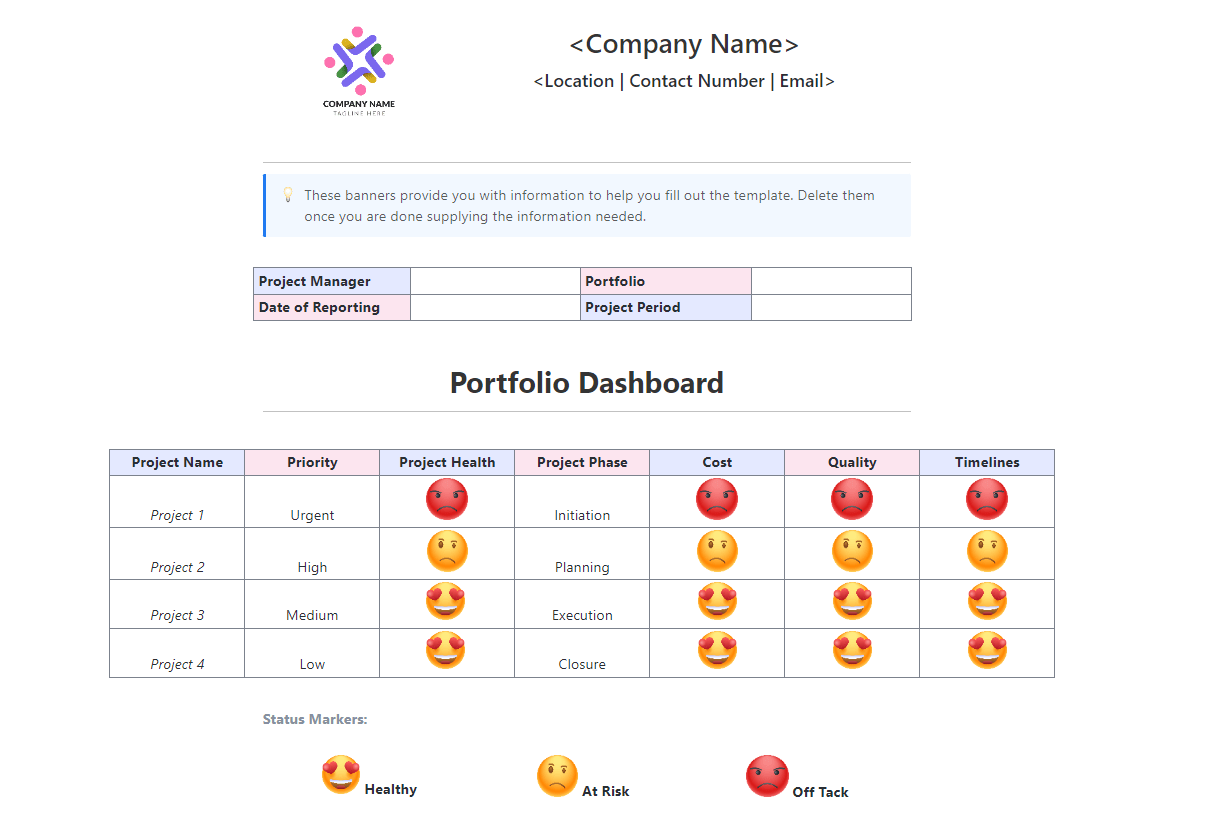
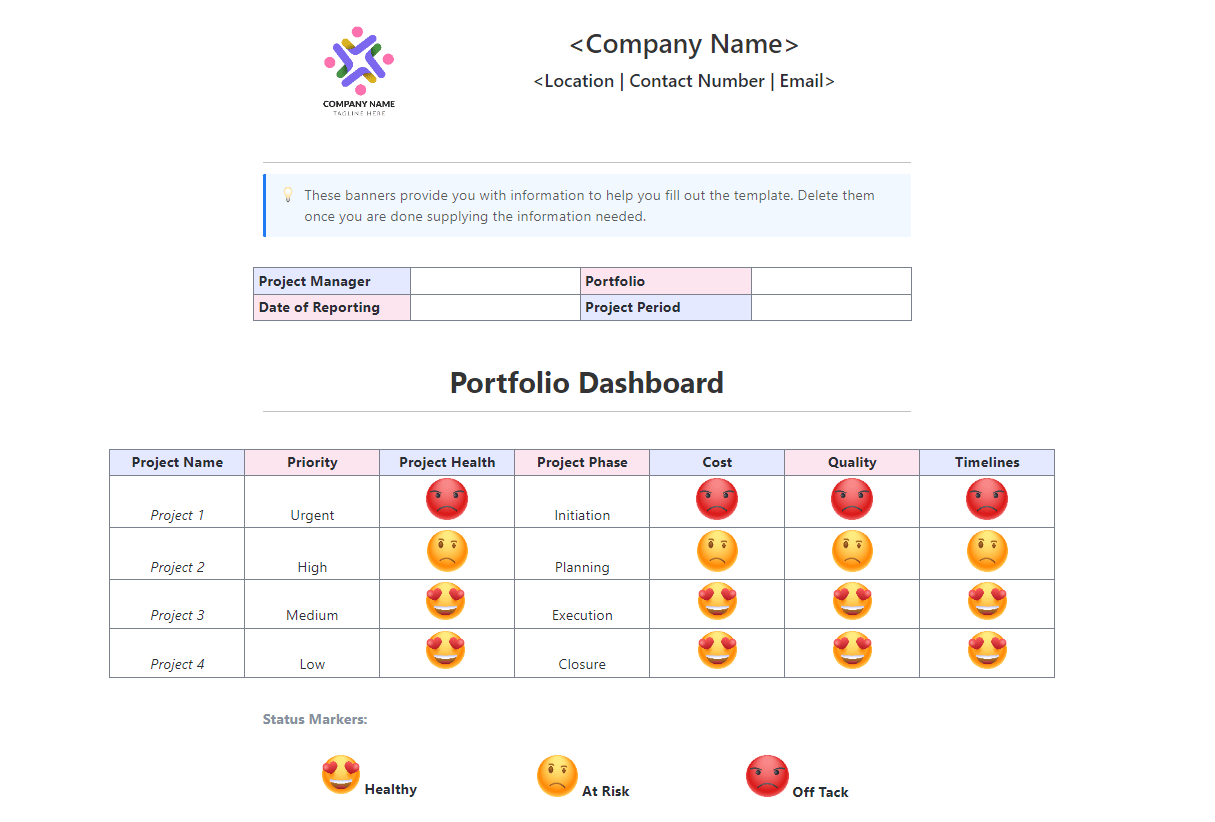
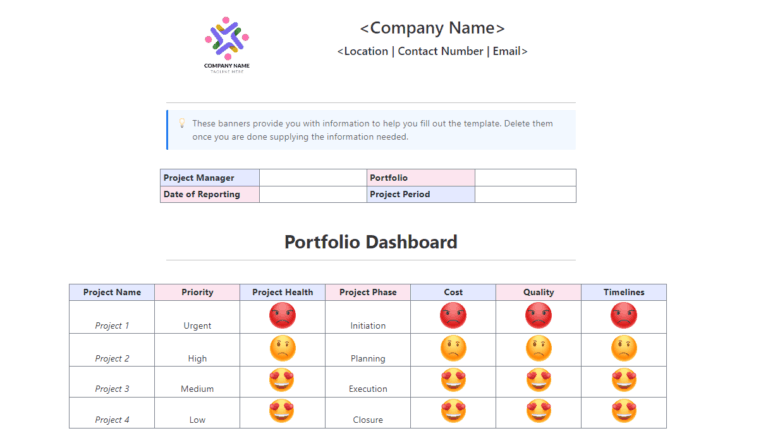
The ClickUp Multiple Project Status Report Template makes it effortless for managers to monitor the progress of several projects at once—no more dropped balls! Gain real-time visibility on completed vs. pending tasks and empower stakeholders with dependable updates. Stay in control and eliminate surprises with this dynamic status report template.
Marketing isn’t “one big campaign at a time” anymore. It’s emails, influencers, SEO, ads, launches, and events—all overlapping. Even if your to-do list looks tidy, your brain knows better: everything is layered. 😬
🧐 Did You Know? It takes 23 minutes to fully regain focus after context switching between projects, which can drain valuable time and energy.
Here’s how it feels:
🎯 The real challenge? It’s not just the tasks. It’s the mental load of keeping all those moving parts straight.
Here’s a quick guide on five mistakes made by marketers while managing multiple projects:
That’s why juggling multiple campaigns requires more than sticky notes and good intentions. You need a system that helps you:
📖 Read more: If you’re wondering how many projects are too many to manage, discover the signs and solutions for project overload.
📮ClickUp Insight: 16% of managers struggle with integrating updates from multiple tools into a cohesive view. When updates are scattered, you end up spending more time piecing together information and less time leading.
The result? Unnecessary administrative burdens, missed insights, and misalignment. With ClickUp’s all-in-one workspace, managers can centralize tasks, documents, and updates, reducing busywork and surfacing the insights that matter most, right when they’re needed.
💫 Real Results: Convene unified 200 professionals in one ClickUp workspace, using customizable templates and time tracking to reduce overhead and improve delivery times across multiple locations.
🎥 Emails, ads, social posts, reports… marketing never ends. This shows how AI helps you juggle it all without dropping the ball.
Running one campaign is tough. Running five? That takes a system. Project management software makes teams 4× more likely to hit their goals—yet 65% of marketers still don’t use one. That gap shows up in missed deadlines, scattered priorities, and campaigns that never fully land.
Here’s how to manage projects with less chaos and more clarity 👇
Most delays aren’t about missing tasks—they’re about missing details. A goal changes, but no one updates the brief. The subject line gets tweaked, but the designer never hears about it. Chaos.
Fix it fast: Build one campaign hub where goals, briefs, and assets live side-by-side—and update in real time.
💡 In ClickUp, you can build this centralized hub inside a Marketing Space. Here’s what it looks like in practice:
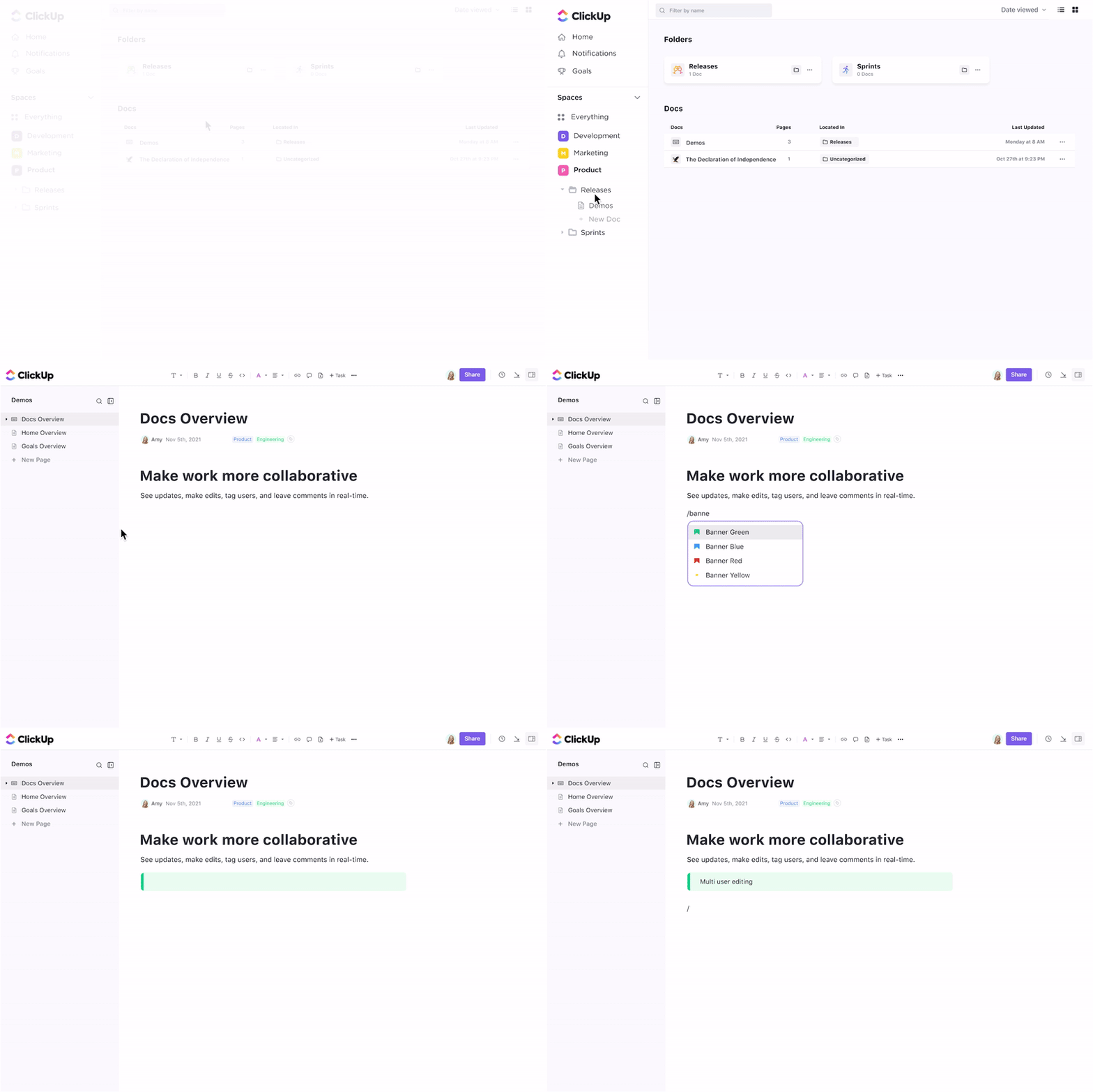
💬 Bonus: ClickUp Docs are collaborative and live-edited, so feedback, approvals, and updates happen in one place—not across seven different tools.
A rebrand isn’t the same as a newsletter. Forcing both into a flat task list creates bottlenecks, unclear ownership, and missed dependencies.
Fix it fast: Create hierarchies that mirror your workflow.
💡 In ClickUp:
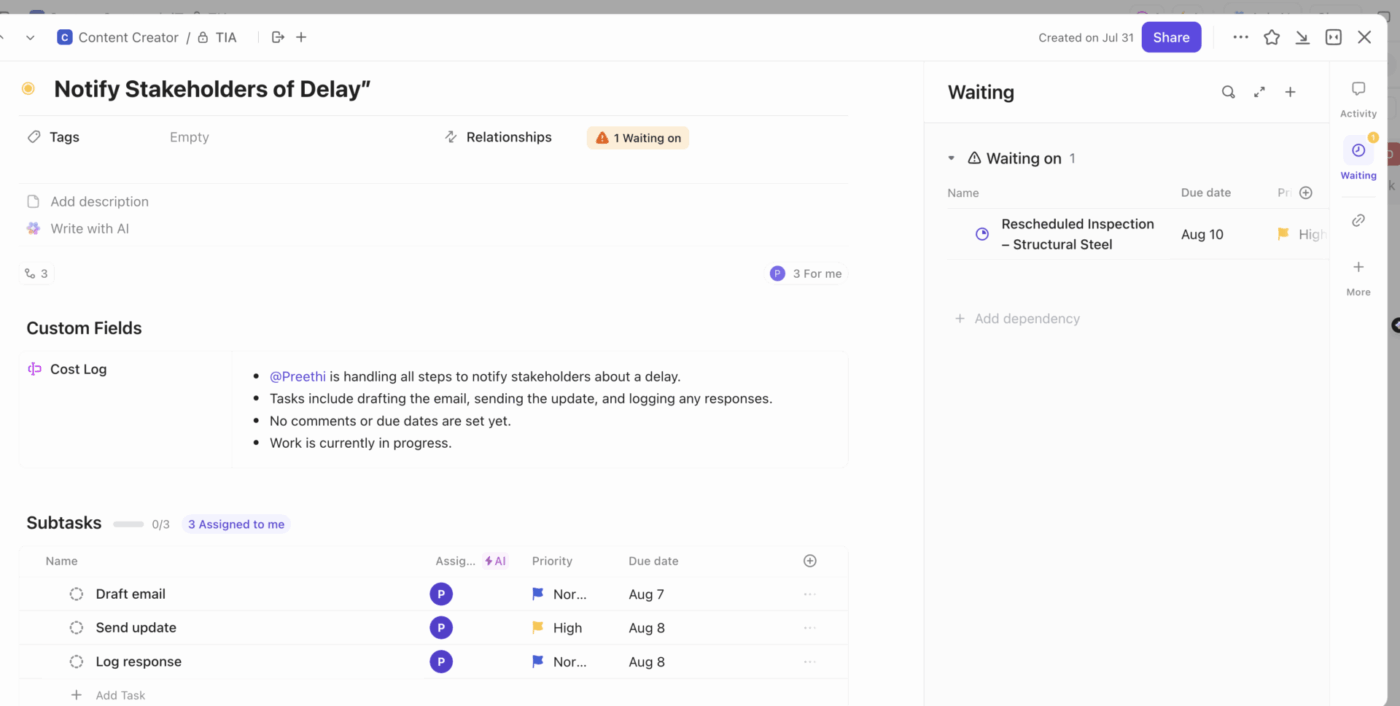
🧩 ClickUp’s Work Breakdown Structure Template lets you templatize these flows for repeat projects—so you’re not constantly rebuilding from scratch.
When everyone chases their own deadlines, the big picture slips. That’s how paid ads launch before the product page is ready.
Fix it fast: Use views to see work across all campaigns, not just one.
💡 Pro Tip: Use project views like Timeline, Gantt, and Board interchangeably—not every stakeholder thinks the same way, and a quick view switch can unlock clarity.
💡 In ClickUp, you can:
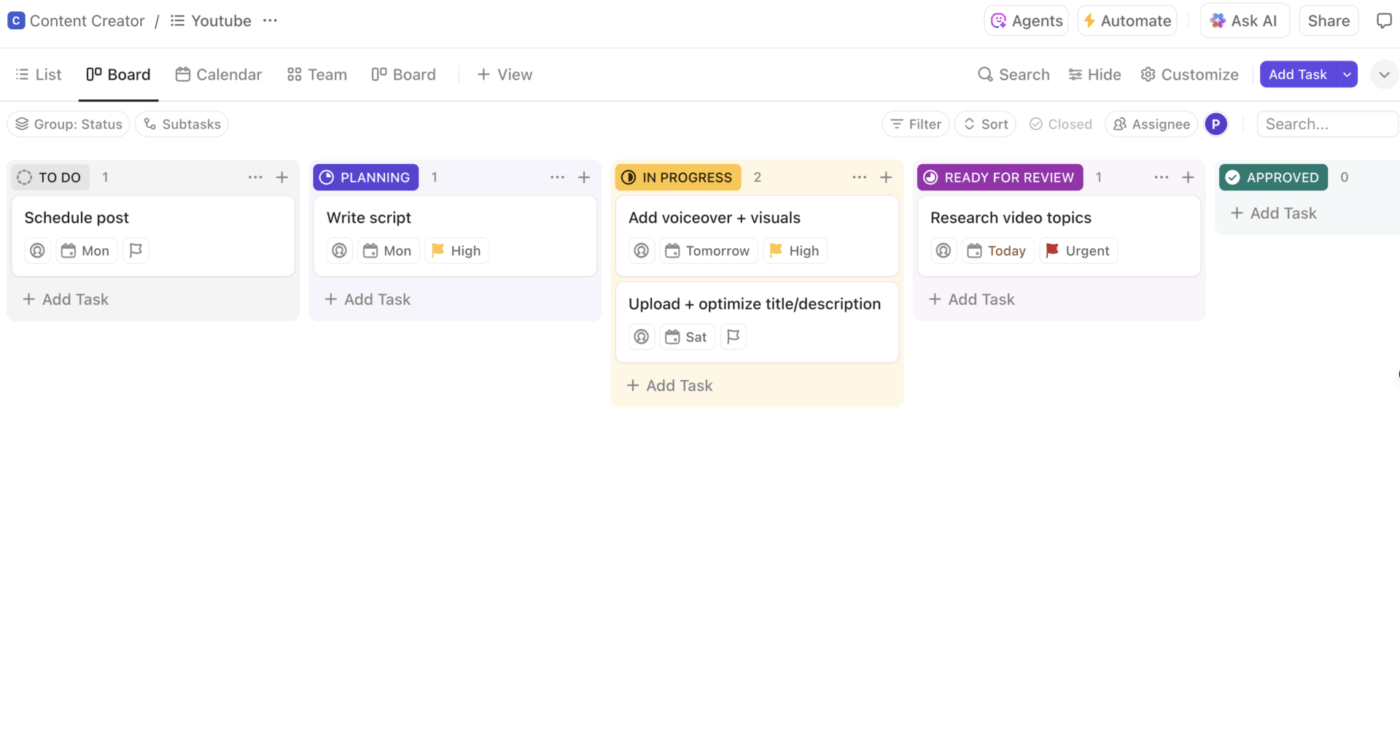
💡 Pro Tip: Create a “This Week’s Priorities” Dashboard filtered by assignee + urgency. It becomes your morning command center—no spreadsheet needed.
Ever had a teaser post go live before the product page? These mix-ups happen when no one can see how projects overlap.
Fix it fast: Use visual timelines to map dependencies and spot collisions before they happen.
💡 ClickUp gives you:
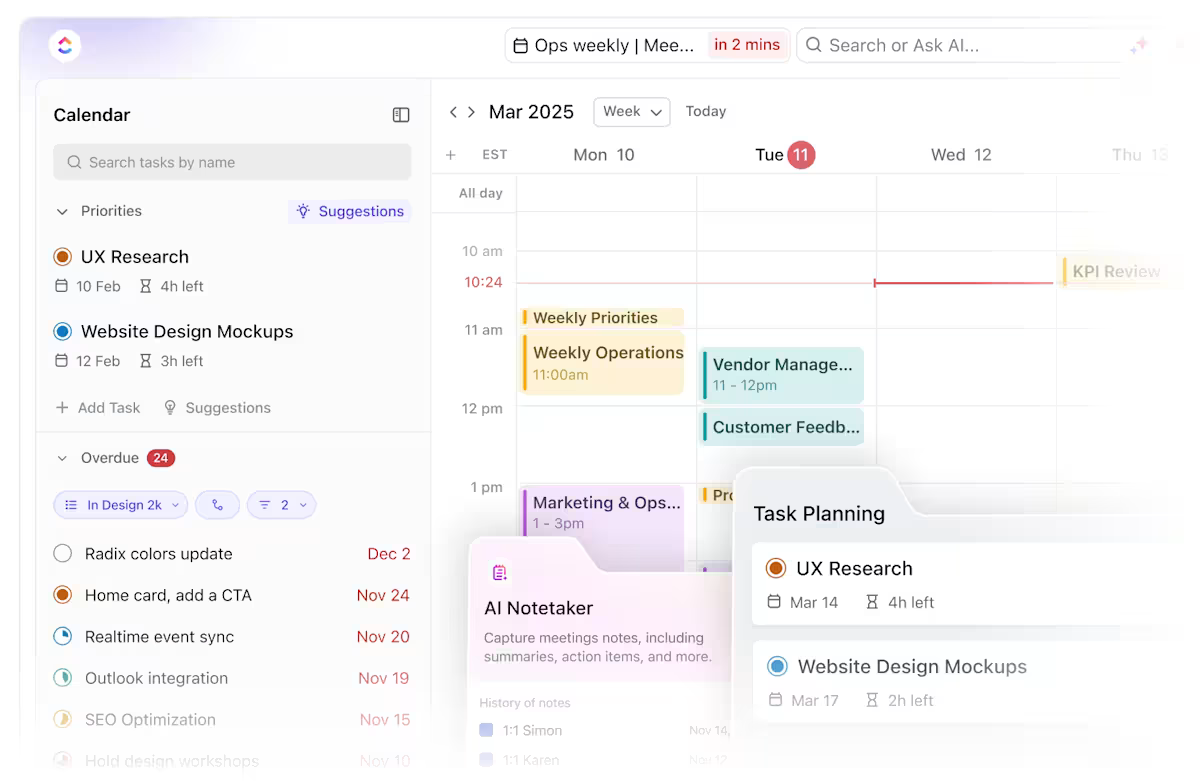
📌 Example: Planning a product launch? Use Gantt View to link creative, email drips, ad approvals, and blog posts—so blockers are visible before they cause delays.
💡 Pro Tip: Use ClickUp Brain to generate summaries of campaign progress or automatically update stakeholders with a plain-language report. AI is your new assistant.

Moving tasks, updating statuses, sending “ready for review” pings… adds up to hours of admin.
Fix it fast: Automate the busywork so projects keep moving without you babysitting them.
💡 With ClickUp:
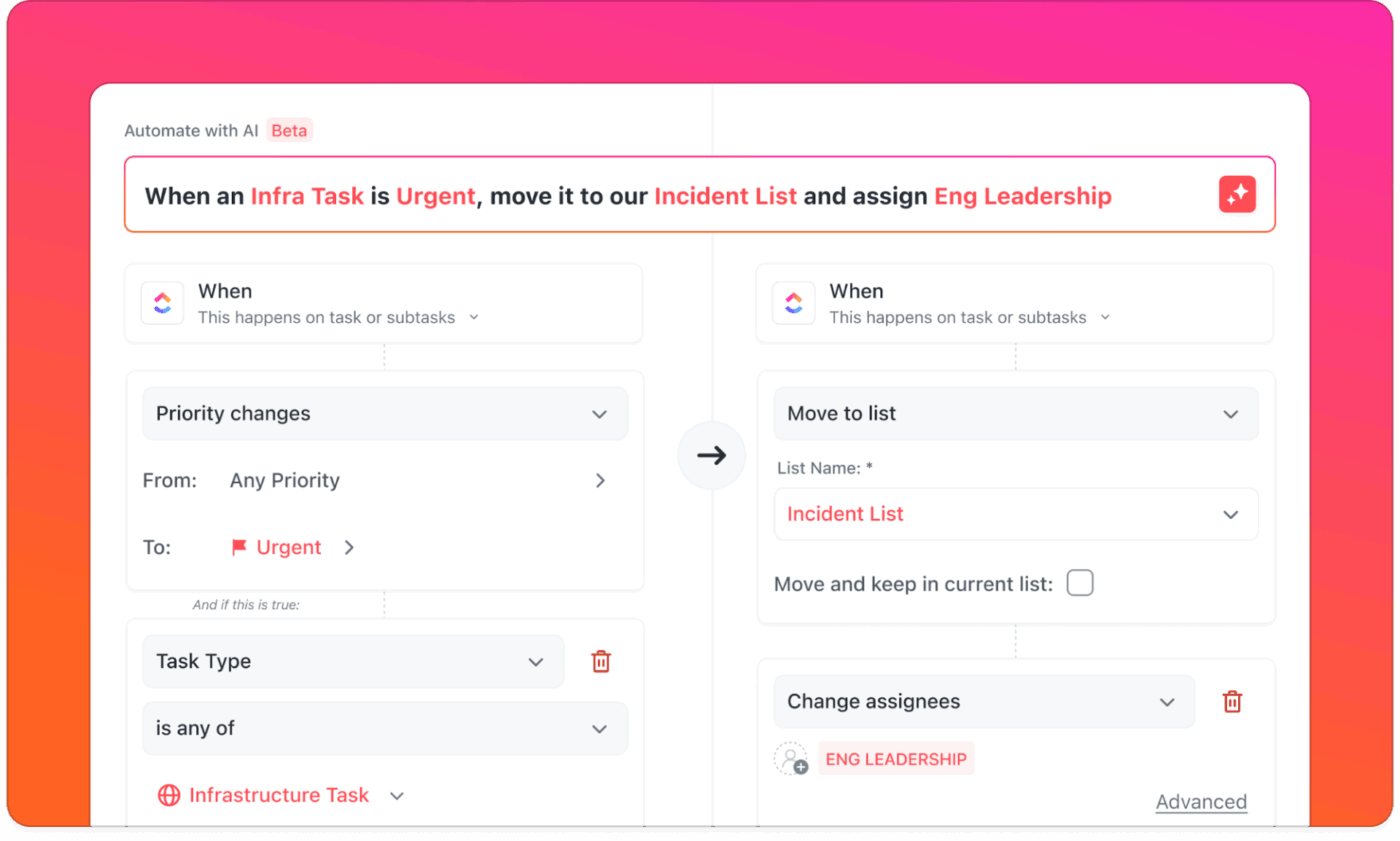
🧠 And with ClickUp Brain, you can generate campaign briefs, auto-summarize feedback threads, or suggest next steps based on project context.
💡 Pro Tip: Every time you automate a recurring task, you give ‘Future You’ a tiny fist bump. Little wins stack into big momentum. 🤜💥
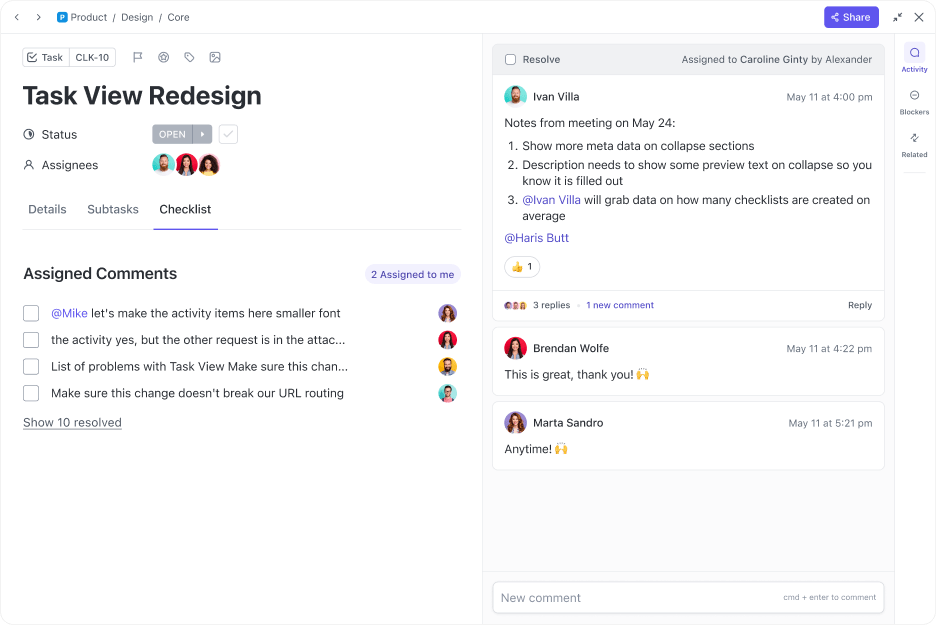
Approvals via Slack. Feedback in a Google Doc. Questions in email. Final copy somewhere in between.
When feedback is scattered, miscommunication increases. You spend more time chasing context than acting on it.
Fix it fast: Keep conversations directly tied to the task, document, or deliverable—so nothing gets lost, delayed, or duplicated.
💡 In ClickUp:
📖 Read more: Want to improve how you prioritize? Explore prioritization templates for marketing projects to help your team focus on what matters most.
🧐 Did You Know? Most projects fail not because of poor execution, but because the status wasn’t clear to the right people at the right time. Visibility drives velocity.
Tired of scrambling to update stakeholders across multiple campaigns?
The ClickUp Multiple Project Status Report Template helps you track, summarize, and share the progress of all your marketing projects in one clean, automated view. This means you spend less time reporting and more time executing.
What it helps you do:
💡 Pro Tip: Separate your creative brainstorms from your execution boards. That way, big ideas stay protected and aren’t buried under daily checklists.
Most marketing teams fall behind in reporting—not because they don’t have the data, but because gathering it takes too long, especially when updates live across different tools or Slack threads.
Fix it fast: Build real-time reporting systems that show what’s done, what’s blocked, and what’s next—without you having to compile it manually.
💡 ClickUp lets you:
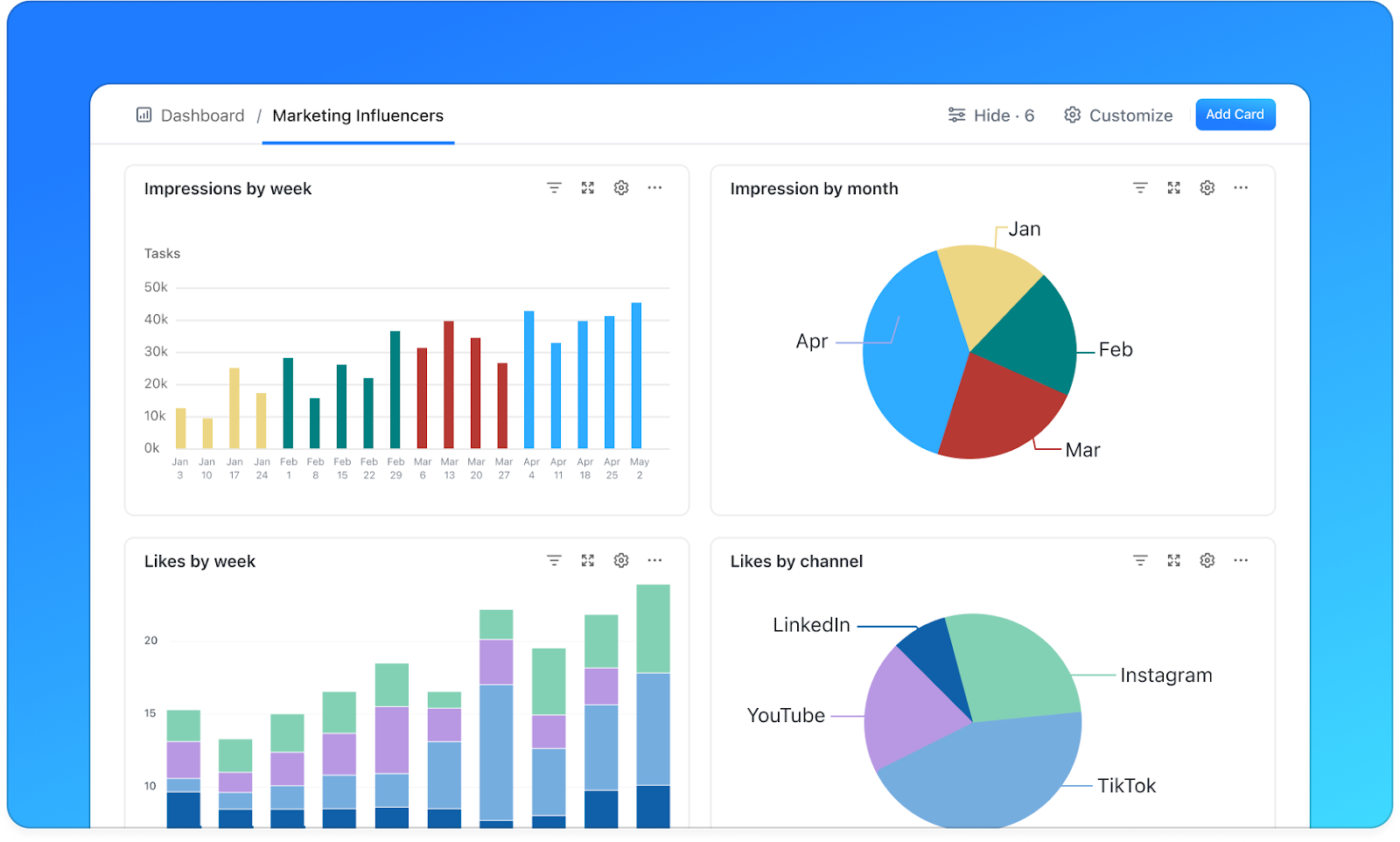
💬 Bonus: Let ClickUp Brain summarize project health or convert Dashboard data into client-friendly summaries in seconds.
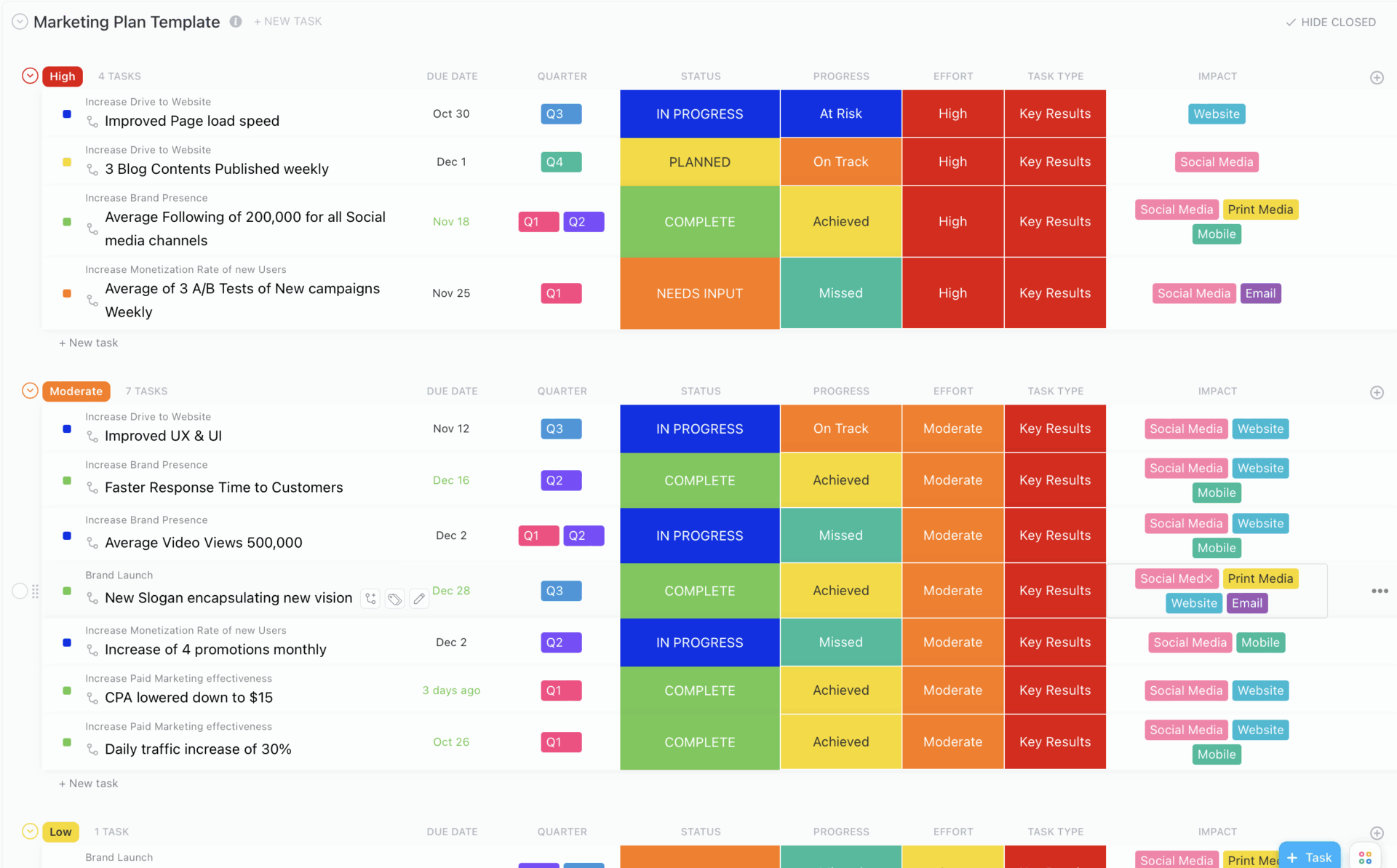
From big-picture strategy to day-to-day execution, the Marketing Plan Template gives your marketing plans structure without the stress.
Map out your campaign goals, channels, timelines, and KPIs in one place so everyone is working toward the same objectives.
What it helps you do:
Your workspace doesn’t need bells and whistles—it just needs to keep campaigns moving. Here’s a simple, scalable setup you can spin up in ClickUp today:
Want to get started fast? Browse ClickUp’s marketing templates for every type of marketing initiative.
💡 Pro Tip: Color-code your campaigns using Tags or Custom Fields in ClickUp. It’s a simple way to visually separate social, email, and product launches—especially helpful when you’re juggling 5+ initiatives.
Why start from scratch when these templates already do the heavy lifting?
Use these to hit the ground running on day one:
For even more options, explore ClickUp’s project management templates.
💡 Pro Tip: Use time blocking to carve out deep focus hours for campaign planning. Even just two 90-minute sessions per week can dramatically boost creative output. Schedule these blocks inside your ClickUp Calendar View and treat them like non-negotiable meetings—with yourself.
Even the most experienced marketers fall into productivity traps—especially when campaigns start to overlap or priorities shift midstream. If your current system feels like it’s barely holding together, one of these issues might be the culprit:
Customizing from scratch every time sounds flexible—but it’s a fast way to burn out your team. Repeating work slows you down and increases room for error.
Fix it fast: Build templates for ad creative briefs, email workflows, and launch checklists in ClickUp to move faster without missing steps.
If your brief is in Google Docs, your tasks in Trello, and your timeline in a spreadsheet… no wonder things slip through the cracks.
Fix it fast: Combine planning, documentation, and task execution in ClickUp. Embed Docs into tasks, assign approvals within comments, and track everything from kickoff to campaign wrap.
Publishing a blog post before SEO reviews it, or launching ads before landing pages are QA’d—these small misses create a ripple effect.
Fix it fast: Use ClickUp’s Gantt View or Dependencies to connect tasks and prevent out-of-order handoffs visually.
Compiling weekly updates from five different tools isn’t just annoying—it’s error-prone.
Fix it fast: Automate reporting in ClickUp using Dashboards or the Multiple Project Status Report Template.
📖 Read more: Want to master the art of managing multiple projects? Learn proven strategies for handling several projects at once.
Managing multiple marketing projects isn’t just about planning—it’s about having the right project management tools for marketing teams that reduce friction, centralize your work, and keep your team aligned even when chaos hits.
Here are a few powerful tools that help you stay organized, save time, and execute seamlessly—starting with the one that can do it all.
ClickUp isn’t just a project management tool—it’s a full marketing operating system. Whether you’re planning a product launch, coordinating content creation, or running a multi-channel campaign, ClickUp helps you manage everything in one place.
Why it works:
📌 Example: A marketing agency managing 10+ clients uses ClickUp to keep campaign timelines, asset approvals, and reports in one dashboard—saving hours each week in context switching.
Zapier connects all the tools you’re already using—without code. You can ensure campaign updates flow smoothly between apps with thousands of integrations.
What it helps with:
📌 Example: A DTC brand connects Shopify, Klaviyo, and ClickUp via Zapier. When a high-value order comes in, a new retention task is auto-created in ClickUp and assigned to the lifecycle marketer.
Loom makes it easy to show, not just tell. Instead of another meeting, you record a quick video walkthrough with your screen + voice, then share instantly with teammates or clients.
Why marketers love it:
📌 Example: A campaign manager reviews ad creative in Loom, drops the link into a ClickUp task, and the designer gets clear visual feedback without a live call.
From blog posts and landing pages to social captions and email campaigns, Grammarly ensures everything you ship is polished, clear, and on-brand.
Why it works for marketing teams:
📌 Example: A content team uses Grammarly to enforce a brand style guide across 10 writers. Even when freelancers jump in, every asset stays consistent with the company’s voice.
What to do when you’re overwhelmed: A quick reset plan
Sometimes, it’s not about adding another strategy—it’s about hitting pause, clearing mental clutter, and focusing on just one thing.
Here’s how to reset when the chaos peaks:
Additionally, most marketers say they feel “too busy to get organized”—but once they spend just 30 focused minutes, their entire week improves. This small reset might be the most powerful thing you do today.
Managing multiple marketing projects doesn’t have to feel like juggling flaming swords while running a marathon. You can move from reactive chaos to confident control with the right systems, tools, and workflows.
Whether you’re launching a product, scaling a content engine, or just trying to keep five campaigns aligned across teams, the key is consistency—not heroics.
✅ Break big goals into trackable steps
✅ Centralize your information and feedback
✅ Prioritize across all projects, not just the loudest one
✅ Automate the boring stuff so you can focus on strategy
✅ And keep everyone informed—without chasing updates
With ClickUp, it’s simple. Build content calendars, automate task handoffs, and track campaign performance—all without the overwhelm.

© 2026 ClickUp

There’s an easier way. Try a free AI Agent in ClickUp that actually does the work for you—set up in minutes, save hours every week.