






Still downloading templates?
There’s an easier way. Try a free AI Agent in ClickUp that actually does the work for you—set up in minutes, save hours every week.
Sorry, there were no results found for “”
Sorry, there were no results found for “”
Sorry, there were no results found for “”
Subscriptions are fantastic until they stop proving their worth.
Maybe you subscribed to ChatGPT to improve your productivity, get help with writing, or out of sheer curiosity, and it’s not serving its purpose anymore.
So, if a subscription no longer fits your plans or budget, it’s time to cancel.
The process is quite straightforward, but there are a few important details, such as the end of your billing cycle and tips to avoid surprise charges.
This guide will take you through the precise, straightforward steps to cancel your ChatGPT subscription.
There are various reasons why users might want to discontinue their ChatGPT subscription. Here are some common causes affecting the decision:
🔍 Did You Know? ChatGPT became the fastest app to hit 100 million active users in only two months. But it is secretly adding to the AI sprawl in your life!👇🏼
Canceling your ChatGPT subscription is simple if you follow the necessary steps, depending on how you originally subscribed:
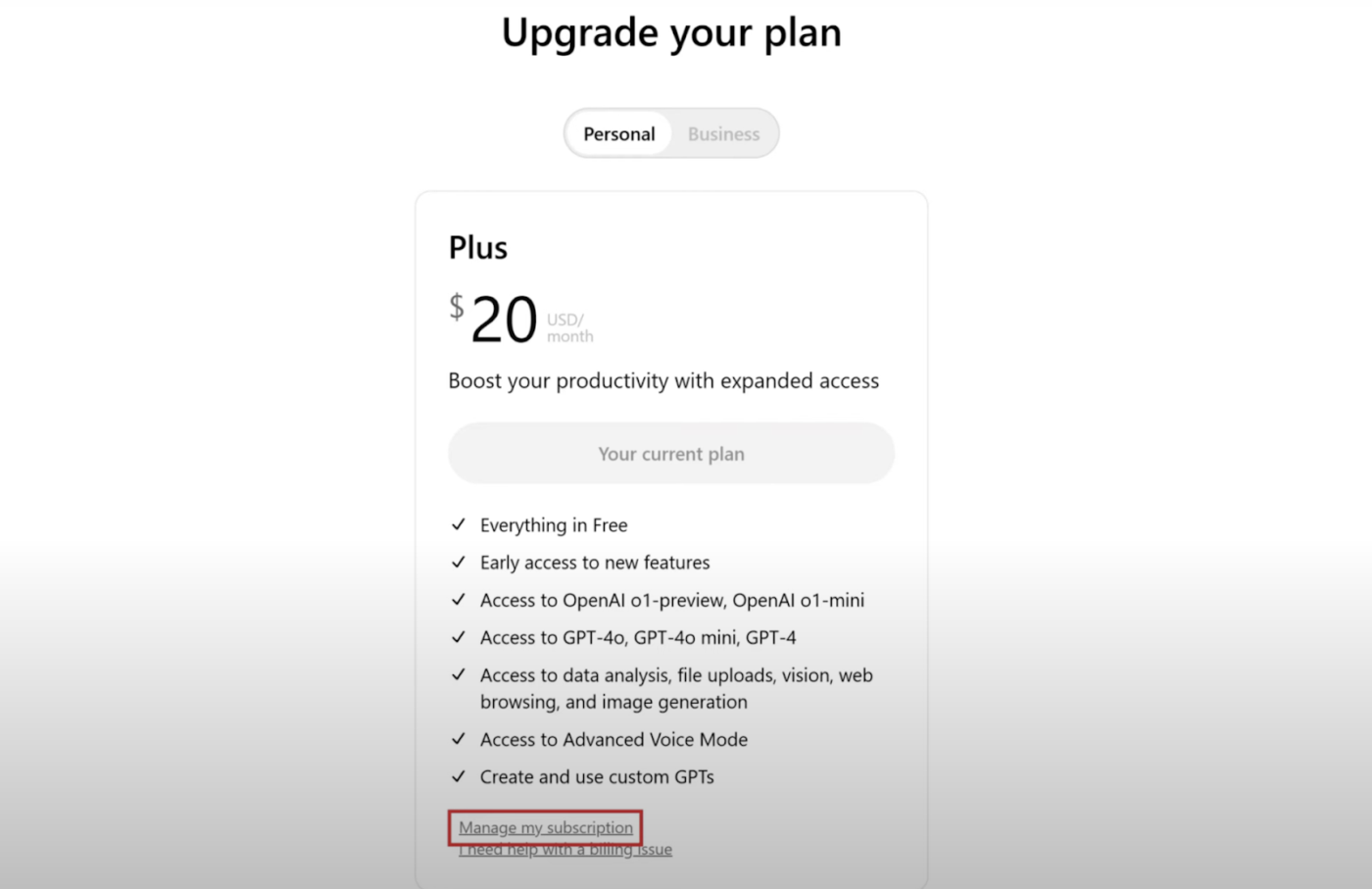
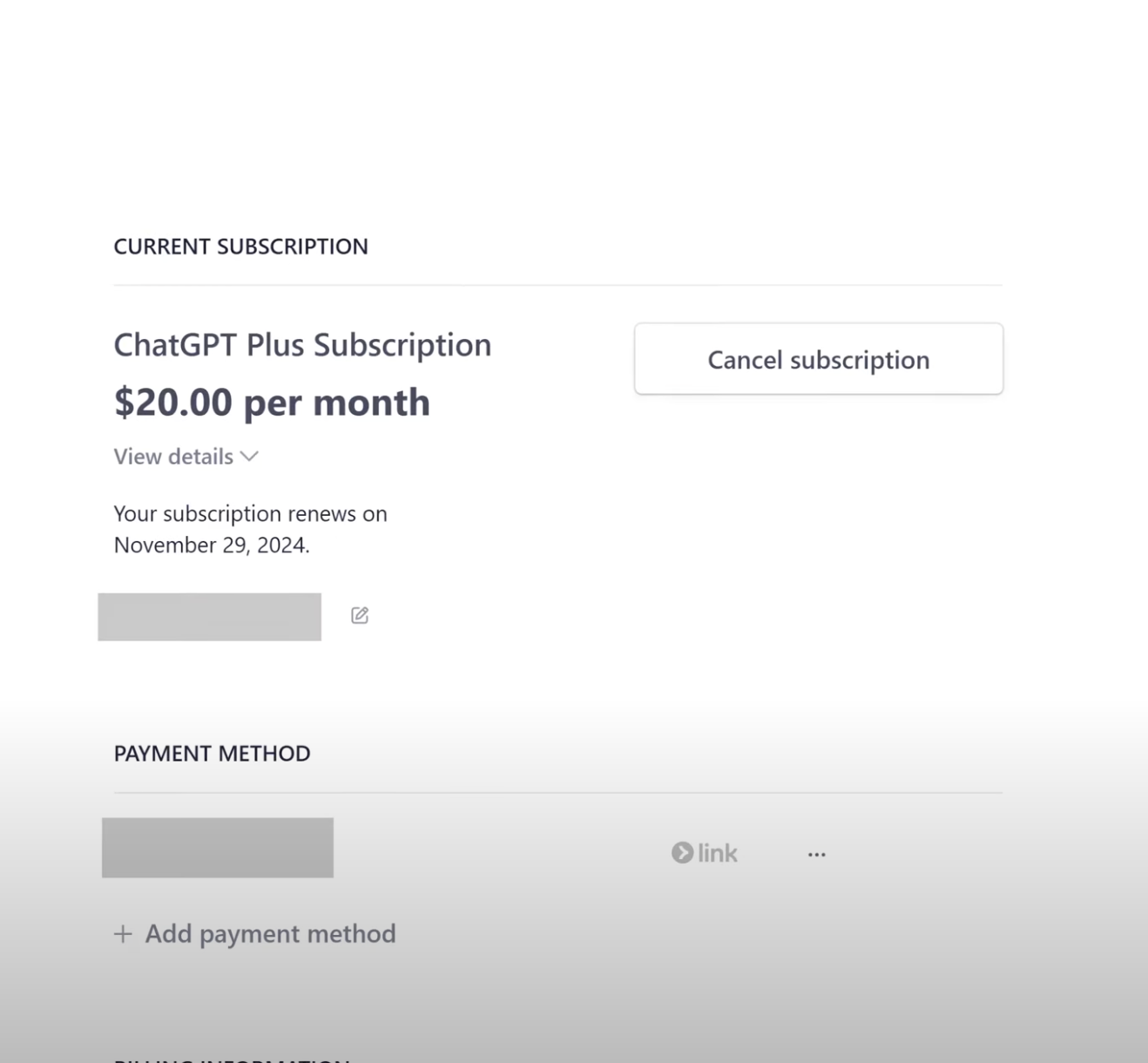
If you subscribed to ChatGPT Plus directly through the OpenAI website, follow these steps
Log into ChatGPT: Visit the ChatGPT website and log in with your account details
Access settings: Click on your profile icon or initials located in the top-right corner of the interface to open the sidebar menu
Canceling your ChatGPT subscription on mobile depends on whether you signed up through iOS/Android devices. Here’s a quick guide to help you manage your subscription:
The cancellation process of your ChatGPT subscription via mobile devices depends on whether you subscribed through the OpenAI website or the iOS or Android mobile apps. Here’s how to manage your subscription:
To make sure your subscription has been successfully canceled or to check its current status:
💡 Pro Tip: Are you having trouble canceling your ChatGPT subscription because your plan isn’t on the menu? Here’s how to do it:
After canceling your subscription, you may need further clarification on a few things. Here’s what you need to know:
You will not lose access to your ChatGPT subscription immediately after canceling. Your subscription will stay active until the end of your current payment cycle.
For example, suppose your billing cycle renews on the 10th of each month, and you cancel on the 8th. That means you can still access your account until the 10th.
Cancel at least 24 hours before your next billing date to prevent being charged for the following period. After canceling, you can continue to use ChatGPT for research and other tasks until the billing cycle is completed.
Understanding the return policy is essential for managing your membership successfully.
🔍 Did You Know? Residents of the European Union, the United Kingdom, or Turkey are eligible for a refund if they cancel within 14 days after purchase.
If you decide to return to your ChatGPT subscription after cancellation, reactivation is straightforward:
Several users have faced some issues while canceling ChatGPT subscriptions.
Here are some common issues, solutions, and ways to contact OpenAI Support for further assistance.
If you’re unable to cancel your subscription, it might be due to the following reasons:
If you can’t find the option to cancel, it could be due to one of the following reasons:
This could be due to a temporary issue with OpenAI’s website or payment system.
If the page won’t load or is blank, it could be due to:
If none of these steps work, contact OpenAI Support.
Here are three different ways to contact Open AI support:
🔍 Did You Know? 97% of business leaders surveyed believe AI will alter fundamental business models in the next two years.
ChatGPT is a powerful language model capable of generating human-like text with many use cases. But even the best have their quirks—here are a few limitations you should know about:
While ChatGPT is a solid conversational AI, ClickUp Brain excels in AI-driven insights and workflow automation. It enhances collaboration and streamlines efficiency.
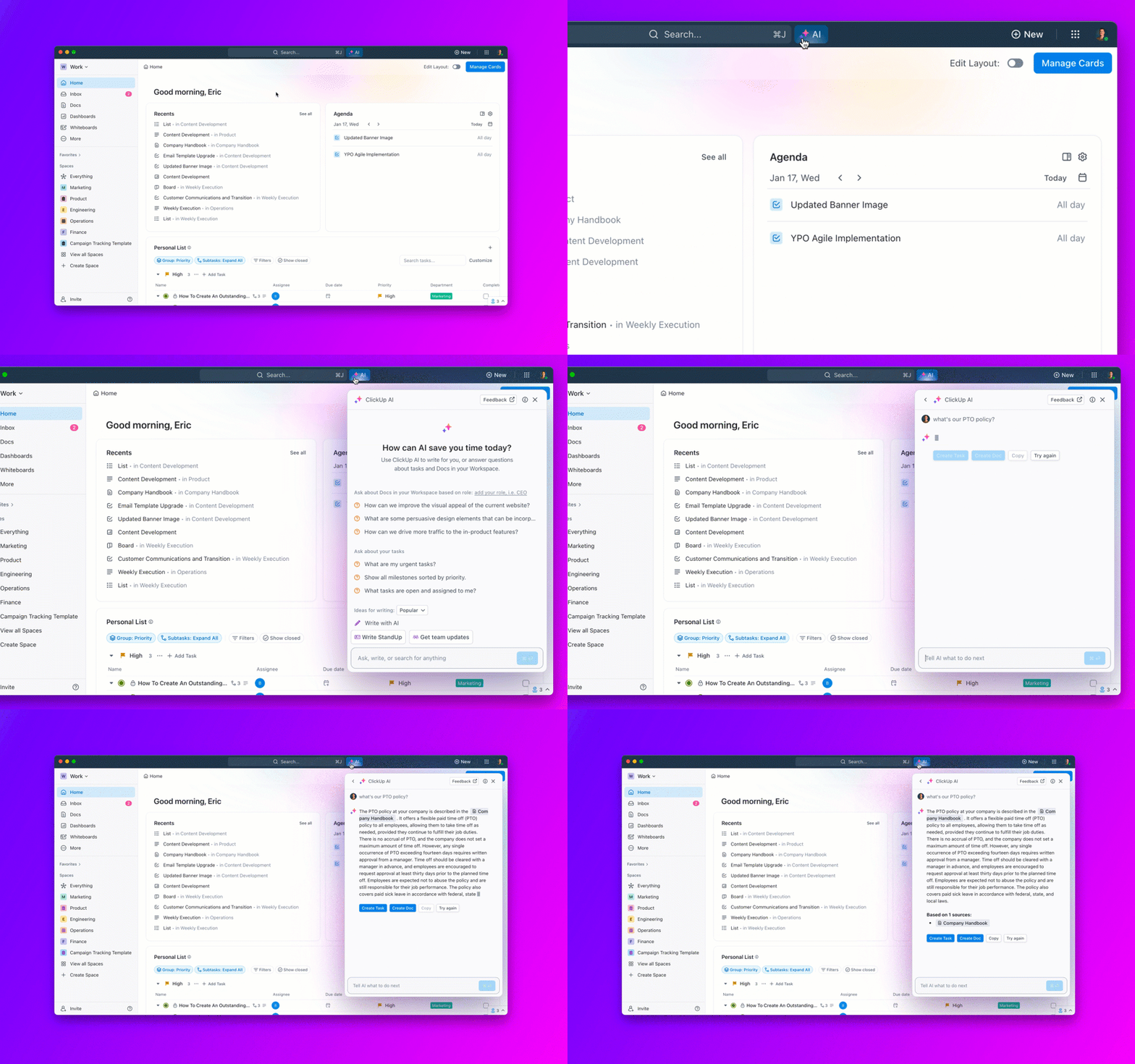
ClickUp Brain is an AI-powered assistant built into ClickUp, the Everything app for work. In contrast to ChatGPT, which focuses on crafting responses from user prompts, Brain integrates with your workspace to deliver real-time insights, automate tasks, and boost productivity. Here’s how:
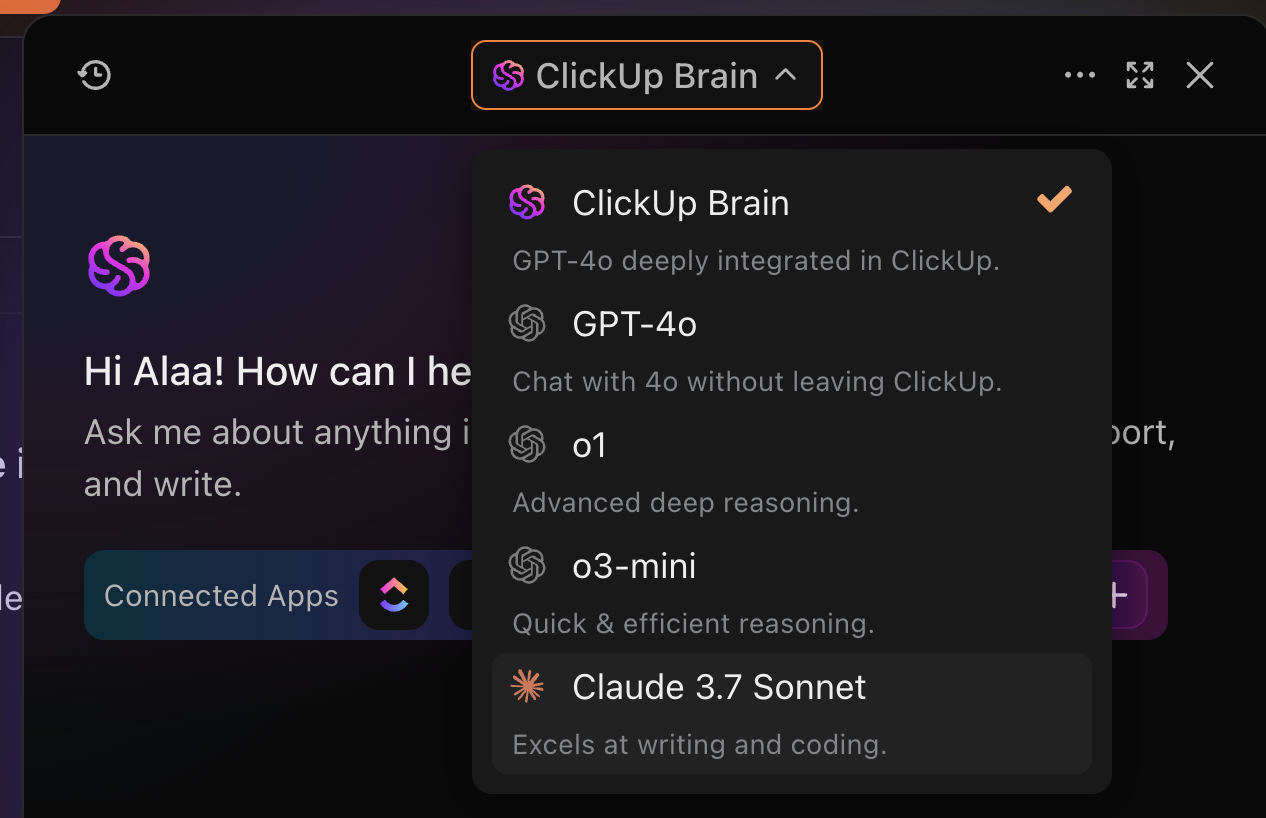
Imagine having the power of several top-tier AI language models right at your fingertips—all within your ClickUp workspace. That’s what ClickUp Brain brings to the table.
Instead of being limited to just one AI engine like ChatGPT, you can tap into different LLMs depending on what you need at the price of one! No more jumping between tools or copying and pasting content—everything happens right where your work lives.
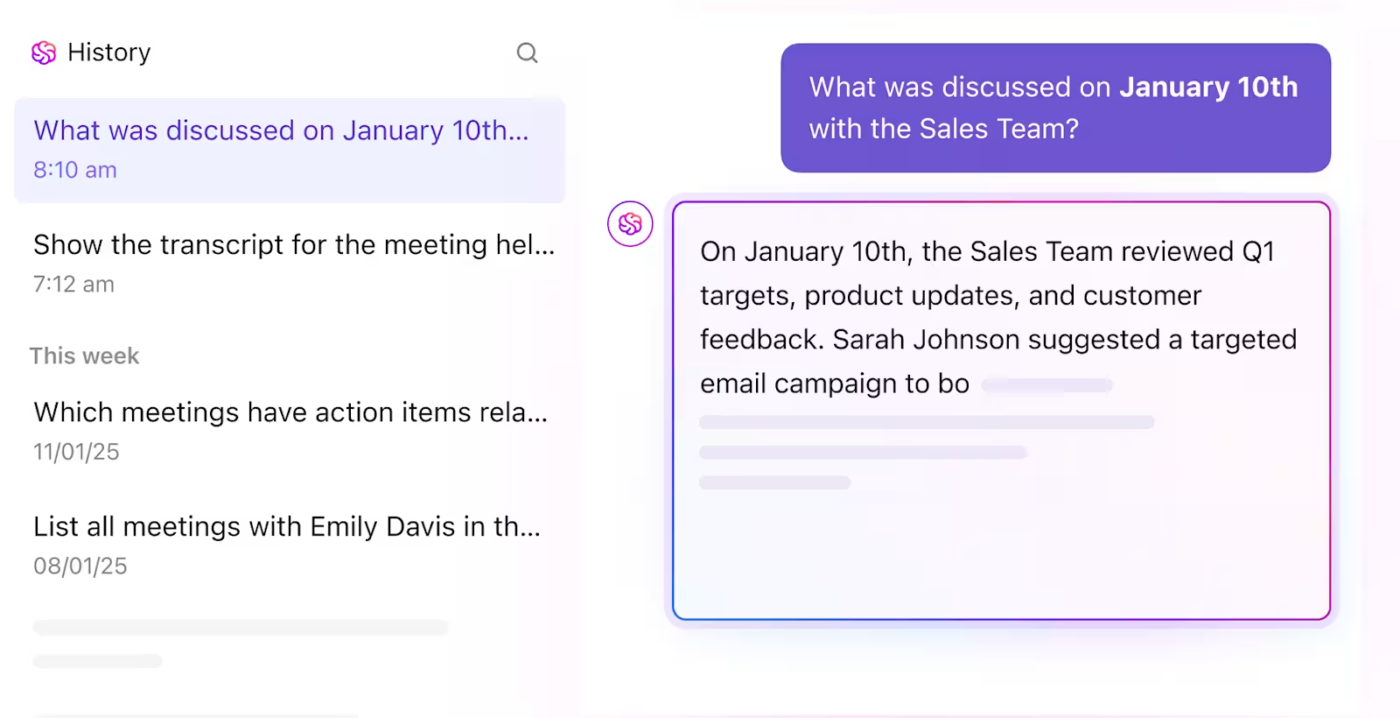
What really sets ClickUp Brain apart is how deeply it’s woven into your daily workflow. Let’s say you’re prepping for a big product launch. With ClickUp Brain, you can ask for a summary of all related tasks, pull up the latest meeting notes, or even generate a checklist based on your project plan, without ever leaving the workspace.
It understands your workspace context, so when you ask, “What’s left to do for the launch?” it can pull real, actionable data from your tasks and docs. This level of integration means you spend less time searching and more time getting things done.
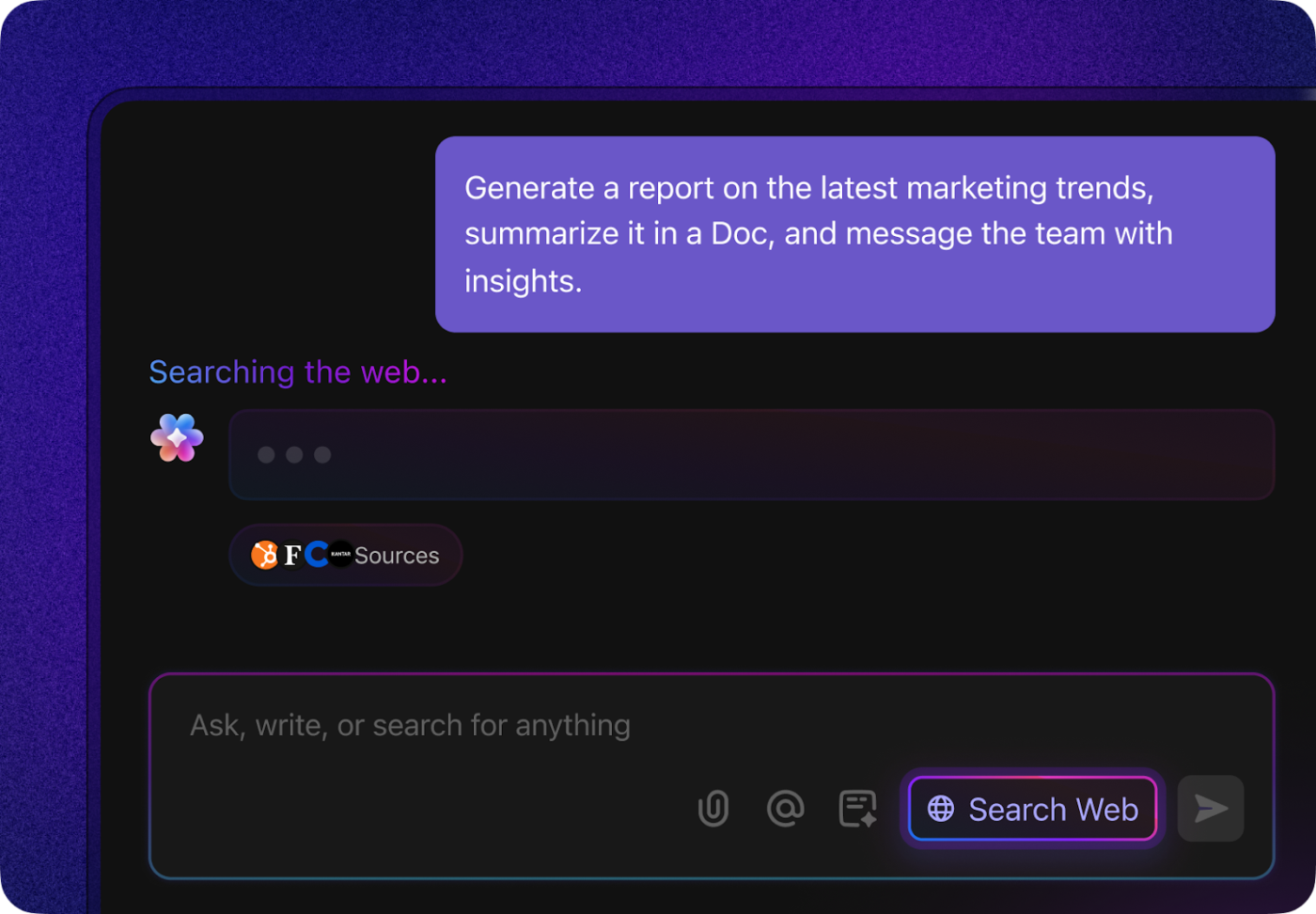
Need the latest competitor insights or want to check industry news before your next strategy meeting? ClickUp Brain’s built-in web search has you covered. For instance, if you’re working on a proposal and want to reference up-to-date statistics or recent trends, just ask ClickUp Brain. It’ll fetch the information and even suggest how to incorporate it into your document.
This real-time access to external knowledge means you’re always equipped with the freshest data—no more toggling between browser tabs or worrying about outdated info.
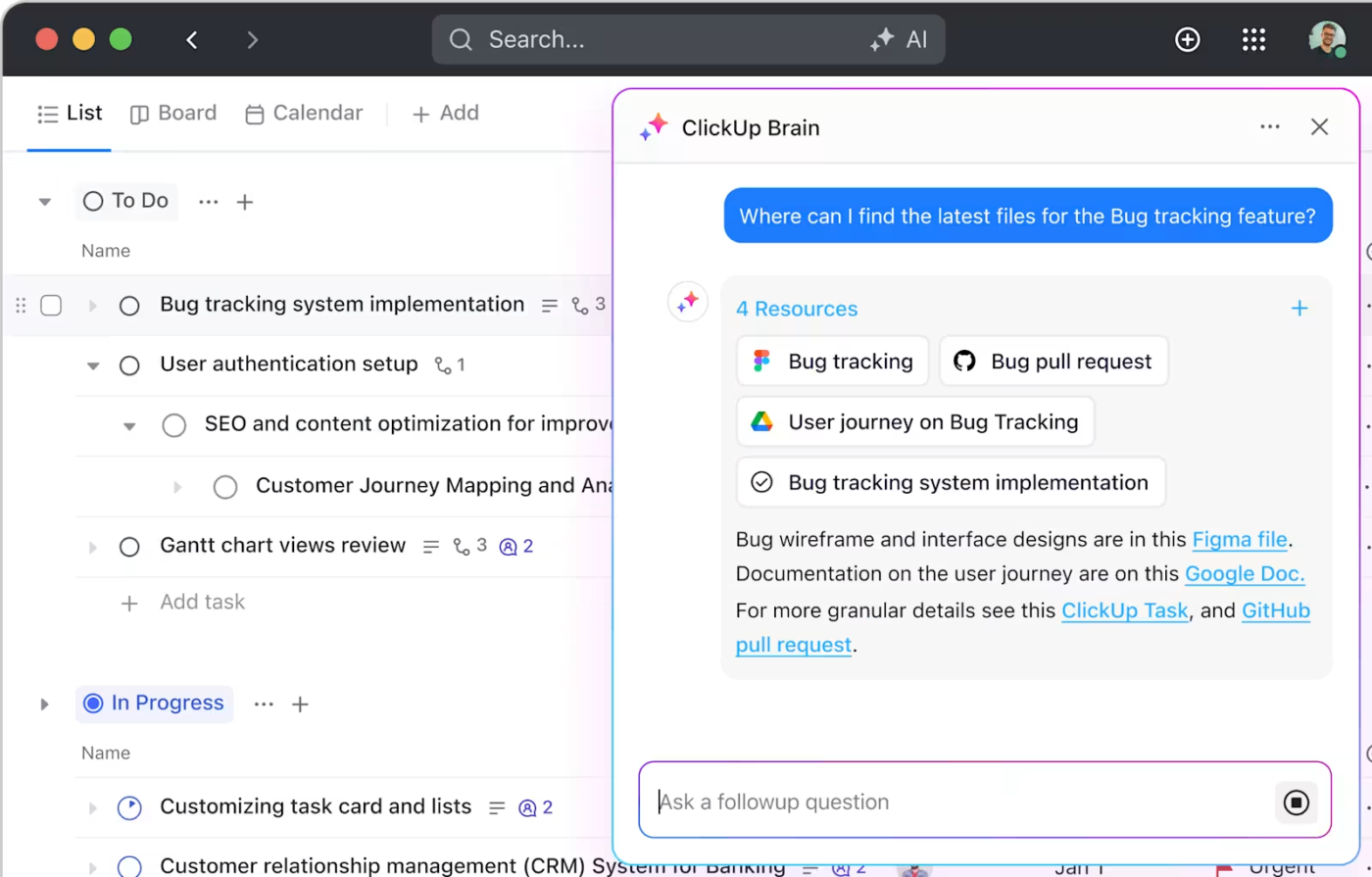
Ever struggled to remember where that important comment or document was saved? With ClickUp Brain’s deep search, those days are over.
You can ask questions like, “Show me all feedback on the Q2 roadmap,” or “Find tasks related to onboarding improvements,” and it’ll surface everything you need—even if it’s buried in old chats or attachments. This is a game-changer for teams juggling multiple projects, as it connects the dots across your entire workspace and helps you make smarter, faster decisions.
➡️ Read More: Best AI Tools for Project Management
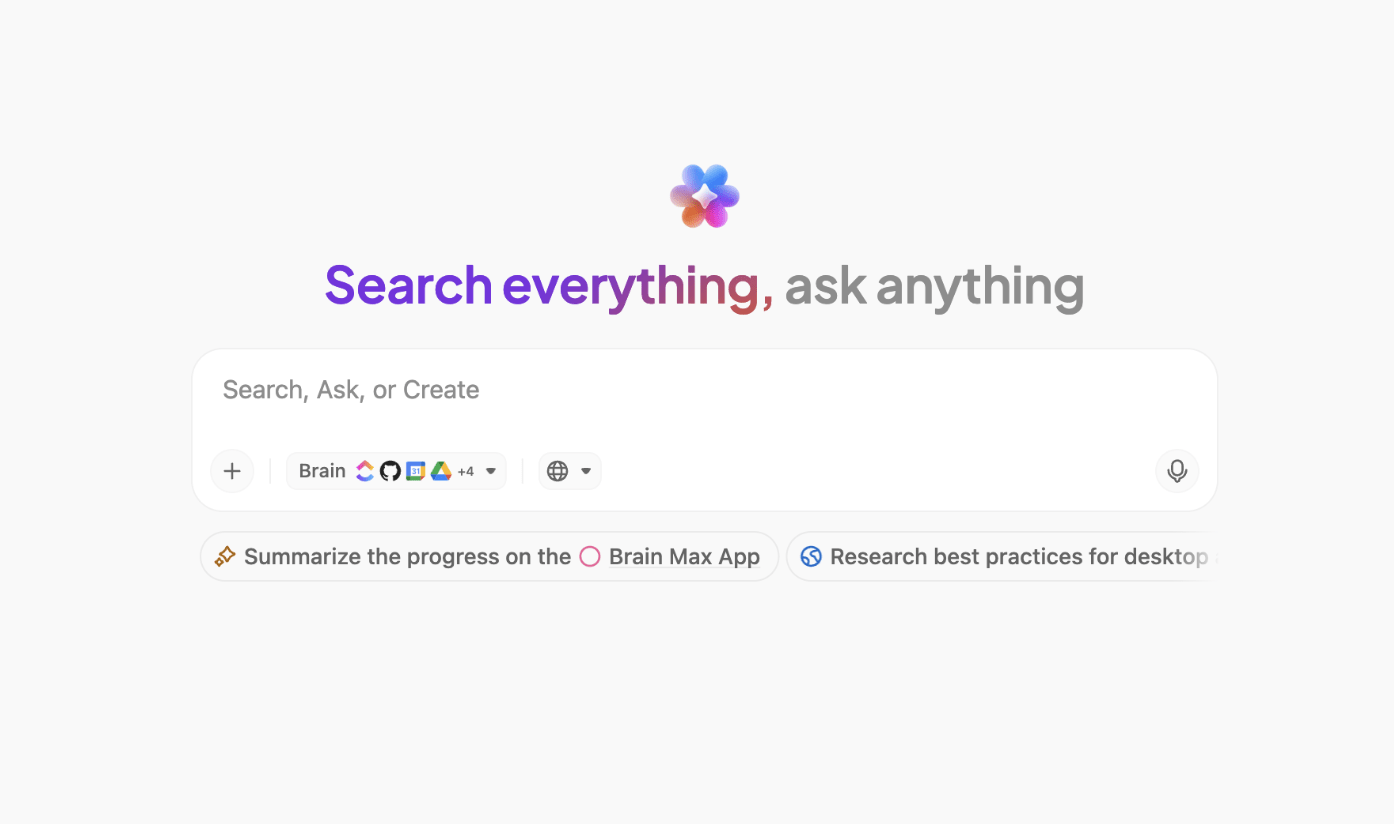
Managing multiple resources can be tricky, but ClickUp Brain MAX brings all of it under one unified AI app.
Use voice-first commands to ask for summaries, key takeaways, or even AI-powered writing assistance to quickly generate content, reports, and project updates, rather than going through pages of notes or project data by hand.
For teams that depend on organized documentation and real-time collaboration, this makes it the perfect tool.
➡️ Read More: Best ChatGPT Alternatives
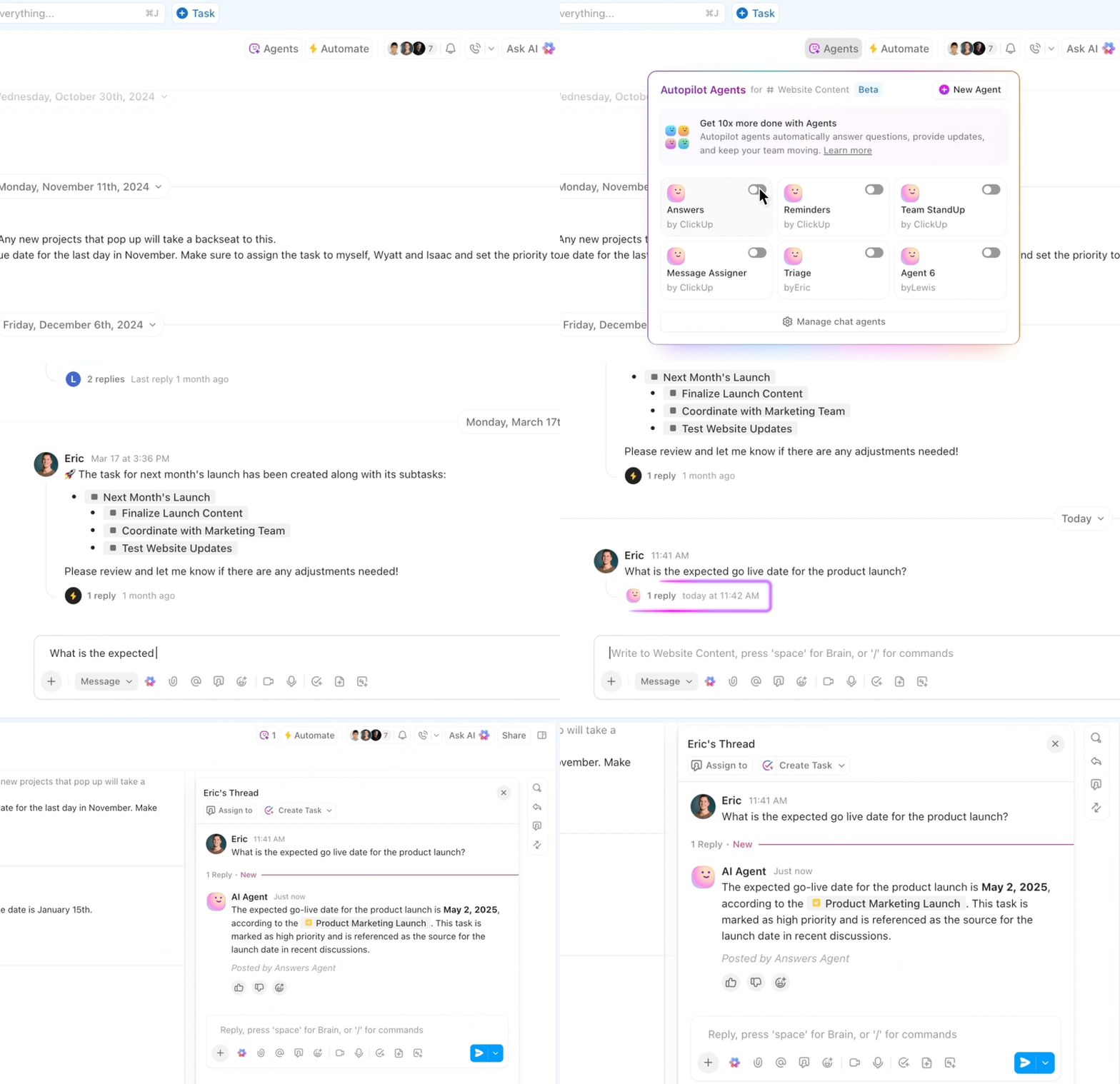
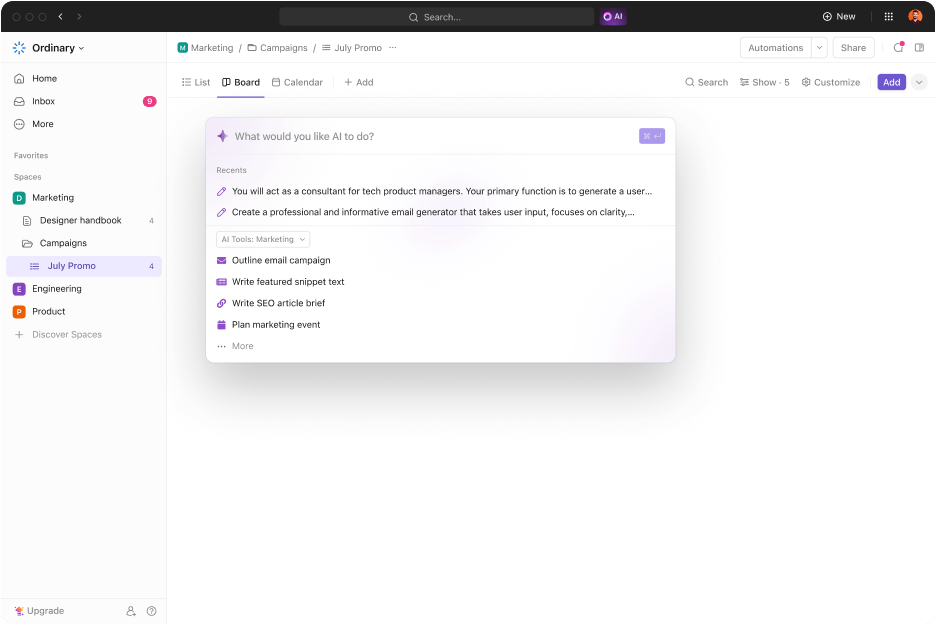
ClickUp Brain isn’t just about answering questions—it can actually do the work for you, thanks to AI agents. Think of these agents as your personal digital assistants that can automate repetitive tasks and processes.
For example, if you regularly onboard new team members, you can set up an AI agent to automatically assign tasks, send welcome messages, and share onboarding documents every time someone joins. Or, if you’re managing a content calendar, an agent can remind you of upcoming deadlines, move tasks through different stages, and even draft status updates for your team.
With AI agents, you can delegate the busywork and focus on the creative, strategic parts of your job, knowing that ClickUp Brain is handling the routine stuff in the background.
Here’s what a real-life user Joao Correa, Freelancer Senior Designer, is saying about ClickUp:
One thing that really stands ClickUp from competitors is its versatility to adapt practically to any situation and automate almost every mundane task that you might have. Also, being able to integrate about all services into it (like emails, calendars, etc) makes my life much easier.
Canceling your ChatGPT subscription is simple, but it’s worth considering whether the tool continues to meet your needs. ChatGPT excels at generating text-based responses and supporting brainstorming, but it might not be the ideal choice for workflow automation, AI-driven insights, and task management.
If you’re looking for a ChatGPT alternative that transcends conversations and boosts productivity, ClickUp, compared to ChatGPT, provides an integrated solution. It transforms your work by automating tasks, enhancing project management, and delivering real-time insights.
Sign up for free today and see how ClickUp transforms the way you work! 🚀

© 2026 ClickUp

There’s an easier way. Try a free AI Agent in ClickUp that actually does the work for you—set up in minutes, save hours every week.