







Still downloading templates?
There’s an easier way. Try a free AI Agent in ClickUp that actually does the work for you—set up in minutes, save hours every week.
Sorry, there were no results found for “”
Sorry, there were no results found for “”
Sorry, there were no results found for “”

The conference room was quiet for a moment; all you could hear was the soft hum of a projector and the rustle of paper as the sales team settled in.
A dozen dashboards glowed on screens, each showing a slightly different version of ‘the truth.’ For the next ten minutes, everyone tried to collect their thoughts, flipping through notes and updating last week’s numbers.
However, despite added efforts, no one had valuable updates, except a recap.
To skip this frustrating scene, in this blog, we’ll explore how sales leaders can use ClickUp SyncUps for weekly pipeline reviews to ensure that teams can spend time (genuinely!) ‘syncing’ on progress.
Done well, weekly pipeline reviews steer you clear of forecast inaccuracies, help identify risks early, and guide your team toward the right opportunities. They help you:
Although most sales leaders know pipeline reviews should be valuable, traditional setups make them painful.
Common challenges include:
These inefficiencies make it hard for leaders to coach effectively or make quick decisions mid-quarter. A sales manager’s day is filled with such inefficiencies, underscoring the need for centralized visibility to transform pipeline reviews into proactive, data-driven strategy sessions.
📮 ClickUp Insight: According to our meeting effectiveness survey, 12% of respondents find meetings overcrowded, 17% say they run too long, and 10% believe they’re mostly unnecessary.
In another ClickUp survey, 70% of the respondents confessed that they would happily send a substitute or a proxy to the meetings if they could.
ClickUp’s integrated AI Notetaker can be your perfect meeting proxy! Let AI capture every key point, decision, and action item while you focus on higher-value work. With automatic meeting summaries and task creation assisted by ClickUp Brain, you’ll never miss critical information—even when you can’t attend a meeting.
💫 Real Results: Teams using ClickUp’s meeting management features report a whopping 50% reduction in unnecessary conversations and meetings!

ClickUp SyncUp is a real-time, AI-powered meeting and collaboration tool that allows you to connect instantly via video or audio calls.
You can launch one to discuss updates, review progress, and capture next steps in one place.
This AI tool for sales makes your weekly pipeline reviews structured and actionable. Not only does it let you connect over a call with a Channel or an individual, but you can also access the recording afterward to identify action items. And with ClickUp AI available to summarize recording transcripts, to-dos are easy to capture.
🧠 Fun Fact: The concept of the ‘sales funnel’ traces back to the 1898 AIDA model developed by Elias St. Elmo Lewis. However, the specific ‘sales pipeline’ metaphor, which visualizes prospects moving sequentially like products on an assembly line, was first introduced in 1924 in the book Bond Salesmanship by William W. Townsend.
ClickUp for Sales Teams is the everything app for work that combines project management, documents, and team communication, all in one platform—accelerated by next-generation AI automation and search.
It lets you run focused SyncUps where everyone walks away clear on progress, priorities, and next steps.
Let’s see how you can run your next pipeline review. 🤩
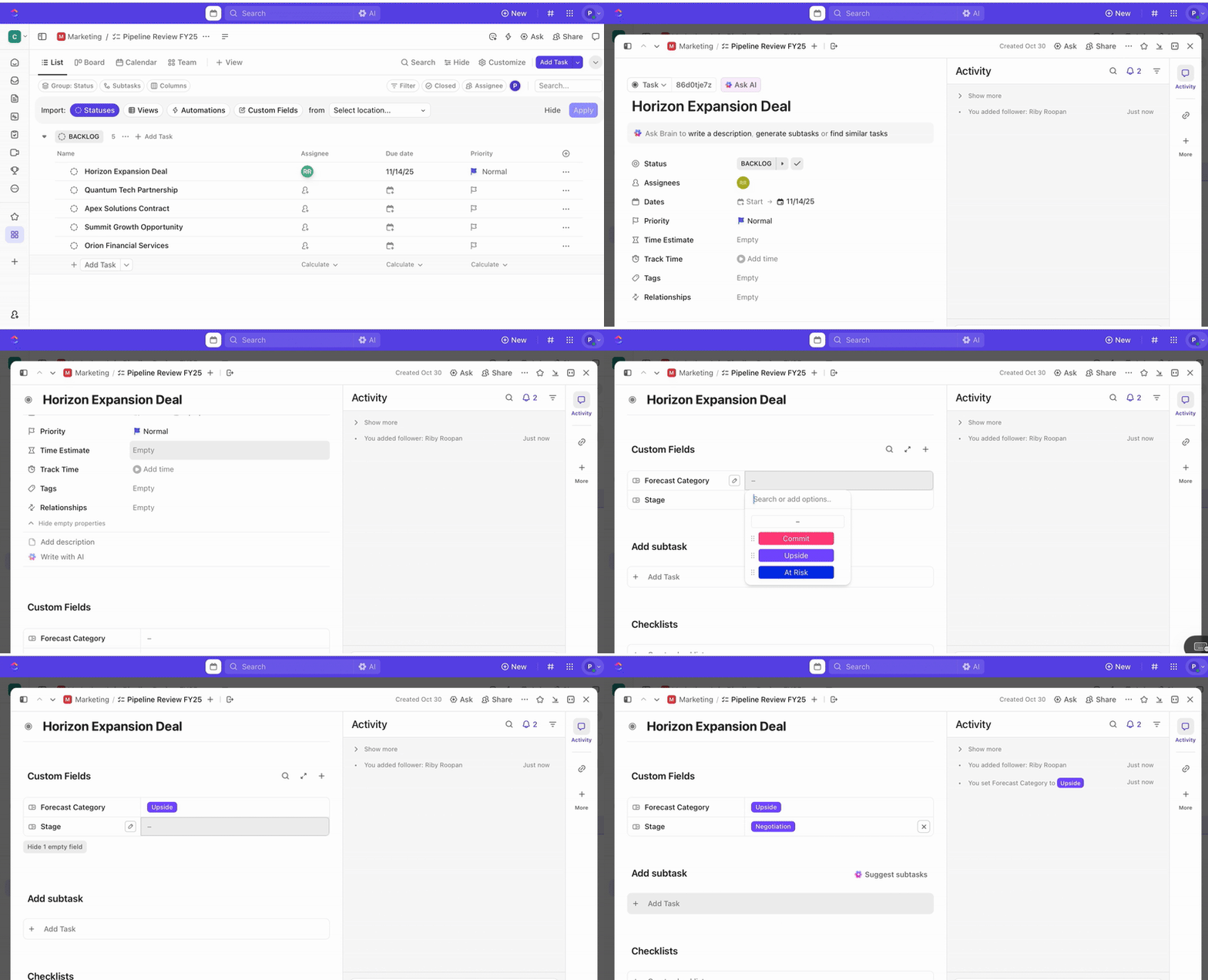
Start your pipeline review with clean, updated data. The goal is to walk into the meeting with complete visibility into deal progress and forecast changes.
📖 Also Read: Sales Funnel Templates to Generate More Leads
Avoid ad-hoc discussions by creating a structured agenda before each review. Your agenda can include:
ClickUp Brain, the platform’s built-in AI-powered assistant, steps in here. It uses the context of your past meetings, project updates, and workflow data to generate a structured agenda automatically.
Because the AI is directly integrated into the workspace where your deals live, it knows the right deals, stages, and accounts to reference.
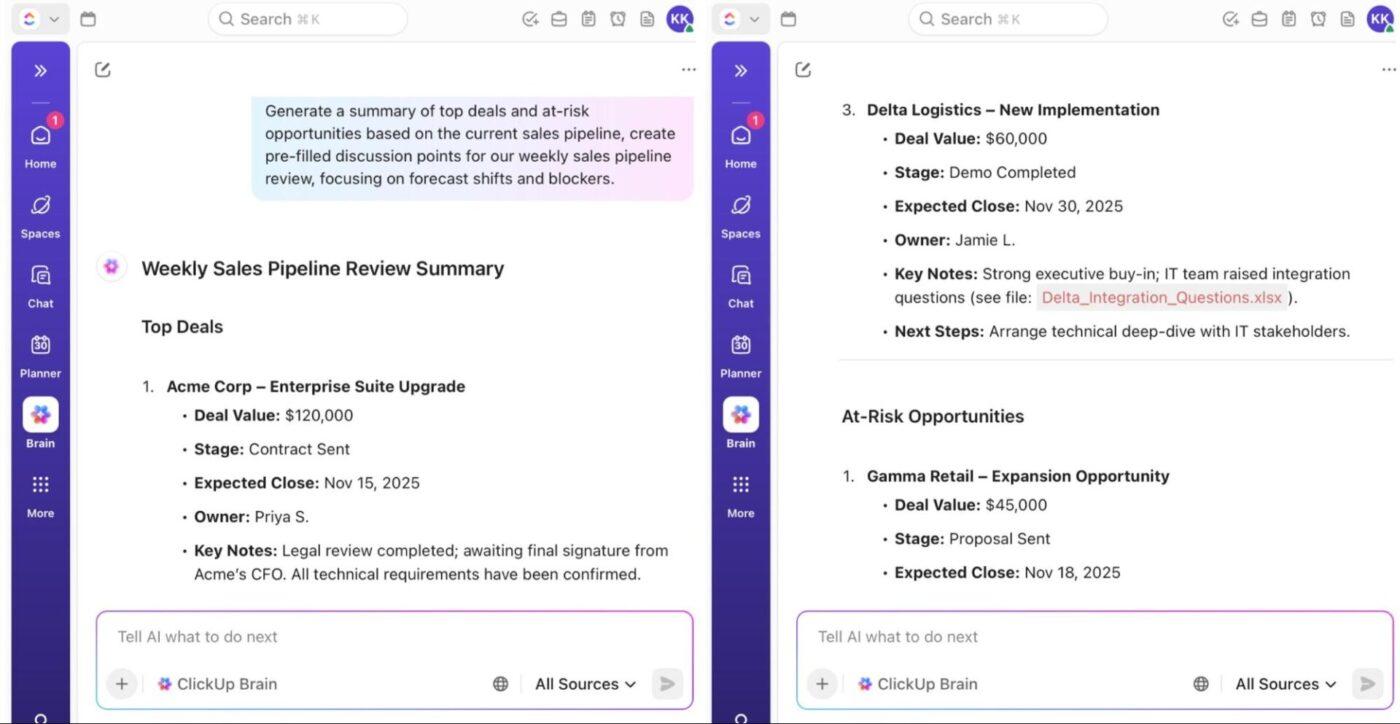
📌 Try these prompts to use AI in sales:
💡 Pro Tip: You can also build meeting agendas and pre-read notes collaboratively in ClickUp Docs.
When it’s time to meet, launch a video or audio meeting directly from your Sales workspace or a Chat Channel. Just click the SyncUps icon in the upper-right corner, then select Start SyncUp to get started.
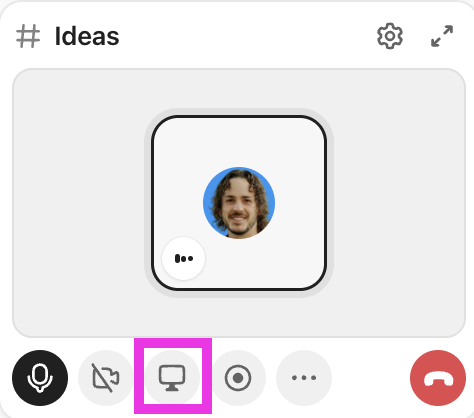
You can also:
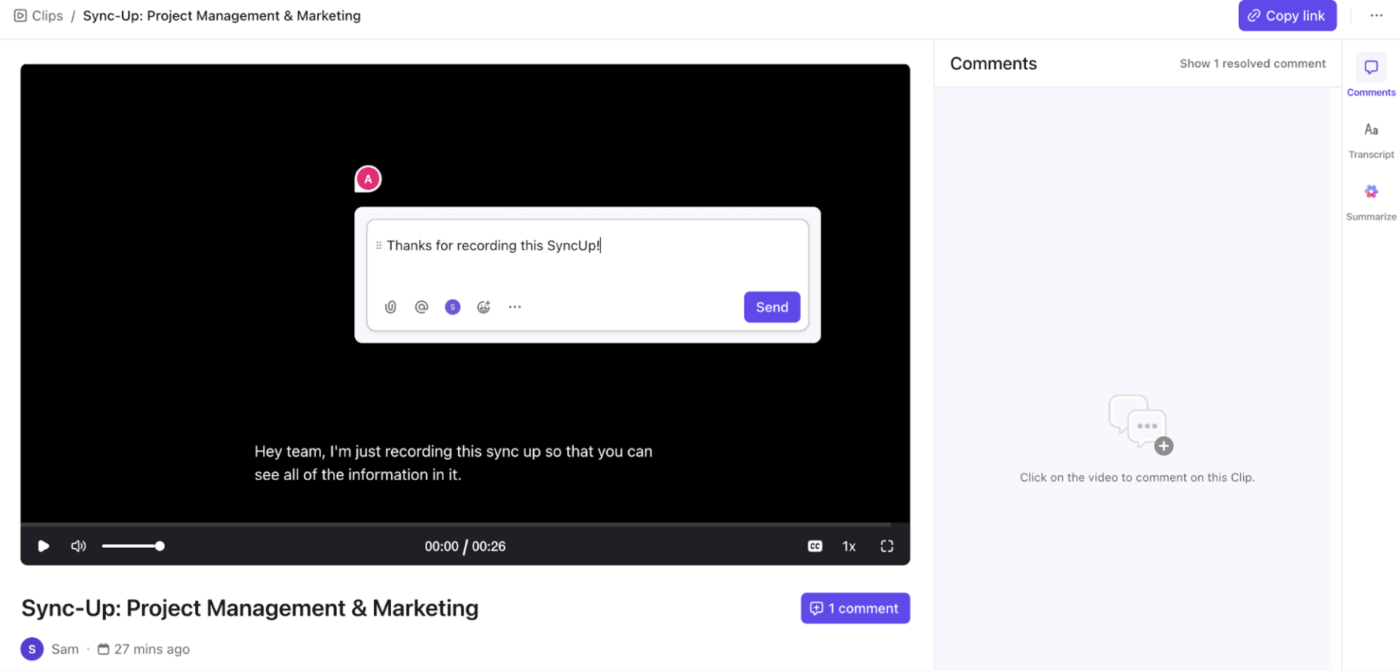
🧠 Fun Fact: In 1873, John H. Patterson developed and documented a sales strategy that involved unannounced, in-person visits to potential clients. This is widely considered the origin of ‘cold calling.’ It was only three years before Alexander Graham Bell was granted the patent for the telephone!
Every sales pipeline review should end with clear ownership and measurable next steps. The key is to ensure that post-meeting tasks like deal updates, follow-ups, or forecast adjustments are immediately captured, assigned, and visible to everyone.
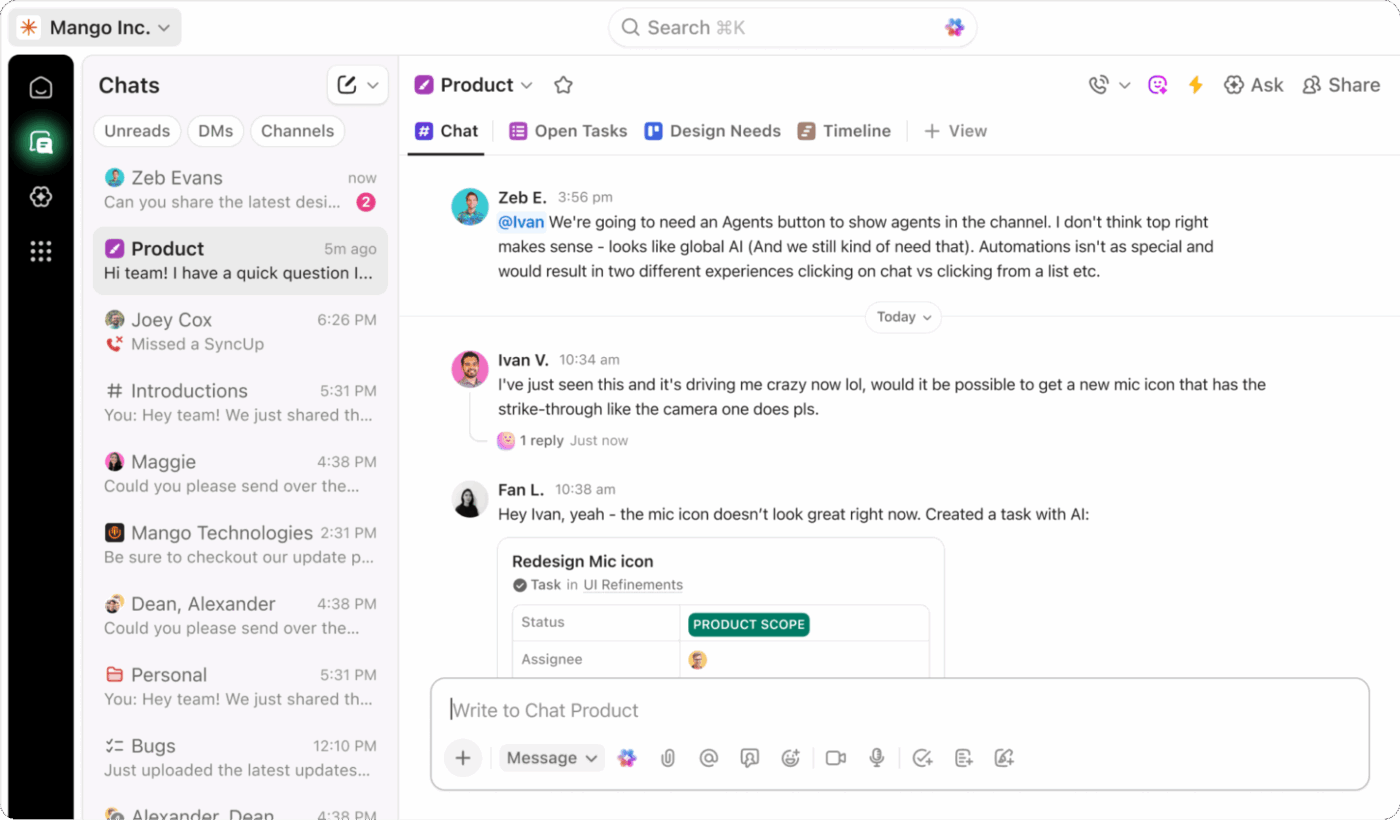
ClickUp Chat helps keep that post-meeting momentum going. Unlike other chat platforms, here, you can keep discussions organized in dedicated Channels such as #weekly-pipeline. SyncUps happen in the same channel, so updates and insights naturally continue into day-to-day communication.
Create tasks from a message in a single click, or assign messages to team members for further action. Use @mentions to notify stakeholders when responsibilities are assigned.
Some advanced features to access:
ClickUp Automations also handle repetitive follow-up work for you after your meetings.
For example, after each weekly SyncUp meeting, you can set an automation that triggers when a Task’s status changes to ‘Needs Follow-Up.’ This Automation assigns the task to the respective sales rep, sets a due date, and adds a comment reminding them of the next steps discussed during the review.
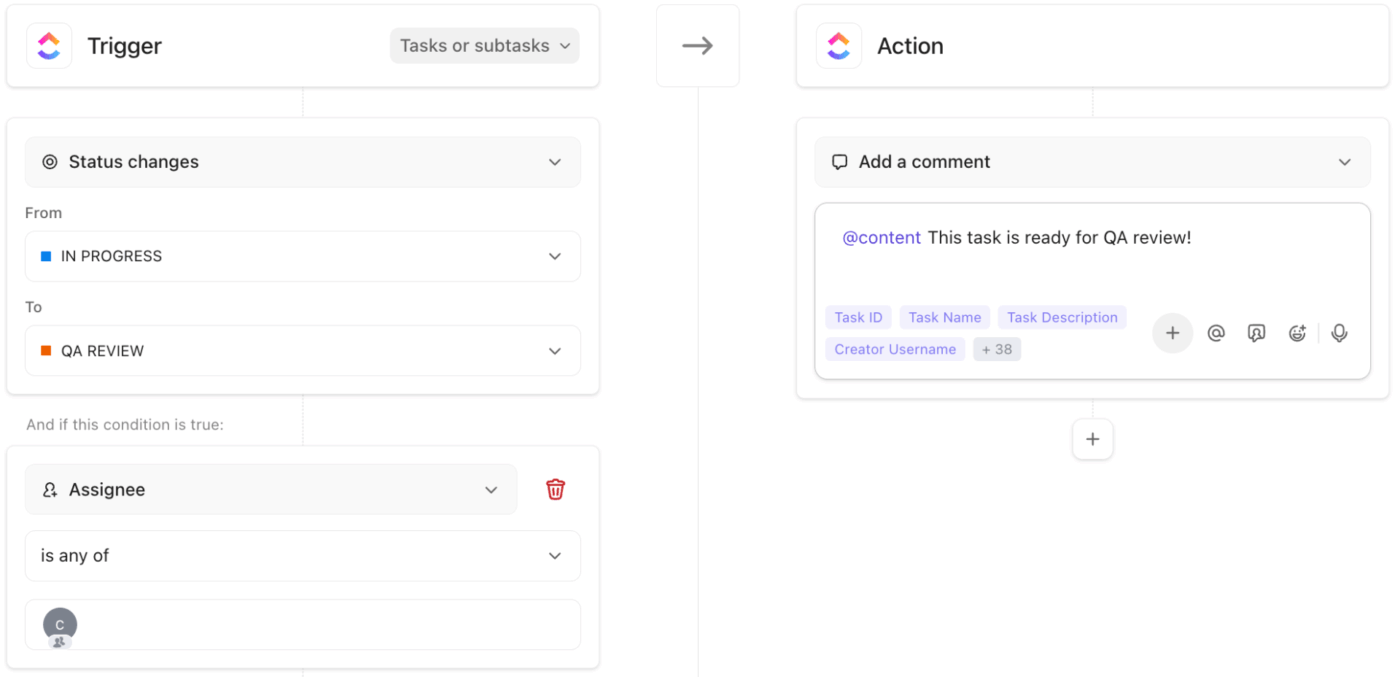
You can even apply Conditional Logic for greater precision in how tasks are created or updated, based on context or priority.
Here’s how sales leaders can apply it:
🔍 Did You Know? When Alexander Graham Bell made the first phone call in 1876, he said, “Mr. Watson, come here, I want to see you.” This was the beginning of real-time communication using technology.
📖 Also Read: Free Note-Taking Templates for Better Organization
Tracking progress across weeks is what makes SyncUps valuable for sales leadership. Build ClickUp Dashboards that analyze key metrics such as:
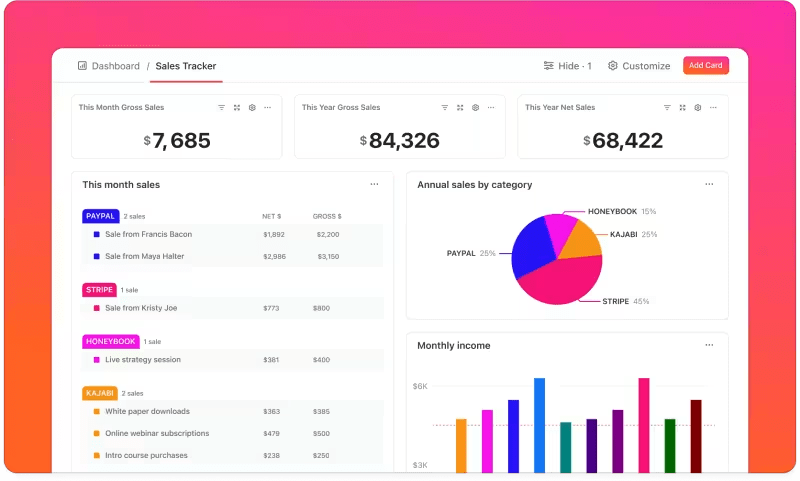
During each review, use these sales pipeline metrics to discuss trends, identify bottlenecks, and make coaching decisions. Record significant insights in your weekly meeting Doc so that over time, you build a reference archive of decisions and outcomes.
By the way, ClickUp’s AI Notetaker can automatically create smart summaries and searchable transcripts in your doc for you.
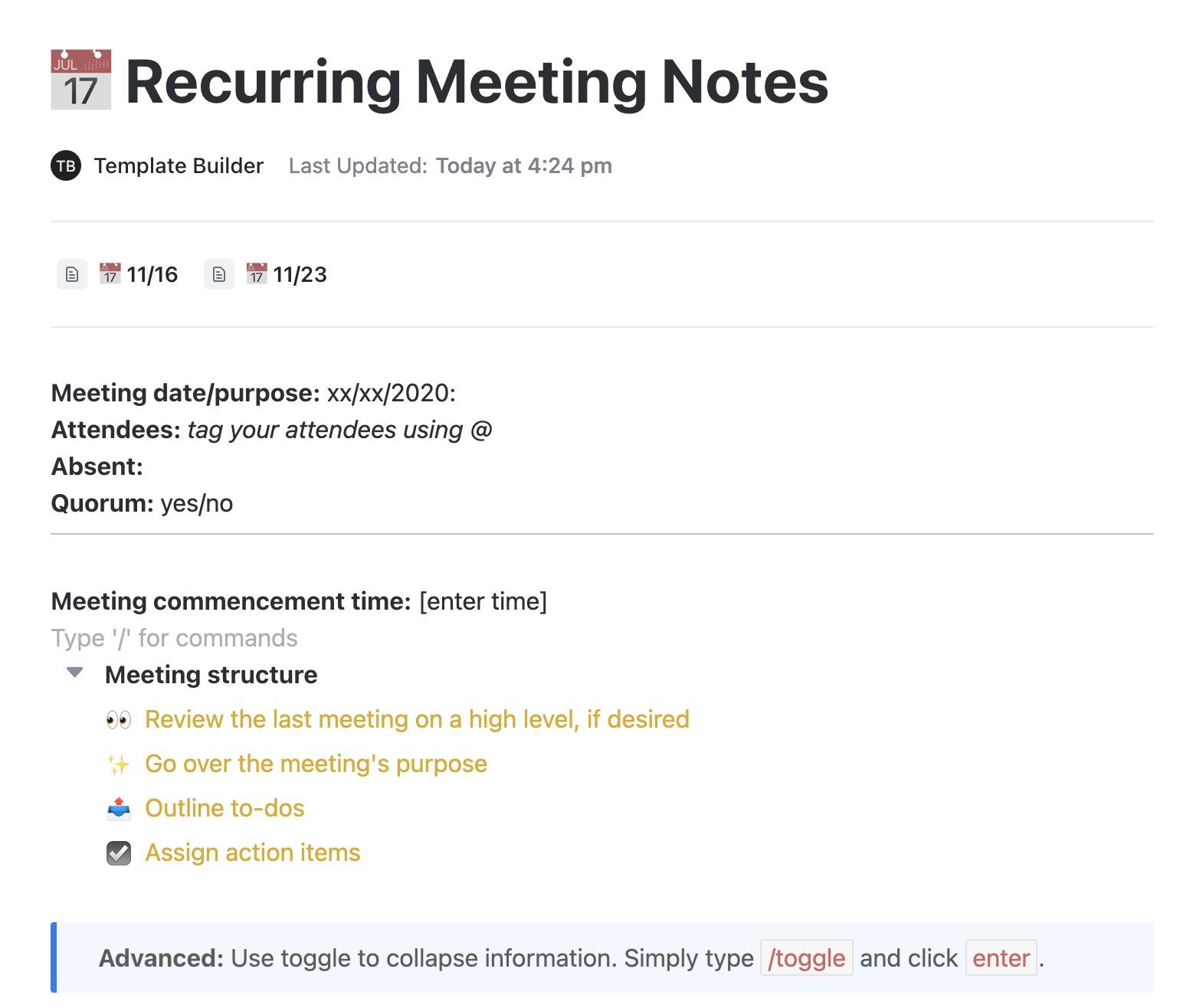
⚡️ Template Archive: The ClickUp Recurring Meeting Notes Template gives you a centralized space to create meeting notes in a single doc each week, ensuring everyone reviews the same snapshot.
Every rep can add updates in advance, under pre-labeled sections for wins, blockers, and forecast changes. Mark each agenda item as Discussed, Pending, or Actioned to track outcomes during the call and ensure sales success.
When you structure your weekly pipeline review using SyncUps and tie it directly to your data, tasks, and follow-ups, you unlock several key advantages for your sales team and leadership.
With SyncUp, your meeting takes place in the same workspace where your deals, dashboards, and docs live, so everyone starts with full visibility.
This helps you avoid:
📮 ClickUp Insight: A typical knowledge worker has to connect with six people on average to get work done. This means reaching out to 6 core connections on a daily basis to gather essential context, align on priorities, and move projects forward.
The struggle is real—constant follow-ups, version confusion, and visibility black holes erode team productivity. A centralized platform like ClickUp, with Connected Search and AI Knowledge Manager, tackles this by making context instantly available at your fingertips.
Keeping up with fast-paced discussions during sales pipeline reviews by scribbling whatever you hear is a problem of the past.
SyncUps are recorded, and the recording is available later for you to add notes and comments. Since ClickUp’s AI has access to your Workspace, you can just use ClickUp Enterprise Search to bring up insights from old meeting records when you need them. Plus, ClickUp Brain is always at hand to generate transcripts of the recording.
Here’s how using AI for video calls is a lifesaver!
Every meeting is automatically recorded and summarized, creating a transparent history of discussions and commitments. Sales managers can revisit summaries or clips to verify progress or follow up on unresolved items.
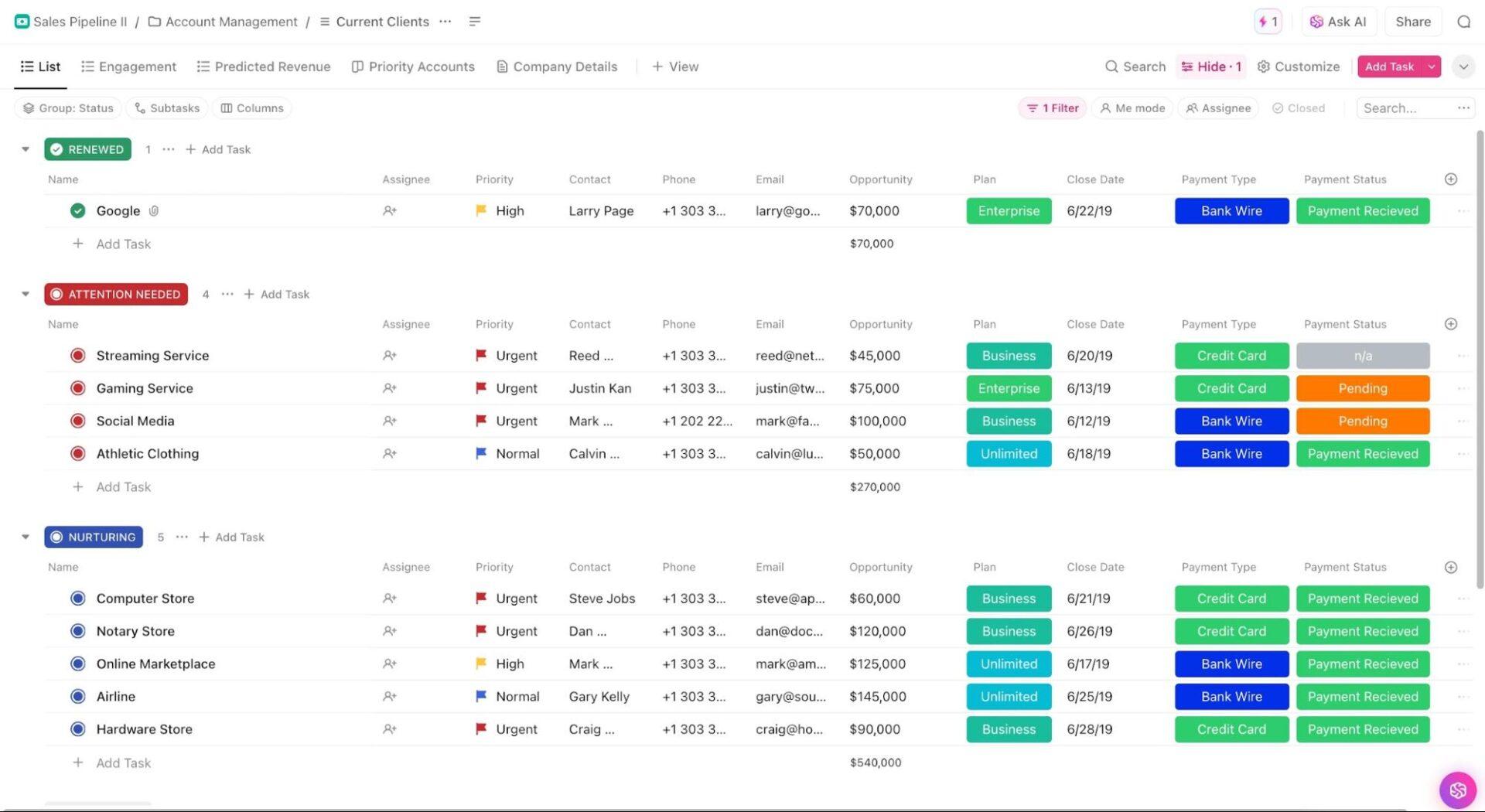
Pair this with the ClickUp Sales Pipeline Template to track follow-ups across deal stages.
This structure gives your team a way to manage deals from prospecting to renewal, using ClickUp Custom Statuses like Qualified Prospect, Attention Needed, and Up for Renewal to indicate progress. Additionally, with ClickUp Custom Fields, such as Last Contacted and Deal Value, you can instantly identify stalled accounts or high-value opportunities that need attention.
Here’s what Blaine Labron, VP, Digital Commerce and Technology, Pressed Juicery, had to say about ClickUp:
ClickUp has been the tool that has really helped us bring innovation to this business, which has allowed us to grow from 2% digital sales to over 65% digital sales post-pandemic.
When you’re leading collaboration in the workplace, it’s easy to fall into patterns that eat up time, kill momentum, or weaken your forecast. Here are some common mistakes to avoid! ✔️
🧠 Fun Fact: The world’s first video conference happened in 1964, when AT&T demonstrated the Picturephone at the New York World’s Fair.
Weekly pipeline reviews are easier when everything, from deal updates to next steps, lives in one place. ClickUp SyncUp helps high-performing sales teams run structured, data-backed meetings where updates, notes, and action items stay connected.
With ClickUp Brain, you can automate follow-ups and generate summaries instantly, while ClickUp Chat keeps post-meeting discussions organized and actionable. Together, these tools give sales leaders complete visibility and control across every stage of the pipeline.
Sign up to ClickUp for free today! ✅
SyncUp is built directly into ClickUp, so your meetings happen where your sales data, tasks, and docs already live. You can link deals, update tasks, and review dashboards in real time.
Yes. You can connect your ClickUp Workspace with over 1,000 third-party tools, including CRMs like HubSpot or Salesforce. This helps to reflect real-time sales process execution, including sales funnel progress, stage updates, and forecast changes directly in your workspace.
Yes, it automatically records, transcribes, and summarizes discussions. It even adds action items and decisions to a ClickUp Doc once the SyncUp ends. Of course, you can also choose to disable recording through SyncUp settings.
From your ClickUp Calendar, set up a meeting and enable the ‘Recurring’ option. Each week, as long as you’ve enabled AI Notetaker, ClickUp automatically generates a new meeting Doc once your meeting has happened, keeping context and participants consistent.
Absolutely. Summaries, transcripts, and action items can be exported as Docs or shared via public links or email, so external stakeholders stay aligned without needing an account.

© 2026 ClickUp

There’s an easier way. Try a free AI Agent in ClickUp that actually does the work for you—set up in minutes, save hours every week.