






Still downloading templates?
There’s an easier way. Try a free AI Agent in ClickUp that actually does the work for you—set up in minutes, save hours every week.
Sorry, there were no results found for “”
Sorry, there were no results found for “”
Sorry, there were no results found for “”

Remember New Coke? The brand new formula Coca-Cola rolled out in 1985 to beat Pepsi?
Though the idea was to optimize the product and grow sales, the public hated it. The backlash was so immediate and overwhelming that within just 79 days, the brand had to pull the plug and bring back the original as “Coca-Cola Classic.”
Coca-Cola was incredibly fast to gather the feedback, act on it, and quickly reset its brand trajectory.
An example of why short feedback loops matter in growth experiments. If you’re trying to build one (or tighten the one you already have), this blog is for you.
A feedback loop is the process of getting input on your growth ideas, proposals, and initiatives to hone your experiments.
You generally get this input from two places:
But what does a feedback loop include? How is it different from feedback cycles? Time to hit the basics.
A growth feedback loop has four components:
This entire sequence forms one feedback loop. 🔄
📌 Example:
When we talk about the feedback cycle, we simply mean that this process is continuous.
For example, once the C-level execs approve that 5% discount, the data from that launch immediately becomes the input for your next great idea.
Let’s look at some more examples to understand feedback loops in growth experiments:
Slow feedback loops end up dragging your entire growth engine. But it often looks like death by a thousand paper cuts. Let’s break it down.
When too many reviewers are pulled in, feedback stops being helpful and starts becoming a traffic jam. 10 opinions rarely converge into clarity. They splinter into contradictions, side debates, and rounds of revision that exist mostly to reconcile preferences rather than improve the work. Progress slows. Not because the work is bad, but because no single signal is strong enough to act on.
Then comes the manual chase. When employees have to nudge managers for comments, follow up on follow-ups, or hunt for a decision, their attention drifts away from the actual work. Energy is spent on coordination rather than creation, and momentum quietly leaks out of the system.
Over time, bureaucracy creeps in. Extra forms, layered approvals, and meetings meant to “align” end up stretching feedback cycles far beyond what the work actually requires. What should be a quick course correction turns into a process, and processes are notoriously bad at moving fast.
By the time feedback finally arrives, context is often gone. Days or weeks later, the experiment no longer feels fresh. The person who ran it may be emotionally detached, demotivated, or already focused on something else. At that point, even good feedback lands too late to matter.
👀 Did You Know? Companies with flatter structures make decisions up to 30% faster than those with rigid, traditional hierarchies. This underscores the importance of a shorter, simpler, and faster feedback loop in growth experiments.
🎥 Want to see how we tackle feedback loops at ClickUp? Watch this video.
📚 Read More: Best Product Feedback Software for Product Teams
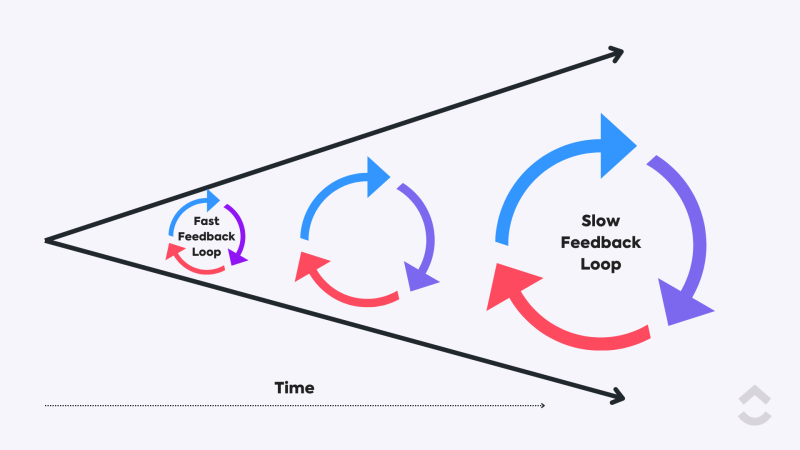
Here’s what you sacrifice with a slow feedback loop:
❗️Time and budget: Imagine you’ve just launched a new initiative, only for the legal team to jump in days later with a major revision
❗️Competitive edge: When your competitor launches a new feature, speed is your only defense. If your internal loop takes a month to vet and deploy a counter-strategy, the opportunity is already gone
❗️Experiment consistency: Slow feedback loops lead to slow knowledge transfer. The engineering is updating the feature, but the marketing hasn’t heard about the changes yet. The marketing campaign promotes outdated features
❗️Adaptability: Growth often results from quick, low-stakes experiments. But if a simple change needs a full week of approvals, there’s no way to course-correct in real time
Long story short, slow feedback loops can jeopardize your company’s entire growth marketing strategy!
✅ Fact Check: 32% of employees wait over three months for manager feedback. That’s a huge delay that kills momentum and leaves people wondering, “Was my work even seen?”
Now to answer the million-dollar question: What makes a feedback loop faster and more efficient?
Here are the six key components of a short feedback loop:
| Component | What it looks like in practice | Why it matters |
|---|---|---|
| Clear ownership | Everyone knows who owns the work, who gives feedback, and who makes the final call | Eliminates ambiguity, reduces duplicate input, and prevents decision paralysis |
| Simple feedback flow | A defined sequence and cadence for reviews, with clear handoffs between stages | Keeps work moving forward instead of bouncing randomly between people |
| Fast, lightweight channels | Quick notes live in comments or chat; deeper discussion is reserved for email or meetings | Matches the communication method to the size of the decision and avoids over-engineering |
| Standardized format | Feedback follows clear guidelines that focus on actions, not opinions | Makes feedback easier to apply and reduces emotional or vague responses |
| Shared visibility | Work, feedback, updates, and data live in one shared workspace | Preserves context and prevents information from getting lost across tools |
| Automation | Reminders, approvals, status changes, and tracking run automatically | Removes manual chasing and keeps feedback loops consistent and timely |
📮 ClickUp Insight: 22% of our respondents still have their guard up when it comes to using AI at work. Out of the 22%, half worry about their data privacy, while the other half just aren’t sure they can trust what AI tells them.
ClickUp tackles both concerns head-on with robust security measures and by generating detailed links to tasks and sources with each answer.
This means even the most cautious teams can start enjoying the productivity boost without losing sleep over whether their information is protected or if they’re getting reliable results.
Shortening feedback loops for growth experiments isn’t rocket science.
The two things you need in place are: a solid plan and a good AI tool to automate repetitive, low-value tasks.
Before redesigning the loop, capture your current reality. How long does feedback actually take from first draft to approval? Where does it pause the longest? Documenting your baseline makes it obvious which delays are structural and which are behavioral.
Quickly audit your entire feedback process, including both internal and external feedback cycles.
Map them visually to make it easier to identify areas for improvement, simplify steps, and design a smoother, faster loop that actually works in practice.
ClickUp Whiteboards help you lay out every step: who gives feedback, where it comes from, where it stalls, and how many iterations it typically takes.
On a ClickUp Whiteboard, you can color-code different stages: Waiting for Feedback, In Review, and Approved, drag arrows to show influence paths, and drop sticky notes where bottlenecks happen (e.g., “design backlog,” “analytics delay”).
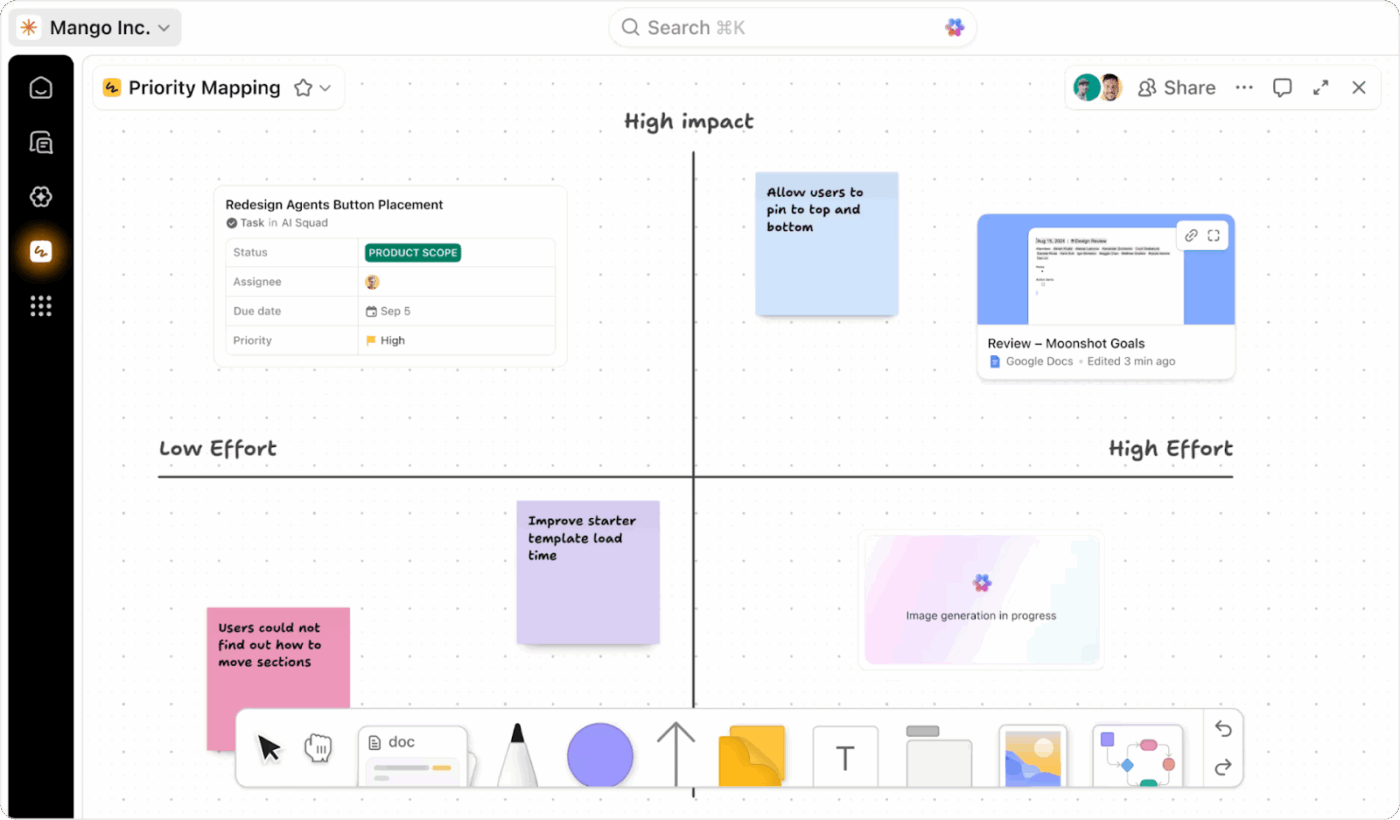
The best part? Any shape or note can be instantly converted into a ClickUp Task. Once the new loop is designed, you can operationalize it immediately without any extra tools.

🧪 Research Spotlight: A study on brain-training games found that feedback type directly shapes motivation and re-engagement. Negative feedback triggers quick corrective action, but positive feedback sustains long-term motivation.
Each experiment should declare a primary feedback channel upfront. One channel owns the decision, and everything else supports it.
This prevents scattered approvals and “I thought someone else was reviewing it” moments. Here’s a quick breakdown:
Connect these channels to avoid switching platforms while accessing them simultaneously.
ClickUp helps you break down communication silos and boost collaboration across your entire organization. It seamlessly integrates tasks, discussions, file sharing, and real-time updates—all within a single, intuitive interface.
Here’s what makes this possible:
ClickUp Chats: Provides a dedicated space for quick, real-time messages between team members. You can start a one-on-one chat or create group chats with specific team members to keep feedback conversations focused and organized.
ClickUp Assign Comments: @mention teammates in ClickUp Docs, Tasks, Whiteboards, etc., to get their attention instantly. The mentioned people get notified, so they never miss important feedback or questions.
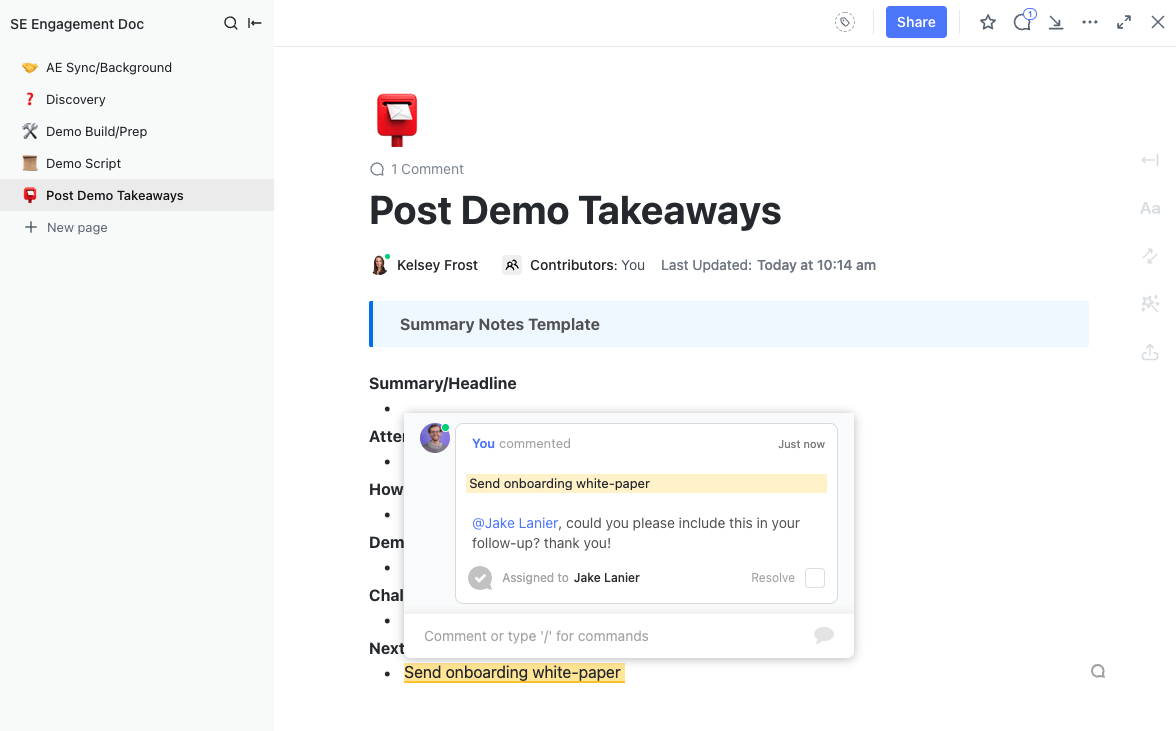
ClickUp Clips: These are quick video or screen recordings you can create right inside ClickUp. For instance, if you want to explain your feedback verbally or show something visually, you can record a clip and share it on tasks, comments, or docs.

ClickUp’s AI Notetaker: The perfect companion for your team meetings! The AI Notetaker listens to your calls and automatically generates notes, summaries, and action items. This means that instead of manually noting down feedback, team members can actively listen to seniors and let the AI notetaker capture all important information automatically.
📌 Example: The all-in-one loop. Imagine your team launching a new landing page test.
Feedback comes in through ClickUp Chat, annotations sit directly on the designs, a quick Clip clarifies layout questions, and the AI Notetaker automatically logs all discussion points. No Slack hunting. No email chasing. Just one workspace.
Result: Your feedback loop shrinks from a week to 48 hours. This only works because ownership is clear. Everyone knows where feedback lives, who decides, and when the loop closes.
⚡ Template Archive: Free Growth Plan Templates to Build a Growth Strategy
Half the friction in a feedback loop disappears when people know exactly what they’re responsible for. The DACI framework makes that easier. It means, every loop should have a:
What makes DACI effective in practice? It’s this: Once the Approver decides, the loop closes. New feedback reopens the loop only if it introduces new risk or information. This prevents experiments from cycling endlessly based on preference changes.
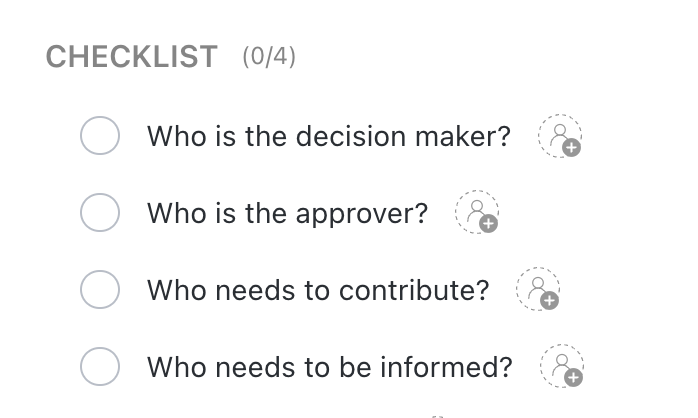
💡 Pro Tip: ClickUp’s DACI Model Template further simplifies the DACI structure for your feedback loops. Using this template, you can instantly add a DACI checklist to each ClickUp Task, and tag your decision maker (driver), approver, contributor, and informed so everyone knows their part.
ClickUp Tasks helps you define these roles, thus ensuring clear ownership and accountability in feedback loops.
Every step in your action plan can be turned into a ClickUp Task (or subtask) and assigned to the right person. Each task can further have priority levels and due dates, so everyone knows what needs attention and when it’s expected.
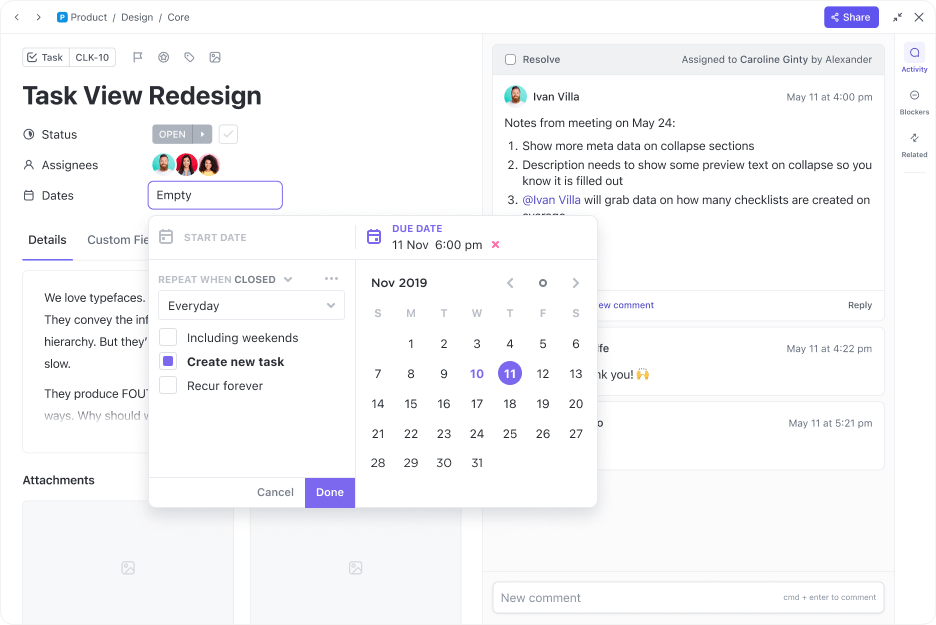
With Multiple Assignees, you can assign a single task to multiple team members, ensuring all responsible parties remain involved. You can also set up custom statuses such as “Feedback Received,” “Under Review,” “In Progress,” and “Completed,” making it easy to track progress on the provided feedback.
This way, you don’t have to create new tasks for providing feedback or requesting changes separately. Manage feedback inside the original task and see it through completion.
Nothing slows a feedback loop more than chasing approvals, nudging stakeholders, and manually passing work down the line.
AI and automations replace this manual grunt work in your feedback loops, freeing up valuable time and energy for the entire team. Everyone can focus on the feedback rather than drowning in the admin work.
ClickUp not only eliminates this repetitive work, but it also saves you from setting up five different AI tools. With ClickUp’s AI assistance, custom automations, and autopilot agents, you can literally automate any part of your feedback loop for enhanced performance.
Here’s what ClickUp brings to the table:
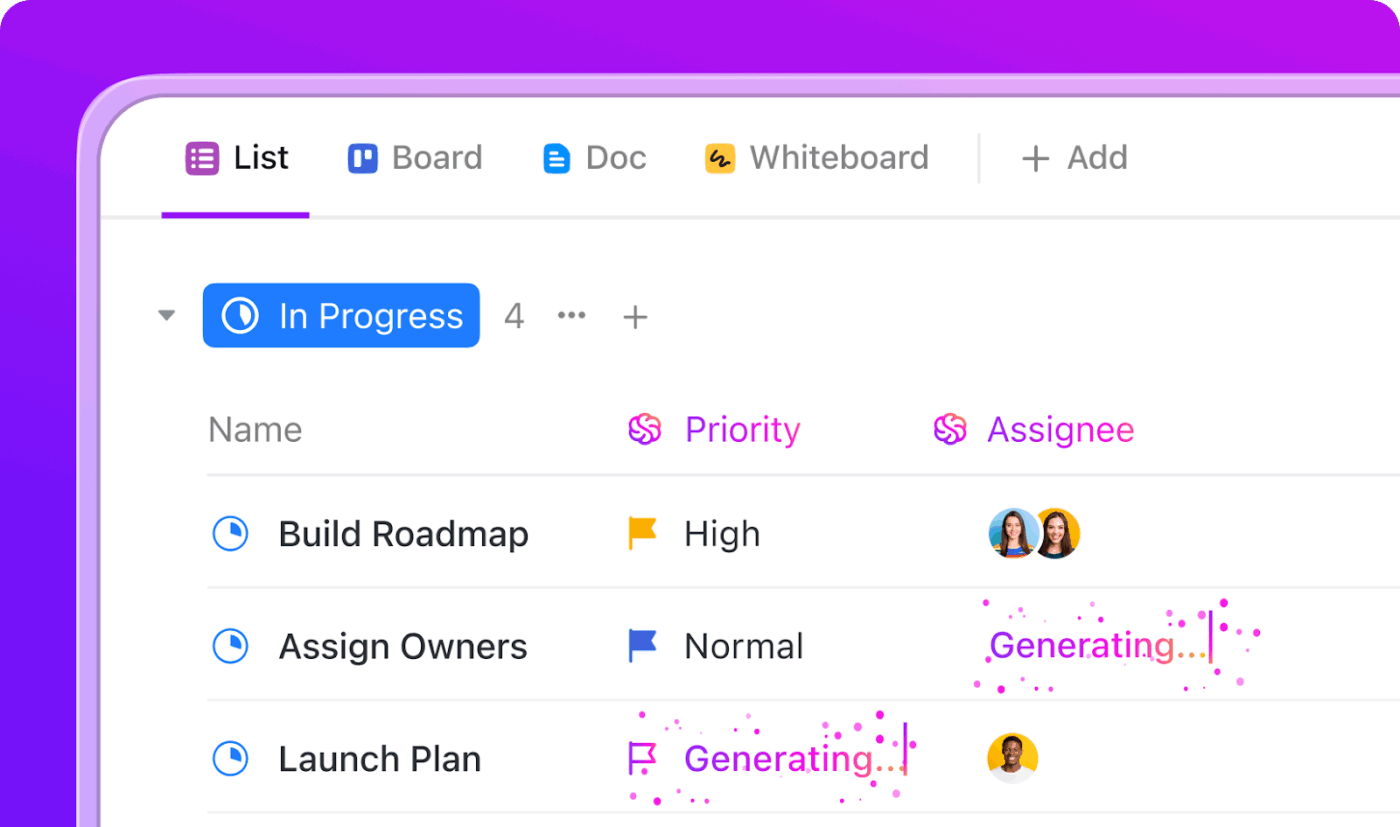
This is ClickUp’s built-in AI assistant, which is exactly what the name suggests—a second brain for your workspace. It understands your tasks, workflows, documents, and resources more thoroughly and provides tailored answers to keep work moving.
As a growth manager, use ClickUp Brain to get a quick summary of the tasks that have pending feedback for a particular growth experiment. It gives you a quick bird’s-eye view before you hop into your daily standups.
⚒️ Quick Hack: ClickUp Automations + Tasks combo shortens your loop even further.
This is where things get really interesting. With ClickUp BrainGPT, you get access to multiple AI tools in one place and switch between them instantly as you like. We’re talking about ChatGPT, Claude, Gemini, and more.
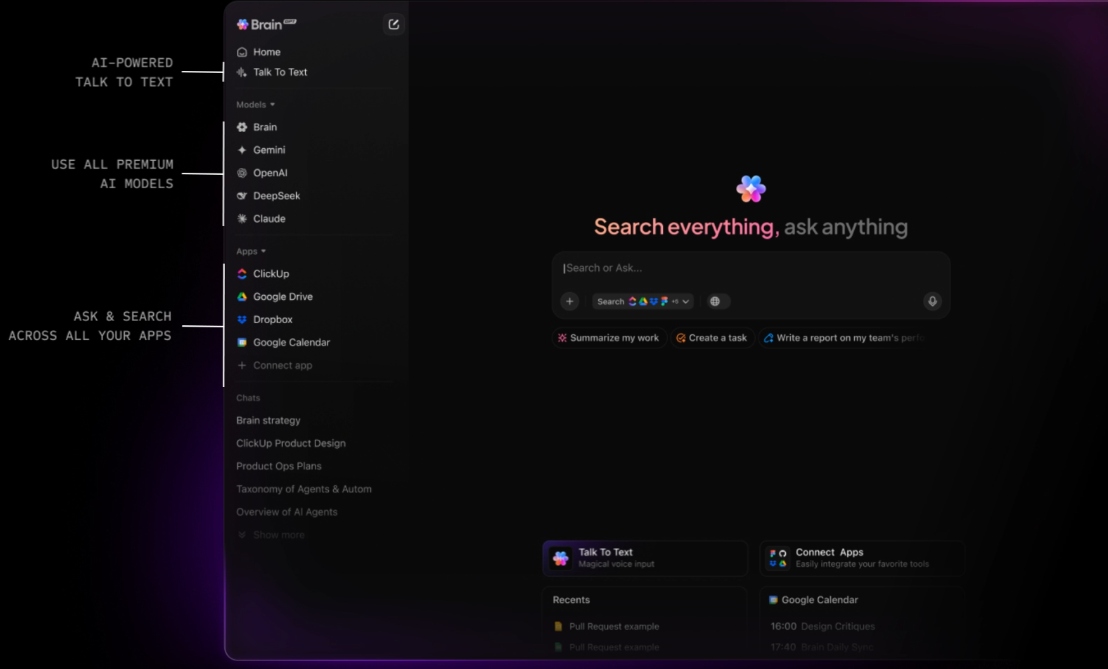
Additionally, BrainGPT has contextual intelligence. With this desktop AI companion, you can instantly search across the entire ClickUp workspace, connected apps, as well as the web to quickly get what you need (no need to launch a 2-hour laborious hunt!).
Talk-to-Text is the real deal, tho. You know how frustrating it is to type long comments and feedback? With Talk-to-text, you can simply speak out loud, and BrainGPT will instantly transcribe it for you!
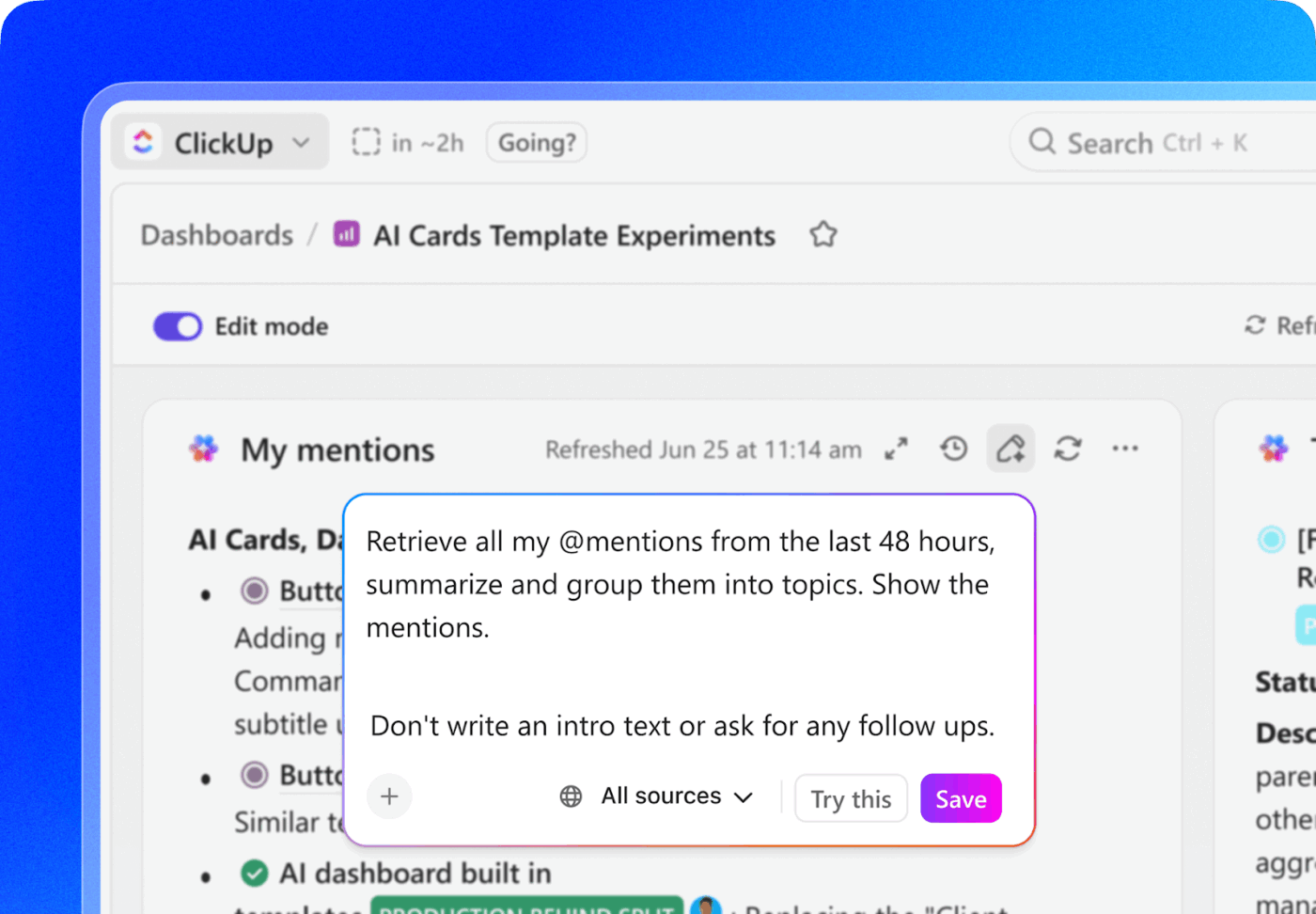
💡 Pro Tip: Use AI Cards to track the health of the feedback loop.
Because the metric you need is iteration velocity. When feedback loops shorten, teams run more experiments per month, learn faster, and compound insights instead of waiting for permission to move.
Imagine you’ve shortened your product launch feedback loop by centralizing tasks and approvals in ClickUp. Now you want to measure how well it’s working — and catch problems before they slow you down.
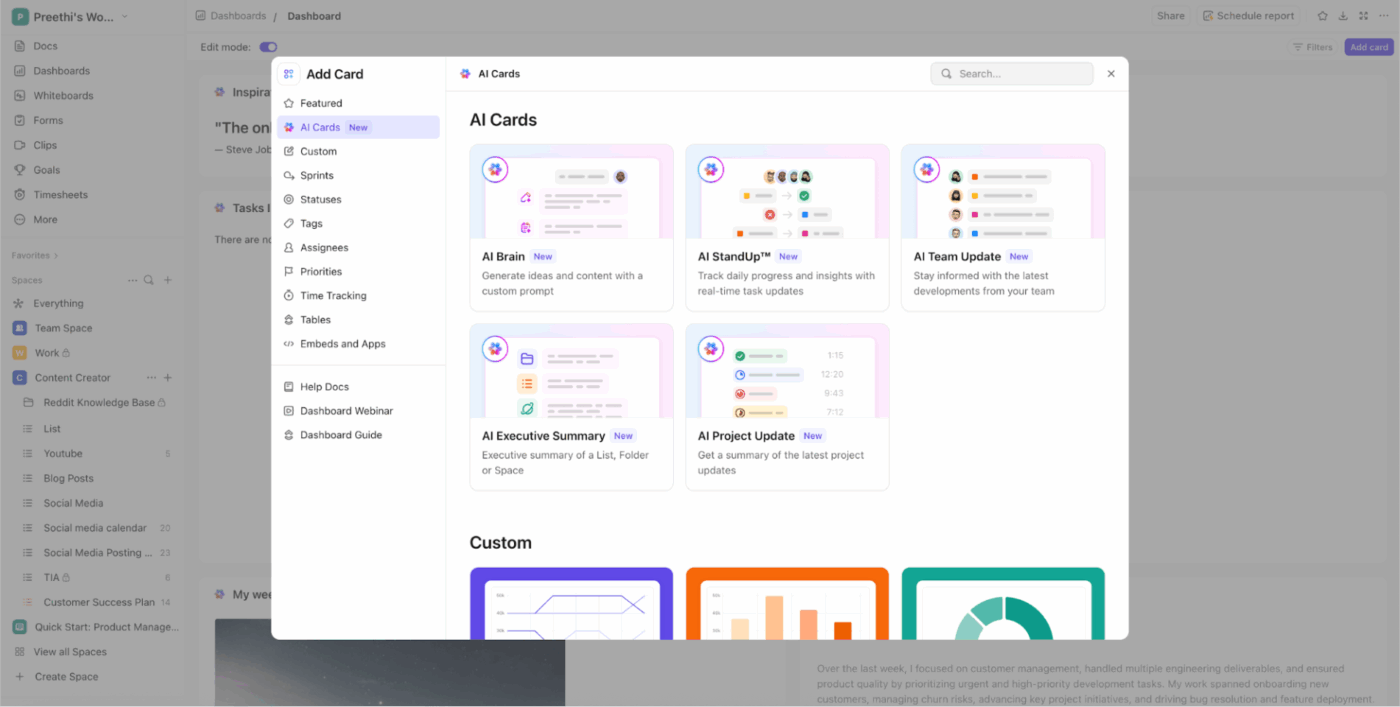
Bonus: Set up a recurring check (daily or weekly) using an AI Card that summarizes loop performance. It surfaces inefficiencies before they become costly delays.
With ClickUp Automations, you can automatically drive your feedback loops—and do it smartly.
You can set up rules like, “When a task is marked ‘Draft Submitted,’ assign it to the editor and change the status to ‘Waiting for Review. ” Similarly, when the editor marks the task as “Reviewed,” ClickUp can automatically tag the Marketing Head and change the status to “Waiting for Approval.”
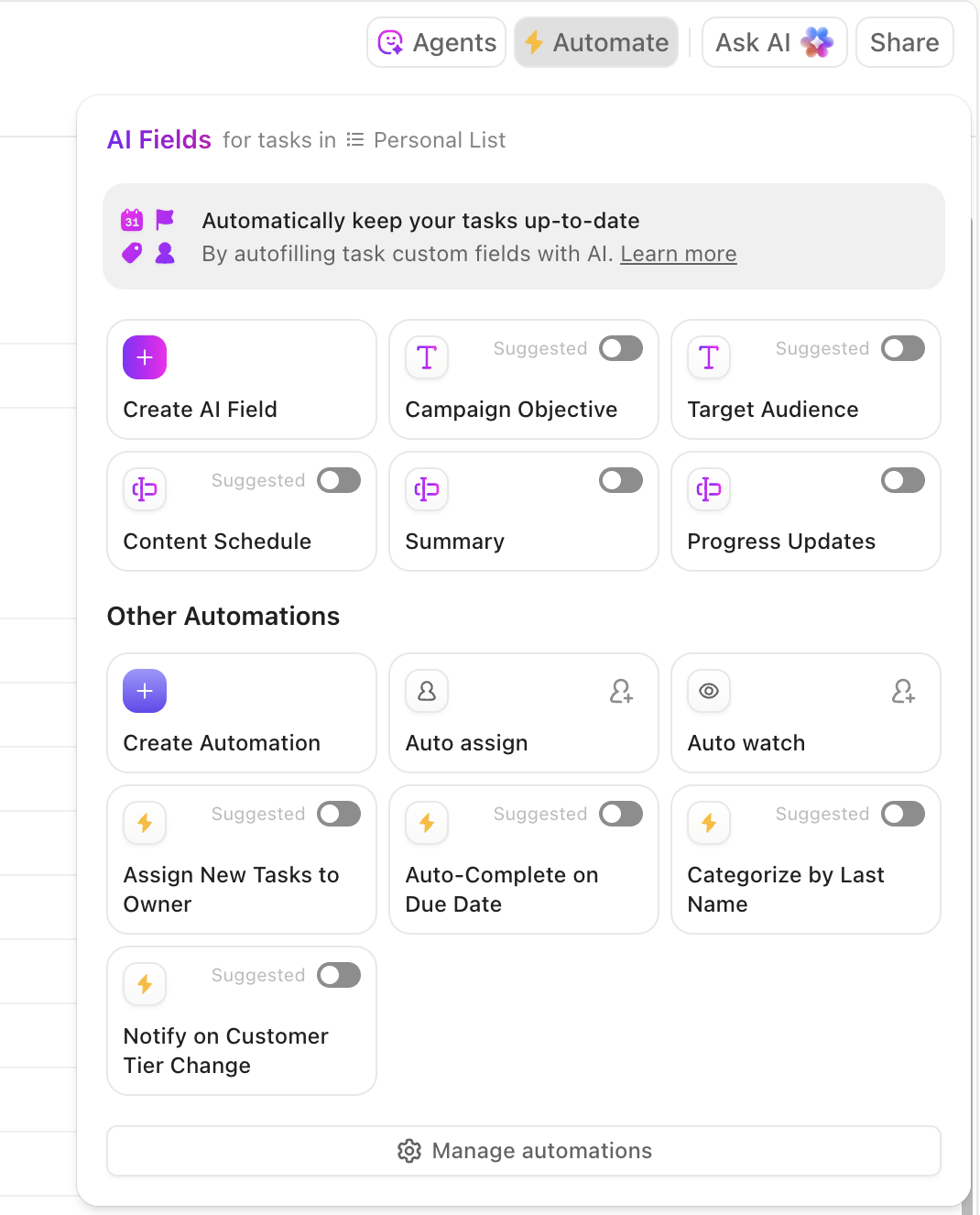
And that’s just the tip of the iceberg. You can select from 100+ automations and set them up within a few seconds to automate your feedback loops!
⭐ Bonus: Let Super Agents handle the heavy lifting.
A ClickUp Super Agent can step in for your team member when they can’t, keeping feedback loops moving instead of stalling. It monitors tasks waiting for review, checks context against predefined rules, and nudges or advances work when approvals lag.
When decisions fall within set boundaries, the agent can automatically update statuses, route feedback, or close the loop. For edge cases, it escalates with a clean summary so leaders can decide fast without re-reading everything. The result is fewer bottlenecks, clearer ownership, and feedback loops that move at the pace of work, not availability.
Your Agents can:
To set up your first ClickUp Agent, watch this video:
The biggest mistake that growth managers make when optimizing feedback loops? Not checking in regularly. If you’re only reviewing performance every once in a while (like bi-weekly or monthly) or worse, not at all, your efforts will go down the drain.
Track loop health using simple signals: average time in “Waiting for Review,” approval SLA breaches, number of feedback cycles per experiment, and percentage of experiments approved in the first round.
Use ClickUp Dashboards to identify friction in your feedback loops in real time and improve your organization’s overall feedback culture.
They give you a real-time, centralized view of:
📚 Read More: Marketing KPI Examples to Track Performance
Here’s why growth managers should prioritize shorter feedback loops:
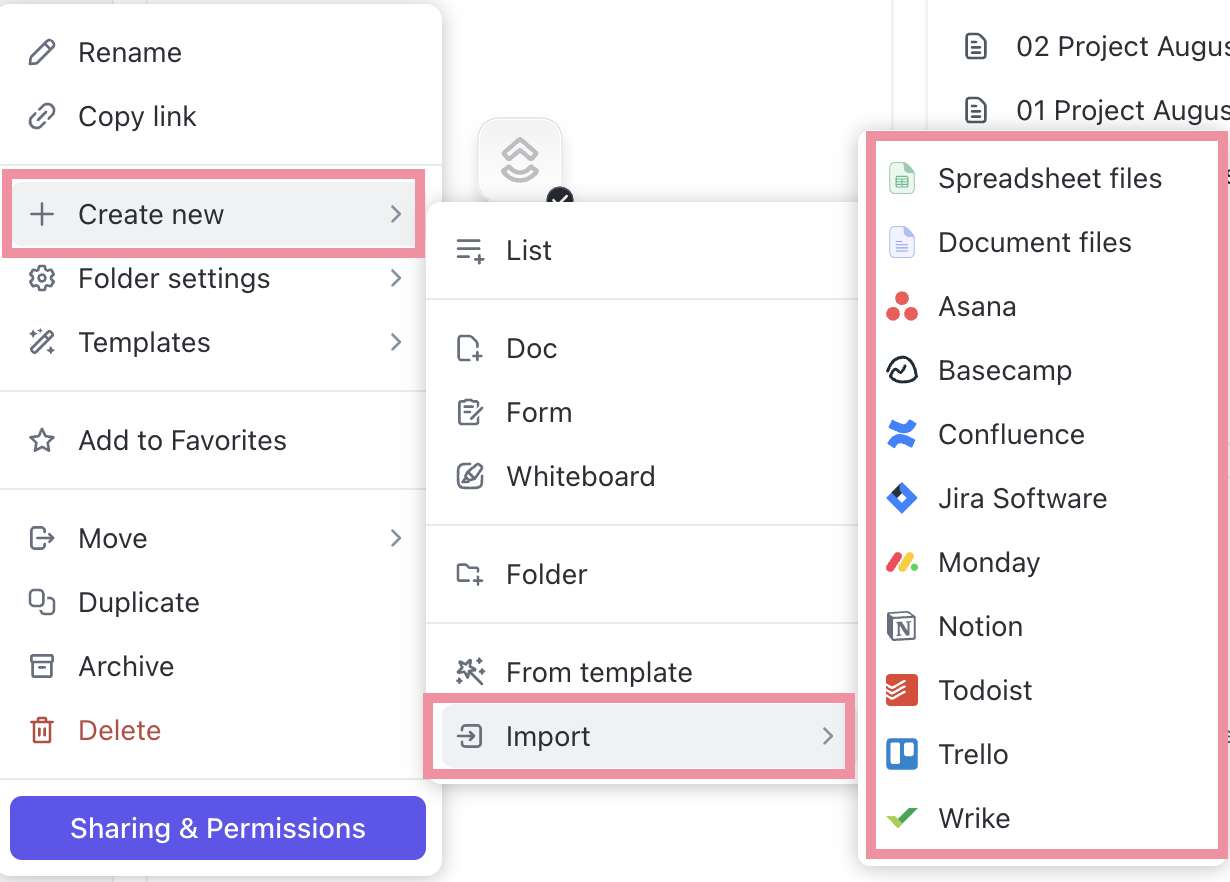
🚀 ClickUp One-Up: With ClickUp Integrations, you get a single workspace that connects your entire tech stack—CRM, analytics, chat, code repos, forms, and files—so feedback flows automatically without tool-hopping.
Trying to speed up feedback loops is great. But in the rush to go faster, you risk introducing new problems without realizing it.
Here are the most common traps to avoid:
| Mistake | What actually happens | Why it backfires |
|---|---|---|
| Over-engineering the feedback management system with too many tools | Feedback gets scattered across apps, threads, and dashboards | Instead of speeding things up, you create work sprawl and force teams to hunt for context before acting |
| Changing too many things at once | Teams lose confidence in the new process and fall back to old habits | When everything changes simultaneously, no one knows what “right” looks like anymore |
| Compressing timelines without adjusting expectations | Feedback becomes rushed, vague, or purely subjective | Speed without clarity reduces quality, leading to rework and slower downstream execution |
| Optimizing for speed but not decision-making | Reviews happen quickly, but approvals stall | Without a clear owner or decision rule, fast feedback still doesn’t move work forward |
| Not measuring loop performance | Teams assume feedback loops are faster, but nothing actually improves | Without metrics like response time, approval time, or iteration count, delays stay invisible |
📚 Read More: How to Build a Performance Marketing Strategy
Iteration. That’s the secret sauce for successful growth experiments.
But if your team spends most of its time chasing feedback or scrambling to make last-minute changes, the experiment is already on shaky ground.
ClickUp changes that. Your team has the complete toolkit to shorten and optimize feedback loops. You have a suite of features for this: built-in AI assistance, powerful automations, smarter task management, and intuitive dashboards.
✅ Sign up for ClickUp today and get those loops going!
A feedback loop is the process of collecting input on your growth ideas or experiments, acting on that input, and using the results to shape the next iteration. The shorter the feedback loop, the higher the iteration time.
Short feedback loops give you information fast, so you’re not stuck waiting days or weeks to take the next step. You get fresh data to act on and quicker reactions from teammates, which allow you to make confident (and informed) decisions instead of guessing or relying on outdated inputs.
Tools like ClickUp automate follow-ups, approvals, task routing, and reporting. You can use AI, rule-based automations, and autopilot agents to move feedback through the performance evaluation loop without any manual effort.
By centralizing communication and connecting feedback to the main work. For starters, teams can discuss input directly in a shared ClickUp Task rather than starting a separate thread via email or WhatsApp. When all the context, updates, and decisions live together, teams don’t waste time chasing information or clarifying what to do next when they receive feedback.
Here’s what you must track to measure the efficiency of your ongoing feedback loop:
– Number of iterations per experiment + time taken
– Time to approval
– Task completion rates
– Impact of each iteration on your core growth KPIs (activation, retention, conversion, etc.)

© 2026 ClickUp

There’s an easier way. Try a free AI Agent in ClickUp that actually does the work for you—set up in minutes, save hours every week.