







Still downloading templates?
There’s an easier way. Try a free AI Agent in ClickUp that actually does the work for you—set up in minutes, save hours every week.
Sorry, there were no results found for “”
Sorry, there were no results found for “”
Sorry, there were no results found for “”
You’ve done everything to give your partners the best start:
Assigned a point of contact, sent welcome kits, and signed the agreements. You ran live training sessions to explain your product, issued certifications, and shared your best sales decks.
On paper, your partners are ready to win.
Yet deals are stalling, and the projected revenue remains a pipe dream.
It’s natural to wonder: Did we pick the wrong partners? Probably not. Possibly, you didn’t engage them enough.
AI-driven partner engagement ensures your resellers, distributors, and affiliates have both the knowledge and motivation to sell your product—without you chasing them down.
Below, we show you how AI helps with partner engagement, along with steps to implement it👇
Partner engagement is the ongoing process of building and maintaining relationships with your partners so they stay active, aligned, and motivated to sell your product consistently.
Here’s what this looks like in practice:
Trying to manage all of this manually does not scale for long.
1️⃣ First, you don’t have the bandwidth to personally engage every partner. So, you naturally gravitate toward the ones already bringing in revenue, while others with massive potential go months without meaningful contact.
2️⃣ Second, partner activity is buried in emails, CRM software, and chat messages. By the time you pull and analyze that data, it’s already outdated.
Leveraging AI comes to your rescue here.
⚖️ Know The Difference: Partner enablement vs. partner engagement
Don’t mix these up—they’re distinct phases in the partner lifecycle:
AI-driven partner engagement uses machine learning, automation, and predictive analytics to personalize and scale partner interactions. This keeps you in touch with every partner in your ecosystem (not just top-tier accounts) without adding more channel managers.
Here’s how different AI technologies work together to automate partner engagement:
🚀 ClickUp Advantage: Get instant access to premium models like GPT, Claude Sonnet, and Gemini in one place with ClickUp Brain. No separate subscriptions or logins needed.
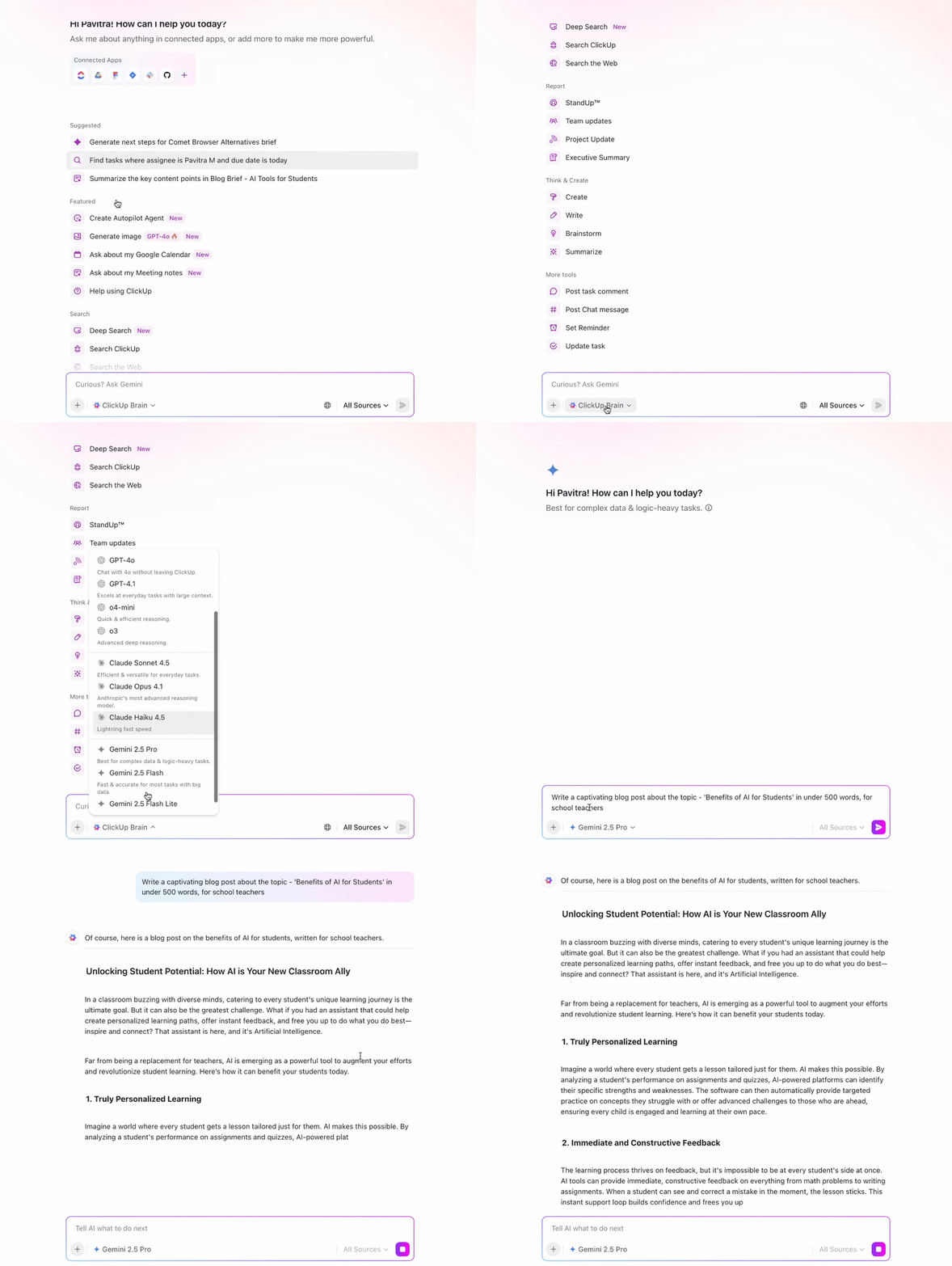
How to use different AI models for partner engagement:
🧠 Fun Fact: In the late 1940s, Miami-based entrepreneur Brownie Wise turned Tupperware into a household name through her iconic “Tupperware parties.” Instead of relying on stores, she recruited women to host social gatherings to demonstrate and sell the products. The approach was a massive hit. By 1949, demand spiked so high that one dealer reportedly sold over 56 Wonder Bowls in a single week!
Using AI-powered tools in your partner programs offers several key benefits:
⚠️ A Word of Caution: AI delivers insights and automation needed to scale. However, it can’t replicate trust-building conversations, read subtle cues, or add a human touch. So, use it to inform your strategy first, then apply your expertise and partner relationship management (PRM) skills for building relationships.
What AI does and does not replace in partner engagement
AI does not replace relationship-building, channel strategy, or trust-based conversations with your most important partners. It does not remove the need for partner managers or eliminate human judgment. What it does is help your team scale the operational side of engagement by spotting risk earlier, personalizing outreach faster, surfacing the right resources, and automating the repetitive follow-up work that usually gets missed.
Now, let’s dive into how AI helps partner managers work more efficiently and build stronger relationships.
⭐ Bonus: We’ll also share practical examples of how ClickUp Brain, our contextual AI assistant, helps in each area.
AI streamlines partner onboarding by automating repetitive tasks and providing real-time guidance. It can automatically segment new partners, generate personalized onboarding checklists, and share the right training modules based on a partner’s profile.
Teams also deploy AI chatbots to answer common onboarding questions and escalate complex issues to the right manager when needed.
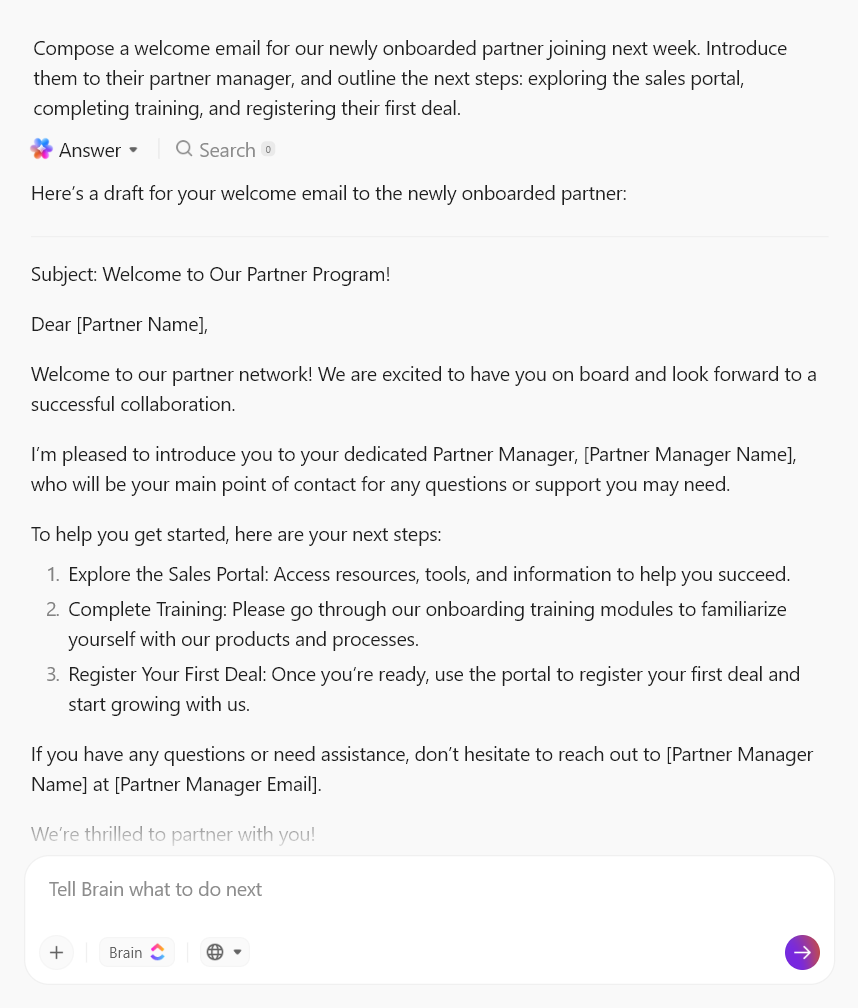
📌 Example: When a new partner joins your program, you can prompt Brain to draft a welcome email that includes specific onboarding steps, training resources, and key contacts to personalize the partner experience from day one.
📚 Read More: Best AI CRM Tools Worth Trying
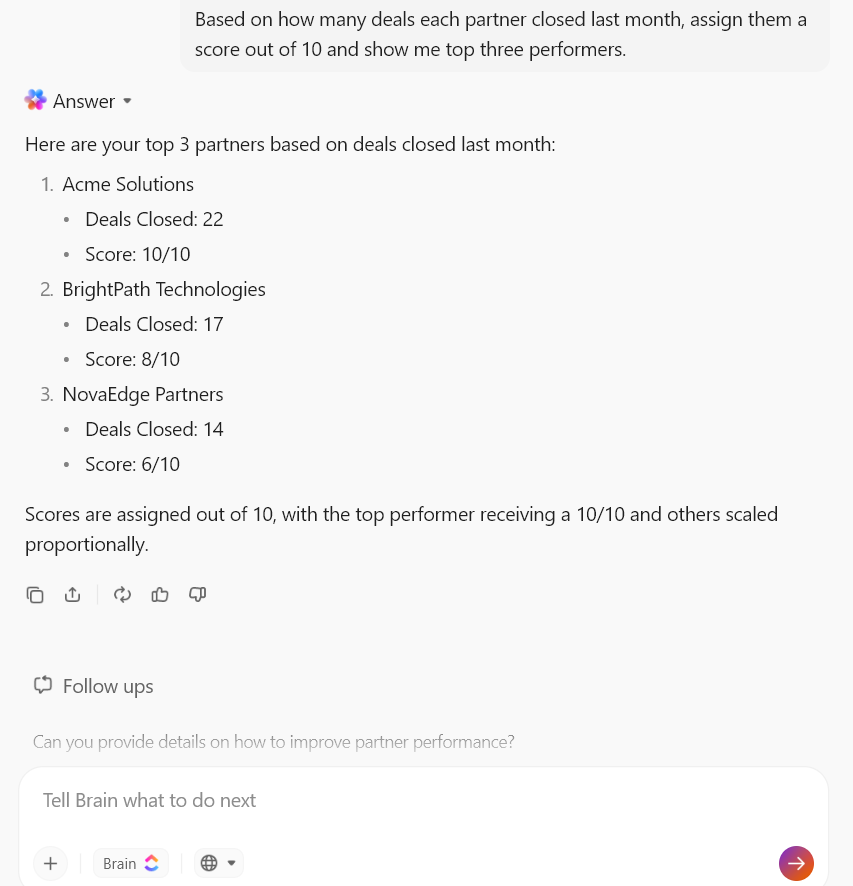
AI pulls data from your CRM, marketing platforms, and learning systems to evaluate partners based on deal quality, pipeline contribution, and engagement. It assigns a dynamic score to each partner that updates automatically as their activity changes.
📌 Example: Simply ask Brain to show how many deals each partner closed last quarter, assign scores based on revenue or participation, and highlight your top three performers. The AI can also flag partners with declining activity and suggest where a follow-up is needed.
Unlike traditional tools that send the same email to everyone, AI analyzes real-time signals—like a partner downloading a guide—to trigger the next relevant step. For instance, nudging them to sign contracts or register new deals.
You can also use AI to optimize the timing and channel of these messages. This means you can check whether a partner is more likely to respond to a LinkedIn message or an email, and at what time of day.
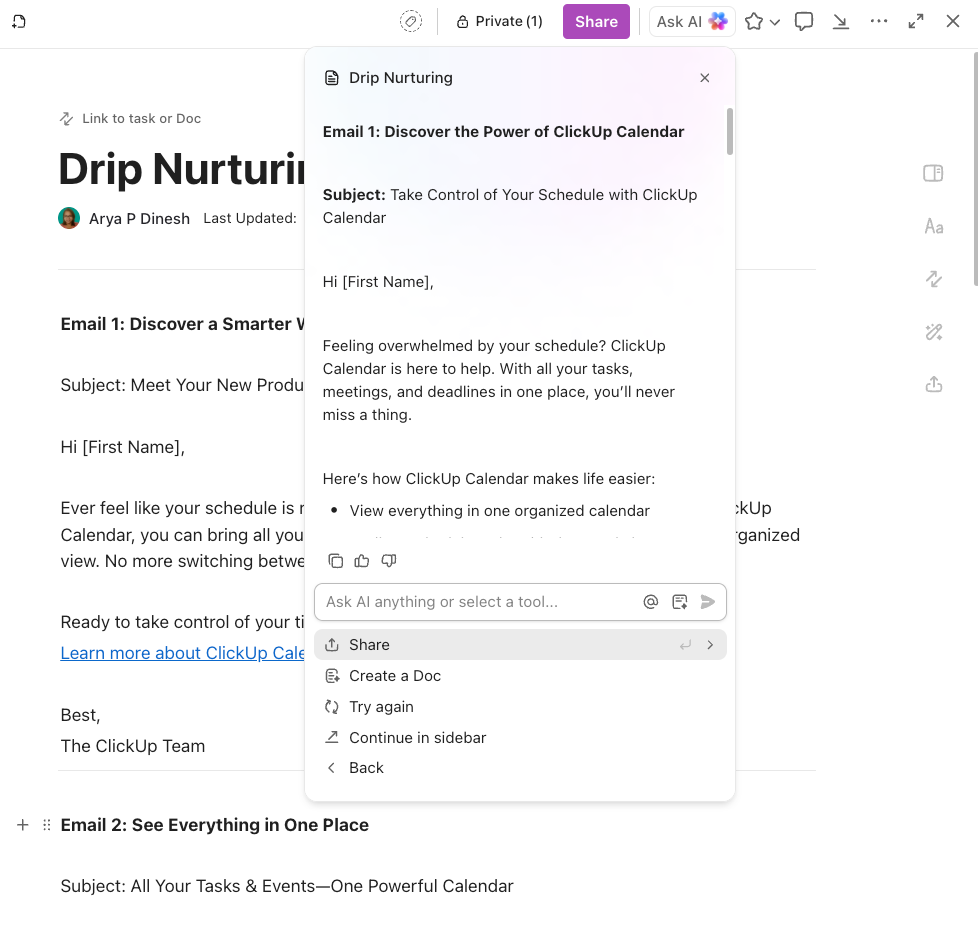
📌 Example: Suppose you want to introduce partners to a new product capability. Instead of writing emails one at a time, tell Brain to generate a full nurture sequence with multiple emails, each focusing on a different benefit or use case.
Within minutes, you’ll have structured drafts with subject lines, personalized greetings, and clear messaging that you can refine before sending.
Advanced AI-powered PRM platforms can tailor lessons based on a partner’s role, performance, and expertise levels. They automatically recommend the best modules, suggest next steps after a certification, and even deliver micro-lessons when a new feature launches.
What’s more: AI can also be used to role-play sales scenarios to help partners practice their pitch or resolve doubts during training.
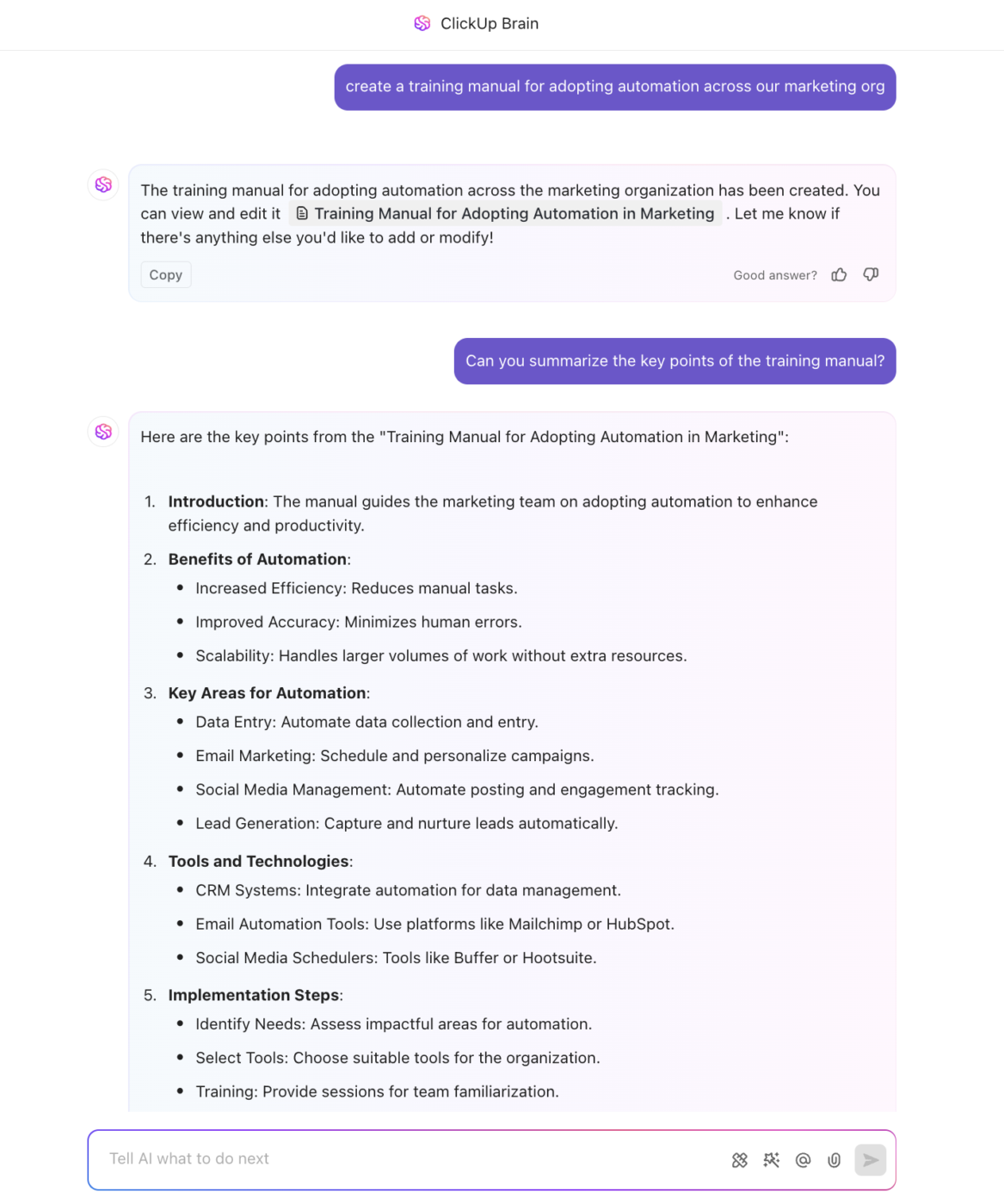
📌 Example: Instead of starting from scratch, use Brain to create a complete training manual based on your requirements. Once the draft is ready, it can further pull out the key points into a short summary that partners can scan before diving into the full guide.
When partners are actively selling, they often need quick answers—whether it’s about pricing, positioning, or internal processes. However, providing constant manual support is time-consuming and often impossible.
That’s where AI tools shine.
Whether a partner is building a proposal, stuck on pricing, or unsure how to position a feature, AI steps in instantly. It pulls product details from knowledge bases, suggests pricing structures, generates proposal drafts, and provides messaging tips—pretty much like your personal sales assistant!
For more complex support, AI smartly routes the query to the right expert with full context, saving valuable response time.
📌 Example: When a partner needs help preparing for a deal, chat with Brain to point you to the most relevant resources—like pricing guidelines, proposal templates, or deal registration requirements. Instead of searching across multiple systems, you’ll get direct links to the right documents along with additional resources to move the deal forward faster.
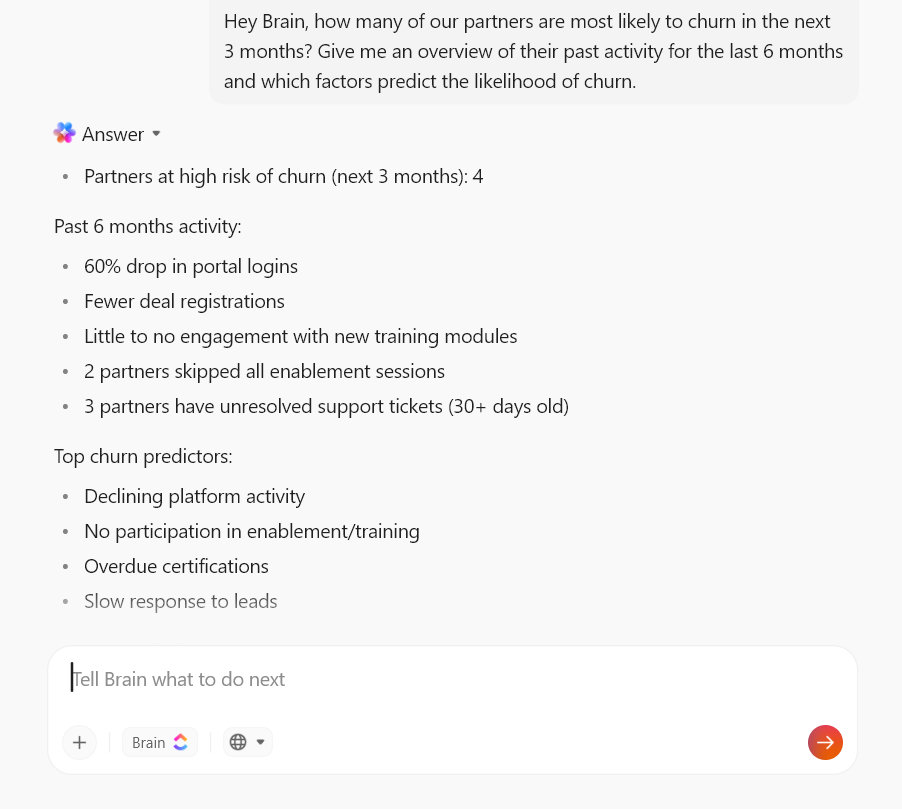
Instead of waiting for a quarterly review to realize a partner has stopped bringing in deals, AI constantly scans for silent warning signs—like a sudden drop in portal logins, lagging lead responses, or expired certifications.
It connects these dots in real-time and alerts you while the partner relationship is still salvageable. This allows you to shift resources or launch new incentives weeks before the churn actually happens.
📌 Example: Prompt Brain to identify at-risk partners. It can analyze recent activity, highlight patterns like lower deal registrations, and show the key factors contributing to the risk so you know exactly who needs attention and why.
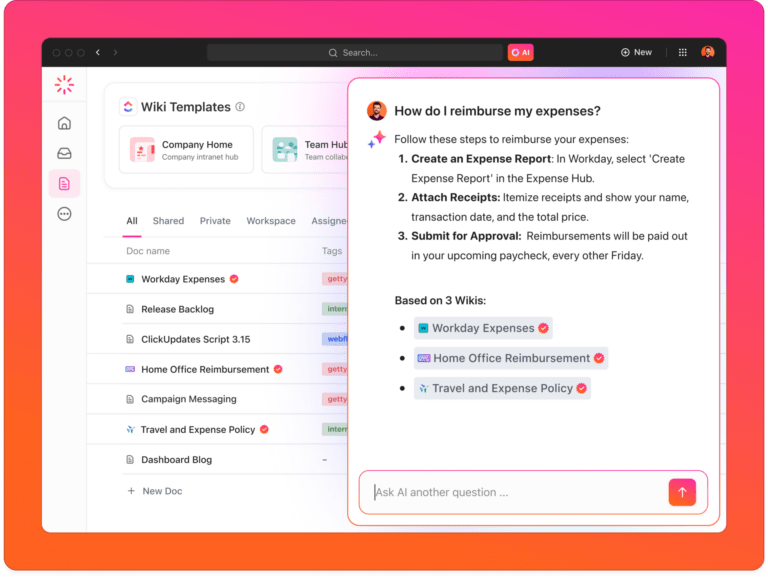
If finding information in your knowledge base feels like a scavenger hunt, artificial intelligence is the solution.
AI-powered knowledge bases use natural-language search to pull precise answers from product guides, FAQs, troubleshooting steps, and compliance info. Over time, AI learns from usage patterns to improve recommendations and even auto-update the knowledge base with new info gained from support tickets or product releases.
📌 Example: Reading lengthy training materials and company wikis eats up a lot of time. To get instant yet correct insights from the knowledge base, partners can use the ClickUp Enterprise Search. The contextual AI assistant automatically consults your knowledge base to gather the most relevant and up-to-date information.
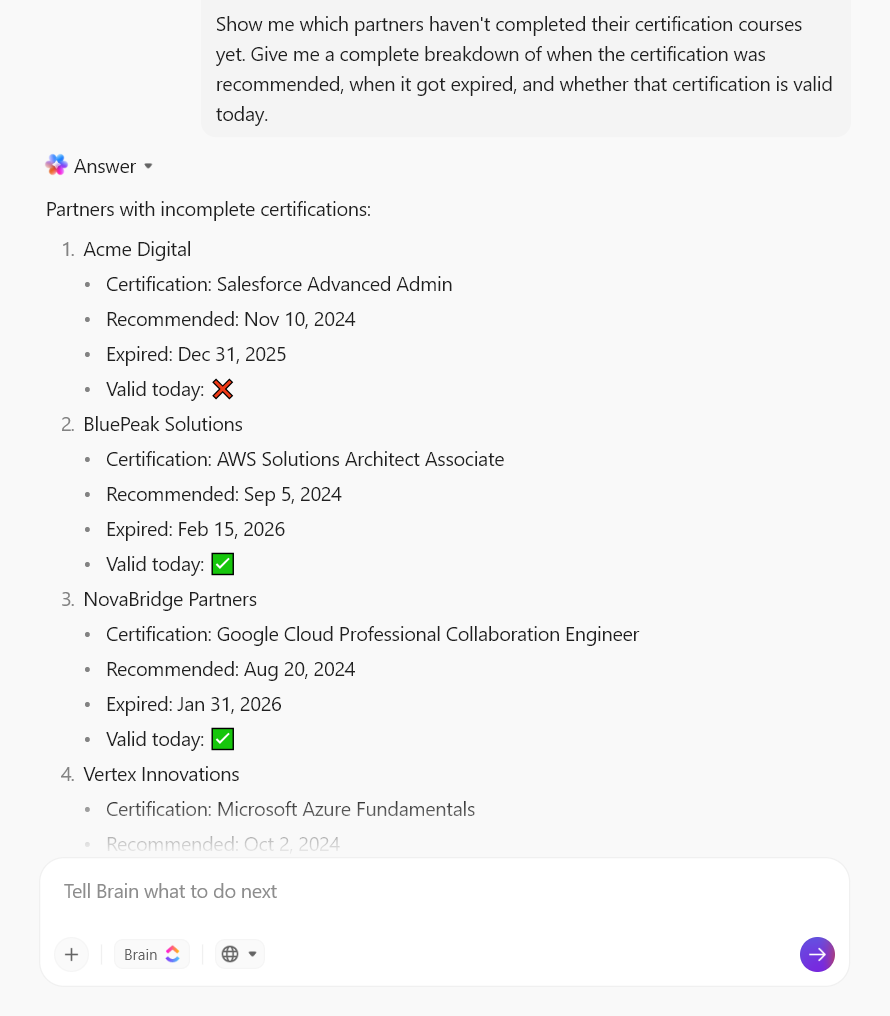
One of the most underrated aspects of partner management? Compliance.
It doesn’t matter how well a partner sells if they ignore industry standards or regulatory requirements.
AI models monitor for potential partner violations, such as unapproved co-branding or regional compliance gaps. The moment an issue is flagged, you receive an instant alert with a detailed report and suggested next steps.
📌 Example: Instead of reviewing certification records one by one, tell Brain to show which partners have incomplete or expired certifications. You’ll get a clear breakdown showing when each certification was recommended and when it expired, ultimately leading to targeted follow-ups.
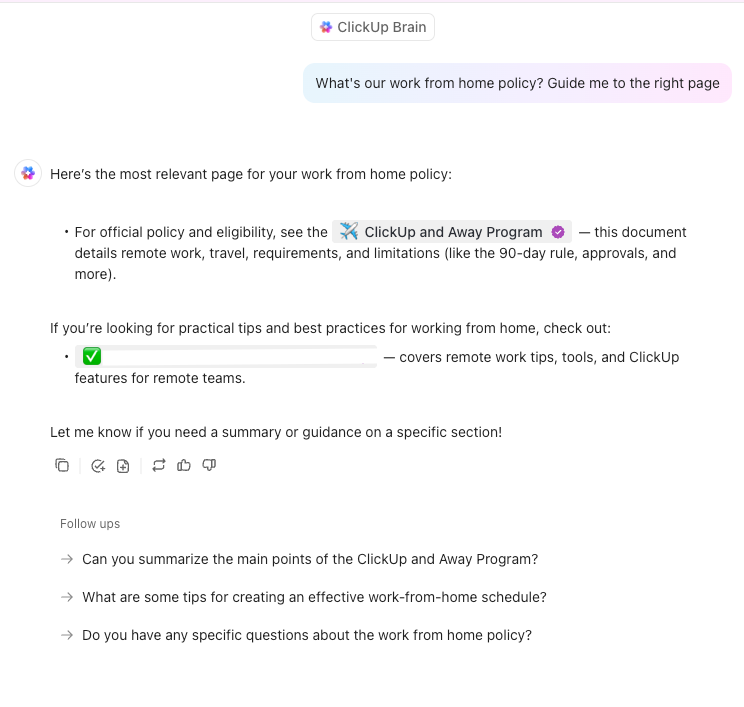
There are plenty of AI tools in the market to automate partner engagement. But simply having AI in your stack isn’t enough.
You need an assistant that’s deeply embedded in your workspace, knows your processes inside out, and integrates with your entire tech stack.
ClickUp, the converged AI workspace, comes to your rescue.
That said, let’s see how to use ClickUp for partnership management and boost engagement:
Every partnership is different. Stages, touchpoints, and handoffs can vary depending on your business model. To drive deeper engagement, you must first build workflows that actually fit your unique sales pipelines.
ClickUp makes it easy to brainstorm, design, and implement these workflows:
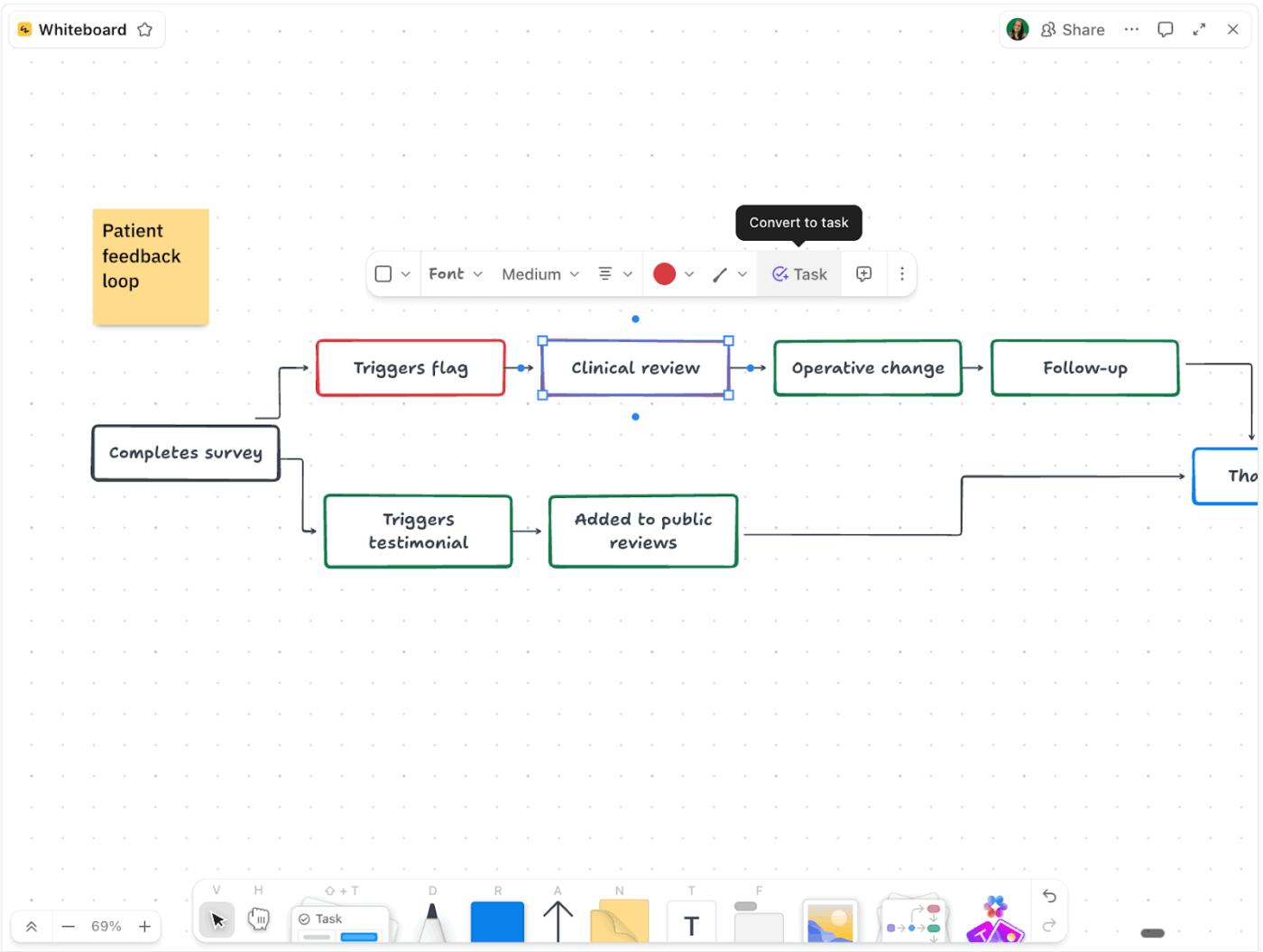
ClickUp Whiteboards give you an unlimited canvas to sketch out partner pipelines using a drag-and-drop editor.
Use shapes to represent each stage of your pipeline (like “Prospecting,” “Onboarding,” “Enablement,” “Co-selling,” and “Renewal”). Draw connectors to show handoffs or dependencies, and add sticky notes for extra context.
Plus, you can invite other team members to co-design partnership workflows in real time—everyone can add, move, or comment on elements together.
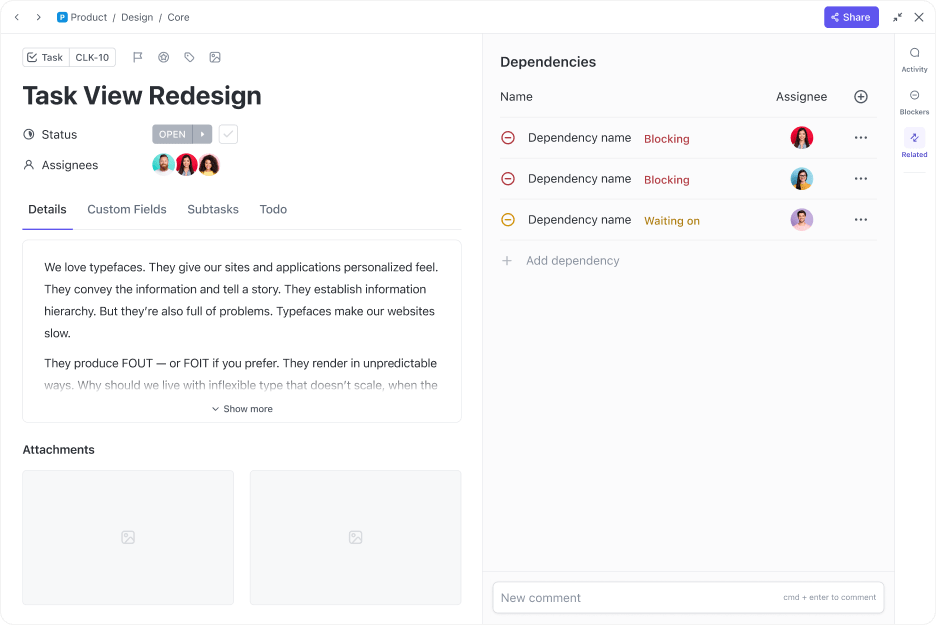
Once you’ve mapped your process, use ClickUp Tasks to bring it to life.
Convert each stage or element from your Whiteboard into a task, add partners and channel managers as assignees, set due dates, mark priority levels, add detailed descriptions, etc.
Next, use ClickUp Dependencies to sequence work. For example, “Training” can’t start until “Onboarding” is marked as Done. Additionally, you can also attach files, leave comments, and track time inside tasks.
Templates let you save your best workflows and reuse them for every new partner.
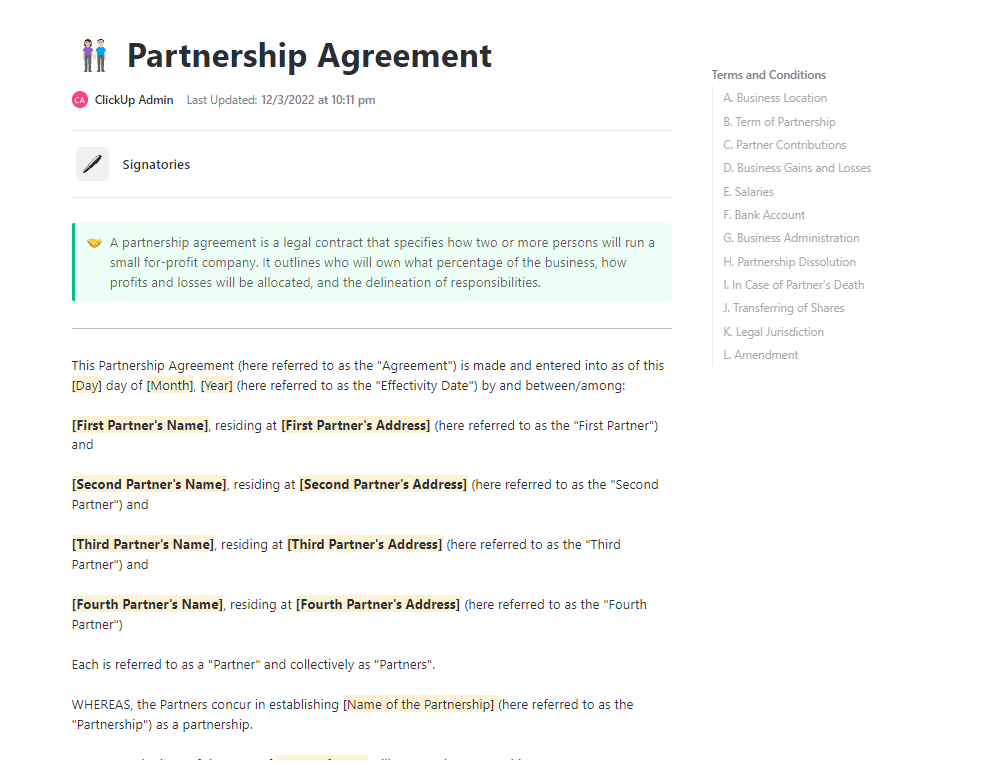
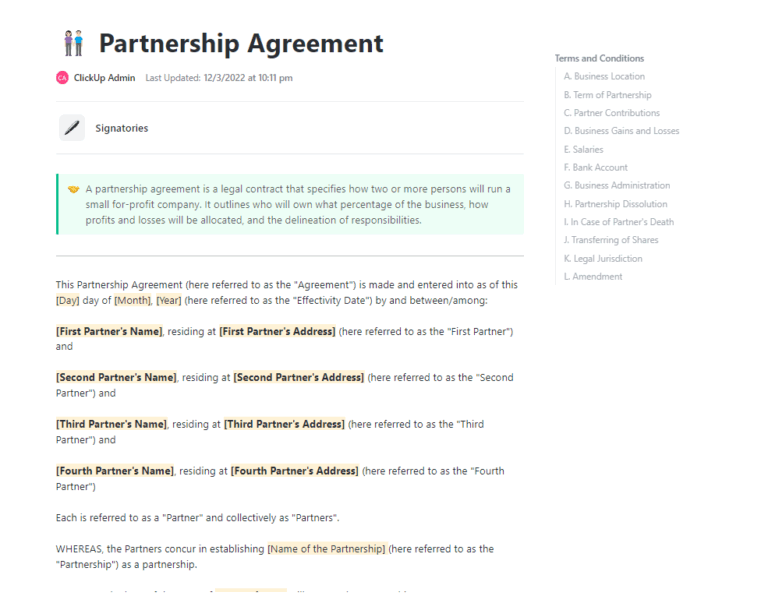
Take the ClickUp Partnership Agreement Template, for example. It provides a pre-built structure for creating partner contracts, laying down T&Cs, and outlining expectations upfront.
With this template, you can:
ClickUp also offers ready-made templates for your channel partners who want to boost their marketing efforts.
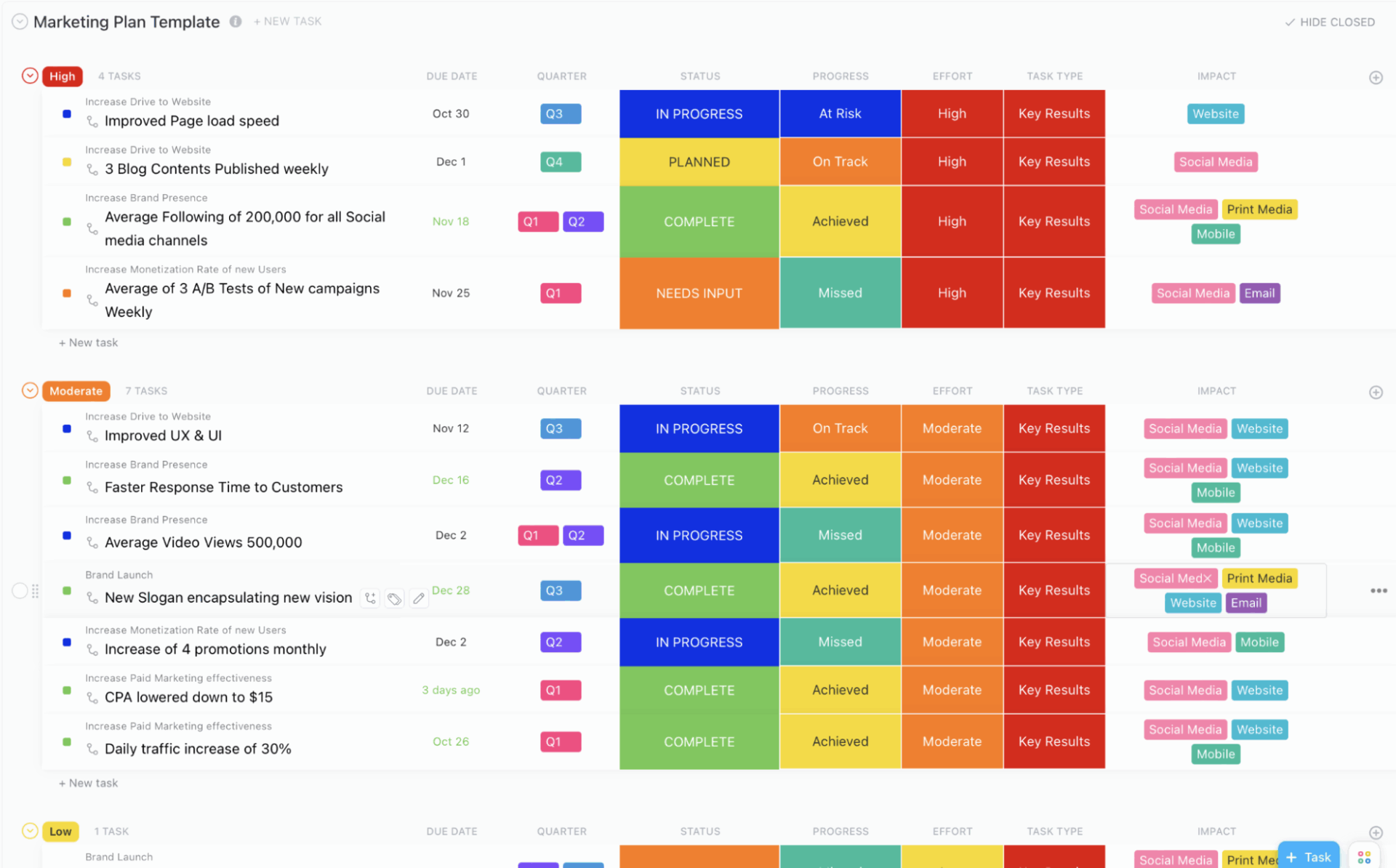
They can use the ClickUp Channel Partners Marketing Plan Template to define target customers, list effective strategies, spread brand awareness, and measure performance.
This template lets you:
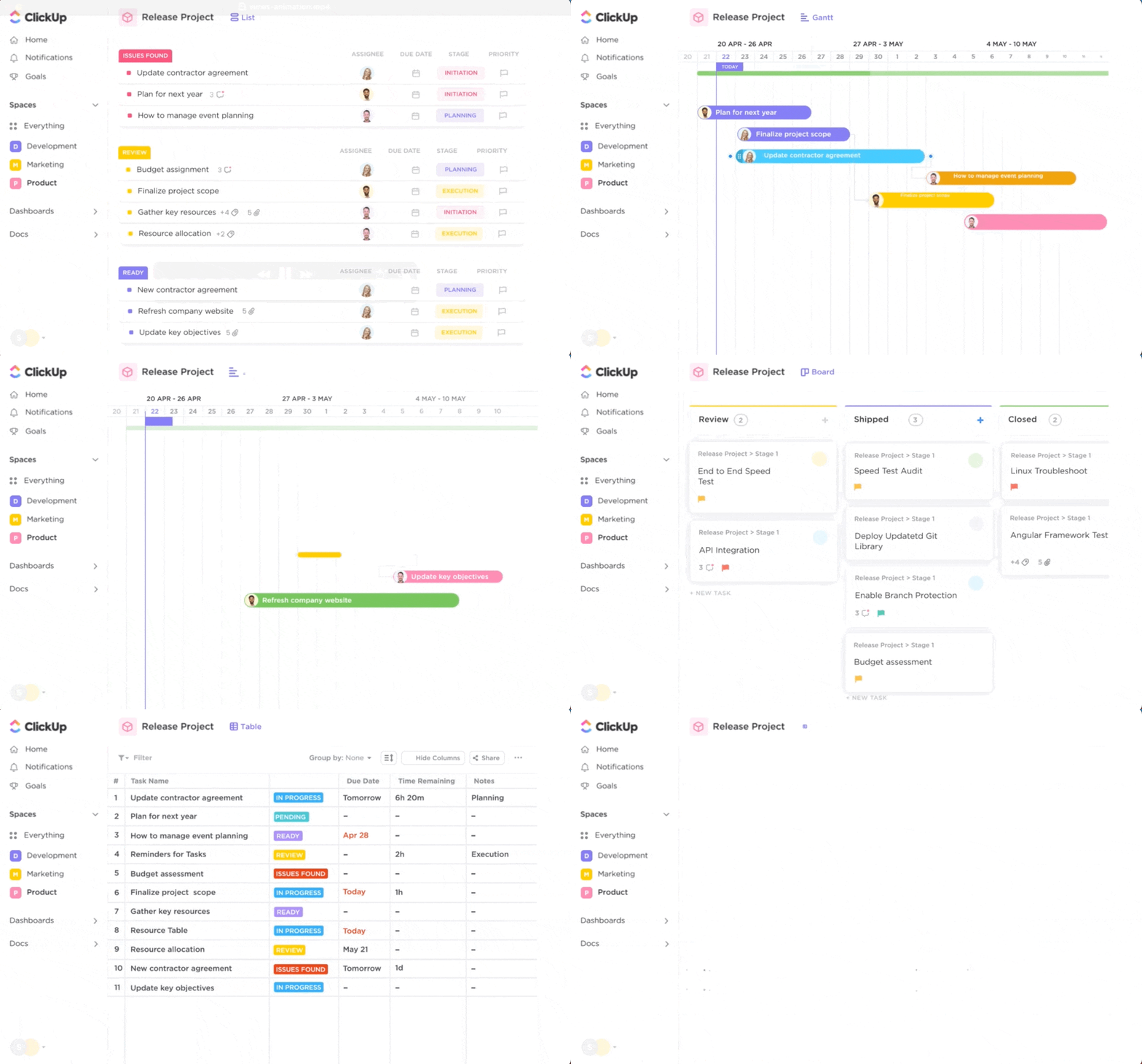
Once your workflows are live, you can visualize partner engagement programs and tasks in 15+ ways using ClickUp Views. Some of these include:
Each view pulls live data from your workspace, which you can filter by numerous attributes like partner type, segment, engagement levels, product expertise, etc.
📚 Read More: Best Remote Collaboration Tools
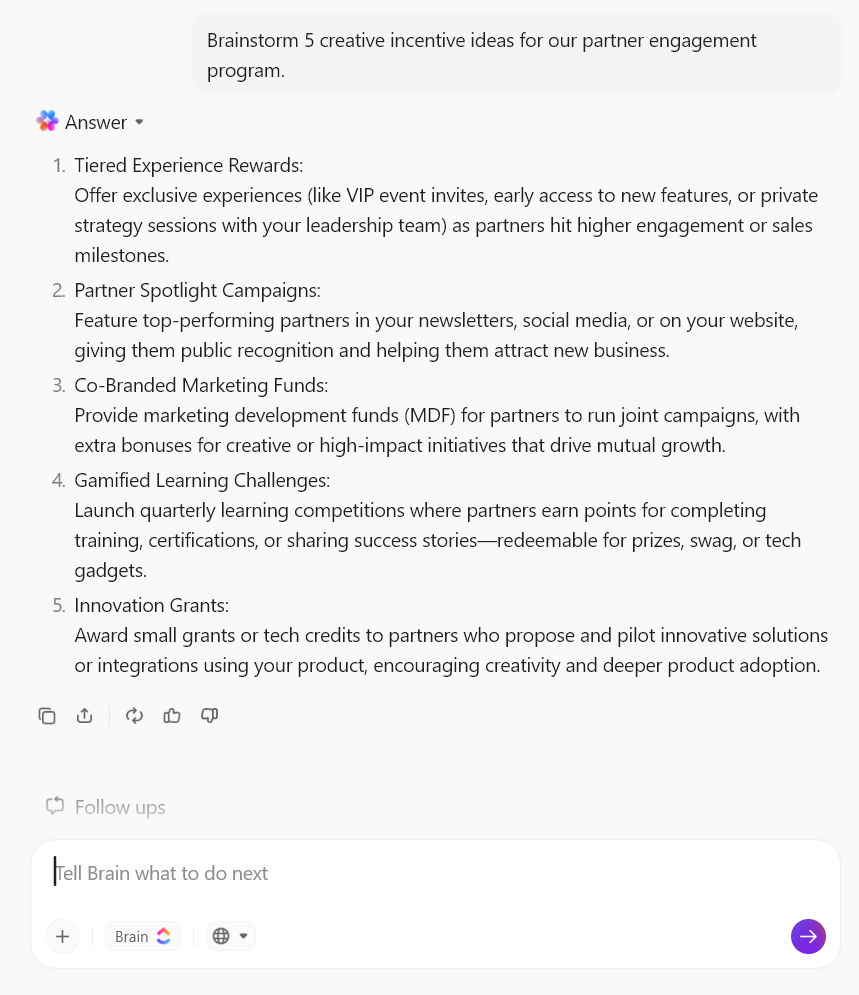
ClickUp Brain acts as your workspace’s native AI assistant, pulling together tasks, docs, chats, and partner data into one cohesive system. In other words, every component of your workspace is powered by AI, so you don’t have to bolt it onto your tech stack separately.
This directly eliminates AI sprawl, i.e., no more jumping between different AI productivity tools. Natural language processing + contextual search makes ClickUp Brain smarter.
Here’s how:

📮 ClickUp Insight: The average professional spends 30+ minutes a day searching for work-related information—that’s over 120 hours a year lost to digging through emails, Slack threads, and scattered files.
An intelligent AI assistant embedded in your workspace can change that.
Enter ClickUp Brain. It delivers instant insights and answers by surfacing the right documents, conversations, and task details in seconds—so you can stop searching and start working.
💫 Real Results: Teams like QubicaAMF reclaimed 5+ hours weekly using ClickUp—that’s over 250 hours annually per person—by eliminating outdated knowledge management processes. Imagine what your team could create with an extra week of productivity every quarter!
📚 Read More: Our Curated List of Email Automation Tools to Try
Your workflows are up and running. You’ve also laid the groundwork for AI.
Now, it’s time to consolidate all the data and tie everything together for real-time partner communication, engagement, and analysis.
Here’s how to achieve this in ClickUp:
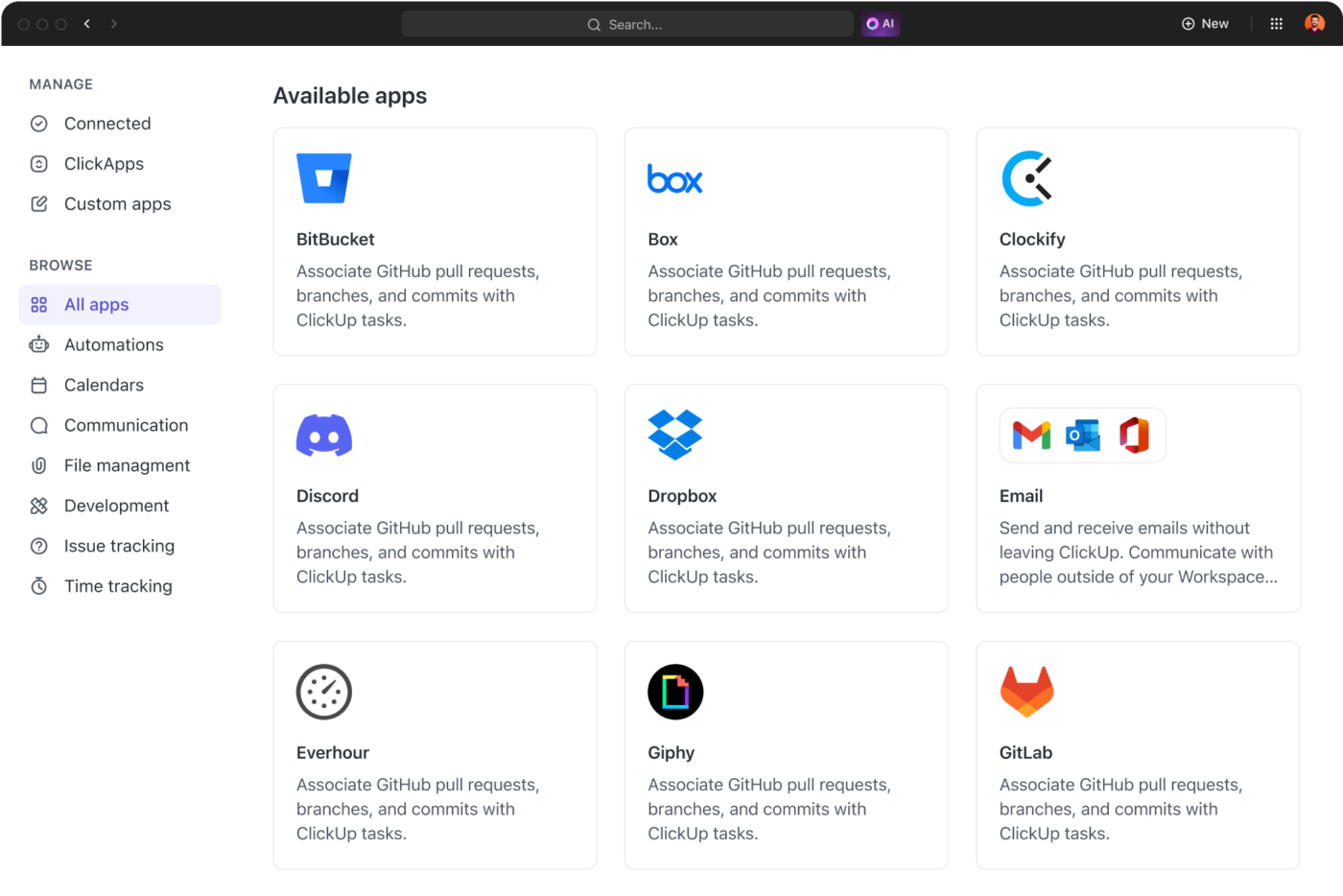
ClickUp offers over 1,000 native integrations that pull relevant data into your workflows with a single click. For example, link CRMs like HubSpot or Salesforce for deal updates, Google Workspace for shared docs and calendars, Zoom for meetings, etc.
Better yet, you can also build custom integrations using ClickUp’s API to sync proprietary or legacy systems without heavy coding.
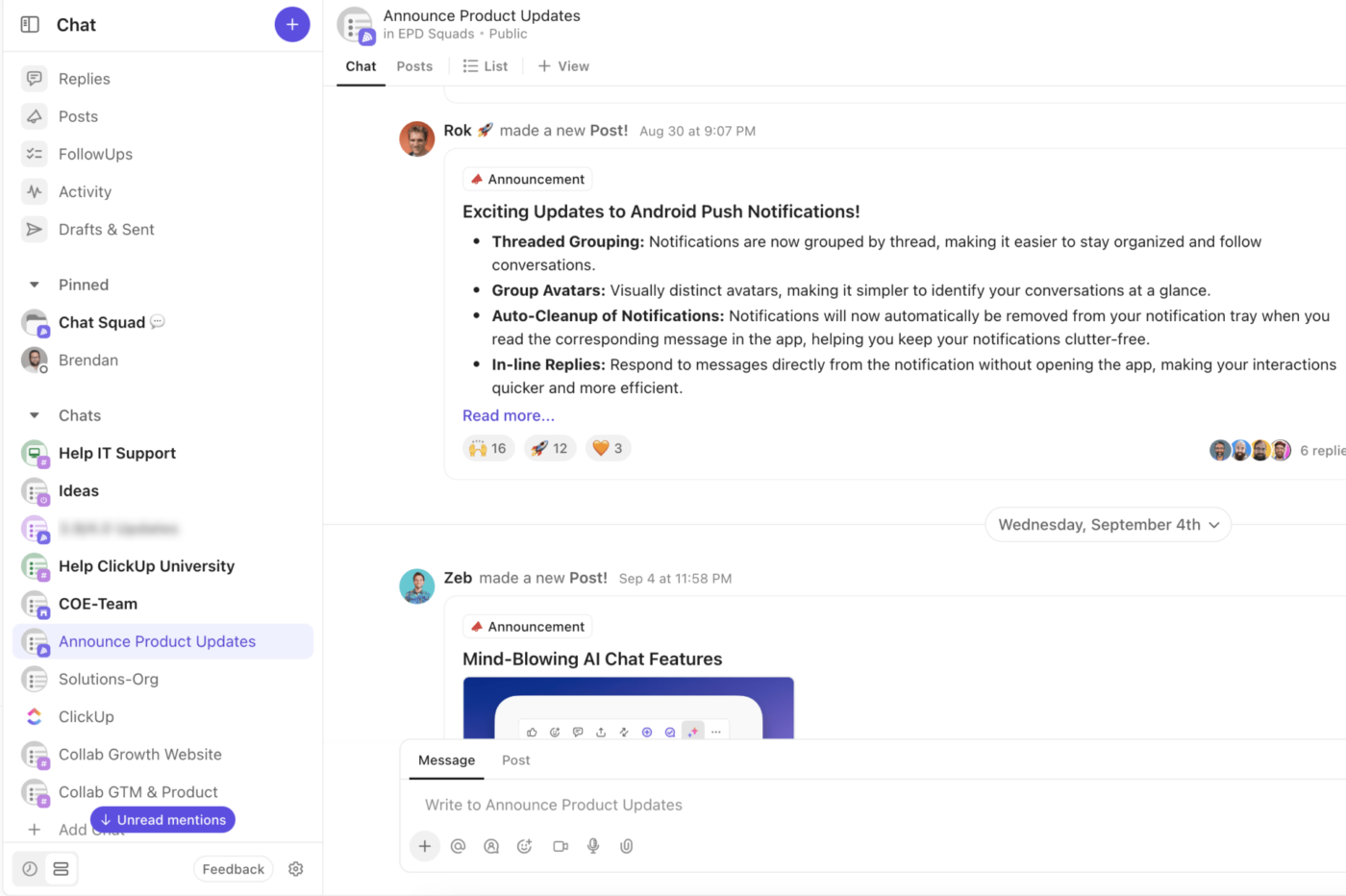
ClickUp Chat keeps all partner conversations in one threaded space, right alongside your tasks and docs. Create dedicated channels for each partner account or program-wide discussions, so that nothing gets lost in an email inbox.
You can also @mention partners to loop in the right people and start threaded conversations to drill into niche topics without cluttering the main chat.
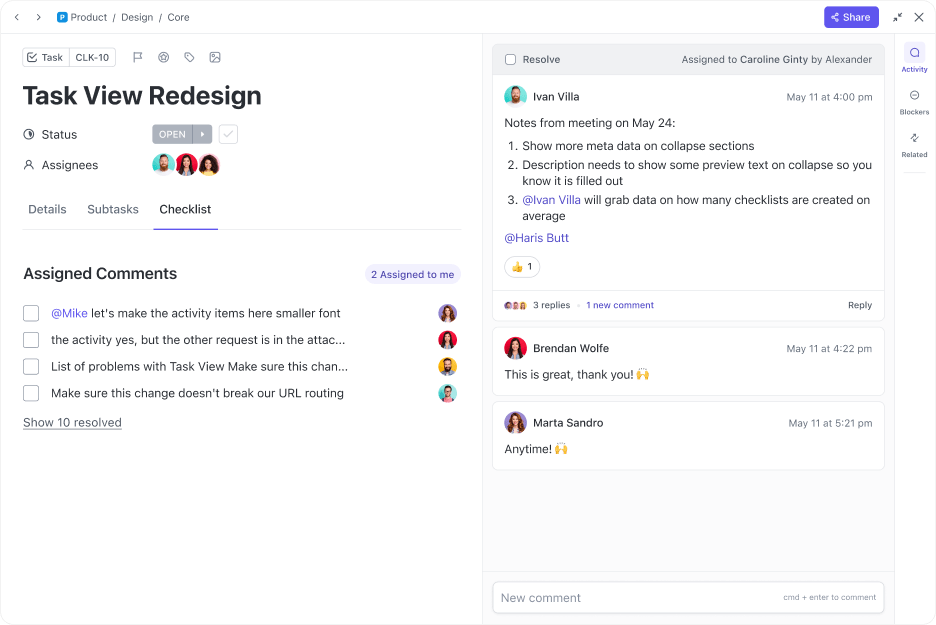
👀 Did You Know? With ClickUp Assign Comments, you can turn any message into a trackable action. Drop a comment on a task, doc, or whiteboard, then @assign it to a team member or partner rep with a due date. It becomes a subtask they have to check off.
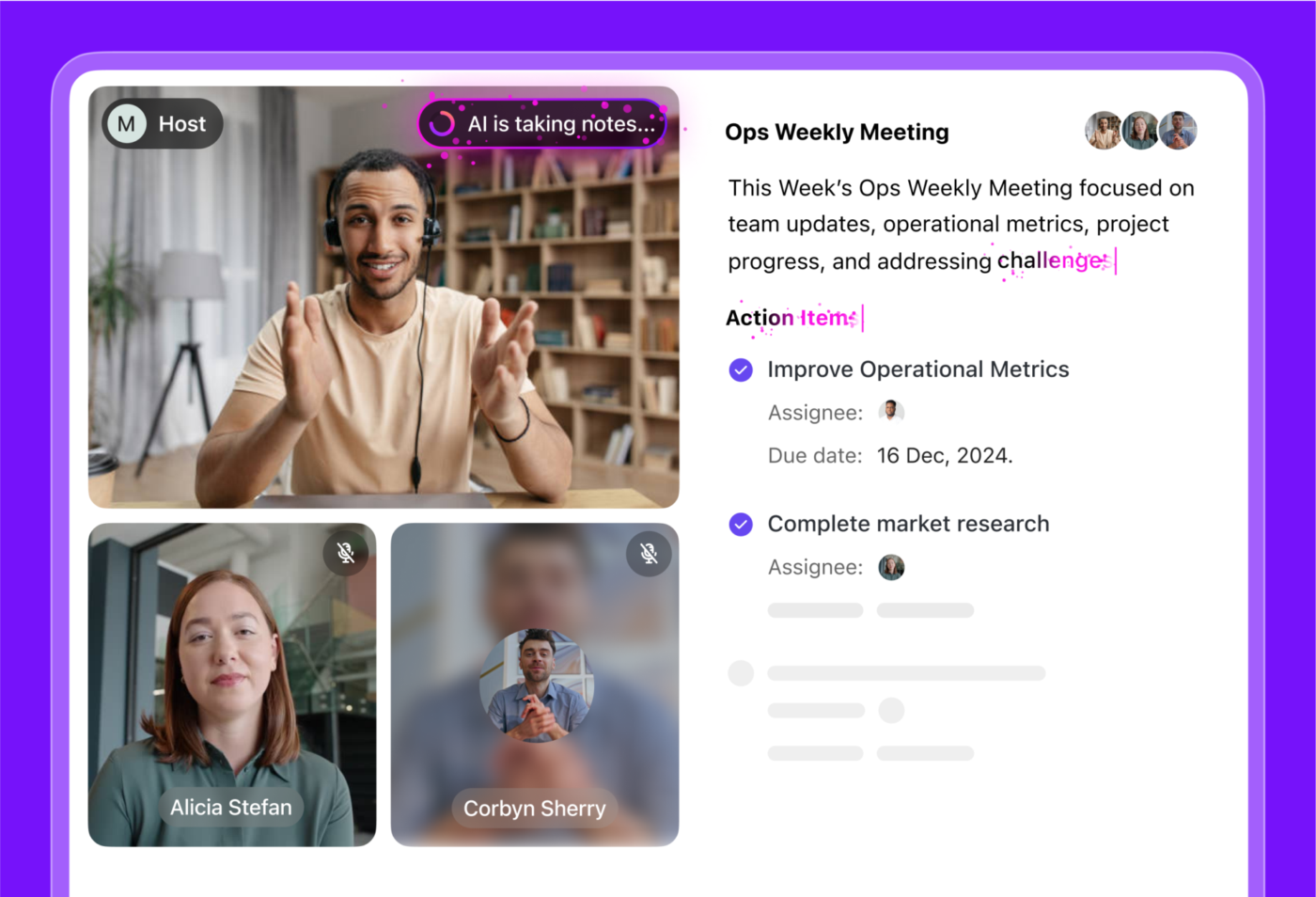
Stop worrying about taking notes during partner calls.
ClickUp’s AI Meeting Notetaker records your Zoom or Microsoft Teams sessions and automatically generates a searchable transcript along with a summary of key takeaways. It extracts action items and owners, so you can turn your conversation into a project plan the moment the call ends.
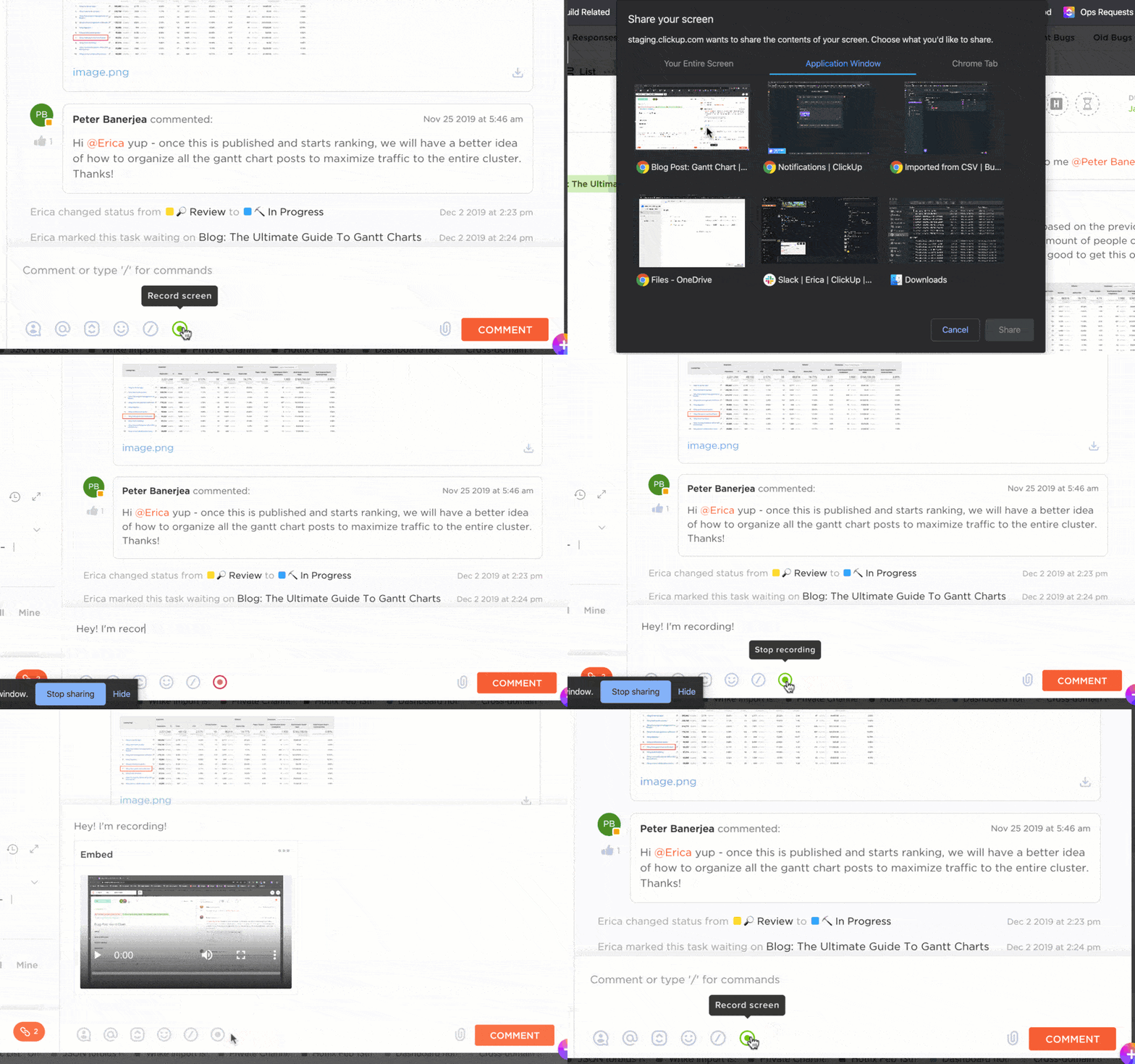
ClickUp Clips lets you record and share quick video walkthroughs right inside your workspace.
This is a game-changer for partner support: If a partner is stuck on onboarding, needs help with a dashboard, or wants to see how a product feature works, you can record a short clip and send it directly.
For example, instead of writing a long email explaining how to submit a deal registration, just show them exactly how to do it in a 30-second clip.
Things get messy pretty fast when your knowledge base is disconnected from your PRM tool.
You waste time hunting for the right resources and probably have multiple versions of the same file floating around. Worse, you might accidentally send an outdated landing page to a partner, leading them to pitch with wrong data.
How does ClickUp change this? This walkthrough video is your mini guide:
📚 Read More: How ClickUp Uses AI Docs to Simplify SOP Creation

ClickUp Docs is your all-in-one tool for building a robust knowledge base—from onboarding guides to marketing materials.
With ClickUp Brain built directly into Docs, you can use AI to draft new content, rewrite for clarity, or translate materials. For instance, if you need a “How Generative AI Helps Pitch Products” guide, just prompt Brain, and it will generate a first draft using your workspace context.
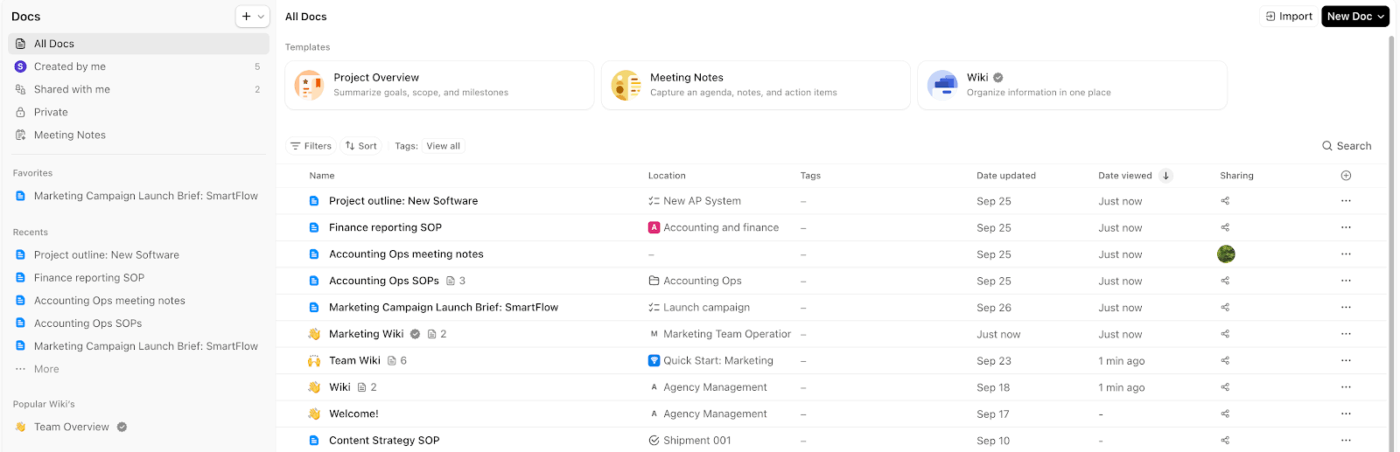
⭐ Bonus: The Docs Hub is your command center for all things documentation. It gives you a bird’s-eye view of every doc in your workspace—organized by owner, location, last updated, and more. You can search, filter, and favorite docs, making it easy to find what you need (even as your knowledge base grows).
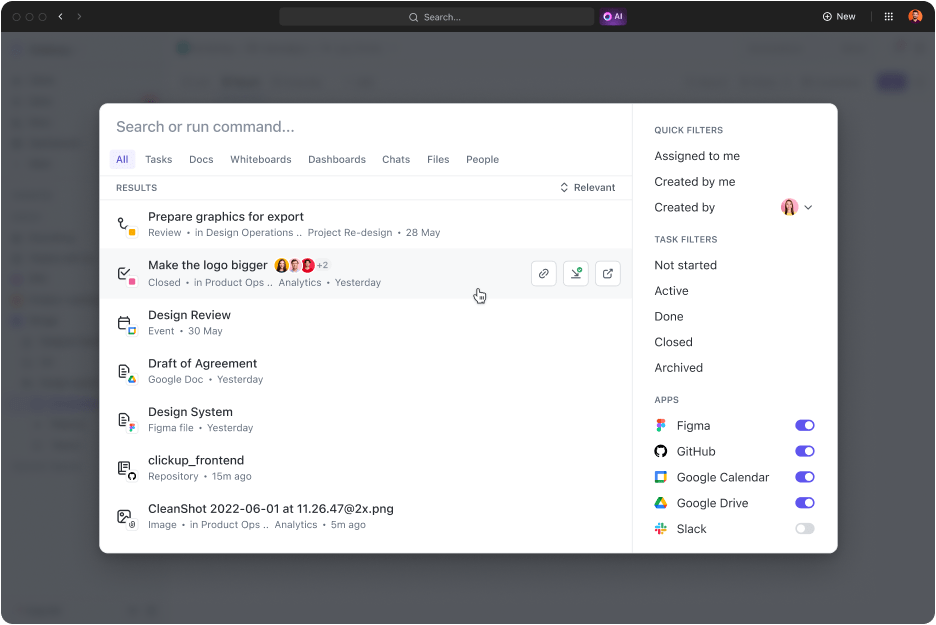
ClickUp Enterprise AI Search makes it super easy to find not just files, but literally any piece of information—tasks, chats, docs, comments, images—you name it.
Here’s the fun part: You don’t have to remember the exact file names or which folders they were stored in. Just describe what you’re looking for in natural language (e.g., “Show me the latest partner onboarding checklist”), and Brain will fetch it for you.
The AI-powered search bar understands context and intent, so you get relevant results fast—even if you’re not sure of the location.
👀 Did You Know? Enterprise Search also pulls results from integrated systems like Google Drive, Slack, and customer retention tools, so your knowledge base truly covers everything.
Once everything is set—workflows, AI, communication channels, and knowledge base—automate them all to reduce manual admin work to near zero.
ClickUp gives you unlimited flexibility to automate your way, without writing a single line of code:
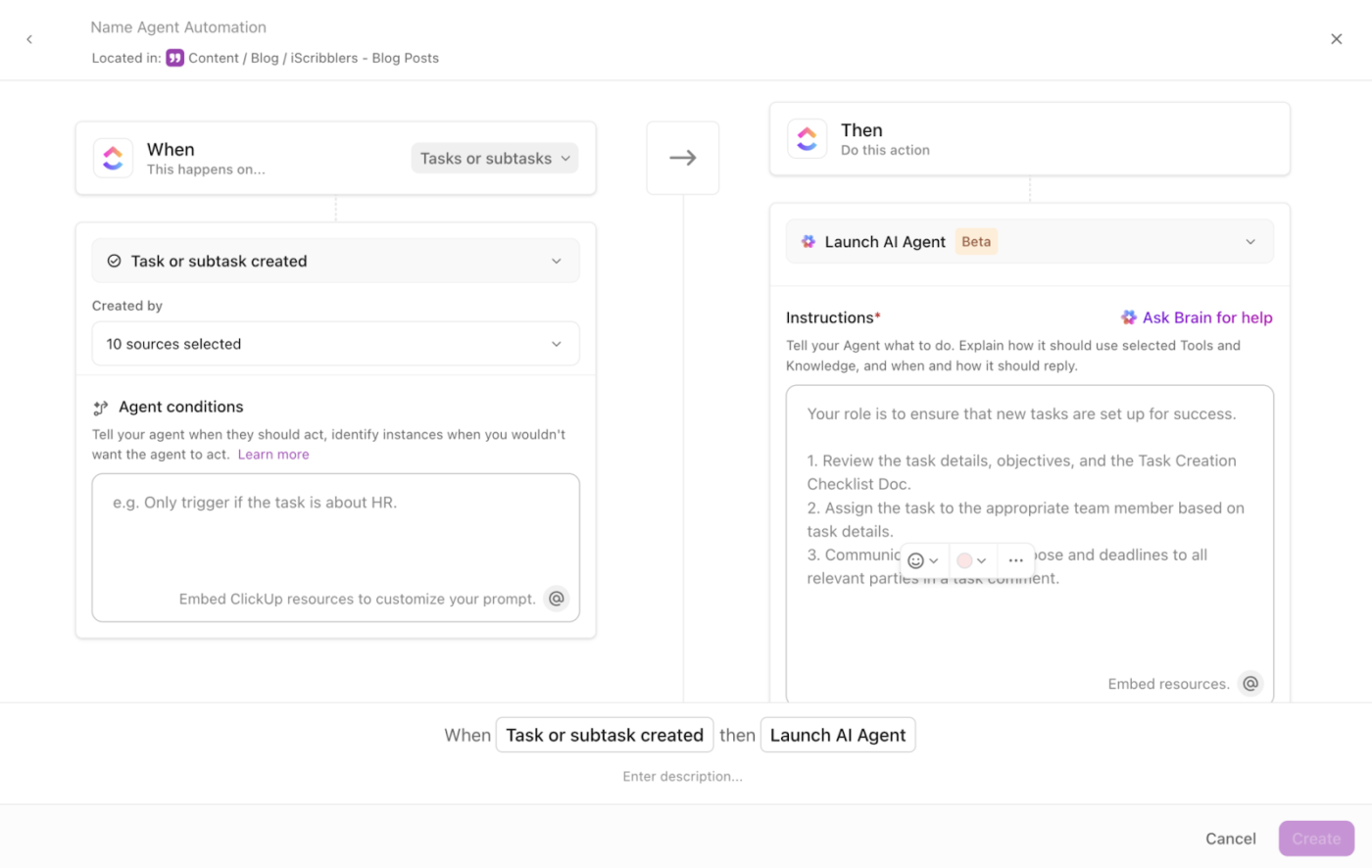
ClickUp Automations are rule-based, meaning you set up a simple “if this, then that” logic to handle repetitive tasks.
Each automation is made up of three components:
📌 For example, “When a partner task moves to ‘Ready for Review,’ assign it to the Partner Manager and send a Slack alert.”
ClickUp offers two ways to build these automations:
📌 More examples of partner engagement automations:
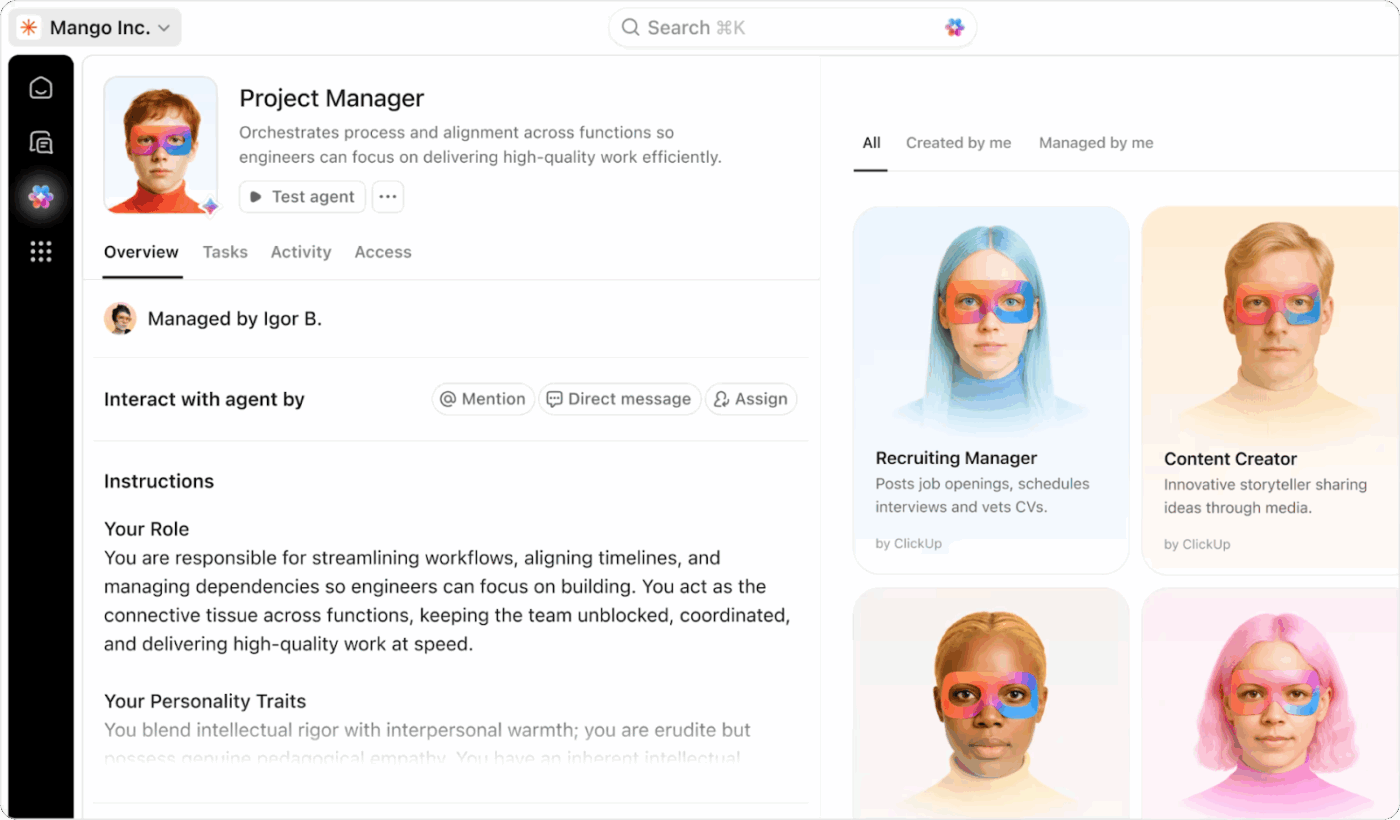
ClickUp’s AI Super Agents are the world’s first human-level agents built with real memory, self-learning, advanced reasoning, and ambient awareness capabilities.
You can interact with them like a real team member: email them, assign them tasks, or @mention them in chats. They can also work together in a multi-agent setup, share knowledge with other agents, and adapt their behavior based on your feedback.
📌 For example, when a partner signs up, an AI Agent can create a tailored onboarding checklist, schedule the kickoff call, and send weekly progress updates—all in the background.
Perfect for partner managers—these agents run your end-to-end workflows without constant oversight, so you focus on strategic work that actually increases customer satisfaction.
📌 Some examples of pre-built Super Agents to try:
Finally, it’s time to measure sales performance and partner success to refine your engagement strategy.
For partner engagement, you should track key metrics like:
With ClickUp, this analysis becomes completely hands-off. Here’s how:
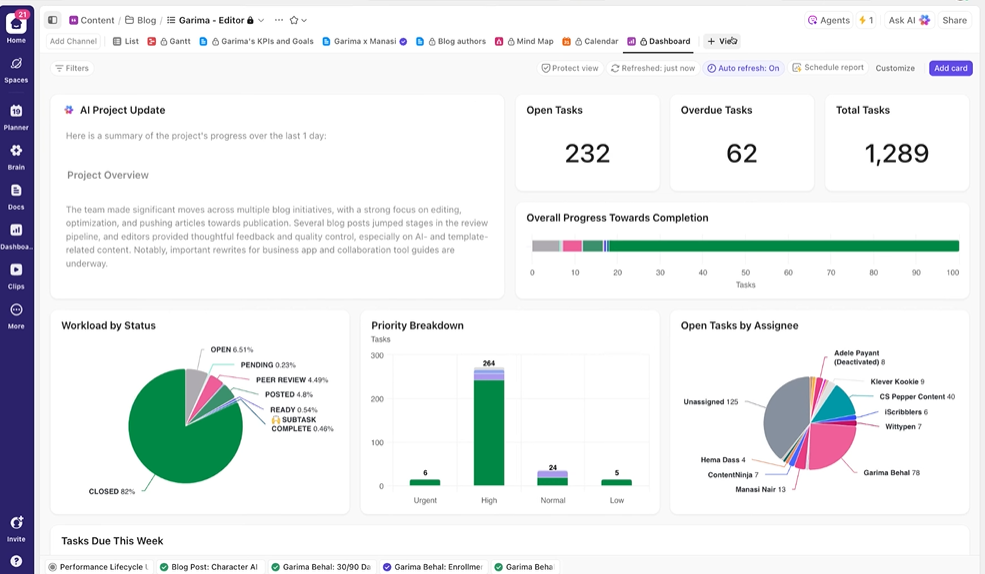
ClickUp Dashboards pull real-time data from tasks, custom fields, goals, and integrated collaboration tools into one view. You can build these dashboards by simply dragging and dropping 20+ widgets—think charts, tables, calculators, goal trackers, and more.
But that’s not all. You can even create role-based dashboards. For example, a partner manager’s dashboard shows onboarding progress and open tasks, while an executive dashboard tracks revenue, pipeline, and top-performing partners.
With dashboard filters, you can instantly drill down to see performance by region, partner tier, or even individual accounts.
🚀 ClickUp Advantage: Move even faster with ClickUp’s Talk-to-Text feature. Instead of typing everything, just speak out loud and ClickUp instantly transcribes your voice into text (all while polishing your speech and fixing grammar).
For example, you can simply dictate meeting notes, follow-up emails, chat messages, and AI prompts on the go—no keyboard needed. In fact, you can also use Talk-to-Text to create and assign tasks hands-free!
Sounds interesting, right? Watch this video to learn more 👇
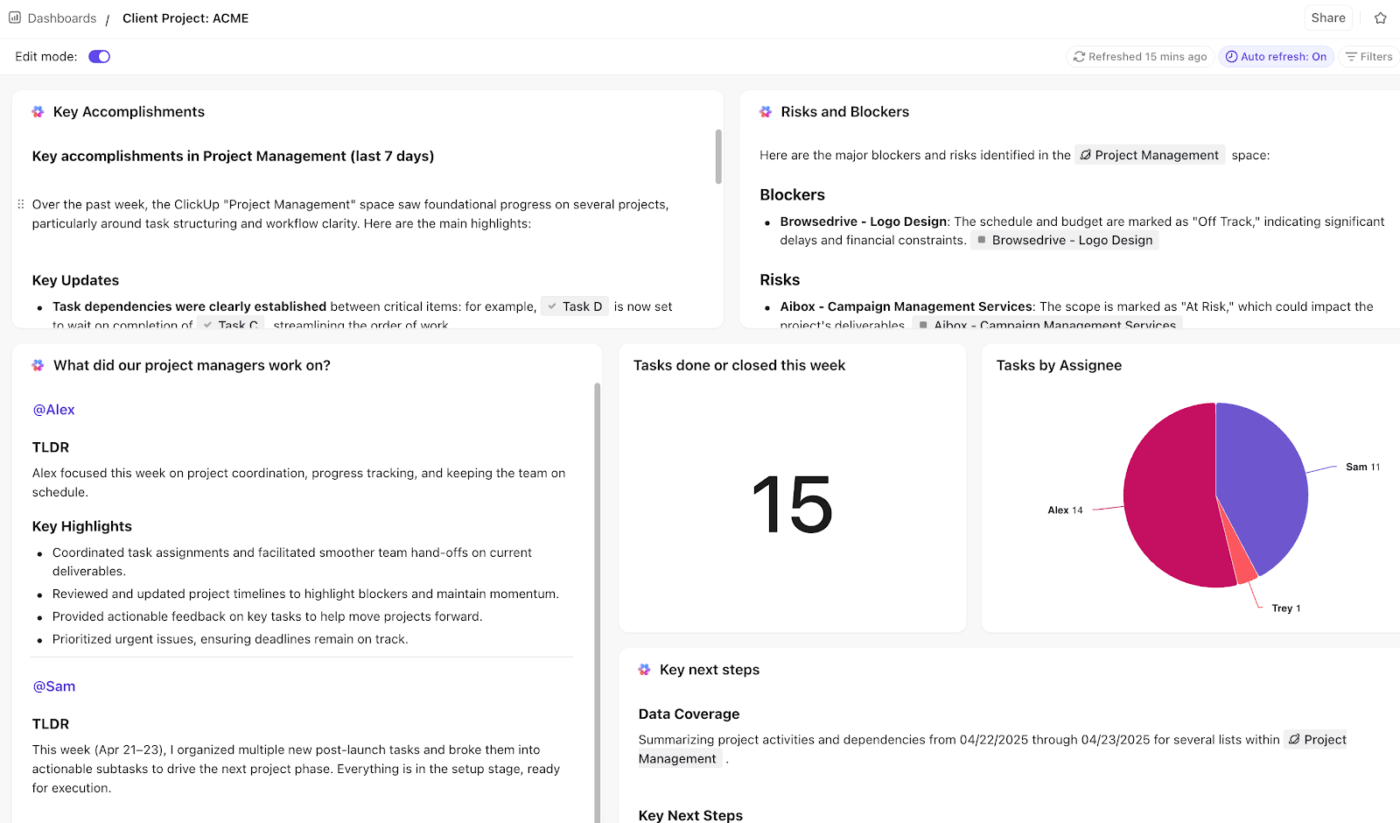
AI Cards analyze data from your dashboards in real time to deliver actionable narratives alongside it. You don’t even have to spend a second interpreting your dashboards—AI cards offer instant insights for immediate action.
Some ways to use AI cards in partner engagement:
You can drop AI Cards anywhere on dashboards, refresh them anytime, and even pin favorite cards for quick access.
📚 Read More: Top AI Business Tools to Maximize Your Efficiency
Using AI in partner engagement is just one piece of the puzzle.
The true power lies in embracing AI for every stage: partner recruitment, onboarding, enablement, support, performance tracking, and even offboarding.
ClickUp lets you build fully automated, AI-powered partner programs from scratch. Map your pipelines visually, centralize communication, set up advanced automations, and analyze insights—all in one platform.
The best part? A native, contextual AI assistant powers every single feature so that it’s not AI on top of your tools, but at the very core of your workflow.
Try ClickUp for free today. ✅

© 2026 ClickUp

There’s an easier way. Try a free AI Agent in ClickUp that actually does the work for you—set up in minutes, save hours every week.