






Still downloading templates?
There’s an easier way. Try a free AI Agent in ClickUp that actually does the work for you—set up in minutes, save hours every week.
Sorry, there were no results found for “”
Sorry, there were no results found for “”
Sorry, there were no results found for “”

A few years ago, understanding why users dropped off at a specific step meant piecing together scattered inputs: analytics, interview notes, internal reports, and often a long wait for deeper data support.
AI has changed that. During discovery, teams can surface patterns across usage data and qualitative feedback much faster. You can ask a focused question, like why users abandon a flow, and get a clearer view of what might be driving friction.
AI can help break down user interactions, highlight behavioral trends, and surface potential aha moments that would take much longer to identify manually.
In this guide, we’ll walk through how these insights emerge and how to use them to make sharper, faster product decisions.
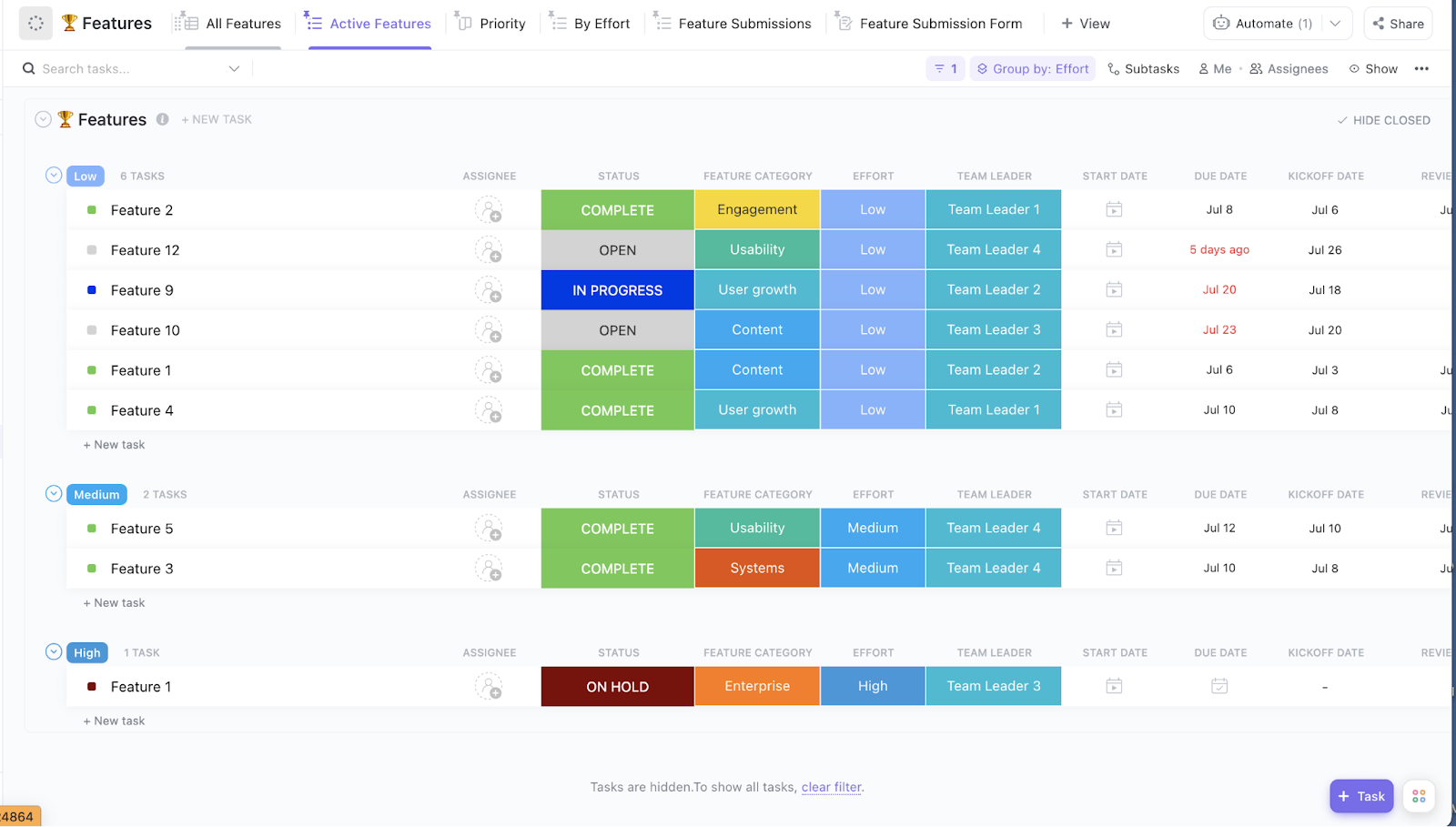
If you want one place to organize goals, align teams, and prioritize features based on user journey, the ClickUp Product Strategy Template is a good starting point. It gives product managers a way to connect customer needs to high-impact decisions.
Every time your users see their needs reflected in a release, that’s an ‘aha moment’ unrolling in action!
The aha moment is a milestone in the user journey when the user comes across your product’s core value. This is when they realize the worth of your product.
🎯 Examples of aha moments in action:
Let’s take a look at how product managers uncover these aha moments 👇
Remember that you will not stumble into aha moments by accident. You uncover them by systematically comparing successful users with churned users and identifying the behaviors that make one group start sticking while the other drops off.
How to measure an aha moment
An aha moment is only useful if you can observe it consistently. Define it as a specific behavior tied to retention, then measure it like a product milestone.
This closes the loop between “cool concept” and “actionable product metric.”
👀 Did You Know? When people experience an “Aha!” insight in a lab task, specific brain areas light up. The brain fires both logic and emotion centers at once. That combo makes insights feel sudden—and makes them stick longer in memory.
The world is expected to generate around 181 zettabytes of data, which is wild when you think about how much of it ends up on a PM’s plate.
One minute you are reading user feedback, the next you are looking at a dashboard, then suddenly you are knee-deep in support tickets, wondering which signal is most imperative.
We get it, it’s a lot.
But AI changes the experience completely! How so?
Instead of manually stitching together insights from interviews, user analytics, and tickets, AI helps product managers compress raw signals into patterns. A defining product management trend as teams struggle to keep up with growing data complexity.
Let’s look at this in more detail 👇
AI identifies friction points, recurring user paths, micro behaviors, and patterns across different user segments by correlating signals from events, sessions, and cohorts in seconds. This helps product teams understand how users move through early flows and where momentum is either created or lost.
📚 Also Read: How Can Product Managers and Engineers Work Together
AI models can estimate the likelihood of outcomes like churn, feature adoption, or response to a roadmap bet. These predictive signals help PMs pressure-test decisions before committing time, engineering effort, and stakeholder capital.
Feed AI user comments, interviews, or support tickets, and it quickly organizes them into themes, sentiment shifts, and emerging opportunities. PMs gain clarity without spending hours tagging, sorting, and rereading the same inputs.
⚡ Template Archive: Free Product Management Templates to Create Strategic Product Roadmaps
AI brings together product analytics, feedback streams, customer profiles, and experimentation results into a single insight layer. With context no longer fragmented across tools, product managers can connect dots faster, validate assumptions earlier, and experience multiple aha moments instead of waiting for one big revelation.
📮 ClickUp Insight: 13% of our survey respondents want to use AI to make difficult decisions and solve complex problems. However, only 28% say they use AI regularly at work.
A possible reason: Security concerns! Users may not want to share sensitive decision-making data with an external AI. ClickUp solves this by bringing AI-powered problem-solving right to your secure Workspace. ClickUp reports certifications, including SOC 2 Type II and ISO 27001, among its security standards.
According to a recent study, 92% of product managers believe that AI will have a long-lasting impact on product management.
With that level of expectation, it’s no wonder AI has become a crucial part of the modern product management strategy.
There is only so much data a person can look at on their own. AI, on the other hand, can scan millions of interactions and point out patterns that are easy to miss.
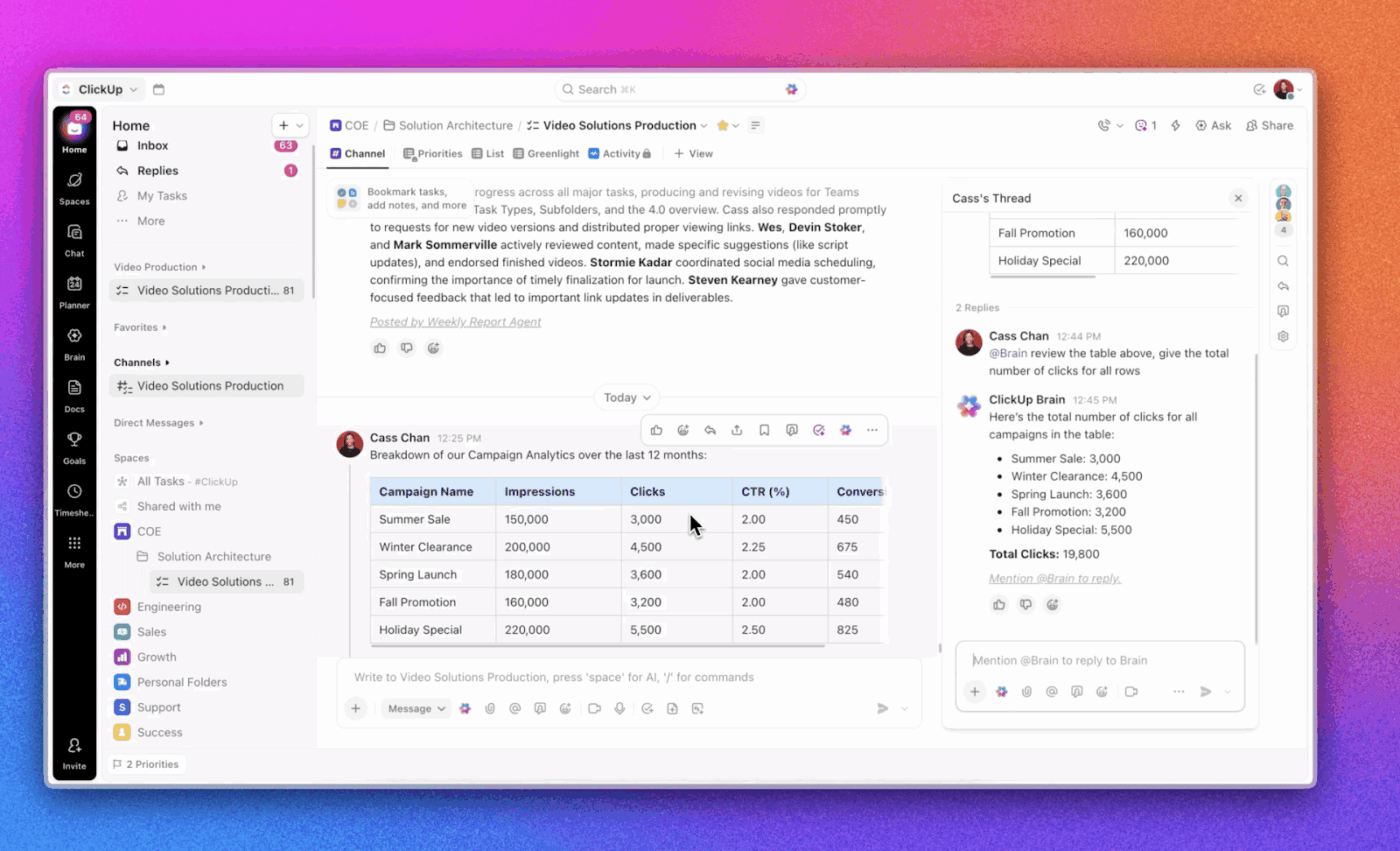
ClickUp Brain can show you ⭐
🚀 ClickUp Advantage: Below, we show you how to write a great PRD (Product Requirements Document), that too, within your ClickUp workspace.
Beyond telling you what has already happened, AI can broadly predict what is likely to happen next.
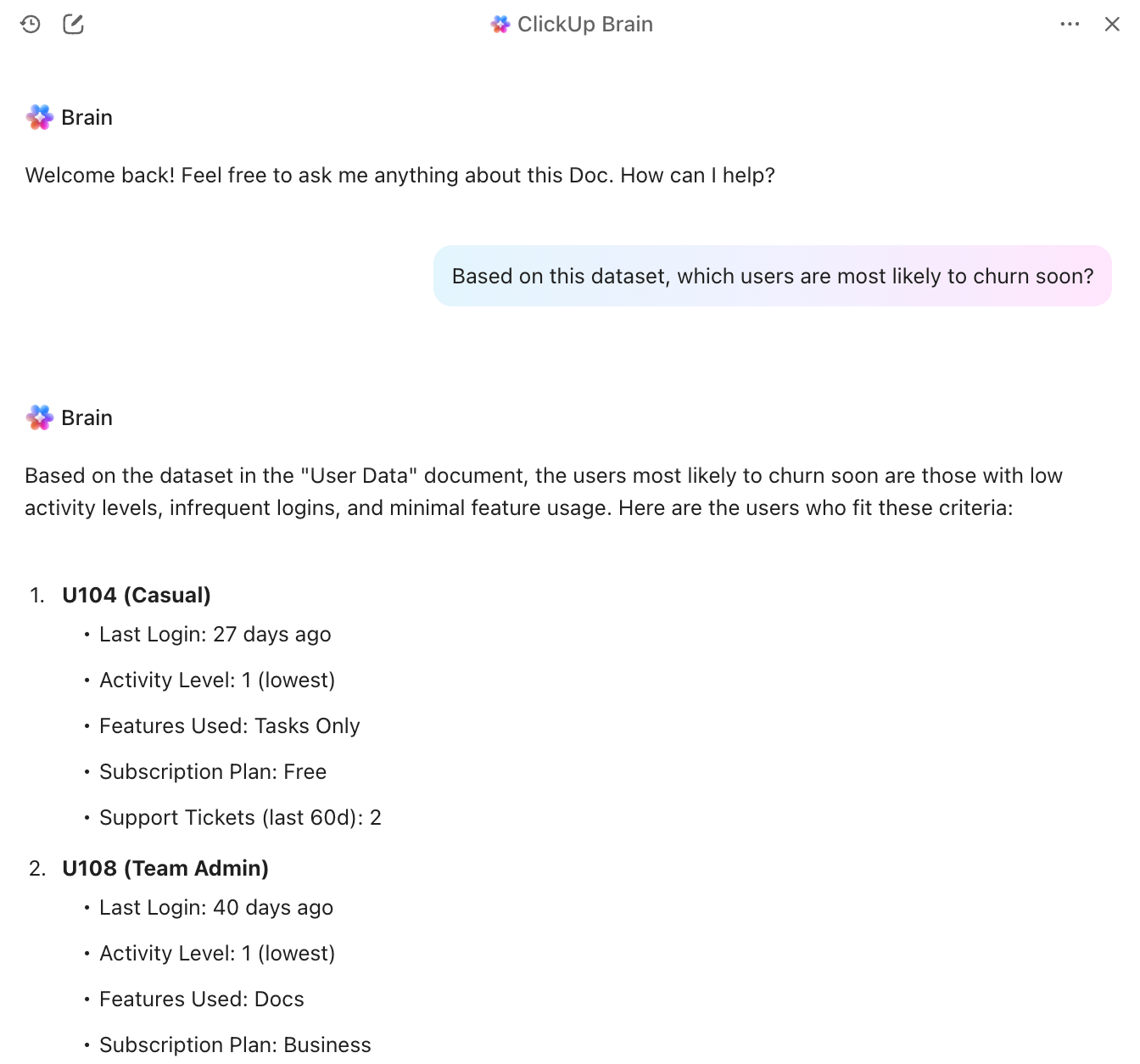
It helps forecast:
This kind of forward visibility gives product managers time to act early (better safe than sorry)!
On that note, here are some no-code tools you need in your life as a product manager.
User research is valuable, but scaling it across thousands of comments, reviews, or tickets is tough. However, it’s AI that has made it possible in ways we cannot imagine!
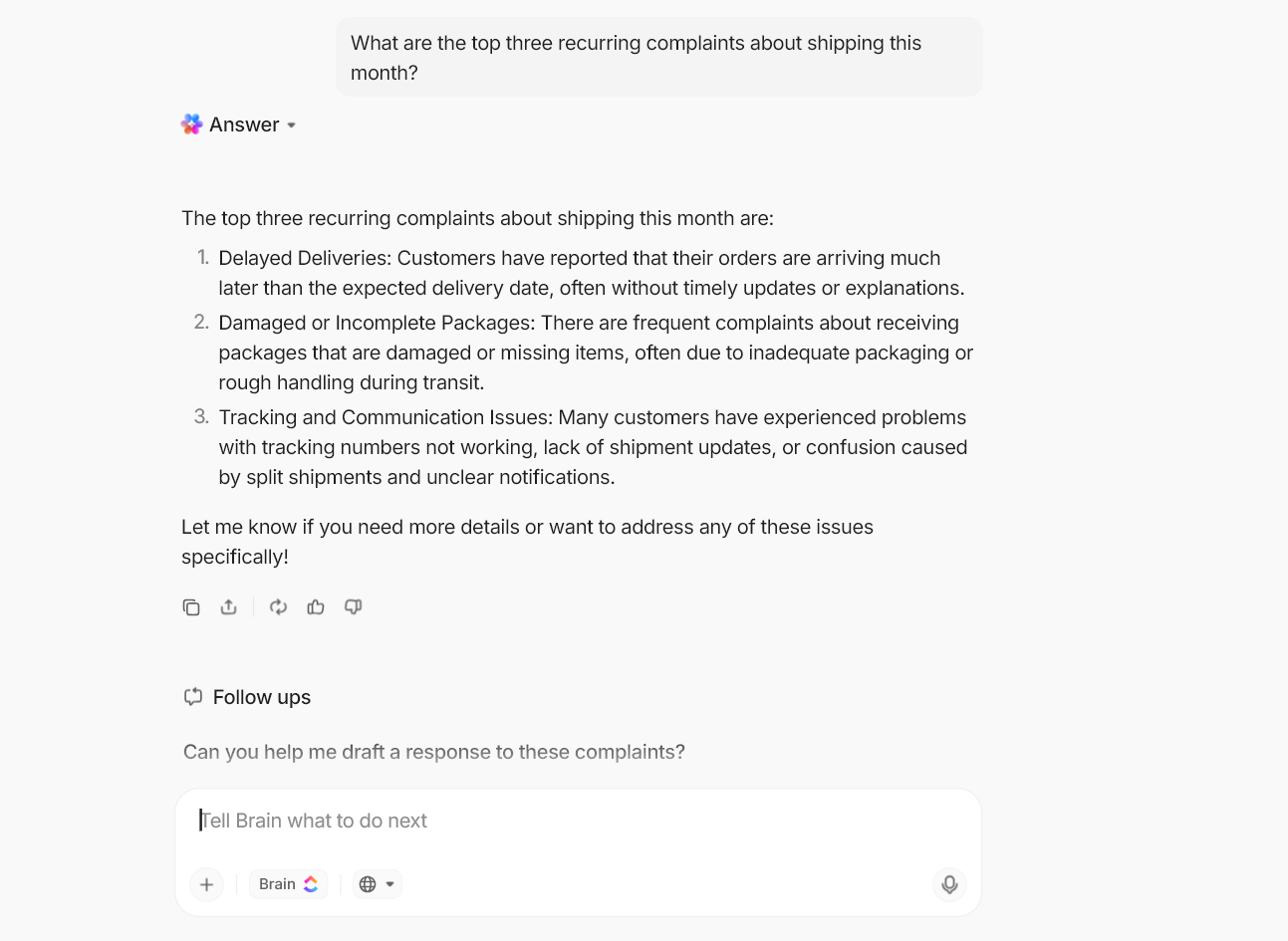
With natural language processing, AI can quickly analyze:
It can identify common themes and frustrations, along with the overall mood of your user base.
AI helps you uncover micro groups with unique patterns that you probably would not notice manually.
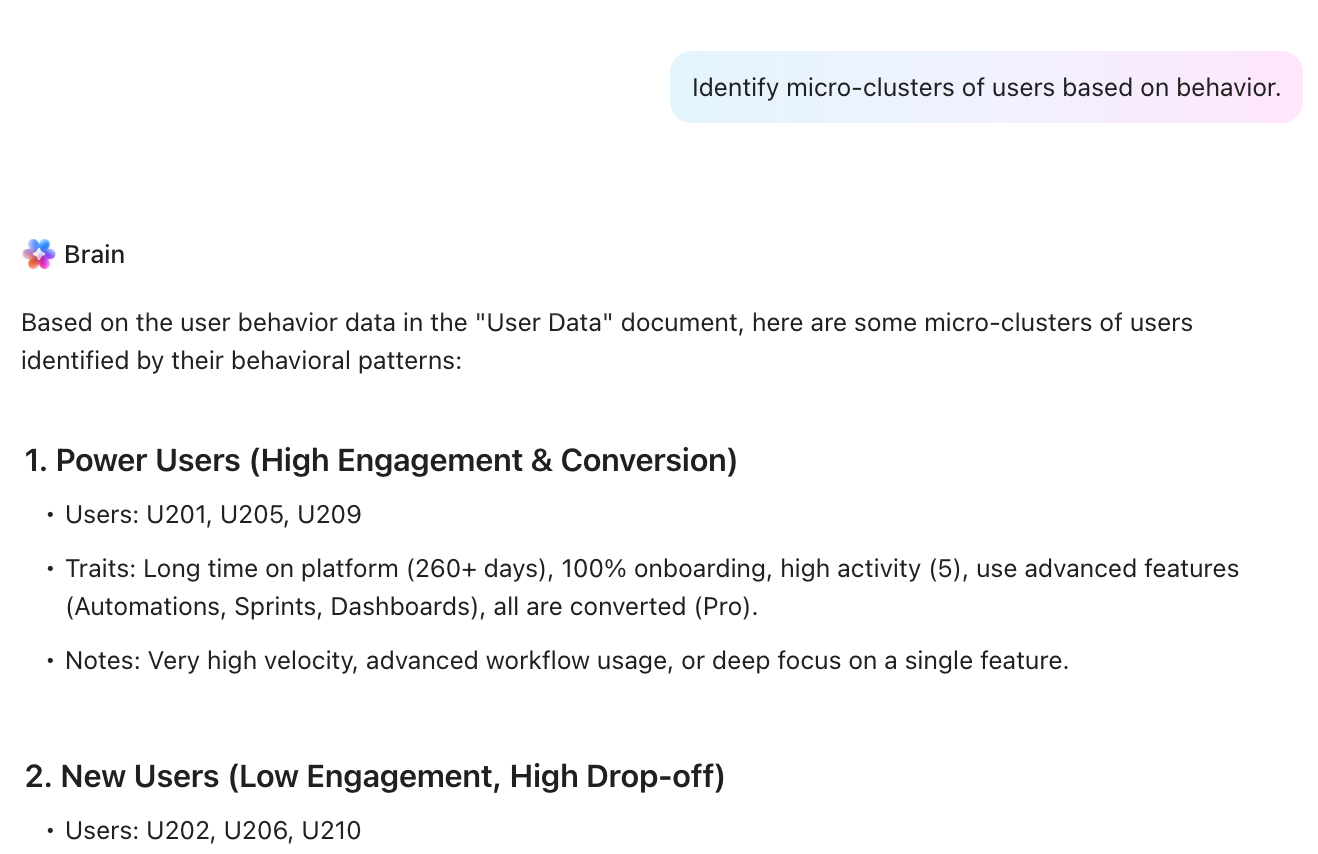
These might include:
Some of the most valuable insights appear when something unexpected happens. AI is great at spotting anything that looks out of the ordinary.
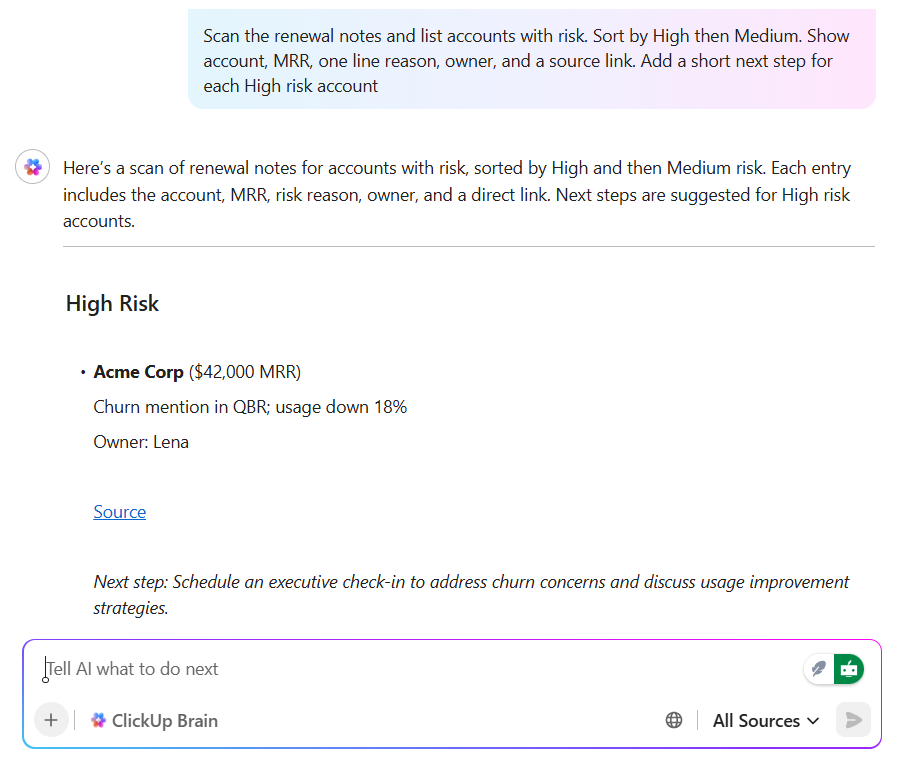
This can include:
📮 ClickUp Insight: More than half of respondents type into three or more tools daily, battling “app sprawl” and scattered workflows.
While it may feel productive and busy, your context is simply getting lost across apps, not to mention the energy drain from typing. Brain MAX brings it all together: speak once, and your updates, tasks, and notes land exactly where they belong in ClickUp. No more toggling, no more chaos—just seamless, centralized productivity.
👀 Did You Know? The first-ever AI-generated novel was written in 1984 by a program named Racter. The book was called ‘The Policeman’s Beard Is Half Constructed,’ and it made absolutely no sense… but people bought it anyway.
According to the State of Product Management report, more than half of product teams have already identified their first AI use case. Nearly one in five are using AI in multiple parts of their workflow.
Even with this momentum, the core decisions in product development remain largely manual for many teams.
🚨 Reality Check: Productboard found that 49% of product professionals say they do not know how to prioritize new features without solid user feedback. And when the signal is unclear, teams fall back on instinct-heavy roadmaps, circular prioritization debates, and backlogs that grow faster than they get cleaned.
AI-driven insights can make the biggest difference here.
But insights alone aren’t enough. They need to live inside a product management tool where discovery connects directly to planning, execution, and measurement.
For this, ClickUp is the best candidate. It is the world’s first Converged AI Workspace that unifies your tools and workflows into a centralized platform.
Let’s dig in further.
For instance, ClickUp for Product Teams gives you one place to manage roadmaps, sprints, and launches (minus the tool sprawl 😮💨).
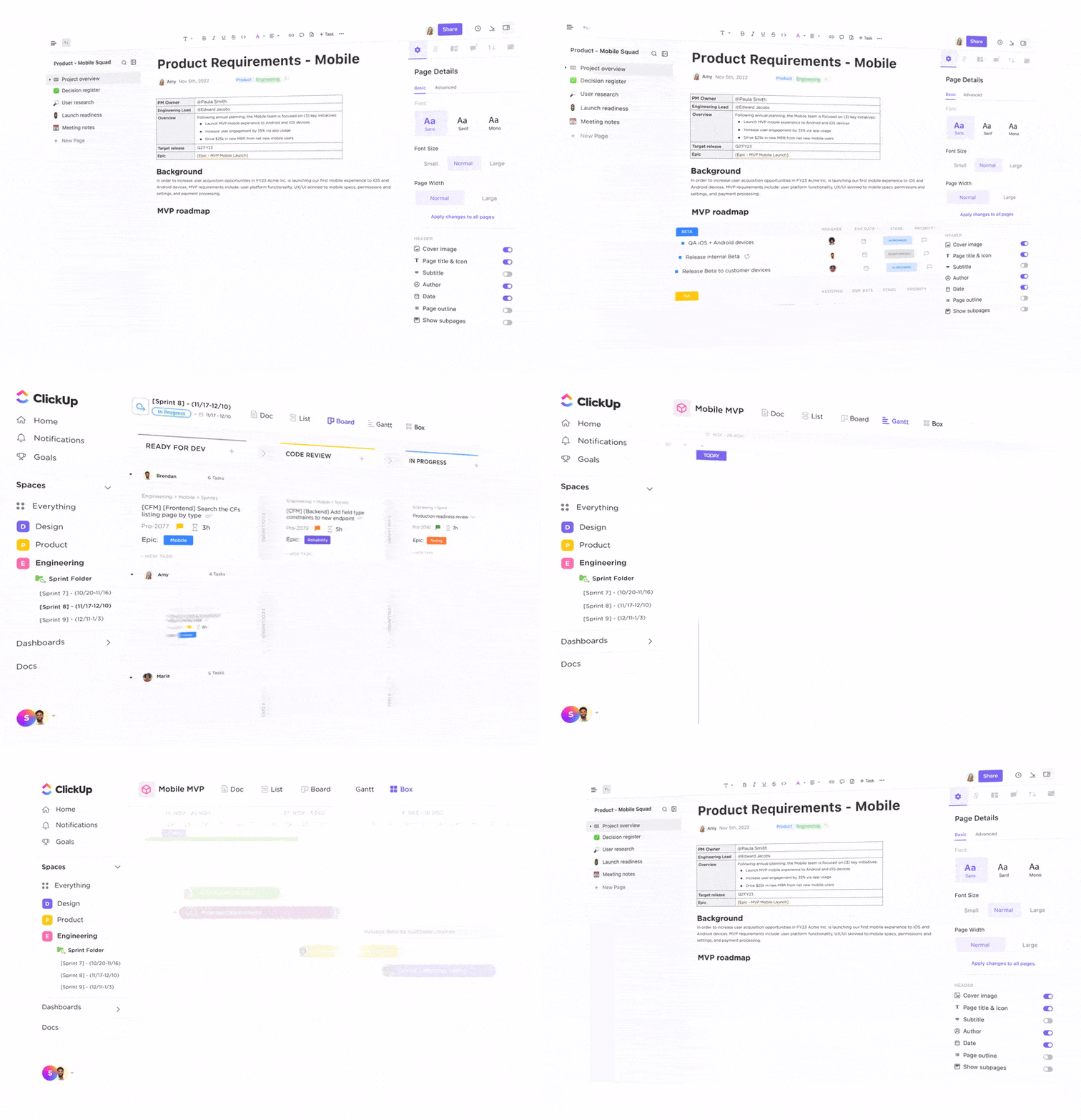
Within the workspace, you can map out the entire product lifecycle, keep docs, whiteboards, tasks, and dashboards connected, and pull your dev, design, and go-to-market work into a single view.
Hear it from the Director of Product Management at Lulu Press, Nick Foster,
Our engineers and product managers were bogged down with manual status updates between Jira and other tools. With ClickUp, we’ve regained hours of wasted time on duplicative tasks. Even better, we’ve accelerated product releases by improving work handoff between QA, tech writing, and marketing.
And one of the biggest highlights is ClickUp Brain—a contextual AI.
There are several instances. To name a few 👇
You know that moment when someone in a meeting says, ‘What are users actually saying about this?’…and you do have the answer somewhere. But it’s spread across 400 support tickets and a disorderly survey export. Not with Brain, though!
Take user interviews. You store transcripts and notes fetched from calls, condensed from ClickUp AI Notetaker.
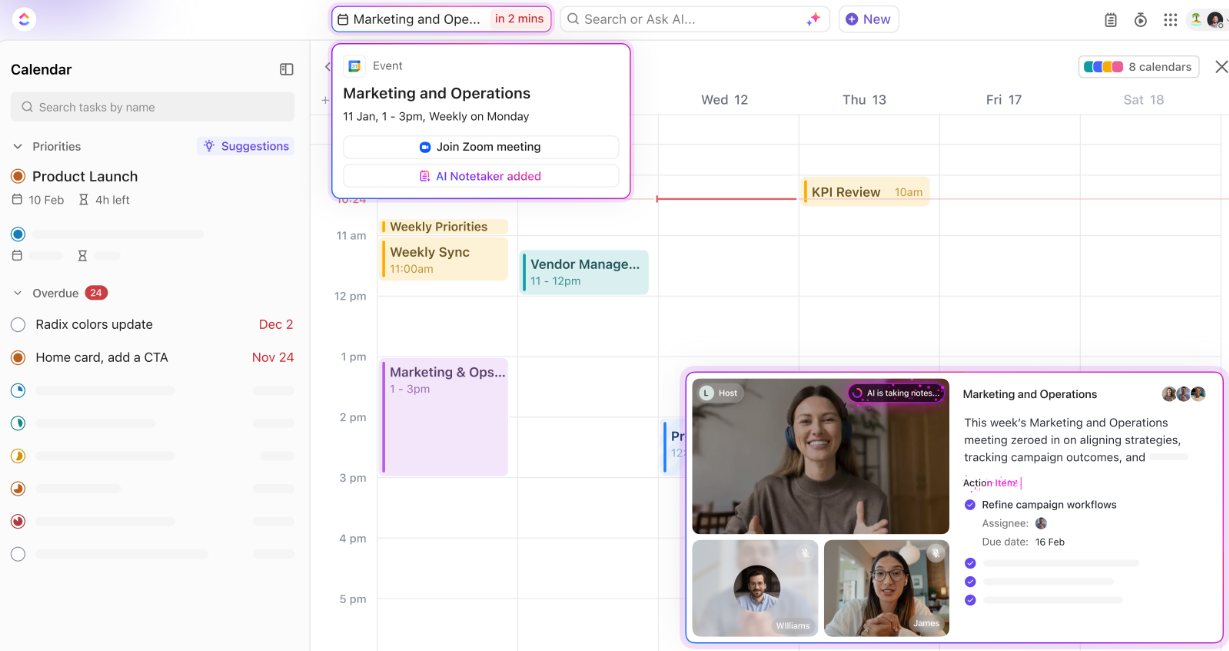
Then ask ClickUp Brain to summarize the top pain points, group them by persona or segment, and pull a few representative quotes for each theme.
What do these patterns reveal about the onboarding process? They show where users first recognize a product’s core value, which closely aligns with the broader concept of an aha moment in product adoption.
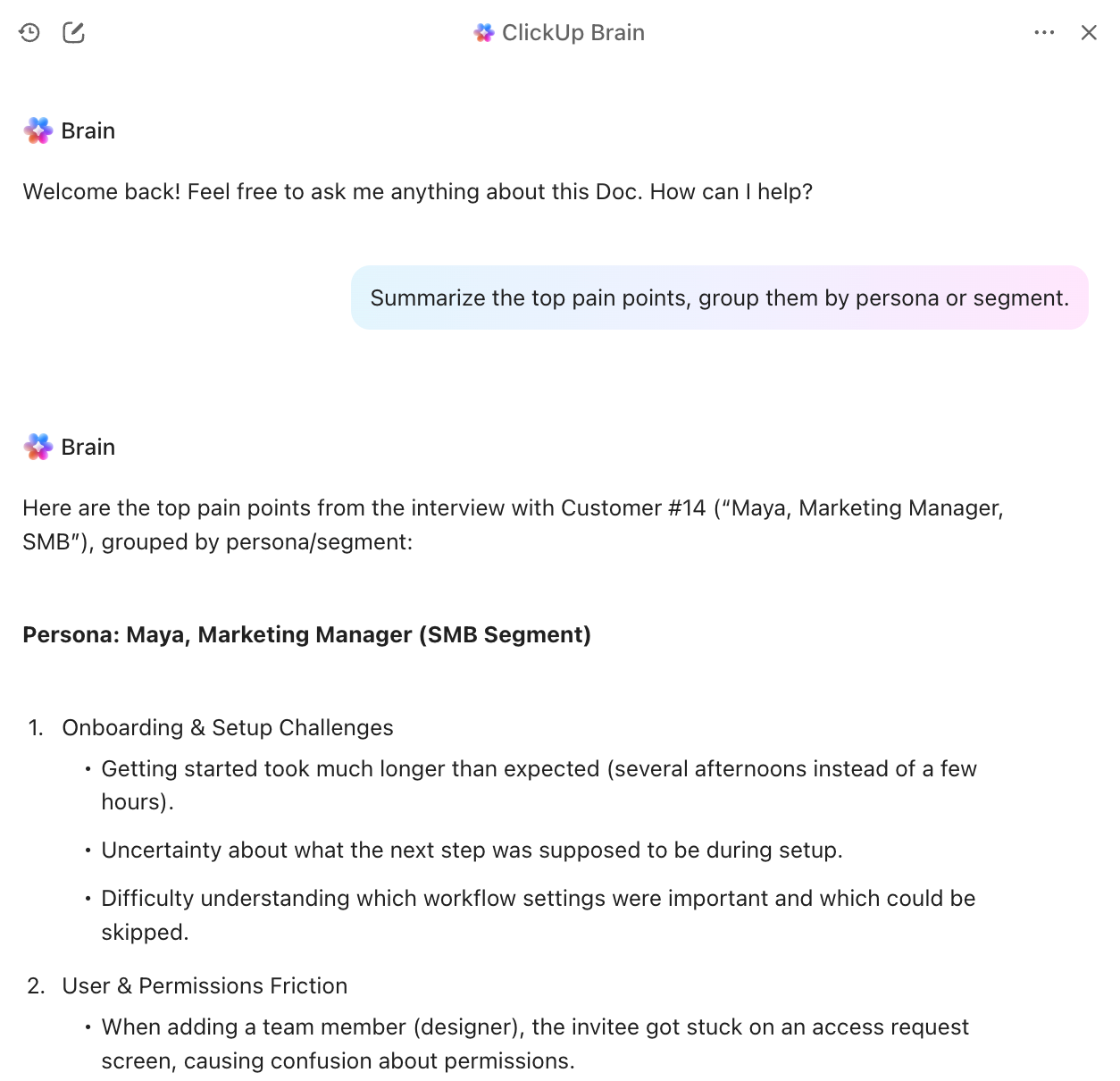
For support tickets, ClickUp Brain can 👇
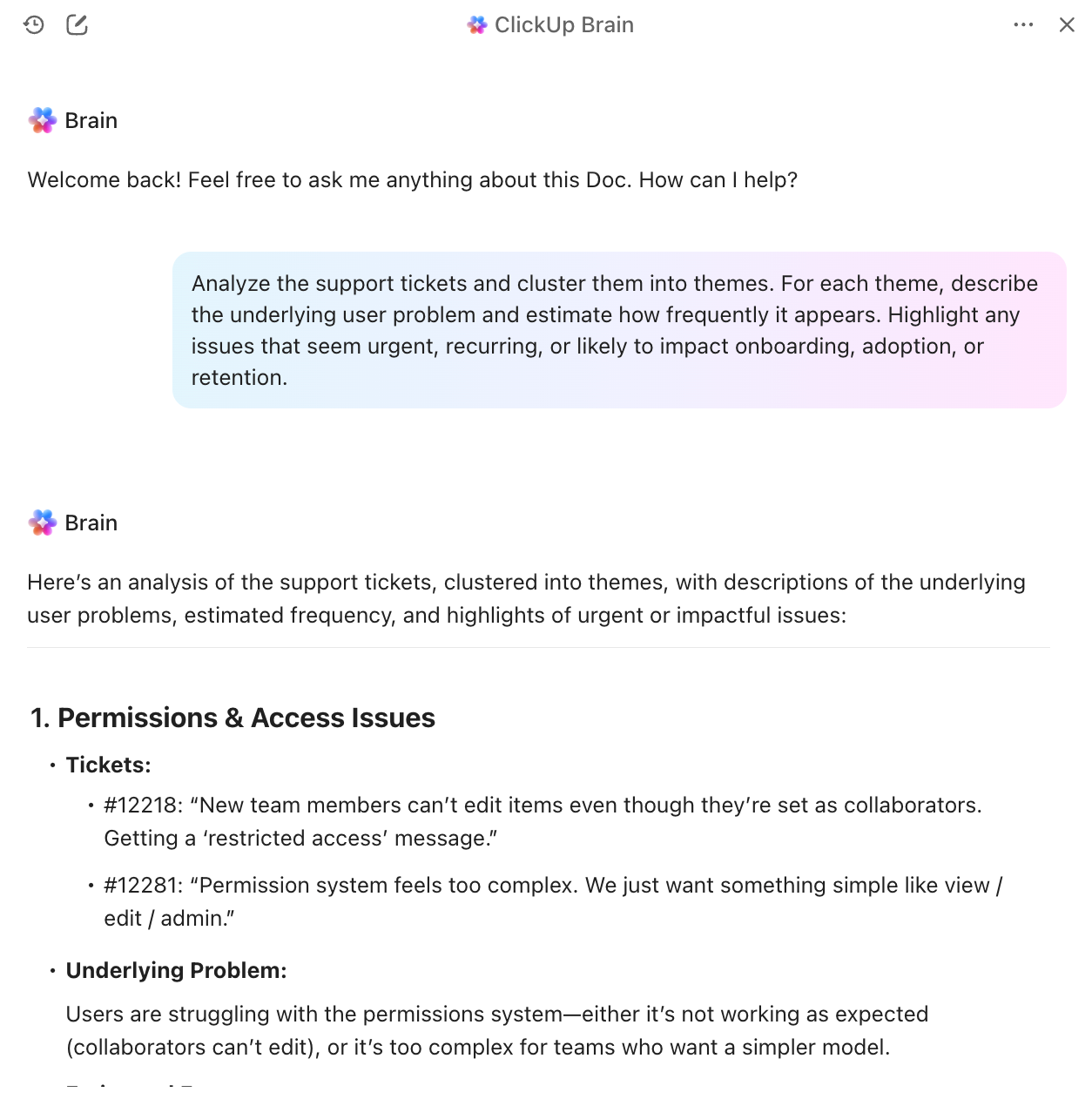
There’s nothing quite like the moment when you synthesize all your research into a clear set of themes… only to realize the real work is just beginning. Now you have to turn those clusters into a PRD, and everyone needs it yesterday!
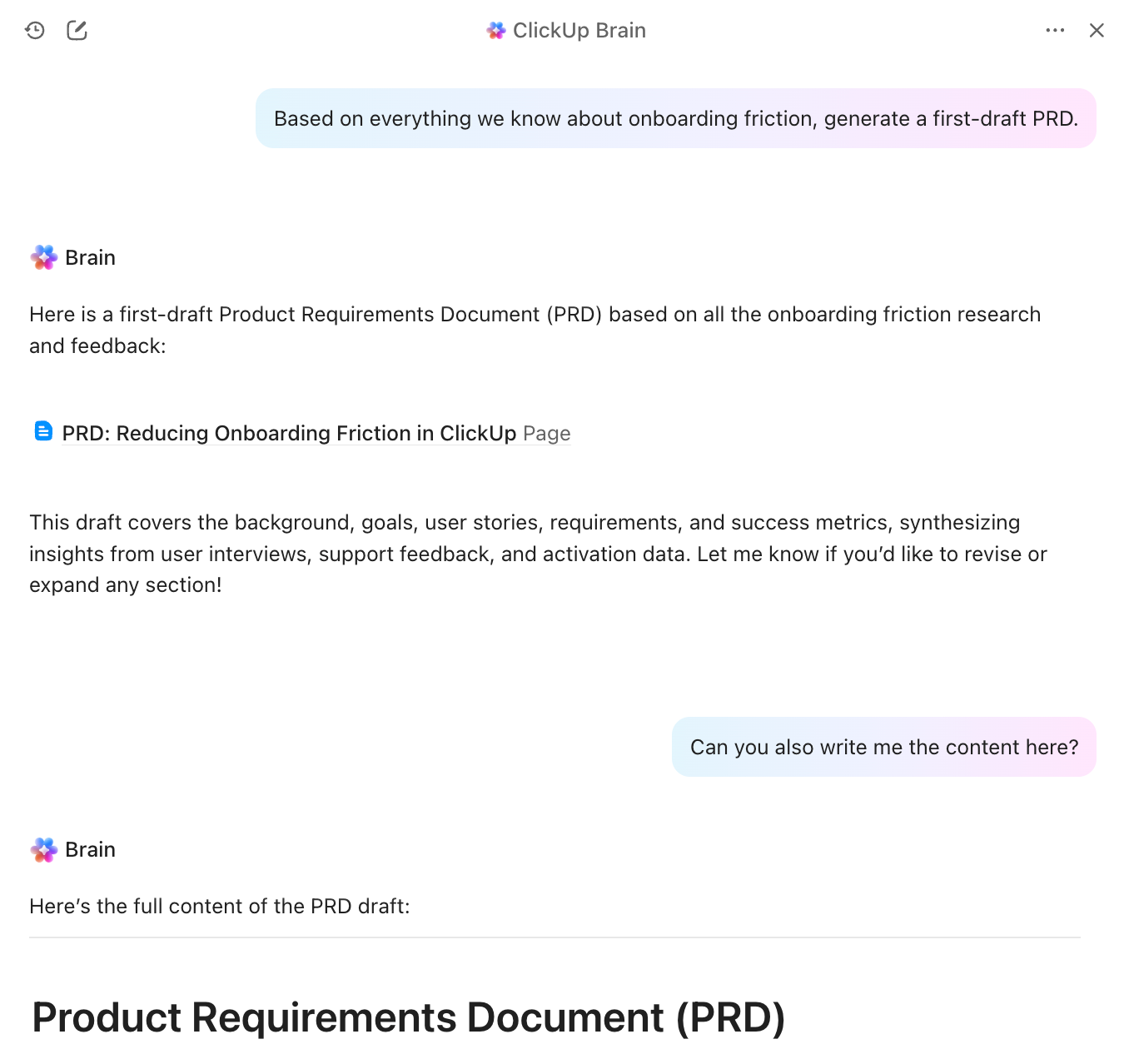
With ClickUp Brain as an assistant inside your workspace, you don’t have to re-explain context every time. It can pull from tasks, Docs, and comments already in your workspace. Just ask, ‘Based on everything we know about onboarding friction, generate a first-draft PRD.’
From there, you can populate ClickUp Docs with the full draft, complete with:
⭐ Bonus: Imagine having an AI-powered desktop companion that sits right beside you while you work and knows what you are working on. That is ClickUp Brain MAX.
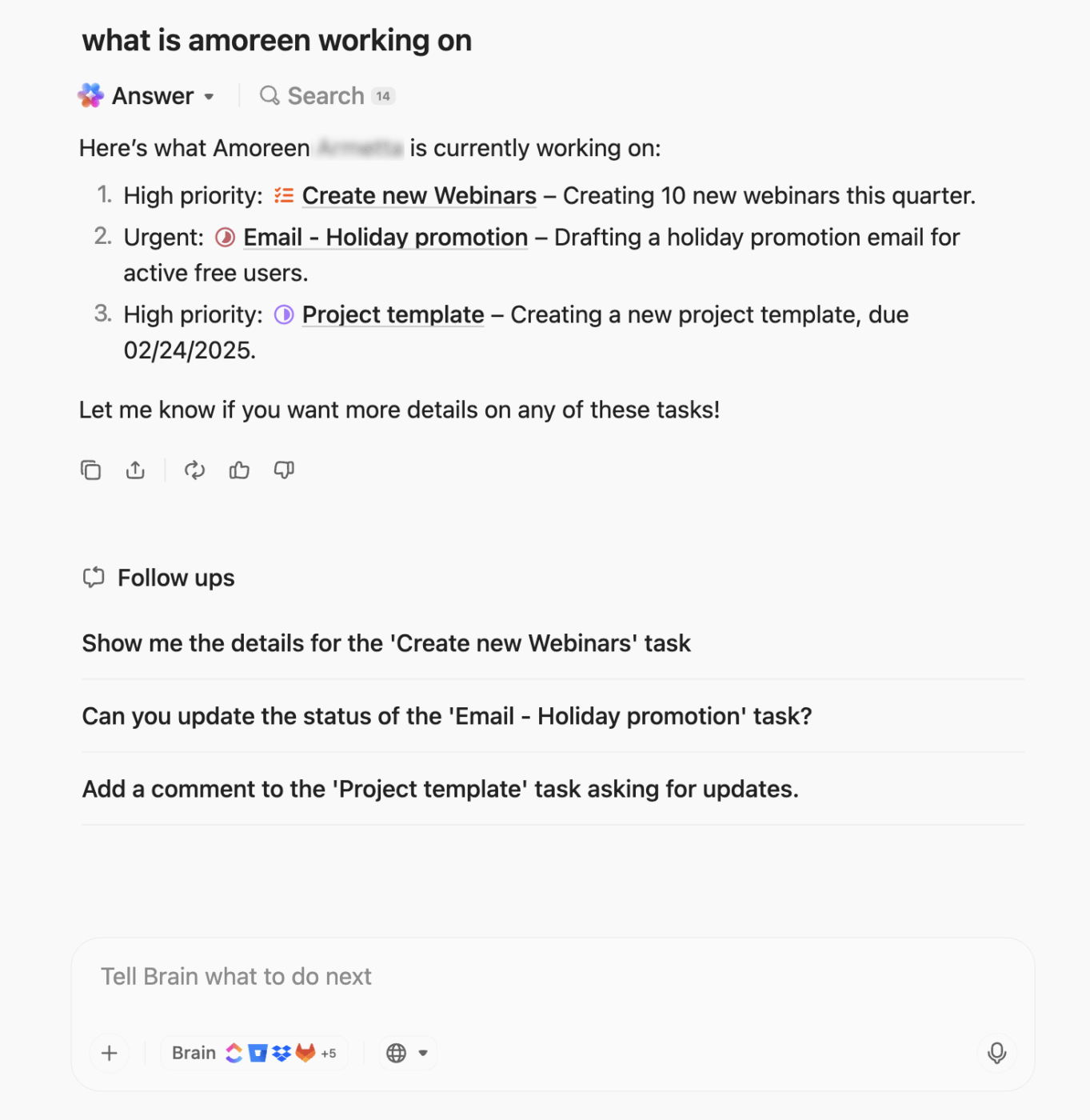
Brain MAX can instantly surface every relevant task, Doc, meeting notes, or drive file tied to your theme so your PRD is grounded in the full picture. And since it already understands the context of your workspace, you don’t have to copy or paste anything (just ask for an improved draft, and it pulls in the details for you).
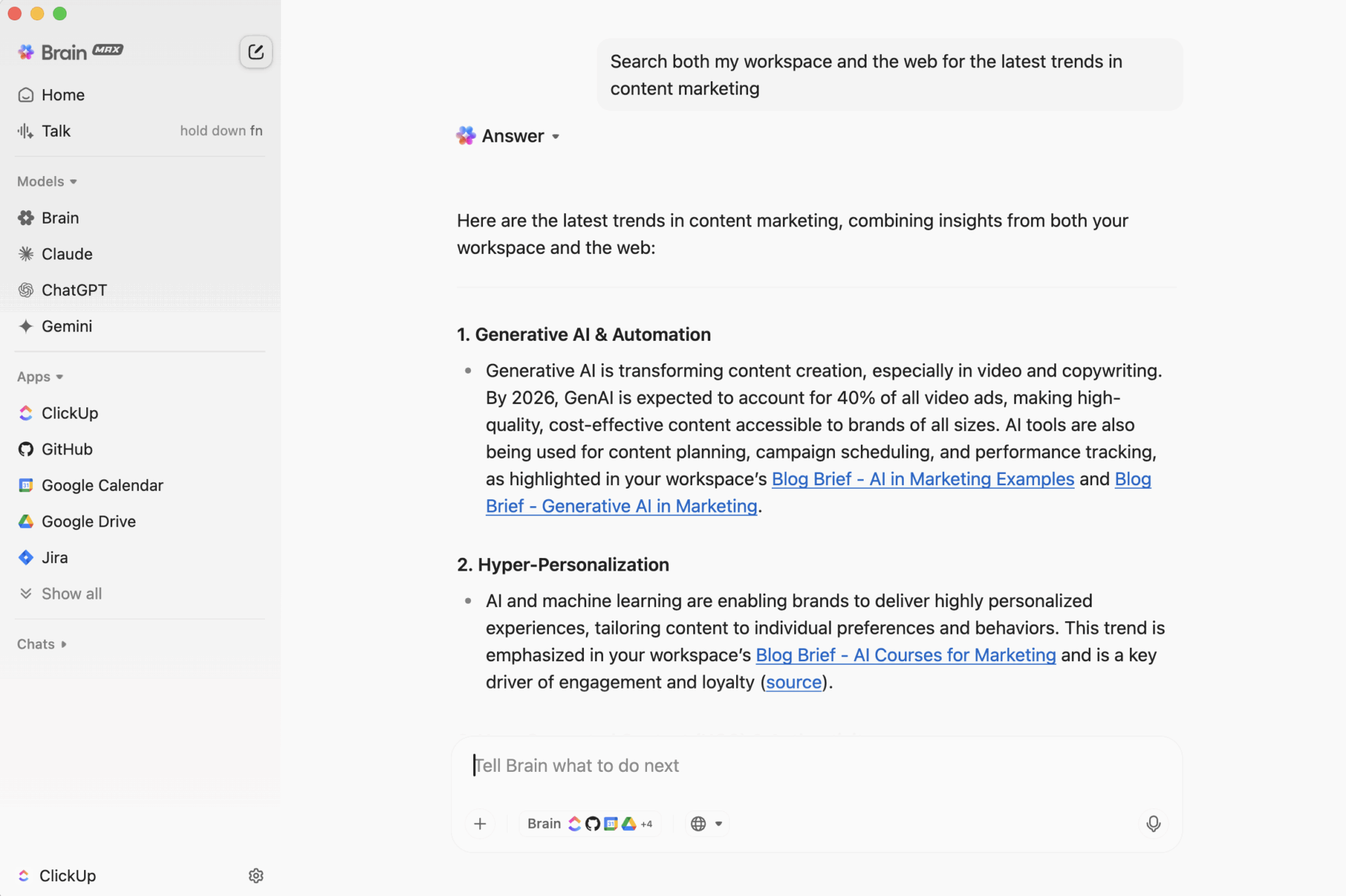
But the magic does not stop there. If you have questions that go beyond your workspace (like competitor research, industry best practices, or examples from outside your team), Brain MAX can search the web or your connected tools and bring answers straight to you.
Not to mention, if you think faster by talking, speak your half-formed ideas, and Brain MAX turns them into clean additions that fit right into your PRD.
Everyone swears you discussed a critical dependency ‘in the last sync,’ but nobody remembers what was actually decided, who owned it, or whether it became a task.
ClickUp AI Notetaker fixes the first half of that problem by capturing the meeting for you. It joins your Zoom, Teams, or Google Meet calls, and automatically creates a private Doc with the meeting title and date, attendees, an overview, key takeaways, a Next Steps checklist, key topics, plus a full transcript and recording.
ClickUp Brain then tackles the second half by finding the risks, blockers, and dependencies hidden in all those messy drafts.
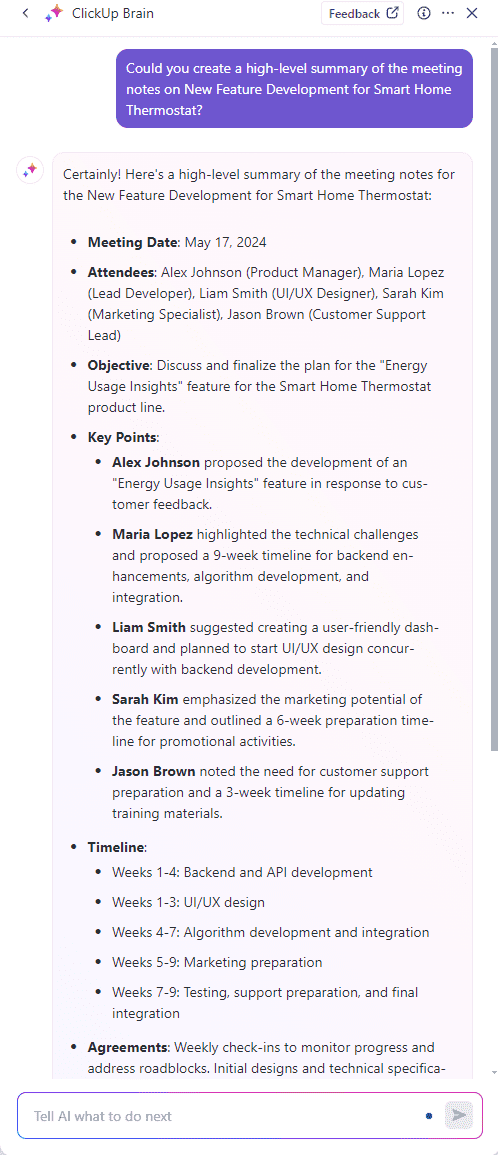
Because those notes link back to your workspace, you can turn the ‘Next Steps’ checklist or AI-identified blockers into tasks directly from the Doc, with assignees, due dates, and dependencies attached.
ClickUp Brain looks across your ClickUp workspace and pulls real signals. It can factor in:
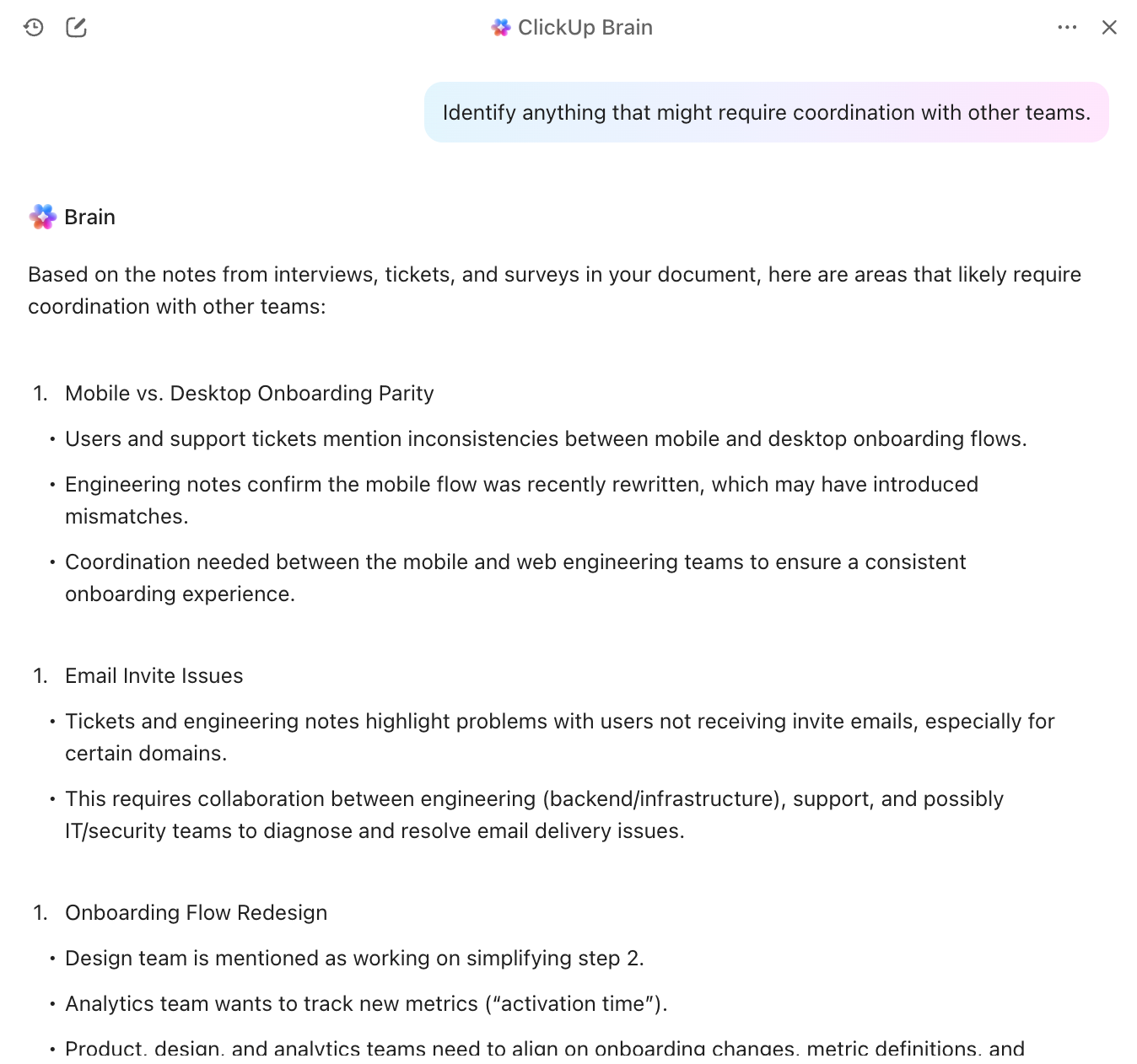
Then it turns all of that into ClickUp Tasks with:
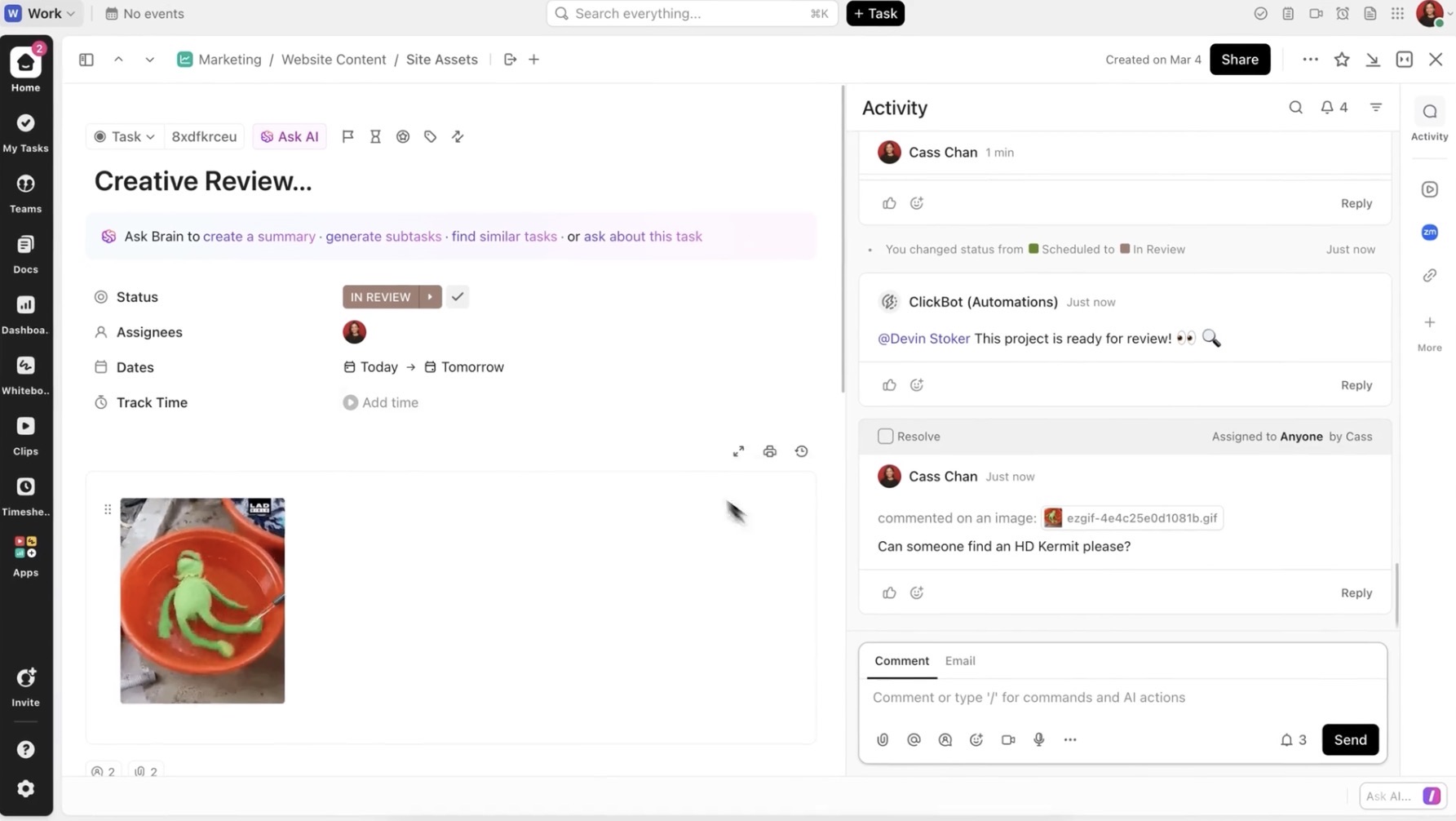
To zoom out, ClickUp Dashboards give you the big picture. You can see which themes your team is investing in, how many high-impact tasks are in progress, which customer problems are getting attention, and where effort is drifting into low-value work.
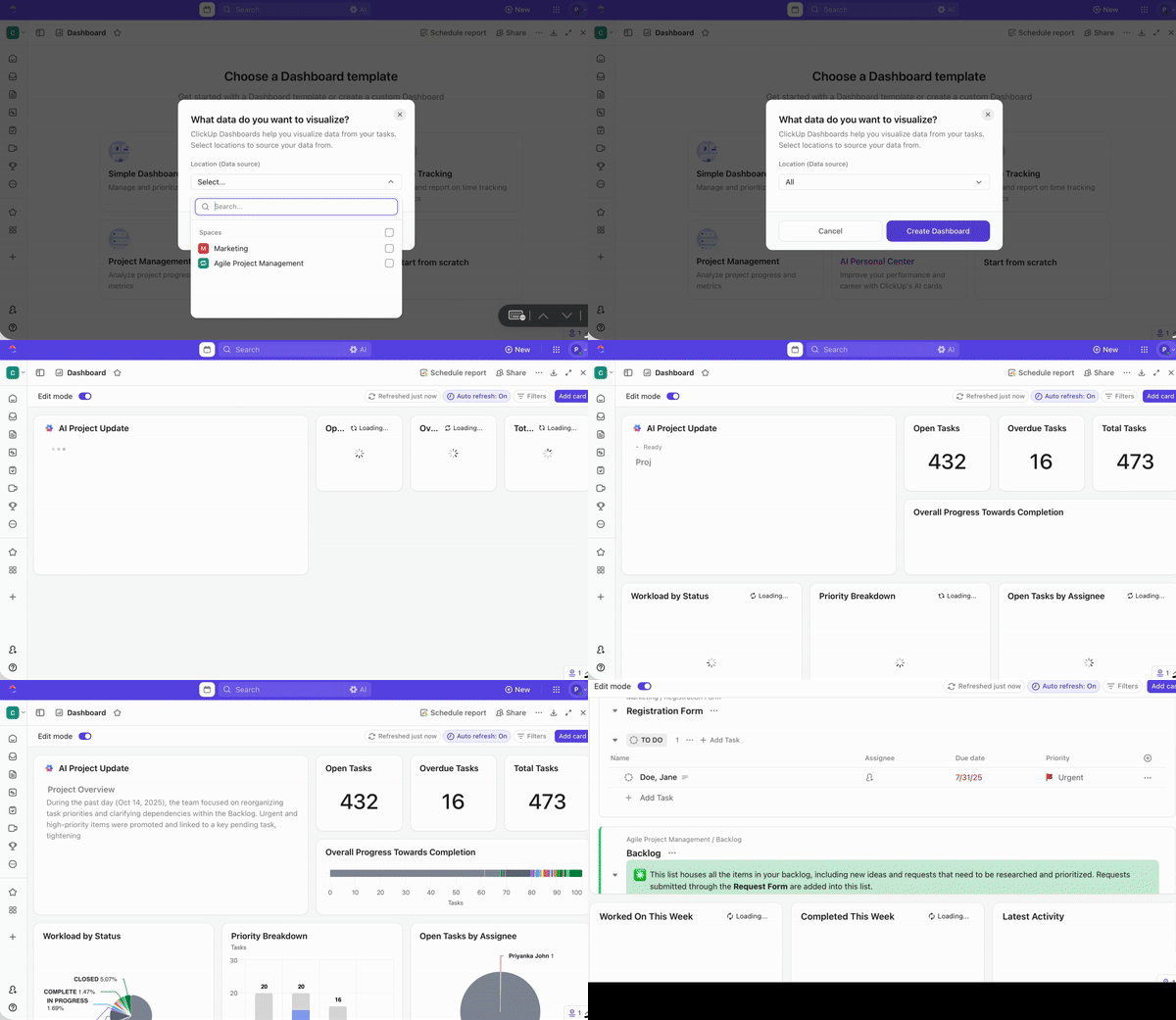
⭐ Bonus: Pair Dashboards with AI Cards to turn raw data into decision-ready summaries. Here’s how to use this combo 👇
🚀 ClickUp Advantage: Stay ahead of user behavior in real time with Super Agents. Think of them as your AI teammates that work proactively in the background. They watch how insights form across your workspace and act on them automatically.
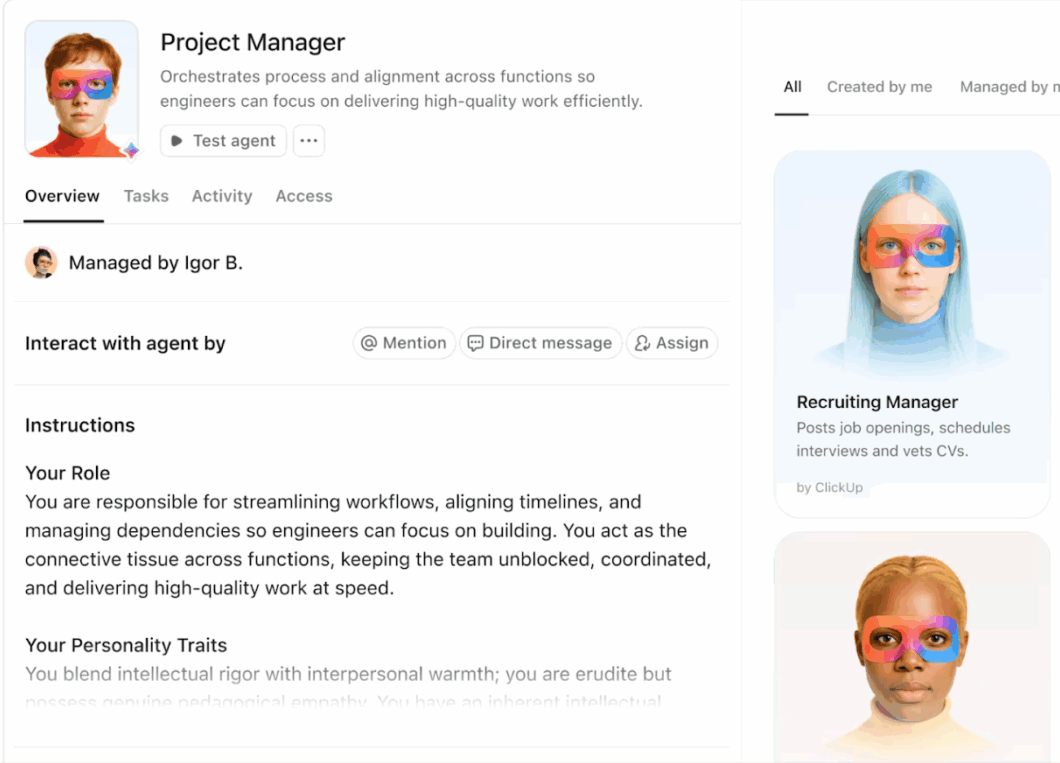
What this means for product managers:
Build your first Super Agent with ClickUp 👇
Here are ClickUp’s pre-built templates that can help you turn insights into action 👇
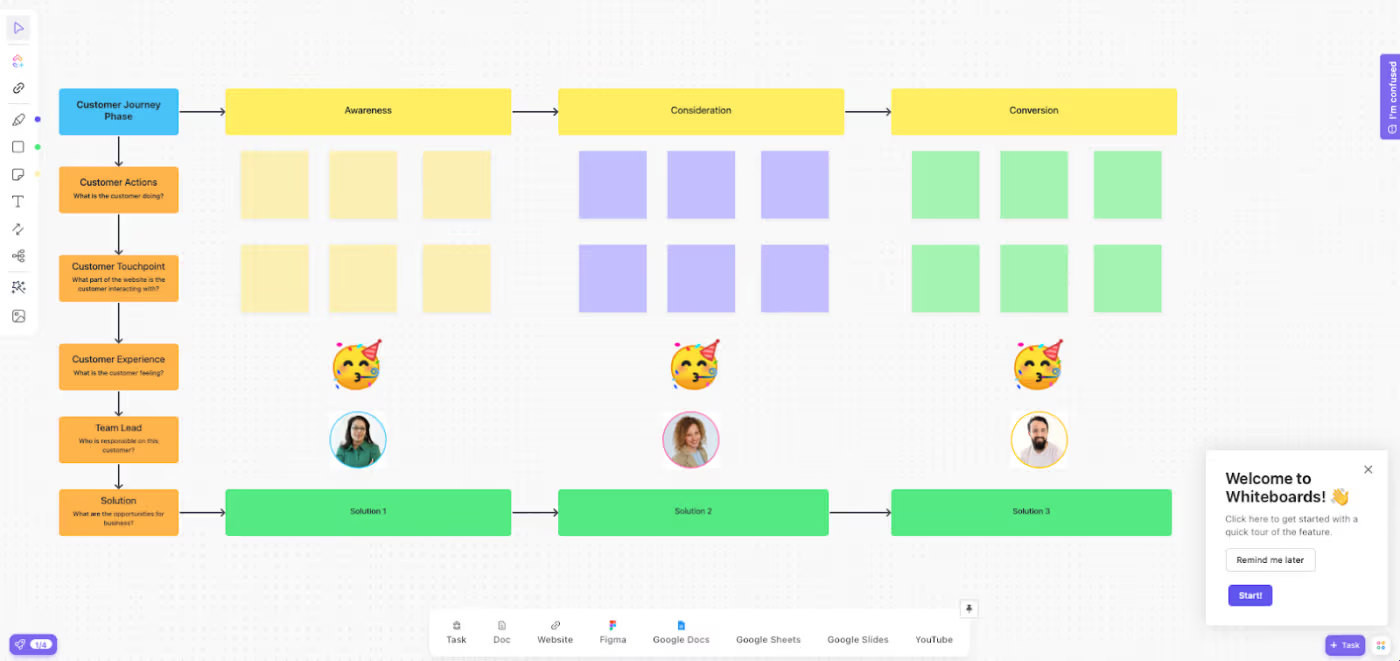
The ClickUp Customer Journey Map Template is a visual board that helps you understand what customers do, think, and feel at every stage of their experience. It lays out each phase in columns, so your team can track actions, touchpoints, emotions, pain points, and ownership all in one place.
Here is how it helps you turn customer insights into real action:
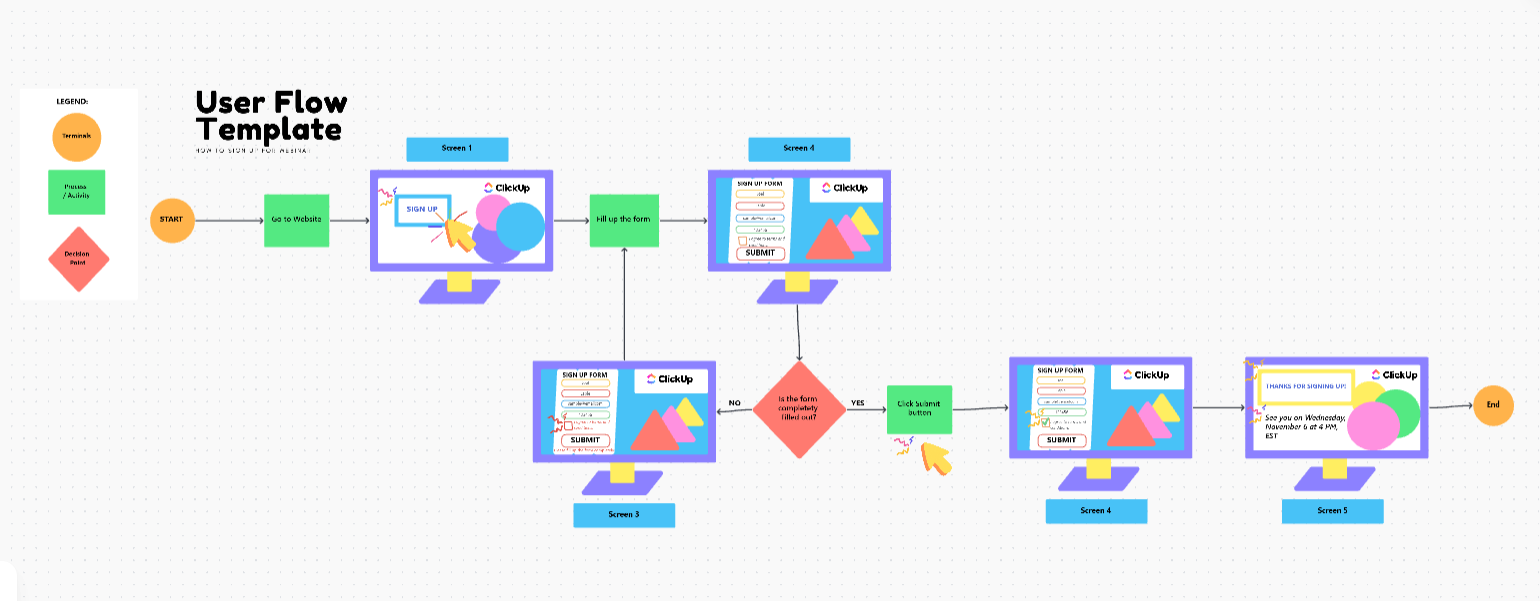
The ClickUp User Flow Template helps you map out how users move through your product from the starting point to key actions and outcomes. Built on ClickUp Whiteboards, it lets you drag, connect, and rearrange steps to see the entire experience at a glance.
With its ready-made flow shapes, screen mockups, and directional connectors, you can quickly illustrate sign-up paths, feature journeys, onboarding flows, or any multi-step process your users go through.
This template will help you:
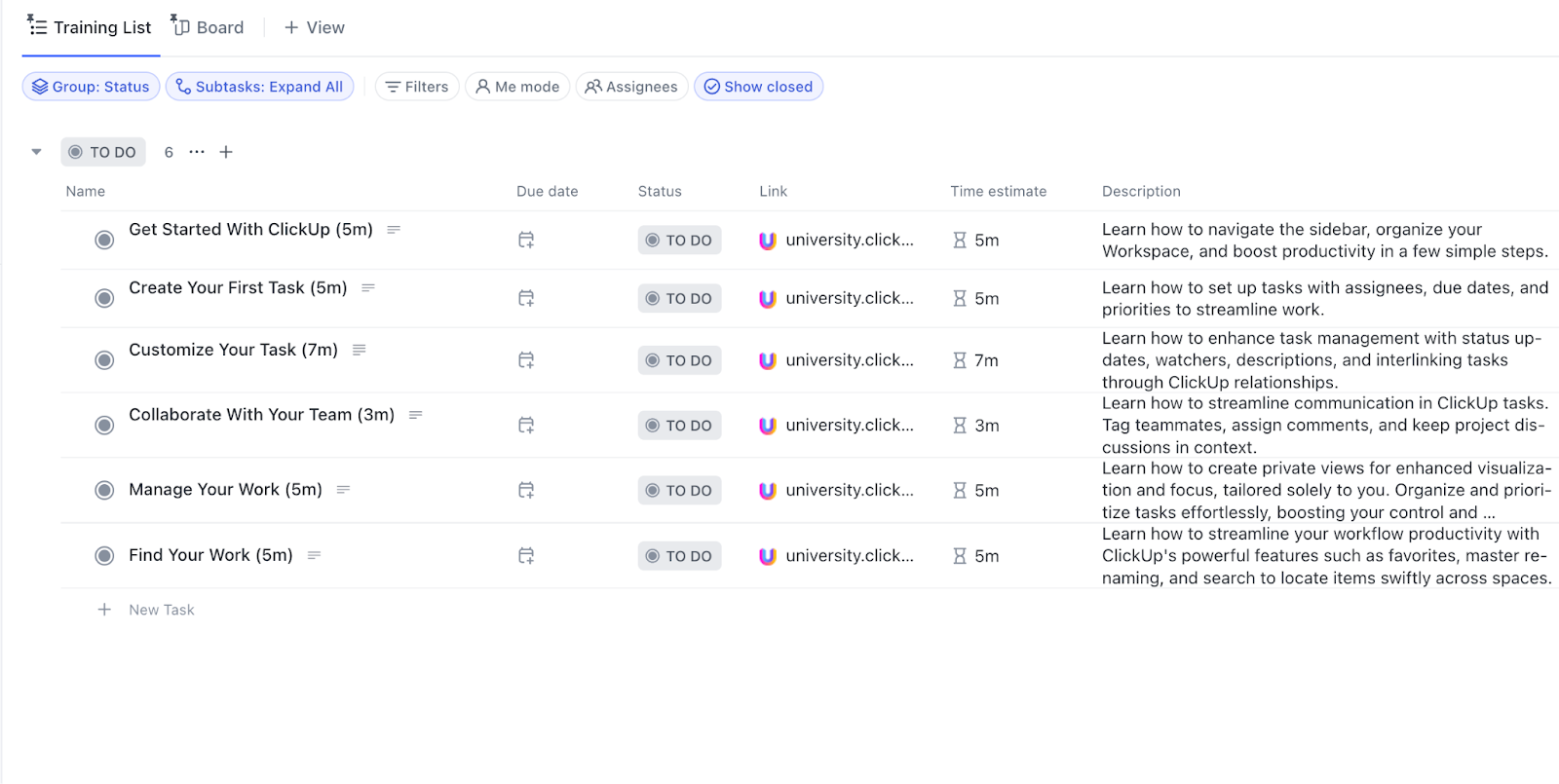
A well-designed onboarding experience is often where the first aha moment happens. The ClickUp New User Onboarding Template helps you build a guided path that turns new users into successful customers without bombarding users (or customers) with too much information.
In a nutshell:
⭐ Bonus: Explore these product management strategies to improve your planning process and make every release more intentional.
AI is already shaping how modern teams find insights and build better user experiences.
Here are a few examples of how leading companies use AI to create a product’s aha moment👇
Spotify set the bar for AI-powered product discovery with features like Discover Weekly, Release Radar, and the newer AI DJ. Behind the scenes, Spotify uses machine learning to study what you listen to, how often you replay, what you skip, and what people with similar tastes enjoy. Then it builds playlists that feel weirdly on point, often including artists or genres you have never searched for.

From a product discovery lens, this is gold. Spotify is constantly testing new songs around the edges of your taste and seeing what sticks. The result is a product that helps users ‘discover’ new value every week, while giving teams data on emerging trends, micro segments, and listening patterns they can use to shape future features.
Amazon’s homepage is a giant AI-powered discovery engine. Using collaborative filtering and recommendation models, Amazon analyzes your browsing history, past purchases, and the behavior of shoppers with similar patterns. Then it fills your feed with items you’re statistically likely to want. Those ‘Inspired by your browsing history’ and ‘Customers who bought this also bought’ sections? All AI predictions!

For shoppers, it means less hunting and faster decisions. For Amazon’s product team, it’s a continuous feedback loop showing which recommendations convert, which product pairings work, and how customers respond to specific placements. The product’s aha moment hits when a user realizes Amazon somehow knew they needed something before they even searched for it.
Grammarly uses machine learning and deep learning models to analyze how people write across emails, documents, and chat tools. It looks at sentence structure, hesitation edits, correction acceptance rates, and the kinds of suggestions users routinely ignore. This helps Grammarly tune its tone detection, clarity rewrites, and real-time suggestions so they feel natural.
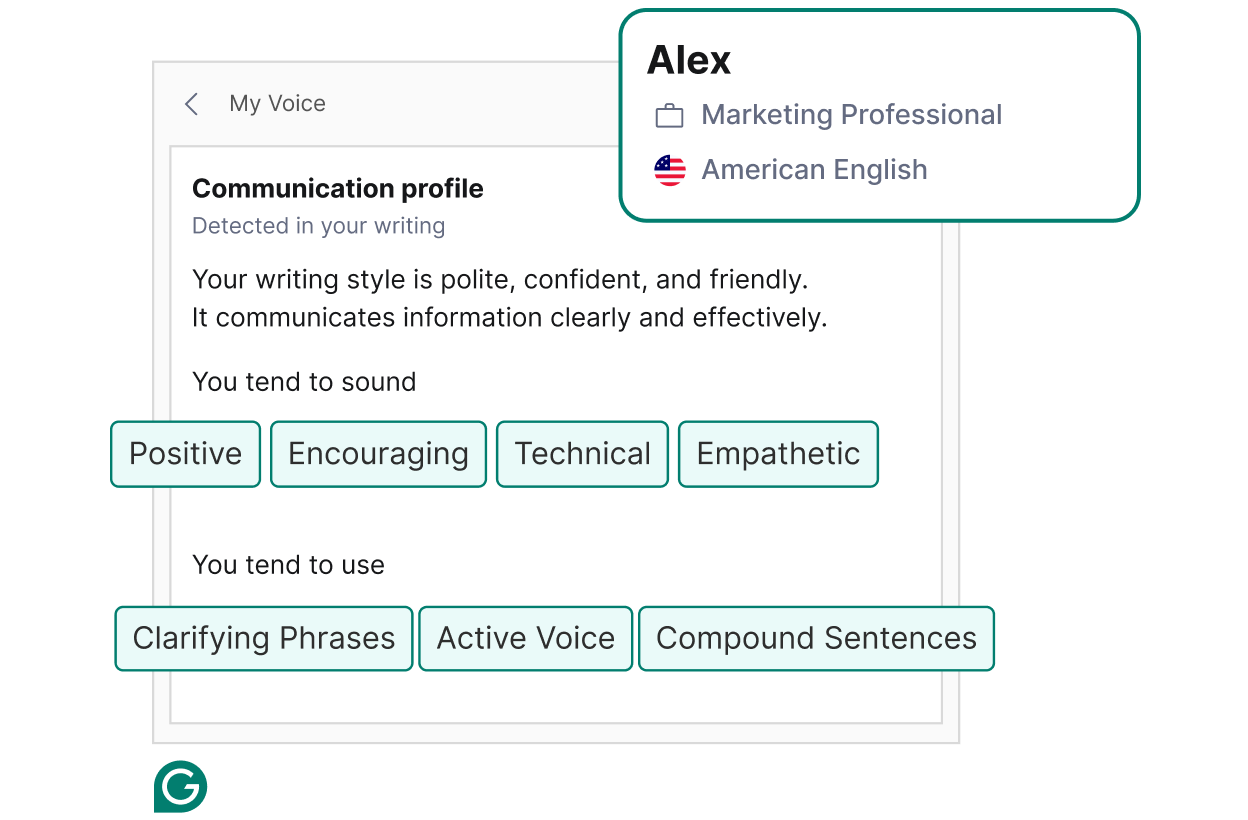
From a product discovery POV, Grammarly constantly tries new hint styles, rewrite options, and contextual suggestions with small cohorts. It measures dwell time on suggestions, how often users expand the AI rewrite panel, and what types of corrections lead to higher completion rates.
YouTube uses deep learning models that analyze watch time, rewatch behavior, skip speed, and how viewers respond to similar topics or channels. These models drive the homepage, ‘Up Next’ queue, and ‘Playlist Mixes,’ which often introduce you to creators you did not even know existed.

From a product discovery lens, YouTube keeps inserting new topics or experimental content types into recommendations and watches how people behave. Metrics like dwell time, early abandonment, and clickthroughs help them spot rising niches or format fatigue. Insights like these also majorly influenced features such as Shorts and community posts.
Netflix uses machine learning to understand every little action you take, like what you watch, where you pause, which titles you hover over, and how long you spend deciding. All of that feeds into deep learning models that shape your personalized rows like ‘Top Picks for You’ or ‘We Think You’ll Love These.’ It is why your homepage feels like it somehow knows your mood.

In other words, Netflix is running tiny experiments on you all the time. It will slip into unfamiliar genres, new releases, or alternate thumbnails and watch how you react. Those signals help the team spot new viewing patterns, understand what drives dwell time, and even influence decisions about what kinds of shows or features to invest in next.
👀 Did You Know? Netflix’s recommendation system saves the company over $1 billion a year by reducing churn through smarter personalization!
AI expands what product teams can learn, but it also changes the nature of the problems they face. The complexity comes from how AI interprets your data, how teams understand those patterns, and what processes are in place to apply the insights effectively.
Let’s take a look at what holds teams back 👇
New technology always shifts how teams work. Some people worry AI will automate parts of their role. Others are unsure how it fits into their existing workflow or simply do not see value in changing established habits. Even when the tech performs well, adoption slows if the team does not feel comfortable with the new way of working.
✅ Fix: Frame AI as a tool that amplifies what your team already does well, not as a replacement. Show your team how it makes their work easier or more impactful, and provide hands-on training so they feel confident using it.
AI analytics relies on detailed user behavior data. That comes with obligations around how the data is collected, stored, and accessed. Regulations like GDPR and CCPA add constraints that teams must account for, and missteps can affect user trust and expose the organization to legal risk.
✅ Fix: Use strong access controls, encrypt sensitive data, and review workflows regularly with legal or privacy teams. Make your data usage practices clear to users.
Research shows that while 77% of data professionals aim for data-driven decision-making, only 46% actually trust the data they use. AI is only useful if it’s working with clean, consistent data. When event tracking is scattered, datasets conflict, or key information is missing, models can’t draw reliable conclusions.
✅ Fix: Start with better data hygiene. Set clear tracking standards, validate incoming data regularly, and establish processes for cleaning and reconciling datasets. When integrating data from multiple sources, make sure formats align consistently.
AI requires investment in tools, training, and support. For many teams, the initial cost feels disconnected from the near-term outcomes they can measure. Smaller teams or early-stage products feel this even more because resources are limited and expectations are high.
✅ Fix: Start small with a focused pilot that solves a specific problem and proves value quickly. Use that success to build a case for broader investment. Look for platforms that offer flexible pricing or bundled solutions that reduce infrastructure overhead.
👀 Did You Know? 80% of AI projects never make it past the pilot stage, mostly because teams lack the foundation and the infrastructure to use the insights they generate.
KPIs are your product’s vital signs. They show how healthy your product is, where it’s growing, and where it needs attention.
AI makes tracking these product management KPIs easier in real time by linking product usage data, customer feedback, and revenue signals. This helps you understand how many users reach their aha moment and where churned users need support.
Most product KPIs fall into five categories. Let’s take a look at them 👇
| Category | Focus | Examples |
| Revenue | Growth | Monthly recurring revenue, average revenue per user, and how much customers spend over their lifetime |
| Customer | Satisfaction | How likely customers are to recommend you, how satisfied they feel, how many stay vs how many churn |
| Process | Efficiency | How long it takes to ship a feature, how often the team can release updates, and how quickly experiments move from idea to launch |
| Performance | Reliability | How fast the product loads, how often errors occur, and how stable the system is during peak usage |
| Engagement | Usage | How many users reach the aha moment, how often they return, how long sessions last, and which features they actually adopt |
Great product managers are great at connecting the dots. They can spot the clues hiding inside user feedback. They turn a messy mix of ideas, numbers, and intuition into a single direction the team can rally behind.
ClickUp helps with this.
For example, ClickUp Brain turns raw inputs into clear meaning that your team can use to navigate better product management.
And once those insights land, ClickUp for Product Teams keeps your momentum going. Ideas flow into docs, docs turn into tasks, and tasks become roadmaps. And with pre-built ClickUp templates, you have the right head start every time!
Sign up for ClickUp today and see how it turns those aha moments into tangible progress.
ClickUp Brain is one of the highest-rated AI tools for product managers, working directly inside your workspace. It pulls context from tasks, docs, comments, and attachments, then turns that information into summaries and themes you can act on. If your team already manages research, tickets, or interview notes in ClickUp, this gives you a single place to collect and understand feedback without adding another tool to the stack.
AI identifies patterns between product characteristics and outcomes by analyzing historical data. It looks at feature adoption curves, user engagement metrics, revenue impact, and usage patterns from past launches. When evaluating new features, AI compares them to similar historical features and predicts likely performance.
No. AI handles data analysis and pattern recognition, but product management requires strategic thinking, stakeholder management, and creative problem-solving that AI can’t replicate. AI tells you what patterns exist in your data. You still decide why those patterns matter and how to address them.
To integrate AI insights into your product roadmap, create a repeatable loop where AI analyzes user behavior, market signals, and product performance to surface patterns or opportunities. Feed those insights directly into your prioritization process (e.g., impact scoring, opportunity sizing) and use them to validate or challenge roadmap assumptions. Finally, measure how AI-informed decisions affect adoption, retention, and revenue, and refine the loop over time.
You need three types of data: behavioral data (what users do), qualitative feedback (what users say), and business metrics (what drives value). Behavioral data comes from product analytics tracking user actions. Qualitative feedback comes from support tickets, interviews, and surveys. Business metrics include revenue, retention, and activation rates. AI works best when it can correlate all three and then connect that to business impact.

© 2026 ClickUp

There’s an easier way. Try a free AI Agent in ClickUp that actually does the work for you—set up in minutes, save hours every week.