






Still downloading templates?
There’s an easier way. Try a free AI Agent in ClickUp that actually does the work for you—set up in minutes, save hours every week.
Sorry, there were no results found for “”
Sorry, there were no results found for “”
Sorry, there were no results found for “”

A patient’s message came at 11:42 p.m. “Hey, I think I left out something important during my appointment today. Can I tell you now?”
It’s a moment anyone recognizes, where you want to respond without hesitation. While it feels natural, doing so would open the door to a potential HIPAA violation.
In fact, just last year, healthcare organizations reported 725 data breaches, with over 275 million medical records exposed. And that kind of full-blown crisis is unfortunately not slowing down.
This is why HIPAA-compliant chat tools matter. Not because regulations say so, but because real people are on the other side of every conversation.
The good news is, there are platforms designed specifically for this kind of communication. Tools that protect sensitive data without disrupting how you work. So, let’s look at ten of the best options worth considering.
| Tool | Key features | Best for | Pricing* |
| ClickUp | –HIPAA-ready chat, docs, tasks, whiteboards, dashboards –EHR data embedding, access control, version history –AI-powered summarization with ClickUp Brain | Individuals, small teams, and enterprises needing an all-in-one, compliant workspace | Free plan available; Custom pricing for enterprises |
| TigerConnect | –Role-based access, secure messaging, call-from-records –EHR and nurse call tool integration –Silent escalation alerts | Healthcare providers who need real-time clinical communication | Custom pricing |
| OhMD | –Secure HIPAA-compliant texting via existing phone numbers –85+ EHR integrations, live chat, autopilot –Group chat and video visits | Small practices needing text-first patient communication and reminders | Paid plans start at $250/month |
| Updox | –Unified inbox for fax, email, video –Direct secure messaging, audit trails, in-call note capture | Multi-location practices needing centralized communication and document handling | Custom pricing |
| Paubox | –Seamless HIPAA-compliant email –Built-in phishing/malware filters for data security Email DLP, analytics, secure dashboard | Providers needing secure email marketing and patient outreach | Paid plans start at $38/month |
| Luma Health | – Automated SMS, voice, email outreach –Mobile device intake, AI analytics, EHR sync | Patient engagement teams leveraging AI for automation and analytics | Custom pricing |
| SimplePractice | –Secure portal messaging –Integrated with billing, notes, video –Templates and in-session chat | Solo providers and small practices needing integrated telehealth and documentation | Paid plans start at $49/month |
| Klara | –AI-driven patient message triage –Persistent chat across SMS, calls, webchat –Shared inbox and in-app telehealth | Multi-department teams needing intelligent patient communication and routing | Custom pricing |
| Spruce Health | –Secure VoIP, SMS, fax, phone trees –Tagging, call routing, after-hours automation | Clinics needing flexible inboxes with secure telephony and messaging | Free plan available; Paid plans start at $24/user/month |
| Rocket.Chat | –On-prem/self-hosted secure messaging solution –Full data control, open APIs, federated messaging | IT-heavy orgs and enterprises needing customizable, self-hosted communication | Free plan available; Paid plans start at $8/user/month |
While many chat platforms claim to offer security, only a few meet the strict standards needed to protect patient data and uphold HIPAA regulations.
Here’s what to check before choosing one:
👀 Did You Know? The 2015 Anthem breach exposed data on approximately 78.8 million people, making it one of the largest healthcare data breaches ever.
📚 Also Read: Best Healthcare Collaboration Software Tools
So, if you’re ready to move beyond risky workarounds and build a communication system you can trust, here are the best HIPAA-compliant sofware tools to consider 👇
In healthcare, communication is the heartbeat of patient care. From care coordination to administrative updates, every message carries sensitive information that needs protection under HIPAA standards.
That’s where ClickUp for Health + ClickUp Chat transforms how medical teams connect and collaborate. It is the world’s first Converged AI Workspace, bringing together all work apps, data, and workflows in one secure platform.
ClickUp is SOC 2 compliant, and its Enterprise Plan is HIPAA compliant (through a signed BAA), featuring Custom Roles that provide advanced controls over user permissions and access.
Instead of managing separate chat tools, task trackers, and reporting systems, healthcare providers and administrators can streamline communication and operations from a single workspace. In healthcare settings, that might look like a provider updating documentation or a care coordinator following up with a patient, all while staying aligned on next steps and access requirements.
Thus, ClickUp eliminates all forms of Work Sprawl to provide 100% context and a unified place for humans and AI agents to work together. Let’s explore further.
To protect patient data while keeping teams connected, ClickUp Chat (the best all-in-one messaging platform) allows real-time conversations bound by strict compliance rules. Precisely, data is protected in transit and at rest using strong encryption standards.
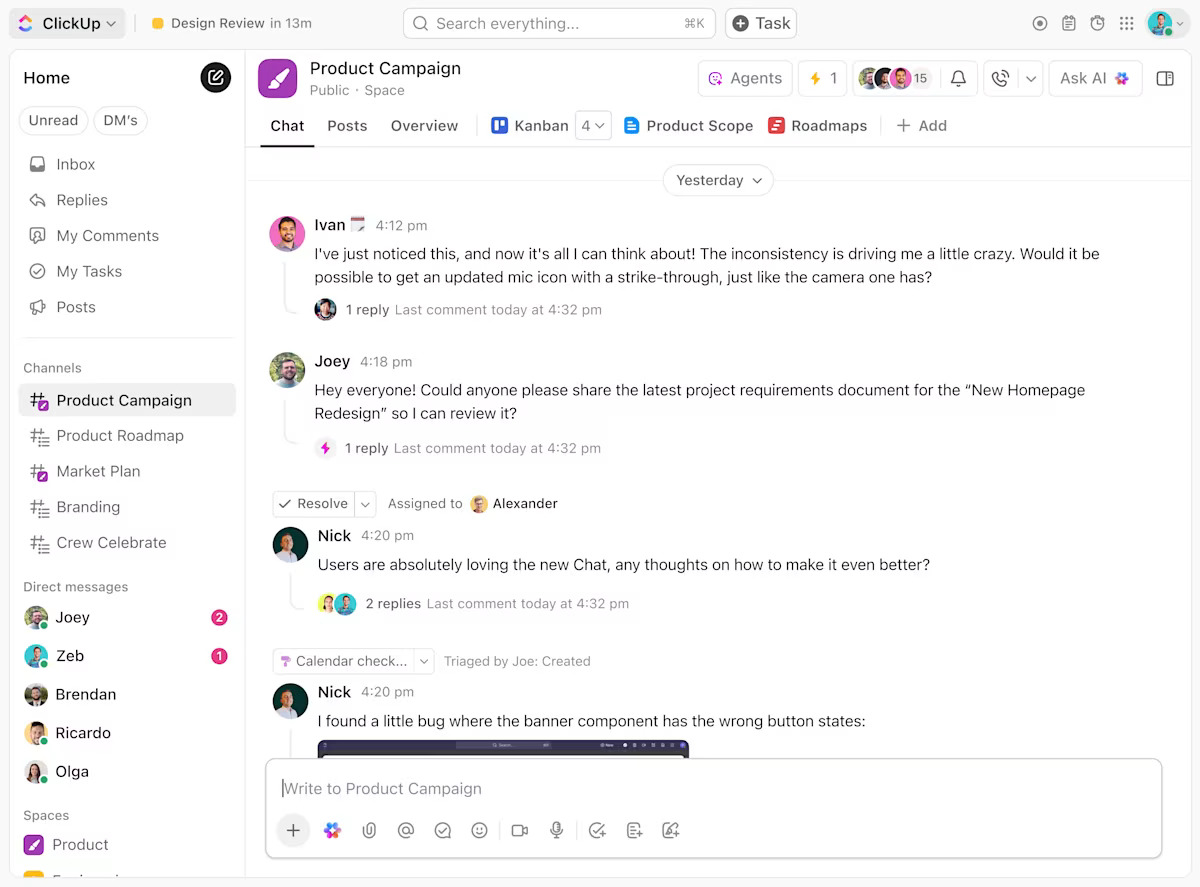
Chat includes @mentions and threaded replies. For example, a care team managing cardiac patients can create a dedicated ‘Cardiology’ chat channel where nurses update vitals in real time, a pharmacist drops in medication adjustments, and the on-call cardiologist is instantly notified with an @Mention for rapid consultation.
Want to enhance medical communication by enabling real-time, face-to-face collaboration among healthcare professionals—no matter where they are?
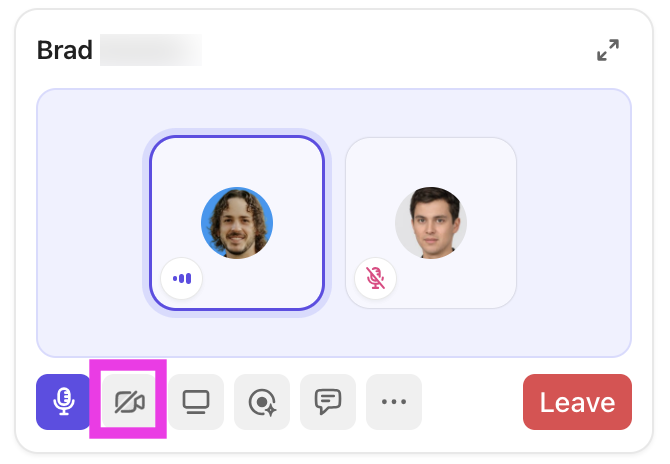
Here’s how ClickUp SyncUps support medical teams:
If real-time communication is tricky, you can record and share video updates, explanations, and updates asynchronously with ClickUp Clips.
This means doctors, nurses, and administrators can explain complex workflows, provide feedback, or deliver patient updates based on their own schedule. This is perfect for shift work, cross-team collaboration, or when immediate meetings aren’t possible.

Here’s how Clips and SyncUp together make medical communication more secure and powerful:
To extend that same alignment into documentation, ClickUp Docs gives teams a secure, versatile space to create, share, and update everything from SOPs and treatment protocols to meeting notes and intake workflows.
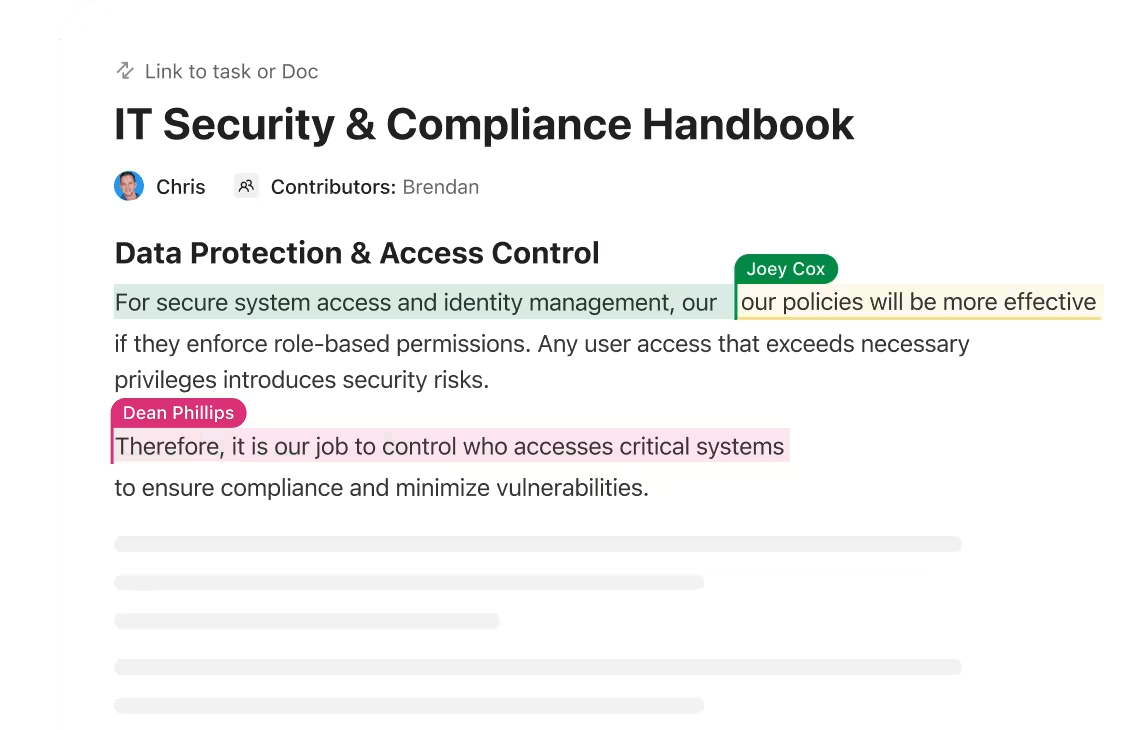
This fortified document collaboration software breathes directly inside your workspace and is tied to projects, tasks, or folders so they’re never floating in a silo or buried in email chains.
You can assign tasks from within a Doc, mention teammates, and control access down to the individual viewer or editor. You can also embed PubMed or Scopus references to collaborate on publications or experimental data.
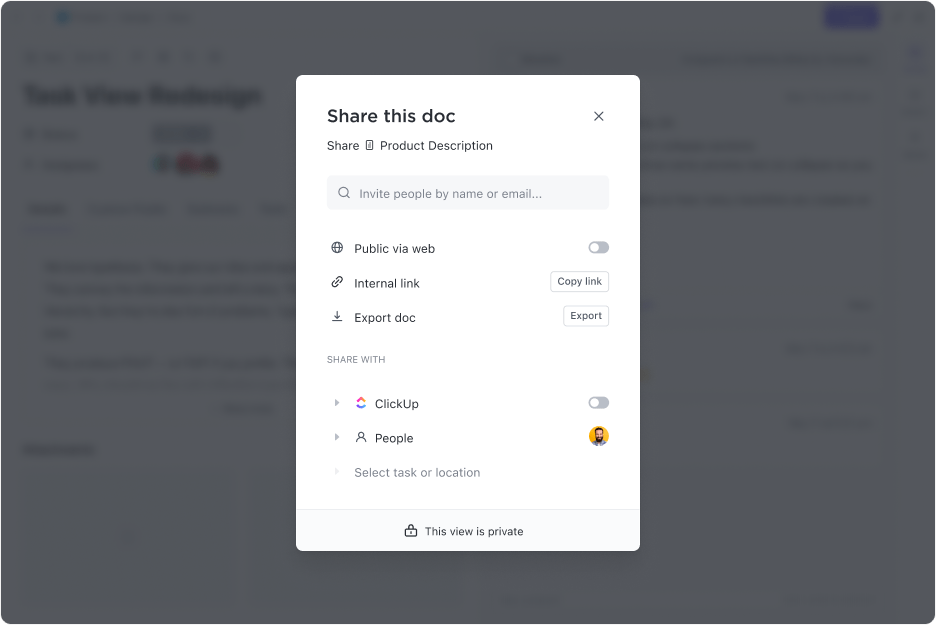
Every Doc can be shared internally or externally, with options to invite collaborators as viewers, commenters, or full editors. Version history runs in the background so edits are always traceable, and you can roll back to earlier versions if needed.
Task comments extend that collaboration even further. Instead of splitting feedback across chat apps, it lives exactly where the work is happening. A provider can leave context on a care coordination task, or a compliance officer can flag something that needs follow-up. You can also tag teammates, embed files, or convert a comment into a new task if it turns into something actionable.
💡 Pro Tip: Streamline your patient intake and update requests by building custom forms in ClickUp. You can also integrate with Cognito Forms to automatically turn form submissions into actionable tasks, reducing manual data entry and speeding up your clinical workflows.
When context starts to stretch across multiple threads, ClickUp Brain pulls it together. With a quick prompt, this powerful healthcare AI solution can summarize lengthy document edits or conversation histories, extract action items from comments, or assist in drafting a response within a task.
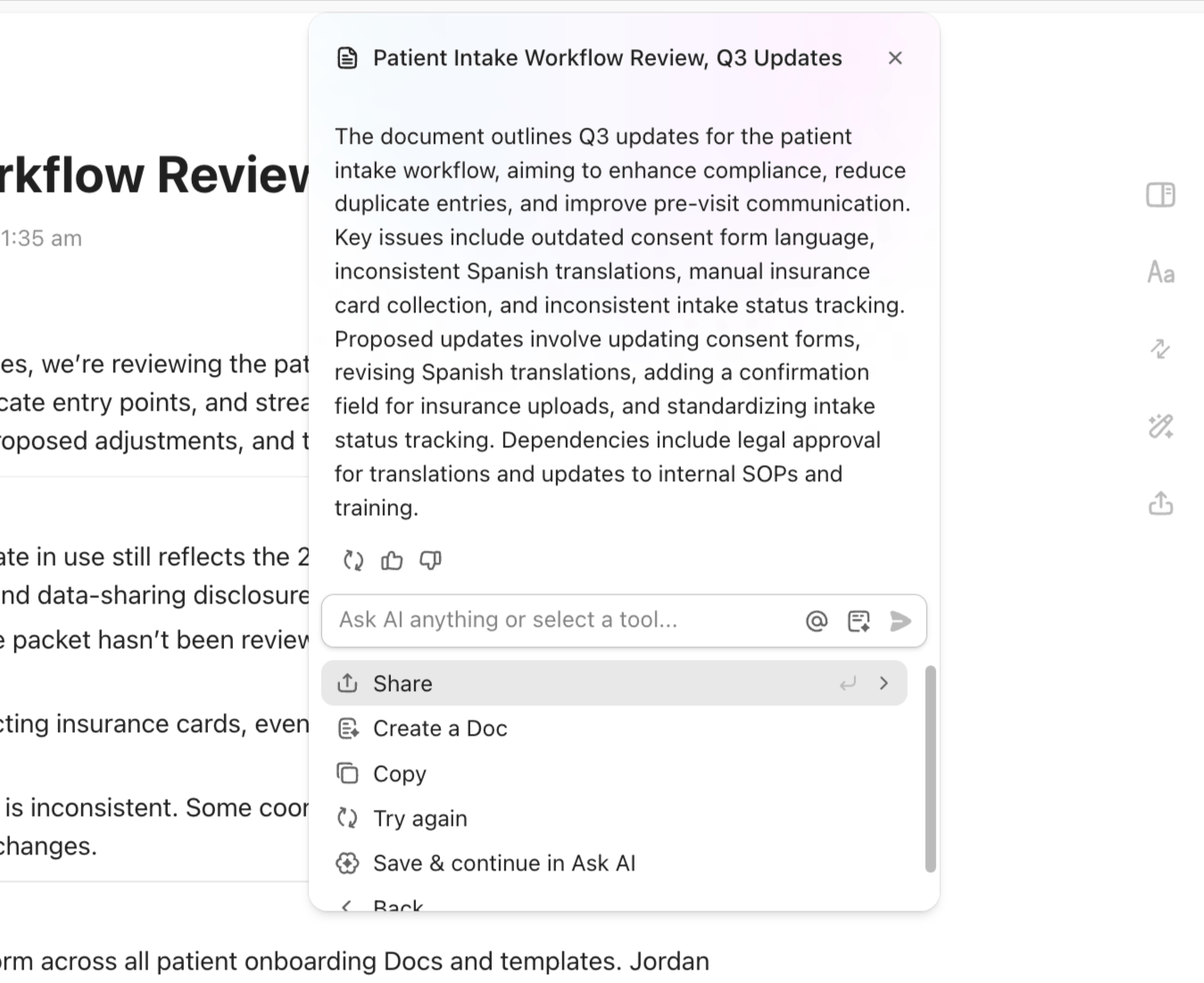
It’s trained on your workspace, so it understands how your team communicates and works. For teams that handle sensitive, high-volume tasks, AI support for such tasks saves time while keeping focus on the bigger picture.
For instance, a hospital infection control team can use ClickUp Brain to process daily incident reports and extract key trends (like recurring sources of infection).
📌 Try these prompts:
Here’s a G2 review:
What I love most about ClickUp is how seamlessly everything works together. The combination of Chat, Whiteboards, and Spaces allows us to brainstorm, assign, and track work all in one place. It’s flexible, visual, and highly customizable perfect for managing multiple teams and projects across departments. The Wiki feature also helped us replace scattered SOPs and onboarding docs with a single source of truth.
💡 Pro Tip: Brain MAX transforms medical and healthcare communication by consolidating all your critical information and workflows into a single, secure, AI-powered workspace.
Here’s how:
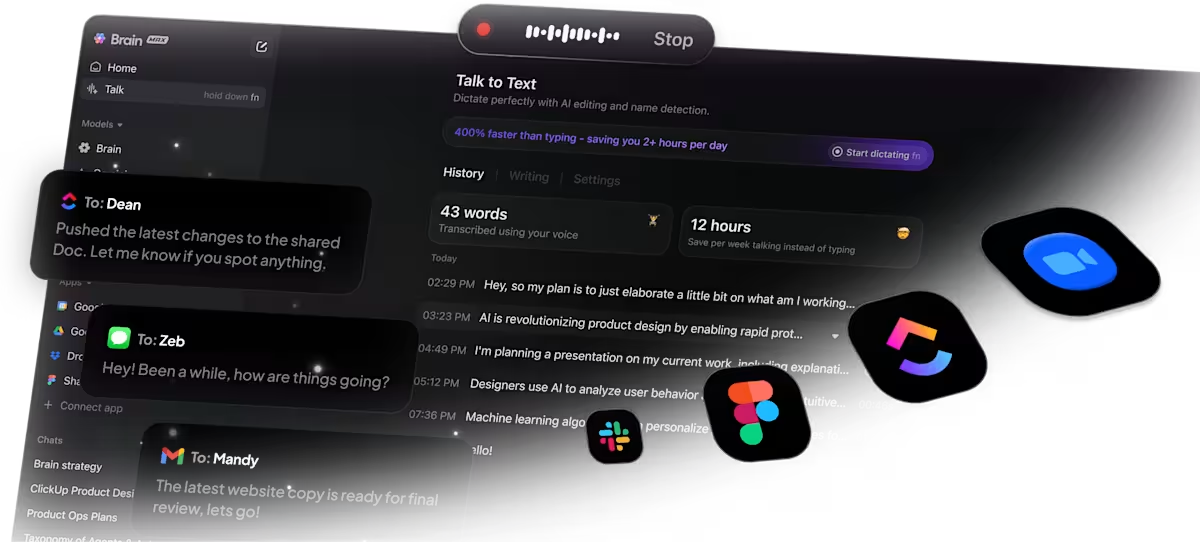
Try ClickUp Brain MAX—the AI Super App that truly understands your medical workflows. Ditch the AI tool sprawl and experience seamless, secure, and intelligent healthcare communication.
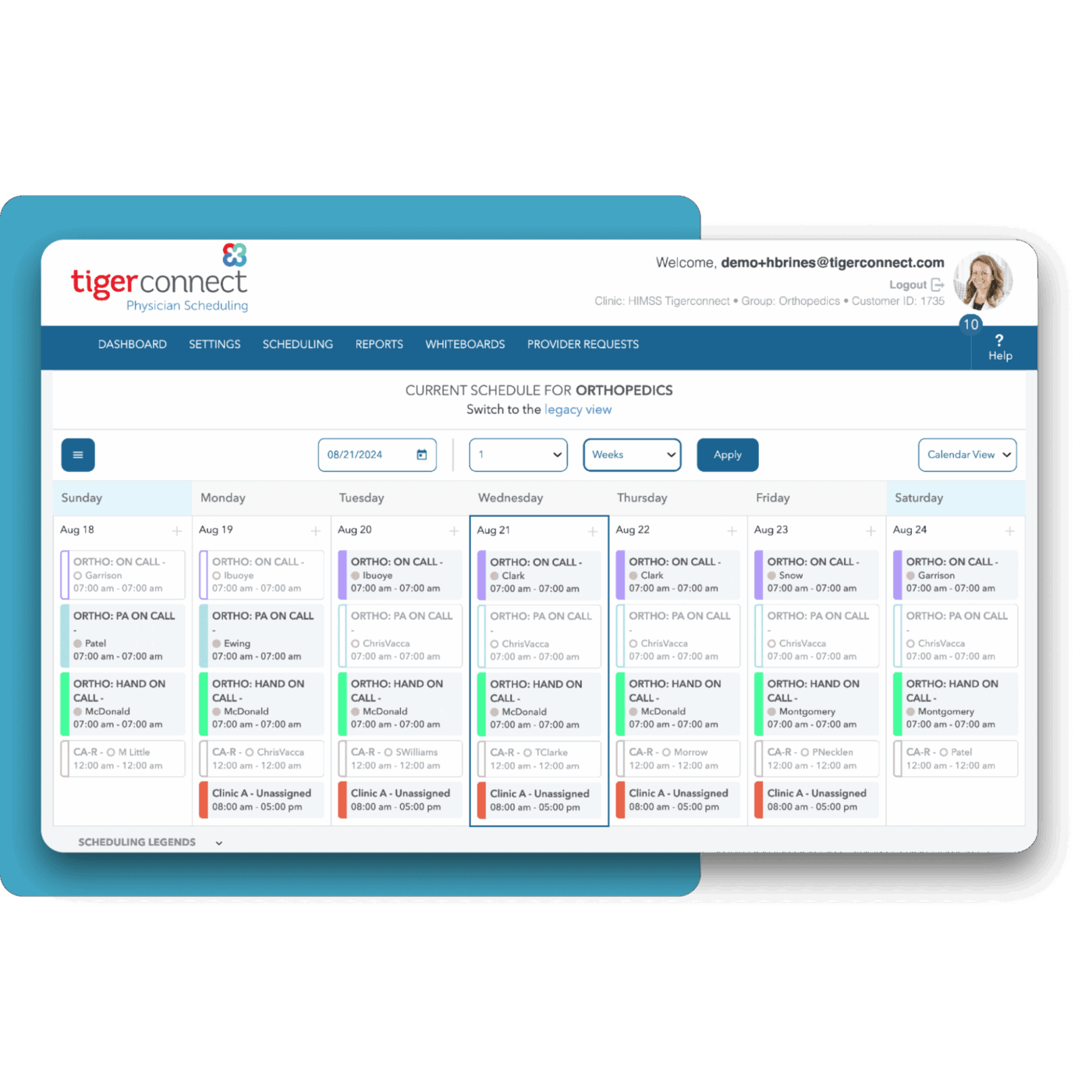
TigerConnect is a HIPAA-compliant messaging platform that tailors communication for healthcare providers, offering role-based access for doctors, nurses, and administrators. It features an adaptive interface that dynamically adjusts notifications and layouts based on user roles, ensuring that alerts are directed to the relevant individuals.
It also offers a ‘silent escalation’ feature that loops in supervisors if responses lag. The tool also allows users to start chats or calls directly from patient records and supports custom workflows, such as pre-surgical checklists, tailored to specific care needs.
A G2 reviewer says,
TigerConnect is incredibly useful in disseminating company-wide information alerts (weather, traffic, emergencies), as well as a great tool for intercommunication with employees, allowing for patient reports, referral information, and HIPAA information without fear of violating HIPAA.
👀 Did You Know? The HIPAA violation category for unknowing violations can still result in penalties of $100 to $50,000 per violation, with an annual maximum of $25,000 for repeat offenses.
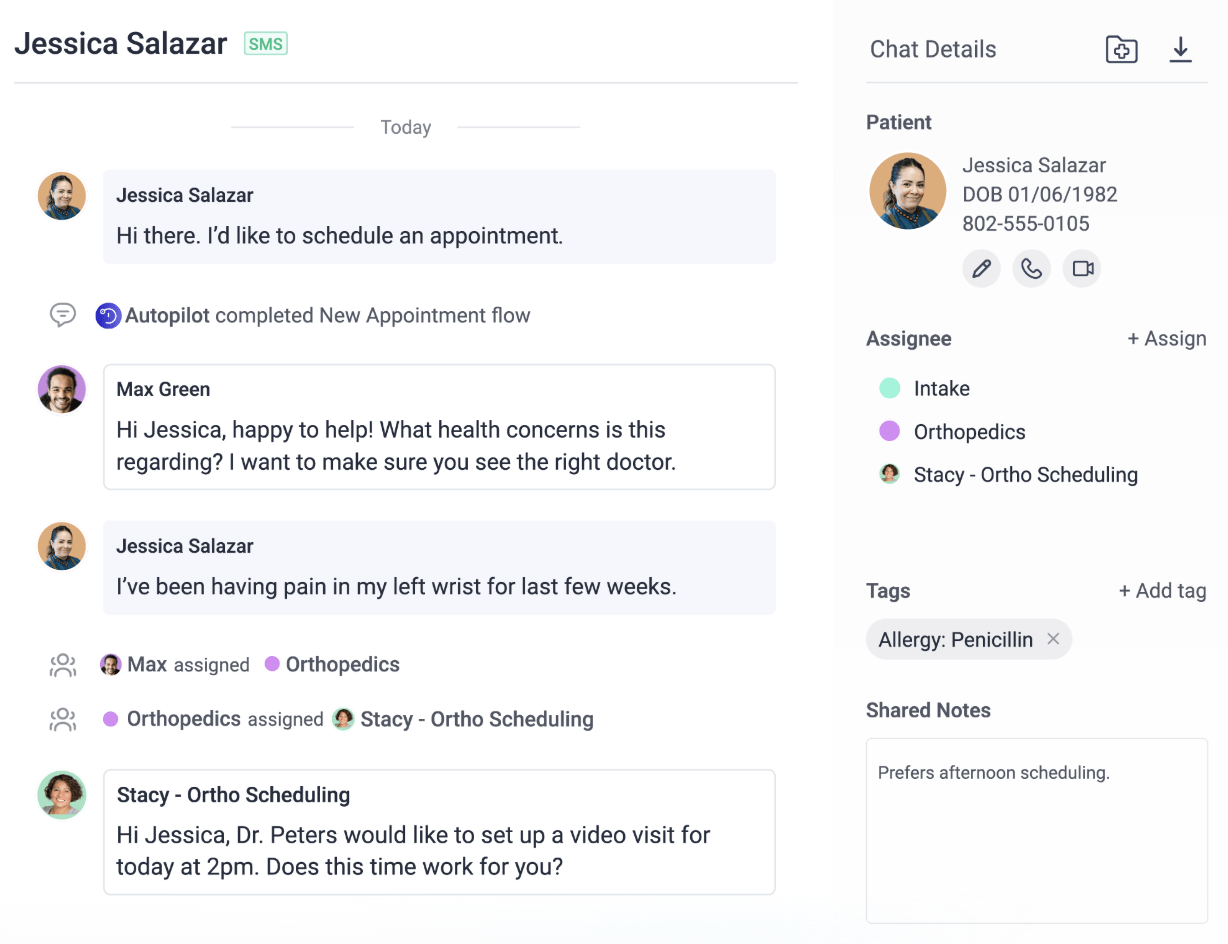
OhMD was founded in 2016 by a group of healthcare innovators who aimed to bridge the communication gap between doctors and patients. They developed a platform where providers can use their existing phone numbers for secure messaging. This cut out the need for additional applications.
The tool links with over 85 EHR systems, which brings patient details into the conversation with ease. It also allows practices to share a one-tap secure link for video visits, blending them smoothly into the messaging thread.
For care teams, OhMD offers multi-tenant support, single sign-on, user auditing, and group chat options to keep everything coordinated. This setup helps small practices manage patient care more effectively.
A G2 reviewer says,
I like the ease of use and the customer support. They are also timely in providing feedback when I have an issue. Overall, I love the system and the prompt notifications that I receive via email when I have a new text message.
🔖 Also read: The Ultimate Guide to Healthcare Project Management.
🎥 Curious about collaboration tools, watch this video to learn more:
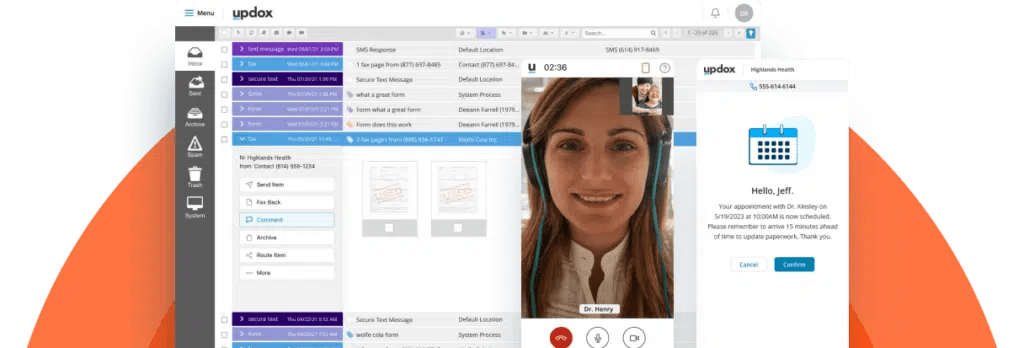
Updox stitches emails, faxes, and video calls into a unified inbox, centralizing communication for providers. Its Direct Secure Messaging (DSM) lets clinicians share patient records safely with colleagues through a trusted network.
Tailored for out-of-hospital providers, such as physicians and pharmacists, Updox also offers a dashboard where teams can track message statuses and patient replies in real-time. Further, it embeds payment processing into chats, allowing staff to collect fees without switching screens.
Patients receive appointment reminders directly in their inbox, while urgent cases are escalated with a single tap from any team member. This ensures a larger compliance environment for teams and departments alike.
A G2 reviewer says,
Updox’s interface and integration with our EHR (Practice Fusion) is so easy and intuitive. As a medical office, we were getting so many redundant faxes, wasting a ton of paper, and, most importantly, wasting a ton of time getting faxes, scanning them, then moving into patient files. With Updox, one click and a fax is moved into a patient file. Makes everyone’s life so much easier, and we save a ton of money on paper.
🧠 Fun fact: The average hospital generates around 50 petabytes of data every year, according to the World Economic Forum. That’s more than twice the data stored in the entire Library of Congress!
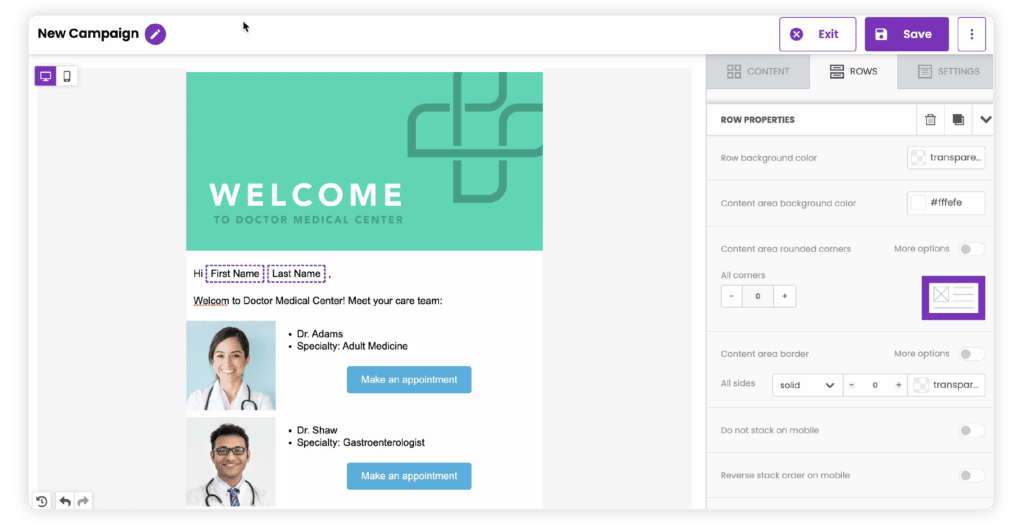
Instead of relying on portals, passwords, or extra clicks, Paubox encrypts every outbound email behind the scenes so recipients can read messages directly in their inbox, whether they use Gmail, Outlook, or a mobile client.
It integrates with your existing email provider and automatically ensures HIPAA compliance without requiring workflow changes. Admins can review analytics, manage quarantined threats, and enforce policies through a secure dashboard.
While built-in inbound threat protection blocks phishing, spoofing, and malware using filters like ExecProtect and DomainAge.
A G2 reviewer says,
I appreciate how Paubox ensures secure, HIPAA-compliant email communication, making it easy to send sensitive information while maintaining confidentiality. The user-friendly interface also streamlines the process of managing patient data, enhancing overall efficiency and workflow.
📮ClickUp Insight: Nearly 20% of our survey respondents send over 50 instant messages daily. This high volume could signal a team constantly buzzing with quick exchanges—great for speed but also ripe for communication overload.
With ClickUp’s integrated collaboration tools, such as ClickUp Chat and ClickUp Assigned Comments, your conversations are always linked to the relevant tasks, enhancing visibility and reducing the need for unnecessary follow-ups.
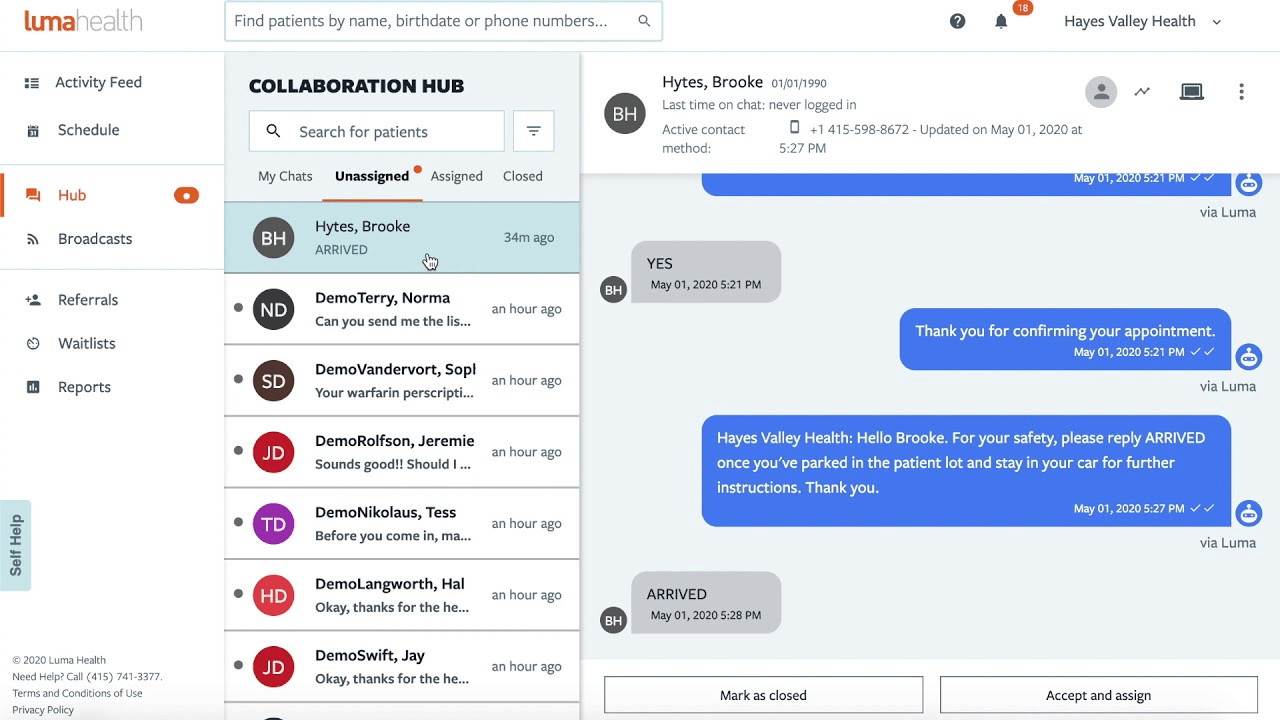
Luma Health is an AI-native patient success platform designed to streamline the end-to-end care journey. Prior to visits, patients receive mobile intake forms, upload their IDs and insurance information, and complete consents, all of which are digitally captured and synced automatically to the EHR.
Its deep EHR integrations with systems like Epic, eClinicalWorks, Athenahealth, and others power automated workflows that sync data between platforms. It also automates outreach through multilingual, two-way SMS, voice, email, and secure chat.
This way, it can handle confirmations, cancellations, rescheduling, referrals, and recalls (using NLP to understand natural responses and emojis ). The AI-powered analytics track metrics like no-show reduction, referral conversion, intake completion, revenue growth, and patient satisfaction, feeding back into smarter scheduling.
A G2 reviewer says,
I absolutely love the ease and quickness of sending secure messages to our patients with referral/appointment information. You can include every detail for them without having to play phone tag. And I can move on to the next task, but still have a conversation with the patient if necessary.
💡 Pro tip: Train staff to use patient initials and the last 4 digits of the medical record number instead of full names in chat. It’s still identifiable to your team but adds a layer of protection if screenshots are accidentally shared.
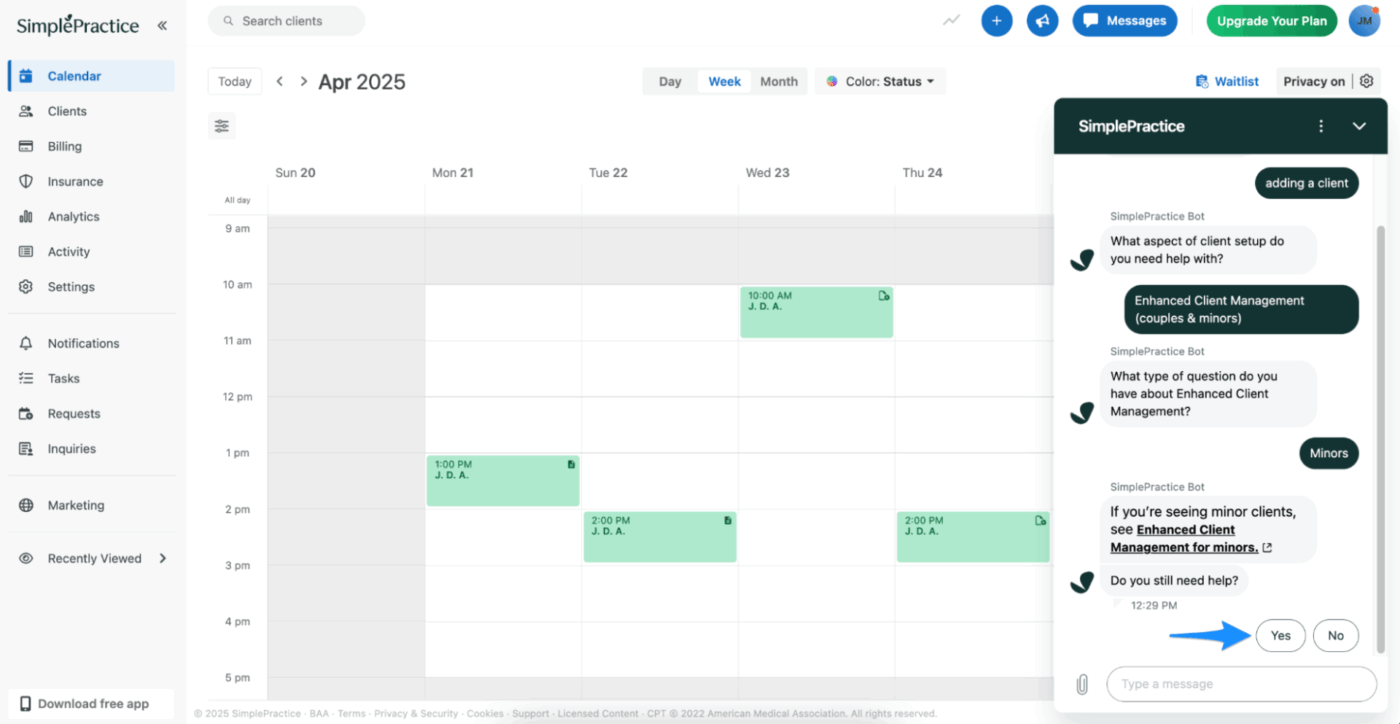
SimplePractice is a HIPAA-compliant EHR and practice management system. It is designed for a range of care providers, including therapists, speech-language pathologists, occupational therapists, and psychiatrists.
Its secure messaging feature is tightly woven into the client portal, helping therapists stay in touch between sessions without compromising privacy. What sets it apart is how seamlessly messaging integrates with other clinical tools, such as video sessions, progress notes, and appointment scheduling.
For practices offering Telehealth, SimplePractice supports secure in-session chat during live video visits. This is especially helpful for sharing links, written resources, or checking in when audio drops. You can also set availability messages, send broadcast updates to specific clients, and ensure all communication remains encrypted and documented.
A G2 reviewer says,
The available formatting for notes like ‘Wiley’ makes treatment plan creation a much easier experience than it has been for me in the past. I enjoy the layout of SimplePractice; it is very easy to navigate. Clients can contact you via messaging, and you can conduct HIPAA-approved virtual telehealth sessions.
⚡ Template archive: Free Project Communication Plan Templates: Excel, Word, & ClickUp
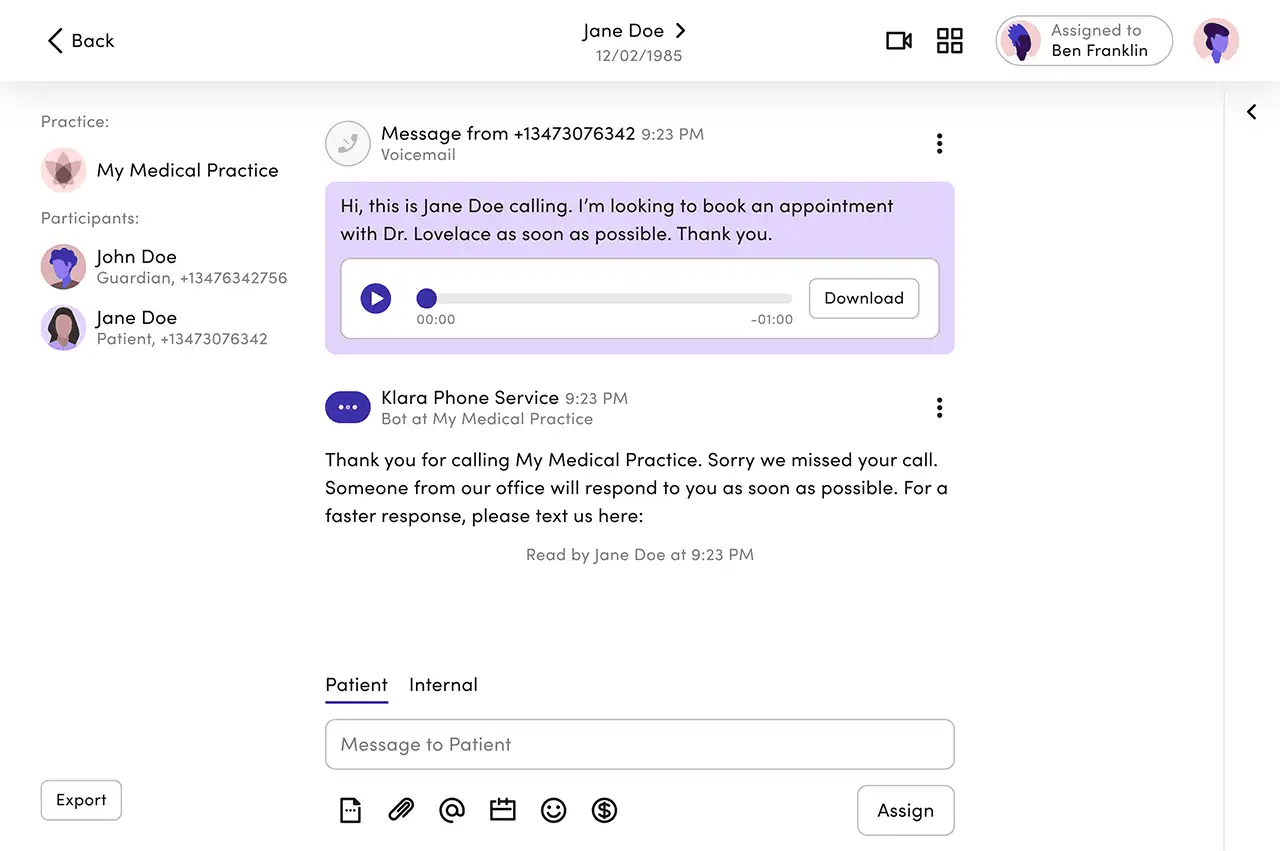
Klara is another HIPAA-compliant patient engagement platform that packs a seamless, text-like experience across all communication channels.
Whether a patient messages via SMS, website, web chat, or phone call, all communications are funneled into a single, encrypted message thread that staff can manage centrally. One of its highlights is the intelligent routing and workflow automation layer.
Klara Assistant uses AI to interpret what patients need—even from free-form messages—and automatically tags, assigns, or routes them to the correct team member (for billing, scheduling, clinical questions, etc.). That cuts triage time and reduces bottlenecks at the front desk.
Klara also handles hybrid modes of communication seamlessly. If a patient calls, they can opt to convert the call into a secure message thread.
A G2 reviewer says,
I love being able to message patients, as it can be quicker than calling. It also allows us to communicate with other staff about an individual patient in one thread so information can be referenced. I do use it every day at my work, and use it frequently as a patient. Getting started is very easy, and simple to do, both as a medical staff and a patient.
💡 Pro tip: Configure your chat to automatically replace common PHI patterns with asterisks after 24 hours. Phone numbers are replaced with “–-1234″ and dates with “//2024″, while maintaining the conversation context readability.
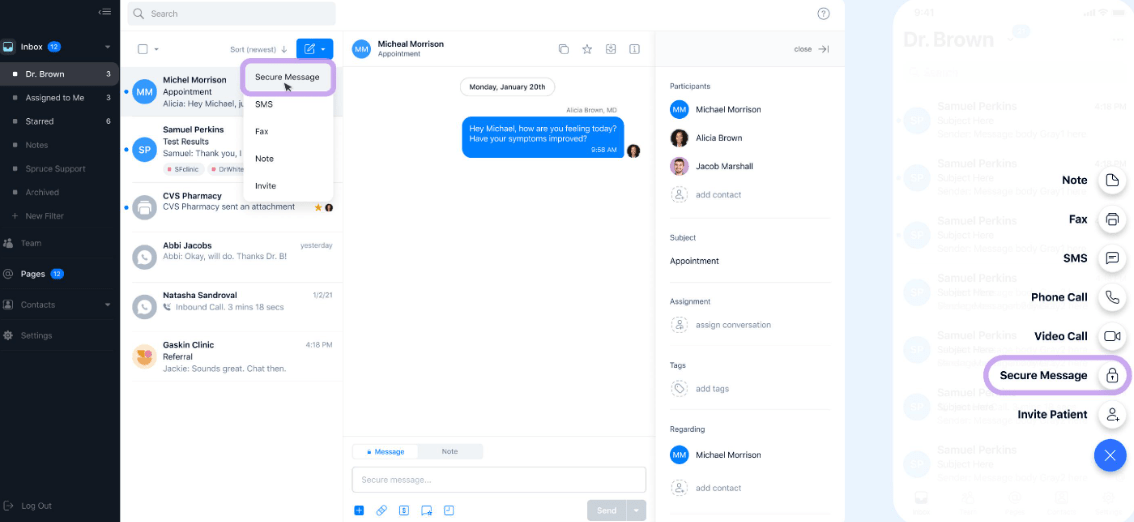
Spruce Health, another secure collaboration hub, features two-factor authentication, SOC 2 auditing, HITRUST certification, and automatic audit logging for every read, write, and view action.
With it, you can send secure two-way SMS, manage eFax, handle telehealth calls, or digitize your phone system with features like phone trees, multiple lines, voicemail transcription, and call routing.
These tools are also equipped with automation, enabling you to schedule messages, trigger auto-responses, or automate after-hours workflows with ease. Additionally, utilize custom inbox configurations, apply tags to contact panels, or assign messages to the appropriate team member or group.
Internal notes, team messaging, and @-paging ensure that conversations are coordinated and tracked, without overriding patient privacy
A G2 reviewer says,
The ease of use of Spruce, not only for myself and other providers but especially for even my most technically challenged patients, is what I love most. Having all my communications in one place keeps me organized. I love the tagging feature to assign to other providers.
👀 Did You Know? Communication failures contributed to 7,149 medical malpractice cases (30% of all claims between 2009 and 2013), leading to 1,744 deaths and costing hospitals a staggering $1.7 billion, according to CRICO Strategies.
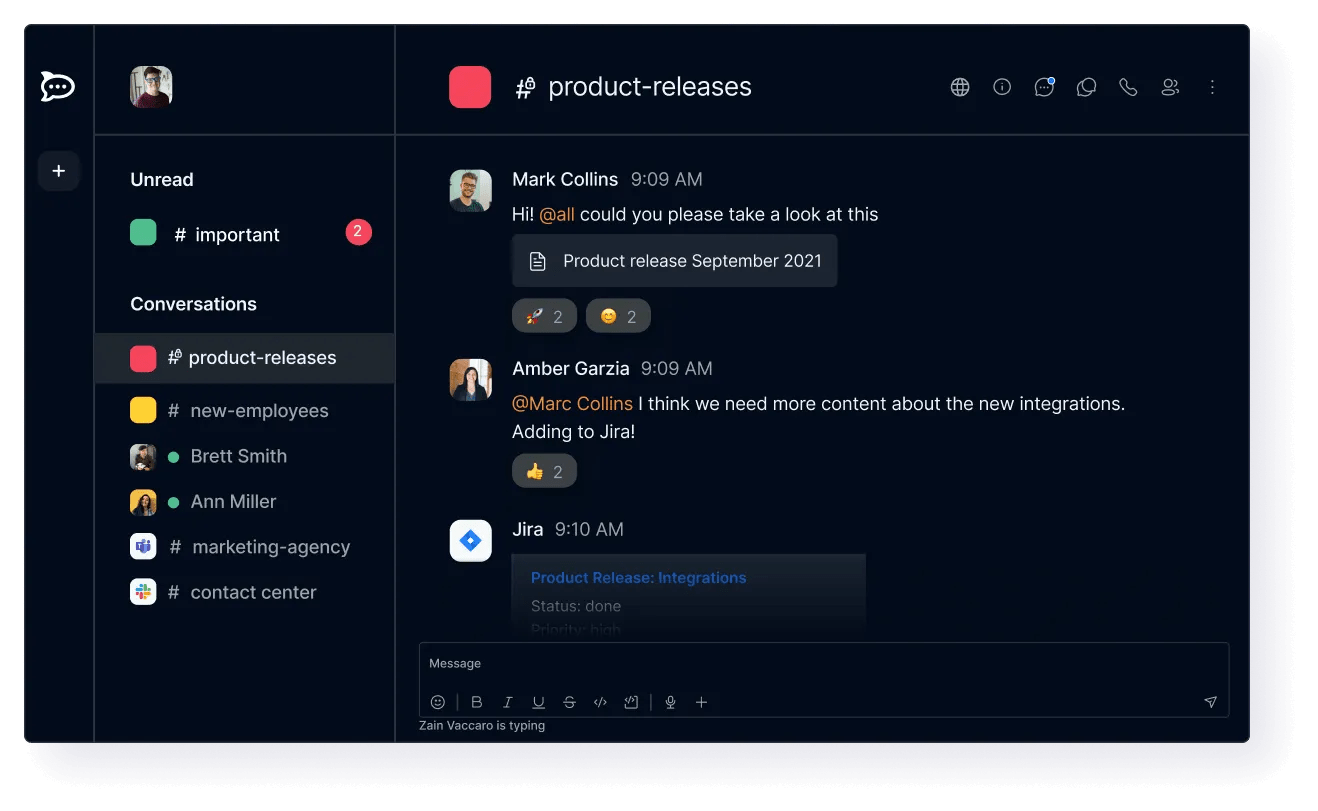
Rocket.Chat is an open-source, HIPAA-ready messaging platform. You can deploy it on-premises, in a secure cloud, or even in air-gapped environments, giving your organization full control over where data resides and who has access to it.
Additionally, it offers real-time messaging, group channels, threaded discussions, voice, and video capabilities. They all have end-to-end encryption, multi-factor authentication, and role-based permissions.
You can even customize your own phone tree or workflows through open APIs so messaging fits naturally into how your org works. It enables you to capture patient messages from various channels and trigger intelligent workflows, such as routing inquiries, broadcasting notifications, or feeding data into care platforms and CRMs.
A Capterra reviewer says,
One of the most important pros is the data protection, you know that all the info disclosed through messages is secured. It can be downloaded on different devices: Android, iOS, Windows, and Linux. The app is really easy to use, has a lot of helpful features to maintain good communication.
There’s no shortage of chat tools built for fast conversations. But when patient information, compliance, and internal coordination are all in play, the list gets a lot shorter.
Tagging from this list, some of them streamline compliance with patient texting and call routing. Others bring in AI, task management, and smart automations to the table. And then there’s ClickUp.
The one that blends real-time chat with deep operational workflows so conversations, action items, and documentation all stay knit in one place, protected by enterprise-grade security.
If you’re building a system that scales with your care delivery, ClickUp provides the space to do so. Securely. Efficiently. And without toggling multiple solutions. Sign up on ClickUp now.

© 2026 ClickUp

There’s an easier way. Try a free AI Agent in ClickUp that actually does the work for you—set up in minutes, save hours every week.