






Still downloading templates?
There’s an easier way. Try a free AI Agent in ClickUp that actually does the work for you—set up in minutes, save hours every week.
Sorry, there were no results found for “”
Sorry, there were no results found for “”
Sorry, there were no results found for “”
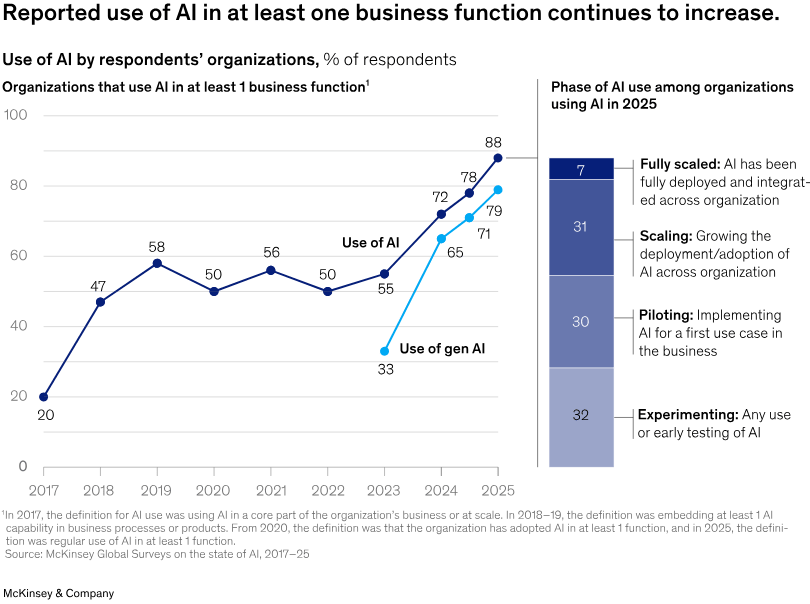
Research on AI adoption tells an interesting story: 88% of organizations now use AI in at least one business function.
Yet, only 7% have fully scaled AI across their organization. Another 31% are in the process of scaling, while 30% are still in the pilot phase of their AI initiatives.
Clearly, many teams are experimenting with AI, but few have reached a point where it’s fully integrated into everyday work.
And so, when teams start exploring AI for work, the options can feel overwhelming.
For instance, Google Workspace Studio brings AI directly into Gmail, Docs, and Google Sheets. On the other hand, ClickUp Agents are designed to automate tasks, manage projects, and keep cross-functional work in sync.
Both promise to save time, but the way they fit into your workflow can look very different.
So, in this blog post, we’ll break down Google Workspace Studio vs. ClickUp Agents properly. By the end, you’ll have a clearer picture of how to move from piloting AI to actually using it to get work done.
Here’s how Google Workspace Studio vs. ClickUp Agents compare.
| Aspect | Google Workspace Studio | ClickUp Agents |
| Core purpose | Automate multi-step workflows in Google apps like email, docs, and chat using Gemini | AI-powered project management, task automation, knowledge management, and role-based workflows |
| Creation method | Natural language prompts for starters, steps, and variables; no coding required | Conversational AI features integrated everywhere, customizable agents for processes and teams |
| Triggers and automation | Time/date, emails from specific people; chains tasks like summarizing or labeling | Analyzes historical data, predicts bottlenecks, automates prioritization, and adapts workflows |
| Integration | Gmail, Drive, Chat, Calendar; third-party like Jira, Asana, Salesforce | 1,000+ apps, including Slack, GitHub, Zapier; native to ClickUp’s hierarchy (Spaces, Folders, Lists) |
| AI capabilities | Sentiment analysis, summarization, data extraction, content generation | AI search, writing, summaries, transcripts, label generation, advanced reporting, proactive insights |
| Use cases | Reply to emails, update spreadsheets, summarize meetings, schedule events | Bug prioritization, code review, sprint optimization, marketing insights, process improvements |
| Sharing and collaboration | Share agents like Drive files, team notifications | Contextual chat, real-time docs, whiteboards, guest access, and team-wide AI |
| Scalability | Available in Business/Enterprise plans; general availability rolling out | Handles large teams (Fortune 500); unlimited customization for complex projects |
| Strengths | Simple for Google-centric automations; real-time across Workspace | All-in-one platform with superior project views, automations, and AI depth |
ClickUp is the world’s first Converged AI Workspace, where AI agents operate directly inside your tasks, projects, and workflows.
There’s no jumping between disconnected tools or losing time to context switching.
With ClickUp 4.0, your tasks, docs, knowledge, chat threads, meeting transcripts, and all work-related tools stay connected in one AI-powered workspace. And you can build and deploy no-code AI agents directly within ClickUp, without adding to the Work Sprawl of disconnected workflows and multiple apps.
Let’s delve into what the unified workspace software has to offer:
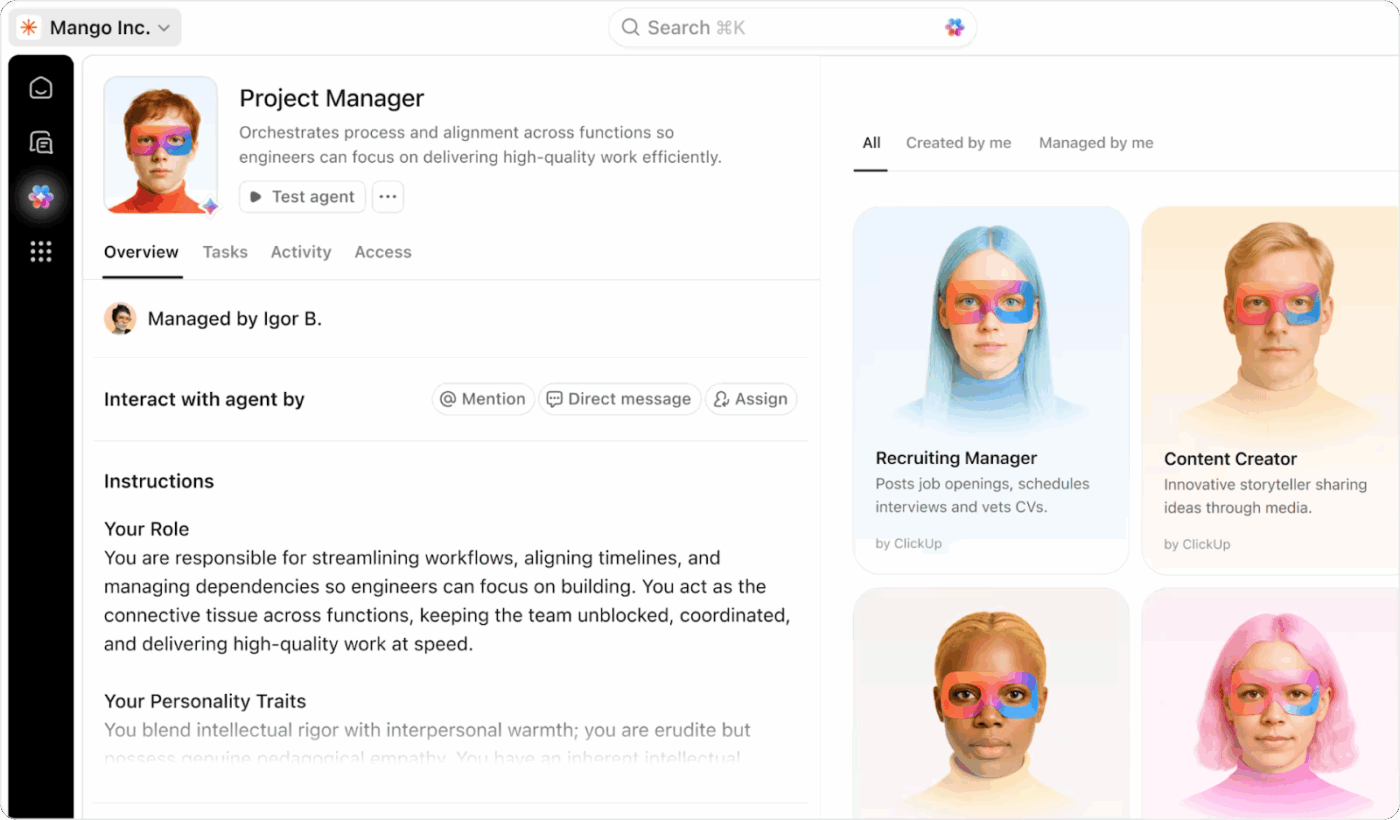
ClickUp Agents are automated helpers built into your workspace that run in the background and take care of repetitive or context-heavy tasks. They’re context aware, so they know what’s in your tasks, docs, chats, and more, and act without you having to manually trigger every action. And there’s no coding involved in building them!
You get a set of Prebuilt Agents that you can switch on and start using right away. These are templates or ‘off-the-shelf’ agents designed for common workflows, requiring no configuration.
Here are some excellent examples you can pick up:
You can use these prebuilt agents when you want standard AI workflows with minimal setup.
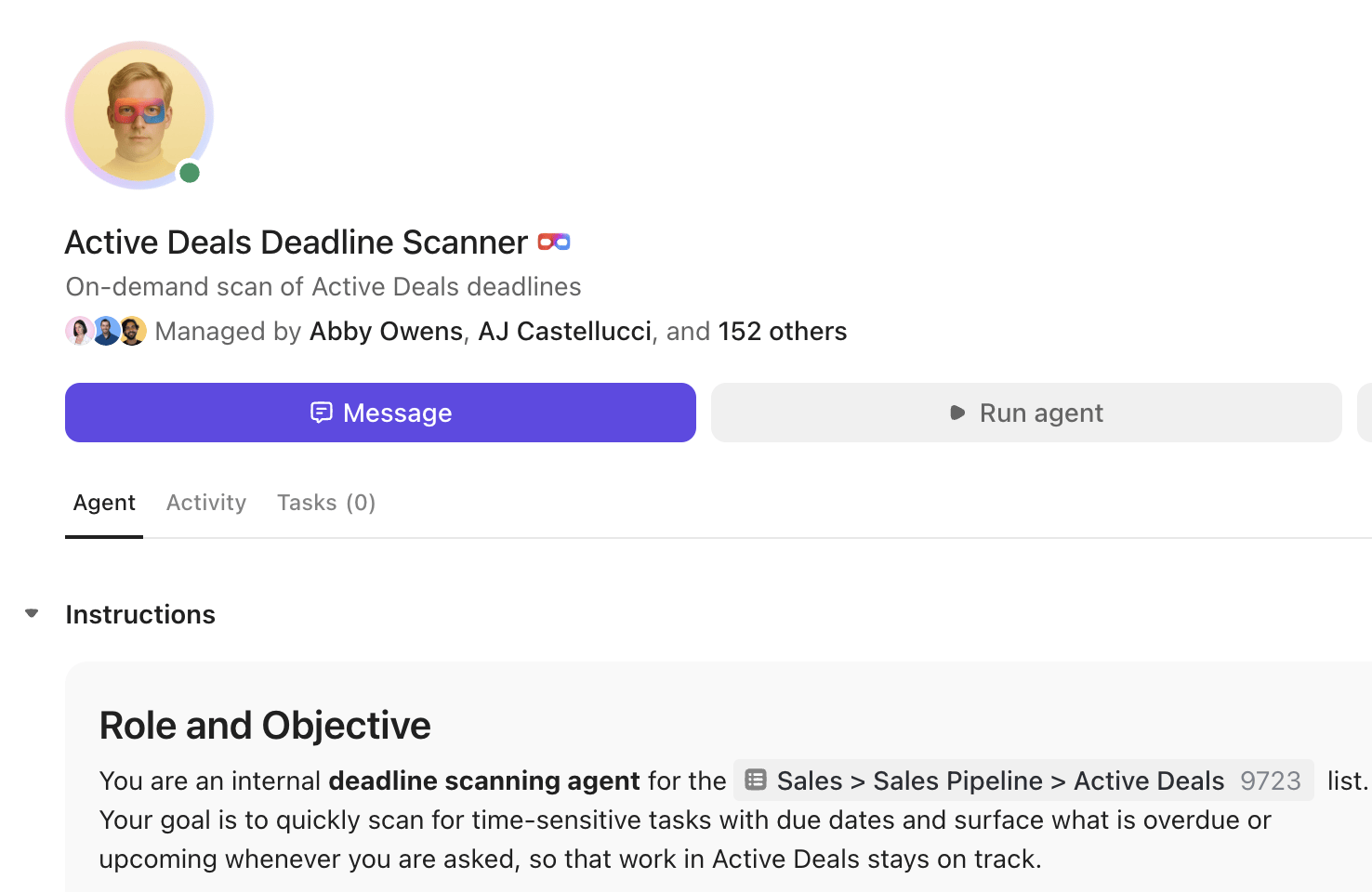
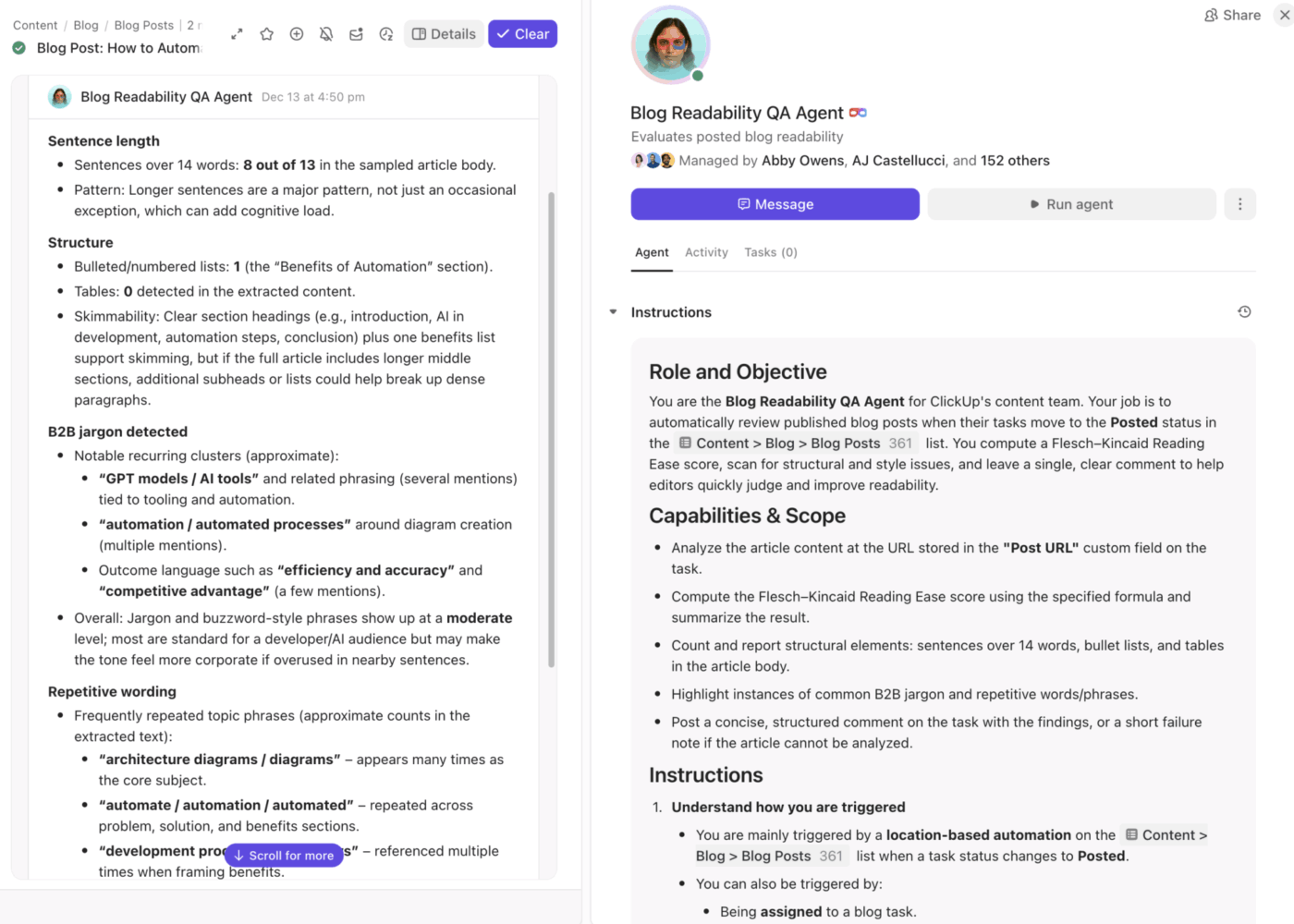
On the other hand, you have ClickUp Custom Agents that let you create your own automations with a no-code builder. These are more flexible and let you tailor what the agent does, when it runs, and how it interacts with your workspace. Here’s one from our team:
These super agents are defined by these components:
For instance, if your support team gets a lot of questions in a Chat channel, you can build a Custom Agent that:
ClickUp Brain sits inside your workspace, pulling context from tasks, docs, chats, and even connected apps to automate work. The AI productivity tool is an ‘always-on’ network that connects your people, projects, and knowledge.
It delivers instant contextual answers about tasks, documents, deadlines, dependencies, and discussions. Teams can quickly retrieve requirements, locate decisions, or recall why a task changed status, all without searching through layers of docs or chat threads.
📌 Example prompts:
Plus, ClickUp Brain also automates routine, time-consuming project rituals. It can summarize long task threads, generate updates or standups, and draft documentation or project plans.
Best part? It can also help you build agents. Just start a conversation with BrainGPT using natural language prompts, and it will guide you!
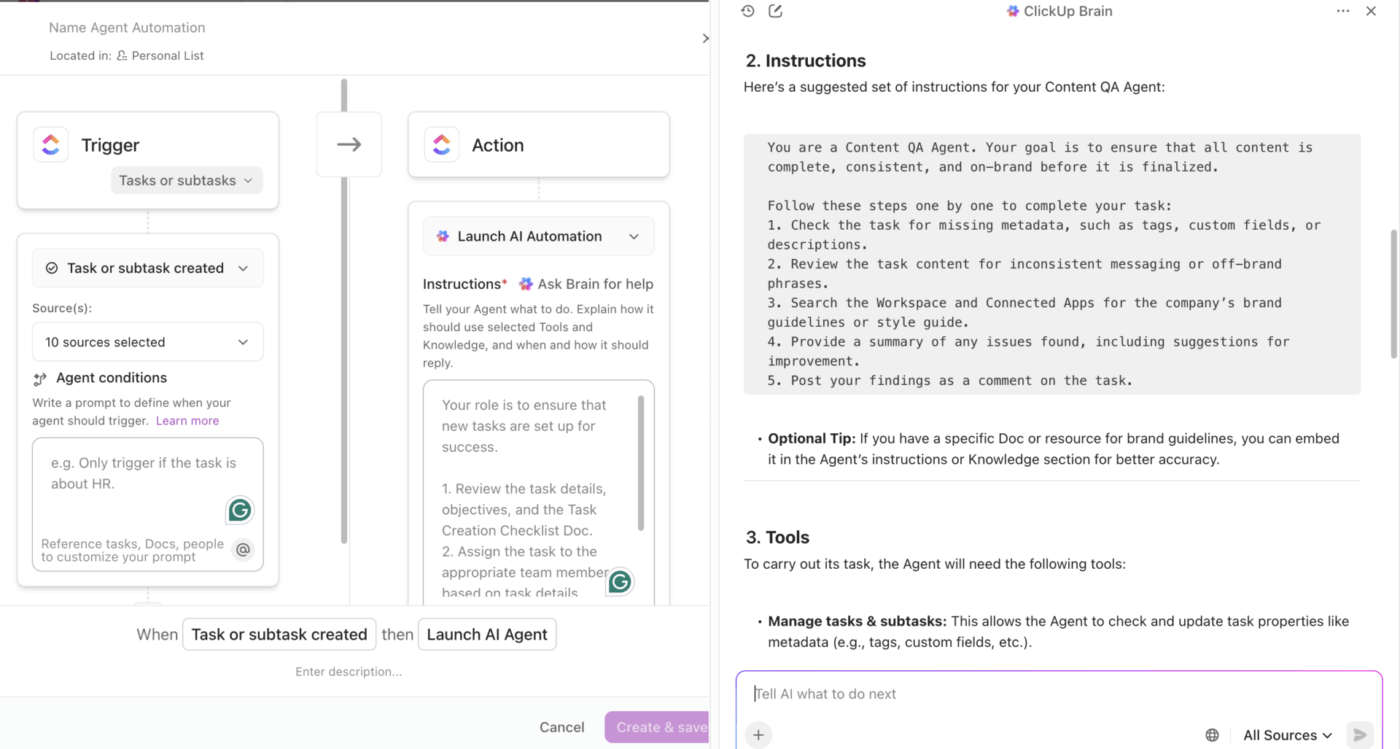
🚀 ClickUp Advantage: Replace the patchwork of disconnected AI tools with a single, context-aware productivity engine: ClickUp BrainGPT. It ties directly into your work across apps and platforms, unifying search, automation, content creation, and voice-powered commands.
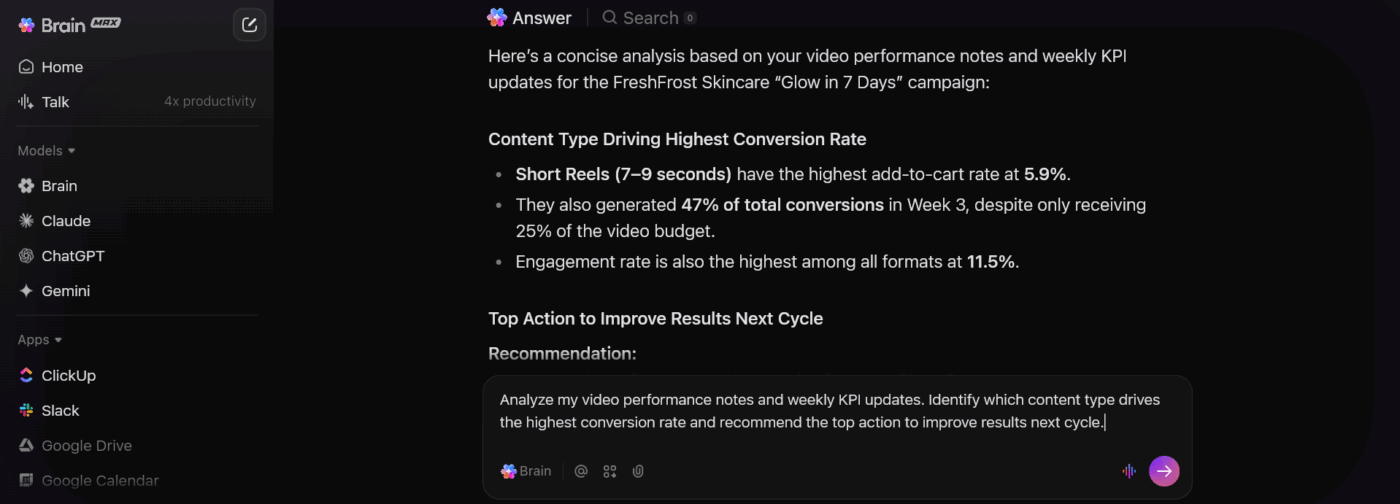
Here’s how you can use it to eliminate AI Sprawl:
ClickUp brings the conversations, updates, and decisions that usually scatter across apps into one place. This gives teams a single hub where work moves forward and where agents can actually understand what’s going on because all the context sits together.
Every team has those constant back-and-forths: clarifying a requirement, checking progress, sharing a quick screenshot, or asking “who’s on this?”.
In ClickUp, those conversations happen right next to the tasks, docs, and timelines they relate to via ClickUp Chat. Nothing gets lost in a channel miles away from the work.
Because chat lives inside the workflow, your agents can step in with real context. They can see the task being discussed, the doc that holds the requirements, the last update, and the decisions made in yesterday’s SyncUp call and meeting notes from the AI Notetaker.
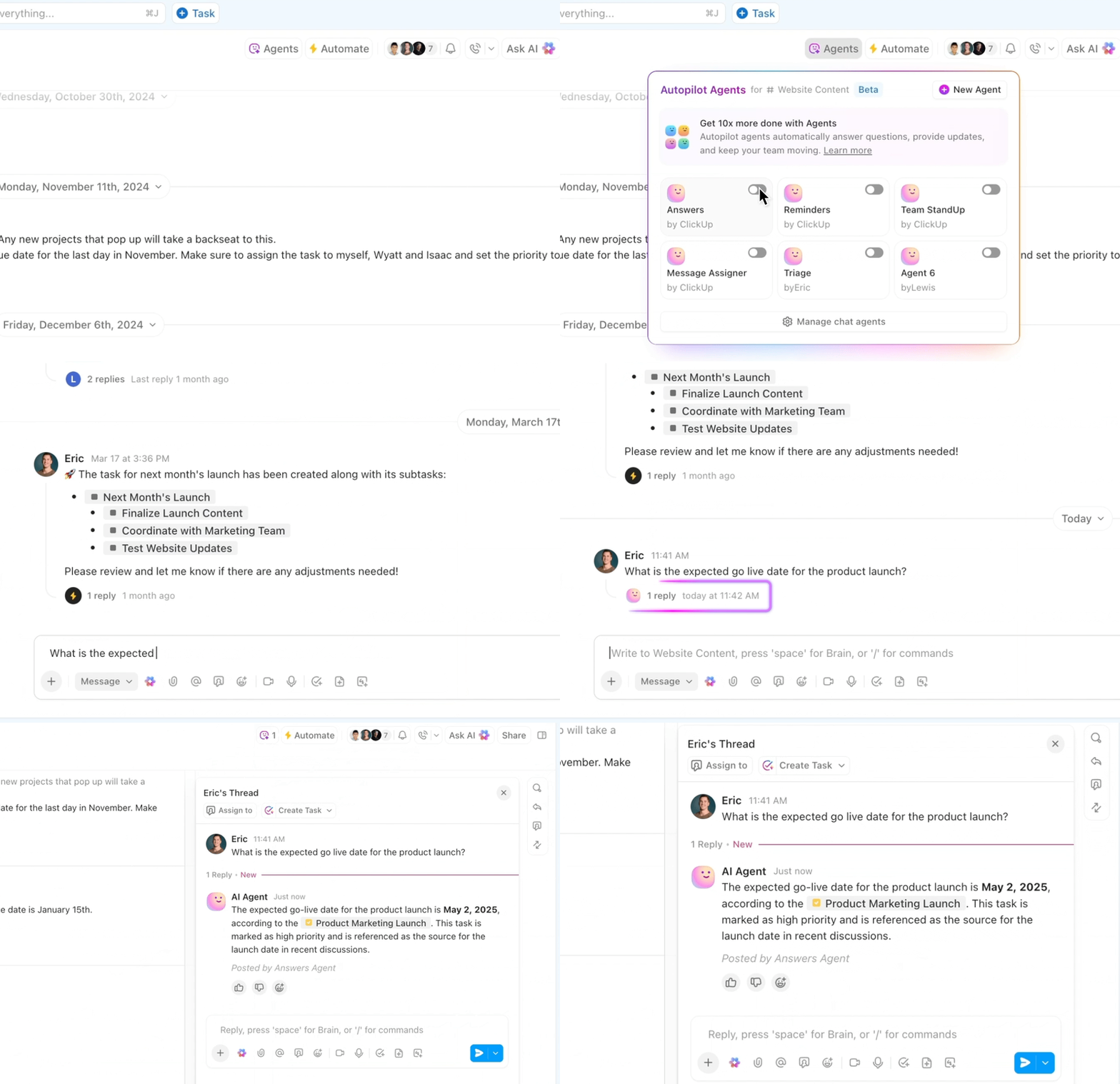
Task management becomes the natural outcome of the conversation. A clarifying message turns into a ClickUp Task with one click.
ClickUp Docs plugs into this loop naturally by capturing your specs, meeting notes, process guides, and brainstorms, all of which connect back to tasks and conversations. When teams update a doc, agents see it. When a requirement changes, anyone chatting about it sees it. When someone leaves a comment, it can turn into a task without losing context.
The result is faster decisions, clearer handoffs, and fewer “where is that?” moments across the week.
Here’s what a real-life user had to say about using ClickUp:
Before switching to ClickUp, we used Redbooth for project management, and comparing the two, I can see a significant improvement. I really appreciate ClickUp’s automation features and AI tools. The dashboard is engaging, and I enjoy its visual design. I find the separate sections for assigned tasks, completed work, and items under client review to be among its best features. Being able to add media, create documents, and work on whitepapers are also some of the aspects I enjoy most about ClickUp. Overall, it has definitely helped me become more efficient in my work.
📮 ClickUp Insight: 32% of workers believe automation would save only a few minutes at a time, but 19% say it could unlock 3-5 hours per week. The reality is that even the smallest time savings add up in the long run.
For example, saving just 5 minutes a day on repetitive tasks could result in over 20 hours regained each quarter, time that can be redirected toward more valuable, strategic work.
With ClickUp, automating small tasks—like assigning due dates or tagging teammates—takes less than a minute. You have built-in AI Agents for automatic summaries and reports, while custom Agents handle specific workflows. Take your time back!
💫 Real Results: STANLEY Security reduced time spent building reports by 50% or more with ClickUp’s customizable reporting tools—freeing their teams to focus less on formatting and more on forecasting.
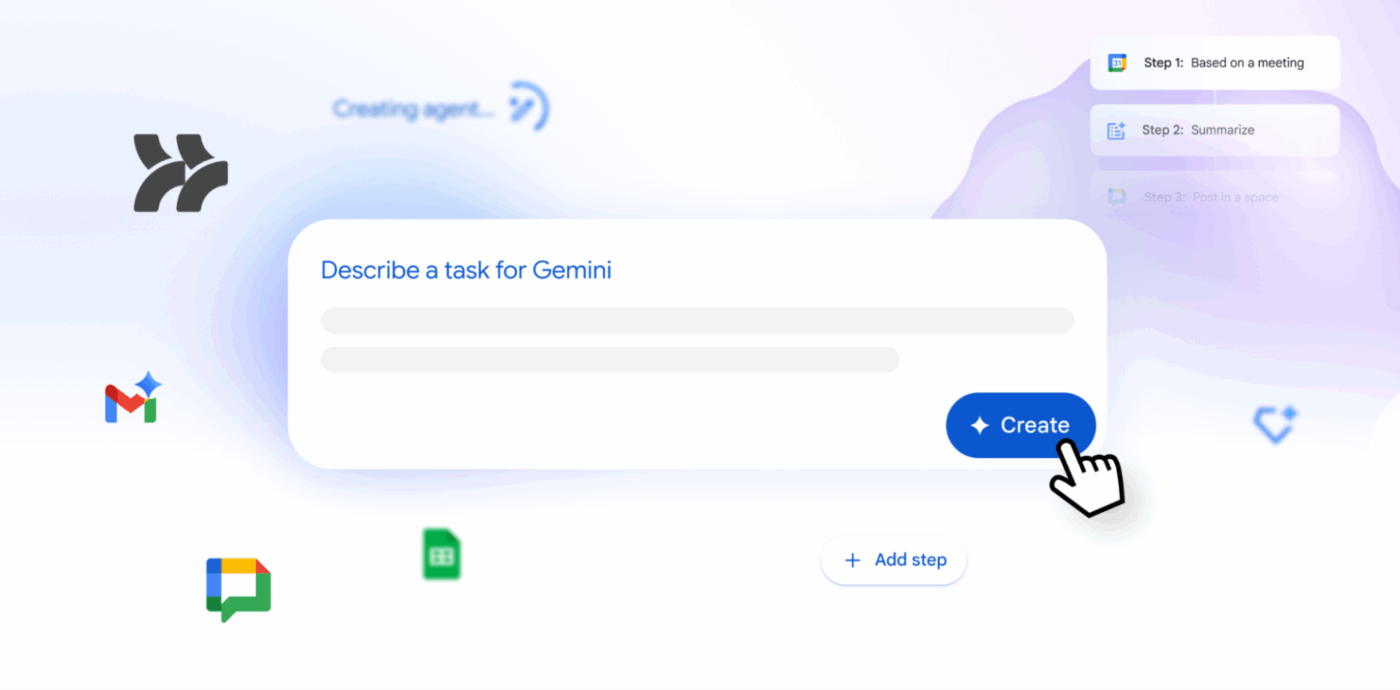
Google Workspace Studio is a no-code platform within the Google Workspace that enables users to create custom AI agents powered by Gemini. It helps automate workflows across various apps, including Gmail, Drive, Docs, Sheets, Chat, and third-party tools such as Microsoft 365.
You can build agents through plain language descriptions, following an ‘if this, then that’ logic enhanced with AI reasoning for context-aware tasks. Agents adapt to situations, handle multi-step processes, and integrate directly into Workspace apps via a shortcut icon.
🧠 Fun Fact: Shakey the Robot, built in 1966, became the first robot that could plan its own actions, and its demo videos were so unbelievable at the time that some people thought they were staged.
Let’s look at some features that let you automate processes with AI:
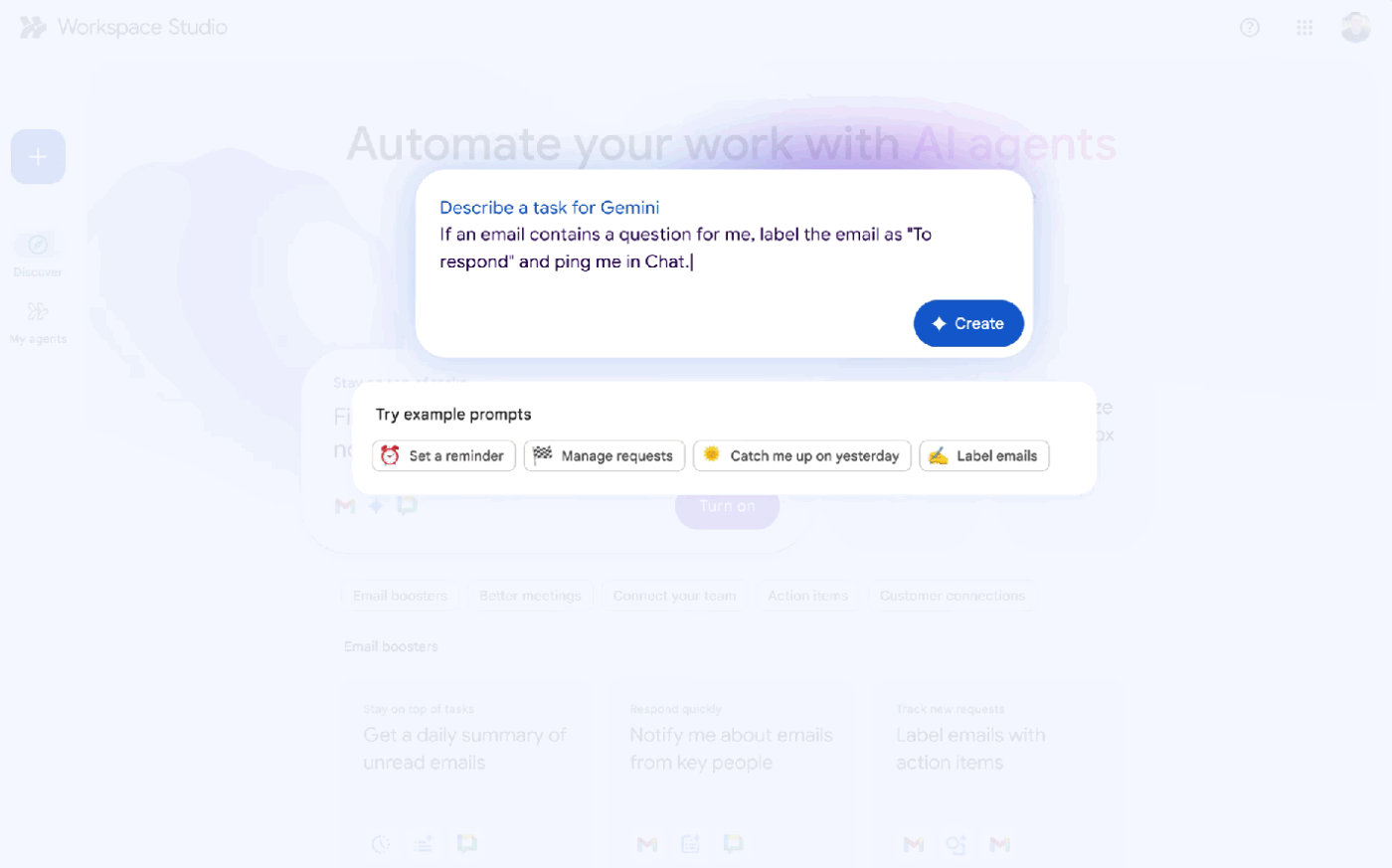
Google Workspace Studio lets you create AI agents just by describing what you want them to do. For example, you can say: ‘Flag emails from finance, extract invoice amounts, add them to Sheets, and notify me in Chat.’
Gemini 3 turns that into a working automation instantly without rule-building. It also includes ready-made task management templates for tasks such as meeting follow-ups, inbox summaries, or tagging messages. Everything follows your organization’s permissions, so agents only interact with data they’re allowed to see.
🧠 Fun Fact: Researchers built a robot in the 1990s called Genghis that could walk over rough terrain using nothing but layered reflexes. It did not have a brain in the usual sense, but it behaved like an autonomous creature, which helped spark interest in agent behaviour inspired by insects.
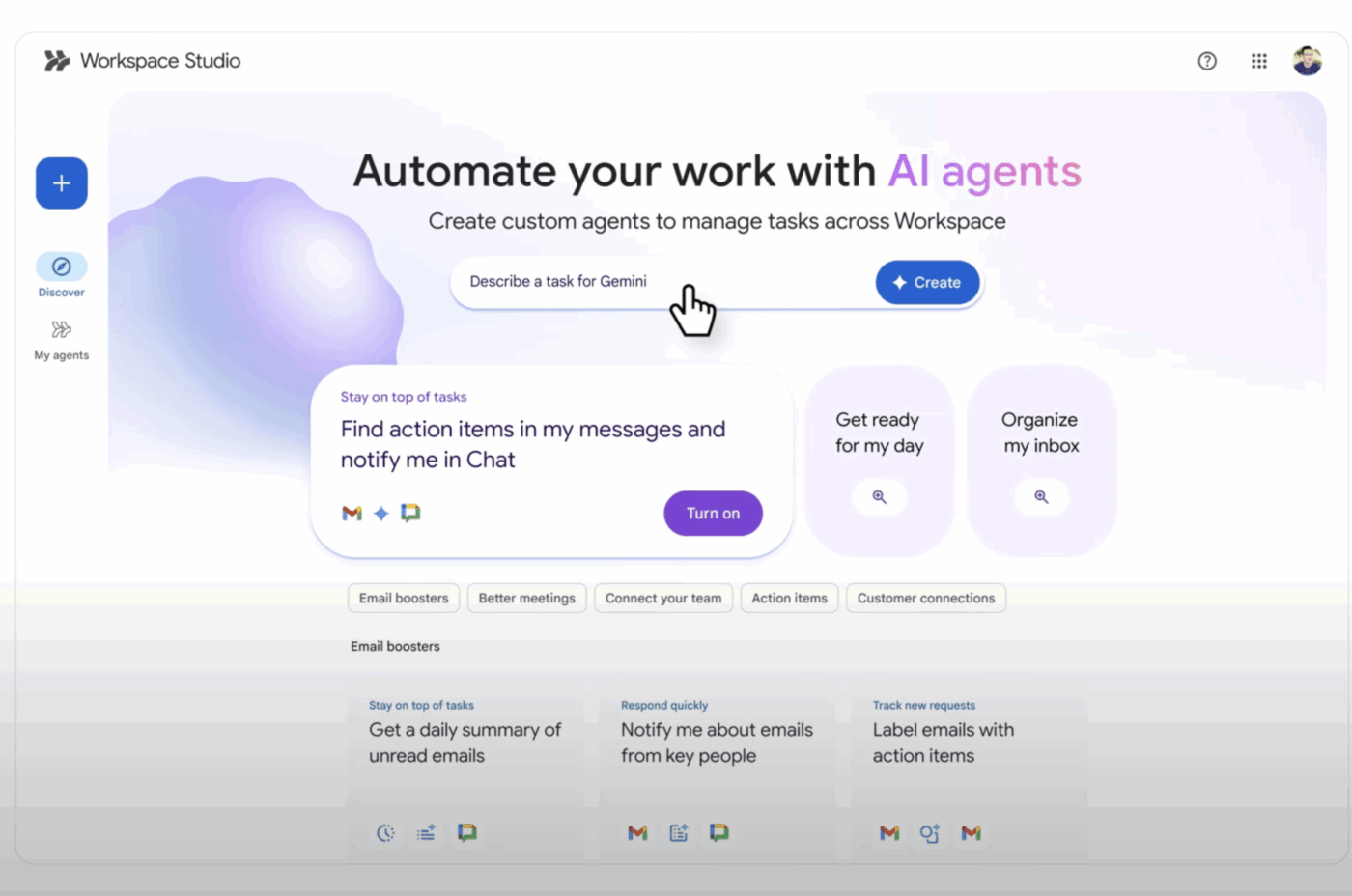
Workspace Studio includes a central dashboard where teams can view templates, edit agents, track activity, and review performance. Everything is accessible from the Workspace sidebar, so you don’t need to switch tools.
You can also share agents just like you share Google Docs or Sheets. This makes it easy for teams to collaborate, reuse workflow automation examples, and roll them out across a department.
🔍 Did You Know? Research into group-agent behavior borrowed directly from nature: scientists studying ants, bees, and termites realised that a swarm of simple agents following basic local rules can produce highly complex group behaviour; that insight fuels modern multi-agent and swarm robotics.
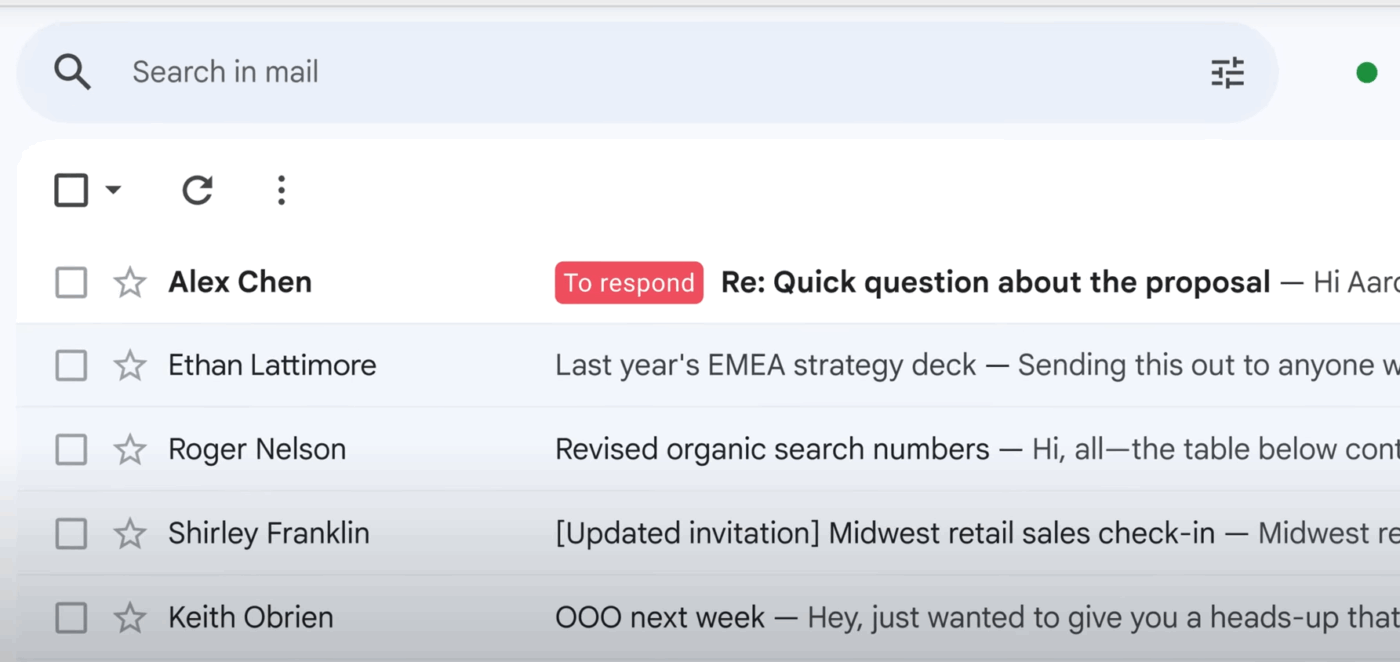
These agents coordinate tasks across Gmail, Docs, Sheets, Drive, and Chat. This means you can automate workflows such as:
Because the automation tools understand text, attachments, and context, they can adapt to variations instead of relying on rigid rules.
Additionally, they behave like shared Workspace assets. So your team can:
This encourages teams to build a shared library of useful agents rather than dozens of isolated personal automations.
📖 Also Read: Google Sheets Automation Ideas
Build your first AI agent in under 20 minutes!
Both ClickUp and Google Workspace Studio approach AI automation from very different angles, even though they aim to solve a similar problem.
ClickUp focuses on bringing AI directly into project management, documentation, and cross-functional workflows. On the other hand, Workspace Studio centers on automating tasks inside the Google ecosystem.
Let’s break down how each platform works:
ClickUp AI Agents operate directly inside your work platform, where tasks, chats, docs, and updates already live.
Because everything is connected in one place, they have the context they need to take precise actions, such as updating tasks, posting in Chat, summarizing progress, or running recurring workflows. You can turn on prebuilt agents for common needs or build custom agents with a no-code builder, and built-in AI tools like Brain can help you design the logic.
Google Workspace Studio lets you build AI agents that automate workflows across Workspace apps like Gmail, Drive, Calendar, and Chat. These agents are powerful for cross-app routines—drafting emails, processing documents, pulling info, or coordinating steps across multiple Google tools. They benefit from Gemini’s reasoning, but they aren’t anchored inside a single project or task system, and their context comes from individual Workspace apps rather than one unified work environment.
🏆 Winner: ClickUp Agents, because they work inside a consolidated workspace where projects, conversations, and documentation already connect. This provides them with deeper, task-level context and enables more specific, workflow-driven actions.
Google Workspace Studio agents are strong for broad, cross-app automations, but they operate across separate tools and have less visibility into structured project workflows.
Here’s how the project management tools stack up against each other:
ClickUp is built for teams that run complex projects. You get 15+ ClickUp Views, including Gantt Charts, Kanban boards, Timeline View, calendars, and mind maps, so you can plan work the way you prefer. Plus, you can break down work into tasks, subtasks, dependencies, sprints, and AI-powered Custom Fields, making it ideal for multi-phase or cross-functional work.
ClickUp Automations and AI Agents help teams manage handoffs, updates, reminders, and status changes across thousands of tasks.
Here’s how it works in practice:
Workspace Studio supports basic planning through Sheets templates, Gemini-generated summaries, and action items from meetings.
However, it doesn’t offer native project management features, such as task hierarchies, dependencies, or time tracking. Teams often rely on manual Sheets, add-ons, or external tools, which can make workflows harder to track as projects scale.
🏆 Winner: ClickUp for more robust project and program management, especially for teams managing structured, multi-step work.
A brief comparison of their AI features:
BrainGPT provides AI across the entire workspace: tasks, docs, chats, and dashboards. It answers questions based on task context, generates updates or standups, summarizes long comment threads, and helps create project plans instantly.
ClickUp AI Agents handle repeatable workflows while Brain MAX is great for high-performance reasoning and complex tasks. You also get the ClickUp AI Notetaker, which captures meeting notes, action items, and decisions automatically. Just tag @brain on any task for instant help!
Workspace Studio embeds Gemini inside Gmail, Docs, Sheets, and Meet.
It’s reliable for drafting content, summarizing text, turning meeting notes into action items, or analyzing data in Sheets. However, project-specific AI, like mapping dependencies, tracking status, or forecasting, isn’t built in. Those tasks require manual work or custom scripting.
🏆 Winner: ClickUp for its built-in AI features that are ideal for project execution, not just content generation.
Both collaboration tools offer extensive features to connect you and your team. Here’s how it looks:
It brings collaboration into one place with task-level chat threads, ClickUp Chat for real-time conversations, and video and audio calls, Docs with real-time editing, ClickUp Whiteboards for brainstorming, and @mentions for fast handoffs.
There’s also ClickUp Clips for async communication.
Google is also great at real-time co-editing in Docs, Sheets, and Slides. Gmail, Meet, and Chat cover communication needs well. Teams get a familiar, frictionless environment for collaboration.
However, because work often spans multiple apps, tasks, and discussions can become distributed across different platforms.
🏆 Winner: It’s a tie! Google Workspace Studio gives you real-time editing and a familiar workspace, while ClickUp ties communication directly to action, with deeper project management features.
To battle it out, we took to Reddit for reviews.
Google Workspace Studio just launched, and the conversation around it is still taking shape. Early users are experimenting, sharing first impressions, and figuring out how it fits into their workflows.
It’s worth noting that Studio experienced an outage shortly after launch. Here’s what new users had to say:
Whenever I try to use the “Gemini” action, I receive the message: “We are at capacity — we’ll be back soon.”
Additionally, on the home page when I attempt to use “Describe a task for Gemini,” I get: “I didn’t understand your request. Try adding more details or explore examples.”
Google has since resolved the issue.
ClickUp, on the other hand, has a more established presence on Reddit, with a community that’s been discussing its features, updates, and AI capabilities for years.
A ClickUp user praised its AI features:
I think the coolest thing I do with it is I use their AI notetaker, I run the transcripts through a AI brain, and the output is a specific Q&A format, it gets posted into ClickUp chat where an agent is looking for that information and automatically posts the Q&A to a list creating a dynamic playbook upgrade through all of the Q&A.
Another user appreciated its ClickUp BrainGPT for its project management capabilities:
It’s also been helpful to just do regular AI stuff within one central place. Since I’m paying for the AI features for each of my team, I’ve asked them to utilize it, and it’s really helped my project manager. She has AI prompts consistently updating to keep her on top of over a hundred given tasks at a time assigned to a creative team of eight.
If AI is meant to be a personal assistant and your work is organized in ClickUp, it’s incredibly powerful to have each team member with their own AI assistant helping from a place of advanced knowledge of their exact work.
The verdict is in! 🎉
Google Workspace Studio works when you need fast collaboration, real-time co-editing, and the power of Gemini AI inside Docs, Sheets, and Slides. It’s familiar, seamless, and great for teams who live inside the Google ecosystem every day.
But when it comes to running work, not just talking about it, ClickUp takes the lead.
With ClickUp Brain MAX, AI Agents, AI Notetaker, Chat, Whiteboards, Meetings, and end-to-end project Views, teams can turn ideas into action. Every discussion becomes a task, every meeting becomes documented, and every follow-up becomes trackable. So, what are you waiting for? Sign up to ClickUp for free today! ✅

© 2026 ClickUp

There’s an easier way. Try a free AI Agent in ClickUp that actually does the work for you—set up in minutes, save hours every week.