







Still downloading templates?
There’s an easier way. Try a free AI Agent in ClickUp that actually does the work for you—set up in minutes, save hours every week.
Sorry, there were no results found for “”
Sorry, there were no results found for “”
Sorry, there were no results found for “”
Every event today runs on data. From registration forms to badge scans, attendee information moves through dozens of systems in real time.
That also makes events a growing target for crime. Cybercrime is expected to have cost organizations over $10 trillion in 2025, and event platforms sit squarely in the crosshairs.
For organizers, this isn’t a theoretical risk. A single weak link can expose attendee data, damage trust, and trigger compliance issues overnight.
But the technology of the decade (or century?) can help solve this, too. Yes, we’re talking about AI. 🤖
This guide breaks down what event data security really means, why it matters now, and how AI event tools (like ClickUp) help teams protect attendee data without slowing down operations or the event experience.
Event data security is about protecting the information collected before, during, and after an event. That includes who can access it, how it is stored, and how it moves between systems.
At a basic level, it means making sure sensitive data is only seen and used by the right people, for the right reasons, and for a defined period of time. It also means preventing data from being altered, leaked, or misused.
Strong event data security usually includes:
Done well, security becomes part of the event workflow itself—not something you scramble to fix after an incident.
Event data is more valuable than many teams realize. It combines personal identity, professional context, and real-world behavior. That makes it attractive to attackers.
👀 Did You Know? In recent years, even large, well-known events, such as the Venice Film Festival, have reported attendee data being accessed without authorization, including names, emails, and phone numbers.
At the same time, the global cost of cybercrime continues to rise each year, driven largely by data theft and misuse.
When event data is exposed, the impact is immediate and long-lasting:
Most events handle more sensitive data than they expect, including:
👉🏼 Each data type carries its own security risk. Together, they form a complete picture of an attendee. That’s why security event management needs to be treated as a core operational responsibility.
📚 Also Read: Event Project Management
Event data travels through many systems and hands before, during, and after an event. That creates multiple opportunities for things to go wrong:
If systems don’t limit who can see or change data, it’s easy for someone with full access to expose sensitive information accidentally or on purpose. Weak password policies, shared accounts, and a lack of multi-factor authentication make this worse.
Events rely on several tools—ticketing platforms, CRM systems, mobile apps, payment gateways, and analytics dashboards. If any one tool is unsecured or misconfigured, it can act as a backdoor into attendee data. Poor API security is a common culprit behind data breaches.
Not all threats come from outside. People on the event team or vendor side may accidentally leak data through careless handling or phishing scams. Teams are often not trained well enough to spot threats.
Many events depend on vendors for registration, networking apps, or livestream platforms. If those vendors aren’t secure, event data can leak through them. This may happen even if the core event platform is safe.
Older systems or poorly configured servers are easier for attackers to exploit. Simple mistakes—open databases, exposed admin panels, expired certificates—are surprisingly common and very risky.
📚 Also Read: How to Use AI for Event Planning
AI is not magic, but it does strengthen defenses in ways that traditional tools struggle with. Here are some practical ways in which AI is already helping protect event data:
AI’s biggest strength in security is its ability to spot unusual patterns in data and behavior quickly. Traditional systems look for known threats. AI looks for anything that doesn’t fit the normal pattern—even novel attacks.
📌 For example, AI-driven systems like behavior-based anomaly detection monitor login attempts and network traffic continuously. When something looks out of place—like a sudden spike in failed logins or unusual access from a new region—AI flags it instantly for review. This reduces the time attackers have inside your systems and stops breaches early.
AI can trigger automatic responses when it detects a threat. That might include isolating an affected system, forcing password resets, or blocking suspicious traffic. This shortens response time—often before a human can even click a mouse.
At some events—especially large ones—AI is already used to strengthen identity checks in ways that support data security, too. For instance, AI-powered facial recognition can help verify that the person accessing sensitive attendee systems is actually who they claim to be, reducing the risk of stolen credentials gaining entry.
In a nutshell, AI is great at spotting patterns and anomalies in real time. This lets it catch threats that slip past rule-based systems.
At the 2025 Maha Kumbh Mela, one of the world’s largest gatherings (hundreds of millions of attendees gathering over weeks), authorities used AI-driven crowd monitoring to protect attendees.
AI analyzed live CCTV feeds from thousands of cameras to detect dangerous crowd surges, fires, and movements that could lead to stampedes. When risks were detected, real-time alerts went to security teams on the ground.
The same AI was also used to reunite family members separated in the crowds via facial recognition. This system reduced incident response times dramatically in a setting where human monitoring alone would be impossible.
Other major events, from sports championships to entertainment concerts, use facial recognition to enhance security screening.
In 2024, the NFL rolled out facial recognition across all 32 team stadiums to verify the identity of staff, vendors, media, officials, and security personnel before granting access to restricted areas inside each venue.
While not perfect, these systems demonstrate the security value of AI-assisted identity checks at scale.
If you run events today, data protection laws are no longer optional. They shape how you collect, use, and store attendee data from day one.
For events with European attendees, the General Data Protection Regulation (GDPR) sets the bar. It requires a clear legal basis for collecting personal data. Data users need explicit consent in many cases. And there are strong rights for individuals, including access, correction, and deletion of their data. Fines for non-compliance can reach up to 4% of global annual revenue, which is why even non-EU events often follow GDPR standards.
In the United States, the California Consumer Privacy Act (CCPA) and its expansion, the California Privacy Rights Act (CPRA), give California residents the right to know what personal data is collected, how it’s shared, and to opt out of data selling or sharing. Other regions, including the UK, Canada, and parts of the Asia-Pacific, have similar privacy laws with local nuances.
🤝 Friendly Reminder: Beyond legal compliance, event teams also need to think about ethical AI use. If AI is used for analytics, monitoring, or personalization, it should be fair, explainable, and free from hidden bias. Attendees should know when AI is involved.
Good compliance starts with simple principles: collect only what you need, use it only for specified purposes, get clear consent, and delete data when it’s no longer required.
When it comes to securing event data, teams today don’t have to rely on manual checks or reactive defenses alone. A new generation of AI tools helps detect threats early.
AI tools that reduce human workloads and enforce security at scale include:
These AI tools are great for network- and system-level security. But event teams also need tools that help secure the work itself. That’s where ClickUp comes in.
📮ClickUp Insight: 13% of our survey respondents want to use AI to make difficult decisions and solve complex problems. However, only 28% say they use AI regularly at work.
A possible reason: Security concerns! Users may not want to share sensitive decision-making data with an external AI. ClickUp solves this by bringing AI-powered problem-solving right to your secure Workspace.
From SOC 2 to ISO standards, ClickUp is compliant with the highest data security standards and helps you securely use generative AI technology across your workspace.
Event teams use ClickUp as more than a project management tool. It’s the world’s first Converged AI Workspace that unifies planning, execution, security information controls, and auditability in one place.
For event professionals, this means you can manage complex event workflows and maintain tight data governance without switching between tools.
Here’s how ClickUp supports data security:
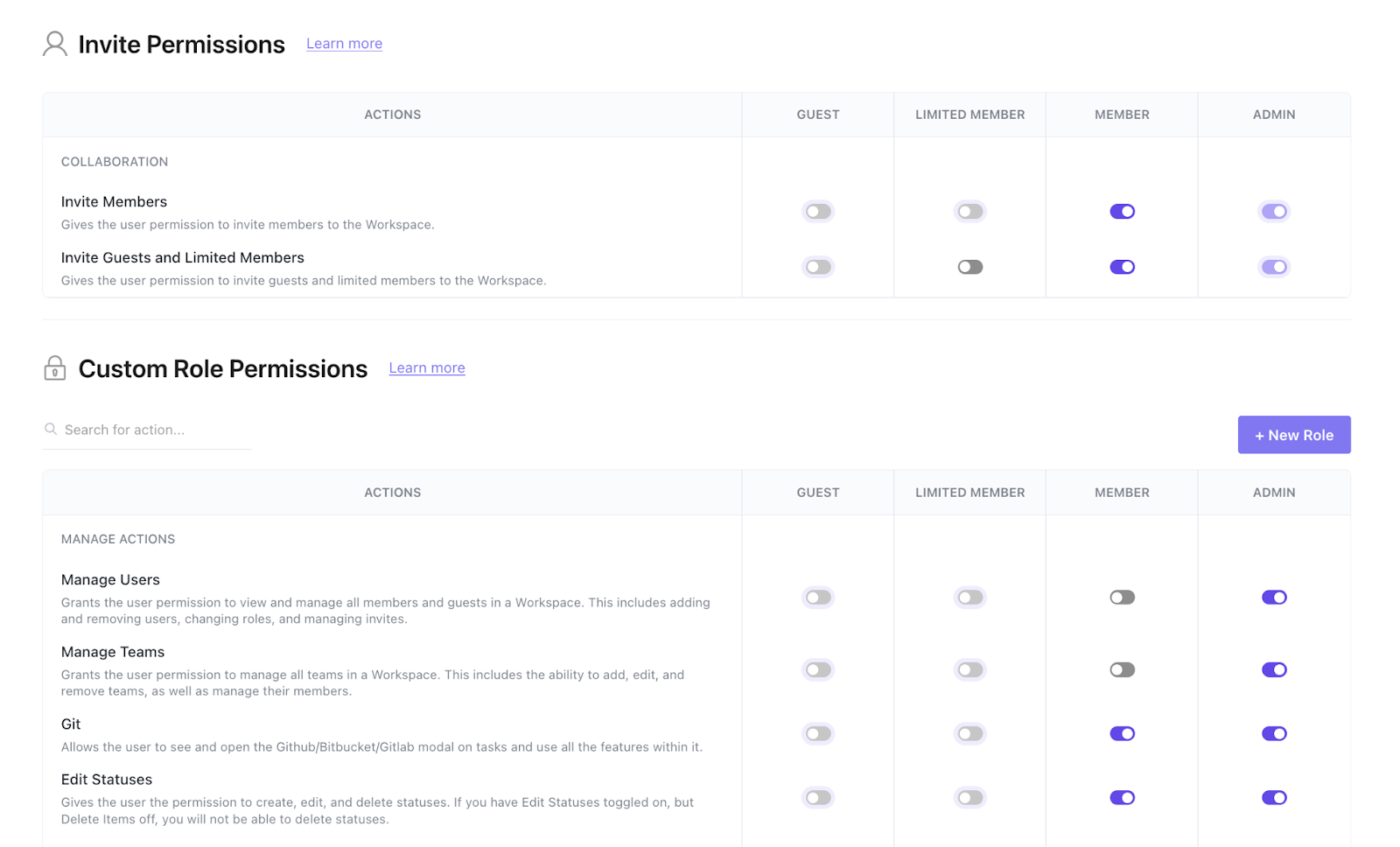
At the heart of event data security is the question of who can see the data and change it. ClickUp uses role-based access control (RBAC) to manage permissions at every level—Workspace, Folder, List, Task, or Doc. You can grant someone view-only access to event plans, give others editing rights, and restrict sensitive areas to admins.
This matters because attendee data—whether stored in Docs, Forms, or Tasks—must only be accessible to the right people. RBAC lets you limit exposure while still enabling collaboration.
You can also implement advanced workspace permissions. They let owners and admins make new Spaces private, block public sharing, and control Custom Fields and attachments within ClickUp.
All user actions are tracked through audit logs, which record who did what and when. These logs are visible to admins and can help demonstrate compliance or investigate incidents.
Whether you’re capturing registration details, speaker agreements, or sponsorship contracts, ClickUp Docs and Forms give you a central place to collect and store data securely.
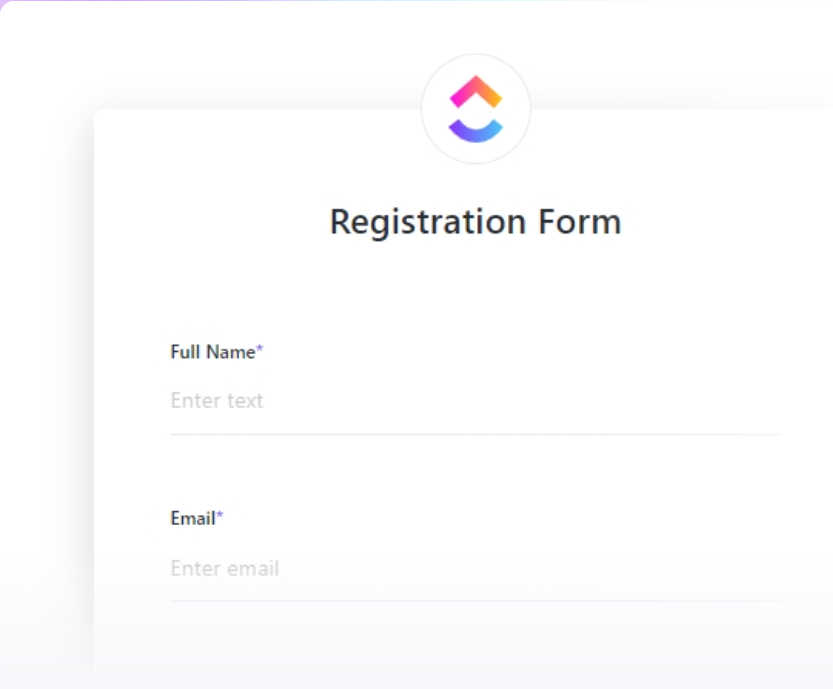
You can configure ClickUp Forms to capture only the fields you need. You can control who fills the form via private and public sharing options. And you can also restrict who can view responses (each Form response is added as a ClickUp Task in your specified List, with dedicated List access permissions in place).

If you want to securely draft, edit, and collaborate on event policies or data-handling SOPs, use ClickUp Docs. They not only come with granular sharing controls but also enable rich-text formatting, commenting, and live collaboration. They even link directly to event-specific ClickUp Tasks to keep context centralized.

Because everything lives in one workspace, you avoid context switching and reduce the surface area where leaks or misconfigurations can happen.
What if you could build automated security checks into your event planning workflows?
Even better, what if you could still put a human in the loop where it mattered?
You can do that with ClickUp Automations.
📌 For example, when a registration Form is submitted, ClickUp Automations can:
This keeps sensitive attendee data out of public channels while ensuring it’s reviewed quickly by the right humans.
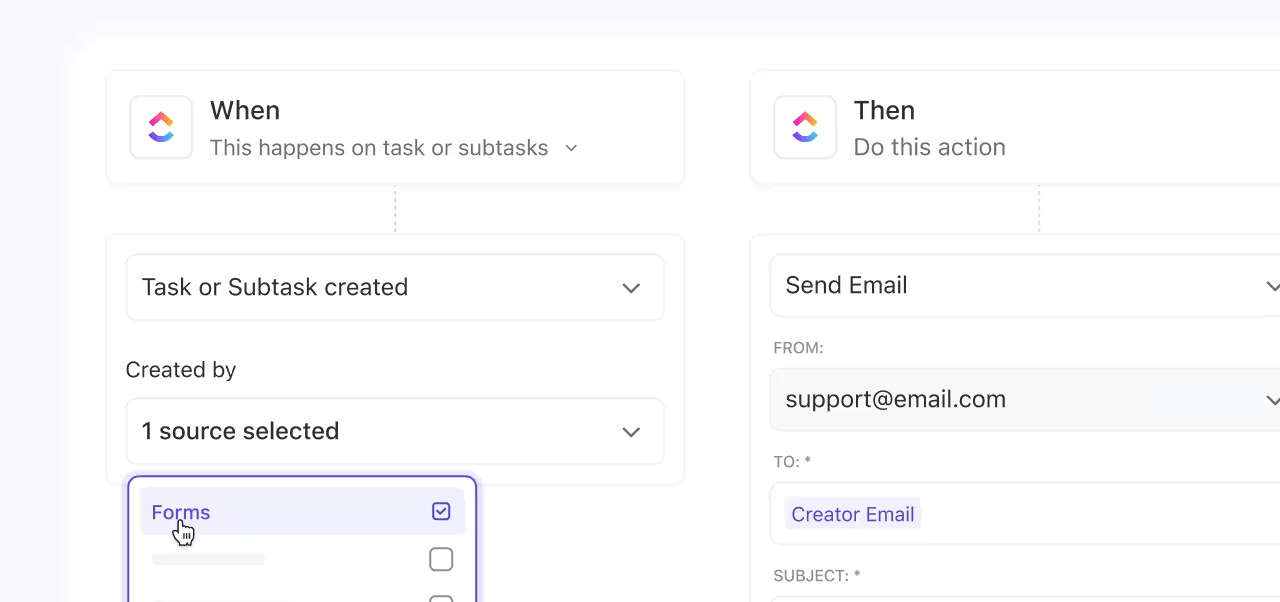
As your event moves forward, Automations can trigger review and sign-off steps. When a task status changes to something like Registration Closed, ClickUp can automatically:
After the event, Automations can help with cleanup. When a project reaches the Event Complete status, ClickUp can create follow-up tasks for data retention checks, attendee list archiving, or deletion reviews.
These automations enforce consistency at scale, so you don’t have to rely on memory or manual reviews.
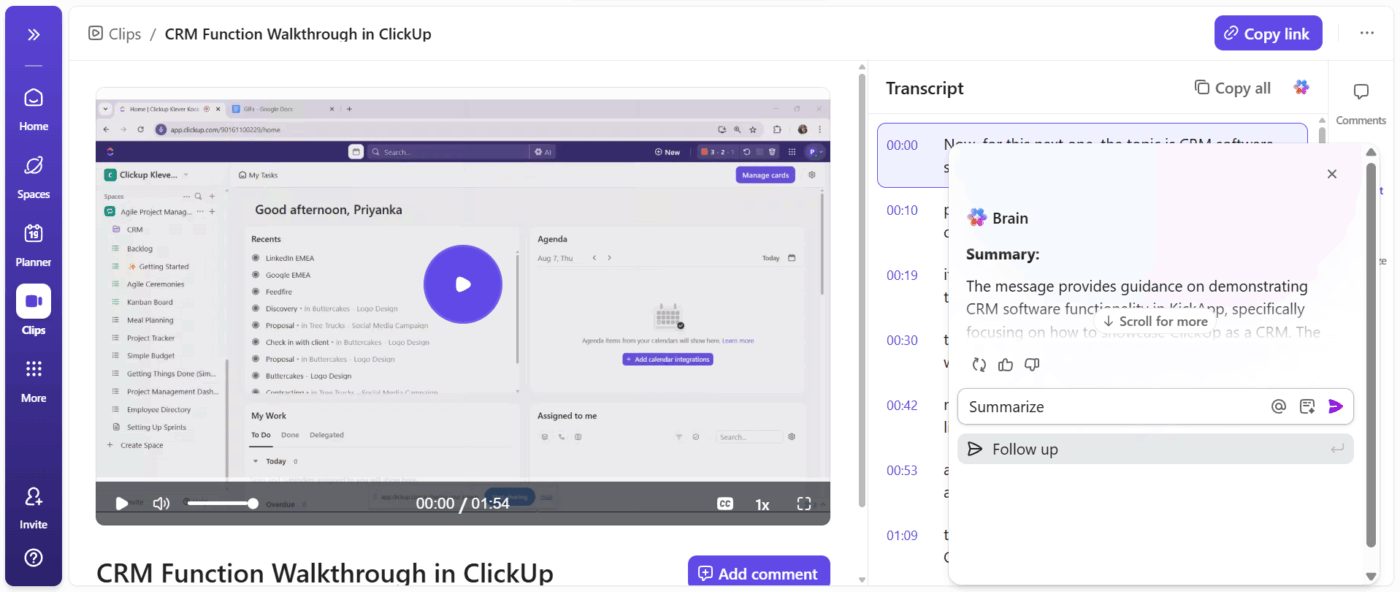
During events, important decisions are made in meetings, chats, and shared Docs. ClickUp’s AI tools, including ClickUp Brain, AI Notetaker, and AI Fields, help capture that information clearly.
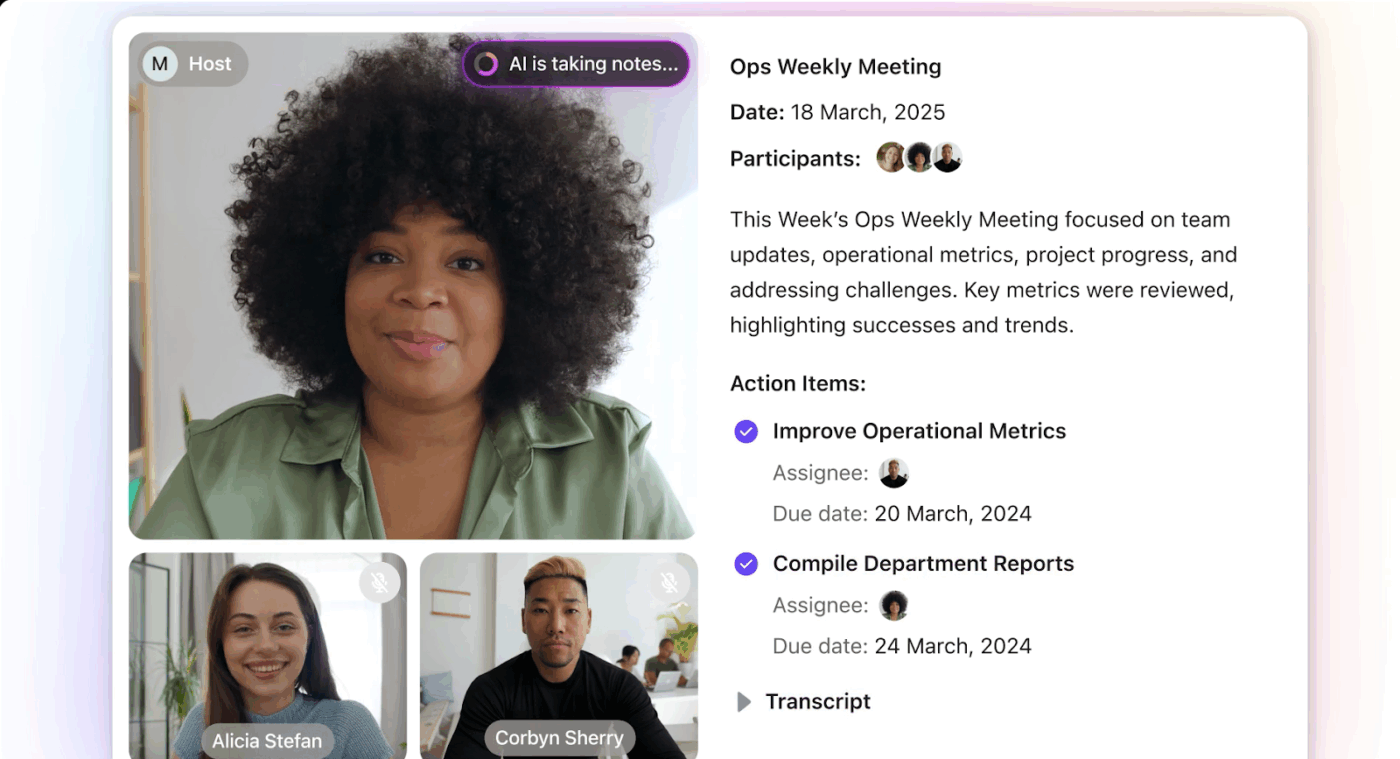
They summarize discussions and key updates across tasks and Docs. Teams don’t need to manually copy notes into spreadsheets or external tools, preventing sensitive information from being scattered or lost.
If ensuring event data security feels like a lot of manual work, don’t worry.
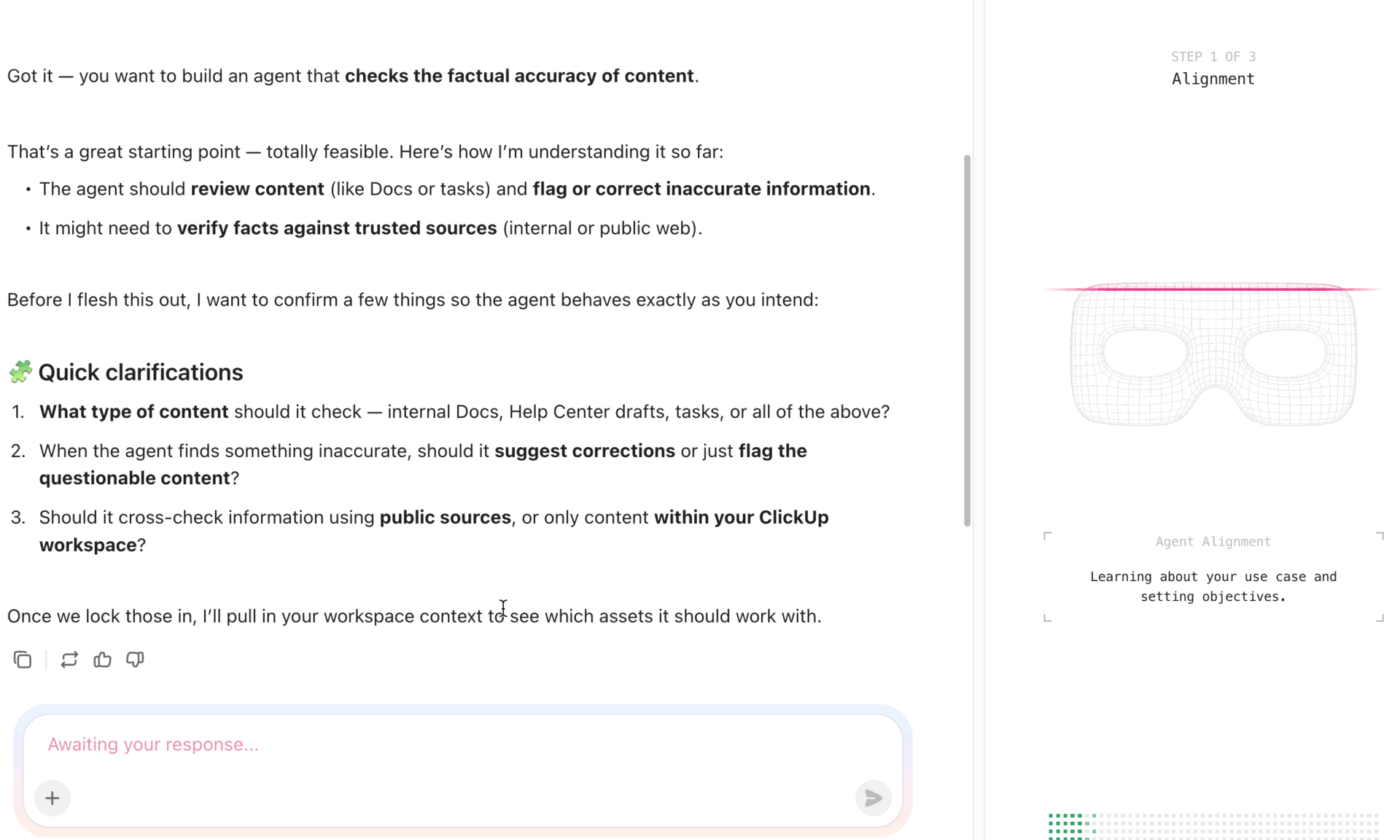
ClickUp’s AI Super Agents help teams follow security and compliance steps consistently, without adding effort. With their infinite knowledge and memory, Super Agents act as powerful AI teammates that:
🎥 Check out this example of a Regulatory Checklist Agent in action!
⚡️ Quick Tip: These are only examples of custom agents you can build inside ClickUp (and not necessarily out-of-the-box agents). You can customize AI Super Agents to your needs, preferences, and way of working! And you don’t need to write a single line of code, thanks to the natural language Agent Builder!
Want data security procedures that you can replicate from event to event?
ClickUp’s Templates are your go-to. Event planning templates help you get started quickly with proven structures that support both event execution and data security governance.
Some of them include:
1. The ClickUp Compliance Project Plan Template
This template gives you a central place to map out compliance tasks, track requirements, and assign accountability across teams. You can use Custom Fields to capture regulatory milestones, attach policies in Docs, and track progress with built-in List and Board views.
Why you’ll like this template:
📚 Also Read: Compliance Management Tools
2. The ClickUp Event Management Template
Event planning can get stressful, fast. This template is your antidote.
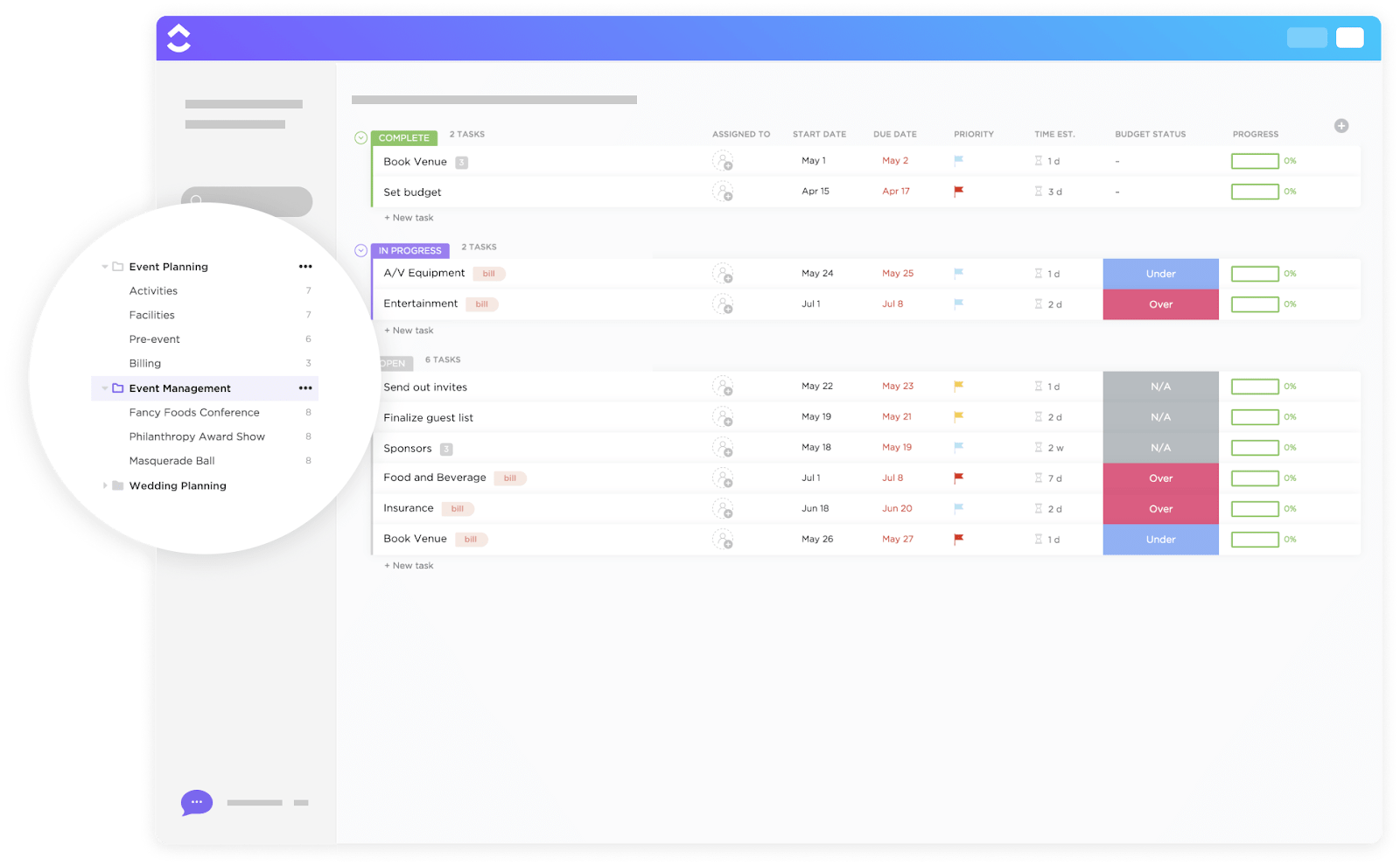
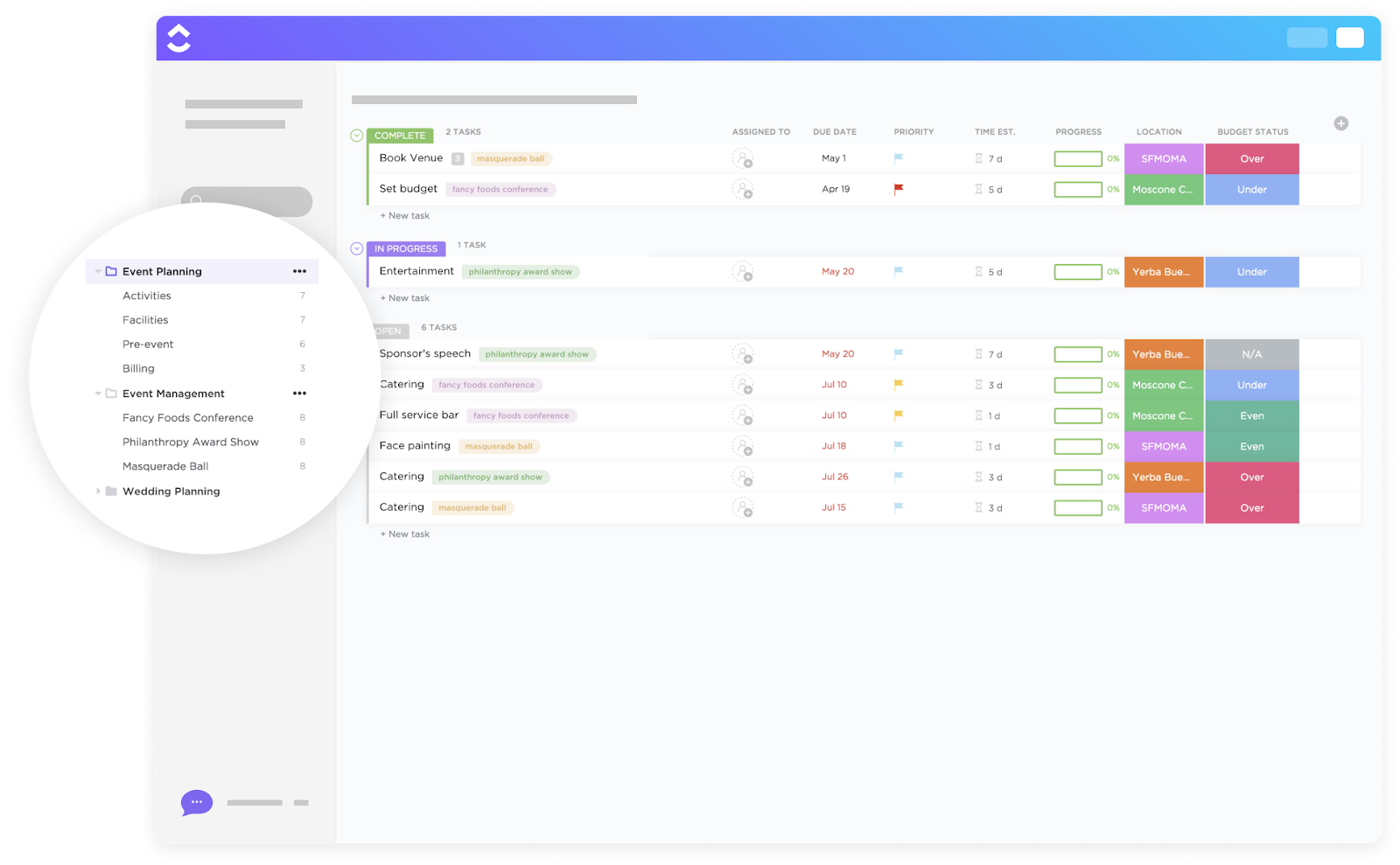
It comes with Custom Statuses like Open, In Progress, and Complete, to monitor each task. Custom Fields make it easier to track budget, payment status, and other details. And multiple views (List, Map, Timeline, Budget) let you see tasks and costs from different angles. You can also link built-in Forms for registrations directly with tasks.
Why you’ll like this template:
3. The ClickUp Event Planning Template
Designed for end-to-end event setup, this template includes pre-configured views like Calendar, Board, and Timeline, so you can organize event schedules and dependencies easily. It also integrates seamlessly with Docs for storing vendor contracts or attendee policies.
Why you’ll like this template:
The best part? You can customize each of these templates to reflect your event’s specific data hygiene and compliance needs.
By centralizing event planning, execution, documentation, and security into one platform, ClickUp helps teams:
Whether you’re running a local meetup or a global hybrid summit, ClickUp keeps your event data secure, auditable, and governed by consistent rules. And users agree that it’s “golden” for event management:
As a Creative Director for a Software event management company, ClickUp has been nothing short of a game-changer. The platform’s design is intuitive, making it easy for me to organize and delegate tasks within my team. I find the interface conducive to creative workflows, especially when juggling various event projects simultaneously. The feature I value the most is its ability to streamline communication channels. With ClickUp, I can effortlessly loop in team members, annotate specific tasks with design feedback, or even attach relevant files, ensuring that everyone’s on the same page. It also provides me with concise daily summaries, which help me gauge my team’s progress and pivot if necessary. Ultimately, ClickUp offers a mix of flexibility and structure – a combination that’s golden in the fast-paced world of event management.
Threats evolve fast. And so should your data security precautions.
The simplest trick? Build security information management into your event workflow. And leave no stage unguarded—from planning to wrap-up.
Here’s how to do it in a practical, repeatable way:
Your security solutions should be in place long before registration opens. Decide exactly what data you need and document why.
In ClickUp, create a dedicated Event Security list with critical tasks mapped out. Use Custom Fields to identify tasks that involve sensitive data handling, such as registrations and badge scans, etc.
Assign clear owners for these tasks. Limit data access using role-based permissions, so only approved team members can view registration data or contracts.
💡 Pro Tip: Create an editable data security checklist using ClickUp Task Checklists, so you can modify and use it across multiple events. Use ClickUp Docs to document consent language, data-handling rules, and vendor responsibilities. Keep the Doc private and share it only with stakeholders who need access. Link this Doc directly to your event tasks so policies stay visible during execution.
Once the event goes live, focus on secure visibility.
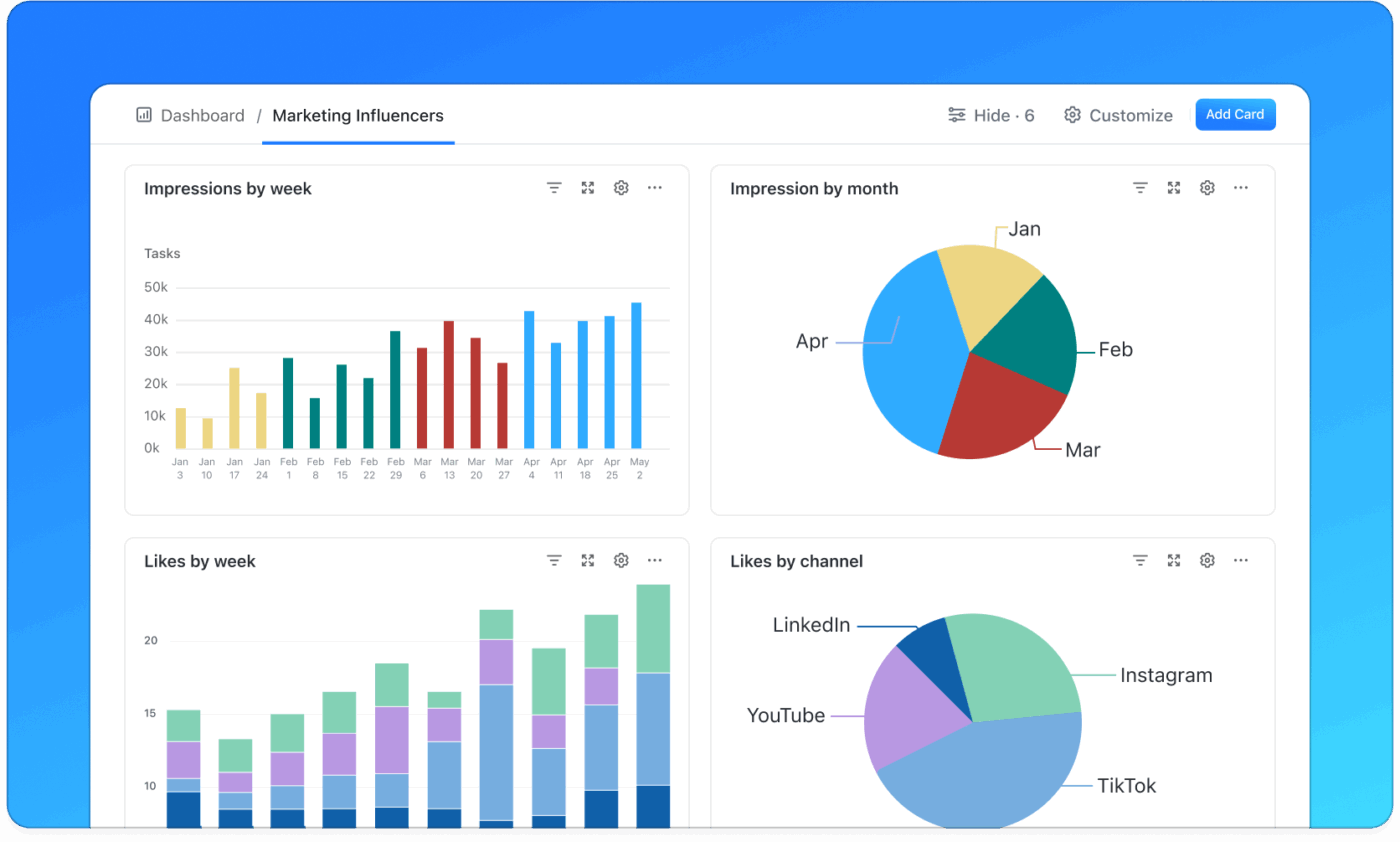
Use ClickUp Dashboards to track task status, form submissions, and approvals in real time without exposing raw attendee data. If you’re collecting information during the event, route it through ClickUp Forms with restricted access and predefined fields.
💡 Pro Tip: Make sensitive ClickUp Tasks or Docs private once they reach a certain status, such as “Registration Closed” or “Event Live.” This prevents last-minute edits and reduces the risk of accidental data exposure.
After the event, review who accessed what and close any temporary permissions. Archive or delete data based on your retention policy.
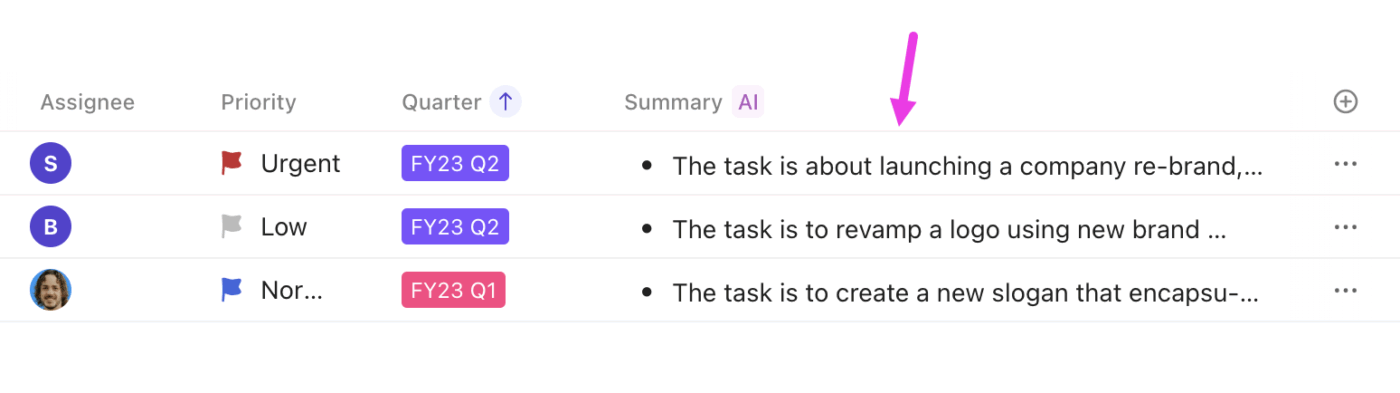
💡 Pro Tip: Use ClickUp’s AI Summary Field to generate a post-event security review from task activity and comments. Then, trigger a custom-built AI Agent to create follow-up tasks for data deletion, consent checks, or compliance reviews. This ensures 100% compliance and makes your next event easier to secure by default.
Event data security isn’t just about putting controls in place. It’s about knowing whether those controls actually work. Measuring the right signals helps you spot gaps early, prove compliance, and build long-term trust with attendees.
Two sets of metrics every event team should track are:
These metrics tell you how well your systems and processes are holding up:
Tracking these consistently helps you move from reactive fixes to proactive prevention.
Trust shows up in behavior, not just compliance reports:
🎯 Together, these metrics give you a clear picture of your security posture. They show you how secure your event is and how secure it feels to the people who matter most.
Even teams that take data security seriously run into real-world constraints. Here are some of the most common challenges. And how to deal with them in practical ways:
By now, you know event data security is hardly a box to check on the day of the event. It’s a practice that runs through planning, execution, and follow-up.
That’s why smart event teams design security into their workflows. They set up measures for what matters and reduce risk through consistency.
When your event platform supports clear access controls, auditability, and responsible AI use, security becomes easier to manage and easier to trust. That’s where ClickUp’s Converged AI workspace fits naturally. It’s one of the few platforms to bring event planning, data governance, and AI-powered workflows together.
The goal? Have security support your event instead of slowing it down.
Want to run high-impact events without compromising data security? Try ClickUp for free!
Sensitive event data includes anything that can identify or impact an attendee’s privacy. That covers names, contact details, payment information, location identifiers, IP addresses, behavioural tracking, and biometric or unique identifiers.
Using AI to monitor attendees can be legal if it follows applicable laws and consent rules. In the EU, GDPR requires transparency, a lawful basis, and clear consent for video or behavioral data collection. In the U.S., laws vary by state and context. Always disclose what you collect and why, and provide opt-out mechanisms.
Good encryption means protecting data both in transit and at rest. Use TLS/SSL (at least TLS 1.2) for network traffic and strong algorithms like AES-256 for stored data.
If a breach occurs, act quickly. Follow your incident plan: contain the breach, assess impact, and notify affected parties. Under GDPR, you must report serious breaches to authorities within 72 hours. Document what happened, how you responded, and what steps you took to prevent recurrence.
Keep data only as long as you need it for the purpose you stated. GDPR and similar laws emphasize data minimization and purpose limitation. Once you no longer need data for the event or legal compliance, you should archive or delete it.
Under GDPR, you must obtain explicit and informed consent before collecting personal data. Consent must be specific, unbundled, and revocable. Under CCPA, you must inform California residents what you’re collecting, why, and how it will be used, and give them the right to opt out of data selling or sharing.
Start with basics: limit data collection to what you need, use strong passwords and multi-factor authentication, and centralize work in secure platforms. You can also tap into the built-in security features of tools you already use.
ClickUp is designed with strong privacy and security practices, including encryption in transit and at rest and strict privacy policies that align with GDPR and CCPA requirements. It also supports data export, deletion, and data processing agreement (DPA) terms to help customers meet compliance needs.

© 2026 ClickUp

There’s an easier way. Try a free AI Agent in ClickUp that actually does the work for you—set up in minutes, save hours every week.