

Sorry, there were no results found for “”
Sorry, there were no results found for “”
Sorry, there were no results found for “”
When you invest in AI but rely on disconnected tools and makeshift workflows, everything slows down. This creates AI debt or AI sprawl, a growing gap between what you’re building and what you can consistently run in production.
Elvex steps is an AI orchestration platform that helps reduce some of that friction. It brings all your AI components together in one place, allowing you to standardize how work gets done and reduce the manual effort required to run LLM-powered systems.
But as you scale, Elvex can feel limited when you need deeper orchestration patterns, a more flexible architecture, or stronger support for complex, multi-agent workflows.
If you’ve been facing similar roadblocks, this list of top Elvex alternatives will help you find a better alternative.
Here’s a quick comparison of the top alternatives to Elvex so you can quickly find what’s best for you.
| Tool name | Key features | Best for | Pricing* |
| ClickUp | Brain, BrainGPT, AI project management, task follow-ups, AI agents, multi-agent orchestration, workflow management, premium LLM models | Teams wanting AI-driven workforce management and end-to-end project management | Free Forever; Custom pricing for enterprises |
| Podium | AI-driven customer interactions, automated routing, reminders, and Ray ID tracking | Customer communication workflows | Custom pricing |
| Tidio | AI-powered live chat, conditional triggers, multi-platform workflow automation | Customer support and live chat | Free plan available; Paid plans start at $29/month |
| Vertex AI | Enterprise AI orchestration, multi-model workflows, conditional branching, and monitoring | Teams managing multiple AI models/pipelines | Custom pricing |
| Kore.AI | Conversational AI orchestration, multi-turn workflows, real-time dashboards | Enterprise conversational workflows | Custom pricing |
| Botpress | Open-source conversational AI, granular workflow control, modular components | Teams needing flexible, custom AI chat orchestration | Free plan available; Paid plans start at $89 + AI spend/month |
| LangChain | Framework for building AI workflows, multi-agent orchestration, and API integrations | Developers building LLM-powered applications | Free plan available; Paid plans start at $39/month |
| ServiceNow | AI workflow orchestration, IT/operations automation, predictive alerts | IT and operations teams in large organizations | Custom pricing |
| CrewAI | Multi-agent orchestration, human-in-the-loop, external integrations | Teams needing collaborative AI agents | Free plan available; Custom pricing |
| n8n | Open-source workflow automation, event-driven triggers, and visual editing | No-code workflow automation for data and app integrations | Free plan available; Custom pricing |
| Zapier | No-code automation, multi-step Zaps, app integrations | Businesses connecting multiple SaaS tools | Free plan available; Paid plans start at $29.99/month |
| Atera | IT management orchestration, patch management, alert rules, and reporting | IT teams and managed service providers | Free plan available; Paid plans start at $169/month |
| LocaliQ | AI-powered lead management, multi-channel marketing automation, campaign tracking, and SMS/voice automation | Businesses looking to manage leads, run automated campaigns, and track marketing performance | Custom pricing |
Our editorial team follows a transparent, research-backed, and vendor-neutral process, so you can trust that our recommendations are based on real product value.
Here’s a detailed rundown of how we review software at ClickUp.
While the choice of the right tool depends on your unique needs and system requirements, here are some factors you must consider:
Let’s look at the top Elvex alternatives and what makes each one stand out from the rest.
Elvex offers secure AI orchestration with multi-model support, workflow automation, and no-code creation, designed to meet enterprise governance requirements. But AI doesn’t deliver value in isolation from your operational workflows.
And when your AI orchestration platform exists separately from where teams actually execute work, you’re adding another tool to manage rather than truly converging AI with operations.
Enter ClickUp. It is the world’s first Converged AI Workspace, bringing together all work apps, data, and workflows.
Your AI agents, project management, documentation, and team collaboration exist in one secure workspace where AI has 100% business context—not just isolated prompts.
This fully context-aware environment means ClickUp users eliminate all forms of Work Sprawl. No more siloes between chat, email, and agents, and no more feeding your AI Agent the full context and documentation to make it work for you every time. With enterprise-grade security and governance built into the platform where work actually happens, your Agents and AI workflows act like true coworkers.
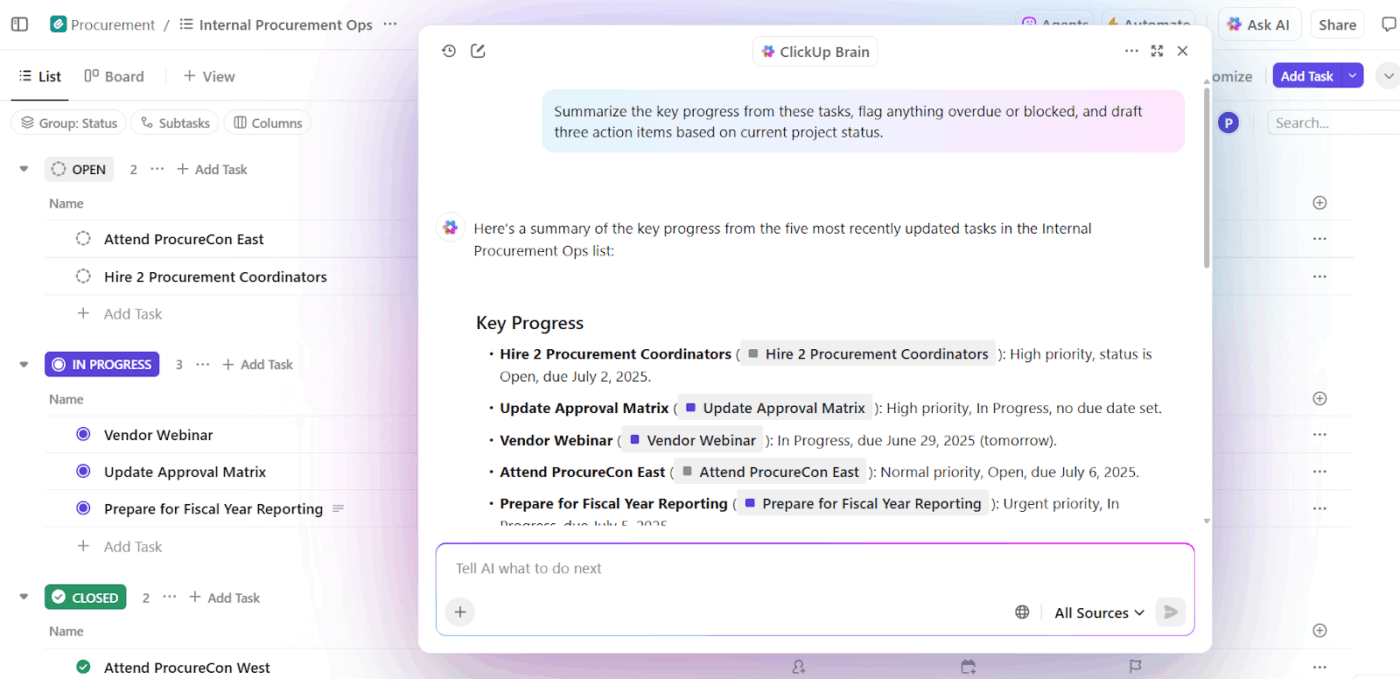
ClickUp Brain acts as an intelligence layer that connects your entire workspace. It reads your tasks, docs, comments, and connected tools like Drive, Slack, Figma, GitHub, or Jira.
Because it understands the full context of your work, you can ask it detailed operational questions and get precise answers pulled from the actual workflows your team is running.
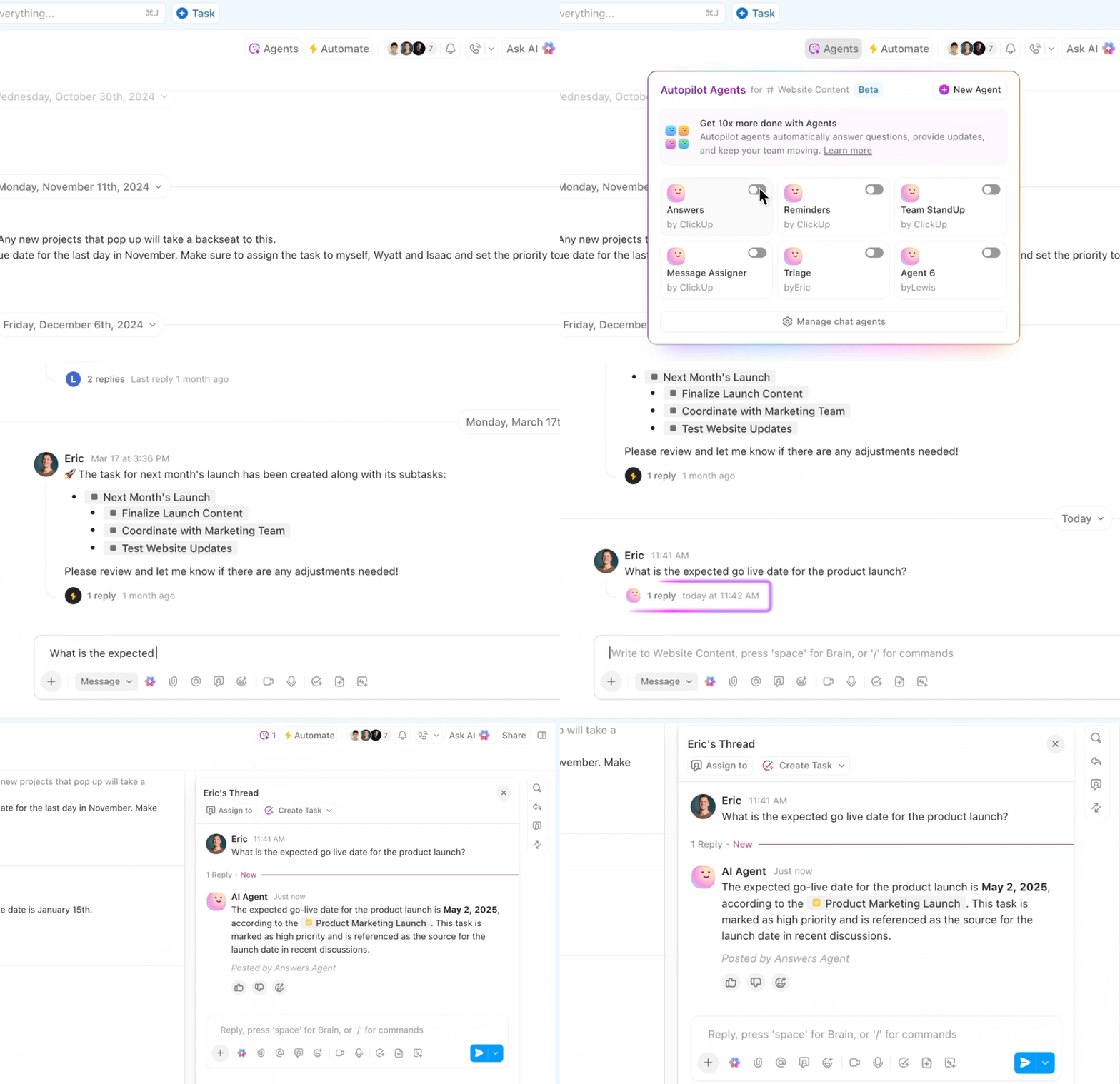
Building on the intelligence provided by ClickUp Brain, ClickUp’s AI Agents act as intelligent, no-code building blocks.
You can deploy agents to handle tasks like auto-routing support tickets, summarizing documents, extracting insights from emails, or even switching between LLMs based on context or data sensitivity.
Each agent can be configured to trigger on specific events, pass data between models, and interact with your existing tools, all while maintaining strict security and audit controls.
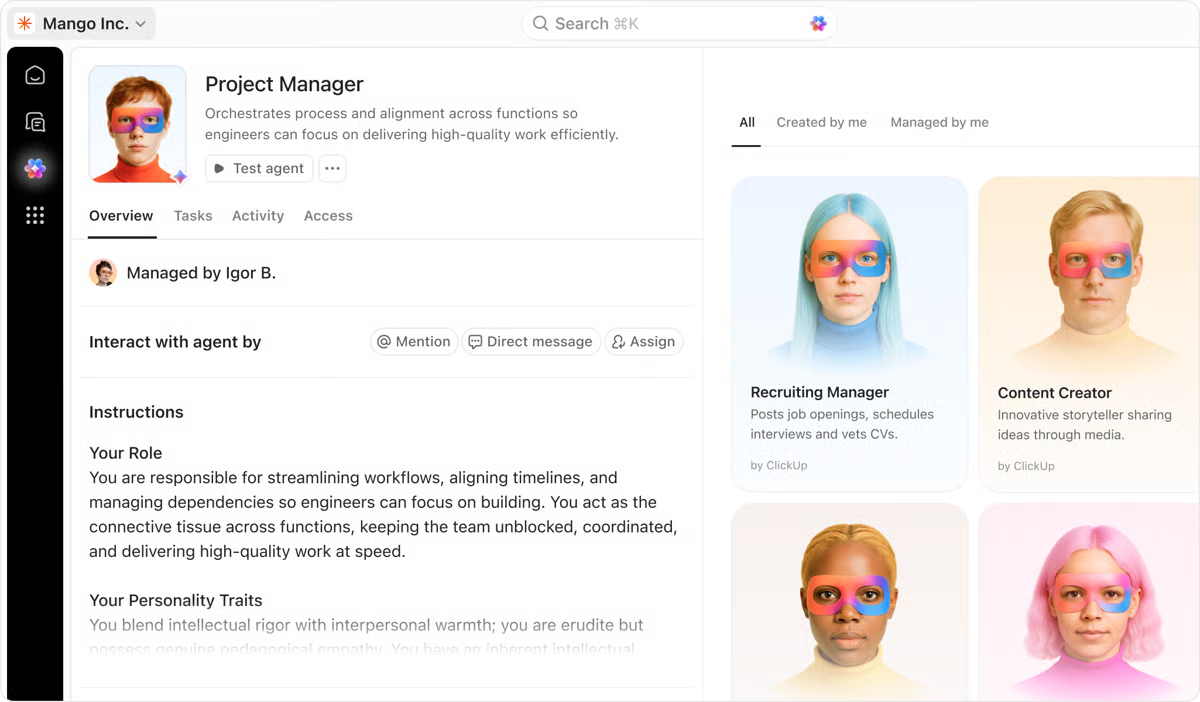
🎬 Agent in action for enterprise IT teams: Create a software security Super Agent that manages your security incident queue. When a high-priority vulnerability is reported, the agent automatically assesses severity based on affected systems in your CMDB.
It then creates remediation tasks and assigns it to the appropriate engineering teams. It drafts stakeholder communications based on the scope of impact. It schedules follow-up reviews. All of this happens within minutes of incident detection, without manual triage or coordination across multiple teams and tools.
Hours saved, and untold efficiency unlocked.
Learn more in the video below:
When your agents are set up and running, you can further fine-tune and streamline workflow orchestration with model switching. You can access premium AI models and assign them to specific tasks like ChatGPT for writing and Claude for reasoning, so that each agent uses the AI best suited for the job.
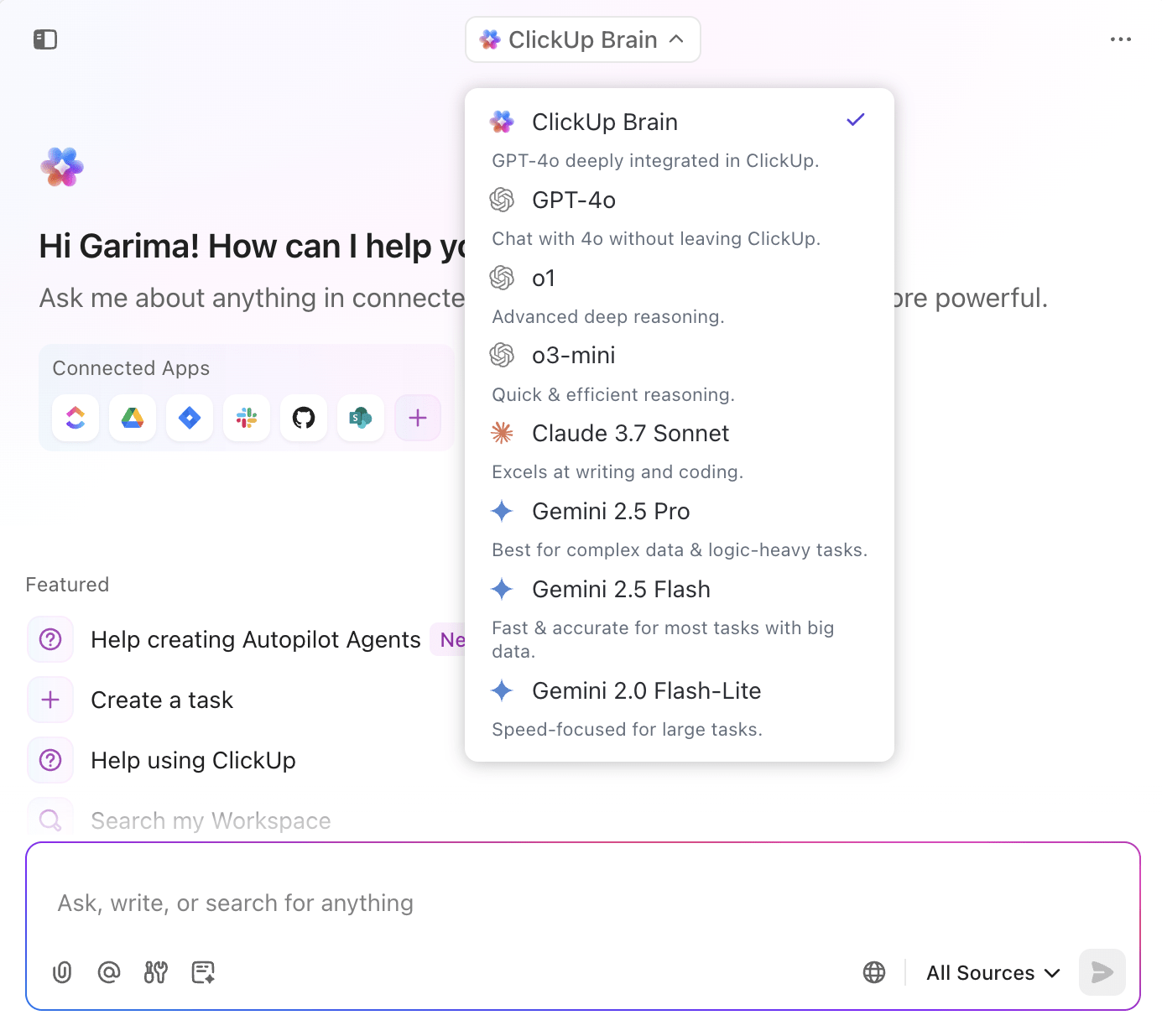
💟 Bonus: Enterprise AI deployments require flexibility to use the right model for each use case, voice-enabled accessibility for faster operations, and unified search across all organizational knowledge.
ClickUp BrainGPT provides multi-model AI capabilities with built-in enterprise governance, eliminating the need to manage separate vendor relationships or security protocols for each AI provider.
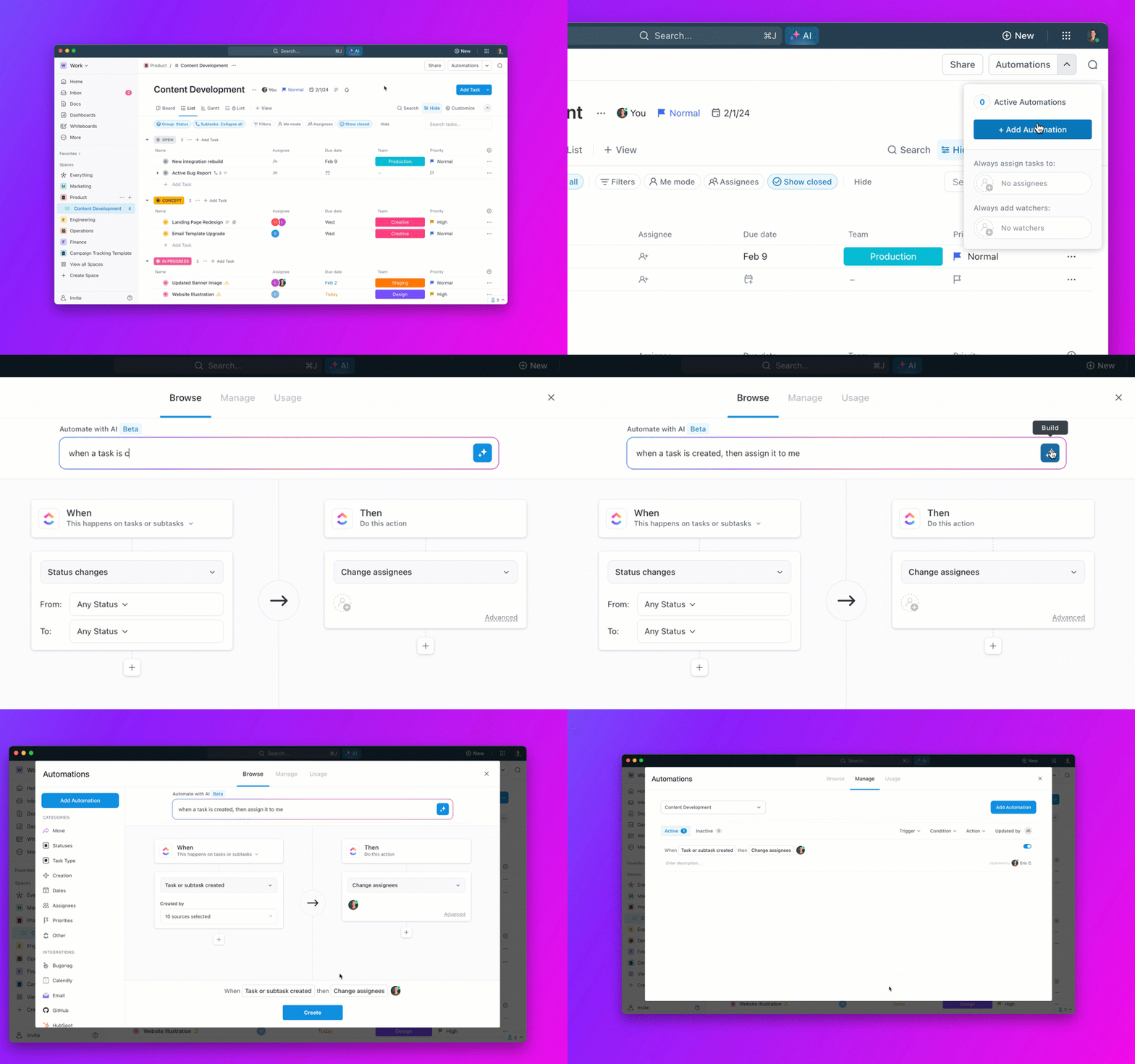
To round up the offering, ClickUp Automations lets you set up workflows that run automatically without writing code. You can trigger actions based on task updates, status changes, comments, or Custom Fields, so your team’s processes stay consistent without manual follow-ups.
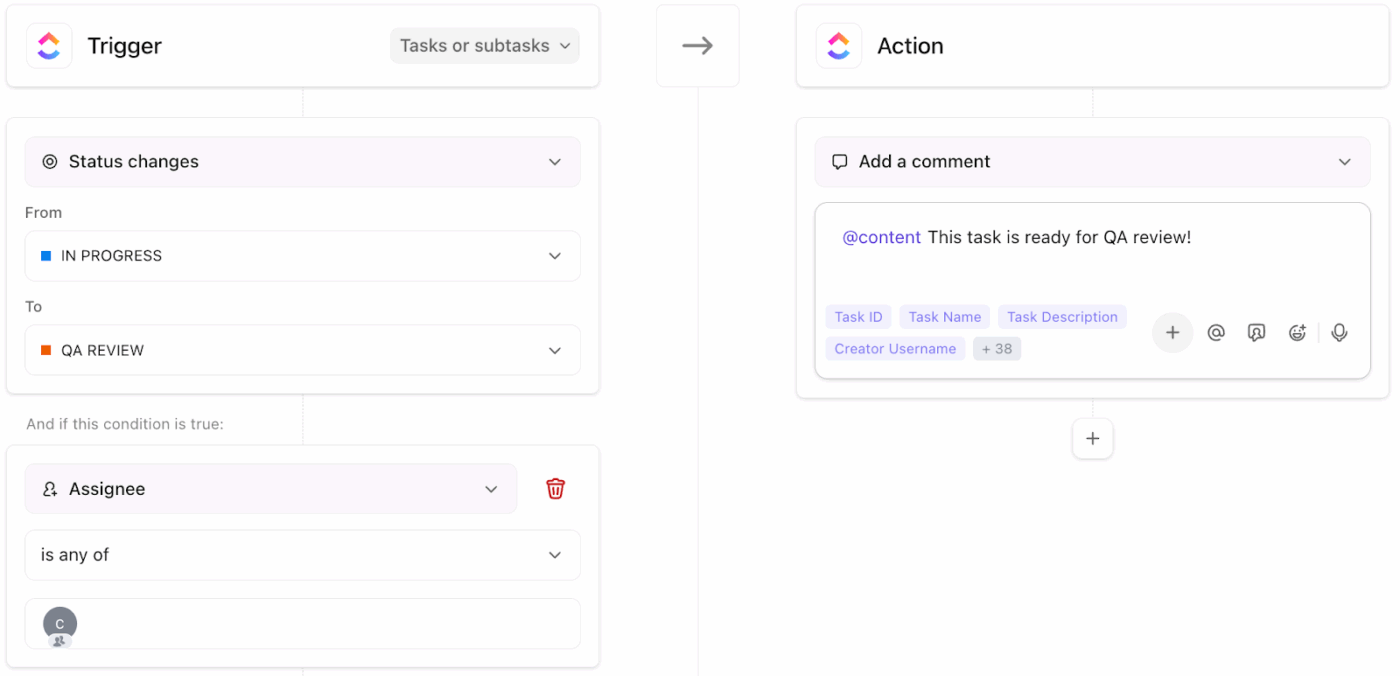
🎬 Automation in Action:
All of this is configured through a visual builder that doesn’t require developer resources or IT tickets to modify.
Here’s a TrustRadius review:
I use ClickUp intermittently to manage multiple UX projects at once. The primary reason I like ClickUp is that I can separate all of my work into projects and teams, and then view everything at as high or detailed a level as I would like.
👀 Did You Know: Over a three-year period, organizations using ClickUp achieved an estimated 384% return on investment (ROI), according to Forrester Research. These organizations generated about US $3.9 million in incremental revenue through projects enabled or improved by ClickUp.
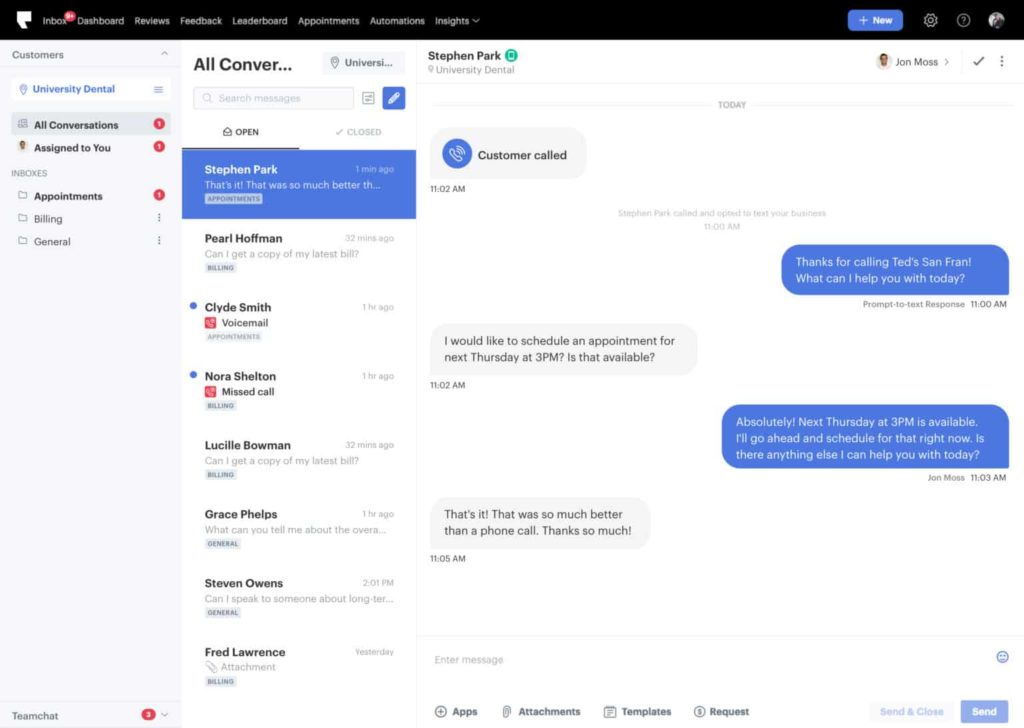
Podium helps your team manage AI-driven actions around customer interactions. Instead of manually tracking messages, routing incoming questions to the right person, generating conversation summaries, and sending follow-up reminders, you can set up AI rules to handle those steps automatically.
The tool’s built-in AI Employees, i.e., AI Salesperson, AI Scheduler, AI Marketer, AI Concierge, and AI Reputation Manager, take care of all repetitive work within your project. The automation workflow builder lets you design sequences with triggers, delays, filters, actions, and conditional logic (if/else branches).
You also receive a unified inbox for SMS, web chat, and phone interactions, ensuring consistent responses across all channels.
A Capterra review says:
We were pleased with the Podium texting feature that patients could communicate in this form and begin a chat from our website or on their own. This was the first time we implemented this feature to our office. Rarely did we need support from Podium but the customer care was great!
📮 ClickUp Insight: Only 12% of our survey respondents use AI features embedded within productivity suites. This low adoption suggests current implementations may lack the seamless, contextual integration that would compel users to transition from their preferred standalone conversational platforms.
For example, can the AI execute an automation workflow based on a plain-text prompt from the user?
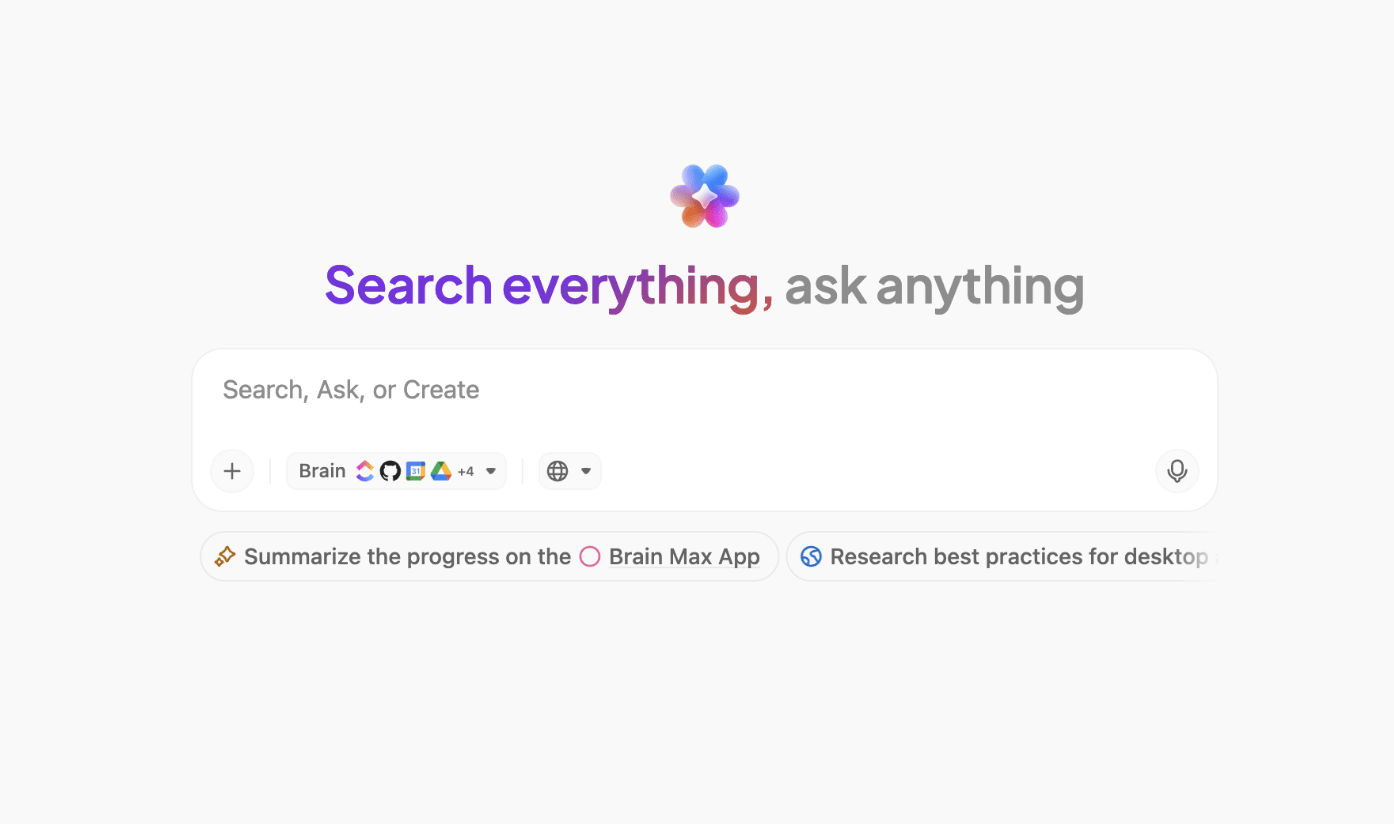
ClickUp Brain can! The AI is deeply integrated into every aspect of ClickUp, including but not limited to summarizing chat threads, drafting or polishing text, pulling up information from the workspace, generating images, and more!
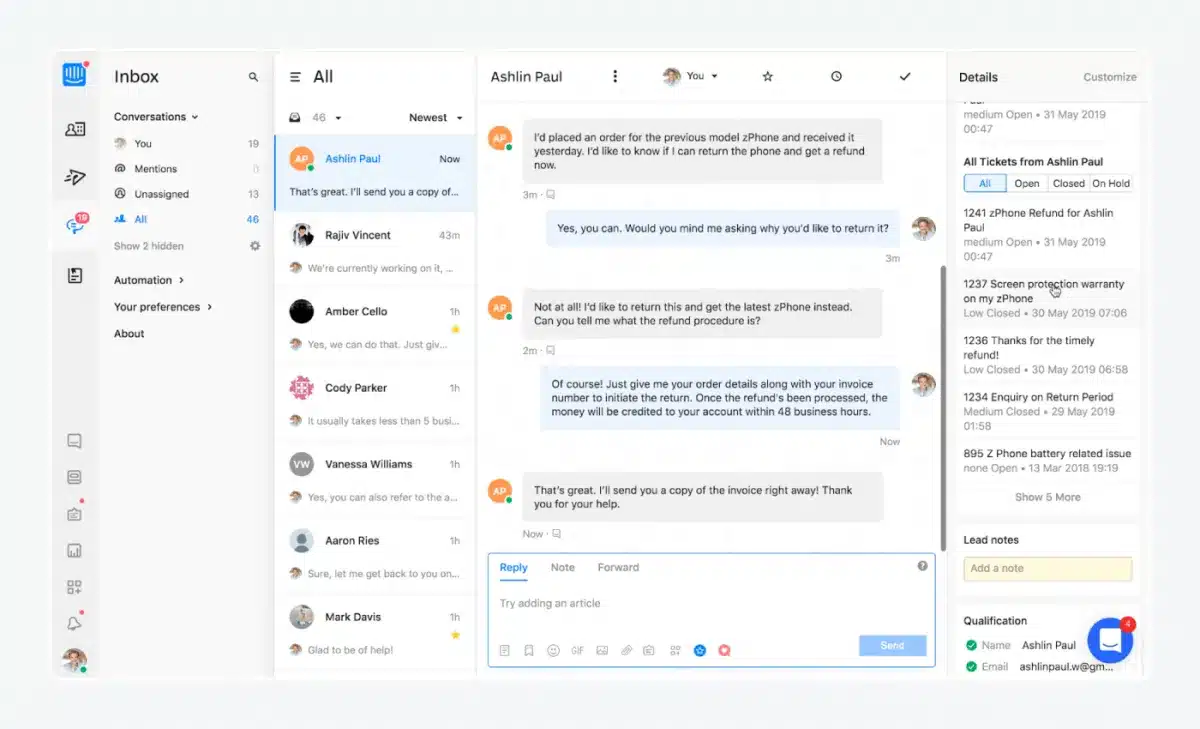
Tidio makes sure you’re not overwhelmed by unending customer messages. It automatically detects the type of request from a complaint and can prioritize messages by urgency or customer value, ensuring the most critical and time-sensitive interactions are handled first.
The tool also coordinates actions across multiple platforms. A single chat message can trigger a follow-up email, update your CRM, and notify the concerned teammate. The customizable chat icon fits into websites and apps, while conditional triggers ensure actions only happen when they should.
With Tidio, AI orchestration keeps your workflows moving smoothly and intelligently, without constant supervision. Moreover, your data is private and secure with GDPR, AI Pact, CCPA, and SOC (2) compliances.
A G2 review says:
Tidio’s intuitive interface and seamless integration with multiple platforms make it incredibly easy to manage all customer interactions in one place. The chatbot automation is powerful yet simple to set up, saving valuable time while still feeling personal.
👀 Did You Know? Even AI chatbots need proper orchestration. A Chevrolet dealership’s AI chatbot mispriced a $76,000 vehicle for $1 because the AI system wasn’t correctly orchestrated. Now you know why you need a fully integrated AI system in your workflow!
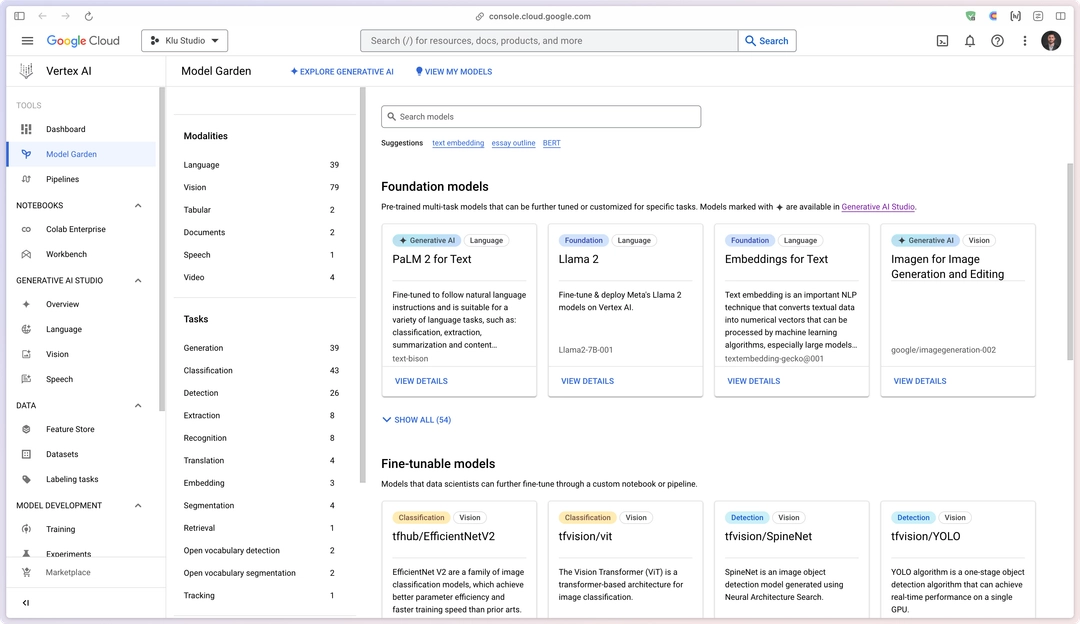
Vertex AI combines data prep, model training, testing, deployment, and monitoring in a single platform, so you can go from raw data to working AI systems quickly. Since it uses Google’s high-speed cloud, GPUs, and TPUs to handle big models and large datasets, it can easily scale up as your needs grow.
You can either use AutoML to let Google’s AI build the best model for you or write your own code using TensorFlow or PyTorch. Thus, making it suitable for both beginners and advanced users.
The tool also provides monitoring and logging for each step of the pipeline. You can identify bottlenecks or errors immediately and adjust the workflow without having to start over.
A G2 review says:
The most intriguing part of Vertex AI is that it has a unified platform for the whole Machine Learning lifecycle. Well Vertex AI helped me to enable rapid prototypes with notebooks during my project and also with a pipeline orchestration with accelerated product delivery and it also has it’s upsides like the Vertex AI Pipelines for reproducible and CI/CD ready ML workflows.
🧠 Fun Fact: AI orchestration isn’t just for work, it also powers some of the internet’s strangest hits, like cat soap operas. By blending image generation, voice synthesis, and surreal storytelling, AI created human-like cats starring in over-the-top, rapid-fire dramas.
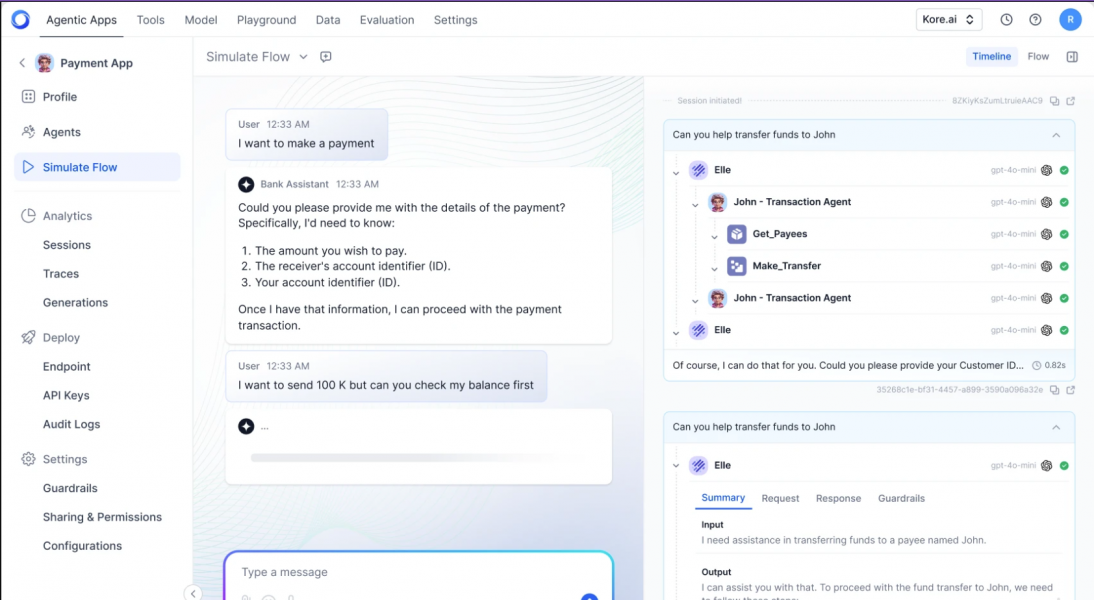
For enterprises seeking to develop intelligent, multi-agent AI systems, Kore.ai is a suitable option. It enables you to orchestrate multiple agents, maintain contextual memory across sessions, and automate complex workflows with varying levels of autonomy.
You get AI for Work to automate tasks and gain insights from your workspace. AI for Process streamlines operations with no-code agent building, and AI for Service enhances customer support with conversational agents and industry-specific, pre-built bots.
A G2 user says:
Kore.AI stands out for its highly intuitive and AI-driven conversational platform. I like how it enables seamless automation across multiple channels, integrates smoothly with enterprise systems, and provides low-code/no-code tools for building intelligent virtual assistants
📚 Also Read: Struggling to automate workflows? Learn how to build an AI agent from scratch to streamline tasks and level up productivity across your projects.
It’s surprisingly easy. Check out how below? 👇🏼
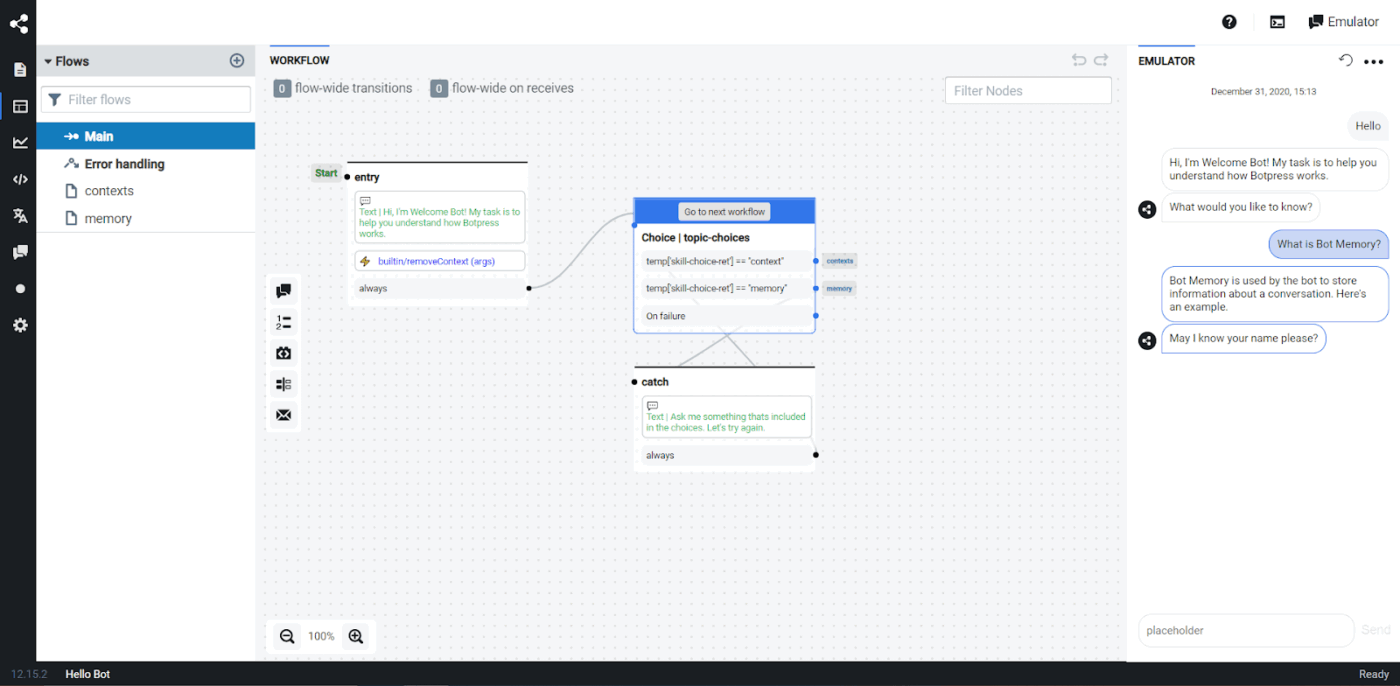
Botpress is a reliable alternative to Elvex if you need conversational agents. It offers a full agentic platform powered by its own inference engine. It combines LLM reasoning, memory, and logic execution into a single system.
You can also shape an agent’s behavior in the way you need. You can script logic, control tool execution, define reasoning steps, and manage memory with precision.
Strong observability features, such as event tracing and runtime isolation, help you monitor every decision your agent makes. If you want a platform that lets you engineer agents at a detailed, technical level rather than just assemble workflows, Botpress gives you more hands-on control than Elvex.
A Capterra review says:
Botpress is a great platform with a strong community of developers around the world that are welcoming and open to sharing their time, resources, and elevating best practices among bot builders
📚 Read More: Top AI Agent Startups to Watch
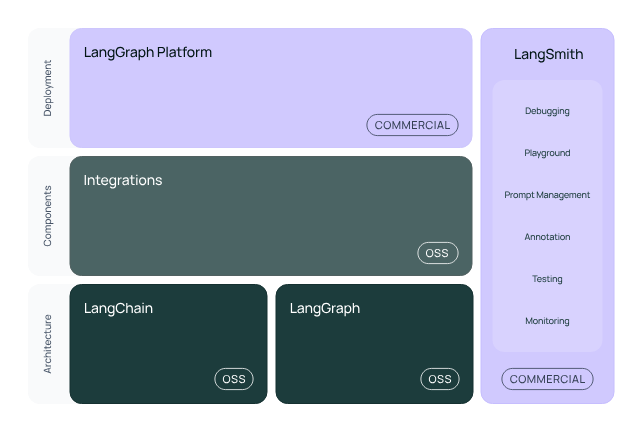
LangChain is an open-source framework that helps you build reliable, production-ready AI agents. You get a set of proven agent patterns for things like tool-calling, retrieval-augmented generation, and structured decision-making. This saves you from piecing together the same logic over and over.
Your agents run on LangGraph, which handles the operational complexity behind the scenes. It helps in keeping track of state during long workflows, retrying or rolling back after execution failures, and enabling human-in-the-loop checkpoints whenever oversight is needed.
You can plug in any LLM, vector database, API tool, or memory module, and the architecture scales smoothly as your use cases grow more demanding. Since LangChain is fully open source under MIT, you have the flexibility to modify components, extend behaviors, and design custom pipelines that match your exact requirements.
A G2 review says:
What I like best about LangChain is its flexibility to integrate models, data sources, and tools seamlessly, which made building and scaling complex LLM-powered workflows much faster in my projects.
💟 Bonus: Struggling to make AI work for you? Learn how to train your own AI model, customize it for your needs, and put it to work on real-world tasks.
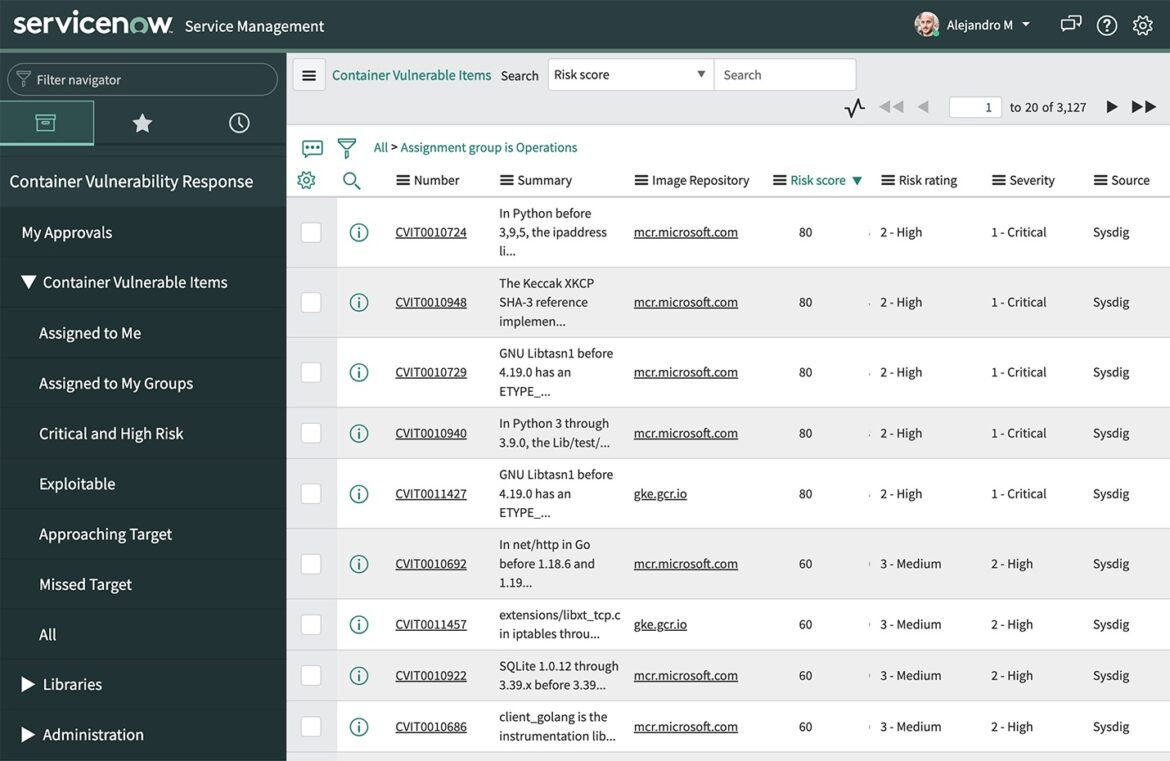
If you’re already using the ServiceNow platform for your workflows and data, ServiceNow AI Agents is a good pick.
There is a dedicated AI Agent Studio where you can define an agent’s mission, role, and responsibilities in natural language and deploy it instantly. You can also ask the platform to automate specific tasks (e.g., ‘Create a knowledge article draft’, ‘Investigate this security alert’, ‘Categorize this ticket’), and it produces structured, repeatable workflows.
The tool also has AI orchestration and governance capabilities. The AI Agent Orchestrator enables multiple specialized agents to collaborate on larger, more complex processes. And in ServiceNow AI Control Tower, you can manage and monitor all your AI agents from one hub.
A Capterra review says:
ServiceNow enables fast and transparent management of tickets and workflows. The interface is intuitive, and reporting tools are very useful for daily operations. It also integrates easily with other systems like Salesforce CRM for example.
👀 Did You Know? Shortly after launching Bard AI, Google encountered credibility issues when the chatbot provided incorrect information during a demonstration about the James Webb Space Telescope. The error led to a significant decline in Google’s stock price, underscoring the importance of rigorous validation and orchestration of AI outputs.
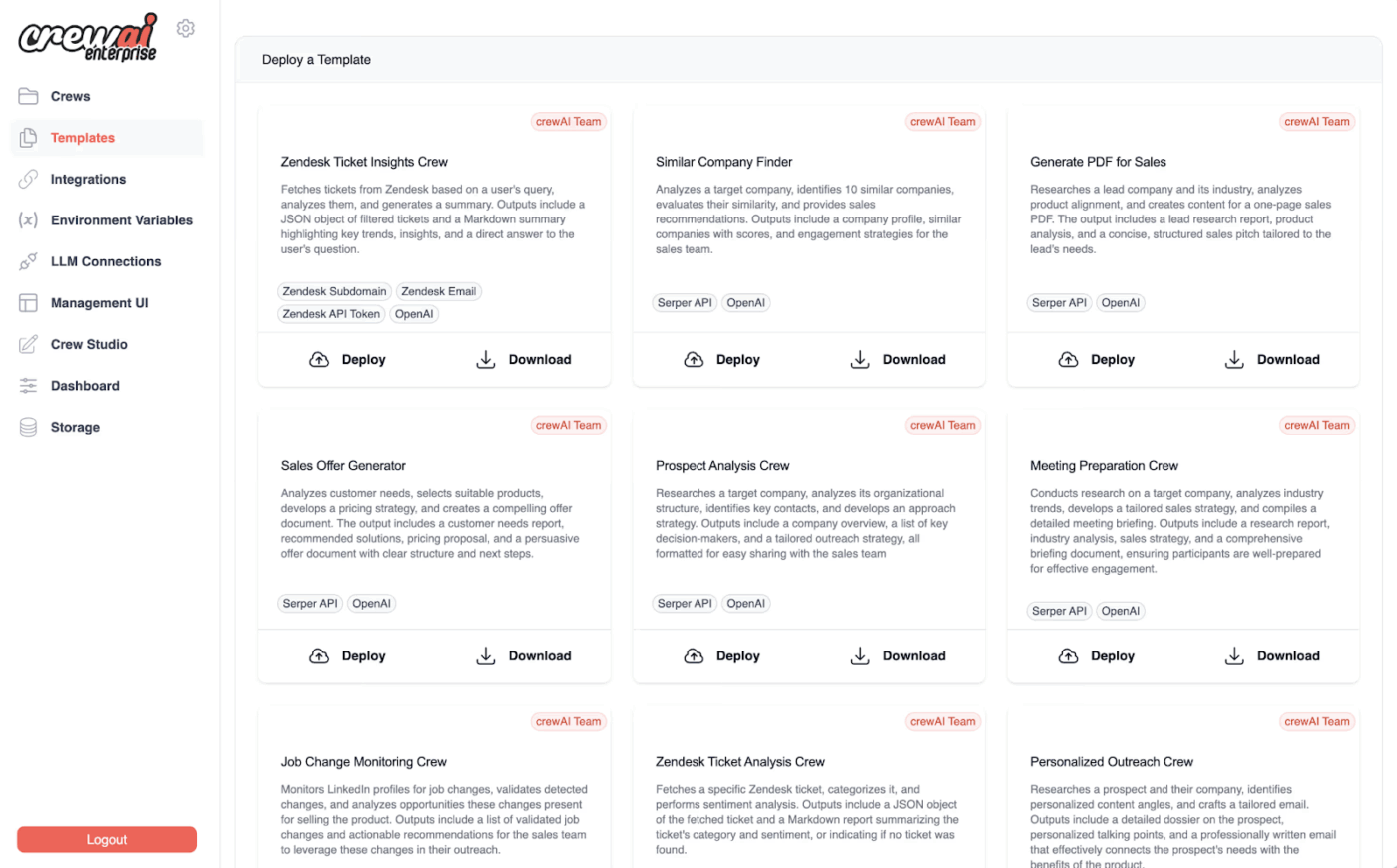
CrewAI is an open-source Python framework that helps you build multi-agent AI systems where several specialized agents collaborate as a coordinated crew. Each agent has its own area of expertise, and they follow a structured workflow or processes to complete tasks.
Role-based architecture ensures that every agent has clearly defined responsibilities, and you can even structure them hierarchically. There can be ‘manager’ agents overseeing your ‘worker’ agents.
For example, you can create a crew for a fintech financial-analysis workflow. It would also include a data-collection agent to pull market datasets, a modeling agent to compute key metrics, a risk agent to evaluate exposure levels, and a reporting agent to assemble the final insights.
A G2 review says:
The best part about crewAI is that while building an agent we can provide the role, goal and backstory for the agent which increases the performance of that agent very much. It supports all the LLM providers like OpenAI, Groq, Nvidia Nemo etc.
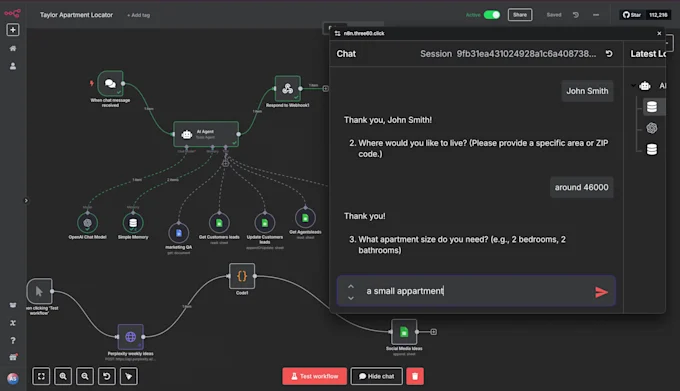
Many AI tools offer either a visual builder or code for creating agentic systems, but n8n gives you both. You can design workflow automations through a clean drag-and-drop interface and also add custom JavaScript while automating simple tasks and multi-step processes.
This makes n8n a good choice for both beginners who need simplicity and advanced users who want deeper control. The tool supports event and trigger-based automation using webhooks, schedules, system events, or app updates. Your workflows run automatically in the background, and you can structure them with branching paths, loops, conditional filters, and detailed error handling.
Since the platform is open source and highly extensible, you can self-host AI models, deploy with Docker, and explore or customize the entire codebase on GitHub.
The intuitive interface makes it very easy to build and modify workflows to my specific needs.
👀 Did You Know? The Port of Corpus Christi in Texas has implemented an AI-powered digital replica system called OPTICS. This system uses machine learning to predict ship positions and employs generative AI for emergency response training, improving real-time tracking and safety measures.
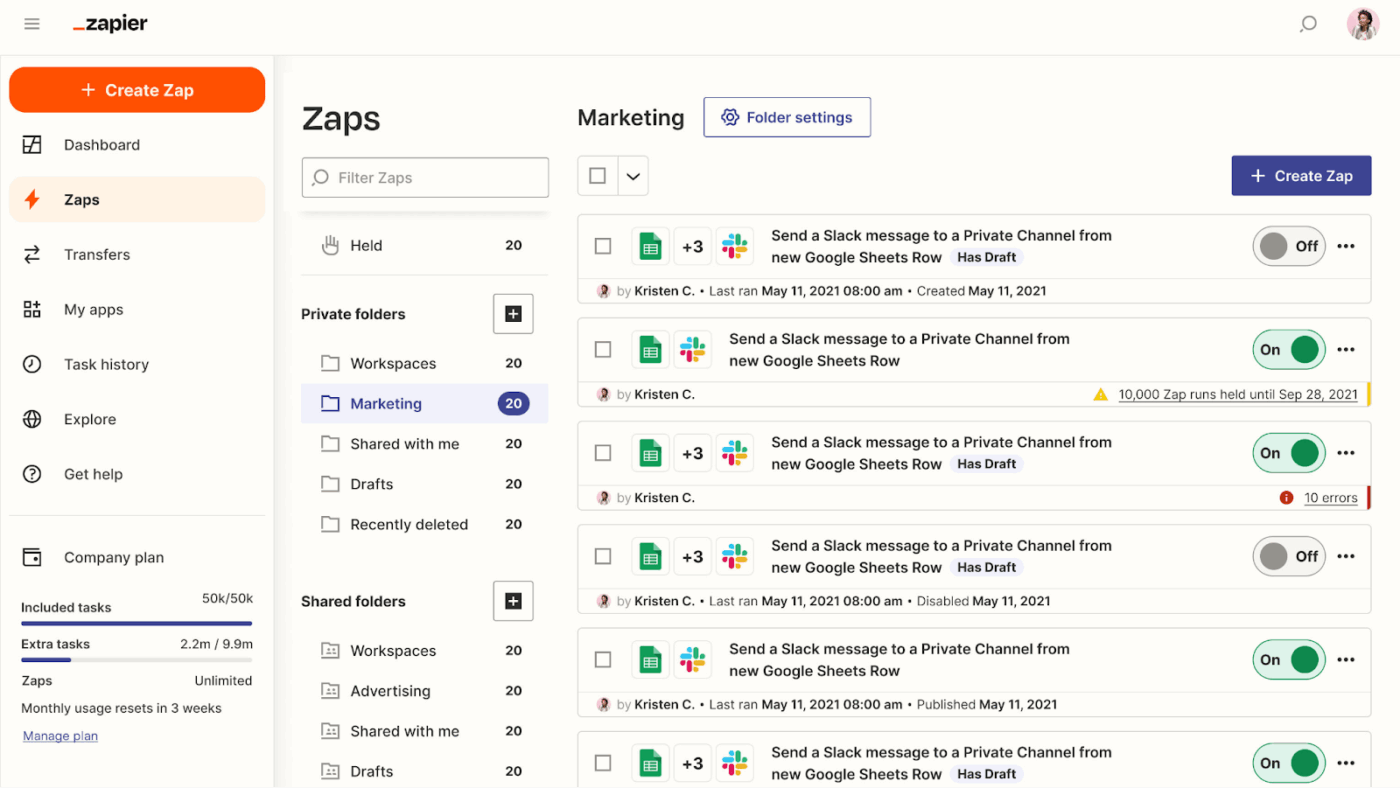
Zapier is a solid choice for automating routine business tasks across thousands of apps. To automate a workflow, you need to create a Zap that triggers actions based on specific events.
For instance, a Zap can automatically add new leads from a web form into your CRM, send a Slack notification to your sales team, and update a Google Sheet for tracking.
With connections to over 3,000 apps, Zapier enables you to integrate almost any tool into your workflow. This makes it a reliable tool for freelancers, growing businesses, and enterprises that want to automate routine tasks and streamline operations without writing code.
A Capterra review says:
Zapier easily connects dozens of applications and creates fast automations. The “Zaps” really simplify daily work.
📚 Read More: Best AI Platforms
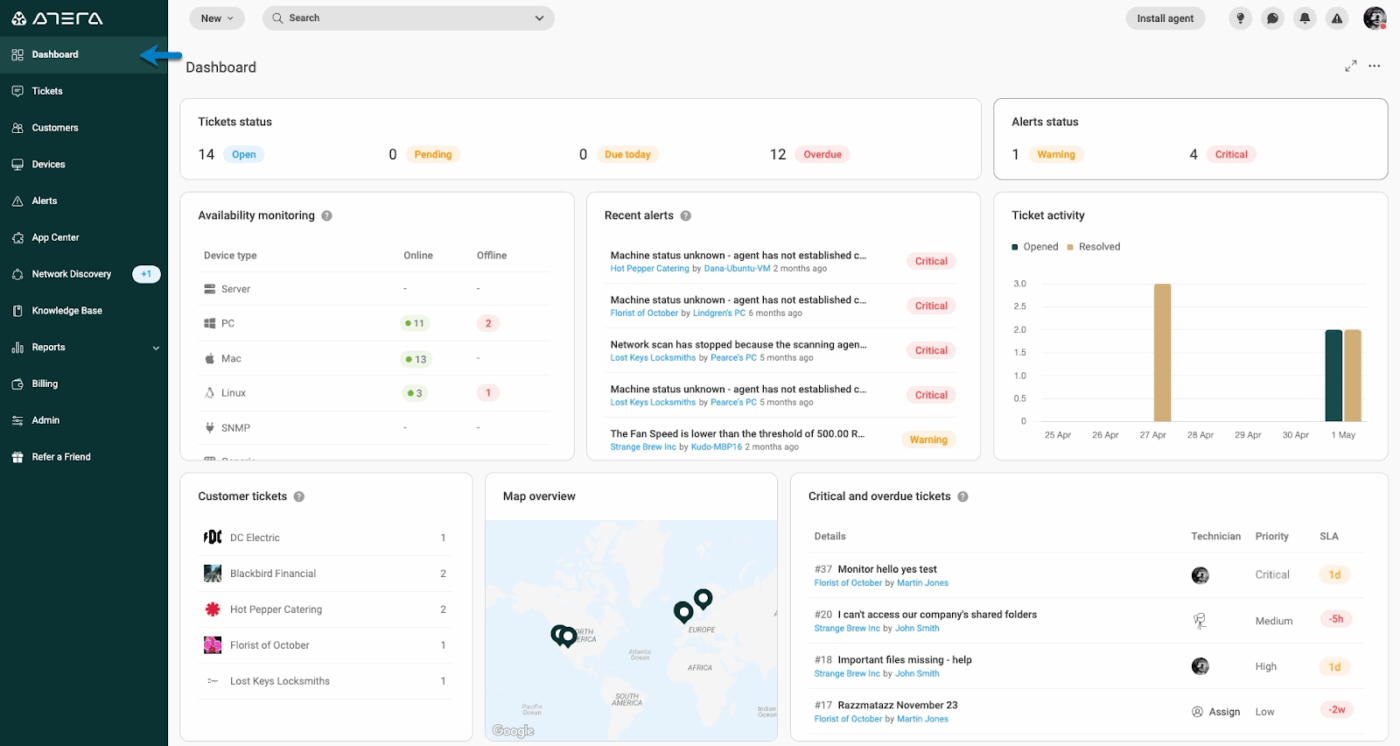
Built specifically to help IT teams scale, Atera AI agents bring autonomous intelligence to IT management. The platform offers two key agents: AI Copilot and IT Autopilot.
AI Copilot empowers you as an IT technician by monitoring system health, summarizing tickets, suggesting scripts, and providing actionable insights. It can even generate PowerShell, Bash, or CLI commands from plain-language prompts, helping you to resolve issues faster and take immediate action without manual scripting.
IT Autopilot, on the other hand, handles routine IT tasks for end users. This includes troubleshooting issues, applying fixes, installing software, and resetting passwords. When it encounters a problem it cannot resolve, it escalates the ticket to you with a full context summary.
You can further optimize these agents in the AI Center by adjusting their knowledge base, refining actions, and assigning contacts to align with your team’s workflows.
Here’s what a Capterra review says:
Brilliant asset monitoring which includes statistics, alerts and remote control capabilities. Easy to manage devices and organise by clients. Clean user interface and easy to deploy. This helped improve my workflow
📚 Read More: Powerful AI Agents Examples Transforming Industries
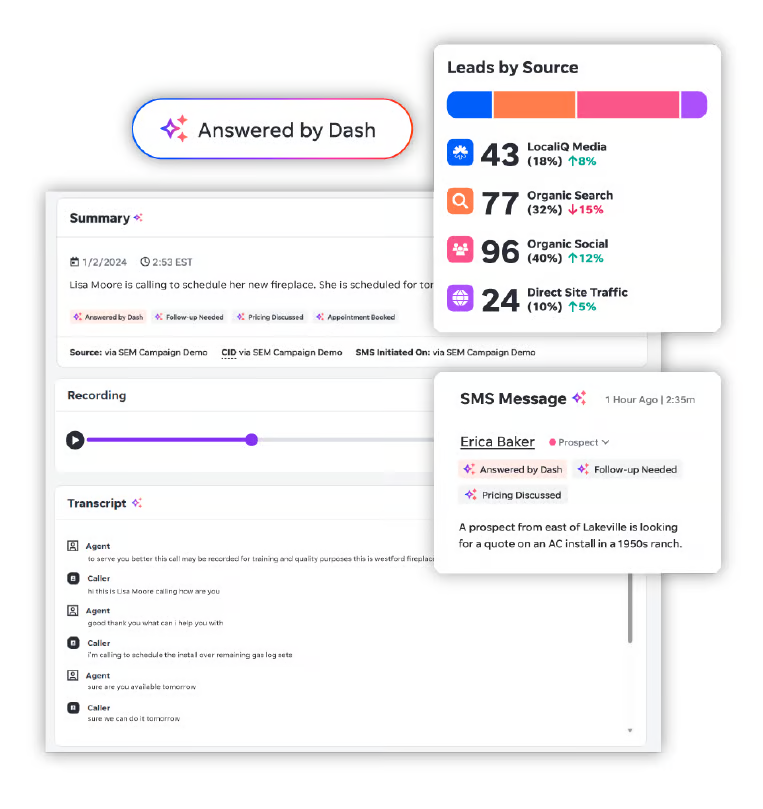
When you want to re-engage overlooked leads and revive the conversation before they lose interest, try LocaliQ. AI agents respond to texts, answer calls, and qualify leads 24/7, ensuring every potential customer is engaged even when your team isn’t available.
Additionally, these AI agents also generate real-time transcripts and summaries of every call and text, so you can review interactions without spending hours listening or reading. This way, you always know what was discussed and can follow up with the right context at the right time.
Here’s a G2 review:
What really sets LocaliQ apart is how personal the experience has been. We’ve had consistent communication, real conversations, and a team that actually cares about our success.
Start by figuring out what kind of workflow help you need. Whether it’s moving data between apps, keeping projects on schedule, generating error reports, or handling customer requests.
Here are some other useful parameters you must consider before finalizing a tool:
Many teams that invest in AI struggle with disconnected tools, fragmented workflows, and increasing operational complexity. The very pain points that often make Elvex feel limited.
You need a platform that not only orchestrates your AI agents but also unifies your projects, reports, automations, and team collaboration in one place.
ClickUp meets that need. With Brain as your AI intelligence layer, AI Agents for proactive orchestration, no-code automations, and flexible model-switching, ClickUp lets you scale AI workflows without constantly switching between tools.
If you’re ready to streamline your AI operations, ClickUp is the platform to explore. Start optimizing your AI workflows with ClickUp today!
AI automation focuses on getting a single task done by an AI model. It’s usually linear and handles one action at a time. AI orchestration, on the other hand, coordinates multiple AI tasks, tools, and decision points into a complete workflow. It manages sequencing, context, state, error recovery, and handoffs between models, tools, and even humans.
AI orchestration appears in workflows where several AI actions need to run together. Common examples include routing customer support tickets, summarizing conversations, and updating CRM systems in one coordinated flow. It’s also used in document-heavy processes like data extraction, validation, and automated approvals.
Industries that rely on complex, multi-step workflows benefit the most from AI orchestration. This includes banking and financial services, healthcare, insurance, ecommerce, logistics, telecom, and professional services.
AI orchestration will become far more advanced as LLMs evolve. Future systems will be able to reason across longer workflows, make context-aware decisions, and coordinate dozens of tools with minimal human setup. Over time, orchestration will shift from rule-based pipelines to flexible, agent-driven systems that can plan, execute, and optimize entire processes end to end.

© 2026 ClickUp




