
Sorry, there were no results found for “”
Sorry, there were no results found for “”
Sorry, there were no results found for “”
It’s Monday morning, and you’re playing digital detective, trying to find that important file Jane shared.
Was it in Slack? Email? Before you know it, you’ve spent 30 minutes on the corporate equivalent of searching for your keys.
But you’re not alone—83% of knowledge workers rely primarily on email and chat for team communication. However, nearly 60% of their workday is lost switching between these tools and searching for information.
The right collaboration platform keeps your team connected, tasks organized, and your sanity intact. If DingTalk isn’t meeting these needs for you, you’re in the right place.
Let’s explore the top DingTalk alternatives that can help you work smarter—not harder.
And if you’re looking for a tool that works so smartly it might just outthink you, take a look at the first name on our list: ClickUp.
| Tool | Best for | Key features | Pricing |
| ClickUp | Project + task management with built-in communication | AI-powered assistant, assignable comments, real-time docs + chat | Free version available. Paid plans start at $7/user/month |
| Zoom Meetings | High-quality virtual team collaboration | AI meeting summaries, breakout rooms, multilingual captions | Free, $15.99–$21.99/user/month |
| Microsoft Teams | Microsoft 365 users | Co-edit Office docs, Teams + Outlook sync, shared channels with clients | Free; $4–$22/user/month (via Microsoft 365 plans) |
| Slack | Fast-paced communication + collaboration | Channels, audio/video calls, message summaries | Free, $8.75–$15/user/month; Enterprise: Custom |
| Rocket.Chat | Security-first organizations | Open-source, encrypted messaging, omnichannel support | Free; Pro/Enterprise: Custom |
| Brosix | Secure instant business messaging | Encrypted P2P messaging, screen sharing, interactive whiteboards | Free, $5–$8/user/month |
| Troop Messenger | Granular control + secure team communication | Forkout bulk messaging, urgent notes, collaborative coding | $2.5–$24/user/month |
| Flock | Simple communication for SMBs | Public/private channels, video calls, external guest access | Free, $6/user/month; Enterprise: Custom |
| Trello | Visual productivity management | Drag-and-drop boards, automation (Butler), multiple view modes | Free, $5–$10/user/month; Enterprise: Custom |
| Lark | All-in-one productivity suite | Real-time messaging, collaborative docs, auto transcription + translation | Free, $12/user/month; Enterprise: Custom |
DingTalk is a collaboration platform developed by the Alibaba Group that facilitates mobile and business communication. It combines business messaging, video conferencing, task management, and other productivity tools in one platform.
It’s designed to simplify mobile communication among teams, making it a popular choice for businesses looking to enhance their internal communication. While it’s popular in Asia, many global teams seek its alternatives due to limited international features and server locations.
🧠 Fun Fact: DingTalk saw an increase in users during the early 2020 remote work surge and reached a user base of 700 million within the next few years.
So, you’re ready to ditch the limitations and find a collaboration platform that fits your team. Here’s what you should look for:
💡 Pro Tip: Create a communication plan template outlining your team’s needs and collaboration strategy requirements before choosing a platform. This will help you be on the same page and pick the most effective tool that supports—not hinders—work.
Now that you know what to look for, let’s get into the fun stuff and find a collaboration tool that works for you!
The undisputed champion of unified workspaces is ClickUp, the everything app for work. It keeps your communication, tasks, and documents perfectly in sync.
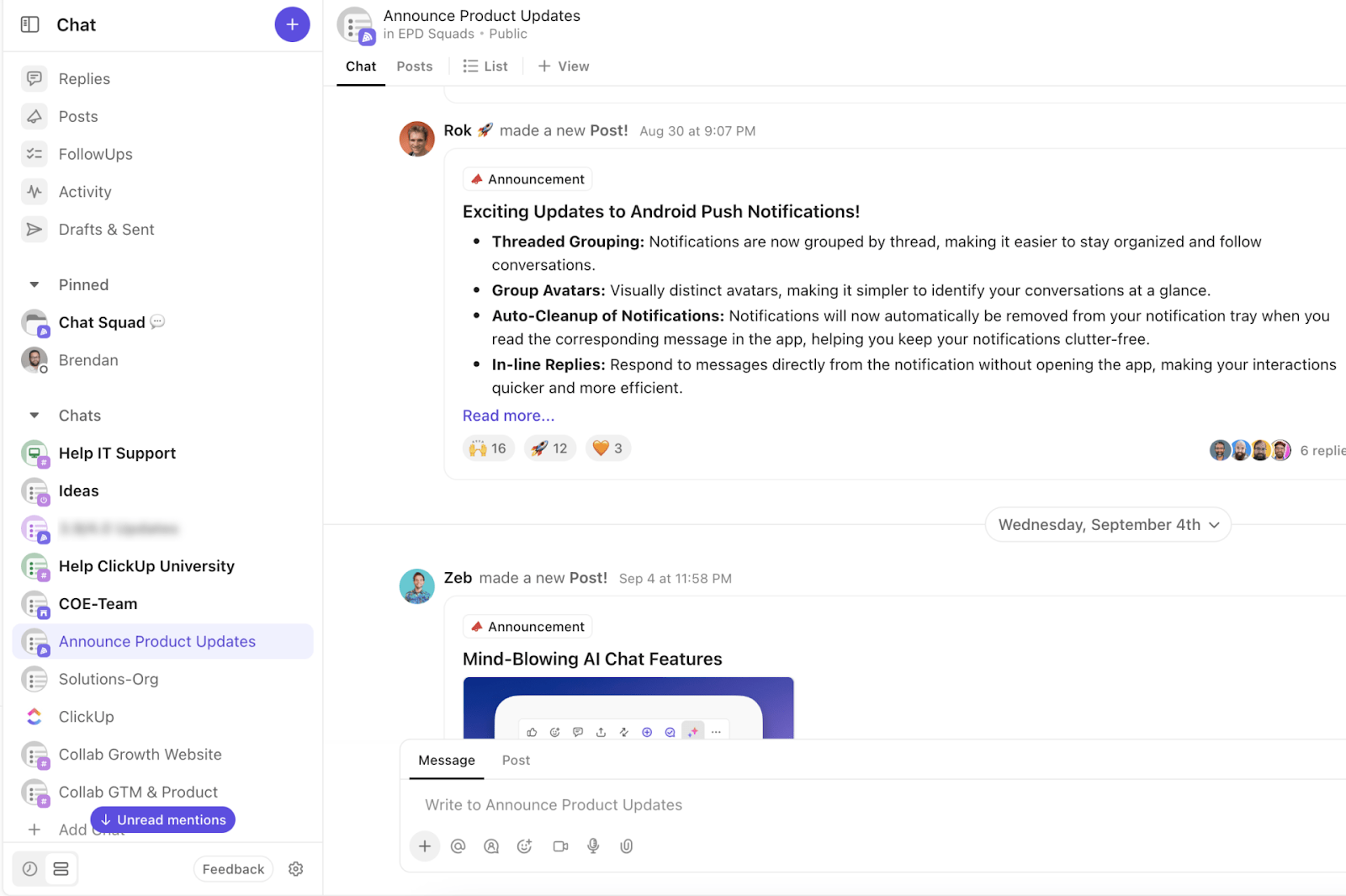
Use ClickUp Chat to keep conversations linked to your projects, tasks, and docs for context, so you never have to ask, “Can you send me that link again?” You can create tasks from messages in one click and even assign action items for quick follow-ups without ever leaving the channel or DM window.
Need to loop someone in on a specific task or highlight an important update, making sure they acknowledge it? Just drop a comment and assign it to them with ClickUp Assigned Comments.
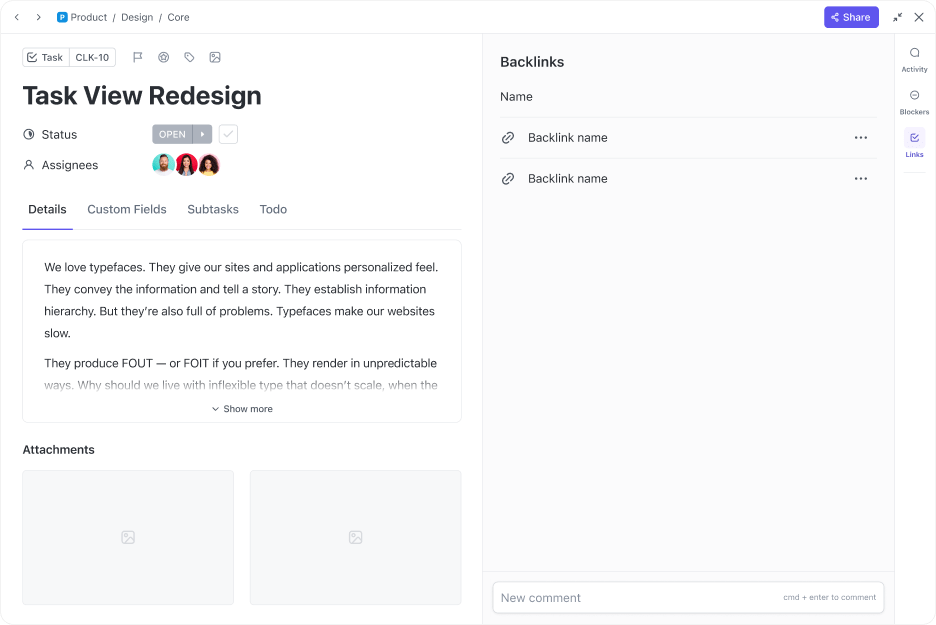
Say goodbye to sticky notes and spreadsheets for managing to-dos. ClickUp Tasks let you break all your big projects down into manageable steps with with customizable task checklists, progress trackers, and deadlines.
You can also add task descriptions, share links and other details in Custom Fields, and attach relevant documents to the tasks. Now, everything related to the task is right where you need it.

When it’s time to brainstorm, ClickUp Whiteboards and ClickUp Mind Maps give you a digital canvas to sketch ideas. You can use these features to collaboratively design vision boards, action plans, and more in real time.
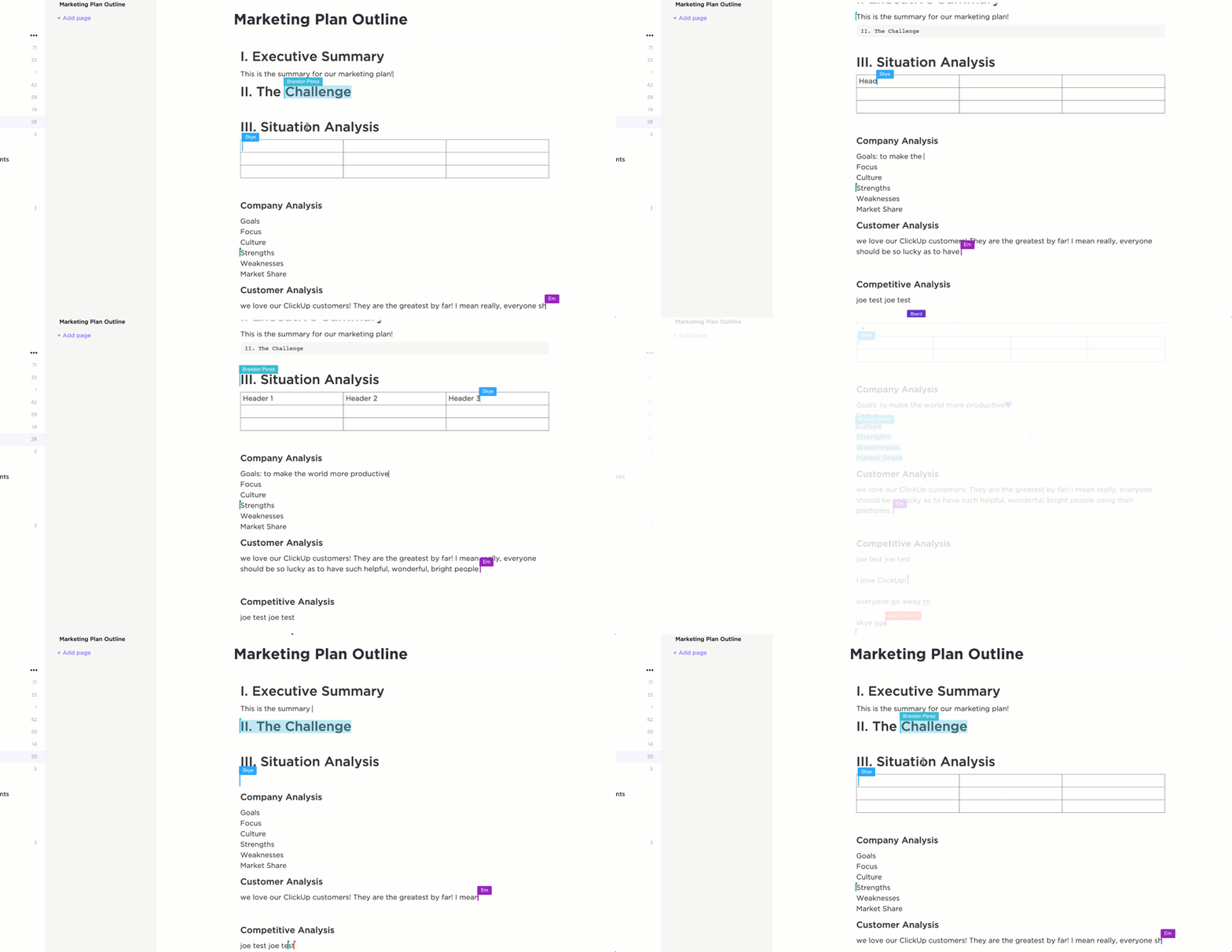
Create, share, and collaborate on documents using ClickUp Docs. With ClickUp’s Live Collaboration Detection, you’ll see when teammates edit content or add comments, too.
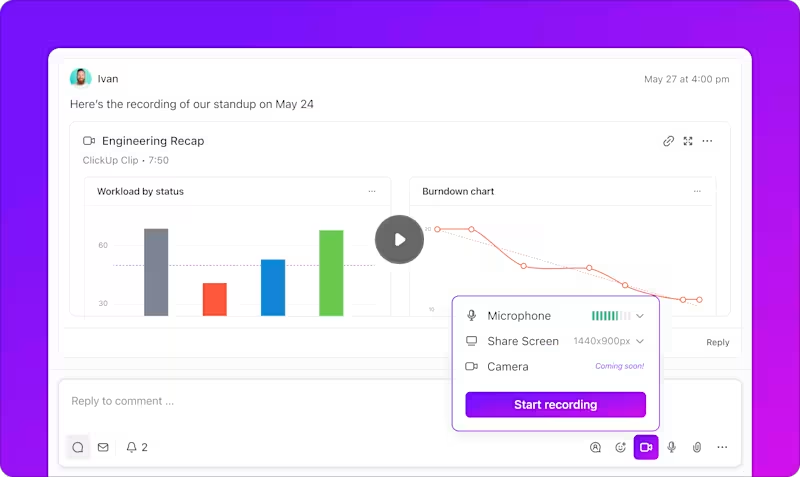
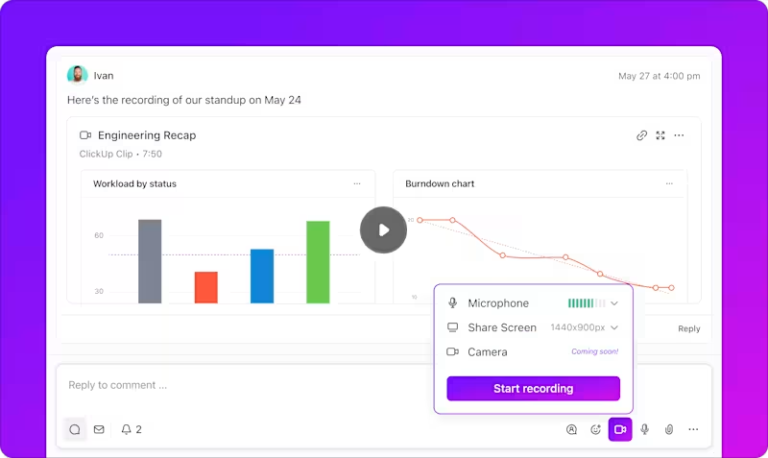
For those times when words just aren’t enough, ClickUp Clips let you record your screen with voiceovers. They’re perfect for sharing quick tutorials or explaining complex concepts.
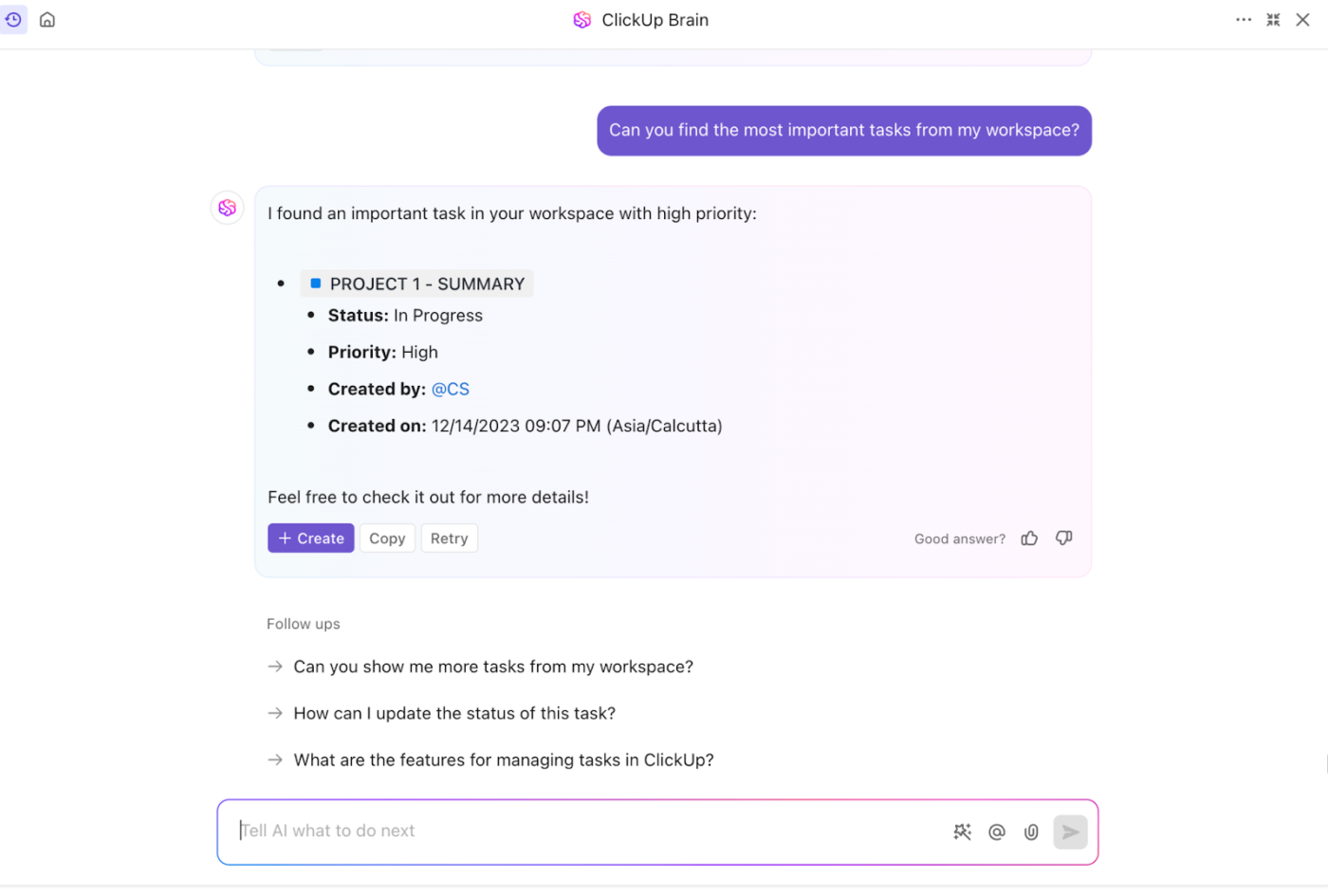
And here’s the real game-changer: ClickUp Brain, your AI-powered work assistant. Use it to write reports, summarize long documents or activity threads, and connect the dots between conversations and tasks you didn’t even realize were related.
That’s a lot to take in, right? It’s okay if you don’t want to reinvent the wheel. Just grab a template from ClickUp’s template library, customize it to your needs, and you’re set.
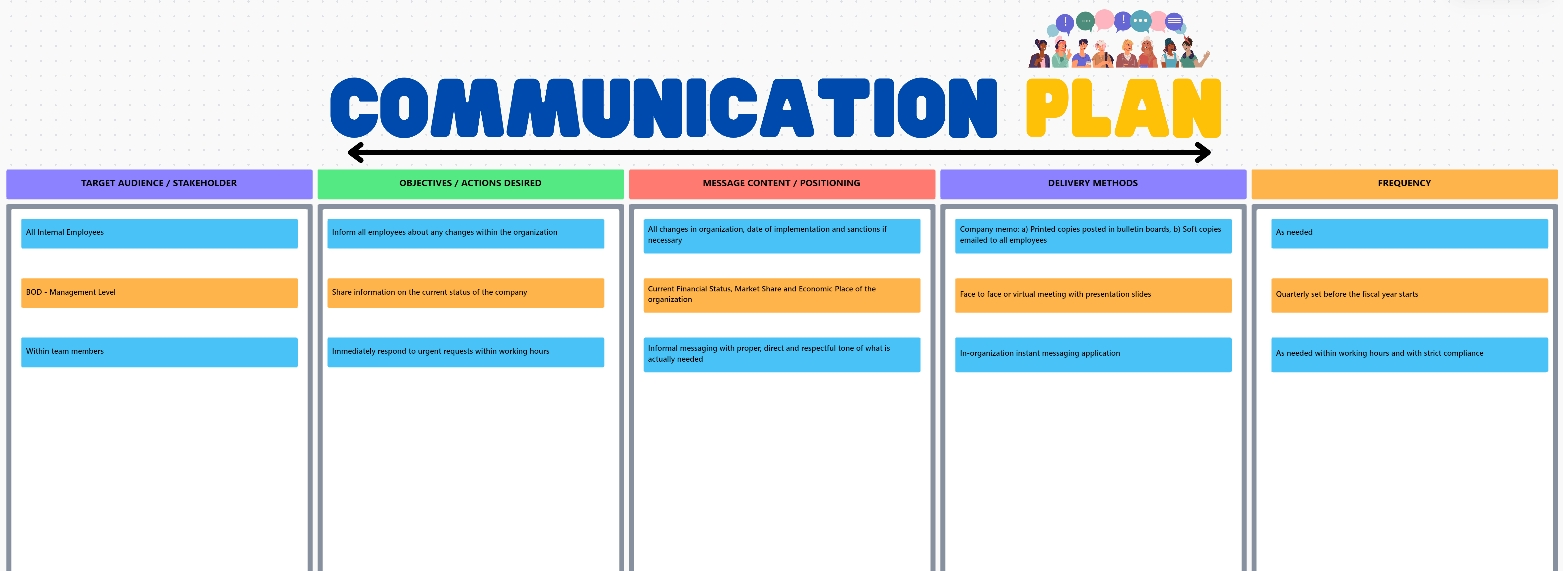
For instance, the ClickUp Communications Plan Whiteboard Template helps simplify messaging, ensuring everyone involved gets the right information at the right time.
Here’s what you can do with it:
This template allows you to maintain transparency, reduce miscommunication, and build a cross-functional team.
Suppose you are looking for a more detailed team collaboration template that helps you define roles, establish meeting schedules, and allow regular check-ins. In that case, the ClickUp Team Communication and Meeting Matrix Template is for you!
Our productivity globally has increased significantly since we implemented ClickUp. We currently have over 50 users across 5 continents who are cross-collaborating on very detailed projects. This has allowed us to cut down the delivery time of projects quite a bit.
📮 ClickUp Insight: Low-performing teams are 4 times more likely to juggle 15+ tools, while high-performing teams maintain efficiency by limiting their toolkit to 9 or fewer platforms. But how about using one platform?
As the everything app for work, ClickUp brings your tasks, projects, docs, wikis, chat, and calls under a single platform, complete with AI-powered workflows. Ready to work smarter? ClickUp works for every team, makes work visible, and allows you to focus on what matters while AI handles the rest.
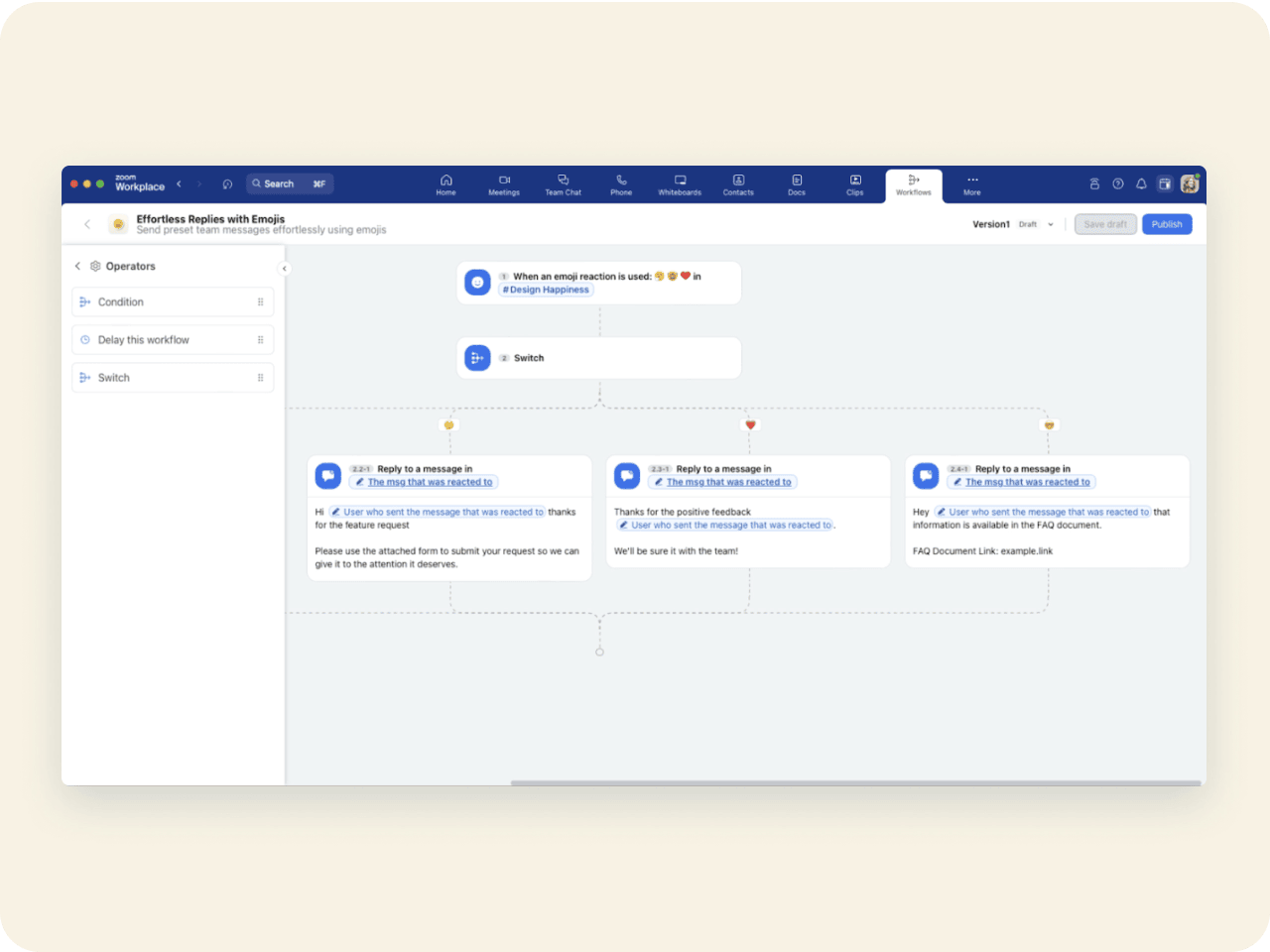
While everyone jumped to activate instant video chat in 2020, Zoom stayed ahead by transforming from a simple meeting tool into a full-fledged collaboration powerhouse.
Its AI Companion takes notes so you don’t have to and HD quality makes you look good even on Monday mornings. Zoom has mastered the art of bringing teams together virtually.
🧠 Fun Fact: In-person meetings dropped from 63% in 2019 to 33% in 2021 as more people shifted to audio and video calls, thanks to changing workforce demographics.
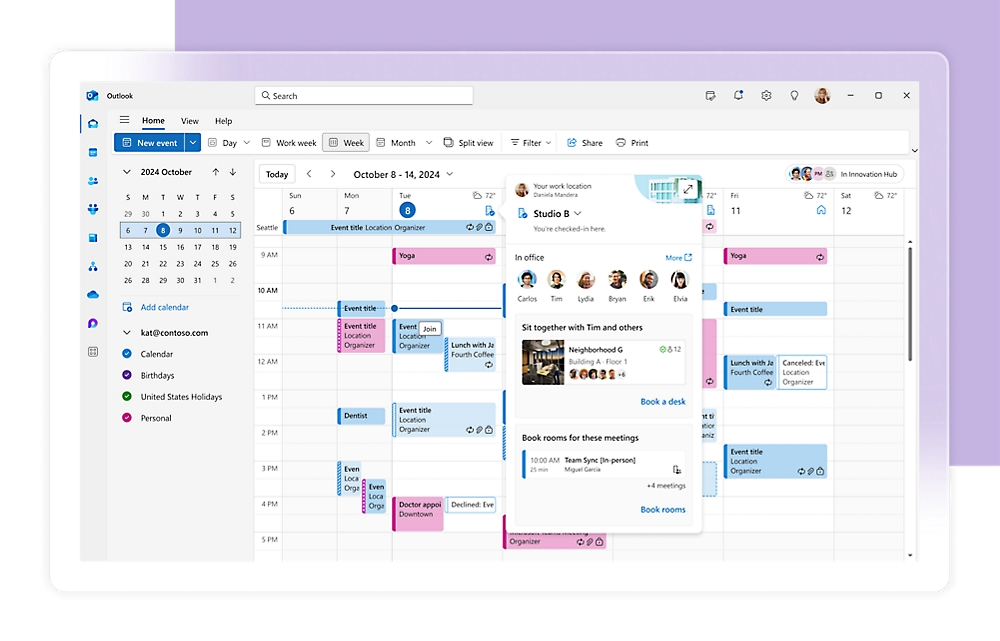
If Microsoft Office had a social network, it would be Teams. While other platforms integrate with your favorite tools, Teams was born into the Microsoft family—and it shows. Think of it as the central hub where all your Microsoft 365 apps come together to improve collaboration in the workplace.
Whether you’re co-authoring a PowerPoint presentation or scheduling meetings through Outlook, this seamlessly integrated messaging platform makes everything feel like it’s happening in one workspace.
Overall, I’ve enjoyed using Teams! I really like the way chats are organized, with messages and files grouped together, and having the different teams groups to make messaging cleaner. I wish there was more advanced search functionality. Such as in Outlook – searching by date, names, exact or not exact words, etc
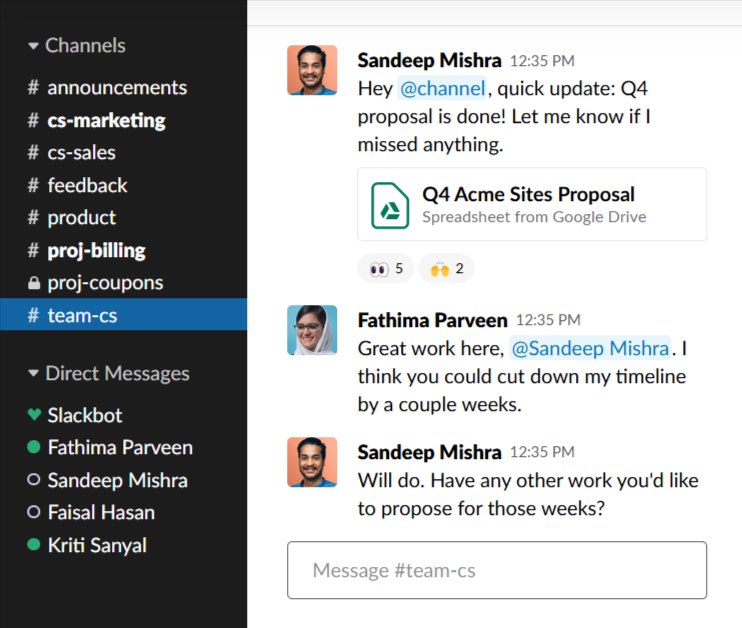
Remember instant messaging from the early 2000s? Slack is like that, but better. It has turned chat into a legitimate work tool, making it one of the most popular email alternatives.
With channels for every topic imaginable (yes, including that #random channel where people share cat memes), Slack has mastered the art of keeping conversations organized while still being fun to use.
📮ClickUp Insight: About 41% of professionals prefer instant messaging for team communication. Although it offers quick and efficient exchanges, messages are often spread across multiple channels, threads, or direct messages, making it harder to retrieve information later.
With an integrated solution like ClickUp Chat, your chat threads are mapped to specific projects and tasks, keeping your conversations in context and readily available.
📖 Also Read: Free Slack Templates to Improve Your Workflow
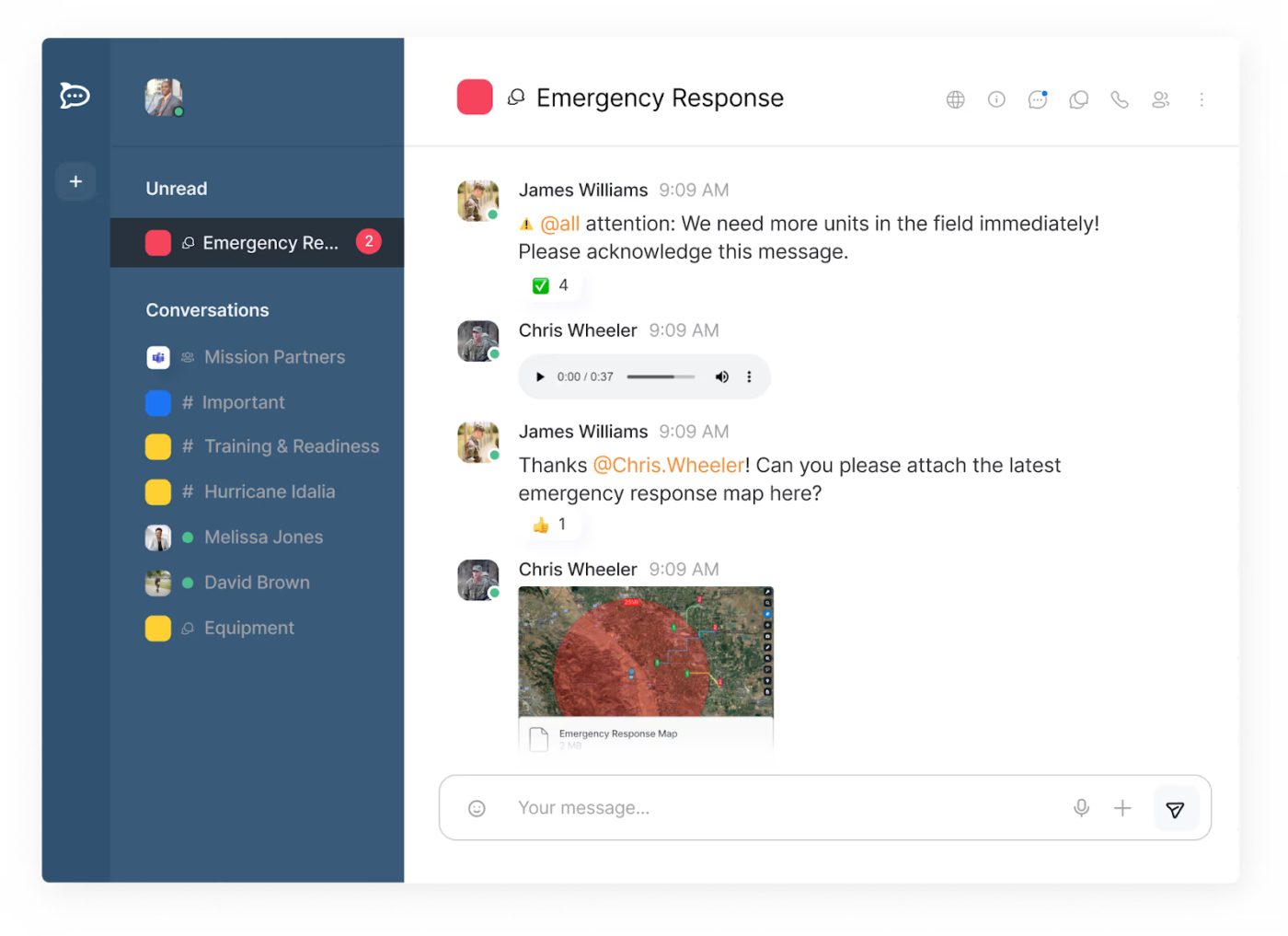
Built for organizations that take their data security as seriously as their morning cup of coffee, this open-source messaging platform gives you all the communication tools you need while keeping your conversations safe.
Rocket.Chat combines real-time chat, VoIP calls, video meetings, and omnichannel communication with enterprise-grade security.
Rocket.chat was really nice at the beginning of the pandemic, I deployed it for a team of 20 people and it made WFH a lot more bearable. Since then there was a massive drive to push premium features which ranged from annoying to borderline unacceptable.
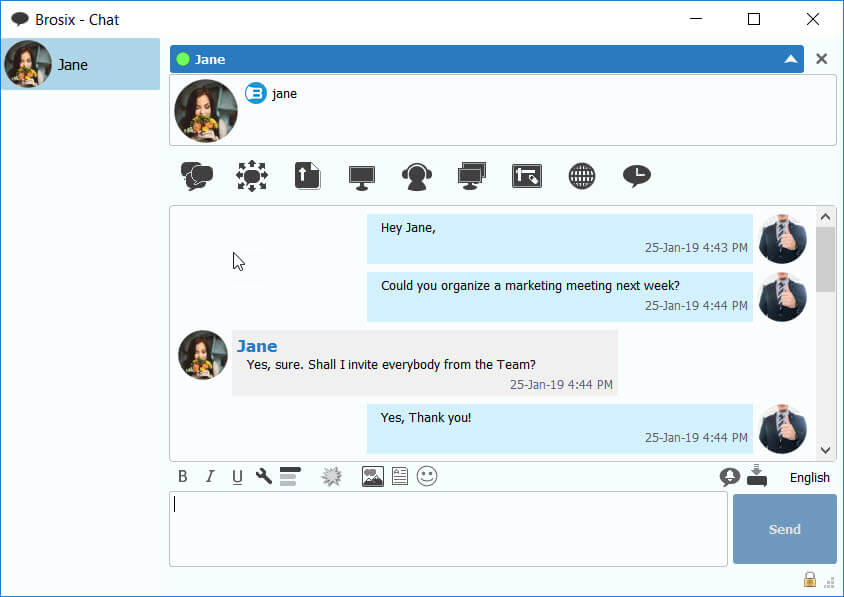
Brosix is a private, encrypted internal communication software tool built for businesses that prioritize secure and efficient communication. A dedicated private network ensures that all internal conversations, file transfers, and video calls remain protected from external threats.
Designed for industries that require strict data privacy—such as finance, healthcare, and IT—Brosix eliminates the risks of unsecured messaging apps and eases collaboration through chat rooms, screen sharing, and interactive whiteboards.
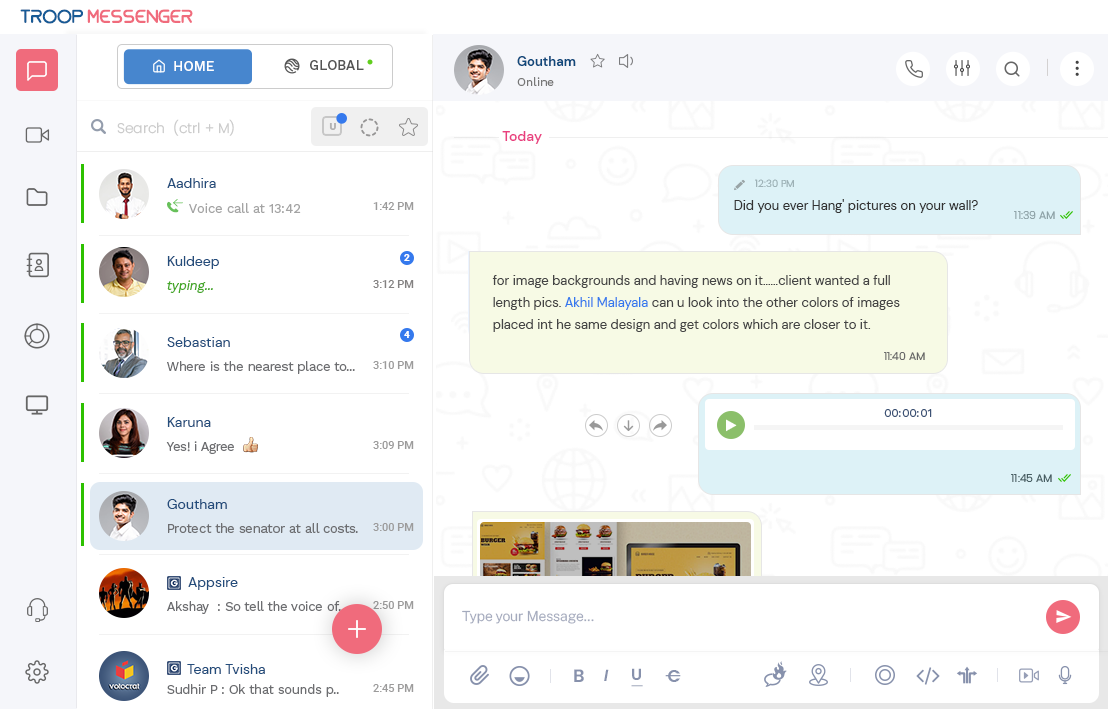
Troop Messenger is a feature-rich communication and collaboration platform that gives you extensive control over your workspace collaboration.
From one-on-one messaging and group chats to audio and video calls, file sharing, and even advanced features like code snippets and location tracking, Troop Messenger aims to cover all your communication bases.
I honestly feel teams who are using Troop Messenger as their official team communication tool are certainly gifted. This tool boosts teamwork and communication. Anyone can access this tool although they have less technical knowledge.
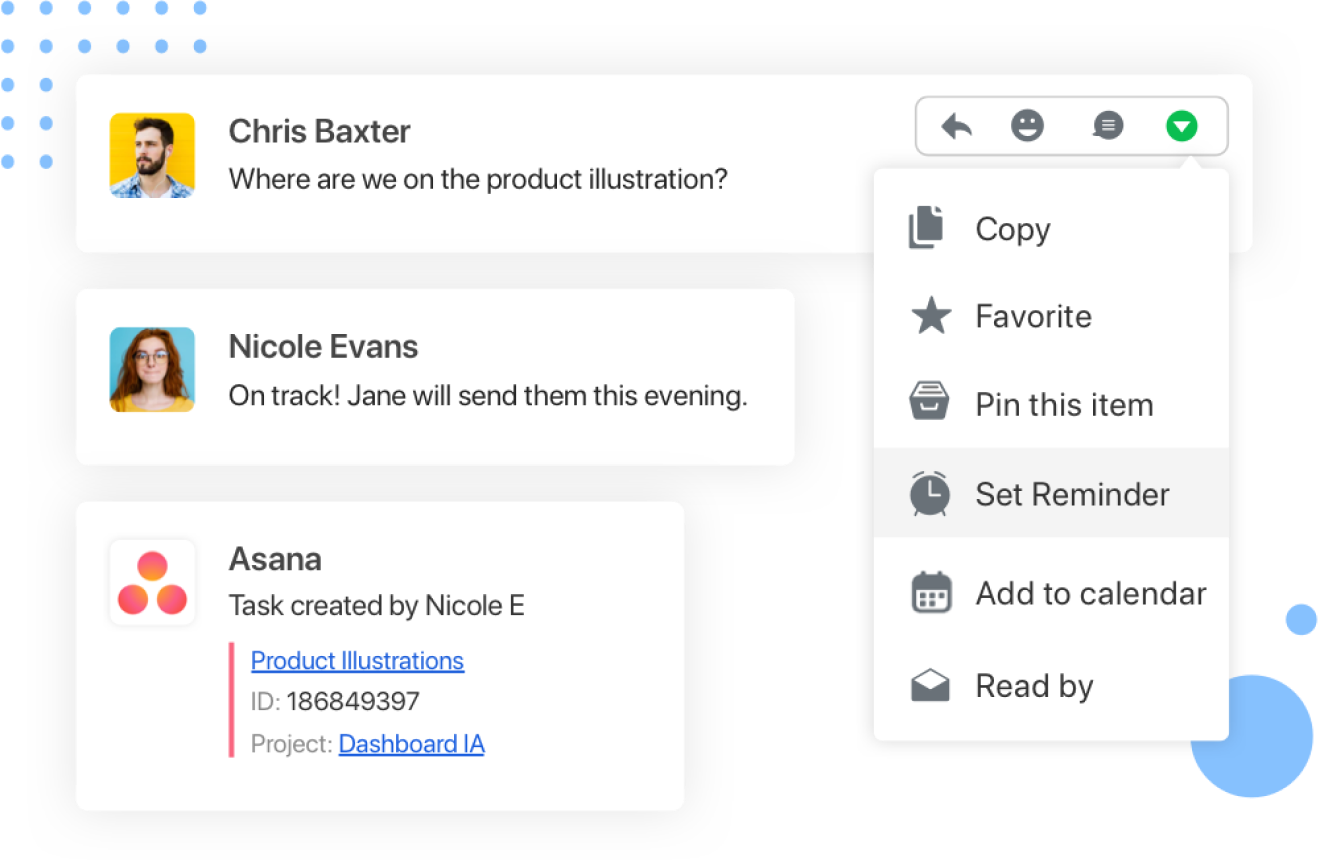
When you are a new team, building strong internal (and external!) communication takes time. However, Flock helps you fix that. It’s a collaboration tool for small businesses to organize discussions and workflows while reducing communication clutter.
Flock keeps conversations structured and accessible, making it easy for teams to stay aligned and productive. Its intuitive interface ensures that even non-technical users can easily navigate and adopt the platform.

If you love keeping projects organized visually, Trello keeps things fun and simple with boards, lists, and cards that help teams track projects, assign tasks, and collaborate effortlessly.
Whether you’re planning a product launch, managing client work, or just keeping your daily tasks in check, Trello’s intuitive design ensures everyone knows what’s happening—no messy spreadsheets required!
I really like Trello because it’s easy to work in a team, it also allows me to quickly organize my projects. It’s easy to implement, I didn’t have any complications, I use it frequently.
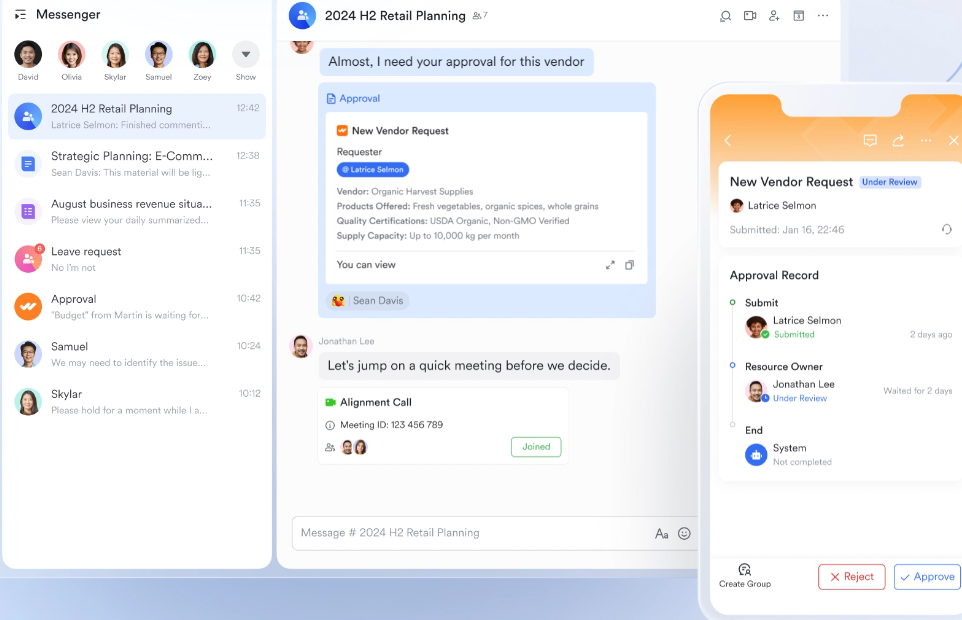
Lark is a new customer communications platform that offers video conferencing, document collaboration, and project management in a single intuitive space. Say goodbye to app overload and hello to effortless teamwork!
Whether you’re scheduling meetings, collaborating on files, or chatting in real time, Lark keeps everything organized, so your team can focus on what matters—getting things done. Its user-friendly interface allows for easy interaction among team members.
Collaboration tools work best when they align with your team’s collaboration strategies. And these DingTalk alternatives? They’re the crème de la crème, offering powerful features that DingTalk might be lacking.
But if you’re looking for the ultimate collaboration solution, ClickUp is your one and only. With task management, docs, whiteboards, and AI-powered support in one sleek platform, it’s everything you need to create, connect, and conquer your projects.

Manasi Nair
Max 20min read

Arya P Dinesh
Max 23min read
Arya P Dinesh
Max 27min read

© 2026 ClickUp