






Still downloading templates?
There’s an easier way. Try a free AI Agent in ClickUp that actually does the work for you—set up in minutes, save hours every week.
Sorry, there were no results found for “”
Sorry, there were no results found for “”
Sorry, there were no results found for “”

🤖 Devin AI set an ambitious goal—to become the world’s first fully autonomous software engineer.
It’s a bold vision—and while it shows promise, many developers have found that it’s not quite ready for complex, real-world workflows.
From limited context handling to gaps in integration and scalability, Devin sometimes adds more steps than it removes. And when you try finding alternatives, most lists feel outdated, irrelevant, focusing on hype, not hands-on utility.
That’s why we’ve curated this guide—to highlight real alternatives to Devin AI that actually support AI-driven software development and modern dev teams, whether you need faster code generation, better task execution, or tighter integration with your stack.
Devin is an autonomous AI software developer built by Cognition AI, a San Francisco-based startup founded in 2023 by competitive programming champions Scott Wu, Steven Hao, and Walden Yan. Unlike traditional AI coding assistants, Devin is designed to independently plan, write, debug, and deploy code, effectively functioning as a full-fledged software engineer.
If you’ve spent time with Devin AI, some of these might feel too familiar 👇
👀 Did You Know? Enterprise-grade debugging tools use statistical fault localization to detect bugs faster by analyzing which lines of code are most correlated with failures. Devin hasn’t yet implemented this, so debugging often takes longer.
Our editorial team follows a transparent, research-backed, and vendor-neutral process, so you can trust that our recommendations are based on real product value.
Here’s a detailed rundown of how we review software at ClickUp.
Want a quick breakdown? Compare these compelling alternatives of Devin AI and find what works for you.
| Tool | Key features | Best for | Pricing |
|---|---|---|---|
| ClickUp | – AI-powered documentation and specs – Autopilot agents for task automation – DevOps integrations with Git tools | Product teams and dev managers needing centralized project tracking and AI-assisted documentation | Free forever; Customizations available for enterprises |
| Replit Code Repair | – Real-time bug fixing – Code optimization suggestions – Seamless IDE and GitHub integration | Solo developers and learners looking for fast debugging in a collaborative cloud IDE | Free plan available; Paid plans start at $25/month |
| Devika AI | – Autonomous code generation – Web-based research for problem solving – Multi-language development support | Open-source developers and engineers wanting full control over agentic AI software engineering | Paid plans start at $19/month |
| SWE Agent | – Converts GitHub issues into code fixes – Agent-computer feedback loop – Creates verified pull requests | Backend developers handling GitHub issues and automated PR generation | Free to self-host; No fixed pricing (API & infra costs apply) |
| Cody | – Natural language Q&A across codebase – AI-powered autocomplete and refactoring – Support for multiple LLMs | Large engineering teams needing deep codebase understanding and enterprise-grade AI code assistant | Free plan available; Paid plans start at $19/month |
| MetaGPT | – Collaboration with role-based tasks – Structured software artifact generation – Open-source multi-agent framework | Product leads and tech architects seeking AI-generated software specs and system design | Free plan available; Paid plans start at $20/month |
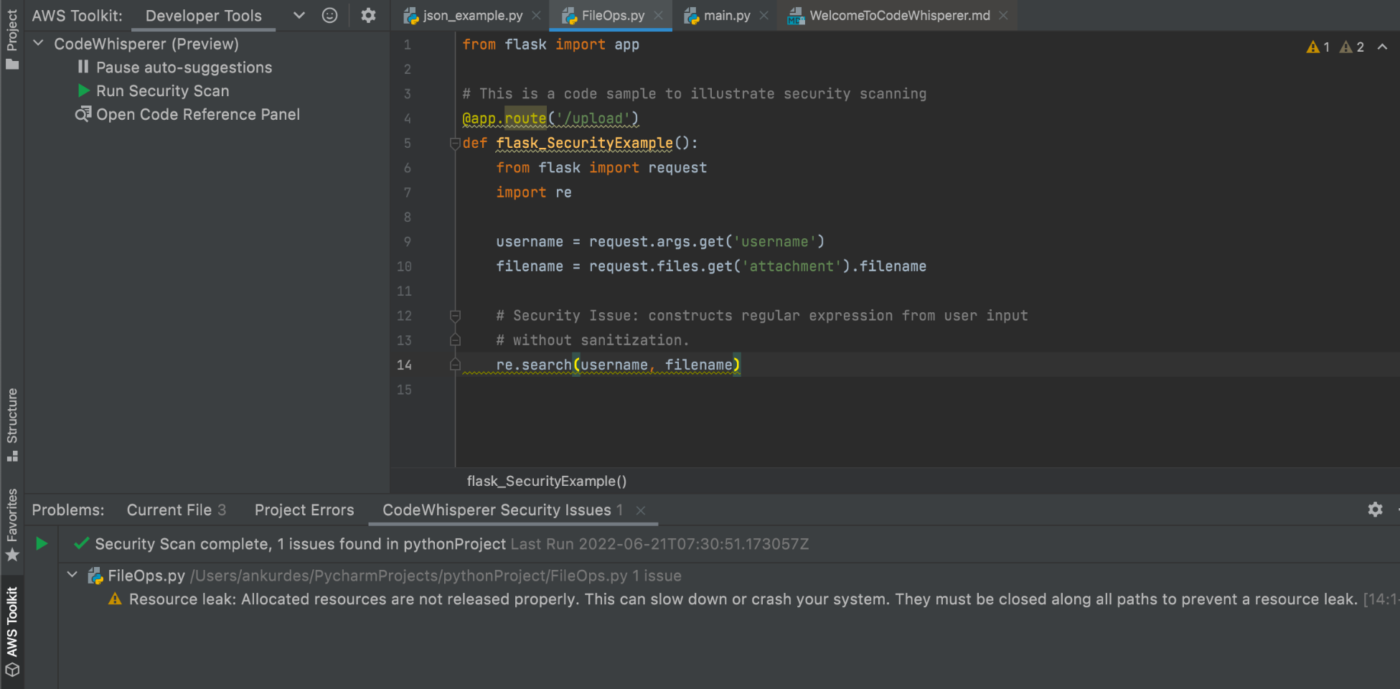
| Amazon CodeWhisperer | – Context-aware code suggestions – Intelligent AWS API handling – Built-in security and compliance scanning | AWS developers and enterprise teams looking for secure, AI-assisted coding inside IDEs | Free plan available; Paid plans start at $19/month |
| Cursor | – Multiline autocomplete – Context-aware AI chat in editor – Agent mode and notebooks for structured code generation | Developers who want an interactive AI pair programmer inside a VS Code-style editor | Free plan available; Paid plans start at $20/month |
Let’s compare these tools in terms of capabilities, features, pricing, and more.
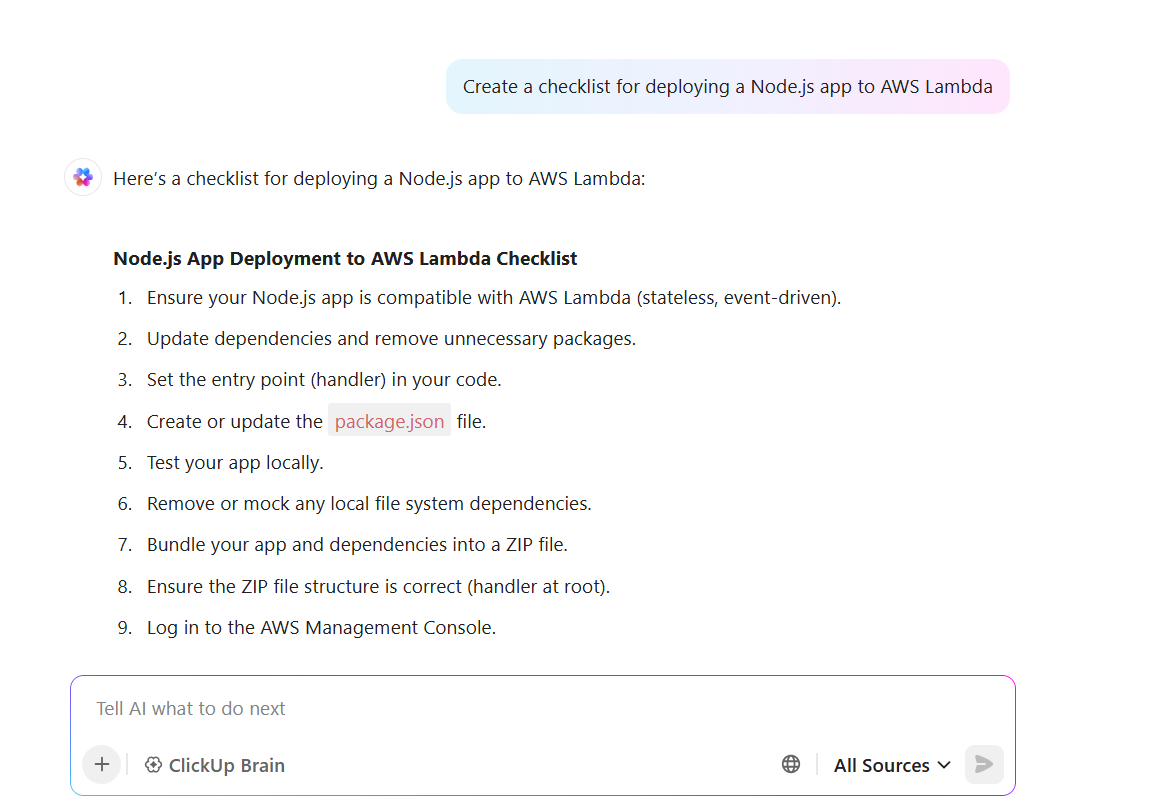
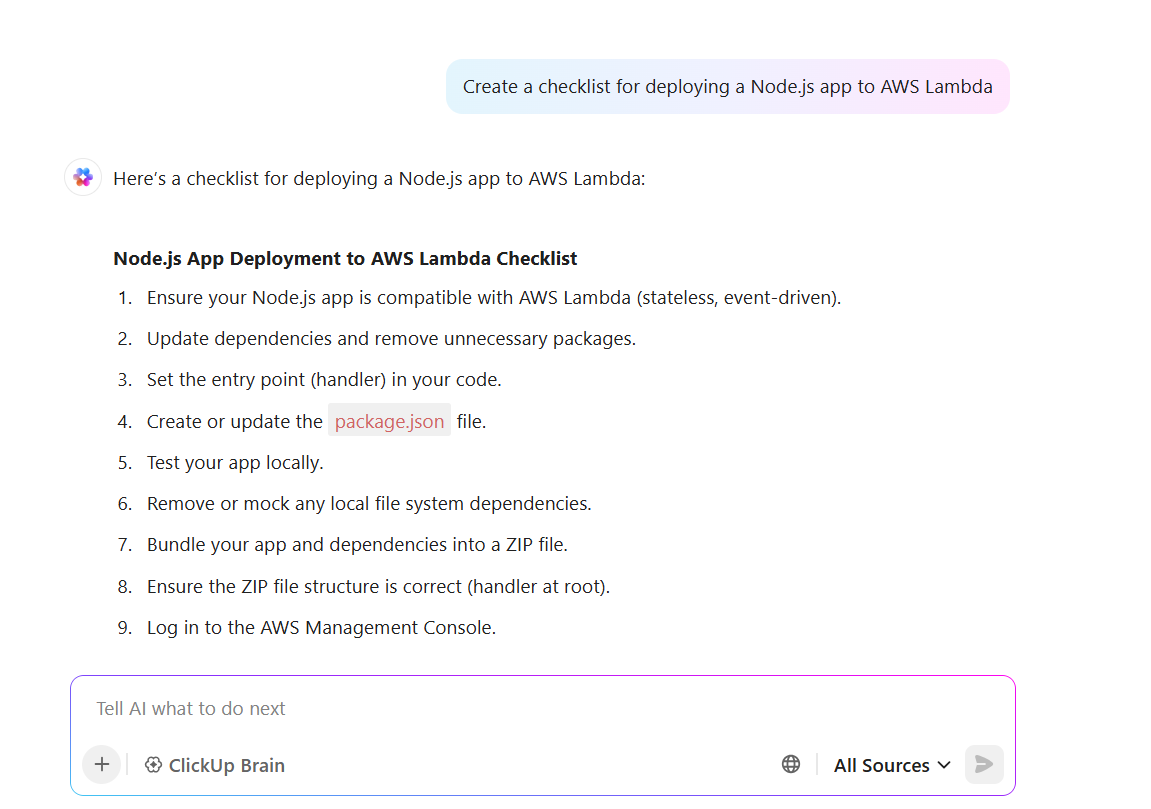
ClickUp, the everything app for work, is designed for software teams to manage everything in one place. ClickUp Brain, an AI assistant designed to support your entire software development lifecycle, is at the heart of its developer-focused toolkit.

From documenting APIs and summarizing long technical docs to generating code snippets and writing clean commit messages, ClickUp Brain streamlines key parts of software project management so you can move faster. It also turns feature specs into actionable task lists, refines messy documentation, and helps brainstorm ideas with relevant context-aware prompts.
Build your AI agents to automate bug triage, task assignment, and issue routing workflows. For example, an agent can be set up to automatically assign code reviews based on workload or escalate blockers to leads, just like Devin AI’s autonomous workflow.
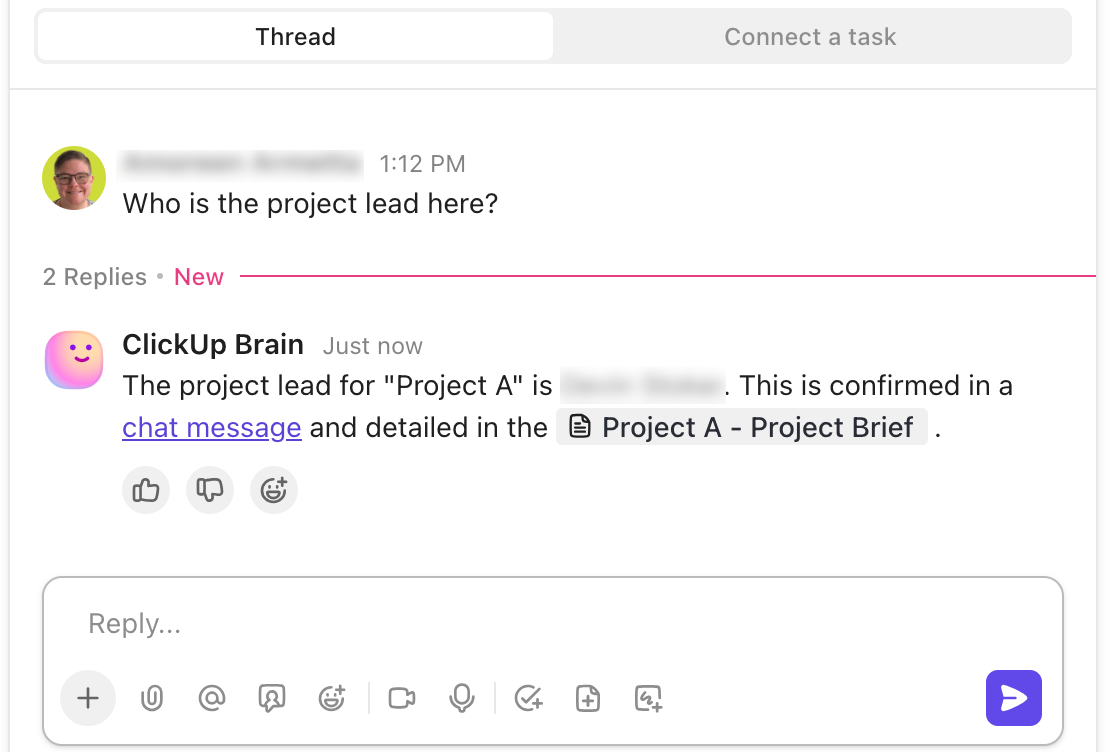
However, what truly sets ClickUp apart is its ability to replace multiple dev tools with one platform. Instead of switching between Jira, Trello, Notion, Confluence, and GitHub, ClickUp for Software Teams brings everything in one space: docs, tasks, sprints, bug tracking, roadmaps, and release planning.
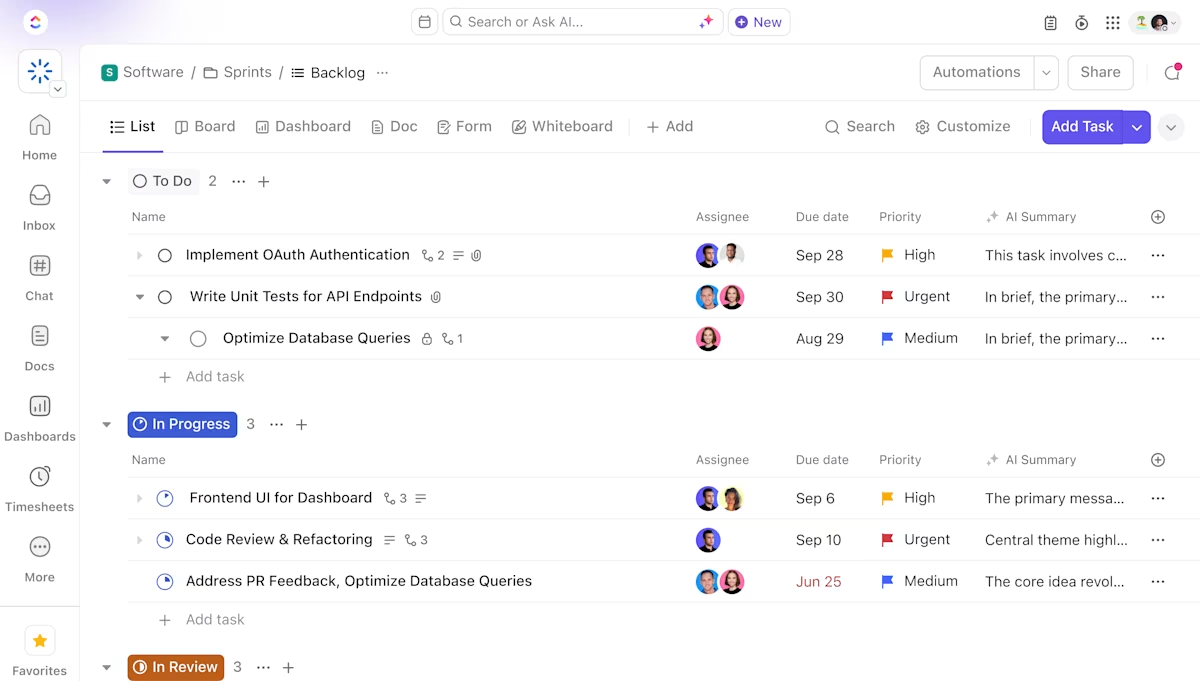
In the same view, you can create detailed documentation, manage your product backlog, assign tasks, and track progress.
📮ClickUp Insight: 33% of our respondents point to skill development as one of the AI use cases they’re most interested in. For example, non-technical workers may want to learn to build code snippets for a web page using an AI tool.
In such cases, the more context the AI has about your work, the better its responses will be. As the everything app for work, ClickUp’s AI excels at this. It knows what project you are working on and can recommend specific steps or even perform tasks like creating code snippets easily.
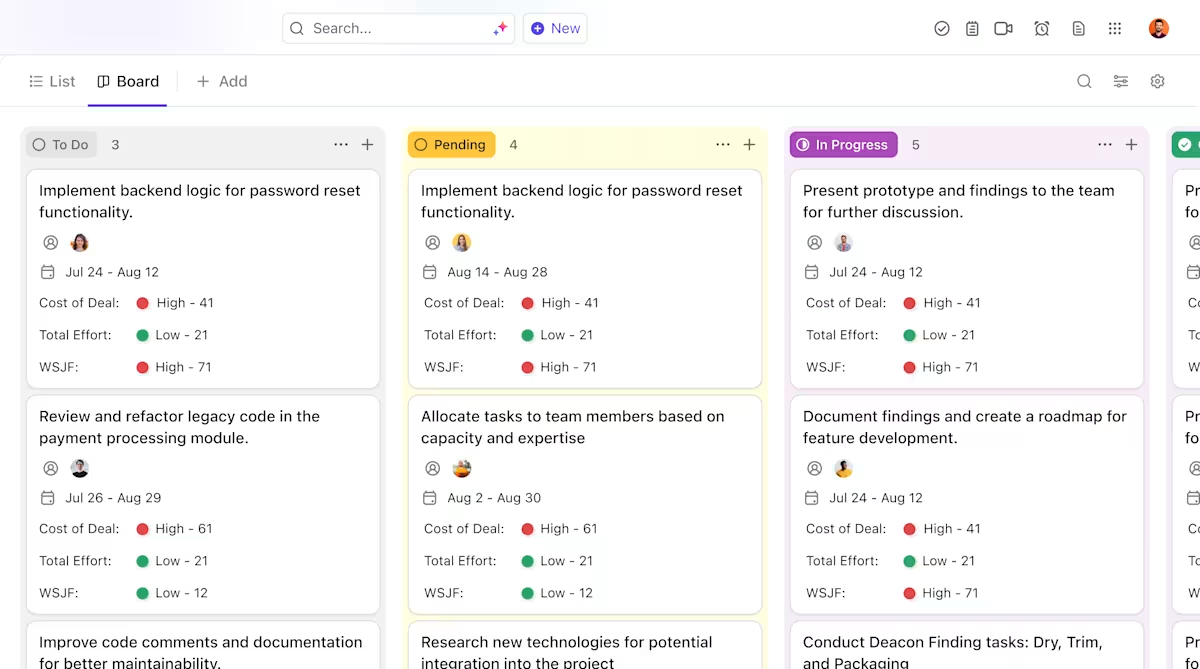
Engineering leads can monitor timelines using ClickUp Gantt Charts, manage workflows with ClickUp Agile Boards, and even track team capacity using ClickUp Workload View.
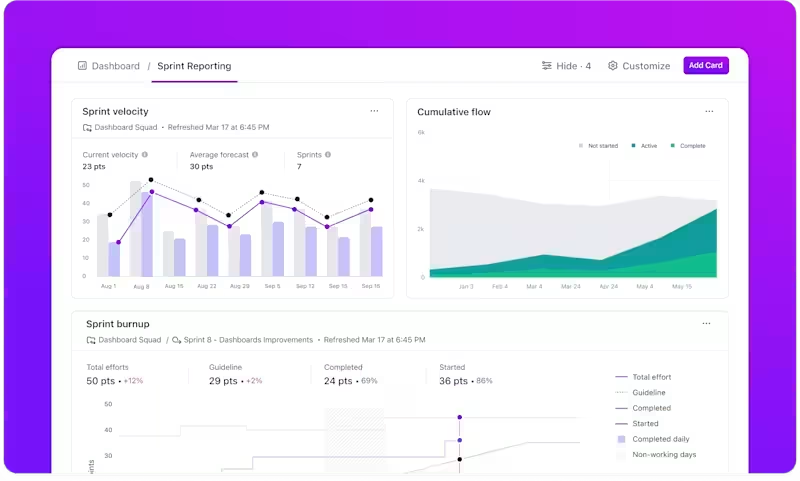
Monitor sprint progress, deployment status, and team workload in real time. Build custom Dashboards to visualize blockers, velocity, and delivery pipelines—giving your AI-powered workflows the data they need to optimize delivery.
Connect your GitHub or GitLab accounts to ClickUp for real-time commit visibility, pull request tracking, and automated task updates. With GitHub integration with ClickUp, you can link code changes directly to tasks, update statuses when PRs are merged, and trigger automations based on commit activity, keeping your development workflow aligned and efficient.
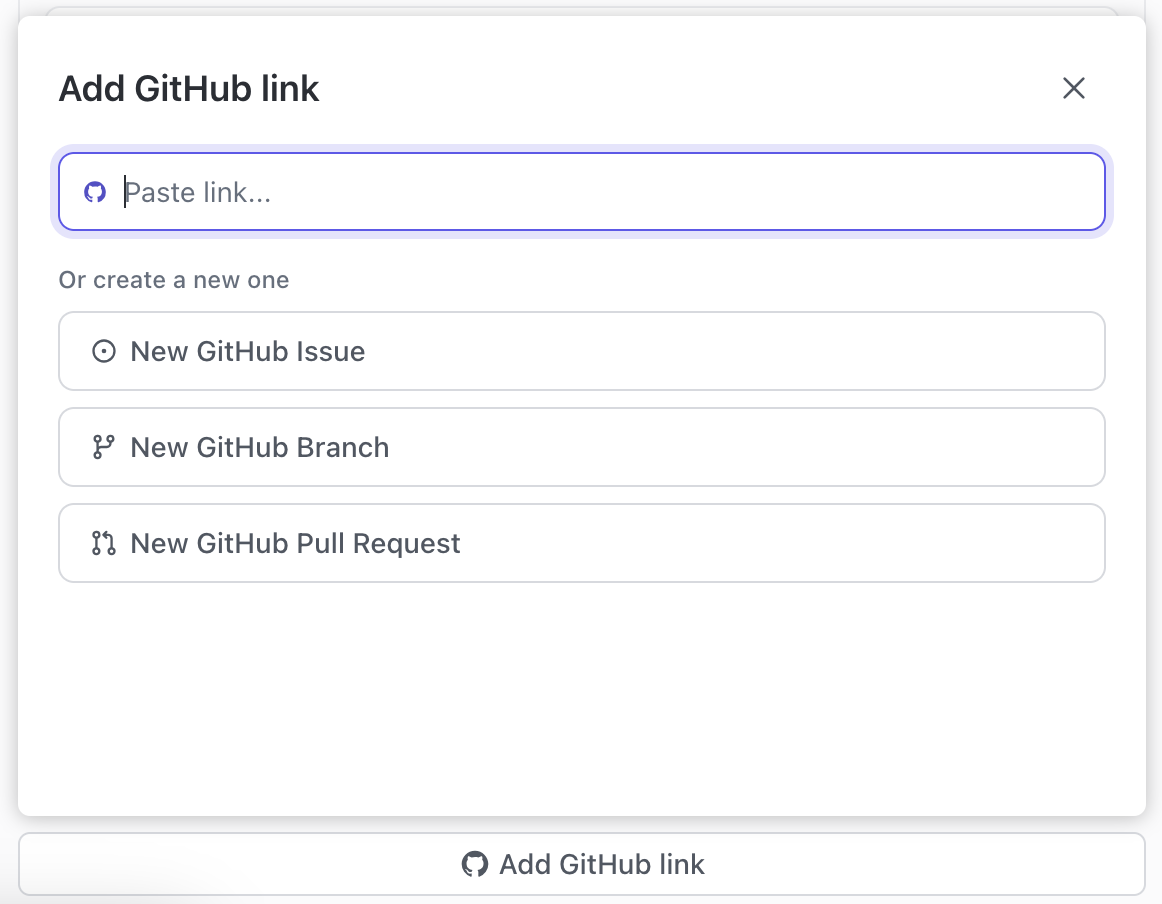
ClickUp also supports over 1,000 integrations, allowing your workflows to stay connected. From Slack and Zoom to Figma and Bitbucket, the integration ecosystem ensures developers don’t have to change how they work; they can just bring it all into ClickUp.
If you want to hit the ground running, the ClickUp Software Development Template includes pre-built folders for roadmap planning, sprint management, bug tracking, and QA checklists. This gives teams a plug-and-play workspace to ship software faster.
As one G2 reviewer said:
ClickUp has been a game-changer for our team, transforming outdated workflows in both bug tracking and new product development. Our bug tracking system had no visibility but after creating our new system in ClickUp, we had a seamless launch and continued having a great workflow from triage to resolution. We’ve easily implemented automations to save our team from time consuming manual work which has really saved us as well.
📚 Also Read: Unlocking the Power of ClickUp AI for Software Teams
Built into the Replit online IDE code editors, Code Repair is an AI-powered coding assistant that watches your code for errors and suggests corrections on the fly. It specializes in keeping your existing code clean and error-free, using models fine-tuned on tons of debugging data to generate solutions.
Developers can use it alongside Ghostwriter (Replit’s AI coding assistant) for real-time autocomplete, code translation, multiplayer debugging in shared projects, and code translation across 50+ languages. It’s a handy assistant for everyday fixes in fast-paced or collaborative coding sessions.
As one G2 reviewer said:
The Replit AI Agent totally changed the game for me. I do not have a coding background, but I’ve always been passionate about creating my own business in the SAAS space. With Replit Agent, now I’m building a business idea almost every day, and am able to validate the idea with real users when Replit helps enable me to deploy it into production.
🧠 Fun Fact: In Stanford’s 2023 experiment, 25 AI agents simulated an entire town of people. They planned birthday parties, formed relationships, and created unsupervised routines.
This experiment demonstrated just how sophisticated some types of AI agents have become, especially those capable of goal-setting, environment perception, and long-term memory.
⚡ Template Archive: Need to standardize your dev docs or speed up onboarding? These code documentation templates help you create structured READMEs, API references, and internal guides, so your team stays aligned from the start.

Devika AI is a self-hosted open-source project, designed as an AI coding agent built to function properly like an autonomous software engineer. It breaks down user prompts into executable steps, searches relevant documentation online, and writes structured, multi-file code in response.
The agent also maps dependencies between components, supports code generation in multiple languages, and enables multi-file code execution across your project.
It has tools for advanced reasoning, progress tracking, and a built-in browser interaction module to support documentation lookup and code research. Developers can monitor their ongoing actions through a visual interface and view which parts of a project are complete or in progress. Devika integrates with common tools like GitHub, API endpoints, and IDEs, and is suitable for solo coding tasks or automating larger feature builds.
As one Reddit reviewer said:
Devika might take a few tries to set up, but once it’s running—especially with DeepSeekCoder 33B—it genuinely gets the job done, even for regex and invoice automation.
📚 Also Read: A Day in the Life of a Software Developer
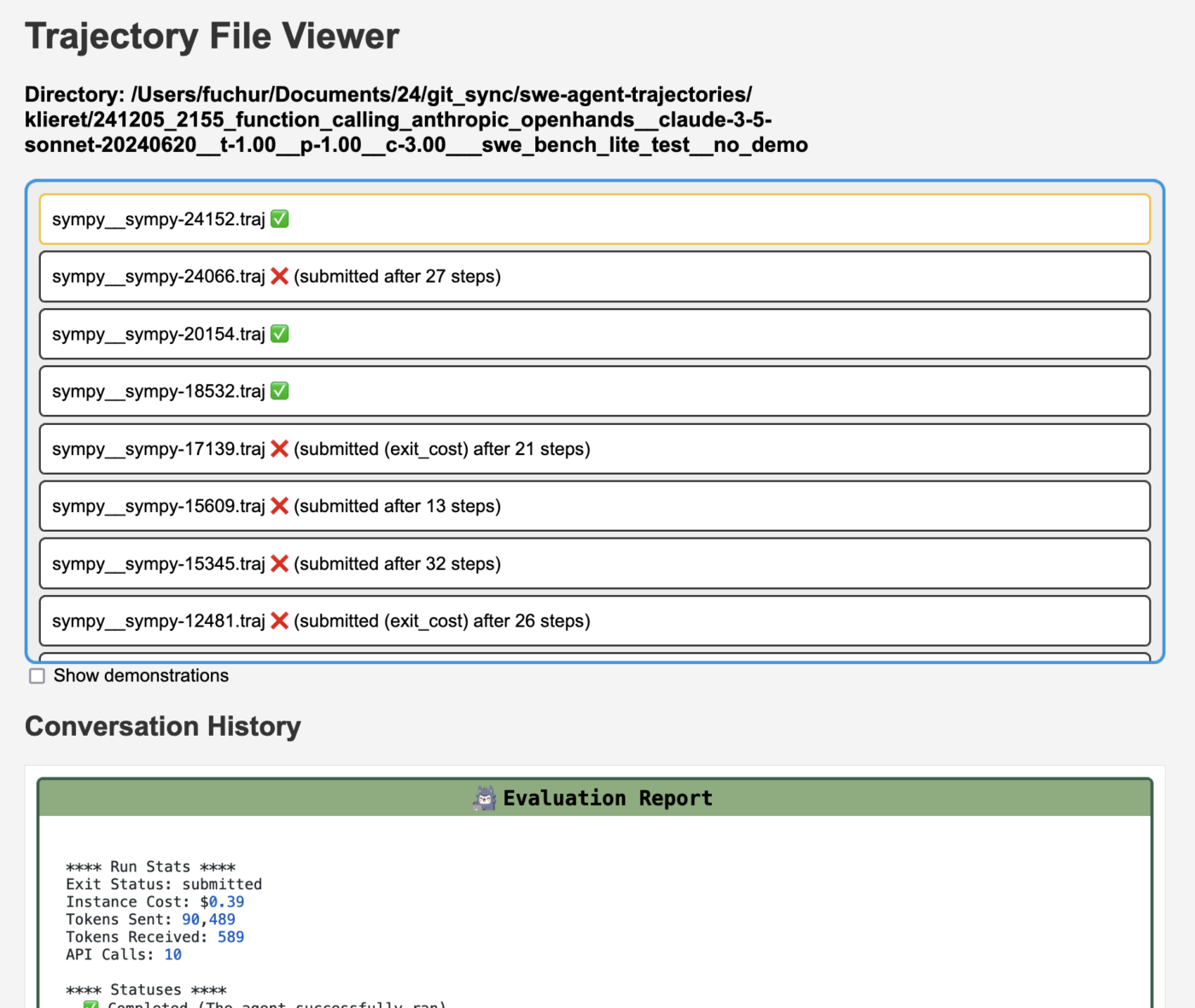
SWE Agent is a fully autonomous, open-source AI agent. It takes a GitHub issue as input, analyzes the project, and executes a loop of reading, editing, testing, and committing code, aiming to fix the problem end-to-end. It uses tools like compilers, linters, and test runners—and can parse the abstract syntax tree (AST) to understand code structure before applying changes.
The system is powered by large language models, such as GPT-4 or Claude, combined with an Agent-Computer Interface (ACI) that lets it navigate, modify, and run code. SWE Agent also supports debugging, test generation, and opening pull requests on real repositories—powered by large language models capable of understanding project context at scale. This makes it a practical assistant for long-standing bug queues.
As one Reddit reviewer said:
Awesome work! I just updated the code locally on my MacBook so that any LLM supported by the Groq Cloud can also be used. Then I ran a test using Mixtral 8x7B and the response is not only super fast (to be expected from Groq) but also matches my previous experiment with GPT-4.
⚡ Template Archive:
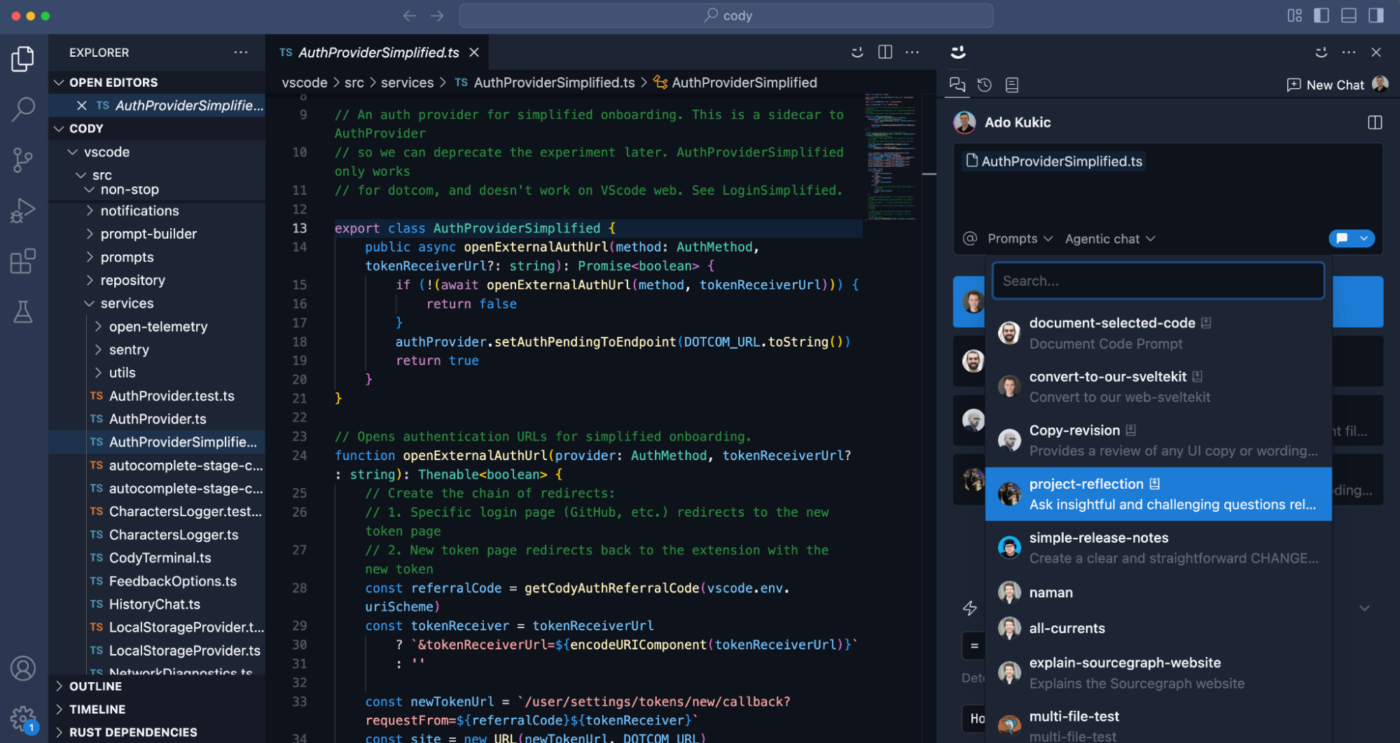
Cody is an AI coding assistant built by Sourcegraph to help developers understand, navigate, and generate code across large and complex repositories. Unlike generic code tools, Cody taps into Sourcegraph’s code indexing engine. This allows it to search through your entire codebase, even across multiple repositories, allowing developers to get helpful suggestions without breaking their flow.
The assistant runs inside your IDE (like VS Code or JetBrains) and integrates with code search, documentation, and external tools like Notion or issue trackers. It excels at real-time Q&A, cross-repo suggestions, and explaining large blocks of code.
As one G2 reviewer said:
Absolutely loved using Cody in VSCode for the last few months. It’s been a game-changer for our team. The way it summarises code blocks and fills in gaps in log statements, error messages, and code comments is incredibly smart.
📚 Also Read: Software Engineering Trends to Watch Out for
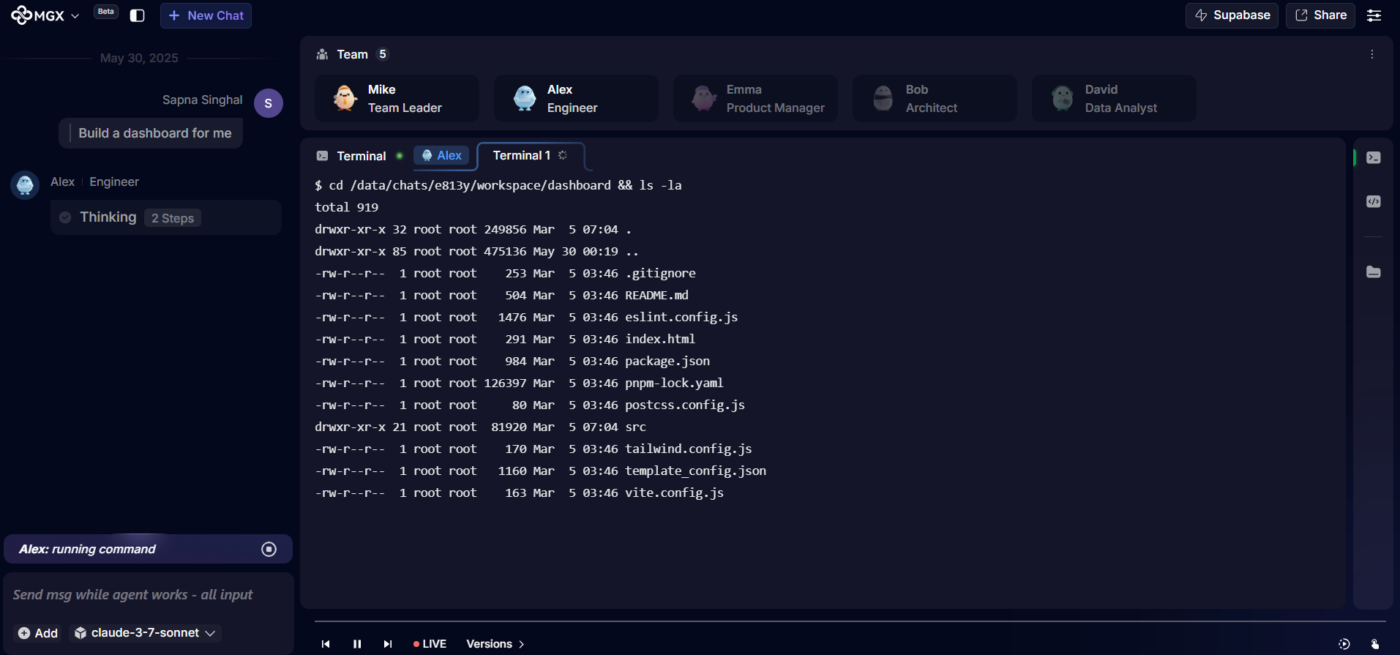
MetaGPT is a multi-agent AI framework that simulates a full software development team. It assigns AI roles like Product Manager, Architect, and QA to generate structured software deliverables. You can describe a product idea in plain English, and MetaGPT generates code based on predefined SOPs—producing requirement docs, system designs, code modules, and test plans.
The entire process follows predefined Standard Operating Procedures (SOPs), ensuring each agent contributes in a controlled, predictable way. MetaGPT produces complete project skeletons with a clear structure, making it suitable for AI-driven documentation to improve your developer productivity.
As one Product Hunt reviewer said:
MetaGPT X (MGX) is a pretty valuable tool for developers. It acts like a whole team of AI agents that collaborate to build software, making the development process more efficient. The way it breaks down tasks like coding, planning, and data analysis into separate agents working together is quite smart.
📚 Also Read: Developer and Coding Communities to Join
Amazon CodeWhisperer is an AI coding assistant designed to help developers write, review, and secure code faster. It provides real-time code suggestions as you type, powered by context from the current file and preceding code. Built to integrate smoothly into IDEs like VS Code, JetBrains, and AWS Cloud9, it works across 15+ languages, including Python, Java, JavaScript, and TypeScript.
CodeWhisperer detects unsafe patterns, flags hardcoded credentials, and suggests more secure implementations. It’s particularly helpful when working with AWS SDKs, auto-completing resource-specific code snippets based on best practices for services like S3, Lambda, and DynamoDB.
As one G2 reviewer said:
The best part of Amazon CodeWhisperer is its ability to give real time time suggestions while coding. Also easy to use and implement, by using it regularly it significantly enhances the coding skills. Also its coding assistance played a crucial role in improving the efficiency of my code and logic building.
📚 Also Read: Best AI Code Generators
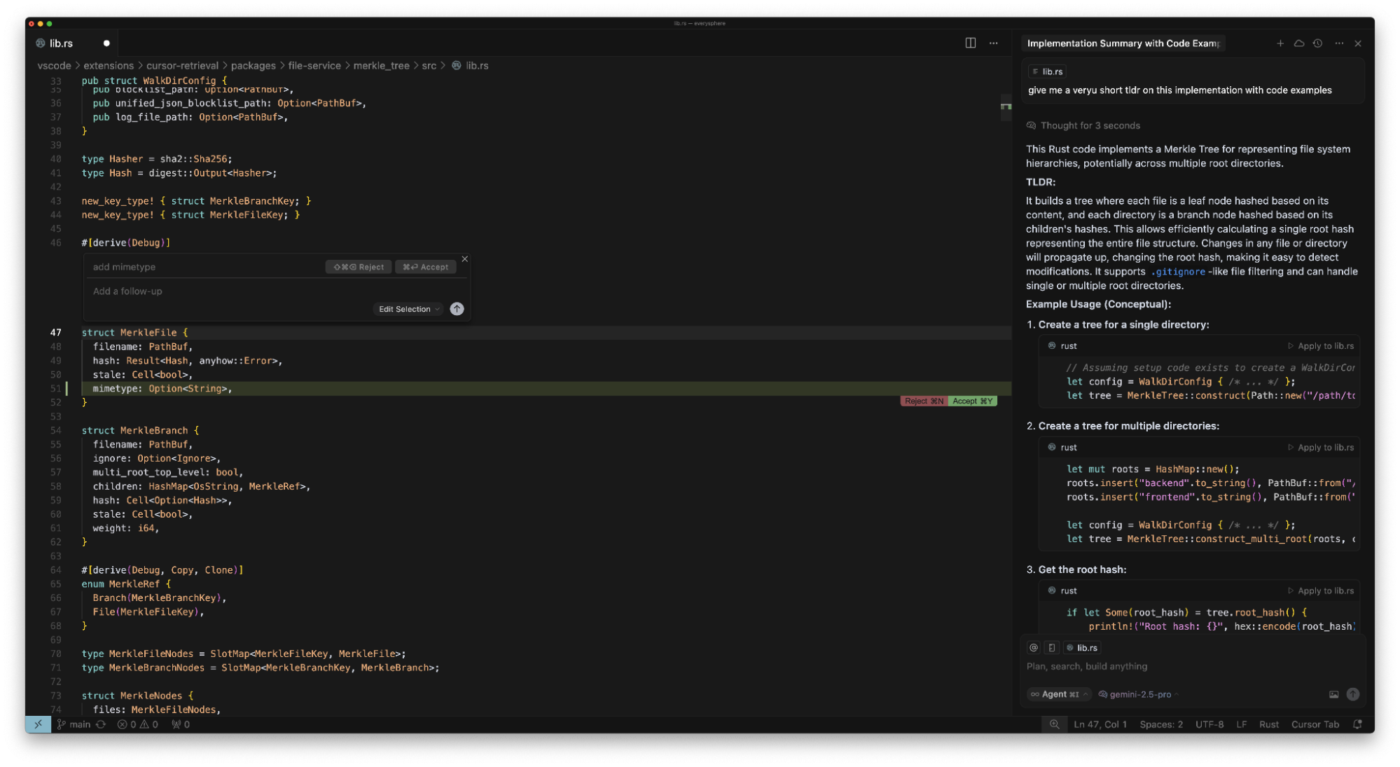
Cursor AI is an AI-powered coding assistant built directly into a forked version of VS Code. It’s designed to work like a pair programmer that understands your codebase, helps you debug, and lets you edit files with natural language prompts. You can highlight lines, ask questions in the chat, and get contextual completions or code edits without switching multiple tabs or different software development tools.
It’s deep context handling indexes your full repo, understands dependencies, and helps with large-scale edits across multiple files. Developers can ask Cursor to explain what a function does, refactor code, or even explore Git history with a conversational UI.
As one G2 reviewer said:
It can create a basic frontend from just a single prompt, with ‘Agree’ and ‘Continue’ options that look clean and professional. It also connects seamlessly with Supabase for full-stack applications, simplifying the process and saving a lot of time
📈 Quick Stat: 62% of developers actively use artificial intelligence tools in their development workflows, compared to 44% the previous year.
Devin AI may have started the wave, but these tools are riding it with way more balance. Whether you’re debugging, building full-stack apps, or just wanting an AI that gets your code, there’s a smarter, better alternative.
If you need a complete workspace that merges documentation, sprints, and AI-powered automation, ClickUp is built for developer productivity at scale. With features like code-aware AI, customizable agents, and GitHub/GitLab integrations, it’s more than an assistant; it’s your complete workspace designed to enhance developer productivity.
Give it a shot, and start building with more focus and less friction. Sign up for ClickUp now!

© 2026 ClickUp

There’s an easier way. Try a free AI Agent in ClickUp that actually does the work for you—set up in minutes, save hours every week.