Sorry, there were no results found for “”
Sorry, there were no results found for “”
Sorry, there were no results found for “”
It’s 4 p.m. on a Friday. You’re drained, staring at yet another endless spreadsheet filled with manual data. Your team is overloaded, deadlines are approaching, and you know there has to be a better way.
As a manager, you know efficient data management keeps operations running smoothly. But hours spent on repetitive entry tasks? That’s a drain. The right software can automate data entry tasks, reduce errors, and free up your team for high-impact work.
In this blog post, we’ll explore 15 data entry systems that refine workflows, improve accuracy, and seamlessly integrate with your tools.
Let’s get started! 🎯
Before we dive into the details, here is an overview of the best data entry software tools available in the market today:
| Tool | Best for | Best features | Pricing |
|---|---|---|---|
| ClickUp | Best for streamlined, collaborative data management Team size: Ideal for individuals, mid-sized teams, and large enterprises looking to add quick design solutions to their workflow | Automate task creation, manage data in Table View, and use AI for real-time insights | Free plan available; Custom pricing for enterprises |
| Infinity | Best for a clutter-free, fully customizable work management system Team size: Ideal for small to mid-sized businesses looking for a customizable solution | Customize workflows and organize data using flexible views and deep folder structures | Starts at $8/month per user |
| nTask | Best for effortless task tracking and workflow automation Team size: Ideal for small to medium-sized teams | Track project details with time logs, Gantt charts, and structured workflows | Starts at $4/month per user |
| Airtable | Best for organizing data flexibly with a visual, collaborative approach Team size: Ideal for mid-market companies and larger teams | Build real-time, customizable databases with dashboards and automation | Free; Starts at $24/month per user |
| Nintex RPA | Best for streamlining business processes with AI-powered automation Team size: Ideal for medium to large enterprises | Automate approvals, documents, and workflows with no code | Custom pricing (Free trial available) |
| UiPath | Best for enterprise-grade automation and seamless system integrations Team size: Ideal for large enterprises looking for automation and system integration | Use intelligent document processing and process mining for automation | Free; Starts at $25/month for Basic |
| TrueContext | Best for capturing real-time data with offline-friendly mobile forms Team size: Ideal for field-based teams | Collect field data with GPS, voice notes, and sync to backend systems | Starts at $25/month per license |
| GoCanvas | Best for simplifying field data collection with no-code mobile forms Team size: Ideal for small to mid-sized teams needing field data collection | Create mobile-friendly forms, scan barcodes, and sync offline data | Starts at $49/month per user |
| Zoho Forms | Best for building custom forms with automated workflows and integrations Team size: Ideal for small to medium-sized businesses looking for form solutions | Create no-code forms with notifications, approvals, and e-signatures | Free; Starts at $12/month per user |
| Cognito Forms | Best for advanced form creation with powerful data automation features Team size: Ideal for businesses of any size needing data automation | Use smart logic, automation, and secure data capture for forms | Free; Starts at $19/month for 2 users |
| Microsoft Excel | Best for detailed data analysis, complex calculations, and automation Team size: Ideal for small to large enterprises needing complex data management | Use advanced formulas and Power Query for in-depth data manipulation | $179.99 (License) |
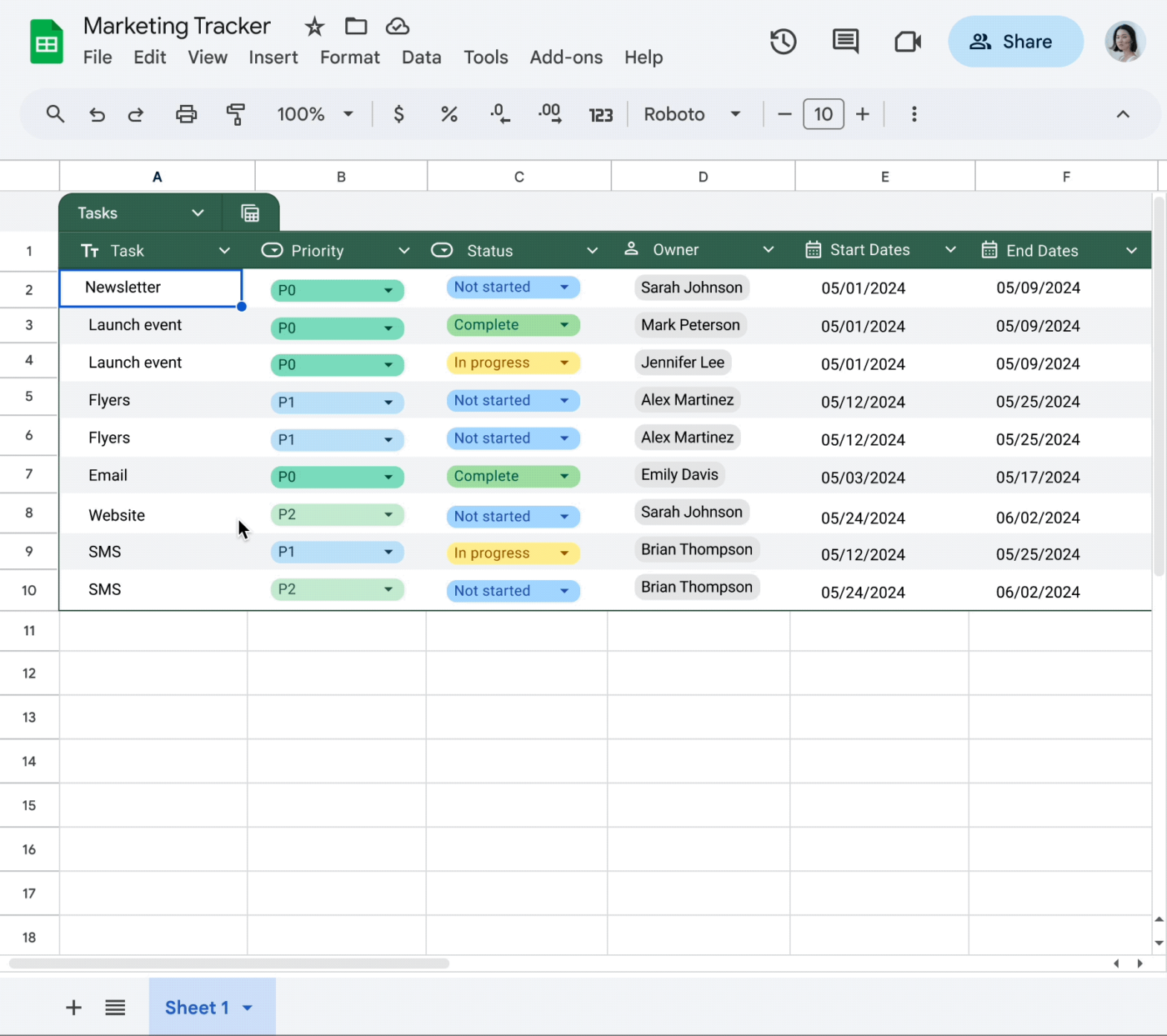
| Google Sheets | Best for real-time collaboration and smooth Google Workspace integration Team size: Ideal for teams of all sizes using Google Workspace | Collaborate on spreadsheets with automation and app integrations | Free |
| Forms On Fire | Best for mobile-friendly forms with built-in workflow automation Team size: Ideal for small to medium-sized teams with mobile field operations | Capture data in the field and sync with 1500+ tools via integrations | Starts at $25/month per user |
| Intellimas | Best for replacing spreadsheets with tailored, high-performance data workflows Team size: Ideal for enterprises needing custom workflows | Build high-volume data workflows with a spreadsheet-like UI | Starts at $30/month per user (Free trial available) |
| Process Runner | Best for simplifying SAP data tasks with robust automation tools Team size: Ideal for enterprises using SAP | Automate SAP data entry from Excel using low-code automation | Custom pricing (Free trial available) |
What Should You Look for In Data Entry Software?
Choosing the right data entry software depends on the features that match your workflow. Here’s what to look for. 👇
📮ClickUp Insight: About 41% of professionals prefer instant messaging for team communication. Although it offers quick and efficient exchanges, messages are often spread across multiple channels, threads, or direct messages, making it harder to retrieve information later. With an integrated solution like ClickUp Chat, your chat threads are mapped to specific projects and tasks, keeping your conversations in context and readily available.
Manual data entry is time-consuming and prone to errors. The best data entry software automates workflows, ensures accuracy, and integrates with existing systems.
Here are 15 top solutions designed to optimize efficiency across industries. 🗂️
ClickUp, the everything app for work, goes beyond traditional project management. It’s designed to help you centralize every aspect of your workflow, from task tracking to resource management, all in one place.

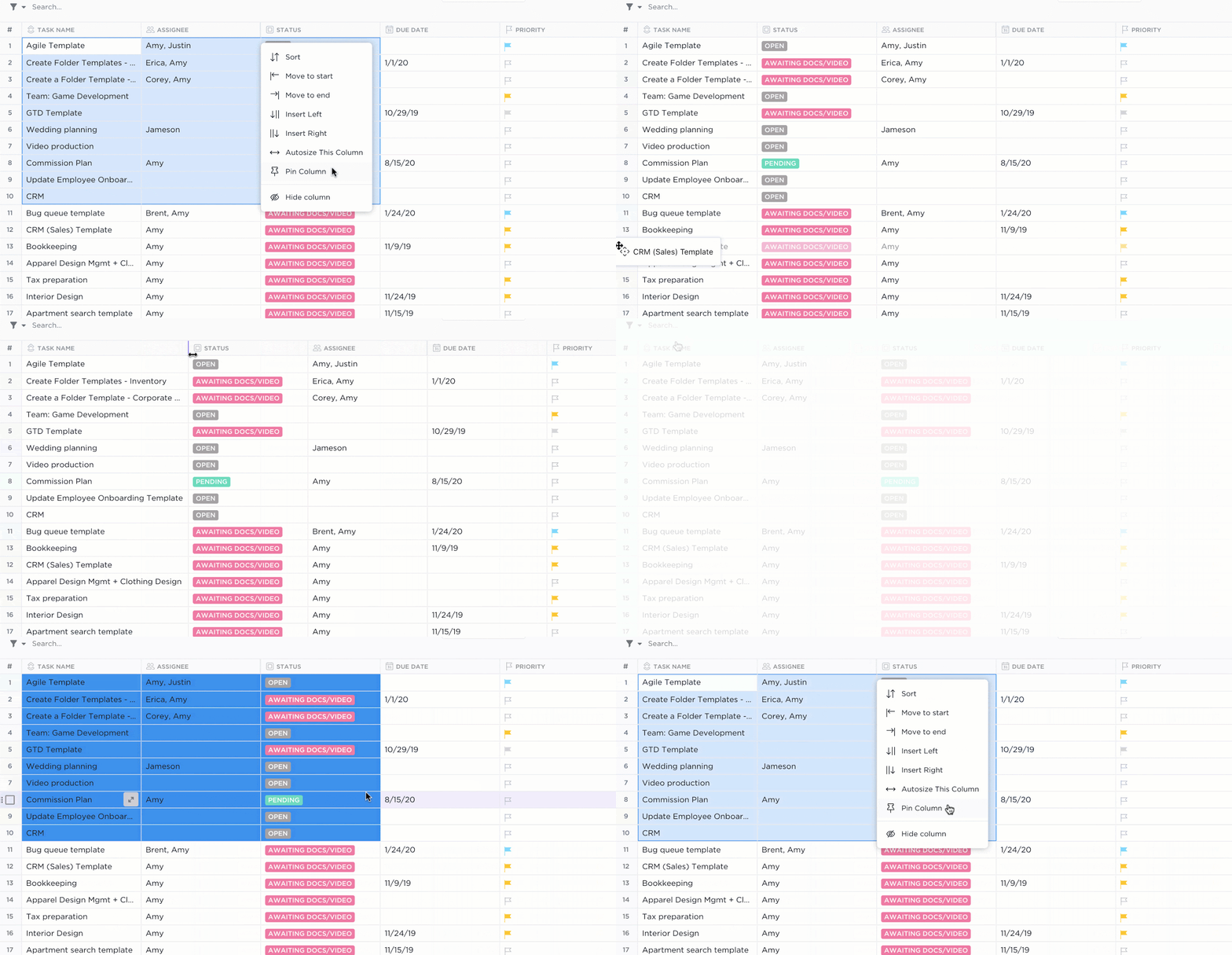
With tools like ClickUp Table View, you can manage data with the flexibility of a spreadsheet but the power of a database. From client information and budgets to project statuses, all the data you enter in ClickUp (or migrate from 1000+ integrated apps) stays organized, serachable, and accessible without jumping between platforms.
For example, if you’re overseeing a marketing campaign for a client, you can set up a Table View that tracks each campaign’s stages. ClickUp Custom Fields can include specific deliverables (like ad copy or design assets), budget allocation, and campaign performance metrics.
You can also link essential documents such as the client brief or approval emails.

ClickUp Connected Search
And if you ever need to hunt down a piece of data, ClickUp Connected Search makes it a breeze. With built-in AI capabilities, you can simply enter your search queries using natural language, and whether that answer is in a Chat, Task, Doc, or any of your integrated apps in the ClickUp ecosystem, ClickUp will find and retrieve it for you!

ClickUp Forms
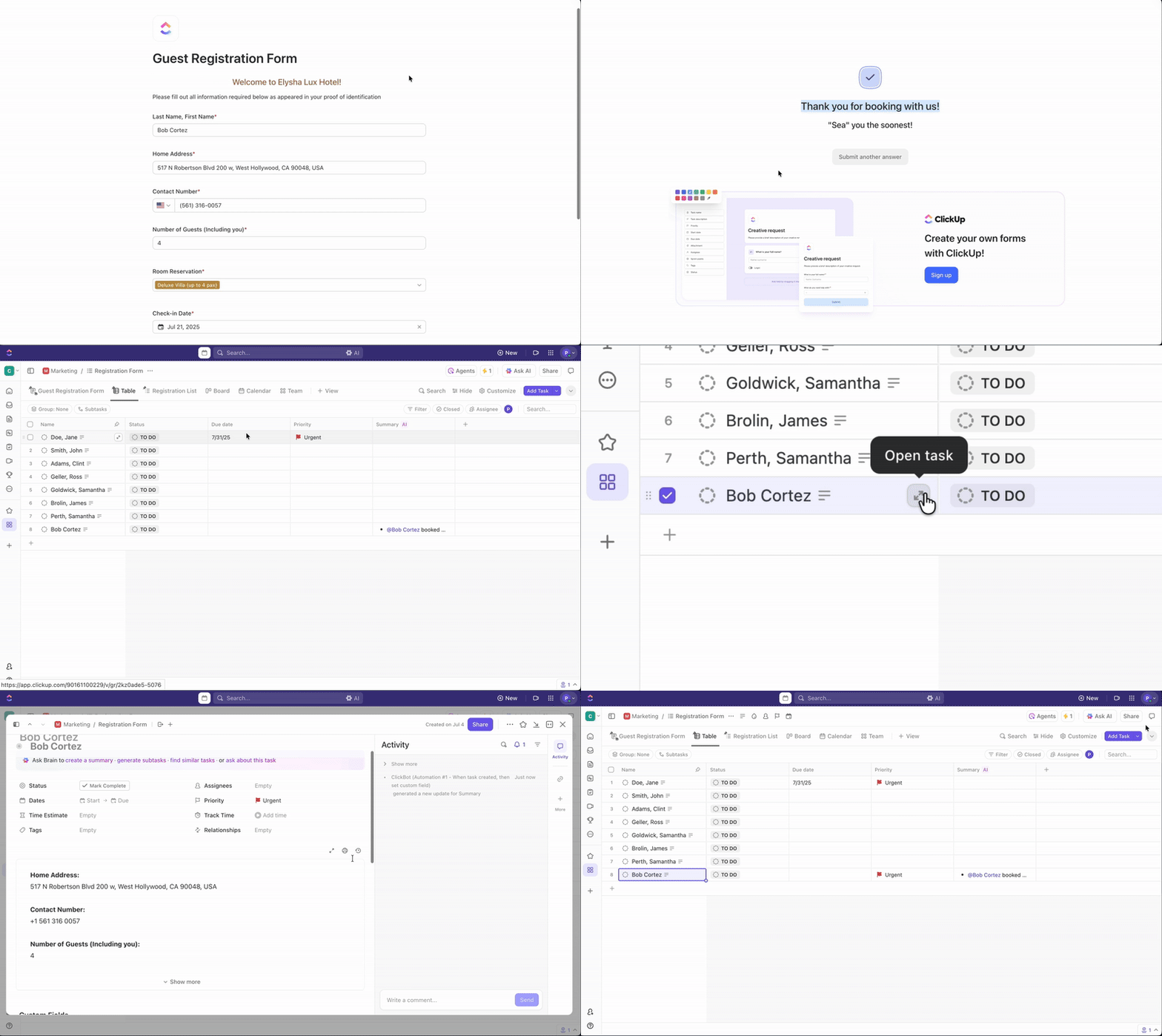
Need to gather information without the extra steps? ClickUp Forms make it simple. Create a custom form view, and every response automatically turns into a task—no manual entry, no wasted time.
For example, if you’re collecting event feedback, responses instantly become actionable items, ready for follow-up. The same applies to IT requests, sales leads, or any other data you need to organize. Everything flows into your workflow seamlessly.
And with conditional logic, you can adjust the form based on responses, ensuring that you capture only relevant data each time.
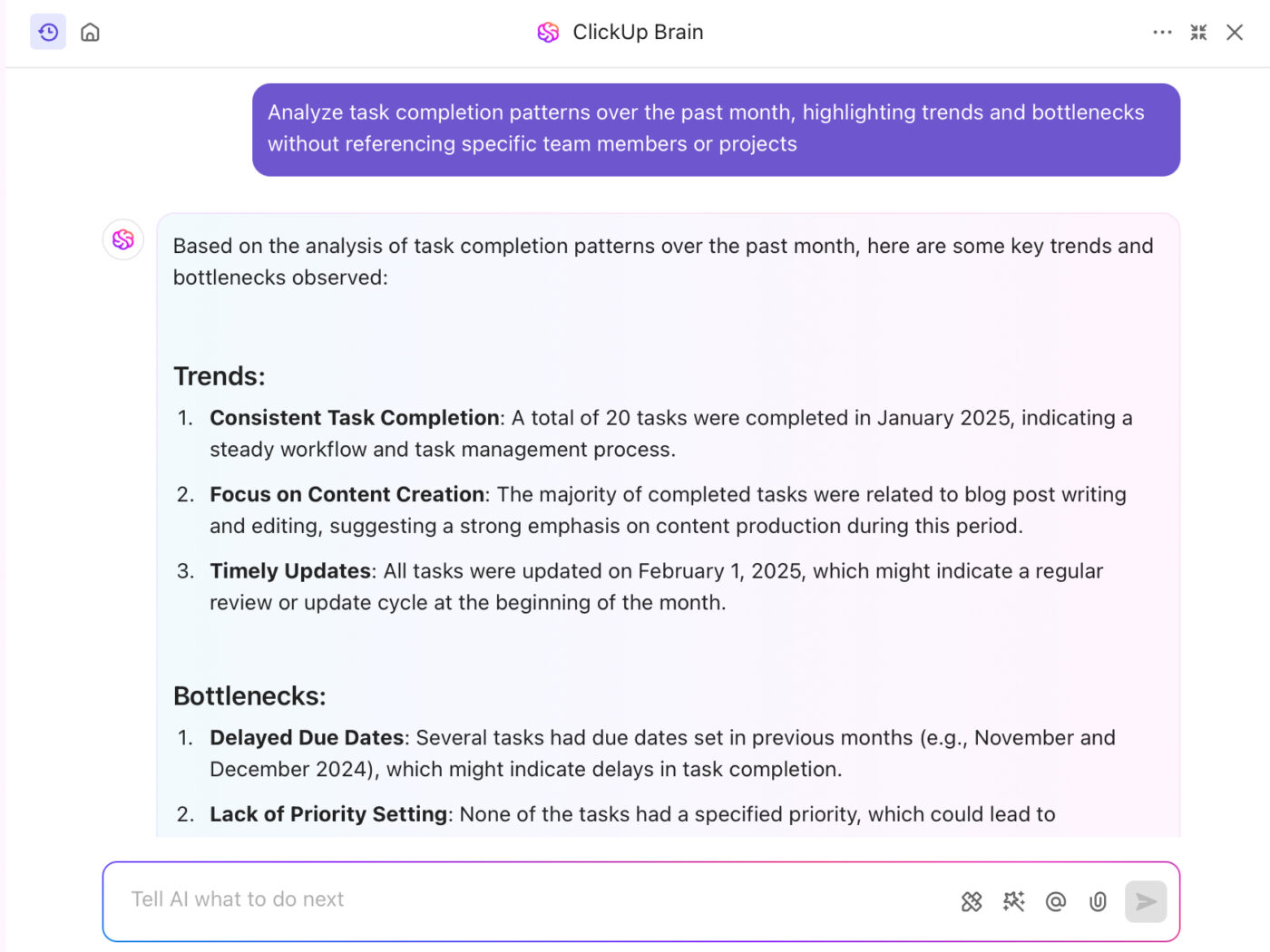
Then there’s ClickUp Brain, the built-in AI assistant and neural network that connects tasks, documents, people, and company knowledge all within a single workspace. Rather than using disparate data entry, storage, and retrieval tools, ClickUp Brain centralizes information so that all data can be accessed and managed from one place.
When you have a question like ‘What were our top-performing deals last month?’, the AI assistant scours your CRM in ClickUp to deliver a clear, instant summary. It processes all your connected data and provides insights in seconds.
A G2 reviewer shares:
ClickUp is an all-in-one project management tool with all the features needed for the entire Product Development in one place. The best-in-class customer support helps to solve all the issues on time. Integration with other platforms helps to attain the migration from other platforms easier and the AI feature that can able to summarise and generate the task description helps developers to understand more about the task.
🧠 Fun Fact: The fastest recorded time for typing the alphabet on a QWERTY keyboard is 3.25 seconds. Speed and accuracy make this a fun challenge for aspiring typists.
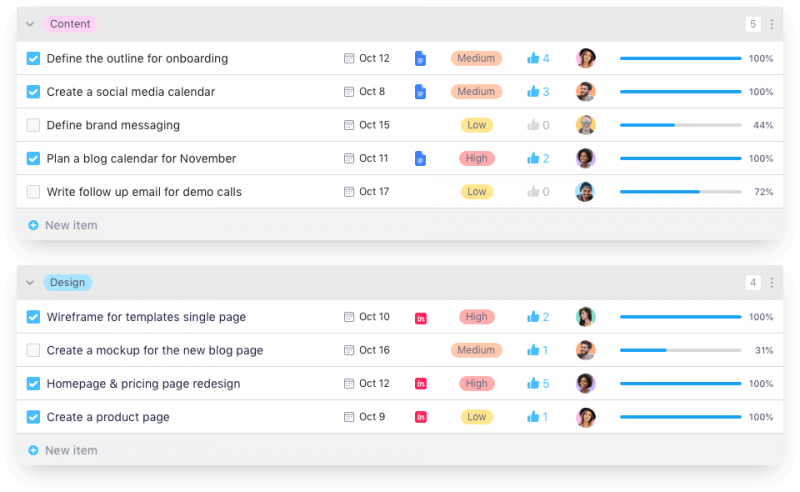
Infinity lets you shape your workflow however you like. This tool gives you flexible views—tables, calendars, and timelines—so you can work with your data your way. Its smart organization features let you build deep folder structures to keep everything neat and accessible.
You can easily customize your workflow by filtering, sorting, and grouping data with adjustable attributes. Plus, it uses AI-driven insights to generate ideas and tasks for improved productivity.
A Capterra user notes:
Because it’s so new and they’re still adopting users, there are some things that need to be learned since it’s not 100% intuitive. However, support was able to quickly address our concerns and I have been super impressed by their response rate. The user interface needs to be greatly improved because it looks cheap, but it’s incredibly functional and works great.
🧠 Fun Fact: Using just the top row of letters (QWERTYUIOP), you can type the word typewriter! This was likely intentional to make it easier for salespeople to demonstrate early typewriters.
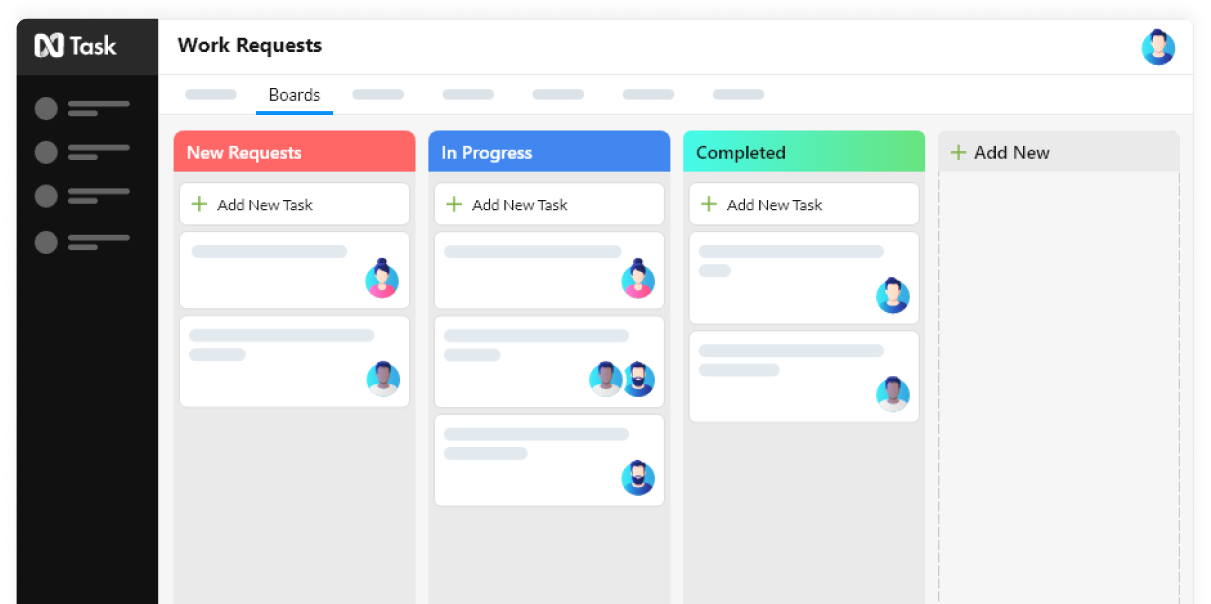
nTask simplifies project management by giving you a structured way to plan, track, and collaborate. Every piece of data, including project milestones, dependencies, budget details, and time entries, is stored in a structured way. You can quickly track progress, analyze performance, and make informed decisions.
It lets you design custom workflows that capture every detail of your projects. You can set up visual boards or timelines to see how data interconnects and use reporting to monitor key metrics.
According to a Trustpilot review:
After three months, we finally stopped using NTask. It was not as customizable as it was sold to us. Whenever it glitched, they said that they were still developing the platform. After a couple of very poor attempts from their “support team” to make this platform fit our need,s nothing had changed, and our volunteers quit using it.
🔍 Did You Know? Certain languages, like Chinese, use thousands of characters, which pose challenges for typing. Solutions like the Pinyin input method allow users to type phonetically, and the software matches it to the correct character.
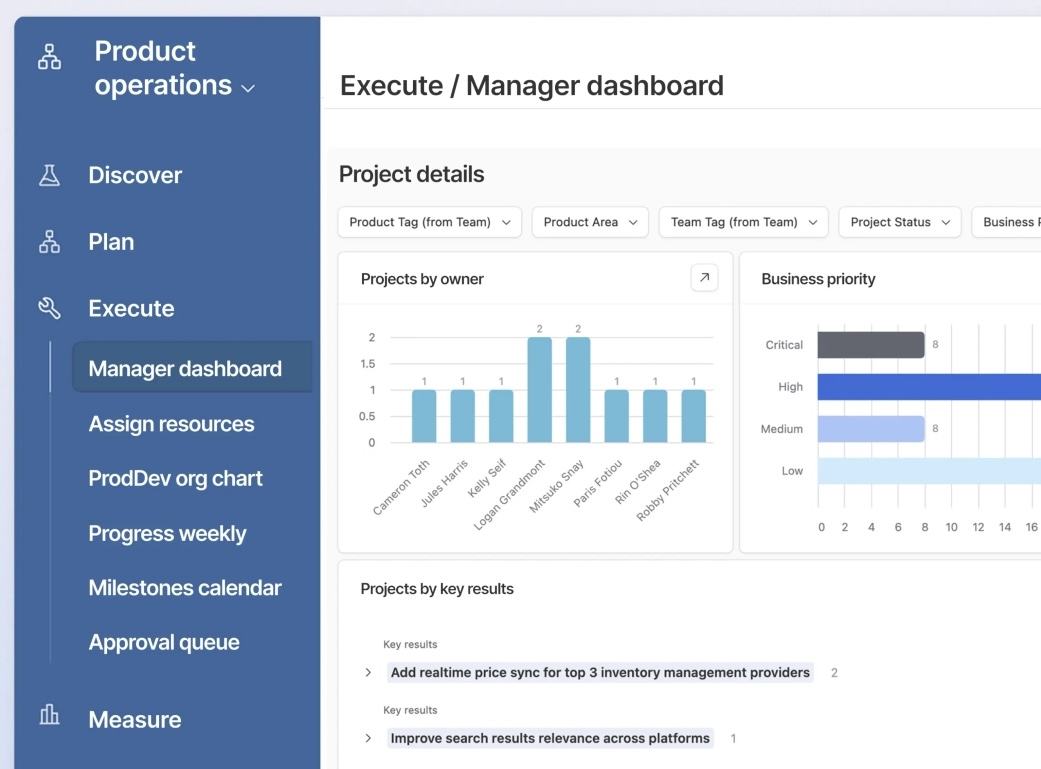
Airtable transforms raw data into organized, dynamic workflows that keep teams aligned and processes running smoothly.
It allows you to build customizable databases that adapt to your business needs. Instead of wrestling with clunky spreadsheets, you can structure information into flexible tables that easily track projects, campaigns, budgets, and more.
With Airtable, you can pull large datasets from multiple platforms, verify critical company data, and automate manual data entry tasks using AI.
As one Capterra reviewer puts it:
It has evolved over the years with their updates. But I think the dashboard can be better. They can definitely take a few features from ClickUp, especially with things like tracking and notes.
🔍 Did You Know? The keypunch machine was the first mechanical data entry device invented by Herman Hollerith in the 1920s. It punched holes into paper cards to represent data, a precursor to modern computers.
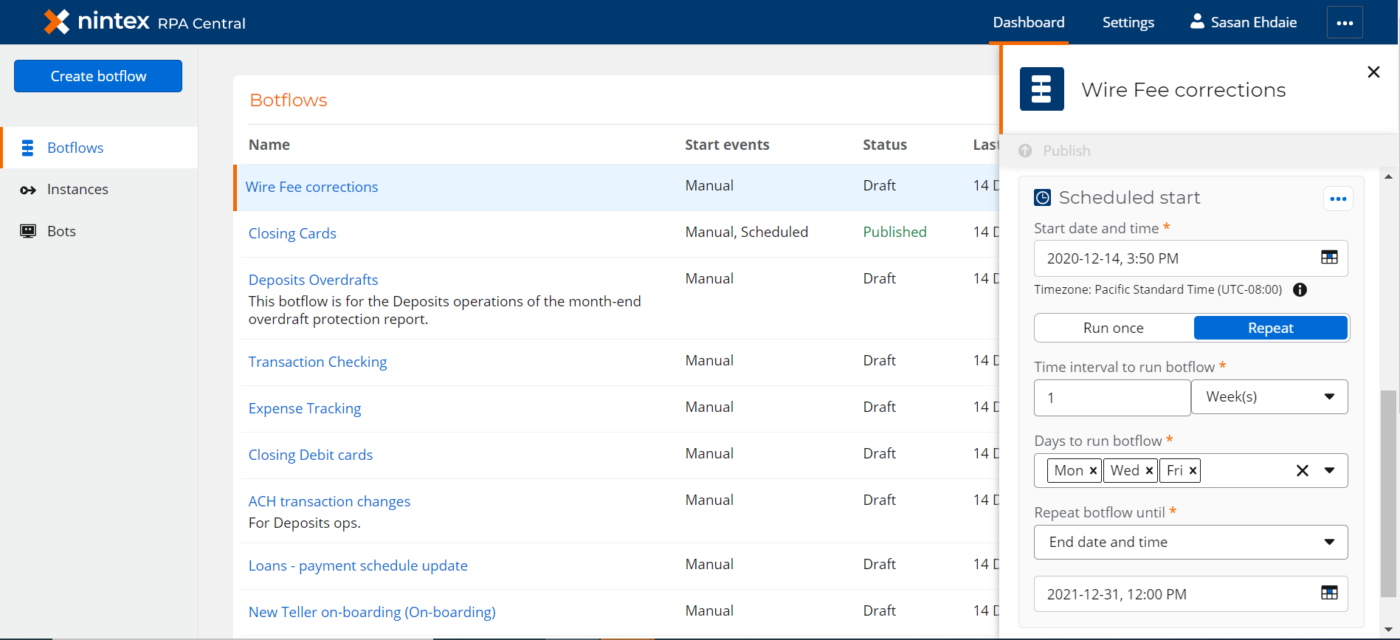
Nintex eliminates inefficiencies in manual data management by automating data entry, workflows, and document management. It helps streamline processes and maintain complete operational control.
From approvals to compliance tracking, Nintex helps teams reduce repetitive work, improve accuracy, and streamline operations without writing a single line of code. Additionally, it enables you to create contracts, invoices, and reports with pre-built templates and automated data merging.
A G2 reviewer mentions:
Its endless possibilities and possibilities can sometimes be a disadvantage. Certain features can be difficult to understand, especially if you have never used them before or have not used them in a long time. There is, however, plenty of help and training available to you along the road.
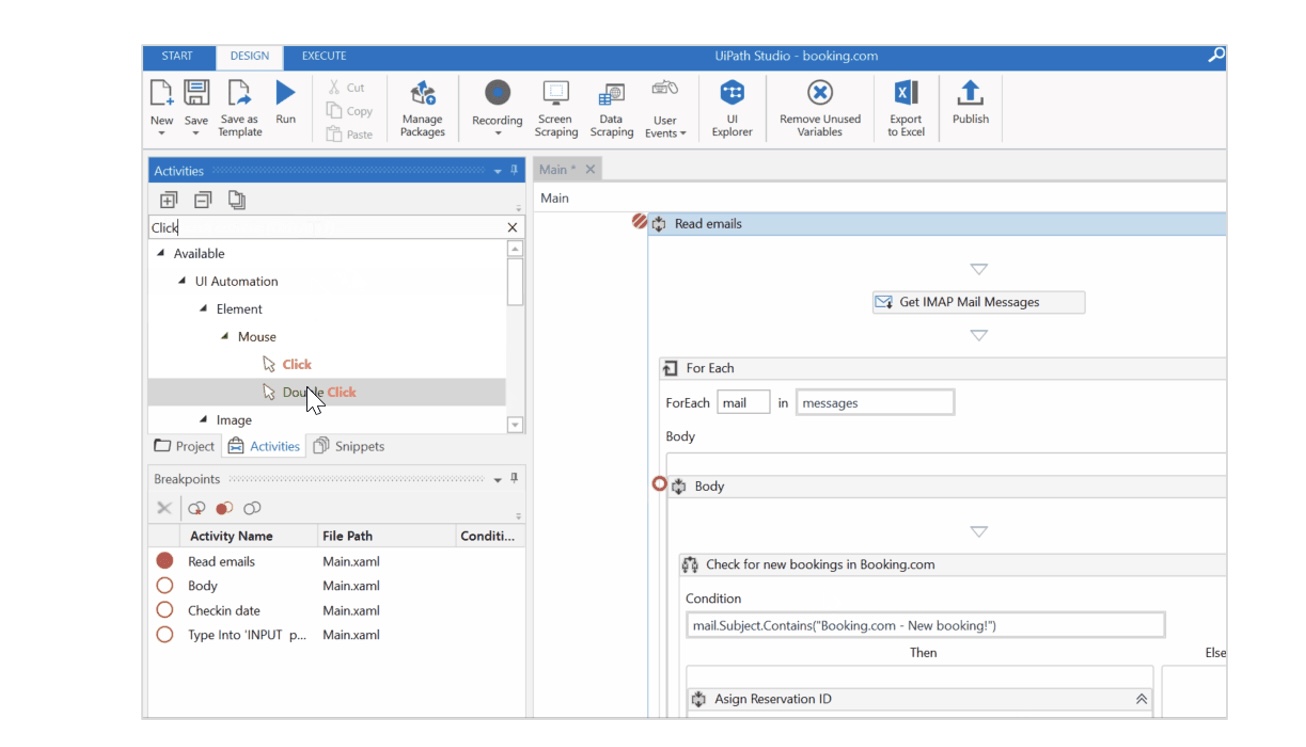
UiPath takes the hassle out of data entry with powerful automation that works for you. The drag-and-drop interface makes setup simple, even for non-tech-savvy users, and it integrates smoothly with the tools you already use.
Intelligent Document Processing ensures seamless data extraction from forms, invoices, and reports. Meanwhile, real-time analytics keeps track of performance, giving you full visibility into the impact. With automation at its core, you can empower your team with low-code development tools that let you create tailored automations.
According to a Reddit user on r/RPA:
UI Path is expensive, tech support is very iffy and is very sales driven, and their Apps platform is severely behind other options. That being said, if you have a bunch of legacy systems that the only way to automate them is through UI manipulation (classic RPA) UI Path is the most powerful option. It does require full time development experience.
🧠 Fun Fact: The title of the fastest typist in the world belongs to MythicalRocket, a high school student who achieved an incredible typing speed of 305 words per minute (wpm) in 2023. To put that into perspective, this is more than seven times faster than the average typing speed of 40 wpm!
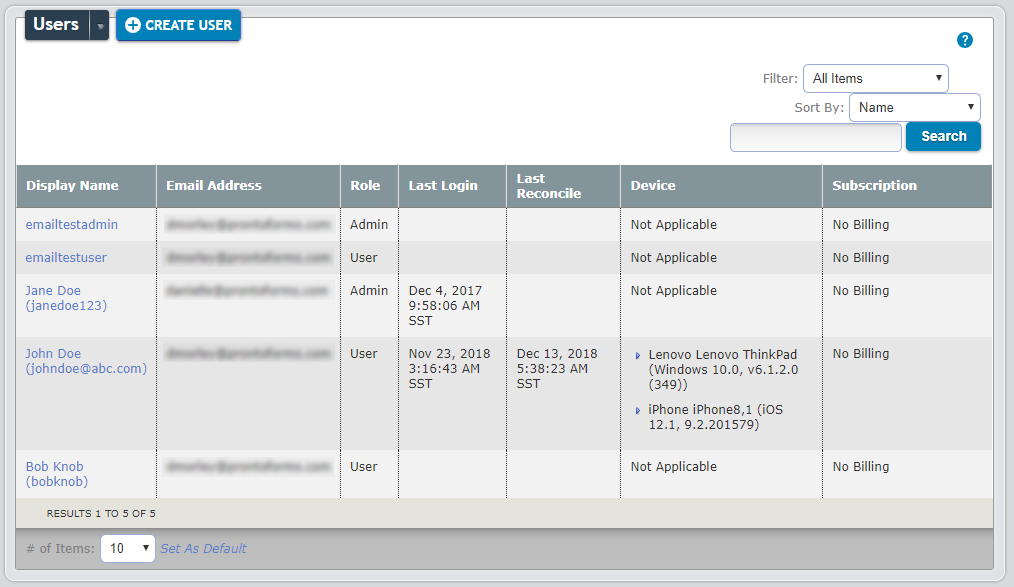
TrueContext is a mobile workflow platform that simplifies and streamlines field data management for professionals and technicians. It lets your team capture and process information on the go using toggles, sliders, photos, voice notes, or barcode scans.
The app automatically pushes this data into your core systems, ensuring your records stay current without extra manual work. Built-in quality checks and audit trails capture metadata like timestamps and geolocation, so you always know where your data comes from and its accuracy.
As per a Capterra review:
Refresh does not always work as it should, paperwork gets “hung up” in the sent and does not get submitted on time without the user having to reconcile.
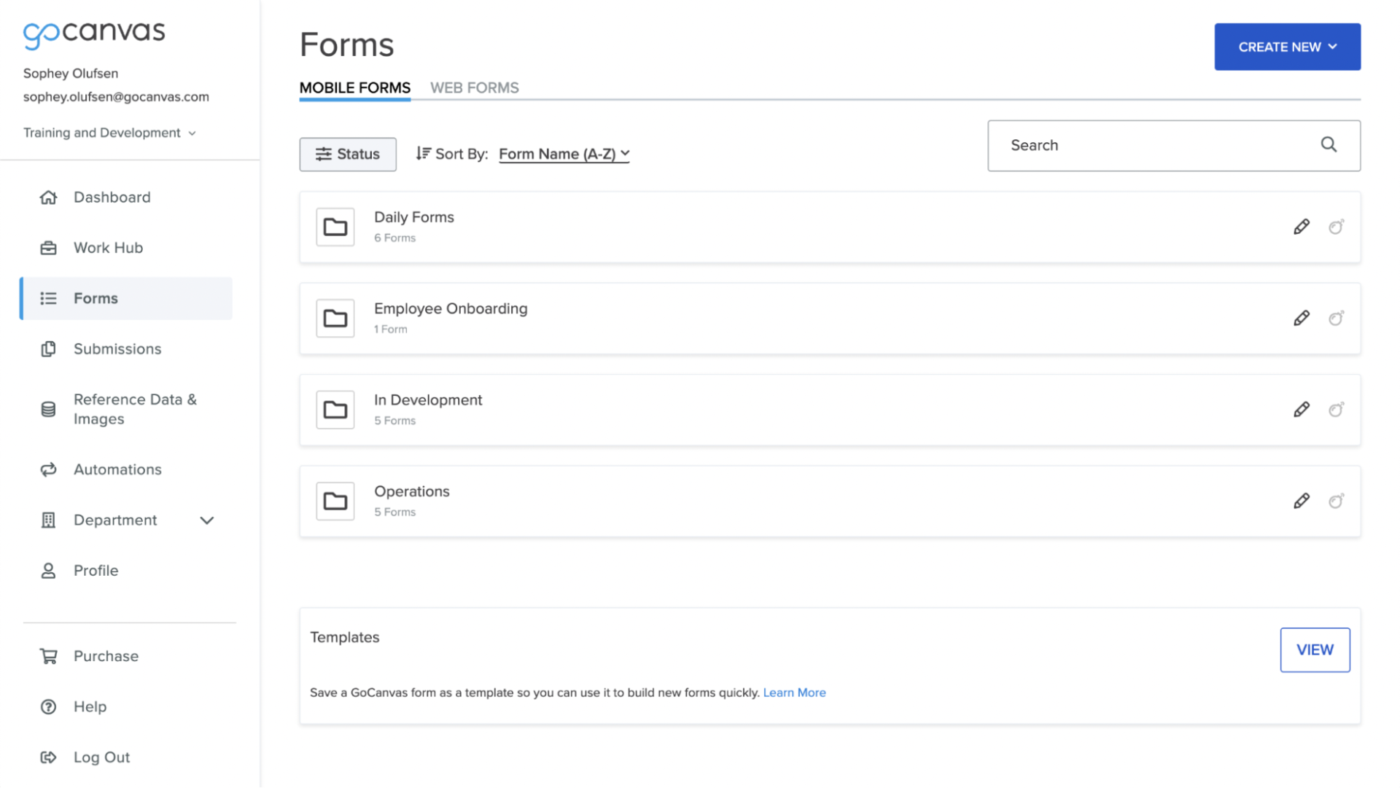
GoCanvas makes field data collection quick and stress-free—no more messy paperwork—just mobile-friendly forms.
Add photos, signatures, and GPS locations to make data more accurate and easy to track. Reports are generated automatically, and workflows adjust to fit your needs.
Since it works offline, your team can record data anytime, anywhere, and sync up when they’re back online. Designed for field workers and office staff, this solution directly connects data from the field to your business systems. Moreover, barcode scanning and automated calculations ensure accurate, up-to-date information.
From a Trustpilot user:
It was a good well, priced app, but once you sign up there is no going backwards. We needed to streamline our apps to help cut costs and stream line our process and they would not let us go back once you sign up for a certain amount of forms you can’t reduce, you can only increase.
🔍 Did You Know? Today’s spreadsheet software was inspired by an early data entry tool called VisiCalc, created in 1979. It was the first program that allowed people to manipulate data in a table format.
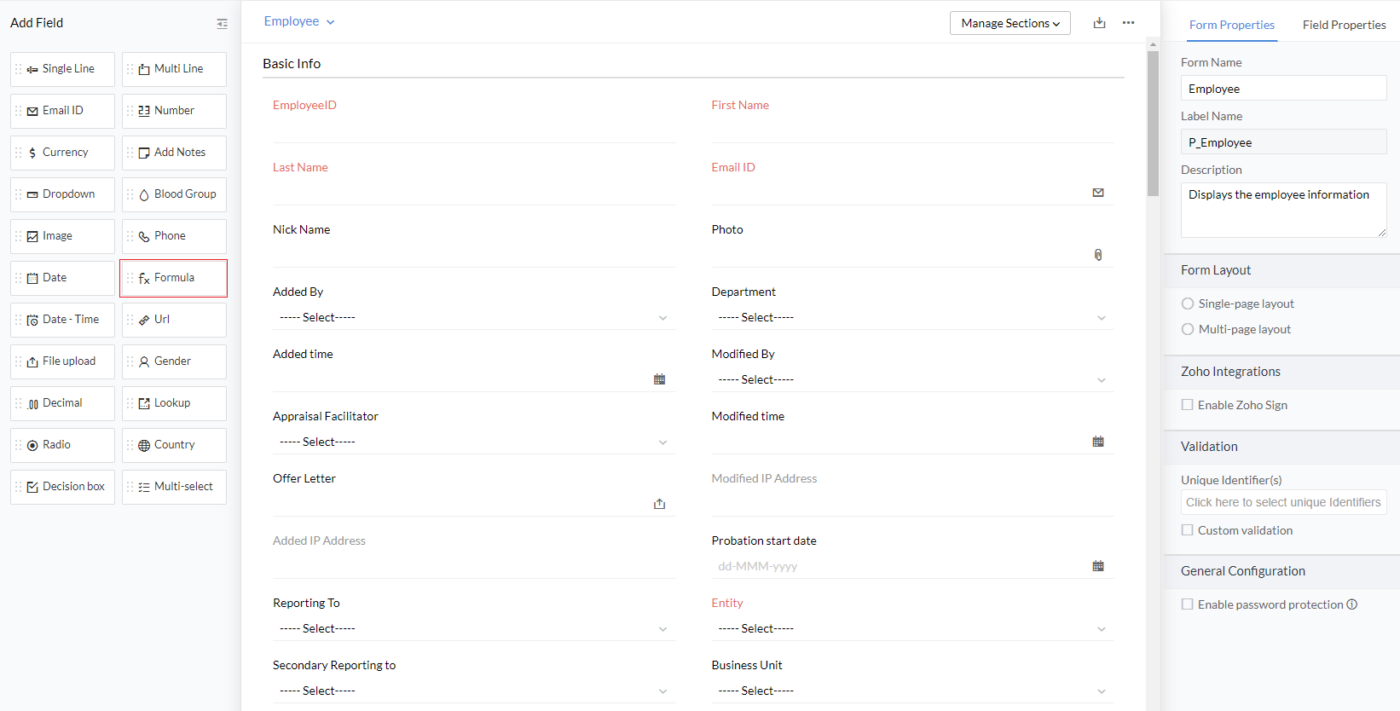
Zoho Forms is a versatile online form builder that excels at creating custom forms with powerful workflow automation and integration capabilities. It is part of the broader Zoho ecosystem and is designed to organize data and seamlessly integrate with other applications.
At its core, Zoho Forms lets you build professional web forms without coding. It offers an intuitive drag-and-drop interface and a rich library of customizable templates.
What sets it apart is its robust data entry automation engine. You can set up sophisticated workflows that trigger actions like email notifications, data updates, or approval processes based on form submissions.
One TrustRadius reviewer explains:
Zoho Forms is a relatively simple solution as there are not too many technical difficulties to overcome meaning it is ideal for our administrative teams to manage. Design of forms is mostly drag and drop so that is quite simple. Our main bugbears with it are the creation and management of branded templates and integration with Zoho Sign which is not particularly user friendly, especially when it is created by the same company…
🧠 Fun Fact: In some cases, data entry involves high precision. It’s not uncommon for businesses to hire professional data entry specialists who aim to enter data with 99.9% accuracy.
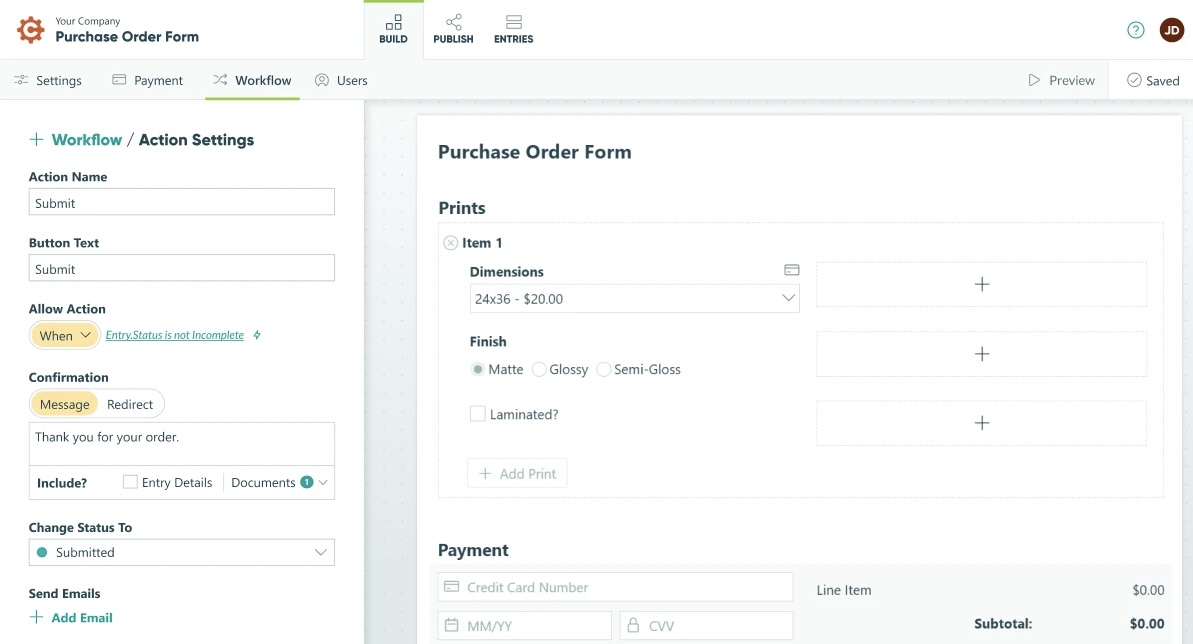
Cognito Forms is a user-friendly online form builder that makes data collection and management effortless. You can create forms that think for themselves with smart calculations, dynamic fields, and intelligent workflows that adapt on the fly.
Behind its clean interface lies serious muscle: HIPAA-compliant security, electronic signatures, and automation tools that turn tedious tasks into smooth workflows. Features like electronic signatures, payment integrations, and automatic document generation simplify order processing and contract management.
A Capterra reviewer suggests:
It would be great if there were a section just with a table of all possible scripting that can be used and organized by category. I know that you can search for it in the help section, but a library would be great. It would also be nice to have a library of tutorials for various items to include the use of certain scripts.
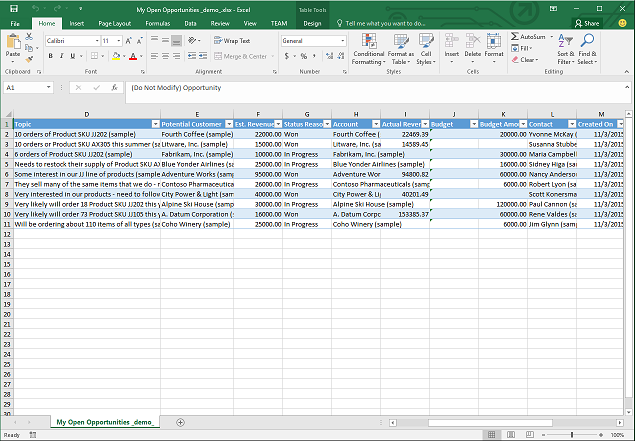
Microsoft Excel is a versatile data entry tool used across various industries, from finance and healthcare to education and marketing, for efficient data management and analysis. It offers a familiar spreadsheet interface that allows quick data input and organization through rows and columns.
Excel’s form templates and extensive formula library facilitate precise calculations and data manipulation. Moreover, integrations with other Microsoft Office applications and external data sources enhance collaboration and data sharing.
A Capterra user states:
Excel can become sluggish or crash when handling extremely large datasets. Improvements in performance and stability for big data scenarios would enhance user experience. Also managing and debugging complex formulas can be challenging. Enhanced formula auditing tools and better error messages would help users identify and fix issues more easily.
📖 Also Read: How to Create a Fillable Form in Word (+ Templates)
Google Sheets is a spreadsheet and data warehousing solution that professionals and project managers widely use. Teams can work simultaneously on spreadsheets, with changes syncing automatically across devices.
Whether you’re crunching numbers, tracking projects, or analyzing data, Google Sheets connects smoothly with other business tools while organizing everything in the cloud. Plus, with version history, you can always track changes and roll back if needed. Google Sheets also has powerful scripting capabilities, such as Google Apps Script, to automate repetitive tasks.
In a TrustRadius review:
If you have a lot of projects with your colleagues and you need to work on the same file, Google Sheet provides a perfect opportunity to save resources and time. It makes the working process much more enjoyable as you can both work on the same file simultaneously. However, if you need to work on large spreadsheets I would not recommend you to use this software.
💡 Pro Tip: Optimize sign-up forms with short fields, auto-fill, and a mobile-friendly design to boost conversions.
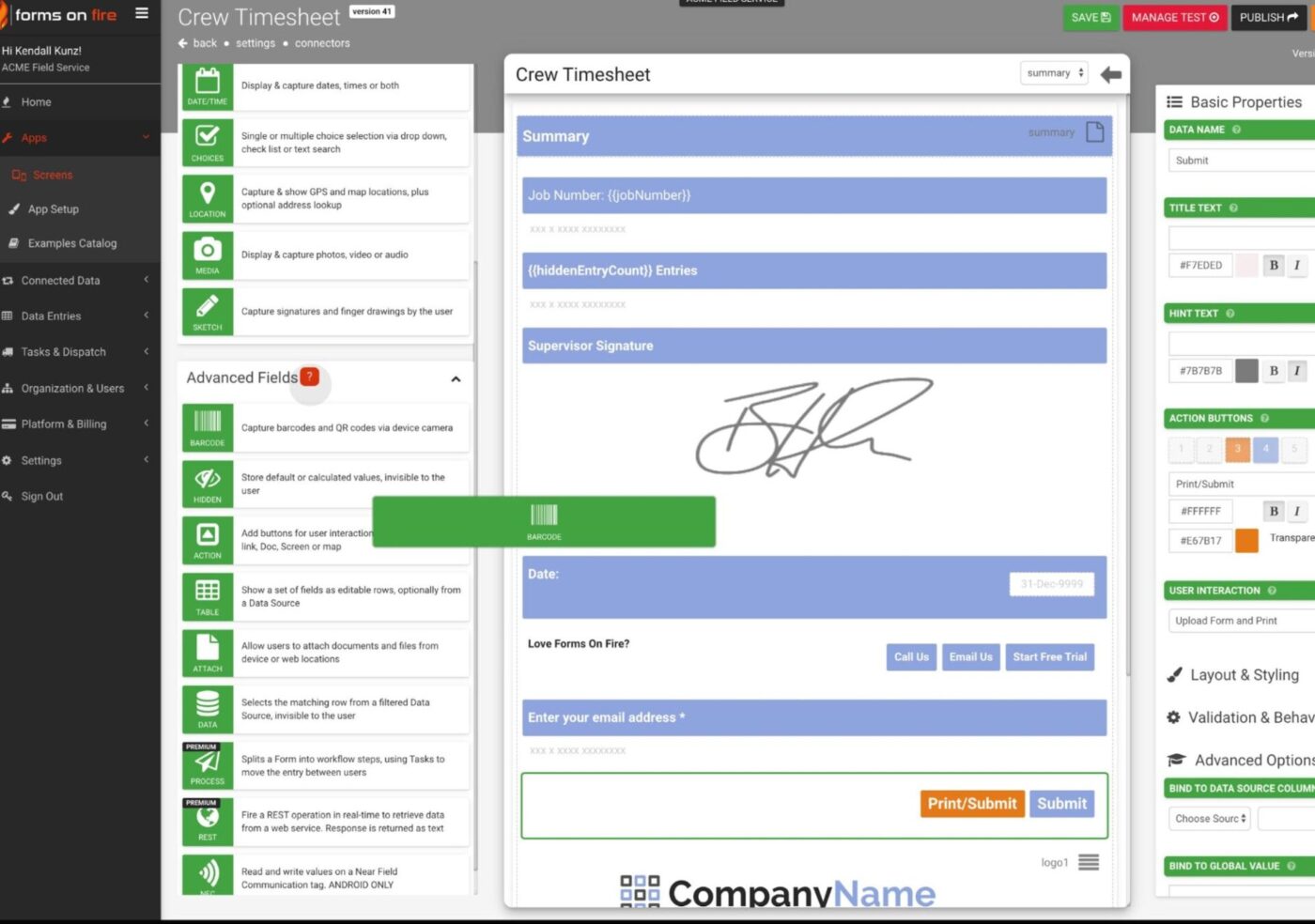
Form On Fire is a mobile platform that makes data capture and management easy for busy professionals. It lets you build custom digital forms without any coding—just drag and drop to create the exact forms you need for inspections, checklists, incident reporting, inventory tracking, timesheets, and dispatch operations.
You can capture images, signatures, GPS locations, and more, and send that data directly into your back-office systems. Its easy integrations with over 1,500 systems and built-in analytics ensure data flows efficiently from the field to decision-makers.
As one G2 user points out:
Sometimes, I have to force synchronization to get what I want to display. The appearance of the menus, etc., could be updated to be a bit more modern, but it’s not a big issue. Additionally, more data sorting options can be added.
🧠 Fun Fact: The Ultimate Typing Championship, often called the ‘Olympics’ for typists, is a real event where participants worldwide compete for the fastest and most accurate typist title.
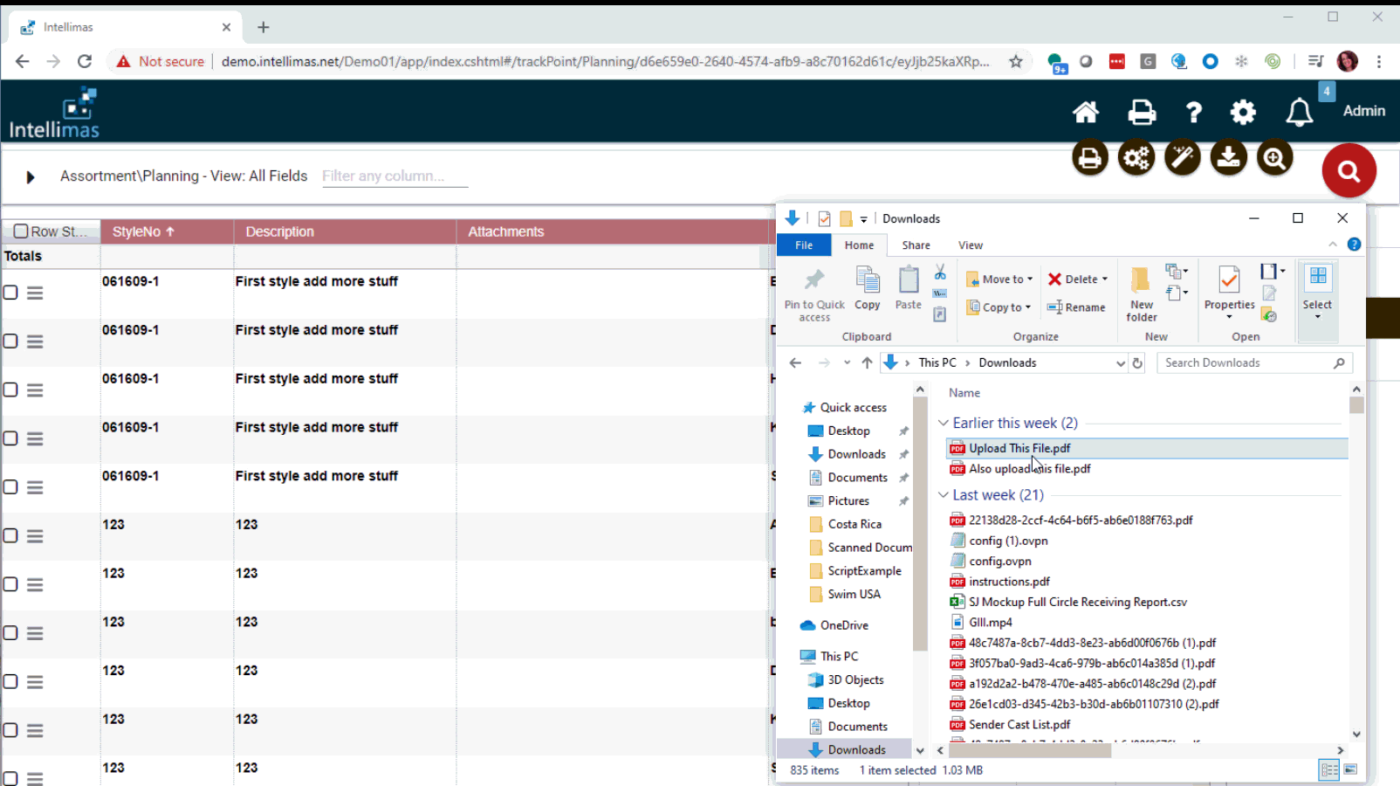
Intellimas, developed by Singletree Technologies, is a flagship software builder. It helps track inventory, manage projects, and handle vendor compliance.
The tool allows you to attach user-defined fields to existing data, giving you more control over business functions. Its familiar spreadsheet-like interface makes it easy for users to transition from their old systems without hassle.
Your data is stored securely in SQL, Oracle, or PostgreSQL databases, allowing easy sharing, reporting, and backing up.
A Capterra reviewer adds:
At times there are limits to their ability to create new reports for us. However, since the product we asked them to create was unique it is hard to incorporate one size fits all report/changes.
🧠 Fun Fact: The QWERTY keyboard layout was patented in 1878 by Christopher Latham Sholes. It was designed to reduce typewriter jams, not for speed. There are alternative layouts like Dvorak and Colemak that some people swear are faster and more ergonomic.
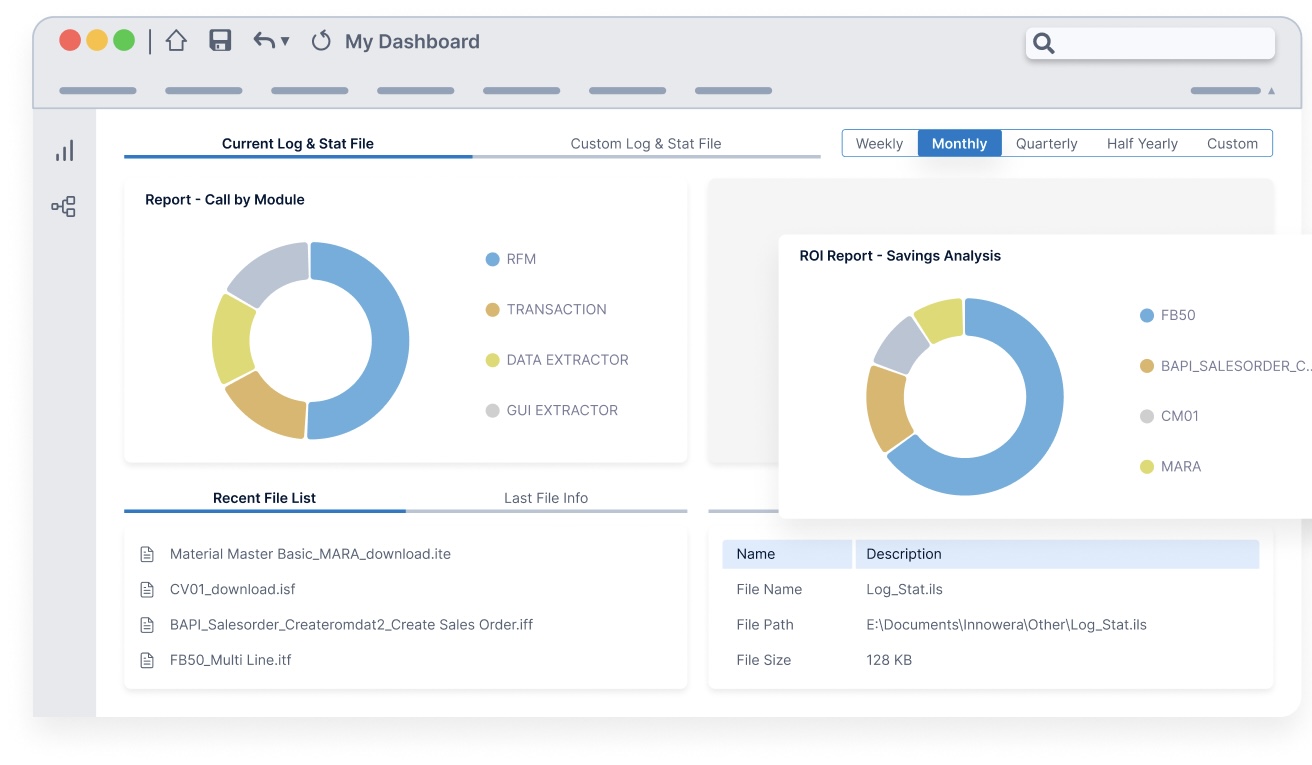
Process Runner is a low-code automation tool designed to streamline SAP data management tasks directly from Microsoft Excel. It enables users to automate the upload and download of data between Excel and SAP without the need for complex programming or scripting.
This tool empowers you to convert, cleanse, and migrate data without custom coding. Moreover, Process Runner adds an extra layer of data governance by offering easy-to-use validation tools.
You can set rules from its control panel to catch errors before data is loaded into SAP.
According to a Capterra review:
It is kind of complicated to program a script. The Excel template is now to be stored outside of PR that used to be included, making it more effort to run a script and you have to be careful where you store it.
🔍 Did You Know? The word ‘typo’ (short for typographical error) originated in the 1800s during the printing press era. It’s synonymous with common data entry errors we all make when typing!
Keeping track of data shouldn’t slow you down. The right tool makes data entry seamless, keeps everything organized, and frees up your team for the work that moves the needle.
ClickUp brings everything together in one place—Table View helps structure your data like a pro, Forms turn submissions into actionable tasks, and ClickUp Brain delivers instant insights with AI-powered capabilities.
No more manual updates, scattered spreadsheets, or endless back-and-forth. Just a smooth, automated workflow that keeps your team on top of everything.
Make data work for you, not the other way around. Sign up for ClickUp for free today! ✅

Manasi Nair
Max 26min read
Manasi Nair
Max 26min read
Manasi Nair
Max 20min read

© 2026 ClickUp