
Sorry, there were no results found for “”
Sorry, there were no results found for “”
Sorry, there were no results found for “”
Manual data entry is nobody’s dream job. Copying invoices, logging survey results, updating spreadsheets… it’s slow and repetitive. And one typo away from chaos.
If your days feel like one endless copy-paste loop, it’s time to bring in reinforcements.
AI-powered tools for data entry are built to tackle the grunt work. They extract, clean, validate, and organize your information—all while you focus on work that actually moves the needle.
In this list, we’ve rounded up the best tools for automating data entry workflows. Running a small business or managing a team? Or maybe you just love clean workflows. Either way, these automated data entry AI tools will help you save time.
Ready to meet your new data processing helpers?
🧠 Fun fact: Deutsche Bank once used robotic process automation (RPA) to process over 500,000 transactions a year, with 99% data accuracy and zero coffee breaks. It’s a real-world reminder that when bots handle the boring stuff, humans can focus on higher-value work.
Ready to let trained bots take care of your data entry operations? Here’s a quick snapshot of the best AI automation tools so you can pick your digital sidekick with confidence.
| Tool | Best For | Key Features | Pricing* |
| ClickUp | AI-driven task + data entry workflows Talk-to-Text feature for voice-enabled data entry | AI-powered data entry + Table View + Automations | Free forever plan available; Customizations for enterprises |
| Nanonets | Intelligent document processing | Auto-learns document layouts | Free for $200 in credits; Custom pricing |
| Docsumo | Invoice and receipt extraction | Line-item level accuracy | Paid plans start at $149/month |
| Rossum | Email-to-data conversion | AI-powered email parsing | Pricing starts at $1500/year |
| Nintex RPA | Enterprise RPA and data entry automation | Drag-and-drop robotic process builder | Free trial available; Custom pricing based on usage |
| Jotform | Form-based data capture | AI-enhanced forms and conditional logic | Free plan; Paid plans from $39/month |
| Typeform | Conversational form-based data collection | Logic jumps and AI survey flow | Free plan with limited responses; Paid plans from $25/month |
| Zapier | Cross-app workflow automation | Multi-app automation without code | Free plan with task limits; Paid plans from $22.81/month |
| Browse AI | Web data scraping | Prebuilt ‘robots’ for data capture | Free plan available; Paid plans from $48/month |
| OpenRefine | Data cleaning and transformation | Bulk cleanup with faceted browsing | Fully free and open-source tool |
Choosing the right automated data entry software means finding one that matches your team’s pace, precision, and workflow style. Here’s what to prioritize:
👀 Did you know? There are several ways to automate data entry. Each solves a different problem. Here are some:
And tools like ClickUp handle everything from simple data input, extraction, and validation, to all-around workflow automation. It keeps your data synced across spreadsheets, CRMs, and task boards with zero manual input.
Now for the good stuff. Below is all you need to know about the smartest data entry solutions that will help you elevate your data entry game.
Our editorial team follows a transparent, research-backed, and vendor-neutral process, so you can trust that our recommendations are based on real product value.
Here’s a detailed rundown of how we review software at ClickUp.
Data entry isn’t just about collecting information—it’s about making sure it lands in the right hands, gets acted on quickly, and stays organized across multiple workflows.
But when submissions pile up or team coordination breaks down, small errors can lead to big delays.
ClickUp, the everything app for work, transforms manual data entry into an intelligent, automated flow that is optimized for productivity.
Do you want to eliminate repetitive manual data entry by setting up triggers and actions? For instance, you could create data entry Tasks when new data is received, update Statuses, assign team members, or generate recurring Tasks for routine data input.
ClickUp Automations takes the grunt work off your plate.
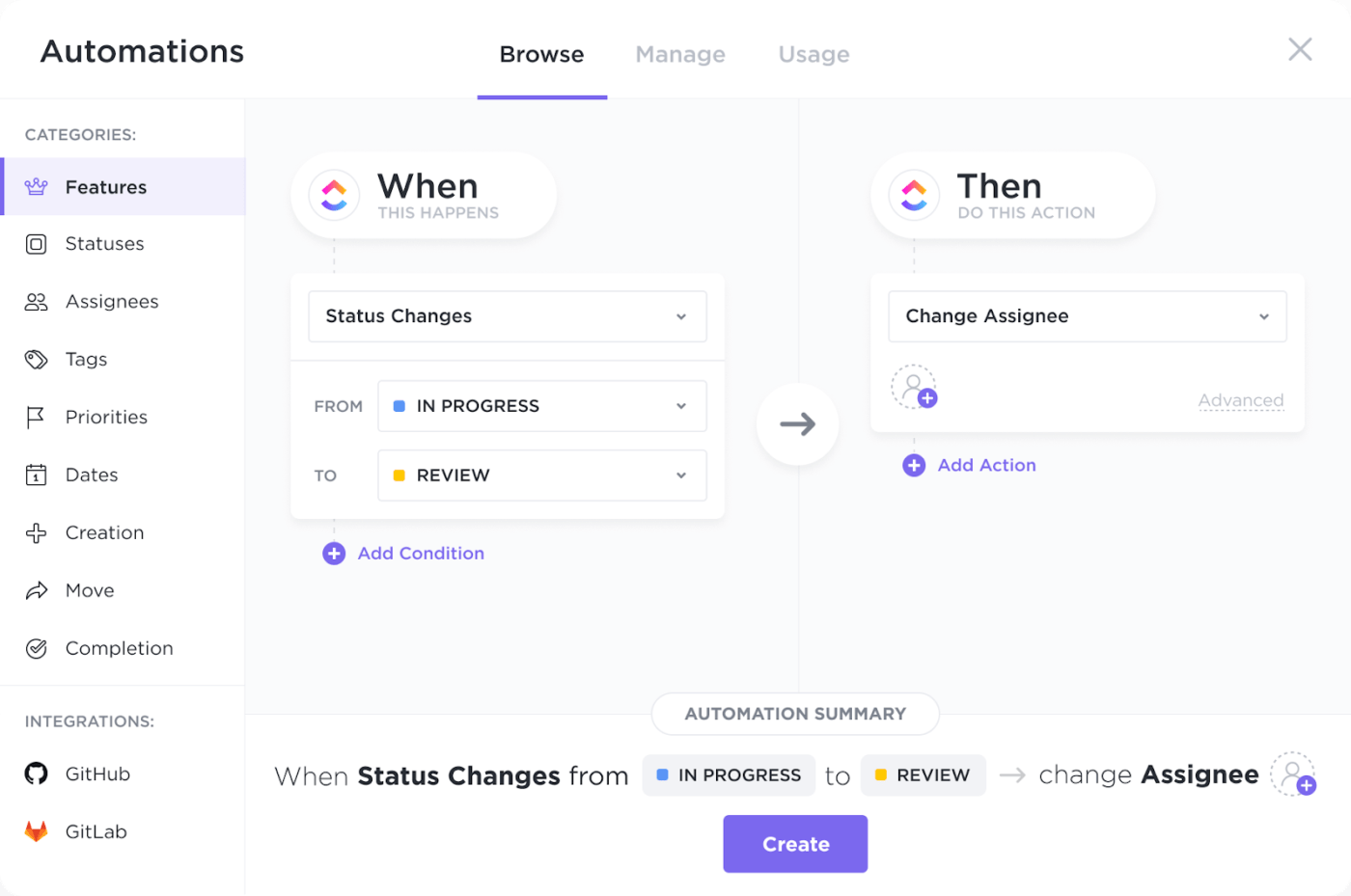
Here’s an example of an Automation process. When a customer fills out a request form, ClickUp can auto-create a Task, assign it to the right teammate, change the task’s priority, and even send a follow-up email—all without human involvement.
It’s perfect for operations leads, client onboarding teams, and admin pros managing high volumes of requests.
You can tailor ClickUp to your unique workflows by adding Custom Fields, setting up validation rules, and designing templates for specific data entry needs. All you have to do is set the rules, and it’ll handle everything in the background.
For teams juggling input data, you can also use ClickUp Autopilot Agents, which adapt to changes in your Workspace and autonomously act based on the instructions given. These agents can be set up using prebuilt options or a no-code builder for custom agents.
These automations not only reduce human error but also free up valuable time for higher-level analysis and decision-making while maintaining consistent interactions.
Watch the video below to learn more:
Automations are powered up with AI. You can create your own custom Automations by simply telling ClickUp Brain what you want to automate in plain English. It’ll configure everything for you in any Space, Folder, or List.
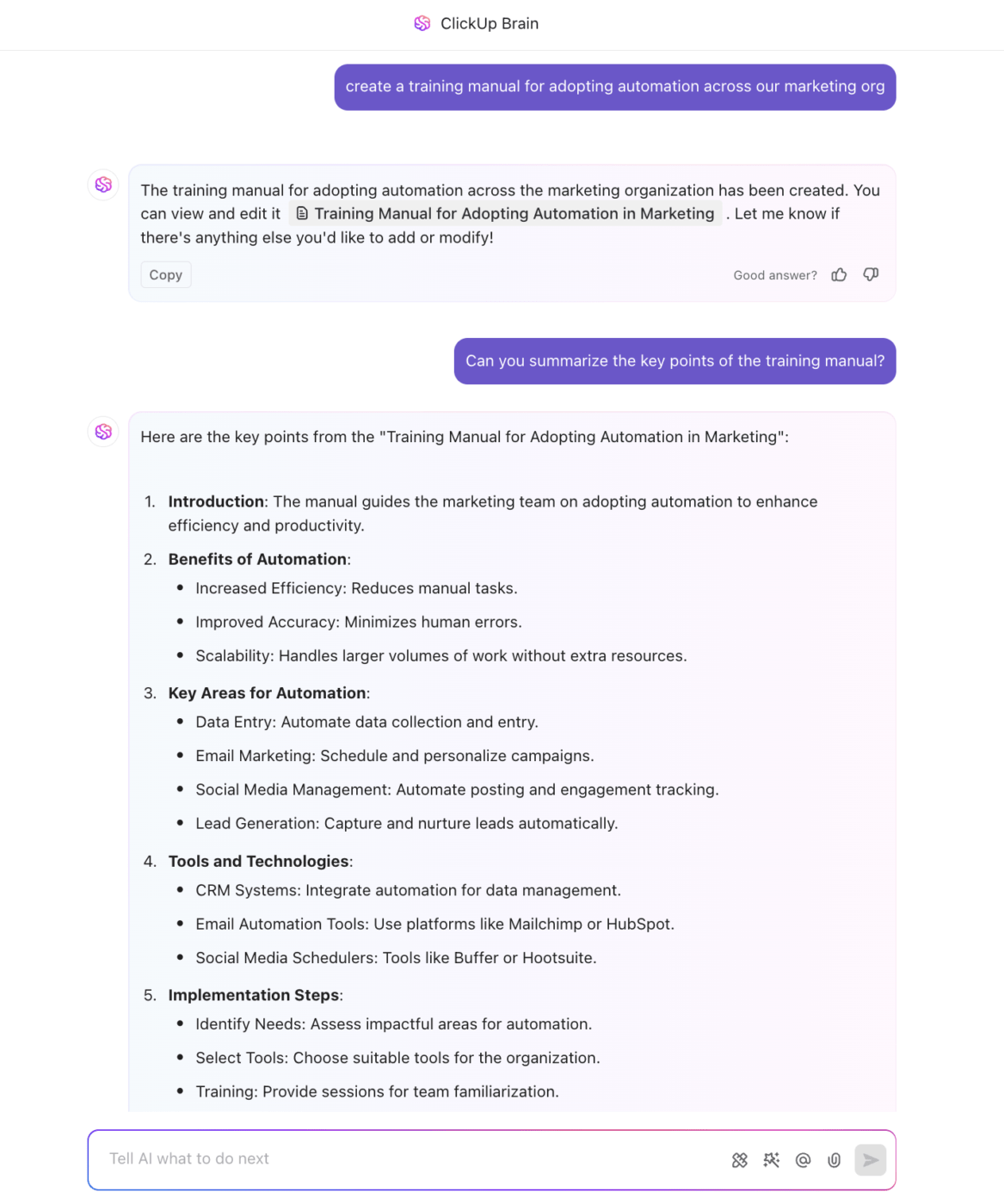
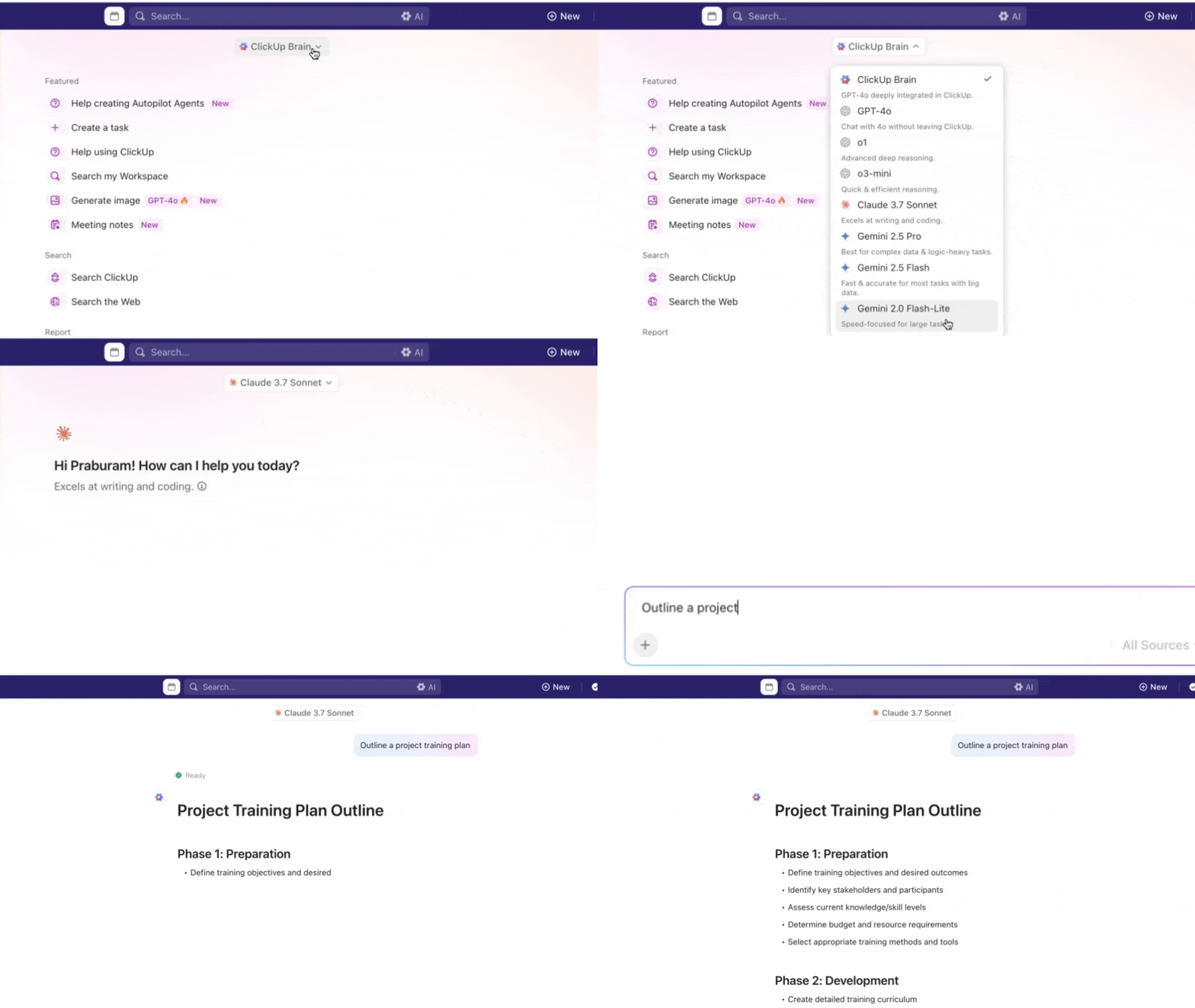
ClickUp Brain basically acts as your intelligent assistant, capable of extracting data from documents (including PDFs via smart OCR integrations), generating Tasks from meeting notes, summarizing files, and answering contextual questions about your workspace in real time.
Want to ensure high data quality and integrity throughout your data process? Try AI-powered prompts to generate structured spreadsheet templates, automate data extraction, and implement error-checking mechanisms.
Brain dramatically reduces manual data entry, minimizes errors, and ensures that data is always up-to-date and accurate.
You can perform absolutely any data entry task using AI in ClickUp, whether it’s invoice processing, CRM updates, database management, or order processing.
ClickUp isn’t just your go-to workspace for control but also for clarity.
If you miss Excel for data visualization, try ClickUp Table View. It mimics the familiar spreadsheet interface but makes it easier to review, edit, and update structured data.
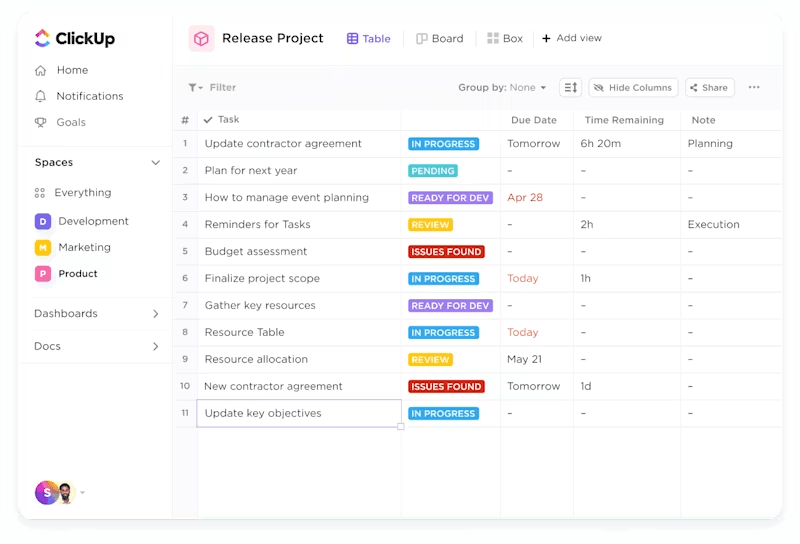
Each Task is displayed as a row, with customizable columns for different data fields, supporting bulk actions, quick navigation, and even copy-paste shortcuts for rapid data input. You can also sort submissions by status, filter by assignee, and update multiple records at once.
This View is particularly effective for managing large volumes of data, validating entries, and ensuring data quality.
ClickUp also supports 100+ integrations with form builders or CRM systems, including Salesforce, HubSpot, and more. This allows automated data capture and task creation, so data flows seamlessly into your ClickUp workspace.
This centralization, with automated and optimized project management, can totally transform your data organization system.
Whether managing a handful of manual data entry tasks or thousands of data entries, ClickUp’s flexible architecture and robust automation capabilities make it scalable for businesses of any size. Its AI-driven features adapt to growing data volumes and evolving workflow requirements, supporting long-term efficiency and growth.
A G2 review reads:
A Critical Tool to Make Ops more efficient. This is the only Project management tool that takes away the burden of data entry. The chrome extension and the forms capability is MONEY!!!
💡 Bonus: If you want to speak your data entry workflows to life AND:
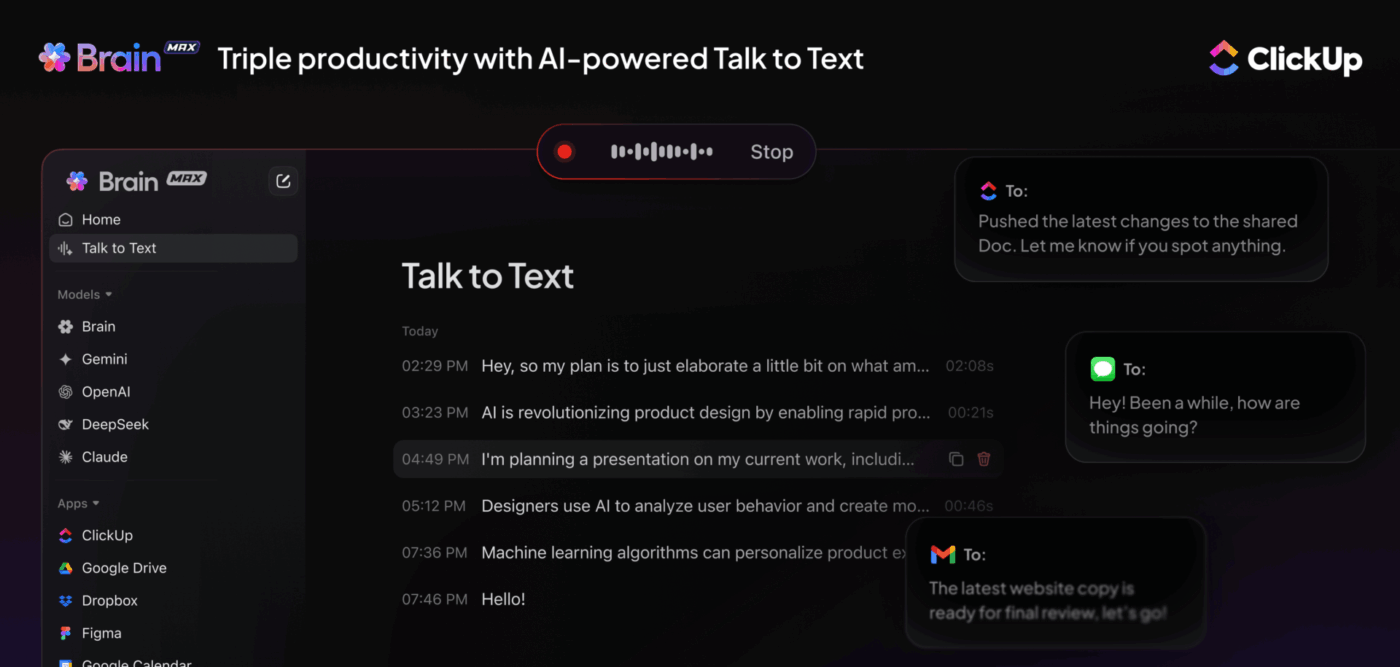
Try ClickUp Brain MAX—a superpowered desktop AI companion that truly understands you, because it knows your work. Ditch the AI tool sprawl, use your voice to build custom workflows, create documentation, assign tasks to team members, and more.
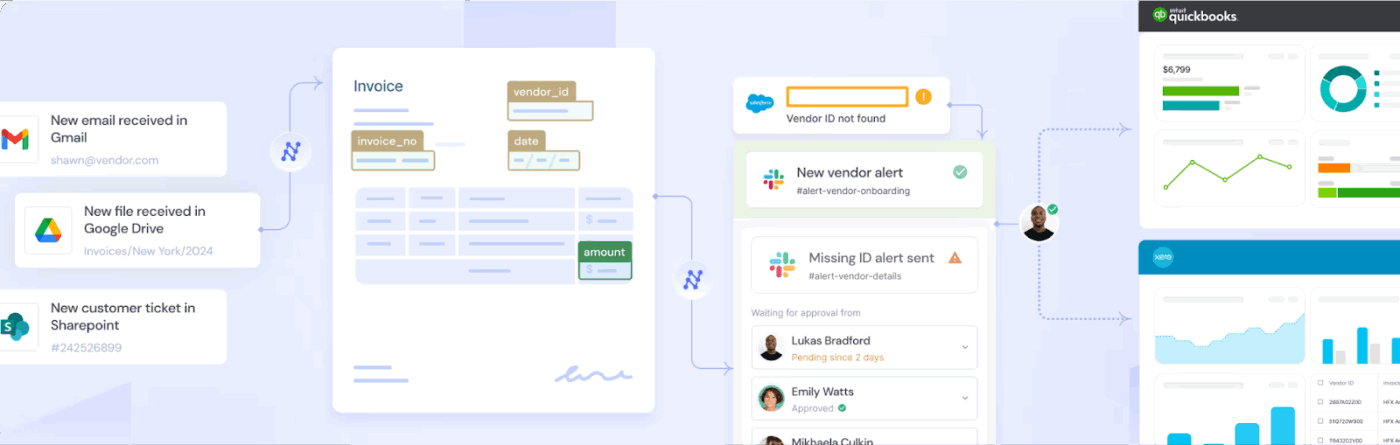
Nanonets is built for teams that handle a daily avalanche of paperwork—think invoices, contracts, IDs, or scanned forms—and need a smarter, faster way to digitize it all. It uses deep learning to recognize fields and layouts, even if documents come in different formats or languages.
Just upload a few samples, label the fields once, and the AI learns to handle variations on its own. It continues to improve with every document you process, cutting down on the need to retrain or double-check output.
A G2 review says:
OCR engine’s features, mainly in terms of training the engine with the documents, the vast range of the different types of documents supported, the zero-training model and the facility to quickly add additional training data on the fly is really good. The quick support provided by the CSR representative from Nanonets and that to over the calls is really appreciating.
👀 Did you know? Relational databases aren’t just for developers—they’re incredibly useful for organizing everyday work. By structuring your data into linked tables, you can create smarter workflows where one update triggers changes across connected records.
Tools like ClickUp let you build relational fields to connect tasks, clients, or projects without needing a line of SQL.
This means your campaign dashboard, client tracker, and content calendar can all speak to each other automatically. It’s a powerful way to reduce data duplication, simplify reporting, and see the bigger picture at a glance.
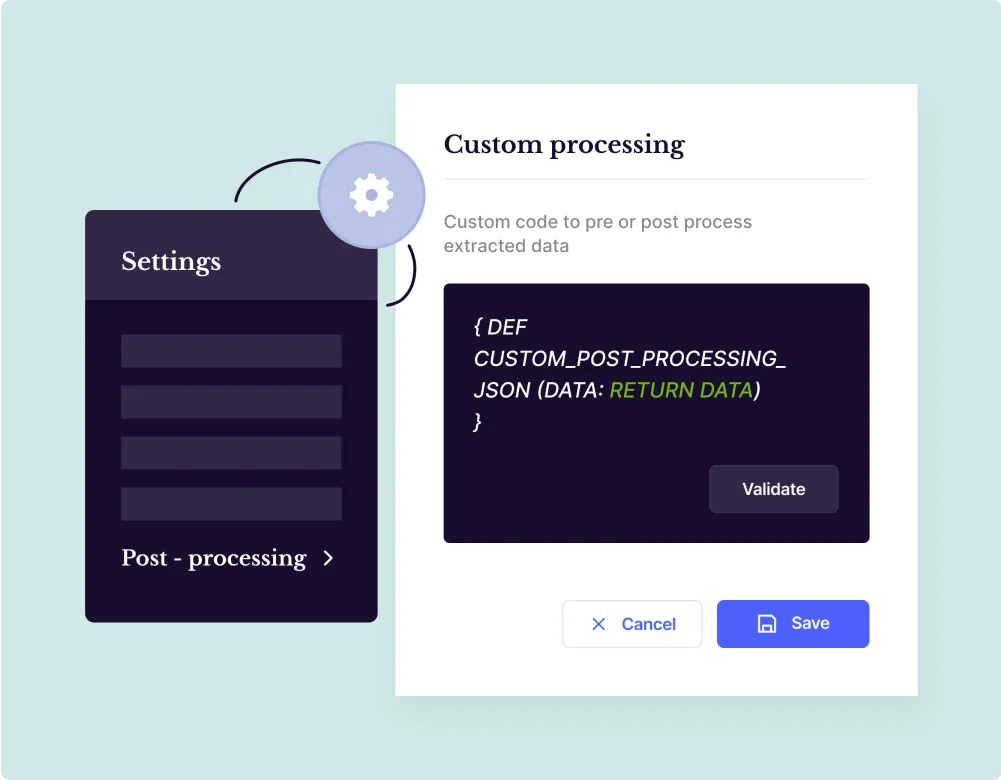
Built for finance and operations teams drowning in invoices, bills, or bank statements, Docsumo captures everything, down to the last item on the receipt.
It extracts data at a line-item level, making it ideal for companies that need to track every charge, fee, or unit with pinpoint accuracy.
Docsumo also applies validation logic to flag errors and route exceptions for review before exporting the data to accounting platforms, CRMs, or internal systems. It’s a massive timesaver for accounts payable, bookkeeping, or compliance-heavy workflows where precision isn’t optional.
A G2 review says:
Before DocSumo, it is taking us a lot of time transferring information and data from PDF files to our workbook since we had to it manually. Since having DocSumo, all it takes is a few clicks and our documents are easily converted and the required information and data can now be easily transferred to our workbooks.
Did You Know? ClickUp Brain offers the use of multiple Gen AI models like Claude, ChatGPT, and Gemini. Ditch the AI sprawl and get all you need from Ai with ClickUp.
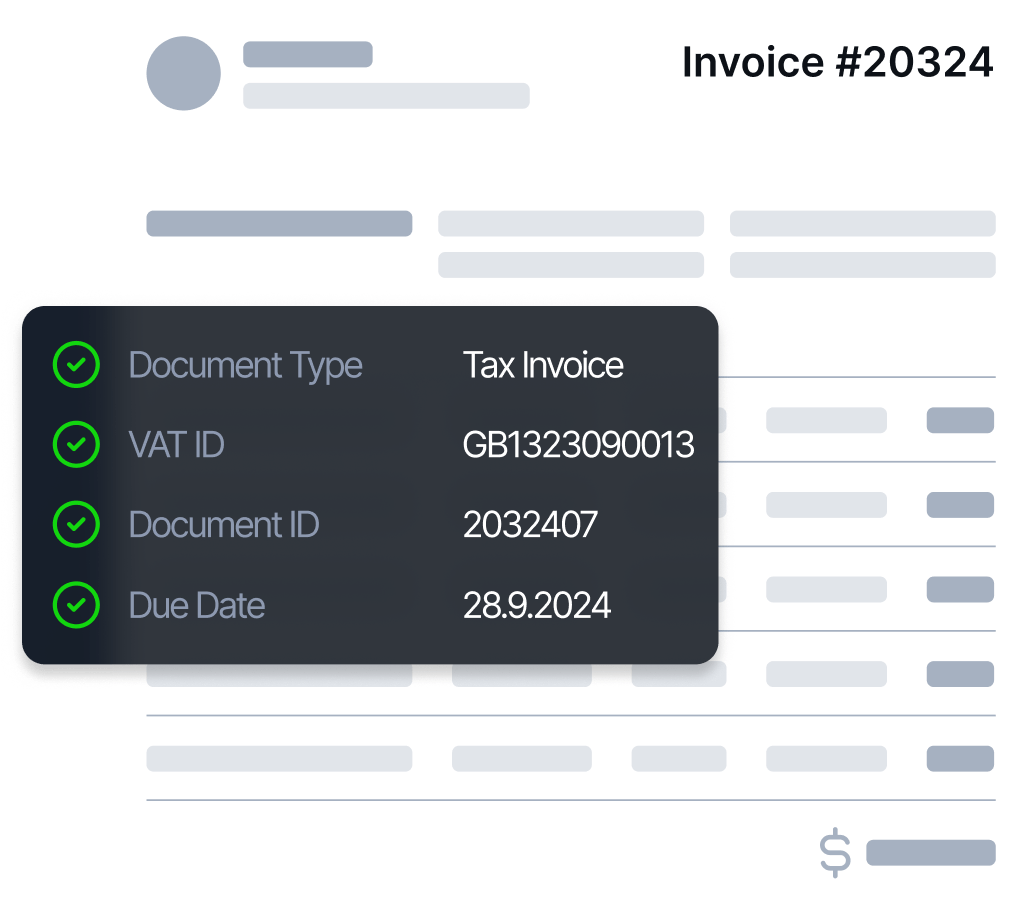
Your inbox is overflowing. Rossum sees that as an opportunity. It specializes in turning chaotic email threads and attached documents into structured, usable data—without you ever opening a spreadsheet.
Its most powerful feature is its AI-powered email parsing. Instead of manually downloading attachments and copying fields, Rossum reads the message body, opens the PDF, and extracts the data automatically.
Its pre-trained AI models can also handle invoices, purchase orders, and other standard business documents, making setup refreshingly quick.
A user review on G2 says:
Rossum is helping us to speed up our invoice processing time so we have more time to deal with queries. Helping with reducing duplicate invoices and avoid duplicate payments being made. Rossum is also allowing us to find problems and errors with invoices before it hits our accounting system.
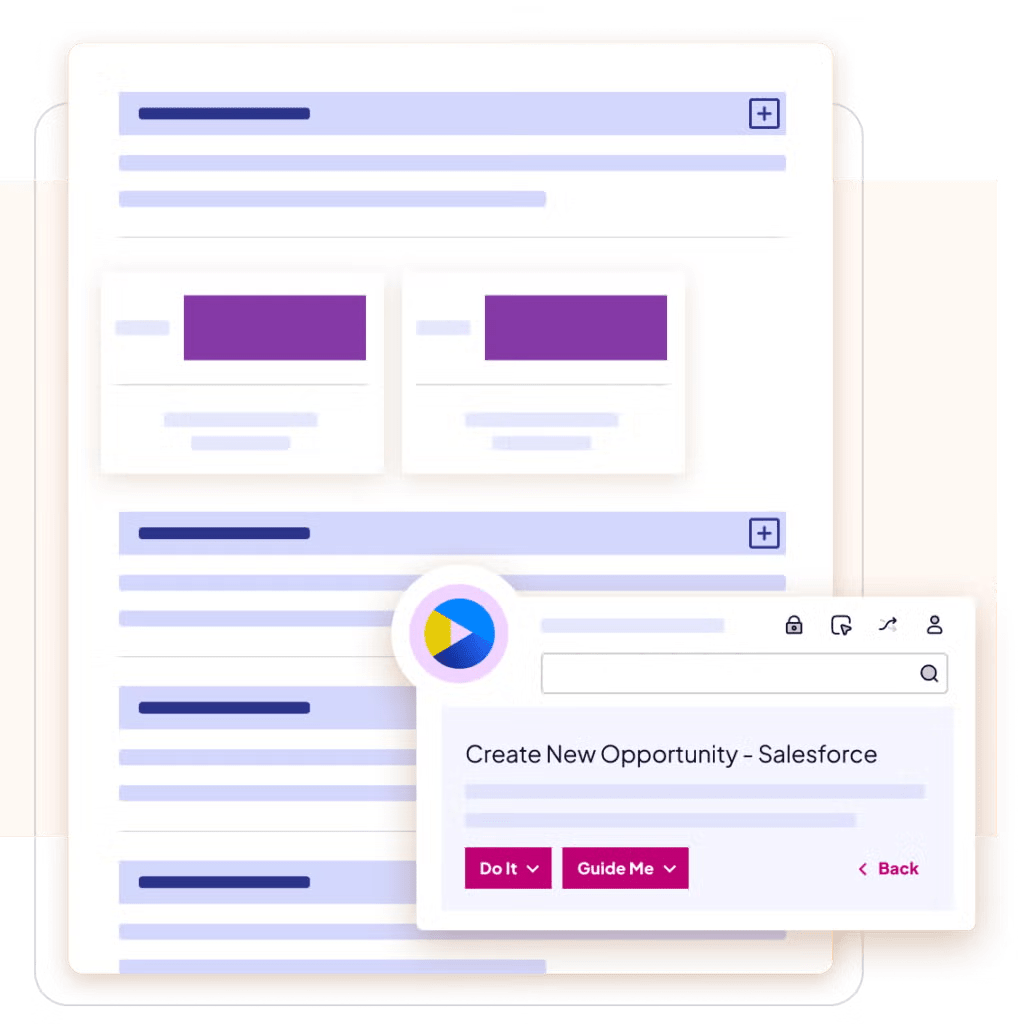
Nintex RPA lets you build digital workers that mimic human actions—copying, pasting, clicking, validating—without ever needing coffee breaks. Its big draw is the drag-and-drop robotic process builder, which makes designing bots feel less like coding and more like playing with blocks.
You can automate the boring stuff across enterprise tools like SAP, Oracle, Citrix, or internal legacy systems. Whether it’s syncing vendor invoices or processing customer onboarding documents, bots execute high-volume workflows with machine-level precision.
You control exactly how each bot behaves, when it triggers, and what conditions it flags for human input.
A G2 review reads:
Nintex has the most comprehensive and complete professional roadmap for planning successful process automation with a strong emphasis on the first phase which is the digitalization of processes using Nintex promapp in a collaborative way.
📖 Also Read: Best Creative Automation Tools
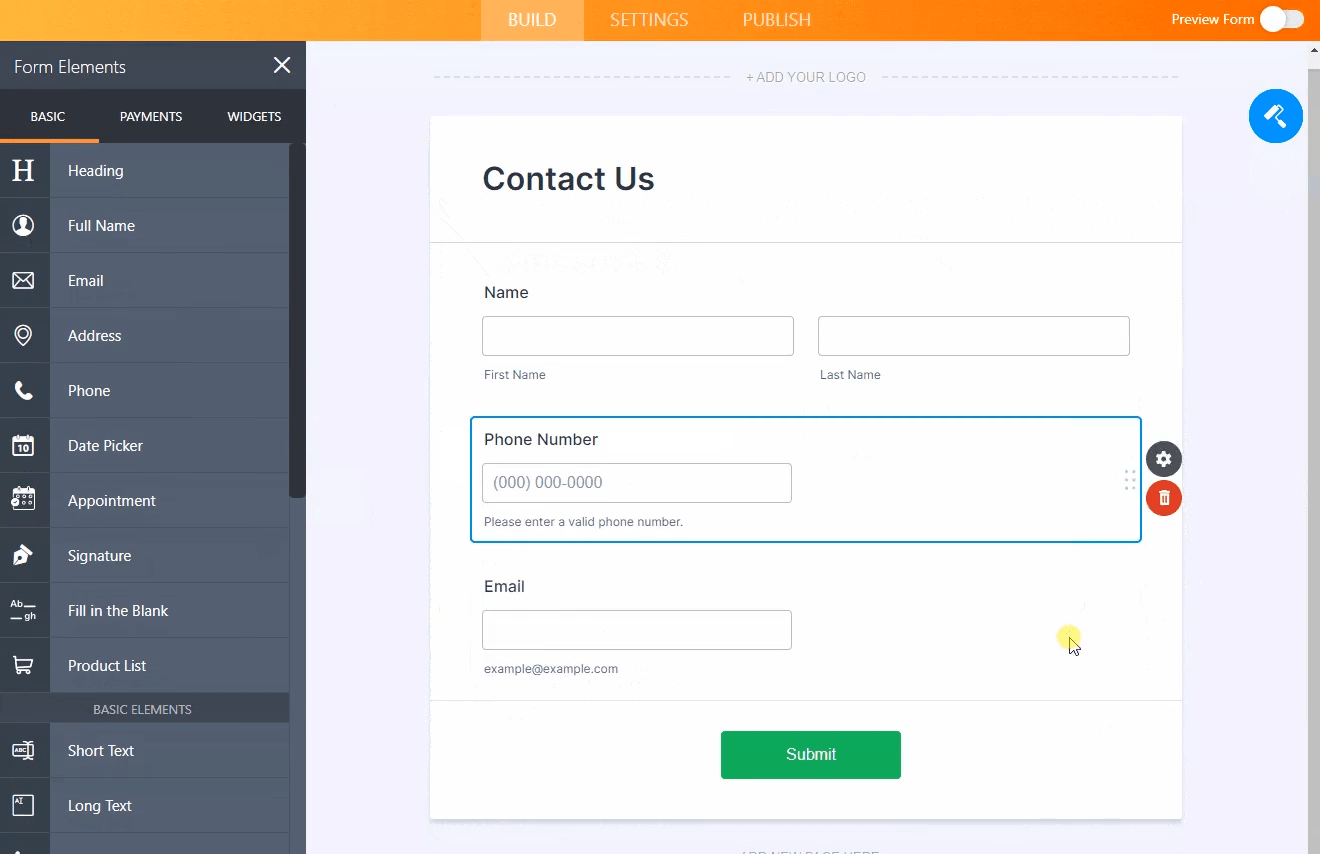
Jotform is designed for teams that need to collect structured data quickly, whether from customers, clients, or internal teams.
The AI-powered form builder with conditional logic helps you create smarter, more dynamic forms in minutes. Instead of every respondent seeing the same layout, Jotform adapts questions based on earlier answers, creating a personalized flow that increases both speed and accuracy.
You can embed forms anywhere, collect responses in real time, and even trigger emails or task assignments once submissions land. It’s suitable for lead capture, client intake, event registrations, and just about any use case where form fatigue is real.
A G2 review says:
My organization uses Jotform for a few different things, but we mostly use it for our website clients when they need to have more complex forms on their website that go beyond just the usual ‘contact’ forms. Jotform has so many different options in their form builder, and its super easy to just drag and drop whatever you need.
📮 ClickUp Insight: 88% of our survey respondents use AI for their personal tasks, yet over 50% shy away from using it at work. The three main barriers are a lack of seamless integration, knowledge gaps, or security concerns.
But what if AI is built into your workspace and is already secure?
ClickUp Brain, ClickUp’s built-in AI assistant, makes this a reality. It’s capable of natural language processing and understands prompts in plain language, solving all three AI adoption concerns while connecting your chat, tasks, docs, and knowledge across the workspace. Find answers and insights with a single click!
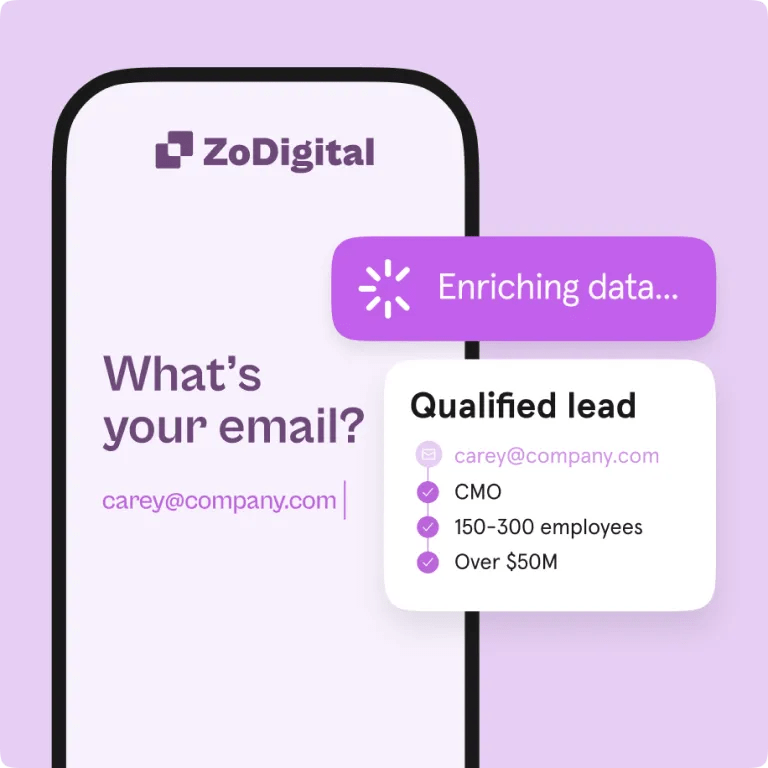
Want to transform static surveys and forms into a smooth, chat-like experience that also boosts completion rates? Typeform’s AI-assisted survey flow feels more like a conversation than a form, helping you collect accurate, thoughtful data without overwhelming your audience.
It lets you create fully personalized question paths based on previous answers, so users see one relevant question after the next.
A G2 review says:
The interface is sleek, easy to use, and engaging for respondents. Conditional logic and integrations make workflows seamless.
📖 Also Read: IT Automation Software to Streamline IT Processes
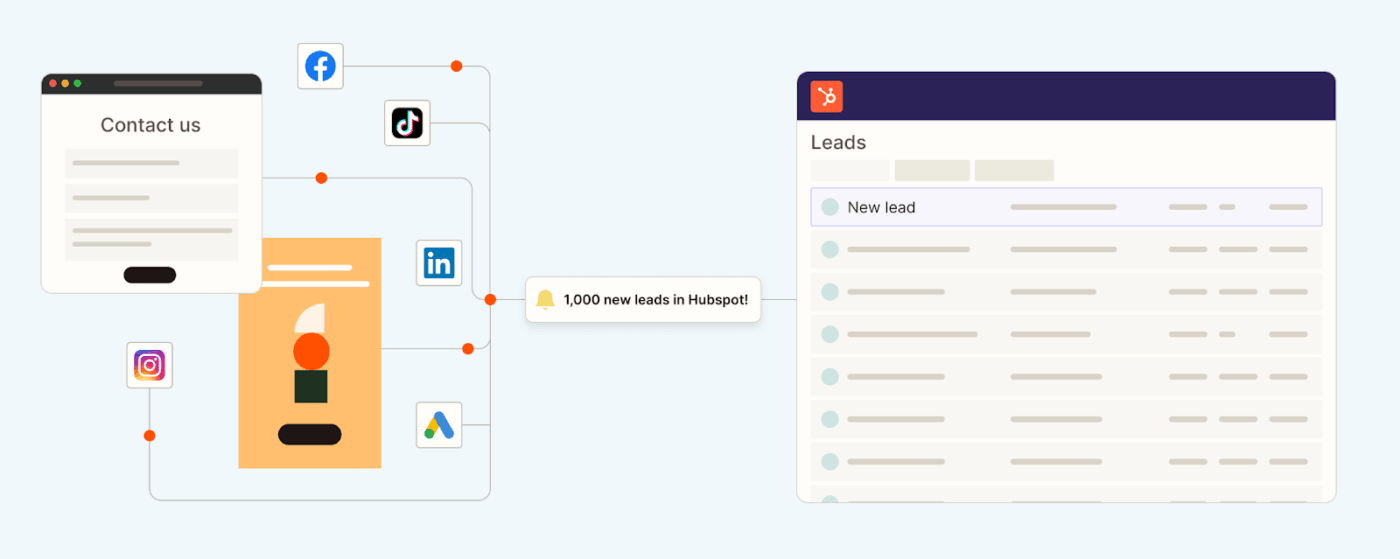
Zapier is the internet’s version of duct tape. Built for users who want to link their favorite apps without learning to code, It excels at automating multi-step workflows across tools like Google Sheets, Typeform, Slack, and CRMs.
Its core feature is multi-app automation, which lets you effortlessly pass data across platforms.
For example, a new form submission can instantly trigger a Slack notification, update a spreadsheet, and send a welcome email—no manual intervention required.
From marketing automation to customer success to hiring pipelines, Zapier is the no-code power tool that keeps your systems talking and your hands off the keyboard.
A G2 review says:
The most helpful and upsides of Zapier is how it eliminates manual work by automating repetitive tasks between different apps with good numbers of features. It’s so easy to set up, even without coding skills, and saves me hours by keeping my tools in sync (frequency of use). The ease of implementation and integration process with other tools is just too fast and superb and stress-free. The customer support is not bad as well.
📖 Also Read: Workflow Automation Examples and Use Cases
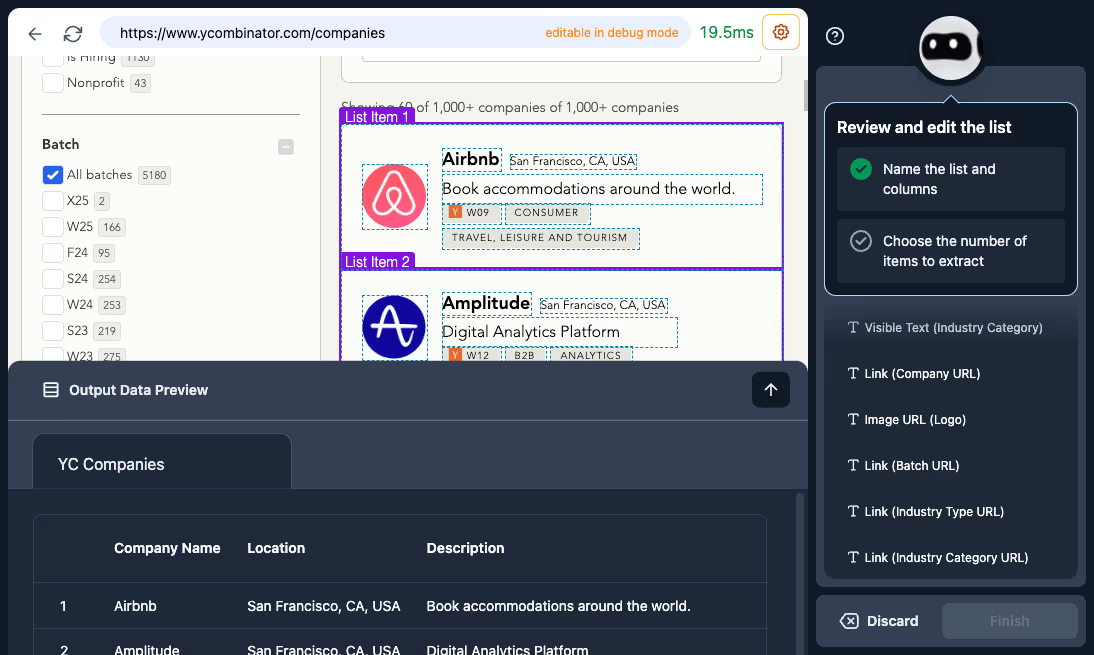
Imagine if you could train a robot to do your web browsing—and it actually listened. Browse AI lets you extract data from websites like product listings, pricing tables, or job boards without writing a single line of code.
Prebuilt “robots” for popular websites help you start scraping instantly. The setup is as simple as pointing and clicking on the page elements you want. Once trained, your robot can run on a schedule, save data to spreadsheets, or trigger alerts when new information appears.
It eliminates hours of copy-paste work from the equation for teams managing research, growth ops, or sales prospecting.
A G2 review says:
Browse AI has streamlined my web scraping and data automation projects. Setting up bots requires no coding, various integrations with Google Sheets and Zapier make scraping easier – and a lot faster.
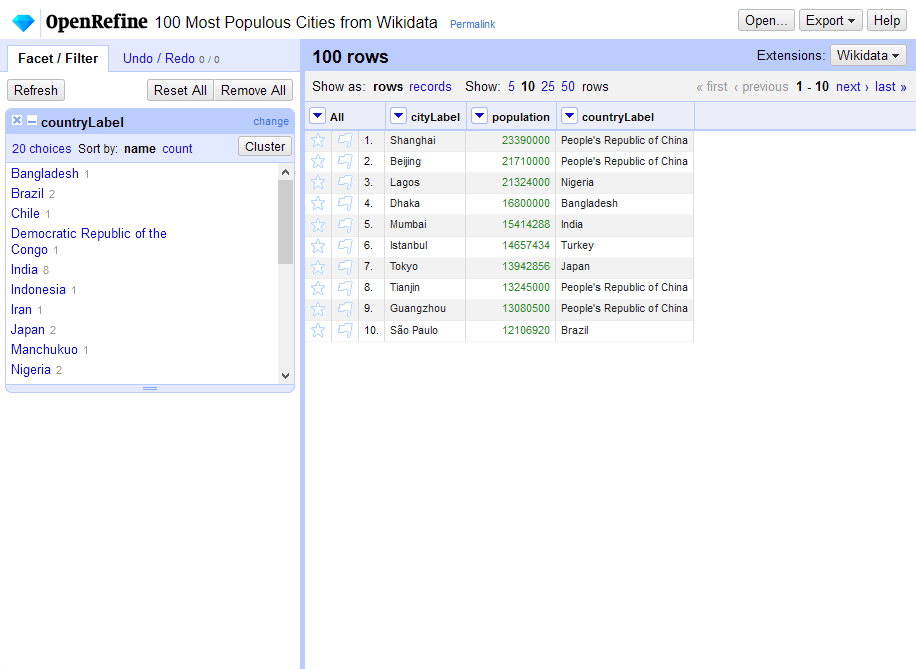
OpenRefine is like a toothbrush for your data—it scrubs, shines, and gets into the tiny cavities spreadsheets miss. This open-source powerhouse is built for anyone wrangling messy datasets that need a deep cleaning.
What gives it an edge is its Faceted browsing capability, which lets you slice through your data by categories, filters, or patterns—so you can spot inconsistencies and fix them in bulk..
A G2 review says:
I like how seamless it is to use the tool! Every time I think it is perfect I have found that my data is improved. I use this tool both personally and professionally and I have found that it makes my work so much easier
There’s no medal for manually cleaning data. But there is relief in automating it.
Whether you’re scraping web info, processing invoices, or managing survey inputs, AI-powered tools can save you hours of grunt work (and maybe a few gray hairs).
But if you want a tool that doesn’t just collect data but helps you act on it, ClickUp is your best bet.
From smart Automations and AI Agents to dynamic Table Views, task management, and AI-powered insights, ClickUp gives your team one space to capture, organize, and execute—all without switching tools or tabs.
Ready to make data entry the easiest part of your workflow? Sign up for ClickUp and start automating smarter today.

Manasi Nair
Max 18min read

Arya P Dinesh
Max 23min read
Arya P Dinesh
Max 27min read

© 2026 ClickUp