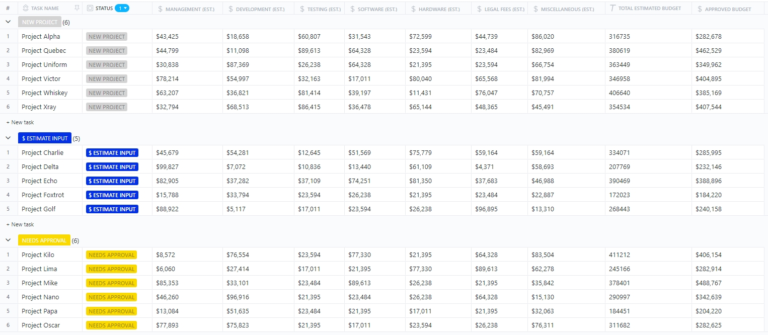

Sorry, there were no results found for “”
Sorry, there were no results found for “”
Sorry, there were no results found for “”
‘How much will this project cost me?’
This is probably one of the most common but important questions that any client or internal stakeholder will ask you. And if the estimate you provide is not accurate or even close to realistic, it can put the project at risk.
Of course, a cost estimate can’t always be accurate to the last dollar, but imagine quoting X for a project, only to realize you will require 2X the budget when the project actually begins.
Not a situation you want to find yourself in.
This is where a Cost Breakdown Structure (CBS) can help you get a clear picture of your project finances. It breaks down all the anticipated costs into manageable categories, giving you a clear picture of where your money goes. This empowers you to make informed budgeting decisions and manage project costs efficiently.
Plus, it will also help you track your project for potential cost overruns early on, helping you deliver the project on time and within the stipulated budget.
But what exactly is a CBS, and how does it differ from a work breakdown structure (WBS)? We’ll explore these questions and more in this guide.
Losing track of project costs? Use the ClickUp Budget with WBS Template to stay on top—without the stress.
Project management involves managing multiple aspects of a project, including the scope, time, and cost. While keeping your project on track and meeting deadlines is crucial, staying within budget is equally important. This is where a cost breakdown structure (CBS) becomes an essential tool.
CBS is a document that details all the costs that will be incurred in a particular project. Each line or row in the CBS stands for a cost item associated with the project. It breaks down these costs into clearly defined categories, providing a detailed roadmap for your project finances.
In any project management lifecycle, the most critical part is ensuring that the project is delivered on time and within the stipulated budget. If either goes awry, there can be complications to the project’s overall success. With cost breakdown structures added to your project management strategy, you can:
Cost breakdown structure can seem a lot like work breakdown structure (WBS) since we list all the activities and stakeholders involved in both. However, while CBS focuses on cost control or managing project expenses, WBS is about understanding all the activities needed to deliver a successful project.
Some of the subtle differences include:
| Aspect | Cost Breakdown Structure | Work Breakdown Structure |
| Focus | Financial aspects of the project | Project deliverables and tasks |
| Purpose | Break down total project costs into categories | Break down project deliverables into manageable tasks |
| Output | Hierarchical structure outlining project costs | Hierarchical structure outlining project tasks and subtasks |
| Key elements | Direct costs (labor, materials, equipment), indirect costs (overhead), contingency | Tasks, subtasks, milestones |
| Provides insight into | How much each project element will cost | What needs to be done to complete the project |
The cost breakdown structure is created using multiple components, including:
The foundation of your CBS is your WBS. This document outlines the project deliverables and tasks that make up your project. Think of it as a blueprint of what needs to be done.
For any CBS, there are four main cost categories to consider:
CBS plan doesn’t just help with cost planning; it also helps you to understand potential courses of action. For example, if you have to create a website for a client.
If the cost of hiring external resources is much higher than expected, you can make proactive decisions like completing some tasks in-house. This helps minimize overall project costs and helps you take control over the project’s quality.
Now that you understand the power of a CBS, let’s delve into the practical steps involved in creating one. You can create detailed cost breakdown structures using project management software or a tool that helps you analyze or monitor all the activities and resources involved in a certain project. To create a detailed and accurate CBS, you can follow the steps below:
The first step to successful project planning and cost estimation is knowing the activities and resources needed for your project. This typically involves:
The next step is estimating the required cost for each task, activity, or resource. These tasks can be divided into multiple aspects depending on their impact and work area, such as:
By considering both direct and indirect costs, you minimize the risks of any unknown task or cost factor being added to your budget.
Once you have factored in all the cost factors that will impact your budget, it is time to start estimating the cost of completing a particular action item. For example, if you want to conduct X task, how much time do your team members take to complete it? How many resources will they need to complete it? These answers allow you to factor in the overall budget needed to complete X task.
Once you have done this for all the tasks in your project, it can be used to provide a final cost for the project. This is a crucial process, especially when estimating the budget for large-scale projects like construction projects.
By closely tracking the tasks and resources required for a particular project and other impacts using construction management software, you can ensure that your projects get completed within the defined timeline and budget.
Even after meticulous planning, unforeseen events can add to your project costs. For example, if you have to purchase materials from a supplier and they are out of stock, you may need to procure them from another source. The cost for these can be higher, or you may even have to pay extra to the same supplier if the materials you need are low on stock.
To mitigate these risks, include a contingency margin in your CBS. This is a buffer allocated for unexpected expenses that might arise during the project. The size of your contingency margin will depend on the inherent risk factors associated with your project.
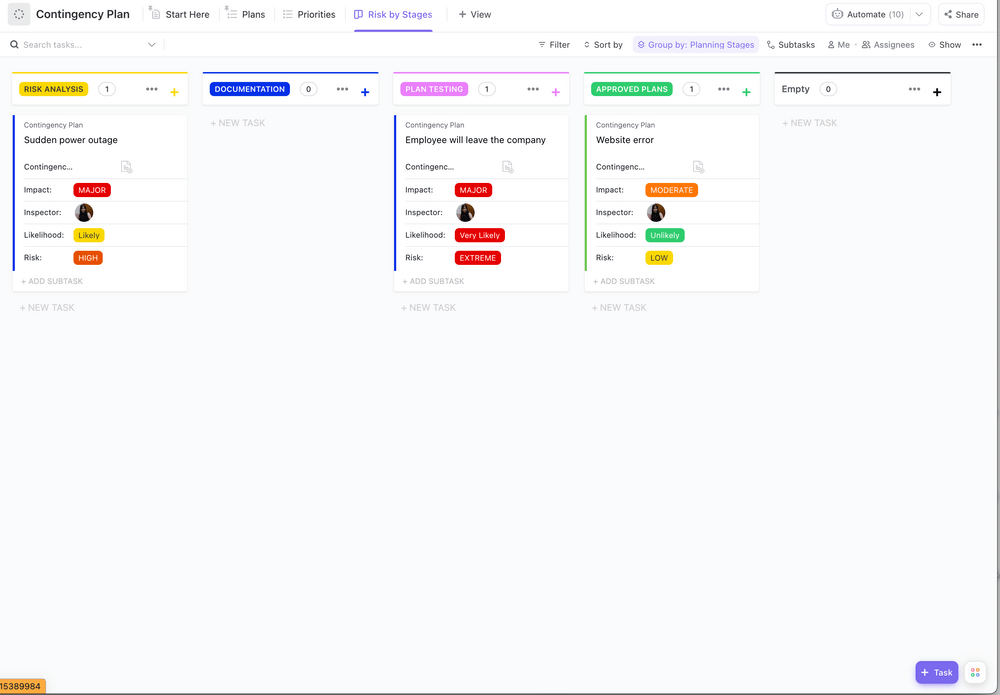
To jump-start your planning, use the ClickUp Contingency Plan Template and keep your business safe and secure.
This template offers you both list and board views, helping you draw your Contingency Plan and use it effectively for your projects. It helps you create a clear roadmap for unexpected events by:
The last step in creating a cost breakdown structure is thoroughly reviewing your plan. Look for any inconsistencies or missing information. Share your CBS with key stakeholders for input and finalize the document after incorporating their feedback.
For any project, delays are often costly. For example, if we were a construction firm, a small delay in procuring resources could mean stalling of work, and this would end up increasing the expenditure of the overall project. This is why using CBS analysis is crucial for organizations.
With regular cost breakdown structure analysis, you can ensure that your project financials and timelines are constantly monitored, helping eliminate cost risks. This also helps with:
When conducting a CBS analysis, make sure you look for standard impacts to your project, such as:
To get the most accurate estimate for your project, you need to be able to break down all the tasks, including all the resources, actual costs, logistics costs, and every activity involved. For most companies, this often proves to be difficult as all their activities and teams work in silos and on different platforms.
This is where an end-to-end project management software like ClickUp can help make things much more streamlined and efficient.
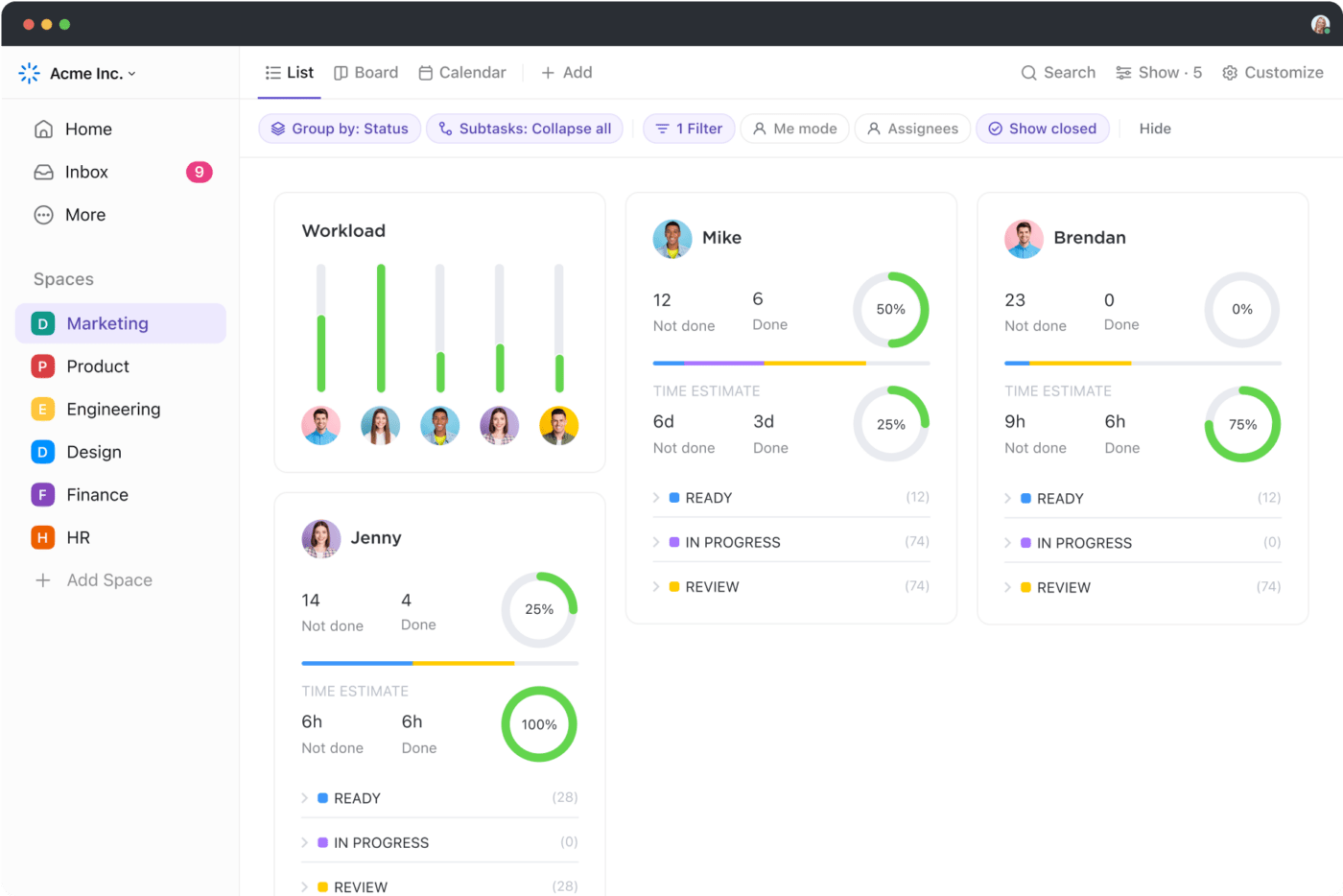
ClickUp goes beyond basic task management, offering a robust suite of features that perfectly complement your CBS needs. With it, you can:

With ClickUp Project Management, you get advanced features that can help you:
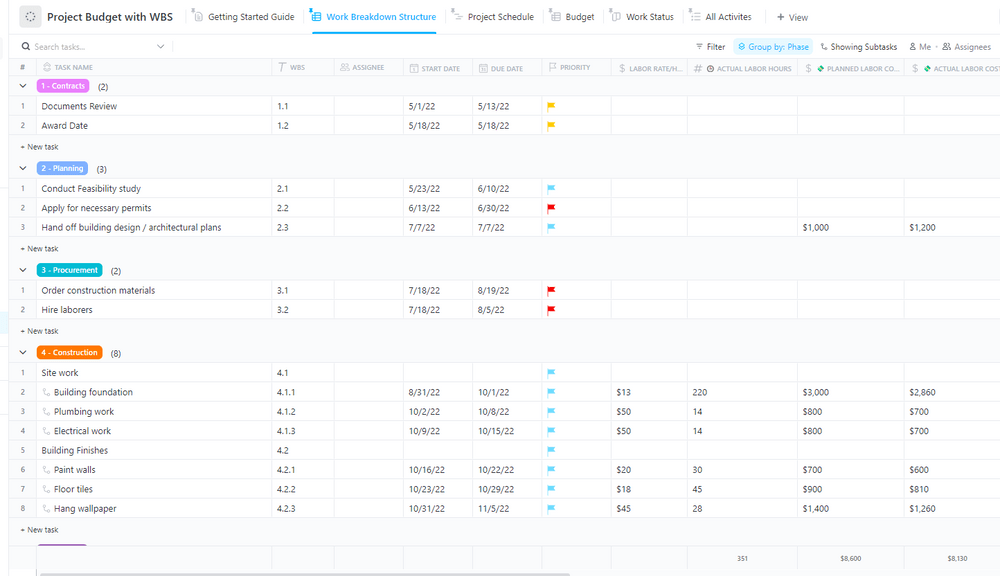
It also provides ready-to-use, fully customizable estimation templates to help you get started with CBS and WBS project estimations instantly. For instance, the ClickUp Project Budget with WBS Template makes cost tracking easy and simple by breaking your project into tasks.
Using this template, you can simplify project budgeting activities as it allows you to:
It includes a detailed work breakdown structure (WBS), including:
These templates provide a pre-defined structure for your WBS, cost estimation fields, and budget tracking functionalities without having to do all the tasks manually or start from scratch.
So here’s the ultimate guide to help you ace project planning and estimate project budgets. It provides a clear and comprehensive picture of your project finances, empowering you to make informed budgeting decisions, identify potential cost risks proactively, and ultimately deliver projects on time and within budget.

With ClickUp, you can make your entire project management process much more effective and track budgets and tasks on the same platform.
Whether it’s project managers or your finance or commercial department, they can all work together, plan projects, and collaborate as required. Or, as Michael Scott would say, it’s a triple WIN.
The all-in-one project management software lets you manage workflows, documents, real-time dashboards, and more, helping your team move faster, work smarter, and save time.
Ready to take control of your project costs? Sign up for ClickUp today and experience the benefits of a streamlined and collaborative CBS approach!
A cost breakdown structure (CBS) includes all the costs incurred in a certain project. This includes four main cost categories:
The cost breakdown method refers to the process of creating a cost breakdown structure. This involves identifying all project activities from the Work Breakdown Structure (WBS), assigning costs to each activity, and summing them up to get the total project budget.
A Work Breakdown Structure (WBS) outlines the project deliverables by breaking them down into smaller, more manageable tasks. A CBS focuses on the financial aspects of the project, assigning costs to each element of the WBS. Together, they provide a comprehensive view of project scope and finances.

Sudarshan Somanathan
Max 22min read

Praburam Srinivasan
Max 23min read
Praburam Srinivasan
Max 21min read

© 2026 ClickUp