Sorry, there were no results found for “”
Sorry, there were no results found for “”
Sorry, there were no results found for “”
Churches rely heavily on volunteers, yet participation and consistency remain ongoing challenges. Research shows that while many congregations depend on volunteers to operate core ministries, maintaining steady engagement and attendance is a persistent struggle for church leaders. This gap rarely comes from a lack of care. It often stems from manual scheduling systems, communication breakdowns, and coordination friction. The impact adds up quickly, especially when volunteer time is valued at $34.79 per hour.
This guide walks you through ten church scheduling software options that eliminate spreadsheet chaos, comparing dedicated ministry platforms with flexible work management tools like ClickUp that manage scheduling alongside your team’s broader coordination needs.
| Tool | Best for | Best features | Pricing* |
|---|---|---|---|
| ClickUp | Churches that want scheduling connected to tasks, communication, and planning | Calendar View, Automations, Forms, AI Notetaker, Dashboards, Email in ClickUp | Free forever; Customization available for enterprises |
| Planning Center | Churches needing purpose-built volunteer scheduling and service planning | Services module, volunteer self-scheduling, mobile app notifications | Plans start at $14/month |
| Ministry Scheduler Pro | Churches needing automated, rule-based volunteer scheduling | Auto-generated schedules, skill matching, conflict detection | Plans start at $50/month |
| Breeze ChMS | Churches wanting an easy, beginner-friendly ChMS with simple scheduling | Volunteer scheduling, tagging system, reminders, member database | Starts at $72/month |
| ChurchTrac | Small churches wanting affordable all-in-one scheduling and member management | Event calendar, member database, attendance tracking | Plans start at $9/month |
| One Church Software | Churches wanting flat-rate, all-in-one ChMS with scheduling and automation | Volunteer module, unified calendar, check-in system | Plans start at $57/month |
| Elvanto (Tithely ChMS) | Churches needing strong service planning plus volunteer scheduling | Service run sheets, volunteer scheduling, communication tools | Plans start at $50/month |
| Servant Keeper | Churches wanting scheduling combined with member and contribution tracking | Volunteer coordination, full member database, contribution records | Plans start at $59.99/month |
| Pushpay (ChurchStaq) | Large churches needing scheduling tied to engagement analytics | Engagement analytics, mobile app, multi-campus support | Custom pricing |
| Churchteams | Churches wanting workflow automation with volunteer scheduling | Automations, volunteer assignments, group management | Plans start at $37/month |
Our editorial team follows a transparent, research-backed, and vendor-neutral process, so you can trust that our recommendations are based on real product value.
Here’s a detailed rundown of how we review software at ClickUp.
Coordinating volunteers with spreadsheets, group texts, and paper sign-ups creates confusion and inefficiency. You’re constantly chasing down availability, sending last-minute reminders, and trying to fill gaps when someone inevitably forgets they were scheduled. This administrative scramble leads to scheduling conflicts, volunteer burnout—with 95% of nonprofit leaders voicing concern about staff burnout—and ministry leaders spending more time on logistics than on people.
Church scheduling software is a digital tool designed to solve this problem. It helps you coordinate volunteers, services, events, and facility usage from a single platform, acting as a central hub for all your ministry coordination needs.
This software works by centralizing volunteer availability, automating reminders, and giving ministry leaders a clear, real-time view of who is serving where and when. Some platforms are dedicated schedulers, while others are part of a larger church management software (ChMS) that includes member databases and donation tracking. The right tool for your congregation depends on whether you need a simple scheduler or a more comprehensive system that handles multiple administrative functions.
📮 ClickUp Insight: 92% of knowledge workers risk losing important decisions scattered across chat, email, and spreadsheets. Without a unified system for capturing and tracking decisions, critical information gets lost in the digital noise. With ClickUp’s Task Management capabilities, you can create tasks from chat, task comments, docs, and emails with a single click!
Choosing a tool without knowing what features matter can lead to purchasing software that doesn’t solve your core problems or proves too complicated for your volunteers to adopt. You end up with an expensive subscription that nobody uses, and you’re right back to managing schedules in a spreadsheet. The key is understanding what to look for before you start your search.
The most critical features fall into three categories: volunteer coordination, calendar management, and communication. You should also consider how the software handles recurring events, manages multiple ministries, and integrates with tools you already use.
Here are the essential features to evaluate:
🔍 Did You Know? 1 in 4 employees uses four or more tools just to build context at work. A key detail might be buried in an email, expanded in a Slack thread, and documented in a separate tool—forcing teams to waste time hunting for information instead of getting work done.
Volunteer scheduling rarely breaks down because people don’t care. It breaks down because the system is scattered. Availability sits in a spreadsheet, reminders live in group texts, service plans are tucked away in a doc, and last-minute changes happen in side conversations that never make it back to the schedule.
That’s Work Sprawl: coordination spread across disconnected tools, where important details get missed and leaders burn energy just keeping the wheels on. Without a clear, shared view of who is serving and when, even small gaps can quickly turn into last-minute scrambles.
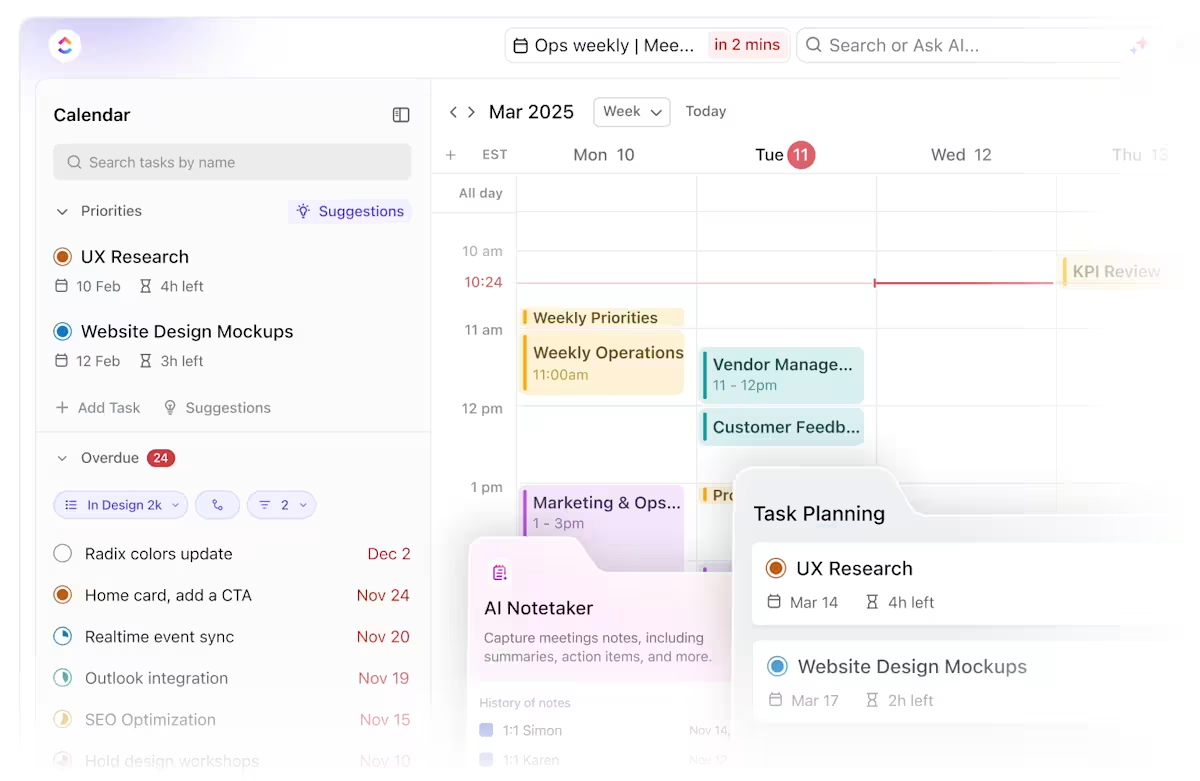
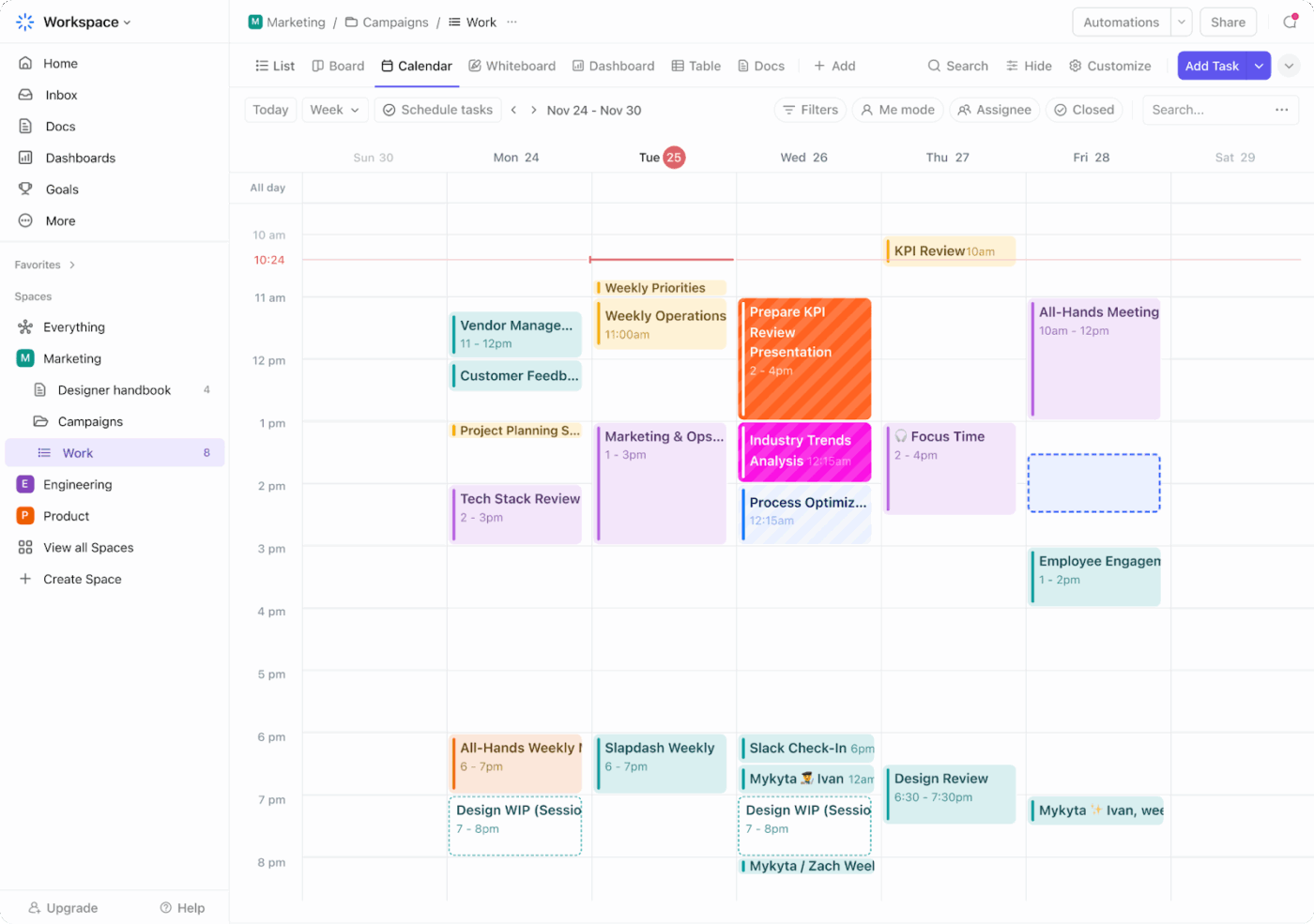
ClickUp solves this by giving your church one place to run the entire coordination layer, not just the schedule. With ClickUp Calendar, ministry leaders can see every service, event, and volunteer assignment in one unified view, making it easier to spot coverage gaps early and adjust plans before they become problems.
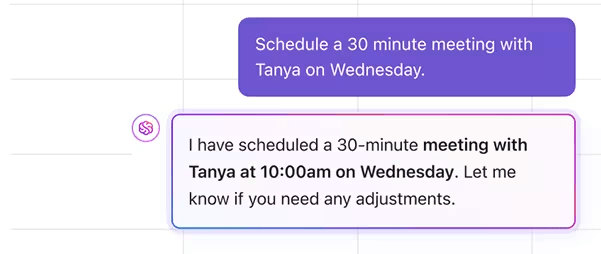
Instead of treating volunteer scheduling as a standalone admin task, ClickUp connects it to everything that actually makes Sundays and events work: intake, assignments, reminders, service prep, communication, and visibility for ministry leaders.
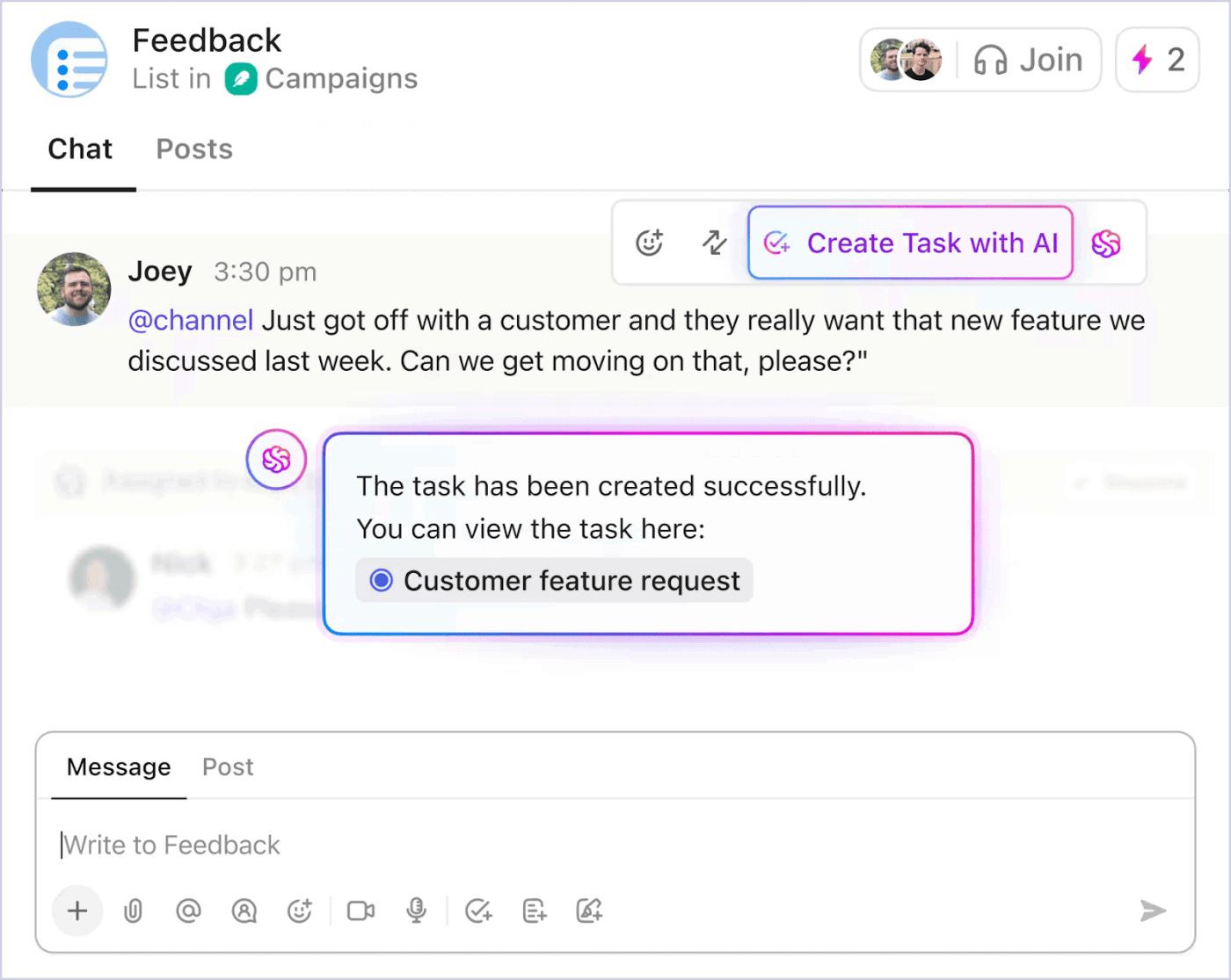
In practice, it feels like switching from “chasing people” to “running a system.” When a volunteer submits their availability or signs up to serve, their response flows directly into your scheduling workflow through ClickUp Forms, automatically updating assignments without anyone touching a spreadsheet. Leaders can instantly view upcoming service coverage in Calendar View, spot gaps early, and make adjustments while keeping every change connected to the same task. Updates, conversations, and decisions stay attached to the work itself, so your team isn’t relying on memory or hoping someone caught the latest message.
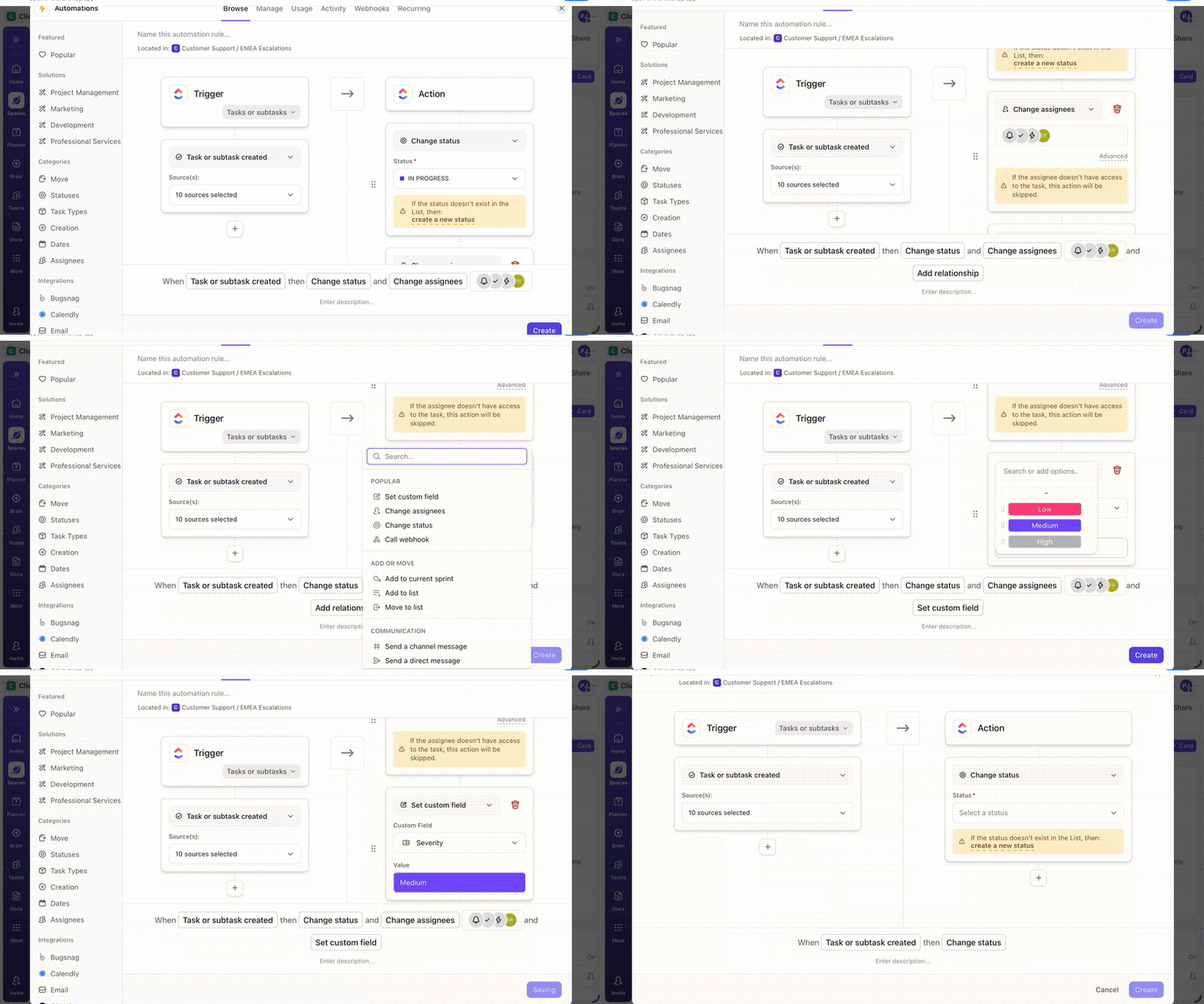
ClickUp turns follow-through into part of the system rather than something leaders have to remember. Confirmations and reminders can run automatically through ClickUp Automations, staffing gaps can be routed to the right ministry leader as soon as they appear, and service preparation moves forward with clear ownership inside tasks and checklists.
When your team gathers to plan, ClickUp can capture key decisions and action items using ClickUp AI Notetaker, keeping them connected to the work instead of buried in forgotten notes. The result is simple: fewer surprises, fewer no-shows, and less burnout for the people who keep your ministry running.
Pros:
Cons:
🎥 Watch this video to see how AI automates scheduling, balances workloads, and keeps workflows moving—without constant follow-ups or tool switching.
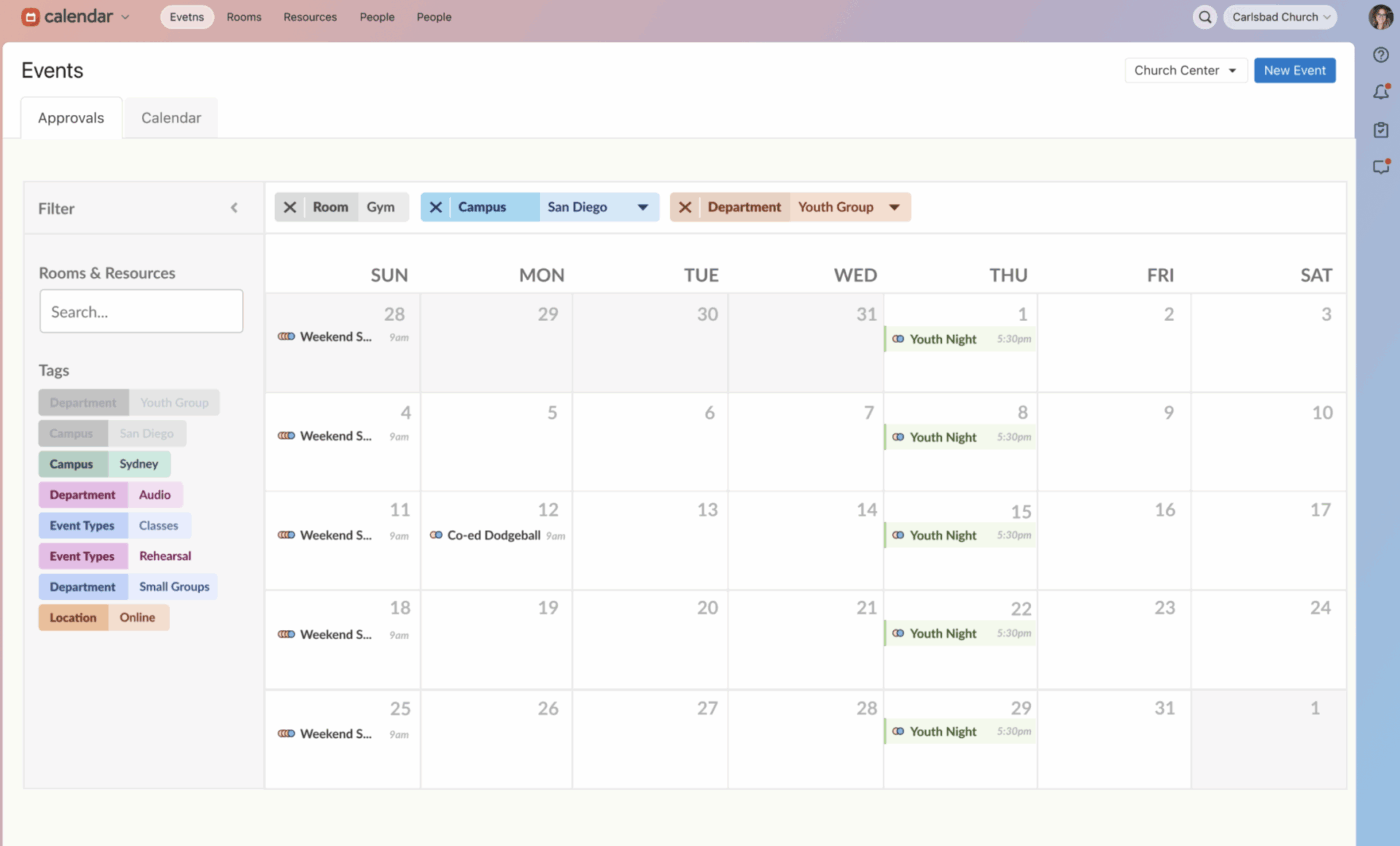
Planning Center is built from the ground up for churches, so you won’t have to translate your ministry language into corporate jargon. The challenge of managing worship flow, song lyrics, and volunteer schedules in separate places is solved by its core Services module.
This platform handles volunteer scheduling by connecting its People and Services modules. Volunteers can set their own blockout dates, respond to scheduling requests, and swap positions with other qualified team members through the mobile app or email. The system understands church-specific concepts like “positions” (sound tech, greeter) and “teams” (worship team, kids ministry).
Its modular pricing model is a key feature, allowing churches to pay only for what they need. A small church might start with just Services and People, while a larger one adds modules for Groups, Check-Ins, and Giving.
Pros:
Cons:
Paid plans: Starts at $14/month (Services)
G2: 4.8/5 (140+ reviews)
Capterra: 4.7/5 (1,100+ reviews)
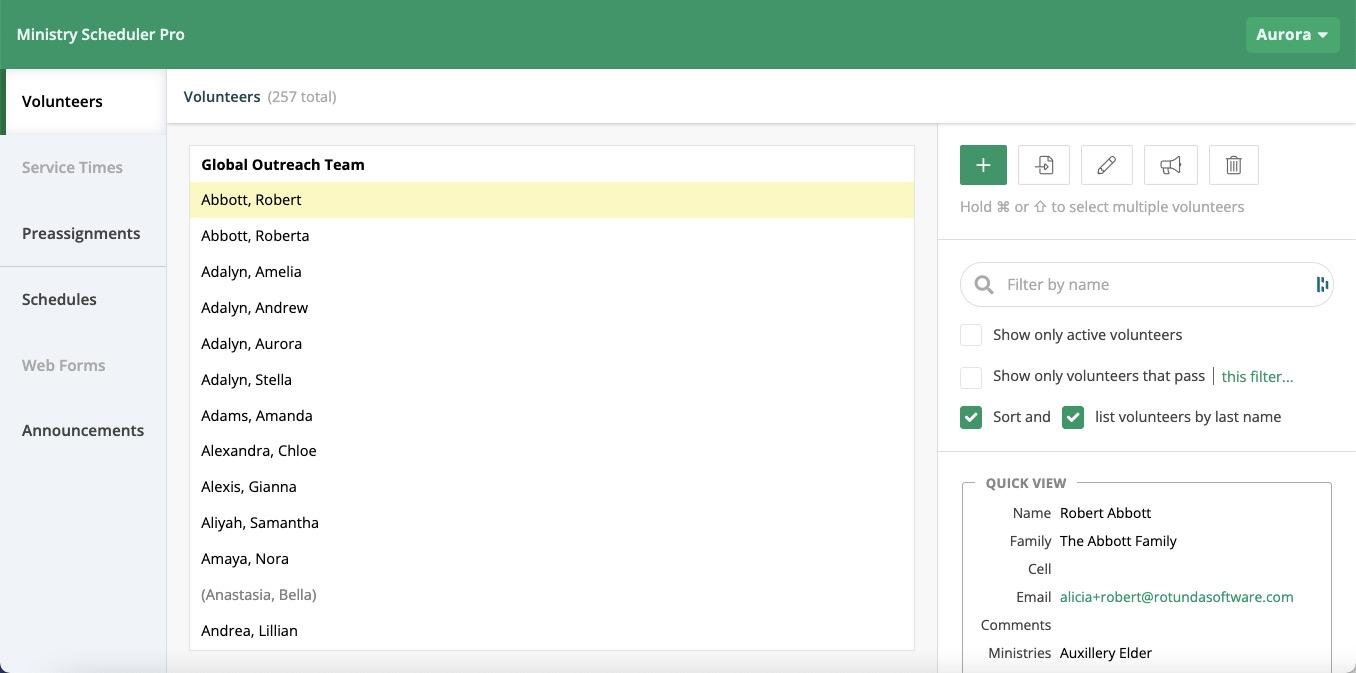
The sheer time it takes to manually build a fair and balanced schedule for dozens of volunteers is a major headache for many church administrators. Ministry Scheduler Pro’s core strength is its scheduling algorithm, which automates this entire process.
The software handles complex requirements that would take a human hours to figure out. It ensures volunteers don’t serve too frequently, matches skills to positions (like certified nursery workers), and respects family groupings. Its conflict detection catches double-bookings before the schedule is published.
Ministry Scheduler Pro is traditionally a desktop application with a one-time license fee, though web-based options are now available. This model appeals to churches that prefer owning their software outright instead of paying monthly subscriptions.
Pros:
Cons:
Paid plans: Starts at $50/month
Capterra: 4.6/5 (50+ reviews)
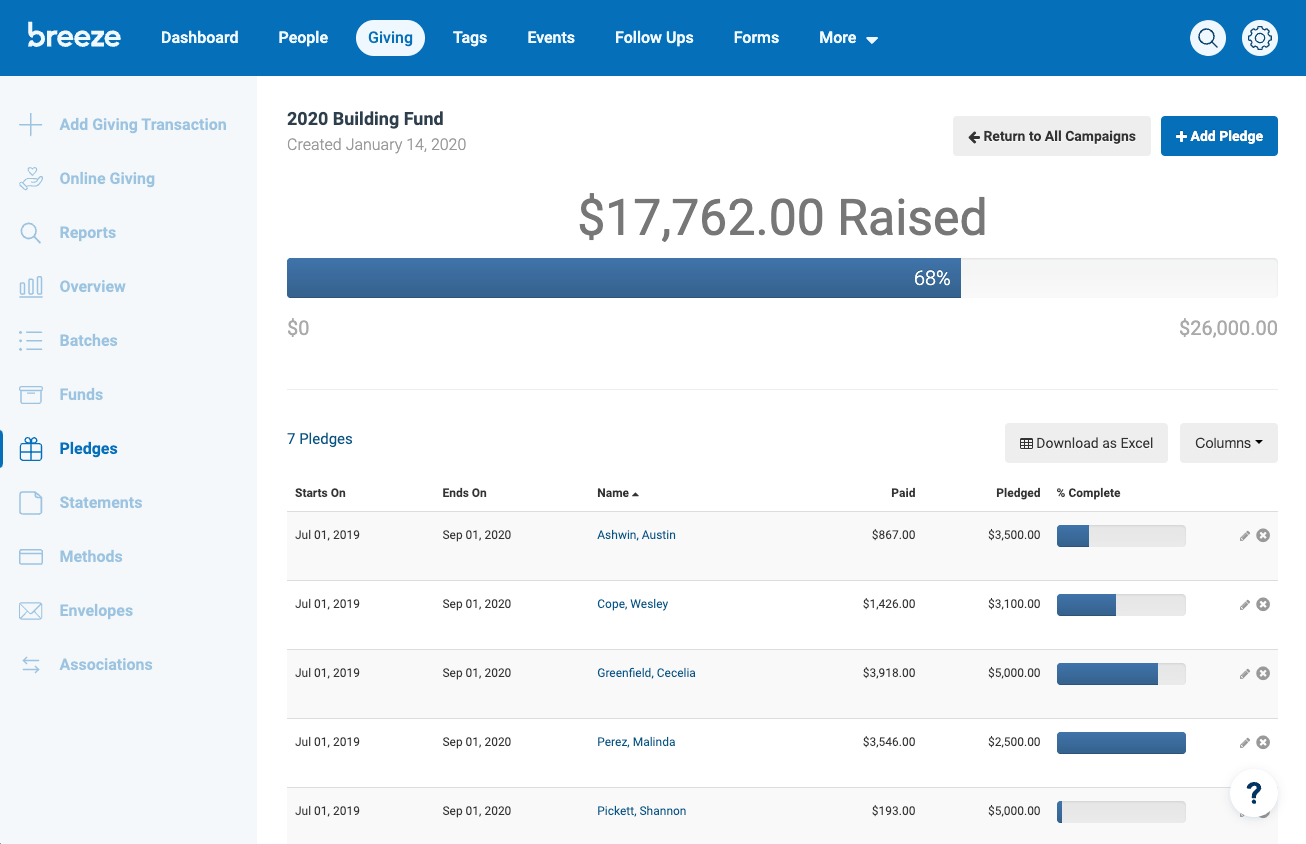
For churches overwhelmed by complex enterprise software, Breeze ChMS (now part of Tithely) offers an intuitive solution that doesn’t sacrifice essential functionality. The platform consistently receives praise for its clean interface and gentle learning curve, making it accessible even for volunteers with limited technical experience.
Breeze handles volunteer scheduling as part of its broader church management system. Its unique tagging system enables effective volunteer organization and communication, and automated reminders with RSVP notifications ensure smooth operation of church events and volunteer schedules.
Pros:
Cons:
Paid plans: Starts at $72/month
G2: 4.8/5 (60+ reviews)
Capterra: 4.8/5 (600+ reviews)
💡 Pro Tip: When evaluating church scheduling software, request a trial period and involve actual volunteers in the testing process. The most feature-rich platform won’t help if your volunteers find it confusing or intimidating to use.
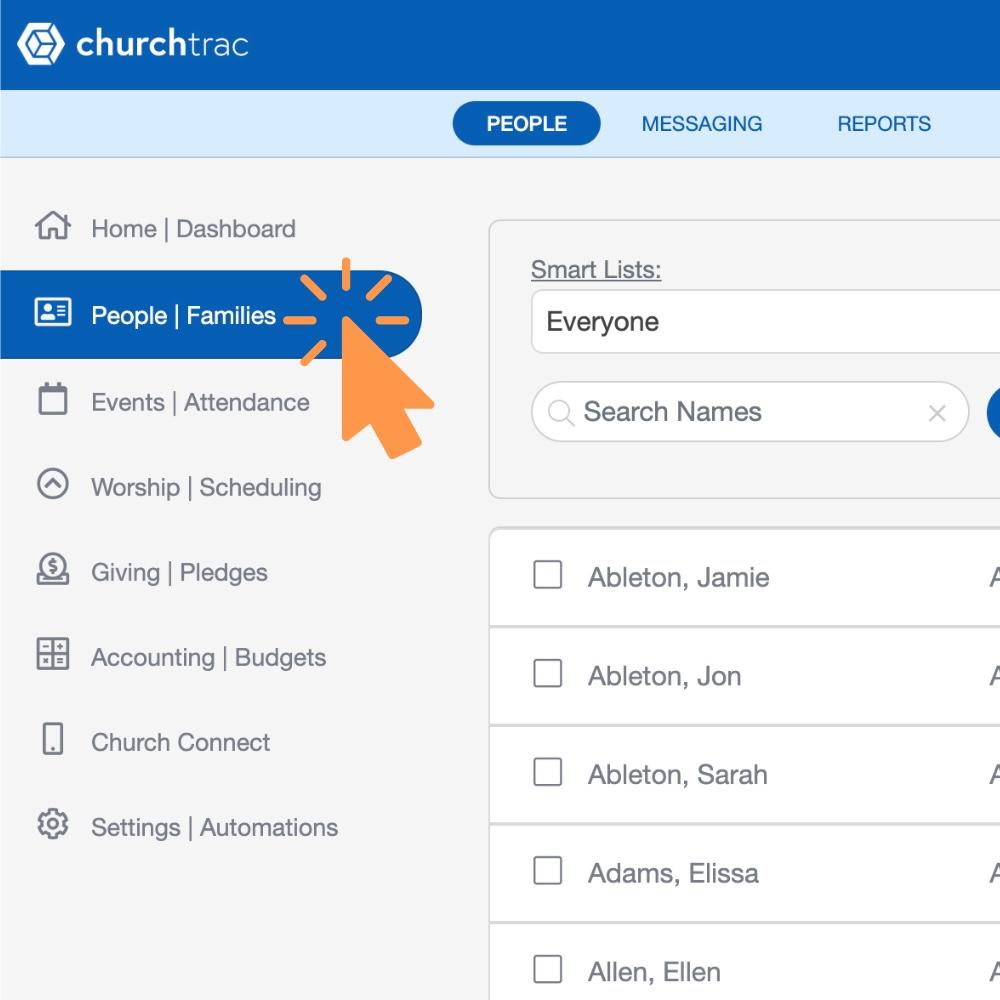
For small to medium-sized churches, enterprise-level software can be both too expensive and too complicated. ChurchTrac is designed to solve this problem by offering solid, essential features in a straightforward package that doesn’t overwhelm volunteer administrators.
Scheduling in ChurchTrac works within its broader church management system. Events and services are placed on a shared calendar, and volunteers are assigned to positions. Because it’s all connected to the member database, you have the full context of each person—contact info, family relationships, attendance patterns—when you’re scheduling them.
Pros:
Cons:
Paid plans: Starts at $9/month
Capterra: 4.8/5 (800+ reviews)
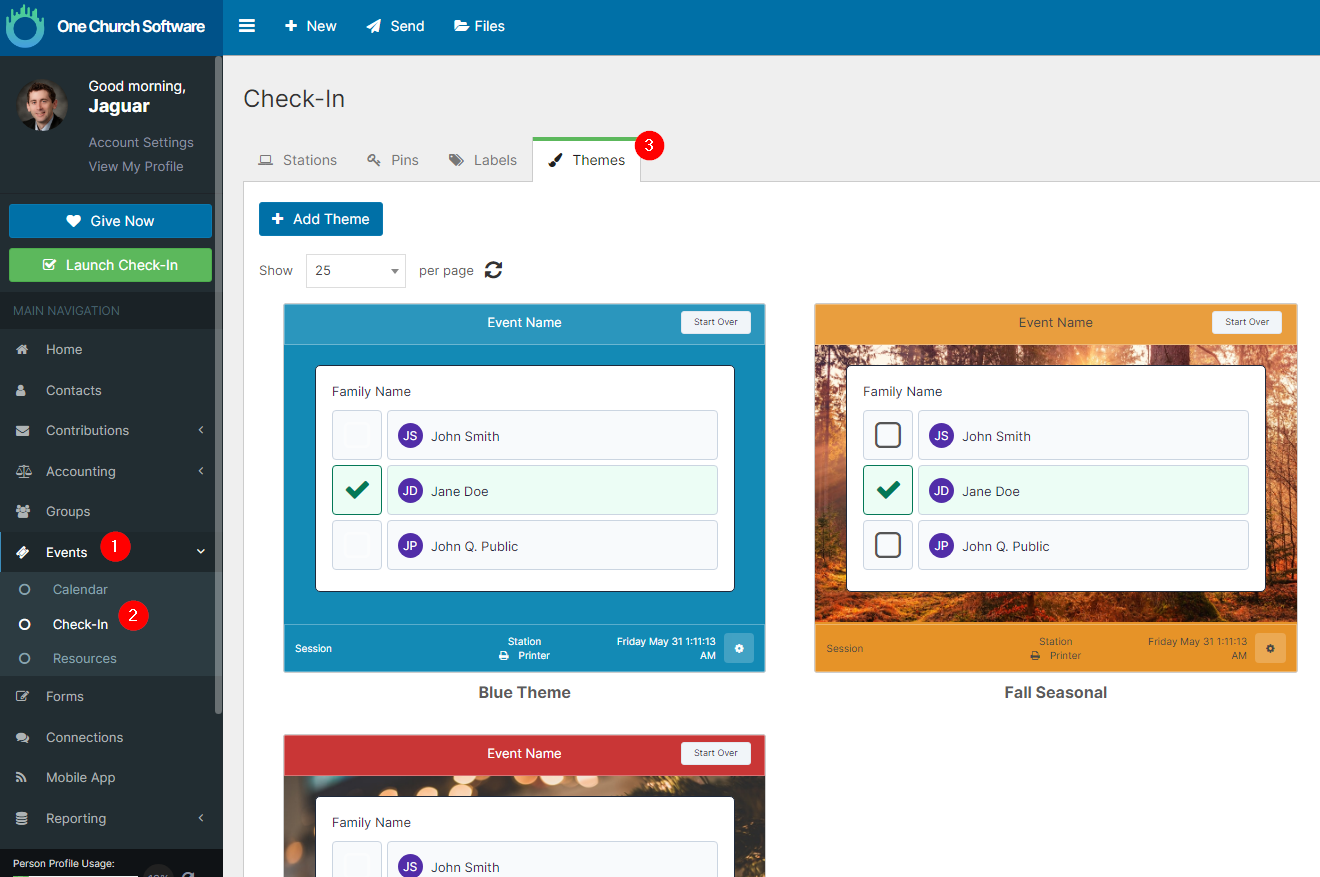
Tired of calculating costs across different modules or add-ons? One Church Software offers a complete church management suite, including scheduling, for a flat monthly rate. This unified approach is appealing for churches that want predictable pricing and comprehensive features without managing multiple vendors.
Scheduling fits seamlessly within the broader platform. The calendar manages events, the volunteer management module handles assignments, and the check-in system tracks attendance. Everything is connected to a single member database, eliminating data fragmentation.
Pros:
Cons:
Paid plans: Starts at $57/month
G2: 4.8/5 (50+ reviews)
Capterra: 4.9/5 (70+ reviews)
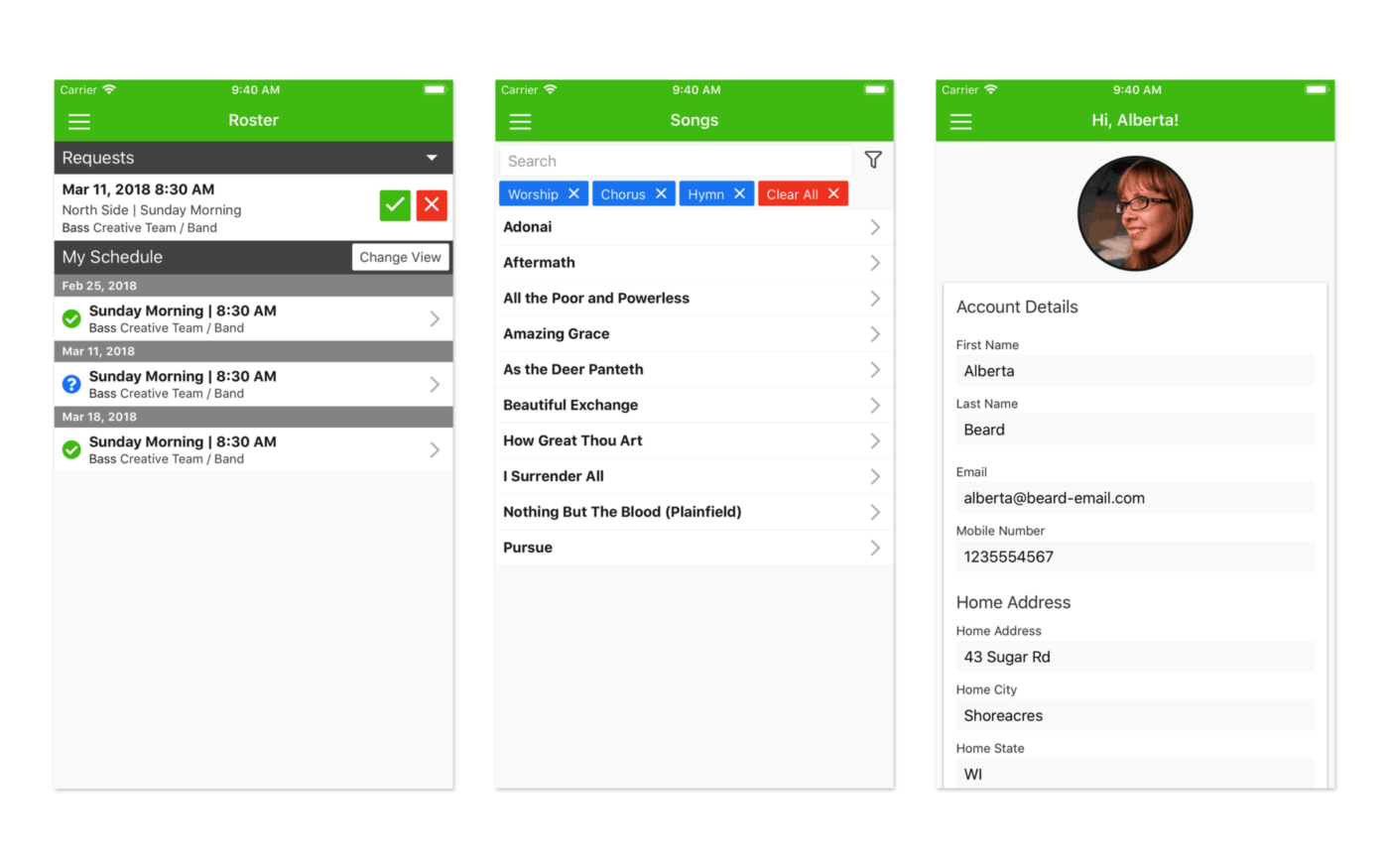
Elvanto, now part of the Tithely family as Tithely ChMS, offers a cloud-based church management system with particularly strong service planning and volunteer scheduling capabilities. The platform balances comprehensive functionality with reasonable complexity, making it suitable for churches that have outgrown basic tools but don’t need enterprise-scale solutions.
The system supports service run sheets that prove incredibly helpful when planning worship services, connecting volunteer assignments directly to the flow of each service element.
Pros:
Cons:
Paid plans: Starts at $50/month
Capterra: 4.7/5 (140+ reviews)
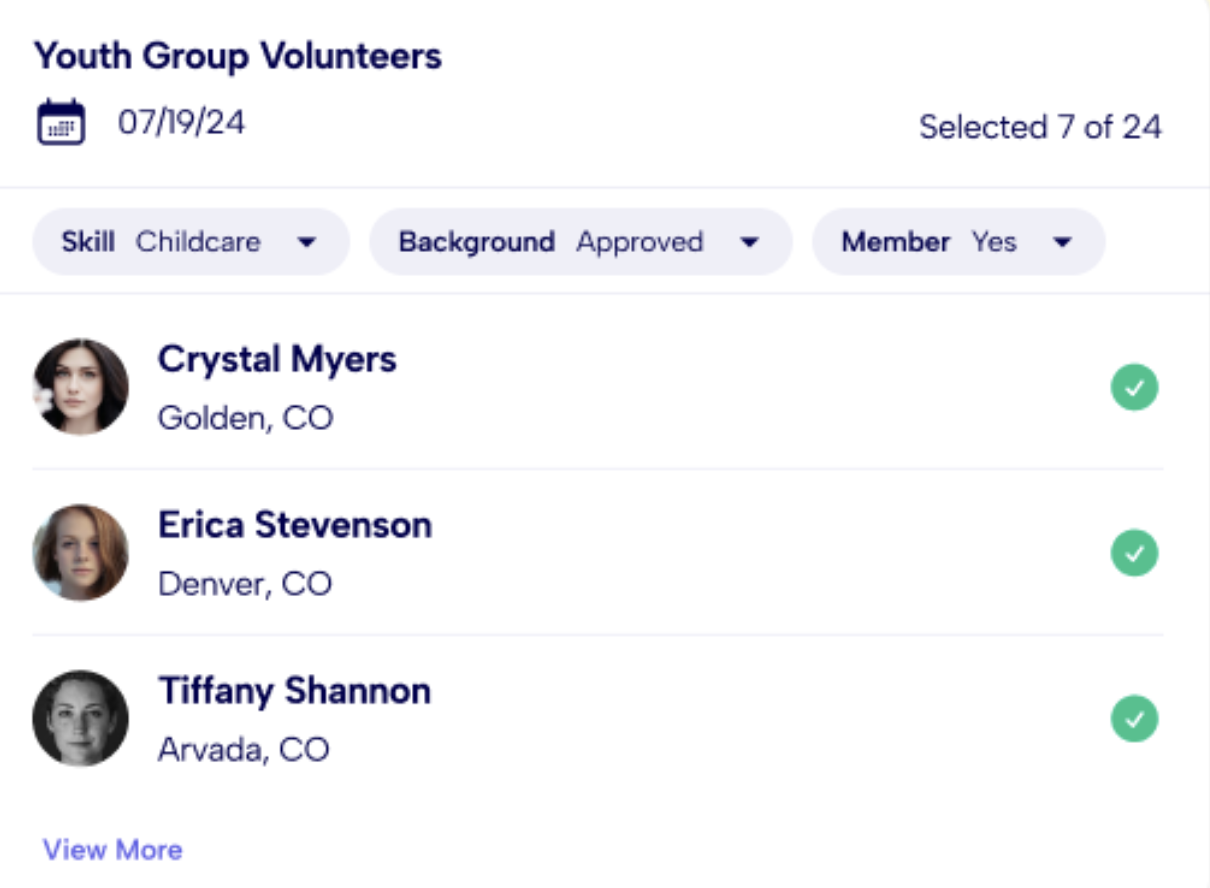
Servant Keeper is a comprehensive church management platform that combines volunteer coordination with robust contribution tracking and member management. The software is designed with simplicity as its core principle, making it accessible for church administrators who aren’t technical specialists.
Volunteer scheduling works alongside member tracking, attendance recording, and financial management, creating a unified view of each person’s engagement with the church.
Pros:
Cons:
Paid plans: Starts at $59.99/month
G2: 4.2/5 (50+ reviews)
Capterra: 4.6/5 (600+ reviews)
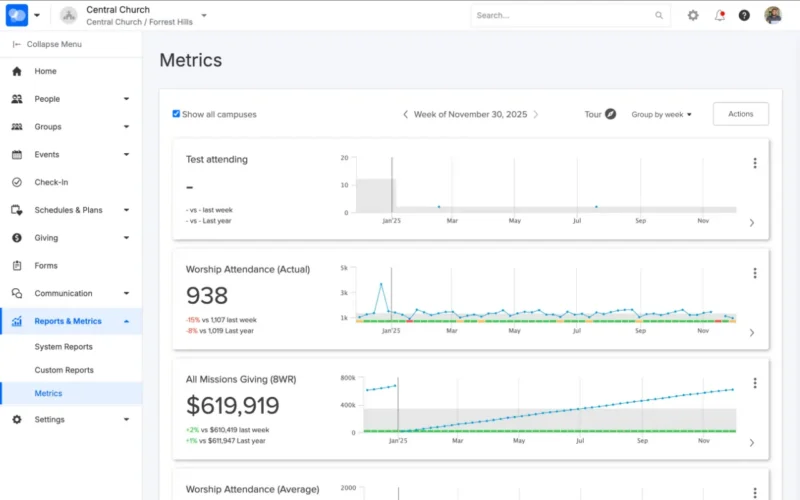
For larger churches, the challenge isn’t just scheduling—it’s understanding how serving connects to overall member engagement. Pushpay, originally known for mobile giving, has evolved into a comprehensive engagement platform called ChurchStaq that addresses this broader need.
Scheduling in ChurchStaq is part of a strategy focused on member engagement across giving, groups, and events. Volunteer scheduling data connects to engagement metrics, helping leaders see how serving impacts a person’s overall involvement and spiritual growth.
Pros:
Cons:
Pricing: Custom (sales quote)
Capterra: 4.2/5 (180+ reviews)
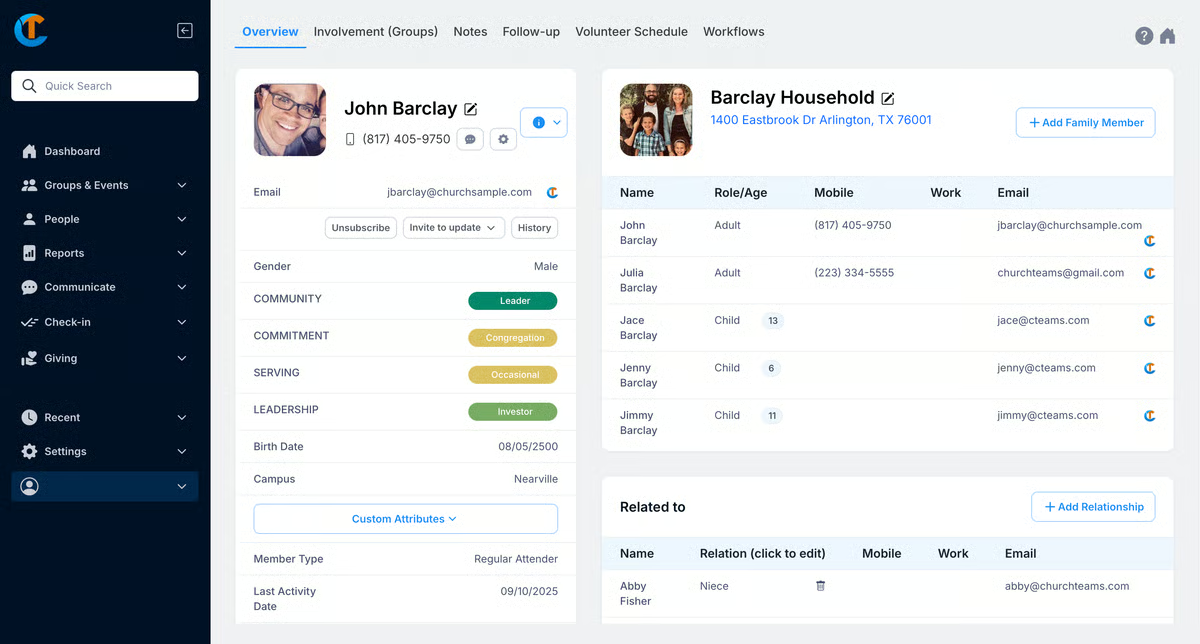
Churchteams offers a cloud-based church management platform designed specifically for small to mid-sized churches, with notable strengths in workflow automation and volunteer management. The system helps churches move beyond manual processes by automating repetitive administrative tasks.
The platform provides volunteer scheduling as part of its broader suite that includes group management, member engagement tracking, and event coordination.
Pros:
Cons:
Paid plans: Starts at $37/month
Capterra: 4.6/5 (470+ reviews)
💡 Pro Tip: The best scheduling software isn’t necessarily the one with the most features—it’s the one your volunteers will actually use consistently. Prioritize ease of adoption over feature depth when evaluating options for your congregation.
The decision ultimately comes down to a key question: do you need a church-specific tool with pre-built ministry workflows, or a flexible platform you can adapt to your unique context? The best choice depends on your church’s size, technical comfort, budget, and whether scheduling is a standalone task or part of a larger web of administrative work.
Small churches with limited staff and volunteers often benefit from simpler, more affordable tools like ChurchTrac or Breeze that handle essential scheduling without overwhelming complexity. Larger congregations with multiple campuses, numerous ministries, and hundreds of volunteers may need enterprise platforms like Pushpay or the advanced algorithms in Ministry Scheduler Pro.
Monthly subscription costs are just one factor. Consider setup fees, training time, the cost of integrating with existing tools, and whether you’ll need additional platforms to handle work that falls outside the scheduling software’s capabilities. A slightly more expensive unified platform may cost less overall than cobbling together multiple specialized tools.
If your church already uses specific tools for giving, communication, or member management, ensure your scheduling software integrates smoothly with them. Data silos create extra work and increase the risk of errors. Platforms like ClickUp that serve as comprehensive work management hubs can reduce the need for multiple integrations.
Before committing, involve the people who will use the software daily—both administrators and volunteers. Their feedback on usability often reveals issues that don’t appear in feature comparisons or demo presentations.
The core problem—coordinating volunteers without drowning in spreadsheets and group texts—is solvable with the right technology. The right church scheduling software reduces administrative burden, improves the volunteer experience, and frees up your ministry leaders to focus on people rather than logistics.
As your church grows, the system you choose today should be able to scale with you. Churches that need scheduling alongside project management, documents, and team communication benefit most from converged workspaces that bring all these functions together rather than fragmenting work across disconnected tools.
The investment in proper scheduling software pays dividends in volunteer retention, reduced no-shows, and ministry leader sanity. When your coordination systems work smoothly, your team can focus on what actually matters—serving your community and advancing your mission.
Get started for free with ClickUp and discover how a unified workspace transforms church volunteer coordination.
What’s the difference between church scheduling software and church management software?
Church scheduling software focuses specifically on coordinating volunteers, services, and events. Church management software (ChMS) is broader, typically including member databases, contribution tracking, communication tools, and reporting capabilities in addition to scheduling. Some organizations need only scheduling functionality, while others benefit from the comprehensive approach of full ChMS platforms.
Can a general project management tool work for church scheduling?
Yes, a flexible work management platform like ClickUp can be configured for ministry workflows, often providing more adaptability than tools with rigid, church-specific assumptions. This approach requires some initial setup but can be a better long-term fit for churches that also need to manage projects, documents, and team communication beyond volunteer scheduling.
How do I choose between dedicated church software and an all-in-one work platform?
Consider your team’s full scope of work. If your staff juggles many responsibilities beyond volunteer coordination—event planning, communications, project management, document creation—a converged workspace like ClickUp can reduce tool sprawl and context switching. If scheduling is your primary need and you want purpose-built ministry features, dedicated church software may be more appropriate.
What features should small churches prioritize in scheduling software?
Small churches should focus on volunteer self-service capabilities, automated reminders, and ease of adoption. Avoid over-investing in complex enterprise features you won’t use. The most important factor is choosing software that your volunteers will actually engage with consistently—a simple tool that gets used beats a powerful tool that sits idle.
How can I improve volunteer retention through better scheduling?
Effective scheduling software improves retention by respecting volunteer preferences, preventing over-scheduling that leads to burnout, enabling easy shift swaps when conflicts arise, and sending timely reminders that reduce the embarrassment of forgotten commitments. When volunteers feel their time is valued and the process is convenient, they’re more likely to continue serving.

© 2026 ClickUp