






Still downloading templates?
There’s an easier way. Try a free AI Agent in ClickUp that actually does the work for you—set up in minutes, save hours every week.
Sorry, there were no results found for “”
Sorry, there were no results found for “”
Sorry, there were no results found for “”
We all know of ChatGPT as one of the first tools to make AI accessible to corporate teams.
As American entrepreneur Aaron Levie put it, “ChatGPT is one of those rare moments in technology where you see a glimmer of how everything is going to be different going forward.”
And things did move fast. By mid-2025, OpenAI had confirmed that ChatGPT had reached over 800 million weekly users.
Still, usefulness is not the same as readiness. If your day is split across docs, prompts, trackers, approvals, and five different campaigns running at the same time, ChatGPT can help. From simple content generation to deep research, it has become a reliable partner for many marketing teams.
In this guide, you’ll find practical ChatGPT marketing use cases you can apply right away. You’ll also get examples and prompts you can reuse for content marketing, digital marketing campaigns, email marketing, and search engine optimization.
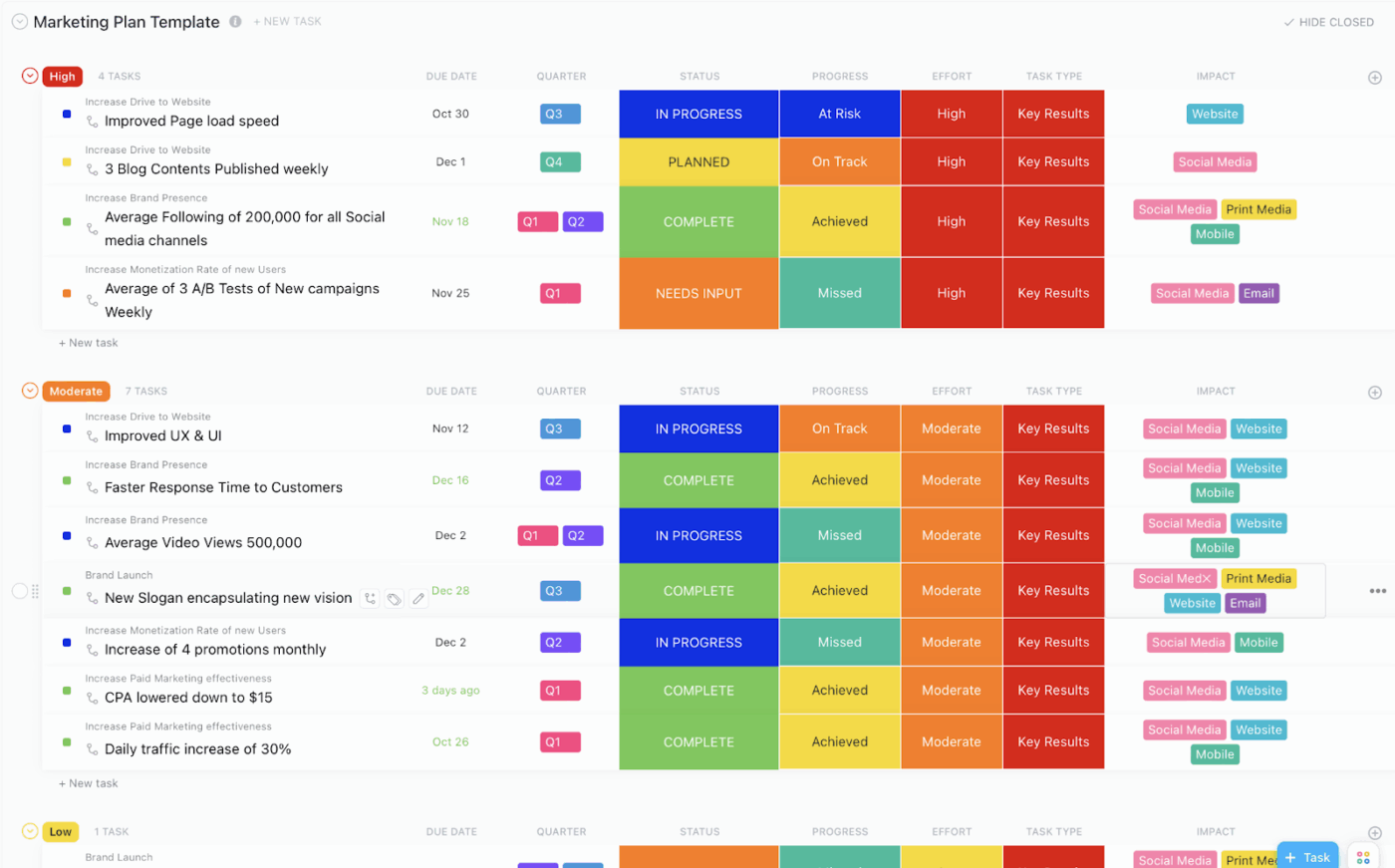
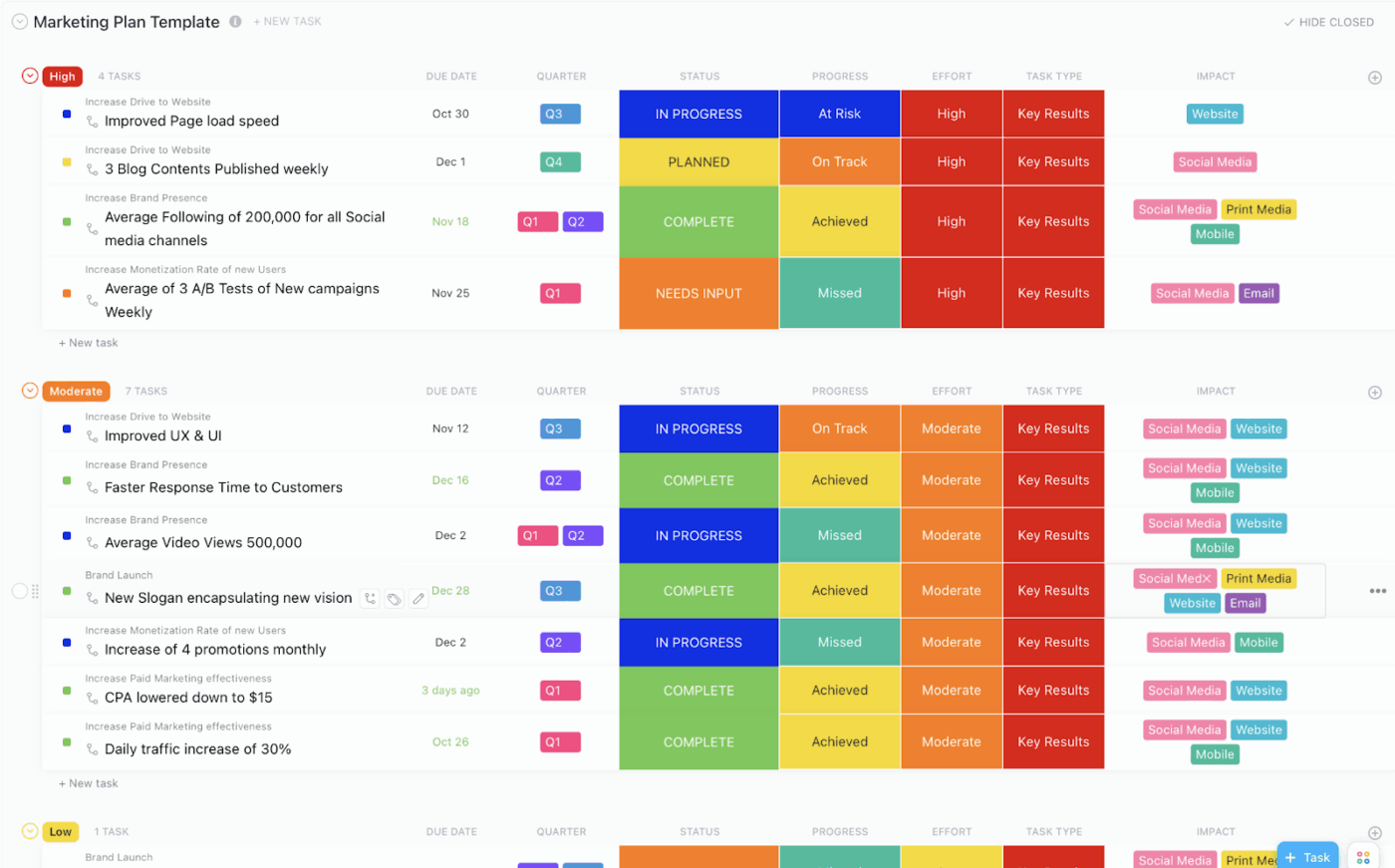
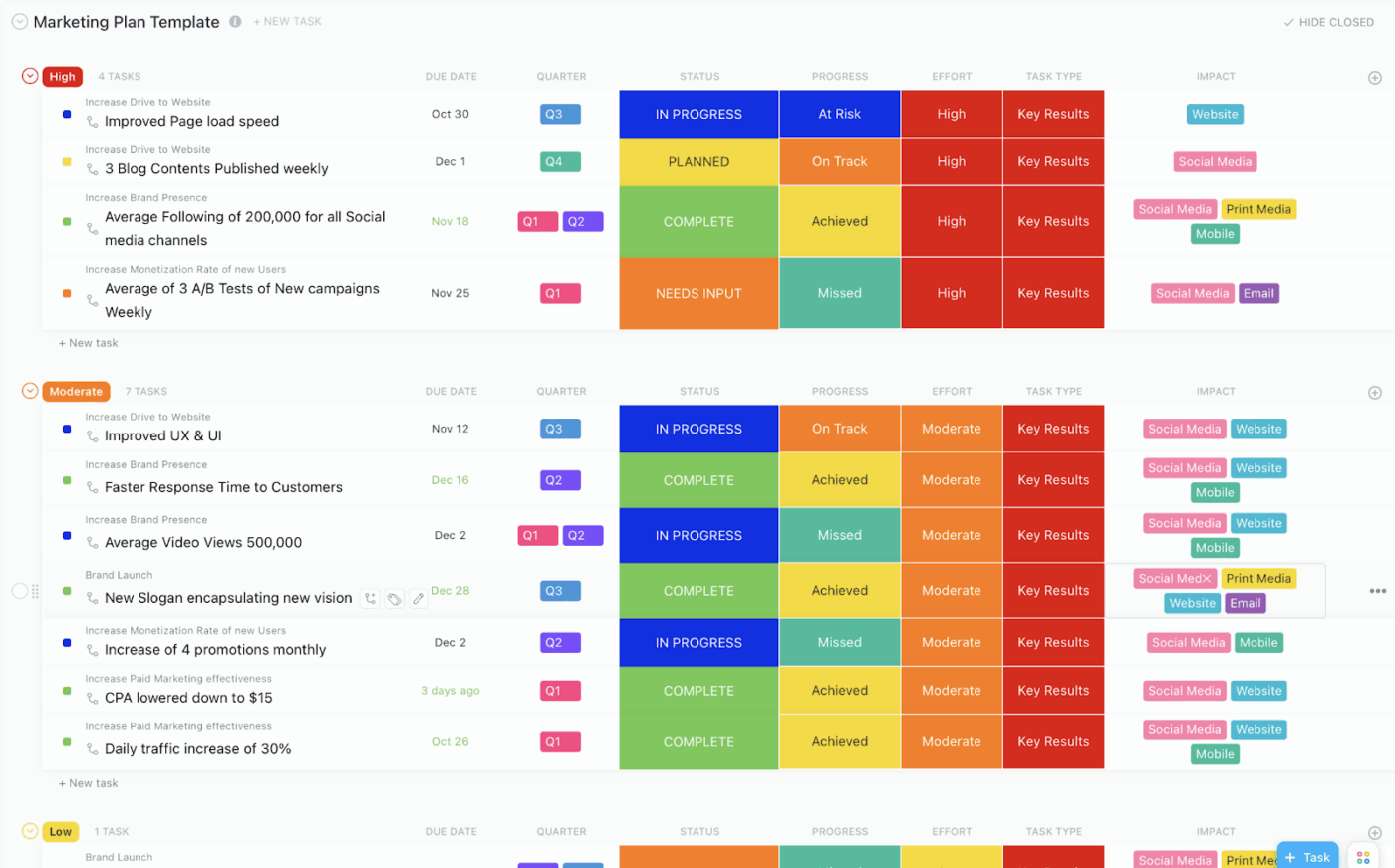
If your strategy lives in slides while execution lives in multiple tools, performance tracking can get tricky. ClickUp’s Marketing Plan Template gives you a structured place to set objectives, break them into tasks, track progress, and view timelines without rebuilding the same plan in multiple tools.
As a marketer, the blank page is often your biggest enemy. It complicates everything—writing blog posts, drafting a social media post, building subject lines, or creating ad copy variations for a new campaign.
ChatGPT helps you move faster by generating a first draft and summarizing key points from your extensive notes or a repository of existing content.
It also helps when you need structured thinking on demand. You can ask it to group relevant keywords by intent, propose content formats for different channels, and outline what to test in your next set of social or email campaigns.
The quality of its output depends on the input, so it helps if you give it context that a digital marketing consultant would normally ask for:
As for the kinds of marketing tasks you can tackle with ChatGPT, here’s a glimpse:
✍🏼 Write marketing copy for web pages, social media posts, product descriptions, and email campaigns
📈 Analyze customer data like browsing behavior and purchase history to personalize marketing messages and website content
✅ Identify market trends and summarize competitor insights to help you make informed decisions
📖 Also Read: How Does ChatGPT Work? Get the Most Out of ChatGPT!
To give you a clear idea of how to use ChatGPT for marketing, we’ll walk through eight practical ChatGPT marketing use cases.
From everyday content creation to smarter data analysis and campaign planning, these examples demonstrate how ChatGPT can accentuate your marketing efforts and improve efficiency.
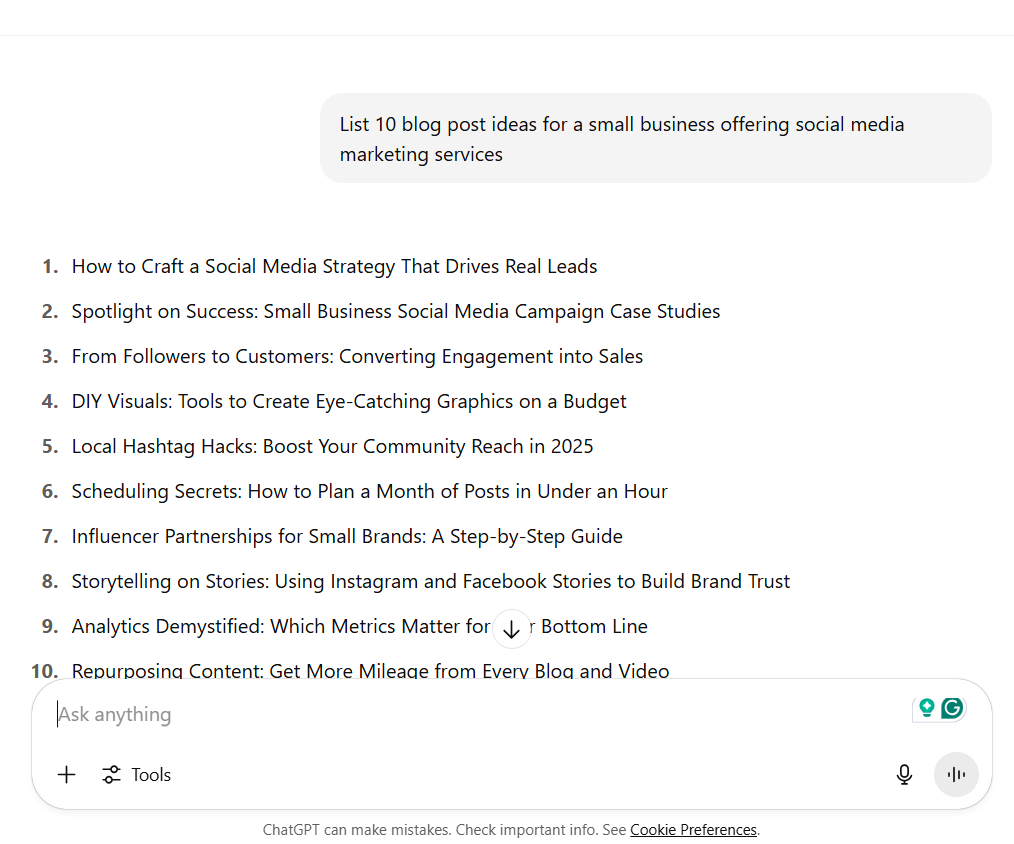
Every piece of high-performing content was once just an idea. Big ideas aren’t easy to come by, and ChatGPT can be a surprisingly effective brainstorming partner. Plus, having a starting point instead of staring at a blank page makes the content creation process a lot less nerve-wracking.
Another great way to use ChatGPT for content ideation is to prompt it to conduct some basic market research first. You can ask it to list top competitors in your industry, spot market opportunities, or even suggest unique selling propositions.
Speed is another big advantage. In fact, a Reddit post shows how someone used ChatGPT to generate 40 content ideas in under 60 seconds. But, of course, good prompts are key.
⭐ Try these prompts for content ideation:
✅ What’s common in all these prompts?
They are clear about the target audience, mention the business context, and specify the content type or channel you want ideas for.
📖 Also Read: How to Use AI for Marketing Automation
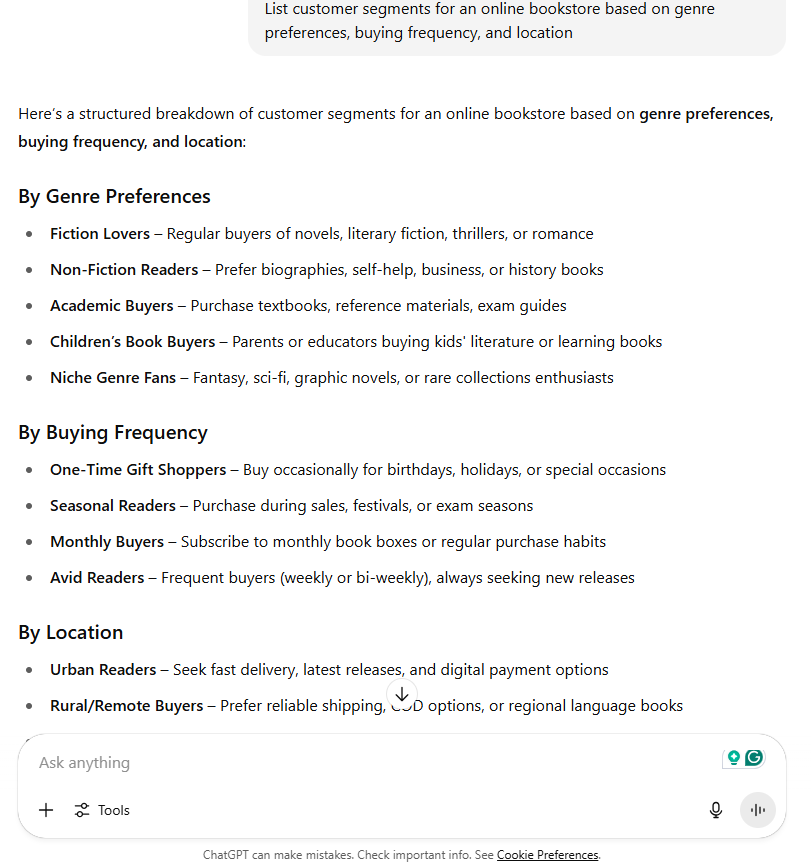
Since we’re talking about the target audience, let’s look into how ChatGPT can help you create campaigns that actually speak to the right people.
ChatGPT can sift through huge amounts of customer data and give you a better sense of what your target audience truly wants. It can find patterns and trends you might miss by analyzing interactions, questions, and casual feedback.
That means you get smarter audience groups and more meaningful ways to engage them.
It also detects subtle changes in customer sentiment or emerging market trends, providing you with the opportunity to adjust your strategy before it becomes too advanced. And because it understands context and language so well, the insights feel thoughtful and surprisingly human.
One of the best things about using ChatGPT for segmentation is how much easier it makes personalization. The more specific your groups get, the harder it usually is to create messages that feel personal. ChatGPT relieves you of a significant amount of this effort.
⭐ Here are a couple of prompt ideas you can try for audience segmentation (you’ll need to feed in the required context for these, though):
📮 ClickUp Insight: Nearly 88% of survey respondents say they use AI tools to make personal tasks easier and faster. Want to see those same benefits at work? ClickUp’s built-in AI assistant, ClickUp Brain, helps you work smarter with fewer meetings, instant summaries, and automated tasks—boosting productivity by up to 30%.
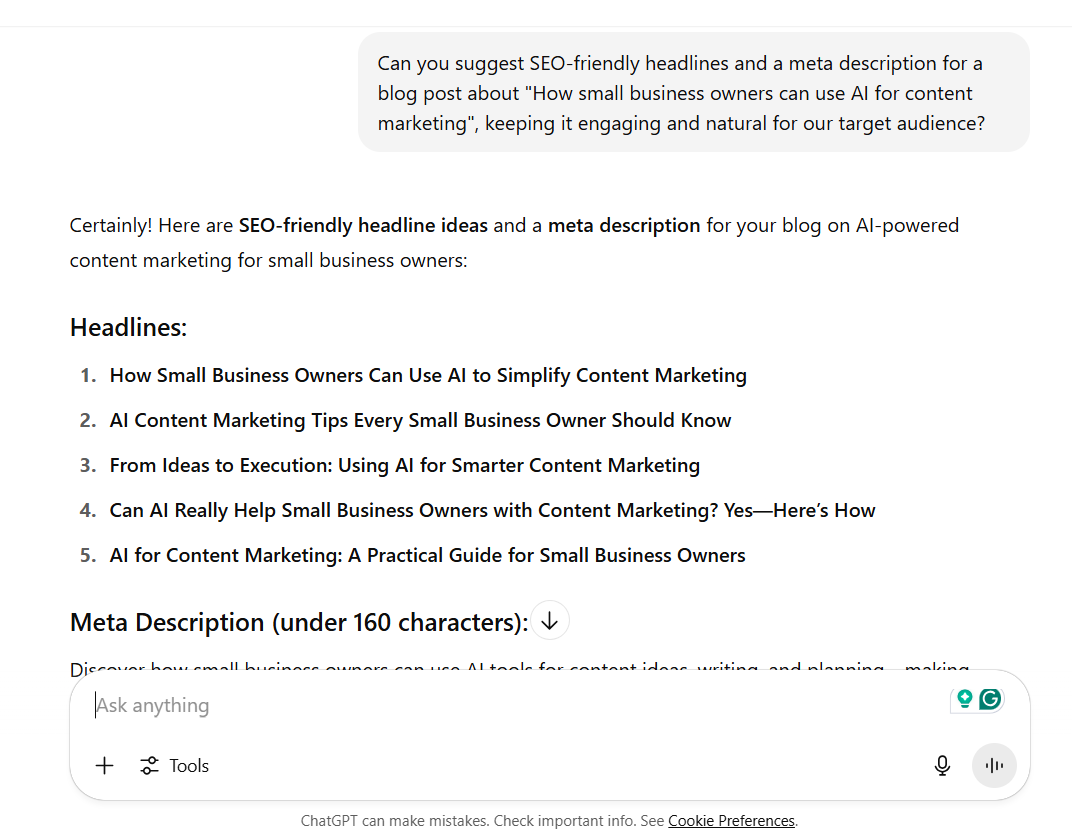
People frequently turn to ChatGPT for content creation from scratch, but did you know you could also use it to optimize existing content?
According to SurveyMonkey, it’s the top reason marketers use AI tools. And it makes sense. From adding the right SEO keywords to adjusting content for different audiences, optimization is where AI quietly does its best work.
Whether it’s improving a blog post, making email marketing copy sharper, or tweaking a social media post, ChatGPT helps you get a head start.
⭐ You can ask ChatGPT to help with content optimization with these simple prompts:
👀 Fun Fact: The first television commercial aired in the United States in 1941, promoting Bulova watches. It cost just $9 to air before a baseball game broadcast on a New York station. That 10-second clip opened the door to what would become a billion-dollar advertising industry.
Today, the cost isn’t just media spend—it’s creative bandwidth and speed. AI helps teams produce more assets faster, iterate continuously, and repurpose content across formats.
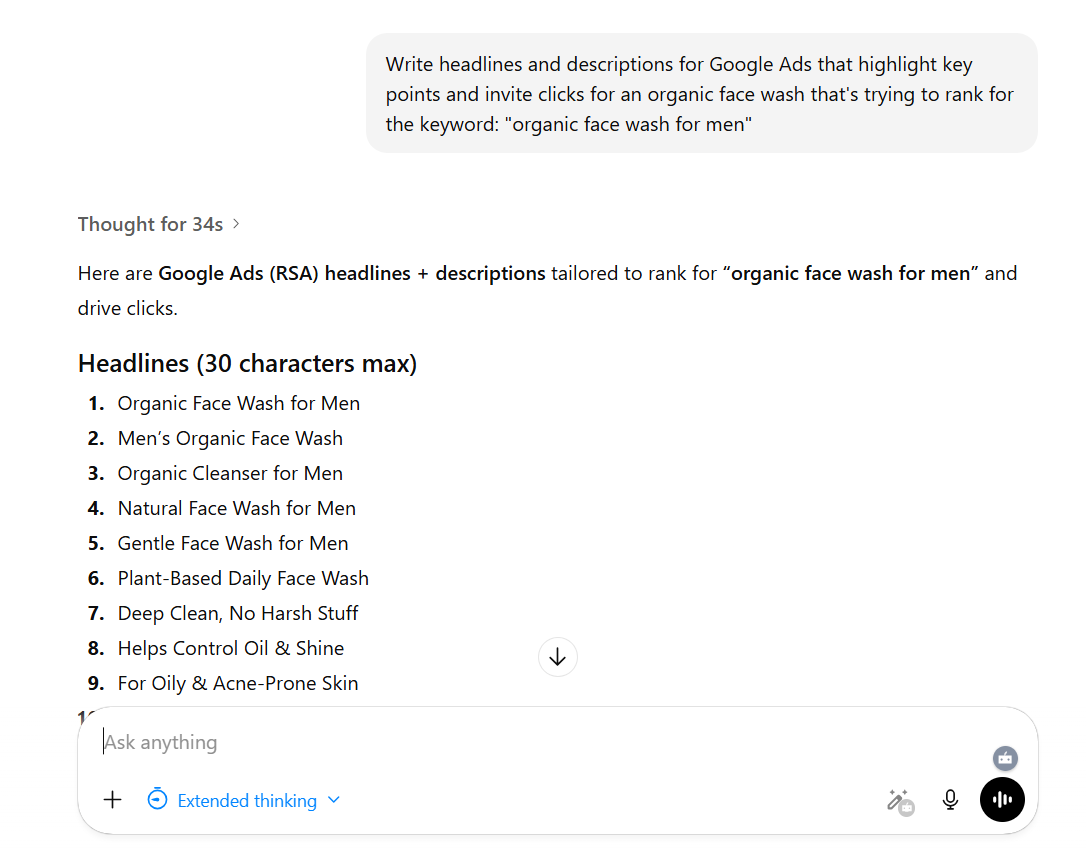
Writing good ad copy is a bit like starting a conversation with someone who’s in a hurry. You need to catch their attention, make them curious, and give them a reason to care—all in just a few words.
Whether you are running ads on Google, Facebook, LinkedIn, or even TikTok, ChatGPT can help you craft messages that feel fresh and relevant to your target audience.
The AI marketing tool is also handy for testing different versions of an ad(A/B testing). You can quickly create a few options and see which one brings better results.
⭐ Here’s how marketers use ChatGPT for ad copywriting:
📖 Also Read: How to Use AI in Advertising
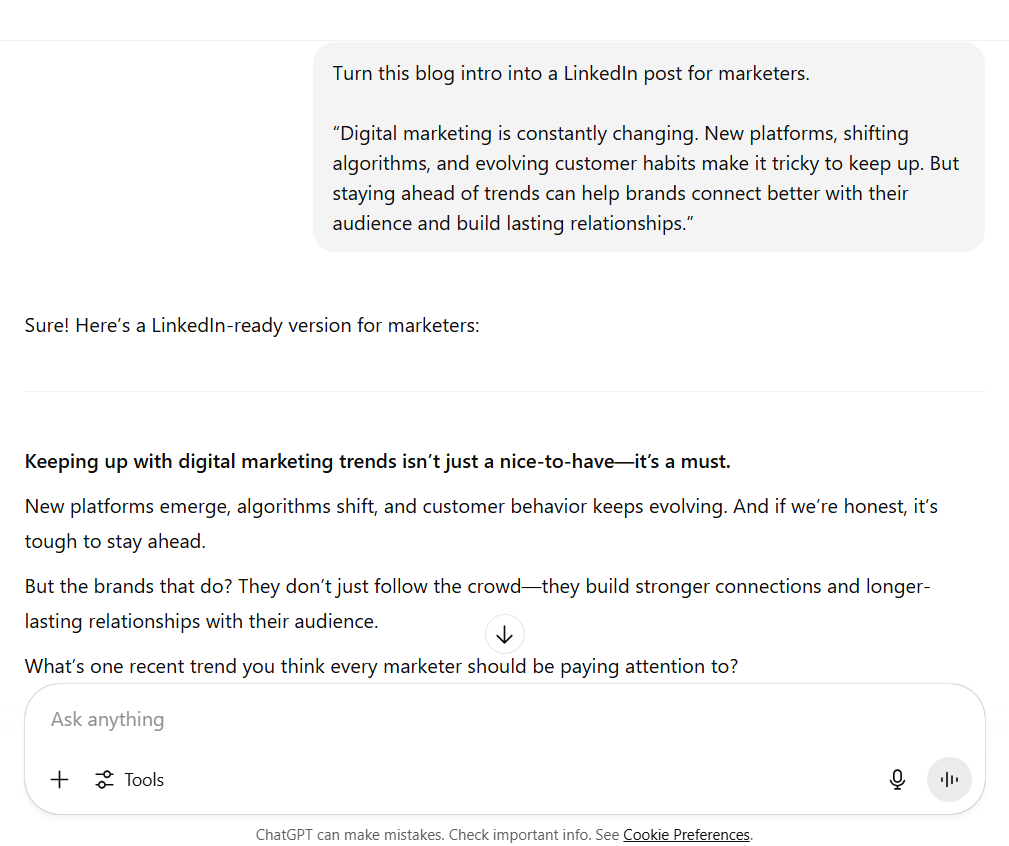
Content repurposing is how lean marketing teams make every piece of content work 10x harder—and maximize its ROI.
With ChatGPT, this process feels a lot smoother and often saves time, too.
Ahrefs reports that 74.2% of new web pages now include AI-generated content. It is no surprise that marketers are turning to tools like ChatGPT to make their content creation and content marketing processes go further.
⭐ This is how you use ChatGPT to repurpose content:
✅ If you are looking for prompt ideas, here are a few to get you started:
📖 Also Read: How to Use AI for Market Research
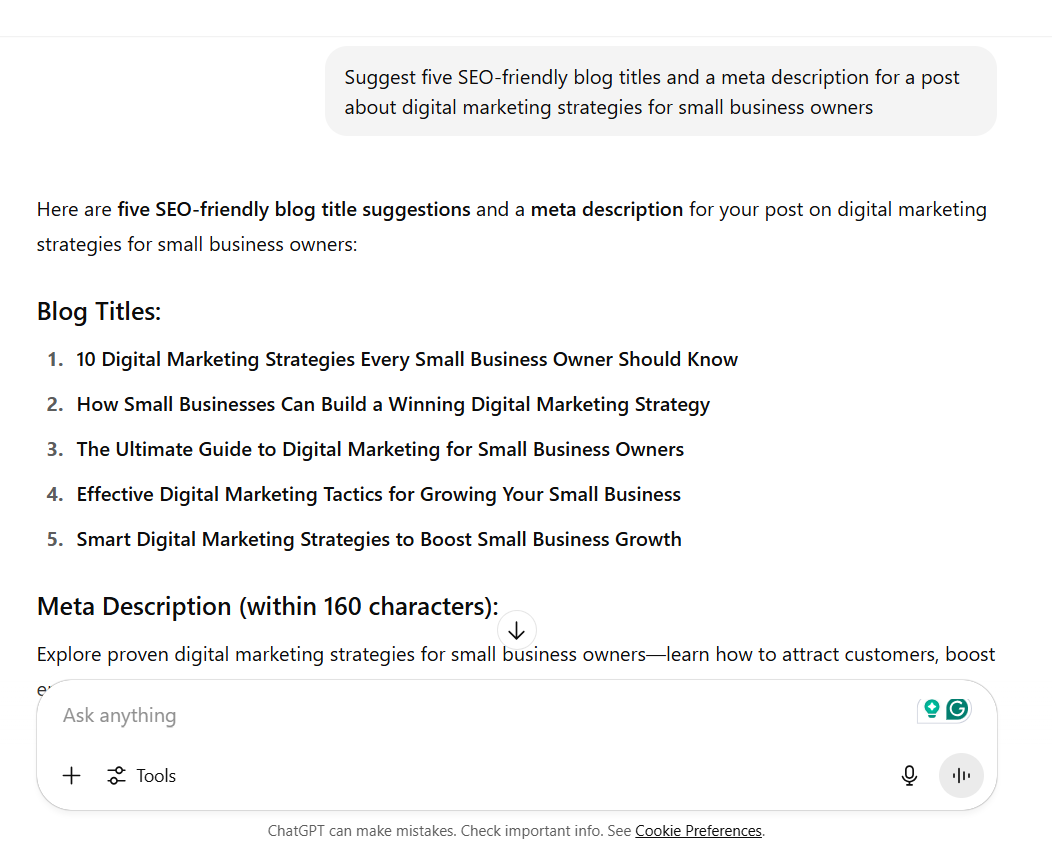
Almost 65% of companies say they have achieved better SEO results with AI tools.
And it is easy to see why.
From finding the right topics for your blog to helping with keyword research, ChatGPT makes the process feel much more organized. It can also help you come up with headlines that catch attention and group search terms based on intent, making it easier to know what your readers are really looking for.
On top of that, it is a helpful partner when you want to create a strong content structure or write meta descriptions that invite clicks.
⭐ ChatGPT supports your SEO efforts in many different ways:
📖 Also Read: How to Use AI for Affiliate Marketing
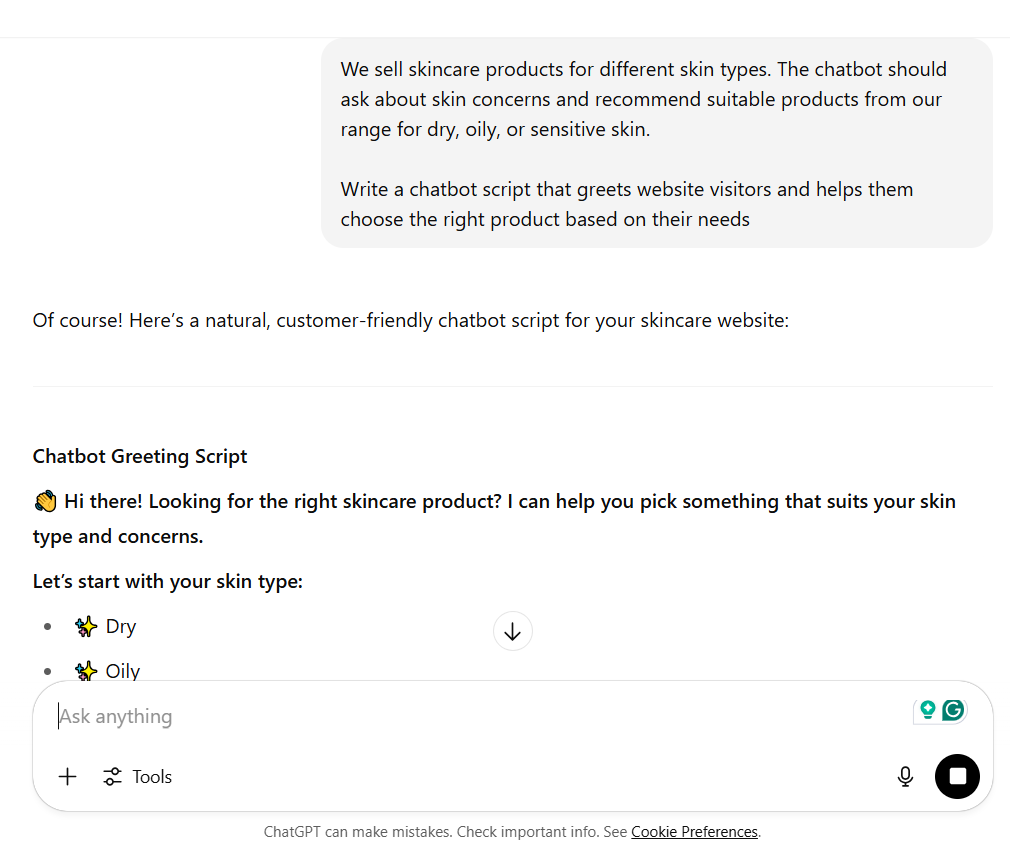
We all appreciate a quick, helpful response when we have a question. That is exactly why businesses are turning to chatbots to cater to their customers. With ChatGPT operating in the background, your chatbot can have more natural conversations with your customers.
ChatGPT-powered chatbots can answer common questions, share product details, guide customers during checkout, or even help troubleshoot small issues. This simplifies your customers’ lives and provides your support team with some much-needed respite.
On the marketing side, chatbots can gently open conversations with website visitors and even capture leads through natural, friendly chats.
⭐ And if you are wondering how ChatGPT fits into this, you can try asking it for things like:
📖 Also Read: How to Use AI for Marketing
Prashanth Southekal, head of the Data for Business Performance Institute, has said: “Companies have tons and tons of data, but [success] isn’t about data collection, it’s about data management and insight.”
This is another area where ChatGPT comes in handy.
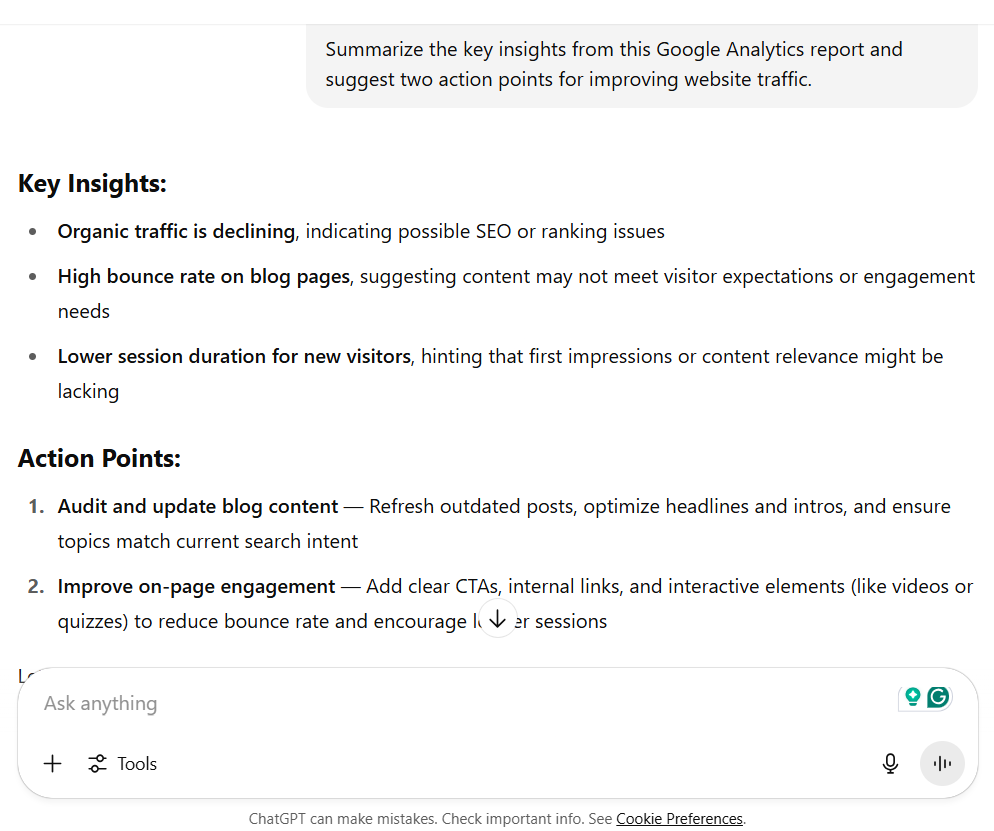
Whether you are tracking campaign performance, reviewing website traffic, or checking how your last email campaign did, ChatGPT simplifies the analysis.
It also helps make sense of complex data sets by breaking them down into simple insights your marketing team can actually use. And if you are looking to spot trends or make informed predictions, ChatGPT lets you look ahead by reading into past data.
⭐ Ask ChatGPT to assist with data analysis and reporting:
👀 Fun Fact: The term “Artificial Intelligence” was coined in 1956 at the Dartmouth Summer Research Project on Artificial Intelligence, often treated as the field’s “founding moment.”
Most of us realize that while ChatGPT can be a helpful assistant, it’s not without its shortcomings. It’s important for marketing teams to know where it falls short so they can avoid surprises and look for ChatGPT alternatives.
Here are some common limitations marketers should be aware of:
📖 Also Read: A Guide to Using AI in Content Marketing
ChatGPT is useful for creating drafts quickly and generating dozens of ideas in one go, but marketing work rarely ends at the draft. You still need a place to store the brief, assign work, track approvals, and report results without duplicating information across multiple tools.
That is where Work Sprawl and AI Sprawl show up.
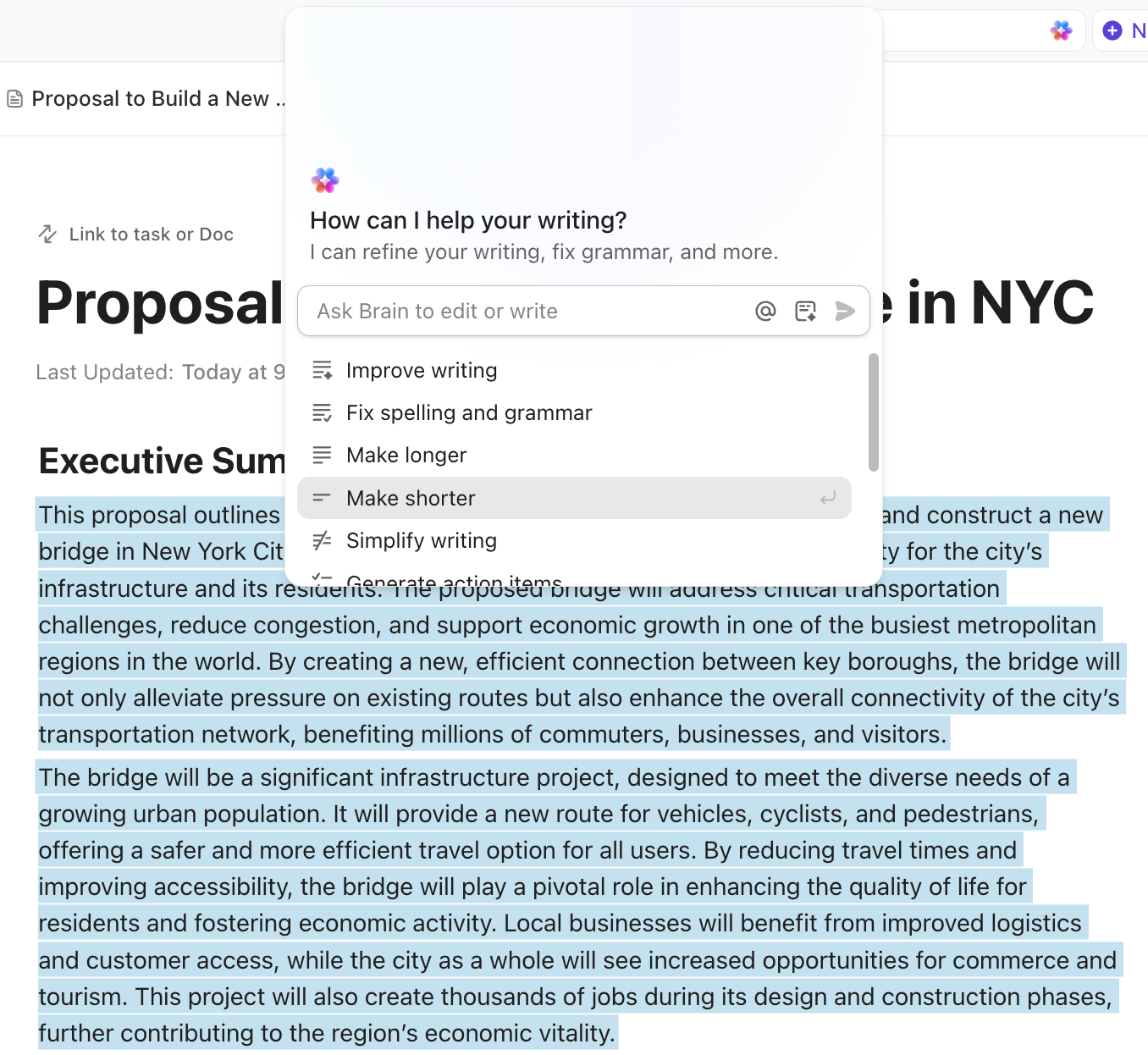
If you want ChatGPT-style assistance that stays connected to execution, ClickUp works as a smarter alternative. That’s because ClickUp’s native AI, ClickUp Brain, sits inside the same converged AI workspace where your marketing projects already live.
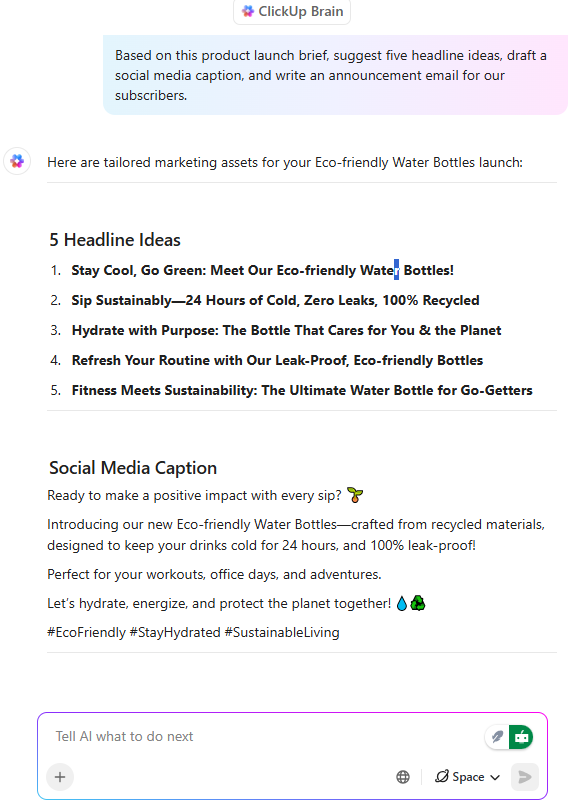
ClickUp Brain helps you generate content, summarize updates, and turn briefs into trackable tasks right through to publishing‚ without leaving your workspace.
ChatGPT only knows what you paste in.
ClickUp Brain can work with what’s already in your workspace—campaign docs, task details, comments, timelines, and updates—so you spend less time explaining the background.
Instead of copying a prompt into a separate tool and pasting the output back into a marketing task inside ClickUp, you can draft content using AI directly inside ClickUp Docs, attach it to campaign tasks, and keep the full context connected.
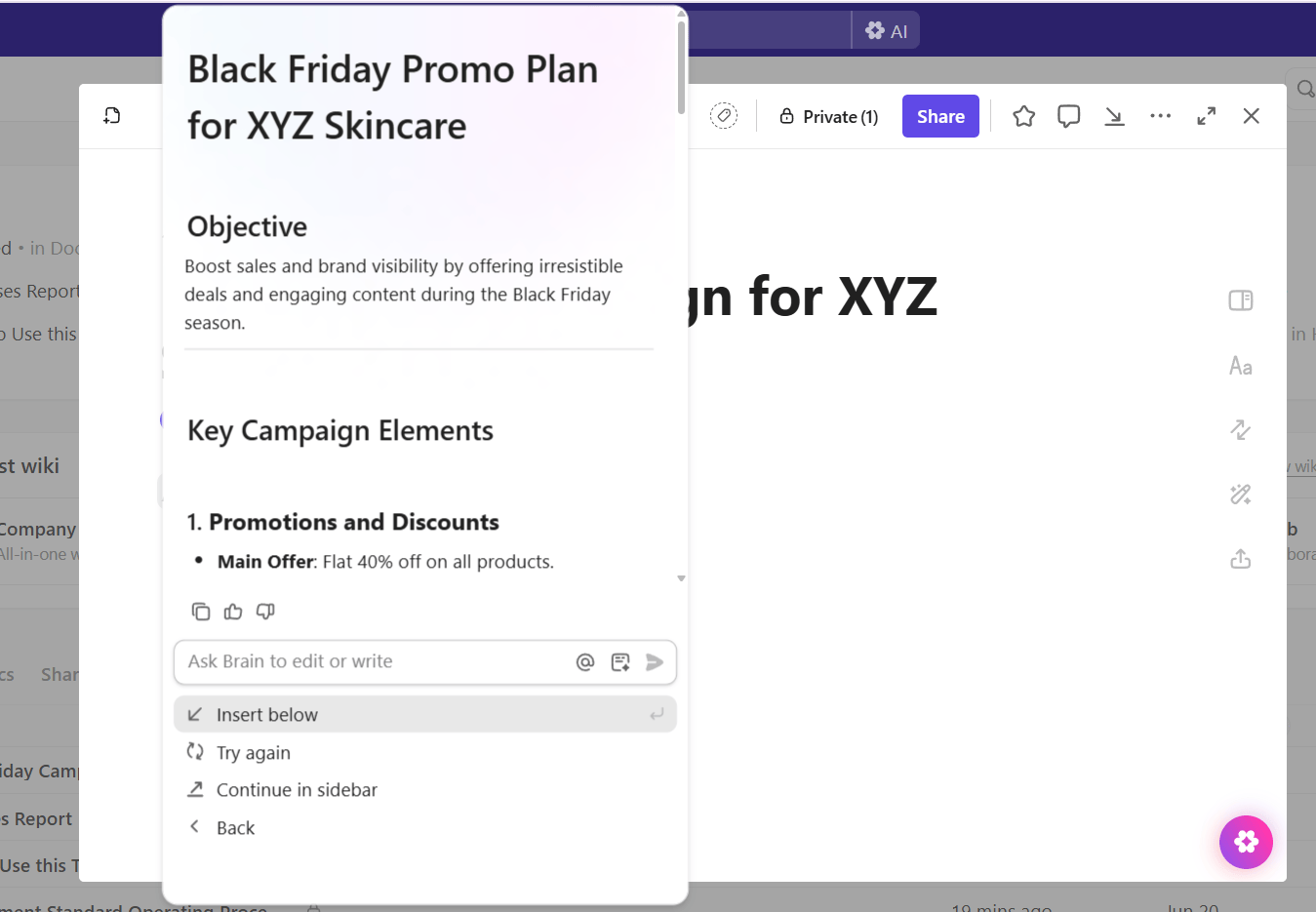
Use it when you need to:
✅ Turn a campaign brief into task lists and subtasks
✅ Draft social posts, ad copy, and email content from one source of truth
✅ Summarize campaign updates and extract action items from notes
When your best prompts live in someone’s personal chat history, the whole team ends up reinventing the wheel. With ClickUp Docs (and Docs Hub for organization), you can build a shared home for campaign briefs, reusable prompt libraries, positioning frameworks, and approved messaging—then link each Doc directly to the ClickUp Tasks that execute it, so strategy and action stay in sync.
Here’s a quick video on how marketing teams make the most of ClickUp Brain:
💡 Pro Tip: Build an AI-assisted marketing workflow with ClickUp BrainGPT, your AI Super App. As a desktop AI companion, it keeps your work connected across all the apps you use: ClickUp, Drive. Slack, and more.
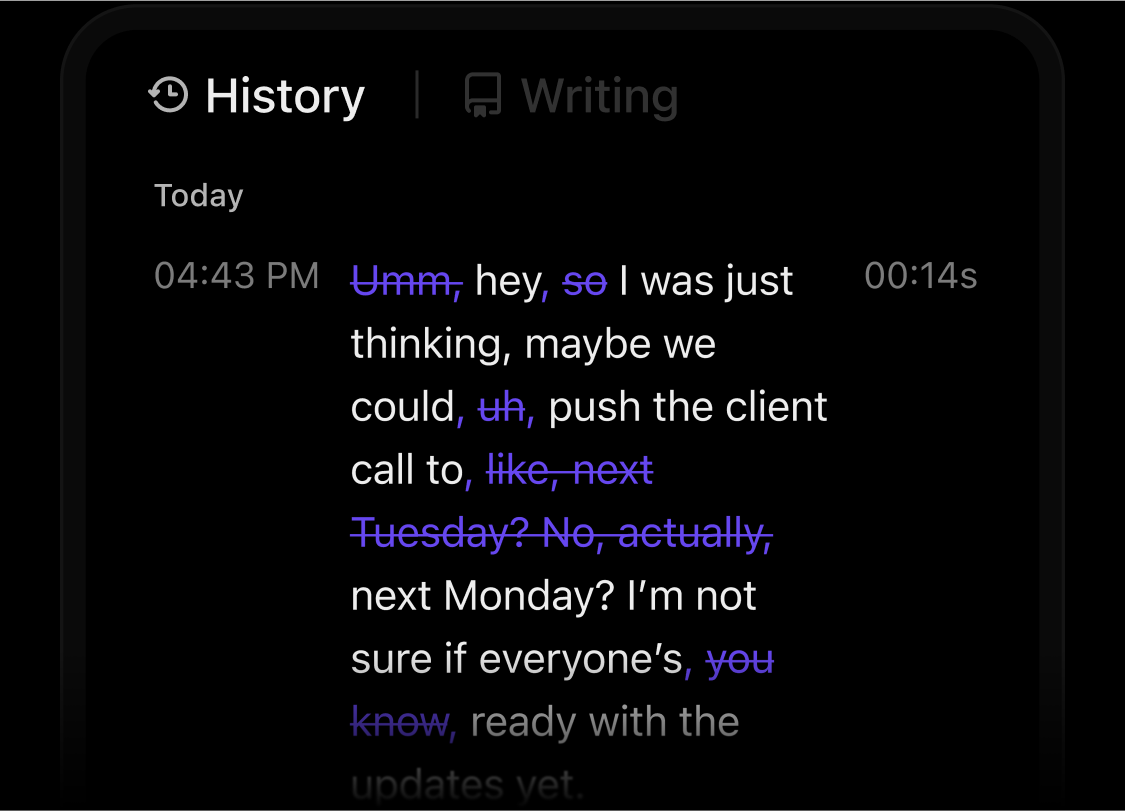
Here’s how you can use it to save at least one day every week:
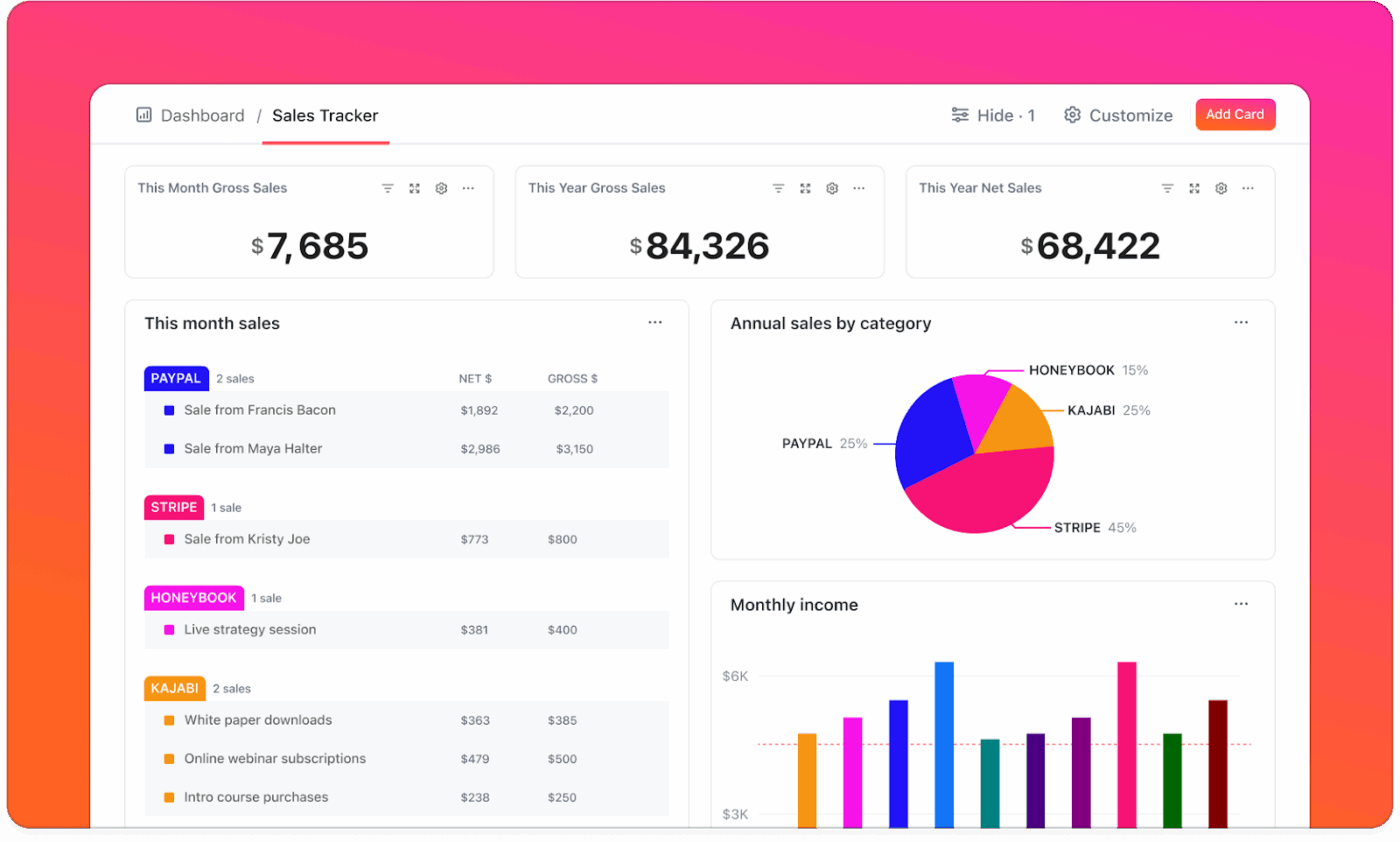
Most marketing teams have plenty of data. The challenging part is pulling it together in a way that makes sense. This is what ClickUp Dashboards are excellent at.
You can create a dashboard that shows your campaign numbers, lead conversions, content deadlines, and even team workloads in real time. All the data is present in one place for viewing, so you do not have to keep switching tools.
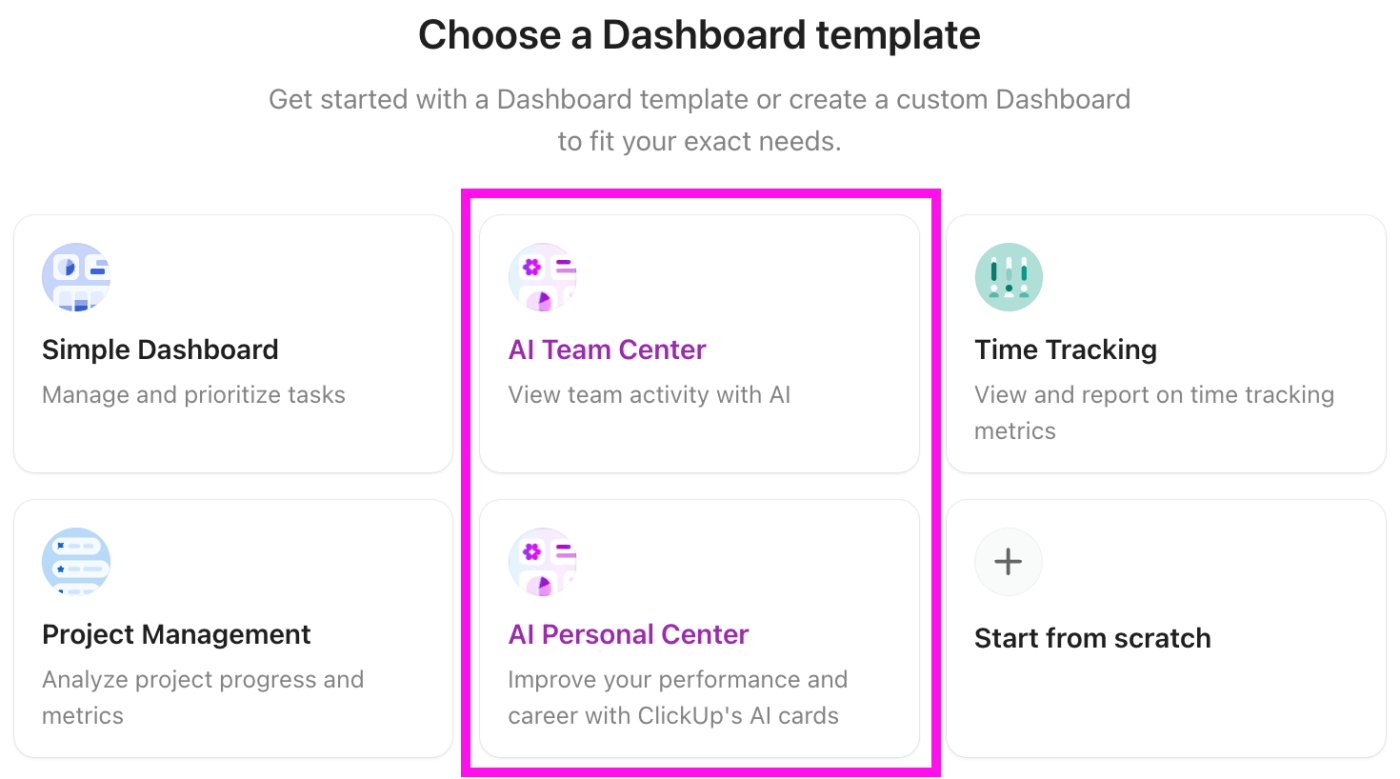
But Dashboards are only helpful if they lead to decisions. ClickUp’s AI Cards add AI-powered reporting on top of your Dashboard data, so you can generate an executive summary or a custom prompt-based insight that uses your real Workspace activity.
💡 Pro Tip: Create custom AI Cards, such as:
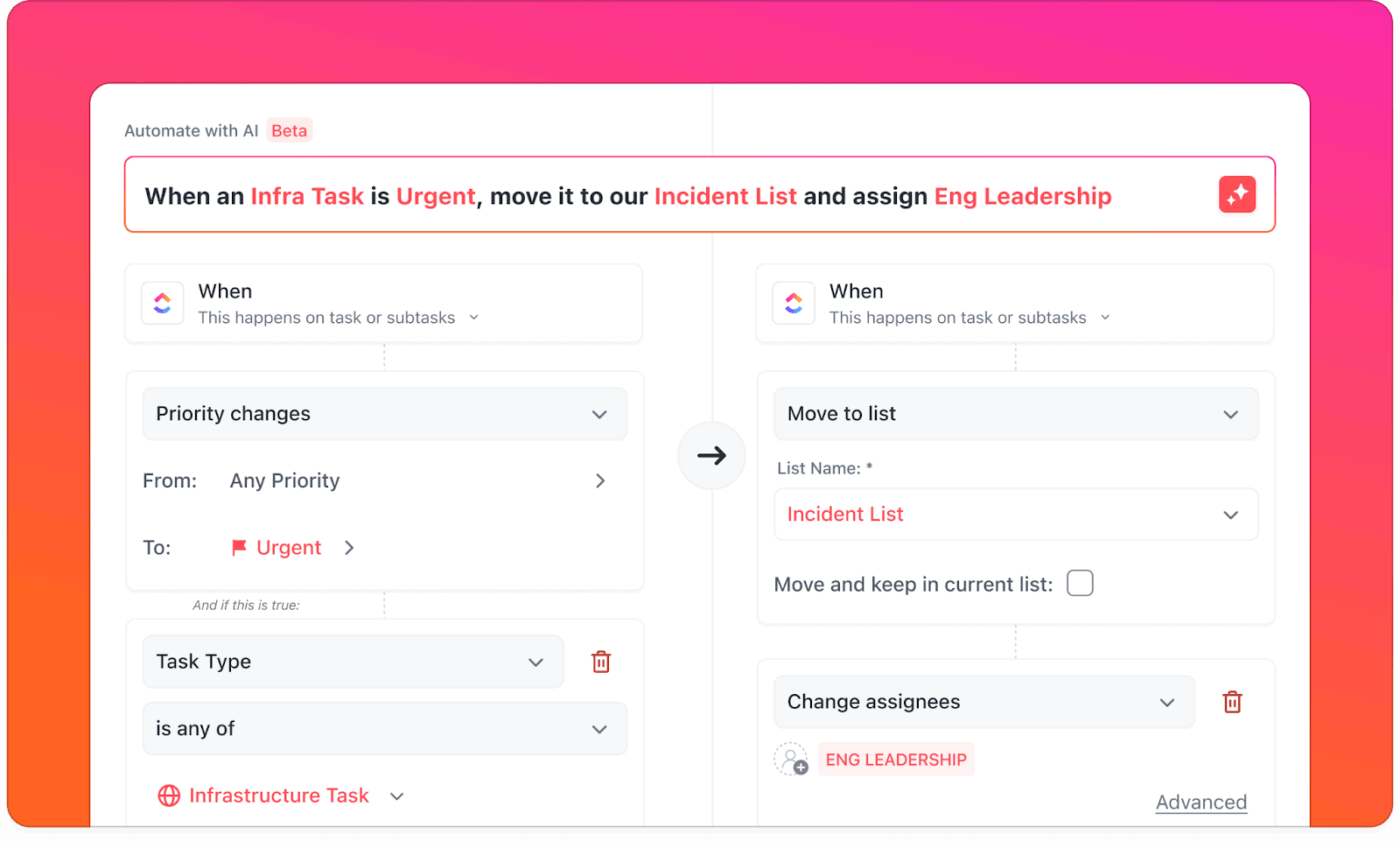
There is always a long list of small tasks that take up way too much time, like sending reminders for publishing and following up on approvals. ClickUp Automations handle those for you.
Say a task is marked done. You can set ClickUp to automatically notify the next person in line, assign the next step, or even schedule a follow-up.
💡 Pro Tip: Keep campaign handoffs moving on their own with ClickUp Super Agents.
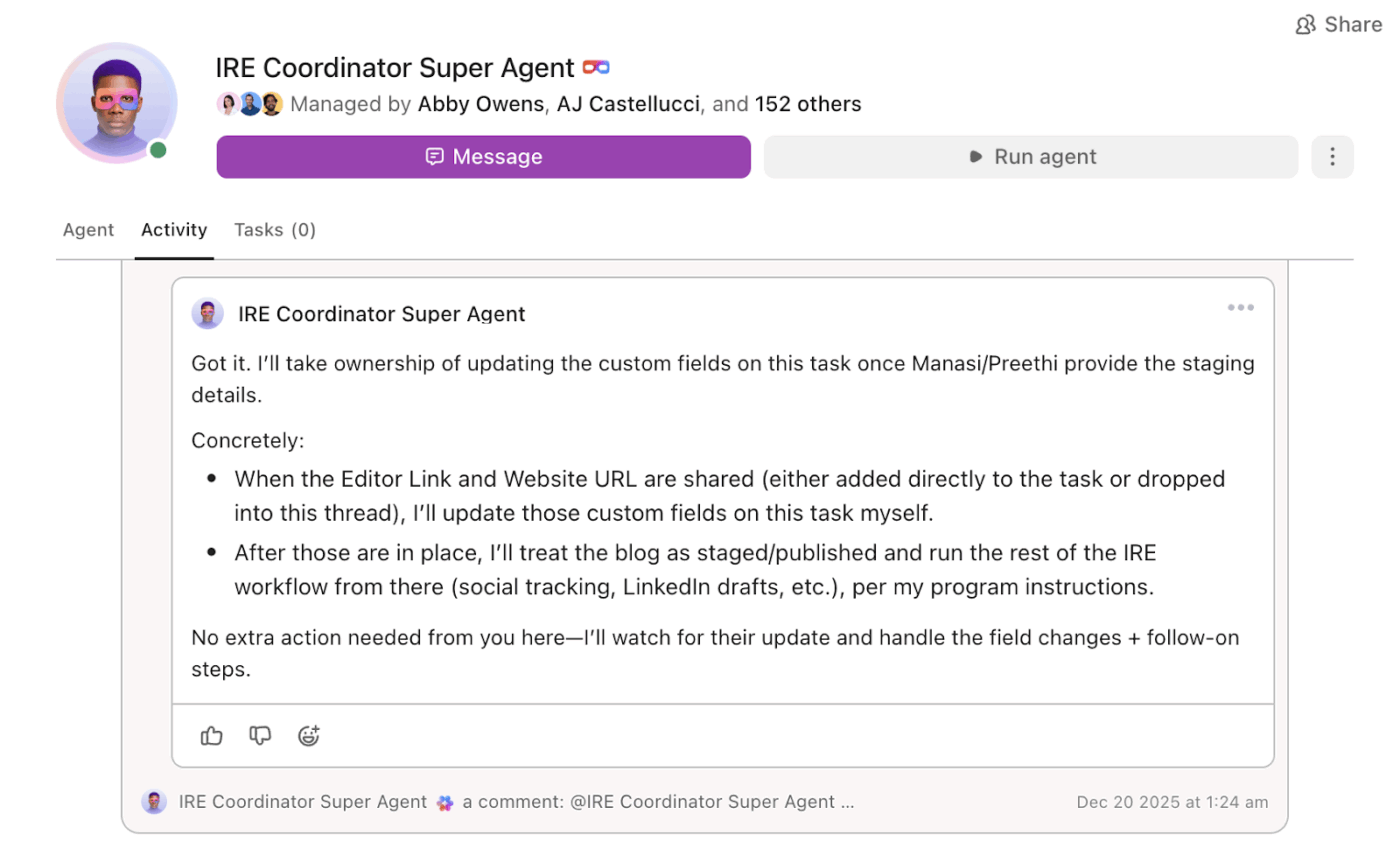
When marketing work hits review cycles, the delays usually come from unclear owners or forgotten follow-ups. ClickUp Super Agents can run when something changes in your workflow and take action automatically, so your team does not rely on manual reminders.
Two agent examples you can set up right now in ClickUp:
And if you are looking for a way to pull all your marketing efforts together, ClickUp’s Marketing Plan Template makes it even easier.
Here’s what makes it so helpful:
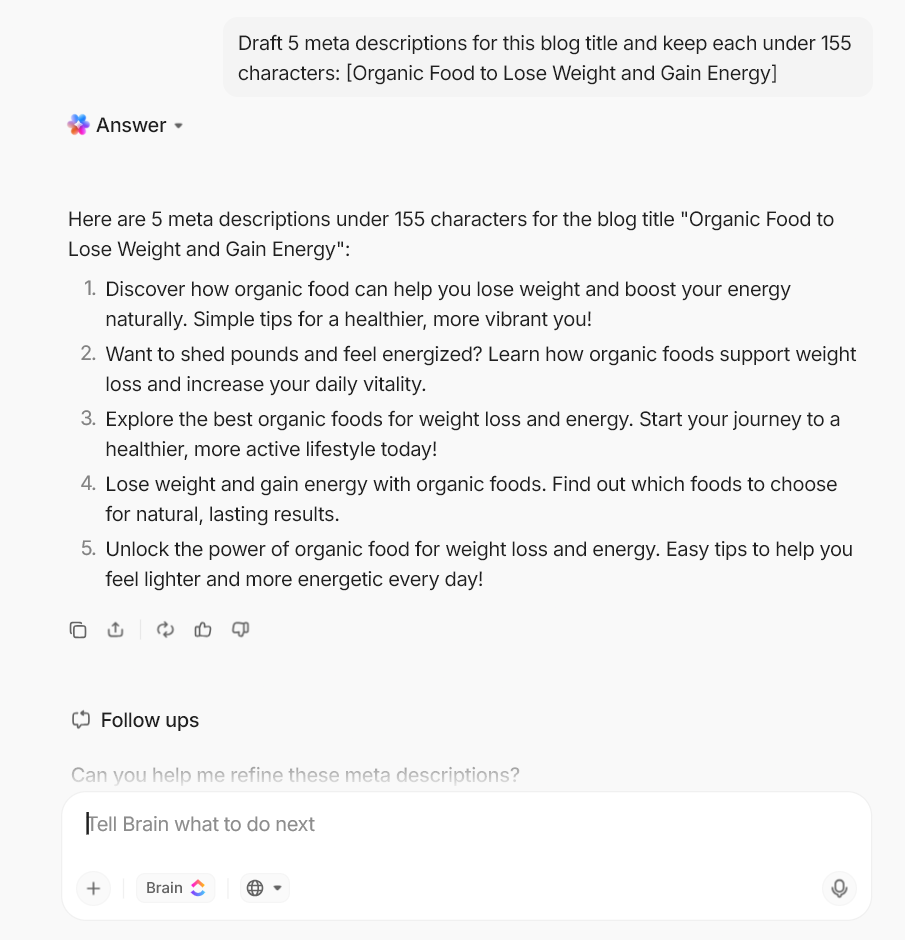
Use these prompts inside a ClickUp Doc or task description with ClickUp’s AI, so your ideas and drafts stay connected to ongoing campaign work.
![Generate 15 blog post ideas for [target audience] around [topic] and group them by funnel stage (TOFU, MOFU, BOFU)
chatgpt marketing use cases](https://clickup.com/blog/wp-content/uploads/2026/01/Generate-15-blog-post-ideas-for-target-audience-around-topic-and-group-them-by-funnel-stage-TOFU-MOFU-BOFU.png)
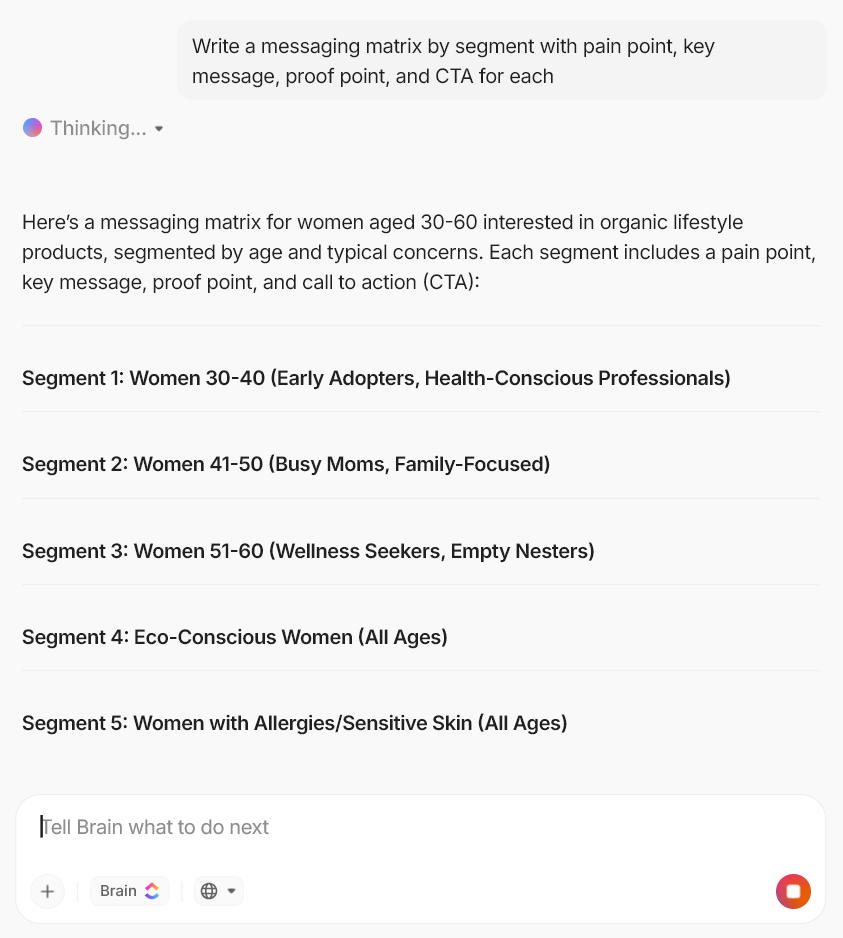
![Create 3 LinkedIn ad variations for [persona] with different hooks and CTAs
chatgpt marketing use cases](https://clickup.com/blog/wp-content/uploads/2026/01/Create-3-LinkedIn-ad-variations-for-persona-with-different-hooks-and-CTAs.png)
![Turn this blog post into a 150-word LinkedIn post, a 6-tweet thread, and 3 short captions with relevant hashtags- [paste link or text]
chatgpt marketing use cases](https://clickup.com/blog/wp-content/uploads/2026/01/Turn-this-blog-post-into-a-150-word-LinkedIn-post-a-6-tweet-thread-and-3-short-captions-with-relevant-hashtags-paste-link-or-text.png)
📖 Also Read: How ClickUp’s Marketing Team Uses ClickUp
There’s no questioning that ChatGPT has earned its place as a handy marketing sidekick. But all too often, that’s where it stops.
ClickUp Brain takes that energy so much further. It not only generates ideas and refines drafts, but turns that inspiration into organized, trackable work your team can actually execute inside the same workspace. Unlike ChatGPT, Brain is truly context-aware.
Plus, the biggest benefit of using ClickUp for marketing is that it centralizes your marketing engine. When strategy, assets, execution, and team communication live in one place, you need to worry less about handoffs and context switching. Your team gets a clearer path from “here’s the idea” to “here’s what’s going live, when, and who owns it.”
Ready to bring AI-powered strategy, content, and execution into one place? Get started with ClickUp today.

© 2026 ClickUp

There’s an easier way. Try a free AI Agent in ClickUp that actually does the work for you—set up in minutes, save hours every week.