

Sorry, there were no results found for “”
Sorry, there were no results found for “”
Sorry, there were no results found for “”
Teams lose hours every week searching for decisions, files, and status updates scattered across workplace apps. The cost is real: slower execution, duplicated work, and constant interruptions that pull people out of focus.
OpenAI’s ChatGPT Company Knowledge helps by connecting ChatGPT to workplace tools so teams can ask natural-language questions and get answers grounded in internal sources with citations. This guide breaks down how it works, compares it with ClickUp’s Enterprise Search, and gives you a clear way to choose the right approach for your workflow and tool stack.
You need an answer that you know exists somewhere in your company’s digital universe—now spanning an average of 101 different SaaS applications—but it’s buried. Is it in a Slack thread? A Google Doc? A project update? The time you waste just figuring out where to look is a massive productivity drain, bringing your work to a halt over a simple question. And the worst part is the “false start” loop: you open three apps, search the wrong terms, find an outdated version, then ask someone anyway.
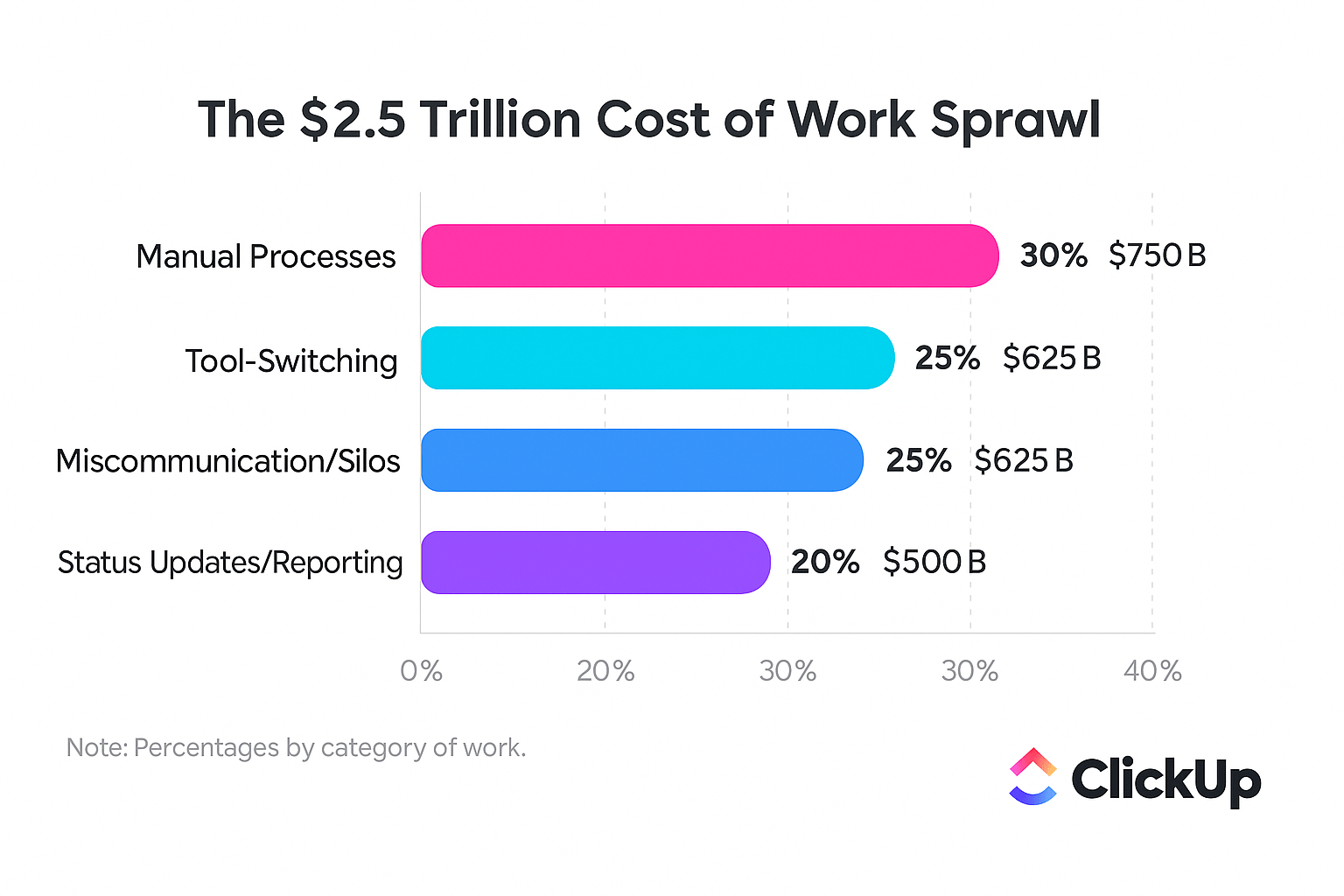
This is the problem of context sprawl—teams wasting hours searching for information across disconnected apps, hunting down files, and repeating updates across multiple platforms—and it’s exactly what a Converged AI Workspace—a single, secure platform where projects, documents, conversations, and analytics live together with AI embedded as the intelligence layer—like ClickUp is built to solve. In plain terms: fewer places to hide information means fewer places to look.
ChatGPT Company Knowledge is OpenAI’s enterprise feature that connects the ChatGPT interface to your workplace apps. It allows you and your team to ask questions in plain English and get AI-generated answers sourced directly from your own company data. It’s designed specifically for subscribers of ChatGPT Business, Enterprise, and Edu plans. Think of it as “ChatGPT, but pointed at your internal systems instead of the open internet.”
It stops the endless manual searching. Instead of digging through multiple tools, you ask a single question and get a contextual answer with clear citations pointing back to the original source documents. It also respects existing permissions, so you only ever see information you’re already authorized to access. That matters because it keeps “helpful AI” from turning into “oops I just exposed a confidential doc.”
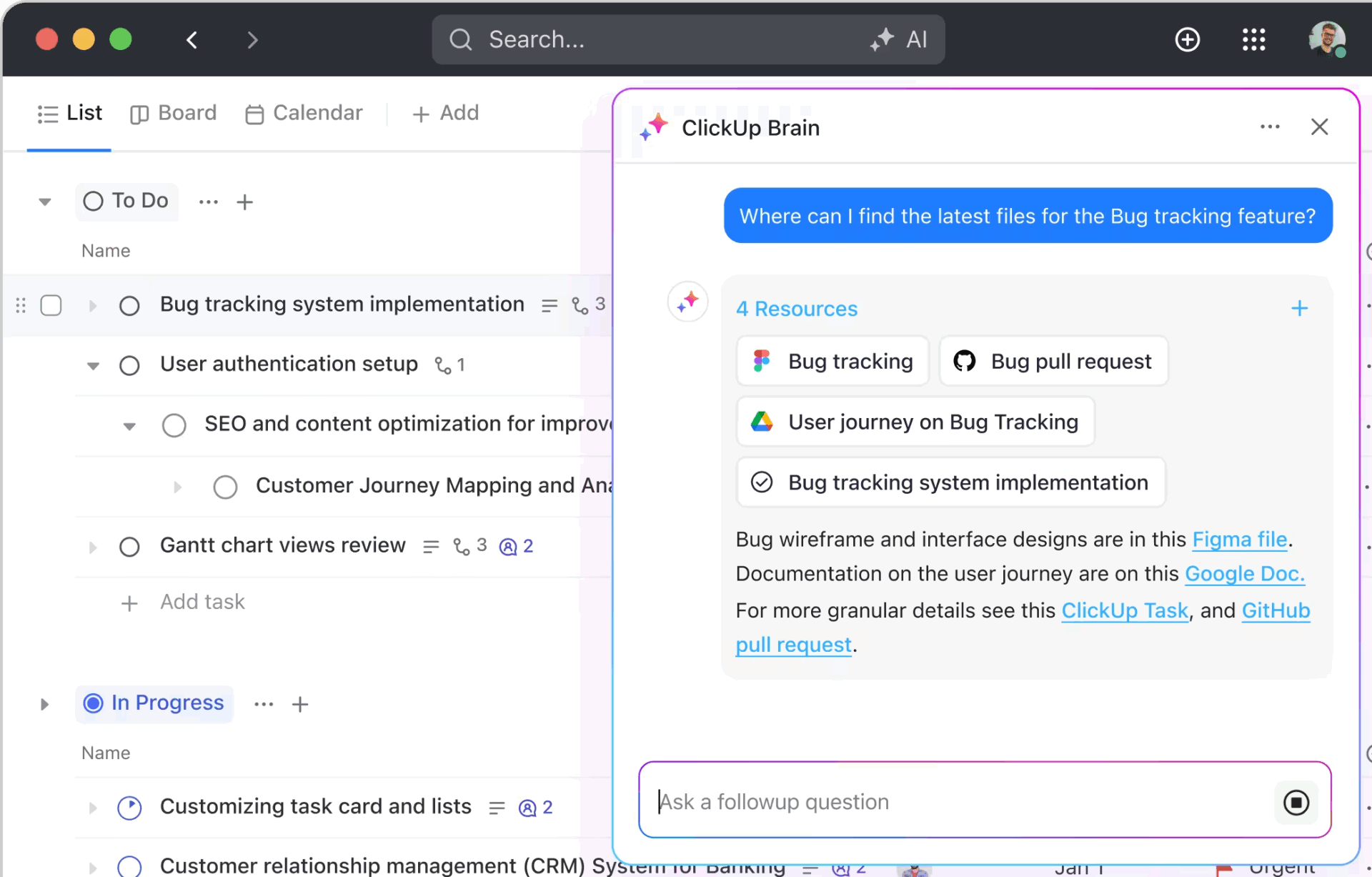
📮 ClickUp Insight: The average professional spends 30+ minutes a day searching for work-related information—that’s over 120 hours a year lost to digging through emails, Slack threads, and scattered files. An intelligent AI assistant embedded in your workspace can change that. Enter ClickUp Brain. It delivers instant insights and answers by surfacing the right documents, conversations, and task details in seconds—so you can stop searching and start working.
💫 Real Results: Teams like QubicaAMF reclaimed 5+ hours weekly using ClickUp—that’s over 250 hours annually per person—by eliminating outdated knowledge management processes. Imagine what your team could create with an extra week of productivity every quarter!
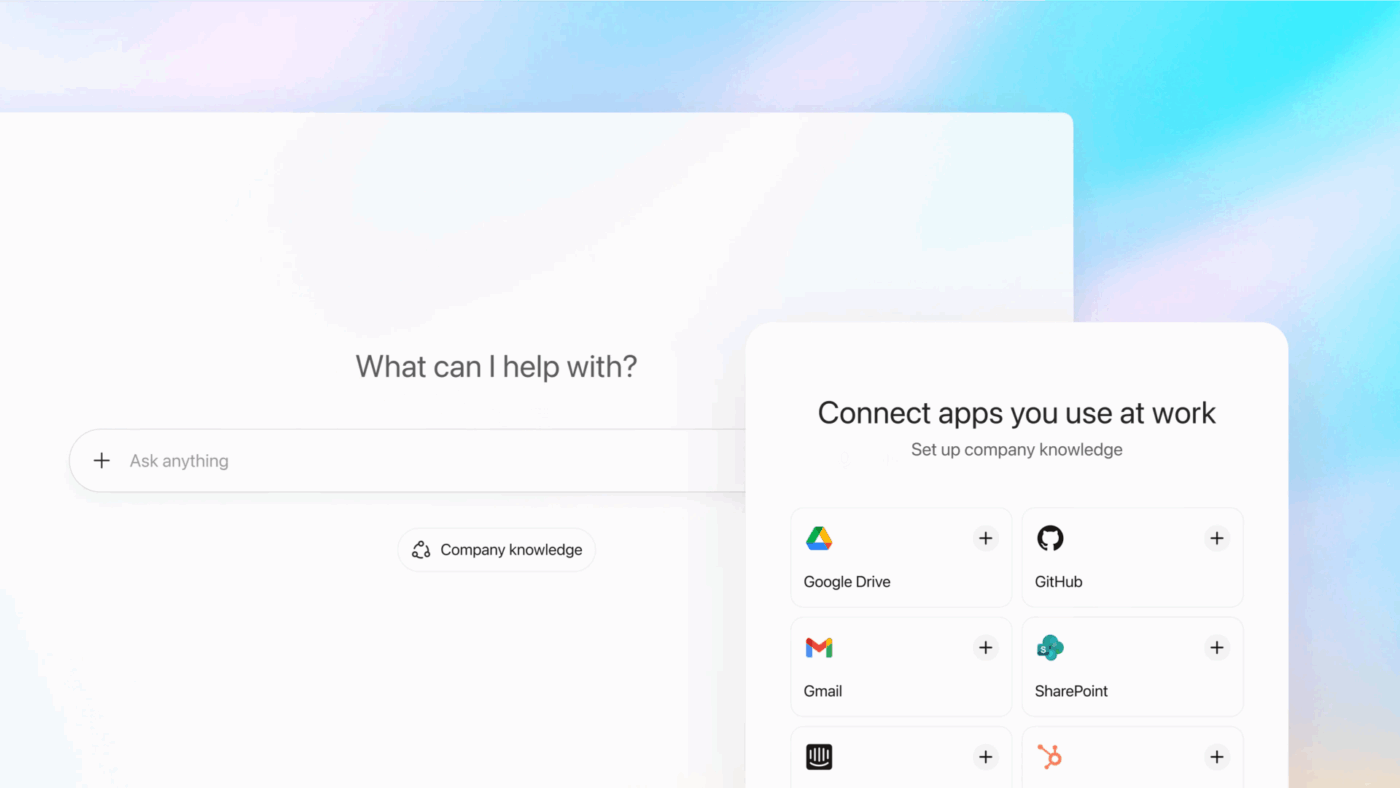
At a high level, Company Knowledge has three steps: connect your tools, index your content, then ask questions with the Company Knowledge mode turned on. The workflow is straightforward. An administrator in your organization starts by connecting your workplace apps to ChatGPT using prebuilt data connectors.
For any unsupported or custom-built internal tools, your IT team can create custom MCP (Model Context Protocol) connectors. This is the “bring your own connector” path for internal systems, niche apps, or proprietary databases.
To better understand the underlying technology powering Company Knowledge, this video explains the fundamentals of how ChatGPT processes and responds to queries:
Once connected, Company Knowledge lets ChatGPT search across approved workplace apps and retrieve relevant information when you enable it for a chat.
It’s designed to respect existing permissions from those apps, so users only see information they’re already authorized to access.
To ask a question, start a new chat and select Company Knowledge in the message composer (or enable it from the tools menu in an existing conversation). From there, you can ask your question in plain English. ChatGPT then searches across the connected sources and returns a synthesized answer with citations that link back to the underlying documents or messages, so you can verify where the information came from.
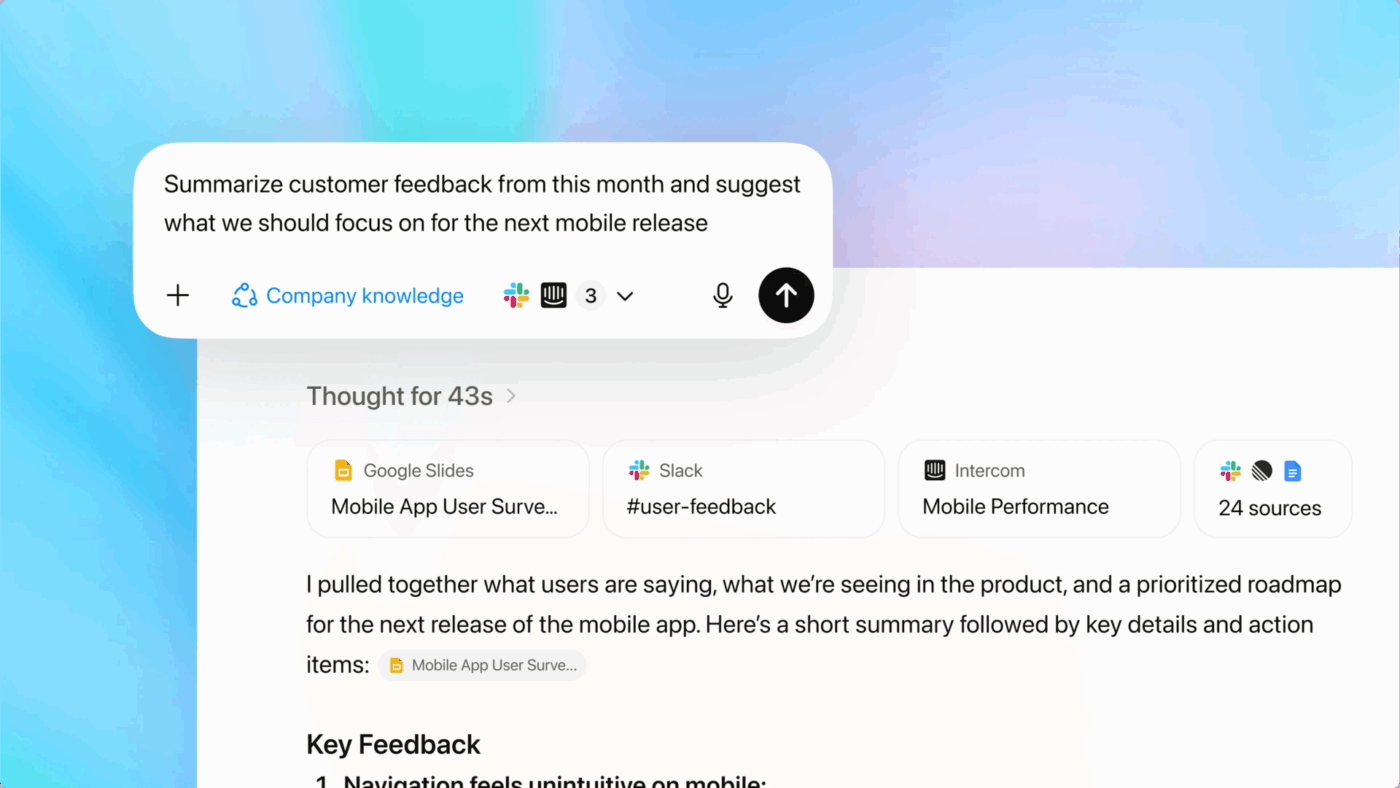
Because it uses a large language model to interpret your prompt, Company Knowledge can handle natural-language queries that are broader than keyword search, including questions that require checking multiple systems.
OpenAI also describes it as able to run multiple searches, compare sources to address conflicting details, and use date-based filtering for time-sensitive questions, like “What did we decide after the last security review?” or “What changed since the January rollout?”
One trade-off: when Company Knowledge is enabled, ChatGPT can’t browse the web or create charts and images in that same conversation, since it’s focused on producing answers grounded in your connected internal sources and citations.
Before we get into the deeper breakdown, here’s the quick side-by-side. This is useful if you already know your team’s reality: “we live in 12 tools” vs. “we want one place to run work.”
| Feature / Category | ClickUp | ChatGPT Company Knowledge |
|---|---|---|
| AI-Powered Search | ClickUp Brain with Connected Search—searches across tasks, docs, comments, and integrated third-party apps using AI that understands context and natural language queries | GPT-5-powered search across connected workplace apps (Slack, SharePoint, Google Drive, GitHub, etc.) with contextual answers and source citations |
| Data Connectors | 1,000+ native integrations including Google Drive, Slack, GitHub, Figma, HubSpot, and custom API connections | Prebuilt connectors for Slack, SharePoint, Google Drive, GitHub, Outlook, HubSpot, Asana, GitLab, ClickUp, and more. Custom MCP connectors available |
| Workspace Approach | Converged AI Workspace—projects, docs, chat, and AI live together in one platform. No tool-switching required | External AI layer that connects to existing tools; requires switching to ChatGPT interface for knowledge queries |
| Permission Controls | Role-based permissions, SSO, enterprise-grade security within unified workspace | Respects existing permissions from connected apps; SSO, SCIM, IP allowlisting available on Enterprise |
| Team Size | Teams of all sizes—from individuals to enterprise | Designed for Business (small-medium teams), Enterprise (large organizations), and Edu (educational institutions) |
If your team already uses ChatGPT at work, Company Knowledge is the “make it actually useful for your company” upgrade. Here’s what you gain, and what you trade off.
ClickUp solves the same “where is everything?” problem from the opposite direction. Instead of adding an AI layer on top, it reduces the number of places work lives, then makes search and action instant inside that system.
What matters in an enterprise knowledge search solution comes down to how well the AI understands you, how many of your tools it can connect to, how secure your data is, and which approach best fits your team’s workflow. So instead of “which AI is smarter,” the real question is “where do we want work to happen?”
The frustration with traditional search bars is that they’re dumb. They only find exact keywords, forcing you to guess the right terminology. You miss the “Q3 Go-to-Market” doc because you searched for “Third Quarter Marketing Plan,” wasting time and leaving you with incomplete information. Keyword search turns every question into a guessing game.
A contextual AI search solves this by understanding your intent. It also helps when you don’t remember the file name, the owner, or even the tool where it lives.
ChatGPT’s approach: It uses GPT-5 to synthesize information from multiple connected apps into a single, conversational answer. It’s strong at pulling together disparate pieces of information from different systems to answer a broad question. This is great for “connect the dots” questions, especially when the evidence lives in multiple places.
ClickUp’s approach: Search directly within your workspace using ClickUp Brain, so you never have to leave your current task or doc. Answer questions, complete actions, and search across everything without leaving your current task or doc using the ClickUp Brain Assistant. It excels at surfacing actionable context like tasks, deadlines, and assignees right alongside the information you’re looking for. So it doesn’t just tell you the answer, it puts the work object in front of you.
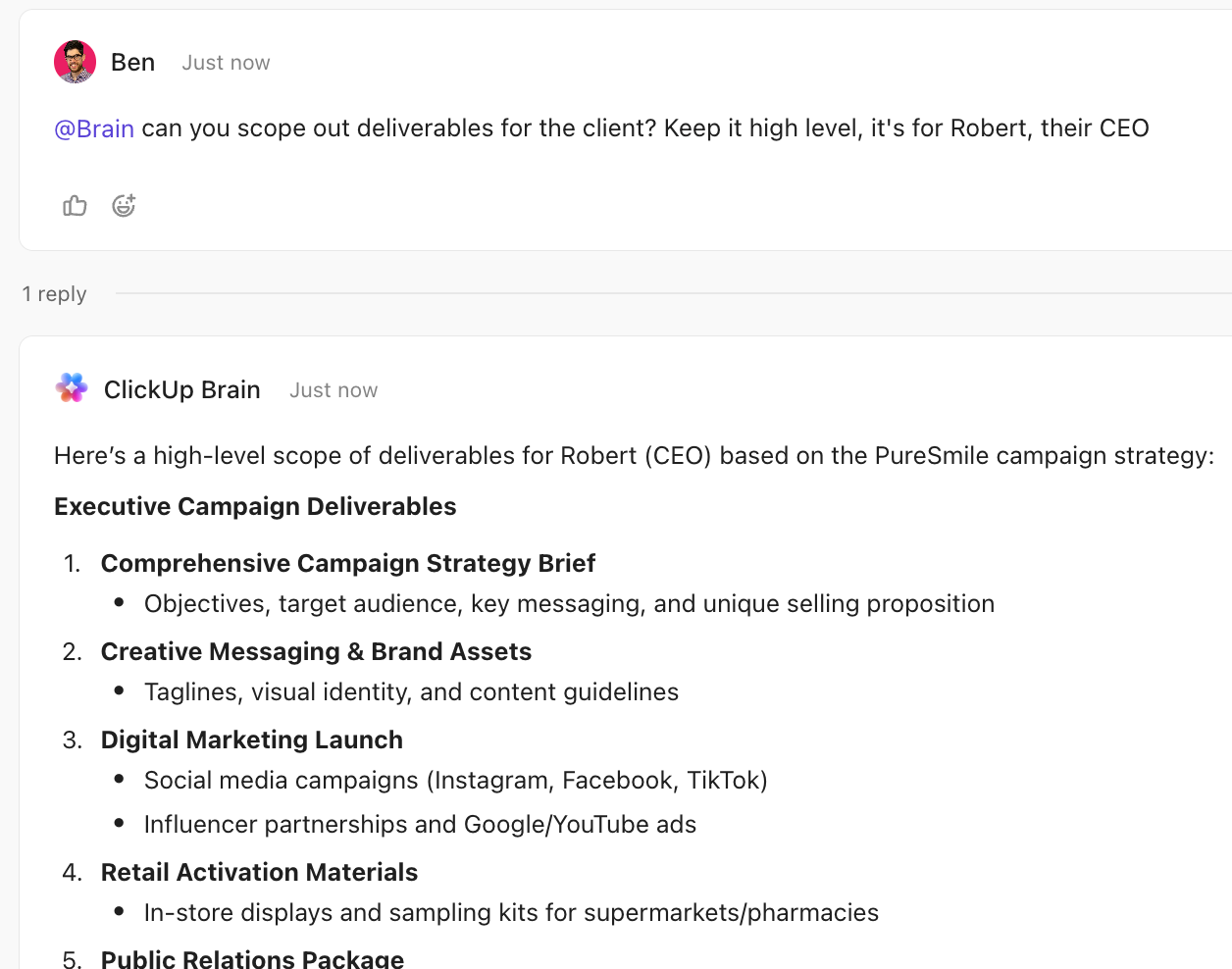
The verdict: ChatGPT Company Knowledge offers more sophisticated cross-tool synthesis, while ClickUp Brain provides faster access to actionable work context without leaving your workspace. If your questions end with “and then I need to do something,” ClickUp tends to feel faster. If your questions end with “summarize what happened,” ChatGPT tends to feel stronger.
This context sprawl makes it impossible to get a complete picture of any project without opening ten different tabs, leading to misaligned teams making decisions with incomplete data.
The solution is a system that can connect to all of your tools.
ChatGPT’s approach: It relies on prebuilt data connectors for popular enterprise apps. This is ideal for teams that are deeply embedded in their existing tool stack and aren’t looking to change their core workflow. It’s “meet people where they already work,” for better and for worse.
ClickUp’s approach: As a Converged AI Workspace, it encourages you to bring your work into one platform to eliminate context sprawl at its source. Unify search across external apps like Google Drive and Salesforce with Connected Search, turning scattered data into actionable insights without app-switching. It’s “move the work to one home,” then make AI the glue.
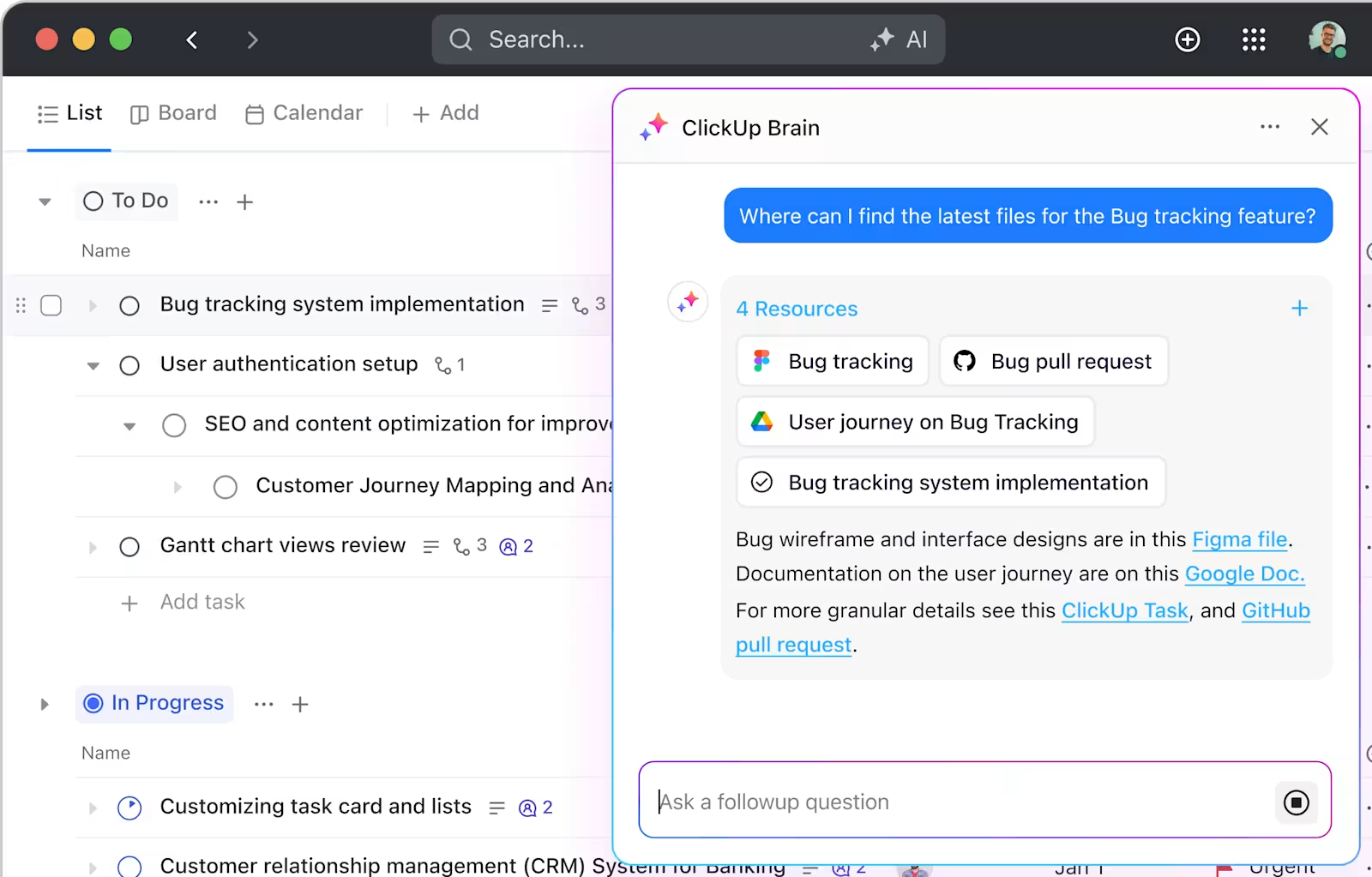
The verdict: Both offer extensive integration options, but they serve different strategies, ChatGPT connects existing tools while ClickUp consolidates them. So your best choice depends on whether your organization is optimizing the stack you have, or redesigning how work flows.
You’re ready to use AI, but you’re worried about giving it access to all your sensitive company data. Who can see what? Is the AI training on your private launch plans? These security concerns often block teams from adopting powerful AI tools, leaving major productivity gains on the table.
You need a solution with enterprise-grade security and clear permission controls.
ChatGPT’s approach: It inherits permissions from your connected apps, so users can only see what they’re already allowed to. The Enterprise tier offers SSO, SCIM, and other security features. OpenAI also states it doesn’t train on data from its business customers by default. This appeals to orgs that want AI access without re-architecting permissions.
ClickUp’s approach: Control exactly who sees what within your workspace with Enterprise-grade security, granular ClickUp role-based permissions, and ClickUp SSO options. Because all your data lives in one secure place, you don’t have to manage permissions across a dozen different tools or worry about data flowing through an external AI layer. The trade is that you’re standardizing governance inside ClickUp, which is great if you actually want that central control.
The verdict: Both meet enterprise security standards; the choice depends on whether you prefer data staying in a unified workspace (ClickUp) or flowing through an external AI layer (ChatGPT). If you already struggle with permission drift across tools, consolidation can reduce headaches.
A one-size-fits-all search tool rarely works. Your engineering team has a completely different workflow than your marketing team, and a tool that doesn’t fit their process will be ignored, leading to even more fragmentation.
The right tool should be flexible enough to adapt to different teams.
ChatGPT’s approach: It works well for organizations with established, sprawling tool stacks that want to answer ad-hoc questions spanning multiple systems. For example, a leader could ask, “What was the final decision on the Q3 launch timeline?” and get an answer synthesized from Slack, Google Docs, and Asana. It’s basically a cross-tool briefing engine.
ClickUp’s approach: It’s built for teams who want to eliminate context sprawl by consolidating work. It excels when you need to act on information immediately. For example, a product manager can find a task, update its status, and message a teammate about it all from the same search result, without ever leaving ClickUp. It’s “briefing plus execution,” in one place.
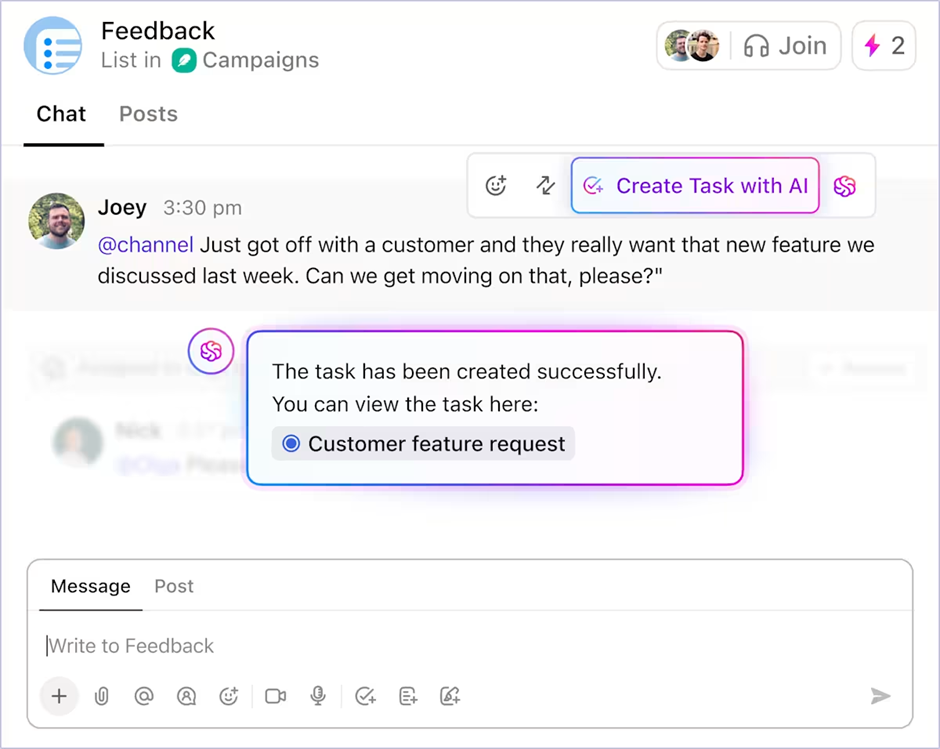
The verdict: ChatGPT Company Knowledge suits teams preserving existing workflows; ClickUp suits teams ready to consolidate work and AI in one place. If you want to reduce the number of tools you rely on long-term, ClickUp aligns with that direction.
The choice comes down to your team’s core philosophy on work. You’re no longer just choosing a search tool; you’re deciding where your company’s knowledge will be stored and accessed.
ChatGPT Company Knowledge makes sense if your organization is already paying for a ChatGPT Business or Enterprise plan and you’re committed to a decentralized tool stack. It’s a powerful AI layer for getting quick answers from scattered sources, as long as your team is willing to context-switch to the ChatGPT interface for every query.
ClickUp is the better choice if your goal is to reduce context sprawl and increase productivity by having one central place for everything. It’s for teams who prefer AI search to be embedded directly within their workflow, not in a separate tab. Solve the problem of scattered knowledge by bringing it all together in a Converged AI Workspace.
As AI becomes more central to how we work—with 13% of workers already using GenAI for 30% or more of their daily tasks—the most efficient teams will be those who can find and act on information the fastest.
Get started for free with ClickUp to see how Connected Search works in a converged workspace.
You can click the “Company Knowledge” toggle at the top of your conversation to disable it for that specific chat, which will re-enable web browsing and image generation.
ChatGPT Company Knowledge is an external AI layer that searches across your connected apps, while ClickUp Brain’s Connected Search operates directly within a converged workspace where your projects, ClickUp Docs, and ClickUp Chat already live.
Yes, ChatGPT Company Knowledge is also available on their Business and Edu tiers, and ClickUp offers AI-powered search features across multiple plan options.
OpenAI’s policy states that it does not use data submitted by customers on its Business, Enterprise, or Edu plans to train its models by default.

© 2026 ClickUp




