






Still downloading templates?
There’s an easier way. Try a free AI Agent in ClickUp that actually does the work for you—set up in minutes, save hours every week.
Sorry, there were no results found for “”
Sorry, there were no results found for “”
Sorry, there were no results found for “”
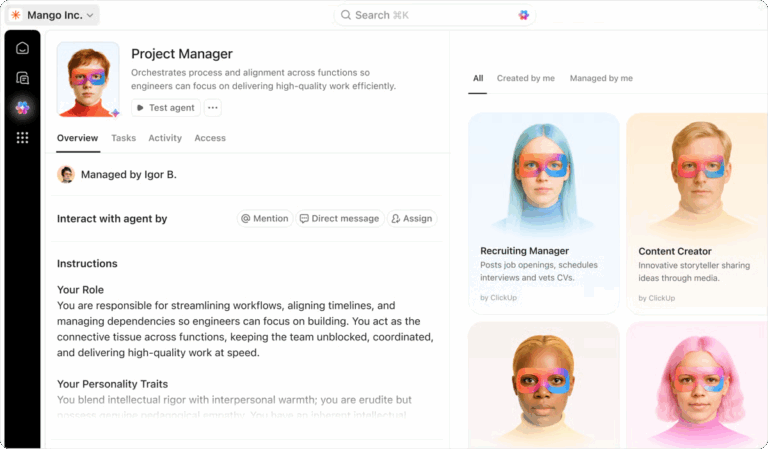
AI agents are no longer just for engineering teams.
Even non-technical teams can now build powerful AI agents that qualify leads, manage workflows, analyze data, and make decisions. All without writing a single line of code or setting up complex infrastructure.
You can design agents using visual builders, natural language prompts, and plug-and-play integrations with the tools you already use.
In this blog post, we cover the best AI agents for no-code users that help orchestrate multi-step workflows and reduce manual work.
For no-code teams, choosing an AI agent platform is rarely about how smart the agent sounds in a demo. What matters is whether that agent can operate reliably once it becomes part of everyday work.
As soon as AI agents move beyond experimentation and start touching real tasks and workflows, a few practical requirements begin to matter much more than raw intelligence, such as:
👀 Did You Know? 30% of people say their top frustration with AI agents is that they sound confident but get things wrong.
This is exactly why reliability and context-awareness matter. Look for AI agents that are grounded in workspace context, show transparent actions, and let your team step in when needed.
📚 Read More: Need inspiration? Check out these AI agents examples to see how different tools put agents to work.
Here’s a quick breakdown of the top AI Agents for no-code users and what they’re best at.
| Tool | Key features | Best for | Pricing* (USD/user/month) |
| ClickUp | Super Agents, real-time workspace context, no-code natural language agent builder, Enterprise Search, Dashboards with AI Cards, native automations | No-code teams that want AI agents embedded into their workflows | Free Forever; Customizations available for enterprise |
| Zapier Agents | Zapier Central agent builder, prompt chaining, memory, natural language setup, webhooks, OpenAI integrations, over 8000+ apps, Slack and Sheets integration | Founders and marketers automating cross-app workflows | Free plan available; Paid plans start at $29.99/month |
| Make | Scenario builder, OpenAI integration, memory blocks, scheduling, 3000+ apps, conditional logic | Visual thinkers building advanced automations with drag-and-drop logic | Free plan available; Paid plans start at $10.59/month |
| Relevance AI | Agent builder with chaining, memory, vector search, team collaboration features | Ops/AI teams seeking flexible, API-first AI agent workflows | Free plan available; Paid plans start at $349 per month |
| n8n | Visual builder, self-hosting, JavaScript nodes, MCP orchestration, 500+ integrations, human approvals, fallback logic | Developers wanting open-source AI orchestration and control | Paid plans start at 24€ per month |
| Flowise AI | Drag-and-drop LangChain UI, embedding/vector DBs, memory, local deployment, real-time data streaming | Engineering teams that need agents with a visual builder | Free plan available; Paid plans start at $35 per month |
| Stack AI | Spreadsheet-style interface, memory, branching prompts, templates, form input, integrations with Slack, Gmail | Teams that want to build internal AI flows with a simple UI | Free plan available; Paid plans start at $199 per month |
| Copilot Studio | Chat interface, form builder, memory, web scraping, and actions, APIs, fallback to human, analytics, code-free flow creation | Non-technical teams building Copilot-style AI for web and chat tasks | Custom pricing |
| LangFlow | LangChain visual canvas, memory, OpenAI, Gemini, Claude support, export to FastAPI, supports HuggingFace/Google tools | Builders who want to experiment with LangChain visually | Custom pricing |
| Budibase | Smart forms, data tables, AI triggers in apps, role-based access, PostgreSQL/MySQL/MongoDB support, Slack, and email integration | Internal tool builders needing AI in forms, tables, and databases | Open source; Custom pricing |
| Lindy AI | Prebuilt agents for Gmail/Calendar, chat-first UX, memory, reasoning chains, CRM integrations, scheduling, documents, and web summaries | Professionals using chat-based AI agents for work tasks | Free trial; Paid plans start at $49.99 per month |
Our editorial team follows a transparent, research-backed, and vendor-neutral process, so you can trust that our recommendations are based on real product value.
Here’s a detailed rundown of how we review software at ClickUp.
With the overview done, let’s get to the details.
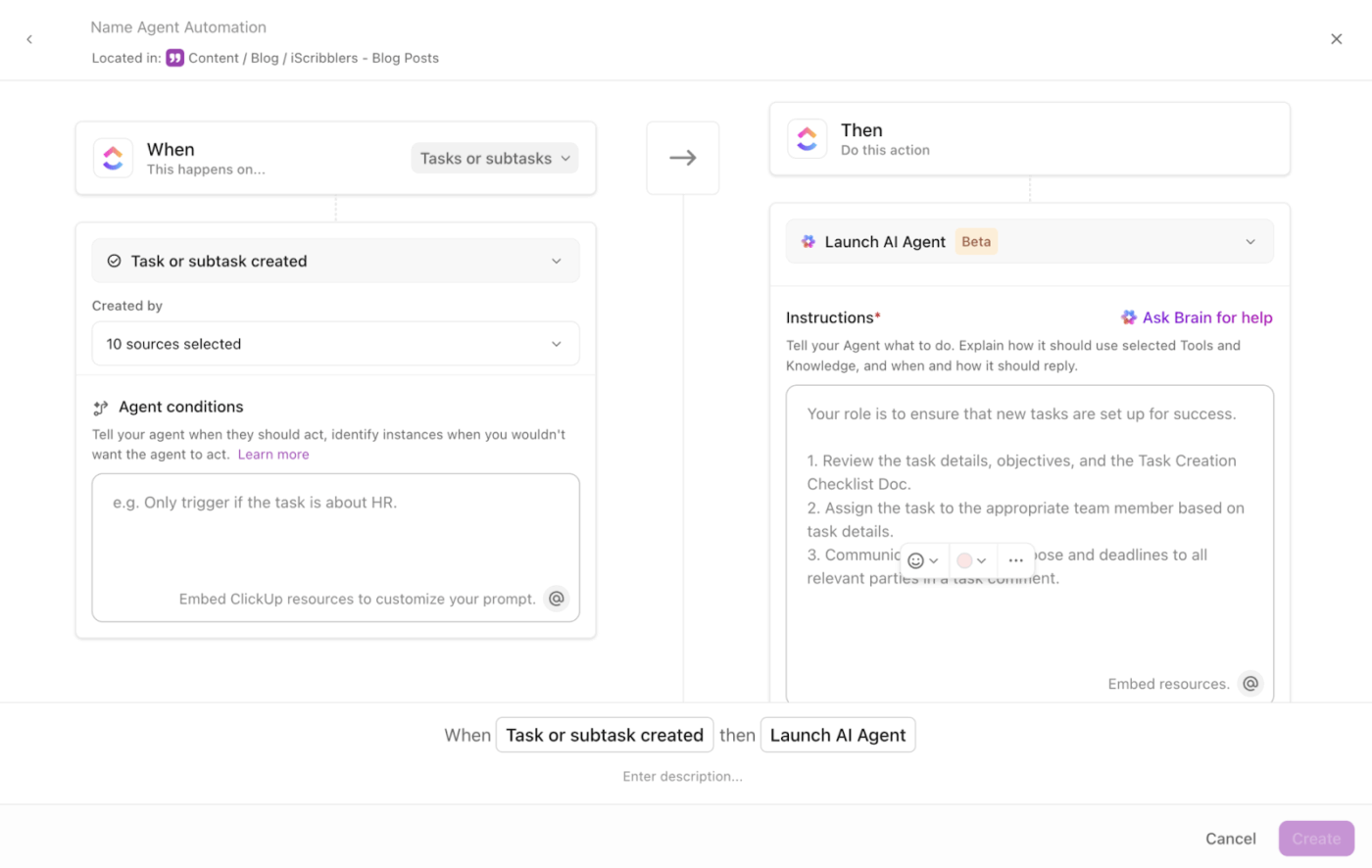
Most standalone AI agent tools can respond to prompts or trigger workflows. What they struggle with is handling contextual decisions and multi-step execution once real work is involved.
ClickUp’s AI capabilities aren’t just layered on top of your stack. They’re built directly into the same platform where your tasks, docs, chat, dashboards, and workflows are. This allows agents to operate on structured work objects like tasks, ownership, deadlines, and dependencies, not just raw triggers or app events.
Here’s how it looks in practice:
ClickUp Super Agents are ambient, no-code AI teammates. They continuously monitor your workspace, reason about what’s happening, and act based on your instructions and the evolving context.
Super Agents can:
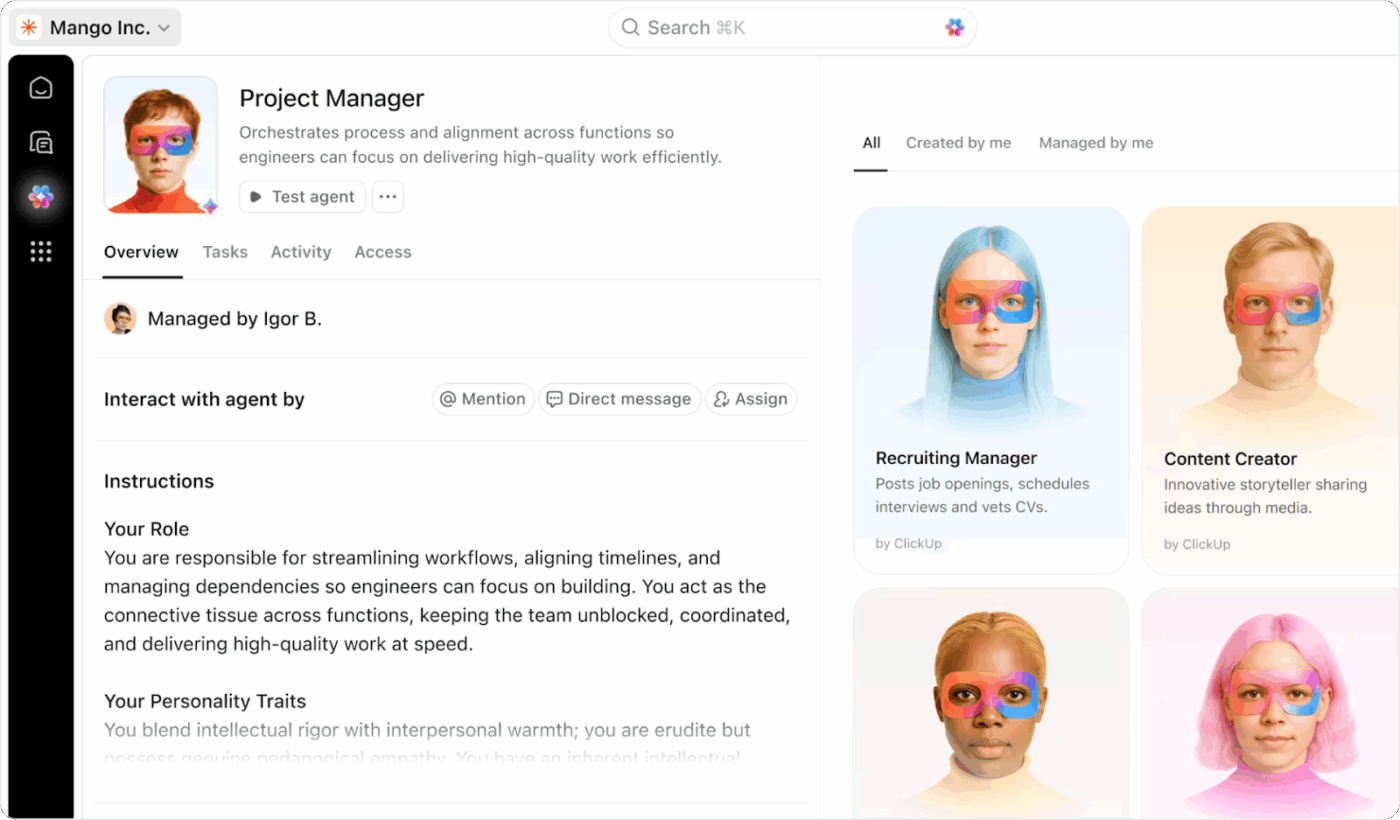
👉🏼 Trust us when we say this: there’s a ClickUp Super Agent for every workflow that’s repetitive, frequent, and takes up time you’d rather spend anywhere else! Need ideas around what you can automate with Super Agents?
You can pick a Super Agent who already knows how to perform a common task, then customize it for your workflow.
For example:
Agents adapt using live workspace context. They understand tasks, dependencies, ownership, comments, and priorities, allowing them to:
This is especially useful for non-technical teams because it replaces manual checking and follow-ups with agent-driven execution that requires no coding or external infrastructure.
More of a visual learner? Watch this step-by-step guide to building your first Super Agent in ClickUp.
ClickUp Brain is the context layer that makes AI meaningful, especially for agents. It connects every corner of your workspace (tasks, Docs, chat, comments, dependencies, dashboards) so AI can reason with full visibility.
For teams, this translates to:
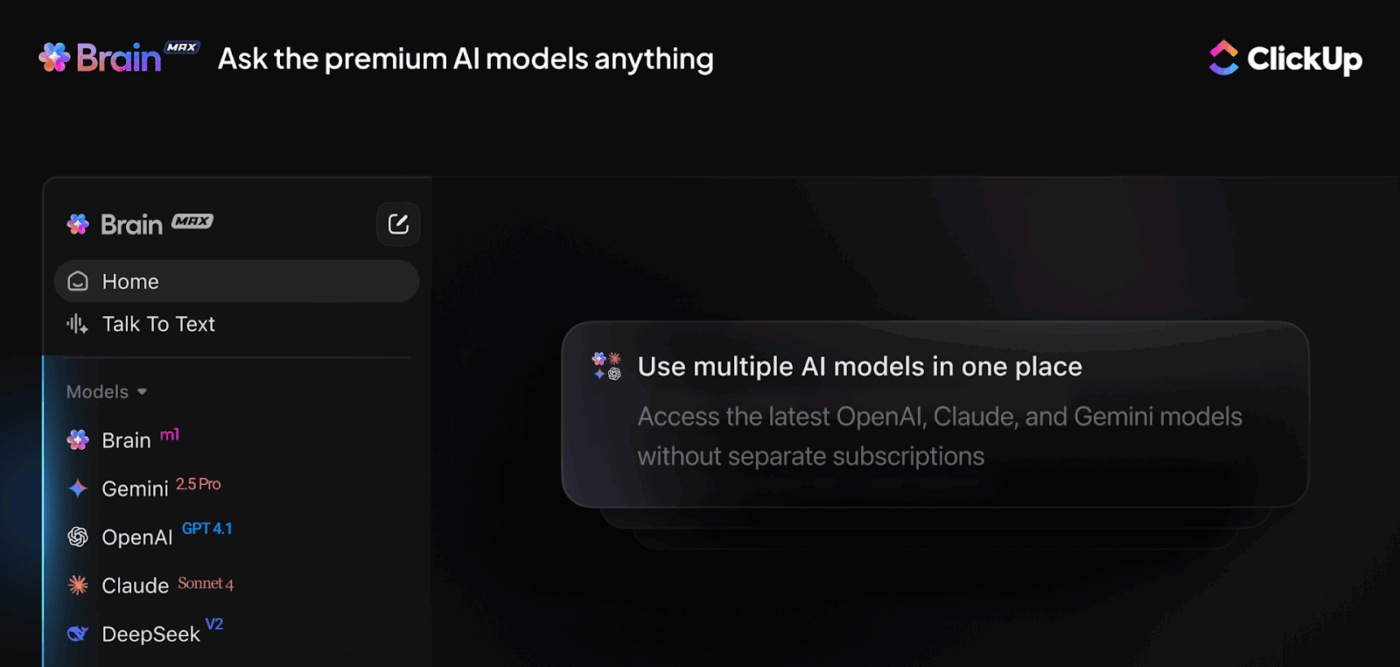
⭐ Bonus: ClickUp Brain MAX extends workspace intelligence beyond the browser.
It lets you:
Instead of switching between ChatGPT, Claude, Gemini, and other search tools, Brain MAX centralizes AI in a single enterprise-ready environment tied directly to your projects and data.
ClickUp Automations gives you a no-code builder to set triggers and conditions, so your team spends less time on routine tasks.
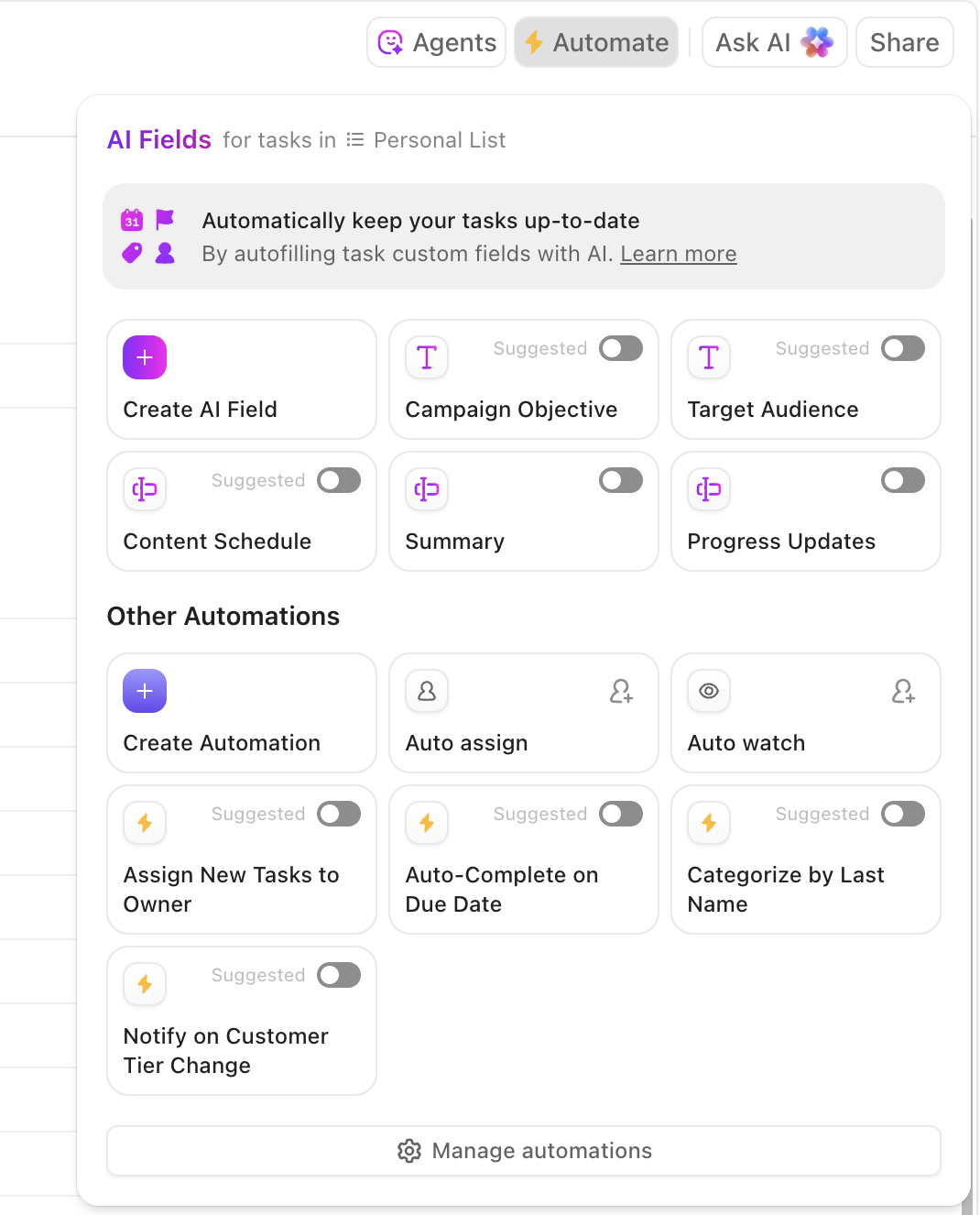
You can build these rules yourself, use pre-built templates, or even have ClickUp’s AI set them up for you. Non-technical teams can easily:
This is what a G2 reviewer said about ClickUp:
I really appreciate ClickUp’s constant innovation and how it leans hard into AI. The AI Super Agent is powerful and allows you to configure routine tasks very quickly. I also find the templates helpful during the setup process, even though it requires a lot of time and effort to get set up properly.
📮 ClickUp Insight: 24% of workers say repetitive tasks prevent them from doing more meaningful work, and another 24% feel their skills are underutilized.
That’s nearly half the workforce feeling creatively blocked and undervalued. 💔
ClickUp helps shift the focus back to high-impact work with easy-to-set-up AI agents, automating recurring tasks based on triggers. For example, when a task is marked as complete, ClickUp’s Super Agents can automatically assign the next step, send reminders, or update project statuses, freeing you from manual follow-ups.
💫 Real Results: STANLEY Security reduced time spent building reports by 50% or more with ClickUp’s customizable reporting tools—freeing their teams to focus less on formatting and more on forecasting.
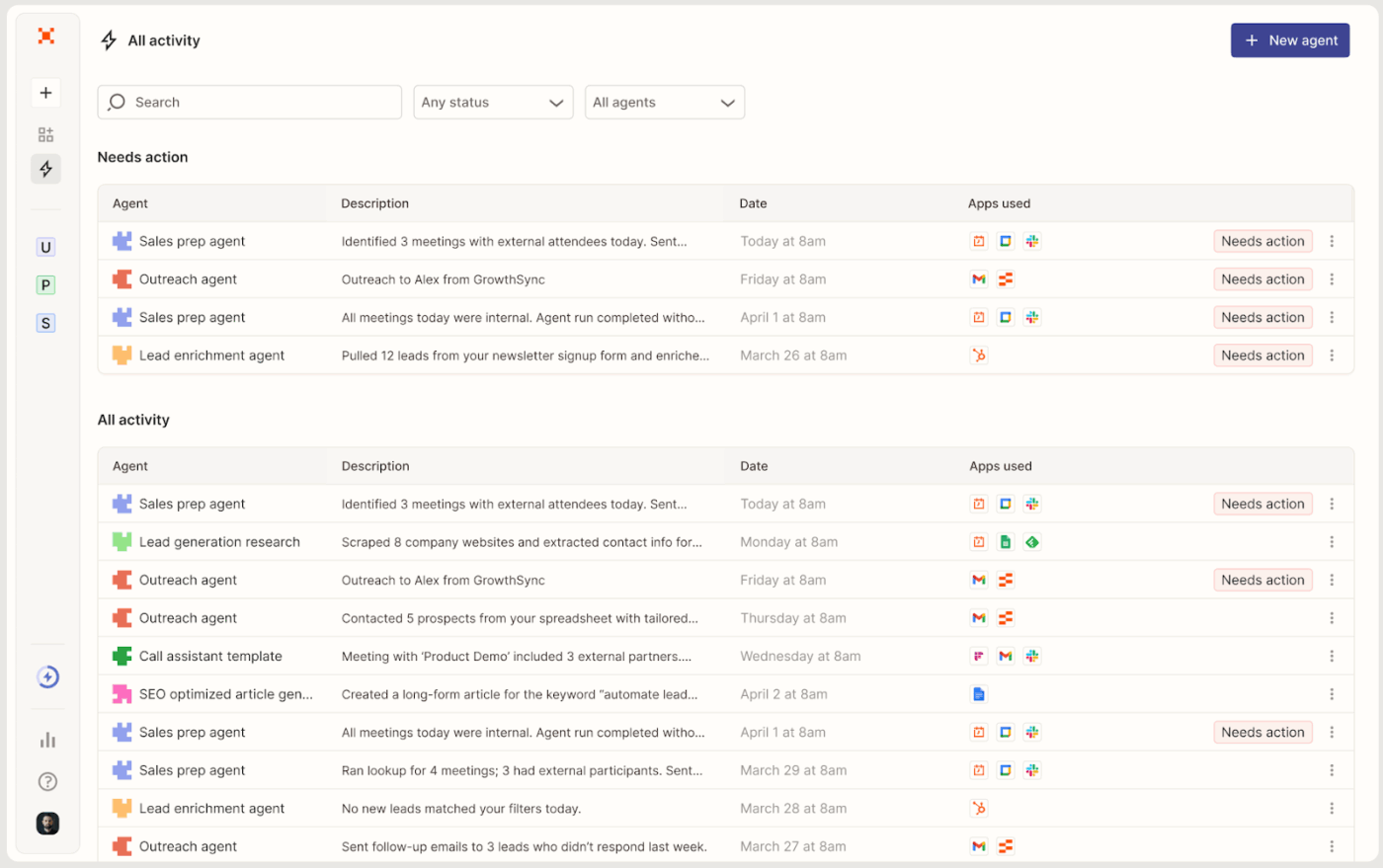
Zapier lets you build AI agents by describing what you want in plain English or starting with ready-made templates. You set the goal, choose the apps it can use, and it turns that into a working agent. It’s not limited to rigid ‘if this → then that’ rules either, it understands intent and can handle variations and edge cases without you mapping every condition.
The tool connects to 8,000+ apps, so agents can update your CRM, send personalized emails, create tasks in project management tools, and automatically sync information across your entire stack.
Agents can also pull live data from tools like Google Drive, Notion, or Airtable, browse the web for research, and gather context before acting. And with the Chrome extension, you can even work directly on webpages, highlighting text and instantly summarizing or translating it wherever you browse.
This is what a Reddit reviewer said about Zapier Agents:
I have used Zapier Agents before and it is a pretty good setup… I think agents are pretty good and really improve a company’s workflow.
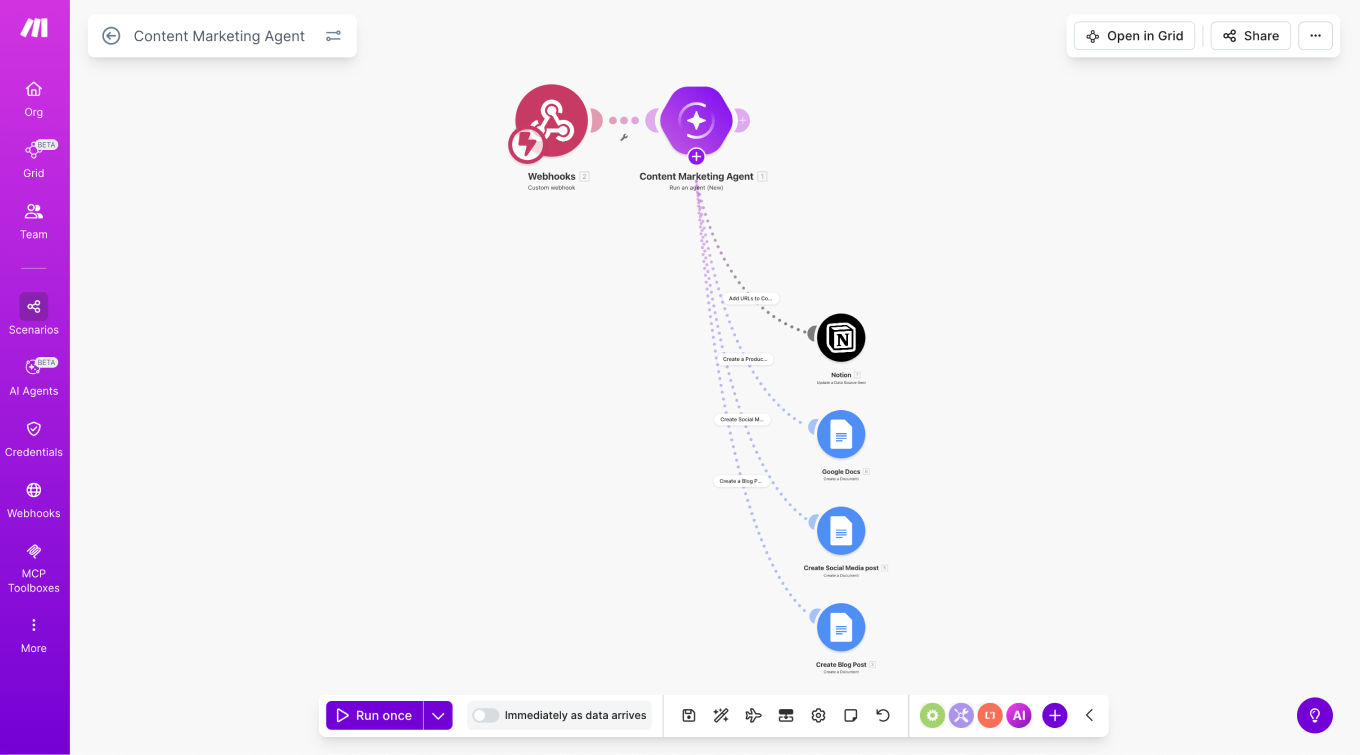
Make gives you a drag-and-drop flowchart-style editor to build AI agents. Instead of treating AI as just another step in a workflow, you can deploy agents as core decision-makers within your automation.
The agent reads the input, decides what should happen next, and takes action across your connected tools.
For complex workflows, you can guide the process’s flow using filters and routing paths, so the agent reacts differently based on the situation. When working with large amounts of data, features like iterators and parallel processing help manage tasks efficiently, such as summarizing dozens of files at once.
This is what a Capterra reviewer said about Make:
Make has an easy-to-understand, user-friendly interface. With its drag-and-drop editor, you can add, connect, and edit modules from a wide range of tools to automate tasks like email summaries, updating existing data, and much more. There is also a new AI Agents feature, including a Human-in-the-Loop option as an extra security step.
🚨 Stat Alert: 46% of leaders say their companies are using AI agents to fully automate workflows and processes.
If nearly 1 in 2 organizations are already trusting agents with core workflows, the real competitive edge isn’t experimentation anymore; it’s reliability, governance, and deep workflow integration.
Relevance AI lets you build autonomous AI agents and even agent teams that can complete workflows and tasks much like human workers. From a single visual dashboard, you can create specialized agents for sales, support, research, or operations, and coordinate them like an AI workforce.
Agents operate through a tool-based architecture. You assign modular tools, such as web search, database queries, email sending, CRM updates, calendar scheduling, and the agent decides which one to use and when. Instead of scripting every step, you define capabilities and let the system handle execution dynamically.
Control and safety are built in. Agents can run on schedules, react to real-time events, or pause for human approval when needed. This creates a balance between automation and oversight without limiting flexibility.
This is what a G2 reviewer said about Relevance AI:
I appreciate that it has over 9000 tools for integration, including email, calendar, CRM, and sheets, which are useful for our business and daily life. The initial setup was very straightforward, thanks to the marketplace of over 400 free and paid AI agents ready for customization.
📚 Read More: Top AI Orchestration Tools for Business Workflows
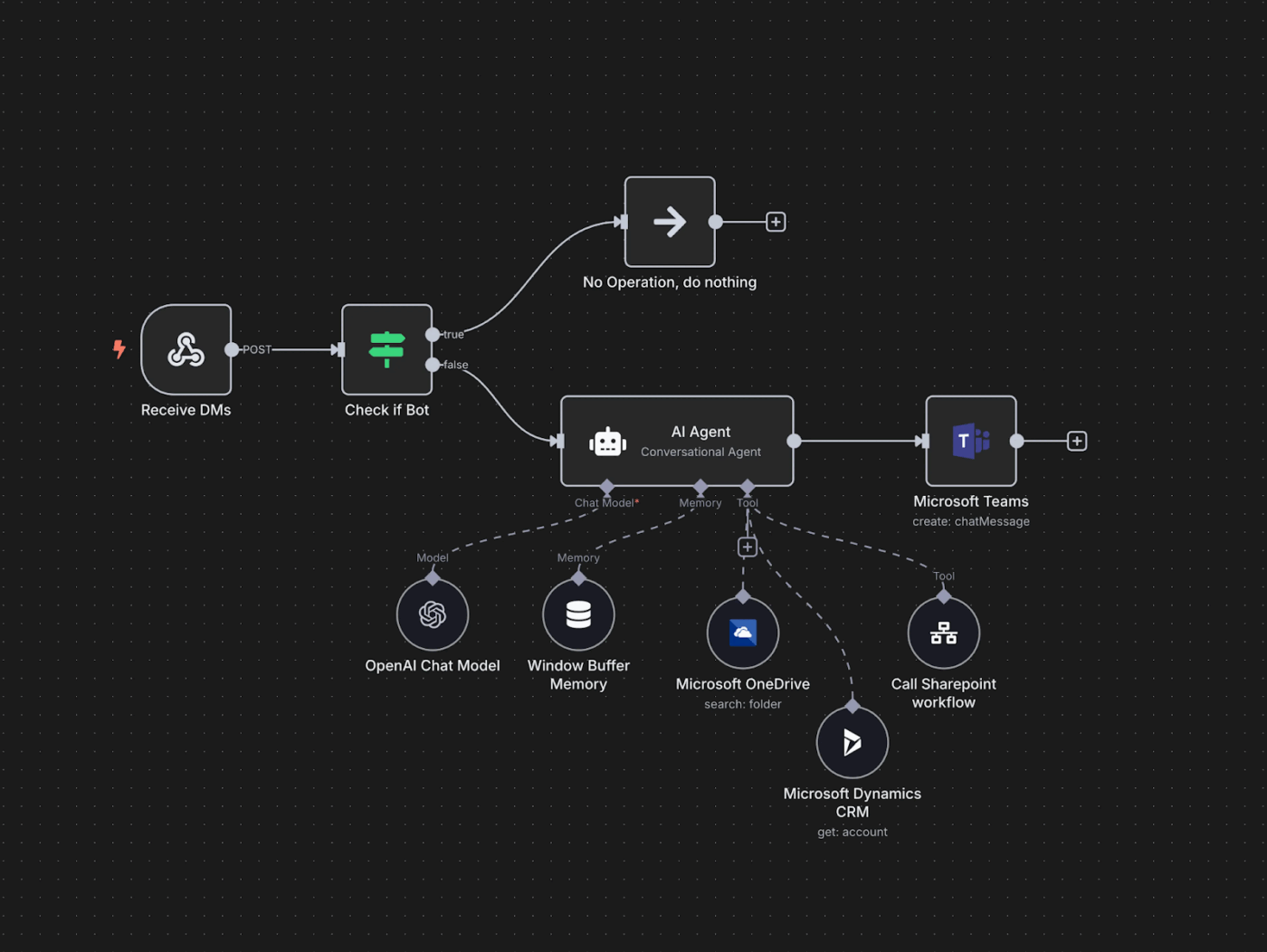
n8n is an open-source automation platform that you can run on your own server, giving you full control over your data. You build workflows using a visual drag-and-drop editor. Inside these workflows, you can create AI agents that can pull data from a database, update a CRM, send a message, or call an external service.
As your automation becomes more complex, you can add conditions (if/else logic), loops, retries, and fallback steps to handle different scenarios. Agents remember past interactions and stay context-aware across sessions.
With over 500 integrations and full API access, your workflows can connect to almost any tool in your stack. And if you need more flexibility, you can insert JavaScript or Python to customize logic, combining no-code simplicity with deeper technical control when required.
This is what a G2 reviewer said about n8n:
I use n8n for automating day-to-day manual and repetitive tasks, which saves me a lot of time and helps me schedule tasks with fixed timelines. It has a vast majority of integrations, and almost everything is possible to automate. I enjoy using a variety of AI agents and customizing the system prompts to provide exact and expected results.
📌 Did You Know? Automation today is delivering measurable ROI. Among companies adopting AI agents:
This shows that when AI agents move from pilot to production, the returns stop being hypothetical and start showing up in agent performance metrics.
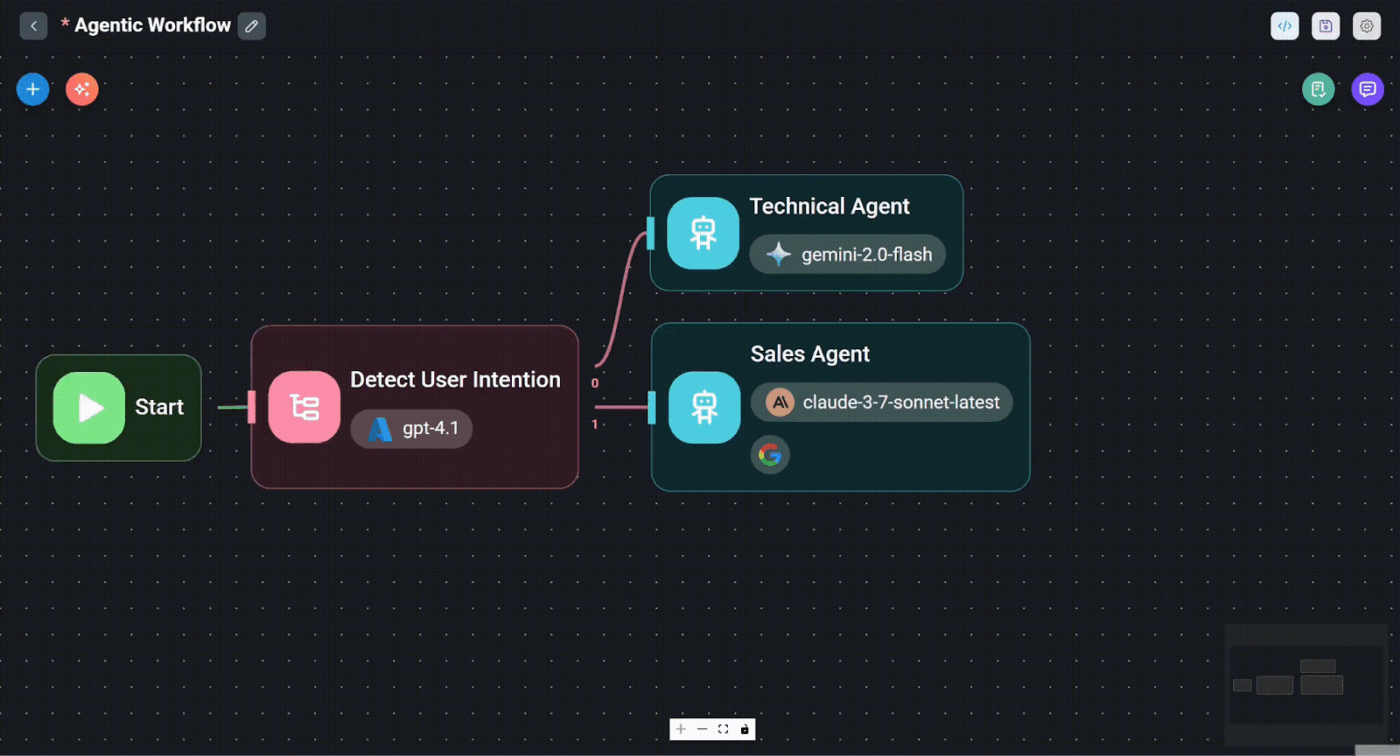
Flowise provides a visual interface for building AI agents and LLM workflows. Instead of writing backend orchestration code, you connect models, prompts, memory, vector stores, and tools as nodes in a drag-and-drop flow.
The tool also allows you to run multiple agents with different roles, and you can add human approval steps when needed so someone can review decisions before the workflow moves forward. With visual debugging, you can see each step the agent takes, so you always know how it reached its decision and can easily improve it.
Once your agent is ready, you can launch it as an API or embed it directly into a website or app.
This is what a Reddit reviewer said about Flowise AI:
Flowise is very easy to host locally or deploy to the cloud, which makes getting started simple. Since it’s open and publicly accessible, the number of resources and community support keeps growing, which is helpful for newer developers. The UI feels intuitive and well-organized.
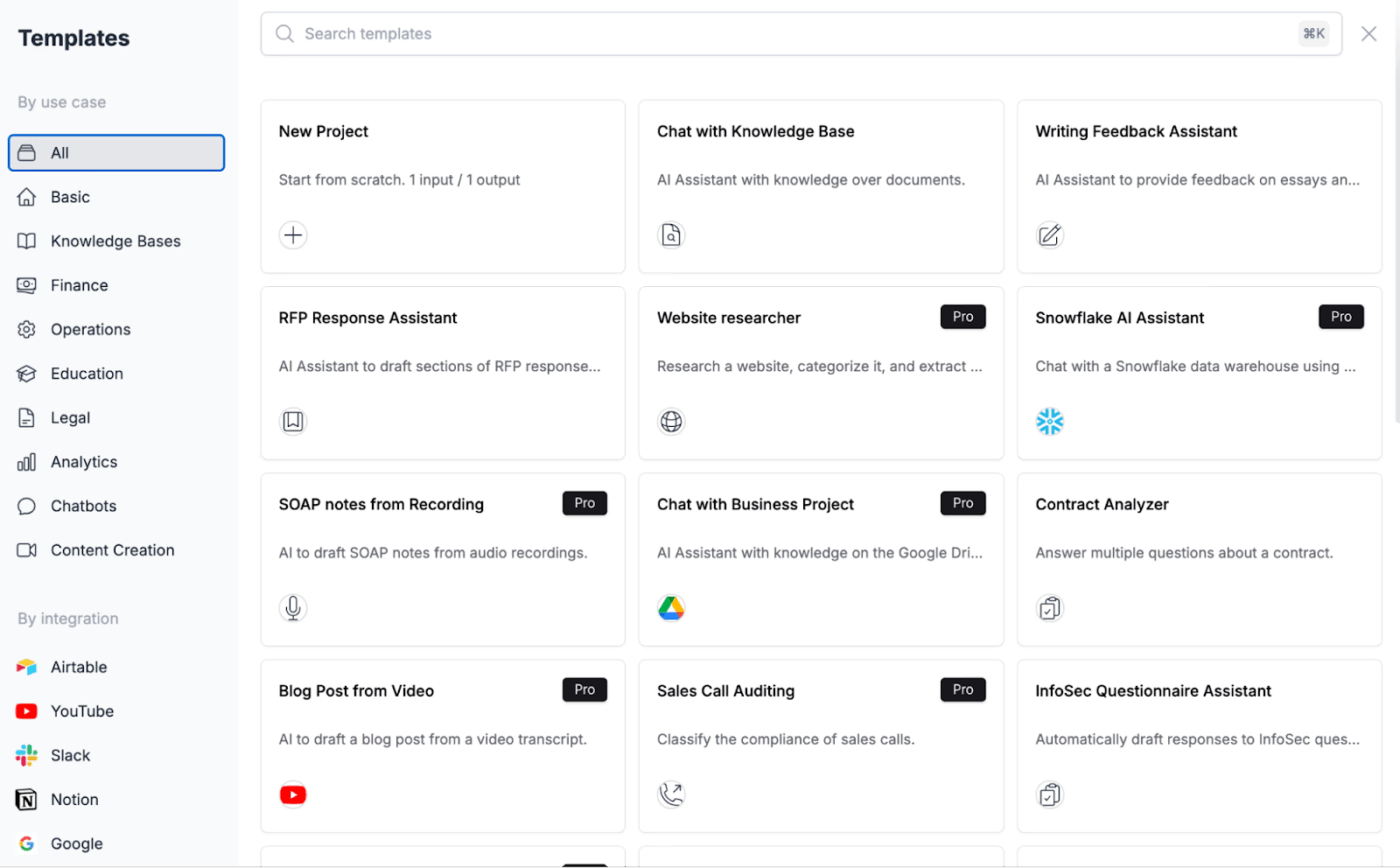
Stack AI is built for organizations that need secure, reliable AI agents working across their business departments. Teams can create agents that connect securely to tools such as CRMs, ERPs, and internal databases while meeting compliance standards such as SOC 2 and HIPAA.
A visual Workflow Builder lets you drag and drop blocks to design how an agent thinks and acts. You can connect data sources, choose AI models, add memory, and integrate tools or APIs without writing code. Agents can then be deployed as chatbots, forms, internal tools, or API endpoints.
The tool also includes one-click RAG pipelines, allowing agents to automatically index company documents and provide accurate, citation-backed answers grounded in real data.
This is what a G2 reviewer said about Stack AI:
With other platforms, you need coding skills, but Stack AI is a no-code platform where programming knowledge isn’t required to build powerful AI agents. In just a few clicks, you can create different workflows with ease.
🚨 Stat Alert: The global no-code AI platforms market was valued at USD 4.9 billion and is projected to reach USD 24.8 billion, growing at a 38.2 % CAGR.
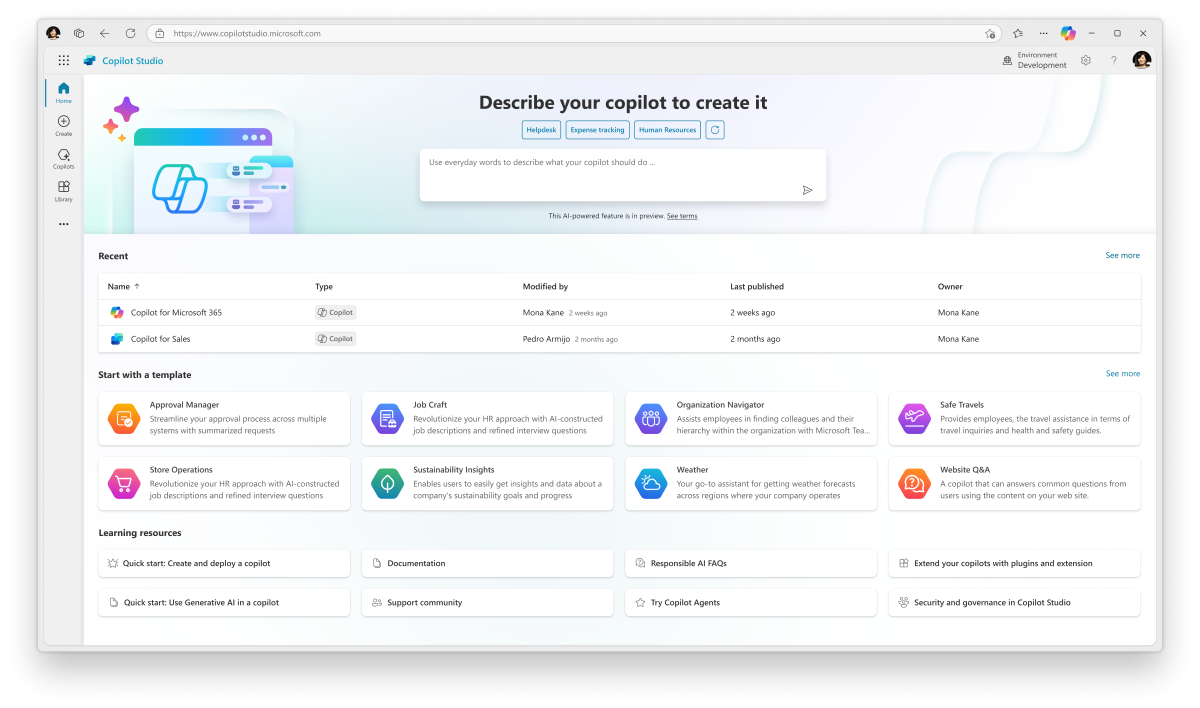
Microsoft Copilot Studio is another popular AI agentic tool that lets organizations build enterprise-grade AI agents (formerly called Power Virtual Agents) without extensive coding. Using a visual editor, teams can design conversational flows, automate workflows, connect to data sources, and integrate with APIs across the Microsoft ecosystem.
Its AI-first conversation engine relies on LLM-powered intent recognition rather than rigid rule-based systems, enabling agents to understand context and respond dynamically. They can pull relevant information from Microsoft Graph, Dataverse, and internal documents for better accuracy.
Agents can operate autonomously using triggers and structured logic. For example, they can monitor incoming emails, draft AI-generated replies, update records, and execute multi-step workflows automatically. They also work in the background, can be invoked through Copilot Chat when needed, or escalate conversations to a human or Teams channel based on predefined conditions.
This is what a G2 reviewer said about Microsoft Copilot Studio:
I like Microsoft Copilot Studio because it’s easy to build and customize AI copilots without needing deep technical skills. The low-code interface and ready-made templates make it quick to turn ideas into working solutions.
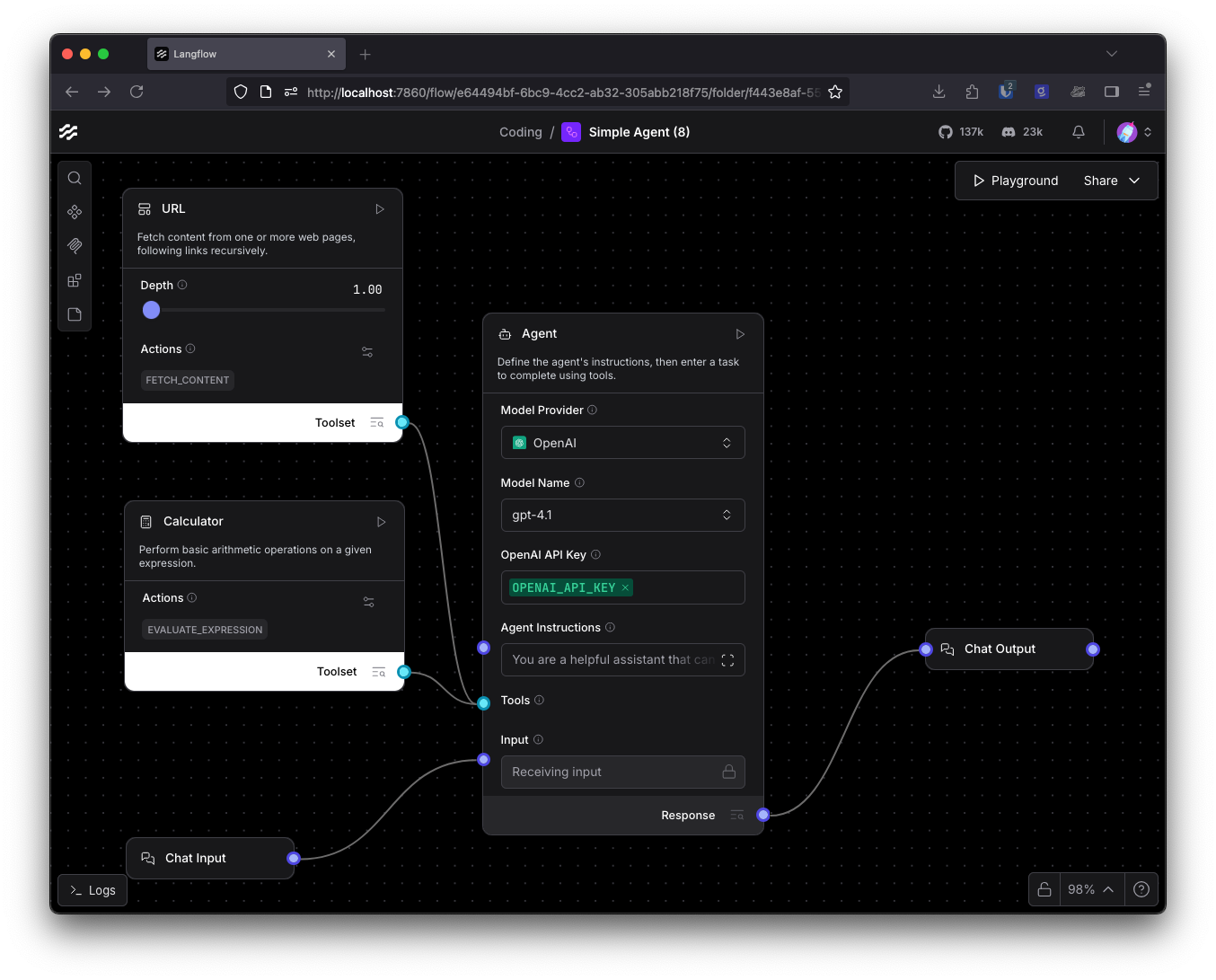
With Langflow, you can create full AI systems using a drag-and-drop canvas with blocks like prompts, memory, tools, retrievers, and LLM models. There’s also a special Agent block that figures out the best approach and carries out the task carefully from start to finish.
A single agent can be turned into a tool that another agent can use, which helps you create layered or team-style workflows. For example, you can build a Research Agent that uses Web Search and Wolfram Alpha, and the tool will handle the reasoning process visually.
For knowledge-based assistants, the tool offers built-in RAG support for major vector databases such as Pinecone, Weaviate, and Qdrant, along with flexible memory modules for context retention.
📚 Read More: MCP vs. RAG vs. AI Agents: Who Leads AI?
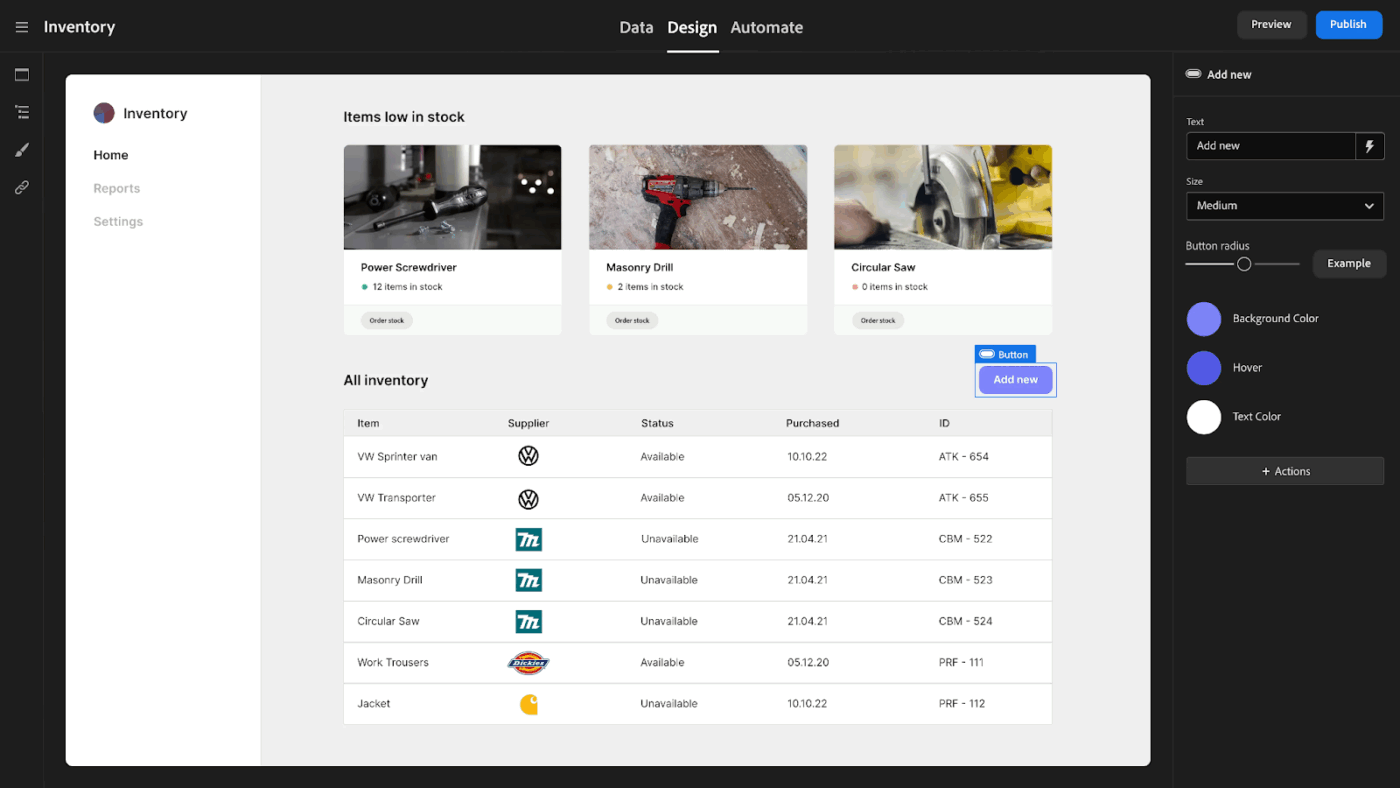
Budibase’s visual interface lets you design apps by dragging and dropping screens, forms, tables, and components without writing code. You can also auto-generate complete apps from your data in just a few clicks.
With pre-built UI components and templates, non-technical users can easily create admin panels, portals, dashboards, and data entry screens that remain responsive across devices.
Workflow automations can be designed with multiple steps, conditions (if/then logic), filters, and loops. Actions can be triggered based on events or scheduled to run periodically.
This is what a G2 reviewer said about Budibase:
Budibase has been really productive and efficient to use for our company application development. It helped us in creating customized applications for the clients and for office use too. Data sharing through syncing is also very secure. The most amazing feature is its drag and drop interface of building custom applications. You don’t need any special skills for making Internal applications for your team.
🤯 Fun Fact: 75% of executives believe AI agents will reshape the workplace more than the internet did.
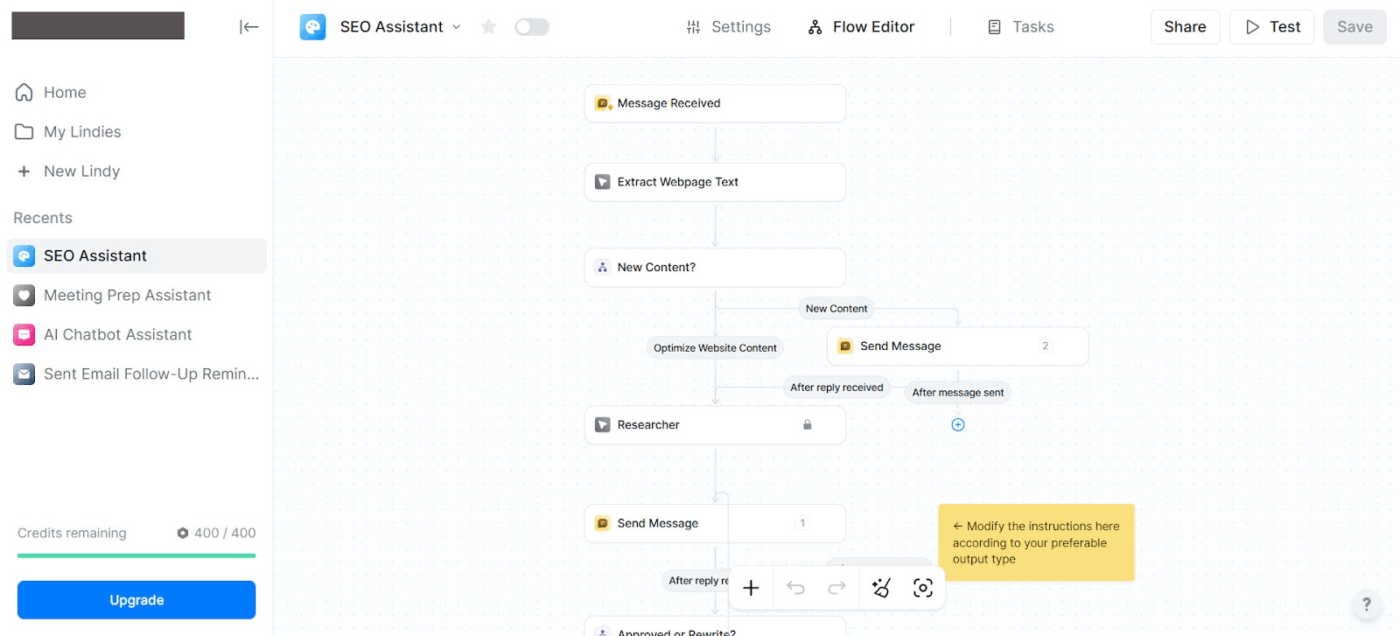
Lindy AI is an autonomous virtual assistant that handles routine professional tasks across your apps. You can chat with it via iMessage, WhatsApp, Slack, or the web and give plain English instructions like ‘Reschedule my 3 PM meeting’ or ‘Draft a follow-up email.’ Powered by GPT-4, the tool manages scheduling, emails, to-do lists, appointments, and more without manual setup.
You can create custom agents for specific workflows, such as lead qualification or expense processing, that trigger automatically and carry out multi-step actions across connected apps. Once triggered, an agent can take multiple actions on its own, like sending messages, updating records, scheduling events, looping in teammates, and more, until the task is complete.
The tool can also join Zoom or Teams calls to record, transcribe, and generate summarized notes with action items. It supports voice AI agents for handling inbound and outbound calls as well.
This is what a G2 reviewer said about Lindy AI:
I’ve been using Lindy AI for a little while now, and what I like best is how much time it saves me. It handles repetitive tasks and scheduling with surprising accuracy, which has really helped reduce my mental load.
AI agents are no longer experimental tools sitting on the sidelines of your tech stack.
They’re becoming embedded teammates that reduce operational drag without requiring engineering support.
But as adoption grows, one thing becomes clear: intelligence alone isn’t enough. You need agents that operate inside your workflows, understand context, make the right decisions, and keep humans in the loop when needed.
ClickUp’s Super Agents, powered by ClickUp Brain, live directly inside your workspace. Since they understand tasks, docs, priorities, dependencies, and conversations, they act with real context and move work forward just like a human teammate would.
Say goodbye to brittle cross-platform agentic automations. Sign up for ClickUp today and automate multi-step processes with reliability.

© 2026 ClickUp

There’s an easier way. Try a free AI Agent in ClickUp that actually does the work for you—set up in minutes, save hours every week.