
Sorry, there were no results found for “”
Sorry, there were no results found for “”
Sorry, there were no results found for “”
Ever replayed a 10-minute audio clip five times just to catch one unclear sentence?
Whether you’re trying to capture lecture notes, edit interviews, or manage meeting minutes, transcribing audio manually is a time-draining task no one loves—or needs to do.
An audio-to-text converter transcribes audio recordings, from voice notes to full-length video files, into clear, editable text in minutes.
In this guide, we’ll discuss the best free audio-to-text converters for turning spoken content into searchable and shareable transcripts.
🧠 Fun Fact: If you consider reproducing certain media as a form of transcription, Thomas Edison was the first to develop a machine to do so. In 1877, Edison’s phonograph became the first device to record and reproduce sound. However, the method is fragile and prone to damage.
Here is a short summary of the best audio-to-text converter tools available today.
| Audio to Text Converter Tool | Best For | Key Features | Pricing* |
| ClickUp | Best for individuals, content creators, podcasters, remote teams, and businesses of all sizes who need integrated transcription, collaboration, and task management | Voice note transcription via AI Notetaker, task integration, team collaboration | Free plan available; Customizations for enterprises |
| Otter.ai | Best for small to mid-sized teams, students, and remote professionals needing real-time AI transcription during meetings | Multi-language support, speaker identification, integration with Zoom/Google Meet | Free plan available; Paid plans start from $8.33/month |
| Descript | Best for individuals, content creators, and podcasters who need to edit transcripts alongside audio/video | Overdub feature, multi-speaker detection, and video editing | Free plan available; Paid plans start from $24/month |
| Rev | Best for individuals, students, and businesses that need human-reviewed transcriptions | Human transcription services, video file captioning | Free plan available; Paid plans start from $14.99/month |
| Trint | Best for mid-sized teams, journalists, and content creators who need AI-powered transcription with collaborative editing | Real-time editing, automated summaries, searchable transcripts | Free trial available; Paid plans start from $80/month |
| Sonix | Best for global teams, content creators, and students needing fast, multi-language transcription | Multi-language support, automatic punctuation, and speaker identification | Free standard plan, Paid plan starts at $16.522/month per seat |
| HappyScribe | Best for multilingual teams, educators, and content creators needing easy-to-use transcription | Automatic transcription, high accuracy, support for video files | Free plan available; Paid plans start from $9/month |
| Notta | Best for individuals, students, and small teams that need to transcribe audio into multiple languages | Multi-language support, automatic punctuation, and real-time transcription | Free plan available; Paid plans start from $13.49/month |
| Temi | Best for individuals, students, and freelancers that need fast, no-frills transcription on a budget | Instant transcription, supports MP3, MP4, WAV, and M4A | Free trial available; Pay-as-you-go from $0.25/min |
| Google Speech-to-Text | Best for individuals, students, and freelancers who need fast, no-frills transcription on a budget | Real-time speech-to-text transcription, automatic punctuation, multi-language support | Free tier available; Paid usage from $0.006 per 15 seconds |
Our editorial team follows a transparent, research-backed, and vendor-neutral process, so you can trust that our recommendations are based on real product value.
Here’s a detailed rundown of how we review software at ClickUp.
Consider these key features in an audio-to-text converter to ensure you get fast, accurate, and secure transcriptions that fit your workflow:
👀 Did You Know? Governments worldwide are pushing for speech-to-text tech in education to make learning more accessible. In the U.S., the Individuals with Disabilities Education Act (IDEA) supports the use of interactive transcription tools for deaf students.
Now that you know what to look for, let’s break down the top tools that help you transcribe like a pro.
ClickUp, the everything app for work, is your AI-powered command center that offers robust voice note transcription, seamless task integration, and powerful team collaboration features, all in one place.
The ClickUp AI Notetaker automatically transcribes audio from meetings, voice notes, and video calls, supporting platforms like Zoom, Microsoft Teams, and Google Meet.
🎥 Check out some innovative ways to use Clickup AI Notetaker.👇🏼
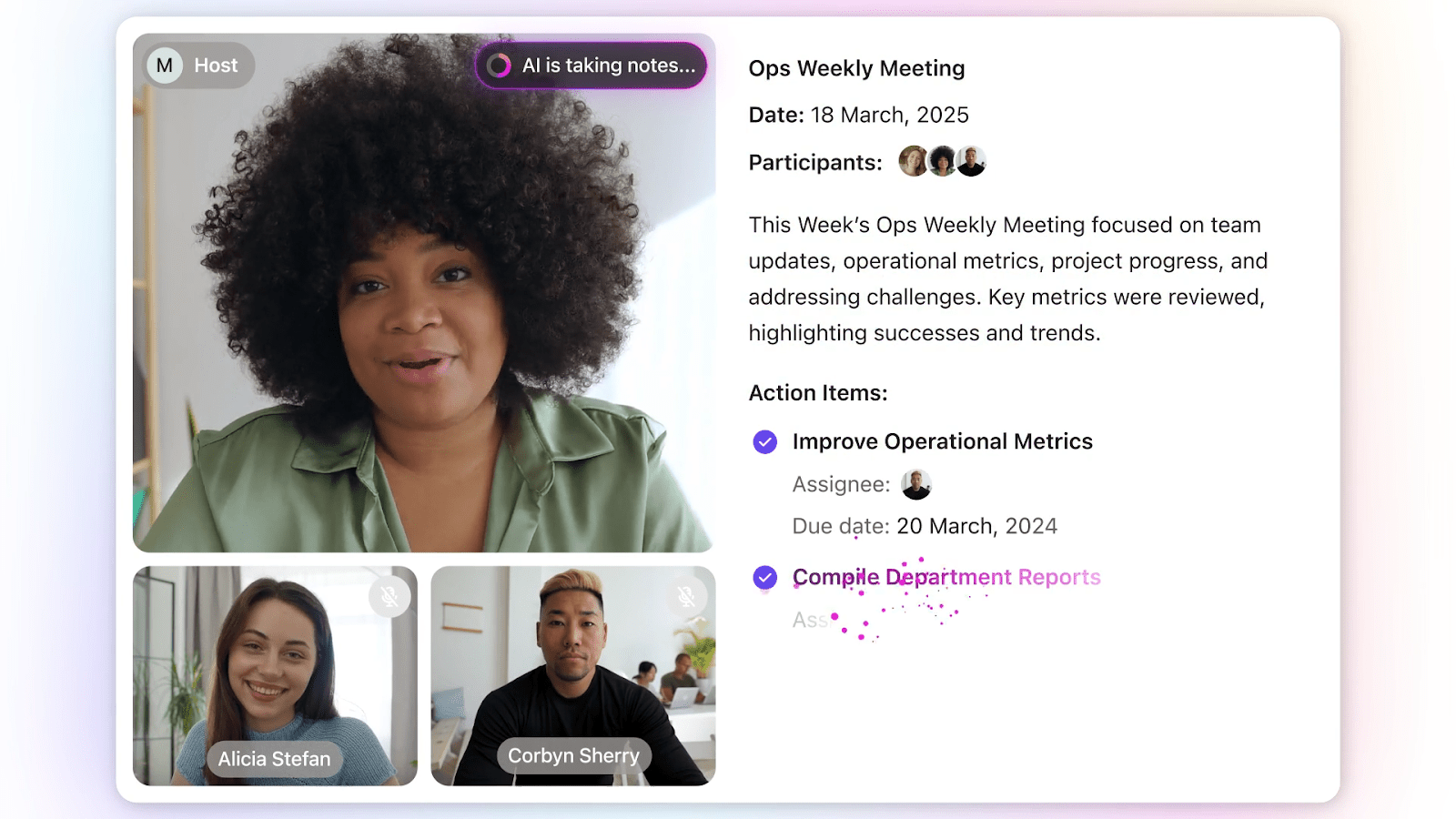
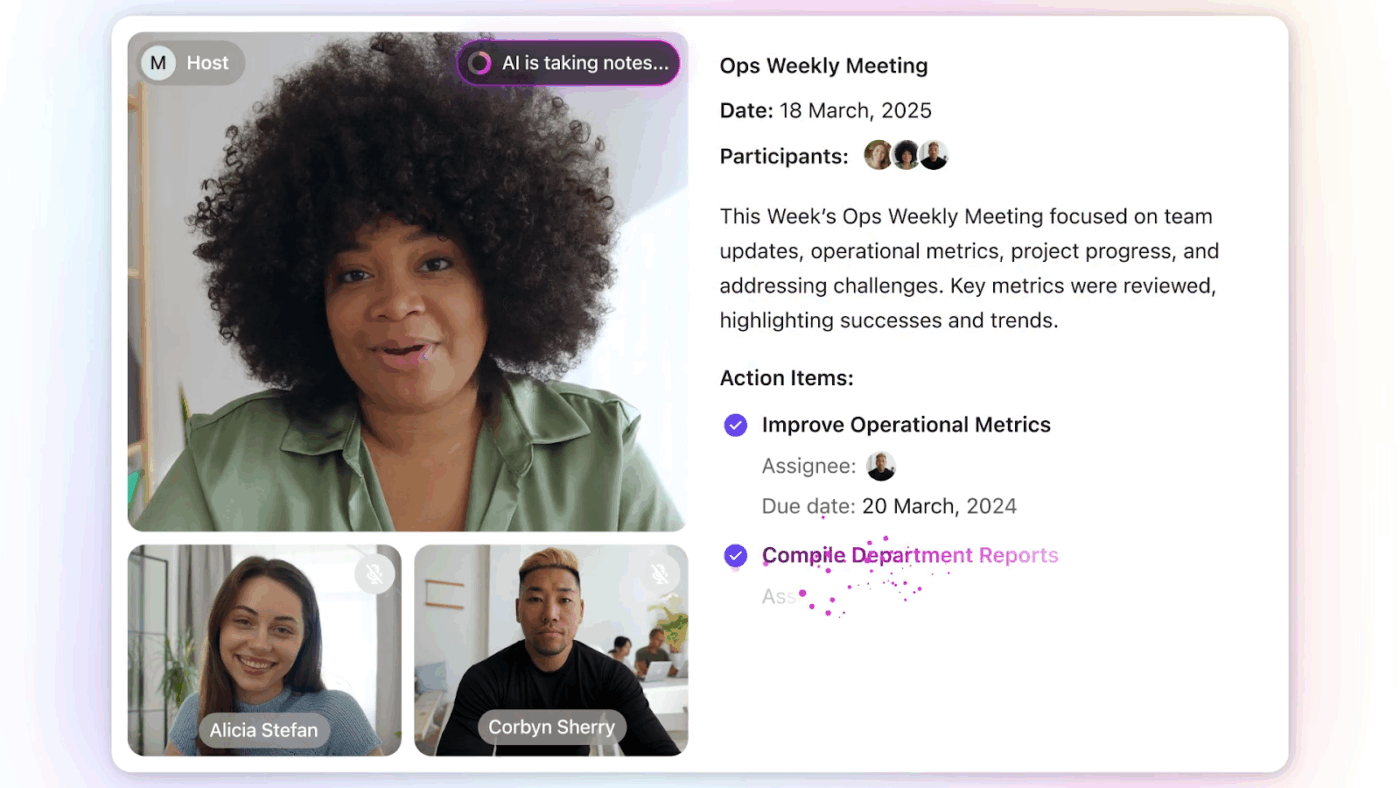
After a meeting or recording, ClickUp generates a structured document in ClickUp Docs. The document includes audio and video recordings, so you can revisit key moments. The meeting name and date are up top for quick reference, and there is a full attendee list to track who was there.
There’s also a searchable transcript of the entire conversation, letting you expand or zoom in on specific parts as needed. But it doesn’t stop there—ClickUp pulls out key takeaways, organizes them by topic, and even lists actionable next steps in a handy checklist.
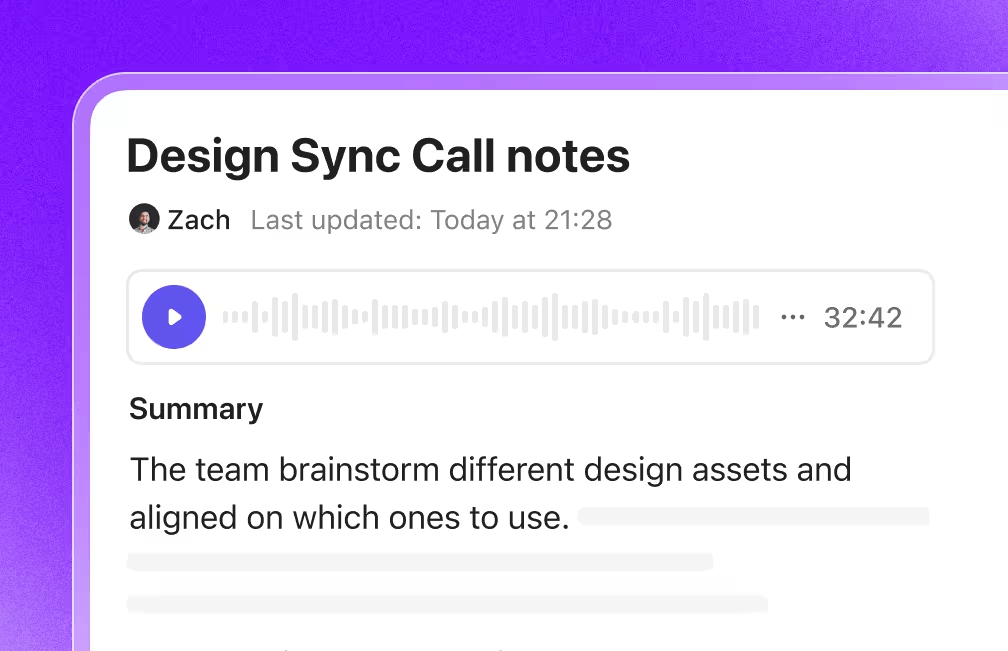
This automated transcription process ensures no detail is missed, making it ideal for transcribing interviews, lectures, brainstorming sessions, or podcast recordings.
For content creators, this means you can easily convert audio files into searchable, editable text, extract highlights, and generate subtitles for video content.
💡 Bonus: If you want to:
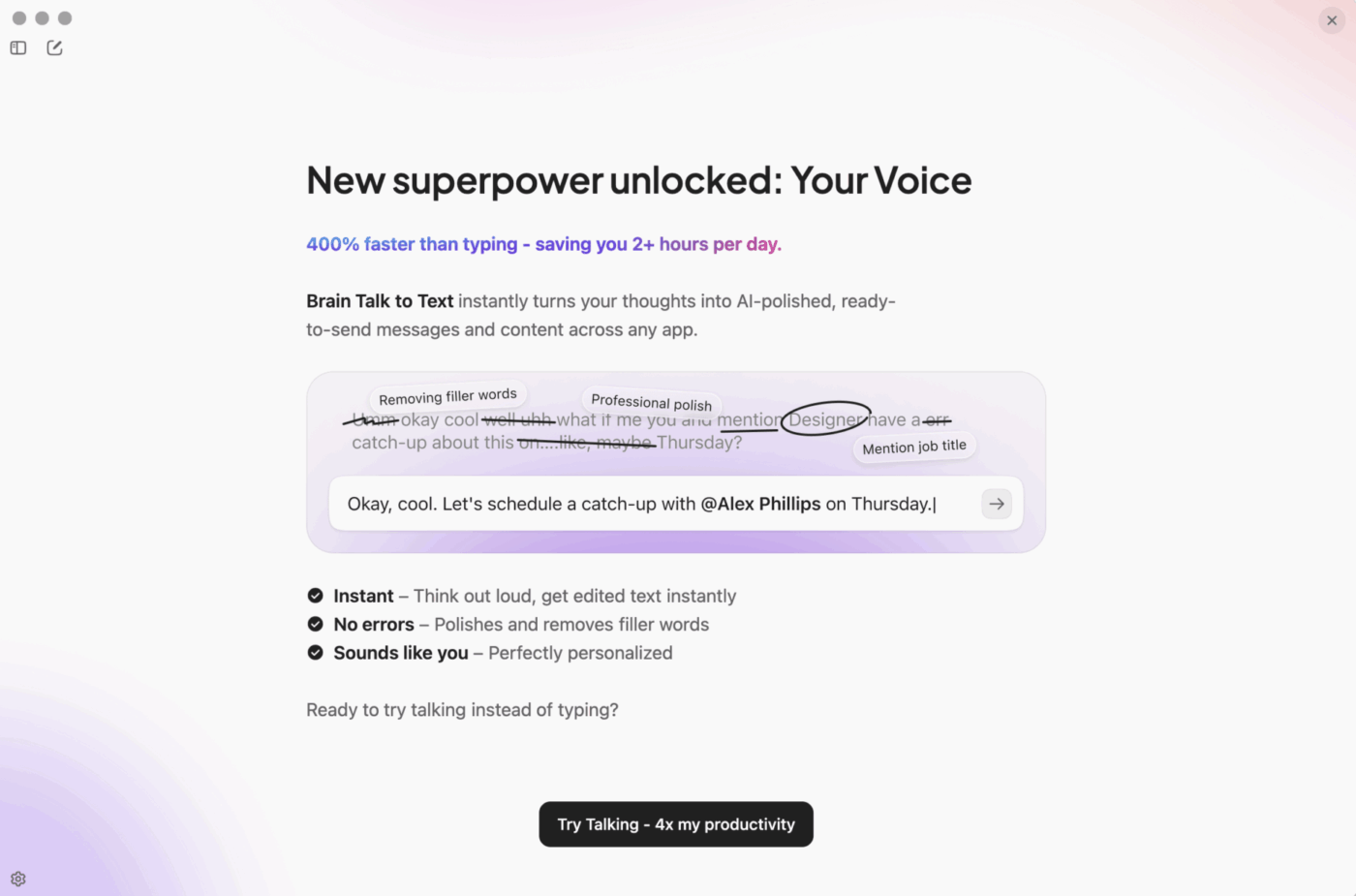
Try ClickUp BrainGPT—the AI Super App that truly understands you, because it knows your work. This isn’t another AI tool to add to your collection. This is the first contextual AI app that replaces them all.
Then, there’s ClickUp Docs. If you’ve ever wanted a more functional Google Docs built into your productivity stack. You can edit, comment, share notes, and link audio transcripts to Tasks or OKRs in real time.
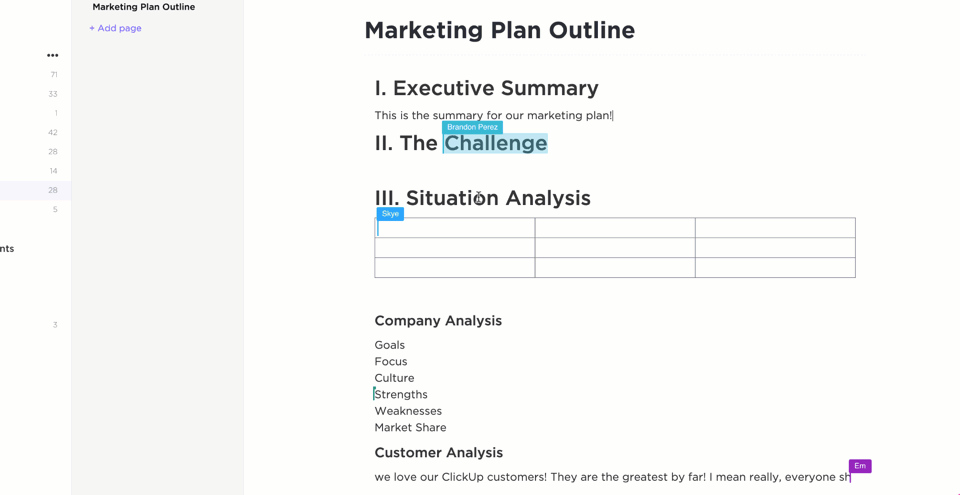
Private Docs ensure security and privacy, while the ability to tag, search, and filter meeting notes makes it easy to locate specific information. Team members who missed a meeting can quickly catch up by reviewing the transcript or summary, and everyone can contribute comments or edits directly within the Doc.
Unlike basic audio-to-text converters, ClickUp is designed for total collaboration—from tagging teammates with context to assigning tasks directly through transcripts.
Action items identified during meetings or in transcribed audio can be instantly turned into ClickUp Tasks, assigned to team members, and tracked to completion.
This automated workflow is taken care of by ClickUp Brain.
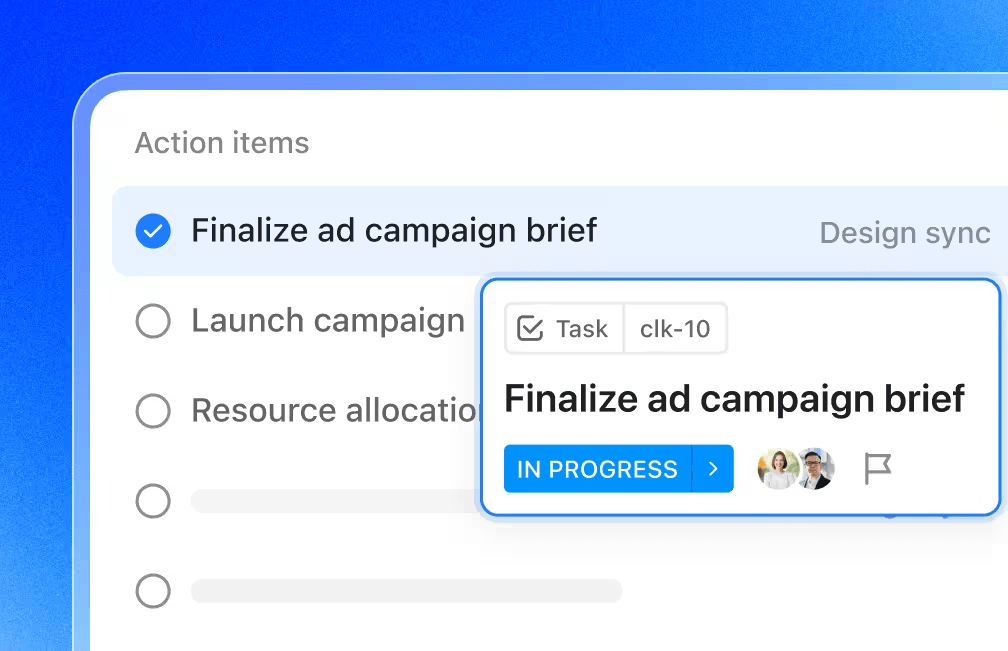
Brain streamlines the workflow from discussion to execution. It’s perfect for remote teams and productivity-focused users who need to ensure follow-through on meeting decisions.
Brain learns your team’s workflows, surfaces relevant documents, suggests task priorities, and even drafts content—all based on your ongoing audio and text data. It also auto-posts summaries and action items into team Chat channels, eliminating the need to manually transfer information between tools.
A G2 review reads:
ClickUp offers unmatched flexibility with customizable views (List, Board, Gantt, Calendar), powerful automations, and built-in docs, goals, and time tracking—all in a single workspace. It centralizes team collaboration and project management, allowing us to replace multiple tools like Trello, Asana, and Notion with one cohesive system. Powerful all-in-one productivity tool for managing teams and projects.
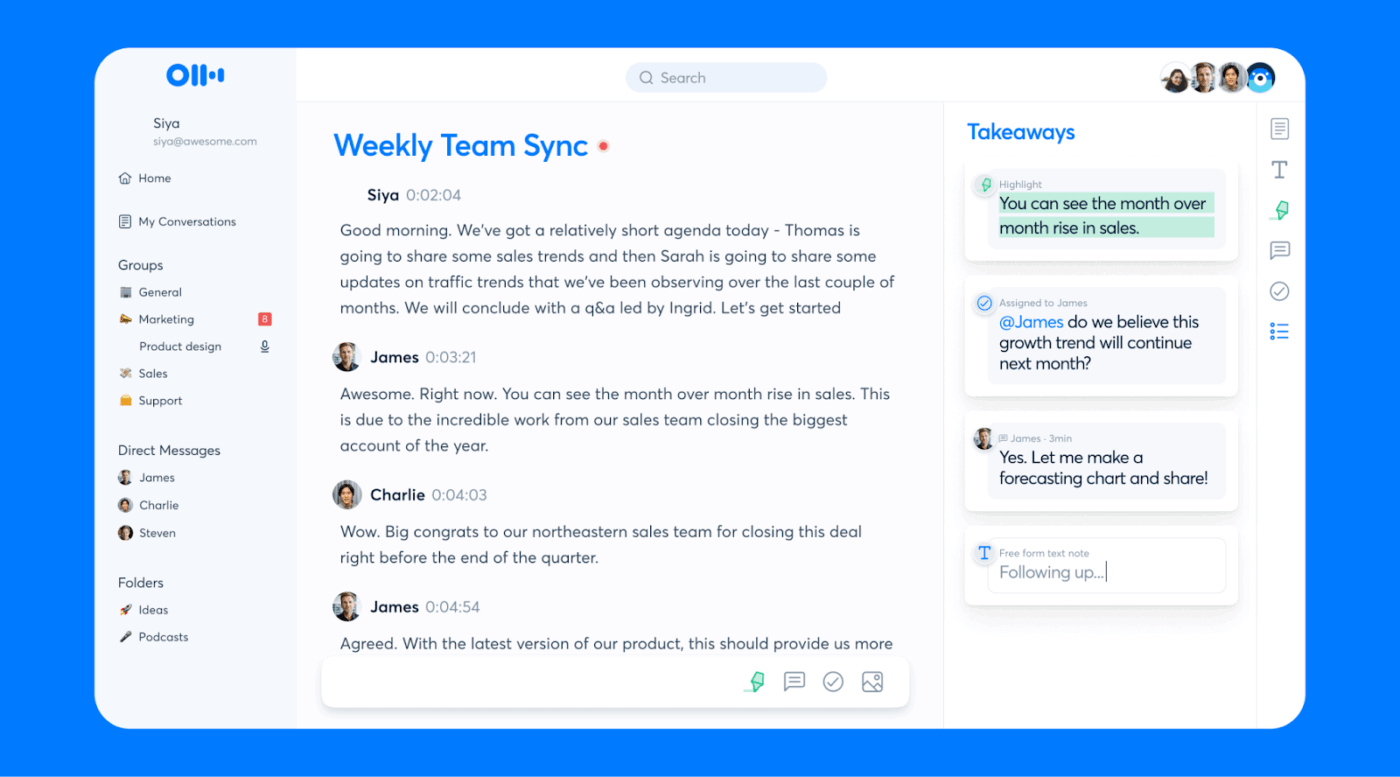
Otter.ai is a favorite for real-time transcription for Zoom, Google Meet, and Microsoft Teams. It converts spoken words into structured notes while you’re still talking.
Whether you’re working with audio or video, it supports multiple formats like FLV and lets you export transcripts as TXT, DOCX, PDF, or even SRT for subtitles.
With integrations for tools like Google Calendar and Dropbox, it fits neatly into your workflow. It also supports multiple languages, adds speaker tags, and turns conversations into shareable notes and action items. Perfect for meetings, lectures, podcasts—anything where you don’t want to miss a word.
A G2 review reads:
I like the summary page with the checklist of action items that you can tick off in the browser. The breakdown of roles, needs, timelines, sentiments, pain points, and objections is a very helpful breakdown of the discussion. The screenshots are also great for recapping what is viewed on a shared screen. Otter is easy to implement, sign up is quick and it starts working right away. I use it for every meeting I have unless requested by participants and I can send the summaries automatically to different Slack channels based on who was in the meeting, etc. […] It would be nice to have Otter detect the names of speakers based on their names in the meeting.
📚 Also Read: Best Otter.ai Alternatives & Competitors
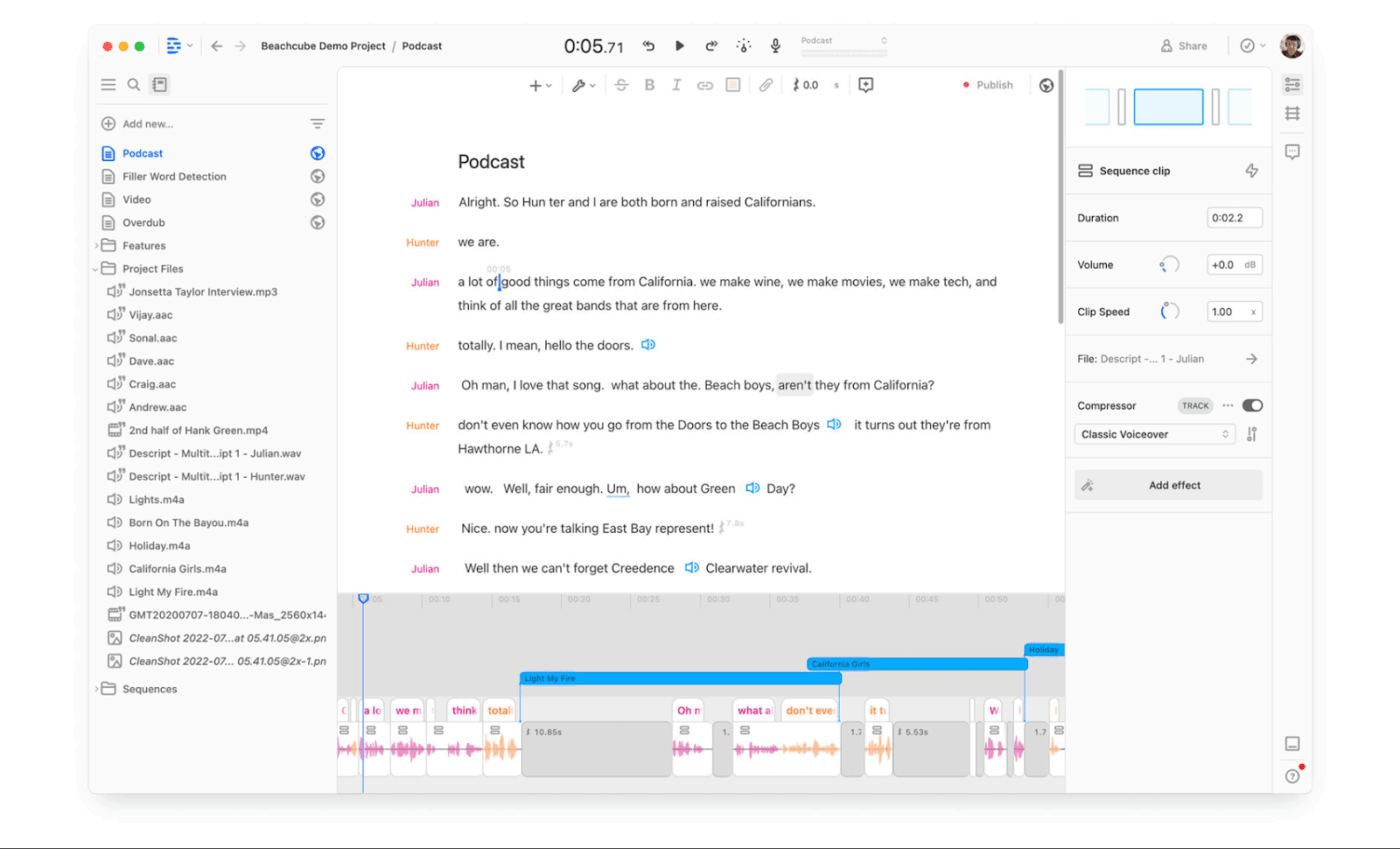
Imagine editing a podcast the way you’d edit a Google Doc. Descript comes with a built-in transcription service that lets you cut, paste, and delete your audio file just by editing the text transcript.
Perfect for creators, course instructors, and marketing teams, this audio-to-text converter supports multi-format audio recording and transcription, including speaker detection and automatic subtitles. It handles everything from MP3 to WAV and even FLAC, so you’re covered no matter your file formats. You can also simply upload a recording or even pull from Zoom and record within the platform.
A G2 review reads:
We have such a love/hate relationship with Descript. We have used it for 4 years, now, and it has always been buggy. Throughout the app’s development, the devs will introduce a feature with bugs, then fix those bugs. The feature will work perfectly for a while, and then get broken again in a later update. I applaud the team for trying to add so many features to the app, but would much rather be able to work with a stable product, and even though we use Descript for a huge part of our workflow weekly, we always have eyes on competitors because we have never felt that we could count on the app.
💡 Pro Tip: Always clean up your audio before uploading. Whether you transcribe audio or transcribe video, the background noise, echoes, and overlapping speech can confuse even the best AI transcription tools. Use an audio noise reduction app or a quiet recording space to instantly boost transcription accuracy when you convert your audio and video.
📚 Bonus Read: Top Descript Alternatives for AI-Powered Video & Audio Editing
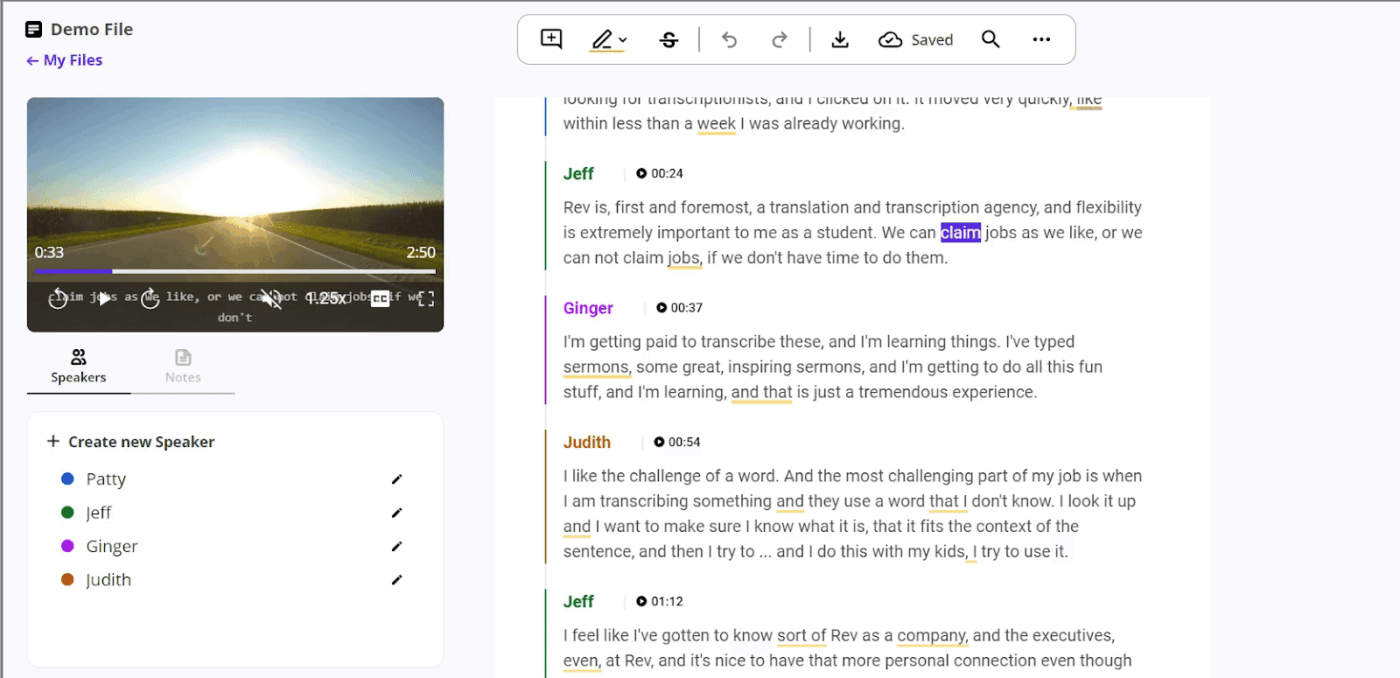
Rev is the transcription tool for perfectionists with a deadline. It blends AI speed with human-level accuracy that’s ideal for legal files, academic lectures, podcast recordings, professional interviews, or anywhere else where the wrong word can cause mayhem.
You can simply upload your audio or video file, pick your transcription process (human or AI), and get a polished transcript back in formats like Word, TXT, or even captions. Working with sensitive material? Rev treats security like it’s guarding state secrets—with SOC 2 compliance and NDA options built in.
A G2 review reads:
Rev makes it incredibly easy to turn my audio files into clear, accurate transcripts with minimal effort on my part. I love how simple the interface is—uploading files is quick, turnaround times are fast, and the formatting is clean and professional […] While the accuracy is usually strong, especially for clear audio, there can occasionally be issues with proper names, industry terms, or soft-spoken speakers. I’d love to see a more intuitive way to save and reuse custom vocabulary or name corrections.
📚 Also Read: Best Rev Alternatives Best AI Note-Taking Apps & Tools
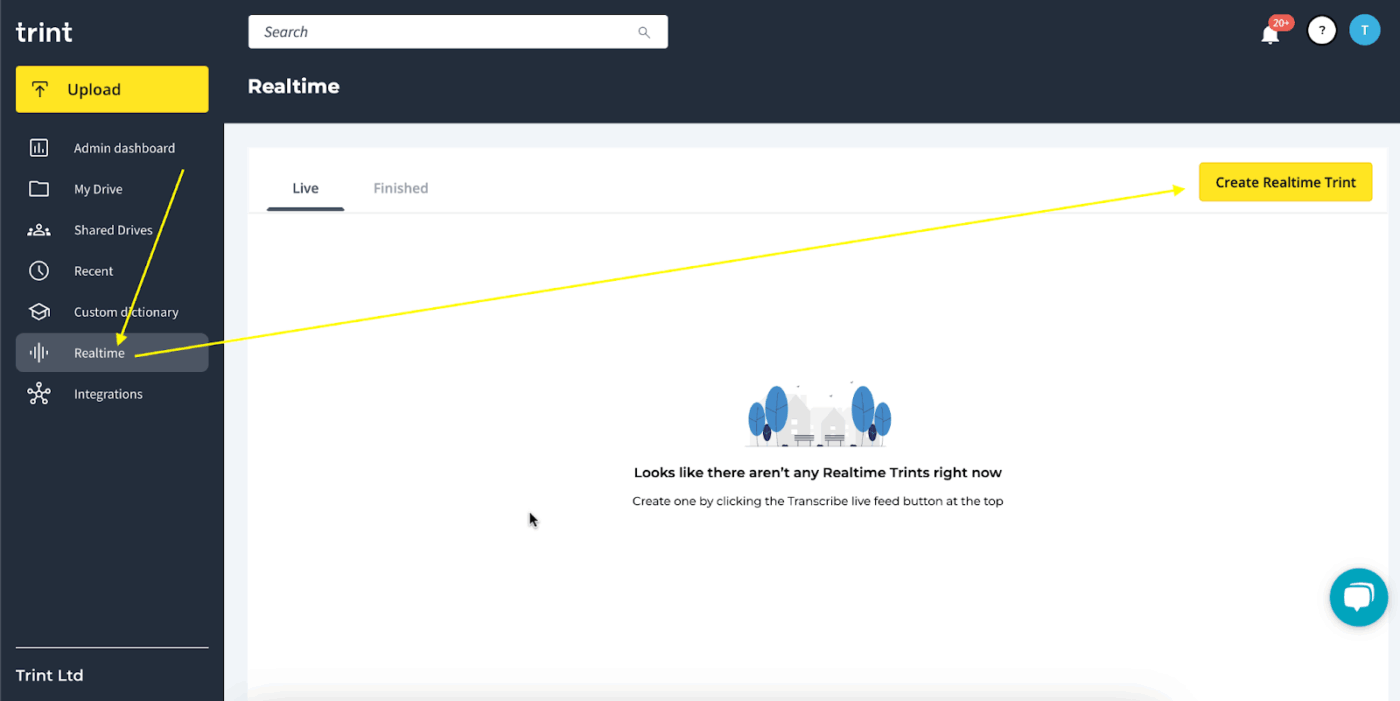
If Google Docs and a transcription tool have a multilingual, editorially gifted baby, it’ll be Trint. This audio-to-text converter doesn’t just transcribe audio files; it turns spoken words into full-blown content assets.
Upload your recording (audio or video), and Trint will transcribe it neatly, with the option to translate into 40+ languages.
It’s built for teams that need to edit, review, and publish transcripts without endless back-and-forth. Collaborate in real time, leave comments, highlight quotes, and even integrate directly with Adobe Premiere Pro to transcribe video files like a boss.
A G2 review reads:
Second to none transcription in my two main languages (English and French). Its ability to transcribe captions is great too. All-in-one tool, no need to go to Premiere for subtitles, more convenient than word for basic audio transcription, does a wonderful job of identifying speakers. Great online editing too and very convenient mobile app […] The price tag is really high like all SaaS tools, it starts cheap and then prices go up and one day you wake up and look at your bills and you are shell-shocked when you realise how much it costs.
📚 Also Read: Best AI Note-Taking Apps & Tools
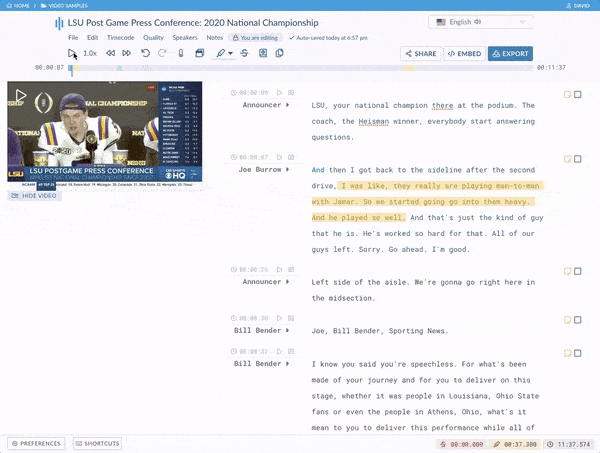
If transcription speed were an Olympic sport, Sonix would take home the note-taking silver at least (ofcourse, ClickUp would clench the gold). Sonix is an AI transcription tool that excels in transcribing audio and video across over 40 languages—French, German, Spanish, Hindi, and more—while managing your data effectively.
Its automated timestamping, speaker separation, and browser-based editor make the transcription process a breeze—no additional software or heavy installs needed.
Just drop your files, let it process, and go. Whether you’re uploading audio recordings, Zoom meetings, or video files, Sonix delivers quick and accurate transcripts in a format that’s easy to edit, search, and share.
A G2 review reads:
It’s a fantastic tool for transcribing work voice messages on the go and keeping them organized. Log in links on web desktop version, doesnt resize.
📮 ClickUp Insight: 30% of workers believe automation could save them 1–2 hours per week, while 19% estimate it could unlock 3–5 hours for deep, focused work.
Even those small time savings add up: just two hours reclaimed weekly equals over 100 hours annually—time that could be dedicated to creativity, strategic thinking, or personal growth.💯
With ClickUp’s AI Agents and ClickUp Brain, you can automate workflows, generate project updates, and transform your meeting notes into actionable next steps—all within the same platform. No need for extra tools or integrations—ClickUp brings everything you need to automate and optimize your workday in one place.
💫 Real Results: RevPartners slashed 50% of their SaaS costs by consolidating three tools into ClickUp—getting a unified platform with more features, tighter collaboration, and a single source of truth that’s easier to manage and scale.
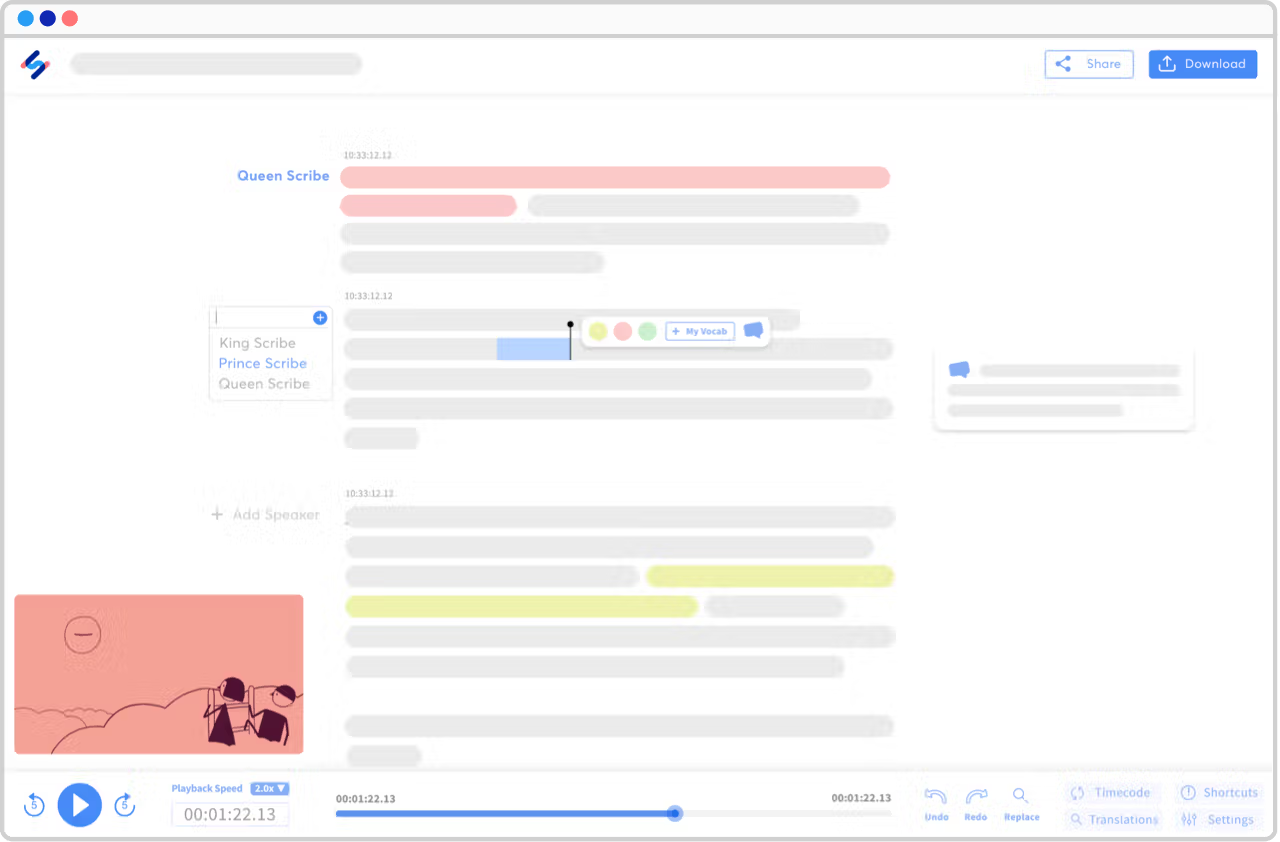
If your team speaks in 10 different accents before lunch, Happy Scribe might be the transcription tool you’ve been looking for. It’s designed for multilingual users and global teams who need fast, accurate transcripts and subtitles in one place.
Just upload your audio recording or video file, then choose between human or AI transcription. It supports over 120 languages, dialects, and accents—from Spanish and French to Hindi and German—making it ideal for international projects.
A G2 review reads:
So what do I like the most? First, it’s so easy to use. You don’t have to search just so you can use it. It helps me transcribe video to text, so I can create social media posts using text from videos.
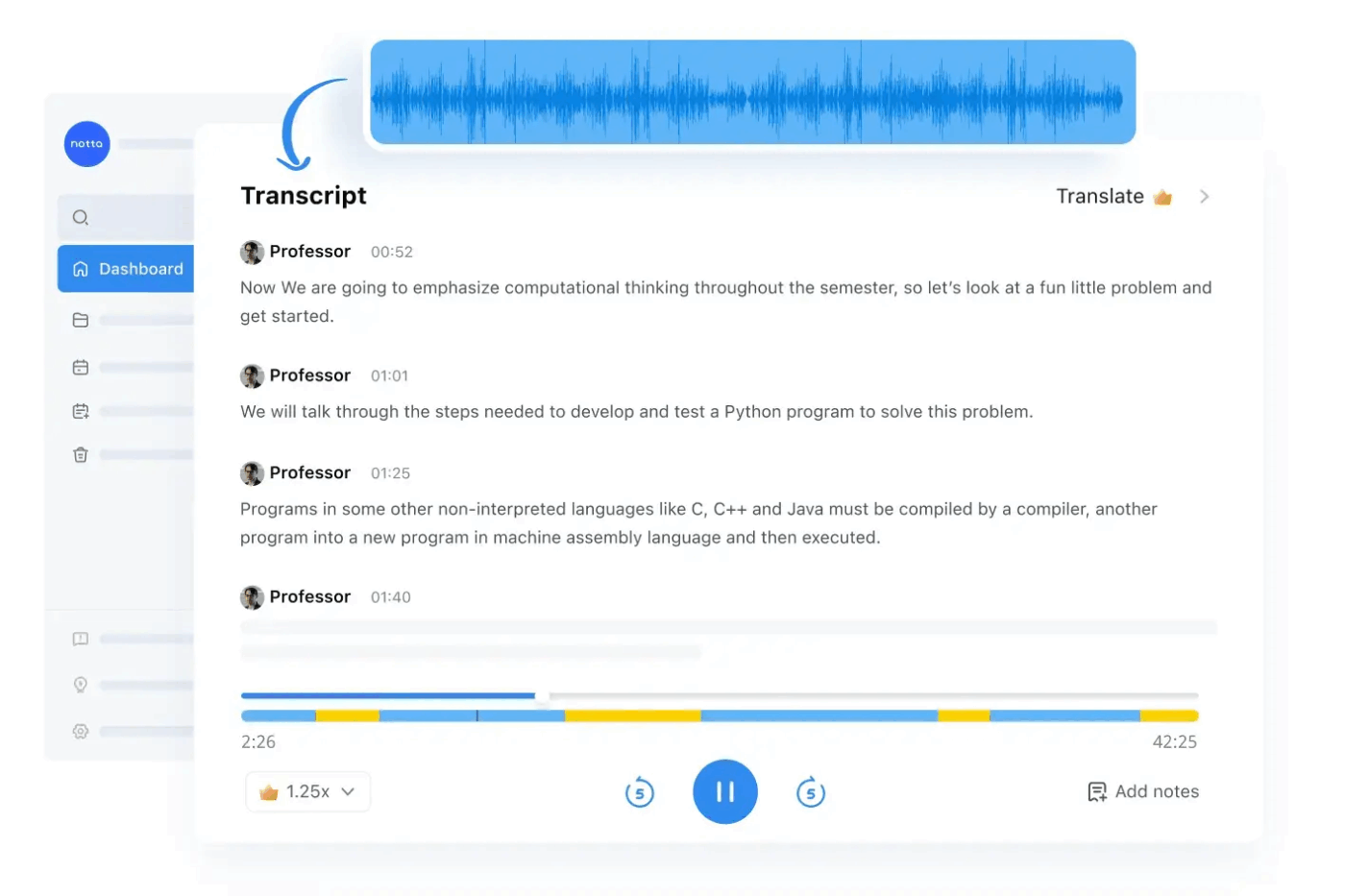
Notta turns any audio file into clean text in real time—just upload MP3, WAV, AAC, or even drop in video files from Zoom or Google Meet. This audio-to-text converter syncs across devices, so you can start on your phone and finish in the browser without missing a beat.
With multilingual support and AI-powered summaries, Notta makes it easy to transcribe audio, tag speakers, and search every transcript like it’s in Google Docs. Perfect for busy people who juggle recordings, meetings, and global teams.
A G2 review reads:
Drag and drop a video link or file in and get a complete video summary in seconds. I can drag multiple 10-20 files in at a time as well which I love. Then I convert to the Youtube summary format. I use this for course videos and it is a must have! I wish I could make the Youtube summary template standard so I didn’t have to click it for each video summary which takes an additional 15-30 secs to convert.
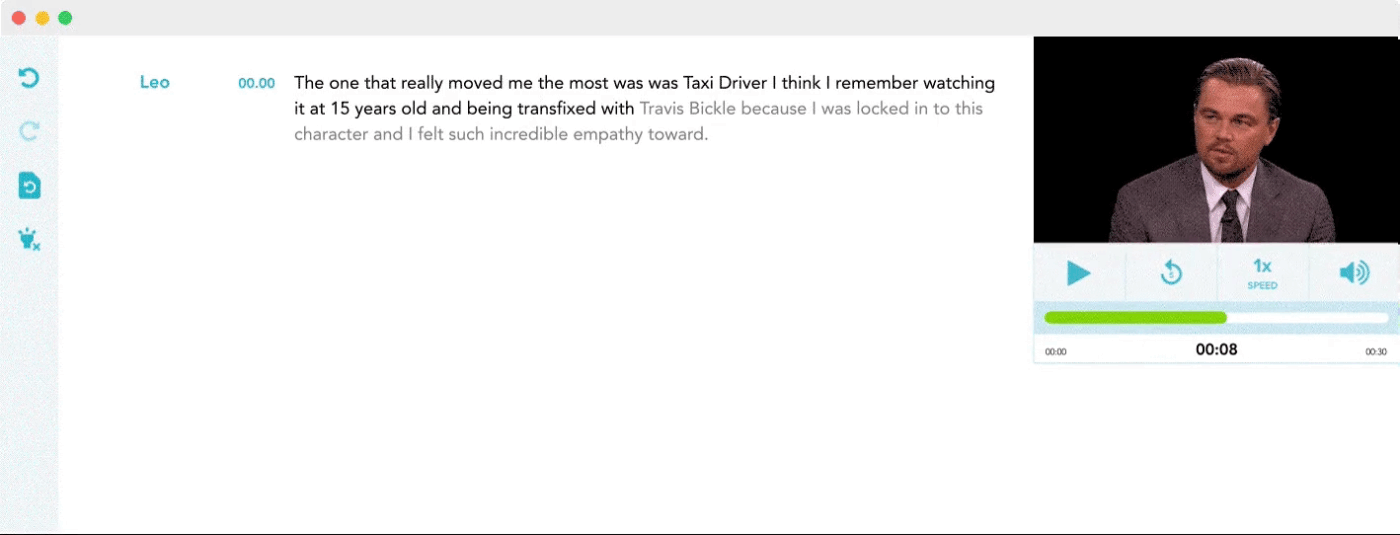
If you’re racing a deadline and need to transcribe audio or convert video files without waiting around, Temi gets it done in under five minutes.
Just upload your audio file, sit back, and let its speech recognition engine (trained on real-life accents, not robotic tones) turn your spoken words into readable text.
The transcript editor is clean, browser-based, and lets you edit, highlight, and download your file formats without needing another app. Bonus: It even timestamps your transcript, so finding that one quotable moment from your last podcast is a breeze.
Google Speech-to-Text decodes speech at scale. Trained on tens of thousands of hours of audio and video files, this transcription tool can convert audio in over 125 languages with impressive accuracy.
Whether you’re working with noisy meeting recordings or uploading studio-grade interviews, it adapts to background sound, speakers, and even different file formats like WAV, FLAC, and MP3.
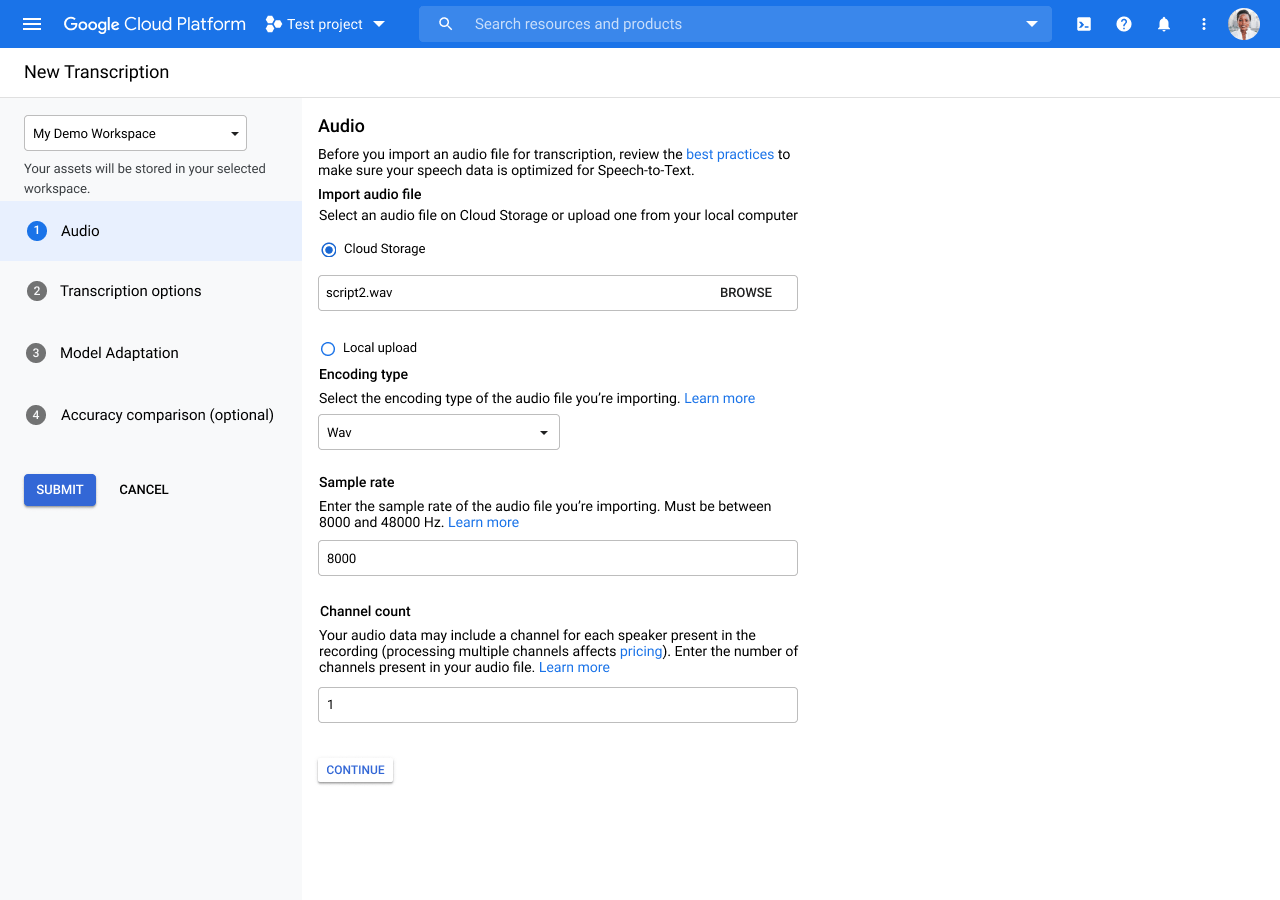
But here’s the catch—it’s not a plug-and-play tool like Otter or Notta. This is a developer-first audio-to-text converter built for apps, CRMs, and large transcription pipelines, with integration options on their website. You’ll need to know your way around Google Cloud and APIs.
Still, if you’re building a transcription process into a platform or want to transcribe audio and video at scale with automatic punctuation, word timestamps, and speaker diarization, nothing beats Google’s engine’s raw power.
A G2 review reads:
It does a great transcription job that is accurate with very little editing needed. Nice to have alternatives to other products, especially with Google, because they integrate into all product lines and are hosted on the cloud drive.
Audio-to-text converters have come a long way—from basic transcriptions to smart, high-quality AI-powered tools that can summarize, tag speakers, and even integrate with your favorite apps.
If you’re after speed, accuracy, and just enough customization to fit your workflow, the tools on this list deliver. But if you’re looking to go a step further in terms of security, turning spoken words into actionable tasks, completing searchable notes, and streamlining team collaboration, ClickUp is a clear winner.
It transforms how your team captures and shares notes, ensuring a stronger connection and team productivity.
Sign up for ClickUp free today and enjoy fast, accurate, and integrated transcription solutions.

© 2026 ClickUp