






Still downloading templates?
There’s an easier way. Try a free AI Agent in ClickUp that actually does the work for you—set up in minutes, save hours every week.
Sorry, there were no results found for “”
Sorry, there were no results found for “”
Sorry, there were no results found for “”


Search is everywhere—on your website, in your app, and inside your documents. When it works well, users barely notice it.
Search solutions like Algolia have raised the bar with lightning-fast, typo-tolerant, and relevance-tuned search solutions. But as your needs grow, so do the gaps.
Maybe the pricing feels steep. Maybe you want more control, flexibility, search relevance, or AI smarts. Or maybe you’re building a typo-tolerant search engine for e-commerce, enterprise data, or product content.
Whatever the case, you’re not short on options. From open-source engines to enterprise-grade platforms, this list explores the key features of powerful Algolia alternatives built for real-world performance and customization.
👀 Did You Know: Search as a Service is a cloud-based solution that provides search functionality as a ready-to-use service, so developers don’t have to build and maintain complex search infrastructure themselves. Think of it like using Gmail instead of running your own mail server.
Looking for a quick comparison before diving in? Here’s how the top Algolia alternatives stack up when it comes to best use cases, search features, pricing, and core strengths.
| Tool | Best for | Best features | Pricing* |
| ClickUp | Best suited for individuals, small businesses, mid-market companies, and enterprises | Connected search, Docs, AI, task links | Free plan available; Customization available for enterprises |
| Elasticsearch | Best suited for mid-market companies, enterprises | Distributed indexing, analytics, APIs, scalability | Free plan; Paid plan starts at $16 |
| Coveo | Best suited for mid-market companies, enterprises | ML personalization, federated search, analytics, recommendations | Free trial available; Customization available for enterprises |
| OpenSearch | Best suited for small businesses, mid-market companies, and enterprises | Log analytics, dashboards, security, AWS compatibility | Free plan available; Pay-as-you-go options |
| Bloomreach | Best suited for mid-market companies, enterprises | Visual search, smart merchandising, AI SEO, and personalization | Free trial available; Customization available for enterprises |
| Meilisearch | Best suited for individuals, small businesses, and mid-market companies | Typo tolerance, instant indexing, lightweight, easy setup | Free plan available; Paid plans start at $30/month |
| Constructor.io | Best suited for mid-market companies, enterprises | Behavioral ML, A/B testing, advanced filters, and personalization | Free trial available; Customization available for enterprises |
| SearchSpring | Best suited for small businesses, mid-market companies, and enterprises | Smart categories, merchandising campaigns, analytics | Free trial available; Customization available for enterprises |
| Typesense | Best suited for individuals, small businesses, and mid-market companies | Faceted search, geo queries, synonyms, instant APIs | Free plan available; Customization available for enterprises |
| Lucene | Best suited for developers, small businesses, and mid-market companies | Tokenizers, analyzers, complete control, and custom search engines | Free plan available |
| Qdrant | Best suited for small businesses, mid-market companies, and enterprises | Semantic search, neural indexing, vector search, AI relevance | Free plan available; Customization available for enterprises |
| Luigi’s Box | Best suited for small businesses, mid-market companies, and enterprises | Autocomplete, banners, analytics, plug-and-play | Free trial available; Customization available for enterprises |
| Doofinder | Best suited for small businesses, mid-market companies, and enterprises | Visual search, multilingual, advanced filters, fast setup | Free trial available; Paid plans start at $39/month |
Algolia is fast, polished, and easy to implement—but it’s not always the perfect fit for every team or project.
Today’s search engines go far beyond instant results. You’ll find search solutions purpose-built for:
The best part? Many of these Algolia alternatives integrate search functionality seamlessly into your stack, whether you’re building a startup MVP or scaling an enterprise platform.
📖 Also Read: How to Search PDF Files Quickly
Our editorial team follows a transparent, research-backed, and vendor-neutral process, so you can trust that our recommendations are based on real product value.
Here’s a detailed rundown of how we review software at ClickUp.
Now that you’ve seen the high-level comparison of these search solutions, it’s time to dig into the details.
Let’s look at the top contenders and how they stack up.
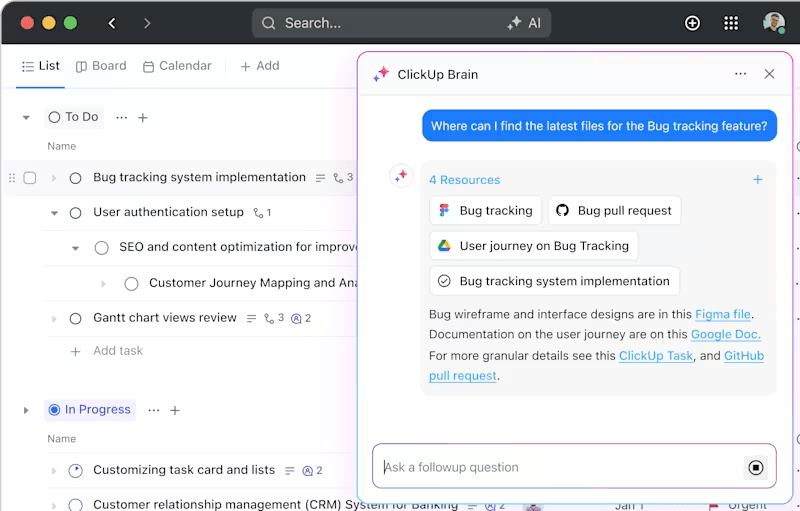
Some search tools help you find the right product. ClickUp, the world’s first Converged AI Workspace, helps you find the right everything—from meeting notes and specs to comments buried in a long task thread. In other words, it completely eliminates Work Sprawl—the chaos of disconnected apps, tools, and context!
It’s built for teams that live inside their workspaces and need more than just surface-level results. When you’re juggling docs, deliverables, and dependencies, finding what you need instantly can mean the difference between momentum and a mess.
At the heart of it is ClickUp Enterprise Search, which makes your entire workspace searchable, intelligently. You can type in a few keywords and pull up not just matching task titles but also updates hidden in comments, paragraphs inside documents, or even attachments.
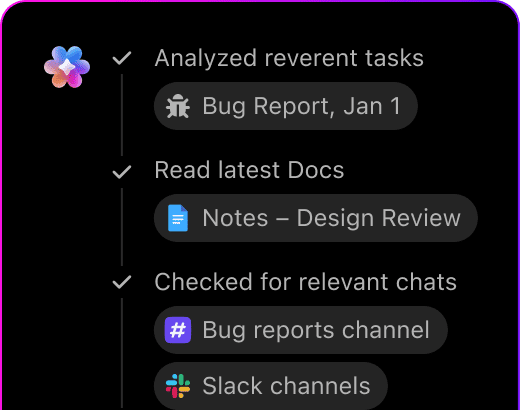
It’s context-aware, so it doesn’t just match strings—it understands relevance based on where and how you work. This makes it a powerful alternative for teams that want search woven into their workflows, not bolted on top.
To take things even further, ClickUp Brain transforms search into a smart, fast, and efficient search. It’s not just about locating information—it helps summarize long threads, auto-generates answers, and even writes follow-ups based on what it finds.
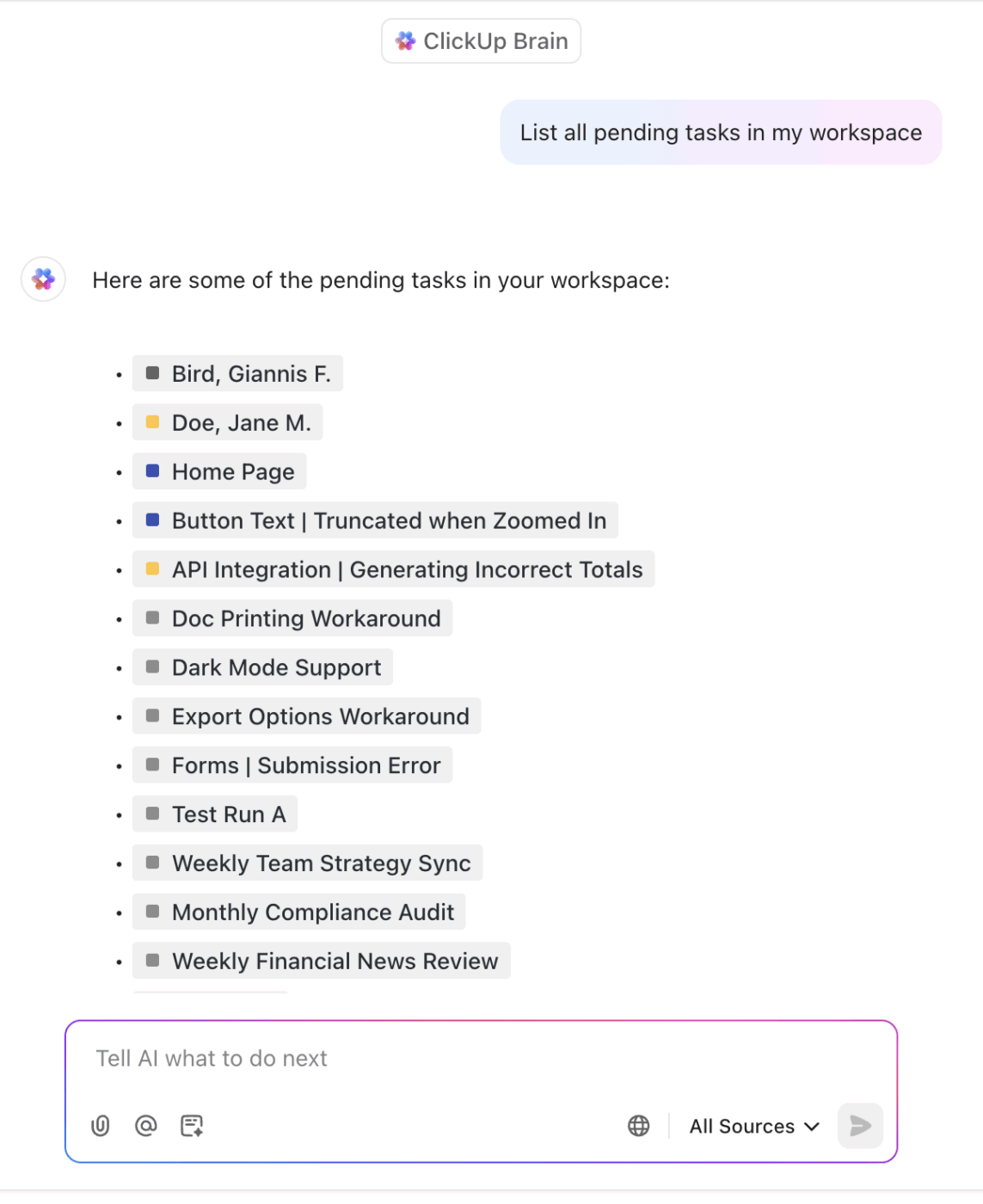
For fast-paced teams managing complex projects, this turns search into a productivity multiplier. You’re not just finding stuff—you’re acting on it faster.
Bonus: Meet ClickUp Brain MAX, your contextual AI desktop companion that fits right into your workspace. Here’s how:
And since most search-worthy content lives in documents, ClickUp Docs makes it easy to create and connect everything from product briefs and SOPs to meeting notes and brainstorming pages.
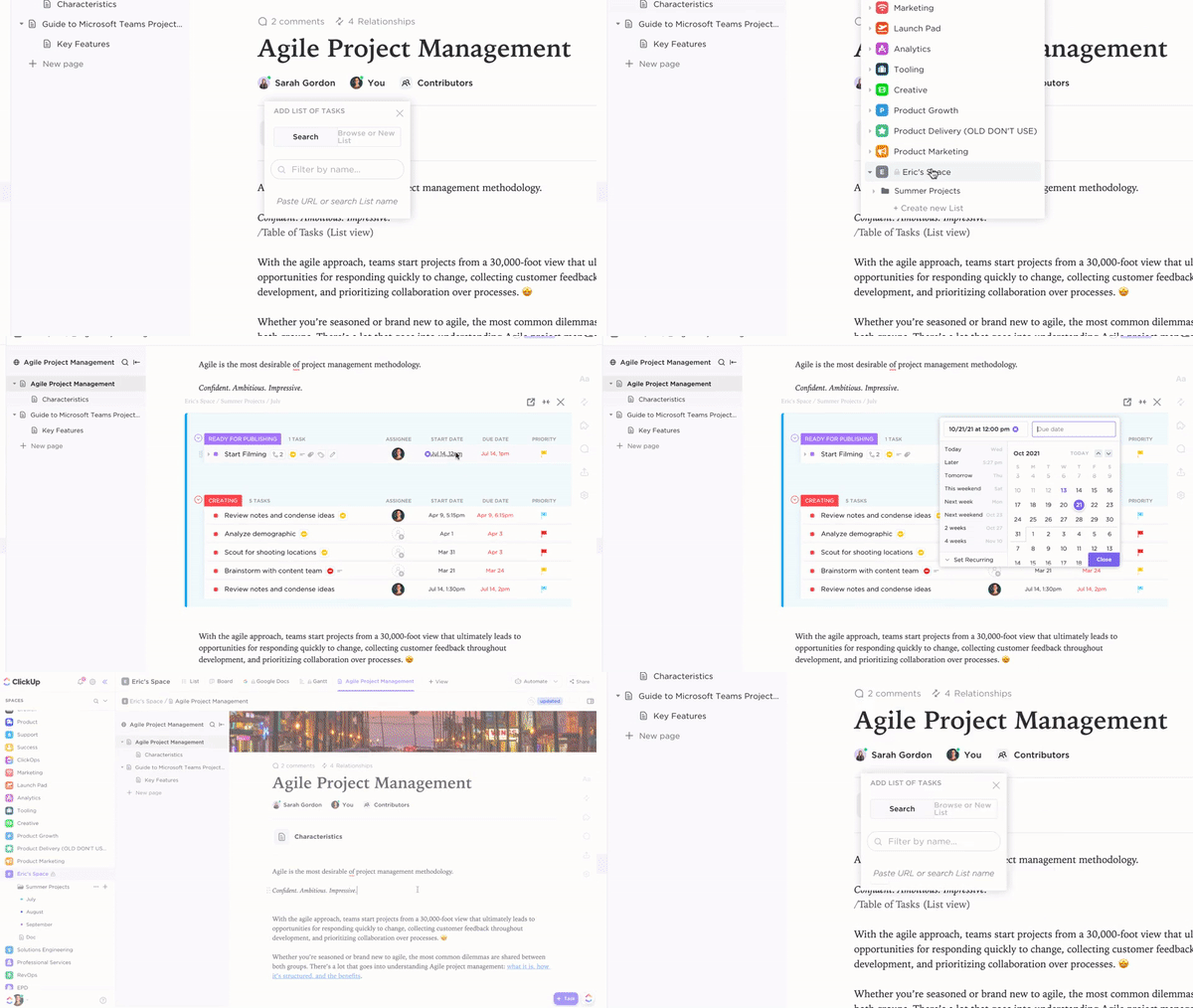
These aren’t isolated files and folders, either. Docs in ClickUp live inside your workflows, so they stay linked to tasks, are updated in real time, and are fully searchable through connected search.
With this smart document management workflow, you no longer have to jump between Google Drive tabs and project boards—your knowledge stays where your action is.
To bring it all together, the ClickUp Knowledge Management feature turns ClickUp into your internal search engine. Teams can build a centralized library of key information—FAQs, project history, customer workflows—and surface answers instantly when they’re needed.
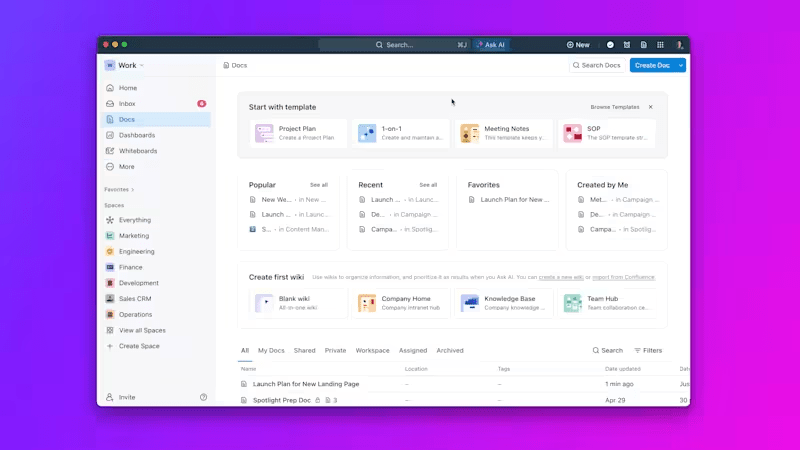
Unlike external search tools that index static data, its AI search engine evolves with your team, keeping search results dynamic and relevant to how your projects actually operate.
For teams drowning in documents, chasing down task updates, or tired of toggling between tools just to “find that one thing,” ClickUp offers a refreshingly unified experience. It’s not just a project manager with connected AI search—it’s search built into how your team works.
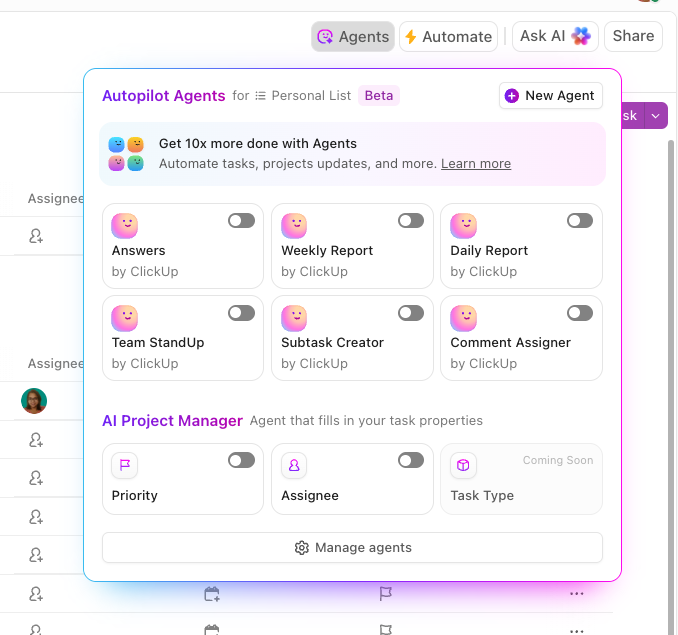
💡 Pro Tip: With prebuilt ClickUp AI Autopilot Agents, you can perform flexible, natural language searches across all your tasks, docs, and connected apps. How? These Autopilot Agents are prebuilt to respond to certain triggers and then post updates, reports, or answers in a specific location. When you set them up for knowledge management, they will retrieve docs, tasks, and comments based on the user’s query.
A Capterra review reads:
I love the personalization and flexibility you have with ClickUp. My company uses it for so many different things. It is our CRM, our bug tracking system, our project management tool, our company resource storage, and process documentation. It is able to do all of those things well which is very impressive.
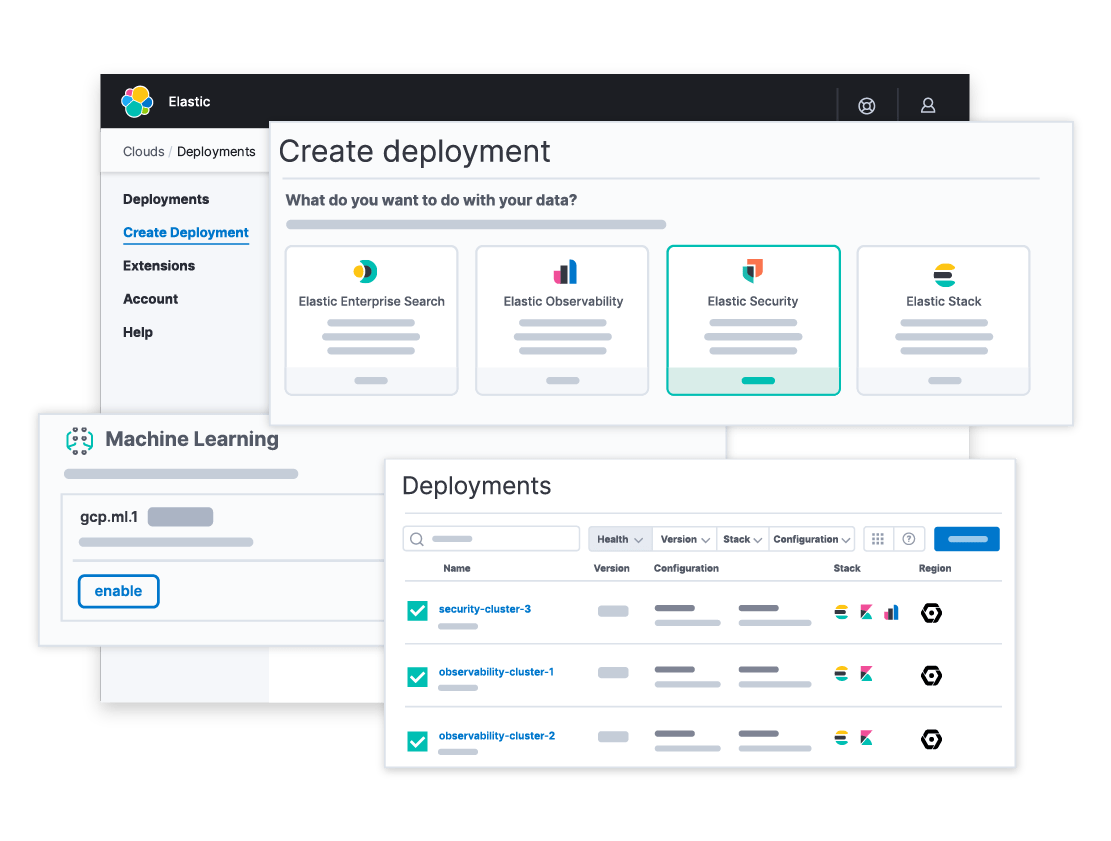
Some tools help you find information. Elasticsearch helps you design how it’s discovered, indexed, and experienced. Built on Apache Lucene, it’s optimized for speed, scalability, and total control.
Compared to Algolia and other Elasticsearch alternatives, this enterprise-grade search engine is ideal for teams that want to configure every aspect of indexing and querying, without black-box limitations. It supports advanced filtering, custom relevance tuning, and seamless performance across large-scale data environments.
From product catalogs to internal dashboards and public-facing apps, this Algolia alternative adapts to your use case. You can customize analyzers for different languages, manage infrastructure flexibly, and use its deep query language to build real-time, high-performance search tailored to your exact needs.
📚 Also Read: Best Elasticsearch Alternatives
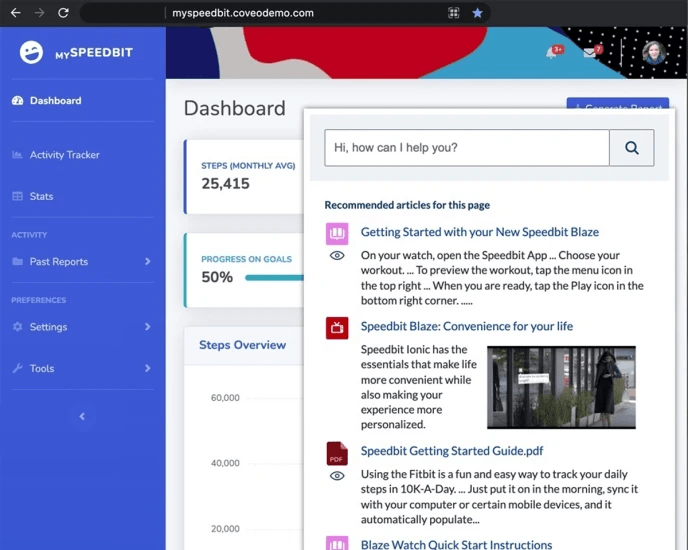
Coveo doesn’t just serve up results—it delivers answers tailored to each user’s intent, shaped by behavior and powered by machine learning. Designed for enterprise search, Coveo thrives in e-commerce, customer support, and knowledge-heavy environments where relevance directly impacts revenue.
Its standout capability is personalization at scale. Coveo continuously learns from user behavior to refine search outcomes in real time—whether someone’s navigating a help center or an online storefront, their experience evolves with each click.
For organizations managing siloed information across platforms, Coveo creates a unified search layer that surfaces the most relevant content, regardless of format or source. Compared to Algolia, it goes beyond speed—delivering intelligent ranking, behavioral analytics, and truly adaptive experiences that keep users engaged.
A G2 review says:
Coveo has really elevated the findability of our support documentation in the time we have been parterning with them so far.
📮 ClickUp Insight: Knowledge workers send an average of 25 messages daily, searching for information and context. This indicates a fair amount of time wasted scrolling, searching, and deciphering fragmented conversations across emails and chats.
😱 If only you had a smart platform that connects tasks, projects, chat, and emails (plus AI!) in one place. But you do:
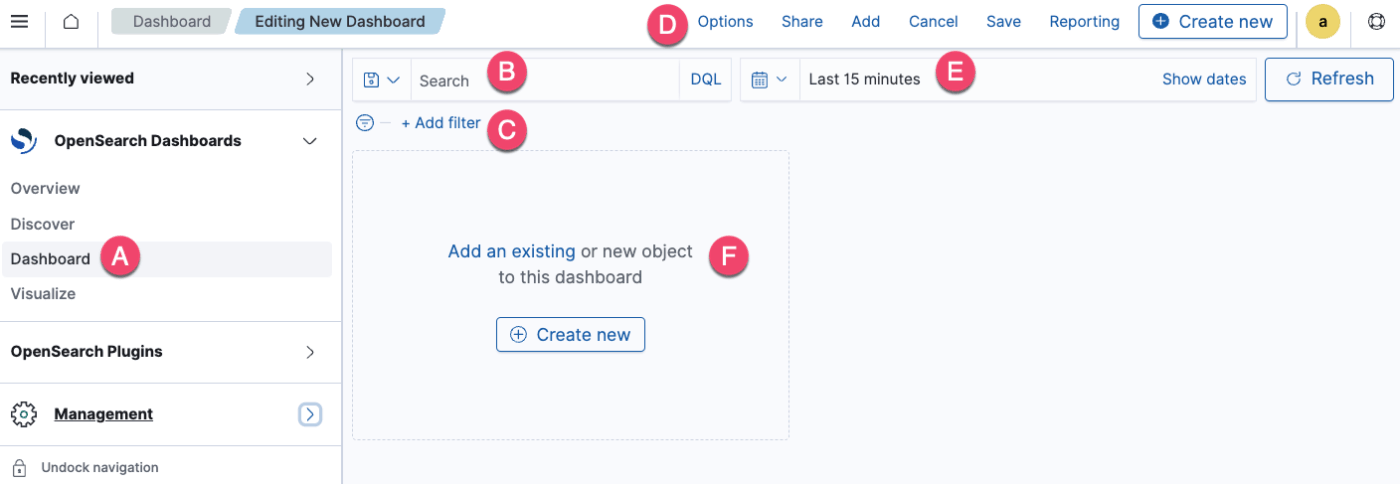
As one of the best Algolia alternatives, OpenSearch offers search, analytics, and observability designed for teams that need control, transparency, and AWS-native scalability. Forked from Elasticsearch, it builds on a familiar foundation along with key features like robust dashboards, alerting, and multi-tenant security.
Whether you’re analyzing logs, visualizing infrastructure metrics, or powering internal search dashboards, it’s an open search engine that helps teams store and query vast amounts of data efficiently. Its deep integration with AWS services like EC2 and OpenSearch Service makes it easy to scale while staying flexible, without the limits of proprietary systems.
For developers seeking full-stack transparency and cloud-ready deployment without vendor lock-in, OpenSearch strikes a balance between open innovation and enterprise-grade performance.
🧠 Fun Fact: A Cornell study titled When Search Engine Services Meet Large Language Models presents a compelling dual-theme framework where search services and large language models (LLMs) enhance each other. Here’s how:
2. LLM4Search
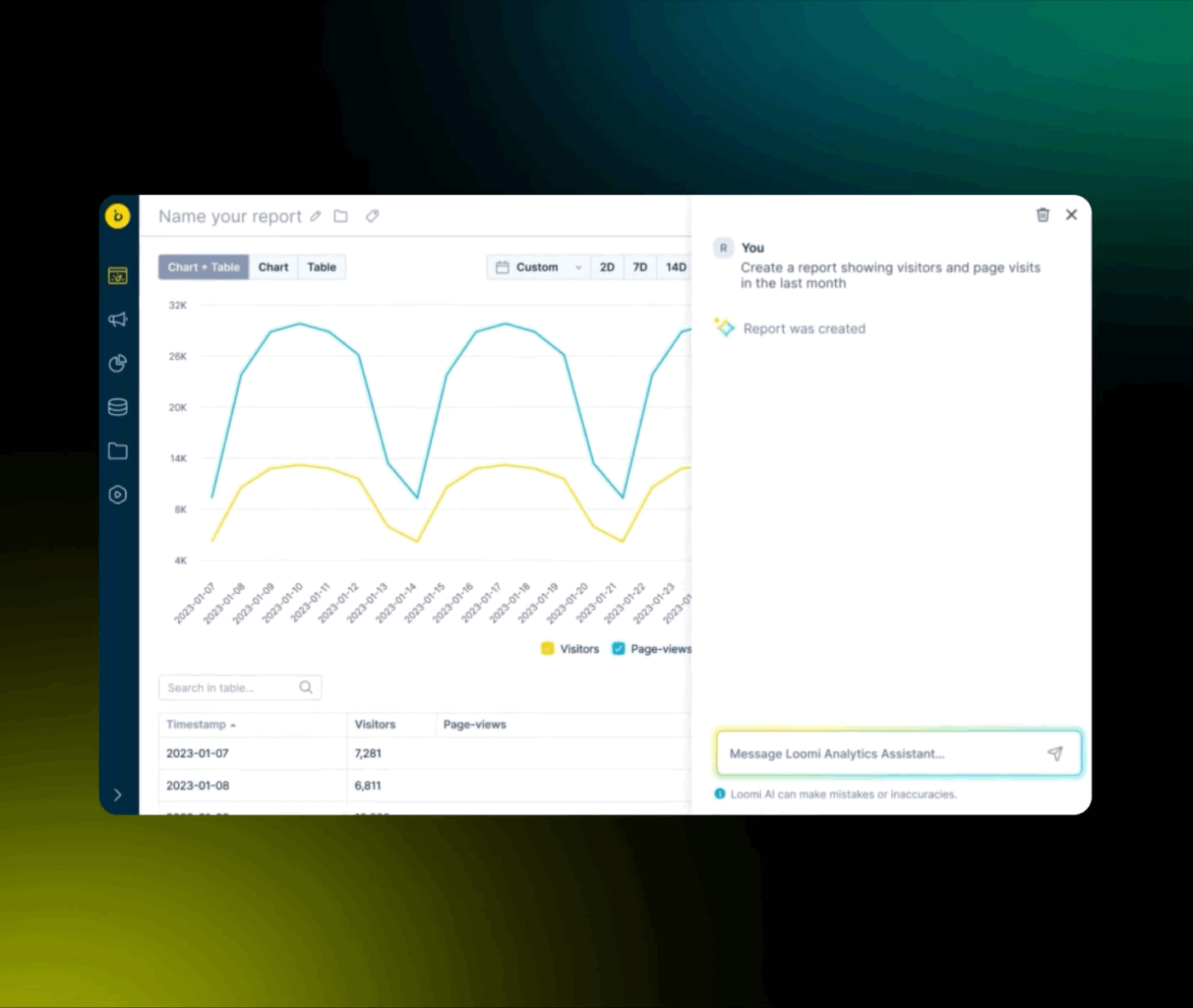
Some search tools work behind the scenes. Bloomreach steps into the spotlight. It’s built for digital storefronts where product discovery drives revenue and every search interaction shapes the customer journey.
Unlike tools that simply match keywords, Bloomreach delivers AI-powered personalization that responds to behavior, context, and real-time inventory, turning generic queries into curated experiences. Designed with marketers and merchandisers in mind, it offers intuitive, no-code search features to adjust search logic, test layouts, and run campaigns—all without relying on developers.
Compared to Algolia, this enterprise search software goes deeper on both tailored search results and creative control, allowing teams to visually and strategically guide the buyer’s path.
A Capterra review reads:
Bloomreach is a very user friendly platform. You’ll easily create scenarios & campaigns, set logics, edit templates and see the automated dashboards for each campaign. Also the support team is very fast and useful when you have any problem.
Watch: Here’s how you build your own AI Knowledge base:
📚 Also Read: Best Coveo Alternatives
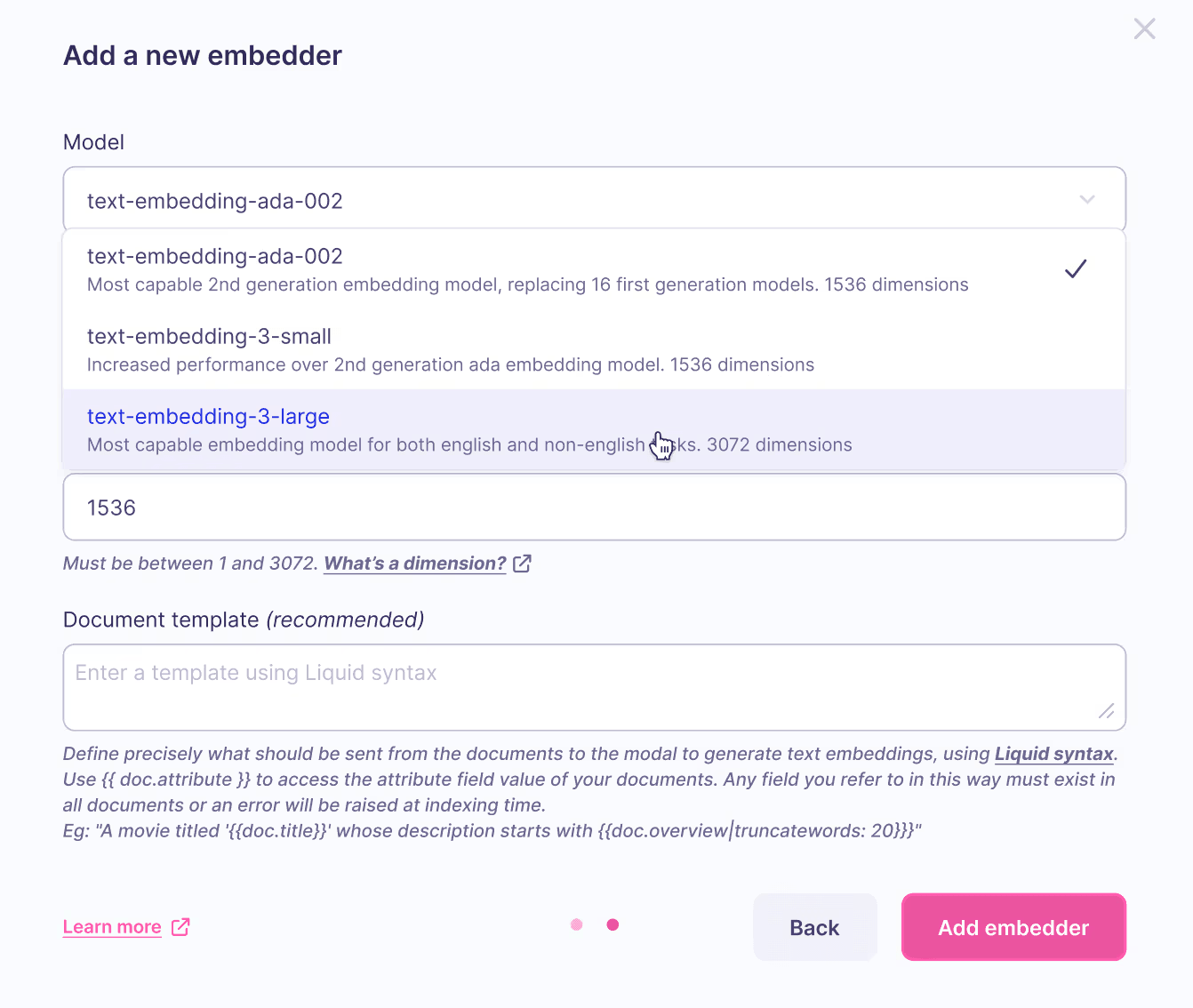
Clean, fast, and frictionless, Meilisearch is a minimalist’s dream when it comes to search engines. As a lightweight, open-source search engine, it’s designed for teams that want to deliver instant, typo-tolerant results without wrestling with configuration or complex infrastructure.
From help centers and documentation portals to product catalogs, Meilisearch works seamlessly with smart defaults while offering customization for ranking, filters, and synonyms.
Unlike Algolia’s enterprise-first approach, Meilisearch is a fast, affordable solution that gives teams full control, without vendor lock-in.
🧠 Fun Fact: According to Thomas Payet, CEO and cofounder of Meilisearch, the team chose the name “Meili” because—based on their interpretation—Meili is the Norse “God of Forgetfulness.” They found this fitting, since Meilisearch is designed to solve the very problem forgetfulness creates: helping users find what they’ve lost, quickly and intuitively.
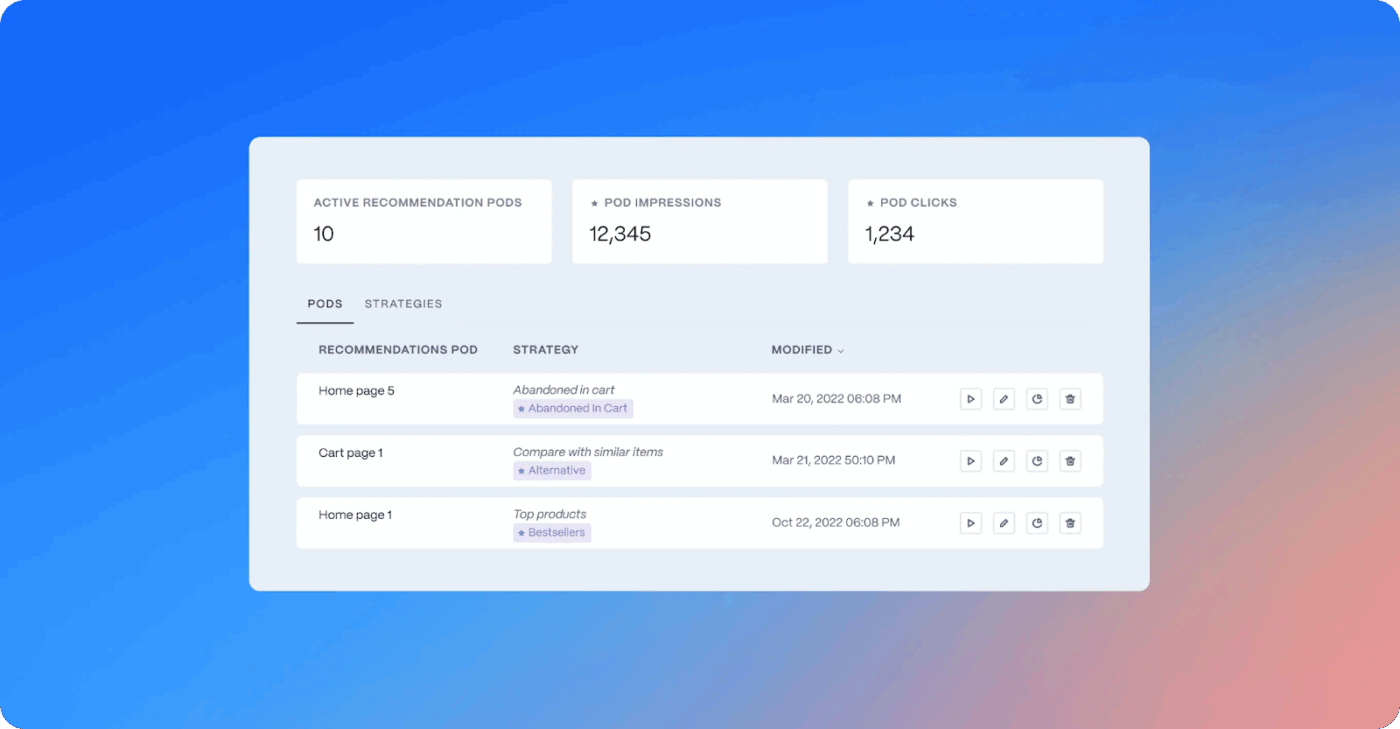
Search should feel like it knows you. Constructor.io makes that possible by tailoring every interaction to user behavior in real time. Built for enterprise e-commerce, Constructor.io uses clickstream data to personalize product discovery, ensuring shoppers see what they’re most likely to buy based on real intent, not just search terms.
From autocomplete to dynamic filters and customizable layouts, the platform gives teams control to optimize every part of the search journey. And because it’s built for scale, Constructor.io excels in high-SKU environments like fashion, electronics, and online marketplaces.
While Algolia provides flexible configuration, Constructor.io blends real-time behavior analysis with automation to continuously evolve search experiences. It’s a smarter fit for retail brands looking to turn UX into a competitive advantage from day one.
A G2 review reads:
With Constructor’s auto-generated features, I feel that there is less manual updates on our end as so far their system learns quickly & accurately. It makes all the difference when you can trust a vendor’s algorithm. Their personalization features along with in-depth Analytics really help to see opportunities that I may have missed out on before.
🧠 Fun Fact: Autocomplete as we know it today was introduced by Google in 2004 under the name Google Suggest. It was created by Kevin Gibbs, a junior engineer, who initially designed it to predict URLs before adapting it for search queries.
With support from Marissa Mayer, it debuted via Google Labs and became a core part of the Google search experience by 2008, redefining how users interact with search engines worldwide.
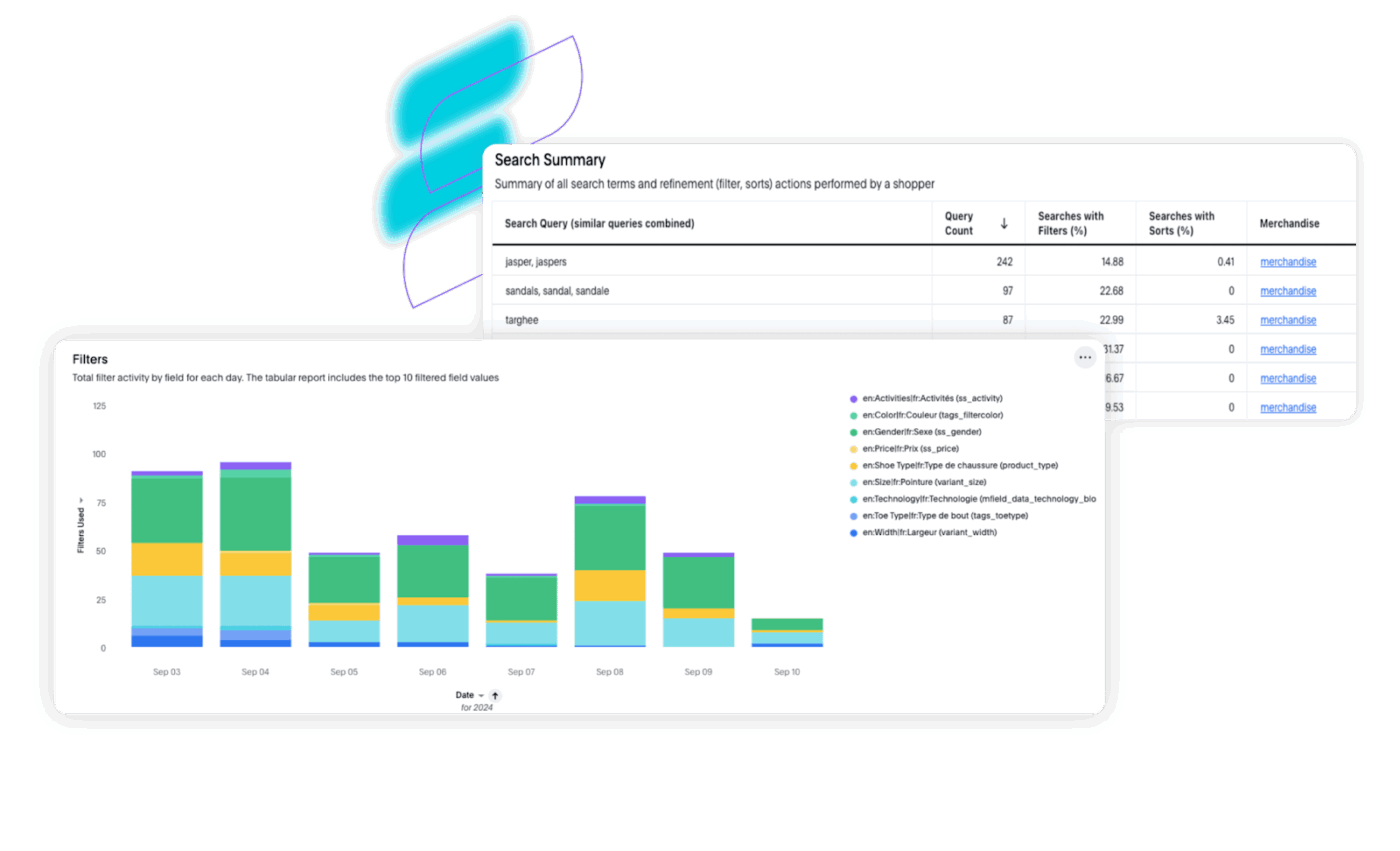
Merchandisers need more than a fast search bar. They need creativity, flexibility, and the ability to shape shopping experiences without relying on developers. That’s where SearchSpring shines.
Built for e-commerce teams that value storytelling and strategy, SearchSpring gives merchandisers full control over how products appear, categories behave, and promotions unfold. From dynamic rules to custom layouts, it offers a merchandising-first toolkit that turns everyday search into a curated experience.
You can adjust product placements, personalize category pages, and launch seasonal campaigns—all without writing a line of code. For commerce teams focused on conversion and brand expression, it transforms search into a powerful engine for engagement.
While Algolia focuses on developer-driven customization, SearchSpring empowers merchandisers directly. It’s a hands-on solution that blends search logic with merchandising artistry—no coding needed.
A G2 review says:
Searchspring is tackling the challenge of delivering highly relevant, personalized search results and product recommendations, which helps to improve the shopping experience for customers.
💡 Pro Tip: In ClickUp, you can connect search to ClickUp Automations so that updates inside tasks, comments, or Docs trigger workflows automatically—think assigning tasks when someone comments “ready for review,” moving statuses when a document includes the word “approved,” or sending reminders when keywords like “urgent” appear.
Instead of just finding information, ClickUp lets you act on it instantly, turning search into a smart, responsive layer that keeps your team aligned and moving forward.
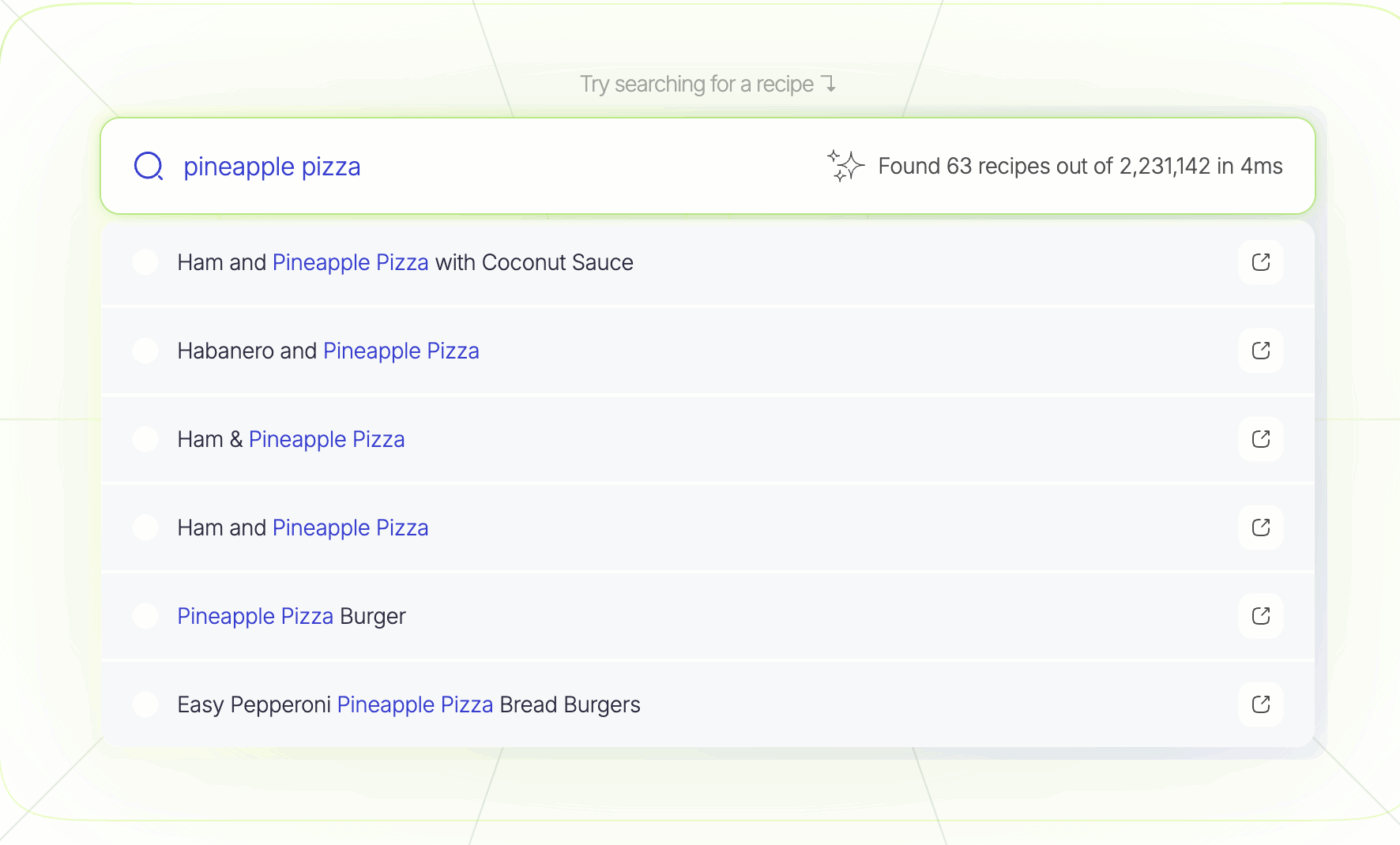
Typesense is built for developers who want fast, reliable search without the complexity of heavyweight platforms. Where Algolia adds enterprise layers, Typesense trims the fat, with key features like typo tolerance, filters, sorting, and relevance tuning with just a few lines of code.
It runs straight out of the box, with a refreshingly clean API and blazing-fast performance—perfect for docs, dashboards, catalogs, or internal tools. This open-source alternative also removes vendor friction by making self-hosting easy and Typesense Cloud affordable.
If you’re building a modern app and want developer-first UX with total clarity, it’s a leaner, smoother alternative to Algolia that does what matters—and does it fast.
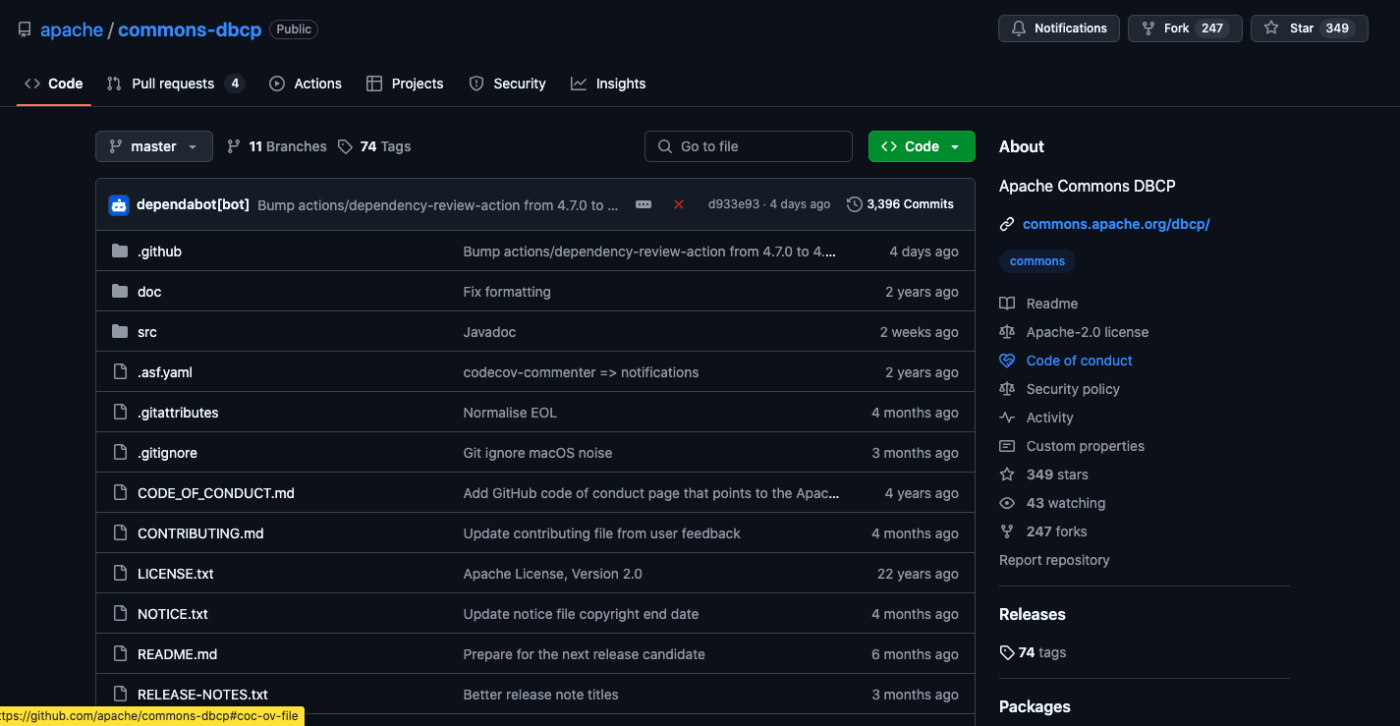
Lucene is like raw clay in the hands of a skilled developer. It provides the building blocks to craft a fully customized search engine—one that fits your application’s exact needs, down to the last query parameter.
There’s no user interface or plug-and-play simplicity here. What you get is complete control over indexing, querying, and scoring. If you’re into tweaking tokenizers, analyzers, or writing your own ranking logic, Lucene is your playground. It’s fast, modular, and deeply flexible—qualities that power giants like Elasticsearch and Solr.
Lucene is ideal for developers working on academic tools, internal systems, or domain-specific applications where packaged features fall short. While Algolia prioritizes ease of use, Lucene is for those who want to optimize every layer of their search infrastructure.
💡 Pro Tip: For multilingual search, enabling language-specific tokenizers in tools like Lucene, Elasticsearch, or Meilisearch can significantly boost relevance across international storefronts.
These tokenizers break down text according to the linguistic rules of each language—handling accents, grammar, and stemming properly—so that search results make contextual sense to users, whether they’re typing in English, Spanish, German, or beyond. It’s a must-have for global brands that want search to feel local.
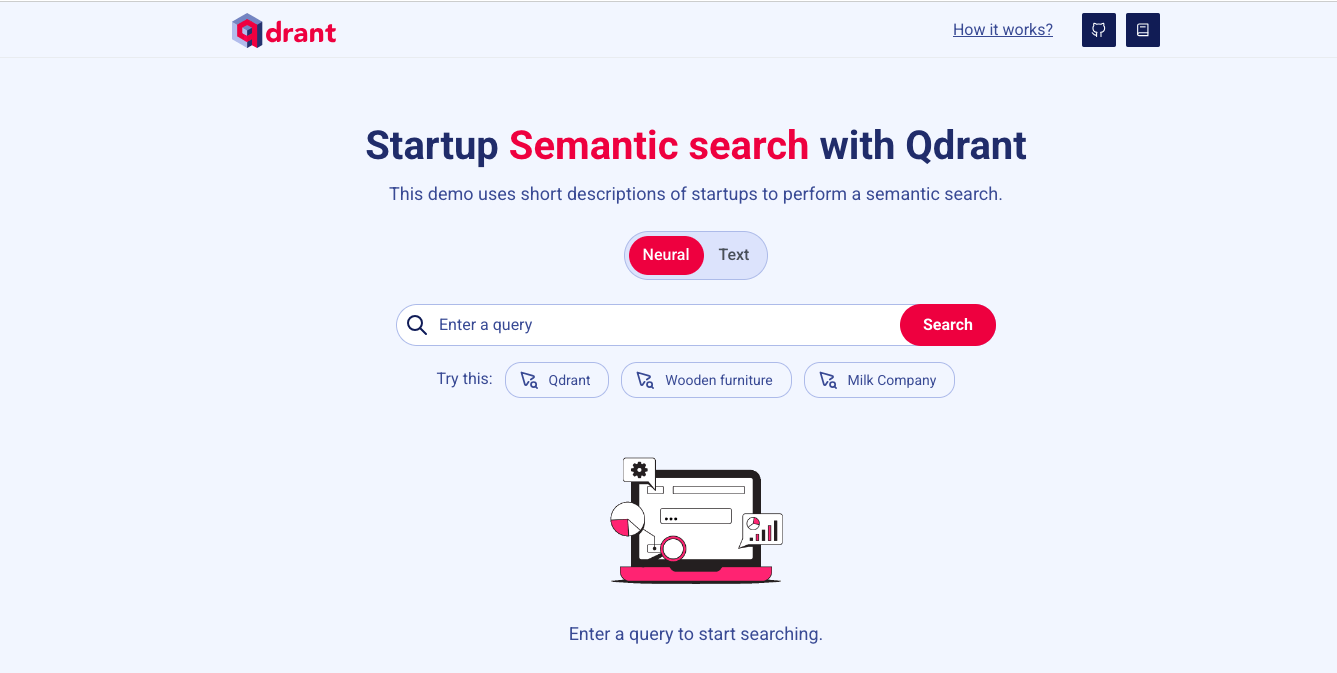
Qdrant isn’t your traditional search engine—it understands meaning, not just keywords. It’s designed for semantic search, comparing data through vector embeddings instead of literal text matches, making it a top pick for teams working in machine learning and natural language processing (NLP).
Rather than matching strings, Qdrant indexes high-dimensional embeddings created by neural networks and retrieves contextually similar results—whether that’s code, documents, or product images. It’s ideal for AI-powered tools like recommendation engines, virtual assistants, and intelligent search interfaces.
With built-in support for frameworks like OpenAI, Hugging Face, and LangChain, this alternative to Algolia plugs effortlessly into modern ML workflows. Compared to Algolia, which relies on traditional keyword relevance, Qdrant is built from the ground up for search powered by learned semantic understanding.
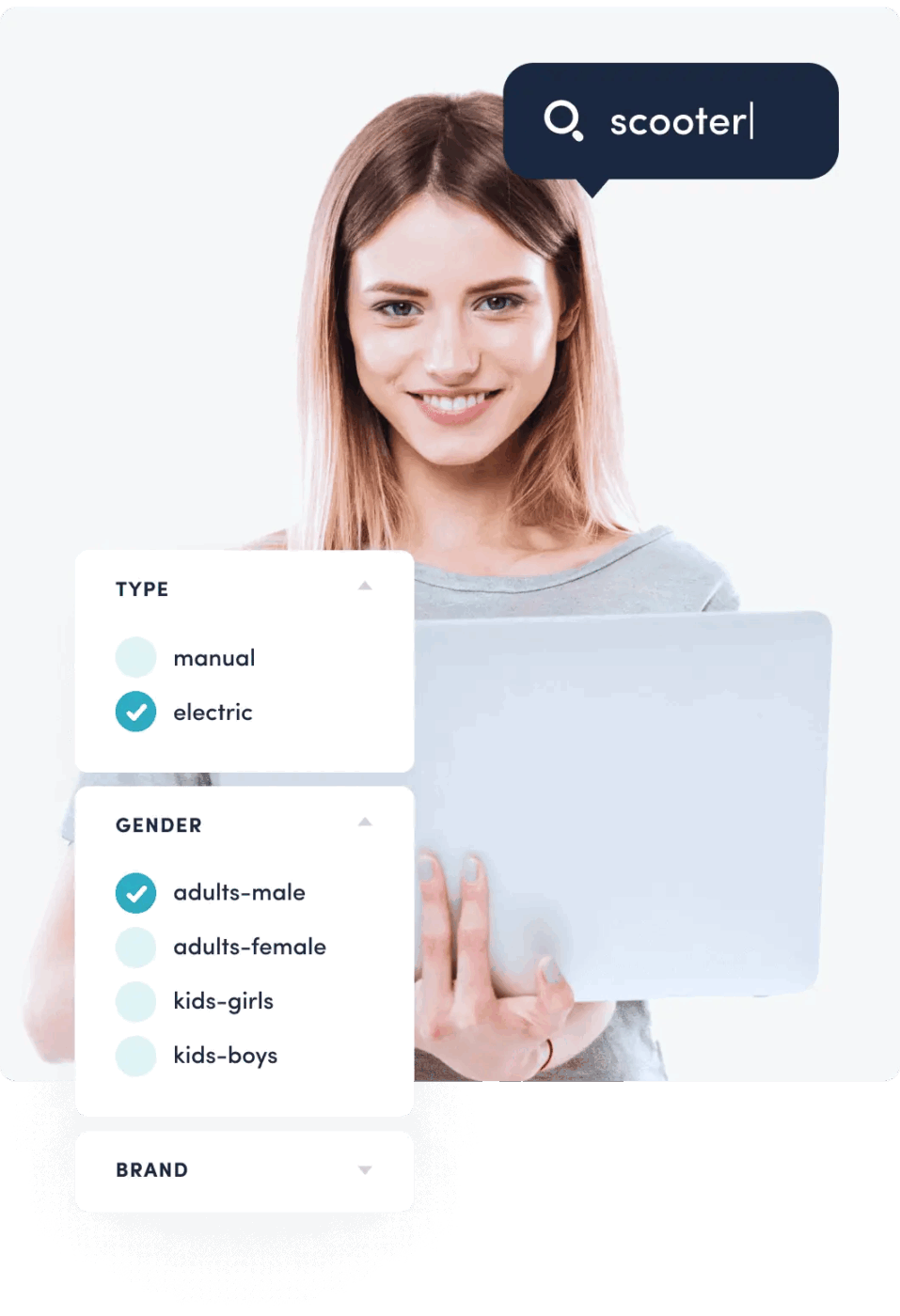
Luigi’s Box is what happens when smart search meets great design. It’s built for e-commerce teams that want intuitive search, personalized results, and quick setup—all without relying heavily on developers.
From the first keystroke, Luigi’s Box refines results in real time using user behavior, offering autocomplete, typo correction, banners, and intelligent recommendations to enhance the shopping experience. It’s not just functional—it’s friendly.
Compared to Algolia, Luigi’s Box is far more approachable for non-technical teams. It puts usability front and center, making it easier for growing e-commerce brands to personalize search and shopping journeys—without the complexity or enterprise overhead.

Imagine giving your shoppers a helpful, friendly guide instead of a search bar. That’s what Doofinder feels like in action. It jumps in right when customers need it, making product discovery fast, fun, and friction-free.
Built for lean e-commerce teams, Doofinder delivers user-friendly, high-performance search without the usual setup burden. Whether you’re managing a niche boutique or scaling globally, it enhances the customer journey from the first keystroke, with features like typo correction, autocomplete, and smart filters wrapped in an intuitive UI.
Compared to Algolia, Doofinder is easier to install and manage and far more accessible for non-technical teams. It’s a polished, plug-and-play search solution that gives smaller teams the control and performance they need without the developer dependency or complexity.
If Algolia feels limiting or doesn’t align with your technical roadmap, the above list offers powerful, flexible alternatives for every use case.
From developer-first open-source tools like Typesense and Meilisearch to enterprise-grade platforms like Coveo and Bloomreach, you’ve got plenty of room to optimize.
But if you’re looking to integrate search into where real work happens—task management, documentation, collaboration—ClickUp, as an alternative to Algolia, brings a powerful search experience. With connected search, AI-enhanced insights, and powerful knowledge management, it’s more than a replacement. It’s an upgrade for how your team operates.
Sign up for ClickUp now and supercharge your team’s search experience.

© 2026 ClickUp

There’s an easier way. Try a free AI Agent in ClickUp that actually does the work for you—set up in minutes, save hours every week.