






Still downloading templates?
There’s an easier way. Try a free AI Agent in ClickUp that actually does the work for you—set up in minutes, save hours every week.
Sorry, there were no results found for “”
Sorry, there were no results found for “”
Sorry, there were no results found for “”
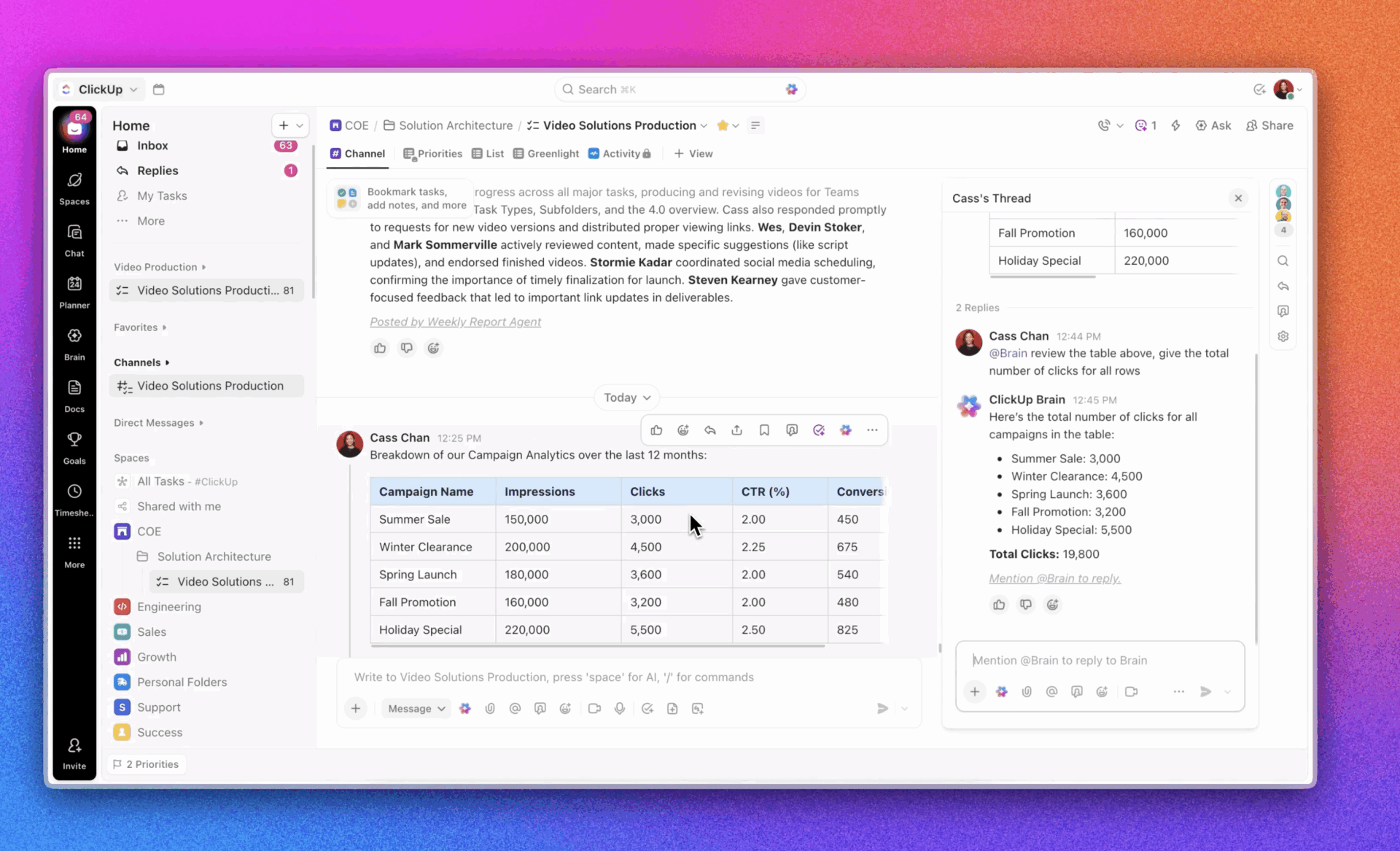
Let’s break down everything you need to know about AI event personalization.
Events have always been about connection. People show up because they want to learn something useful, meet the right people, or discover ideas that help them grow. The challenge is that most events still feel like everyone is walking through the same experience, even though their goals and motivations are very different.
The result is a journey that works for some attendees but feels irrelevant for many others.
AI event personalization is changing that landscape. Instead of hoping attendees find the sessions, booths, or people that matter to them, organizers can help guide them toward more meaningful experiences. This shift is happening across virtual conferences, trade shows, internal company events, and virtual gatherings. Teams want to deliver journeys that feel intentional and helpful without adding more manual work to their plates.
This article explains what AI event personalization is, why it matters, and how teams can utilize it throughout the event lifecycle. You will also learn how ClickUp integrates into these workflows and how to create a personalized system that works for events of any size.
AI event personalization is the practice of tailoring an attendee’s journey based on data about their interests, behavior, and goals. Instead of giving everyone the same schedule or recommendations, AI helps identify what each person is likely to care about and presents them with options that feel more relevant.
This differs from the typical event experience, where everyone receives the same agenda and promotional emails.
Traditional programming treats the event as a single path that thousands of people walk through at the same pace. Personalization, however, creates multiple paths. A first-time attendee may receive a beginner-friendly set of recommendations. A technical expert may get nudges to advanced sessions. On the other hand, a senior decision maker may see curated networking opportunities that match their role.
Attendees care about this because it saves them time and effort. Plus, such guided experiences reduce the stress of figuring out where to go next. There’s also the element of satisfaction because they are consuming content and meeting people who feel relevant to their goals.
In a world where attention is limited and schedules are packed, relevance is a powerful motivator.
The impact of personalization extends beyond convenience. For organizers, it can transform engagement across the event.
More tailored programming often leads to higher session attendance. When people receive suggestions that match their needs, they are more likely to show up. This helps reduce empty rooms and overcrowded ones, which improves the flow of the event. It also enables organizers to understand which topics are gaining traction, so they can adjust in real time.
Personalization has an impact on networking quality as well. When attendees are matched with peers who share similar roles or interests, conversations become more productive. Instead of wandering around hoping to find the right contact, they receive intentional recommendations that help them make better use of their time.
Content consumption is another area of focus. Many large conferences now offer session recordings or resource libraries. When these materials are tailored to each attendee after the event, engagement increases because the content feels curated, rather than the same generic feed.
Ultimately, all of this leads to a stronger ROI. That means reducing marketing waste, improving attendee satisfaction, and walking away with much clearer insights about what worked.
🎥 Watch this AI-powered event workflow from ClickUp.
AI can change the rhythm of an event in subtle ways.
It pays attention to early signals, learns from how people navigate the experience, and helps organizers understand what their audience truly cares about. Instead of treating an event as a series of disconnected moments, AI creates continuity. Let’s look at how:
AI changes how events function by interpreting signals that attendees leave behind. It listens to small actions, learns from them, and adjusts the experience in ways that feel natural. It does not announce itself. It simply helps people get more value out of the event with less effort.
Paris Olympics tested AI video analytics at large concerts ahead of the Games to flag issues like crowd surges and abandoned objects. It runs in the control room rather than as a front-of-house feature, so most people never notice it working in the background.
Before an event begins, attendees share hints about what they care about. They answer a few questions during registration, browse the website, or click on speakers they find interesting. These tiny actions help the system build early predictions. The process resembles how streaming platforms begin to understand your taste after only a few selections.
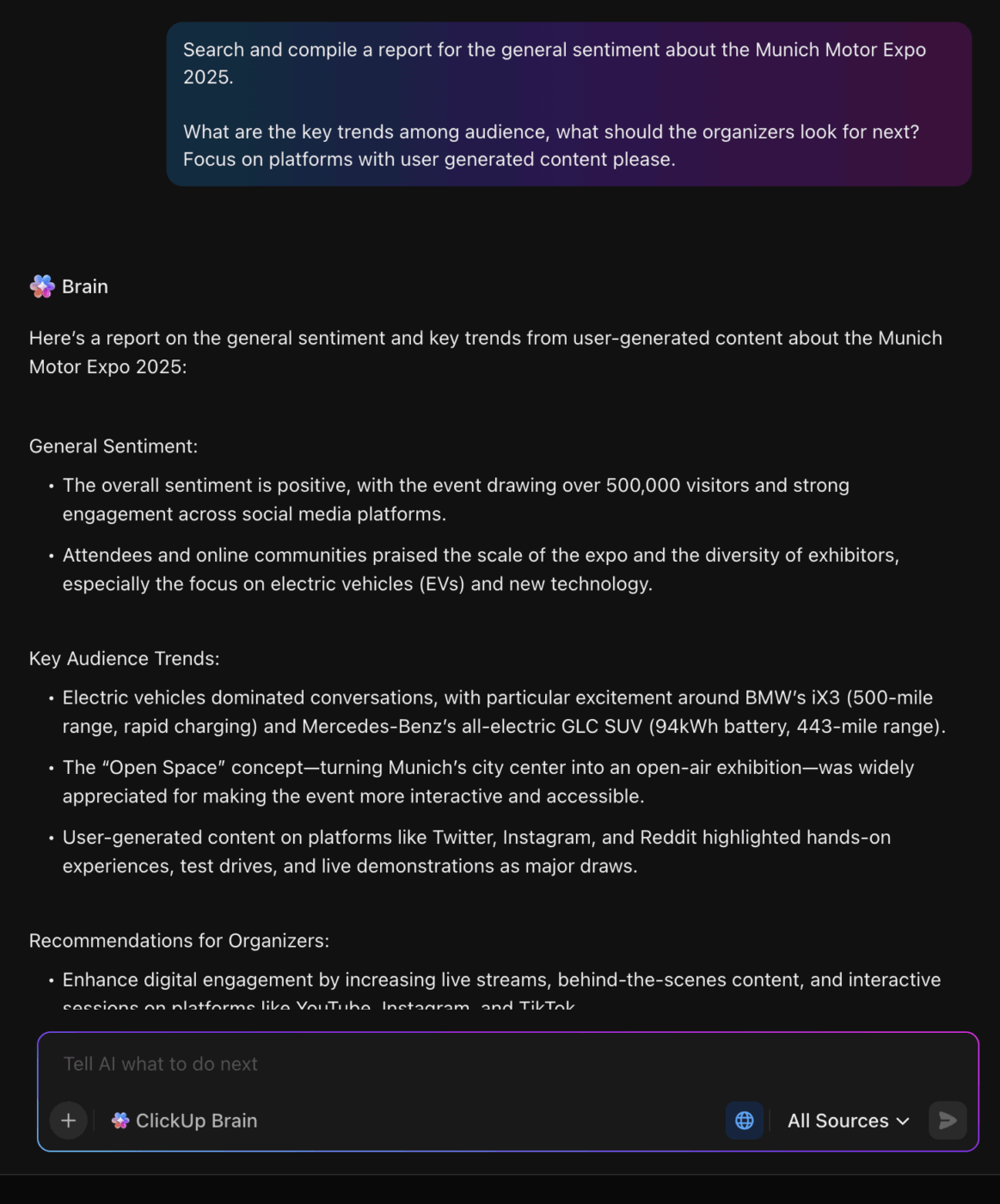
As the event approaches, AI compares early signals across thousands of attendees. It uncovers links that organizers might miss. AI-powered marketing personalization tools can identify trends, such as attendees who frequently explore a certain keynote, often preferring short workshops over long lectures. These patterns help organizers send suggestions that feel thoughtful rather than generic.
French authorities analyzed patterns from prior trials, including a Depeche Mode concert, to predict what kinds of incidents to watch for during the Paris Olympics. Those pre-event learnings informed staffing, camera placement, and alert rules before crowds arrived.
Once the event is underway, AI becomes more active. It pays attention to what people actually do, not just what they said during registration. It adapts to full rooms, shifting interests, and last-minute program changes. If a session becomes crowded, the system can suggest alternatives. If a group gravitates toward a theme, it can highlight related sessions or booths.
The Sphere’s immersive shows demonstrate how AI evolves from a buzzword to a functional production tool. U2 and Phish utilized the venue’s 16K screen, haptic seating, and spatial audio to run visuals and sound that responded to the performance in real-time, while AI helped generate and restore large-format media, such as an Elvis collage and a new interpretation of The Wizard of Oz. The result is a concert that feels coordinated to the second, with content that would be impossible to deliver manually at this scale.
When the event wraps, AI enters a reflection stage. It reviews the attendee journey and identifies what mattered most to them. This helps create personalized recaps and learning paths rather than one-size-fits-all summaries. It also provides organizers with clear insights into which themes resonated, which formats were effective, and what can be improved for next time.
At the U.S. Open, IBM’s system used tracking data and interactions in the official app to generate tailored 3D replays and an AI chat experience. Even a few early taps and match views help the system decide what clips and insights to surface next.
If you want to go back and see where that ball landed and see the trajectory of the ball, it’s a great tool for that.”
Throughout the lifecycle, AI acts as a quiet guide, helping attendees find the right sessions, people, and content. For organizers, it becomes a behind-the-scenes partner that identifies trends, reduces guesswork, and enables the team to respond more quickly to what attendees need.
AI event personalization becomes powerful when it is tied to clear, actionable steps.
Instead of thinking of personalization as a massive system, AI tools help to break it into practical steps that support each phase of the attendee journey.
Organizers often collect basic attendee details but rarely transform them into something useful and actionable.
With AI, teams can turn those details into clear interest groups. For example, a large corporate event might discover that it has clusters, such as first-time managers, aspiring leaders, product builders, or customer experience specialists. Once these groups exist, the rest becomes easier. Each group gets its own communications, content suggestions, and networking paths.
After the event, organizers can use AI to assemble small collections of recordings or articles that match each attendee’s interests.
Instead of a giant link dump, the attendee receives a simple message, such as, “Here is a short library based on what you explored.” This makes the recap feel thoughtful and encourages more people to revisit the content.
📖 Read More: How to Create an Event Planning Checklist
Instead of matching people by job titles, use behavior. If someone spends time exploring content about sustainability or supply chain efficiency, AI can suggest people who care about the same topics.
These matches feel organic because they reflect what the attendee actually did rather than what their badge says.
Attendees are flooded with alerts during events. Instead of scheduling a long list of reminders, AI can identify the most opportune moments to intervene.
A well-timed nudge might say something like, “People who enjoyed the session you just attended are gathering for a discussion nearby.” This keeps attendees engaged without overwhelming them.
Sponsors may need some extra support getting in front of the right audience.
AI can help by recommending exhibitors to attendees based on their interest patterns, rather than relying on gate scanning. An attendee who viewed several product talks might be guided to booths with relevant demos. This makes conversations more productive for both sides.
📖 Read More: Free Run of Show Templates in Excel & ClickUp
Generic surveys often result in shallow answers. With personalization, attendees can receive questions tied to their actual experience. For instance, someone who has attended many workshops might receive questions about pacing and difficulty level, while someone who has spent time in networking areas might be asked about the quality of their meetings. These targeted event feedback surveys produce richer insights.
Most events send long lists of sessions, hoping attendees will sort them out. A more effective tactic is to highlight three or four sessions that genuinely align with someone’s goals.
For instance, an attendee focused on career growth might receive a shortlist with leadership workshops, mentoring circles, and speaker spotlights. This does not overwhelm them. Instead, it removes the noise so they can make quick decisions.
These tactics help organizers make personalization real. They focus on small, meaningful improvements that reduce confusion, save time, and strengthen the overall experience.
🌼 Friendly Reminder: AI tools can help event professionals analyze attendee data, customer behavior, and historical data to tailor messaging, predict preferences, and even create social media posts—but proceed carefully. As AI technology becomes more powerful, so do data privacy concerns. Before tapping into machine learning, natural language processing, or predictive analytics, ensure you have clear consent, secure handling of all customer data, and tight controls over AI-generated content. Smart personalization is valuable—but only when customer trust stays protected.
📖 Read More: Best AI Tools for Smoother Event Management
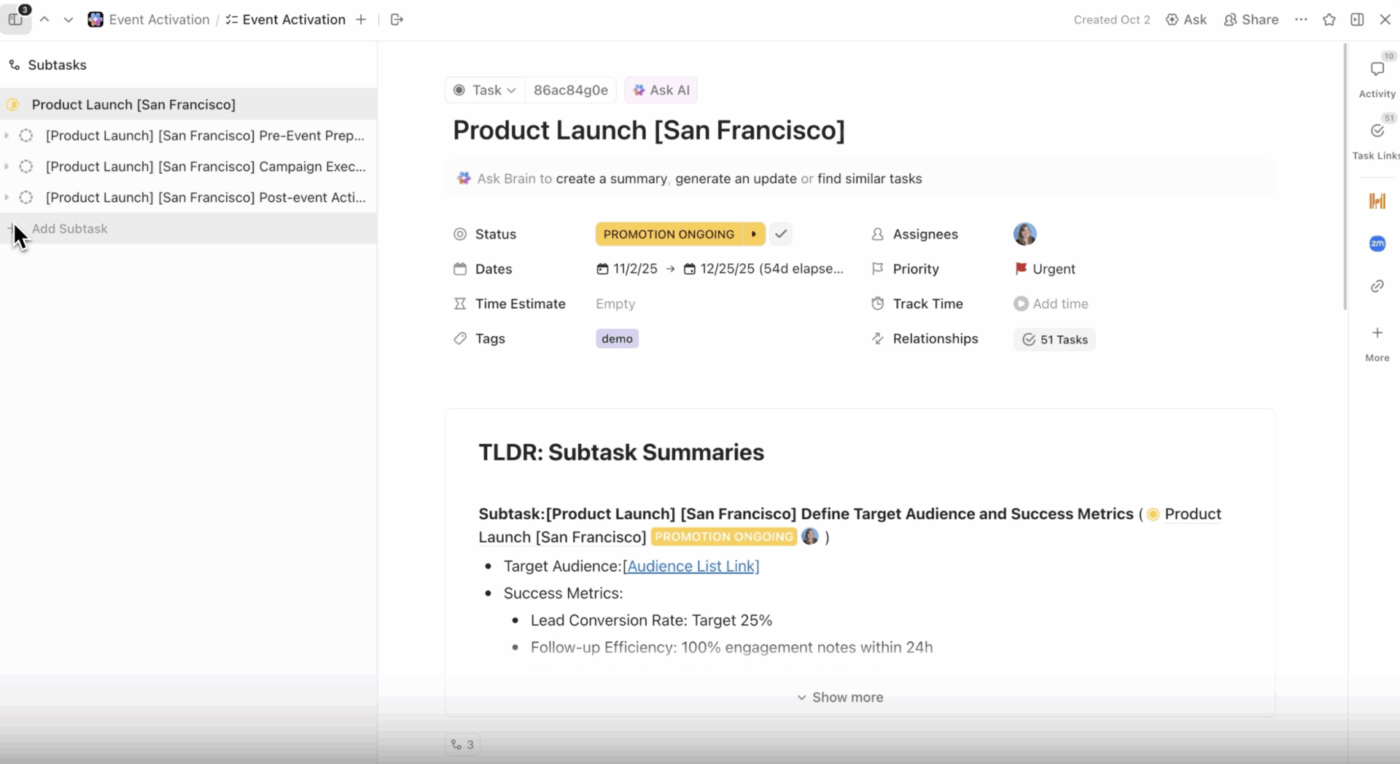
Keeping personalized event data in sync with your planning and execution shouldn’t feel like a juggling act. Between attendee lists, custom schedules, segmented emails, and endless details, it’s easy for things to get messy fast.
ClickUp changes the game. As the world’s first Converged AI Workspace, ClickUp becomes your event team’s command center—connecting every detail, every team, and every workflow in one place.
Picture this: You set up your event workspace with ClickUp’s Events. Instantly, you can segment attendees—VIPs, speakers, general admission—each with their own custom tasks and workflows.
Now it’s time to automate personalized communications. ClickUp Brain, the built-in AI assistant within the workspace, along with ClickUp Agents, can help you draft and send tailored emails, generate follow-ups, and even summarize feedback, so every attendee gets a personal touch, automatically.
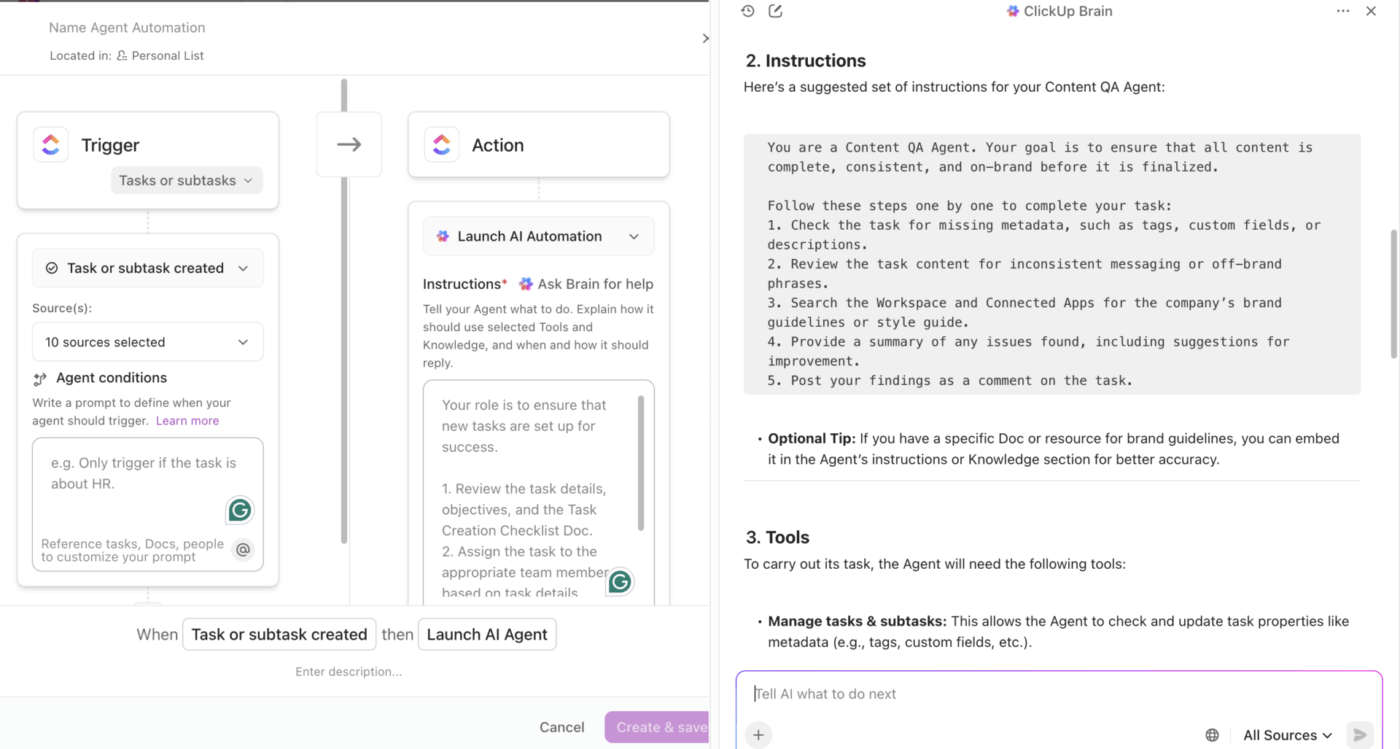
Need marketing in the loop? Bring them in with ClickUp’s Marketing, which facilitates a unified space to collaborate: assign tasks, share assets, and keep campaigns moving collaboratively, all without leaving ClickUp.
From the initial invitation to post-event follow-up, every aspect of the attendee journey is managed, tracked, and personalized in one unified workspace. It is your all-in-one platform for delivering unforgettable, personalized event experiences, at scale.
A user review says:
ClickUp is so useful just as a to-list alone! Initially, I was sure that I would prefer written notes but it’s so nice having everything laid out however you prefer and being able to change due dates and attach files to tasks etc. It ensures that nothing is ever forgotten because it’s all in one place. The whole system is very user friendly and works very well for sharing tasks.
📖 Read More: Event Project Management: Strategies, Tools & Tips
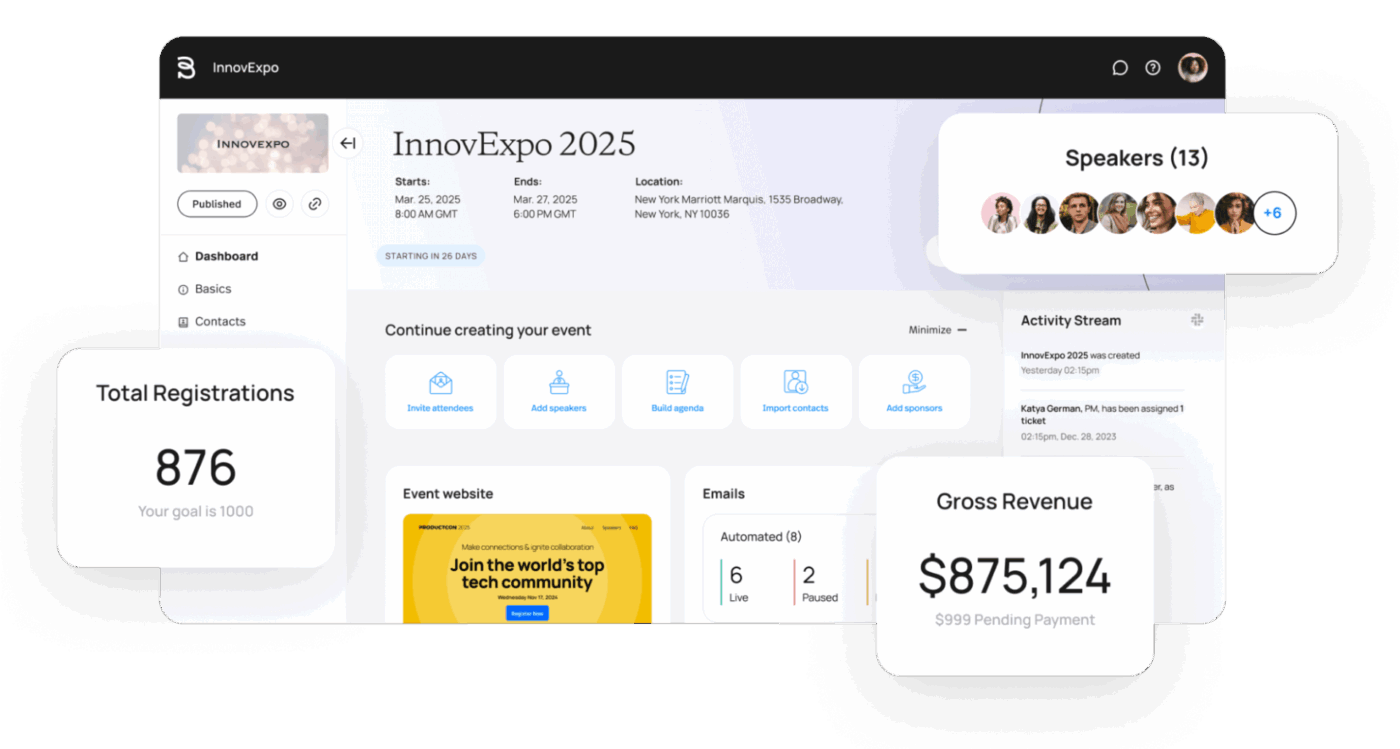
Bizzabo positions itself as an all-in-one Event Experience Operating System, focusing heavily on making every event feel personal and valuable. Their AI and wearable technology (like Klik SmartBadges™) work together to generate insights and facilitate smart connections.
This means your attendees don’t just show up; they are intelligently matched with the right people and the right sessions, boosting satisfaction and proving a clear ROI to sponsors.
A user review says:
One the best parts about Bizzabo is that it is very well designed from a user experience standpoint. We are able to create and publish different types of events, from our large-scale conferences to our smaller public program courses. Those interacting with our events find the microsites and platform easy to interact with as well – From learning about our events to the checkout process. It’s ability to integrate with our CRM is also not too difficult which allows us to track purchases if we wish!
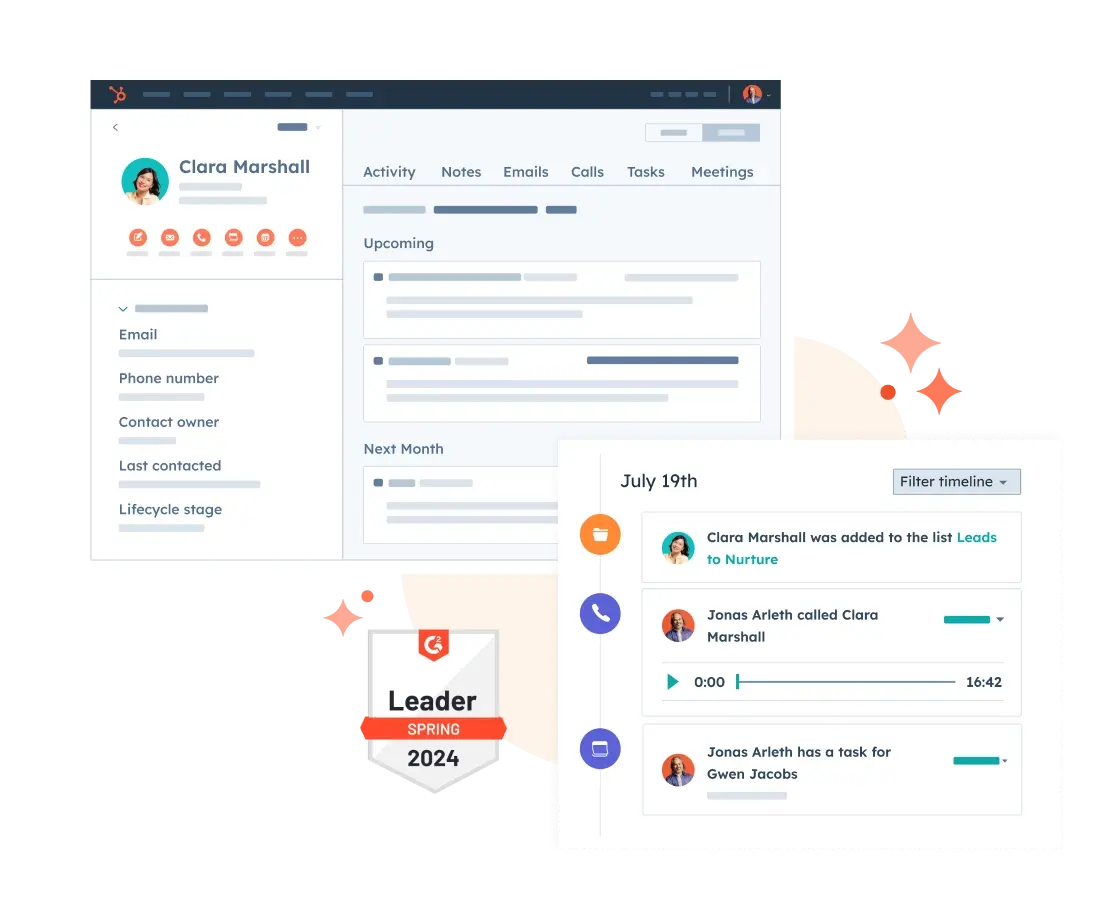
HubSpot Marketing Hub is the ideal choice if your event strategy is deeply connected to your overall customer relationship management (CRM) and marketing funnels.
Since it runs directly on the HubSpot CRM, it uses your existing contact data to deliver incredible personalization. This allows you to effortlessly build automation workflows that ensure every email, page, and ad an attendee sees is perfectly tailored to their unique behavior and history with your brand or an event.
A user review says:
I like the convenience of HubSpot Marketing Hub, as it allows me to manage all my marketing efforts seamlessly within a single platform. The tools, resources, and articles available are invaluable for optimizing my experience, providing insights and assistance tailored to my specific marketing needs, such as optimizing email performance and enhancing my overall marketing strategy. I especially find the webinars beneficial for learning how to make better use of HubSpot and understanding new features. The built-in workflows, landing pages, and blog capabilities, along with the integration of my website into the platform, allow me to effectively manage all aspects of marketing in one place. Additionally, the significant advancements in HubSpot Marketing Hub over the years have continually improved its usability and functionality. The ease of initial setup, facilitated by our internal team and support from HubSpot representatives, made transitioning to this platform smooth and trouble-free, enhancing our overall experience.
💟 Bonus: Brain MAX is your AI-powered desktop companion that makes event personalization effortless and impactful. With deep integration across your attendee lists, emails, feedback forms, and marketing tools, Brain MAX brings all your event data into one place.
You can use talk-to-text to quickly capture attendee preferences, special requests, or notes, and Brain MAX leverages multiple leading AI models to analyze this information, segment your audience, and suggest tailored experiences for each participant.
It can also help you automate personalized communications, recommend session tracks, and even flag VIPs or special interests—ensuring every attendee feels valued and engaged.
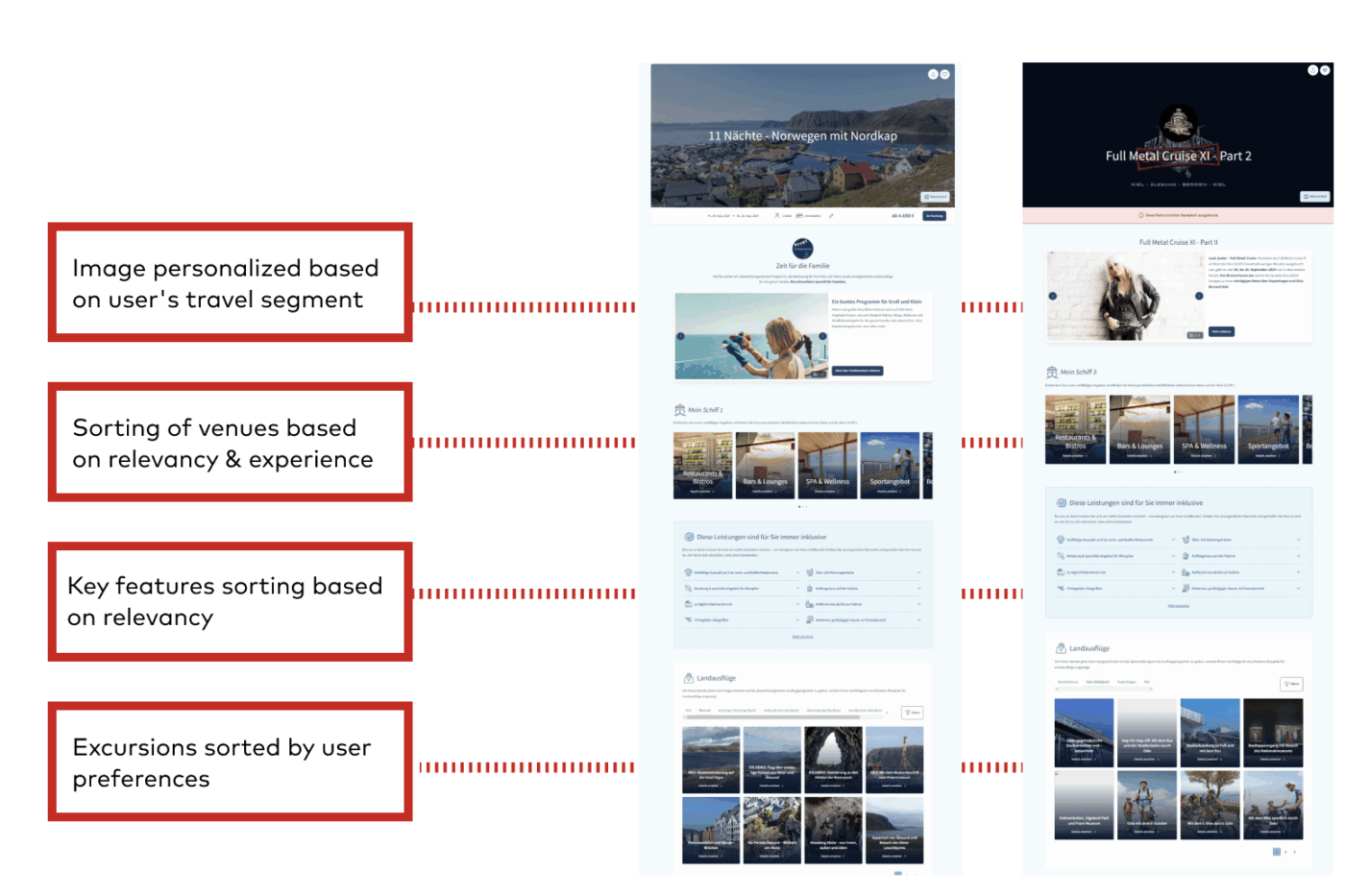
Dynamic Yield is a true specialist in experience optimization, using powerful deep learning algorithms to predict and personalize every digital touchpoint.
For event hosts, this means you can offer attendees algorithmic recommendations for the next session to attend, the most relevant speaker to meet, or the content they should download, all based on their real-time engagement. It turns your event platform into a constantly optimized, personalized recommendation engine.
A user review says:
Dynamic Yield is a best-in-class personalization platform that has significantly scaled our personalization efforts across multiple brands. Its robust segmentation and targeting tools enable us to deliver impactful, data-driven campaigns across web, mobile, and email, creating a seamless omnichannel experience.
The testing and optimization capabilities, including A/B and multivariate testing, have been crucial for continuous improvement, while seamless integration with our tech stack simplifies workflows. Dynamic Yield’s support team is exceptional, providing proactive guidance that empowers our teams to innovate confidently. Overall, it’s an invaluable tool for scaling personalization and driving measurable results.
Work sprawl is one of the biggest reasons personalization fails.
Attendee insights live in the registration tool. Content lives in shared drives. Email variations sit inside a marketing platform. Speaker updates arrive in Slack. Notes get lost in spreadsheets. When information is scattered across tools and channels, teams end up reacting instead of planning, and personalization becomes a patchwork of last-minute tasks.
Event organizers need a reliable system that consolidates attendee data, content production, campaign assets, task assignments, and performance tracking into a single, organized system. The result is a personalization workflow that is predictable, repeatable, and much easier to scale.
Below is how event teams can set this up and why it creates real operational value.
When personalization work is fragmented, teams waste hours trying to locate information or reconfirm details.
A structured attendee workspace can include:
• A profile database that tracks interests, goals, preferences, and behavior
• Custom fields that reflect your event themes or segmentation needs
• Lists for pre-event, onsite, and post-event activities
• Folders for content, campaigns, and session assets

ClickUp provides teams with a single source of truth, ensuring everyone operates from the same foundation. Instead of switching between spreadsheets, Slack threads, and registration exports, it allows the entire team to see the full personalization plan in one place. This cuts down on duplicate work and reduces mistakes caused by outdated or mismatched information.
The value: Fewer miscommunications, faster planning, and a more consistent attendee experience.
Personalization creates a ripple effect on content teams.
A generic agenda might need only one set of emails, but a personalized agenda might require dozens of variations. Without a structured workflow, content delays slow down the entire personalization strategy.
Having a content pipeline helps teams produce this volume without burnout. Tools like ClickUp Tasks can step in here to make sure that:
• Every asset has a clear status like draft, review, approved, or scheduled
• Writers, designers, and reviewers collaborate on the same task
• Speaker information, research notes, and briefs stay attached to the content
• Dependencies prevent things from moving forward before they are ready
This way, if a segment needs its own session spotlight or a new message for a specific interest group, the pipeline handles the request smoothly.
The value: Content teams stay organized, and personalization never stalls due to bottlenecks.
Manual segmentation is one of the biggest causes of work sprawl. Someone exports a list, filters it, sends it to marketing, edits it again, uploads it to another tool, and then tries to keep everything updated when new registrations arrive.
Segmentation can run in the background via Automations in ClickUp and AI Agents:
That means teams no longer need to spend hours sorting names or fixing mismatched lists. Instead, they can build workflows where segmentation updates itself and automatically triggers the right tasks or content.
The value: Faster personalization, fewer errors, and more time for meaningful work.
Personalization workflows involve a lot of moving parts. Invitations, reminders, follow-ups, session nudges, and post-event recaps each require multiple versions tailored to different audiences.
ClickUp AI helps teams draft these pieces quickly:
• Summaries for attendees based on interests or behavior
• Session highlight blurbs
• Email base drafts for each segment
• Follow-up messages tailored to what the attendee did at the event
The more segments you support, the more time this saves. See it in action!
The value: Faster content production without sacrificing quality.
Once personalization efforts go live, teams need to know what is working and what needs adjustment. Your teams need a clear view of:
• Which segments are engaging most
• Which content assets are being used
• Which session recommendations are attracting clicks
• Where attendees are dropping off
• What themes are gaining traction
ClickUp Dashboards help you capture these insights faster and help teams respond quickly. If one segment is ignoring networking events, organizers can adjust messaging. Or if something else is trending, the teams can then spotlight related sessions.
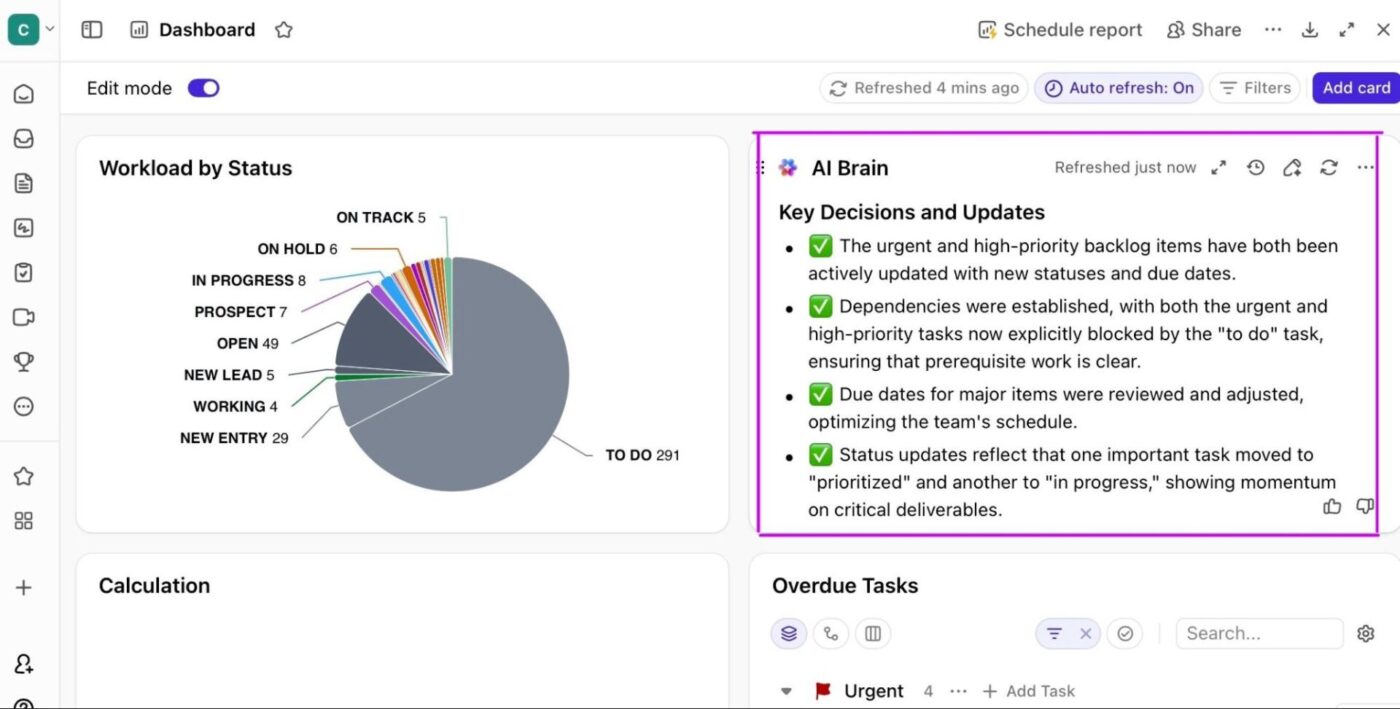
The value: Personalization becomes smarter every day because teams can act on live data instead of waiting for post-event surveys.
Setting a personalization framework up from scratch is a daunting task. Here’s the toolkit to get your workflows up and running faster:
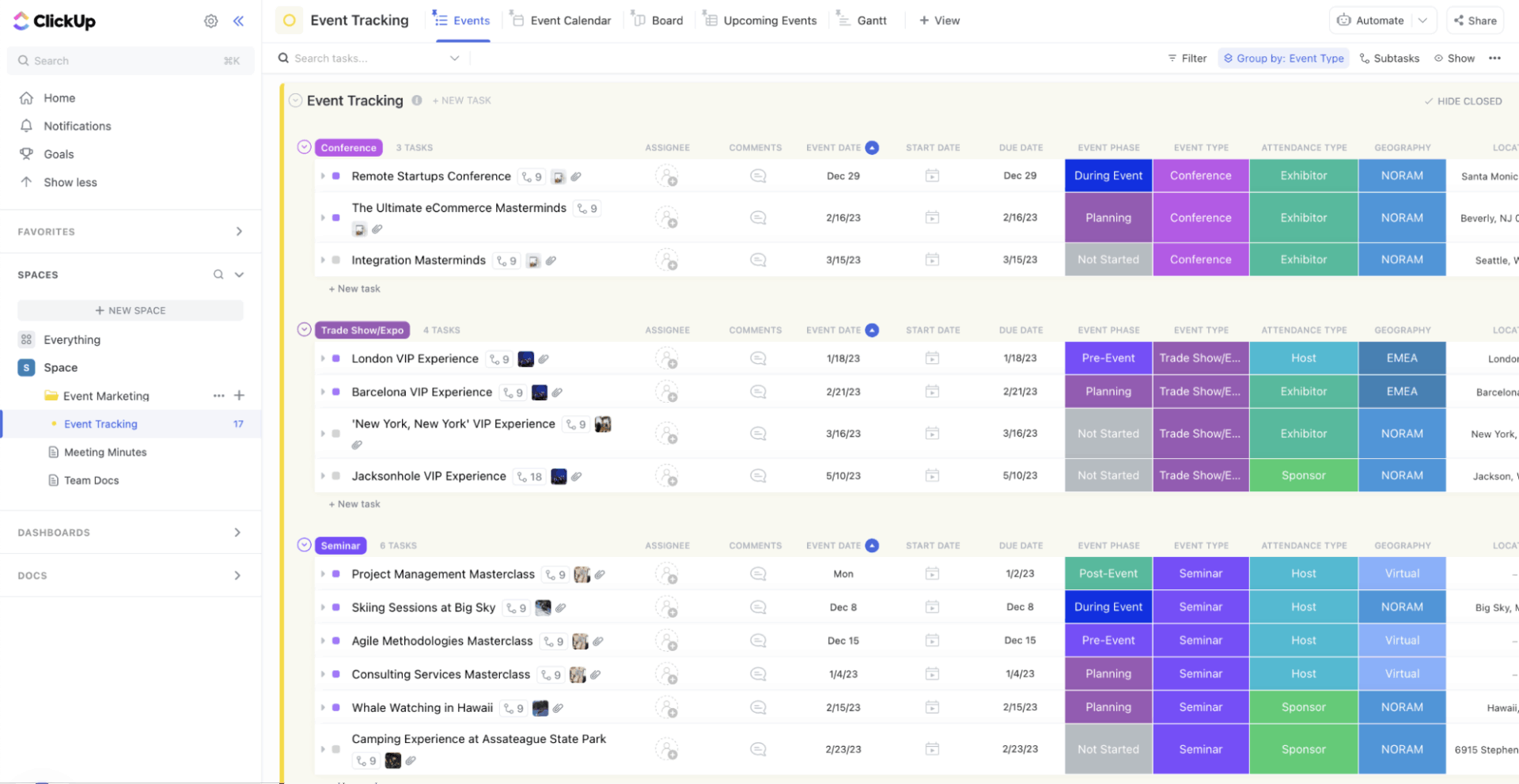
Plan your event promotions from one organized hub with the ClickUp Event Marketing Template. Map out social posts, email campaigns, speaker assets, and deadlines, then track progress as your team creates, reviews, and launches every piece of content.
📖 Read More: Event Planning Software That Simplify Everything
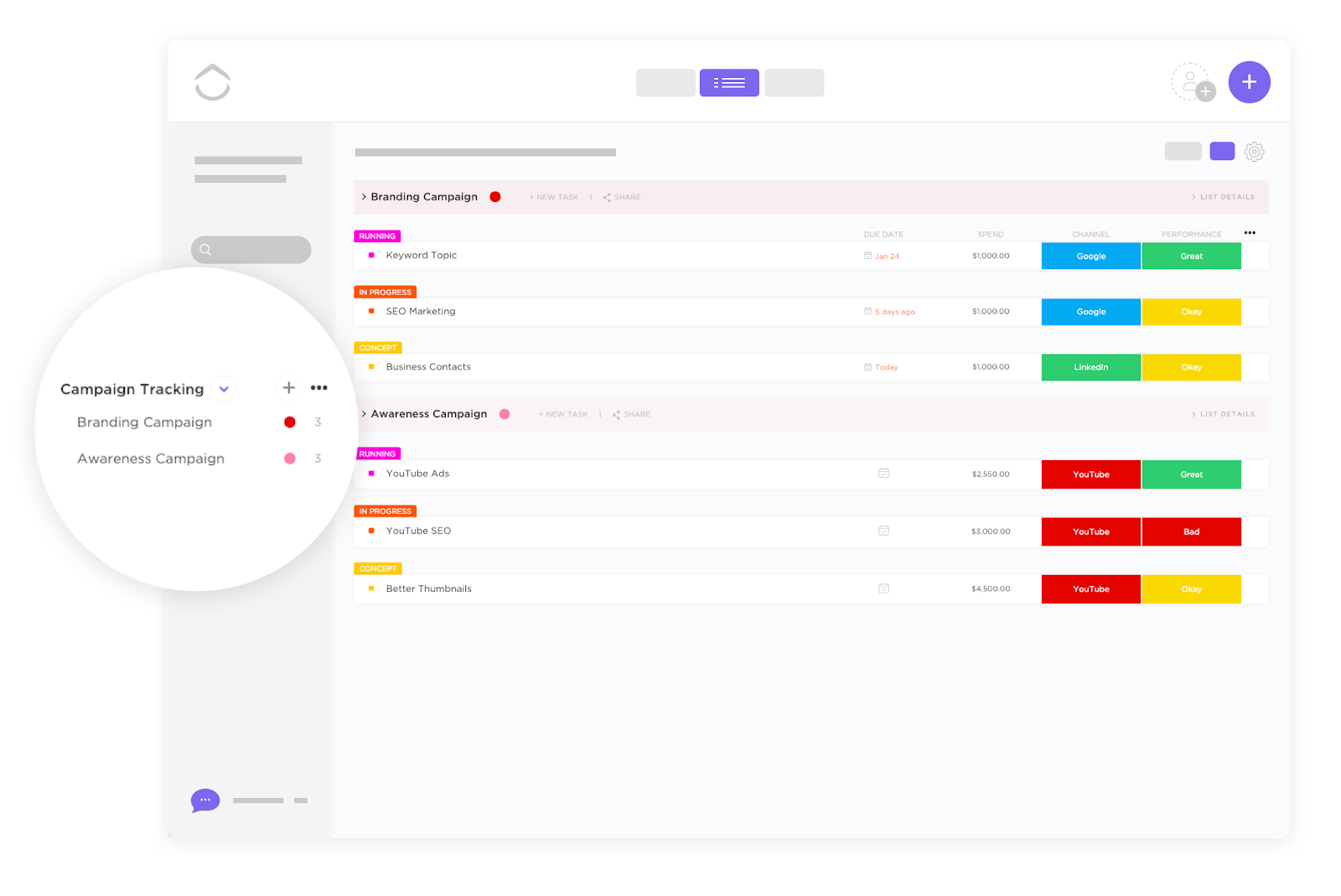
See all your campaigns at a glance via the ClickUp Campaign Tracking Template. Compare performance, monitor pacing across channels, and keep owners, deadlines, and results in sync without juggling multiple spreadsheets.
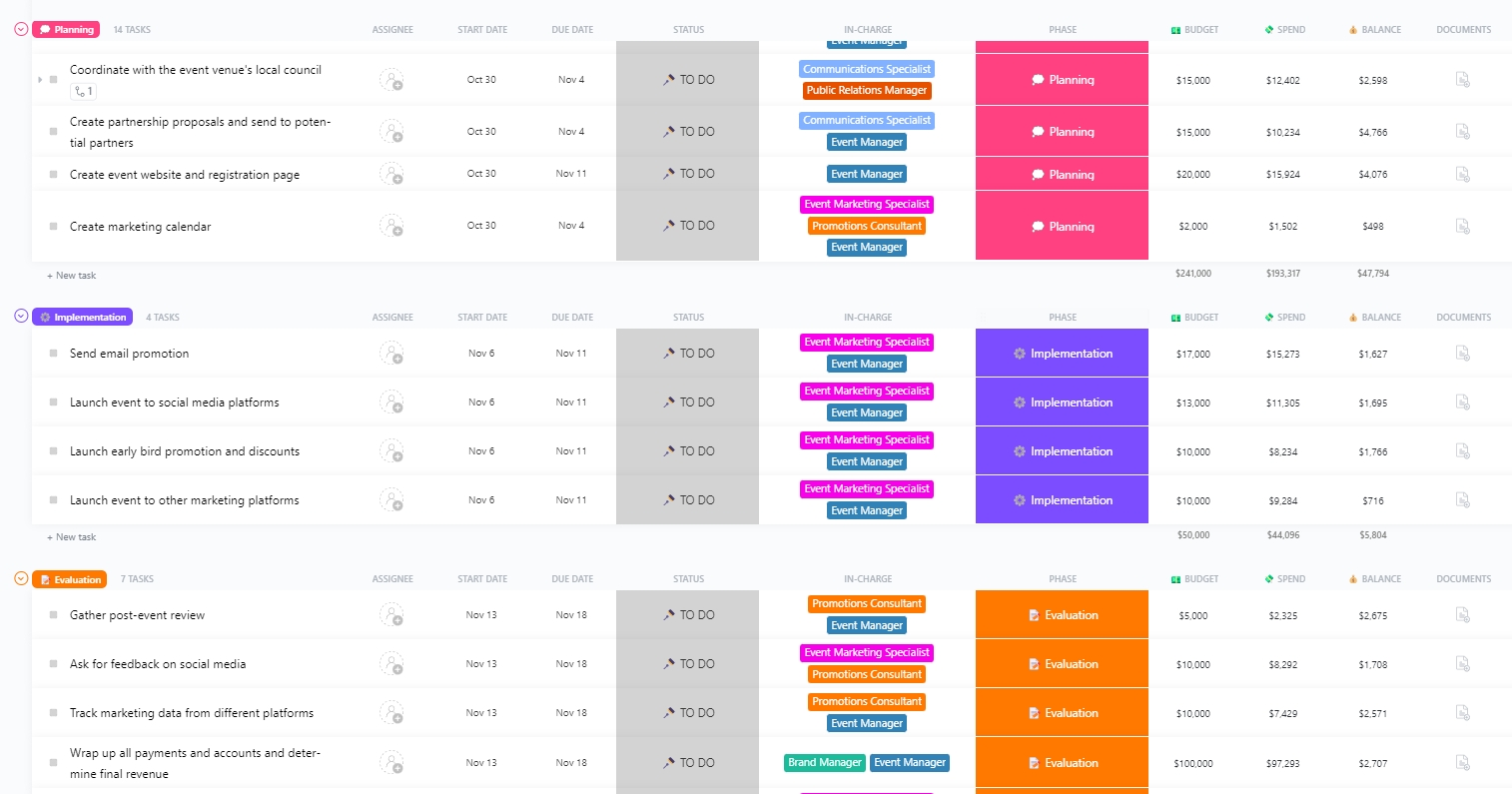
Build a complete event marketing strategy in minutes with ClickUp’s Event Marketing Plan Template. Set goals, define audiences, outline key messages, and structure your promotional timeline so your entire team works from the same playbook.
| Challenge | What it looks like in real events | Ethical considerations | How event teams can address it |
|---|---|---|---|
| Collecting the right attendee data | Teams gather too much or too little data, or information is scattered across registration tools, apps, and spreadsheets | Attendees should know what data is collected and why | Communicate data use clearly, only collect what is needed, and store it in one secure system |
| Protecting attendee privacy | Location tracking, behavioral data, or networking preferences are captured without enough transparency | Attendees should have control over data visibility and opt-in choices | Offer clear opt-ins, allow attendees to manage visibility, and avoid hidden data collection |
| Bias in recommendations | Certain groups get more prominent session suggestions or networking matches based on incomplete patterns | AI systems should not steer people unfairly or narrow their options | Review segment definitions, test outputs across diverse profiles, and keep humans involved in oversight |
| Over-targeting and attendee fatigue | Attendees receive too many notifications or overly specific suggestions that feel intrusive | Attendees should not feel monitored or pressured | Limit notifications, prioritize relevance, and allow attendees to adjust personalization settings |
| Misinterpreting behavior signals | An attendee clicks on a topic by accident, checks into a session for convenience, or leaves early due to scheduling conflicts | Attendees should not be locked into inaccurate profiles | Combine behavior signals with self-declared interests and let attendees update preferences at any time |
| Balancing sponsor needs with attendee comfort | Exhibitor recommendations feel too commercial or push attendees toward sales conversations they did not ask for | Attendees should have control over sponsor interactions | Clearly label sponsored suggestions and avoid forcing interactions |
| Ensuring transparency around personalization | Attendees do not know why they are receiving certain recommendations | People have a right to understand how personalization works | Provide simple explanations like “Suggested because you showed interest in…” |
| Maintaining accessibility and fairness | Personalization favors digital-first attendees while others miss out on recommendations | AI should enhance access, not widen gaps | Offer printed summaries, onsite help desks, and alternative ways to receive recommendations |
| Avoiding dependency on automated decisions | Teams rely entirely on algorithms for segmentation, content promotion, or matchmaking | Humans should remain responsible for critical decisions | Keep humans in the loop, especially for VIPs, diverse groups, or sensitive topics |
| Handling post-event data responsibly | Teams store attendee behavior long after the event without clear retention rules | Attendees should have control over how long data is kept | Set retention timelines, anonymize old data, and allow attendees to request deletion |
Personalized events are no longer a nice surprise. Attendees expect experiences that feel relevant to their goals, easy to navigate, and worth the time they invest. AI gives event teams the ability to deliver this at scale, but only when the work behind the scenes is organized, consistent, and connected.
This is where ClickUp makes a meaningful difference. Personalization depends on clean data, fast content production, coordinated teams, and the ability to adjust as attendee behavior changes. ClickUp brings all of this together in one place. Teams can build profile databases, plan segmented campaigns, manage content pipelines, automate repetitive tasks, and monitor performance in real time. Everything lives in one system, which means fewer gaps, fewer mistakes, and a smoother, more intentional attendee journey.
The result is an event that feels thoughtful rather than transactional. Attendees discover content that fits their interests. Exhibitors have better conversations. Organizers gain clearer insights. And the entire experience flows with less manual effort.
✅ Try ClickUp and experience the difference today!
Collect only the information that helps you tailor the attendee journey. This usually includes interests, job role, session preferences, accessibility needs, and behavior signals like viewed topics or saved sessions. Avoid collecting unnecessary details and clearly explain how the data will be used.
Yes. When attendees receive content and recommendations that match their goals, they attend more sessions, engage more deeply, and report higher satisfaction. Exhibitors also benefit because recommendations help match them with attendees who are genuinely interested in their solutions.
Combine self-declared interests with behavior signals, review recommendations across different attendee groups, and keep humans involved in key decisions. Teams should routinely test suggestions to make sure they do not favor specific roles, industries, or demographics unfairly.
Absolutely. Smaller events often see even bigger improvements because attendees receive guidance that helps them make the most of limited sessions or shorter schedules. Simple tactics like tailored agendas or segmented emails can have a meaningful impact without complex systems.
Update recommendations whenever attendee behavior changes. This could be after a session check-in, a bookmarked item, or an activity inside the event app. Real-time updates help attendees discover sessions and experiences that match their evolving interests throughout the event.

© 2026 ClickUp

There’s an easier way. Try a free AI Agent in ClickUp that actually does the work for you—set up in minutes, save hours every week.