






Still downloading templates?
There’s an easier way. Try a free AI Agent in ClickUp that actually does the work for you—set up in minutes, save hours every week.
Sorry, there were no results found for “”
Sorry, there were no results found for “”
Sorry, there were no results found for “”

Projects rarely unfold as planned. New requirements, resource changes, scope creep, and even market shifts can make a rigid annual budget seem…almost pointless. By the time you’ve finalized the annual budget, half of your assumptions might be incorrect.
Agile budget management might be what you need. When you set Agile budgets, you allocate resources and adjust the project’s budget quarterly or monthly based on actual progress.
This flexible approach keeps funding aligned with real-world priorities rather than outdated predictions.
As a result, teams can pivot quickly, reduce waste, and deliver higher-impact outcomes.
Let’s dive deeper into what Agile budgeting is in project management, how to implement it, and the challenges and best practices to consider.
Agile budgeting applies the principles of Agile project management to financial planning. It is built on short planning sessions, frequent reassessment, and data-driven adjustments. In short, your financial plan becomes an evolving system.
The benefit of Agile budget management is that your team is better positioned to respond to changing project conditions. You or your project manager can be alerted to potential issues more quickly.
In the traditional waterfall budgeting process, the budget is set in advance and remains fixed for the project. If the scope or timeline changes, or if you encounter unforeseen challenges, you are limited in how you can respond or make changes to the entire project.
🚀 Case in Point: McKinsey found that organizations leveraging advanced Agile practices, including Agile funding, were able to react to changes driven by the COVID-19 pandemic up to twice as fast as the national average.
Traditional budgeting is typically set once a year, approved by leadership, and rarely revisited. While predictable, it often leaves teams stuck with outdated assumptions and little room to react when things shift.
Agile budgeting takes the opposite approach. It favors flexibility over rigidity, reviews budgets frequently, and funds initiatives delivering the most value. Here’s how the two approaches compare:
| Aspect | Traditional Budgeting | Agile Budgeting |
| Planning process | Fixed annually | Iterative (quarterly, monthly, or per sprint) |
| Flexibility | Low–hard to adjust mid-year | High–quick reallocation based on outcomes |
| Decision making | Top-down, finance-driven | Cross-functional, collaborative |
| Focus | Cost control and adherence | Value delivery and adaptability |
| Risk management | Reactive–risks handled after variance | Proactive–risks assessed continuously |
| Visibility | Limited, annual reporting | Real-time dashboards and rolling forecasts |
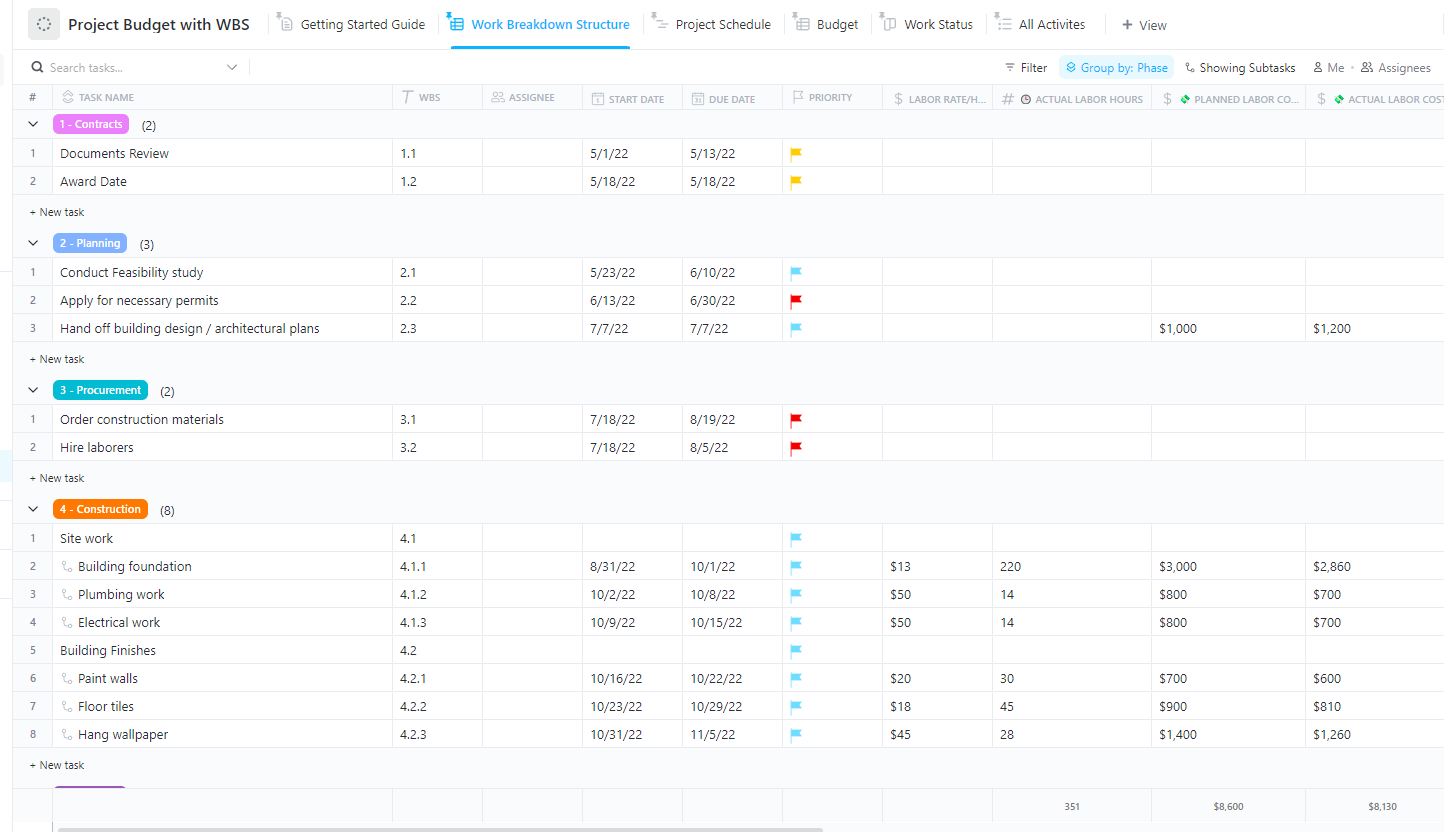
When it comes to Agile project budgeting, the most important step is to create a detailed Work Breakdown Structure (WBS). Break down the project scope into activities and track the budget using ClickUp’s Project Budget with WBS Template.
Visualize the project progress and know instantly whether you are saving or getting over the budget. Any project manager trying to cut costs and save time should use this template!
The benefits of an Agile budgeting process include:
React faster to market changes
Teams can adjust funding quickly when customer needs or market conditions shift.
⭐ Example: Your SaaS company launches a new feature based on user stories, but user feedback highlights a different feature as more valuable. With Agile budgeting, your team can immediately reallocate funds to accelerate the new priority, rather than waiting for the next annual cycle.
Align spending with business value
Resources flow to the initiatives with the greatest impact, rather than being spread thin.
⭐ Example: Your marketing team sees one ad campaign underperforming while another exceeds expectations. Agile budgeting allows them to pull funds from the low-performing campaign and double down on the one driving results.
Strengthen collaboration across teams
Finance, operations, and project leaders share accountability in funding decisions.
⭐ Example: During a quarterly review, a product team and finance leaders decide together to scale back one initiative so they can invest more resources in an AI-powered feature.
Improve efficiency and reduce waste
You can stop or pivot projects before they drain unnecessary resources.
⭐ Example: Your team relies on a set of tools in the tech stack, but not all of them deliver value or are actually used—but subscriptions keep renewing because no one has visibility.
With Agile budget management, you can review these expenses, cut funding for tools that don’t support current priorities, and reallocate that budget to solutions that actually drive productivity.
Deliver projects on time and on budget
Continuous monitoring helps your project management team spot issues early and correct course to avoid delays and overspending.
⭐ Example: Your development team realizes mid-sprint that a critical API integration will require more time and testing. Instead of absorbing delays downstream, the project manager reallocates funds to bring in temporary QA resources. The project stays on schedule without exceeding the total spend.
Here’s a step-by-step breakdown on how to implement Agile budget management.
Define the purpose and expected results upfront so your priorities stay aligned throughout each iteration. This should be a part of your high-level project plan.
Also, outline the scope of work. Why? Because it will guide your project budget process.
Bring all stakeholders into one workspace for budgeting and planning with ClickUp’s Project Management Software. Budget owners see how spending connects to actual project progress, milestones, and deliverables—not just line items divorced from the work they fund.

Similarly, each department can view budgets, dependencies, and updates without needing to switch tools, thereby reducing miscommunication and duplication.
This approach eliminates Work Sprawl by consolidating budget and resource planning, tracking, and project execution in a single Converged AI workspace. So, finance teams don’t need separate BI tools to understand project spending patterns. And no one needs to hunt for clarifications and answers across endless chat threads and emails.
🎷 Watch: This walkthrough shows you how to build a high-level project plan in under 30 minutes—from defining goals to assigning tasks. We’ll cover the simplest way to do complete, end-to-end project planning. 🧠
📚 Bonus Read: Learn how Agile teams create project plans that can adapt to change. Get the free Project Plan Playbook.
The backbone of the Agile budgeting process is that things are dynamic and flexible. The two ways to do this are: planning the process into sprints and task prioritization.
Rather than committing the entire budget upfront, you allocate funds in smaller increments—typically on a monthly or quarterly basis. This is, of course, based on current priorities, validated learnings, and the project’s actual pace of progress.
Agile also means prioritizing what is most important. Identify the high-priority tasks for each sprint and allocate the budget. You want crucial activities to get financial attention, and that’s what task prioritization is.
ClickUp Sprints helps teams break budgeting cycles into shorter, manageable timeframes. Each sprint has clear start and end dates.
You can allocate a budget for each quarter (or any other timeline, like sprints) and track spending and resources within each cycle. Then adjust allocations for the upcoming quarter based on what you learned.
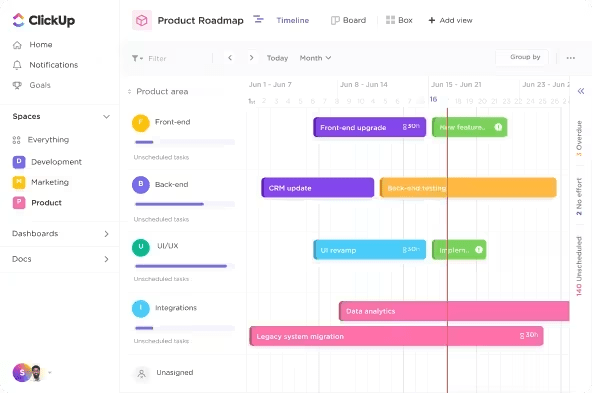
Combined with ClickUp Task Priorities, teams can clearly mark which task items are urgent, high, normal, or low priority. This ensures that limited funds and resources flow to the most critical initiatives first. Lower-priority items remain flexible and can be deprioritized or delayed as circumstances change.
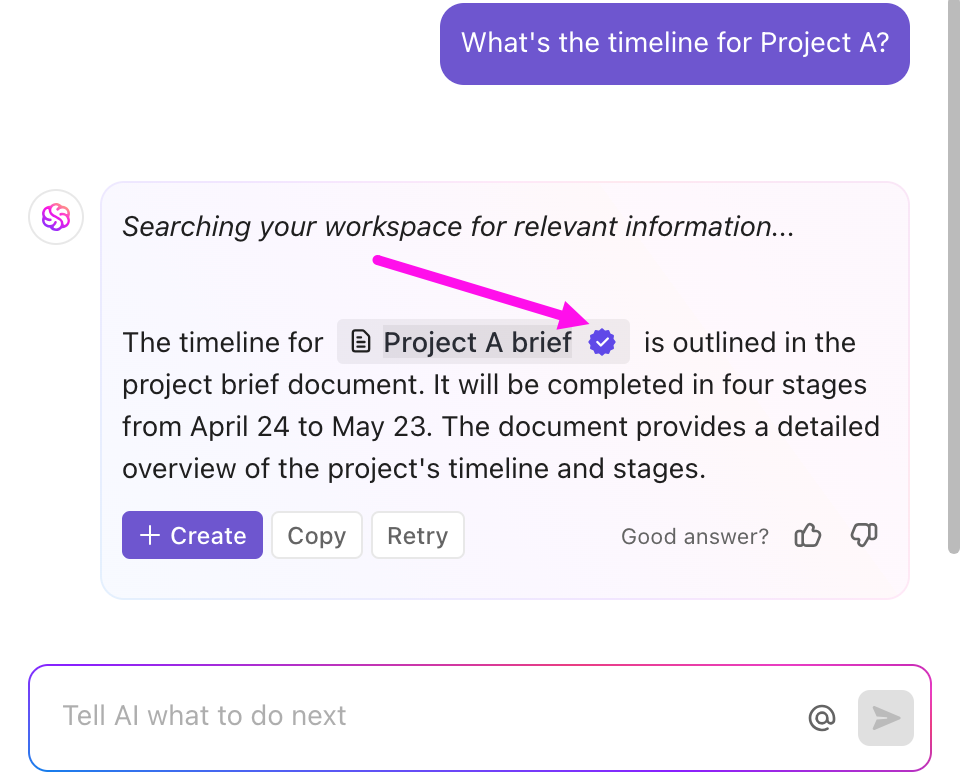
💡 Pro Tip: With ClickUp Brain, you can ask questions like “Which sprint tasks are consuming the most budget?” or “What deliverables are behind, and what’s the cost impact?” It pulls data from your tasks, docs, and projects in real time and surfaces summaries, automations, or alerts.
For Agile budgeting to be effective, everyone must be able to view the same data and speak the same language. This includes finance, operations, product, and project management.
But if the budget is in spreadsheets that only one department understands or has access to, it becomes useless.
Cross-functional collaboration ensures that budget decisions aren’t made in isolation. When teams co-own priorities and have visibility into spending, they’re more likely to deliver outcomes within budget and on time.
Here’s how to implement cross-team collaboration effectively:
Create a single workspace for tasks, costs, and timelines. This helps every team understand how their work impacts both delivery and budget. For example, finance tracks spending in real time.
Agile project managers see the burn rate per sprint. Product and engineering track progress against value delivered.
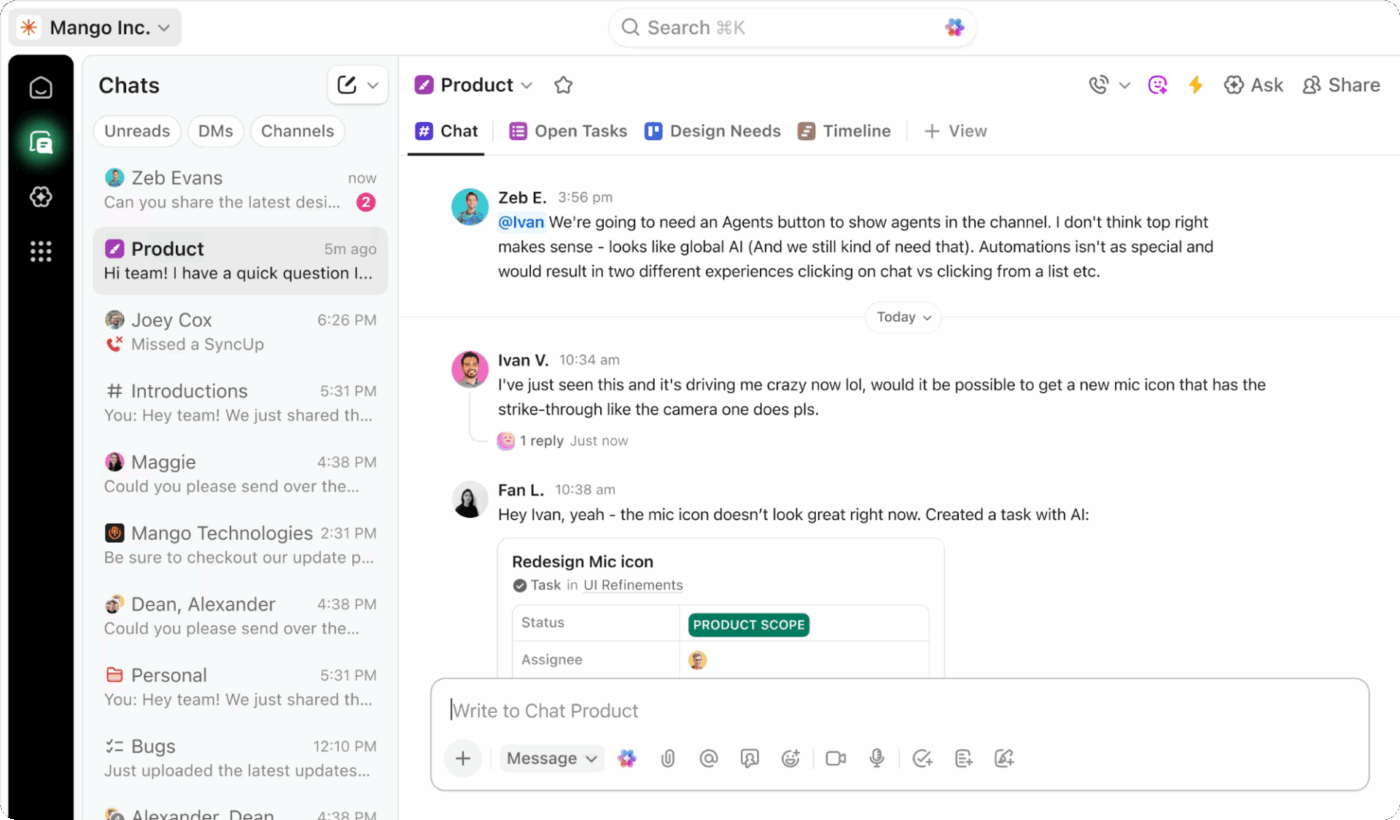
💡 Pro Tip: Use ClickUp Chat to discuss budget adjustments, cost overruns, or resource allocation directly within project channels, rather than in scattered email threads or Slack messages.
Tag team members when you need approvals, loop in department heads when reallocating funds/resources across initiatives, and keep all related conversations threaded with the specific projects they affect.
Hold regular sync-ups where teams review performance, discuss trade-offs, and make quick reallocation decisions. For example, the finance presents variance insights. Ops explains blockers. Leadership validates pivots based on value created.
ClickUp SyncUps allows you to host quick audio and video calls directly from your ClickUp Workspace. Review dashboards, comment on tasks, and update action items in real time.

Finance teams focus on ROI as their key metric. Operational folks consider efficiency. Delivery looks at velocity. In short, different teams measure success in different ways.
You need to agree upon the common success metrics. They could be cost per deliverable, feature adoption rate, or sprint profitability.
Being Agile means staying flexible and profitable. A fixed-rate approach may work for short, well-defined tasks, but it can create friction in longer, iterative engagements where scope changes frequently.
In simpler terms, you need to account for multiple billing models (fixed fee, time and materials, and retainer-based billing). You should also track billable vs. non-billable hours, as not every task adds direct revenue. But all tasks add cost. Tracking both helps you protect margins.
Use ClickUp’s Project Time Tracking feature to categorize every task as billable or non-billable. Over time, this data feeds into more accurate cost forecasting and pricing decisions.

It’s a good practice to review the accuracy of your estimates against actual tracked time and billable data after a few sprints. You will get a clearer picture of project costs, margin, and team velocity.
As per a small business owner,
ClickUp’s time tracking is another bonus — we track hours against tasks to keep budgets on point, and it gives us real data to refine future project scopes.
🚀 ClickUp Advantage: Let ClickUp Agents do the heavy lifting for your Agile budgeting. Because ClickUp Agents live inside your workspace, they can act on live budget data.
ClickUp Agents function like an AI teammate, allowing you to assign financial and operational hygiene tasks to them. Tag an Agent in a task or trigger it through an automation, and it takes over repeatable, budget-impacting work.
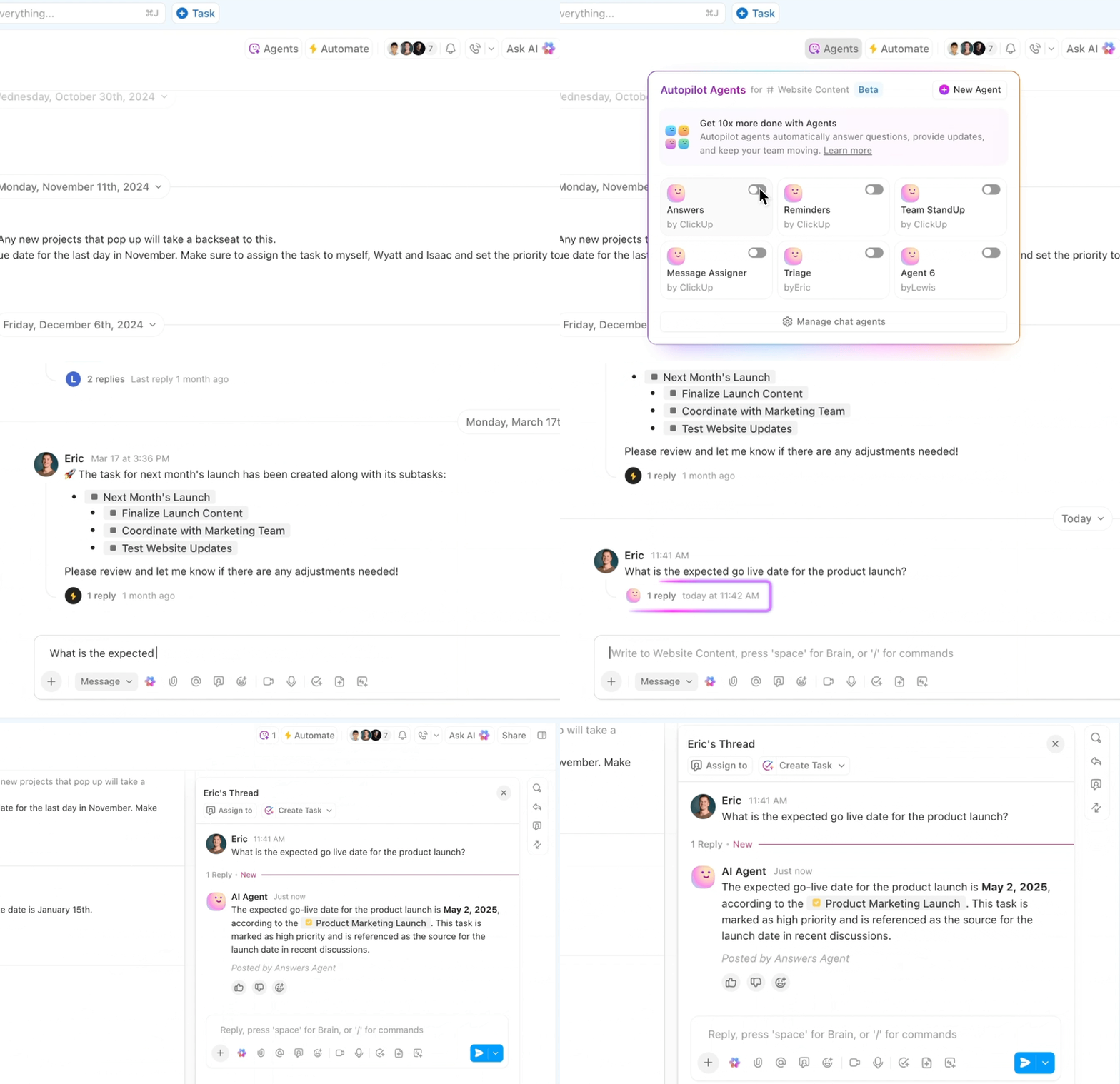
Here’s how:
You want to ensure your project doesn’t fall into the dangerous waters of overspending or underperforming against goals. Each quarter should indicate whether your investments are yielding results.
The two most important types of metrics to monitor are financial and operational ones. They include:
| Category | Metric | Why it matters in Agile budgeting |
| 💰 Financial | Budget variance | Reveals early overspending or underutilization of funds |
| Run rate or Burn rate | Shows whether you’re likely to exceed the budget before project completion | |
| Cost per deliverable | Helps assess the efficiency and cost of value creation | |
| Sprint profitability | Indicates if each sprint is generating positive returns | |
| Forecast accuracy | Measures financial predictability | |
| ⚙️ Operational | Sprint velocity | Reflects delivery pace and team productivity |
| Cycle time | Shorter cycles signal faster feedback and adaptability | |
| Team utilization | Highlights resource efficiency and potential over- or understaffing | |
| Change request frequency | Tracks stability and scope control; high rates flag misalignment | |
| Defect rate / Rework hours | Exposes hidden costs that drain budgets and slow delivery |
Another best practice is to conduct budget retrospectives after every cycle to discuss what worked, what didn’t, and what adjustments are needed.
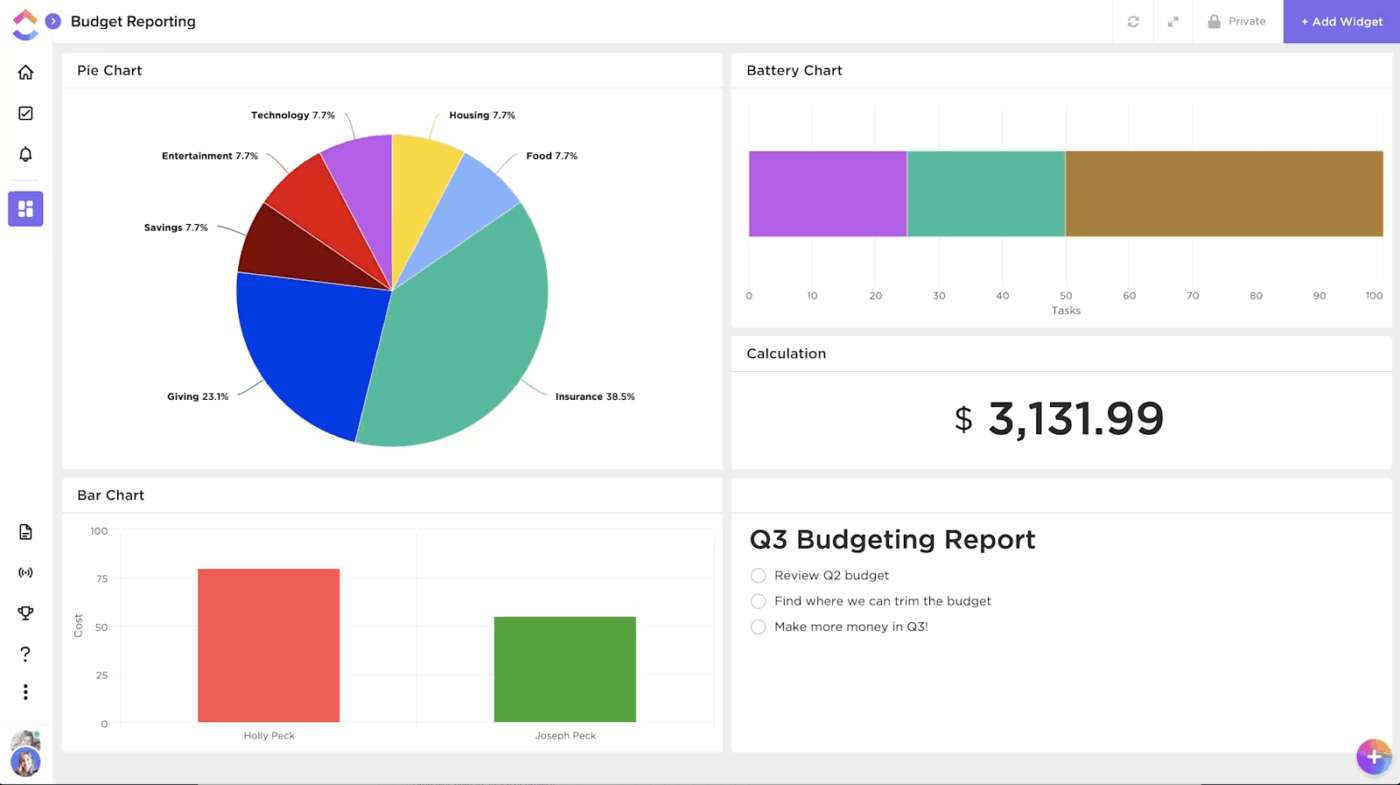
ClickUp Dashboards allow you to centralize and visualize all your financial and operational metrics in one place. Connect data from tasks, Custom Fields, and integrations to track budget burn, sprint velocity, and ROI in real time.
Dashboards enable you to switch between widgets, such as bar charts, pie charts, or line graphs, to identify bottlenecks early and track performance trends across sprints or portfolios.
Add AI-powered cards for instant insights, from budget variance summaries to workload predictions.
The best part? You can tailor dashboards by audience. Build high-level summaries for the C-Suite, detailed variance views for finance, or sprint-level velocity reports for project leads.
💡 Pro Tip: Custom Fields track allocated budgets, actual spend, and remaining funds at the milestone level, giving finance and project teams visibility into whether investments are delivering expected outcomes before committing additional resources.
Even the best budgeting framework falls flat without the right tools. Spreadsheets alone can’t handle rolling forecasts, scenario modeling, or cross-functional collaboration at the pace Agile requires.
Below are some of the Agile budgeting tools worth exploring.
Our editorial team follows a transparent, research-backed, and vendor-neutral process, so you can trust that our recommendations are based on real product value.
Here’s a detailed rundown of how we review software at ClickUp.
With ClickUp, you get AI-powered project management, financial visibility, and cross-functional collaboration, making it a powerful solution for Agile budgeting.
As we saw, you can manage rolling forecasts, approvals, and dashboards in ClickUp’s Project Management Software to keep the spend aligned with outcomes.

Here are some other features that help in your budgeting and tracking process:
Teams lose time manually checking if projects are approaching budget limits or remembering to notify the right people when funding adjustments are needed.
ClickUp Automations eliminate these repetitive tasks by triggering actions automatically based on your budget rules.
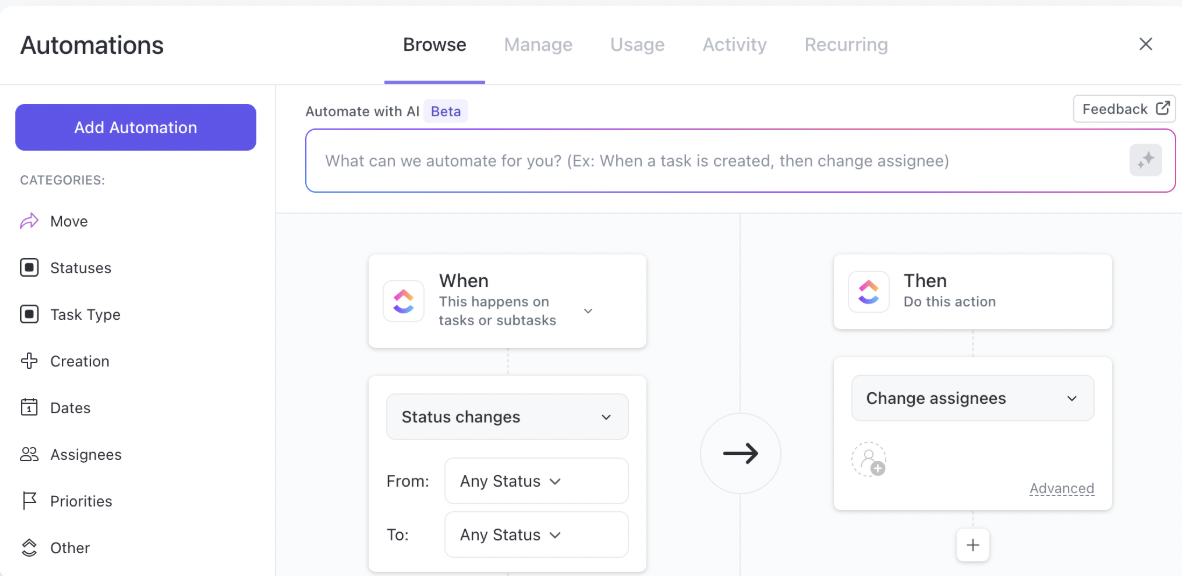
For example, you can set up triggers that notify finance teams when project spending reaches 75% of the allocated budget, move budget line items to “Needs Review” when actual costs exceed estimates, or assign approval tasks to department heads when requests come in.
When setting up a new project, utilize free project budget templates to estimate costs, define financial guardrails, and align the scope with the budget.
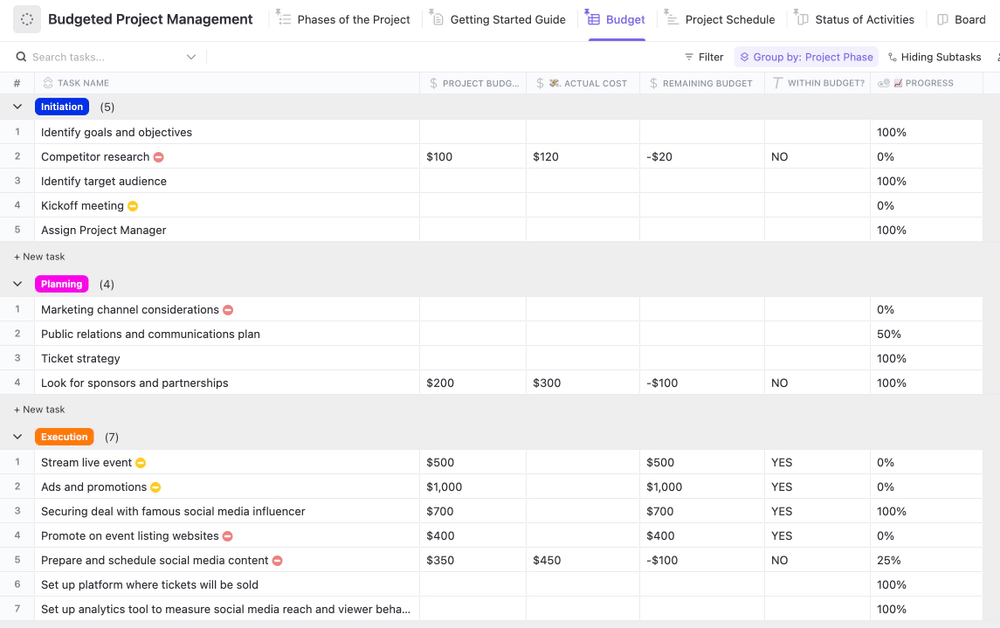
Start with the ClickUp Budgeted Project Management Template, which allows you to set up cost estimates, actuals, and variances directly within your workspace. You can customize fields for phase-specific budgets—then view them all in a Table view or a custom ClickUp Dashboard for real-time visibility.
ClickUp Docs keeps budget documentation dynamic and connected to the projects it funds. Create living project plans where assumptions, milestone decisions, and allocation rationales are linked to the actual tasks and projects consuming those resources.

When circumstances change, update planning documents in context and link them directly to the affected project timelines, so everyone understands both the numbers and the reasoning behind the adjustments.
💡 Pro Tip: Manually consolidating data for Agile reviews can lead to delays and errors. ClickUp Integrations connect your financial tools, accounting systems, and expense platforms directly to your budget tracking in ClickUp.
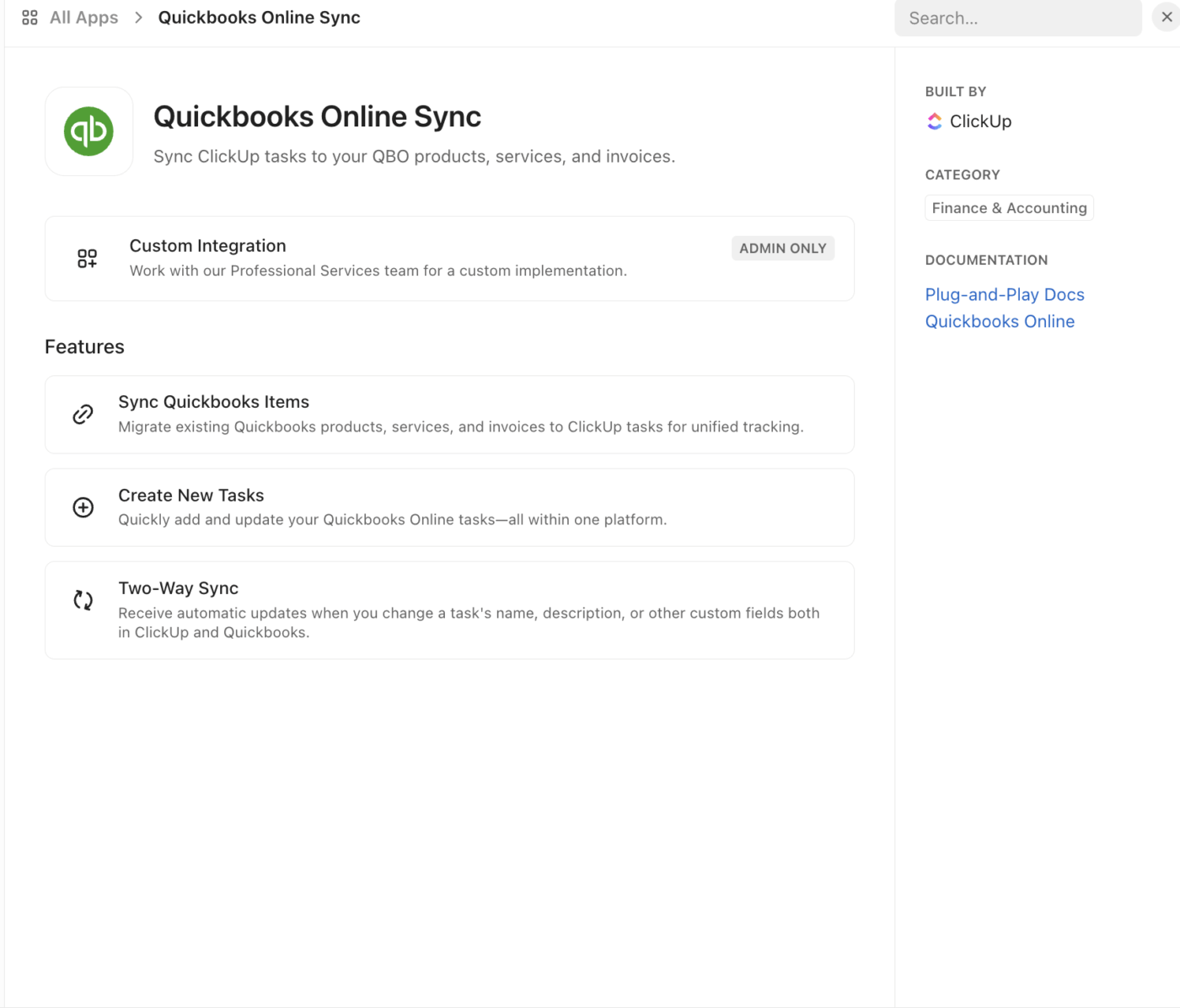
We believe finance teams and project managers shouldn’t need to manually compile reports or dig through tasks to understand where money is going.
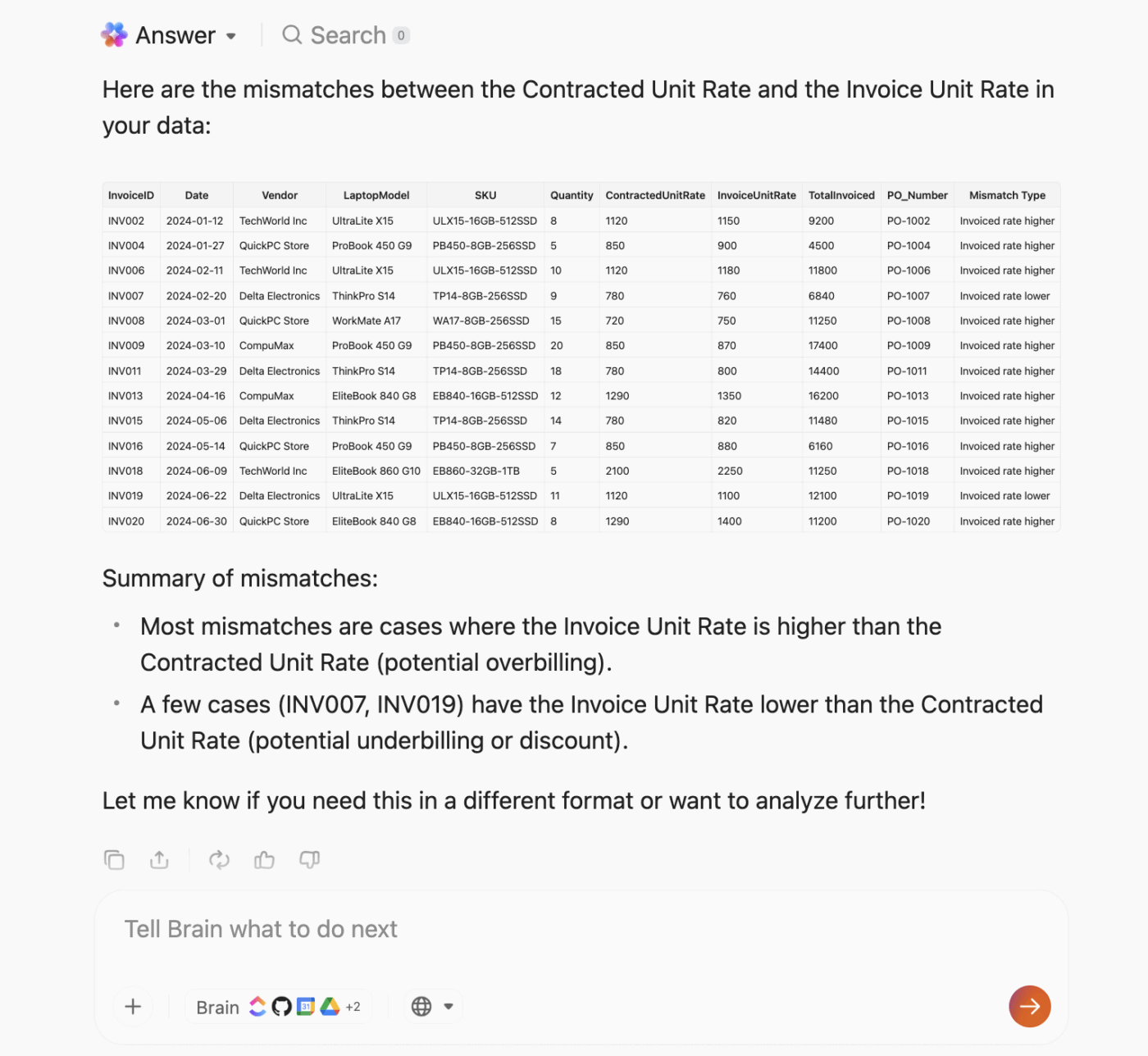
ClickUp BrainGPT is a desktop AI super app that provides instant insights into budget status, spending trends, and funding decisions, leveraging all your workspace data. Here’s how:
Designed for FP&A and budgeting, AI-native Abacum lets finance teams build driver-based models, run what-if scenarios, and unify data from multiple sources so forecasts stay current.
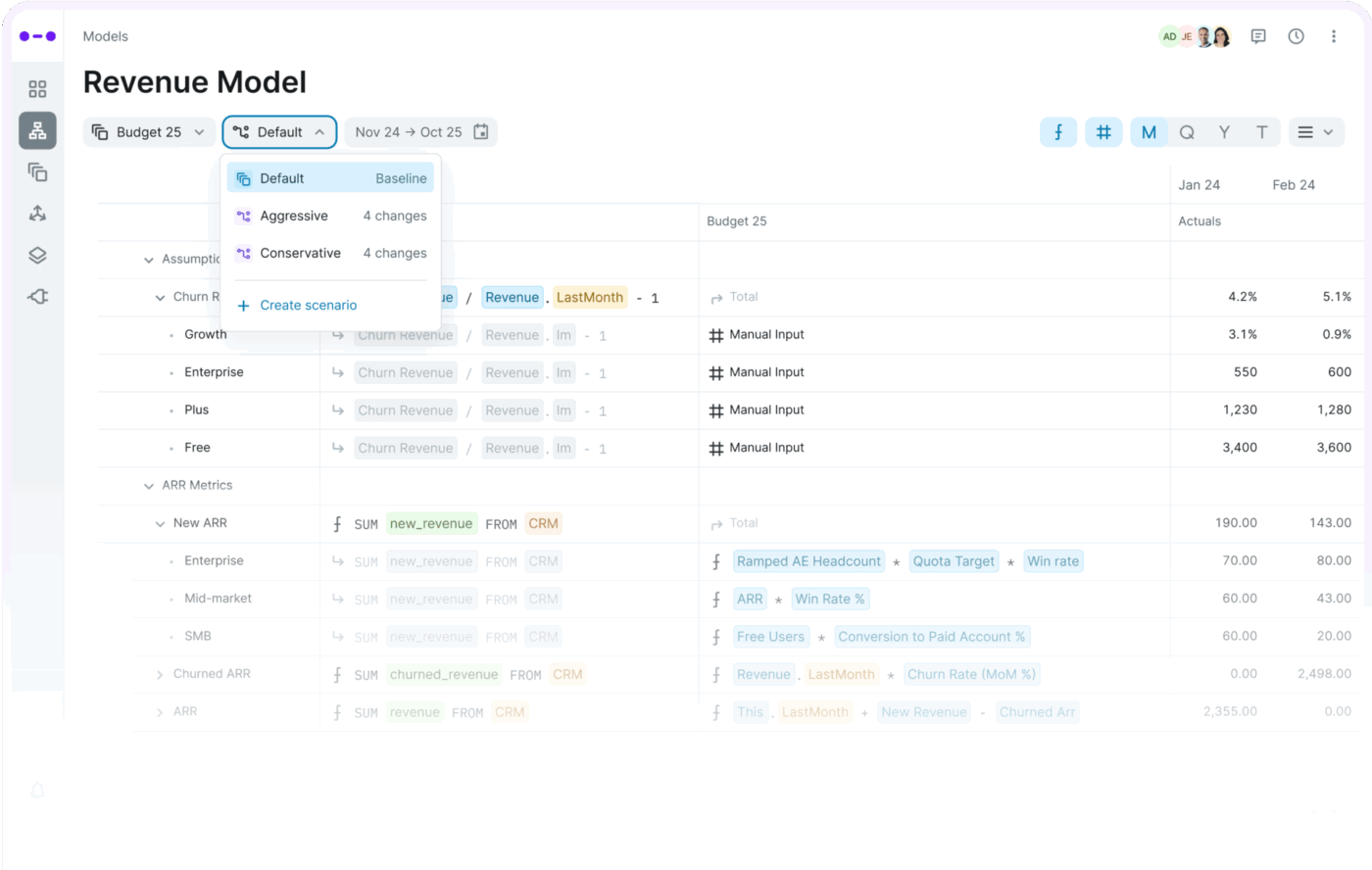
Using Abacum Intelligence, finance teams can model scenarios, analyze spending drivers, and share rolling forecasts with department heads in real time.
Birdview PSA (formerly Easy Projects) merges project delivery, resource planning, and cost tracking in one view. You can plan workloads, allocate hours, and monitor actual versus planned costs across portfolios.

It is used by service businesses or agency environments where utilization drives profitability. Built-in AI forecast dashboards simulate project timelines based on real-world team capabilities. Time tracking allows you to forecast revenue and detect scope creep before it impacts margins.
📚 Read More: Your Ultimate Guide to Agile Project Management
As an enterprise project portfolio management software, Planview is used by organizations for portfolio-level Agile budgeting. It supports budget management, forecasting, OPEX/CAPEX tracking, and aligns funding to strategic priorities.
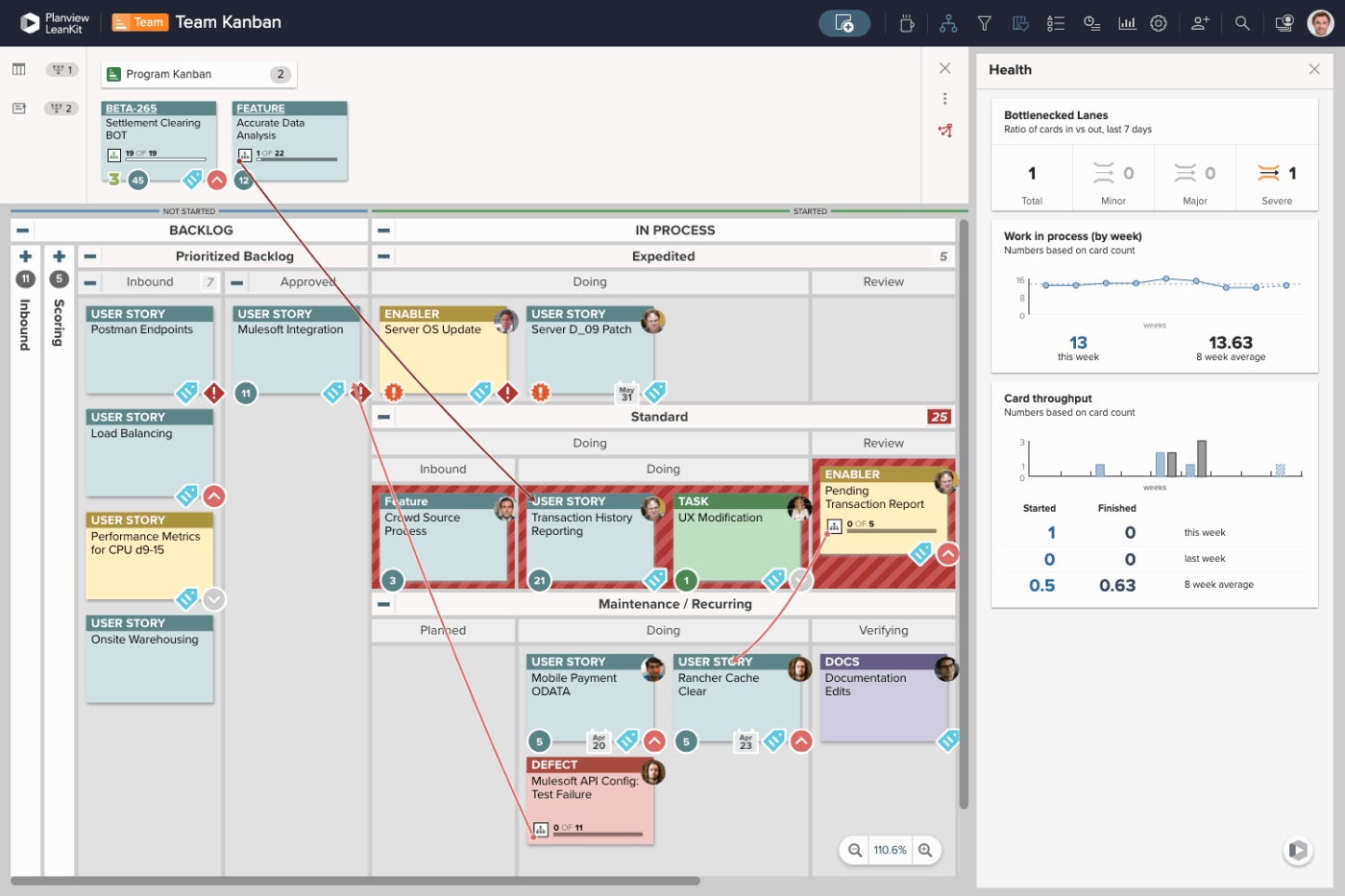
Teams can forecast at the program or portfolio level, simulate “what-if” trade-offs, and measure business value across initiatives using AI-powered portfolio management.
🧠 Fun Fact: The average employee spends 30 minutes or more a day searching for information, according to ClickUp research. With ClickUp’s all-in-one workspace, Enterprise Search, you can reduce that dramatically and reallocate that time to billable work!
Monday.com’s Work OS brings together project work, resource tracking, and budget visibility into a single board. Its AI features—such as monday Magic for workflow auto-generation and Sidekick for real-time prompts—help identify spend-drifting tasks and resource bottlenecks before they impact the budget.
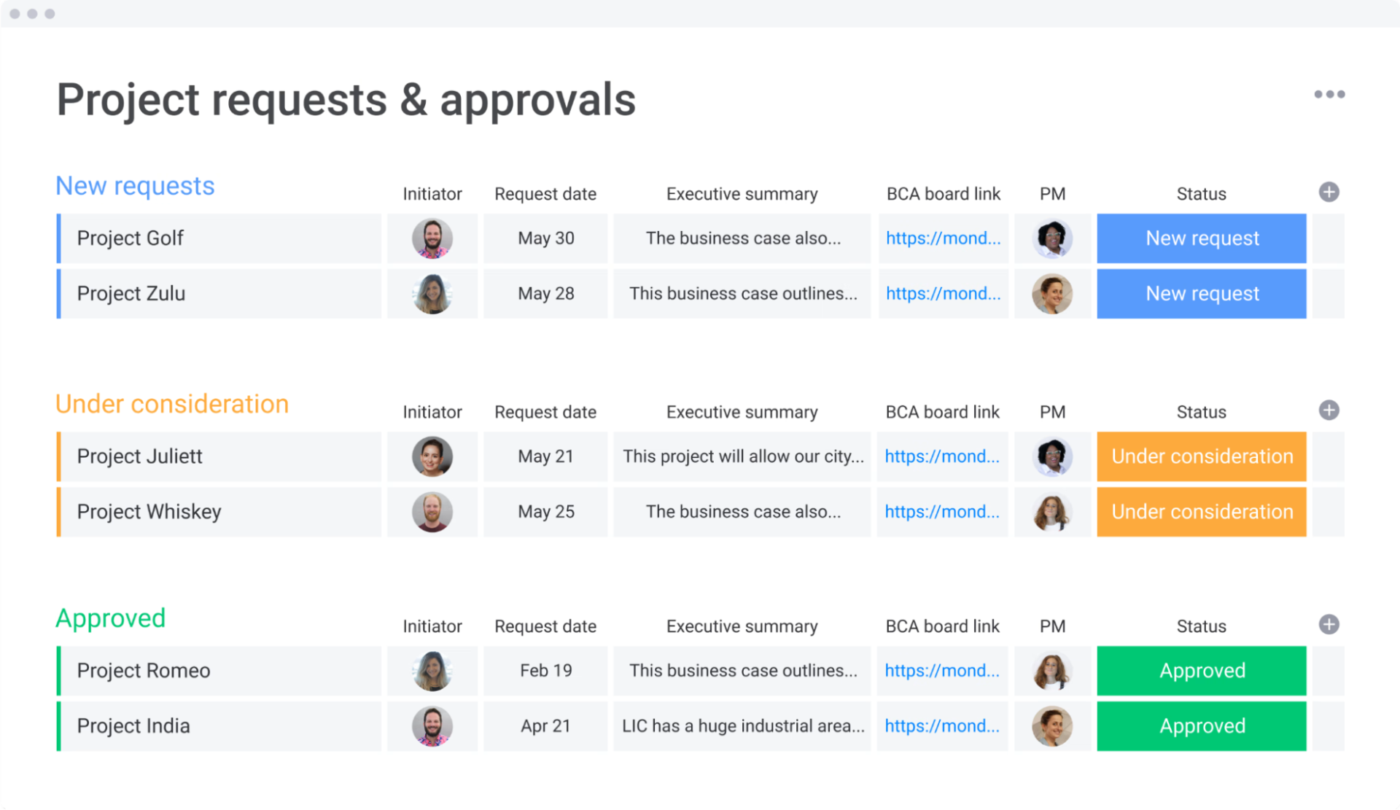
When you embed cost fields, approval workflows, and dashboards in your workspace, you can get a quick Agile budget overview.
Powered by Atlassian Intelligence, Jira enables Agile teams to connect sprint planning, work tracking, and budget impact within a single ecosystem.

AI-powered natural-language search, automated summaries of sprint cost versus outcome, and suggested workflows help bridge delivery metrics and financial metrics. The result: when velocity or scope shifts, you can instantly assess cost implications and adjust funding or priorities accordingly.
📚 Read More: Your Complete Guide to Project Cost Management
📮 ClickUp Insight: Low-performing teams are 4 times more likely to juggle 15+ tools, while high-performing teams maintain efficiency by limiting their toolkit to 9 or fewer platforms.
But how about using one platform? As the everything app for work, ClickUp brings your tasks, projects, docs, wikis, chat, and calls under a single platform, complete with AI-powered workflows. Ready to work smarter? ClickUp works for every team, makes work visible, and allows you to focus on what matters while AI handles the rest.
You need to understand the challenges you are likely to encounter when setting up Agile budgeting processes and be prepared to address them. They include:
Your finance team uses spreadsheets for budgeting. Time logs are in a separate app, and the sprints are in a project management tool. Also, product analytics happens elsewhere, and invoicing is in a standalone accounting system.
✅ Solution: Everyone should have a single source of truth. A single project/work portfolio record links: sprint/task IDs, cost centers, billable flags, and client/initiative codes.
Near real-time dashboards fed by event-level data (not monthly summaries). The project management software you choose for Agile budgeting should integrate with your tech stack for smooth data flow between systems and an integrated view of the data.
Everyone has dashboards—but there are 18 of them. PMs check velocity, finance tracks variance, ops measures utilization; none tell a unified story. Review time is spent scrolling through charts, not making calls.
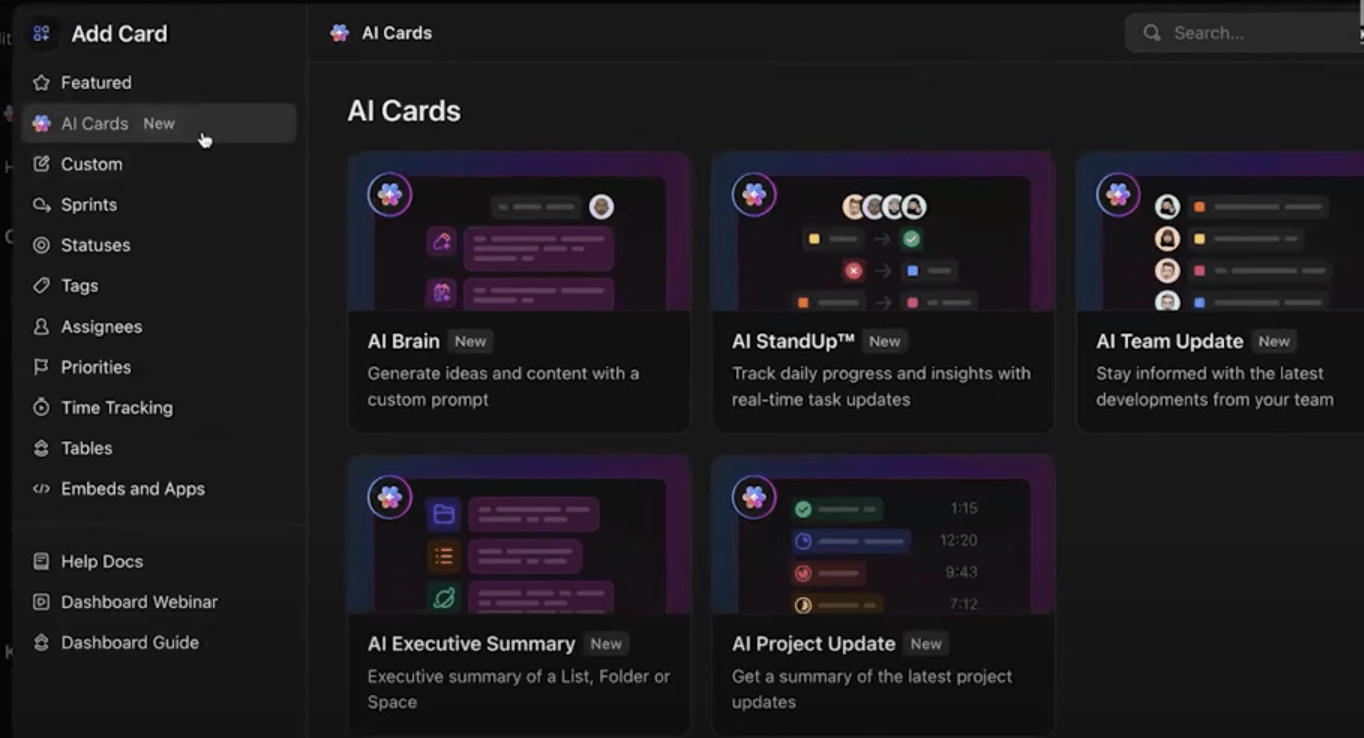
✅ Solution: Simplify insights with ClickUp’s AI Cards. They turn your raw insights into actionable summaries. Instead of sifting through dozens of charts, you can generate instant insights like:
Each AI Card analyzes live workspace data from your tasks, Custom Fields, and integrations to surface what actually matters. You can mix visual widgets (bar, line, pie) with AI summaries for an executive-ready view.
PMs operate in sprint rituals; finance in monthly closes; ops in weekly vendor cycles. Updates pass asynchronously, context gets lost, and budget pivots lag behind reality.
✅ Solution: Use an AI notetaker to turn conversations into actionable records. With ClickUp’s AI Notetaker, every sprint review, budget sync, or cross-team stand-up becomes a source of structured knowledge. You get transcripts, summaries, and videos in your ClickUp Doc.
The AI Notetaker automatically logs decisions, impact, owner, and due dates into your workspace, tagging related tasks, budgets, and projects. Everyone sees the same version of the truth—without chasing post-meeting notes or Slack threads.
Below, we illustrate how Agile budgeting has been applied to various industries and the impact it has produced.
⁉️ Challenge: BCBSNE was undergoing a complex system migration while facing shifting healthcare market demands. Their traditional budgeting and governance models created bottlenecks, slowing decision-making and reducing transparency.
🔄 Agile Approach: After adopting Agile practices in IT, BCBSNE extended the same thinking to financial planning and budgeting. Budgets were reviewed more frequently, aligned with business outcomes, and adjusted as priorities evolved.
🏆 Result: The CFO and leadership team saw greater transparency, collaboration, and speed compared to traditional budgeting. This success built executive confidence in scaling Agile budgeting across the organization.
⁉️ Challenge: Government agencies often rely on rigid annual budgets, which limit their ability to respond to new policies, crises, or citizen needs. This rigidity can delay critical programs or misallocate funds when conditions change.
🔄 Agile Approach: Public sector organizations in the UK and globally have begun adopting Agile budgeting practices, such as rolling forecasts and continuous funding cycles. Instead of locking funds for an entire fiscal year, agencies allocate resources iteratively and redirect them as priorities shift.
🏆 Result: By adopting more dynamic budgeting, public agencies improved their ability to pivot quickly, prioritize emerging needs, and deliver more value with taxpayer funds.
⁉️ Challenge: A leading financial institution discovered that nearly 50% of its annual budget was being consumed by unplanned and lower-priority work. This was leaving its most critical initiatives underfunded. Traditional annual budgeting locks in funds too early, making it impossible to pivot.
🔄 Agile Approach: The organization shifted from project-based funding to persistent portfolios tied to strategic outcomes. Instead of financing dozens of short-lived projects, they allocated resources to outcome-focused streams of work.
🏆 Result: With this approach, the company successfully delivered on 80% of its top enterprise priorities, improving predictability and ensuring budgets aligned with strategic goals.
📚 Read More: How to Create an Operating Budget
No matter the documented benefits of Agile budgeting, you’re still likely to face pushback from your team when they are used to annual budget planning. And when that happens, try some of these tips:
Traditional budgeting gives you control, but it also kills flexibility. Agile budgeting provides adaptability, but it risks fragmentation if your tools, teams, and all stakeholders aren’t aligned throughout the entire organization.
ClickUp bridges the gap. ClickUp’s Converged AI workspace turns Agile budgeting from a spreadsheet exercise into a living, collaborative system.
Use ClickUp Brain as your financial co-pilot to summarize spend, forecast trends, and surface insights that help you make confident funding decisions. Switch to ClickUp Dashboards to see the full picture.
Sign up on ClickUp for free today.
Nop. It works best in Agile environments where priorities change frequently, like SaaS, startups, and fast-moving enterprises. These organizations gain the most from shorter budget cycles, rolling forecasts, and flexible funding. However, heavily regulated industries like banking or healthcare, which require fixed budget sign-offs, may find full-scale Agile budgeting difficult. A hybrid model, combining Agile principles (rolling forecasts, iterative reviews) with traditional controls, delivers better results.
Yes, but with strong governance. Enterprise finance teams can adopt Agile budgeting through:
1. Rolling forecasts: Updating financial assumptions quarterly or monthly instead of annually
3. Funding value streams, not projects: Shifting from line-item funding to continuous investment in outcomes or teams
3. Decentralized decision-making: Empowering business units to adjust spend based on validated learning
Agile budgeting focuses on adaptability and continuous reallocation of funds based on changing priorities, while lean budgeting emphasizes efficiency and reducing waste in budget planning and approval. Agile is about flexibility; lean is about flow and discipline.
Here are some ways to measure ROI in Agile budgeting: Value delivered, cycle time, and budget variance vs outcome variance. You might also want to consider outcome-based metrics such as churn rate, product delivery, and customer adoption or satisfaction rate.
We’d suggest quarterly. Your cadence will depend on business volatility, data maturity, and decision cycles. Common review cycles include: quarterly business reviews (QBR), monthly reviews, and sprint-level adjustments.
Yes. In marketing and creative projects, Agile budgeting enables budgets to pivot quickly based on campaign performance, reallocating funds to the most effective initiatives.
Yes. But selectively. Capital-heavy industries (e.g., aerospace, infrastructure, energy) rely on multi-year financial commitments, so pure Agile budgeting isn’t feasible in the entire process. However, a hybrid approach is effective in the early stages of R&D, planning, the development process, or pilot phases. Milestone-based reviews and rolling forecasts enable teams to adapt within a disciplined framework, ensuring financial control while maintaining responsiveness to changing market or technical realities.

© 2026 ClickUp

There’s an easier way. Try a free AI Agent in ClickUp that actually does the work for you—set up in minutes, save hours every week.