


Podcast people are passionate people. You found a topic you’re willing to tell the whole world about. And whether your podcast involves recapping your favorite reality TV show, simplifying obscure quantum physics concepts, or going on ghost hunts all across America, we’re all ears. 👂
Because when you’re passionate about a topic, you make that topic irresistible. But just because you’re passionate enough to podcast about coffee cultures around the world or the weird history of your hometown, that doesn’t mean you’re passionate about podcasting software.
Well, we are. 🤸
We’ll help you understand the different types of podcast recording software and the best programs to help you plan, develop, do multitrack recording, and distribute a podcast. And we’ll have fun doing it.
Ready? Let’s do this!
10 Best Podcast Software Tools to Plan, Record, and Edit in 2023

 Summarize this article for me please
What Is Podcasting Software?
Podcast software is a broad category. There’s software for planning, multitrack recording, editing, distributing, and monetizing your podcast. You can find software that does a few things in one program, but it’s rare to find software that does it all.
Even if a program does everything, you might not want it. It’s often better to use software that does one or two things really well instead of doing five things mediocrely.
So if you’re new to podcast hosting, you’ll need a few pieces of software to get you through the entire process. Below are options that cover the podcast development process from ideation to publication.
How to choose the best podcast recording software
Make sure your podcast recording software meets your needs by considering the following:
- Your workflow: Software is available in the form of desktop apps (accessible only from a home computer), web apps (accessible from any device with an internet connection), or mobile apps on your phone. Some programs offer all three options for maximum flexibility. Consider where you’ll do most of your work before choosing podcast recording software
- Your level: If you’ve never used audio editing software, you’ll want a simpler tool. If you have audio engineering experience, you’ll want more advanced features
- Your budget: There are free podcast recording software programs, but they often contain fewer features than paid options. Consider the costs and benefits of free vs. paid software, and take advantage of free trials to ensure paid tools are worth it
Summarize this article for me please10 Best Podcast Software Options to Plan, Record, and Edit Content
Now that you’ve got your mental checklist in mind, put it into action by comparing these 10 podcast recording software programs that check all the boxes. ✅
1. ClickUp
Best for content planning
Sure, some podcasts are just a couple of co-hosts shooting the sh…um…breeze. 💩
But many require extensive planning—from deciding on your episode topics and lining up interviews to researching, writing, recording, editing, publishing, and promoting. (Phew. Even we’re starting to feel overwhelmed and we run our own productivity podcast!)
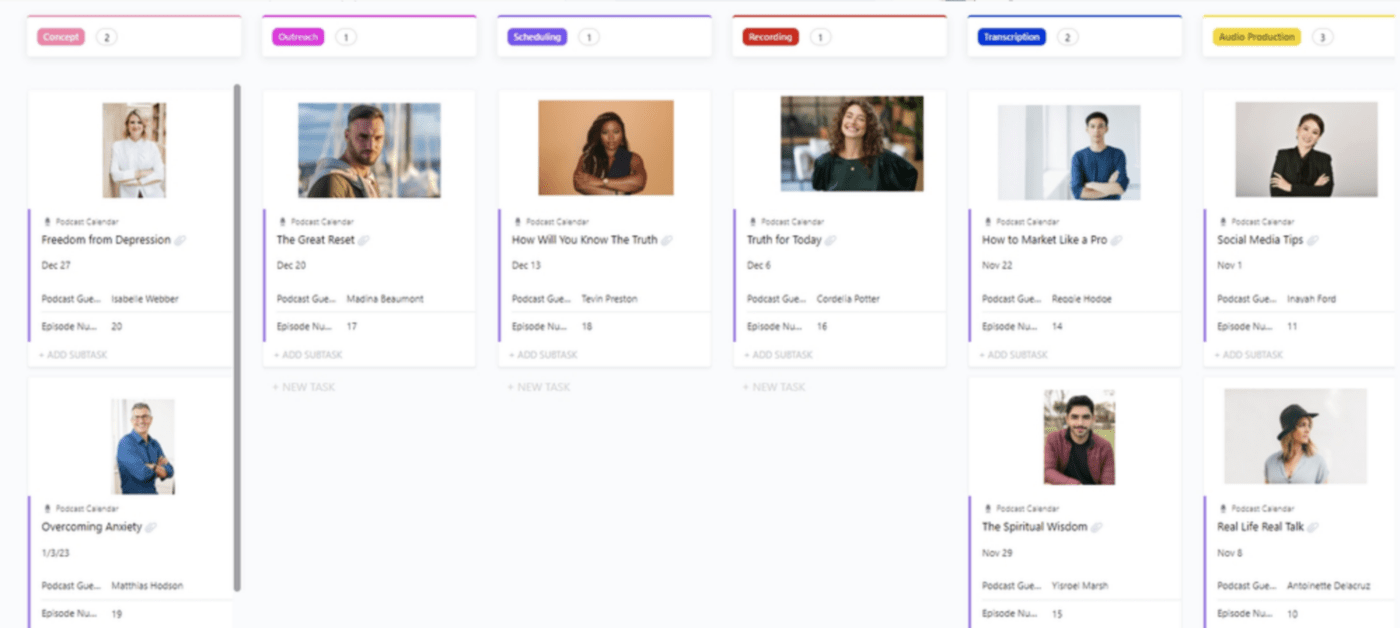
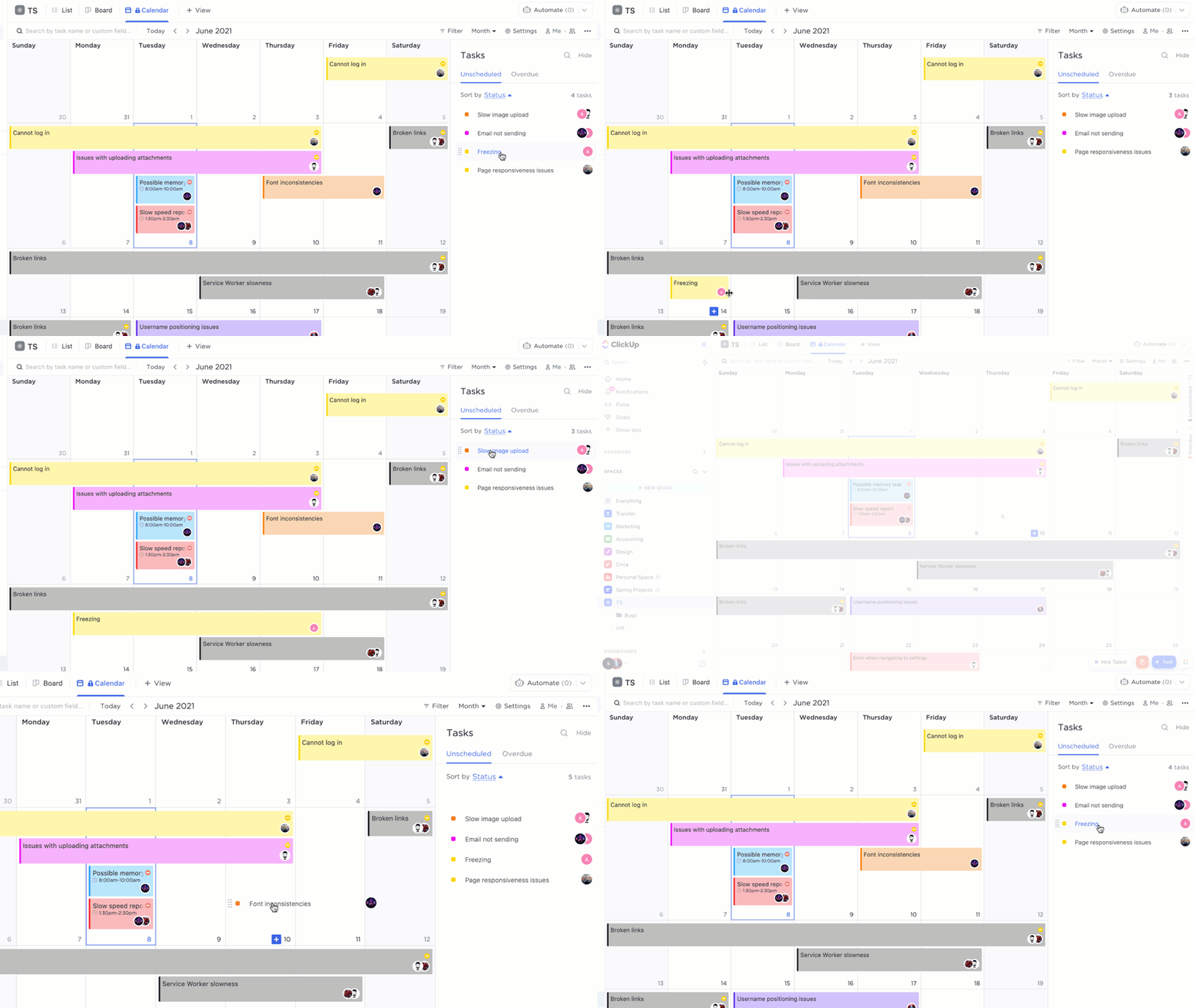
With ClickUp, you can keep track of all the small tasks that go into every podcast episode. We have tools to help you brainstorm and write, as well as templates to build your podcast content calendar, plan your tasks, and track your project timeline.
You can even create a marketing calendar for promoting your episodes once you release them.
ClickUp is available as a web app or a mobile app for your iPad, iPhone, or Android. And with a free version, this program is perfect for any podcasting budget.
ClickUp best features
- The ClickUp Dashboard shows you your to-do list, priorities, and progress toward episode completion
- With ClickUp Docs, you can script podcast episodes, brainstorm, link to references, and collaborate remotely
- The ClickUp Calendar View breaks down your tasks into a project timeline and lets you share your calendar with collaborators
- ClickUp templates, including the Podcast Template and Podcast Calendar Template, allow you to get organized quickly
- ClickUp AI speeds up your work by generating outlines, scripts, interview questions, social media captions, and more
ClickUp limitations
- With so many features, there’s a learning curve
- Not all features available in the web app are available in the mobile app
ClickUp pricing
- Free Forever
- Unlimited: $7 per user per month
- Business: $12 per user per month
- Enterprise: Contact for pricing
ClickUp ratings and reviews
- G2: 4.7/5 (8,745+ reviews)
- Capterra: 4.7/5 (3,795+ reviews)
2. Audacity
Best for free recording and editing
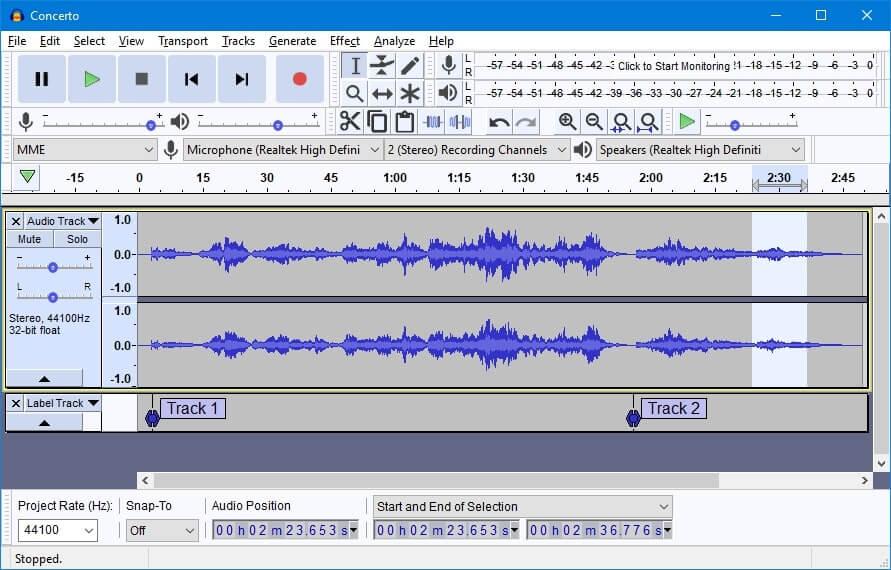
This open-source audio recording software and editing software is totally free. And if you love to be part of a community, users are welcome to contribute code, documentation, translation, support, and testing. 🙌
Audacity is available as a desktop app for Windows, macOS, or Linux operating systems.
Audacity best features
- Record audio files from a microphone or mixer
- Perform multitrack recording and simultaneously import, edit, or combine separate tracks
- Editing software comes with cut, copy, paste, and delete commands
- Work with 16-bit, 24-bit, or 32-bit sound quality
- Pair with plug-ins for LADSPA, LV2, Nyquist, VST, or Audio Units to add sound effects
Audacity limitations
- Some users feel that Audacity doesn’t have a user-friendly layout, which can be challenging for beginners in the world of recording and editing
- It’s not compatible with all audio file formats and some users report issues importing files
Audacity pricing
- Free
Audacity ratings and reviews
- G2: 4.5/5 (435+ reviews)
- Capterra: 4.5/5 (390+ reviews)
3. Hindenburg
Best for beginner-friendly recording and editing
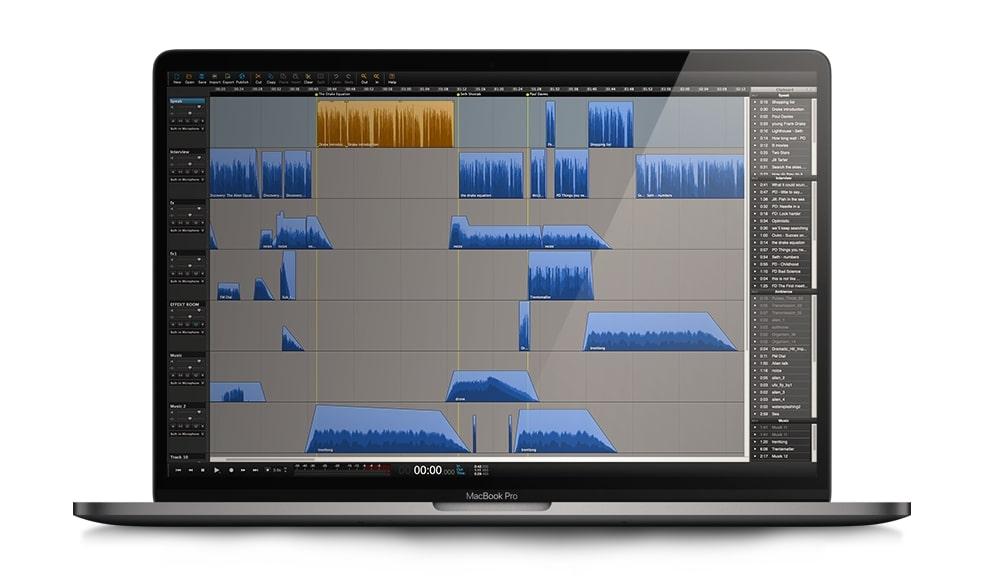
Unlike many of the other recording tools on this list, which were designed for music production first, Hindenburg Journalist Pro was specifically designed as voiceover and podcast editing software.
Use it to record podcasts, edit them, and publish them. It features intuitive, easy-to-use tools, like one-directional sliders for noise reduction and equalization. 🙇♂️
Hindenburg best features
- Transcription turns your audio into text so you can use the manuscript mode to edit just like you would a written document
- The clipboard allows you to keep your favorite soundbites, intro, and outro on hand for easy editing
- The sound library includes high-quality sound effects to add ambiance to your recording
- The Field Recorder app lets you capture audio from your iPhone anywhere you go
Hindenburg limitations
- Because it’s designed as a simplified audio editor that anyone can use, experienced audio engineers may find the editing tools too limited
- Some users report the audio ducking tool doesn’t always work as intended
Hindenburg pricing
- Standard: $12 per month
- Plus: $15 per month
- Premium: $30 per month
Hindenburg ratings and reviews
- G2: No reviews available
- Capterra: No reviews available
4. Reaper
Best for advanced recording and editing
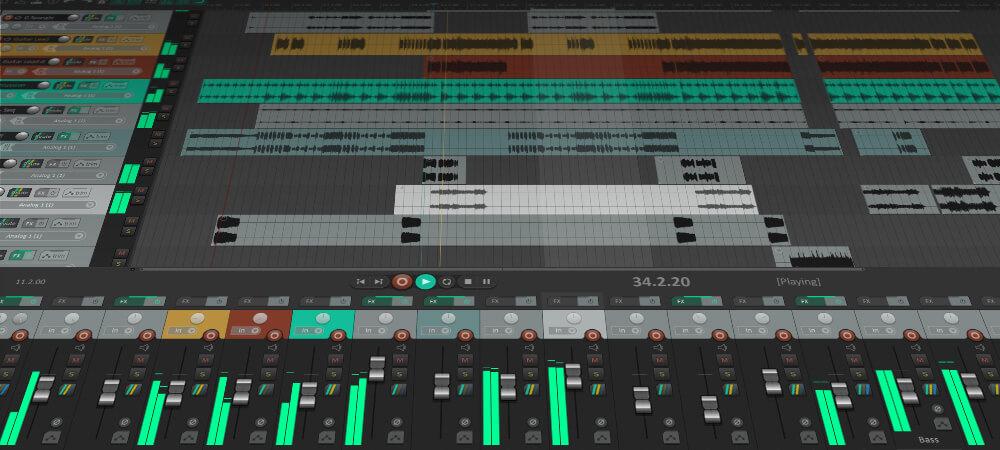
If you’re looking for a professional-level digital audio workstation (DAW), this is it. Reaper has users—from home studios to broadcast networks to educational facilities—recording every type of audio.
Because it runs so efficiently, you can install it on a laptop and take it with you to record on location. That makes it great for investigative journalism or travel podcasts. 🏝️
Reaper also has a full suite of music production tools for music podcasts or anyone who has deep knowledge of audio production and editing. It can also work for beginners who aspire to become experts and want a tool they can grow into.
Reaper provides a 60-day free trial before you have to buy a license. It’s available for Windows, Mac, and Linux operating systems.
Reaper best features
- 64-bit audio processing allows you to render multiple types of audio files at nearly any bit depth and sample rate
- Compatibility with third-party plug-ins and digital instruments—including VST, VST3, LV2, AU, DX, and JS—provides plenty of options for adding sound effects and ambiance
- Fast load time and efficient coding mean this program won’t use a crazy amount of RAM
- Customization options allow you to add skins or adjust your layout with the tools you use most often
Reaper limitations
- Several users report that the audio editing features are difficult to use and require advanced knowledge
- While there’s a 60-day free trial period, you’ll have to snail mail a check or money order to purchase a license after the trial ends 🐌
Reaper pricing
- Discounted license: $60
- Commercial license: $225
Reaper ratings and reviews
- G2: 4.4/5 (25+ reviews)
- Capterra: 4.7/5 (50+ reviews)
5. Auphonic
Best for AI-assisted editing and publishing
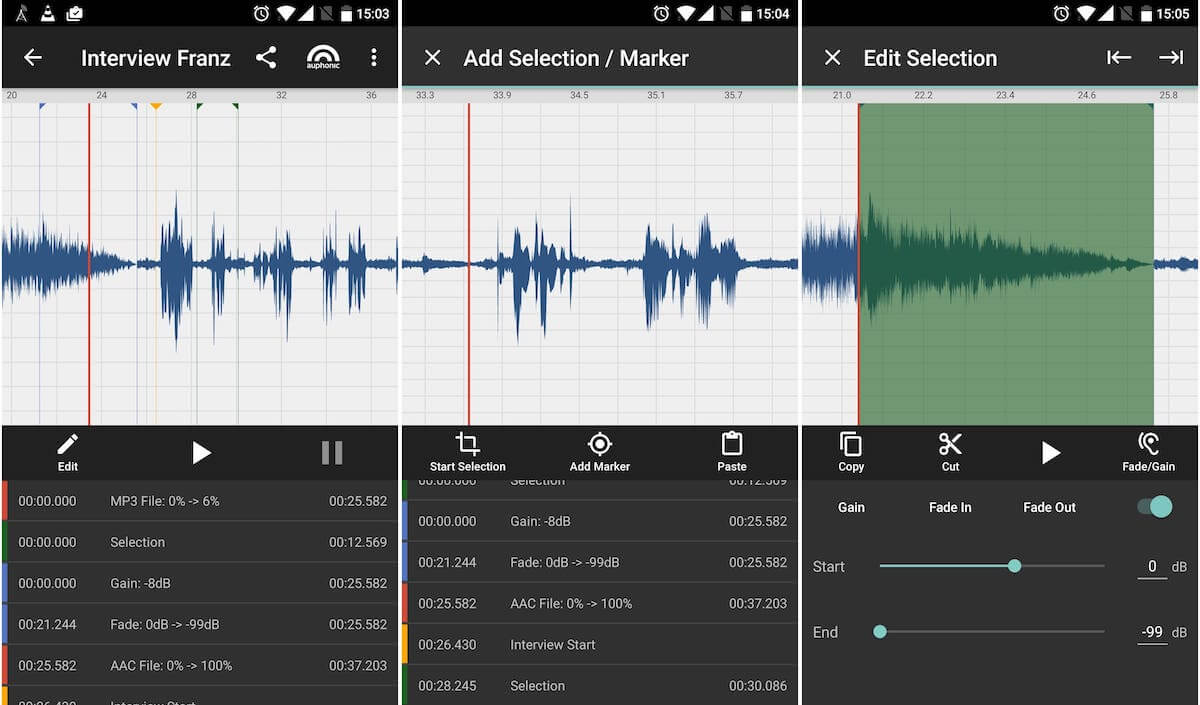
Unlike the all-in-one audio tools we’ve seen so far, Auphonic doesn’t have any recording features. But it’s possibly the easiest-to-use post-production tool out there—easy because you’ll let a magical robot do the work for you. 🤖
Specifically designed with podcasting in mind, Auphonic uses AI to automatically edit your audio by leveling, cutting silence, reducing background noise, and so on. (It can even touch up audio you’ve already tinkered with in Hindenburg or Adobe Audition.)
Then it will automatically publish your content to your favorite podcast hosting platform. Magic! 🧙
Auphonic best features
- Multi-track algorithms create a balanced mix to ensure both tracks have similar levels and noise reduction
- Loudness specifications ensure your mix meets the requirements of Audible, Spotify, and other major platforms
- Silence cutting removes dead air
- Speech2Text automatically breaks your podcast up into chapters and creates transcriptions
- Automatic publishing uploads your content to your choice of YouTube, Libsyn, Facebook, SoundCloud, Buzzsprout, Podbean, and more
Auphonic limitations
- The free plan only includes 2 hours of recording per month, so it may not be an option for longer or more frequently published podcasts
- Some users report that the automatic level doesn’t always provide successful results
Auphonic pricing
- Free
- Recurring Credits: €10 per month
- One-Time Credits: €11
Auphonic ratings and reviews
- G2: 4.5/5 (6+ reviews)
- Capterra: 5/5 (3+ reviews)
6. Wirecast
Best for video podcasting
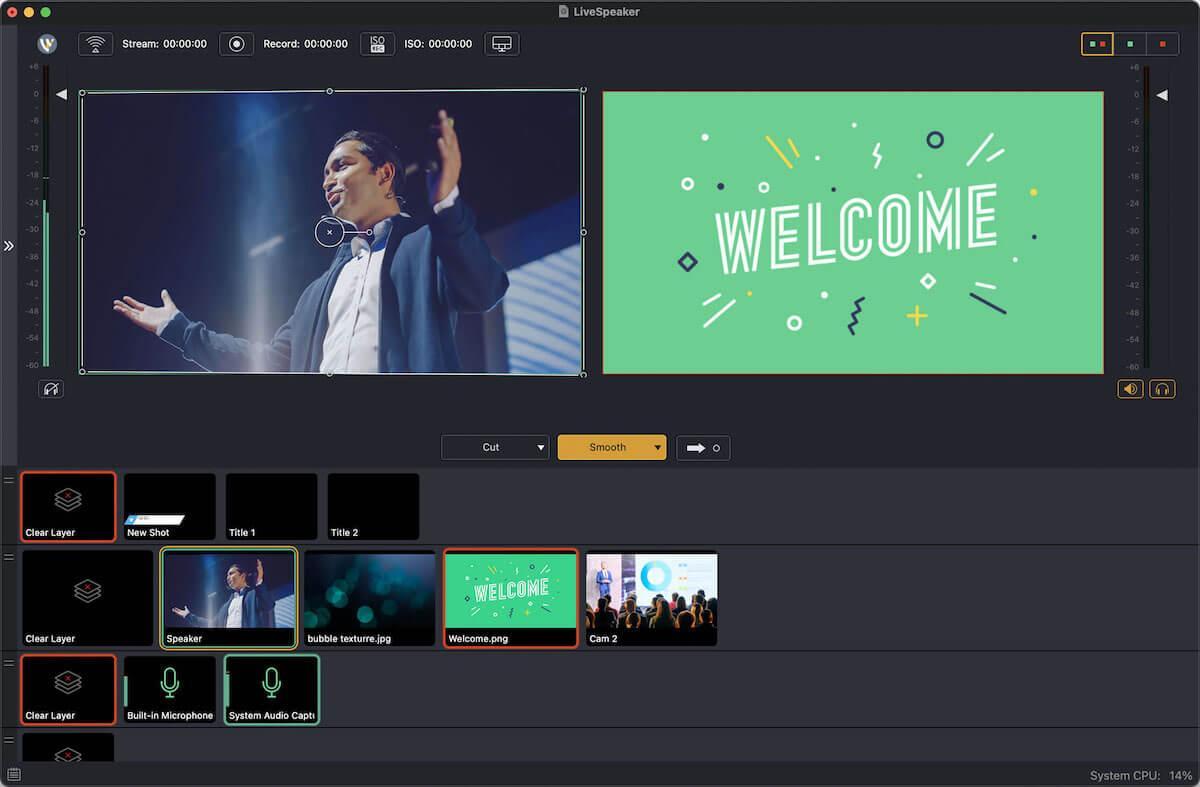
If you want to offer your content on as many different platforms as possible and reach the widest audience, you can create audio and video podcast content simultaneously with Wirecast by Telestream.
Available for Mac and Windows operating systems, Wirecast is a customizable set of production tools for recording multitrack audio and live-streaming video content. You can even set it up with multiple mics and cameras. 🎥
Wirecast best features
- Mix up to 8 separate tracks and add sound effects
- Show multiple guests or hosts, even during remote recording, with the conferencing features
- Add background music, sound effects, lower thirds, backgrounds, and more with the built-in stock media library
- Display social media comments or polls from Facebook, X, and YouTube
- Livestream to more than one video podcast hosting platform—like Facebook Live, YouTube, or Vimeo Live—and record at the same time
Wirecast limitations
- Several users report that Wirecast’s connection with their server or live-streaming service is unreliable
- Other users would like more tutorials and educational resources to ease the learning curve
Wirecast pricing
- Wirecast Studio: $599 lifetime license
- Wirecast Pro: $799 lifetime license
Wirecast ratings and reviews
- G2: 4.2/5 (35+ reviews)
- Capterra: 4.6/5 (14+ reviews)
7. OBS
Best for free video podcasting
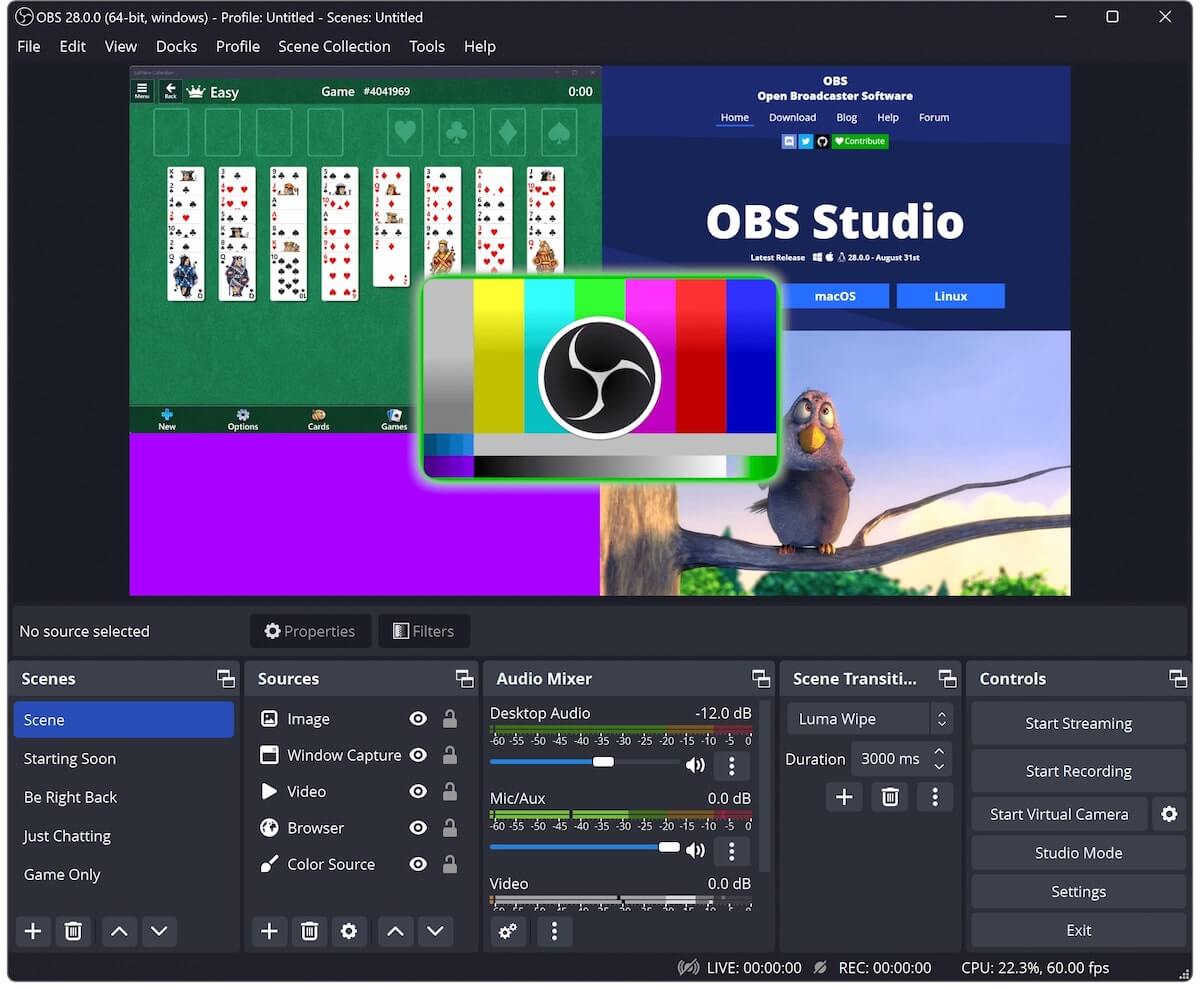
OBS or open broadcaster software is an open-source livestreaming platform with an impressive array of sponsors. Companies including YouTube, Logitech, Twitch, and Facebook have donated to keep this software free for the public.
Download it on any Windows, MacOS, or Linux operating system. Start hosting live video podcasts and recording your content simultaneously so you can publish it to your favorite platforms later.
OBS best features
- Real-time video and audio recording and mixing lets you live stream and record your sessions at the same time
- Custom transitions allow you to switch between multiple scenes, like your webcam and your guests’ webcam during remote interviews
- The built-in audio mixer includes intuitive slides for easy sound editing
- A customizable dock allows you to keep your favorite features front and center
OBS limitations
- Some users report that this software uses a lot of RAM and can take a long time to process
- It isn’t beginner-friendly and comes with a steep learning curve for new podcasters
OBS pricing
- Free
OBS ratings and reviews
- G2: 4.6/5 (115+ reviews)
- Capterra: 4.7/5 (965+ reviews)
8. PodBean
Best for distributing, promoting, and monetizing
Not only does PodBean integrate with Auphonic, our aforementioned AI editing software, but it’s also a complete podcast hosting and monetization platform. While you may not have gone into podcasting to get rich, it’s nice to make a little money for your efforts. 🤑
This platform also has tools to help you promote your podcast and reach more listeners. You can automatically post your new episodes to your social media pages.
PodBean is available as a web app or a mobile app for iOS or Android.
PodBean best features
- Upload your podcast and schedule publishing to automatically release your episodes on Spotify, Apple Podcasts, Google Podcasts, and other podcast apps simultaneously
- Make a free podcast website with your PodBean account
- Create custom cover art for each episode by combining images and fonts with just a few clicks
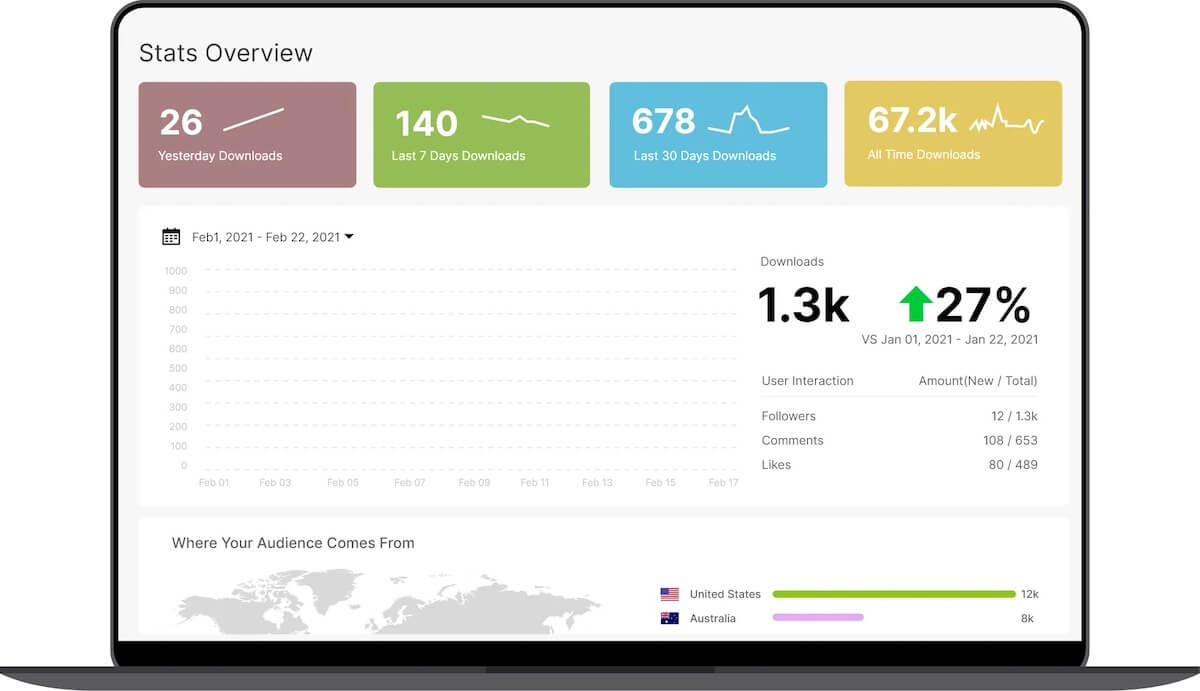
- Analytics allow you to track listens, downloads, top episodes, and listener demographics
- Get matched with potential advertisers and allow your listeners to donate
PodBean limitations
- Video podcasts and audio-only podcasts can’t be uploaded together so you’ll need to post them separately
- It can take up to a week for your RSS feed to get approved
PodBean pricing
- Basic: Free
- Unlimited Audio: $9 per month
- Unlimited Plus: $29 per month
- Network: $79 per month
PodBean ratings and reviews
- G2: 4.5/5 (20+ reviews)
- Capterra: 4.1/5 (20+ reviews)
9. Libsyn
Best for all-in-one creation and distribution
Short for Liberated Syndication, Libsyn is considered an all-in-one podcasting platform, but it’s more like almost all-in-one.
It doesn’t have a content calendar or task management features, so you’ll still need project management software. While you can write, record, and add royalty-free music, the audio editing features are a bit basic—but that makes them great for beginners.
Overall, Libsyn is a good platform to get started. It has features for creating, remote recording, publishing, advertising, promoting, and analyzing. So while it may not have everything, it has a lot of things. It’s like the bento box of podcasting. 🍱
Libsyn best features
- Built-in recording features allow for local recording and remote recording to capture your audio and far-away guests’ audio
- Drag-and-drop editing features make it easy to insert an intro, outro, teaser, or background music
- Dynamic ads allow you to insert ads from your selected categories in real time, so listeners hear your latest sponsors whether they’re listening to new or old episodes
- Distribution features send your podcast to the most popular podcast apps
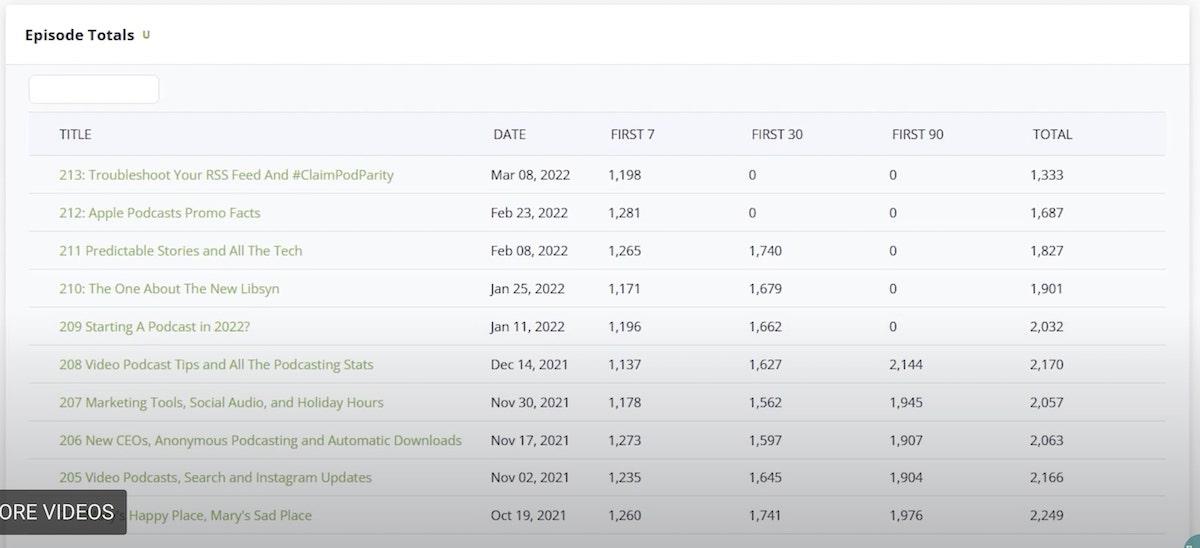
- Analytics features give you download statistics and audience insights
Libsyn limitations
- Some customers complain the user interface looks dated
- Others wish the program included more advanced reporting features
Libsyn pricing
- Up to 3 hours of new uploads: $5 per month
- Up to 6 hours of new uploads: $15 per month
- Up to 10 hours of new uploads: $20 per month
- Up to 14 hours of new uploads: $40 per month
- Up to 27 hours of new uploads: $75 per month
- Up to 55 hours of new uploads: $150 per month
Libsyn ratings and reviews
- G2: 4.5/5 (20+ reviews)
- Capterra: 4.8/5 (4+ reviews)
10. Otter
Best for transcribing
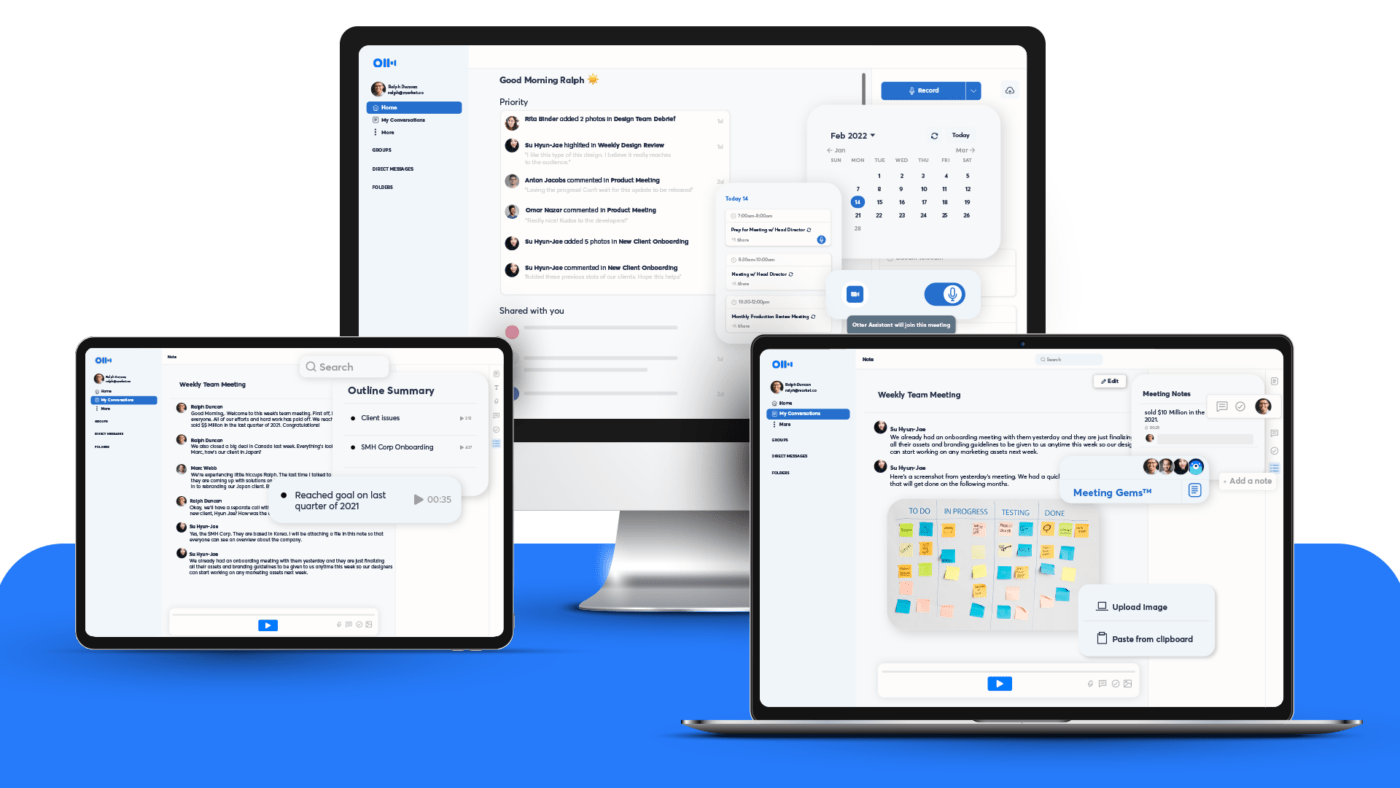
Otter is a notetaking app that automatically transcribes spoken words into written text. It’s popular in business meetings and the classroom but worth considering for your podcast production process.
Use it for taking notes during the research phase, summarizing your episodes to create quick recaps, and transcribing your episodes to make them more accessible. This app will take some of the less fun parts of podcasting off your plate. 🍽️
Otter is available as a web app or a mobile app for iOS or Android.
Otter best features
- Use Otter to transcribe all your podcast audio and create a script with audio assigned to different speakers if you have multiple hosts or guests
- Automatically summarize your entire show to quickly create descriptions of your podcast episodes
- Invite it to meetings on Zoom, Microsoft Teams, or Google Meet to automatically transcribe everything said in interviews
Otter limitations
- Some users report that the transcription quality isn’t as good when there’s background noise, two people talking over each other, or people speaking with non-American accents
- While the program can label multiple speakers—like you, your co-host, and your guest—the labels aren’t always accurate, so you may need to manually edit the final transcript
Otter pricing
- Basic: Free
- Pro: $10 per user per month
- Business: $20 per user per month
- Enterprise: Contact for pricing
Otter ratings and reviews
- G2: 4/5 (115+ reviews)
- Capterra: 4.5/5 (65+ reviews)
Summarize this article for me pleasePlan Your Podcast Like a Pro
When it comes to the best podcast recording software, you’ll need several different programs to cover the planning, recording, editing, distribution, and monetization—which means you’ve got a few decisions to make. Take decision fatigue out of the process by tackling them step-by-step. 👣
The first step is planning. ClickUp can help you plan your podcast from start to finish with content calendar templates, podcast templates, and process mapping tools.
Pretty soon, you’ll know as much about running your podcast as you do about your podcast topic. Maybe you’ll even become as passionate about podcast recording software as we are. But if not, we’re here for you. We’ll help you follow your passions wherever they lead.

Everything you need to stay organized and get work done.
