






Still downloading templates?
There’s an easier way. Try a free AI Agent in ClickUp that actually does the work for you—set up in minutes, save hours every week.
Sorry, there were no results found for “”
Sorry, there were no results found for “”
Sorry, there were no results found for “”
There are weeks when the workload doesn’t fit neatly into 40 hours.
You try to plan. You try to prioritize. And still, something accelerates: a deal, a product, a problem that can’t wait.
When that happens, most people default to working longer. But longer isn’t always smarter.
If you’re heading into one of those seasons, this guide will show you how to ship 80-hour results without absorbing 80 hours of manual execution yourself.
An 80-hour work week means working a total of 80 hours per week—double the amount of a regular (40-hour) work week. This averages out to working 16+ hours Monday to Friday.
But the real focus here should be your outcomes (not the output).
If you’re a small business owner or a professional juggling multiple responsibilities, learning how to ship an 80-hour work week is a useful skill.
But we’ll make it clear here that “shipping an 80-hour work” is quite different from “working 80 hours a week”.
That’s where leverage comes into play!
The 80-hour work week is often framed as ambition, edge, or even commitment.
But when you look at the data from the past few years, the conversation shifts from drive to trade-offs.
The World Health Organization and International Labour Organization jointly estimate that working 55+ hours per week is associated with a significantly higher risk of stroke and ischemic heart disease compared to standard hours.
That risk curve starts at 55 hours. An 80-hour week isn’t marginally above that. It’s far beyond it.
Stanford economist John Pencavel’s research on working hours and output shows productivity per hour drops sharply after roughly 50 hours per week. Beyond 55 hours, total output plateaus. Additional hours deliver diminishing returns.
The 70th hour is not equal to the 20th. It’s slower and more error-prone. For leaders and knowledge workers, that decline shows up in decision quality, not just task speed.
Sometimes, yes—during a product launch, a crisis window, or a time-bound opportunity where speed materially changes the outcome.
But those moments should be strategic and temporary. If longer hours become the default operating model, the costs begin to outweigh the gains.
At this point, you already understand the trade-offs.
So rather than repeating that argument, it’s worth asking a more strategic question: if you’re going to work 80 hours, what exactly are those hours buying you?
Working 80 hours a week does not automatically create progress.
It simply amplifies whatever system you’re already operating inside. If your priorities are unclear, the extra hours magnify confusion. If your workflow is reactive, those hours get absorbed by interruptions. If your task list is crowded with low-leverage work, you just end up doing more of it.
An 80-hour week only makes sense when it is constrained by:
That’s why some people can push through intense seasons and come out ahead, while others work just as long and feel like they’re running in place. The difference is concentration.
If you’re going to extend your time, you must narrow your focus. That means:
Operational work isn’t the only thing that stretches an 80-hour week. Rebuilding context does too.
Late in a long week, the friction isn’t always task execution. It’s remembering why a decision was made, where a file lives, which stakeholder approved what, or whether a dependency has already shifted. That reconstruction quietly consumes energy and time.
Brain MAX, the AI super app from ClickUp, was designed to reduce that cognitive drag. Because it operates across tasks, Docs, Chat, and structured fields with full workspace context, it can surface summaries, decisions, open loops, and ownership instantly. See it in action.👇🏼
Once you’ve defined what this 80-hour week is actually for, the next challenge is execution.
Intensity without structure turns chaotic fast. What helps here is protecting the hours that matter and preventing everything else from spilling into them.
Below are practical strategies that help you stay focused, protect your energy, and keep those extended hours aligned with the outcome you defined earlier.
Before the week begins, pause long enough to decide what this stretch is actually for.
Instead of starting with a task list, start with a result. What, exactly, must ship by the end of this week? What would make the effort rational? If Friday arrives and only one thing moves forward, what should it be?
Once that becomes clear, the rest of the week reorganizes itself around it. That clarity is what makes intensity strategic instead of scattered.
If you’re working 80 hours, your calendar can’t be reactive.
Once you’ve identified the one to three outcomes that justify this stretch, your schedule needs to clearly reflect that priority. That means your highest-leverage work gets placed first, not squeezed in after meetings and inbox cleanup.
If the work you identified requires deep thinking, design, analysis, writing, negotiation, or problem-solving, it needs uninterrupted time. Strategies like time blocking work well here.
You can do this in advance by allocating specific hours for specific tasks. Set aside work hours for proactive work (where you focus on tasks you deem important) and reactive work (where you respond to requests and interruptions). Consider using AI tools to help with this.
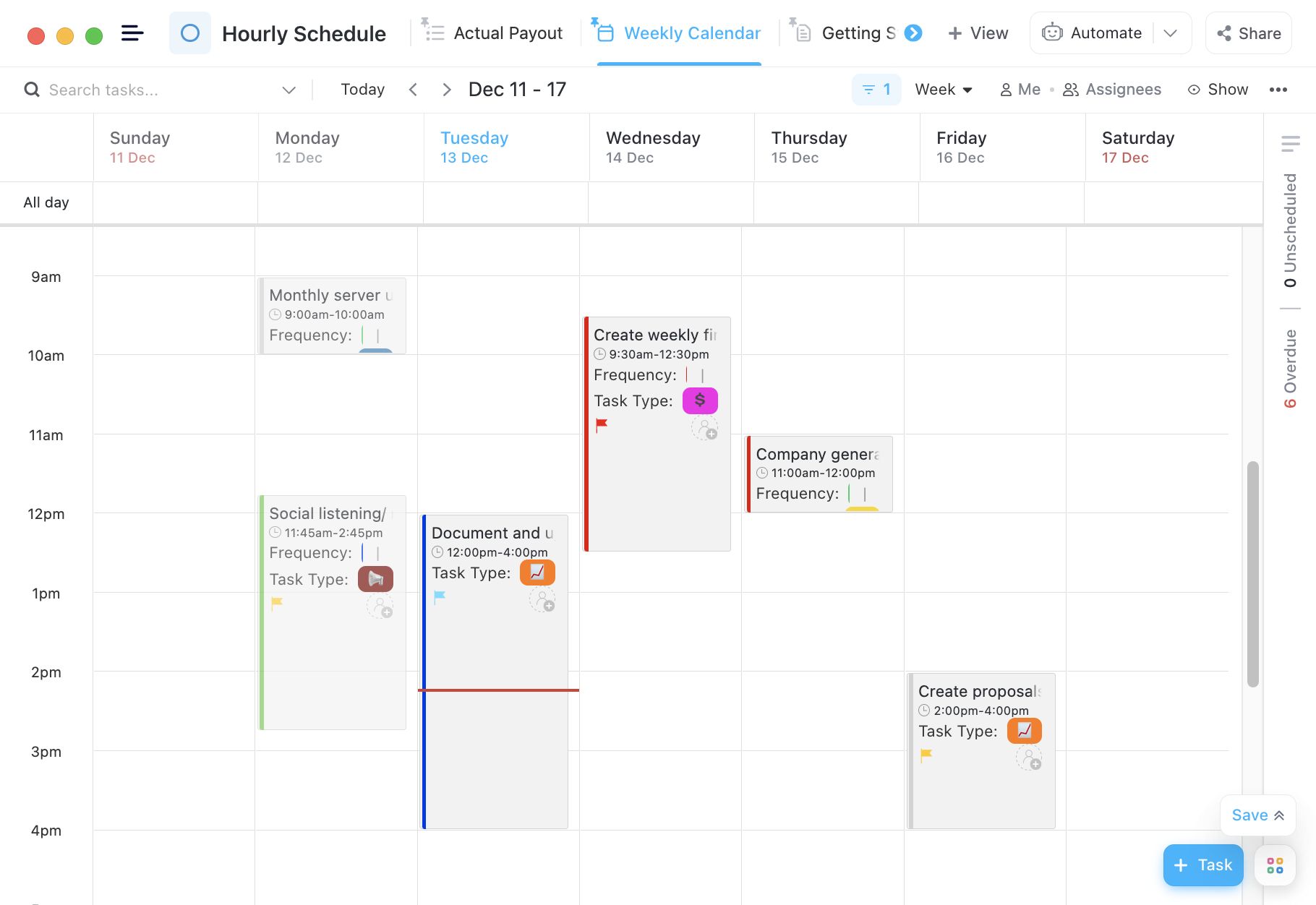
💡Pro tip: Use the ClickUp Hourly Schedule Template to manage your work blocks during the day. Using this template, you can set an agenda for each hour of the day.
Productivity techniques only matter if they’re mapped to ideal tasks.
The Pomodoro technique, for example, allows you to prioritize work without disruptions in 25-minute intervals. It is powerful for cognitively demanding tasks that require sustained focus, but less useful for low-impact busywork.
The same goes for prioritization frameworks like the Eisenhower Matrix or the 80/20 rule. Before you begin each day, pressure-test your task list:
During an 80-hour stretch, the goal isn’t to complete more tasks. Your focus needs to be on completing the right ones with fewer interruptions and less cognitive leakage.
This is the step most people skip. When the week demands intensity, administrative work quietly swallows hours that should be spent on high-impact outcomes.
A 2026 industry report found employees spend nearly 5.6 hours per week on routine administrative work—drafting emails, preparing reports, and similar tasks—contributing to extended work hours without driving impact
If your week is built around shipping, it doesn’t make sense for those tasks to sit with you. Operational work should be delegated to someone or something so that your highest-leverage time is protected. (more on this later!)
In an 80-hour week, breaks are your cognitive maintenance.
Human focus runs in cycles, not straight lines. Research on ultradian rhythms and performance by sleep researcher Nathaniel Kleitman, later reinforced by work from the Sleep Medicine Reviews journal and performance researchers, shows that the brain naturally operates in 90- to 120-minute peaks followed by measurable dips in alertness.
Pushing through those dips doesn’t extend high performance. It increases reaction time and reduces accuracy. The strategy is not “take more breaks.” It’s place breaks deliberately.
1. Work in performance cycles
Plan deep work in 60- to 90-minute blocks, then step away for 5 to 15 minutes. Stand up. Walk. Change visual focus. Even short physical movement improves alertness and blood flow, which supports cognitive performance.
2. Reset before late-stage decisions
Research on decision fatigue, popularized by social psychologist Roy Baumeister and further developed in the behavioral science literature, shows that judgment quality declines as cognitive resources are depleted.
If you’re still making important calls in hour 12, a short decompression window before that final block can materially improve clarity and reduce impulsive decisions. All in all, leverage your breaks strategically to protect performance. Because they keep hour 14 from operating like hour 18.
Up to this point, the strategy has been clear: define the outcome, protect high-leverage time, and remove operational drag.
But protecting time manually only goes so far. If the system around you still requires constant coordination, reporting, and follow-ups, those hours will quietly reappear. That’s where infrastructure matters.
If you’re committing to an intense output week, forget brute effort.
Instead, delegate the work that doesn’t require your judgment directly.
And how do you do that? With a Converged AI Workspace like ClickUp! It brings your projects, tasks, docs, chat, reporting, and AI together under a single system. That means execution happens in one place, and the repetitive coordination work can be delegated to the system itself.
You focus on decisions and leverage. The platform absorbs the translation, tracking, and follow-through.
Let’s look at what that means:
Imagine you’re in a product launch sprint. Monday morning, you have a 90-minute strategy call. Decisions are made. Deadlines shift. New risks surface. In a traditional setup, someone now spends an hour turning that conversation into structured work.
Inside ClickUp, Super Agents run the show:
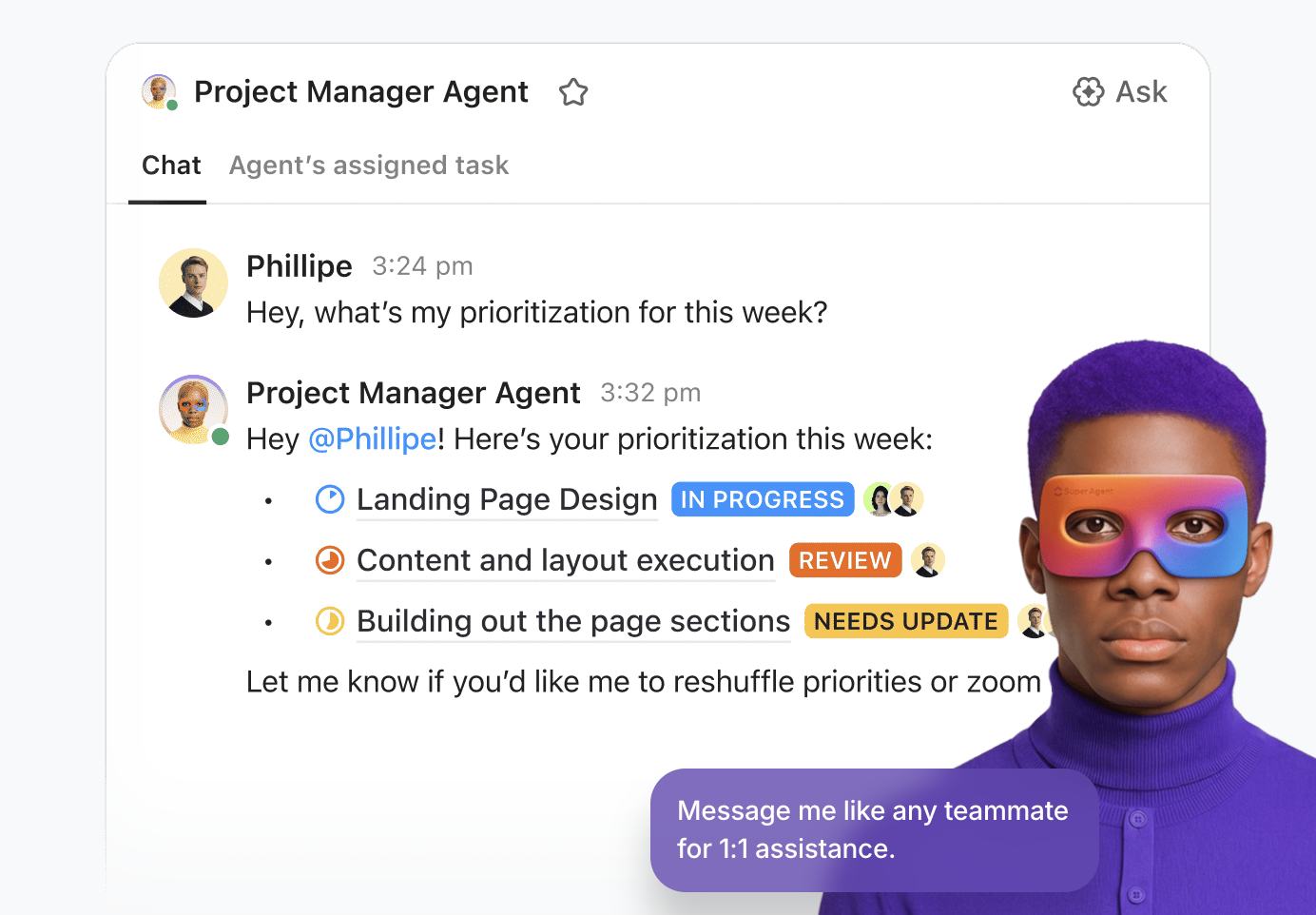
You move from discussion to execution without manual transcription. By Tuesday, tasks are moving, but some are stalled:
Notice the difference here? You’re no longer sorting through the work. The system is. By midweek, your stakeholders want an update. Instead of manually pulling status across lists:
By Friday, you’re adjusting timelines.
None of these agents replaces your decisions. They reduce the operational translation layer that usually sits between thinking and shipping. In a traditional setup, that’s where 20 out of your 80 hours normally go.
Even if Agents are handling orchestration, searching for and rebuilding work context from messages and emails can quietly consume hours.
Late Thursday afternoon, someone asks: “Where do we stand on the pricing decision?”
In most environments, that means digging through chat, opening Docs, checking task history, and asking follow-up questions.
With ClickUp Brain, you ask the workspace directly. Because Brain operates across tasks, Docs, and Chat within permission boundaries, it can summarize the current state, surface decisions made, and identify open action items in seconds. Just @mention Brain wherever in your workspace!
During high-intensity weeks, that compression changes the pace of execution. According to internal ClickUp usage analysis, users who have successfully leveraged Brain save roughly 1.1 days a week by automating the busy work and simplifying execution.
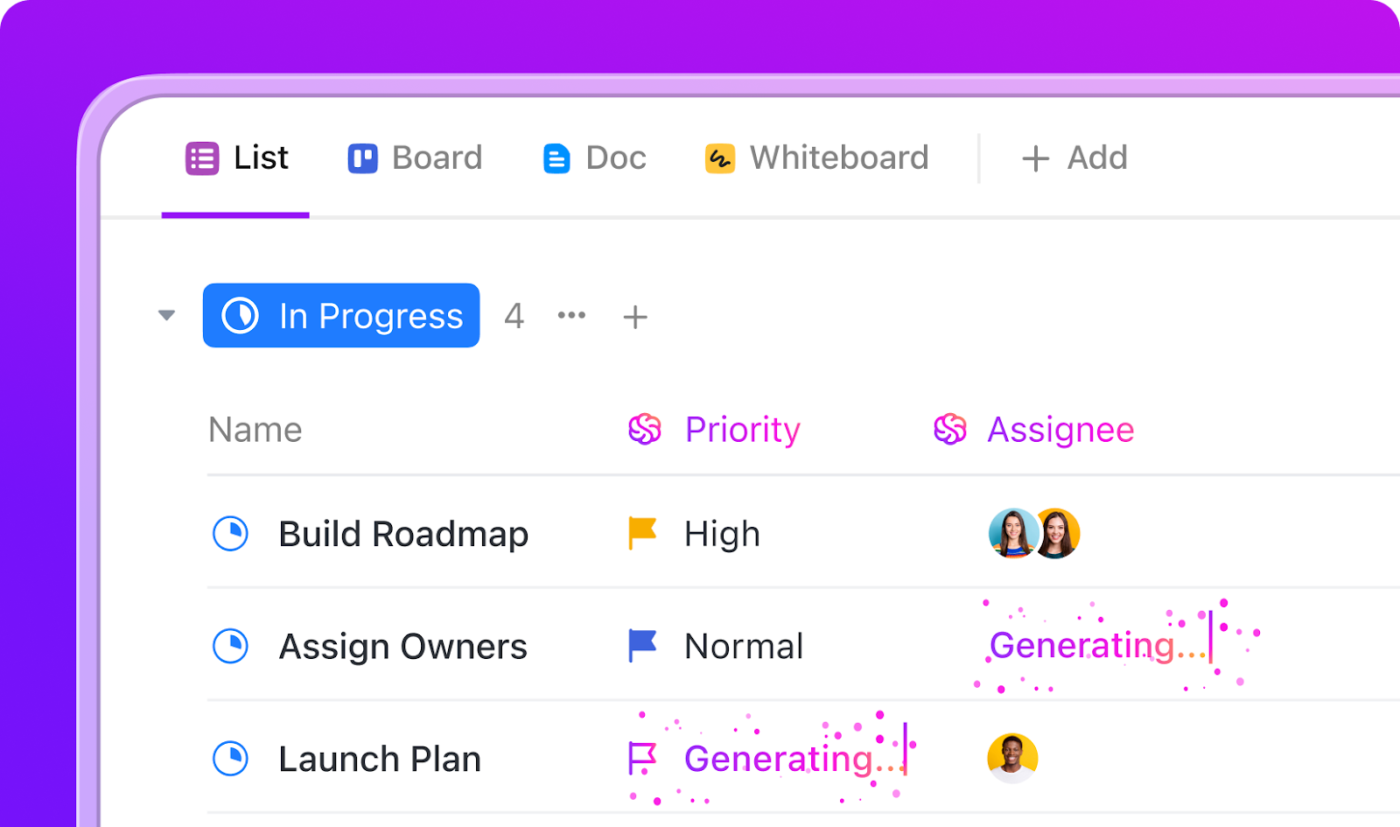
Then there’s the work you shouldn’t even notice happening:
ClickUp Automations handle those transitions without requiring you to remember them.
In an 80-hour week, micro-decisions are the real drain. “Did we update that?” “Who needs to know?” or “Is the next step triggered?” When Automations are configured correctly, those questions disappear. The workflow advances on its own rails.
This workflow isn’t just theoretical. Here’s what it looks like when operational drag is removed at scale.
🤝 Customer Story: ClickUp X Bell Direct
Bell Direct’s operations team was handling more than 800 client emails per day. Every message required manual reading, triage, categorization, and routing. The team wasn’t underperforming; they were overloaded with coordination.
In practical terms, they were living inside an 80-hour problem.
Instead of adding headcount or layering on another disconnected tool, Bell Direct consolidated operations inside ClickUp and deployed a Super Agent they called “Delegator.”
Delegator reads incoming emails, classifies urgency and topic using AI-powered Custom Fields, prioritizes them, and automatically routes each item to the correct owner—without human touchpoints.
The result:
The team didn’t reduce demand; they reduced manual coordination instead. And that’s how you solve an 80-hour workload problem without having humans work 80 hours.
If you’re stretching your output, your goal isn’t to personally touch every task, rewrite every update, and chase every dependency.
Instead, you build an operational layer that can run without you.
That’s where ClickUp Super Agents change the equation. When Agents handle task creation, meeting summaries, status reporting, blocker detection, and workload balancing, you’re no longer the glue between conversations and execution.
Instead of manually carrying the administrative weight of an 80-hour week, you get to define the outcomes.
If you’re heading into a high-intensity season, build the system first:
Then let the workspace do what it’s designed to do: ship 80-hour outcomes without requiring 80 manual hours from you.
Sign up for ClickUp today, and tackle your 80-hour work week with confidence.

© 2026 ClickUp

There’s an easier way. Try a free AI Agent in ClickUp that actually does the work for you—set up in minutes, save hours every week.