
Sorry, there were no results found for “”
Sorry, there were no results found for “”
Sorry, there were no results found for “”
Rome wasn’t built in a day, but new hires pour in overnight once your company starts growing. Suddenly, your team of 50 is reaching 500.
This is all great—except now, Jeff from marketing is frantically trying to figure out who in finance approves budgets.
To help Jeff out, HRs have a special tool called org charts.
These visual powerhouses help you know exactly how everyone fits into the organizational structure. They clarify who reports to whom, what responsibilities fall where, and ensure no one accidentally emails the intern for a major project update.
Here’s a curated list of org chart tools to help you pick one that works for you.
Choose from these top 10 org chart software to visualize your company structure, employee information, and relationships with direct reports better:
81% of new employees feel overwhelmed during onboarding, and memorizing hundreds of names and who’s responsible for what clearly doesn’t help.

That’s where great org chart tools swoop in to save the day. Here are some features that a good org chart tool should have:
🟩 Green Flag: If an intern can update an org chart with zero training, you know you’ve picked a winner.
Here are our picks for the 10 top org chart software you can use to visualize and streamline your organizational structure:
Work today is broken. 60% of our time is spent sharing, searching, and updating information across tools. That’s a lot of time doing something that should barely take a few minutes!
ClickUp solves this by being the everything app for work. It combines project management, knowledge sharing, and communication in one place, supercharged by AI.
📮ClickUp Insight: Knowledge workers send an average of 25 messages daily, searching for information and context. This indicates a fair amount of time wasted scrolling, searching, and deciphering fragmented conversations across emails and chats. 😱
If only you had a smart platform that connects tasks, projects, chat, and emails (plus AI!) in one place. But you do: Try ClickUp!
ClickUp lets you map your organization’s current team structure with its flexible views.
This will help you plan ahead and also offer you clarity in the long run:
💡 Pro Tip: Use ClickUp Forms to collect this information from employees and feedback from leaders. You can also explore ClickUp Docs to document and share findings with stakeholders. Real-time collaboration ensures you capture every detail and easily convert notes into actionable tasks.
Once you’ve got this information, it’s time to write it all down using one of the best whiteboard software tools in the market.
ClickUp Whiteboards are your go-to for org chart creation. Here’s how they make the process fun, flexible, and efficient.
Start with a blank ClickUp Whiteboard and sketch out your org chart using shapes and connectors. Drag and drop roles into place, easily adjusting the hierarchy as your team evolves. Add details like names, responsibilities, and links for extra context. Color-code teams and collaborate with other departments for cross-functional reporting, making updates seamless.
You can also embed employee docs for clarity. When you’re done, share or export it to keep everyone aligned! How? Watch this explainer for a step-by-step guide!
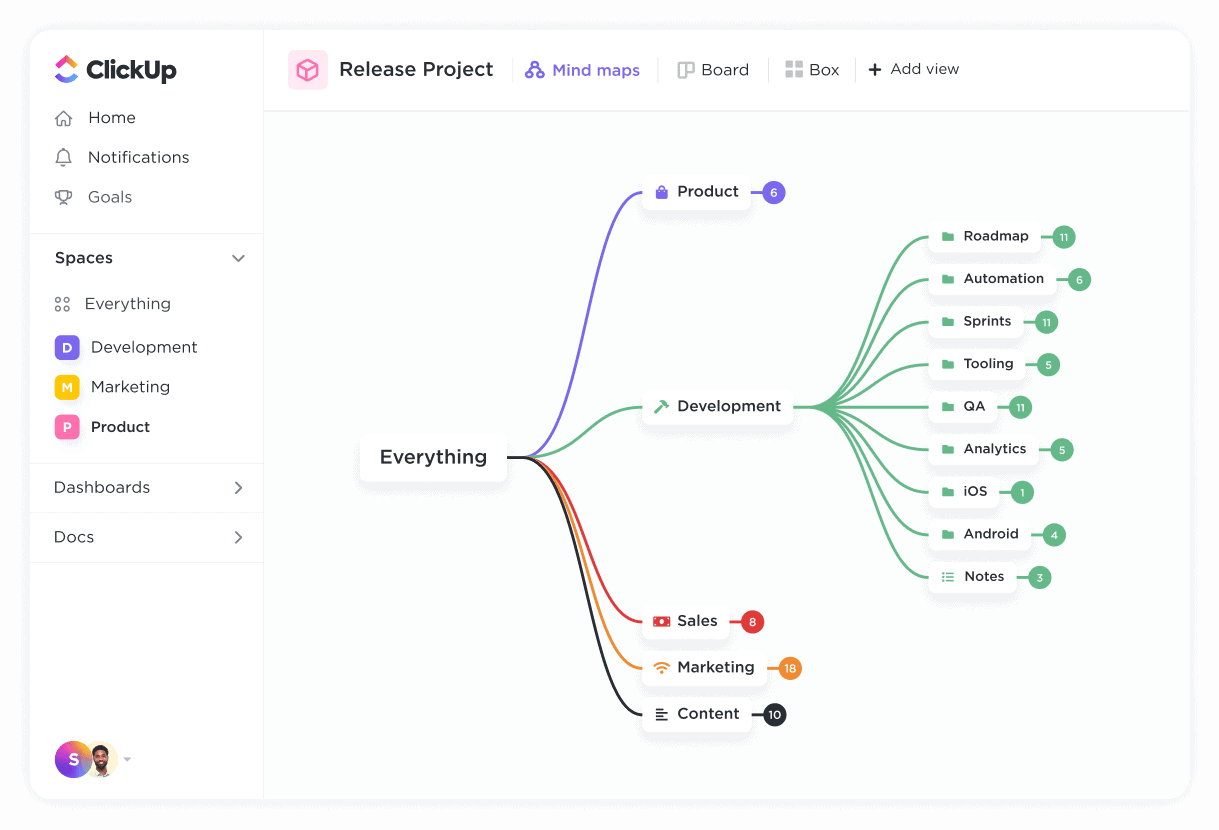
Similarly, ClickUp Mind Maps let you structure and refine your org chart with a dynamic, branching layout. Start with a central node for your company or department, then add branches for teams, roles, and reporting lines. Drag and rearrange nodes effortlessly as roles evolve.
Want to update a role? A quick edit is all it takes, and everyone sees it in real time. Preparing for a meeting? Private Views lets you refine the chart solo before sharing it with the team.
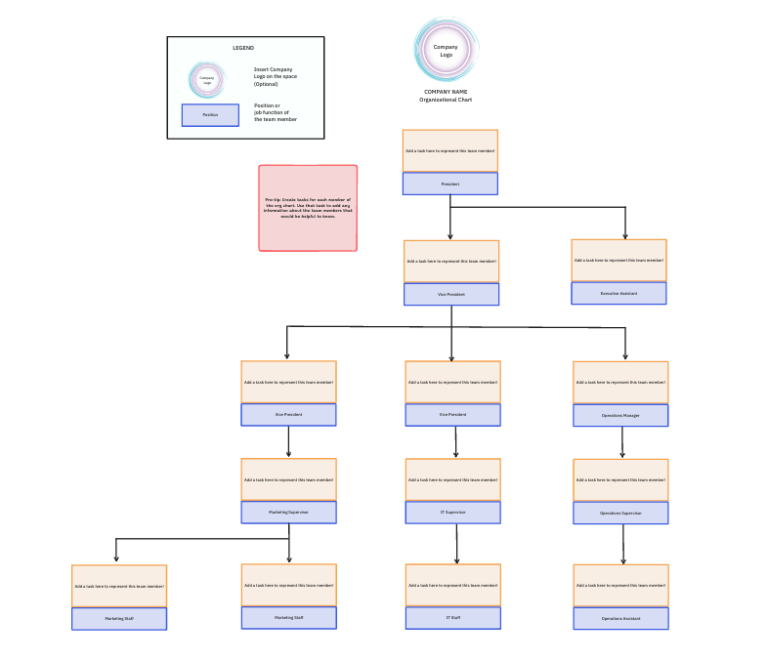
Even better, the ClickUp Organizational Chart Template eliminates the need to start from scratch.
Whether scaling a startup or restructuring an enterprise, this template ensures every reporting line and employee relationship is crystal clear.
☕ User Review: This G2 review highlights ClickUp’s versatility in organizing both personal and business tasks, praising its dashboards, document management, and whiteboard features for seamless planning and vision mapping.

Imagine your team growing so fast that your org chart can’t keep up. You’re left redrawing boxes and re-linking names every week—it’s enough to make anyone lose their mind.
Lucidchart solves this pain point by linking your org chart directly to live data sources, so updates happen automatically.
Teams at Amazon and GE love its clean interface and collaborative features, which allow everyone to contribute to a single, dynamic chart in real time.
☕ User Review: A Capterra user values Lucidchart’s browser-based accessibility, smooth Google Drive backup integration, and extensive template library that simplifies process diagram creation.

Picture this: your team is brainstorming, managing projects, and planning strategies—all while hopping between tools and losing track of ideas.
Creately eliminates this chaos with its smart visual canvas that centralizes tasks, diagrams, and collaboration in one place.
With over 1,000 templates and AI-assisted diagramming, Creately makes creating org charts, flowcharts, and project plans easy for businesses of all sizes.
🧠 Did You Know: The first organizational chart was created in 1854 by Daniel McCallum, a Scottish-American engineer, to improve communication and clarify lines of authority within the New York and Erie Railroad. This groundbreaking tool became a model for modern organizational management.
☕ User Review: This G2 review highlights how Creately keeps things simple and affordable while packing a punch with collaboration tools—perfect for teams who want smooth workflows.

Pingboard tackles the main challenge of remembering who’s who in a fast-growing company by doubling as an employee database software.
Beyond just mapping reporting lines, Pingboard transforms org charts into interactive hubs by integrating detailed employee profiles. These profiles showcase work anniversaries, bios, and even milestones—keeping everyone informed and connected.
☕ User Review: A GetApp review shares how Pingboard turned a tricky merger into a smoother process by mapping out team structures clearly and offering instant access to employee profiles, making everything feel a lot more transparent.

Ever tried updating a complex diagram only to realize it’s outdated the moment you hit save?
Microsoft Visio solves this by connecting diagrams directly to real-time data sources like Excel and Microsoft 365, keeping visuals accurate and up to date.
With its deep integration with the Microsoft ecosystem, Visio simplifies professional diagram creation, such as org charts, process flows, and network maps.
☕ User Review: A G2 reviewer values Visio for its detailed diagram and flowchart capabilities, seamless Office 365 integration, and data linking features, though they note some collaboration delays.
Struggling with expensive licenses for advanced diagramming software? SmartDraw offers a cost-effective alternative with key features similar to those of premium tools for creating professional visuals.
It combines diagramming, whiteboarding, and data integration into one intuitive platform.
Whether you’re drafting floor plans, org charts, or process maps, SmartDraw simplifies the process with user-friendly templates and automation.
🧠 Did You Know: Startups are most likely to fail when they reach the 11–50 employee mark, often due to challenges in scaling operations, managing resources, and maintaining a cohesive vision during rapid growth.
☕ User Review: A GetApp reviewer highlights SmartDraw’s user-friendly layout and well-designed templates for creating flowcharts and diagrams while expressing eagerness to explore more features.
If your team struggles with static charts or time-consuming manual updates, Organimi solves these challenges with automation and flexibility.
This organizational chart software caters to businesses seeking an intuitive tool for creating customizable charts and directories of key stakeholders.
You could be mapping roles, restructuring your organization, managing sales relationships, or planning for growth—no matter what, Organimi’s drag-and-drop interface and smart features make it easy to visualize and maintain your organization’s structure.
☕ User Review: This Reddit user praises Organimi for its ease of use, quick customer support, and customization options, noting its seamless CSV import for creating org charts and affordable upgrade plans.

Managing an ever-evolving organization can often feel like you have too many pieces on your plate at once.
HR pros and leaders who need to simplify their org charts without breaking a sweat can explore OrgChart.
With its ability to sync seamlessly with over 50 HR systems and automate complex workflows, OrgChart takes the pain out of workforce planning, leaving you free to focus on building a thriving team.
☕ User Review: An OrgChart user highlights its ease of use, flexibility in customization, and helpful support resources for advanced feature setup, making chart updates, and sharing seamless.

If you’ve ever struggled to bring teams together in a natural and effective way, Miro can make it better.
As a versatile visual collaboration platform, it excels at helping teams brainstorm, strategize, and execute plans seamlessly—whether you’re a UX designer mapping out workflows, a product manager prioritizing backlogs, or an Agile coach running sprints.
☕ User Review: A Miro user on G2 praises its intuitive interface, versatile templates, and seamless Jira integration, highlighting its effectiveness for real-time collaboration, brainstorming, and streamlining workflows with clients and teams.
Also Read: How to Create and Optimize Organograms

Sift takes the complexity out of org chart creation by focusing on ease of use and employee connectivity.
Known as a “people directory,” Sift auto-generates profiles and org charts from existing HR and IT data, ensuring accuracy and simplicity.
☕ User Review: A Sift user appreciates its fast, informative interface, seamless integrations, and excellent search functionality, especially for exploring team hierarchies effectively.
Here are more org chart software tools to consider for niche needs:
Building and maintaining an org chart shouldn’t feel like solving a puzzle with missing pieces. Whether your team is growing, restructuring, or simply needs better visibility into roles and responsibilities, ClickUp gives you the tools to make it seamless. With its Whiteboards and the Organizational Chart Template, you can visually map out your team structure, adjust hierarchies with ease, and collaborate in real time—all in one place.
No more outdated spreadsheets or messy diagrams. ClickUp’s drag-and-drop functionality lets you refine your org chart as your team evolves, while 1,000+ integrations and mobile access ensure everyone stays aligned, no matter where they work.
No wonder, over 3 million teams trust ClickUp to streamline their workflows!
Ready to stop playing the “who’s who?” game? Create an account on ClickUp today and bid guesswork goodbye.

Arya P Dinesh
Max 27min read

Manasi Nair
Max 27min read
Manasi Nair
Max 32min read

© 2026 ClickUp