






Still downloading templates?
There’s an easier way. Try a free AI Agent in ClickUp that actually does the work for you—set up in minutes, save hours every week.
Sorry, there were no results found for “”
Sorry, there were no results found for “”
Sorry, there were no results found for “”


Ever been stuck in endless debates over project requirements?
Developers ask for detailed specs, UX designers focus on user experience, and stakeholders just want results. The disconnect often starts with how requirements are framed.
Use cases and user stories both define what a product should do, but they serve different purposes.
Mix them up, and you risk confusion, scope creep, and a product that misses the mark. In fact, 70% of software projects fail due to poor requirement gathering and miscommunication.
Let’s break down the key differences between use case vs. user story, when to focus on each, and how they work together for better product development.
Before we get into the details, here are the differences between user stories vs. use cases at a glance.
| Aspect | Use case | User story |
| Definition | A step-by-step interaction between a user and a system to achieve a goal | A short, user-focused requirement describing a feature from the user’s perspective |
| Structure | Includes actors, preconditions, main flow, alternate flows, and exceptions | Follows a simple format: “As a [user], I want [goal] so that [reason]” |
| Level of detail | Highly detailed, often includes flow diagrams and system behavior | Concise and high-level, focusing on user intent rather than system behavior |
| Best for | Designing complex system interactions, software testing, and validation | Agile development, backlog prioritization, and rapid feature iteration |
| Example | “A user logs in to the food delivery app, selects items, and completes payment. The system verifies payment and confirms the order” | “As a customer, I want to save my favorite restaurants so that I can order quickly in the future” |
A use case is a detailed description of how a user interacts with a system to achieve a specific goal. It outlines the steps involved in a process, capturing different scenarios, including edge cases and exceptions.
Think of it as a step-by-step user interaction blueprint that helps development teams, stakeholders, and testers stay aligned. For example, if an item is out of stock, the system notifies the user and suggests alternatives.
🌻 Example of a use case
Imagine designing an online food delivery app. One of the main use cases could be ‘Placing an order.’ Here’s how it breaks down:
Actor: Customer
Precondition: The user logs into the app
Steps:
These steps cover the ideal flow, but what happens when things don’t go as planned?
This level of detail anticipates every possible scenario to minimize miscommunication, reduce unexpected issues during development, and ensure the system works as intended.
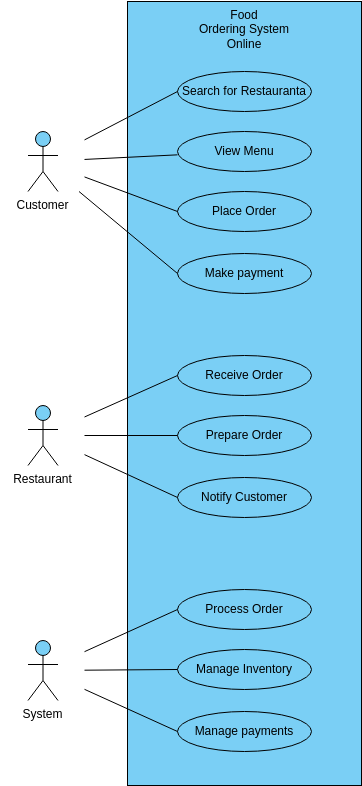
Use case diagrams visually map out how actors (users or systems) interact with a system, helping teams spot gaps, refine workflows, and ensure all key actions are covered.
Components of a use case diagram:
1. Actors: The users or external elements that interact with the system (e.g., customers, payment gateways, and deliver partners)
2. Use cases: The specific actions or features the system supports (e.g., placing an order, processing payments, and tracking delivery)
3. Relationships: The connections between actors and use cases, such as:
🌻 Example: Use case diagram for a food delivery app
A basic use case diagram for ‘Placing an Order’ in a food delivery app might include:
Use case diagrams provide a clear visual representation of user feedback and interactions. They help identify missing functionalities early in the development process and assist in requirement validation and system testing.
Use cases are crucial in software testing as they ensure the system behaves as expected in different user scenarios. They help teams validate functionality, integration, and user experience by providing a structured approach to testing.
Use cases break down functionality into clear steps, making it easier to write unit tests for individual components.
🌻 Example:
They help confirm that different modules, such as payment processing and order fulfillment, work together seamlessly.
🌻 Example:
Use cases help validate whether the system meets real user needs and expectations.
🌻 Example:
Use cases provide structure, clarity, and testability, especially in complex systems that involve multiple user interactions, business rules, and system validations.
✨Fun fact: The term ‘use case’ was first introduced by Ivar Jacobson in the 1980s as part of object-oriented software engineering.
Next, let’s explore what is a user story and how it differs from a use case.
A user story is a concise, user-centric description of a feature that captures what a user needs and why it matters. Unlike use cases, which focus on system behavior and detailed interactions, user stories emphasize user behavior, needs, goals, and outcomes.
In Agile software development, user stories are the building blocks of product backlogs. They help teams stay focused on delivering value to users rather than just implementing technical features.
While writing user stories, you need to follow a standard template:
As a [type of user], I want [goal] so that [reason/benefit]
This structure ensures clarity by defining:
“As a project manager, I want to assign tasks to team members with deadlines so that I can track progress and ensure timely completion.”
This user story describes a feature request without getting into technical details. It keeps the focus on user needs, making it easy for designers and developers to translate them into functional features.
A user story narrative provides more context by breaking down interactions in detail, helping teams understand how a feature fits into the user’s journey. However, to ensure the story is clear and testable, teams define acceptance criteria—specific conditions that must be met for the feature to be considered ‘done.’
User story: As a customer, I want to save my favorite restaurants so that I can quickly order from them in the future.
Acceptance criteria:
User story techniques are essential in Agile methodologies like Scrum and Kanban, which focus on user needs while maintaining flexibility. Here’s how they fit into each framework:
In Scrum, user stories help teams plan and execute work in structured sprints:
🌻 Example: In a two-week sprint, a development team might commit to implementing the “Save to Favorites” feature. By the end of the sprint, the team showcases how users can mark and access their favorite restaurants.
In Kanban, user stories flow continuously through the development pipeline:
🌻 Example:
For product managers, business analysts, developers, and UX designers, well-defined user stories:
🧠 Did you know? The concept of user stories originated in Extreme Programming (XP), an early Agile methodology
User stories focus on what users want and why. They don’t include technical details—which makes them great for Agile teams who need to prioritize tasks quickly.
Use cases, on the other hand, define how the system works. Once a user story is accepted, use cases dive deeper into the technical interactions, ensuring developers build the right functionality.
Use cases and user stories may have different structures, but together, they provide a holistic view of the system. Here’s how using both can help:
Choosing the right approach affects how teams gather and communicate requirements:
For projects with complex system interactions or alternative flows, use cases provide clear, detailed documentation of how the system should behave in various scenarios. They ensure all steps, edge cases, and system validations are defined, helping teams avoid ambiguity and build the system with precision.
Impact:
🛠️ Clear technical direction for developers, testers, and business analysts
📋 Detailed steps for each system interaction, minimizing the chance of errors
🔄 Ideal for complex workflows, such as financial applications or multi-step processes
🌻 Example: A banking app’s loan approval process requires multiple interactions (user inputs data, the system verifies credit, bank reviews, and final approval). A user story won’t capture all these details, but a use case flowchart will define each step, ensuring the developers implement it accurately.
In Agile project management environments, user stories drive collaboration by keeping things lean and adaptable. They focus on the user’s needs, allowing teams to easily adjust to changing business priorities. User stories are concise, keeping teams aligned on delivering value without getting bogged down by technical details.
Impact:
⚡ Fosters quick iteration based on real-time user feedback
🎯 Keeps development focused on user value rather than technical complexity
🤝 Facilitates team alignment and clear communication during sprint planning and daily stand-ups
🌻 Example: A customer requests an easier way to track their orders. The team can quickly create a user story:
“As a customer, I want a tracking page so that I can see my order status in real time”
Imagine you’re a chef preparing a meal. Sometimes, you need a detailed recipe with precise measurements (use cases), and other times, you just need a quick idea of what to cook (user stories). The key is knowing when to use each approach to create the perfect dish—or in this case, the perfect product.
Use cases dive deep into system behavior and help teams understand all possible user interactions, exceptions, and system flows. They’re essential when:
If your project involves multiple user roles, backend processes, and edge cases, a use case is the best approach. Use cases map out all the different user interactions and system responses, ensuring nothing is left to chance.
🌻 Example: Imagine building an ATM system. A simple user story like: “As a user, I want to withdraw cash so that I can access my money” isn’t detailed enough for your dev or testing teams.
A use case would map out every step, such as:
Use cases also help you define system responses to various conditions:
For projects that involve business analysts, developers, testers, compliance teams, and external partners, use cases ensure everyone is on the same page about system functionality.
💡 Pro Tip: Use cases work well for enterprise software, banking apps, healthcare systems, and any application where compliance is key and every process needs to be auditable and traceable.
User stories are the fuel that drives Agile teams. They focus on the end-user experience, making them perfect when:
Agile teams thrive on flexibility, quick iterations, and continuous feedback. Since user stories are lightweight and easy to update, they allow teams to pivot quickly without getting stuck in detailed documentation.
🌻 Example: A team working on a fitness tracking app might write: “As a user, I want to set daily step goals so that I can track my progress and stay motivated.”
This helps developers focus on delivering a feature that directly enhances user engagement without getting lost in technical complexity.
If a feature is simple and can be designed, developed, and tested within a sprint (usually 1–2 weeks), a user story is enough. This keeps things light and allows the team to stay focused on delivering value quickly.
🌻 Example: A team working on a SaaS product might prioritize: “As a user, I want a dark mode option so that I can reduce eye strain.”
This is a small, focused feature that doesn’t need a full use case. The goal is clear: to provide a better user experience without the need for detailed system flows.
A user story helps prioritize what matters most to the user, while developers figure out the technical execution later.
🌻 Example: For a mobile app team, a user story might be: “As a user, I want to receive notifications when my order is ready for pickup so that I don’t miss it.”
The story makes clear the user’s need but leaves the technical details (how notifications are sent) to be figured out by the development team.
💡 Pro Tip: User stories are great for feature enhancements, UI/UX improvements, and iterative development
Why choose one when you can have the best of both worlds? Combining use cases and user stories can create a balanced, comprehensive approach to product development. Here’s how:
Begin with user stories to identify what users want and why. This keeps discussions focused on user value. No technical jargon, just pure user-centric value. User stories guide the overall product vision, ensuring that the feature remains focused on solving real problems.
🌻 Example: “As a teacher, I want to generate automatic quizzes so that I can save time creating tests.”
When the feature starts getting more complex with multiple steps, system interactions, or edge cases, use cases come into play. They help define the detailed workflows, exceptions, dependencies, and system responses that the user story can’t capture. Use cases are essential when you need to ensure the system behaves as expected under various conditions.
🌻 Example:
User stories keep teams aligned around the user’s goal. Use cases ensure system reliability and robustness. Together, they provide a well-rounded blueprint for effective development.
So, you’ve decided to use both use cases and user stories in your project—great choice!
But how do you implement them without drowning in spreadsheets, endless meetings, or chaotic task management? Let’s dive into a step-by-step guide for implementing use cases and user stories.
Before jumping into development, it’s crucial to define what needs to be built and why. For this, you need to map the customer journey. It gives an overview of how customers interact with your product and what are the customers’ pain points and expectations.
After mapping the customer journey, break it down into specific scenarios that represent key interactions between the user and the system.
Then, you can define use cases, which outline the step-by-step system behavior, including user actions, system responses, and possible exceptions. Once the use cases are established, create user stories, which focus on user needs in a simple, goal-driven format that guides development.
You can use ClickUp Brain, ClickUp’s powerful AI assistant, to map customer journeys and identify key interactions.

User stories help Agile teams focus on user needs instead of system design. They keep the focus on the end-user, answering the what and why in simple terms.
Use the simple “As a [user], I want [goal], so that [reason]” format to ensure clarity.
🌻 Example of an eCommerce app: “As a customer, I want to receive real-time order tracking updates, so that I know exactly when my package will arrive”
Now, we can rely on use cases to map out interactions, define dependencies, exceptions, and workflows of the eCommerce app. While user stories define what the user wants, use cases detail how the system responds to different inputs.
🌻 Example use case for order tracking:
The ClickUp User Story Template helps teams structure, prioritize, and track user needs effortlessly. It provides predefined fields like ‘User Role,’ ‘Goal,’ ‘Acceptance Criteria,’ and ‘Priority,’ to ensure clarity and consistency across all user stories.
For instance, consider the above eCommerce app example. With the ClickUp User Story Template, you can:
✅ Standardize documentation:
✅ Align development tasks:
During product development, multiple use cases and user stories emerge at different stages—from defining user needs to refining workflows and ensuring smooth execution.
For instance, in an eCommerce app, the customer’s journey includes selecting products, placing orders, making payments, and tracking deliveries—each requiring a use case and several user stories.
Managing these across teams can get chaotic, but ClickUp Tasks can help you bring structure and clarity.
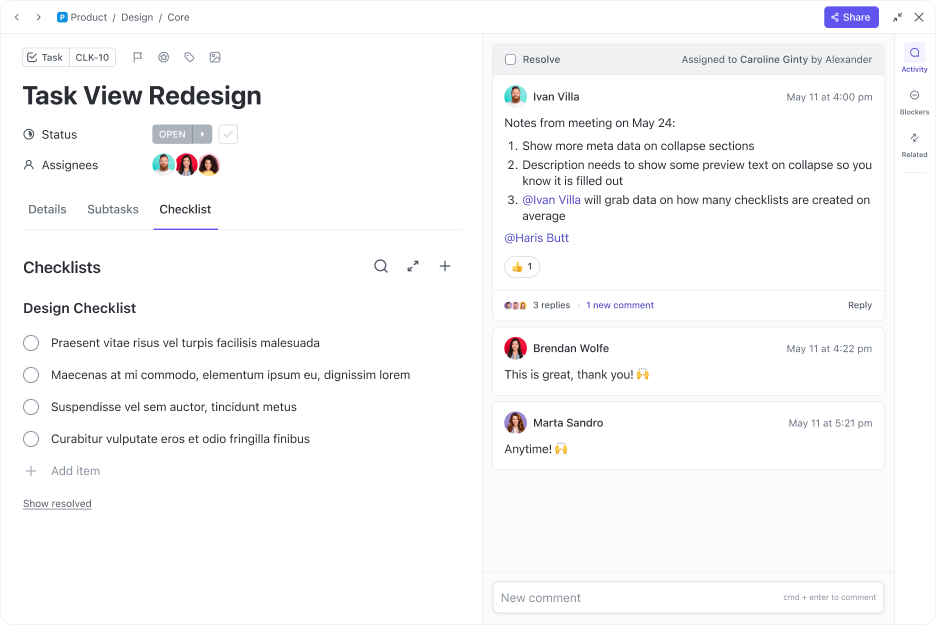
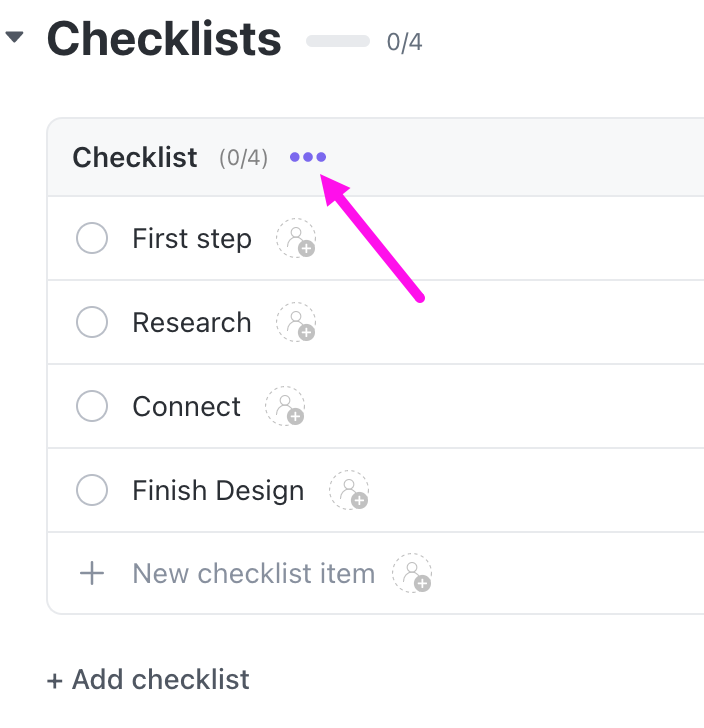
With ClickUp Tasks, you can:
🌻 Example: If your use case is ‘User Registration Process,’ you can add:
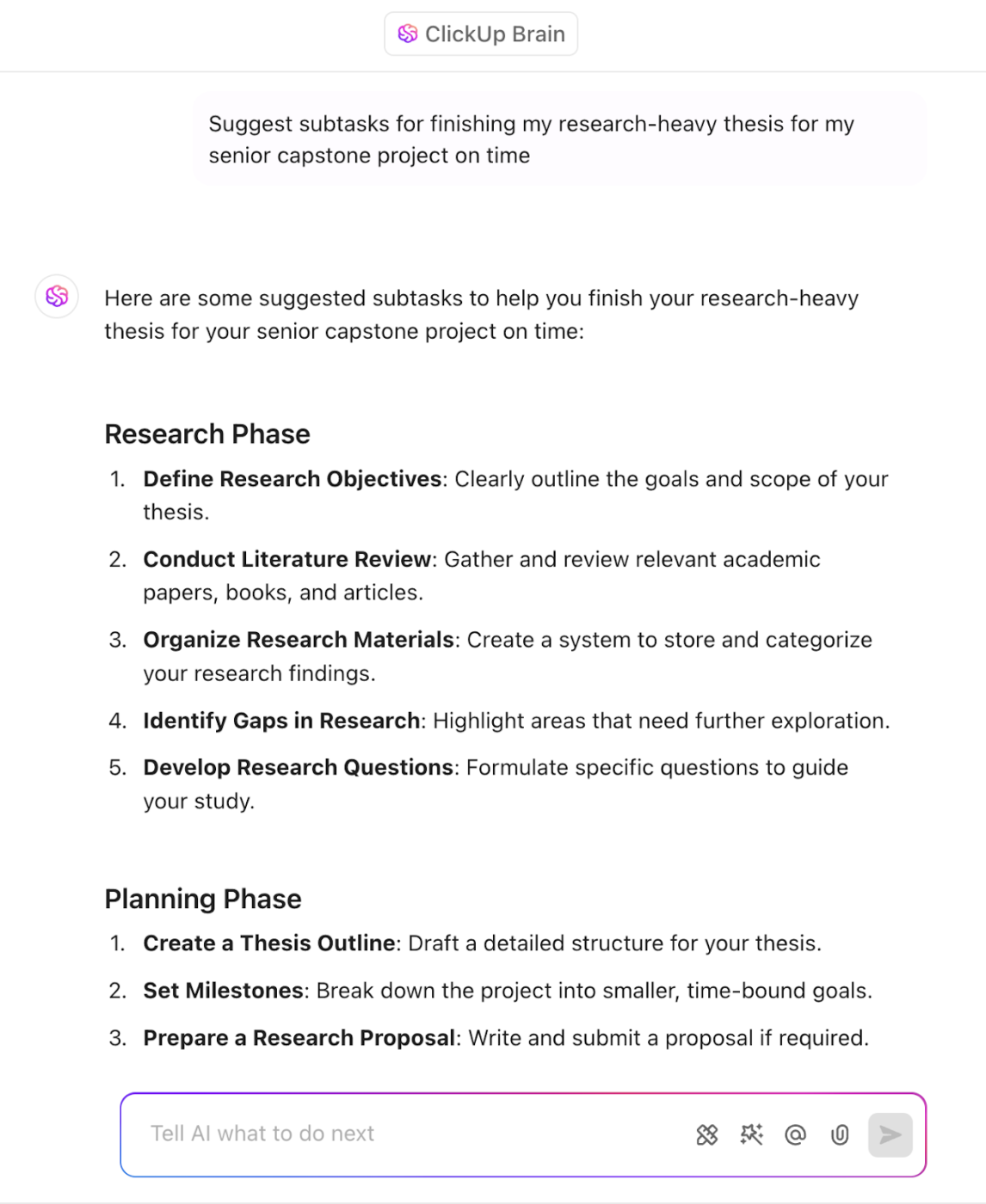
You can also use ClickUp AI to intelligently and automatically generate subtasks with simple natural language commands.
📮ClickUp Insight: Low-performing teams are 4 times more likely to juggle 15+ tools, while high-performing teams maintain efficiency by limiting their toolkit to 9 or fewer platforms. But how about using one platform?
As the everything app for work, ClickUp brings your tasks, projects, docs, wikis, chat, and calls under a single platform, complete with AI-powered workflows. Ready to work smarter? ClickUp works for every team, makes work visible, and allows you to focus on what matters while AI handles the rest.
Manually tracking every use case and user story can be overwhelming, especially in complex projects with multiple dependencies. Automation helps streamline workflows by reducing repetitive tasks, minimizing errors, and ensuring teams stay on schedule.
Here’s how to effectively automate your workflows:
With ClickUp Automations, you can:
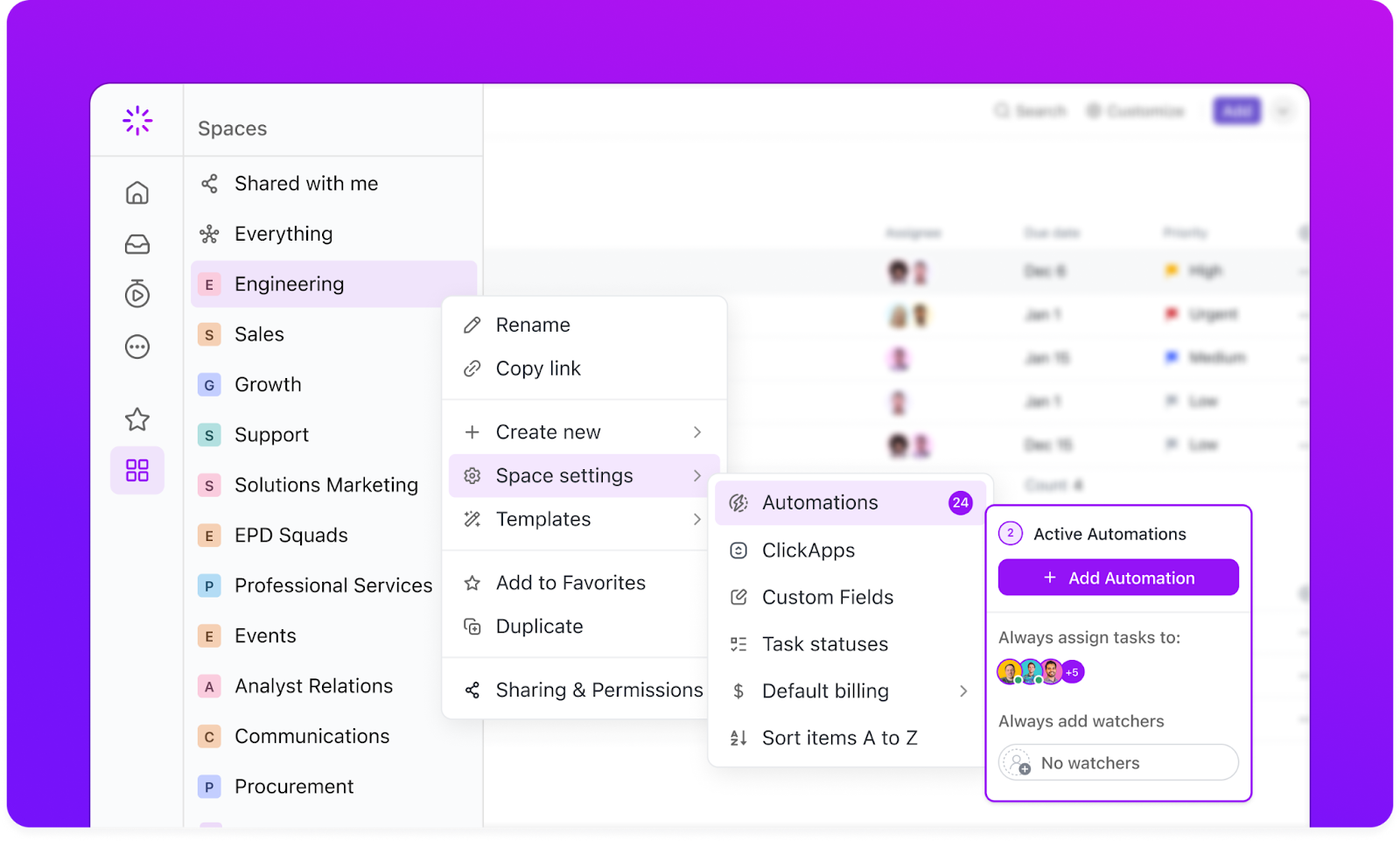
🌻 Example:
Tracking use cases and user stories across development stages ensures teams meet deadlines, balance workloads, and run efficient sprints. Custom dashboards and reports provide real-time insights to keep projects on track.
Let’s take the eCommerce app example:
ClickUp Dashboards enable you to track real-time progress. Set up custom dashboards to identify how many user stories are implemented per use case, which stories are undergoing testing, how many use cases are pending vs. completed, and other parts of your wokrflow.
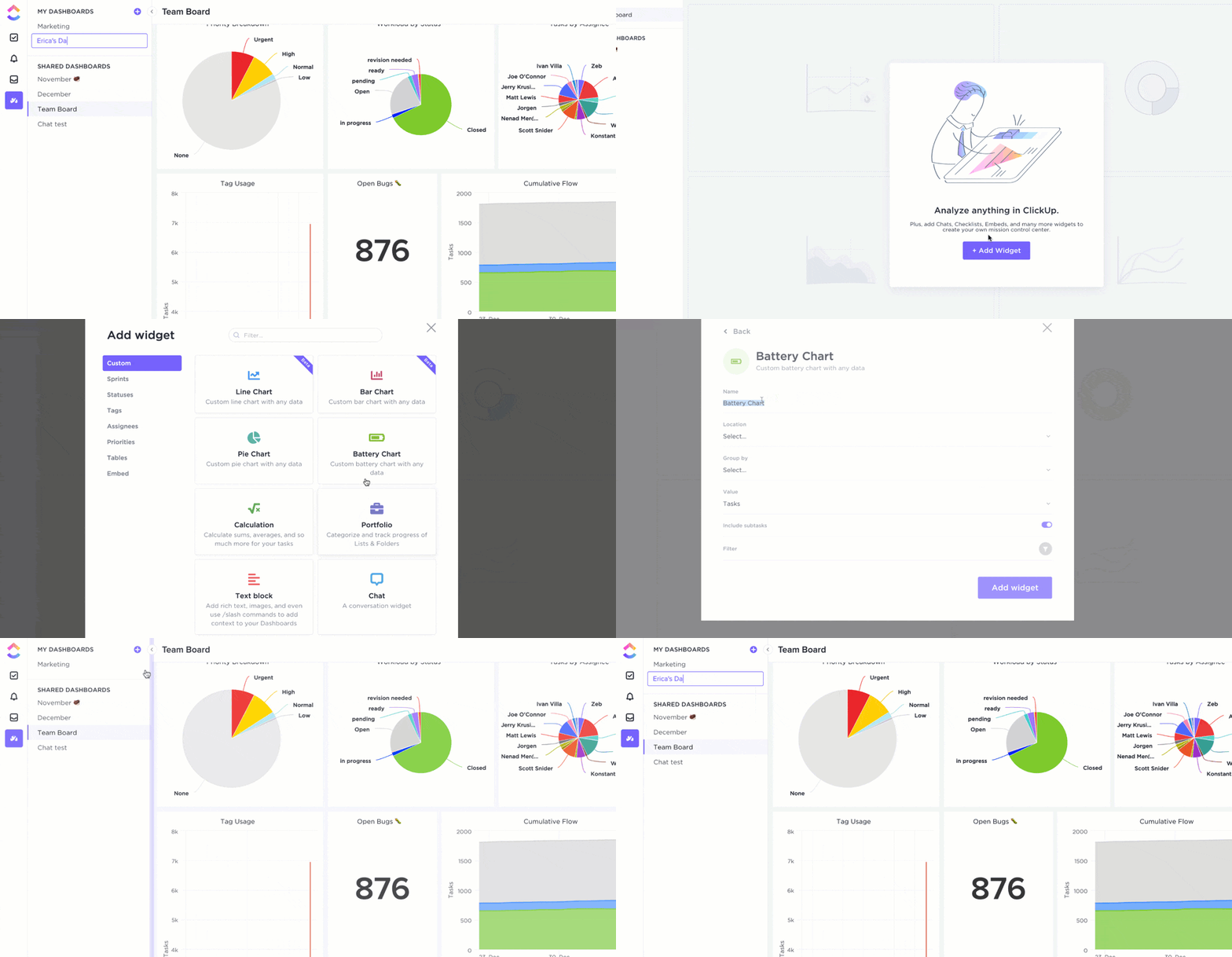
With ClickUp Dashboards, teams can choose from 50+ custom widgets to:
📖 Read More: The Ultimate Guide To Scrum Project Management
Product development is an ongoing process that requires constant iteration, feedback, and alignment across teams. Without effective collaboration, miscommunication can lead to misaligned features, scope creep, or delayed releases.
Continuous improvement ensures that user needs are consistently met and the product evolves based on real-world feedback.
Here’s how ClickUp can help:
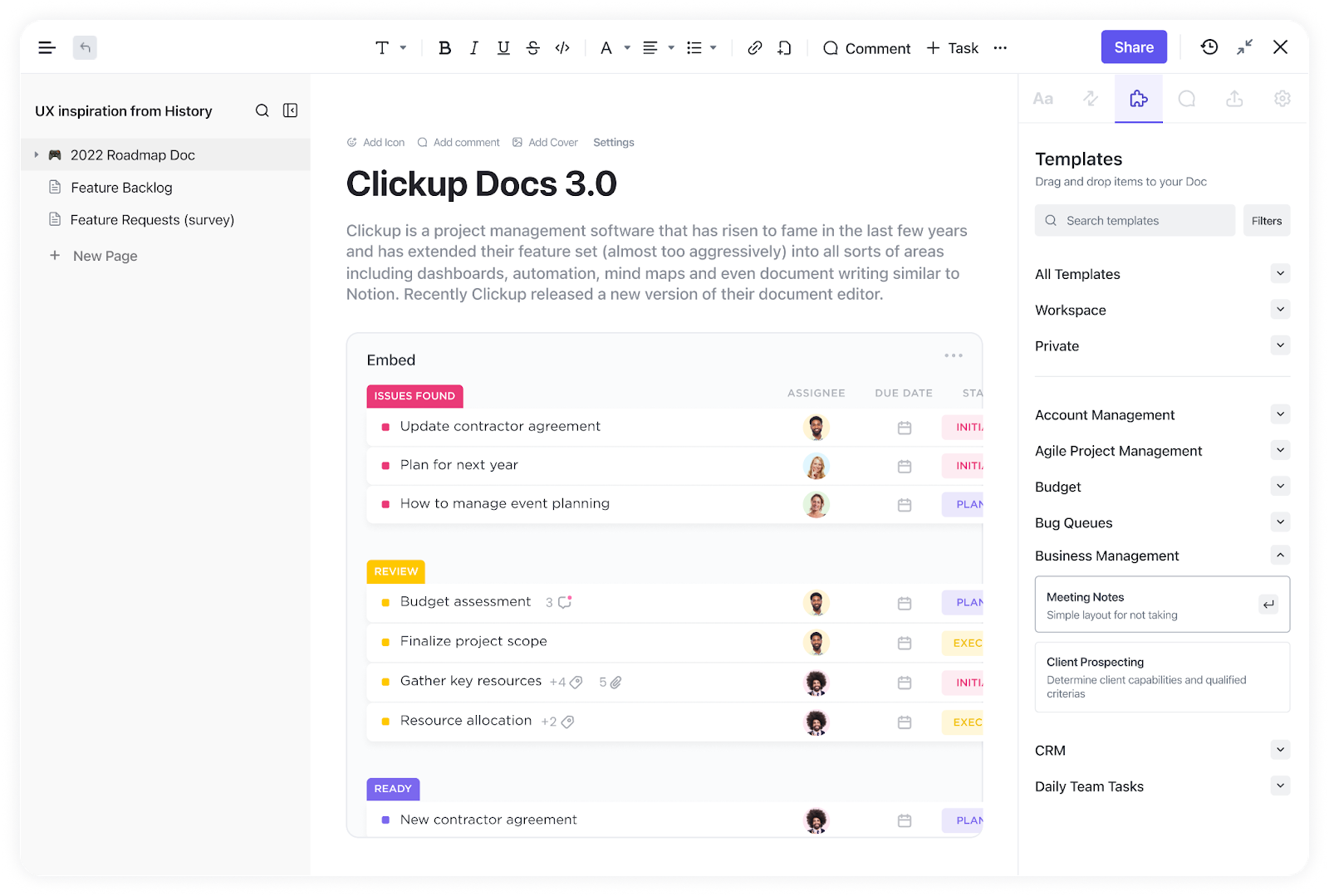
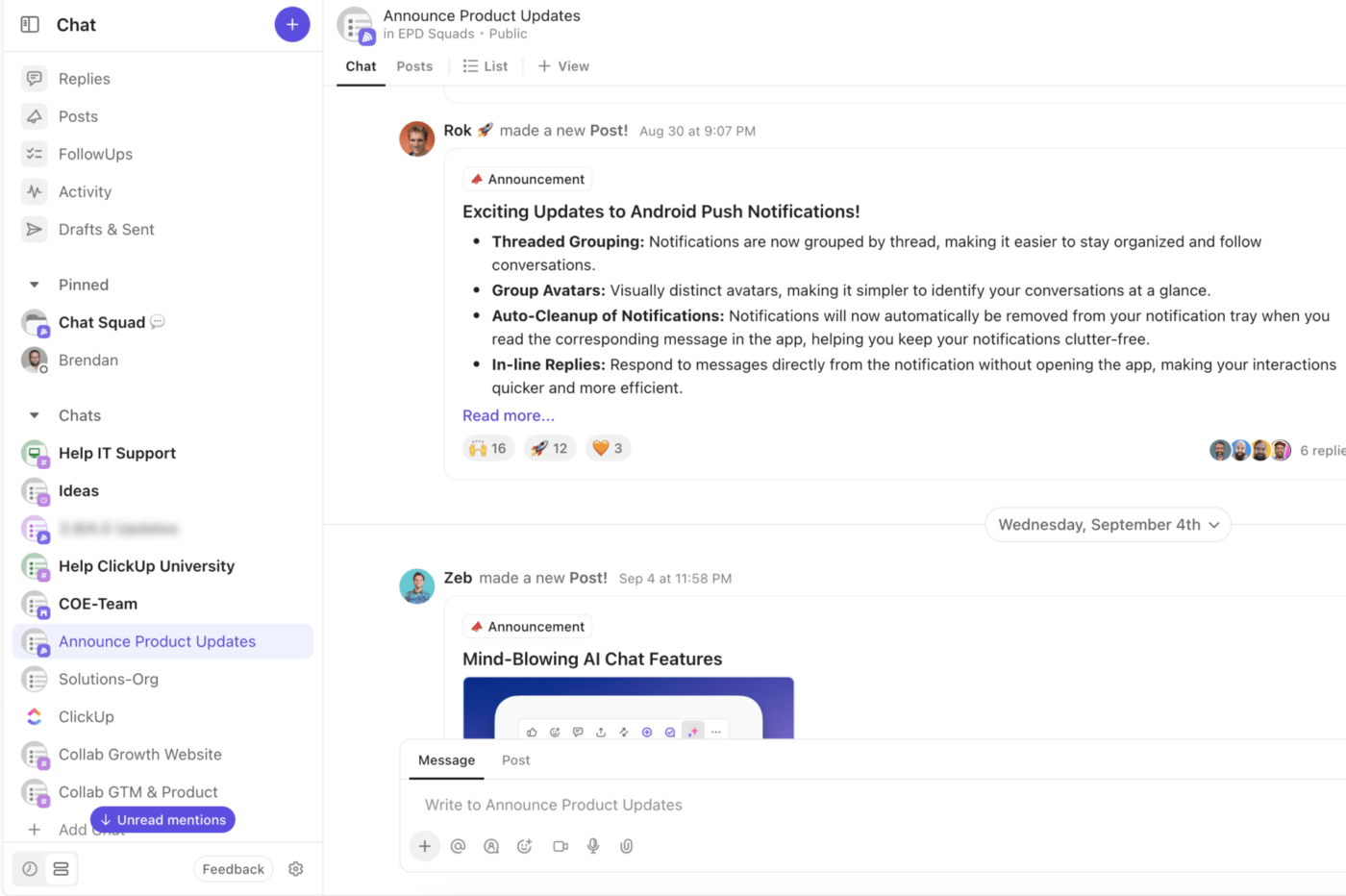
That’s not all! ClickUp Agile Team provides pre-built spaces and workflows specifically designed for Agile teams, integrating user agile tools like sprint planning, daily stand-ups, and retrospective meetings.
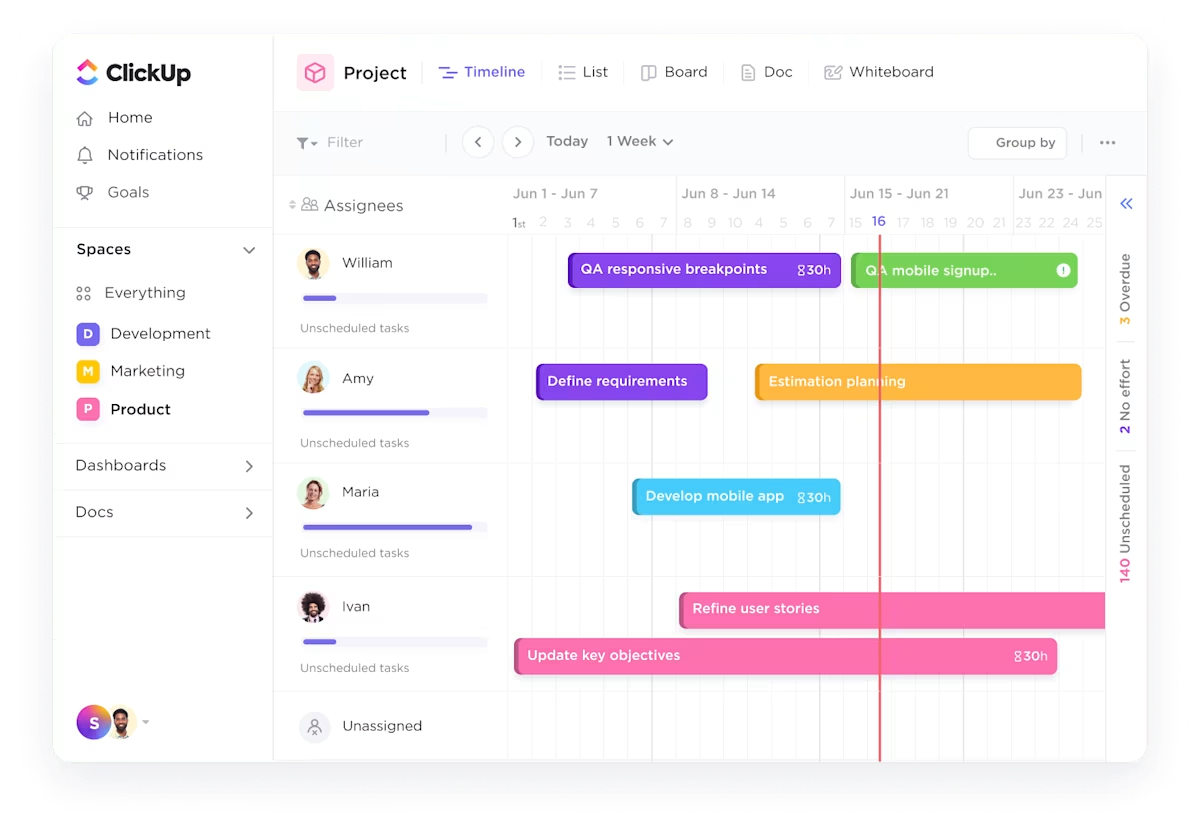
Also, ClickUp Software Team provides a centralized workspace for bug tracking, sprint planning, and release management. It keeps everything organized and accessible from managing feature requests, testing workflows, or deployment schedules.
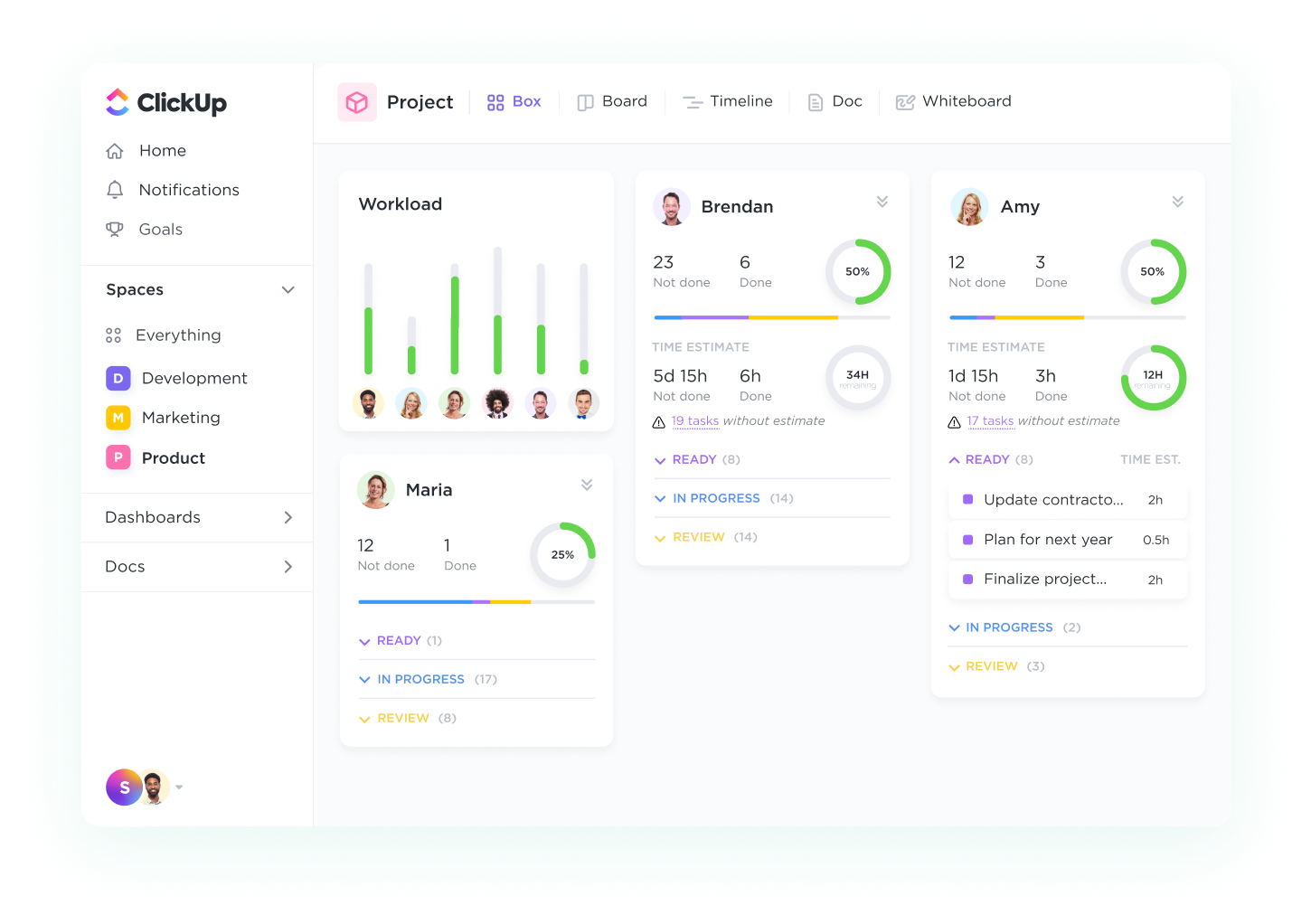
With the ready-to-use assets like the ClickUp Test Case Template, teams can standardize testing processes, document expected outcomes, and ensure product quality before release. This detailed use case template helps developers and QA teams streamline testing, reducing bugs and improving overall software system reliability.
Balancing use cases and user stories is crucial for building successful products—use cases define system behavior, while user stories capture user needs. ClickUp simplifies this process by providing structured templates, automated workflows, and real-time collaboration tools to keep teams aligned.
With Custom Fields for tracking priorities, Dashboards for real-time insights, and Automation to streamline workflows, ClickUp ensures clarity, efficiency, and seamless execution for business processes.
Simplify your workflow and boost team productivity. Sign up for ClickUp today to manage use cases, user stories, and more—all in one place!

© 2026 ClickUp

There’s an easier way. Try a free AI Agent in ClickUp that actually does the work for you—set up in minutes, save hours every week.