









Still downloading templates?
There’s an easier way. Try a free AI Agent in ClickUp that actually does the work for you—set up in minutes, save hours every week.
Sorry, there were no results found for “”
Sorry, there were no results found for “”
Sorry, there were no results found for “”

Every post on Twitter carries a beat, a pulse that decides whether it’ll spark conversation among your followers or fade into the noise. And we know Twitter users scroll fast. So a single tweet rarely makes the impact you need.
With so many voices already on the platform, standing out means mastering the art of the thread: a story told in connected tweets that keeps readers scrolling. But to be consistent, you need tools that align with your plan from the first tweet.
For example, Twitter and social media templates can be part of your workflow for planning and posting Twitter threads. You can use these to build threads, time your posts, and hook readers enough to build long-term relationships.
Let’s take a look at free Twitter thread templates that can do the heavy-lifting for you.
Here’s your a quick summary table of free ClickUp and other templates in the blog:
| Template Name | Download Template | Ideal For | Best Features | Visual Format |
| ClickUp Twitter Content Calendar Template | Get free template | Social media strategists managing Twitter content and campaigns | Platform-specific scheduling, engagement tracking, performance dashboards | ClickUp Calendar, Dashboard, List |
| ClickUp Social Media Advanced Template | Get free template | Influencers, marketing teams managing multiple platforms | 5 pre-built views (List, Board, Calendar, Embed, Doc), real-time updates, built-in help doc | ClickUp List, Board, Calendar, Embed, Doc |
| ClickUp Social Media Post Template | Get free template | Content creators posting frequently across platforms | Custom fields (hashtags, engagement, content stage), review workflows | ClickUp List, Board |
| ClickUp Social Media Calendar Template | Get free template | Social media managers organizing content timelines, approvals | 6 views (calendar, library, suggestion form), automation tracking | ClickUp Calendar, List, Form, Board |
| ClickUp Social Media Content Plan Template | Get free template | Teams planning long-term content strategies, campaigns | Gantt & Calendar views, custom fields for platform/role, workload tracking | ClickUp Gantt, Calendar, List |
| ClickUp Promotional Calendar Template | Get free template | Marketing, brand teams planning launches or promotions | Custom views for holidays/schedules, dependency tracking, file attachments | ClickUp Calendar, List, Board |
| ClickUp Social Media Posting Schedule Template | Get free template | Creators, teams maintaining posting schedules | Calendar & platform views, post frequency tracking, automation | ClickUp Calendar, List, Board |
| ClickUp Social Media Campaign Template | Get free template | Teams managing campaign planning, analytics | DACI framework, 5 campaign views, approval workflows, metric dashboards | ClickUp List, Board, Calendar, Dashboard |
| Twitter Thread Announcement Template by Type.ai | Download free template | Creators, social media marketers | AI-generated threads, brand voice rules, file/URL context | Type.ai Web, AI Editor |
| Flat Design Twitter Thread Mockup Template by Freepik | Download free template | Social media designers, marketers, UI mockup creators | Editable vector/PSD, branding, visual campaign previews | Freepik PSD, Vector, Figma/Photoshop |
Twitter Thread Templates are pre-structured, reusable outlines that help you write multi-tweet threads with clarity and consistency. They give you a predefined format for how each tweet should flow, such as hooks, key points, examples, transitions, and calls to action.
They often include:
🧠 Fun Fact: A small experiment by Buffer comparing 10 blog post–based threads found that they drove 63% more impressions and 54% more engagement than single-link tweets.
If you want to turn your ideas into scroll-stopping stories that flow naturally, you need a Twitter thread template that:
💡 Pro Tip: Use ClickUp’s Twitter Management AI Agent to automate engagement, schedule posts, and monitor trends, but don’t forget to review its replies periodically to keep your brand voice on point and human.
You know a great Twitter thread when you see one—that first sentence hooks you, each tweet builds momentum, and you reach the end feeling like you actually learned something valuable.
But crafting threads that perform? That’s where most content creators hit a wall. When your thread ideas live in notes apps, drafts sit in Twitter, and performance data hides in analytics tools, you’re constantly context-switching instead of creating.
ClickUp brings your entire thread workflow into one place as the world’s first Converged AI Workspace.
That means you get to:
Basically, all of this and more can be done without jumping between apps! Say goodbye to Work Sprawl by connecting ideation, creation, publishing schedules, and performance analysis in a single workspace.
So, if you’re looking to rev up your social media activity on Twitter or other socials, these ClickUp templates set you up for success:
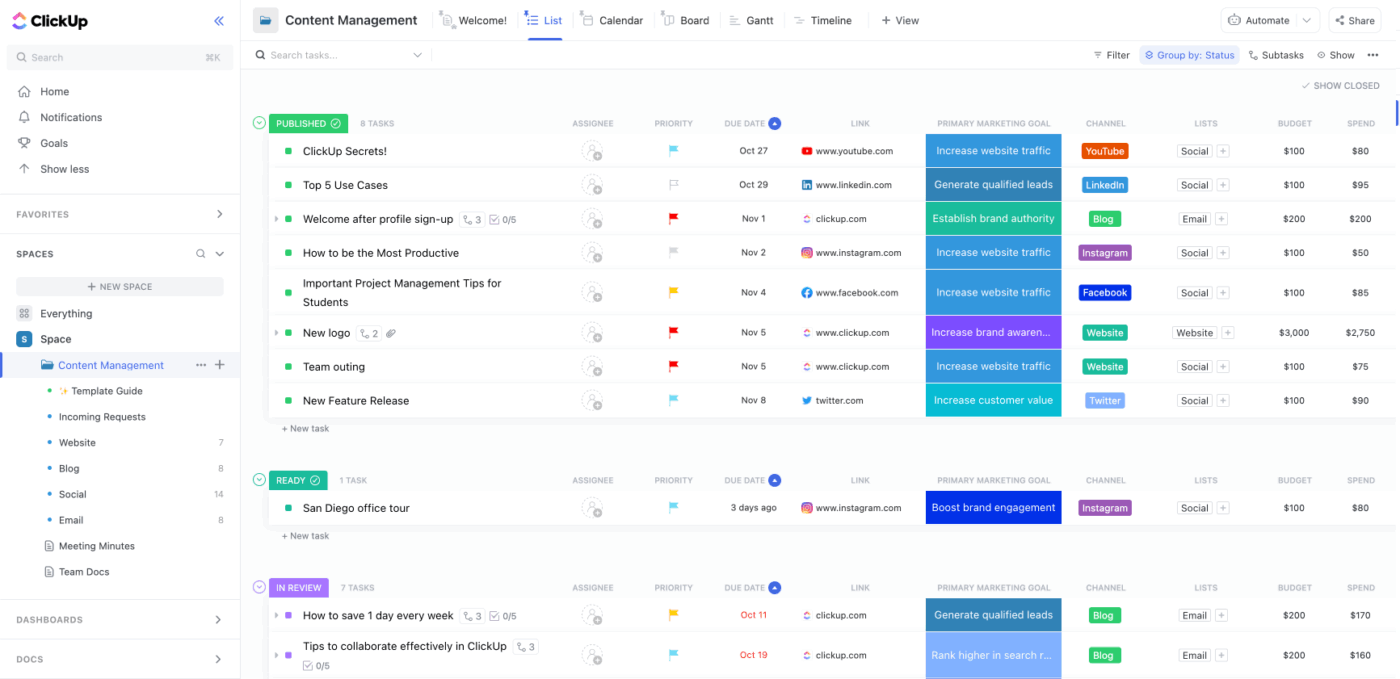
The ClickUp Twitter Content Calendar Template transforms how you plan and manage tweets. Instead of spread-out notes or half-written drafts, you get a clean, ready-to-use workspace built for consistency.
Custom Fields let you log the goal behind every tweet (like brand awareness, engagement, or conversions) and track spend versus impact. The List view gives you a quick overview of the status of queued tweets and how the ones already posted are performing. The detailed Task Cards are where you can see the activity for each tweet thread and how they go from ideation to posting.
Why you’ll like this template:
✅ Ideal for: Social teams, creators, and founders managing multiple Twitter handles
The ClickUp Social Media Advanced Template is built for marketers and creators who want to turn Twitter threads from occasional experiments into a repeatable growth channel.
Track thread performance metrics, A/B test different hooks, manage multiple content pillars, and see which thread formats drive the most engagement. Every post can be converted into a task by adding assignees, visuals, deadlines, and links.
The Kanban-style Board view is ideal for tracking the flow of each thread, as you can simply drag tweet cards as they move from Idea → Drafting → Scheduled → Published.
Why you’ll like this template:
✅ Ideal for: Agencies managing multi-channel content and in-house teams running launch campaigns without needing spreadsheets
📮 ClickUp Insight: Did you know 45% of people check their phones every few minutes—often for quick answers or a mental break?
However, those constant phone checks, such as glancing at email while writing a report, actually fragment your attention and undermine deep work.🖤
That’s where ClickUp Brain MAX comes in. As your AI-powered desktop companion, Brain MAX lets you chat, plan, create tasks, and search third-party apps without leaving your workspace or reaching for your phone.
Need a creative spark? Use your voice to write a haiku, generate content with multiple AI models, or handle admin tasks—giving your eyes (and focus) a much-needed break.
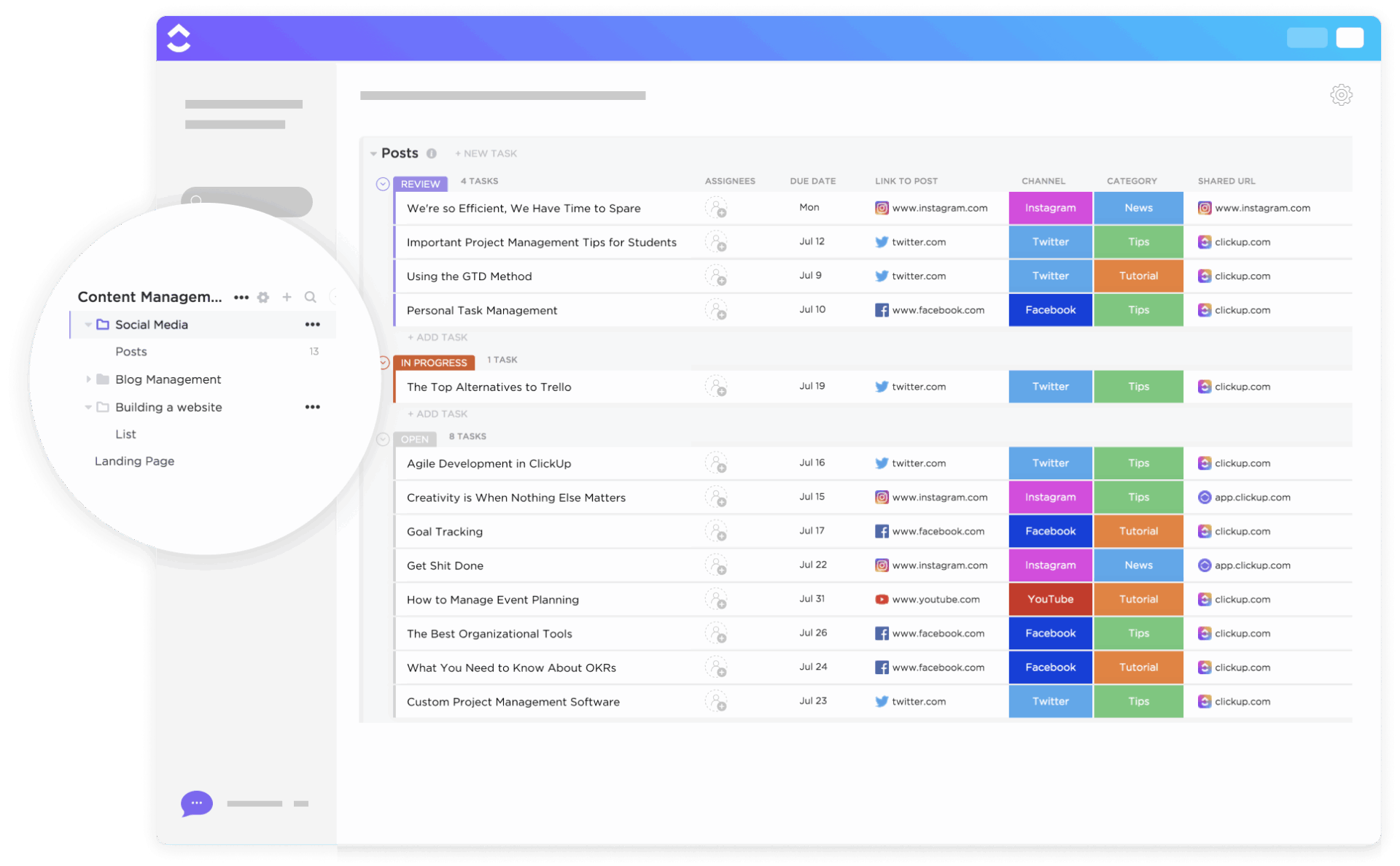
With the ClickUp Social Media Post Template, you give your teams a space to run multi-platform campaigns without sifting through a dozen sheets and approvals.
Each post can include stage markers (Idea → Content Writing → Design → Review → Publishing), content links, engagement data, and hashtags. The Content Library view can group posts by channel (like Twitter or Instagram) or Campaign Type (Product Feature, Poll, Case Study, or Giveaway).
Why you’ll like this template:
✅ Ideal For: Marketing teams, creators, or agencies running multiple brand accounts across platforms
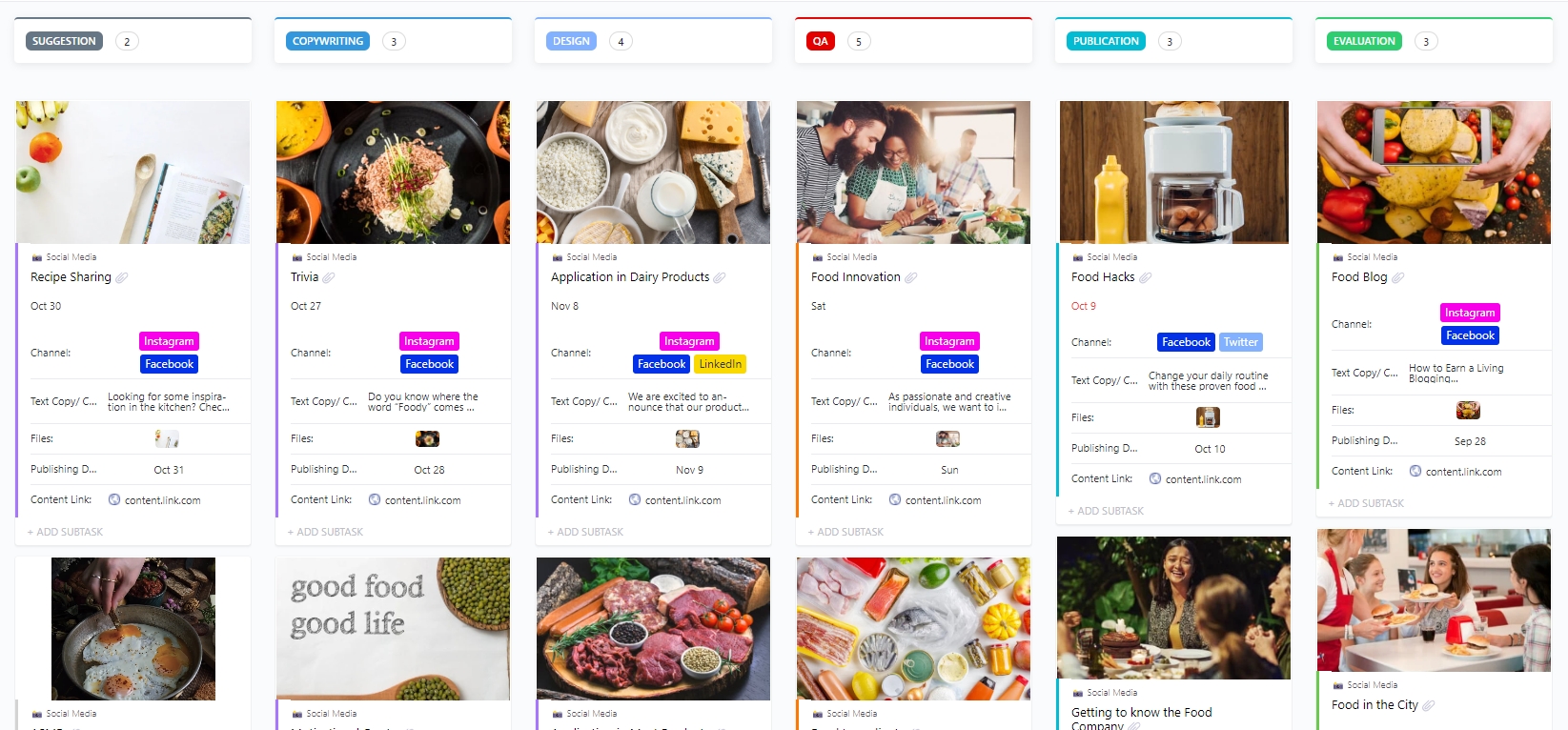
The Social Media Calendar Template by ClickUp is your all-in-one system for ideating, scheduling, and tracking every post across different social media channels.
Use it to plan Twitter threads so you can see exactly when threads publish, how they fit into your broader content strategy, and what topics you’re covering each week. This template works well as a collaborative space to brainstorm ideas, get feedback on designs, and create scheduled campaigns.
Why you’ll like this template:
✅ Ideal for: Social media teams and marketing managers who plan multi-channel campaigns, coordinate with writers and designers.
💡 Pro Tip: When designing a social media calendar, follow the 80/20 rule. Which means 80% of your content should provide value by educating, entertaining, or solving users’ problems. The remaining 20% should be used to promote your products or services.
🎥 Watch: Struggling to keep up with content creation? In this video, we’ll show you exactly how to use ChatGPT as your AI social media assistant:
The Social Media Content Plan Template gives you a clear framework to map out your Twitter thread strategy alongside your other social content.
Instead of treating threads as one-off posts, you can plan them as part of your broader content calendar—scheduling threads around product launches, industry events, or trending topics that make sense for your audience.
Why you’ll like this template:
✅ Ideal for: Teams managing recurring social media posts or campaigns across multiple platforms
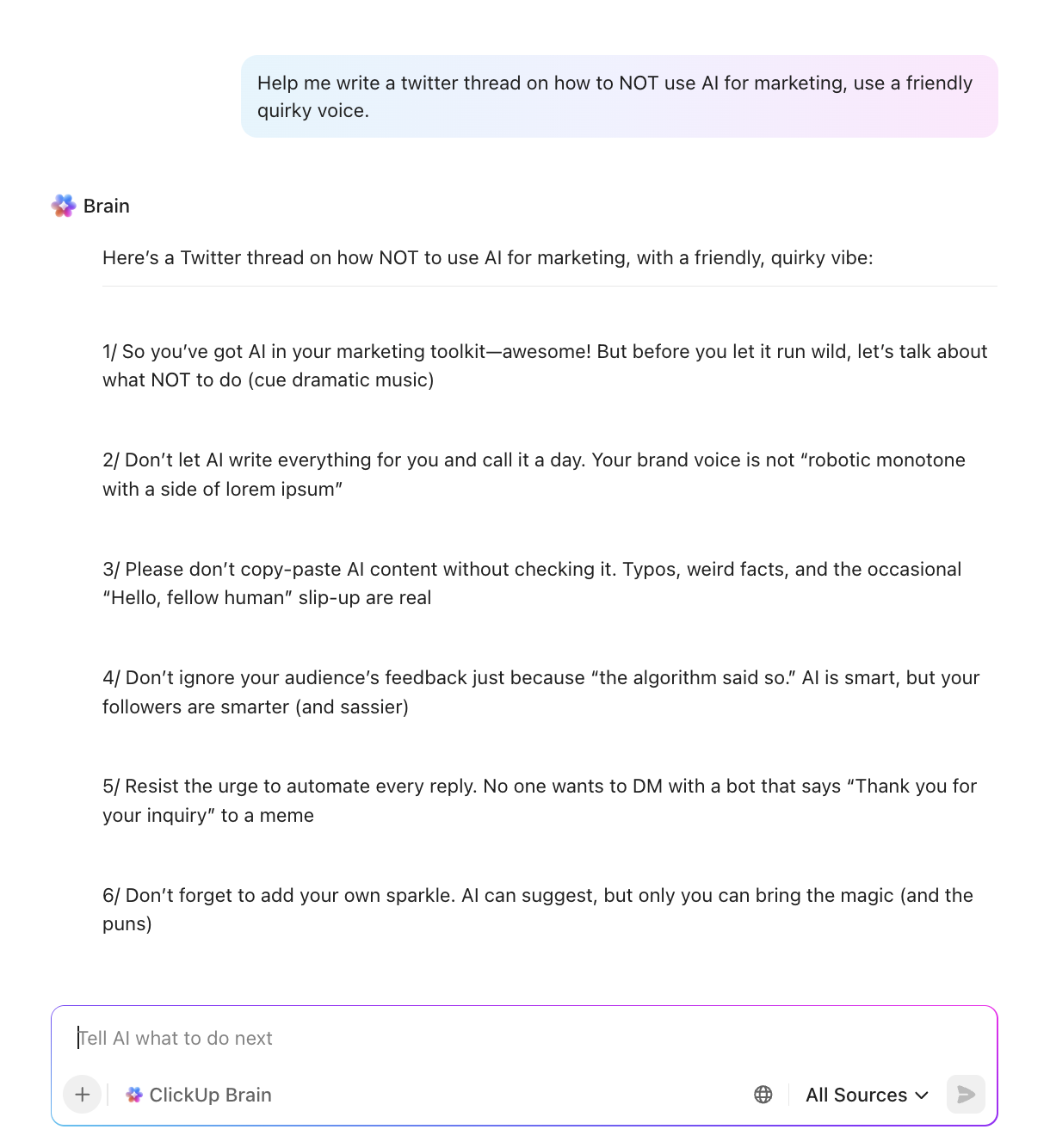
💡 Pro Tip: ClickUp Brain is your AI-powered assistant designed to make planning, structuring, and publishing Twitter threads effortless. Here’s how it can help you:
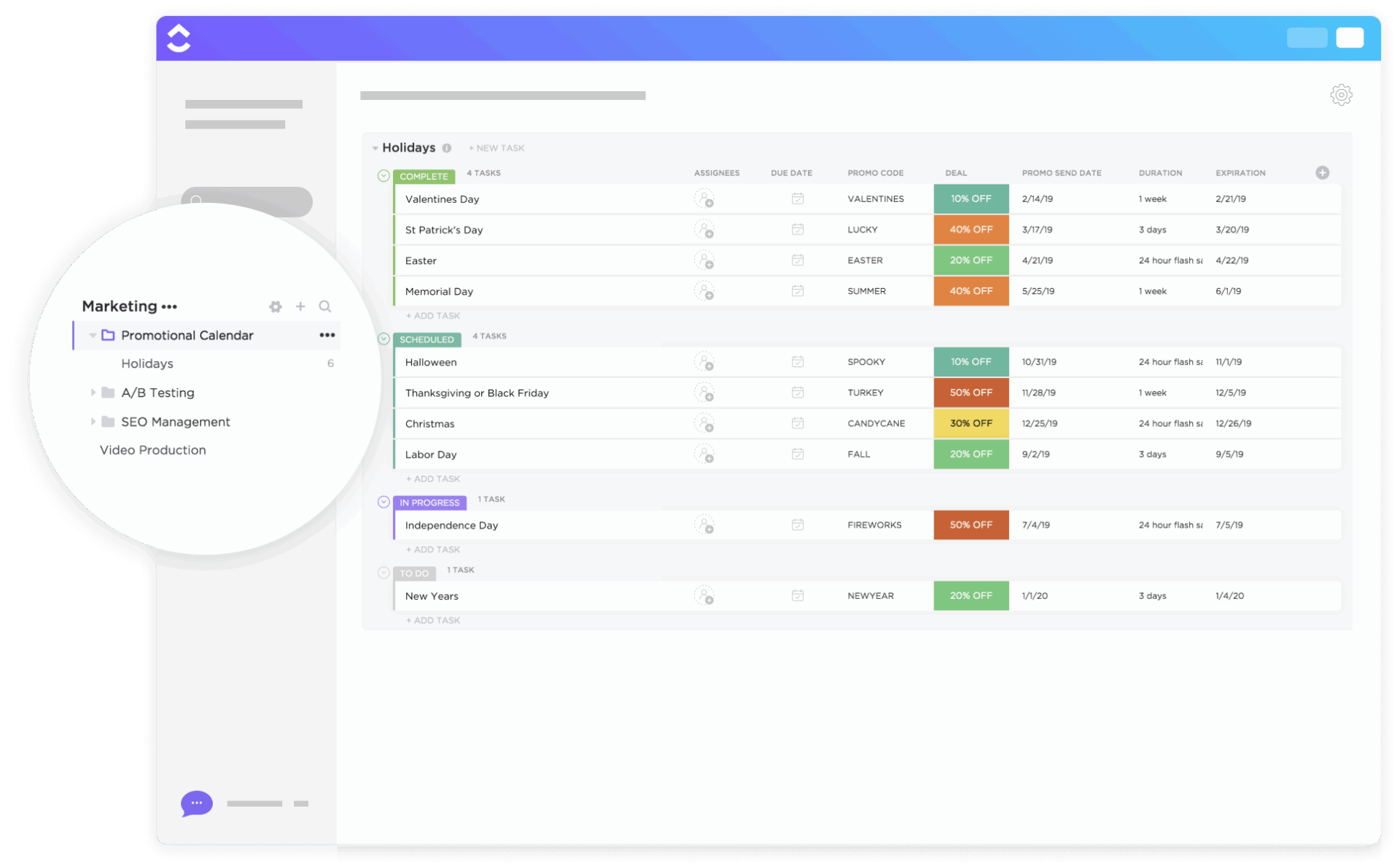
The ClickUp Promotional Calendar Template connects your Twitter threads to your bigger promotional campaigns. When you’re launching a product or running a sale, your announcement threads sync with email campaigns and landing page launches. This way, your messaging stays consistent across channels.
The Upcoming Holidays or Key Dates view lets you see important dates on a calendar so you can tailor content and plan threads around them. Everything gets drafted and reviewed weeks in advance, so you’re not writing launch threads at midnight before they go live.
Why you’ll like this template:
✅ Ideal for: Social media and other marketing teams who need to coordinate on seasonal offers, flash sales, and cross-channel brand promotions
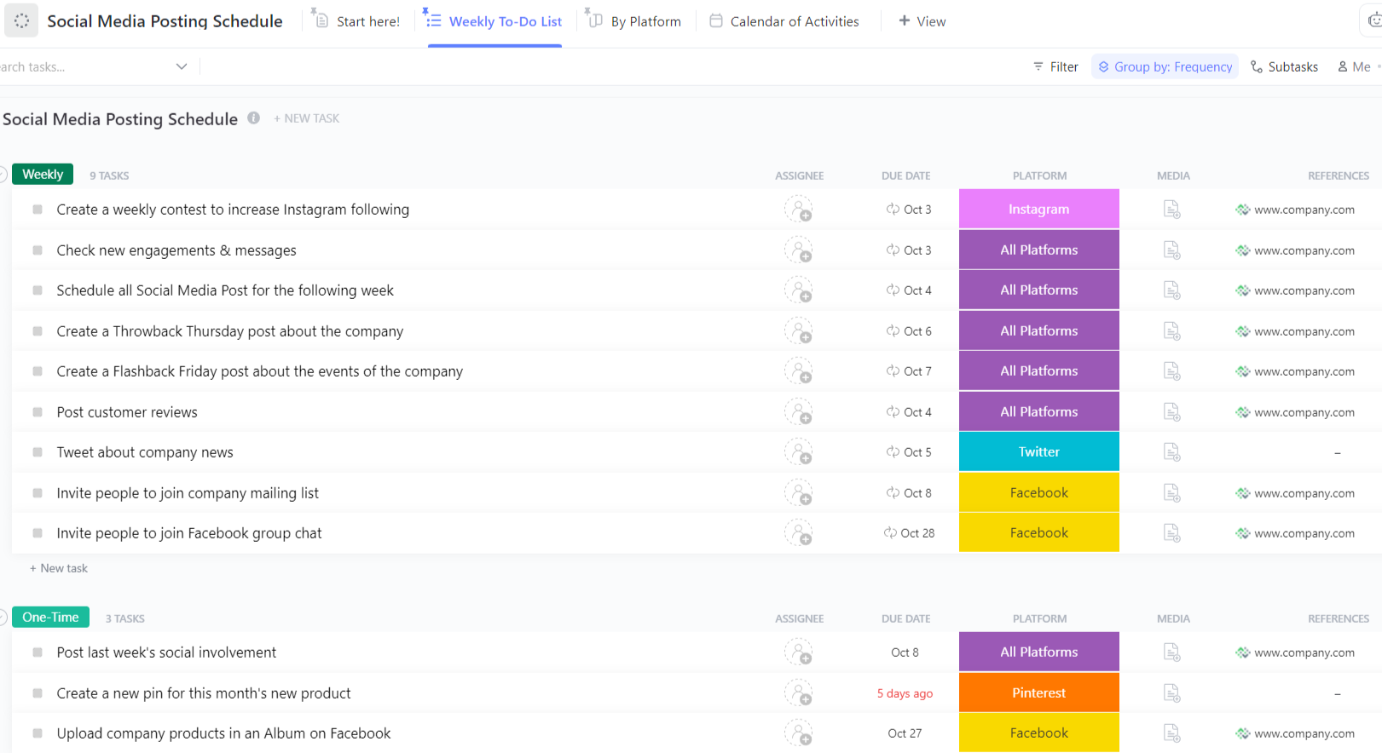
Give your social media team a complete command center for every thread, post, platform, and campaign with the ClickUp Social Media Posting Schedule Template.
You can see which Twitter threads are publishing this week and which ones are still being drafted. Your team knows exactly who’s working on each tweet, which threads need final approval, and where the gaps in your content calendar are.
Why you’ll like this template:
✅ Ideal For: Social media strategists, agencies managing multi-brand accounts, and teams running high-volume posting schedules.
📚 Read More: Best Content Calendar Software Tools
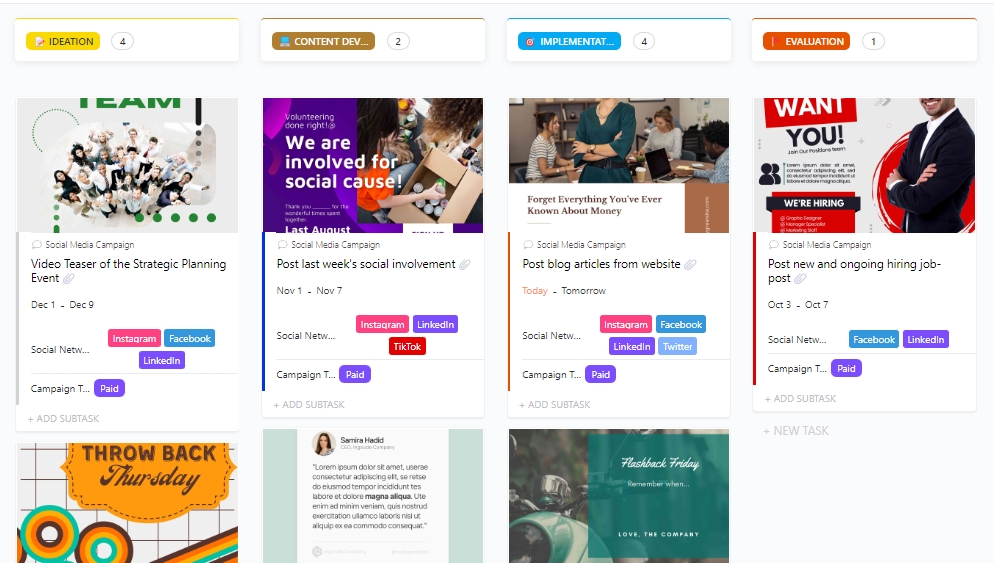
The ClickUp Social Media Campaign Template brings your entire campaign workflow together in one workspace. Each campaign gets its own list. Every Twitter thread becomes a task. Individual tweets within that thread? Those are subtasks you can draft, edit, and finalize separately before the whole thread goes live.
Moreover, with ClickUp Automations, tasks get auto-assigned to the right team member, and progress gets auto-updated as posts move from ideation to review and then posting.
Why you’ll like this template:
✅ Ideal for: Marketing teams, social media leads, or agencies running cross-platform campaigns
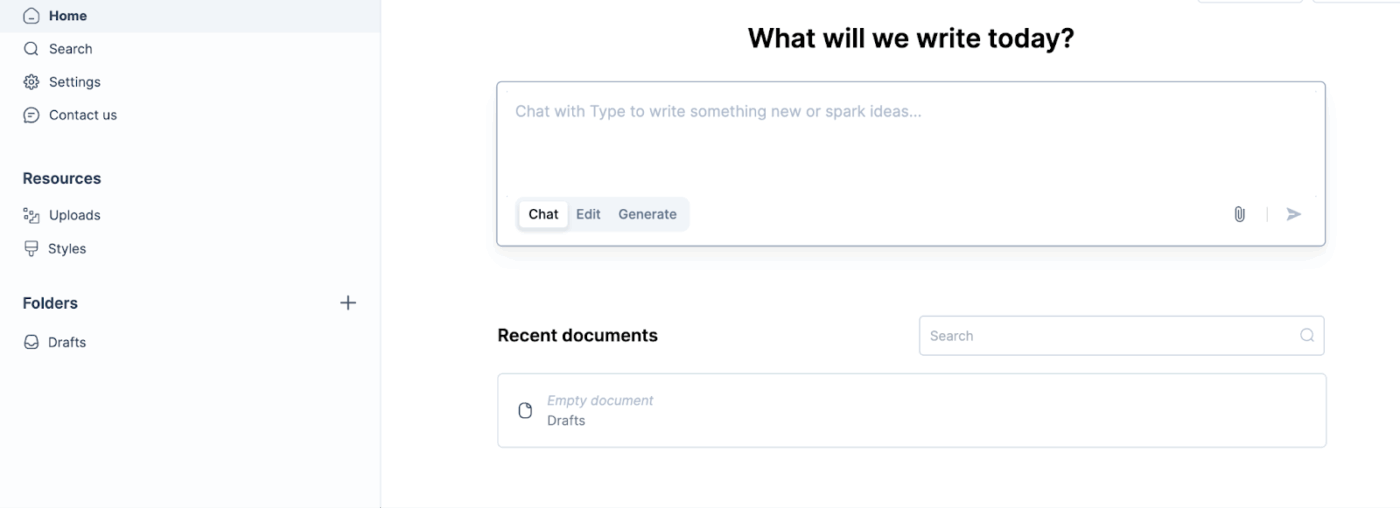
The Twitter Announcement Thread template from Type.ai gives you a structured format for launching products, features, or news on Twitter. It walks you through the key parts: an attention-grabbing opener, context that builds credibility, clear benefits, and a strong call-to-action.
Upload files, paste URLs, or add knowledge sources directly into your workspace so every draft pulls from accurate, live references.
Why you’ll like this template:
✅ Ideal for: creators and social media marketers who remain occupied in sharing updates, product launches, or milestones over Twitter.
📚 Read More: How to Use Trendspotting (with Examples)
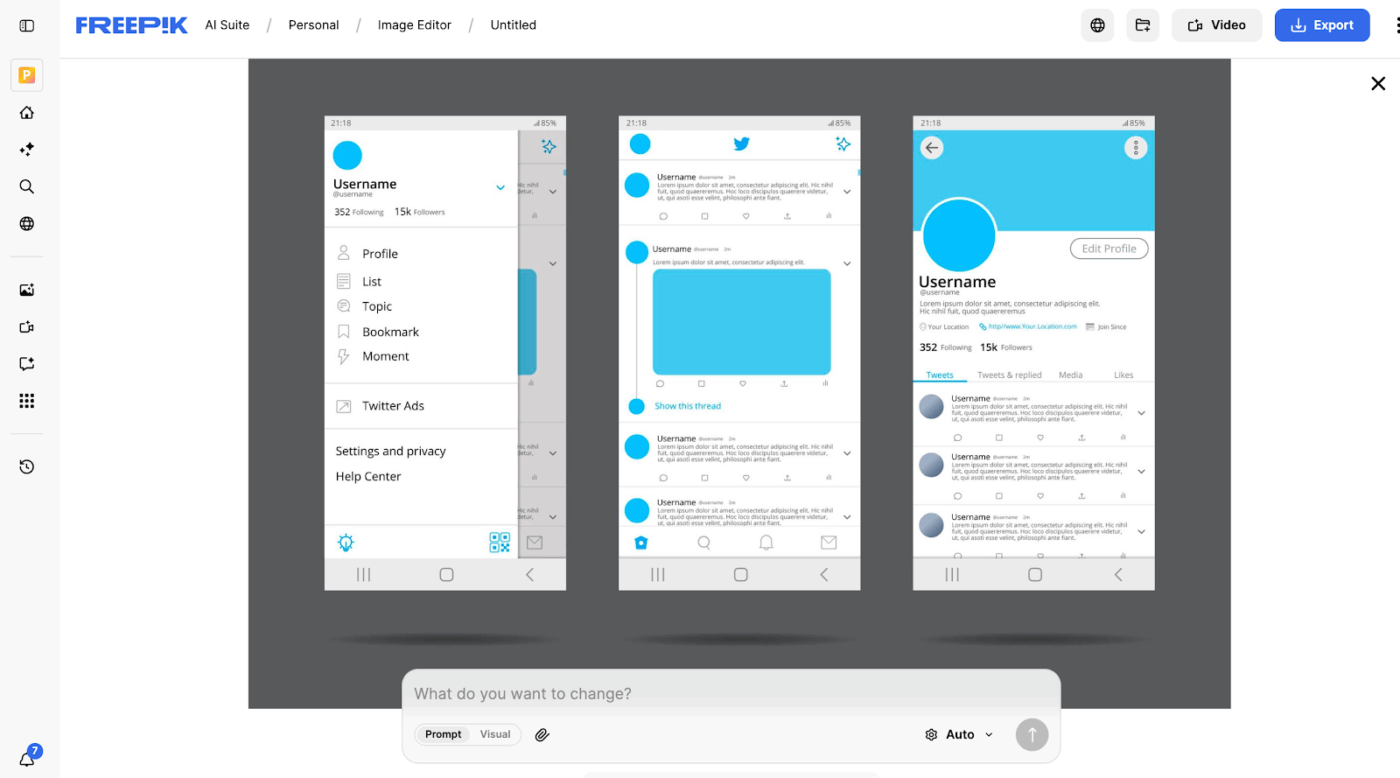
The Twitter Interface Concept Template by Freepik is a clean, editable mockup designed for visualizing tweet threads, profile layouts, and announcement previews. The vector/PSD file can be opened in a design tool like Adobe Illustrator, Photoshop, or Figma.
Designers and marketers can use it to create Twitter concepts or showcase campaign ideas before actually tweeting those.
Why you’ll like this template:
✅ Ideal for: Social media designers, UI mockup creators, and marketers presenting campaign visuals or videos for thread concepts
💡 Pro Tip: Buffer suggests retweeting your old, top-performing tweets to extend their lifespan and maximize performance.
Most people aim to post a lot but often lack clarity on why, for whom, and how. For that, you need tools that connect ideas, move with rhythm, and hook readers.
That’s why we talked about templates for Twitter threads! It’s there to open up the possibility of gaining more out of your Twitter and a larger social media strategy. Use these templates as one of your friends who gives directions without slowing the pace when creating Twitter threads.
Try ClickUp to build that system. It gives you a single workspace where your strategy, calendar, and analytics live side by side, so every post feels deliberate.
Sign up for ClickUp today and explore more templates to streamline your social media.

© 2026 ClickUp

There’s an easier way. Try a free AI Agent in ClickUp that actually does the work for you—set up in minutes, save hours every week.