







Still downloading templates?
There’s an easier way. Try a free AI Agent in ClickUp that actually does the work for you—set up in minutes, save hours every week.
Sorry, there were no results found for “”
Sorry, there were no results found for “”
Sorry, there were no results found for “”
When your output drops halfway through a shift, how do you pinpoint what caused it?
Was it a change in the input material? A maintenance workaround that slowed cycle time? There are too many questions, but too little time.
Tools like Traversaal AI exist because these moments are hard to diagnose from dashboards and memory alone. But if you’re looking for alternatives, it usually means you need more than just baseline visibility.
You need platforms that help you catch issues early, coordinate investigations, document contributing factors, and support action across quality, maintenance, and production.
This guide breaks down the 10 best Traversaal AI alternatives, what each one is strongest at, and how to choose the right fit for your line. Let’s go!
Here’s a high-level overview of all the tools we’re going to dissect:
| Tool name | Key features | Best for | Pricing* |
| ClickUp | Dashboards for live ops visibility, Brain for answers and summaries from tasks and Docs, Super Agents for multi-step follow-through, BrainGPT for desktop search and reasoning, automations and integrations for execution | Teams turning AI insights into workflows in one workspace | Free Forever; Custom pricing for enterprises |
| Braincube | Digital Twin style process context, CrossRank for variable correlation scoring, Product Clone comparisons, APIs, and SDK | Process optimization with AI analytics | Custom pricing |
| Oden Technologies | Data Engine for aligned plant data, real-time monitoring and triggers, Process AI recommendations, Forge AI agents command center | Real-time production monitoring and analytics | Custom pricing |
| Eugenie AI | Scope 1 emissions visibility at the machine and plant level, anomaly detection, prescriptive alerting and condition monitoring, historians, and SCADA connectivity | Industrial anomaly detection tied to operational emissions outcomes | Custom pricing |
| Sight Machine | Data foundation for standardizing plant data, runtime AI monitoring with Analyze, Runtime Fields, Factory CoPilot natural-language Q&A | Standardizing factory data and scaling industrial AI analytics | Custom pricing |
| TwinThread | Digital twin and digital thread layer, Advisor natural-language guidance, on-prem agent connectivity with secure gateway, Model Factory deployment path | Operationalizing industrial AI and digital twins across plants | Custom pricing |
| Valiot | FactoryOS real-time KPI views, OEE loss analysis and root causes, AI simulations for setpoints and run strategies, ValueChainOS scheduling and rescheduling | Shop-floor visibility plus value-chain optimization | Custom pricing |
| Smartia | Edge computing and IIoT data capture, equipment health scoring, ML failure pattern detection, and computer vision workflows | AI-powered equipment monitoring and predictive maintenance | Custom pricing |
| Infoveave | Natural-language analytics and dashboard creation, NGauge last-mile data capture, What-if analysis, SciPyR Python workflows | GenAI-powered data automation and decision intelligence | Custom pricing |
| 3D Continuum | Dredge Analytics AI DataOps, operational digital twin analytics, automated ops reporting, KPI monitoring across vessels and fleets | Dredging operations needing analytics plus digital twin visibility | Custom pricing |
Our editorial team follows a transparent, research-backed, and vendor-neutral process, so you can trust that our recommendations are based on real product value.
Here’s a detailed rundown of how we review software at ClickUp.
You might explore Traversaal AI alternatives for several key reasons. Some include:
Let’s dive in and look at the top Traversaal AI Alternatives you can transition to 👇
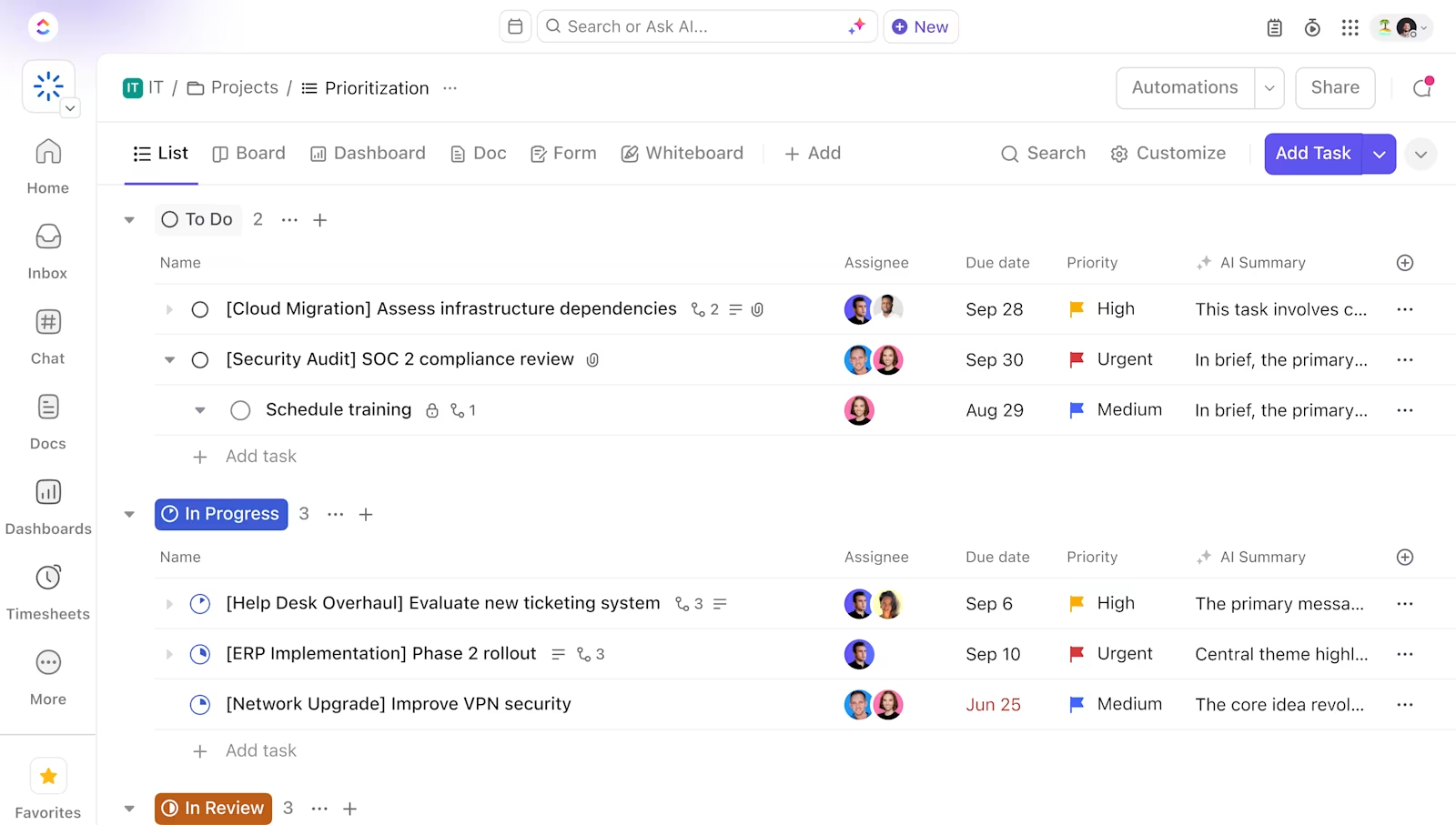
ClickUp, the world’s first Converged AI Workspace, is built to bring your work, knowledge, and AI into one system.
First and foremost, you have ClickUp Dashboards. This gives teams a live command center for everything production-related. In other words, you can track orders, inspections, and follow-through as it happens, using real-time cards for task progress, workload, and status breakdowns.
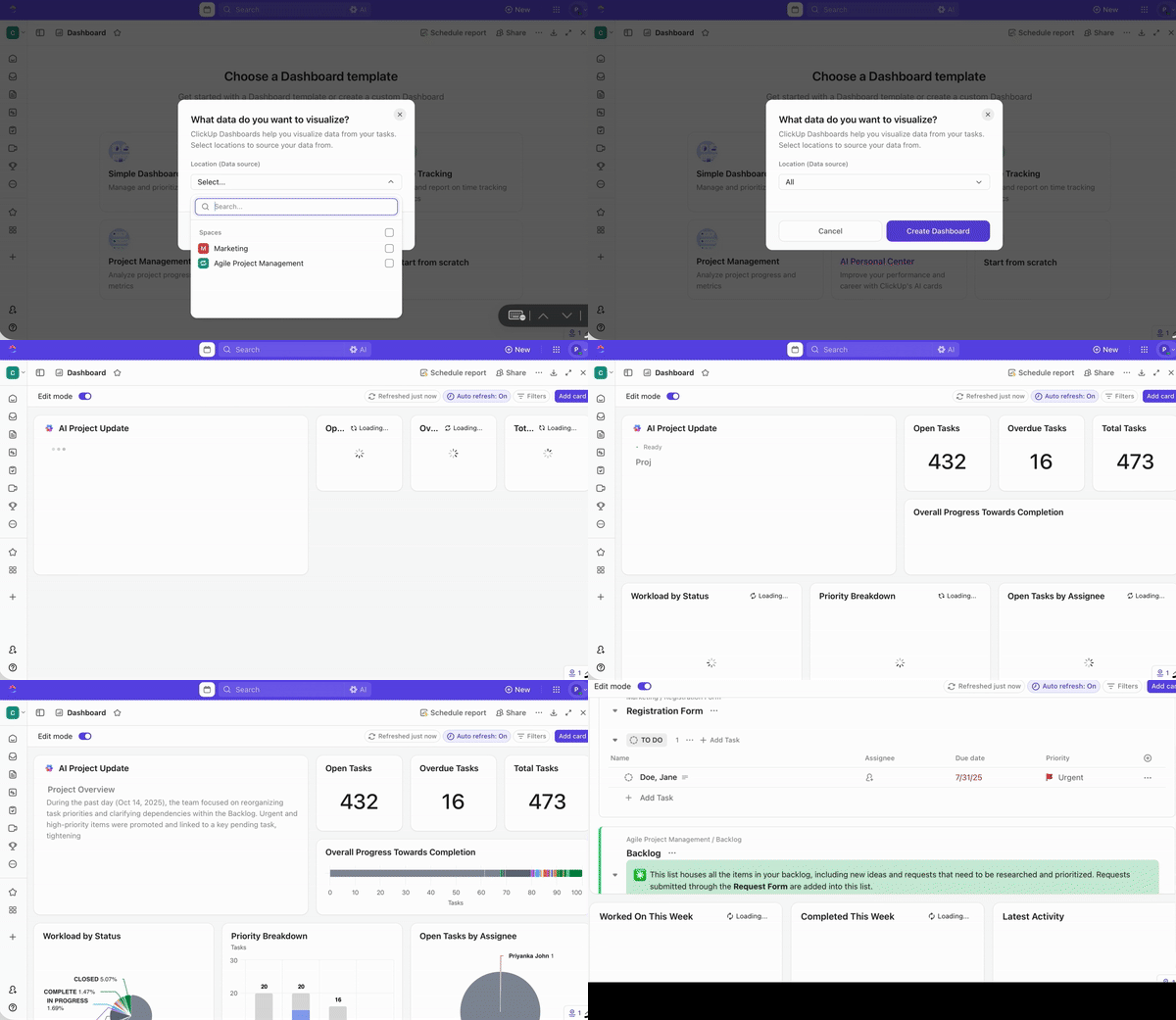
On top of it, filters and ClickUp Views help zoom in on a specific line, shift, owner, or priority, while keeping leadership visibility across the full operation.
And then there’s ClickUp Brain, the most efficient work AI ever. Ask it ‘Which work orders are blocked and by what?’ and it can pull the relevant context from tasks, comments, and Docs to give a clear answer in under a minute!
It also helps with the longstanding admin work. Simply put, Brain helps you through your day with on-point summaries of incident threads, up-to-date handoff notes, and, of course, rewriting corrective action notes just when you need them. All things AI merged with the work you do every day.
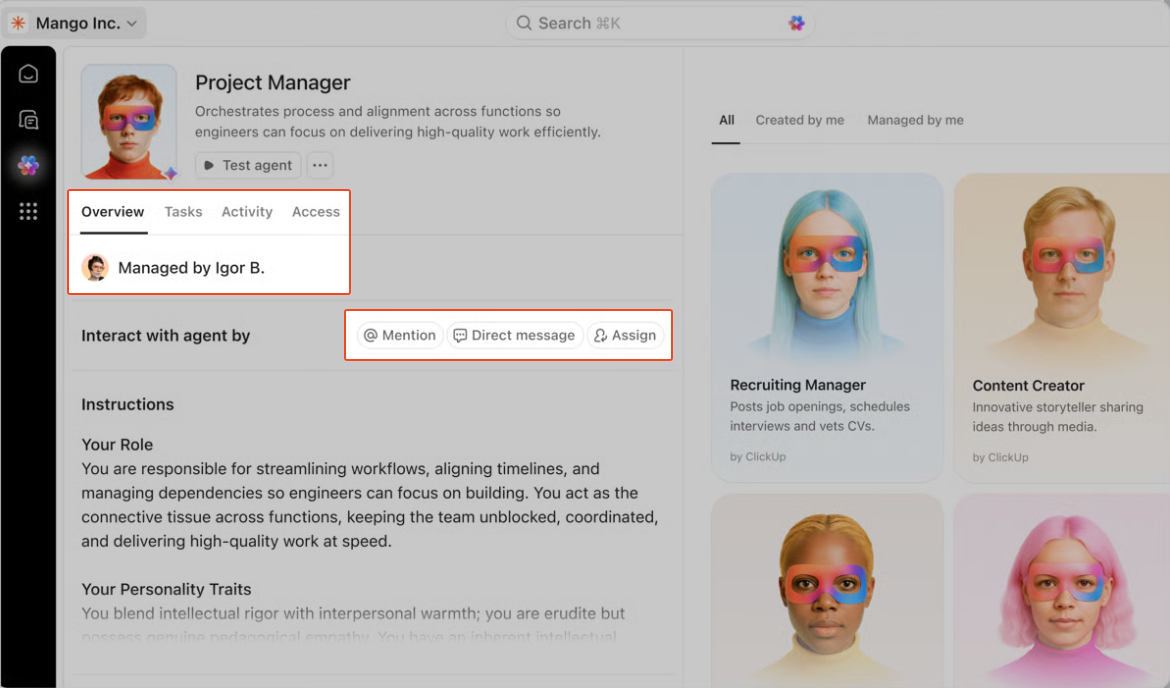
Further within, you’ll find ClickUp Super Agents. These are AI-powered teammates that run multi-step workflows with full Workspace context. They operate using the instructions, triggers, tools, and knowledge you define, and access remains aligned to permissions you set upfront.
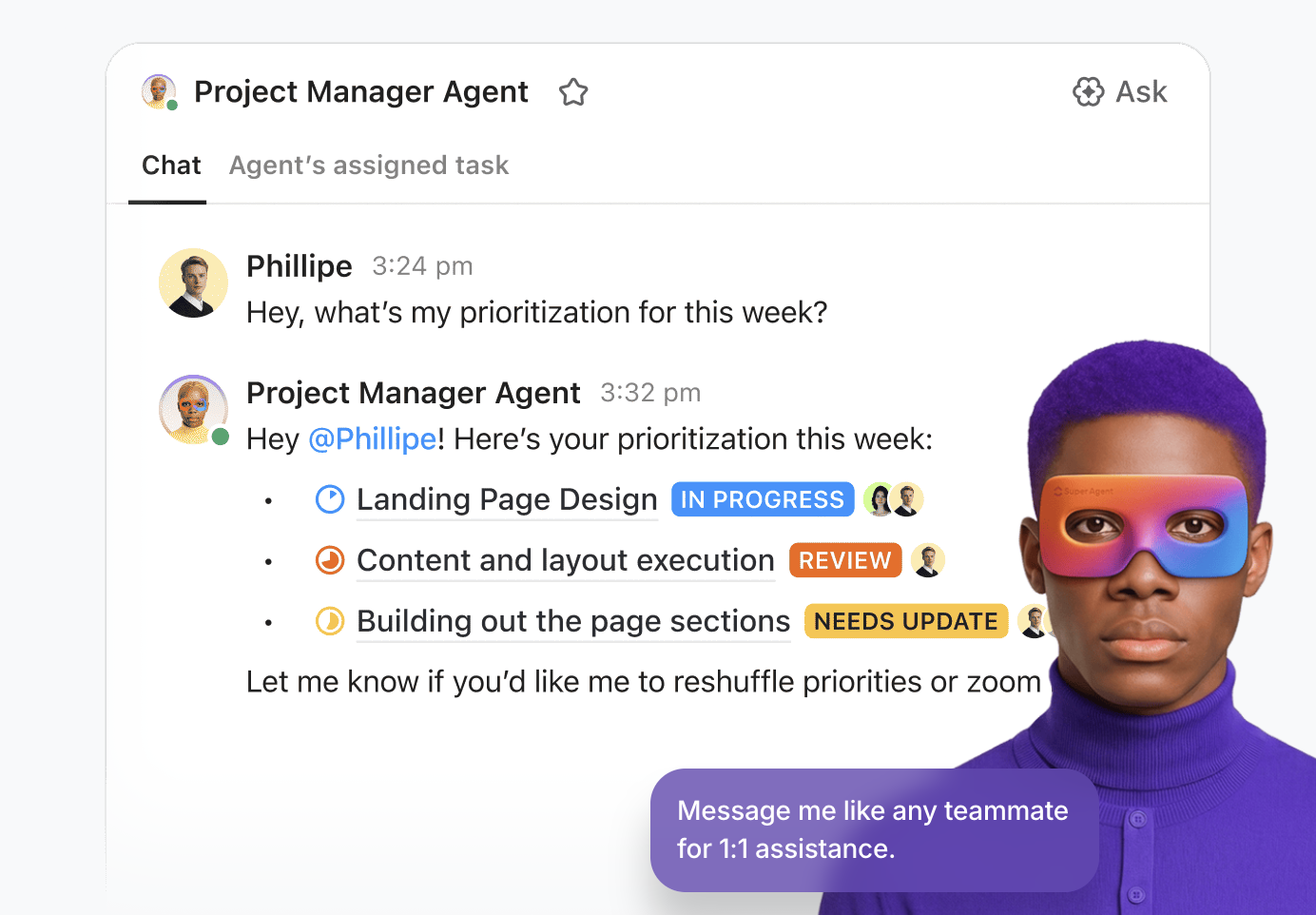
For example, when a production issue is flagged, a Super Agent can step in automatically, follow up with the right owner, and flag risks before they snowball.
And if you’re wondering what happens when a line issue pops up mid-shift and time is too short, turn to ClickUp Brain MAX. It gives you a privacy-first desktop AI companion that can search and reason across your Workspace context, connected files, and, if needed, the web to find all the answers you seek.
A G2 reviewer says:
ClickUp’s ability to make our work routine more productive and easier. Not to mention the automation features that have greatly improved our work. The task and project system is constantly evolving. Integrating it into our routine is quite fun. Every day we have new things to build here. It provides daily alerts on best practices and extra resources, which makes us feel supported in everything.
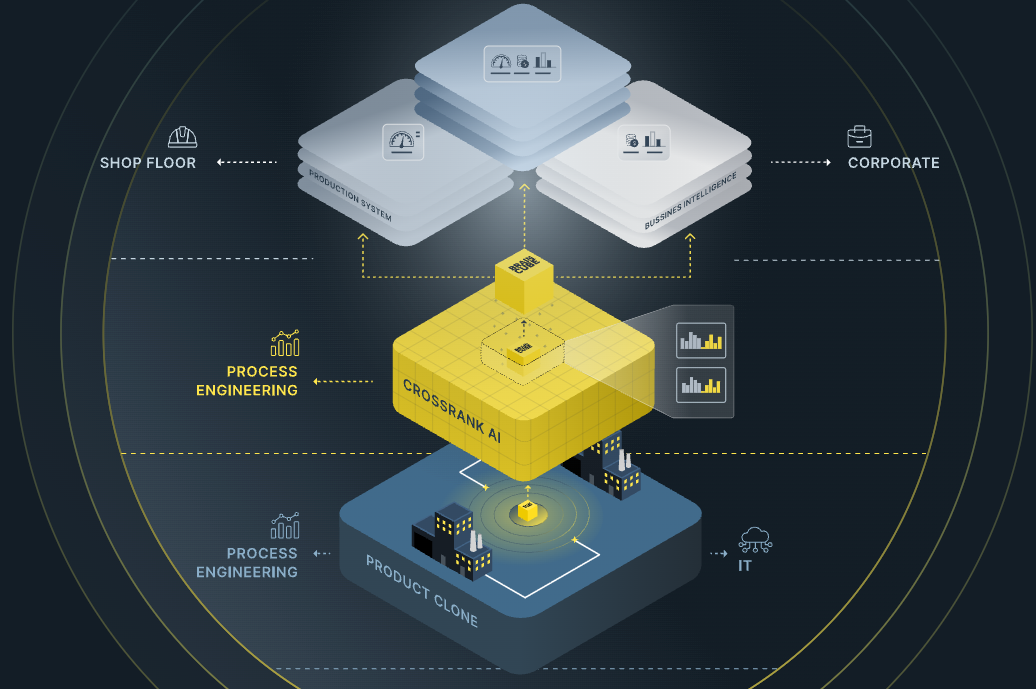
Braincube is an industrial AI platform built specifically for manufacturing process optimization. It connects directly to your industrial systems, collects process data, and uses its AI to find hidden opportunities to improve efficiency.
For manufacturing teams, it offers domain-specific intelligence that a general AI search tool can’t match. The tool also captures and organizes signals across IT and OT systems, then builds a contextual model of your process that helps explain the changes and the variables that drove the outcome.
Another useful feature of Braincube is its focus on production context. Features like Product Clone and CrossRank are designed to compare runs, isolate the conditions behind best performance, and rank the input parameters most correlated with the output.
A G2 reviewer says:
I had a lot of tools with Braincube developed for tasks such as asset monitoring and performance optimization to enable the creation of custom solutions. It is useful to have both edge and cloud capabilities to get enriched real-time decisions that assist me in making prompt decisions.
🧠 Fun fact: The term ‘artificial intelligence’ was coined for the 1956 Dartmouth summer workshop, which is basically the field’s origin story in one event.
Oden Technologies is a manufacturing analytics platform built for teams who need a shared view of production performance while the run is still in motion.
The platform’s foundation is the data engine, which is designed specifically for manufacturing data. It pulls together streaming process data from machines and production context from production systems, then cleans and aligns it into an operational layer usable for analysis.
On top of that, Oden supports real-time monitoring that can alert teams when configurable triggers are hit, keeping line status and performance visible across roles. And when you want to move from visibility to improvement, Process AI focuses on operator-facing guidance, including process-setting recommendations tied to outcomes such as speed, cost, and quality.
A G2 reviewer says:
The best thing about Oden Technologies is its ability to provide real-time data analytics and actionable insights for manufacturing operations.
💟 Bonus: Operations Management
📮 ClickUp Insight: More than half of all employees (57%) waste time searching through internal docs or the company knowledge base to find work-related information.
And when they can’t? 1 in 6 resorts to personal workarounds—digging through old emails, notes, or screenshots just to piece things together.
ClickUp Brain eliminates the search by providing instant, AI-powered answers pulled from your entire workspace and integrated third-party apps, so you get what you need—without the hassle.
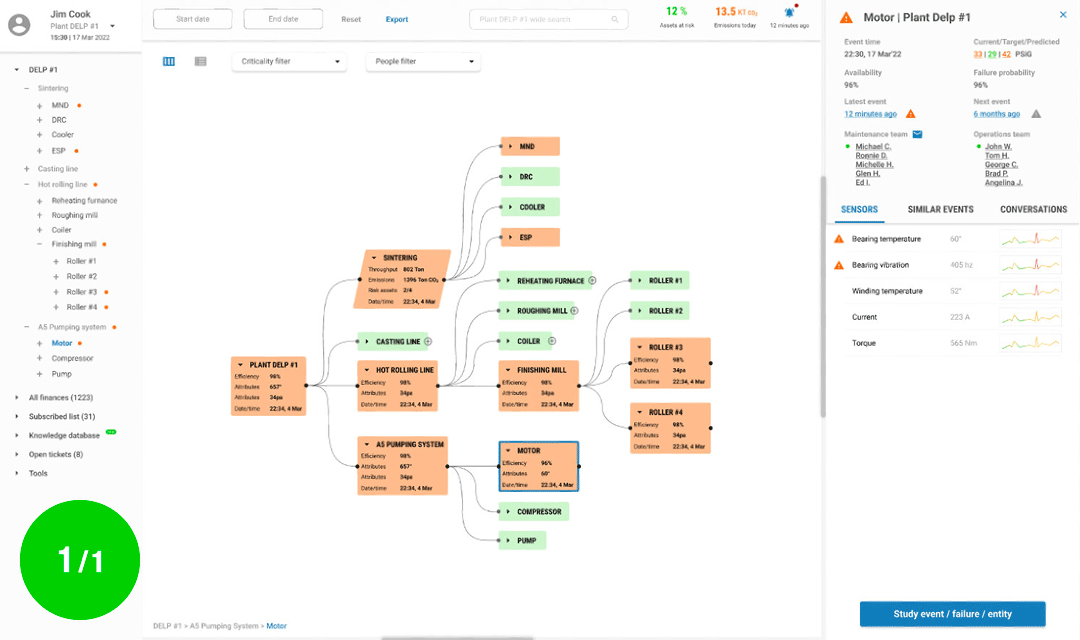
Eugenie AI is a SaaS emissions intelligence platform built for industrial teams that need to connect operational performance with sustainability outcomes. It focuses on tracking, tracing, and reducing Scope 1 emissions, making them visible where teams can act on them, basically at the machine, process, and plant levels.
A big part of its approach is the data blend. Eugenie combines IoT and process data with real-time satellite emissions signals to detect anomalies, identify optimization opportunities, and prioritize what to fix first.
It also leans into explainability and operations usability. Through frameworks like Track, Trace, Reduce, and its anomaly detection methodology, the platform is designed to move beyond dashboards into decisions that maintenance and operations teams can act on with confidence.
🧠 Fun Fact: Some factories are already using gen AI like a maintenance co-pilot. McKinsey reported a lighthouse case where a gen AI assistant helped drive a 40% reduction in MTTR and unplanned downtime.
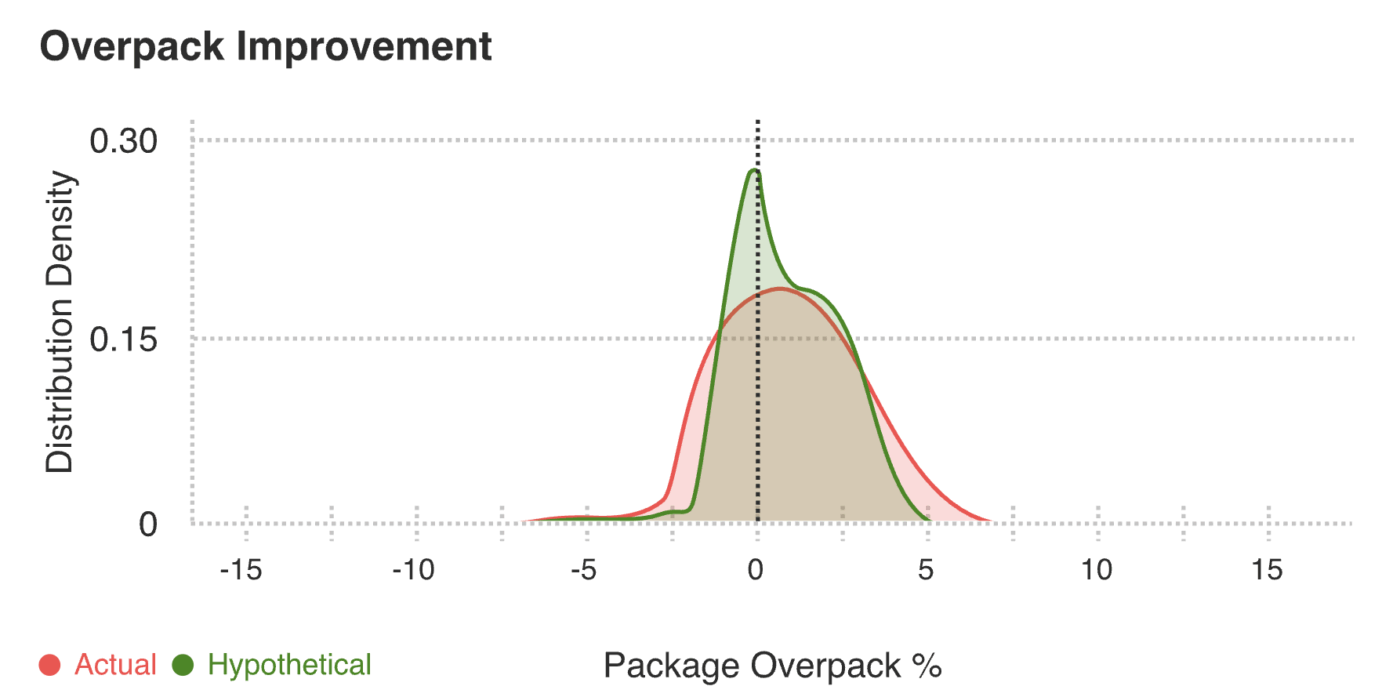
Sight Machine is an AI and analytics platform built to turn plant data into an analysis-ready foundation teams can use across lines and sites. The core idea is Structure. It transforms heterogeneous plant data into consistent, AI-ready models that map to your production process and stay accessible in real time.
Once that data foundation is in place, Analyze applies AI models in runtime to monitor operations, detect issues, and recommend improvements.
And when you need the output to hold up beyond a single dashboard, Operate extends the platform into system-level operational twins and simulations, built for teams running large-scale performance programs across manufacturing environments.
📚 Read more: How to Do Project Management for Manufacturing
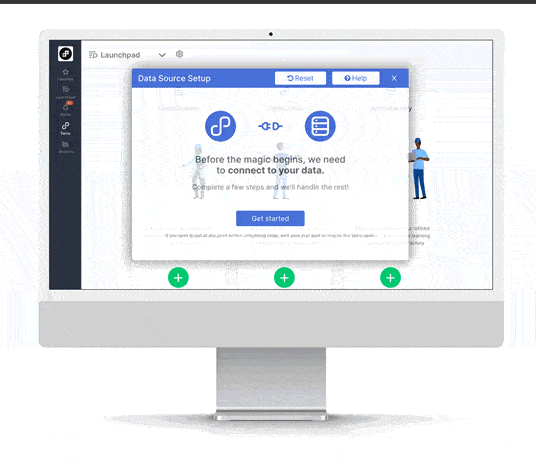
TwinThread is a predictive analytics platform built around digital twins and digital threads that turn plant and asset data into operations teams can use day to day.
It’s designed for continuous improvement at scale, where you want one operational layer to monitor performance, surface what changes, and guide the next best action across lines, sites, or fleets.
A key differentiator is how TwinThread pairs pre-built industrial solutions with an ‘operationalization’ layer. That means it’s not limited to recommending improvements.
The platform is built to connect models back into workflows, and in some deployments, even write actions back through your automation stack when that’s part of the operating model.
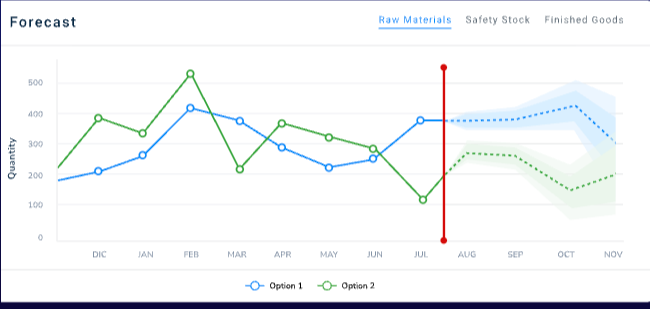
Valiot is an industrial AI platform built for manufacturers who want operational data to drive decisions. With this solution, you get to see what’s happening on the shop floor in real time, then use AI to recommend the operational moves that reduce downtime, scrap, and hidden inefficiencies.
The platform is split into two layers. FactoryOS focuses on shop floor operations, pulling data from sources like PLCs, IoT sensors, and other shop floor or administrative systems, then presenting it through customizable KPI views.
Further, the ValueChainOS zooms out to encompass inventory and planning decisions across the value chain, with capabilities such as demand and inventory forecasting, production scheduling, and automated rescheduling when conditions change.
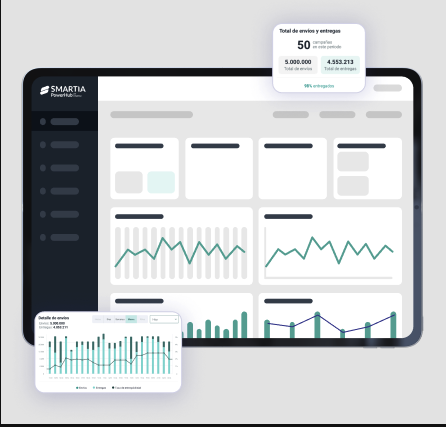
Smartia is built for industrial teams on the line, at the cell, and across the plant.
Its MAIO platform is positioned as an end-to-end industrial intelligence layer that combines edge computing, industrial data capture and management, visualization, and AI-driven applications for manufacturing and engineering environments.
In fact, Smartia’s MAIO platform also powers machine learning and computer vision workflows using thermal cameras to capture real-time manufacturing data and reduce anomalies. It also supports real-time operational signals that need to be captured and acted on quickly.
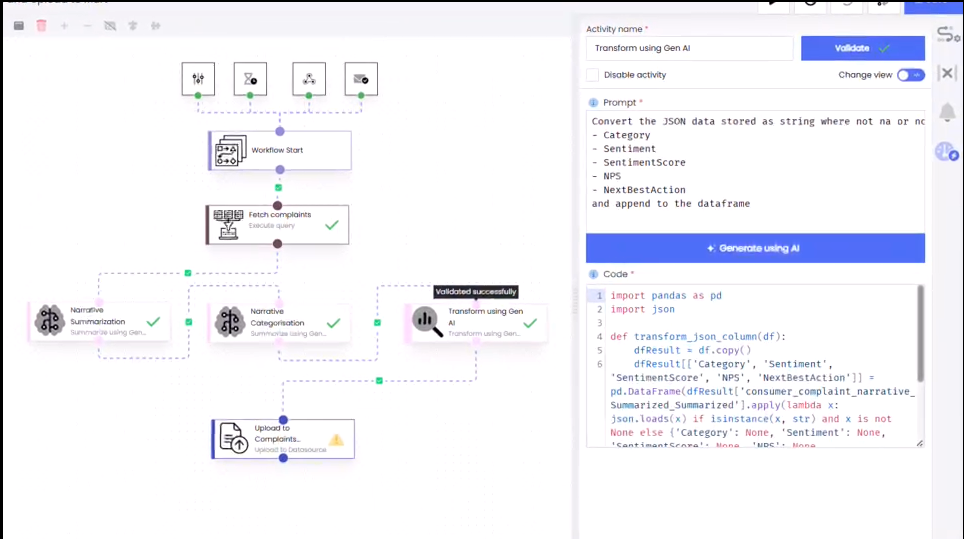
Infoveave is a unified data platform that integrates data, automates processes, and enables analytics and GenAI in a single environment.
One of its helpful features is support for natural language analytics and dashboard creation. Instead of starting with a blank BI canvas, teams can describe what they need and generate dashboards and insights more directly, especially when time is tight, and the tasks keep changing.
It also goes beyond reporting into operational workflows. With modules for automation, data quality, governance, and last-mile data capture, Infoveave is designed to keep data clean, connected, and actionable without forcing everything through manual spreadsheets and handoffs.
A G2 reviewer says:
Infoveave helped us in driving our new initiative to bring insights to our clientele. The ability to connect to different sources and create dashboards quickly helped us get to market fast.
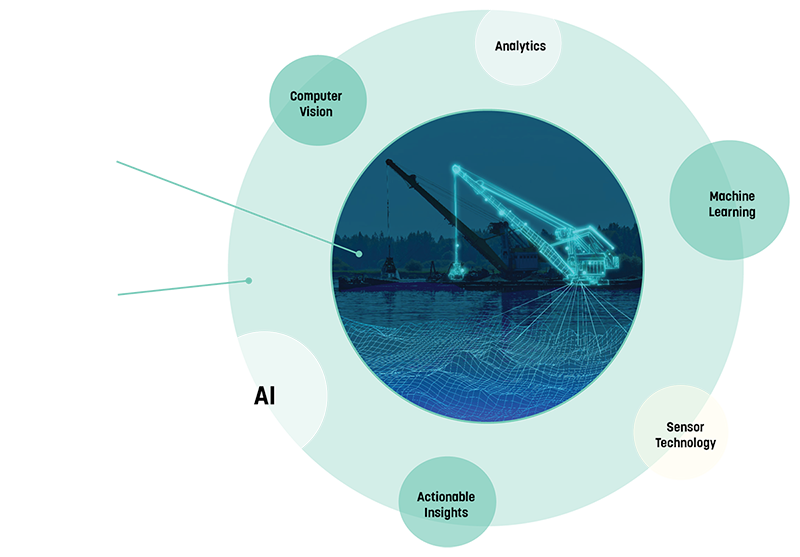
3D Continuum, built for heavy-asset operators in the dredging industry, is a unique platform that combines 3D visualization with data analytics. It allows you to see your data in a three-dimensional context that matches the physical world.
This approach makes complex information more intuitive and helps you understand relationships that are hidden in traditional visualizations.
The platform creates immersive data experiences that are more engaging and easier to understand than static reports. For example, teams can visualize dredge depth, sediment movement, vessel performance, and fleet-level operational efficiency in a 3D spatial context.
Finding the right Traversaal AI alternative depends on your immediate needs, including clearer visibility, faster root cause identification, better quality signals, or tighter maintenance response times.
And the platform that has it all (and more) is ClickUp.
You can use ClickUp Dashboards to track line issues, work orders, audits, and task progress in real time. Turn to ClickUp Brain when you want instant answers from tasks, comments, and Docs, plus clean summaries and next steps when shifts change.
To tie it all together, bring in ClickUp AI Agents when humans are busy—routing incidents, nudging owners, escalating risks, and preparing handoff updates based on the rules you set.

© 2026 ClickUp

There’s an easier way. Try a free AI Agent in ClickUp that actually does the work for you—set up in minutes, save hours every week.