






Still downloading templates?
There’s an easier way. Try a free AI Agent in ClickUp that actually does the work for you—set up in minutes, save hours every week.
Sorry, there were no results found for “”
Sorry, there were no results found for “”
Sorry, there were no results found for “”
Keeping up with all your meetings can feel like a full-time job. Whether it’s sales calls, user interviews, or internal meetings, taking accurate notes and tracking key insights can mean not being fully present in the discussion.
That’s where AI-powered note-taking tools come in. They help you organize insights, create short clips, and capture meeting moments.
Tools like tl;dv help record virtual meetings, generate AI summaries, and integrate with platforms like Google Meet and MS Teams. However, some users are switching due to limited free plans, filler word capture, and basic AI features.
This guide explores the best tl;dv note taker alternatives to manage multiple meetings like a pro.
🔍 Did You Know? In the United States alone, over 11 million meetings are held daily—1 billion+ a year. Imagine the knowledge lost without proper transcription or summaries.
Tl;dv gets the job done, especially if you start with AI note-taking. But is it giving you everything you need? You need more than just the basics when your team handles multiple meetings, sales calls, or internal check-ins.
Many users are now exploring tl;dv note taker alternatives for deeper functionality, better value, and smoother workflows to ensure productive meetings. Here’s why:
➡️ Read More: Free Note Taking Templates for Better Organization
Here’s a quick overview of the tl;dv note taker alternatives we compared:
| Tool Name | Best For | Key Features | Pricing |
|---|---|---|---|
| ClickUp | Meeting notes and action items for project management teams of all sizes | AI-powered meeting summaries and transcripts, team communication, task management, and collaboration | Free plan available; Customizations available for enterprises |
| Otter.ai | Meeting records for small businesses and teams | Searchable meeting transcripts; Zoom integration; multilingual support | Free plan available; paid plans start at $16.99/month per user |
| Fireflies.ai | Meeting summaries for virtual teams of all sizes | Virtual meeting recording; sentiment analysis; multilingual support | Free plan available; paid plans start at $18/month per user |
| Fathom | Meeting summaries flowing into CRM for sales and marketing teams | AI meeting notes; sync with CRM and Zoom | Free plan available; paid plans start at $19/month per user |
| Grain | Meeting transcripts for remote teams of all sizes | High-accuracy transcription; AI-generated summaries; shareable video snippets | Free plan available; paid plans start at $19/month per user |
| Sembly AI | Multilingual meeting records for teams of all sizes | AI meeting notes with multilingual support; automatic task lists; multiple integrations | Free plan available; paid plans start at $15/month per user |
| Notta | Meeting transcripts for large global teams | Real-time meeting recording, transcription, and summaries; speaker identification | Free plan available; paid plans start at $13.49/month per user |
| Avoma | Real-time transcripts for enterprise teams | Automating note-taking; shareable transcripts; meeting agenda templates | Plans start at $29/month per user Add-ons start at $25/month per user |
| Krisp | High-quality call recording for professionals across various fields | Background noise elimination; real-time meeting summaries and transcripts | Free plan available; paid plans start at $16/month per user |
| Rev.ai | Accurate transcripts for journalists, researchers, and business professionals | Fast, accurate speech-to-text services for various audio content | Free plan available; paid plans start at $14.99/month per user |
Here are some of the best tl;dv note taker alternatives (free as well as paid) that offer better functionalities, smarter automation, and tools that support real meeting moments—from user interviews to online meetings.
Our editorial team follows a transparent, research-backed, and vendor-neutral process, so you can trust that our recommendations are based on real product value.
Here’s a detailed rundown of how we review software at ClickUp.
ClickUp is the everything app for work because it truly brings everything together. From managing projects and documents to organizing meetings and automating tasks with AI, it’s a one-stop hub for remote teams, startups, and enterprises.
As a powerful tl;dv alternative, ClickUp goes beyond simple note-taking. It captures your meetings, automates action items, and organizes everything into a cohesive workflow.
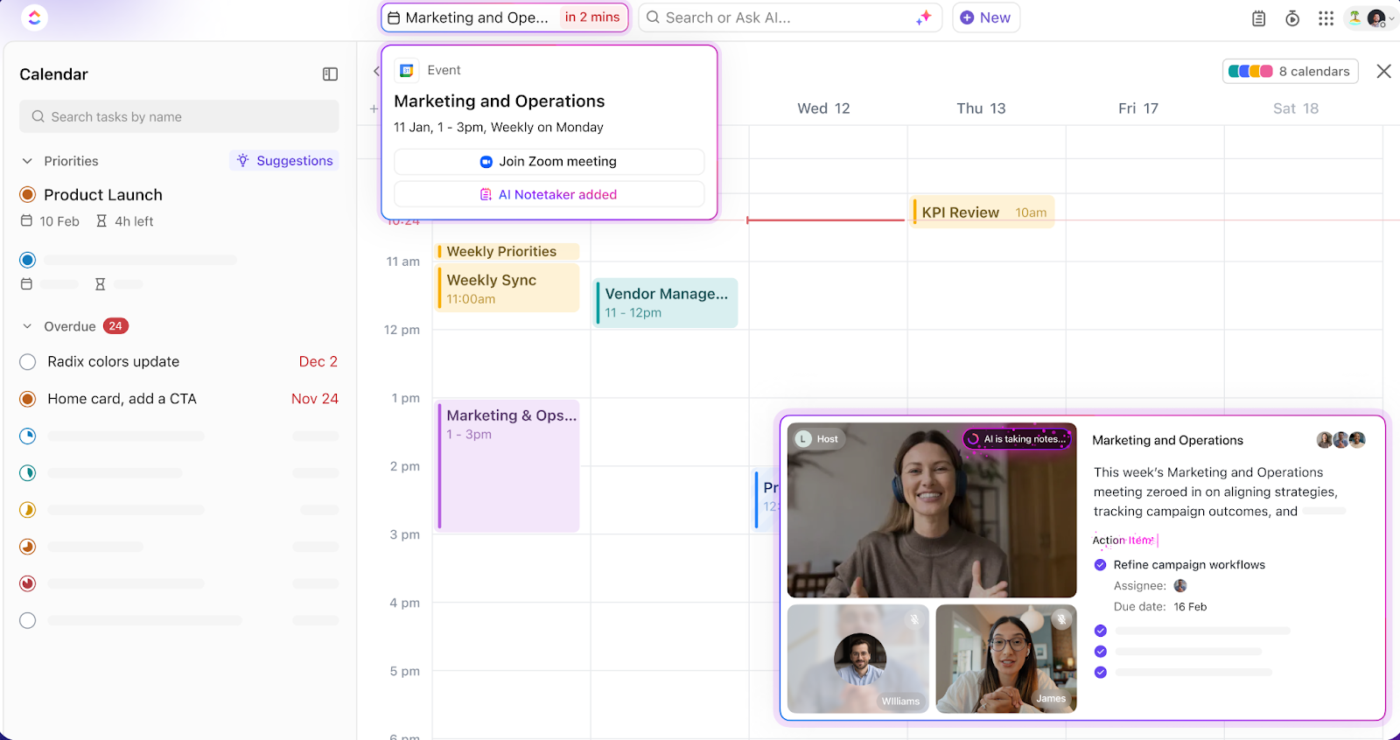
With ClickUp’s AI Notetaker, you can finally stop worrying about taking notes during upcoming meetings. It captures every detail for you, automatically creating summaries, highlighting key decisions, and assigning action items. You walk away with a clear list of who needs to do what, without lifting a finger.
📮 ClickUp Insight: 21% of respondents want to leverage AI to excel professionally by applying it to meetings, emails, and projects. While most email apps and project management platforms have AI integrated as a feature, it may not be seamless enough to unify workflows across tools.
But we cracked the code at ClickUp! With ClickUp’s AI-powered meeting management features, you can easily create agenda items, capture notes from meetings, create and assign tasks from meeting notes, transcribe recordings, and more—with our AI notetaker and ClickUp Brain.
Save up to 8 weekly meeting hours, just like our clients at Stanley Security!
Do you need to follow up on client feedback or track key deliverables discussed in a meeting? The AI note-taker handles it, keeping everything crystal clear and documented.
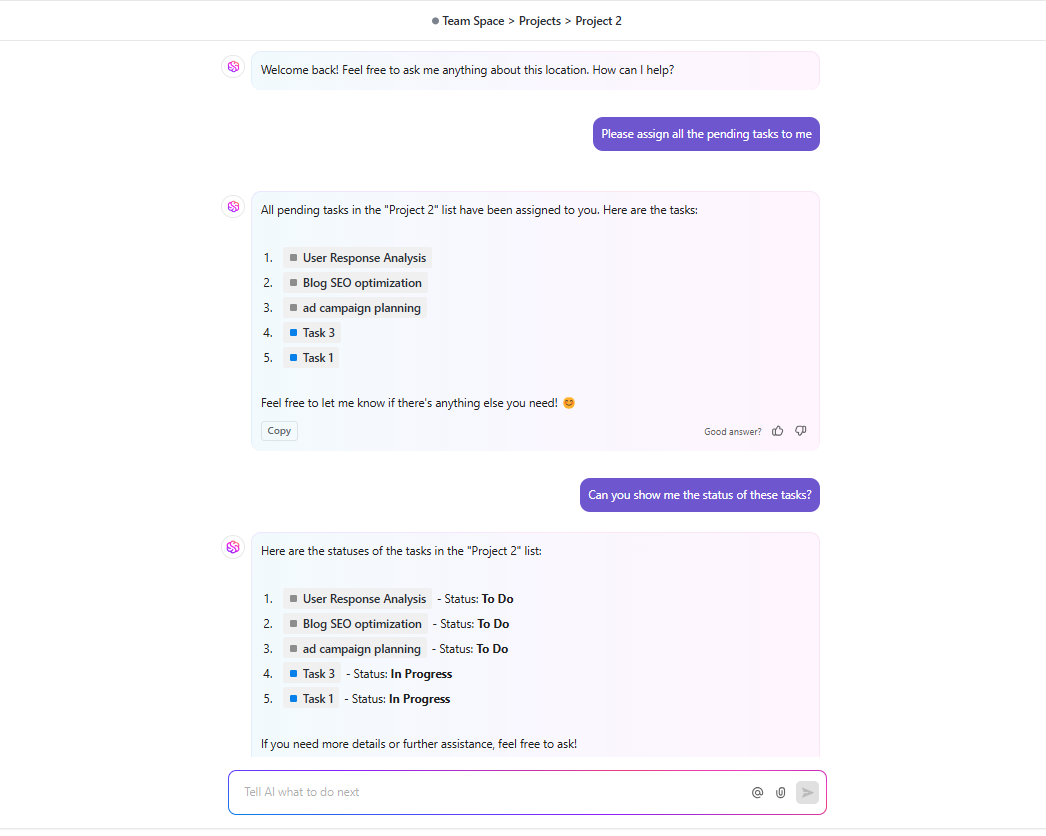
ClickUp Brain turns voice into text during meetings, but it also uses context from your workspace to answer any question you throw at it.
Let’s say you missed a meeting and want to know if a deadline was pushed—ask ClickUp Brain. It’ll scan the transcript, notes, and task updates to give you an instant answer.
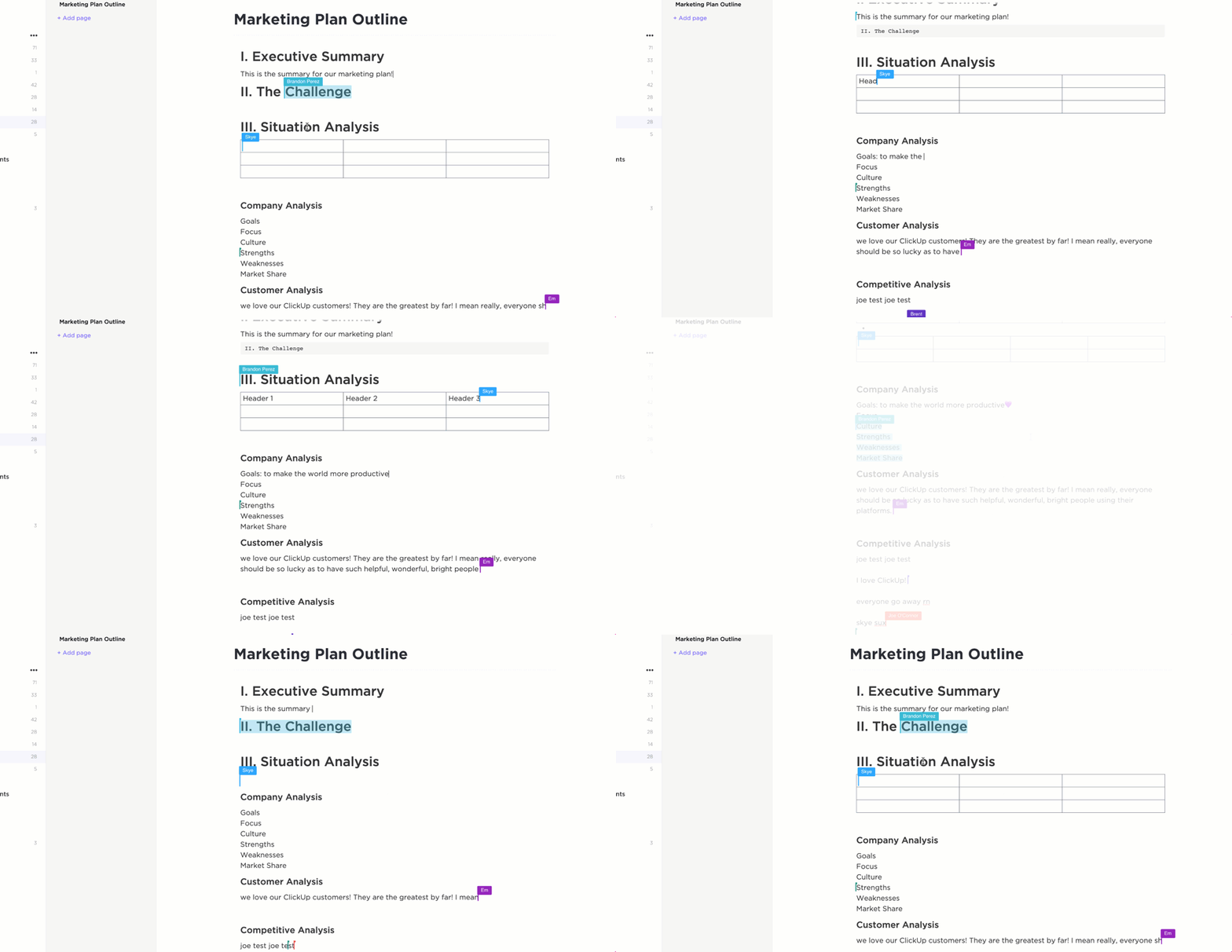
That’s not all ClickUp can take care of. Whether you’re writing client briefs, summarizing meetings, or documenting internal processes, ClickUp Docs lets you work live with your team.
You can collaboratively edit docs, tag teammates in comments, turn feedback into tasks, and link everything directly to projects.
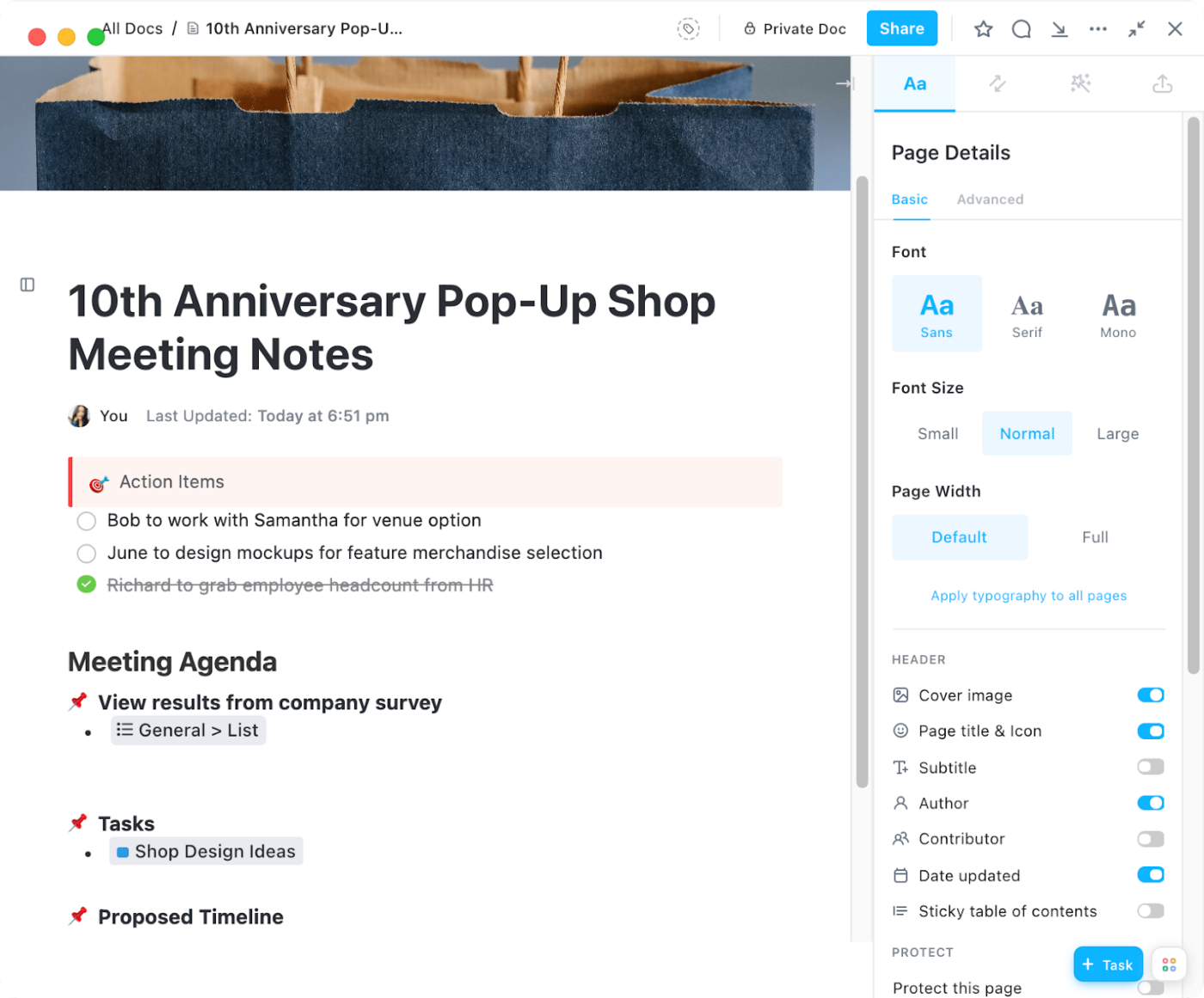
ClickUp Meetings ties it all together. Create meeting agendas, jot down notes on the fly, and assign comments directly during the discussion.
Say you’re running a product planning call. Build your checklist, mark off items as you go, and set recurring tasks so nothing gets missed in upcoming meetings.
Edit docs mid-call, use slash commands for quick formatting, and assign follow-ups in real time.
Here’s what Gustavo Seabra, Research Associate Professor at the University of Florida, has to say about ClickUp:
This is the special advantage of ClickUp: offering most of the tools needed for organizing the projects in one place. It doesn’t only allow the managing and assignment but also offers other tools in the same environment such as Documents, where one can take notes and make reports, and integration with calendar and e-mails, all in one place. No need to use external programs or different apps for every function.
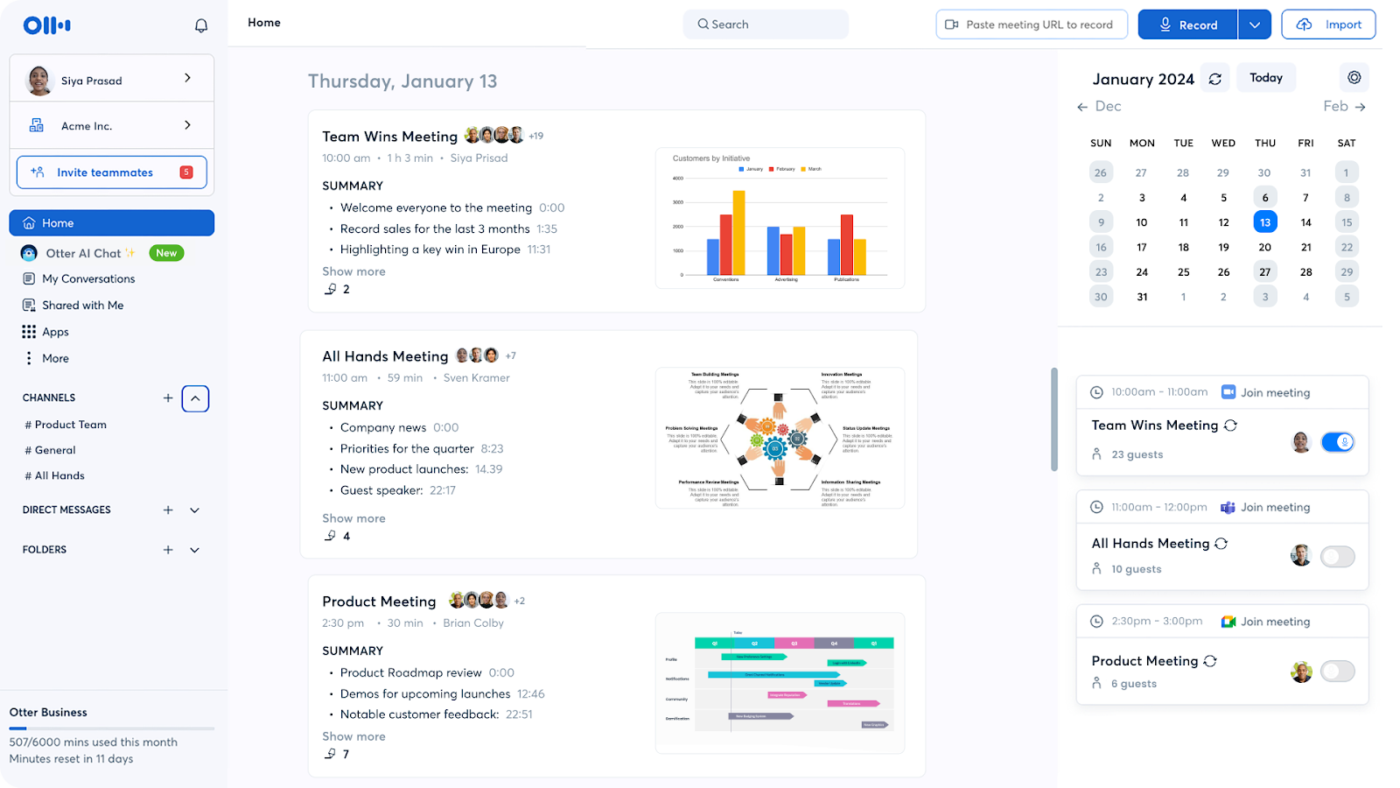
Whether you’re a business owner or team lead, Otter.ai assists in capturing and organizing your conversations into searchable, shareable text. Its real-time transcription allows you to follow along as words are spoken, making highlighting key points during meetings easier.
Additionally, Otter.ai integrates seamlessly with platforms like Zoom. This helps automatically transcribe meetings and generate summaries so you can focus on the discussion without worrying about note-taking.
➡️ Read More: Best Otter.ai Alternatives & Competitors
From a G2 user:
Otter.ai is a great AI tool for transcribing audio and videos. The premium version is great as it allows you to upload more audio minutes. The best part is the time stamping and accuracy of it.
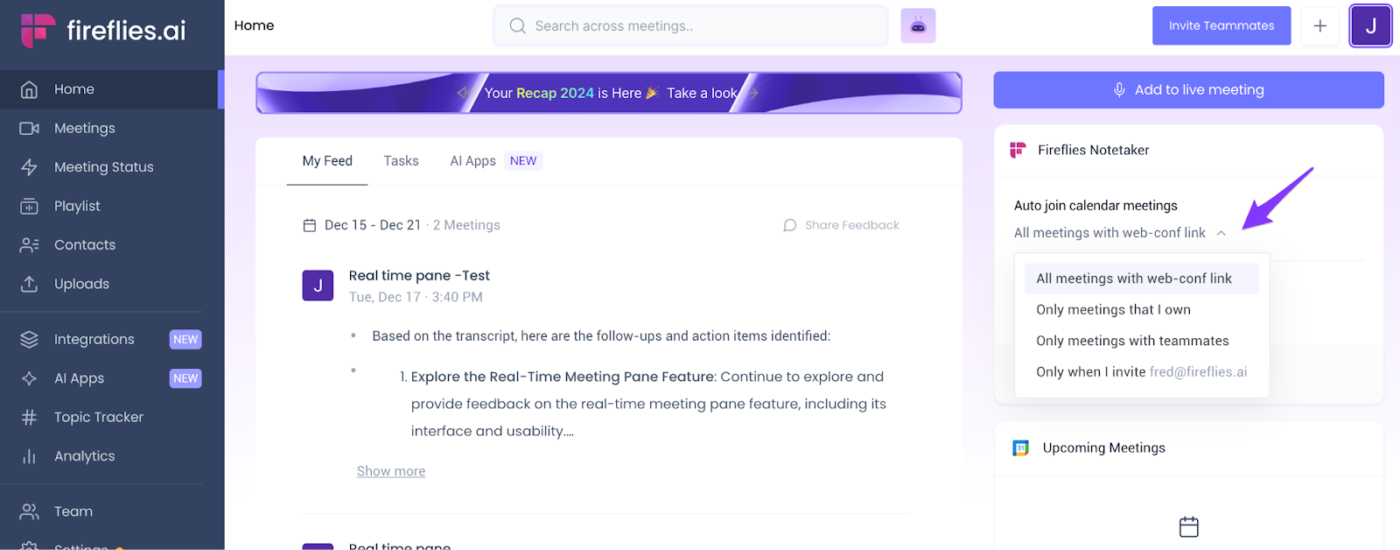
For professionals and teams seeking a robust AI meeting assistant, Fireflies.ai offers a comprehensive solution for productive meetings. It integrates seamlessly with Zoom, Microsoft Teams, and Google Meet, automatically recording and transcribing your virtual meetings.
Its real-time transcription supports over 60 languages, ensuring inclusivity for diverse teams. The AI-powered summaries highlight key points and action items, allowing you to focus on discussions without the distraction of note-taking.
From a G2 user:
I love that Fireflies frees me up to be an active listener and participant in the meetings it is recording and transcribing. I am no longer tied to my pen and notebook. I also like that if I miss a meeting, I can read the summary and the transcript to determine what really happened. Fireflies is not perfect.
💡 Bonus Tip: Want to make teamwork smoother during and after meetings? Learn how to share and collaborate on notes in real time and keep everyone on the same page! 🤝📄
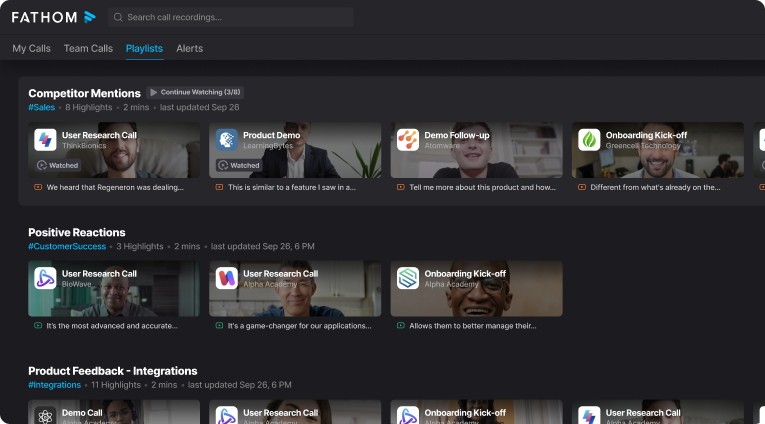
Fathom is another tl;dv alternative that elevates virtual meetings by seamlessly recording, transcribing, and summarizing discussions across popular communication platforms. It lets you focus on the conversation while it captures every detail.
Fathom’s AI-generated notes highlight key takeaways and action items, streamlining your workflow. It integrates with CRMs like HubSpot, automatically syncing meeting notes to keep your records up-to-date.
From a G2 user:
This just works. I tried a similar product before the AI era, but it’s safe to say we’re on another level now. Very feature complete (almost too many features). It doesn’t work if you’re not hosting the meeting yourself. This is also an issue for consent management. Furthermore the interface language mixes localized content but English controls.
💡 Pro Tip: Ever left a meeting thinking, “Wait… what did we decide?” Writing clear, actionable meeting minutes saves the day—and a ton of back-and-forth. Learn how to write meeting minutes. Use this simple method to get it right every time:
Start using ClickUp to write and share minutes like a pro!
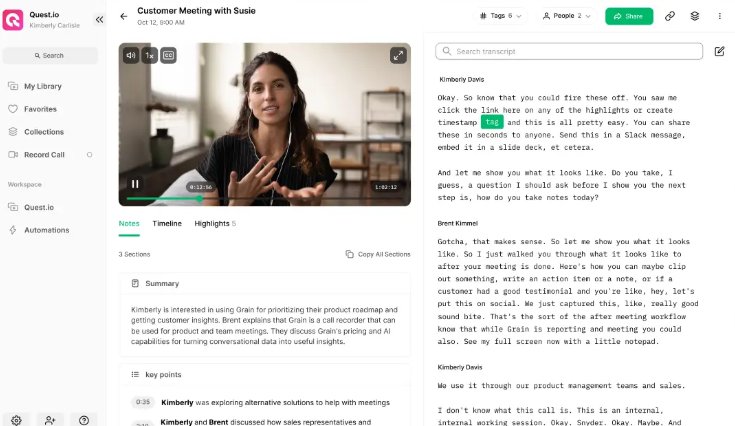
Grain’s high-accuracy transcriptions and AI-generated summaries provide concise overviews of discussions, highlighting essential points and action items.
Its collaboration features enable you to share specific meeting moments with your team, promoting better communication and enhancing productivity.
Whether you’re on the sales team, in customer success, or in product development, Grain streamlines your workflow efficiently.
💡 Bonus: Looking for smart tools to capture every meeting detail effortlessly? Check out the top AI minutes of the meeting generators to save time and stay organized! 🤖📝
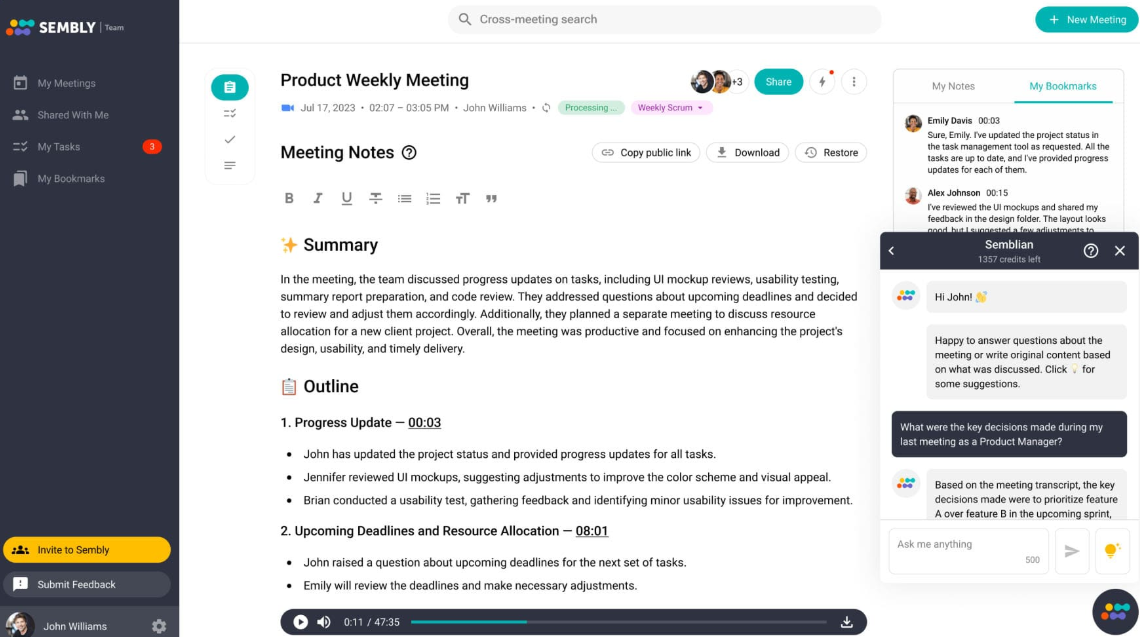
To enhance your meeting productivity, consider Sembly AI—an advanced tool that records, transcribes, and summarizes your meetings accurately. It offers multilingual support in 35 languages, ideal for diverse teams.
Sembly’s AI-driven deeper insights identify action items and potential risks, streamlining your workflow. It lets project managers automatically generate task lists from discussions, keeping projects on track.
💡 Pro Tip: Ever wondered how to take smarter notes without lifting a finger (well, almost)? Meet the power of AI note-taking. Here’s how to use AI for note-taking to level up your productivity and focus:
From capturing live lectures to creating action items and repurposing content, AI does it all for you. 🚀
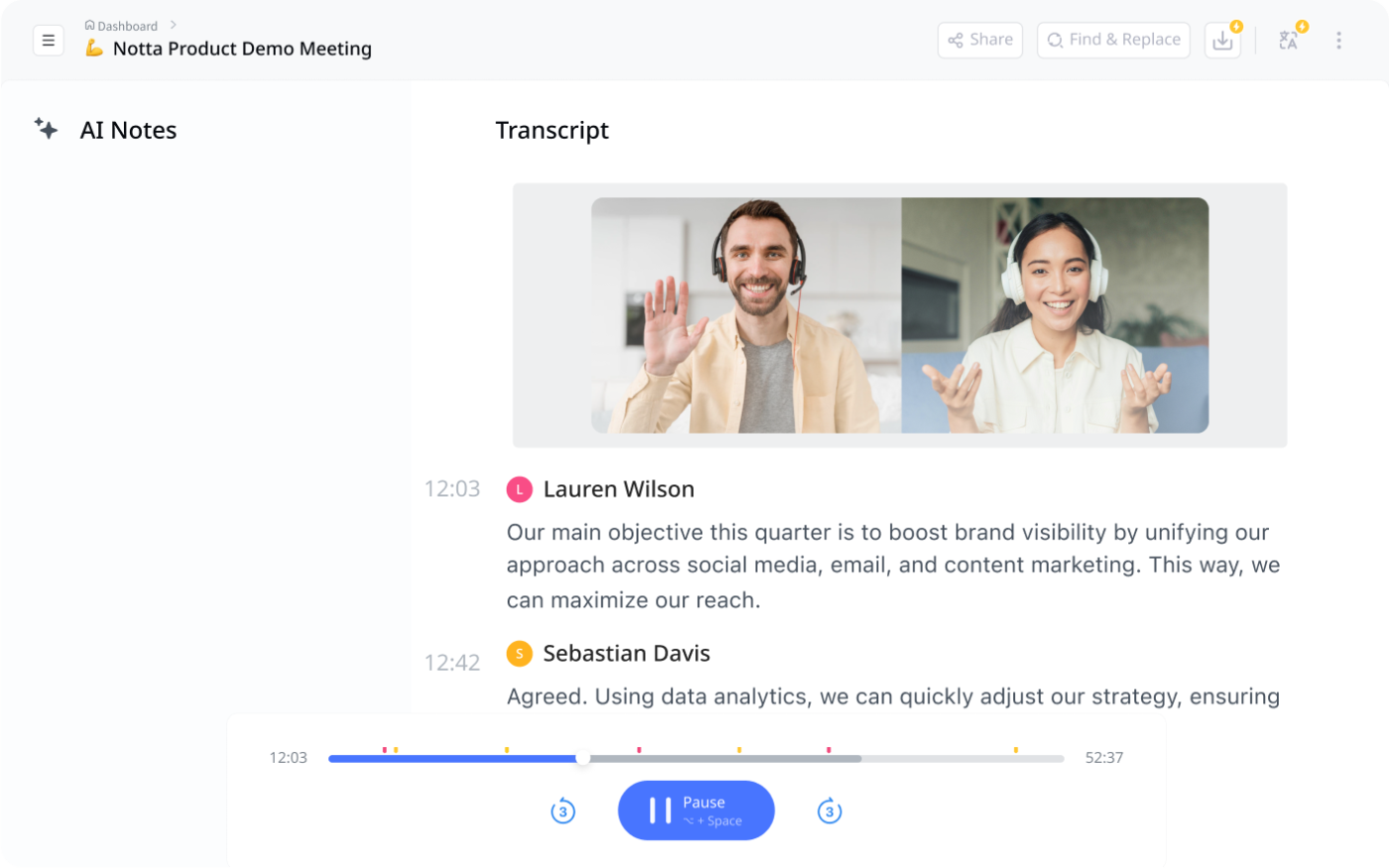
Notta, a tl;dv alternative, transforms your meetings by recording, transcribing, and summarizing conversations in real time. It supports over 50 languages and is perfect for global teams aiming to break language barriers.
Features like speaker identification and AI-generated summaries help you quickly pinpoint key takeaways and action items. For instance, Notta provides instant transcriptions and concise summaries during a client or sales call, allowing you to focus on engagement rather than note-taking.
From a G2 user:
I love the accuracy of the transcription, the ability to identify speakers, edit and download the text. I’d like to have more transcription minutes per file on the free plan, even if it means having fewer minutes per month. But being able to upload longer files would be great. It would be a real basic use of the tool.
🔍 Did You Know? The Cornell Note-Taking System, a widely recognized method developed by Walter Pauk at Cornell University, structures your page into distinct areas: cues, detailed notes, and a concluding summary. This organized approach is designed to enhance both information retention and the review process. 👍📚
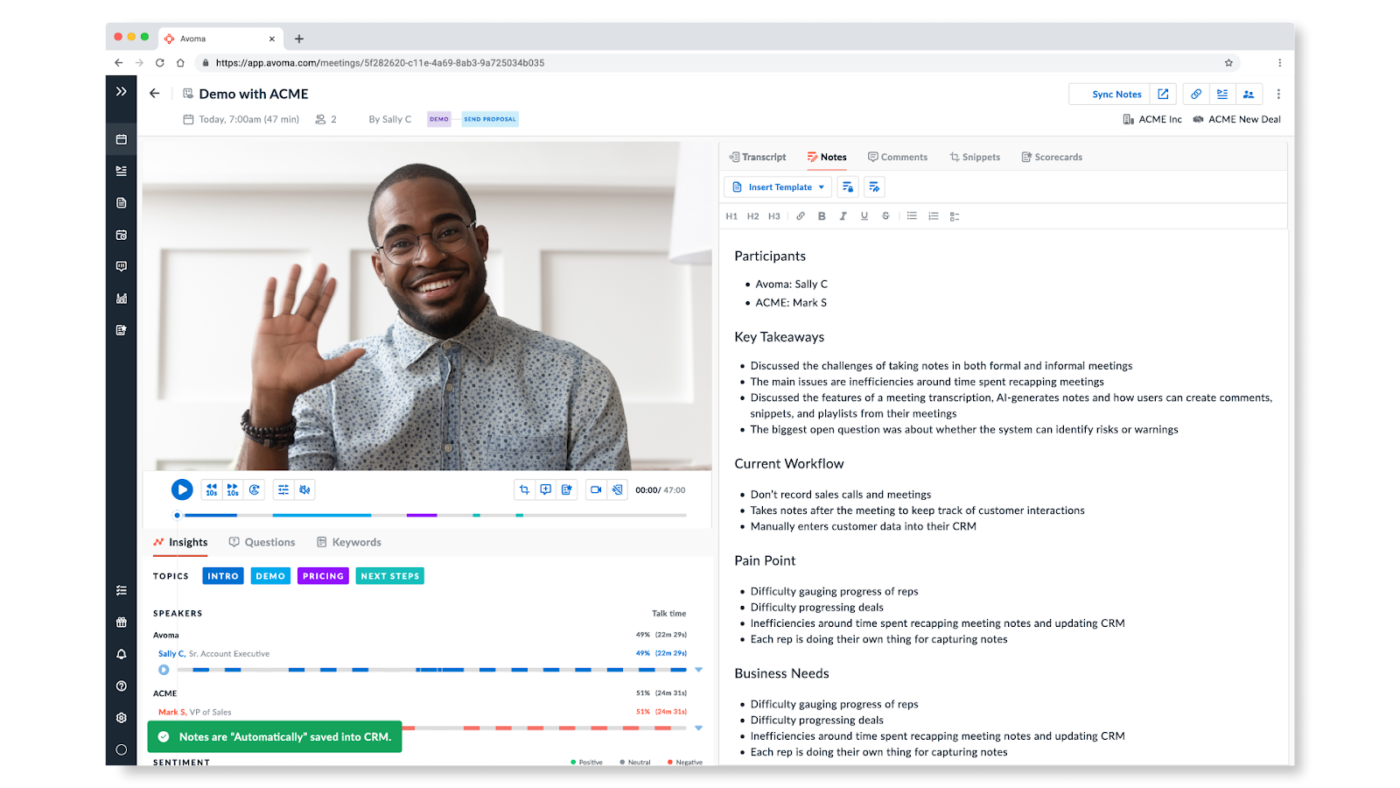
With Avoma, you optimize your meetings by automating note-taking, transcription, and analysis, allowing you to focus entirely on the conversation. Unlike some other tl;dv note taker alternatives, Avoma provides real-time transcription and AI-generated notes, streamlining your workflow.
Whether you’re in sales, HR, or customer success, Avoma assists in capturing key insights and action items. For example, sales teams utilize Avoma’s agenda templates to prepare effectively, ensuring critical questions are addressed.
From a G2 user:
The automatic recording transcription features are very accurate, saving us time and ensuring nothing gets lost in conversation. The ability to differentiate speakers and the summary of meeting notes that are provided at the end make it easy to follow discussions and reference any key points later.
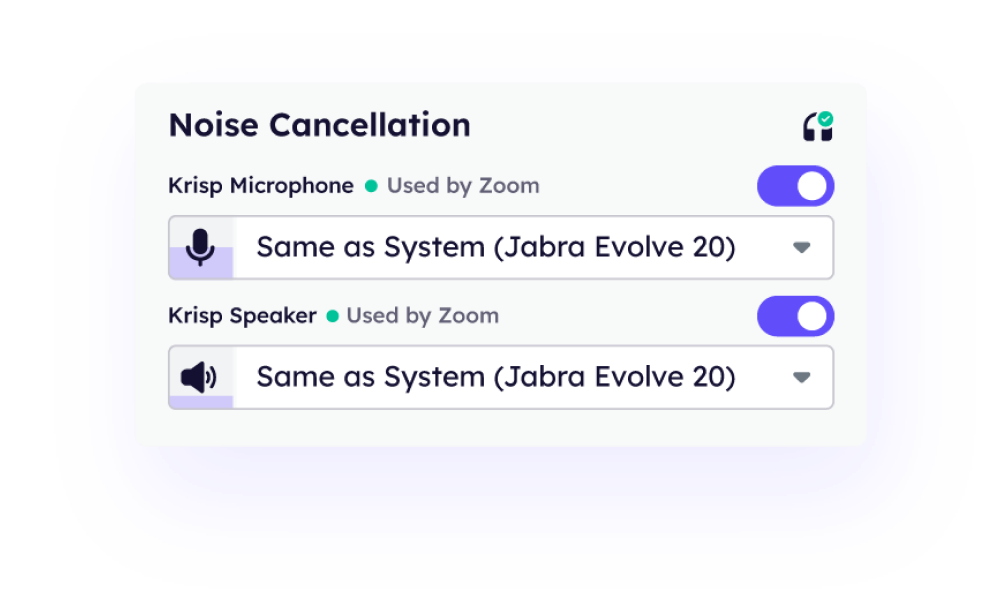
Krisp enhances video meetings by eliminating background noise, transcribing conversations, and summarizing discussions in real time. Unlike tl;dv, Krisp offers advanced noise cancellation and accent conversion features, ensuring clear communication.
Professionals across various fields use Krisp to improve call quality and focus on content without distractions.
For instance, during a client presentation, Krisp’s noise suppression allows you to deliver your message clearly, while its AI meeting assistant captures key points and action items.
➡️ Read More: Free Task List Templates in Excel & ClickUp
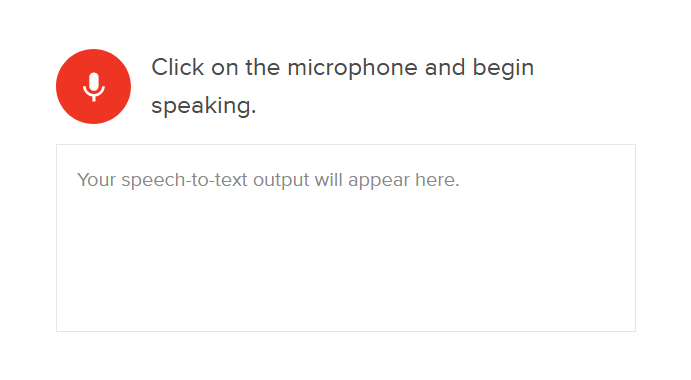
Rev.ai offers fast, accurate speech-to-text software services, making it a compelling alternative to tl;dv. Whether you’re a journalist capturing interviews, a researcher analyzing audio data, or a business professional documenting meetings, Rev.ai delivers precise transcripts to enhance your workflow.
With support for multiple languages and seamless integration into various applications, Rev.ai ensures your transcription tasks are handled efficiently and effectively.
In addition to the different tl;dv note taker alternatives mentioned above, here are a few more worth noting:
The tl;dv note taker alternatives on this list offer solid features for recording, transcribing, and sharing meeting notes. They help you stay organized, save time, and improve accountability across your team.
However, ClickUp offers a one-stop solution for your project management needs. It goes beyond notes.
You can use the ClickUp AI Notetaker to automate summaries, turn ideas into tasks, and connect them with your projects. Your notes become actionable, searchable, and collaborative with ClickUp Docs, Meetings, Chat, and Brain. You end up saving hours by not toggling through multiple applications to get your work done!
Sign up on ClickUp today to simplify your meetings, boost productivity, and keep everything in sync!

© 2026 ClickUp

There’s an easier way. Try a free AI Agent in ClickUp that actually does the work for you—set up in minutes, save hours every week.