








Still downloading templates?
There’s an easier way. Try a free AI Agent in ClickUp that actually does the work for you—set up in minutes, save hours every week.
Sorry, there were no results found for “”
Sorry, there were no results found for “”
Sorry, there were no results found for “”
Most Thanksgiving hosts underestimate the coordination load until they’re juggling oven schedules, dietary restrictions, and last-minute grocery runs across five different apps.
This article walks you through 10 Thanksgiving planning templates—from simple family dinners to large potlucks—and shows you how to use ClickUp’s features like ClickUp Timeline View, ClickUp Automations, and ClickUp Brain to centralize your planning, eliminate the chaos, and actually enjoy the holiday.
A simple dinner for four has different needs than a 30-person potluck, and using the wrong tool can either leave you with missed details or create unnecessary work. The templates below were chosen for their flexibility, ease of customization, and ability to handle both simple family dinners and larger coordinated events. Get AI-powered task suggestions, automated reminders, and smart content generation by enhancing any template with ClickUp Brain to make planning even smoother.
Before diving into the specific Thanksgiving templates, watch this overview to understand how project planning templates work in ClickUp and how you can customize them to fit your unique needs:
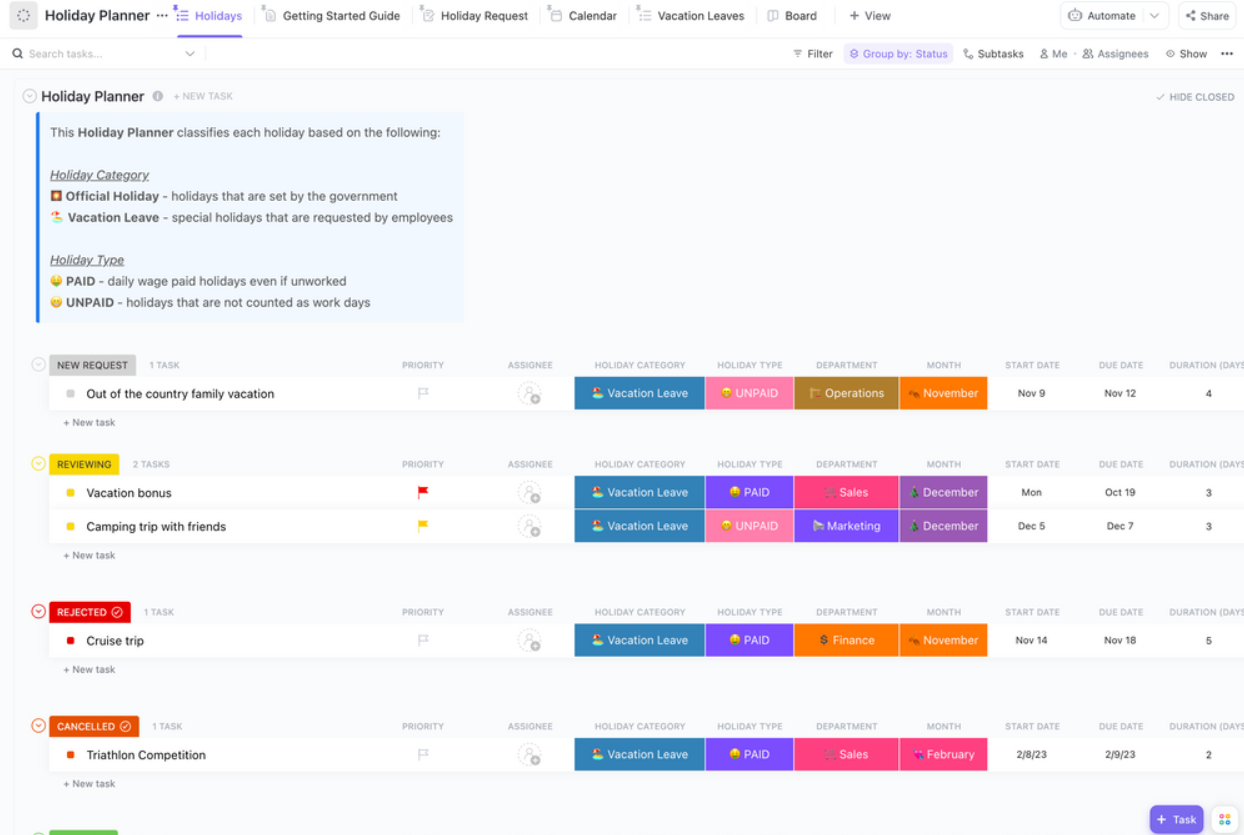
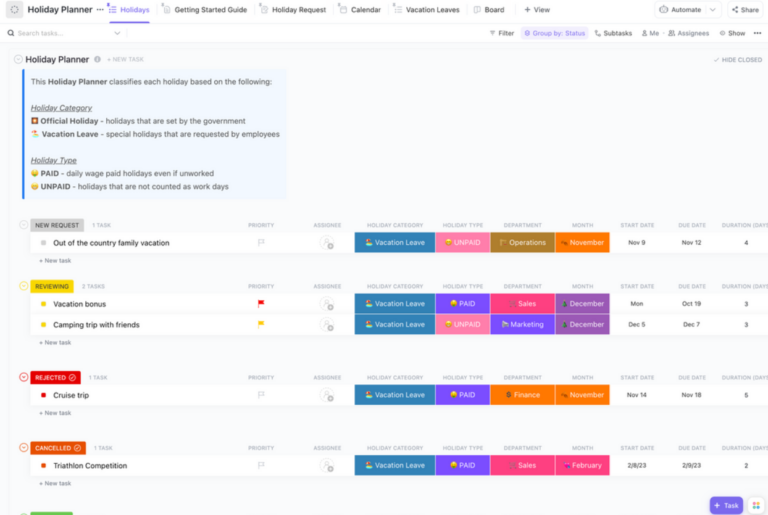
The ClickUp Holiday Planner Template is designed for hosts who are juggling more than just the meal—think decorations, gift coordination, and travel logistics. It provides a comprehensive framework for all holiday event coordination, with pre-built task categories that you can adapt for your Thanksgiving feast. It’s best for those who want a single command center for the entire holiday season.
Pre-configured task lists let you start with organized categories for meals, decorations, and guest management instead of building from scratch. Multiple views let you visualize your plan from different angles with List View for detailed to-dos, Board View for tracking progress, and Calendar View for scheduling key dates.
ClickUp Custom Fields let you add specific details like amounts for budget tracking, dietary notes for each guest, and RSVP status to keep important information organized and visible. You can also use ClickUp Brain to brainstorm decoration themes, generate a Thanksgiving to-do list, or draft personalized thank-you messages to send after the event.
Coordinating a Friendsgiving or office potluck through group chat is a recipe for disaster. The ClickUp Event Planning & Collaboration Template is built for groups and teams, providing built-in communication and task assignment features to keep everyone aligned. It’s the perfect solution for any Thanksgiving where multiple households are contributing dishes or helping with setup.
Assignee Fields eliminate confusion by assigning clear owners to each task, so everyone knows who’s making the stuffing and who’s bringing extra chairs. Comments and @mentions let you practice effective collaborative communication by leaving comments directly on tasks instead of losing them in a messy text thread.
Progress tracking shows at a glance what’s confirmed versus what’s still pending, so you can follow up on unassigned dishes. ClickUp Brain can draft assignment messages, summarize who has committed to what, and flag any gaps in your menu coverage.
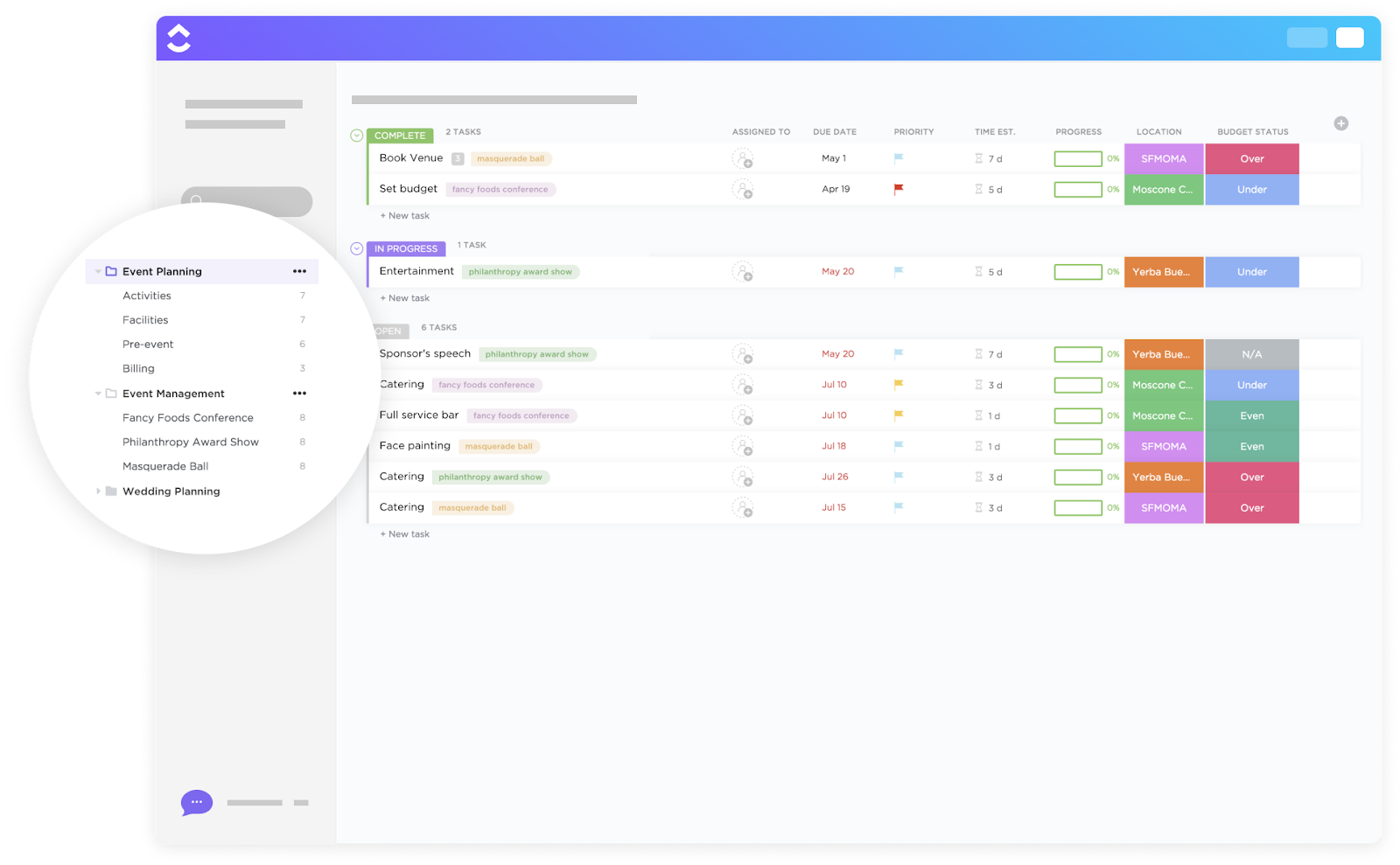
For hosts who treat Thanksgiving like a proper event, the ClickUp Event Planning Template covers everything from venue and timeline to tasks and vendor coordination. If your planning involves seating arrangements, rental equipment, or catering components, this template provides the structure you need to manage complex logistics without the stress.
Timeline View gives you a bird’s-eye view of your entire event arc, from initial planning and prep through day-of execution and cleanup. Vendor and supplier tracking lets you manage orders for a pre-made turkey, rented tables, or hired help in one organized location.
Checklist Subtasks break down large tasks like “Decorate Dining Room” into smaller, actionable steps like “Iron tablecloth” and “Set out place cards.” ClickUp Automations let you set up automated reminders for important deadlines, like when to pick up the turkey or when to start preheating the oven.
📮 ClickUp Insight: 83% of knowledge workers rely primarily on email and chat for team communication. However, nearly 60% of their workday is lost switching between these tools and searching for information. With an everything app for work like ClickUp, your project management, messaging, emails, and chats all converge in one place! It’s time to centralize and energize!
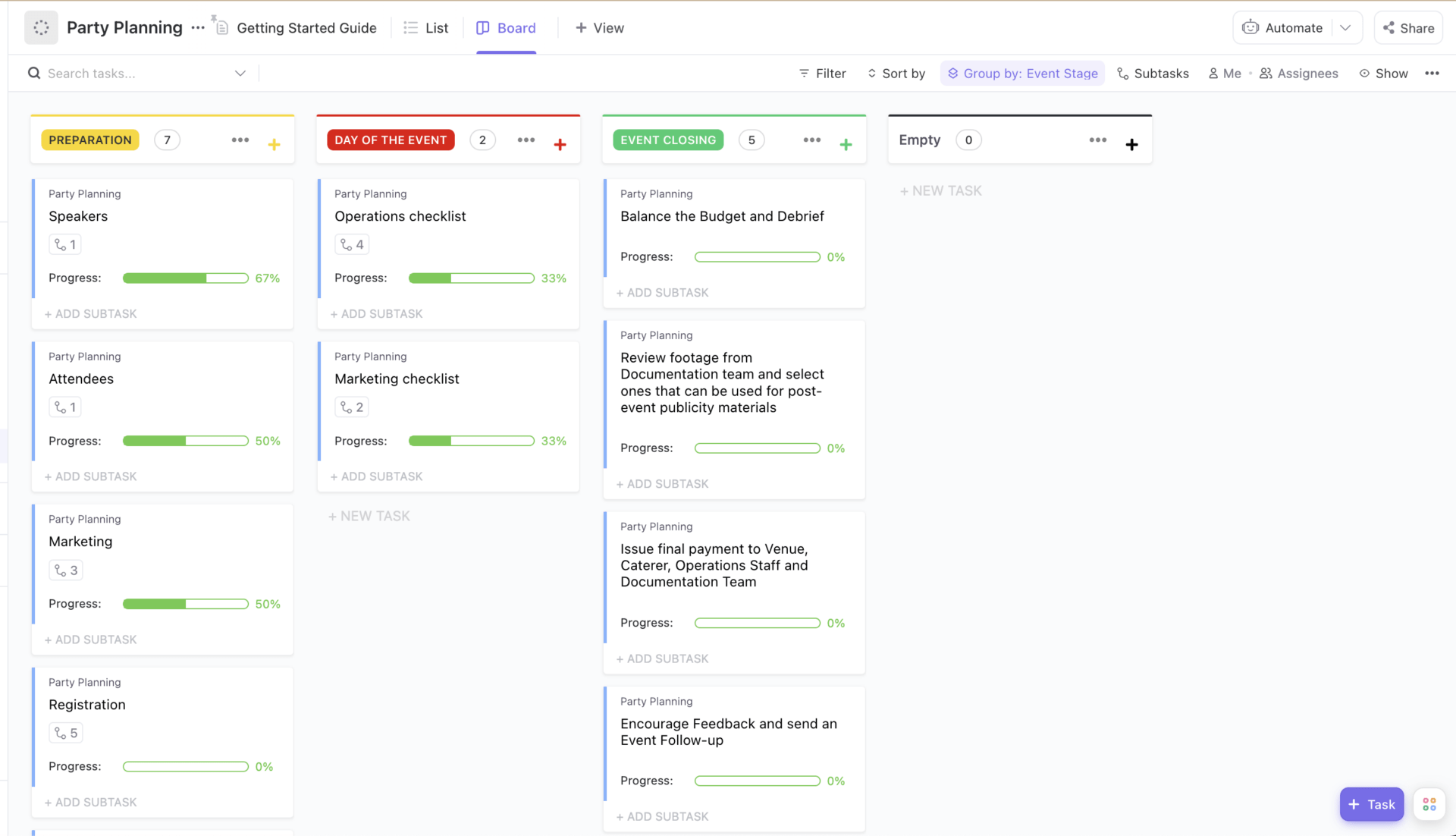
A successful Thanksgiving is about more than just the food—it’s about the experience. The ClickUp Party Planning Template is designed for social gatherings with an emphasis on guest experience, entertainment, and atmosphere. It’s ideal for Friendsgiving hosts or anyone who wants to plan a memorable celebration from start to finish.
Guest list management lets you track RSVPs and make notes of dietary restrictions or plus-ones with dedicated fields for each attendee. Entertainment and activity planning sections help you plan post-dinner activities, music playlists, and things to keep the kids busy in organized lists.
A decoration and ambiance checklist ensures every detail is covered with an itemized list for all your ambiance-setting tasks. ClickUp Brain can suggest conversation starters for the dinner table, generate a themed music playlist, or create an activity schedule for the kids.
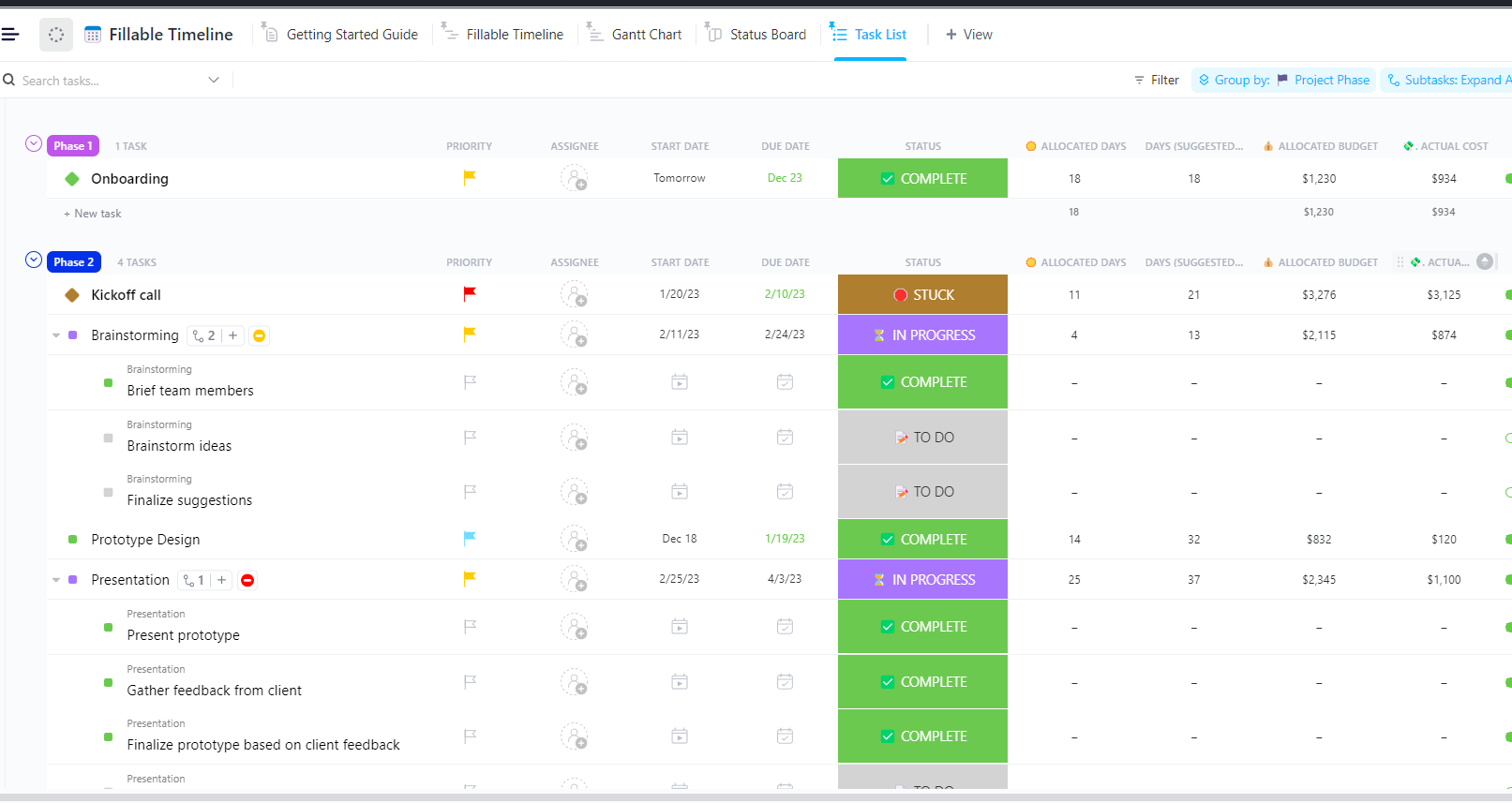
The biggest challenge on Thanksgiving Day is often the oven schedule. The ClickUp Timeline Template for Event Planning helps you map every task against a visual schedule, showing dependencies and sequencing so you can see exactly when each dish needs to go in. It’s perfect for detail-oriented planners who want to avoid any timing mishaps.
Gantt View visualizes task durations and dependencies to understand your critical path—the sequence of tasks that must be completed on time. Start and Due Dates can be set to automatically adjust if an upstream task shifts, so your entire schedule stays in sync. Critical path visibility immediately shows which tasks have no wiggle room, helping you prioritize what matters most to keep the meal on track. Color-coding by category organizes tasks by prep, cooking, serving, and cleanup to quickly scan your schedule and understand the workflow.
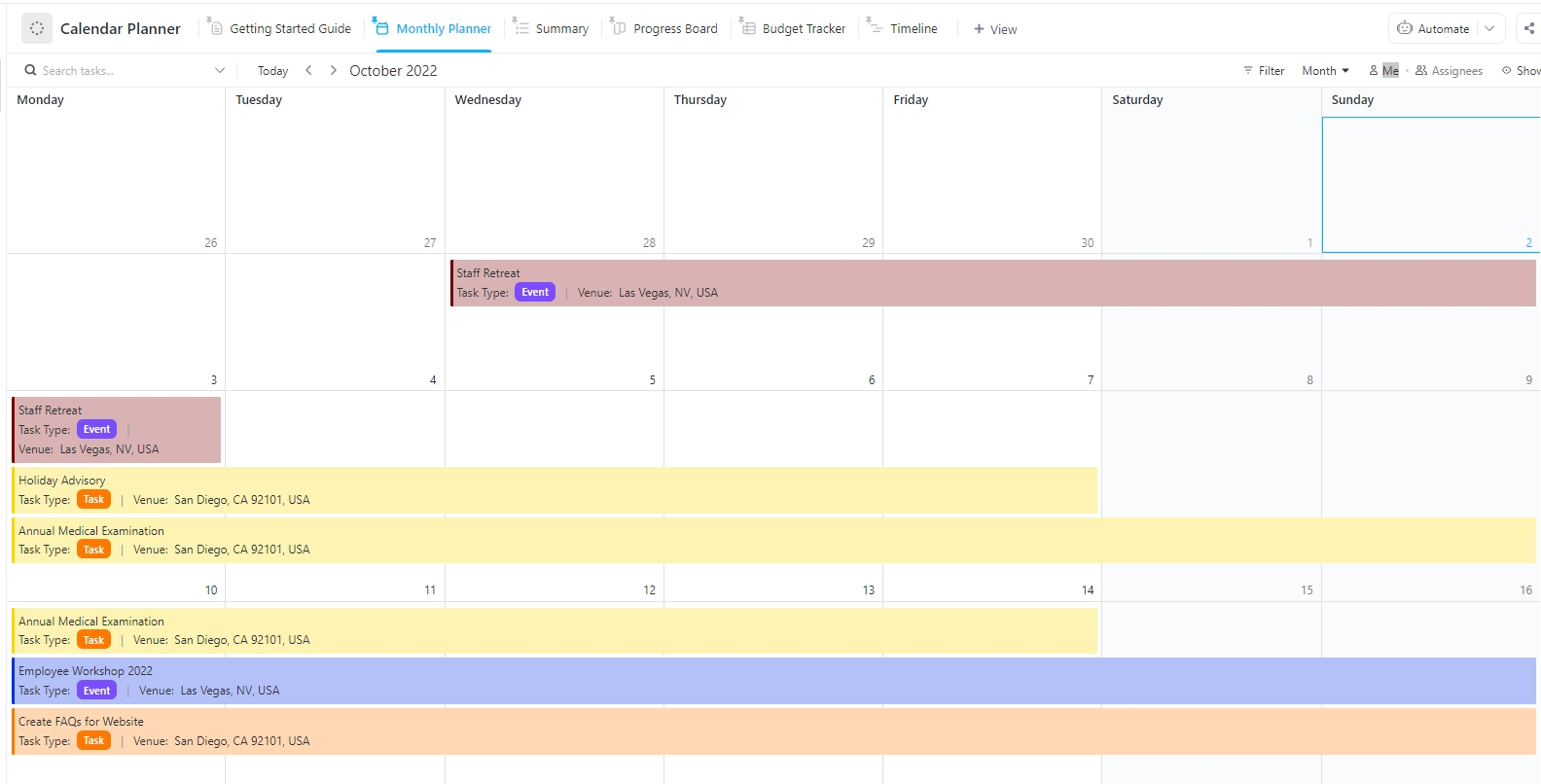
If you’re a visual planner who thinks in terms of dates rather than lists, the ClickUp Calendar Planner Template is for you. It displays all your planning tasks in a familiar monthly, weekly, or daily view, making it especially useful for managing multi-day prep and seeing how it fits with your other commitments.
A drag-and-drop interface lets you easily schedule and reschedule tasks by dragging them to the correct date. Multiple calendar views let you use the month view for a high-level overview of your planning timeline and switch to the day view for execution-focused details.
Sync capability with external calendars connects your Google or Outlook calendar to see your Thanksgiving prep tasks alongside your work meetings and personal appointments. Recurring Tasks can be set up for annual traditions, like “Send out Thanksgiving invites,” to automatically appear on your calendar each year.
Great hosts know that next year’s planning starts as soon as this year’s meal is over. The ClickUp Annual Calendar Template helps you see Thanksgiving in the context of your full annual schedule, making it easy to establish traditions and track year-over-year improvements.
Full-year visibility marks key holiday milestones across all 12 months so you can plan ahead. Notes sections capture what worked and what didn’t—like the fact that the 12-pound turkey wasn’t enough for 15 people—for future reference. Integration with other ClickUp workspaces connects your holiday planning with your personal or work projects for a holistic view of your schedule.
ClickUp Brain can analyze your notes from past years and suggest improvements for this year’s gathering.
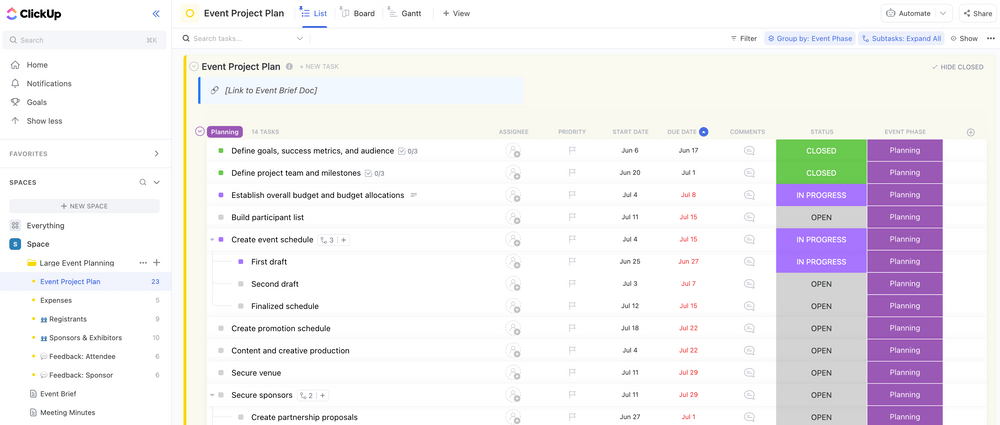
When you’re feeding a crowd, a simple Thanksgiving meal checklist won’t cut it. The ClickUp Large Event Planning Template is scaled for complex gatherings with multiple workstreams, teams, and logistics, making it perfect for large family reunions, community events, or company dinners with 25 or more guests (26 percent of Americans plan Thanksgiving dinner with more than 10 additional guests).
Multiple project phases organize your work into distinct phases like planning, prep, execution, and post-event cleanup. Team and committee assignment capabilities delegate tasks to different groups, like a setup crew or a cleanup committee, with clear ownership.
Budget tracking uses ClickUp Custom Fields to categorize expenses, and ClickUp Dashboards visualize spending. ClickUp Brain can generate volunteer coordination emails, create shift schedules, or summarize the event status for stakeholders.
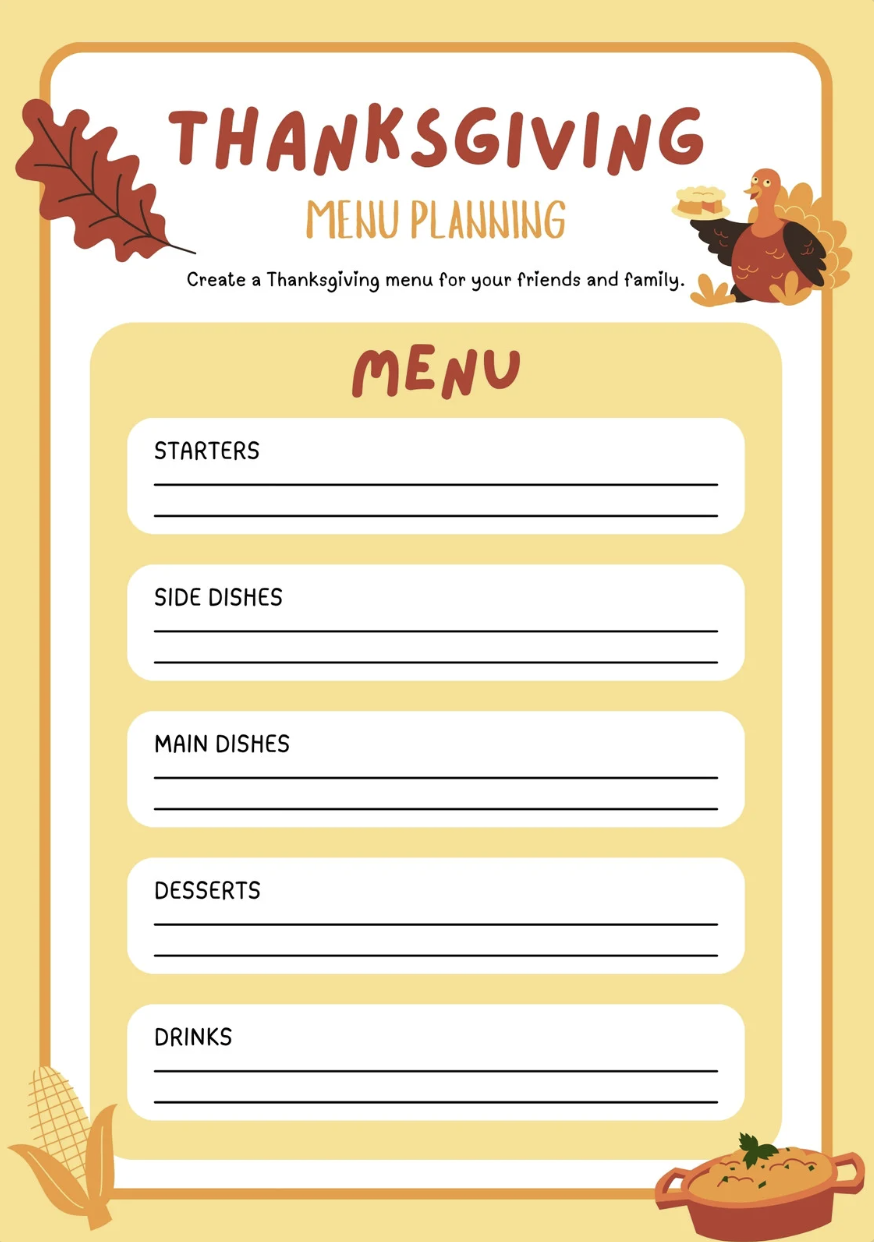
When you want clarity without complexity, a simple worksheet can be your best planning tool. The Thanksgiving Planning Worksheet is designed for hosts who need a straightforward way to organize guests, meals, and prep without juggling multiple lists. It works especially well for small to mid-sized gatherings where structure matters more than heavy coordination.
A centralized planning layout lets you organize guest count, meal outline, and prep notes in one place so nothing gets overlooked. Structured sections break down your planning into clear categories like menu, shopping list, and task reminders to reduce last-minute stress.
A printable format gives you a physical planning sheet you can keep in the kitchen for quick reference while cooking. ClickUp Brain can turn your worksheet into an actionable plan by generating a complete grocery list, suggesting prep timelines, and identifying any missing dishes before the big day.
Avoid the classic potluck coordination problem—five green bean casseroles and no dinner rolls—with a dedicated Thanksgiving potluck sign-up sheet. This template type is designed to coordinate who’s bringing what to a shared meal, ensuring you end up with a balanced and delicious spread.
Category organization creates sections for appetizers, mains, sides, desserts, and drinks so you can see where the gaps are. Quantity guidance suggests serving sizes to make sure there’s enough food for everyone without excessive leftovers (U.S. households waste about 320 million pounds of food each Thanksgiving).
Dietary restriction flags add a column for contributors to mark if their dish is vegetarian, gluten-free, or nut-free. Contact information fields make it easy for contributors to coordinate with each other if needed.
Start by setting your key parameters before you even open a template: know your guest count, any dietary restrictions, and your target serving time. These constraints will shape every other decision you make. Next, choose a template that matches the complexity of your event—a simple checklist is fine for a small dinner, but a potluck for 30 requires robust collaboration features.
A stress-free cooking schedule starts with timeline planning by working backward from your serving time. The best Thanksgiving planners start with “food hits the table at 3 PM” and reverse-engineer every deadline from there. Templates with ClickUp Timeline View make this process visual and easy to adjust. If multiple people are involved, assign tasks immediately to eliminate ambiguity. A vague “someone should handle rolls” becomes a clear task: “Mom – Rolls – Pick up Wednesday by 5 PM,” thanks to ClickUp Assignee Fields.
Always build in buffer time—prep work, unexpected delays, and oven timing conflicts can easily add 30 minutes or more to your schedule. Accelerate your planning with ClickUp Brain by generating shopping lists from your menu, suggesting cooking times, and even drafting communications to your guests. Finally, create a separate, simplified day-of checklist for execution and take five minutes after the meal to capture lessons learned. You’ll be glad you did when next November rolls around.
📮 ClickUp Insight: 1 in 4 employees uses four or more tools just to build context at work. A key detail might be buried in an email, expanded in a Slack thread, and documented in a separate tool, forcing teams to waste time hunting for information instead of getting work done. ClickUp converges your entire workflow into one unified platform. With features like ClickUp Email Project Management, ClickUp Chat, ClickUp Docs, and ClickUp Brain, everything stays connected, synced, and instantly accessible. Say goodbye to “work about work” and reclaim your productive time.
Summarize this article with AI ClickUp Brain not only saves you precious time by instantly summarizing articles, it also leverages AI to connect your tasks, docs, people, and more, streamlining your workflow like never before.Bring Calm to the Chaos This Thanksgiving
Thanksgiving planning does not have to feel like juggling ten things at once while your oven timer screams in the background. With the right template, you turn scattered notes, last-minute grocery runs, and group chat confusion into a clear, manageable plan. Whether you are hosting a quiet dinner for four or coordinating a full house, structure is what transforms stress into confidence.
Start simple. Choose a template that matches your gathering size, map your menu, and lock in your timeline early. Assign tasks if others are helping, build buffer time into your cooking schedule, and keep a clean day-of checklist so execution feels calm and controlled. The goal is not perfection. The goal is a warm table, good food, and a day you actually get to enjoy.
If you want to take your planning further, move your template into ClickUp to centralize everything in one place. Use ClickUp Brain to generate shopping lists, refine your menu, and create a step-by-step cooking plan. Visualize your prep with Timeline View, automate reminders with Automations, and keep guests, dishes, and tasks perfectly coordinated without the chaos.
Plan once, relax sooner, and spend Thanksgiving where it matters most, at the table, not in the stress. Try them for free in ClickUp!
Summarize this article with AI ClickUp Brain not only saves you precious time by instantly summarizing articles, it also leverages AI to connect your tasks, docs, people, and more, streamlining your workflow like never before.Frequently Asked Questions
A team-focused Thanksgiving template needs clear task assignments with owner names, deadline visibility, a communication channel like comments, and status tracking so everyone can see what’s confirmed versus pending.
Create categories for dish types, share the template link with all contributors, and let people claim items. Be sure to include quantity guidance and dietary flags to ensure you end up with a balanced spread.
A meal checklist focuses narrowly on the food, recipes, ingredients, and cooking times. A full holiday planner template covers guest management, decorations, seating, activities, and cleanup.

© 2026 ClickUp

There’s an easier way. Try a free AI Agent in ClickUp that actually does the work for you—set up in minutes, save hours every week.