
Sorry, there were no results found for “”
Sorry, there were no results found for “”
Sorry, there were no results found for “”
“I love creating SOPs”, said no one ever. And for good reason.
Who’d want to deal with capturing endless screenshots, losing them among a zillion files on the desktop, tab switching, and the constant fear of a crash wiping out progress?
This was true until Tango changed the game with automated process documentation.
While Tango blazed the trail, alternatives in the documentation space offer more advanced features—from screen recording to AI-powered workflow capture, making processes even smoother.
Whether you need in-app guides, real-time assistance, or team collaboration, there’s a Tango alternative for you. Let’s find your fit!
Here are the top 10 alternatives to Tango for creating step-by-step guides and tutorials:
Tango is a tool for capturing workflows on your screen and turning them into step-by-step guides. It is perfect for process documentation, in-app guides, and training materials. Think of it as the sharp-eyed colleague who takes notes so others can follow along later.
Using the Tango Chrome Extension or desktop app, you can record steps, snap screenshots, and create easily accessible visual guides in seconds.
👀 Did You Know? 48% of employees struggle to find documents quickly and efficiently. Poor documentation practices slow down workflows, waste valuable time, and create frustration.
While Tango is a solid process documentation tool, it’s not the perfect fit for everyone.
Some teams have found themselves wrestling with Tango’s feature-packed interface when all they want to do is create a simple guide.
A Tango user who reviewed the platform says:
It’s not as intuitive when clicking various steps and going back and having to edit in-depth is very time consuming. I still may not know the full capabilities of the platform, but I’d prefer something that auto-screen records then takes the steps as I’m screen recording and summarizes it with AI support to generate an SOP simultaneously.
A Tango alternative may offer better pricing, advanced features, or a smoother user experience. Some tools focus on video recording, real-time assistance, and team collaboration for large organizations. Others cater to smaller teams that need user-friendly options with strong integrations.
Whether you need custom pricing, support on mobile devices, or a tool that fits your learning curve, the right choice improves training materials and enhances workflows.
Ultimately, the best tool is the one that truly fits your processes.
👀 Did You Know? The increasing variety, volume, and velocity of information is a top challenge for 78% of organizations. A recent study suggests large organizations are implementing scalable digital adoption of document processes. These allow seamless integration with all information sources as a solution.
Choosing the proper process documentation tool impacts how your team captures and shares knowledge. Based on industry research, here are the key features that matter:
The right tool makes creating, updating, and sharing documentation easier.
💡 Pro Tip: Before you pull out your credit card, make a quick checklist of which features matter most to your team. This will make choosing the perfect tool 10x easier.
After extensive testing and evaluation against real-world business documentation needs, these Tango alternatives stand out for their unique capabilities and use cases. Each tool brings distinct features that help teams create clear, engaging documentation.
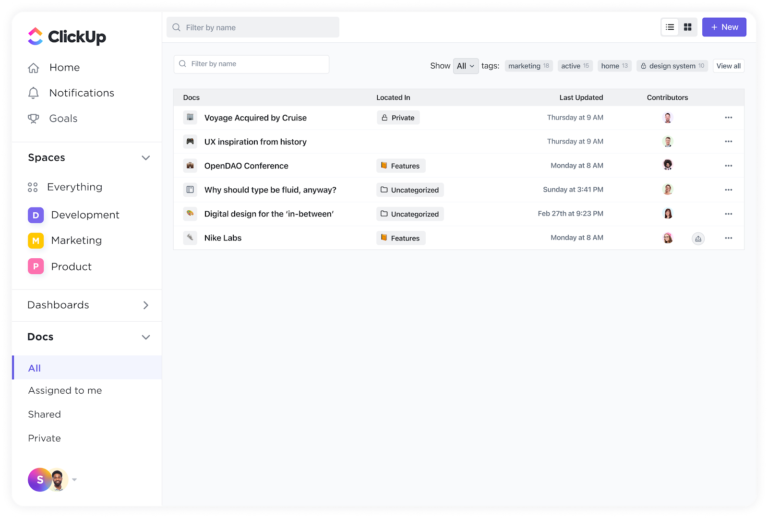
ClickUp is truly the everything app for work and tops our list of alternatives. It combines process documentation, tutorial creation, and team collaboration in one centralized hub.
Start building your SOPs, training manuals, and guides with ClickUp Docs. Its collaboration-first approach, combined with the AI prowess of ClickUp Brain, creates the intelligent knowledge management system your team needs.
Here’s a quick overview of how it works:
ClickUp Docs let you:
These features allow teams to maintain a centralized repository of process documents, ensuring consistency and accessibility.
ClickUp Brain enhances the utility of Docs by integrating AI capabilities, such as:
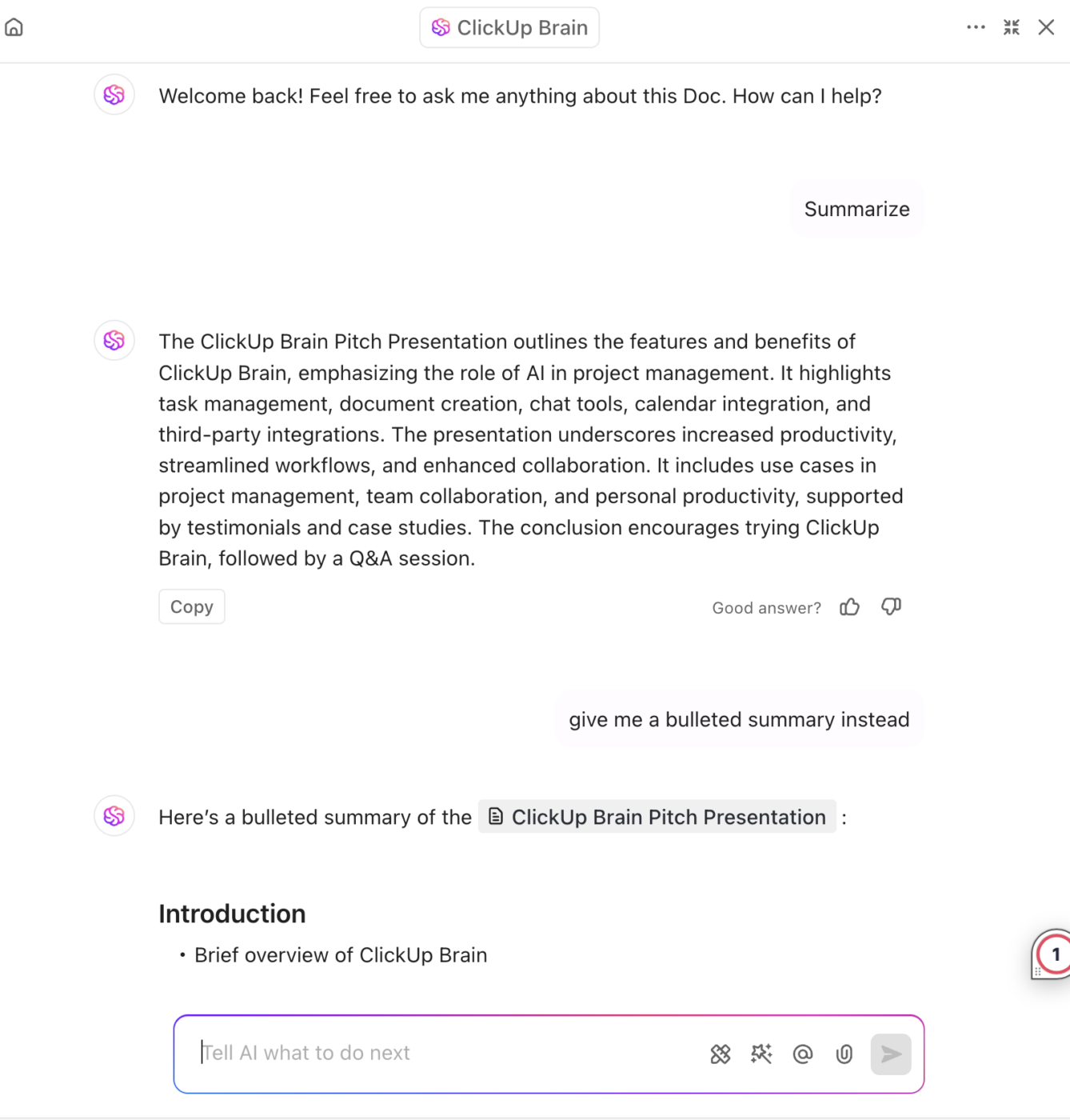
This integration ensures that process documents are not only comprehensive but also interconnected with relevant resources.
ClickUp can be your one-stop solution for, say, onboarding. Is a new team member joining in? Quickly use Docs—or just ask Brain—for relevant documentation without digging through endless folders.
For visual process documentation, ClickUp Clips allows users to record and share videos:
You can capture your screen activity to demonstrate processes or tutorials, with or without your webcam. Add voiceovers to provide context and explanations. Easily distribute clips within the team or embed them in Docs for reference.
Viewers can comment on specific timestamps, facilitating targeted discussions.
Beyond just task management it can really be the one-stop shop for all process/project documentation. It is a vital tool for keeping everyone on the same page.
Ready to set up your knowledge base but don’t know where to begin? Check out the ClickUp Knowledge Base Template to organize your internal documentation systematically.
📮ClickUp Insight: We recently discovered that about 33% of knowledge workers message 1 to 3 people daily to get the context they need. But what if you had all the information documented and readily available?
With ClickUp Brain’s AI Knowledge Manager by your side, context switching becomes a thing of the past. Simply ask the question right from your workspace, and ClickUp Brain will pull up the information from your workspace and/or connected third-party apps!
It literally has ALL the features in a single app. Record clips, track time, tracks service projects, or product development. I found it by chance, and I’m so glad that I did … and I’ve used trello, monday.com, bitrix and everything other app for this purpose on the planet across 10 different organizations. NOTHING comes close to this.
🧠 Fun Fact: While process documentation incorporates visual elements, it serves a distinct purpose from process mapping.
Process documentation provides detailed, step-by-step instructions for executing a process, ensuring consistency and knowledge transfer. Process mapping visually represents workflows to identify inefficiencies, dependencies, and opportunities for optimization. Documentation focuses on execution, whereas mapping aids in analysis and improvement.
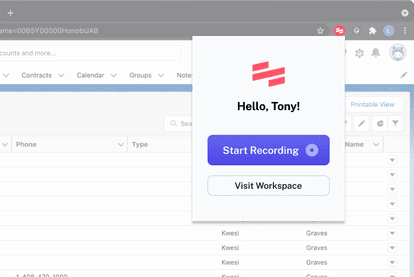
If you want to transform your team’s documentation process, Scribe offers a screen capture solution that creates polished guides in seconds.
By automatically generating screenshots and step-by-step instructions, Scribe eliminates the tedious manual work of creating standard operating procedures (SOPs) and training material.
We utilized Scribe to create a simple 5 step process to help our clients utilize our software more effectively. We’ve been able to create a How to Guide to help save our support team hours. While it takes some time to set up initially, we’ve seen it pay off in the long run
💡Pro Tip: To effectively outline a process, a document should generally contain no more than 10-12 steps or sub-tasks. Exceeding this number suggests the document may be better suited as a traditional document rather than a concise process description.
Compare Tango Vs Scribe!
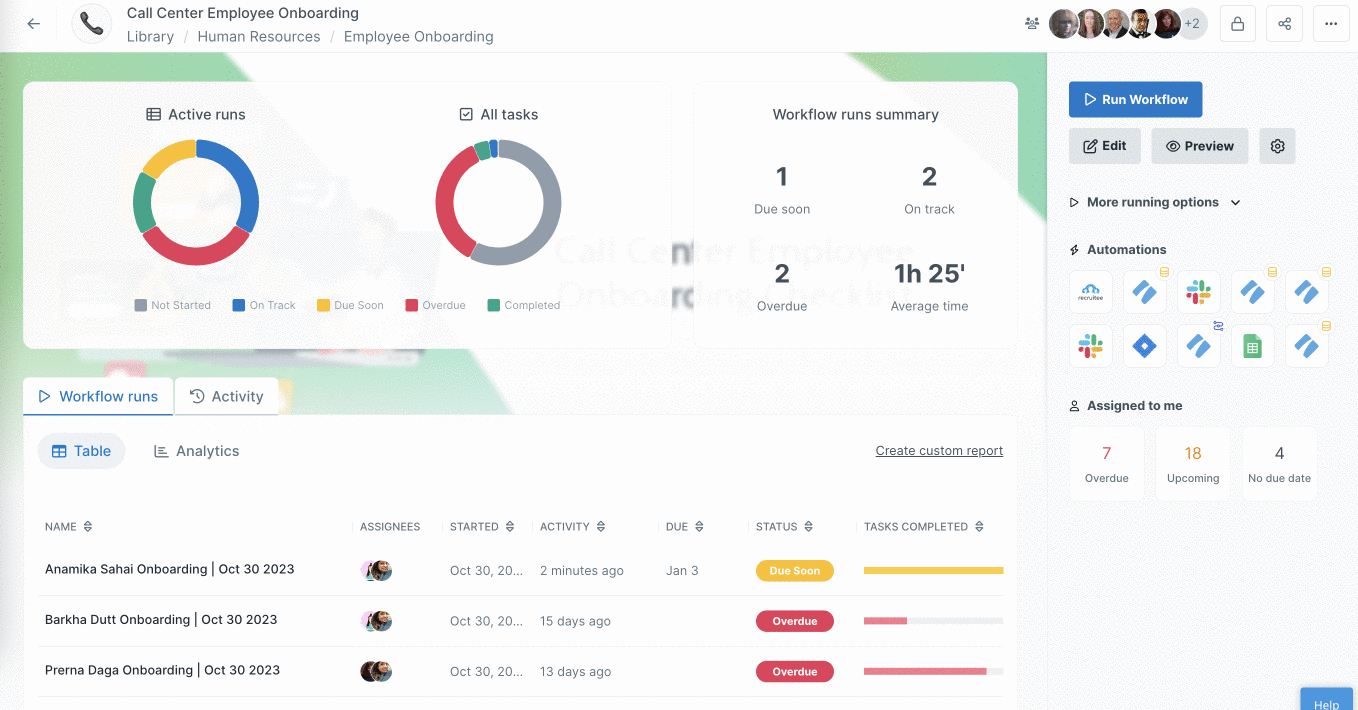
Are you looking to automate your team’s complex workflows without the usual headaches? Process Street is a workflow automation platform that uses artificial intelligence to manage recurring tasks and track processes.
The tool’s AI assistant, Process AI, helps you create and refine written procedures faster by suggesting ways to make workflows more efficient.
👀 Did You Know? 79% of companies anticipate increased importance for intelligent information management solutions. The rise of intelligent document management systems is driven by the need to alleviate the burden on human personnel and boost efficiency.
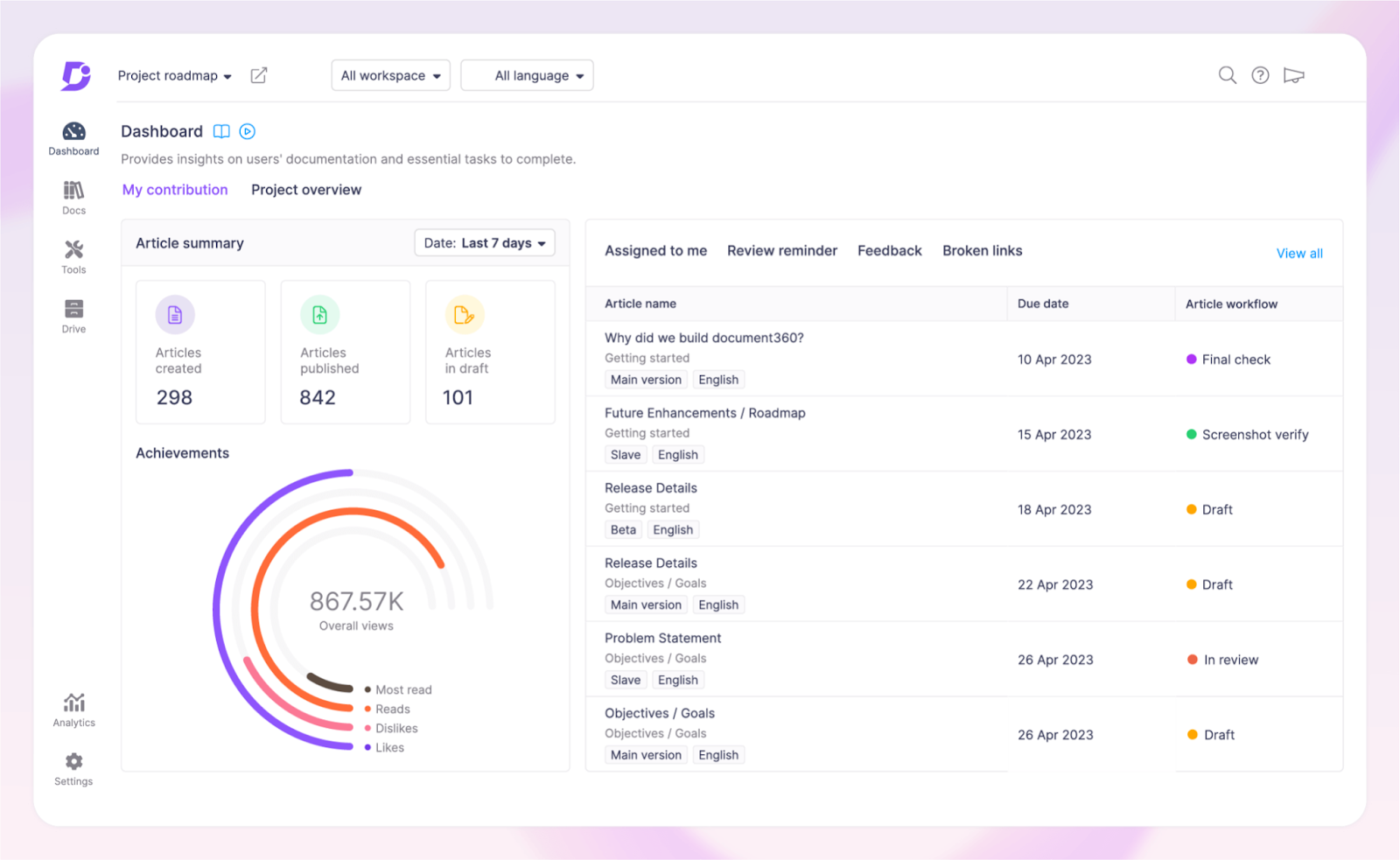
Think of Document360 as your digital librarian who organizes your documentation, making it easily accessible and searchable in multiple languages.
This knowledge-base software helps teams create, share, and manage various types of documentation—from user manuals to API docs and SOPs. Plus, it seamlessly handles both public and private documentation use cases across industries.
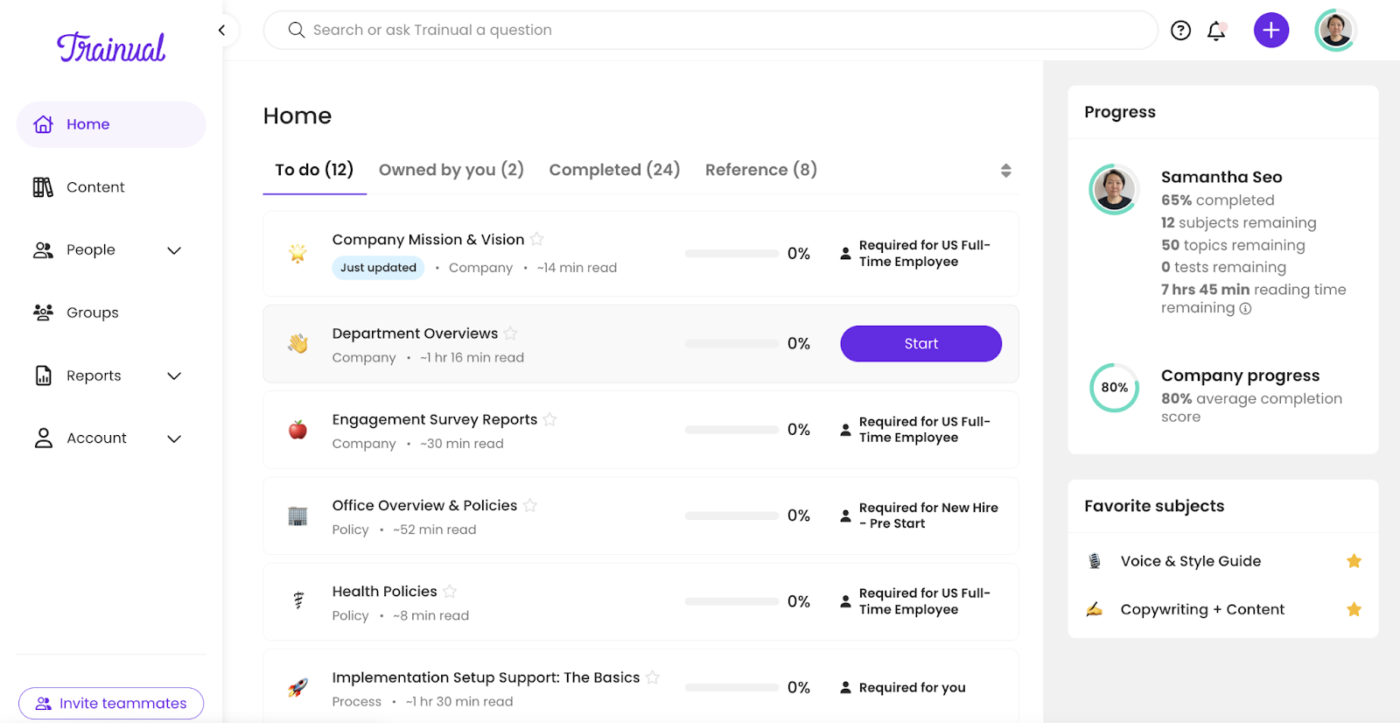
Trainual helps HR teams and managers create engaging onboarding experiences and training programs through a centralized hub.
New hires can learn at their own pace through interactive modules, while managers track their progress in real time.
Instead of giving everyone the same generic material, you can tailor training content to match organizational needs and each position’s needs. This targeted approach significantly cuts down the learning curve for new team members.
👀 Did You Know? To alleviate the burden of document management, 26% of companies report increasing their investments in automation solutions. Automating key document tasks such as file routing, versioning, analytics, and document classification can significantly improve business efficiency.
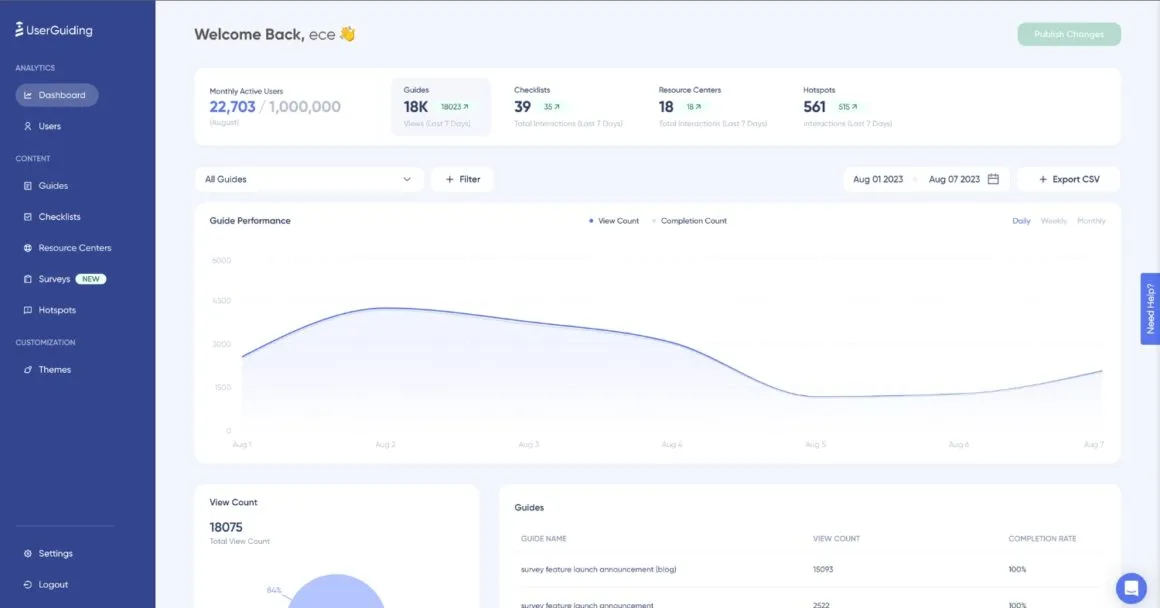
Want to build interactive and user-friendly product walkthroughs without touching a line of code? UserGuiding can help.
The platform lets you guide new users through your product’s key features using customized tours, checklists, and surveys.
📖 Also Read: Best AI Writing Tools for Content
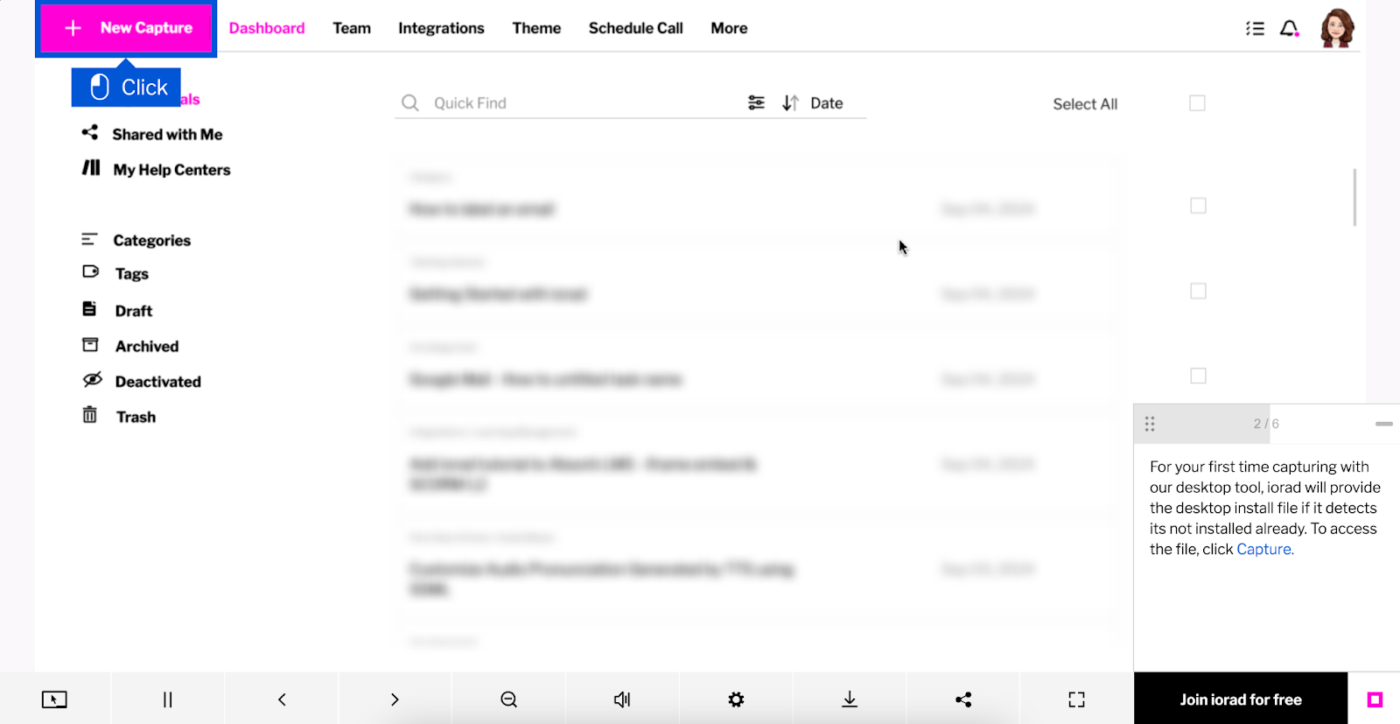
What is a quick way to turn your screen actions into step-by-step guides? iorad does that by recording what you do on the screen and automatically creating interactive tutorials.
When you show someone how to use software or navigate a website, just turn on iorad and walk through the process normally. The tool captures your clicks and movements and then builds a tutorial others can follow.
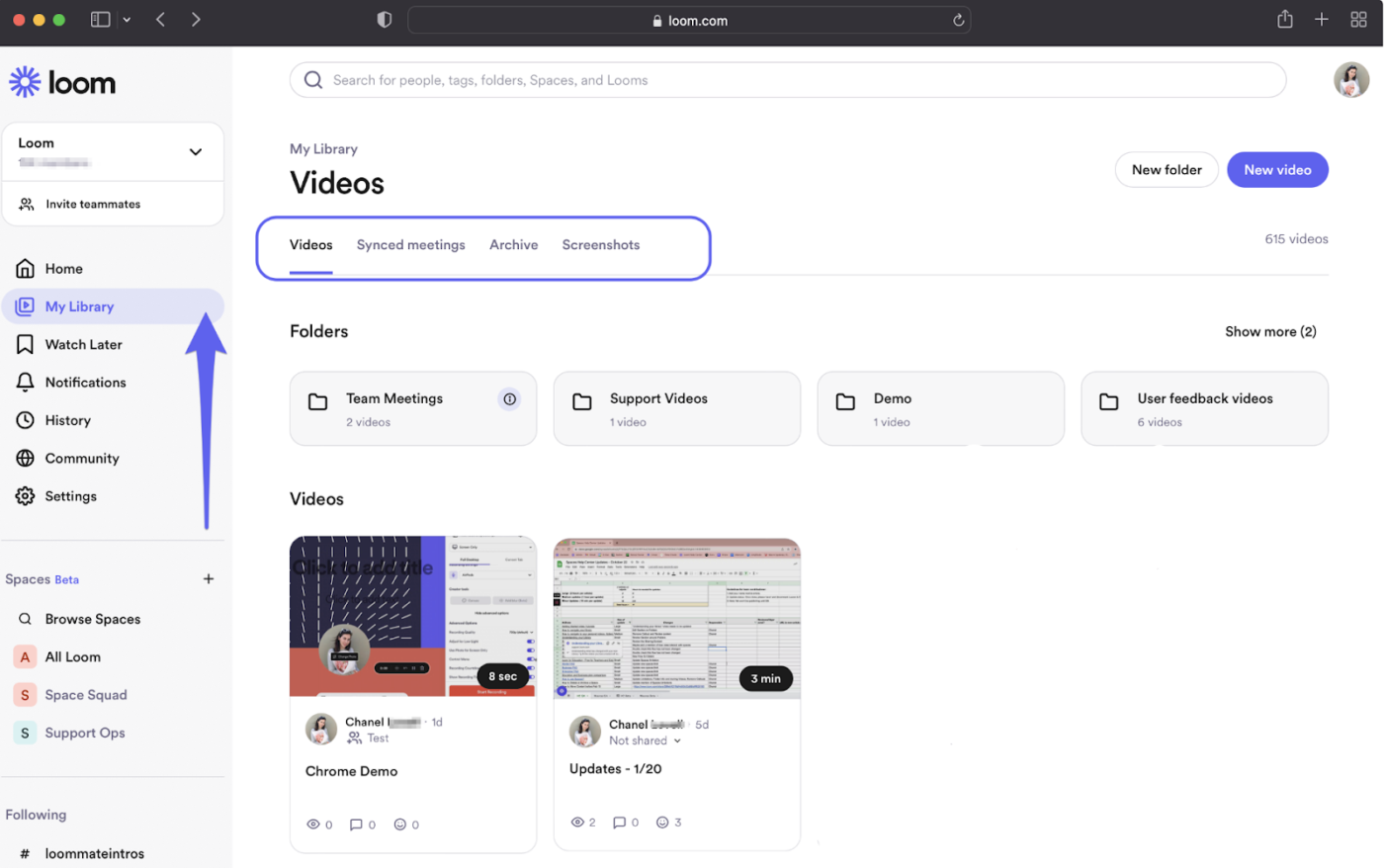
Loom makes recording your screen, adding audio commentary, and sharing updates with your team simple—no complex editing is needed.
It allows you to video record yourself presenting as you walk through a process, explain a bug fix, or engage users to give feedback on a design. Your video gets saved to the cloud immediately, and you get a link to share it with the intended audience.
Loom videos have been a fantastic way for us to record and communicate tutorials demonstrating functions of our platform, They are easy to make and easy to distribute. Being able to see if they have been viewed and by how many is also an invaluable feature.
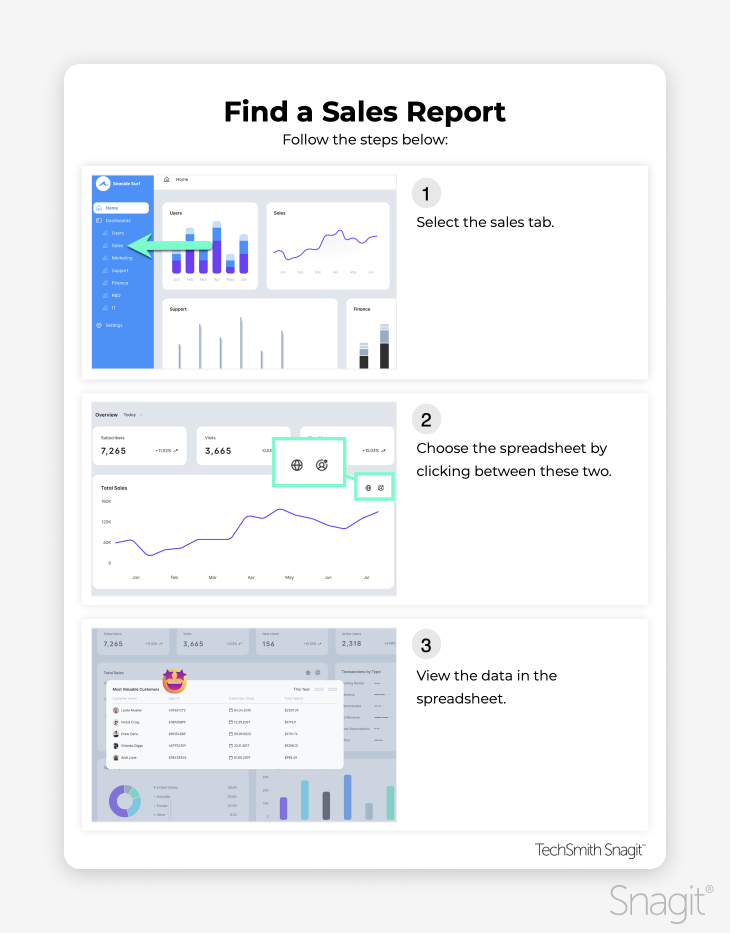
Snagit stands out with its rich set of professional-grade features for grabbing, marking up, and sharing what’s on your screen.
This tool goes beyond basic screenshot capabilities, offering a complete package for creating visual documentation and tutorials.
Users love how Snagit handles scrolling captures—you can grab entire web pages or long documents in one go, even content that extends beyond what’s visible on your screen.
Snagit greatly enhances my ability to communicate effectively with both my team and clients. When addressing various issues, I can quickly capture screenshots or record videos to illustrate points that might be complicated to explain in words alone. This is particularly beneficial when showcasing bugs to developers; visual evidence makes it easier for them to understand and resolve problems promptly.
📖 Also Read: Free Work Instruction Templates in Word and ClickUp
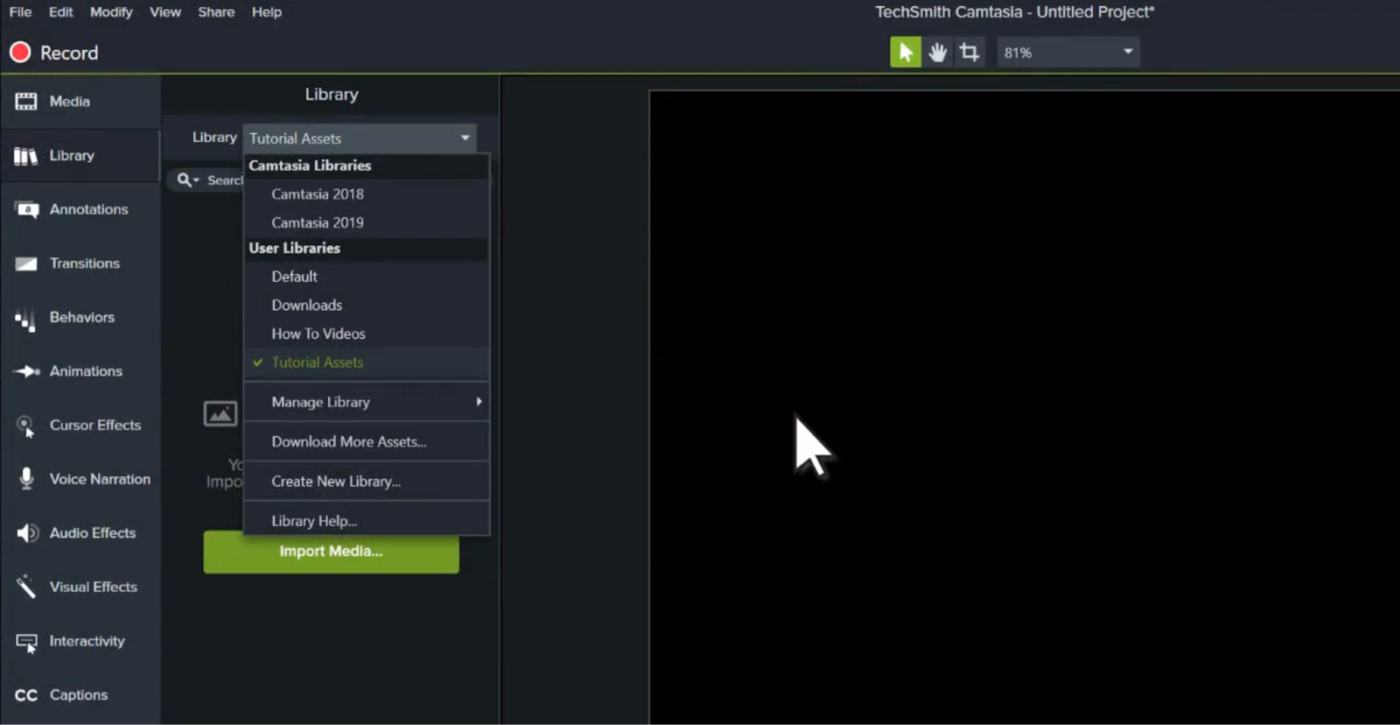
Want to make polished, professional training videos without spending hours figuring out complex editing software? Meet Camtasia.
It can help you record crystal-clear screen captures, add engaging visual elements, and create studio-quality audio narration—all through an interface that doesn’t require a film degree to understand.
A standout feature? Audiate, which turns your voice recordings into editable text. You can fix those awkward ‘ums’ and ‘ahs’ as quickly as editing a Word document.
What I love most about Camtasia is its user-friendly interface. It’s incredibly intuitive, which makes it easy to start editing videos right away without a steep learning curve. The drag-and-drop functionality and the array of built-in effects and transitions help me create professional-quality videos quickly.
Our deep dive into top Tango alternatives highlights diverse strengths—from intuitive screen recording to comprehensive workflow management. The key is finding a tool that fits your existing workflow without adding complexity.
Consider your needs: Are you creating video tutorials for remote employee training, documenting SOPs, or managing multi-team workflows? The right platform should support these tasks while keeping things simple.
If you need a unified workspace to create, organize, and share all your team’s processes, ClickUp is the perfect choice. With features like ClickUp Brain, ClickUp Docs, and ClickUp Clips, it streamlines documentation and keeps everything easily accessible.
Try ClickUp today—for free!

Manasi Nair
Max 26min read
Manasi Nair
Max 26min read
Manasi Nair
Max 20min read

© 2026 ClickUp