






Still downloading templates?
There’s an easier way. Try a free AI Agent in ClickUp that actually does the work for you—set up in minutes, save hours every week.
Sorry, there were no results found for “”
Sorry, there were no results found for “”
Sorry, there were no results found for “”

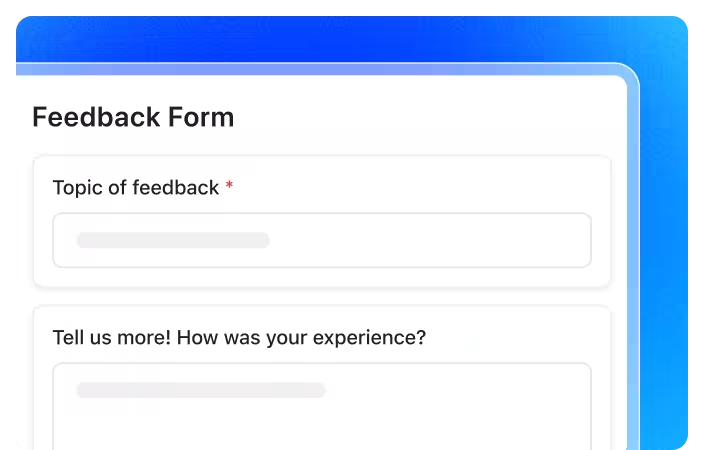
Are you on the hunt for a form builder that goes beyond the basics?
While Tally Forms offers a simple, fuss-free approach, marketers, startup teams, product managers, operations leads, and solo entrepreneurs often need more advanced features.
Think seamless integrations, powerful automation, and a slicker user interface. If you’re looking to elevate your form building, capture richer data, or streamline your workflows, you’ve come to the right place.
We’ve compiled a list of the 10 best Tally Forms alternatives that offer tools for everything from intricate surveys and lead generation to event registrations and payment collection.
And no, you don’t need coding knowledge for these!
When you’re ready to step up your form-building game beyond what Tally Forms offers, it’s smart to know exactly what bells and whistles truly make a difference.
First rule? Do not equate a complex form with an advanced form!
Instead, here are some key aspects worth considering:
✅ Advanced logic and dynamic fields: Look for capabilities that let your forms “think.” This means showing or hiding questions, skipping sections, or even altering the form’s flow based on a user’s previous answers
✅ Deep customization and branding control: Your forms are an extension of your brand. Seek alternatives that allow extensive visual tweaks, including custom fonts, colors, layouts, and the crucial option to use your own custom domains
✅ Seamless integrations and powerful automation: Data isn’t valuable if it’s stuck in a silo. The best alternatives connect effortlessly with your CRM, email marketing platforms, project management tools, and other business apps. Even better, they should let you automate workflows directly from form submissions
✅ Robust reporting and analytics: Go beyond simple response counts. A strong alternative provides dashboards, charts, and insights into form performance, allowing you to identify trends, pinpoint drop-off points, and understand your data
✅ Secure payment collection: If you’re selling products, collecting event fees, or managing subscriptions, built-in, secure payment processing is a must-have feature. Look for direct integrations with popular payment gateways
✅ User experience (UX) for both creator and respondent: A great form builder is intuitive for you to use, with a clean drag-and-drop interface. Equally important, the forms it creates should be engaging, mobile-responsive, and simple for your audience to complete, boosting completion rates
✅ Compliance and security features: For sensitive data, ensure the tool offers necessary certifications like HIPAA, GDPR, or PCI compliance, alongside features like CAPTCHA and data encryption to protect information
📖 Also Read: How to Use AI for Data Analysis (Use Cases & Tools)
Our editorial team follows a transparent, research-backed, and vendor-neutral process, so you can trust that our recommendations are based on real product value.
Here’s a detailed rundown of how we review software at ClickUp.
Before we get into the details, here’s a quick cheat sheet to help you find the right fit:
| Tool name | Key features | Best for | Pricing |
| ClickUp | Dynamic forms, automation, AI insights, custom branding, direct task creation | Automated, end-to-end workflows | Free forever plan; Customizations available for enterprises |
| NoteForms | Notion integration, conditional logic, custom branding, notifications | Capturing Data into Notion databases | Free plan available; Paid plans start from $24/month |
| Typeform | Conversational forms, logic jumps, rich media, analytics | Conversational forms | Free plan available; Paid plans start from $29/month |
| Jotform | 10,000+ templates, payment integrations, multi-page forms, PDF editor | Extensive template options | Free plan available; Paid plans start from $39/month |
| Google Forms | Unlimited forms, Sheets integration, collaboration | Simple data collection | Free plan available; Paid plans start from $6/user/month |
| SurveyMonkey | Advanced logic, AI analysis, integrations, multilingual | Advanced survey insights | Free plan available; Paid plans start from $99/month |
| Formstack Forms | HIPAA/PCI/GDPR compliance, workflow automation, analytics | Secure, compliant workflows | Free 14-day trial; Paid plans start from $99/month |
| Zoho Forms | Mobile-responsive, approval workflows, payments | Zoho suite integration | Free plan available; Paid plans start from $12/month |
| Formsite | Drag-and-drop, SSL/PCI/HIPAA compliance, visual reports | Secure forms, operations | No free plan (14-day trial); Paid plans start from $24/month |
| Cognito Forms | Advanced calculations, e-signatures, portals | Advanced calculations | Free plan available; Paid plans start from $19/month |
👀 Did You Know? As early as the 12th century in England, lawyers and clerks used printed collections of sample documents—called form books—to draft pleadings, writs, contracts, and other official texts. These acted as standardized templates to save time and ensure accuracy, and eventually led to the proliferation of pre‑printed legal forms by the 17th century!
Let’s take the time to explore a few of these Tally alternatives—many offer free trials or generous free plans—to see firsthand how they can transform your data collection efforts and empower your business. Here we go!
Imagine a world where the data you collect doesn’t just sit in a spreadsheet, but instantly sparks action, creates projects, and even offers intelligent insights. That’s the powerful reality with ClickUp, the everything app for work!
Building a Form in ClickUp is refreshingly simple and intuitive. With a drag-and-drop interface, you can quickly create forms tailored to your needs—whether you’re collecting customer feedback, managing service requests, or running internal surveys. You can add your own branding, choose from a variety of question types, and map each response to be captured in a specific manner.

When a user submits a response, it instantly becomes a ClickUp Task, with key data mapped into specific Custom Fields, complete with all the details you need—making it easy to track, assign, and manage right from your dashboard.
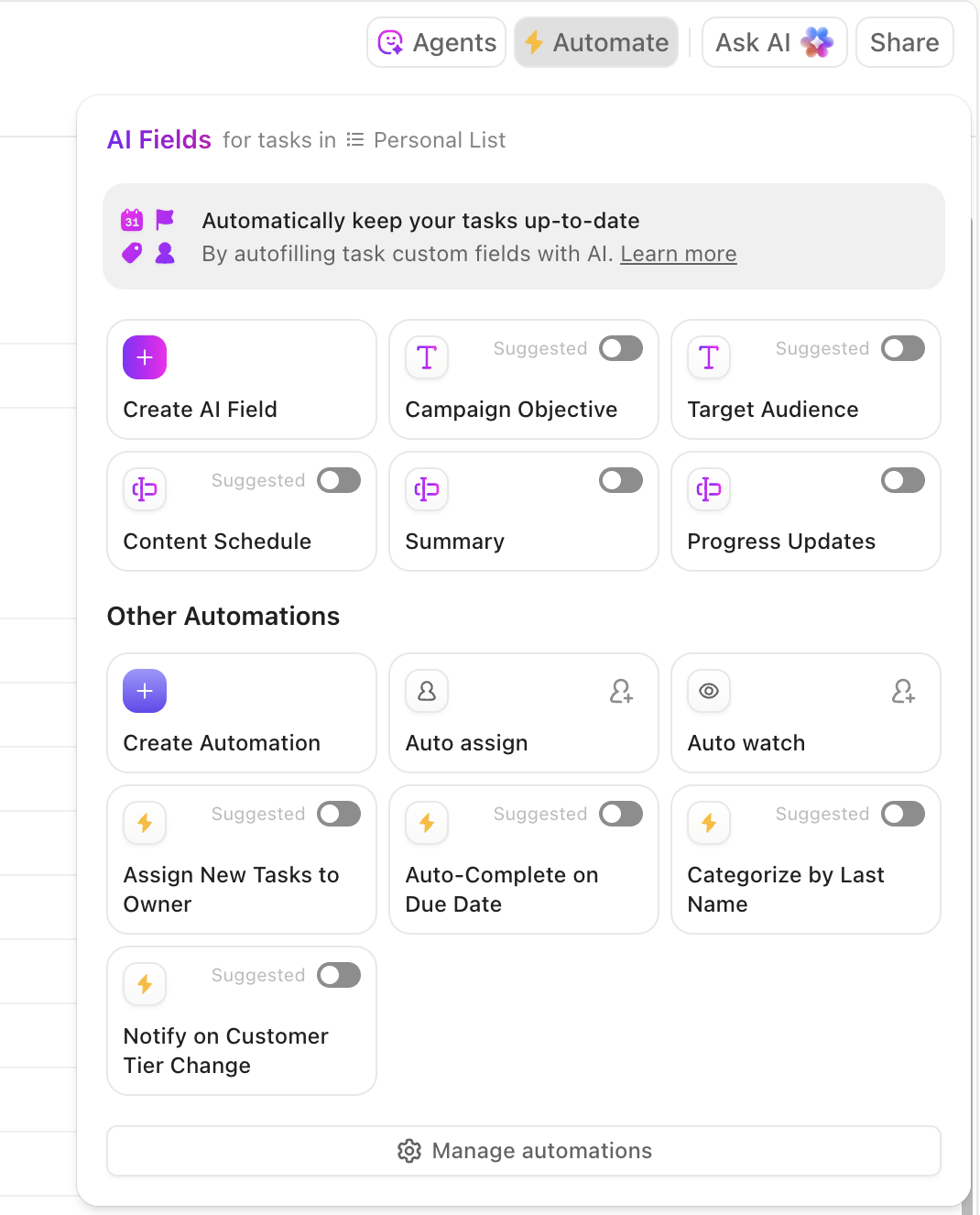
But the real magic happens with ClickUp Automations. You can set up powerful triggers so that, as soon as a form is submitted, tasks are automatically assigned to the right team member or prioritized based on the information provided. For example, if a survey response is marked as “urgent,” ClickUp can instantly flag it as high priority and notify the appropriate person.
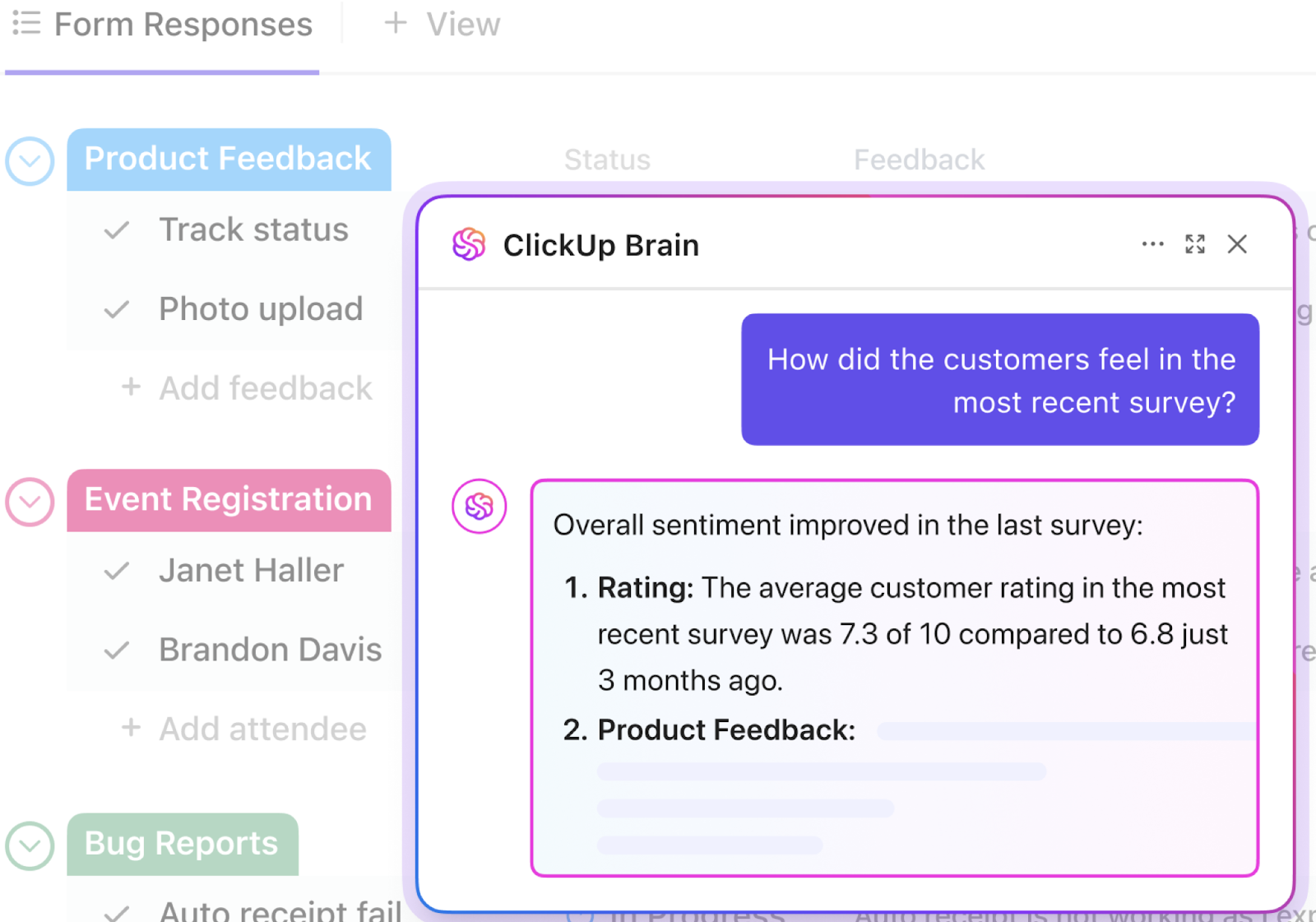
And if you ever need a hand drafting a survey from scratch or making sense of all the responses you’ve collected, ClickUp Brain is ready to help.
This AI-powered assistant can generate survey questions, analyze your form data, summarize feedback, and even surface key trends or action items. Whether you’re starting with a blank slate or looking to extract insights from a mountain of responses, ClickUp Brain makes the whole process smarter and more seamless—so you can focus on what matters most.
And that’s how you create an end-to-end, automated forms workflow without 10 integrations, folks! If you want some help getting started, try this Simple Form Template by ClickUp!
A user review says:
When I set up our first ClickUp automation, it was like a lightbulb moment. Now, with something as simple as adding a tag, the entire subtask template applies automatically. We no longer waste time digging through subtasks or worrying that someone forgot a crucial step.
We’ve also added automations that assign tasks, update statuses, and send reminders; all small things on their own, but together they’ve completely streamlined how we operate. It’s not just about saving time (though we definitely do); it’s about creating a smoother, less stressful environment where the team can focus on doing their best work without getting bogged down by admin.
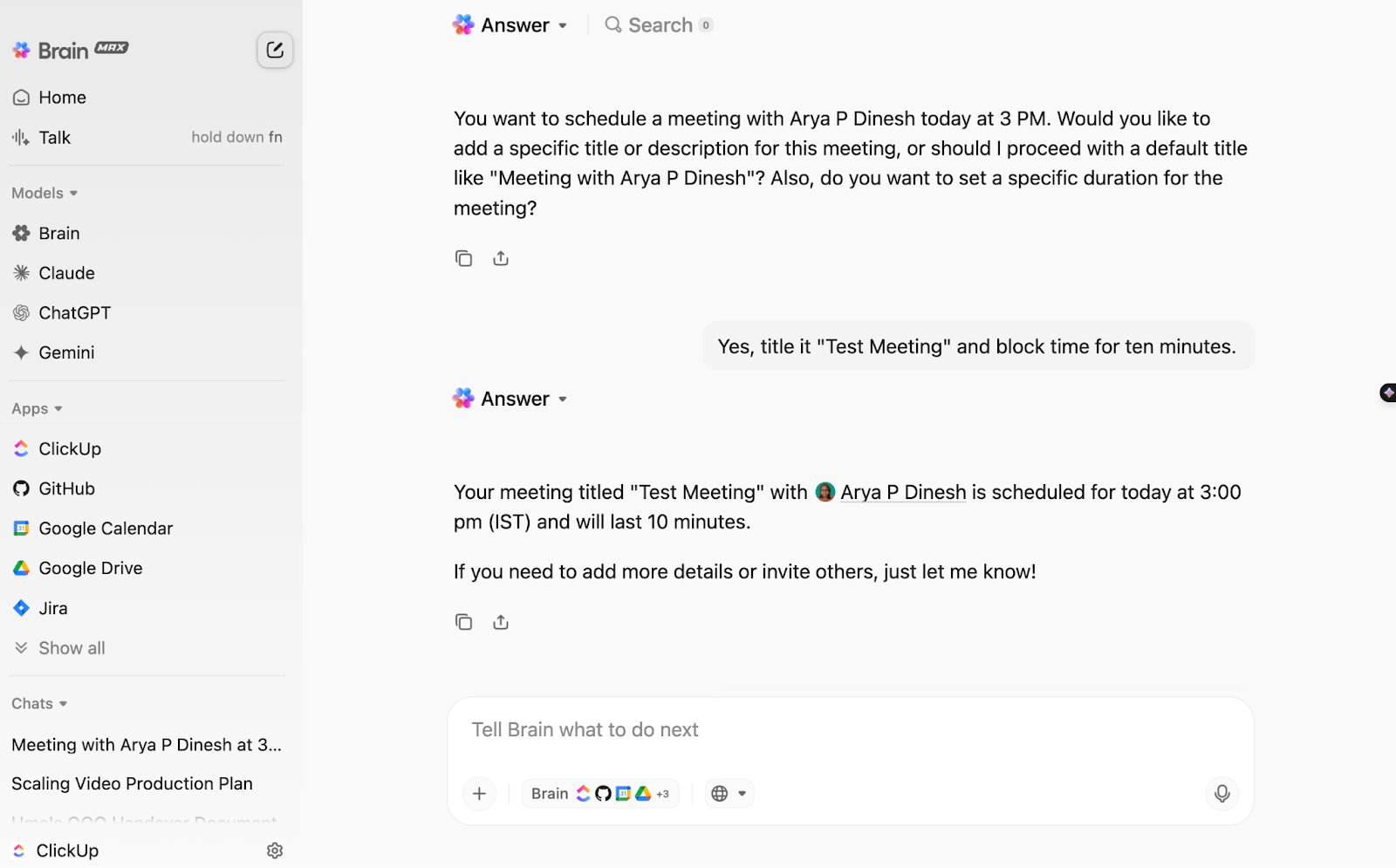
💟 Bonus: As your dedicated desktop AI companion, Brain MAX streamlines every step of your form workflow. Just speak your requirements with talk-to-text, and MAX will help you draft questions, locate and pull in relevant data from all your connected apps, and instantly summarize responses once the survey is complete.
It also gives you access to multiple LLMs for advanced reasoning and content generation, letting you build, analyze, and optimize forms faster and smarter—all in one place.
💡 Pro Tip: Are you part of a QA team trying to collect UX feedback or NPS? Check out these forms for software teams!
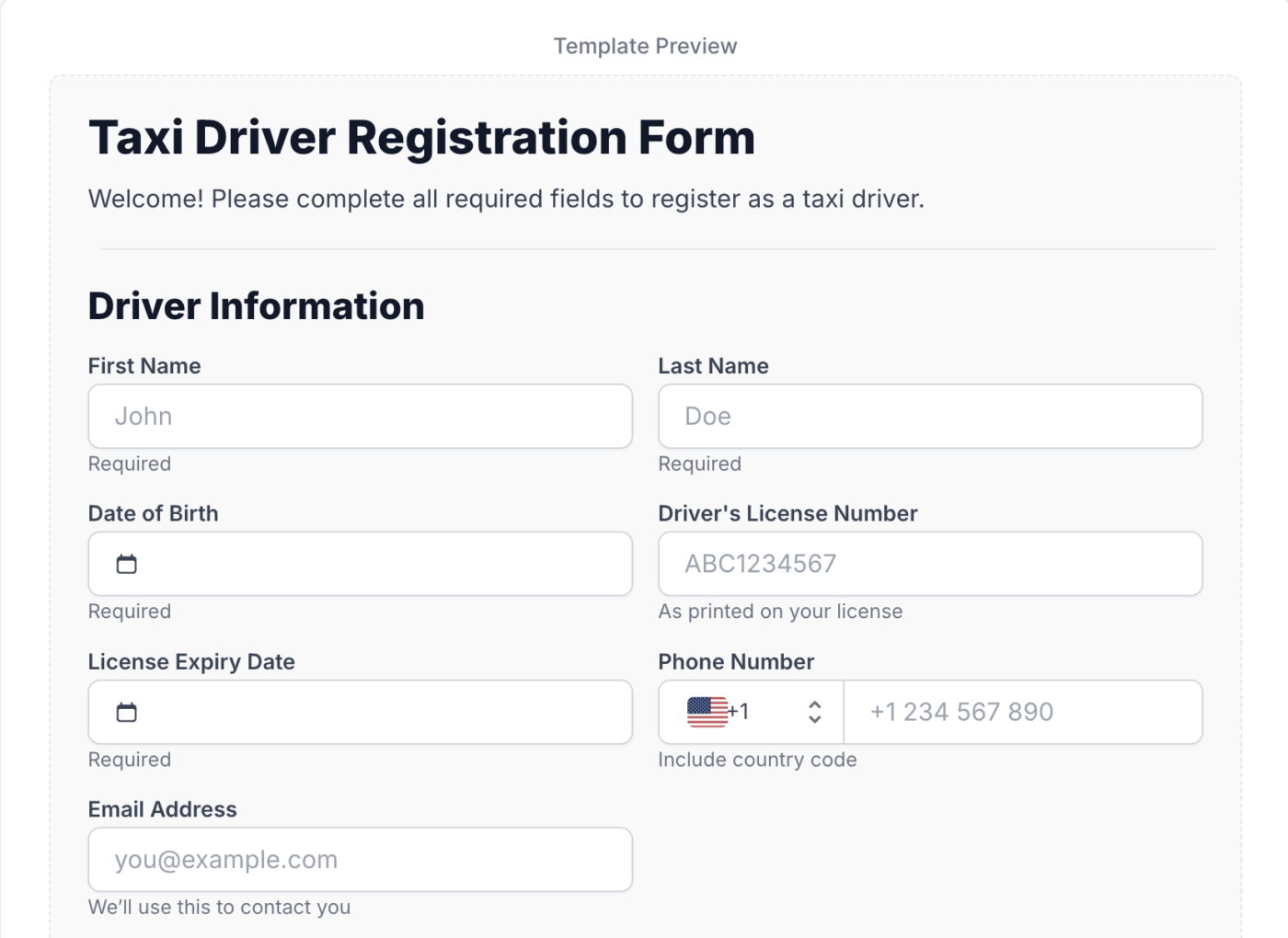
If your team lives and breathes in Notion, NoteForms is a game-changer for form building. It allows you to create elegant, branded forms that automatically populate your Notion databases, eliminating manual data entry and ensuring all your information is organized where you need it most.
This is particularly appealing for solo entrepreneurs, startup teams, and product managers who use Notion as their central hub for everything from CRM to content planning. Forget about clunky integrations; NoteForms makes the connection feel native, offering a significant step up from basic form-building tools.
A user review reads:
Tried Notion Forms for internal requests and it’s super convenient if you’re already using Notion. The integration with databases is seamless and the UI is clean. Still a bit limited (no conditional logic or deeper customization yet), but a solid first version with a lot of potential.
💡 Pro Tip: If you still want to take the Excel route, we’ve got a step-by-step guide here on how to create a form in Excel
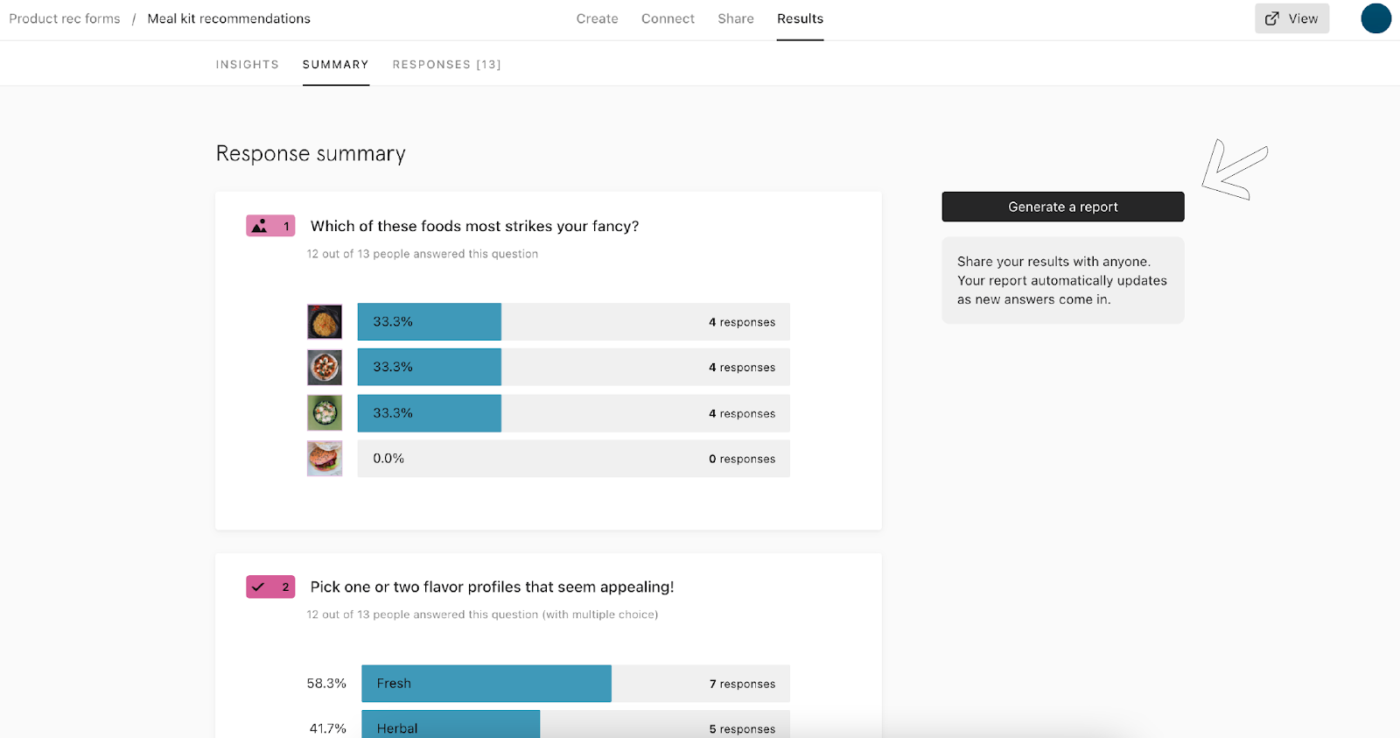
Looking to transform a basic form into an engaging conversation? That’s Typeform’s superpower. This platform fundamentally redefines form building by presenting questions one at a time, creating a visually elegant and highly interactive experience that connects with respondents.
For marketers focused on maximizing conversion rates or product managers seeking richer qualitative data, Typeform offers a refreshing alternative to traditional, static forms. It delivers a polished, human-centric approach that distinguishes it significantly from many Tally Forms alternatives, making every interaction feel thoughtfully designed and more appealing.
A user review says:
My overall experience with Typeform has been positive, especially due to its intuitive design, ease of use and ability to create visually appealing, engaging forms. It excels in providing a smooth, user-friendly experience for both creators and respondents. However, when working with a high volume of projects or complex workflows, certain limitations become apparent. The lack of advanced organizational tools, such as drag-and-drop functionality for duplicating projects across folders, can slow down productivity. I think something similar happen with the absence of bulk editing options for text or global settings for slides that can make repetitive tasks more tedious.
📖 Also Read: Free Feedback Form Templates
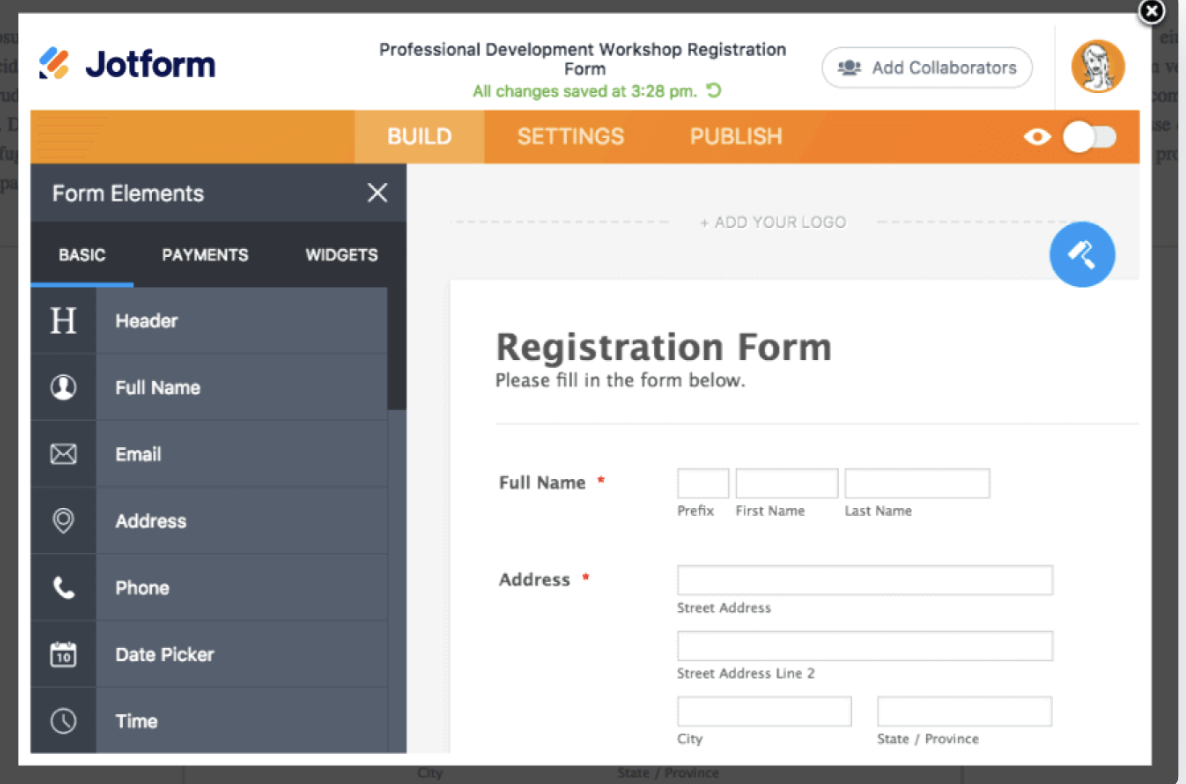
For teams that demand flexibility and a wide array of starting points, Jotform shines as a comprehensive form-building platform. The tool has over 10,000 ready-to-use form templates, enabling rapid deployment for virtually any purpose, from contact forms to job applications.
It moves far beyond Tally Forms’ capabilities by integrating advanced functionalities, like robust conditional logic, vast third-party integrations, and even a powerful built-in spreadsheet-like database called Jotform Tables.
This empowers users to manage and analyze submission data directly within the platform, transforming collected information into actionable insights rather than just raw entries.
A user review reads:
Jotform makes it easy and quick to create a simple form using drag and drop tools to collect data. We have used it to create forms for a variety of tasks including but not limited to: custom product order submissions, info requests on our websites, new account registration submissions, waiver signatures, proof approvals, etc. I love that forms/submissions can be integrated with a multitude of applications to streamline our processes even more. For example, we integrate most of our forms with Google Sheets to automatically create a running spreadsheet with submission info. We also integrate some forms with Adobe Sign, which makes collecting signatures a breeze.
📮ClickUp Insight: The average professional spends 30+ minutes a day searching for work-related information—that’s over 120 hours a year lost to digging through emails, Slack threads, and scattered files.
An intelligent AI assistant embedded in your workspace can change that. Enter ClickUp Brain. It delivers instant insights and answers by surfacing the right documents, conversations, and task details in seconds—so you can stop searching and start working.
💫 Real Results: Teams like QubicaAMF reclaimed 5+ hours weekly using ClickUp—that’s over 250 hours annually per person—by eliminating outdated knowledge management processes. Imagine what your team could create with an extra week of productivity every quarter!
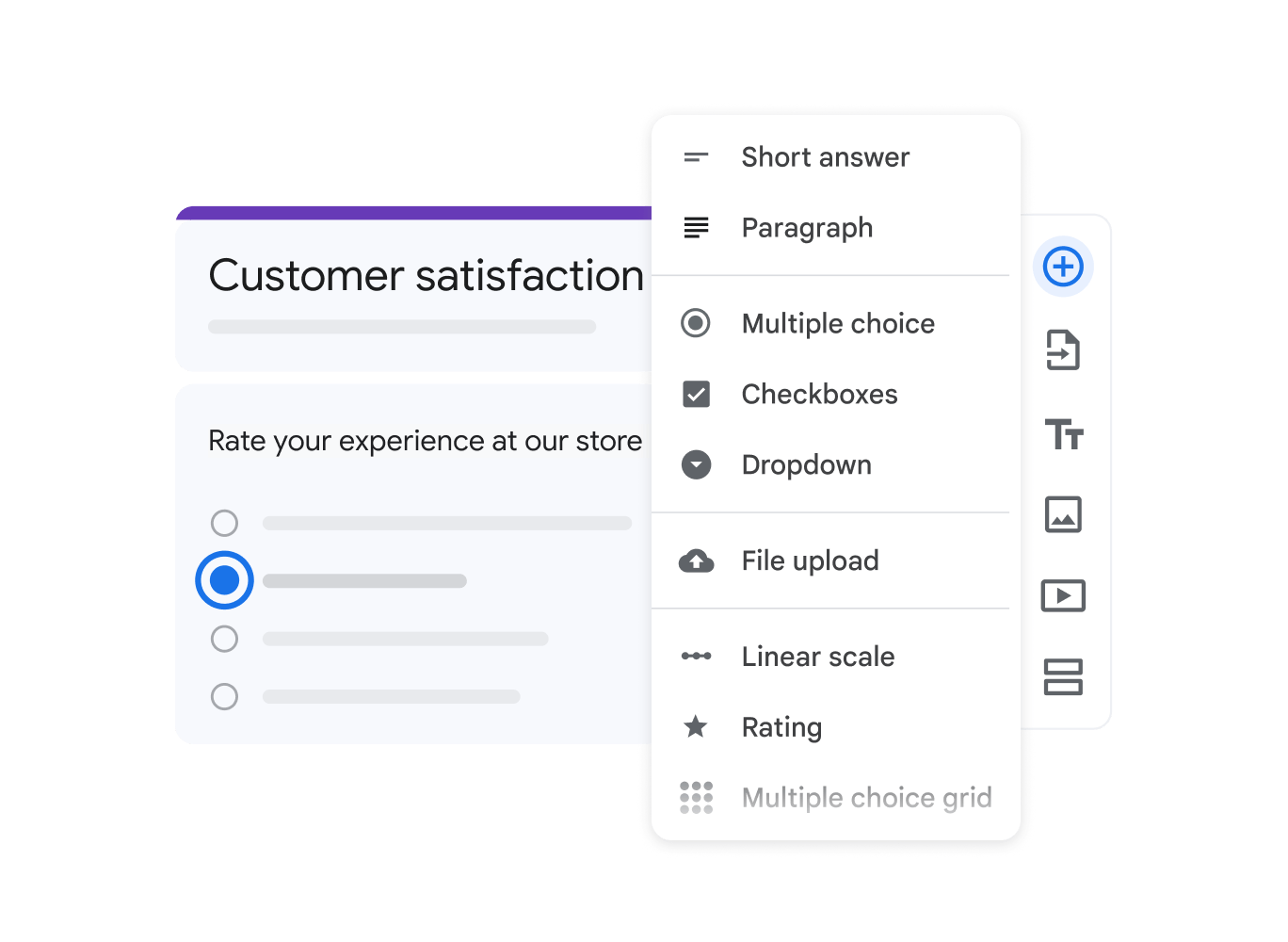
When the requirement is straightforward data gathering without any cost, Google Forms is an unbeatable solution. Deeply embedded within the Google Workspace, this tool allows anyone with a Google account to create surveys, quizzes, or feedback forms rapidly and without fuss.
Its core strength lies in its ease of use and real-time collaborative capabilities, making it a favorite for educators, small community groups, or solo entrepreneurs who need quick information collection and effortless sharing.
While it doesn’t have many of the advanced features or extensive customization offered by premium form-building platforms, Google Forms consistently delivers reliable results, proving invaluable for budget-conscious users.
A user review reads:
Overall I am pleased with the ease of use, the automation features (refering to setting up an email being sent after a person fills out the form), the use of Google sheets, since I am familiar with this too. I am also able to connect with other tools like Zapier for further automation.
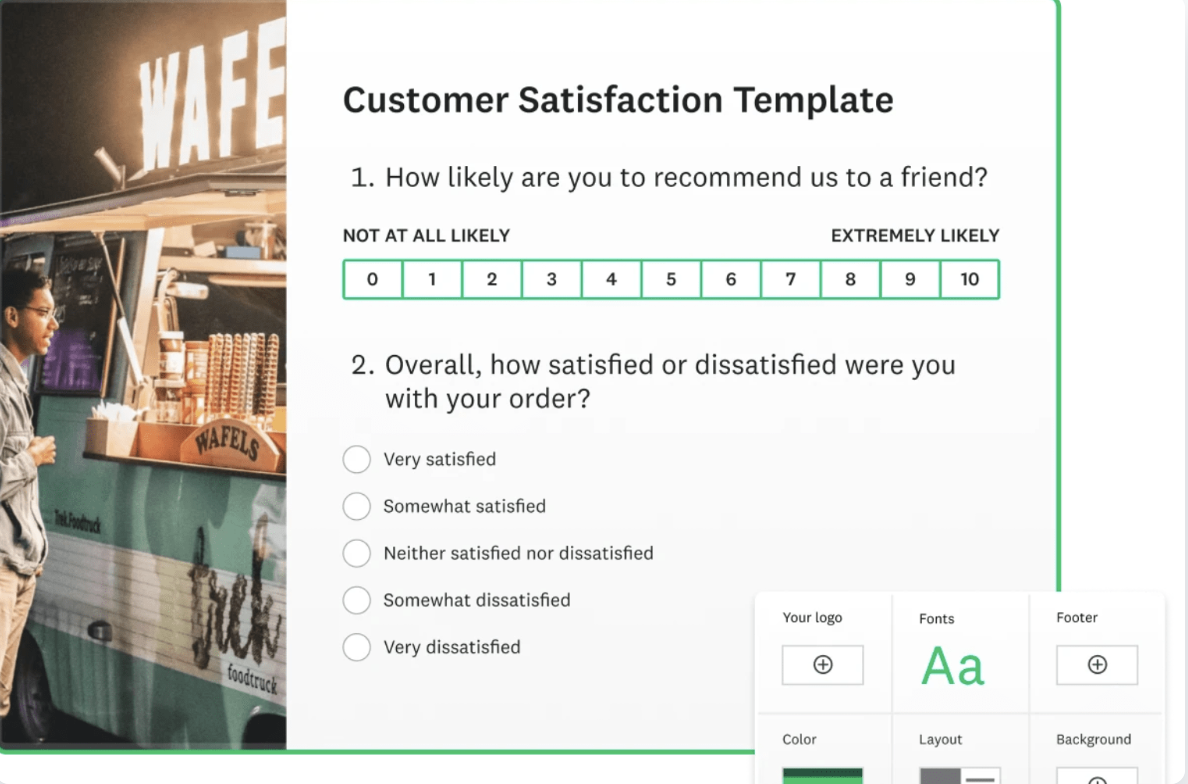
Ever wonder what your customers really think? Or need to get the pulse of your market without a huge headache?
SurveyMonkey is basically the seasoned pro of the survey world, perfect for teams who need to dig deep into feedback. It lets you design professional surveys using a giant library of templates written by experts, plus tons of question types, including cool things like ranking options and specialized NPS (Net Promoter Score) questions.
Additional features include “skip logic” (where questions change based on previous answers), “piping” (inserting past answers into new questions), and “randomization” to make surveys feel really personal and engaging. For marketers, product managers, or anyone doing serious research, SurveyMonkey gives you the powerful tools to collect the most relevant data.
Note: More paid annual tiers are available on the site
A user review says:
I wish there was more AI support. From what I have tried thus far, the AI options are helpful for getting started, but once a template is created, its not the most easy to adjust or make tweaks within the AI prompt.
📖 Also Read: SurveyMonkey Alternatives and Competitors
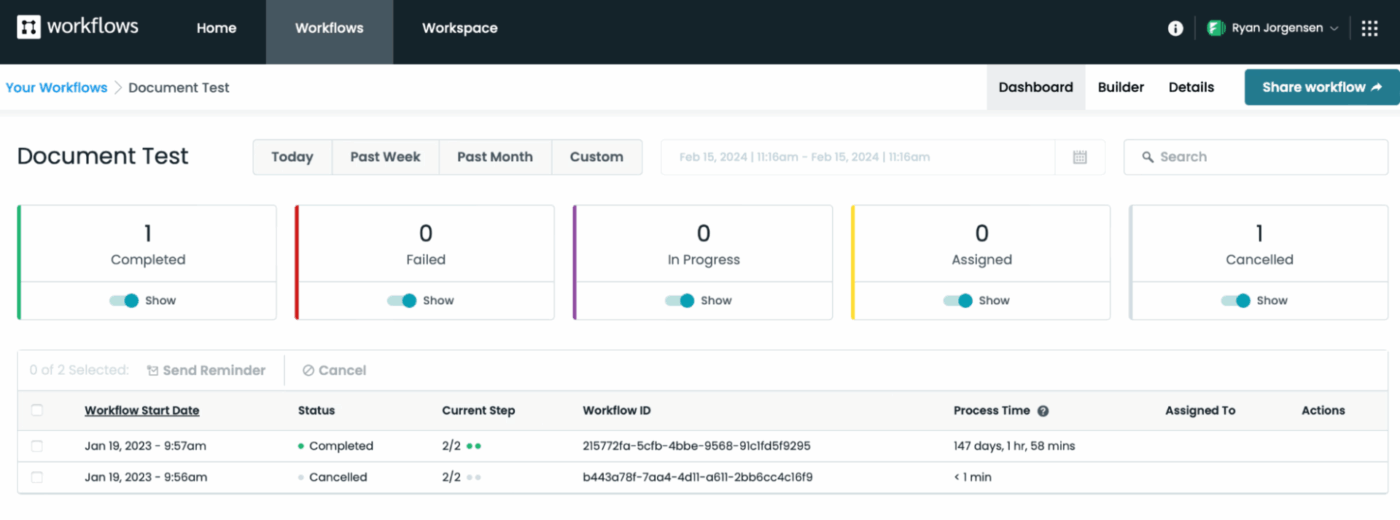
Do you consider data security and regulatory compliance absolute necessities? Then Formstack Forms stands out as a robust solution. This platform is built with a strong emphasis on protecting sensitive information, offering certifications like HIPAA and PCI compliance, making it invaluable for healthcare, finance, or legal sectors.
It goes beyond simple form building, empowering operations teams and enterprises to create smart workflows where collected data automatically triggers next steps, e-signatures, or document generation. Formstack offers a serious upgrade from Tally Forms by ensuring your forms are not only secure but also deeply integrated into your crucial business processes.
A user review reads:
Formstack has implemented strict security measures to safeguard sensitive data, whether it is being collected, shared, or stored. Security passwords can be used to encrypt data and guarantee that only individuals with the proper authorization can access particular data. Additionally, workflow approval is in place, so users may only access the form through authorized inputs. Users are able to closely monitor and keep track of every form entry thanks to this.
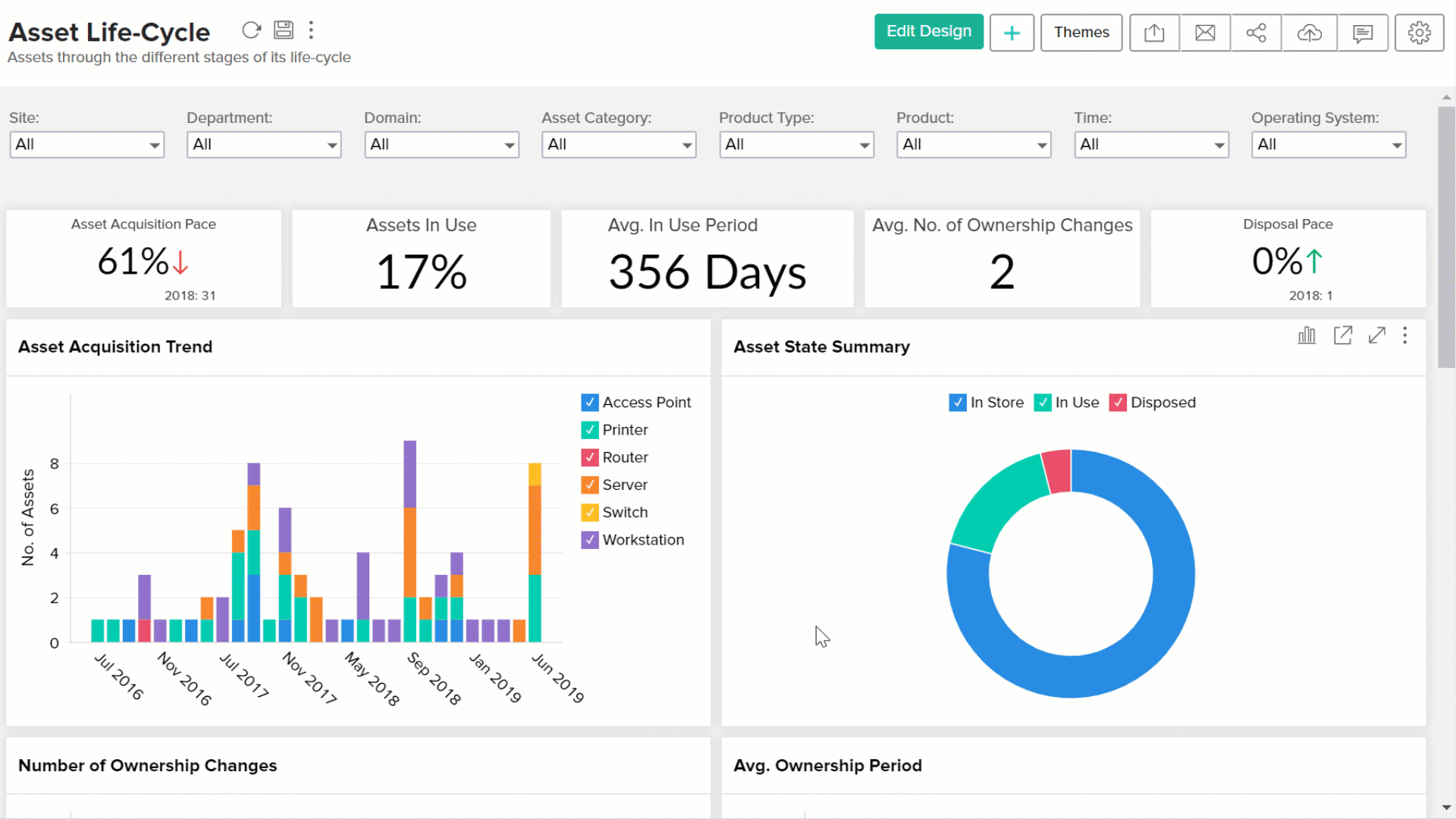
Zoho Forms may feel like an extension of your existing business operations, especially if you’re already using other Zoho products. It works best as part of a larger ecosystem, designed to make data flow effortlessly across your CRM, marketing, and support tools.
Compared with the basic capabilities of many Tally Forms alternatives, the tool offers a rich feature set, such as multi-page forms, save-and-resume options for respondents, and complex conditional logic to create highly dynamic and user-guided form experiences.
A user review reads:
Zoho system overall is very confusing as most of the tools need to be paid extra, when implementing the zoho form we had big confusion with zoho landing pages and also the clients personal account and work account. Causing him to pay twice for the same service, as we could not connect the personal account to the crm which was with his work account.
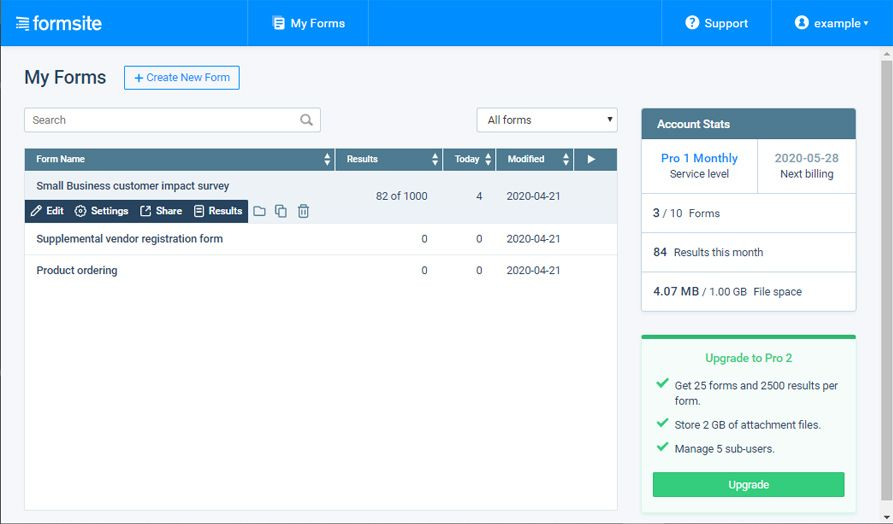
When it comes to gathering data securely and making it work effortlessly within your current business setup, Formsite is a name you can rely on. This platform isn’t new to the form building scene; it’s a seasoned veteran known for prioritizing top-notch security features like SSL encryption and PCI compliance, which are absolutely vital for businesses handling sensitive information.
This tool is a smart pick for operations leads and growing businesses, delivering a no-nonsense approach to secure, functional, and integrated data capture.
A user review reads:
Very easy to use and integrates with slack and other software. It helps with everything form sales orders to information gathering.
👀 Did You Know? In 1790, the very first U.S. Census (arguably the country’s first official government survey) was led by Mahlon Dickerson and overseen by George Washington’s brother, Samuel Washington. And guess what? It only asked for six data points—including how many “free white males over 16” were in your household.
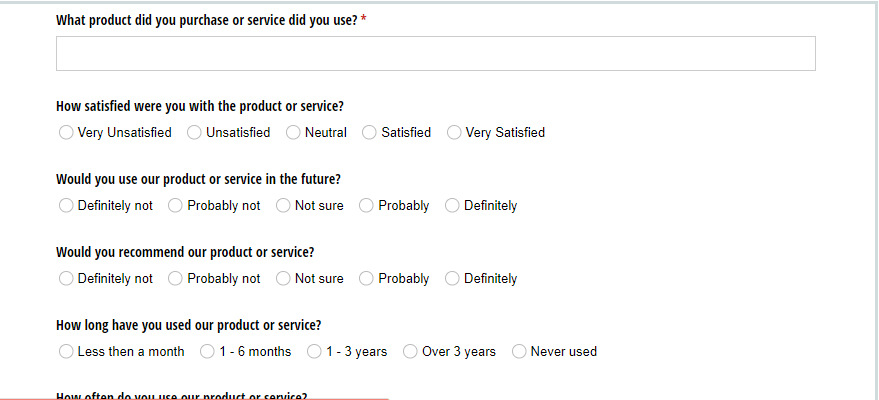
If your work involves complex calculations, intricate logic, or dynamic data interactions within your forms, Cognito Forms could be your ideal solution. This platform is a solid choice for product managers, operations leads, or solo entrepreneurs who need their form-building tool to do more than collect basic entries.
It excels at creating smart forms that can handle anything from pricing calculators to detailed order forms with conditional logic and repeating sections.
A user review says:
The possibilities is almost unlimited with this tool, it can be used as a to do list, as data collection method, storing, documenting, etc.
There you have it—a comprehensive look at some of the best Tally Forms alternatives available today. Whether your priority is deep customization, seamless automation, or robust integrations with your existing tech stack, there’s a form-building solution out there designed to meet your specific needs.
If you’re seeking a solution that truly unifies your data collection with your project management and automates workflows from every form submission, ClickUp stands out as a powerful contender. Its ability to turn form data directly into actionable tasks and insights within a single, integrated platform can significantly boost your team’s productivity and efficiency.
Ready to transform your form building and supercharge your workflows? Try ClickUp for free today!

© 2026 ClickUp

There’s an easier way. Try a free AI Agent in ClickUp that actually does the work for you—set up in minutes, save hours every week.