






Still downloading templates?
There’s an easier way. Try a free AI Agent in ClickUp that actually does the work for you—set up in minutes, save hours every week.
Sorry, there were no results found for “”
Sorry, there were no results found for “”
Sorry, there were no results found for “”
You open a blank doc, ready to write. Five minutes later, you’re still staring at the cursor, brain racing faster than your typing speed. Action points slip away, and suddenly writing feels like a chore.
Now imagine just talking it out—emails, meeting notes, even blog drafts—and watching your words appear instantly.
Ready to make it real? We’ve rounded up some of the best speech-to-text Chrome extensions to turn your voice into text for faster, more accessible work.
Let’s dive in! 🎤
Here’s a handy snapshot of top tools that’ll turn your voice into text with zero fuss:
| Tool | Best for | Best Features | Pricing* |
| ClickUp | Integrated voice notes and task documentation for small to large teams needing structured collaboration | ClickUp Brain MAX with voice typing, AI Notetaker for online meetings, Voice Clips, Docs, AI-context, task linking | Free forever; Customizations available for enterprises |
| Fireflies.ai | Auto-transcription and summaries of virtual meetings for professionals and teams with high meeting volume | Real-time transcription, AI summaries, multilingual, AskFred | Free; Paid plans start from $18/month |
| Tactiq | Live meeting transcription with ChatGPT summaries for teams needing shared meeting clarity and insight | Real-time captions, AI action items, follow-up drafting | Free; Paid plans start from $12/month |
| Speechnotes | Quick voice dictation across web pages for individuals or solo content creators | Floating mic, lightweight | Free; Paid plans start from $1.9/month |
| Notta | Fast, accurate transcriptions for small teams or individuals dealing with multiple languages | High accuracy, multi-lang conversion | Free; Paid plans start from $13.49/month |
| Transkriptor | Accurate transcription for diverse use cases for individuals or small teams needing affordability | 100+ supported languages, file upload, meeting capture | Free; Paid plans start from $19.99/month |
| Voice In | Dictation into any browser text field for individuals wanting quick solutions | Real-time voice recognition, universal text field support | Free; Paid plans start from $9.99/month |
| LipSurf | Browser control via voice for power and accessibility-focused users | Voice navigation, dictation commands, macro support | Free; Paid plans start from $4/month |
| MeetGeek AI | Automatic meeting capture + insights for teams seeking advanced solutions specifically for meetings | AI summaries, analytics dashboard, global search | Free; Paid plans start from $19/month |
| SpeechText.AI | Reliable browser-based transcription for solo users or teams needing quick transcription | Mic capture, instant downloads, browser audio | Free; Paid plans start from $10 for 180 transcription minutes |
Here’s what to look for in speech-to-text Chrome extensions:
🧠 Fun Fact: When IBM introduced the Shoebox in 1962, it could only recognize 16 spoken words and digits. Still, it was groundbreaking at the time and paved the way for modern voice dictation.
Here are our picks for the best speech-to-text Chrome extensions. 👇
Our editorial team follows a transparent, research-backed, and vendor-neutral process, so you can trust that our recommendations are based on real product value.
Here’s a detailed rundown of how we review software at ClickUp.
ClickUp is an all-in-one workspace where work, communication, and collaboration live together—all powered by AI. ClickUp Brain MAX extends that power to your desktop.
The desktop AI app brings advanced AI models like ChatGPT, Gemini, and Claude into one companion app, so you don’t have to bounce between tools. On top of that, it makes your entire digital world searchable—from ClickUp Tasks to Google Drive, GitHub, OneDrive, and more.
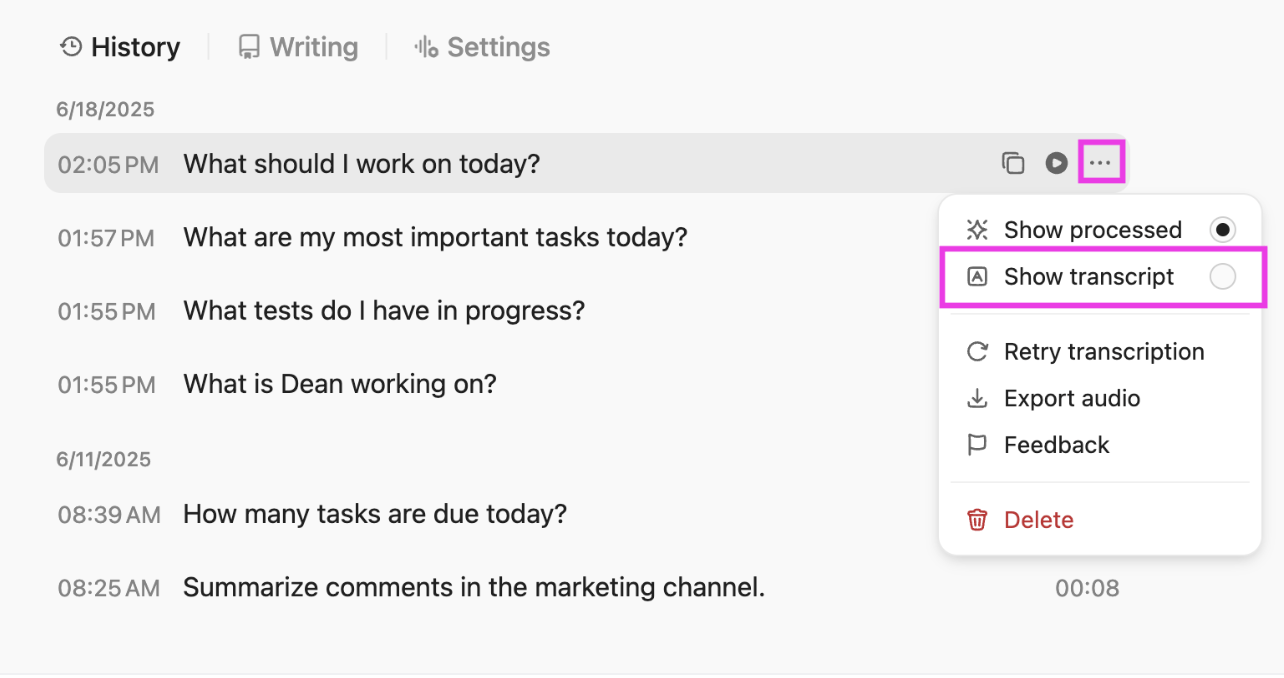
And one of its standout features? ClickUp Talk to Text, a speech-to-text solution that turns spoken words into action. It also polishes, contextualizes, and connects your ideas to the rest of your work.
Here’s what you can do with Talk to Text in ClickUp:
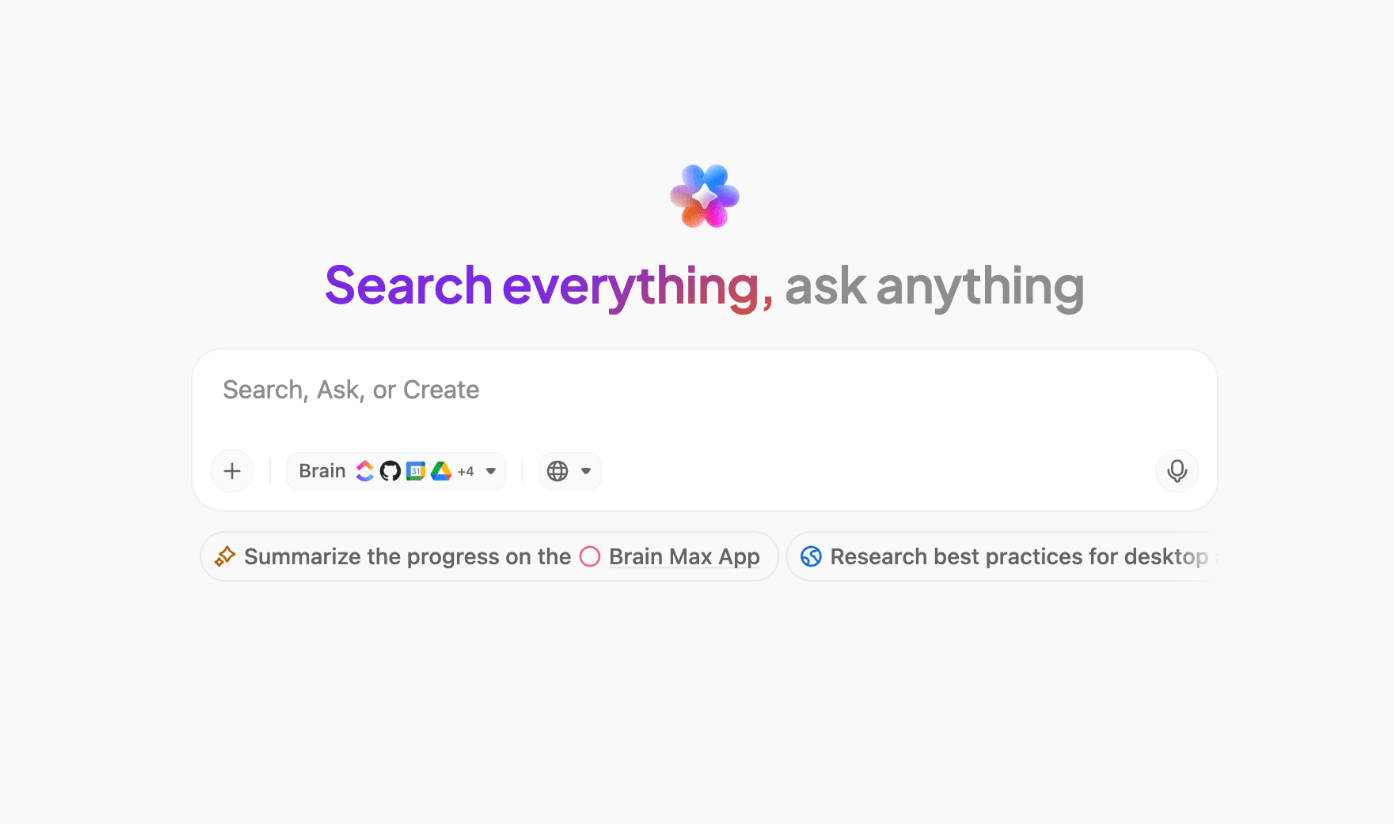
Say you’re drafting a YouTube script. Instead of typing, you open ClickUp Brain MAX, hit the shortcut key, and start dictating. Your rough speech is instantly polished into clean, camera-ready lines without losing the conversational tone.
As ideas flow, you can add bullet points, brainstorm hooks, or even assign editing tasks. Brain MAX automatically inserts @mentions for teammates or links to ClickUp Docs and tasks, so references become actionable right away.
Brain MAX is powered by the intelligence of ClickUp Brain, the core AI engine that runs through your workspace. It analyzes your tasks, docs, comments, and conversations to deliver context-aware responses.
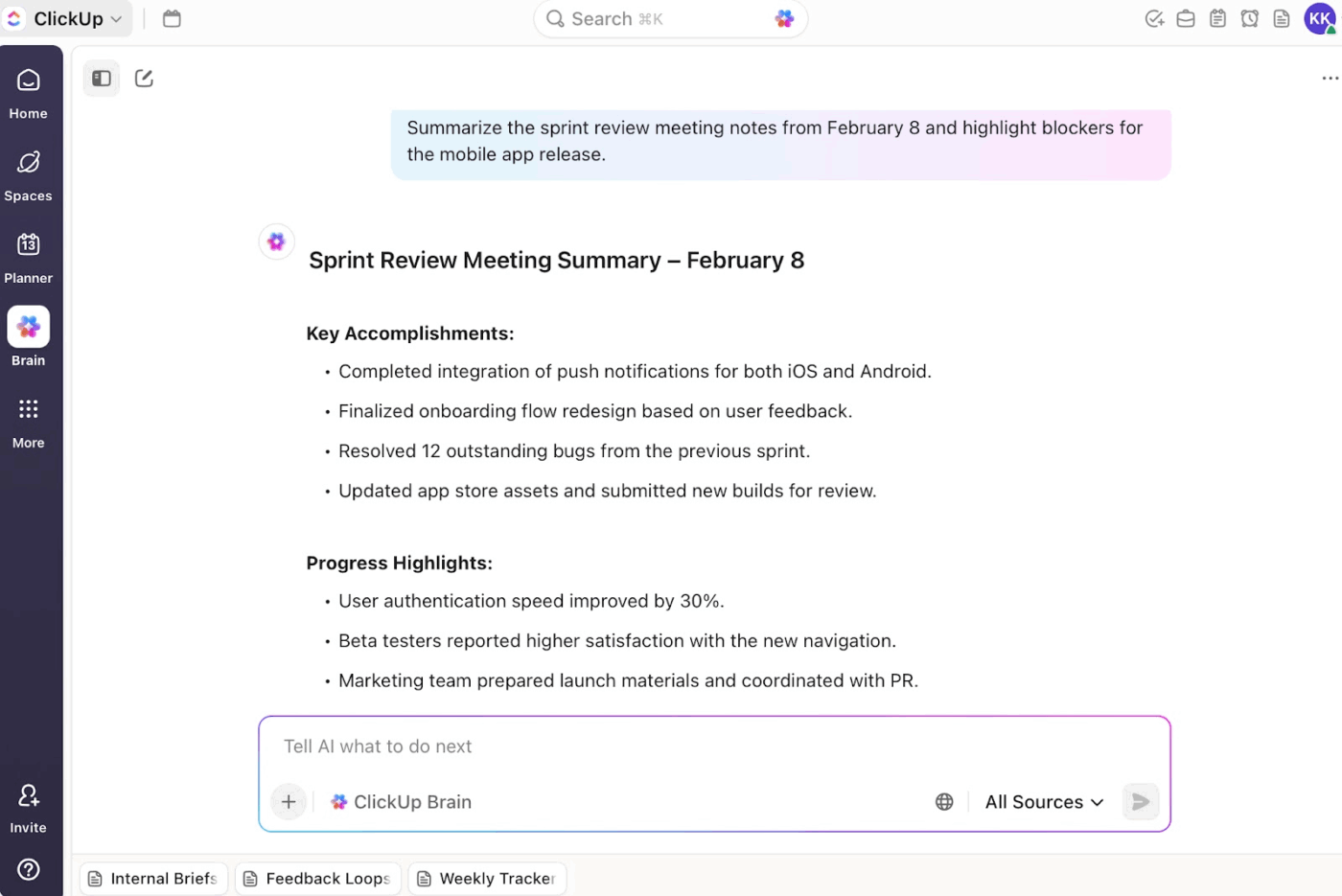
ClickUp Brain delivers instant summaries of long threads, docs, and updates so you see decisions, blockers, and next steps without combing through every detail.
And the best part? All those action items get turned into real tasks in ClickUp, so nothing is missed.
You can also ask questions—like ‘What’s blocking the website launch?’—and get contextual answers pulled directly from your workspace.
📌 Try these prompts:
Watch how ClickUp Brain makes transcription effortless in seconds. 🤩
A G2 review sums it up perfectly:
ClickUp brings everything I need for project management under one roof. Tasks, docs, goals and even chats. I really appreciate the ease of use and how smooth the ease of implementation was when getting the team onboarded. The number of features is impressive, and I can tailor workflows to match anything from a simple task list to a complex agile sprint. Despite it’s depth, The ease of integration with other tools keeps things connected without extra efforts. The dashboard gives me a bird’s eye view, which saves a lot of time when managing multiple projects. With the frequency of use being almost daily, I’ve also had good experiences with customer support, which has been responsive whenever I needed guidance.
📮 ClickUp Insight: According to our meeting effectiveness survey, 12% of respondents find meetings overcrowded, 17% say they run too long, and 10% believe they’re mostly unnecessary.
In another ClickUp survey, 70% of the respondents confessed that they would happily send a substitute or a proxy to the meetings if they could.
ClickUp’s integrated AI Notetaker can be your perfect meeting proxy! Let AI capture every key point, decision, and action item while you focus on higher-value work. With automatic meeting summaries and task creation assisted by ClickUp Brain, you’ll never miss critical information—even when you can’t attend a meeting.
💫 Real Results: Teams using ClickUp’s meeting management features report a whopping 50% reduction in unnecessary conversations and meetings!
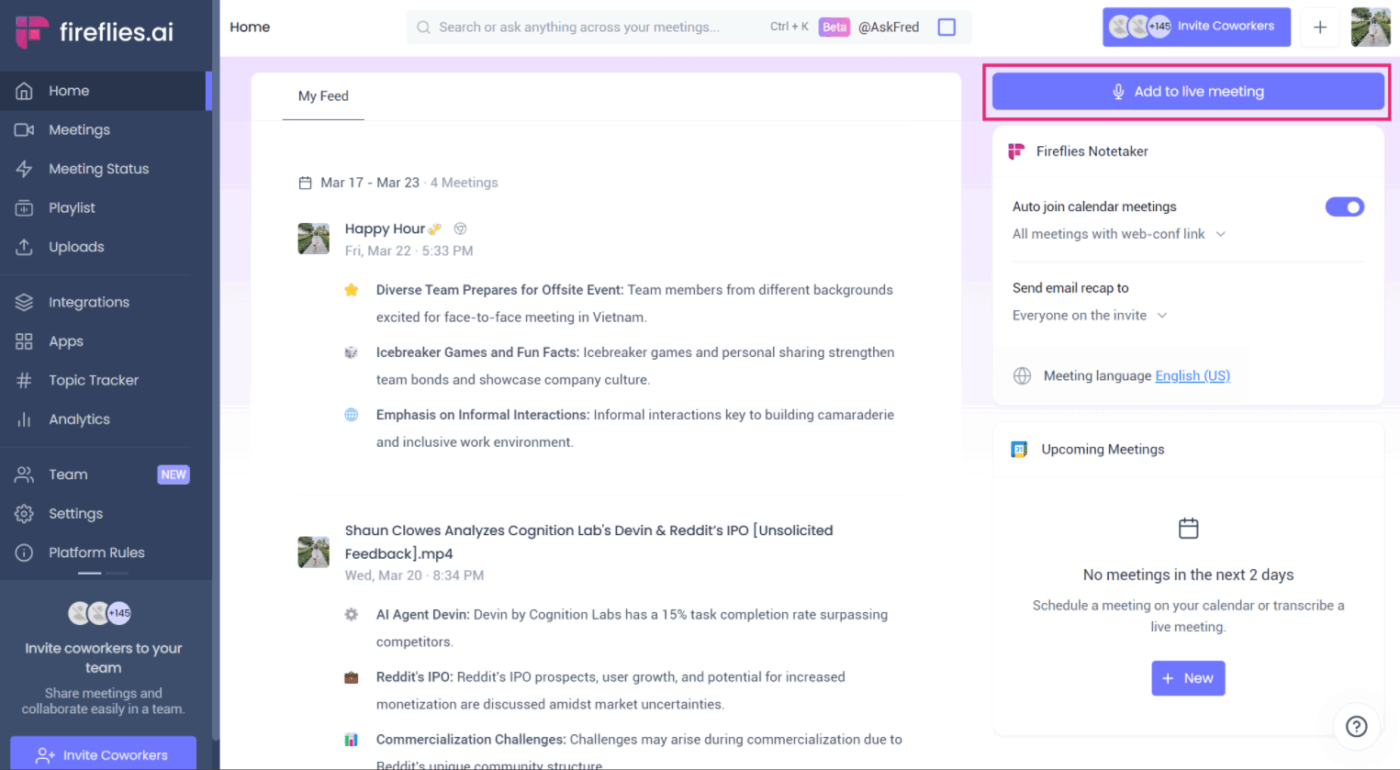
Fireflies.ai is an AI meeting assistant that doubles as an AI transcript summarizer within your browser. With its Chrome extension, you can capture everything discussed in Google Meet calls in real time without needing to invite a bot into the meeting.
This makes it especially useful for professionals who want accurate transcripts and actionable notes without interruptions.
Besides meeting transcripts and summaries, the AI meeting tool also provides meeting analytics, such as speaker talk time, topics discussed, participant sentiments, and so on.
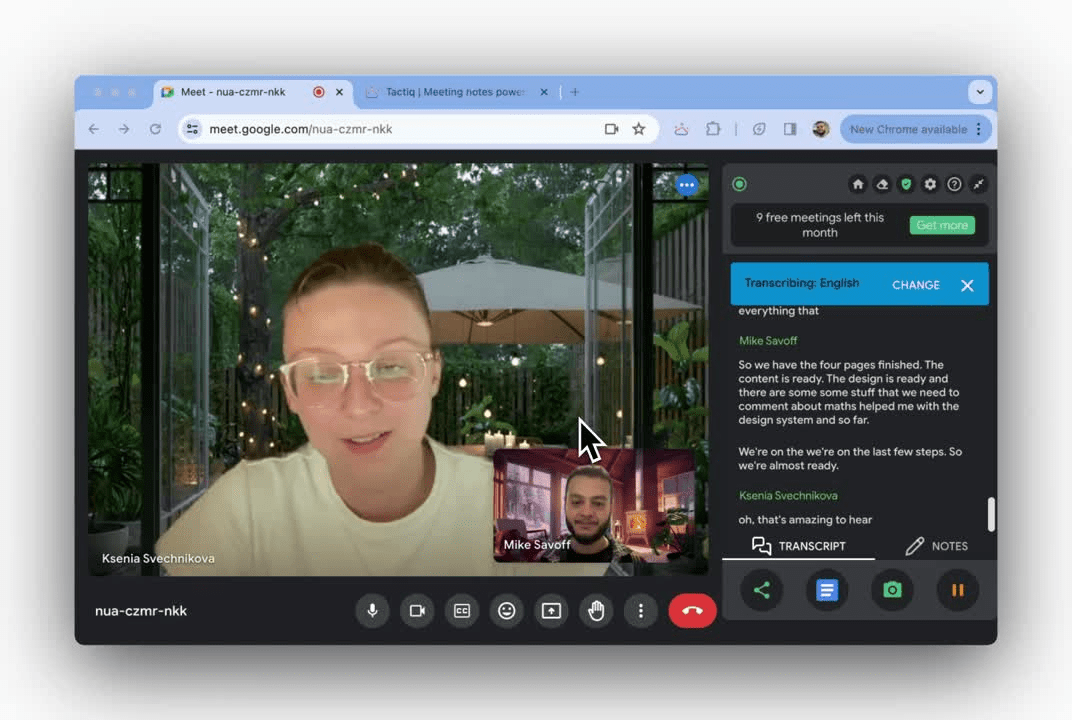
Developed by OpenAI, Tactiq simplifies live meeting transcription without compromising privacy. The transcription software gives you speaker-specific transcripts as the meeting unfolds, making it easier to attribute key points, decisions, and responsibilities to the right people.
You can transcribe live meetings across Google Meet, Zoom, and Microsoft Teams. Beyond basic transcription, Tactiq lets you search past conversations and export notes directly to tools like ClickUp, Notion, Google Docs, or Slack.
With its AI Workflows, you can also automate post-meeting tasks such as CRM or knowledge base updation, ticket creation, and more.
Here’s a quick insight from a G2 review:
Now we don’t need a human to transcribe the audio. We hire people to take notes and sometimes we miss the meeting recordings which are very difficult recall the minutes of meetings. It doesn’t catch some words and it needs more speech recognition. We speak Indian access and some of the words translate to something and else and the whole story changes.
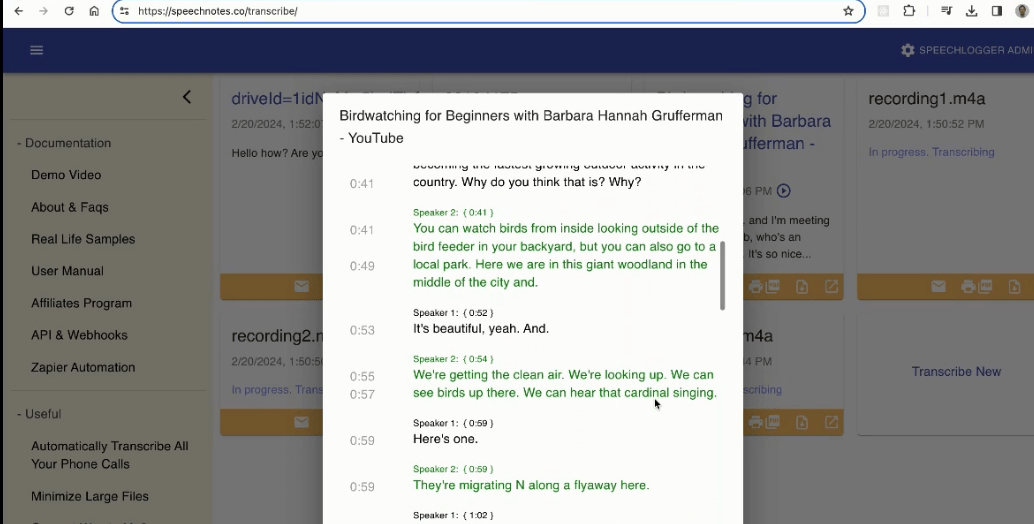
Speechnotes is a lightweight transcription and voice messaging tool designed for anyone who prefers speaking over typing.
Unlike heavier meeting-focused tools, Speechnotes works as an online notepad in your Chrome browser, letting you dictate notes, draft content, or record ideas in real time.
It’s especially popular with writers, students, doctors, and professionals who want an uncluttered, distraction-free space to capture thoughts without stopping to type. Beyond live dictation, Speechnotes also processes pre-recorded audio and video files into accurate transcripts within minutes.
🔍 Did You Know? Before 1997, dictation software required users to pause after every word. Then came Dragon NaturallySpeaking, the first commercially available system to support natural, continuous speech.
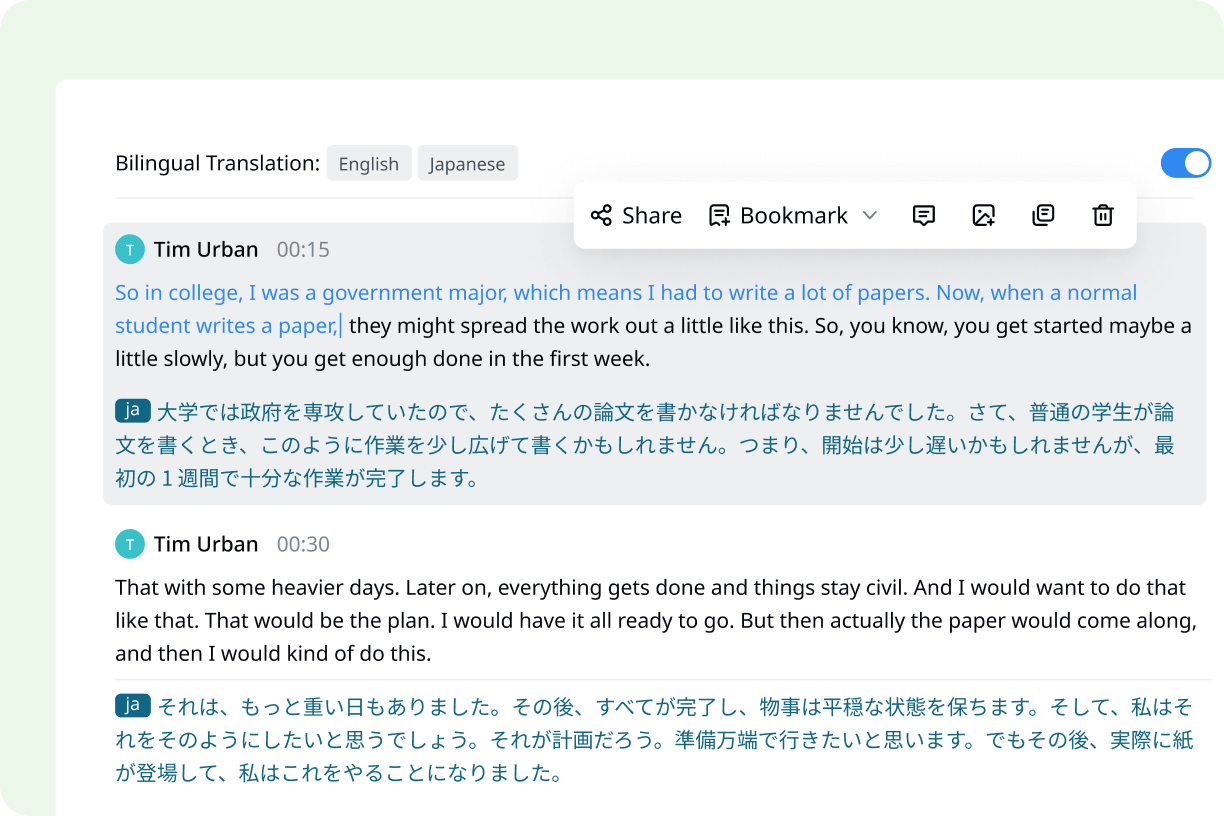
Notta positions itself as a complete meeting documentation hub. The standout advantage is its focus on bilingual and collaborative workflows. It allows you to transcribe and translate meetings into two languages simultaneously, helping diverse teams fully participate in conversations.
Pair that with its editing tools, one-click AI summaries, and seamless sharing to Slack, Notion, or Salesforce, and Notta cuts down the post-meeting grind.
As one G2 review puts it:
Quite accurate transcription even for different accents (e.g. South African english), it identifies speakers, creates quite good summaries which are a good basis. I still need to correct transcript mistakes, summaries are a good start but they leave some important info out.
📖 Also Read: Top Notta Alternatives for Accurate Transcription
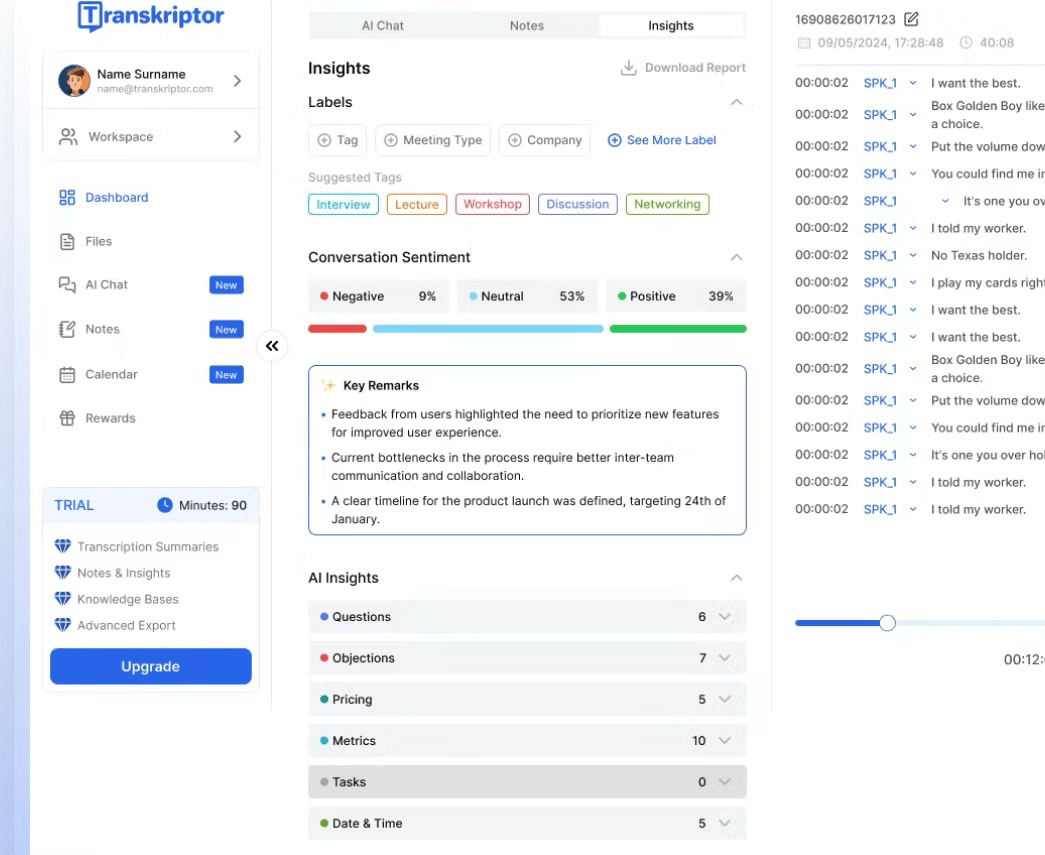
Transkriptor is designed for anyone who needs to capture spoken content from lectures, interviews, or presentations and quickly turn it into text. With coverage in over 100 languages, it’s a versatile choice for international students, journalists, and teams that deal with multilingual conversations daily.
It integrates with Zoom, Google Meet, and Microsoft Teams to record meeting transcripts. You can also extract insights such as speaker talk time and sentiment analysis from the transcriptions.
Plus, with its subtitle generator, audio translator, AI voice recorder, and podcast transcription, Transkriptor doubles as a content production tool that helps repurpose spoken content for wider distribution.
🔍 Did You Know? In 1952, Bell Labs built Audrey, one of the earliest speech recognition systems. It could only understand digits from zero to nine, and only when spoken by the person who trained it.
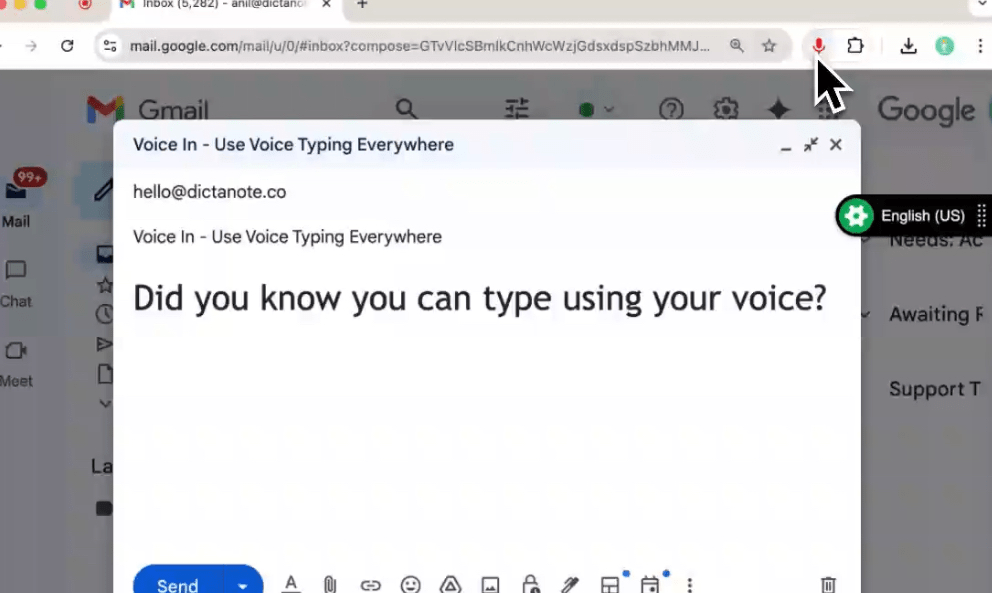
Voice In is a lightweight yet useful speech-to-text Chrome extension that lets you type anywhere on the web, using only your voice. If you want fast, accurate dictation without leaving your browser, Voice In is a reliable option.
The tool adapts to your workflow with built-in punctuation commands, automatic text formatting, and custom voice shortcuts. That means you can write emails, fill forms, draft blog posts, or even update CRM entries faster.
Take a look at this G2 review:
The best part about Voice In is that the Chrome extension works seamlessly across almost any website with editable text. One minor downside is that certain complex commands or industry-specific jargon sometimes get misinterpreted.
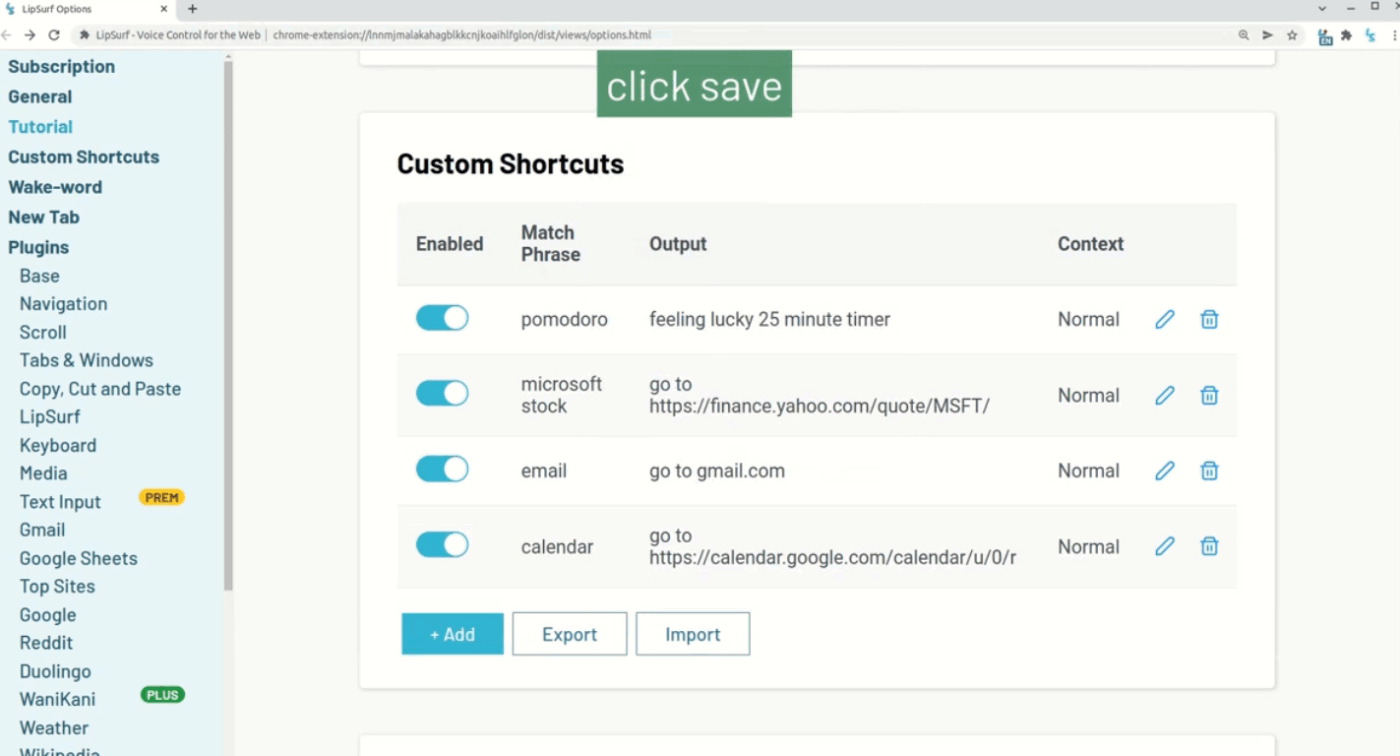
LipSurf transforms your entire browsing experience into a hands-free, voice-powered workflow. Instead of switching between typing and clicking, you can speak commands to scroll, click links, watch videos, or write long-form text in real time.
From dictating in Google Docs to navigating Reddit or controlling YouTube, it adapts to your web habits. Even better? It runs in Chrome with no data tracking or ads, successfully combining voice productivity with privacy.
🧠 Fun Fact: In certain hospitals, surgeons use speech-to-text mid-surgery to dictate notes without touching any device. The microphones are designed to filter out background noise from operating rooms.
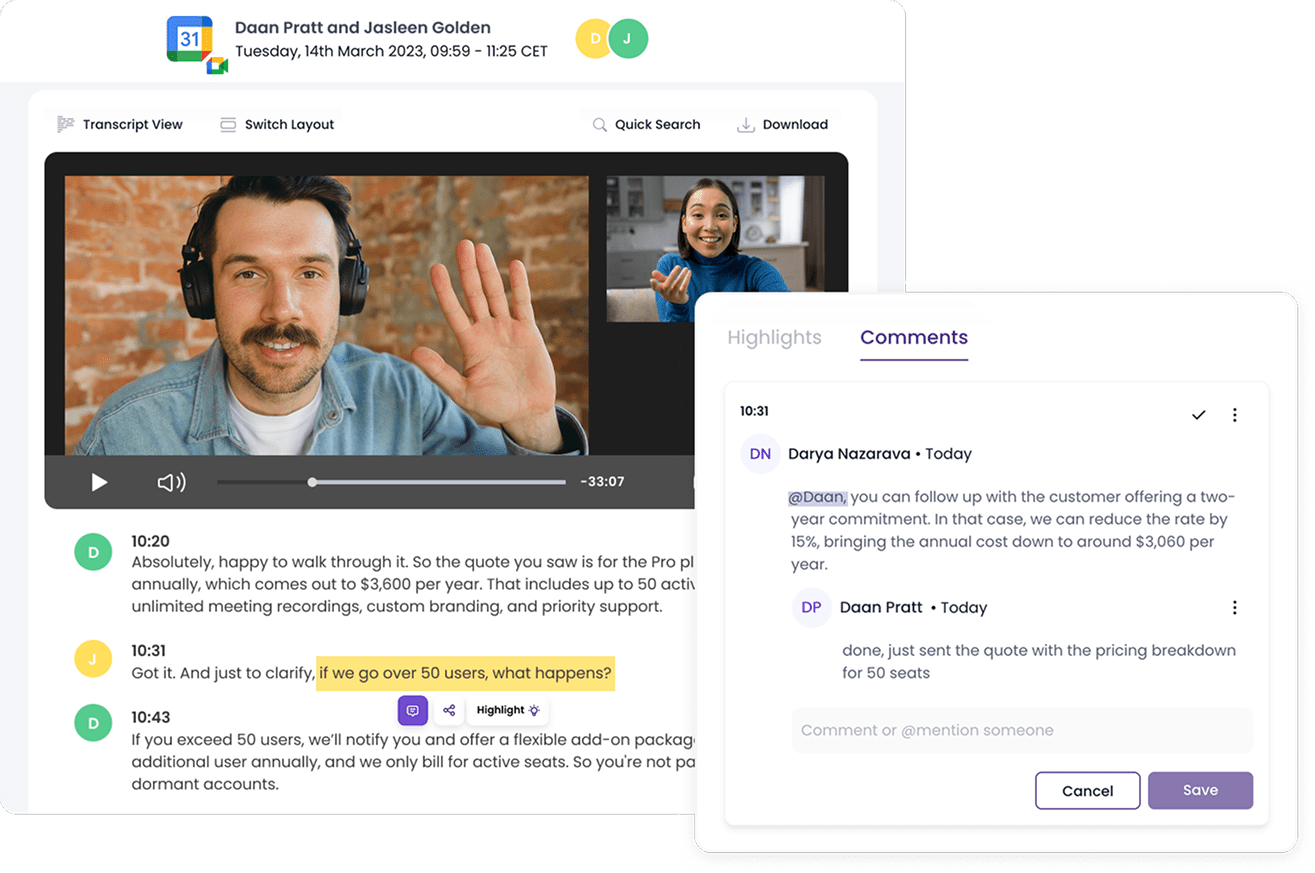
MeetGeek AI is a speech-to-text Chrome extension built to capture, organize, and automate everything that happens in your calls. It automatically joins your meetings, records them, and delivers structured notes the moment the call ends.
The app keeps all your meetings documented, including Zoom, Google Meet, Teams, Webex, and even offline conversations.
MeetGeek’s AI workflows reduce meeting load by syncing insights into your favorite tools and building a living knowledge base.
One user shared this feedback:
MeetGeek saves a lot of time by automatically recording, transcribing, and structuring meetings. It’s very convenient to quickly find the needed moments using keywords and share snippets with colleagues. Sometimes the transcription can contain inaccuracies, especially with poor audio quality or when multiple languages are used in a conversation.
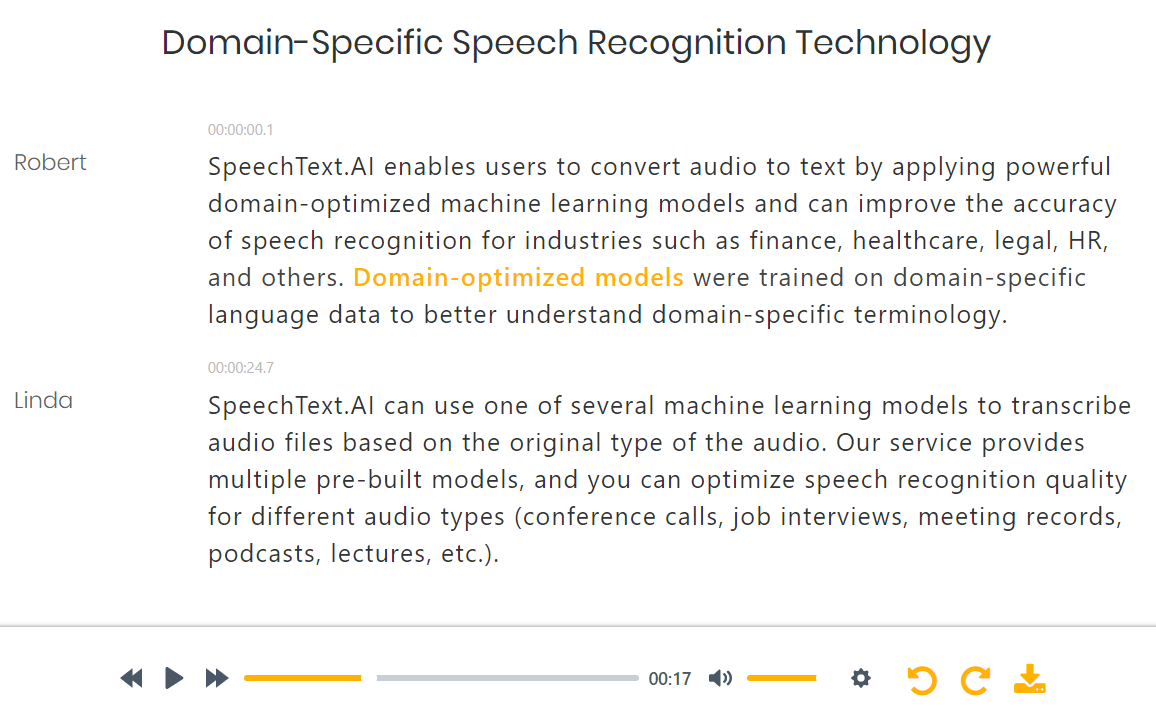
When transcription accuracy really matters, SpeechText.AI gives you the flexibility to tailor results to your industry.
Instead of relying on a generic speech-to-text engine, this speech-to-text software lets you choose domain-specific models like medical, legal, interviews, or podcasts, so jargon and technical terms are recognized correctly from the start.
You simply upload an audio or video file, select your domain, and let the AI handle the rest.
Using speech-to-text in Chrome transforms how you work, communicate, and stay productive. From faster dictation to better accessibility, here’s why it’s worth adopting:
📖 Also Read: How to Talk to Text on Android (Step-by-Step Guide)
Most Chrome speech-to-text extensions stop at raw transcription, leaving you to clean up the mess. Some make you jump between apps, while others compromise on privacy.
ClickUp Brain MAX and Talk to Text go further. They make voice-to-text feel like a natural extension of your workflow. With AI-polished transcripts, multilingual support, personalized vocabulary, and deep integrations, your voice becomes an instant productivity tool.
If you’re ready to move beyond basic dictation, sign up for ClickUp for free and see how seamlessly your words can turn into organized work.

© 2026 ClickUp

There’s an easier way. Try a free AI Agent in ClickUp that actually does the work for you—set up in minutes, save hours every week.