






Still downloading templates?
There’s an easier way. Try a free AI Agent in ClickUp that actually does the work for you—set up in minutes, save hours every week.
Sorry, there were no results found for “”
Sorry, there were no results found for “”
Sorry, there were no results found for “”
If your workday lives on Slack, you already know how noisy it can get.
Threads spiral into chaos. Messages get lost in the shuffle. And before you know it, someone’s asking for the third time, “Hey, just checking in on this?”
That’s where a well-written message makes all the difference. A quick reminder, a friendly nudge, or a clear update sent at the right time can keep everyone in sync without sounding overbearing.
But is it possible to craft the “perfect” Slack message every time? Adding value to your words takes effort and time that you probably don’t have.
So if you’re chasing updates, sharing progress, or giving someone a gentle push, these ready-to-use Slack message templates will save your time and your sanity. Just copy, tweak, and hit send.
But if you’re ready to cut the Slack and try a tool that converges chat, knowledge, and all your work into one contextual AI Workspace, then we’re here to help!
💡 Pro Tip: Forgetful? Let Slack’s /remind command be your brainy sidekick—it remembers so you don’t have to. You can use it to set reminders for yourself, other people, or entire channels.
For example: /remind me to check reports at 4 pm.
Slack message templates are pre-written message formats you can reuse for common work conversations like status updates, meeting reminders, task follow-ups, or check-ins.
They help you say the right thing, the right way, without typing from scratch every time.
Components of a good template include:
No need to overthink your wording or worry about tone. Just plug in the specifics and send.
These templates are especially useful for teams handling recurring updates, cross-functional communication, or managing multiple stakeholders on Slack.
They save time, reduce miscommunication, and keep your messaging consistent.
🧠 Fun Fact: Slack users send over 1.5 billion messages every week! That’s a lot of ‘just checking in’ texts!
A good Slack message template helps you communicate clearly without sounding stiff or generic. Here’s what to look for:
If your template saves time and avoids Slack back-and-forths, it’s doing its job.
📚 Also Read: The Pros and Cons of Slack at Work
Chances are, they’re spending a good chunk of that time just figuring out what to say. Typing. Deleting. Rewriting. Second-guessing. And still hitting send with a “hope this makes sense” vibe.
Templates cut through that noise. They help you say the right thing faster without becoming one of these users.
Here are some ready-to-use Slack message templates you can drop straight into your workflow:
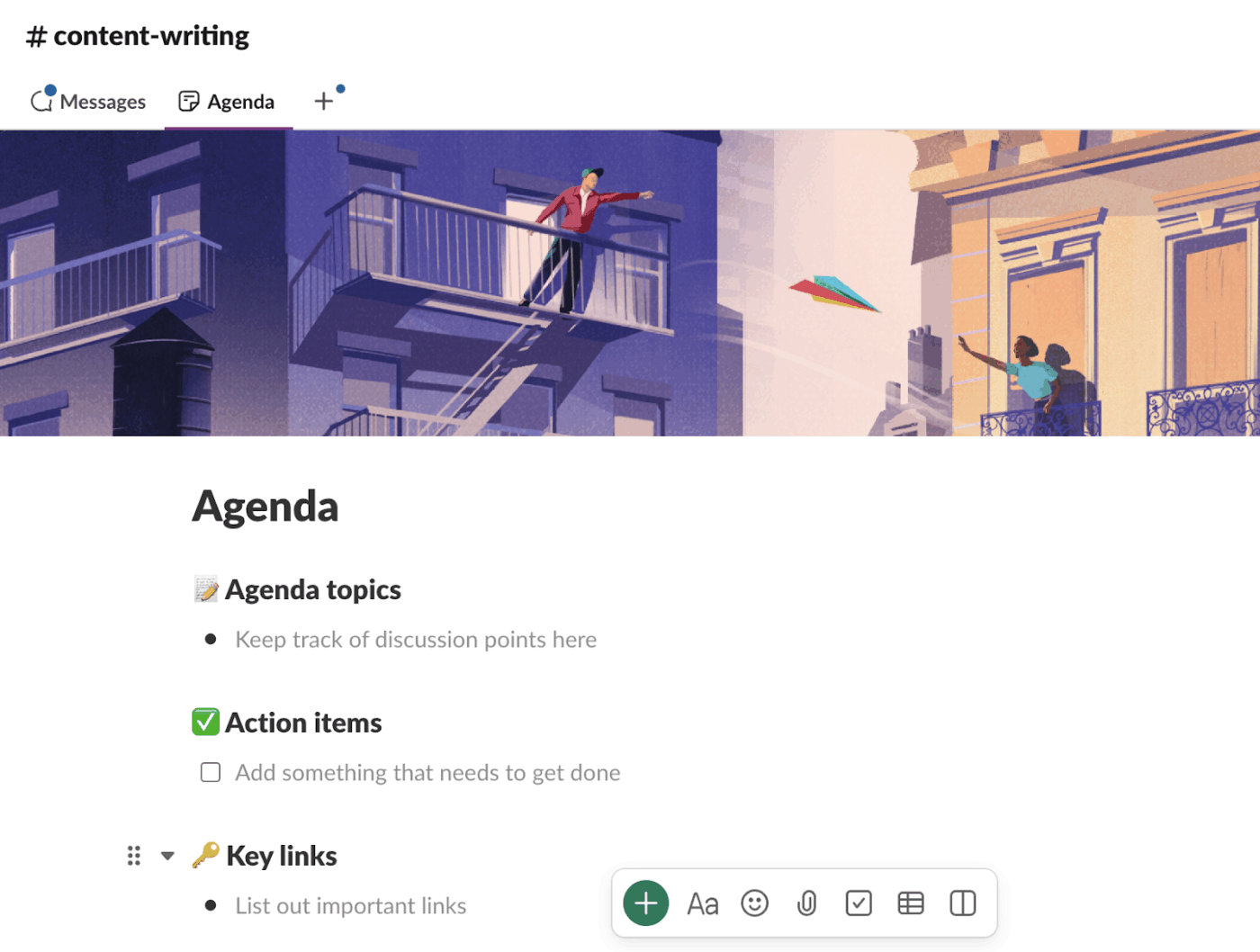
This one’s a Canvas-style template built for fast, focused meetings. It comes with clear sections and descriptions to prep, track, and follow through:
This format helps everyone stay updated before, during, and after the meeting, even if they miss the call. As action items get listed, responsibilities are assigned on the spot.
The agenda is added as a tab in your chat, which makes it easy to review it quickly later. Thus, the outcomes are tracked, followed up on, and actually acted upon.
The best part? It’s collaborative. Everyone can add topics, drop links, or update action items in real time.
👀 Did you know? The average Slack user stays active for 90 minutes a day, every weekday.
📚 Also Read: How to Use Slack for Project Management
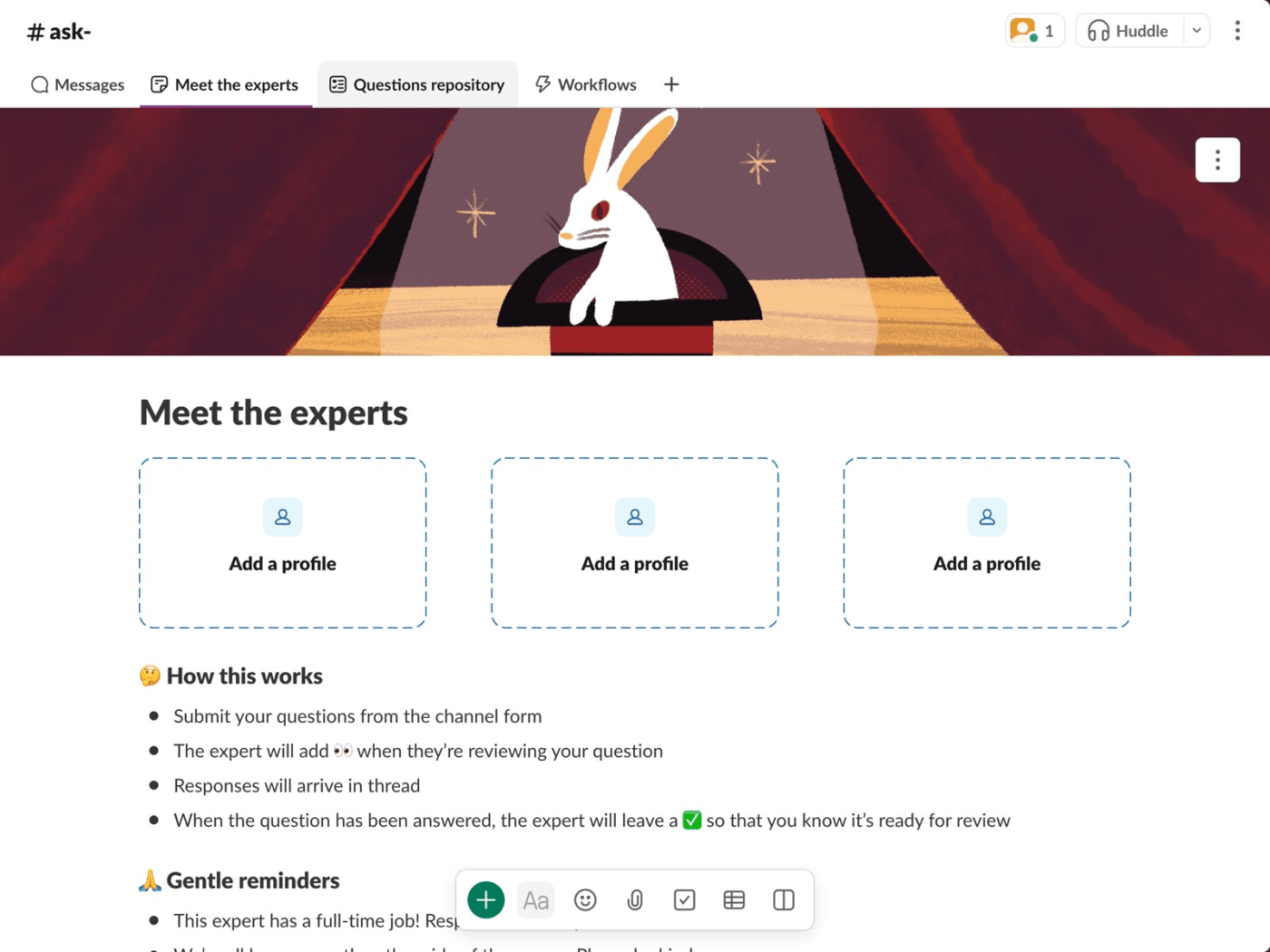
This template is in the form of a Slack channel that keeps all your team’s expert Q&As in one tidy space. The setup includes:
Drop your question using the form. Once an expert sees it and starts working on it, they’ll react with 👀. You’ll get your answer in the same thread—so no one’s left hunting for replies across channels.
When your question is resolved, they’ll close the loop with ✅. Clean. Simple. Trackable.
📚 Also Read: Top Slack competitors
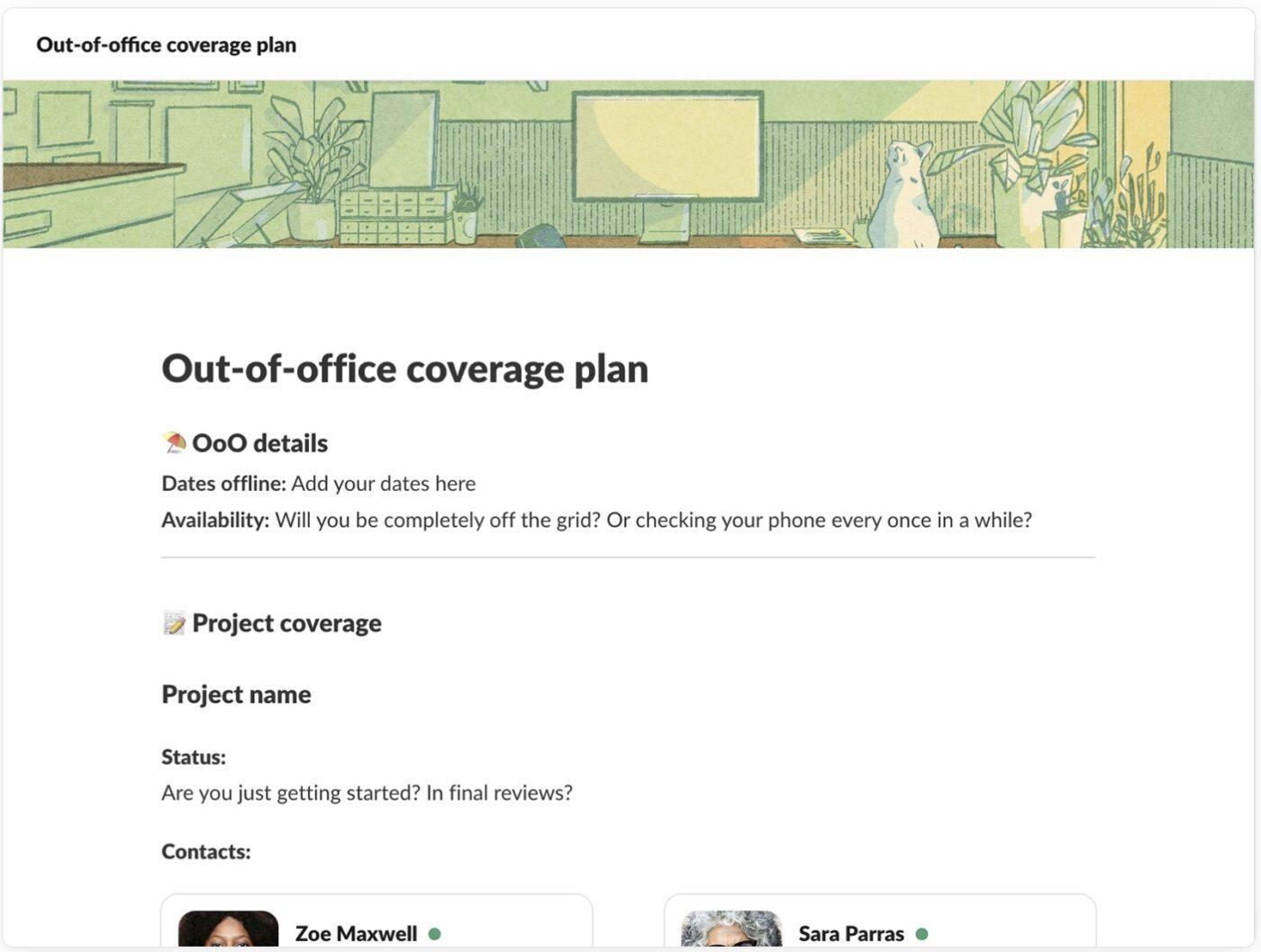
When you’re out of the office, the last thing you want is chaos in your Slack channels. This out-of-office coverage plan template helps you set expectations, assign coverage owners, and keep workflows moving smoothly while you’re away.
Instead of scattered pings and missed updates, teammates know exactly who to reach, what’s pending, and how to escalate issues—all documented in one place.
💡 Pro Tip: Tired of retyping the same Slack messages? Use /templates add to save a message once, and /templates send to share it with any user or channel. Edit or delete anytime, and run /templates help for quick guidance.
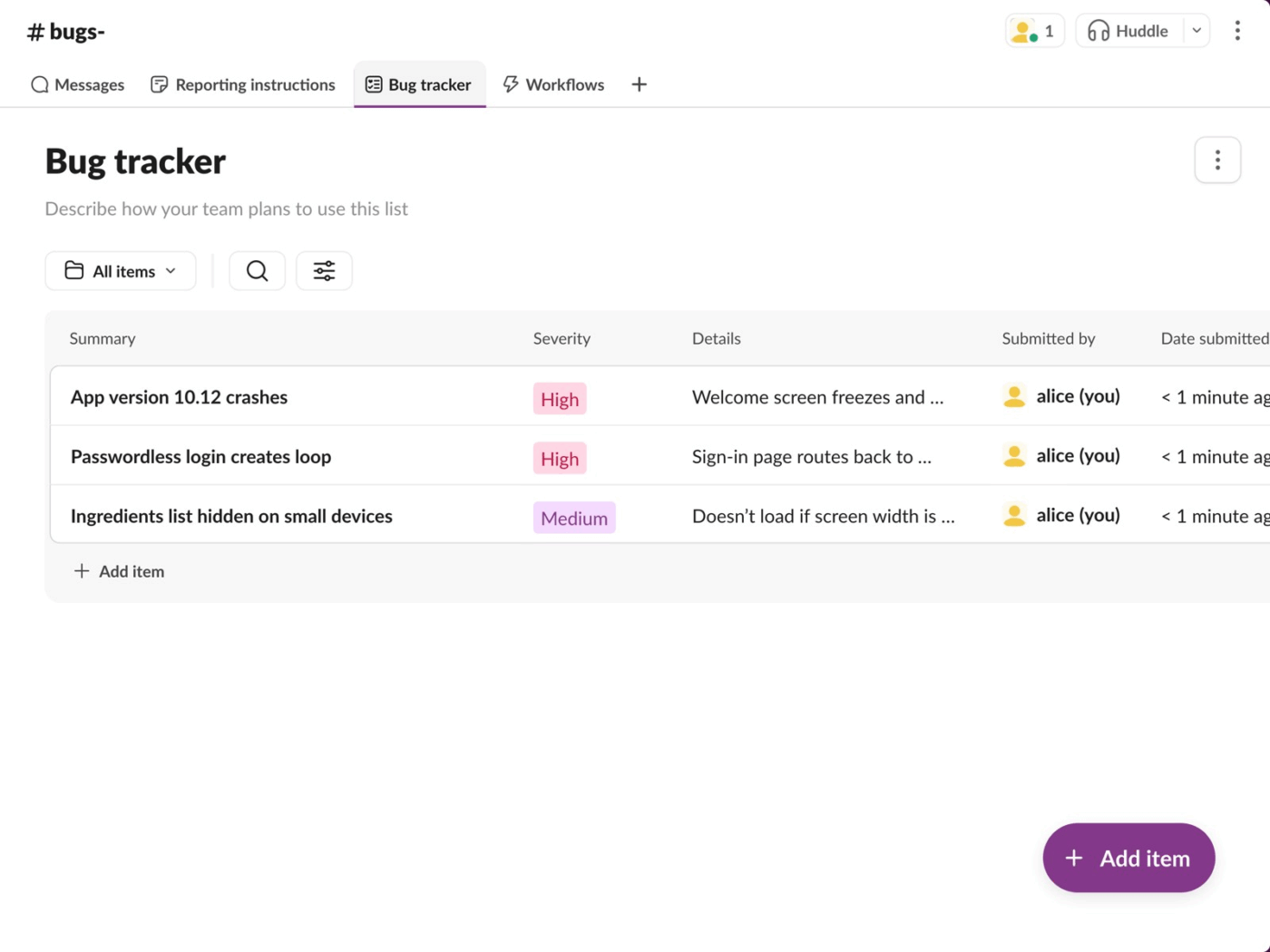
This template turns bug reporting into a smooth, trackable workflow. It combines real-time team messaging with a simple bug submission form, so anyone can report issues without pinging five different people.
A shared canvas lays out clear reporting instructions upfront, making sure no detail gets missed and everyone follows the same process.
New bugs go straight into a tracker list, and every update triggers an automatic status notification, so there’s no ambiguity about what’s being worked on or what’s already fixed.
💡 Pro Tip: Slack doesn’t have to be chaos. Build a more efficient workspace with these guides:
A little structure goes a long way!
Slack may be an all-in-one messaging app for team communication, but it wasn’t exactly designed to manage or track projects.
Check out this video to know which are the top communication apps
In fact, more than 50% of office professionals spend more time searching for files than actually working, much of which is buried in chat threads.
Here’s where Slack starts to fall short:
Slack keeps conversations flowing, but when it comes to tracking actual work, the problems with Slack start to show.
That’s where tools like ClickUp come in handy. Let’s see how.
If Slack’s message threads are starting to feel like a never-ending scroll, meet ClickUp. It’s the everything app for work, built to handle the conversations and the work that follows—tasks, docs, forms, automations, and more, all under one roof.
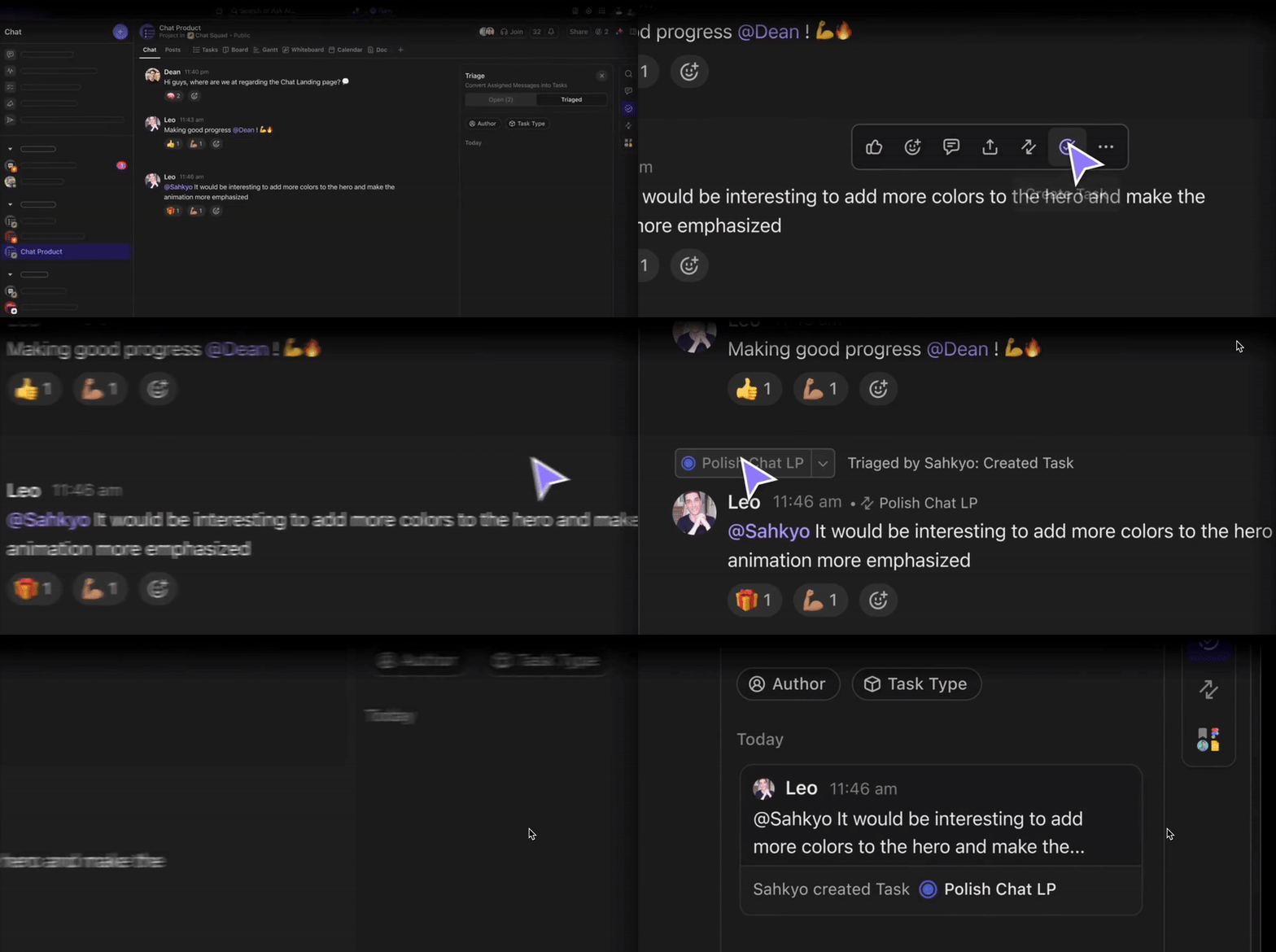
Through ClickUp Chat, you can bring your conversations right where the work happens. Need a quick huddle? Start a 1:1 or group call without switching apps. Want to talk through an action item? Chat directly inside any Space, Folder, or List.
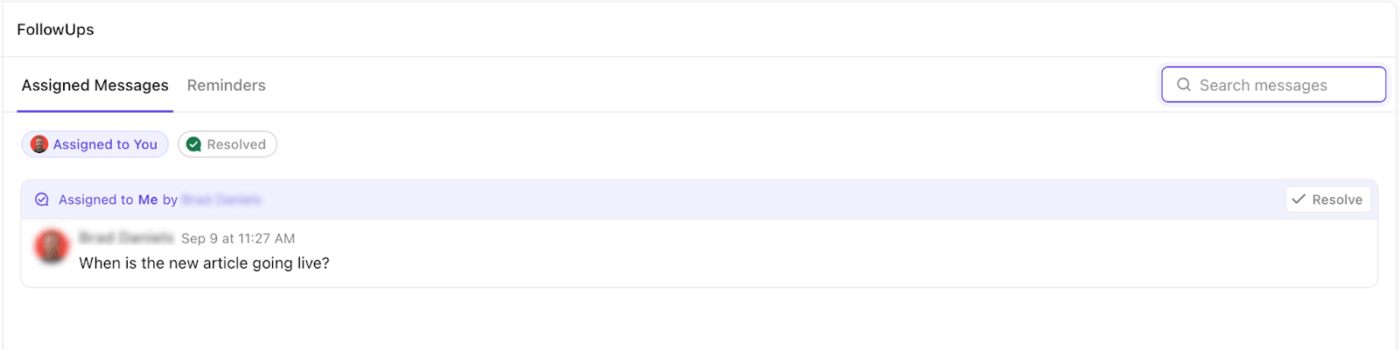
You can thread replies to keep things tidy, @mention teammates to pull them in, and even see all your follow-ups in one place. No more digging through direct messages to remember what’s yours.
That’s not it. We’ve pulled together a set of ClickUp’s own templates that do more than just send a message. They make ClickUp the ultimate team communication app and help you organize ideas, capture action items, and actually move work forward.
Let’s check them out.
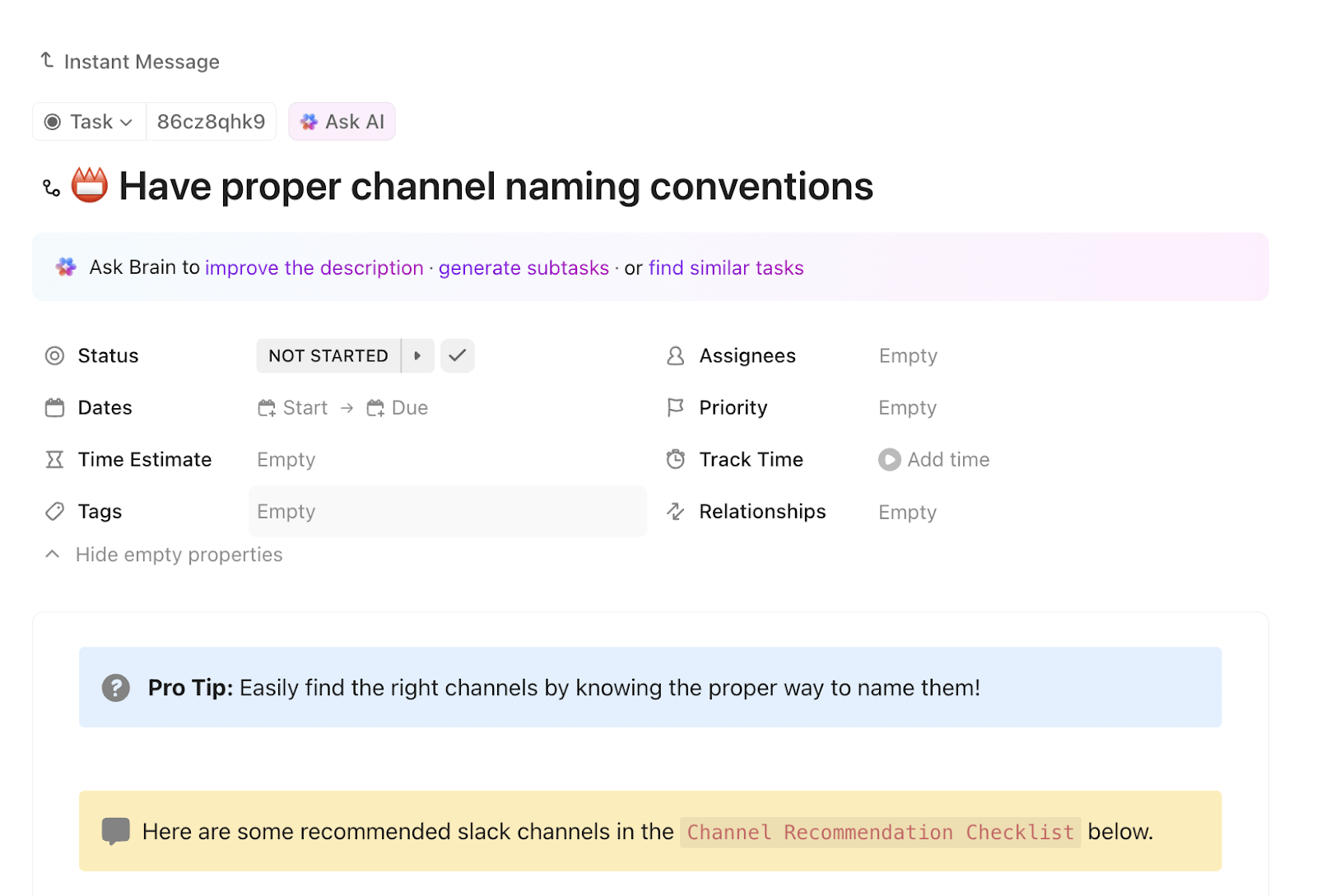
Built as a task in ClickUp, the ClickUp Instant Message Template includes detailed guidance on writing clear, actionable messages and creating a solid feedback loop. It comes preloaded with helpful subtasks like:
Each subtask includes a checklist that walks you through best practices, so nothing gets overlooked, even when you’re in a rush.
You can customize this task to fit your team’s messaging style and save it as a reusable task template to build consistency across the board. This small setup makes a big difference in keeping communication clean and productive.
📌 Ideal for: Reducing message overload, avoiding miscommunication, and creating a consistent process for Slack messaging across teams.
🧠 Fun Fact: With hybrid work here to stay, office attendance is 30% lower than pre-pandemic levels. This makes clear, consistent communication more important than ever.
When teams don’t speak the same language (figuratively), messages get lost and campaigns fall flat. The ClickUp Messaging Matrix Template keeps everyone on-brand and on-message, without chasing down scattered info.
Inside, you’ll find two core lists:
Views like Plans, Priorities, Matrix, and Frequency help you sort content by urgency, audience, and delivery cadence. And with custom fields like communication channels, taglines, objectives, and frequency, you’re set to communicate like a pro.
📌 Ideal for: Creating a single source of truth for product launches, brand messaging, and internal comms across teams.
📮ClickUp Insight: 92% of knowledge workers risk losing important decisions scattered across chat, email, and spreadsheets. Without a unified system for capturing and tracking decisions, critical business insights get lost in the digital noise.
With ClickUp’s Task Management capabilities, you never have to worry about this. Create tasks from chat, task comments, docs, and emails with a single click!
No more “Wait, where was that update?” moments.
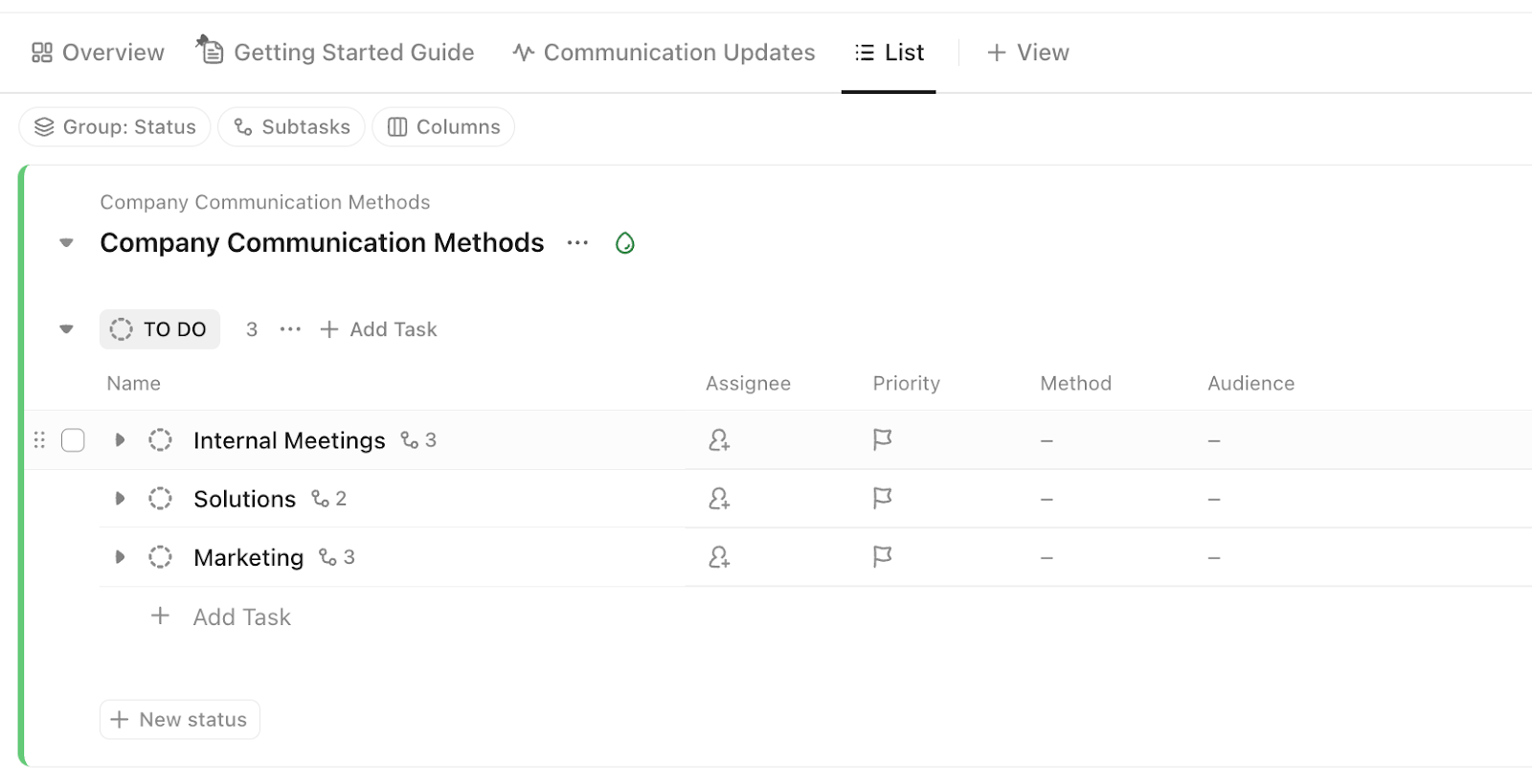
The ClickUp Employee Communication Template gives you a centralized space to manage every layer of communication across teams, departments, and the entire company.
With ready-to-use Lists like Project Communication Matrix, Department Channels, and Company-Wide Methods, it organizes updates, meetings, and follow-ups in one place.
From Chat and Calendar views to Board and Docs, you get the full toolkit to plan, talk, and archive, all without switching tabs. Custom Fields like dropdowns, tags, long-text, and even website links help you modify comms for any audience.
📌 Ideal for: Keeping cross-functional communication organized, searchable, and always a step ahead of scattered updates.
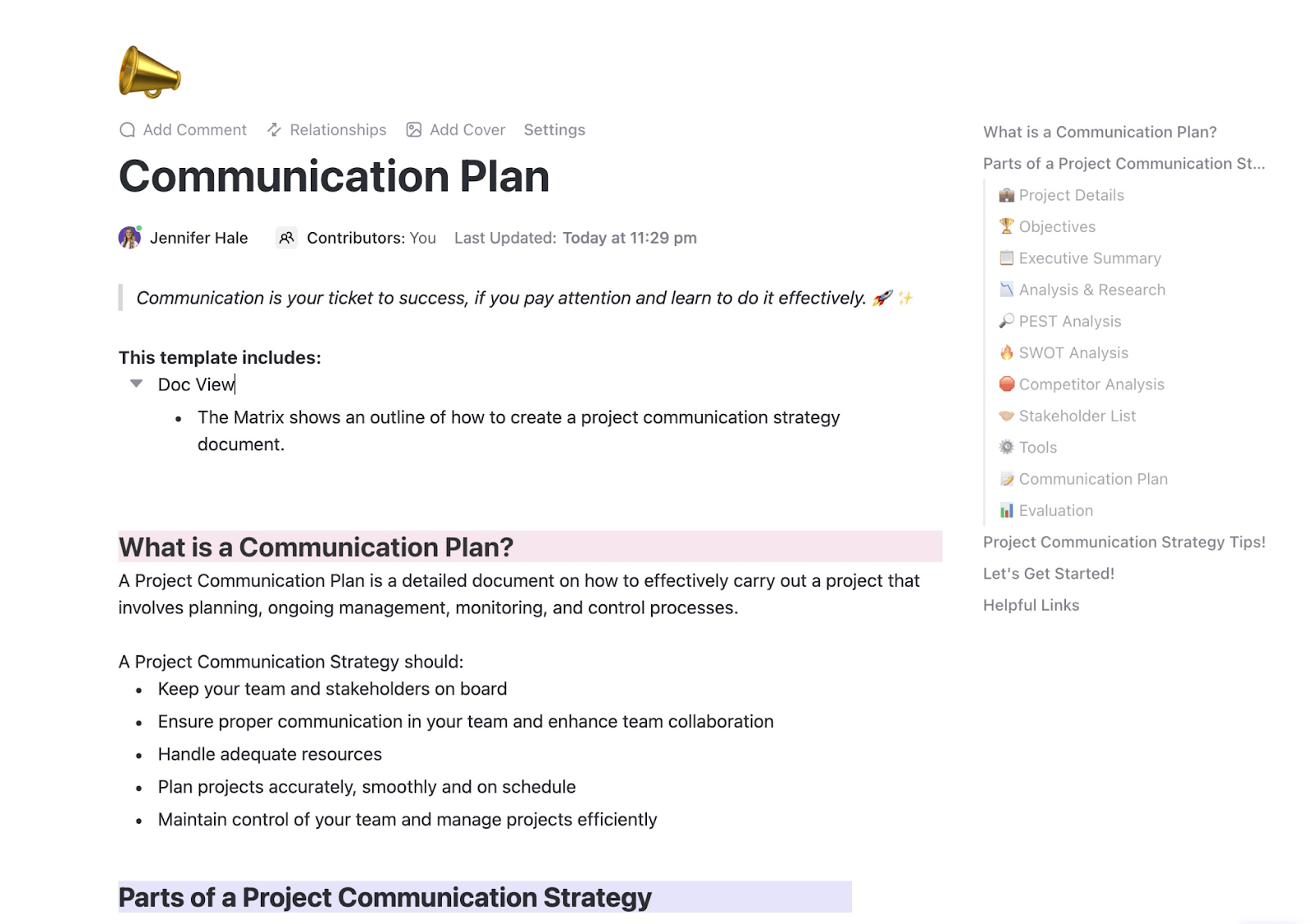
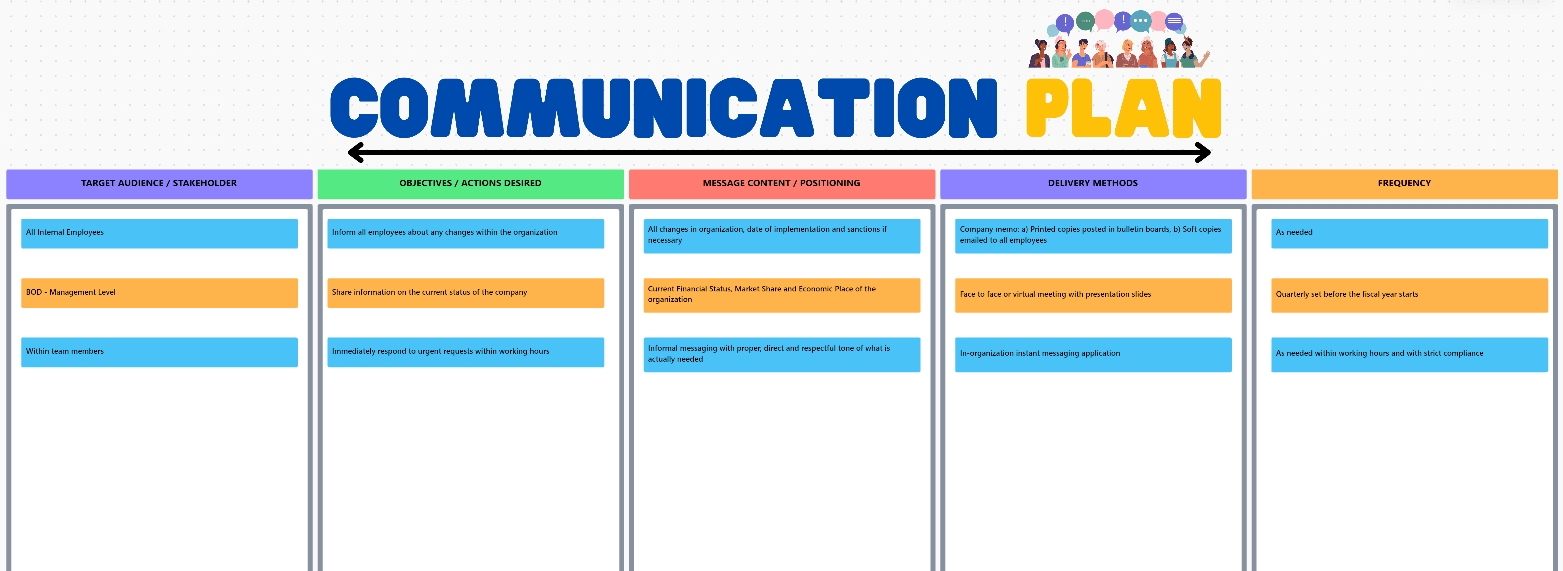
Want to plan your project messaging like a pro? The ClickUp Communication Plan Template is your blueprint.
This ready-to-edit Doc breaks your communication strategy into clear, actionable sections. Set objectives, outline project details, and run SWOT and PEST analyses, all in one place.
You’ll also map stakeholders, document tools, and finalize a plan that answers the What, When, and How of every update.
There’s even space for competitor analysis and post-project evaluation, so you’re not just talking, you’re learning and improving as you go.
📌 Ideal for: Building a solid, research-backed communication strategy that goes beyond surface-level updates.
📮ClickUp Insight: Low-performing teams are 4 times more likely to juggle 15+ tools, while high-performing teams maintain efficiency by limiting their toolkit to 9 or fewer platforms. But how about using one platform?
As the everything app for work, ClickUp brings your tasks, projects, docs, wikis, chat, and calls under a single platform, complete with AI-powered workflows. Ready to work smarter? ClickUp works for every team, makes work visible, and allows you to focus on what matters while AI handles the rest.
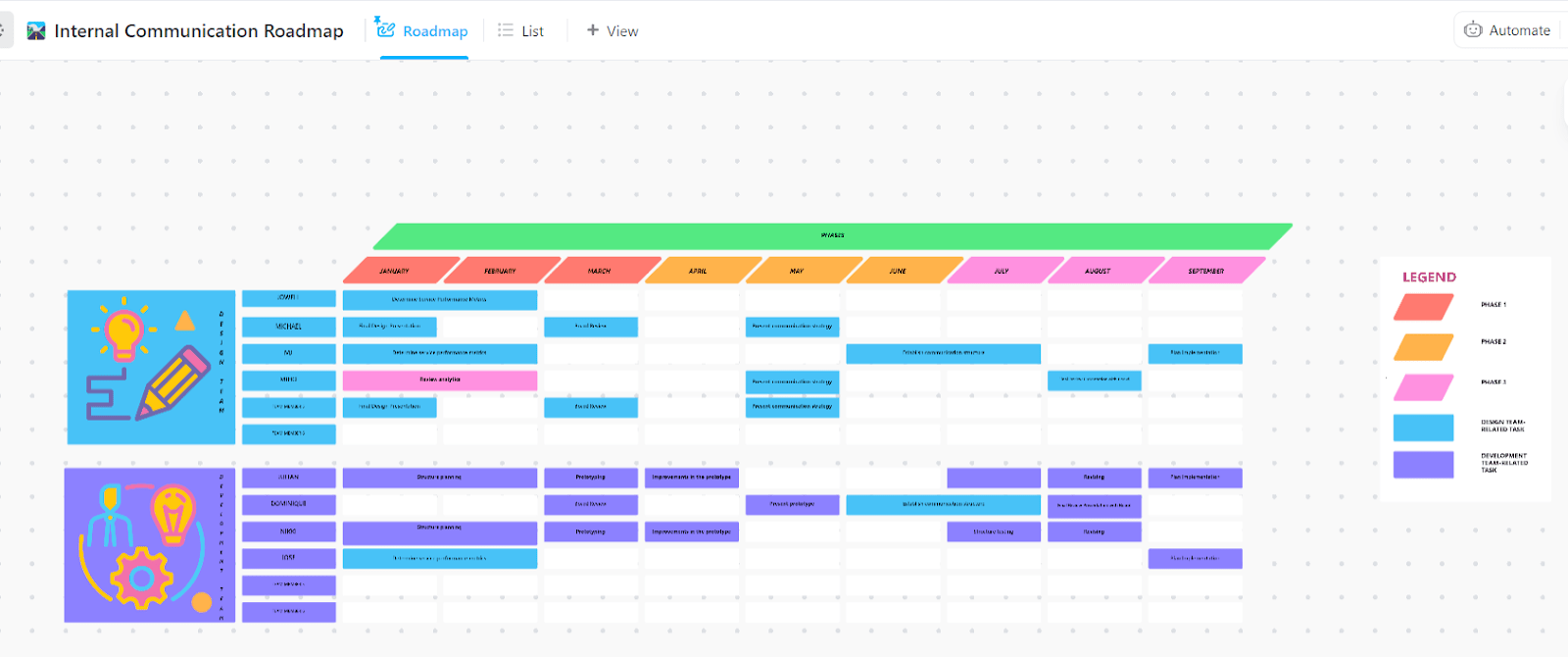
Tired of relying on scattered chats and “Did we talk about this?” moments? The ClickUp Internal Communication Strategy and Action Plan Template helps you move from untracked conversations to a structured, documented internal communication plan.
Here’s how it works:
📌 Ideal for: Fixing messy internal comms, cutting down on back-and-forth, and creating a consistent way to communicate across your team.
If your communication plan looks more like a tangled web than a structured flow—this one’s for you.
The ClickUp Communications Plan Whiteboard Template gives you a visual, drag-and-drop space to map every step of your internal and external messaging.
From planning launch announcements to updating team processes, you can lay it all out with sticky notes, shapes, connectors, and color-coded blocks.
It also comes with customizable statuses to track and move items through stages, from “Planning” and “In Progress” to “Published” or “Reviewed.”
📌 Ideal for: Organizing complex communication flows and turning messy plans into clear, trackable action items.
💡 Pro Tip: Want to turn ideas into action fast? Turn sticky notes into tasks with a single click and kick off execution directly from the Whiteboard.
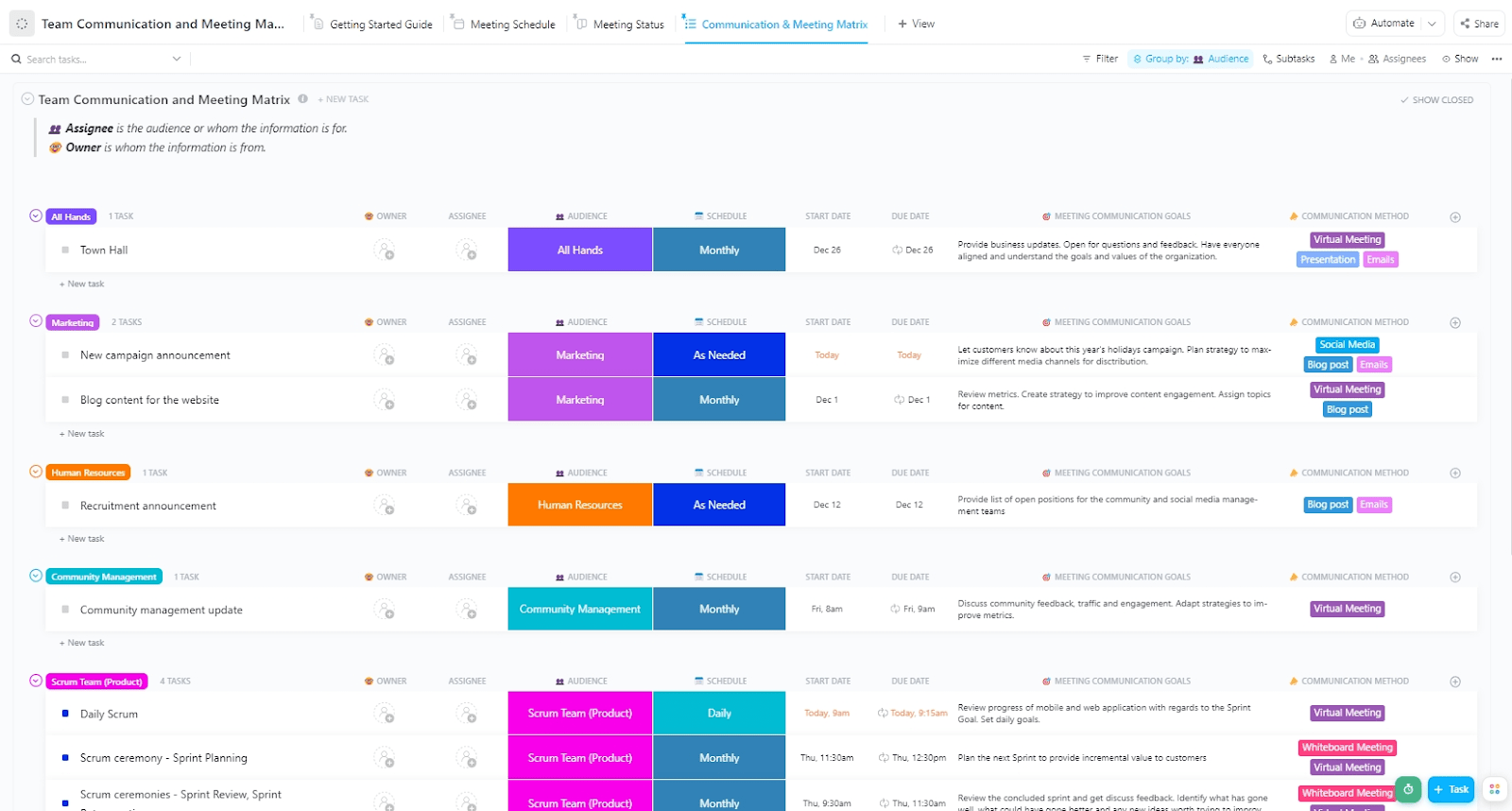
Tired of chasing updates and juggling calendars? The ClickUp Team Communication and Meeting Matrix Template helps you map out who needs to know what, how often, and through which channel, without the back-and-forth.
Use List view to organize meetings by audience, Board view to group by status, and Calendar view for a visual rundown of your monthly schedule. Add context with custom fields like Meeting Goals, Communication Method, Schedule, Audience, and Owner.
Whether it’s daily standups or quarterly reviews, everything’s laid out and easy to manage.
📌 Ideal for: Structuring team updates, recurring meetings, and project communication in one shared system.
Here’s what Jodi Salice, Creative Director at United Way Suncoast, has to say about ClickUp:
I can’t say enough good things about it. Between the automation, templates, and all the different sorts of tracking and views, there’s just no way to go wrong with ClickUp.
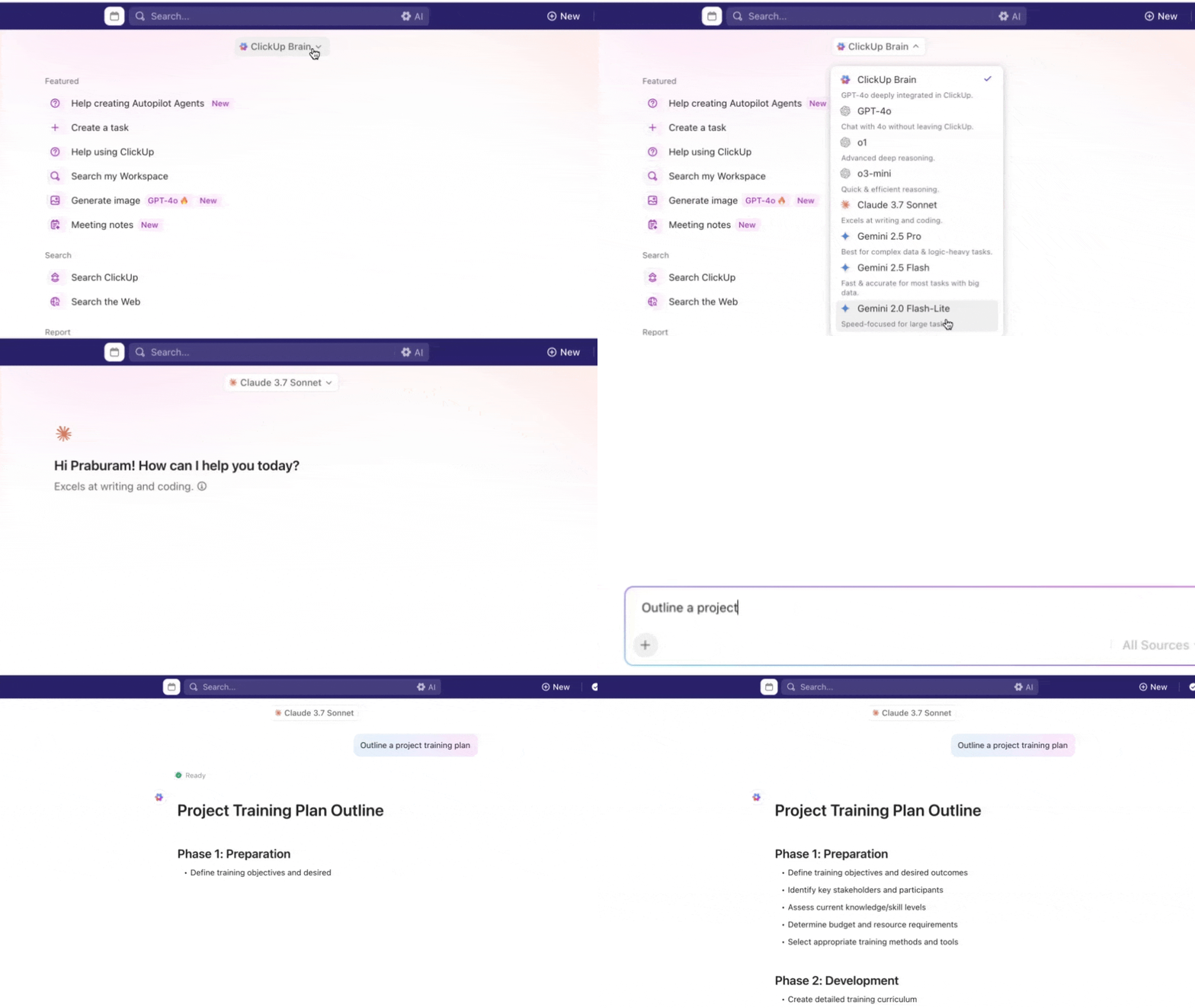
But that’s just scratching the surface. If you need a complete work AI that understands the full context of your work and can compose and send messages on your behalf, dive into ClickUp Brain. It is built to rethink how teams communicate. While Slack keeps the conversation flowing, ClickUp Brain makes sure nothing important gets buried in chat threads or lost in translation.
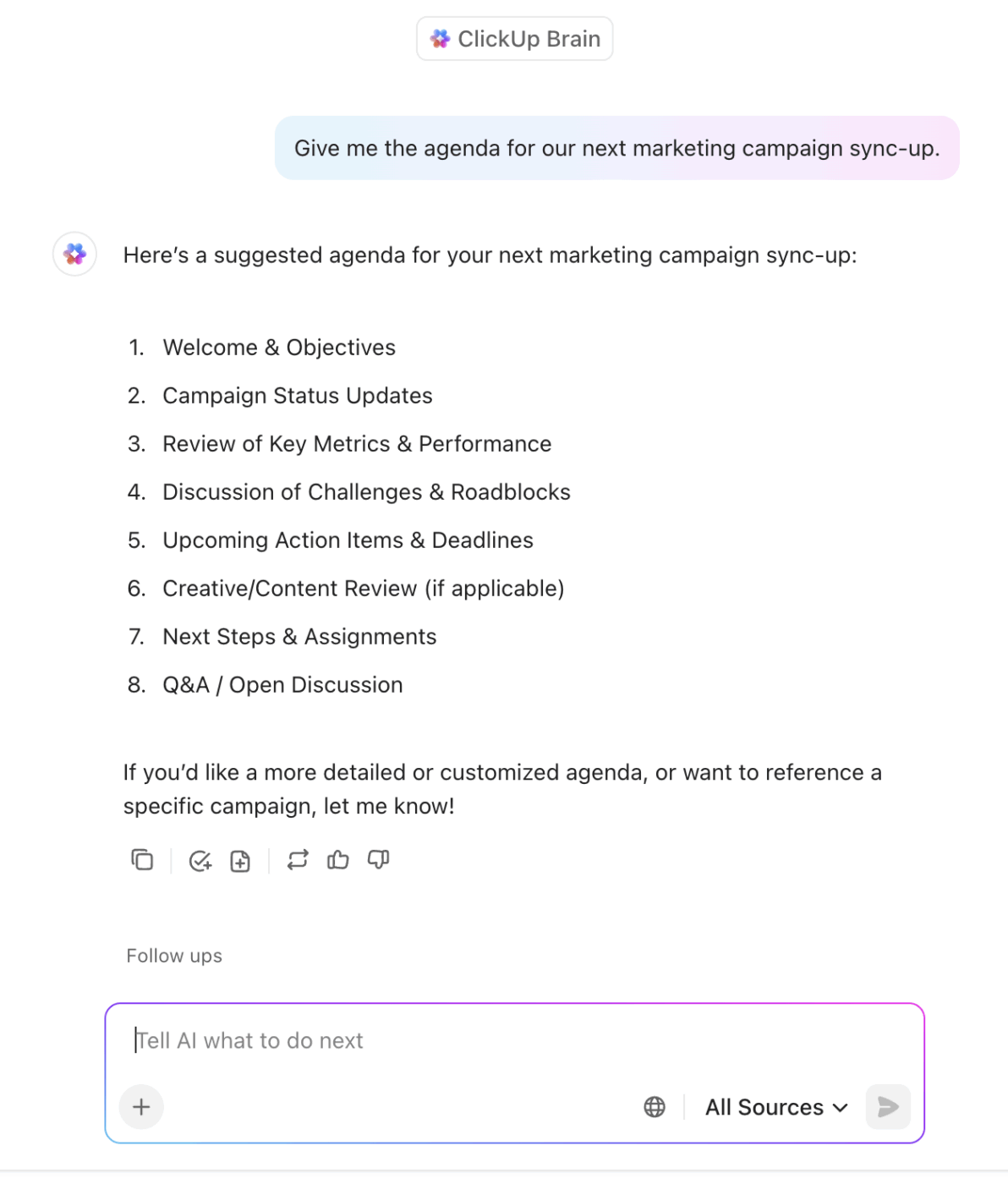
Here’s how it boosts your team’s messaging game:
With ClickUp Brain, your messages aren’t just sent—they’re clear, meaningful, and drive action.
🧠 Did You Know? ClickUp Brain users can access multiple external AI models like ChatGPT, Claude, Gemini, and more right from their ClickUp Workspace. Ditch the AI sprawl and use a contextual AI that has access to all your work data to produce campaign assets that are customized to your needs.
If your team is stuck repeating the same updates, chasing responses, or losing key info in endless threads, it’s time to rethink your messaging.
The right Slack message template helps you communicate faster, stay consistent, and cut through the noise, without sounding dry or robotic.
ClickUp’s free templates go beyond just messages. They give structure to your updates, automate reminders, and connect your communication to actual tasks, something Slack alone can’t do.
When Slack gets noisy or disorganized, ClickUp keeps everything in context and trackable.
Ready to send updates that actually get read and acted on? Try ClickUp for free.

© 2026 ClickUp

There’s an easier way. Try a free AI Agent in ClickUp that actually does the work for you—set up in minutes, save hours every week.