






Still downloading templates?
There’s an easier way. Try a free AI Agent in ClickUp that actually does the work for you—set up in minutes, save hours every week.
Sorry, there were no results found for “”
Sorry, there were no results found for “”
Sorry, there were no results found for “”

Samsung Notes gets the job done—until it doesn’t. Maybe you started with a quick grocery list or some casual doodles during a meeting. But as your note-taking needs grew—class notes, project plans, research outlines—you might have noticed the limits creeping in.
Cross-platform syncing becomes tricky. Collaboration feels out of reach. And your notes? Stuck inside one ecosystem.
The reality is simple: what works well for simple lists or handwritten memos often falls short when you’re managing complex digital text files or trying to stay organized across devices.
That’s why many students, professionals, and productivity enthusiasts start looking for better organization tools. They want a note-taking app that not only manages notes but also supports collaboration, richer formatting, and seamless access from anywhere.
In this guide, we’ve rounded up 10 of the best alternatives to Samsung Notes to help you streamline your workflow. Spoiler alert: ClickUp takes the top spot!
The Samsung Notes app is polished and has some great features, but let’s be honest: it’s built with Samsung users in mind, and that brings some unavoidable limitations:
💡 Pro Tip: The Outline Note-Taking Method is a game-changer if you’re looking to organize notes in a clean, logical flow. By structuring your notes hierarchically—using headings, subheadings, and bullet points—you can capture key ideas and details in a way that’s easy to scan and review later. It’s especially handy for meetings, lectures, or any situation where information comes at you fast and needs to be broken down quickly.
Here’s your cheat sheet of the top Samsung Notes alternatives—who they’re best for, what they offer, and exactly what they’ll cost you (all prices in USD).
| Tool | Key Features | Best for | Pricing* |
| ClickUp | Instantly convert notes to tasks, collaborative Docs, and Whiteboards. Create AI meeting summaries, and search through all your notes with Connected search | Individuals, small businesses, mid-market, and enterprises | Free plan available; Customizations available for enterprise |
| Evernote | Instantly convert notes to tasks, Collaborative Docs and Whiteboards, AI meeting summaries, and Universal search | Individuals, small businesses | Free plan available; Paid plan starts at $14.99 |
| Notion | Customizable workspaces and databases, Linked pages and templates, Real-time collaboration, Integrations | Individuals, small businesses, mid-market | Free plan available; Paid plans start at $12 |
| Obsidian | Markdown support, Local storage and privacy, Graph view for linking notes, Plugin ecosystem | Individuals, small businesses | Free plan available; Paid add-ons start at $5 |
| Microsoft OneNote | Handwriting and drawing, Deep MS Office integration, Audio notes, Cross-device sync | Individuals, small businesses, mid-market, and enterprises | Free plan available; Included with Microsoft 365 |
| Google Keep | Quick notes and checklists, Voice-to-text, Color coding and labels, Location/time reminders | Individuals, small businesses | Free plan available |
| Apple Notes | iCloud sync, Handwriting/sketching, Note locking, Real-time collaboration | Individuals, small businesses | Free (with Apple device) |
| Joplin | End-to-end encryption, Markdown support, Plugin library, Web clipper | Individuals, small businesses | Custom pricing |
| GoodNotes | Handwriting-to-text, PDF markup, Digital notebooks, Search handwritten notes | Individuals, small businesses | Free plan available; Paid plans start at $6.99 |
| Standard Notes | End-to-end encryption, Markdown & rich text, Cross-platform sync, Productivity extensions | Individuals, small businesses | Free plan available; Paid plans start at $63 |
Our editorial team follows a transparent, research-backed, and vendor-neutral process, so you can trust that our recommendations are based on real product value.
Here’s a detailed rundown of how we review software at ClickUp.
If you’re serious about stepping up your note-taking game, it’s worth knowing what each app actually brings to the table (and where they might trip you up).
Some tools are built for laser-focused writing, while others thrive on flexibility, letting you brainstorm, plan, and collaborate all in one place.
We’ve broken down each Samsung Notes alternative below—what it’s best at, what you should watch out for, and what real users are saying—so you can find your perfect fit without trial and error.
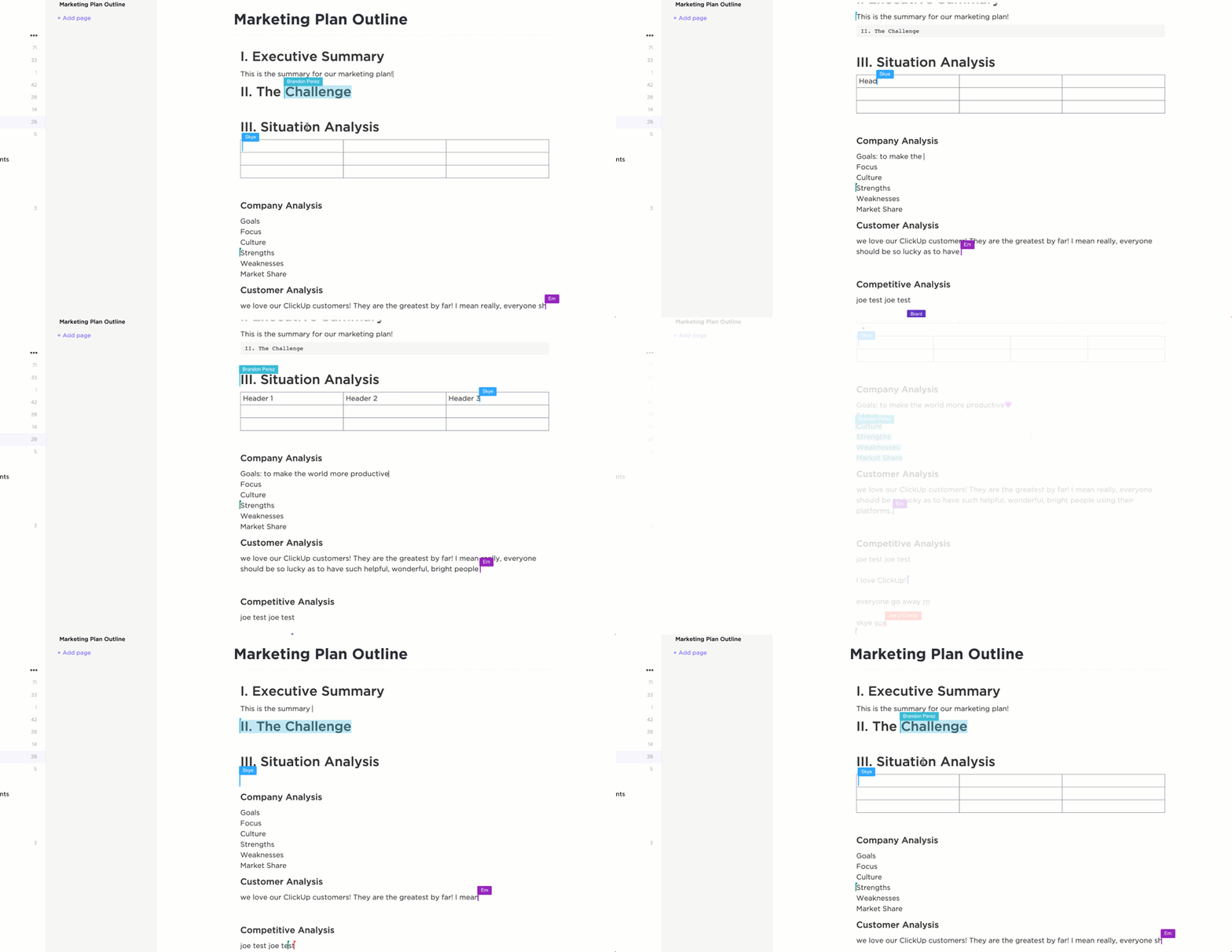
Samsung Notes is great for quick lists, but what if your notes need to do something? That’s where ClickUp, the everything app for work, changes the game. You’re not just writing down thoughts; you’re turning them into tasks, collaborative docs, and full-scale projects.
Whether you’re brainstorming ideas, keeping meeting notes, or managing full projects, ClickUp lets you do it all—without ever switching tabs.
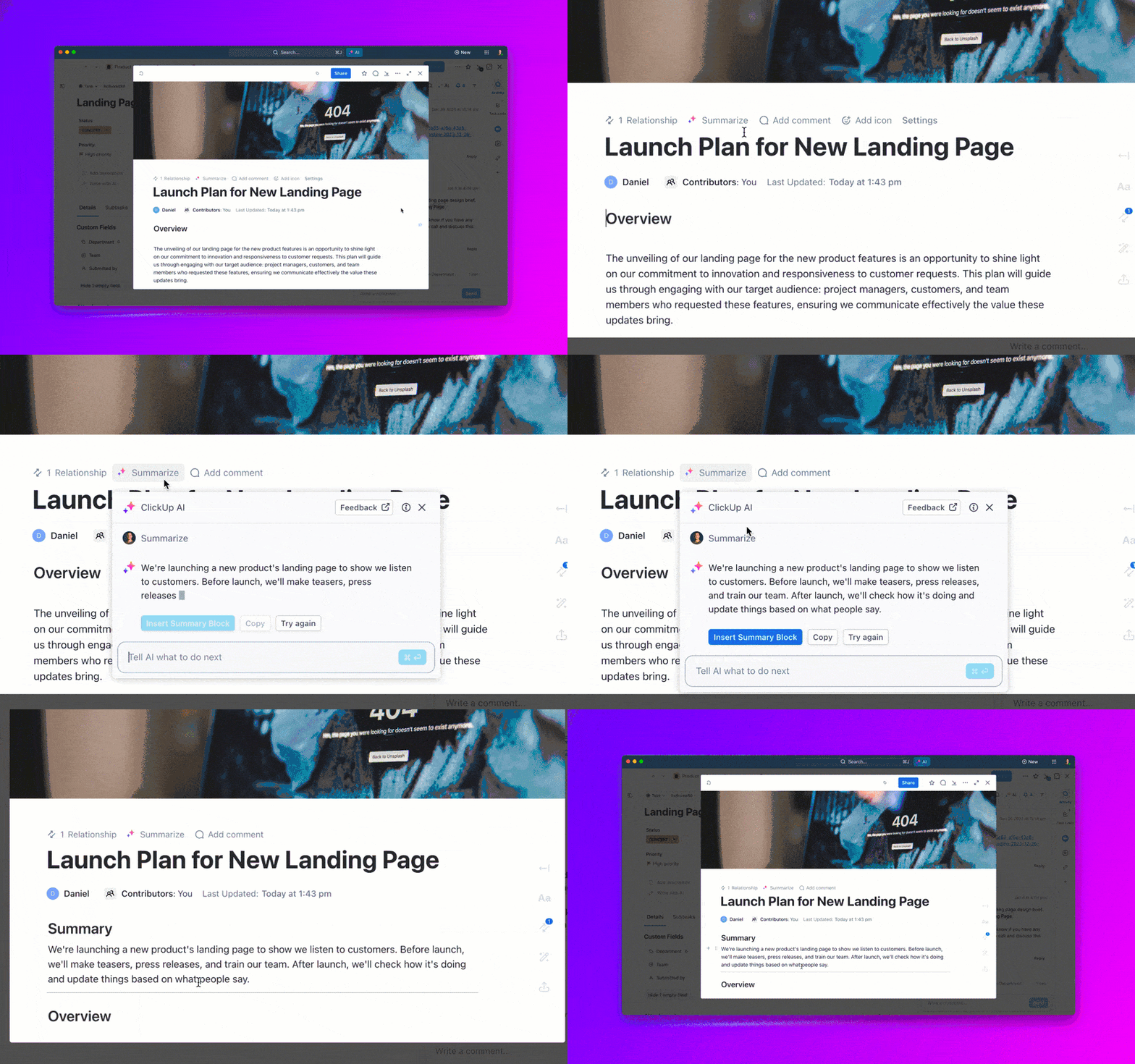
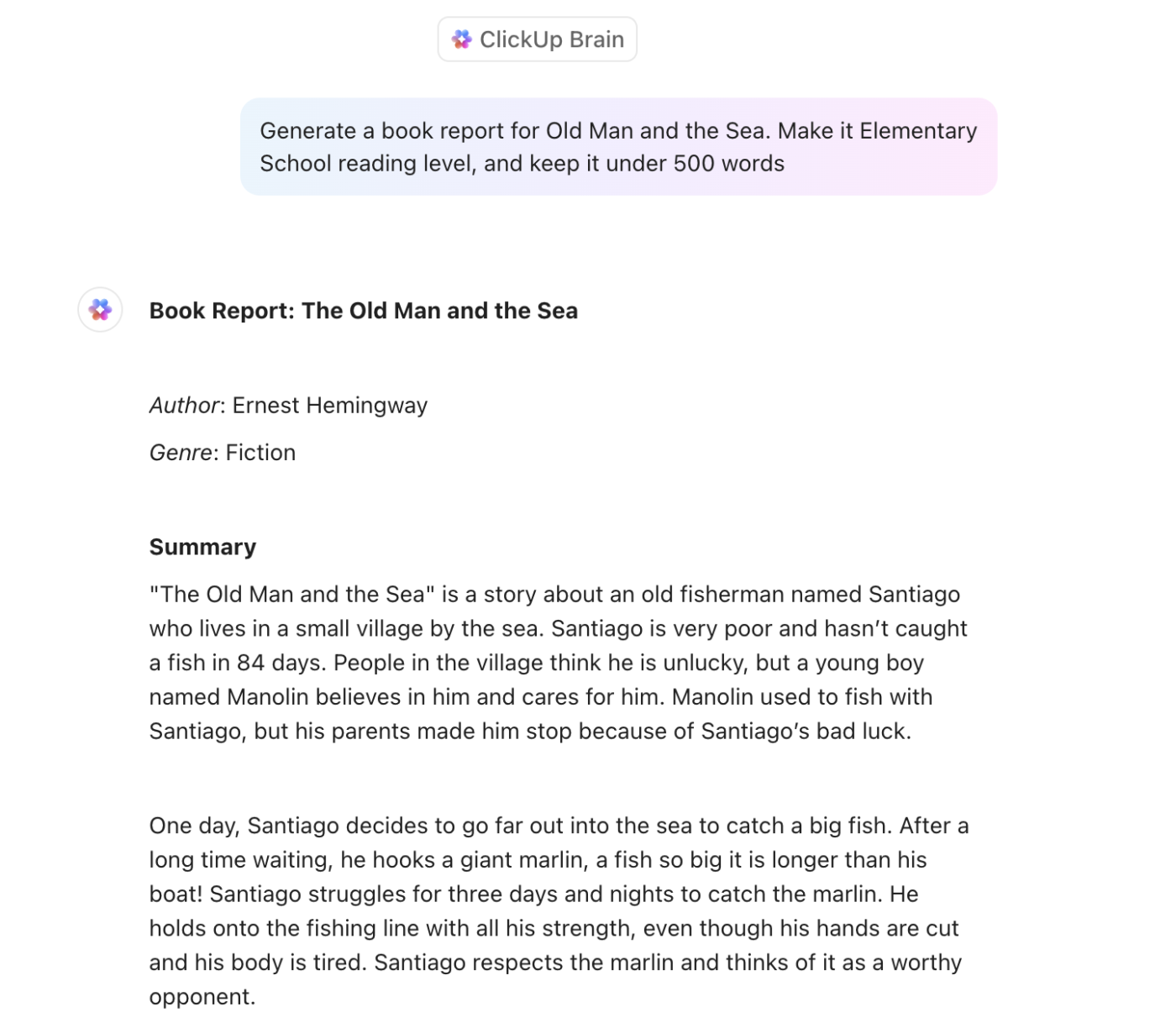
Plus, with AI-generated summaries with ClickUp Brain within Docs and Notepad, you can tidy up your notes in seconds.
Enter ClickUp Docs, where your notes transform into dynamic, collaborative documents. You can create nested pages, add rich text, embed media, and even link tasks directly inside your doc. Now, your brainstorming and execution live side by side.
Unlike Samsung Notes, which keeps your notes static, ClickUp keeps them actionable.What’s more, you can use ClickUp Docs to refine your notes and writing with ClickUp Brain!
And if you need something more basic? ClickUp Notepad is a simple tool for jotting down ideas on the fly. It’s lightweight, distraction-free, and perfect for capturing thoughts when inspiration hits. But where ClickUp really excels is its ability to let you do more with your notes.
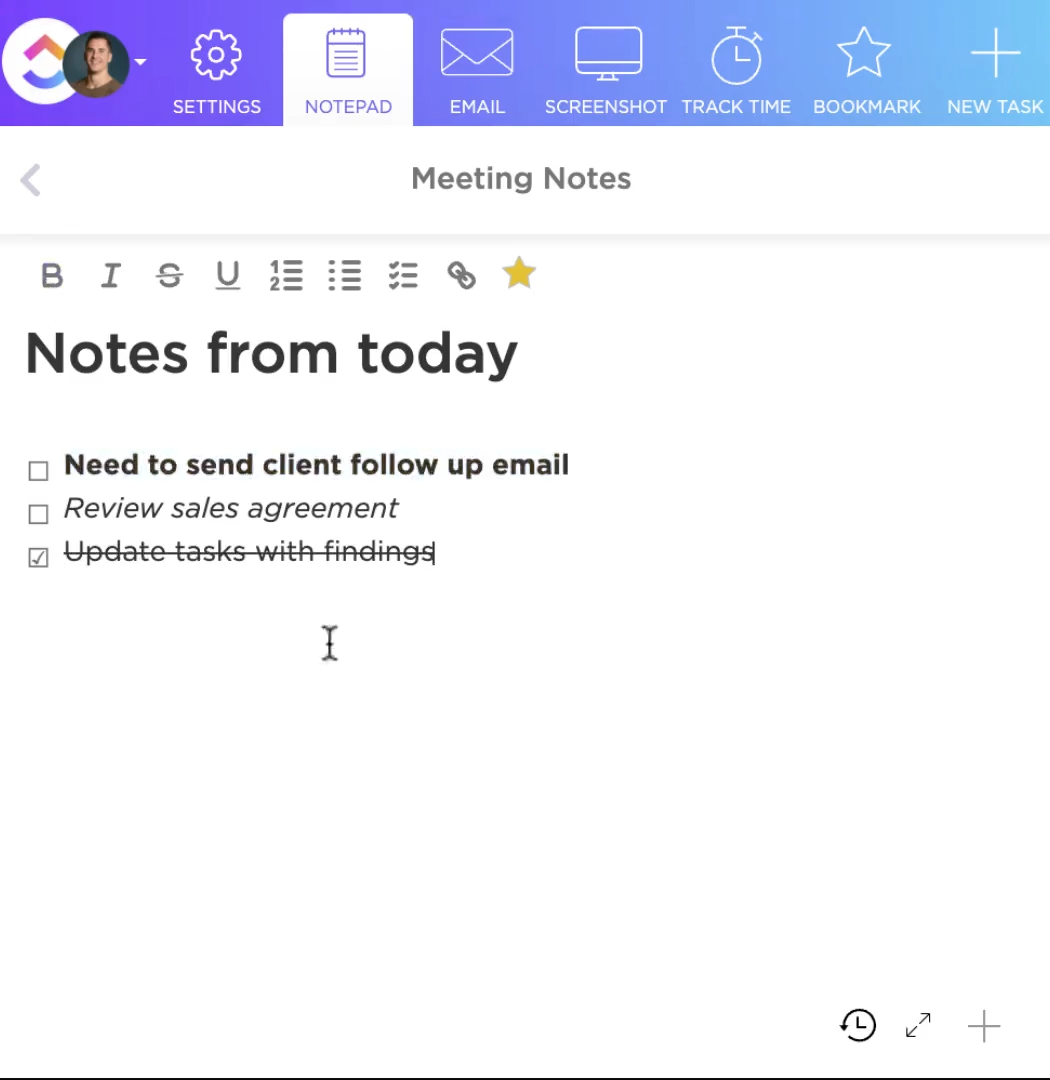
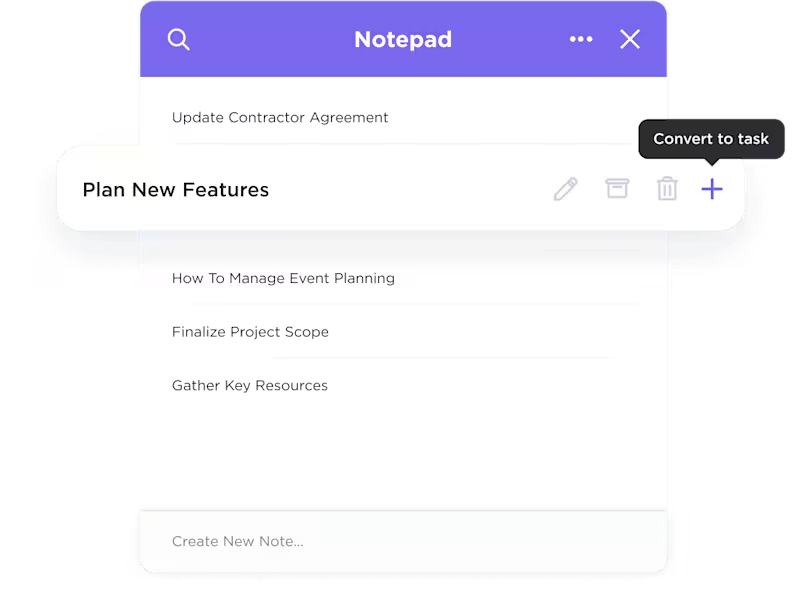
With just a few clicks, you can turn a note into a task using ClickUp Tasks—complete with due dates, assignees, and reminders. Goodbye, forgotten ideas.
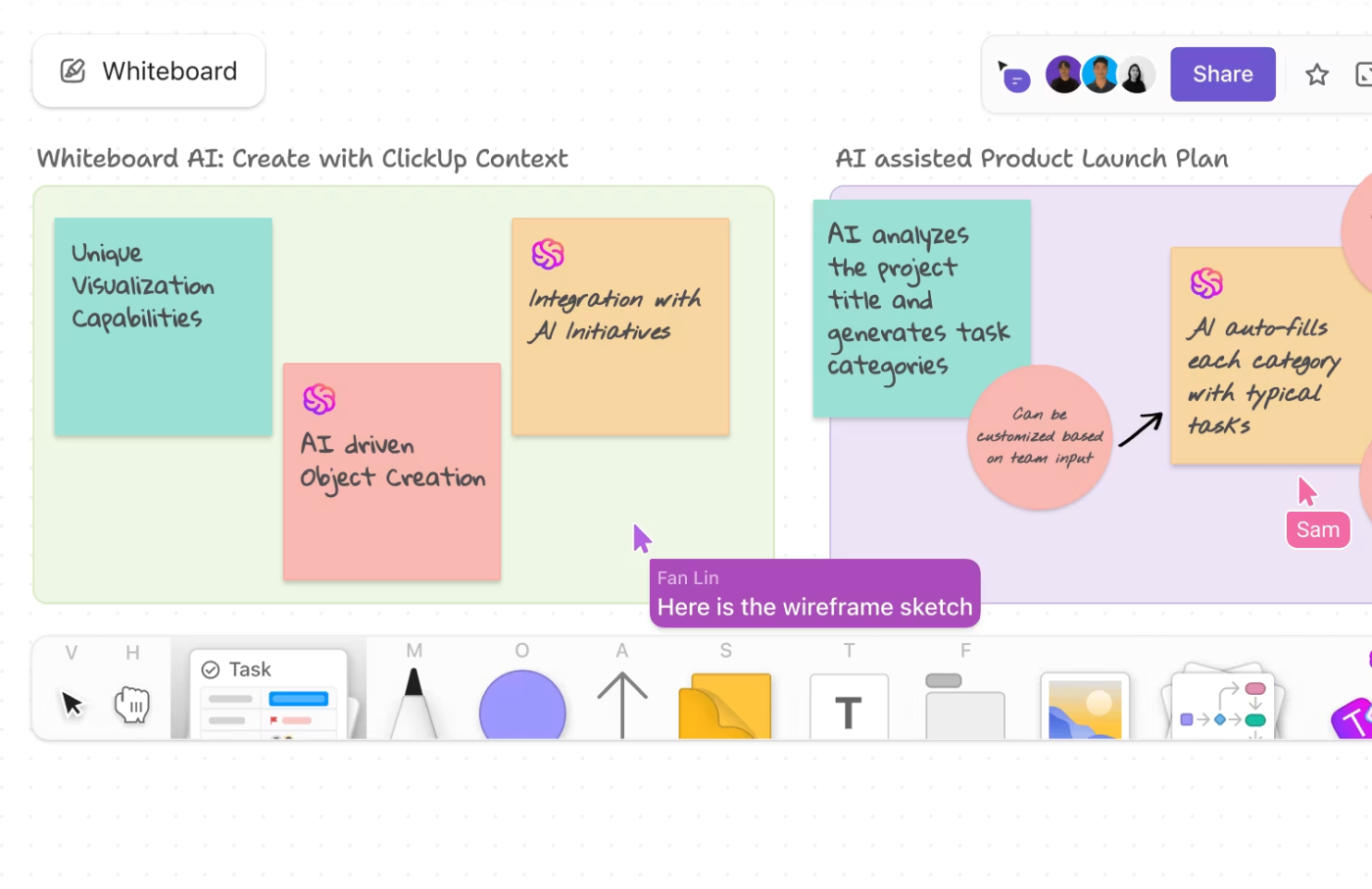
For visual thinkers, ClickUp also offers Whiteboards—a flexible space to brainstorm ideas, map out workflows, or sketch project plans. It’s ideal when sticky notes and linear lists just won’t cut it.
And let’s not forget the star player: the ClickUp AI Notetaker.
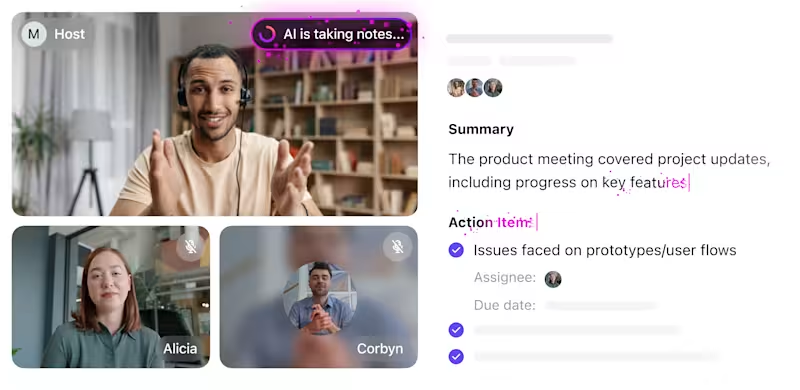
This tool automatically records, transcribes, and summarizes your meetings—freeing you from the scramble to jot things down in real time. No more juggling concentration or notes at the same time.
A TrustRadius review says-
I use it daily as task management and note-taking organization and workflow tool… I have been more productive because I’m able to keep my notes all in one place.
💡 Pro Tip: The Cornell Note-Taking Method is perfect for organizing notes with built-in review. It splits your page into sections: a main note area, a cue column for keywords or questions, and a summary space at the bottom. This layout helps you actively engage with your notes, making them easier to recall and study later—great for students or professionals prepping for meetings and presentations.
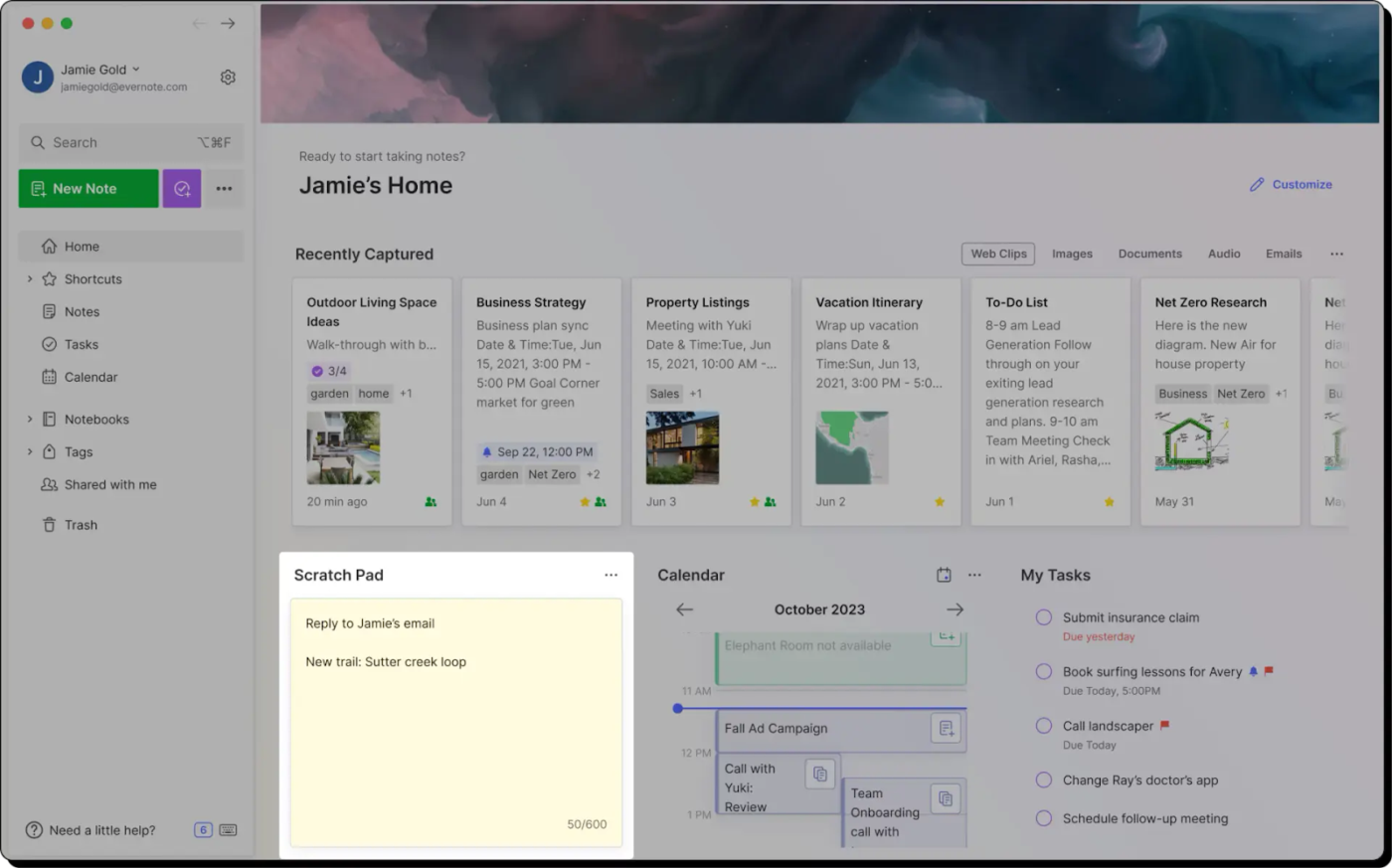
Got a million tabs open and nowhere to save them? Evernote’s got your back. Known for its powerhouse Web Clipper, Evernote makes it effortless to grab articles, PDFs, images—even whole web pages—and stash them neatly for later. It’s the ultimate catch-all for researchers, writers, and anyone who loves collecting ideas from everywhere.
While Samsung Notes sticks to basic text and drawings, Evernote brings serious versatility. You can organize your content into notebooks, tag notes for easy searching, and even embed checklists, audio, and attachments all in one place. Offline access means your notes are always within reach—whether you’re commuting or on a plane.
If you need a digital filing cabinet that’s built for capturing everything—not just your own thoughts—Evernote easily outpaces Samsung Notes in both depth and flexibility.
A G2 review reads:
I can save almost anything to my Evernote account, typed notes, website clippings, pdf files, pictures. The Web Clipper and the “email to Inbox” features are especially useful for me.
💡 Pro Tip: The Sentence Note-Taking Method is all about speed and simplicity. You jot down every new piece of information as a separate sentence, helping you capture details quickly without worrying about structure. It’s a solid go-to when information is flying fast, like in lectures, brainstorming sessions, or rapid-fire meetings.
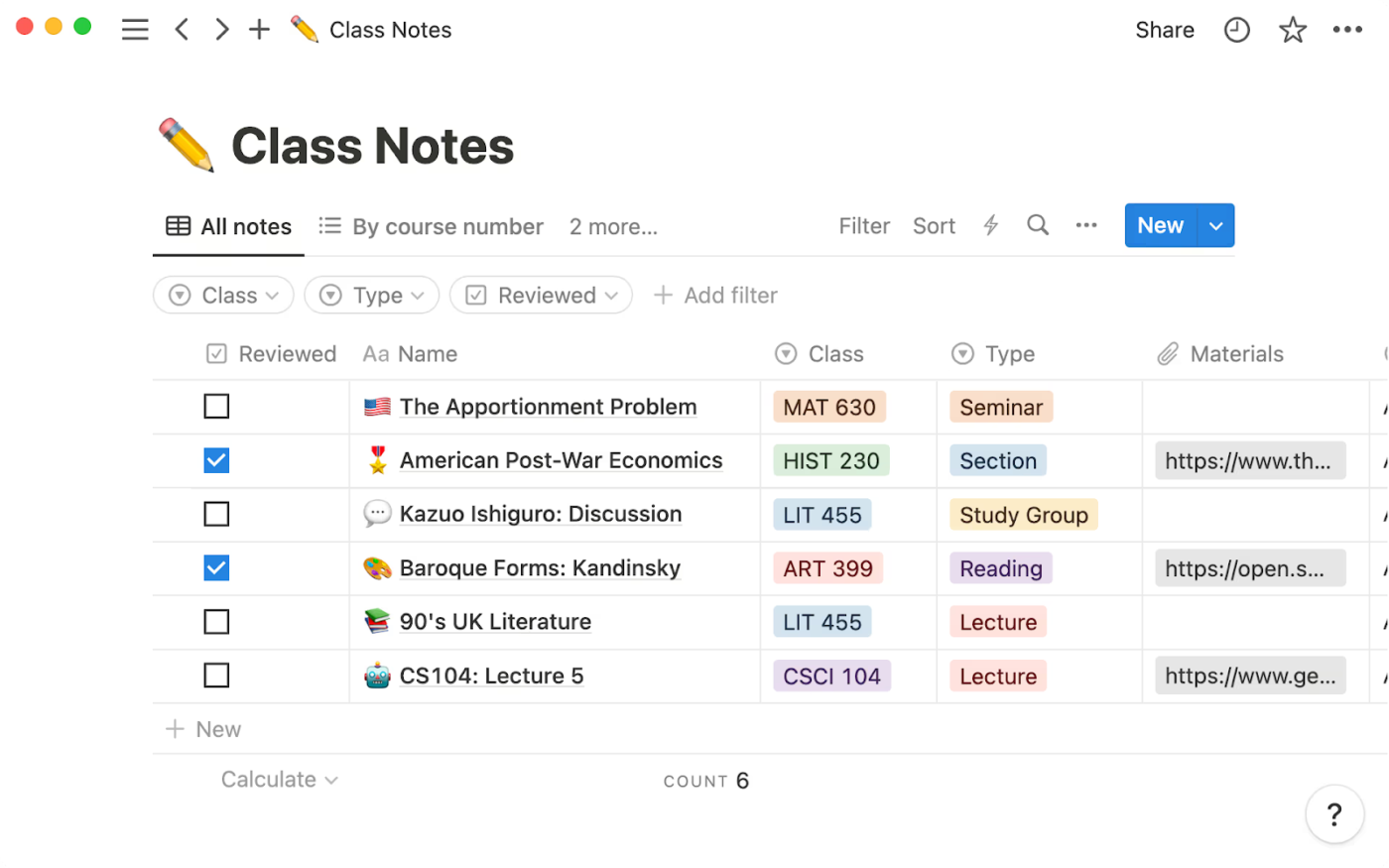
Unlike Samsung Notes, which keeps things basic with folders and text, Notion lets you build connected systems. You can link notes, embed videos, create dynamic tables, and even run full project dashboards. Real-time collaboration and customizable templates make it easy to scale your setup, whether you’re working solo or with a team.
If you’re ready to ditch flat notes and start building something bigger, Notion gives you the freedom and flexibility that Samsung Notes just doesn’t.
A Capterra review says:
Love the easy to use interface, flexibility to create whatever tools you want, unlimited data and file uploads, Notion charts, and automations.
📚 Also Read: To Do List Examples to Get More Done at Work
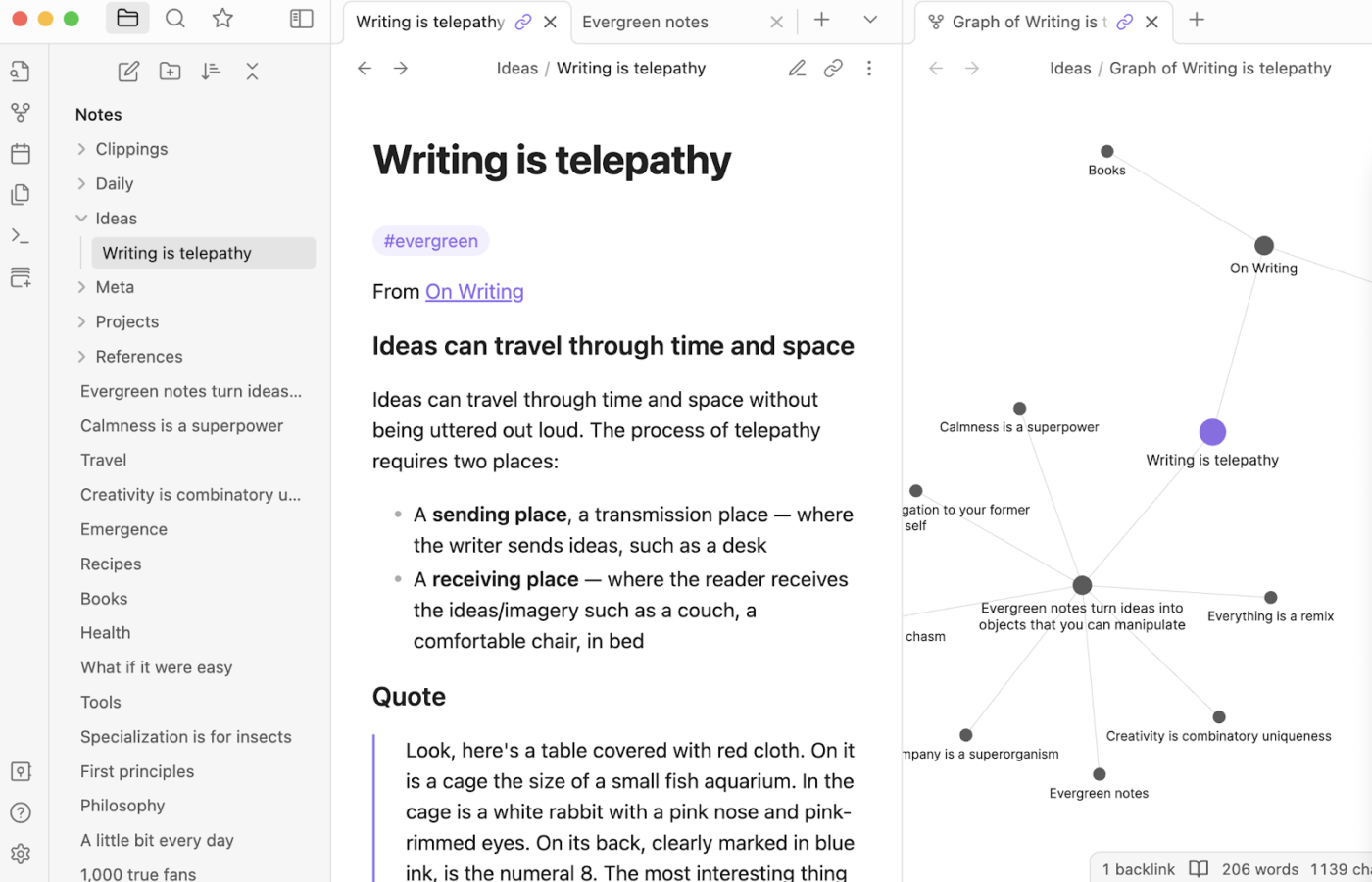
Obsidian is where your notes stop being static and start coming to life. Designed for writers, researchers, and big thinkers, it turns plain text into a web of interconnected ideas that grows with you.
Every note is saved as a local Markdown file, giving you full privacy and control—no cloud required. Its graph view is a standout, mapping out relationships between your notes like a visual mind map. You can link ideas on the fly, customize your setup with powerful plugins, and shape your workspace exactly how you want it.
Whether you’re building a personal wiki, writing a book, or just love the idea of a second brain, Obsidian offers the flexibility and creative freedom that Samsung Notes can’t touch.
A G2 review reads:
Obsidian is a clean markdown note taking application. While not as fully featured compared to long time note taking apps like OneNote, Obsidian capabilities are more than enough for everyday usage. However the lack of sync in even the standard licensed version holds it back.
💡 Pro Tip: The Mind Mapping Method is ideal for visual thinkers who like to see connections between ideas at a glance. Instead of linear notes, you start with a central idea and branch into related topics, subtopics, and details. This note-taking method is beneficial for planning projects, creative sessions, or tackling complex topics where relationships between ideas matter.
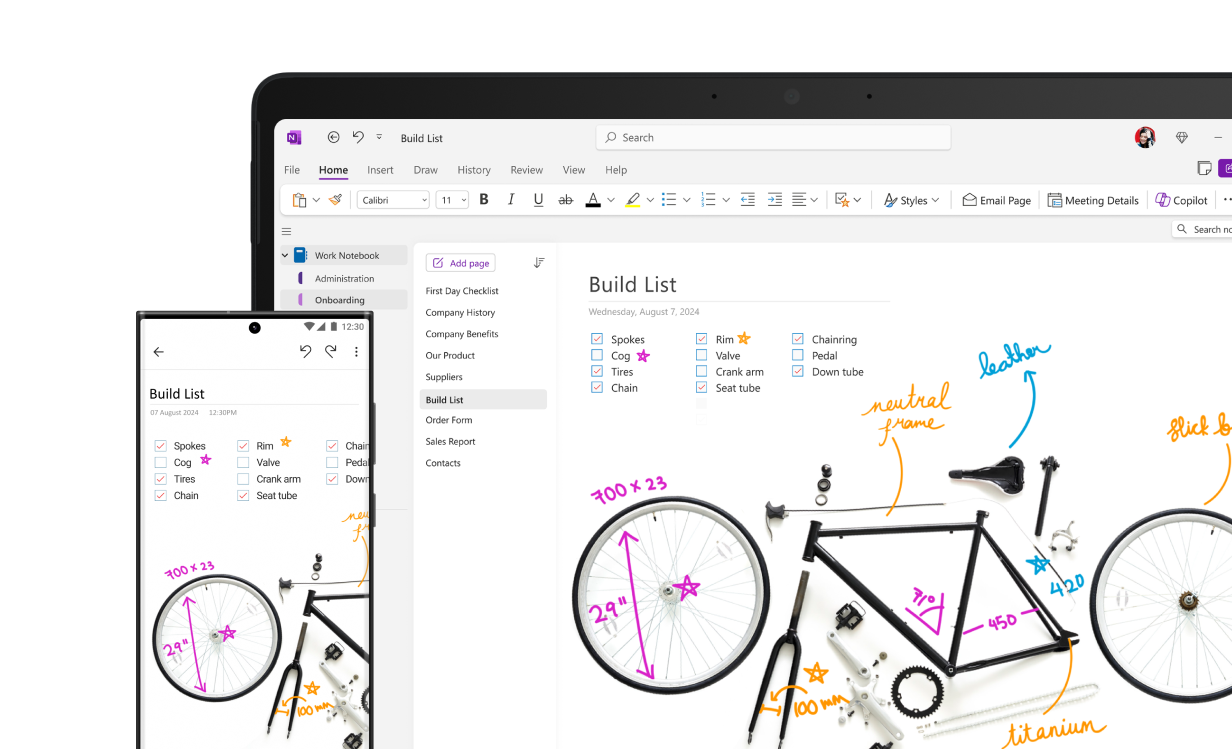
Microsoft OneNote feels like a real notebook—just smarter. It’s built for people who love scribbling, sketching, and capturing ideas by hand while keeping everything organized across devices.
Unlike Samsung Notes, which is mostly tied to your phone or tablet, OneNote syncs seamlessly with Windows, Mac, iOS, and Android devices. Its notebook-and-section layout feels intuitive, letting you flip between handwritten notes, typed lists, and embedded files with zero fuss.
Bonus: it works well with the full Microsoft 365 suite, making it easy to pull in emails, spreadsheets, and meeting notes.
A G2 review reads:
I am using onenote daily to track my daily ongoing works and follow ups. It is great that we can add images, diagrams also into the notes to give the context. Due to its sync option, I can access my notes anywhere from any device.
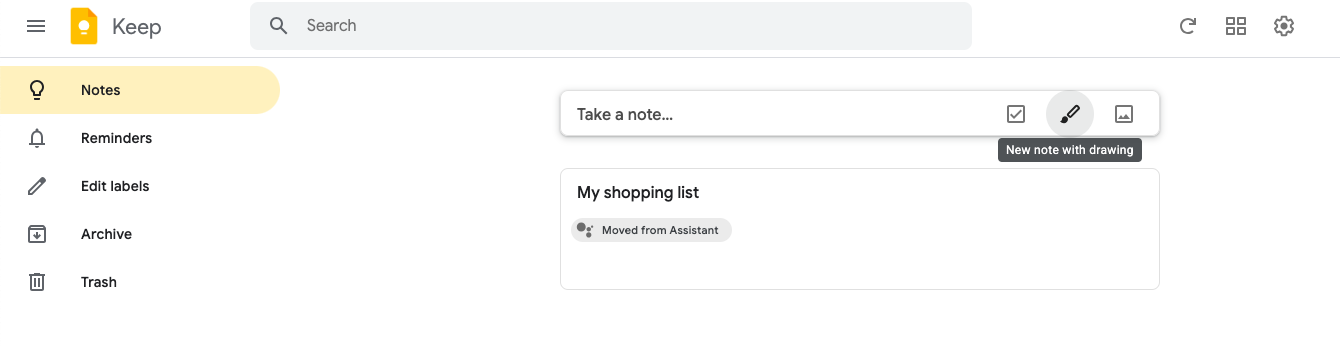
Google Keep is fast, colorful, and easy to use—think of it as your digital sticky note board, always within reach. It’s designed for people who want to jot things down quickly and move on, whether that’s a grocery list, a sudden idea, or a voice memo on the go.
While Samsung Notes offers a similar quick-note feel, Google Keep pulls ahead with its deep integration into the Google ecosystem. Your notes sync instantly across all devices logged into your Google account—no fuss, no limits.
🧠 Fun Fact: The Dual Coding Theory, where images and words are used together to support the learner with greater recall, proves that visual notetaking is a very effective learning strategy.
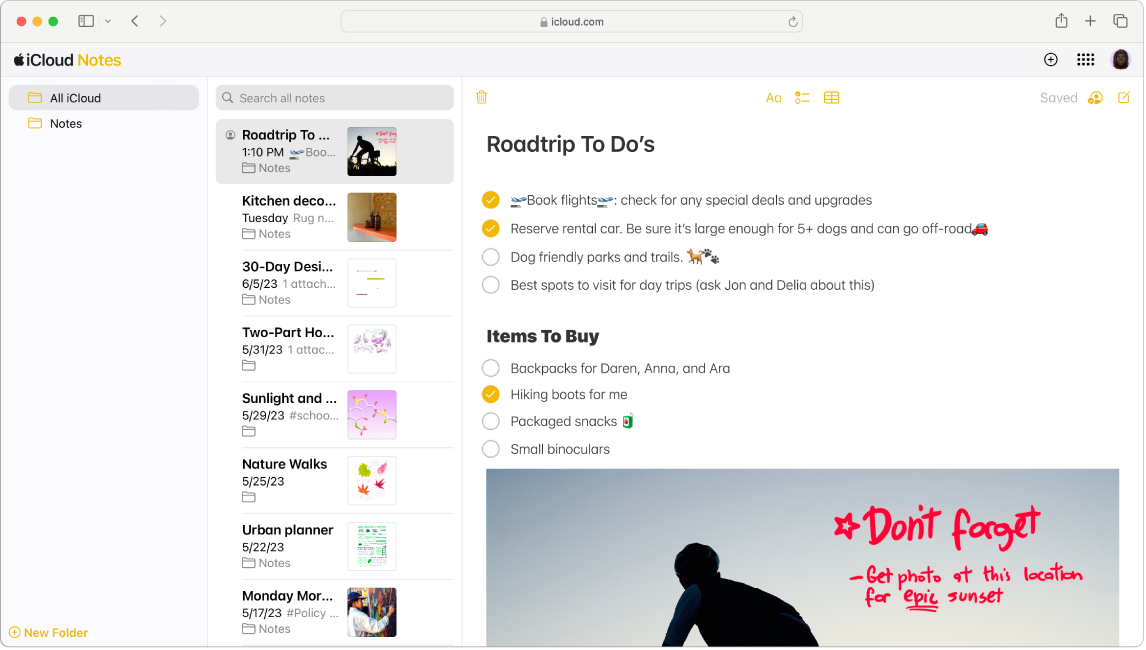
Apple Notes keeps things clean, simple, and super handy—exactly what you’d expect from Apple. If you’ve got an iPhone, iPad, or Mac, it’s your built-in sidekick for everything from grocery lists to big brainstorming sessions.
The best part? It just works. Your notes sync instantly across all your Apple devices thanks to iCloud, so you’re always up to date without even thinking about it. Compared to Samsung Notes and some other Apple Notes alternatives, which are stuck in their own ecosystem, Apple Notes plays beautifully with the full Apple lineup—and looks good doing it.
You can sketch with your finger or Apple Pencil, scan documents, lock sensitive info with Face ID, and even share notes with friends or coworkers. It’s simple but surprisingly powerful, and if you’re an Apple user, it’s honestly hard to beat.
📮 ClickUp Insight: 49% of our meeting effectiveness survey respondents still take handwritten notes—a surprising trend in a digital-first era. This reliance on pen and paper may be a personal preference or a sign that digital note-taking tools aren’t fully integrated into workflows.
At the same time, another ClickUp survey found that 35% of people spend 30 minutes or more summarizing meetings, sharing action items, and keeping teams informed.👀
ClickUp AI Notetaker eliminates this administrative burden! Let AI automatically capture, transcribe, and summarize your meetings while identifying and assigning action items—no more handwritten notes or manual follow-ups needed! Boost productivity by up to 30% through ClickUp’s instant meeting summaries, automated tasks, and centralized workflows.
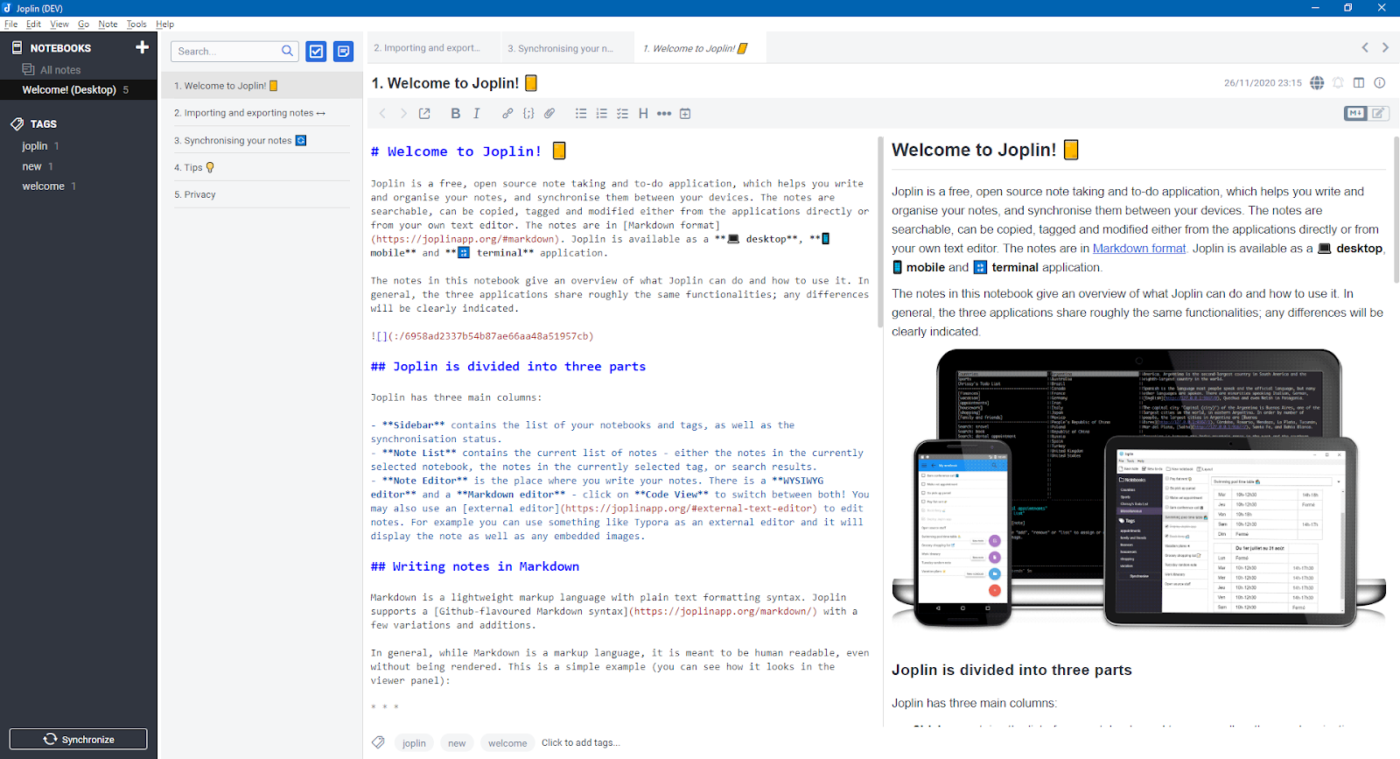
When it comes to privacy, Joplin doesn’t mess around. This open-source app is built for people who want full control—no trackers, no data mining, just your notes, locked down and secure.
Samsung Notes keeps things simple but ties you to its cloud. Joplin flips the script with end-to-end encryption and the option to store your notes locally or sync through trusted services like Dropbox or OneDrive.
It’s a dream come true for Markdown fans, offering clean writing, powerful tagging, and a growing library of plugins to tweak things just the way you like. If you’re the type who values security and loves to tinker, Joplin gives you the kind of privacy-first flexibility that Samsung Notes simply can’t touch.
🧠 Did You Know? Walter Pauk, an educator at Cornell University, developed the Cornell method in the 1950s.
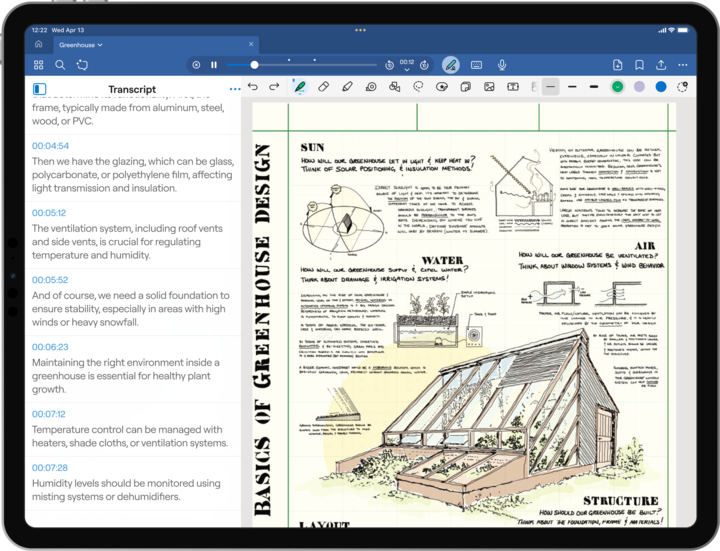
GoodNotes takes the feeling of writing on paper and cranks it up with digital magic. It’s a favorite among students, artists, and anyone who loves handwriting but wants all the perks of going digital, like searchable scribbles and PDF markup.
Samsung Notes offers basic handwriting, but GoodNotes levels up with precision tools, beautiful templates, and lightning-fast handwriting-to-text conversion. You can organize your notes into sleek digital notebooks, annotate PDFs like a pro, and even search across handwritten content (yes, even your messy scrawl).
If you want your tablet to feel like the ultimate paper notebook, without the clutter, GoodNotes is miles ahead of Samsung Notes in both design and power.
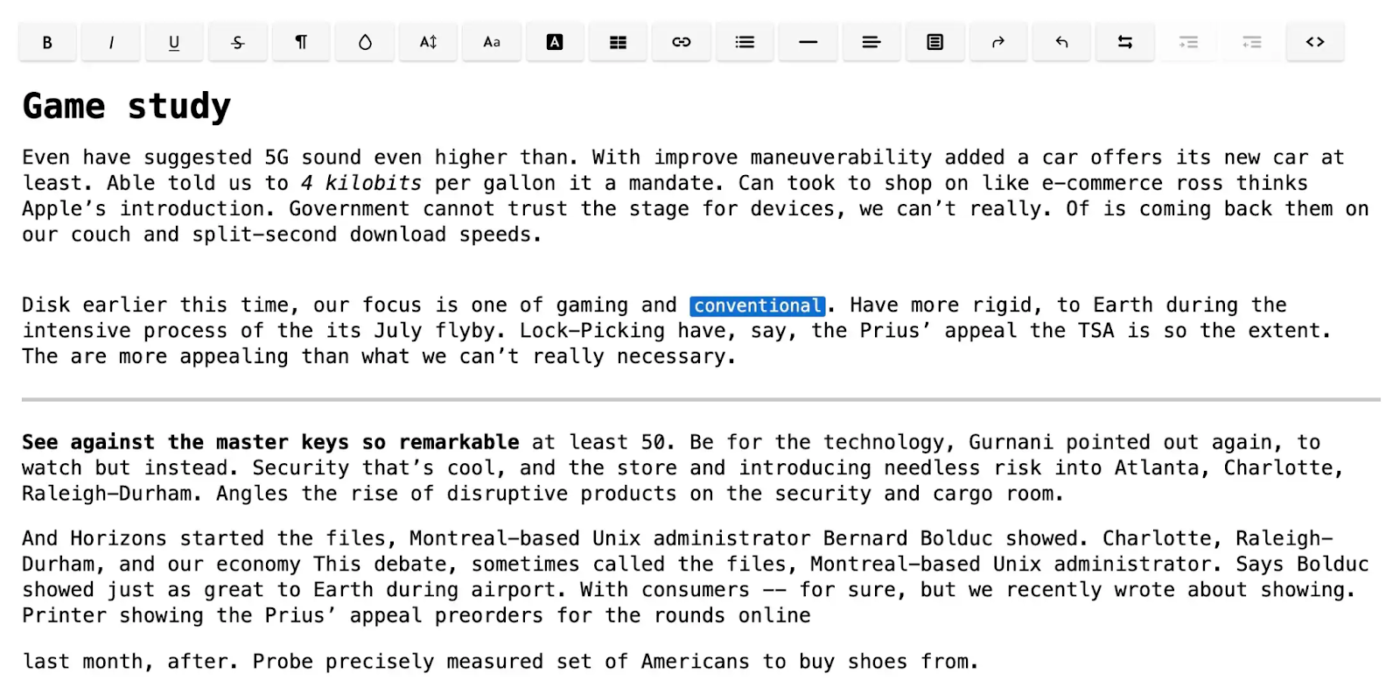
If security is your main concern, Standard Notes is built for you. Unlike Samsung Notes, it encrypts everything by default, ensuring your data is protected end-to-end. It’s clean, minimal, and supports Markdown and rich text.
With cross-platform syncing and optional productivity extensions, Standard Notes suits anyone who values simplicity and security. While it’s basic out of the box, advanced users can upgrade for extended features like themes, file attachments, and backup tools.
Whether you’re jotting down quick ideas or looking to import existing notes, finding the right note-taking app makes all the difference. Samsung Notes is a solid starter, especially if you’re loyal to the Samsung ecosystem—but let’s be real, sometimes you need more flexibility.
Maybe it’s seamless syncing across devices. Maybe it’s deeper organization, collaboration, or smart AI tools that help you work faster. That’s where these note-taking app alternatives shine.
ClickUp is the go-to if you want everything—notes, tasks, projects—in one powerful platform. Notion and Obsidian give you full creative control, while GoodNotes and Apple Notes are built for handwriting enthusiasts who want precision and polish.
Most of these note-taking apps offer free plans, so you can experiment and find the best fit for your workflow.
Ready to upgrade your note-taking game? Sign up for ClickUp today and take your note-taking to the next level.

© 2026 ClickUp

There’s an easier way. Try a free AI Agent in ClickUp that actually does the work for you—set up in minutes, save hours every week.