
Sorry, there were no results found for “”
Sorry, there were no results found for “”
Sorry, there were no results found for “”
Replit is a solid coding platform—until you hit its limits. As you build and run your code, you may find yourself needing more advanced debugging tools and support.
If you’re managing applications in cloud computing environments, you need programming assistance that streamlines development, enhances debugging, and optimizes performance without roadblocks.
Let’s explore 15 Replit alternatives to help you code more efficiently, collaborate seamlessly, and find your best fit! 💻
Replit is a cloud-based coding environment that lets developers write, run, and share code directly from their browsers. It supports multiple programming languages, offers real-time collaboration, and features an intuitive interface that makes development seamless.
With built-in hosting, an AI-powered assistant, and one-click deployment, Replit simplifies coding for both beginners and experienced developers.
Bottom line: The solution delivers a near hassle-free experience to bring your code to life.
Replit’s a pretty great tool, but leaves developers wanting a change. Here are a few reasons why:
🧠 Fun Fact: Replit borrows its name from REPL (Read-Eval-Print-Loop), a coding environment popular for interactive programming and experimentation.
Here’s a quick overview of the top Replit alternatives, their standout features, ideal user base, and pricing details to help you find the best fit for your development needs.
| Tool | Best Features | Best For | Pricing* |
| ClickUp | – AI-powered task management- Seamless GitHub and GitLab integration- Custom views (Kanban, Gantt)- Documentation with ClickUp Docs | Best suited for individuals, small businesses, mid-market companies, enterprises | Free forever plan; Customizations available for enterprises |
| GitHub Codespaces | – Integrated with GitHub- Pre-configured VM settings- Copilot for AI-assisted coding | Best suited for GitHub users, remote developers | Free plan available; Paid plans starting at $0.07/month per user |
| CodePen | – Front-end live preview- Interactive coding playground- Real-time collaboration | Best suited for front-end developers, designers | Free; Paid plans starting at $12/month per user |
| Visual Studio Code (VSC Online) | – Custom integrations- IntelliSense for code suggestions- Advanced debugging tools | Best suited for VS Code users, web developers | Professional: $45/month; Enterprise: $250/month per user |
| CodeSandbox | – Rapid web app prototyping- Instant collaboration- GitHub integration | Best suited for web developers, startups | Free; Paid plans starting at $12/month per workspace |
| AWS Cloud9 | – AWS service integration- Real-time collaboration- Cloud-based terminal access | Best suited for teams, remote developers | Custom pricing |
| Glitch | – Real-time coding updates- Built-in SQLite support- Instant deploy feature | Best suited for collaborative coders, educators | Free; Paid plans starting at $8/month per user |
| Eclipse Che | – Kubernetes/OpenShift integration- Preconfigured dev spaces- One-click onboarding | Best suited for enterprise developers, DevOps teams | Free and open-source |
| Cody AI | – AI-driven code refactoring- Smart code search- Auto-complete across codebases | Best suited for AI enthusiasts, programmers | Basic: $29/month (3 users); Premium: $99/month (10 users) |
| ChatGPT | – Multi-language support- AI-powered debugging- Code generation assistance | Best suited for coders, AI-powered development | Free; Paid plans starting at $20/month per user |
| Codeanywhere | – Peer programming support- Git/GitHub integration- Customizable workspaces | Best suited for remote teams, freelancers | Free; Paid plans starting at $12/month per user |
| Blackbox | – AI-driven code suggestions- Real-time version history- Simulation of test codes | Best suited for AI-powered coding, automation | Free; Paid plans starting at $19.99/month per user |
| Koding | – Local environment simulation- Performance analytics- Versionable stack scripts | Best suited for DevOps teams, software engineers | Single Cloud: $9.90/month; Dev Environment: $29.90/month |
| IntelliJ IDEA | – Advanced debugging tools- Code completion- Integrated unit testing | Best suited for Java developers, enterprise teams | IntelliJ Ultimate: $19.94/month; All Products Pack: $34.10/month |
| JSFiddle | – Instant code testing- Multi-language support- Preprocessor flexibility | Best suited for JavaScript developers, testers | Free; Pro: $8/month per user |
Replit’s limitations highlight what to look for in a cloud-based development environment. Now, let’s explore the 15 top code-completion and editing tools designed to enhance your workflow.
Our editorial team follows a transparent, research-backed, and vendor-neutral process, so you can trust that our recommendations are based on real product value.
Here’s a detailed rundown of how we review software at ClickUp.
For businesses that like end-to-end software and coding management, ClickUp is the everything app for work you’ll love.
It specializes in seamless task management, documentation, and collaboration. Plus, with its 30+ tools and 1,000+ integrations, it eliminates the need to switch tabs and apps.
ClickUp for Software Team Project Management is specifically designed to help you plan, build, and ship software effortlessly. It unites cross-functional teams with custom access sharing and coding resource hubs, simplifying the entire development lifecycle.
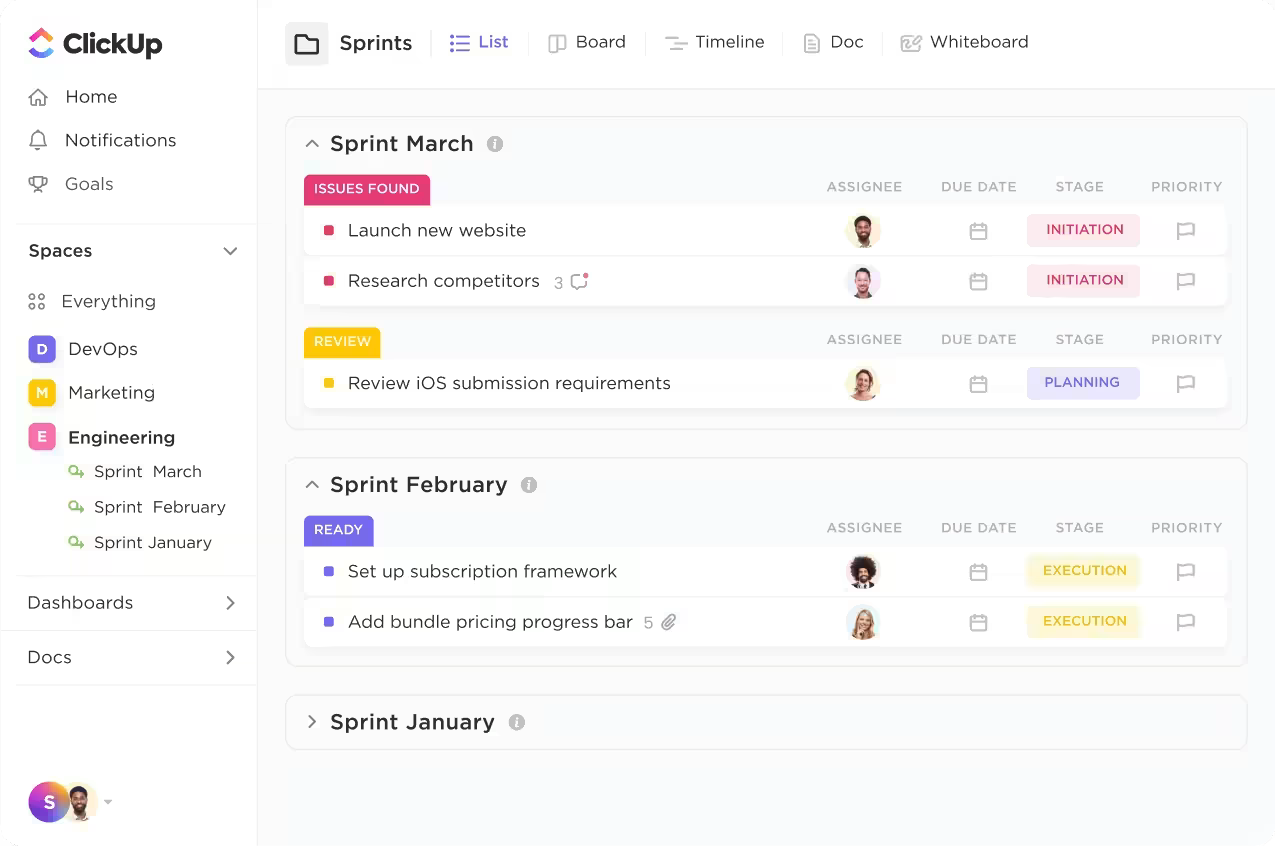
If you’re considering better visibility, this solution offers custom views, like the Kanban board. These views can be used to make delegation clear and progress tracking a breeze with sleek flashcards.
For Agile teams, its Software Sprints bring structure to coding chaos, no matter how many last-minute features land on your plate. Plus, when it’s time for review meetings, exportable reporting tools and analytics deliver crisp insights your CTO will love.
Need your latest project data stat? The platform also uses the AI-driven ClickUp Connected Search to instantly pull files and tasks from your drive, platform, and integrated apps. All in all, ClickUp creates a unified hub for your entire development lifecycle, from creating burndown charts to executing backlog prioritization.
What’s more? The platform also natively connects with GitHub and GitLab to sync commits, branches, and pull requests directly within tasks. Talk about seamless software management, sky-high workflow efficiency, and effortless version control!
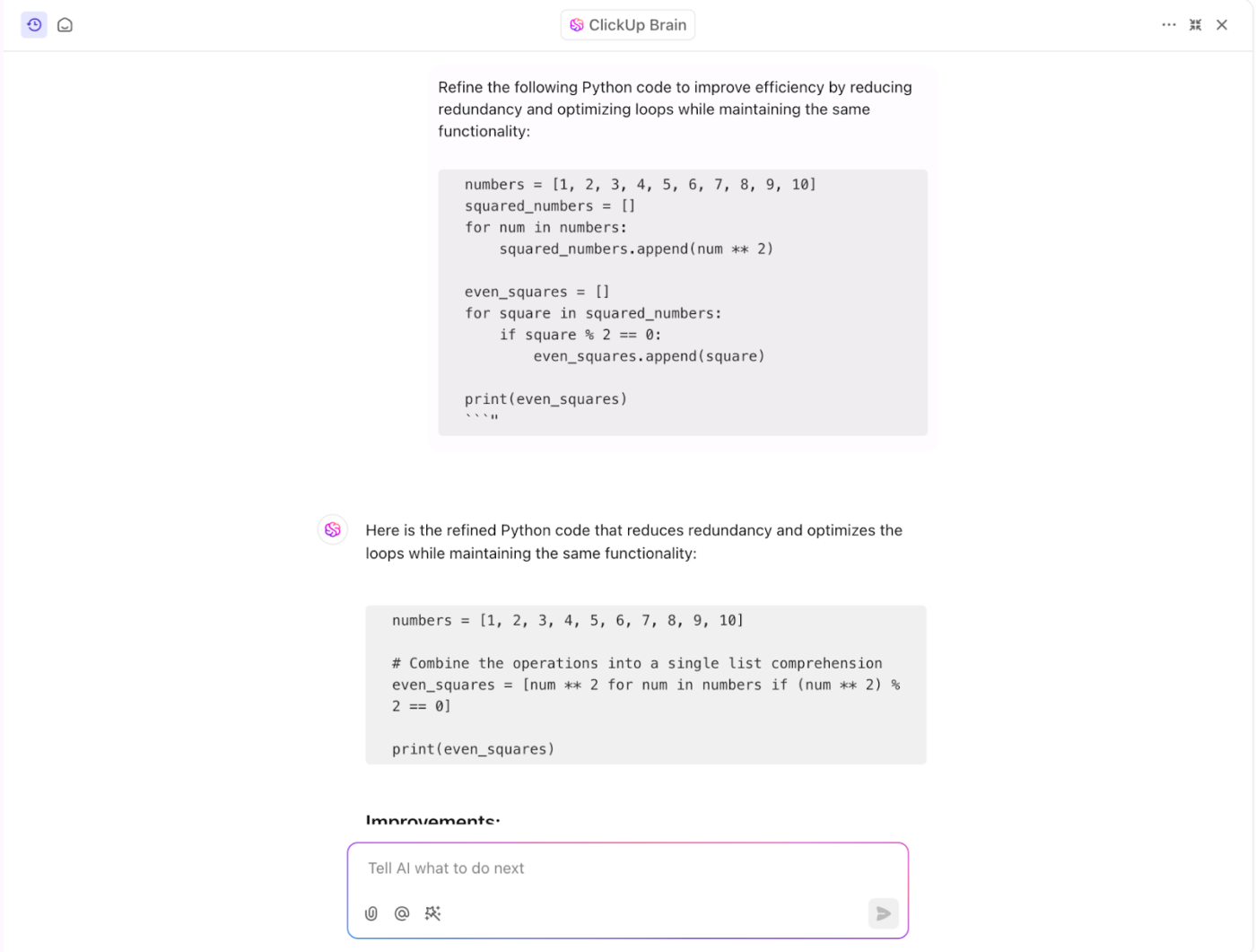
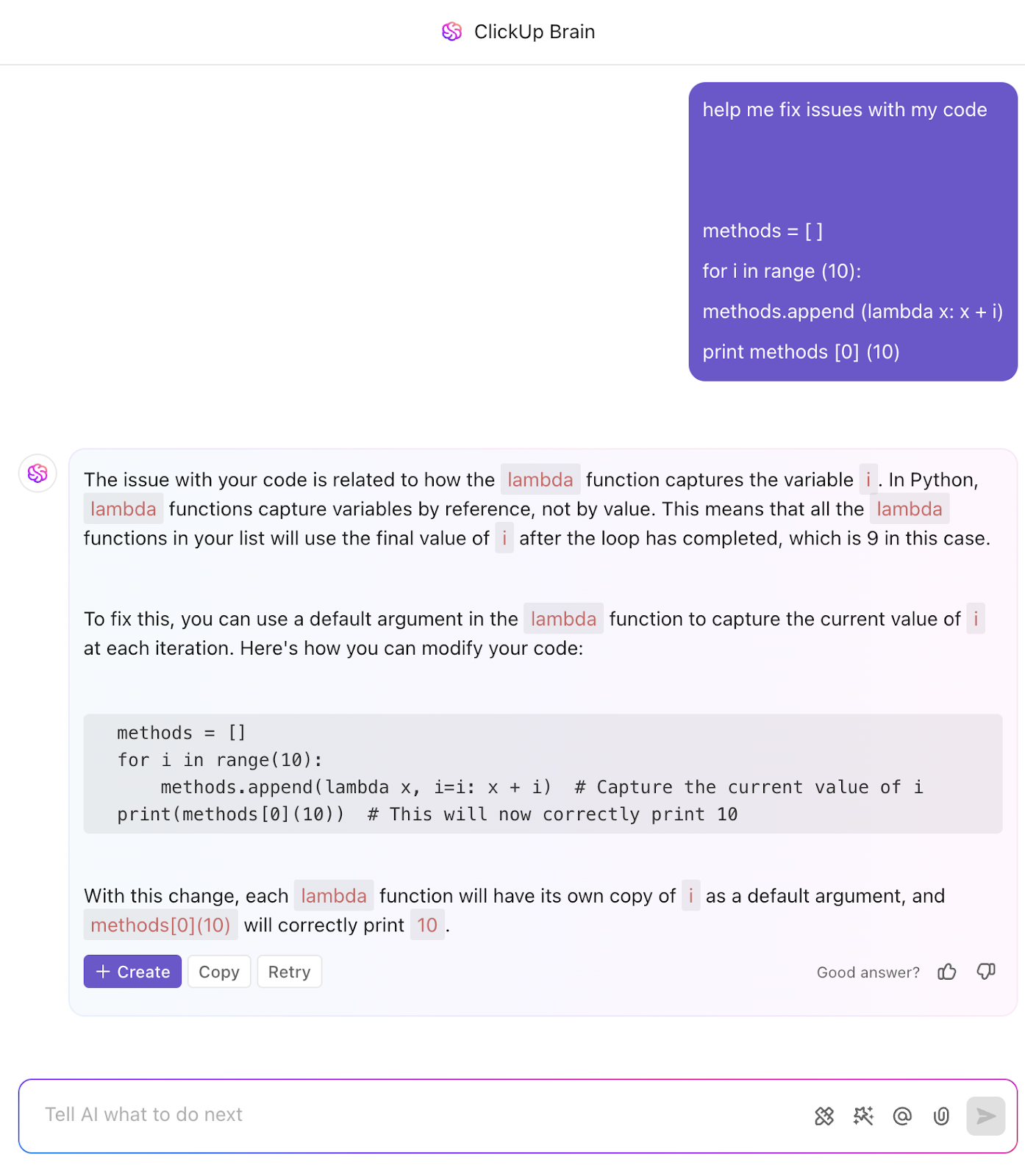
With ClickUp Brain, the native AI assistant, you can get help with brainstorming and coding improvement, reducing manual tasks. If you’re a developer, it instantly takes code sharing and development strategies off your plate.
ClickUp Brain generates Code Snippets and project roadmaps with minimal input. Use AI in coding to refine explanations and improve code. With it, teams can automate task updates, file movement, and notifications with conditional workflows.
⭐️ Bonus: ClickUp Brain users can choose from multiple external AI models, including ChatGPT, o3-mini, o1, Claude, and Gemini for various writing, reasoning, and coding tasks!

Ready to export all of this? ClickUp Docs is your one-stop documentation solution, whether you’re a project manager, back-end coder, or IDE expert. Its rich markdown language helps any team accurately map out projects, tutorials, and technical notes.
Plus, ClickUp’s code block formatting simplifies sharing code snippets within Docs. Whether working with your team or reviewing code during a sprint, ClickUp keeps your code organized with clear syntax highlighting.
ClickUp also comes with pre-configured, ready-to-use development templates for efficient activity tracking. The ClickUp Software Development Template is an excellent example of this, with MoSCoW prioritization, whiteboard views, and task tags to track progress at every stage.
Giovanny G., a Full-Stack developer, says:
Works great for tasks, documentation and collaboration. As a developer, the Bitbucket and Github integrations for PR and commit tracking are awesome, and can work bidirectioinal, so you have your code in Bitbucket with a link to the ClickUp task.
💡 Pro Tip: Use the ClickUp Chrome extension on your browser to track time, send tasks to your ClickUp directly, attach emails to tasks, and a lot more.
📮ClickUp Insight: 13% of our survey respondents want to use AI to make difficult decisions and solve complex problems. However, only 28% say they use AI regularly at work. A possible reason: Security concerns! Users may not want to share sensitive decision-making data with an external AI.
ClickUp solves this by bringing AI-powered problem-solving right to your secure Workspace. From SOC 2 to ISO standards, ClickUp is compliant with the highest data security standards and helps you securely use generative AI technology across your workspace.
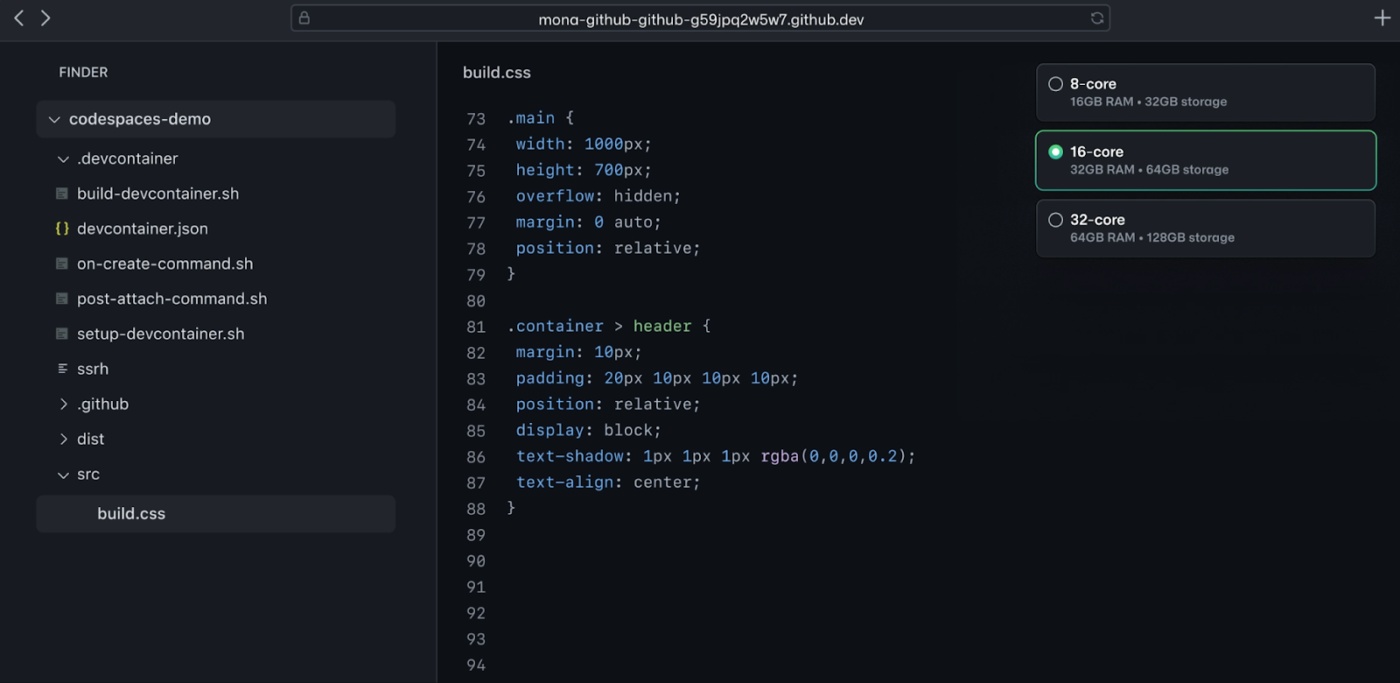
Want an IDE that is seamlessly integrated with GitHub? Codespaces is the platform’s all-in-one solution. In addition to its smooth integration with GitHub, it also has a fully customizable VS Code workspace designed for professional developers.
The solution comes with a Copilot option to drive efficient AI-assisted coding. In short, its flexibility and design make it a strong choice for serious projects.
A G2 review reads:
GitHub becomes a complete platform for software development armed with a lot of features like hosting source codes, actions for CICD, Codespaces and Copilot with all the magic of AI
💡 Pro Tip: Use the GitHub Classroom feature to minimize the learning time for new coders on your team.
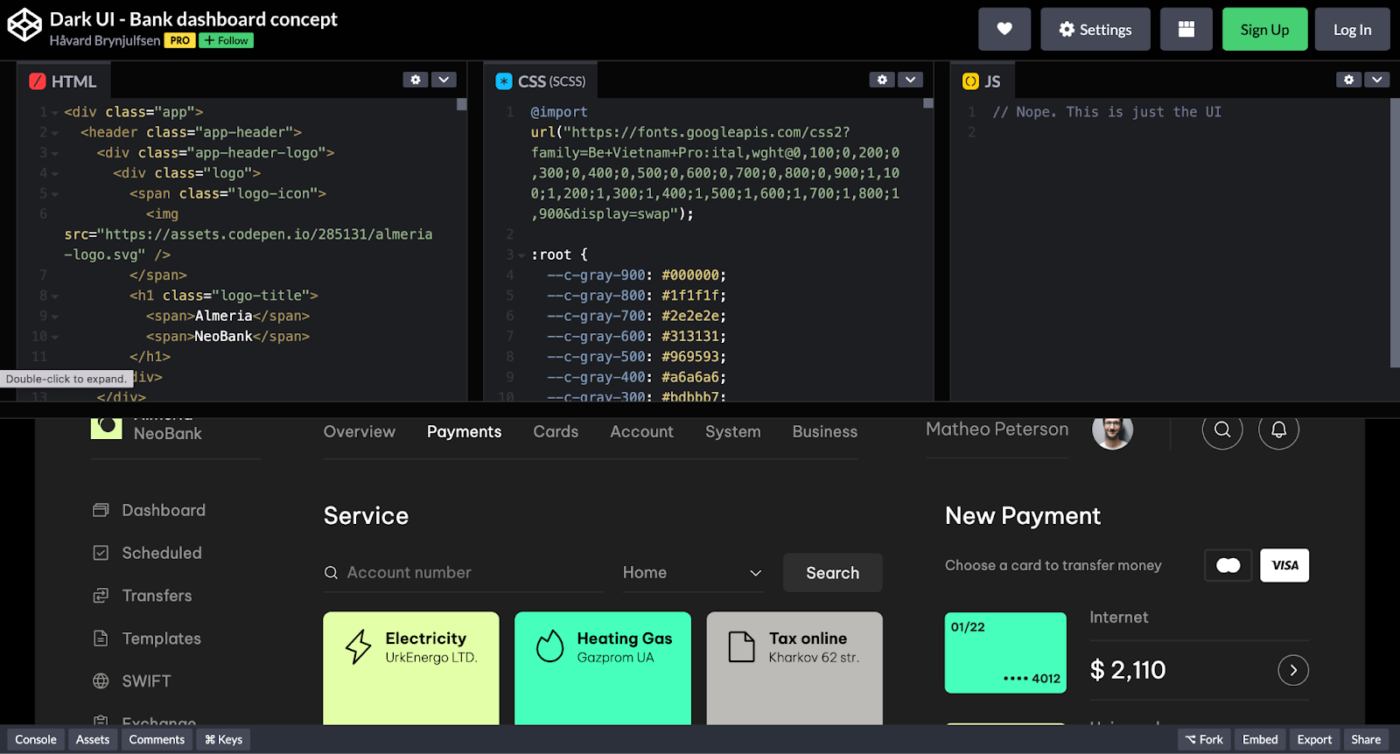
CodePen is a front-end developer’s playground, perfect for testing, tweaking, and sharing HTML, CSS, and JavaScript snippets (“Pens”) with a live preview. Whether you’re crafting animations, experimenting with JavaScript, or building stunning UI components, it offers a seamless, interactive experience.
Users can also explore projects from the developer community and learn with coding challenges. Plus, CodePen has a sleek interface and instant preview to make the process more fun, collaborative, and inspiring.
A G2 review reads:
It is a wonderful way to code something quickly, such as proof of concepts or algorithms, which you can then save, edit, and share with your team.
🧠 Fun Fact: HTML, the language that powers web apps, was created by Tim Berners-Lee, the inventor of the World Wide Web.
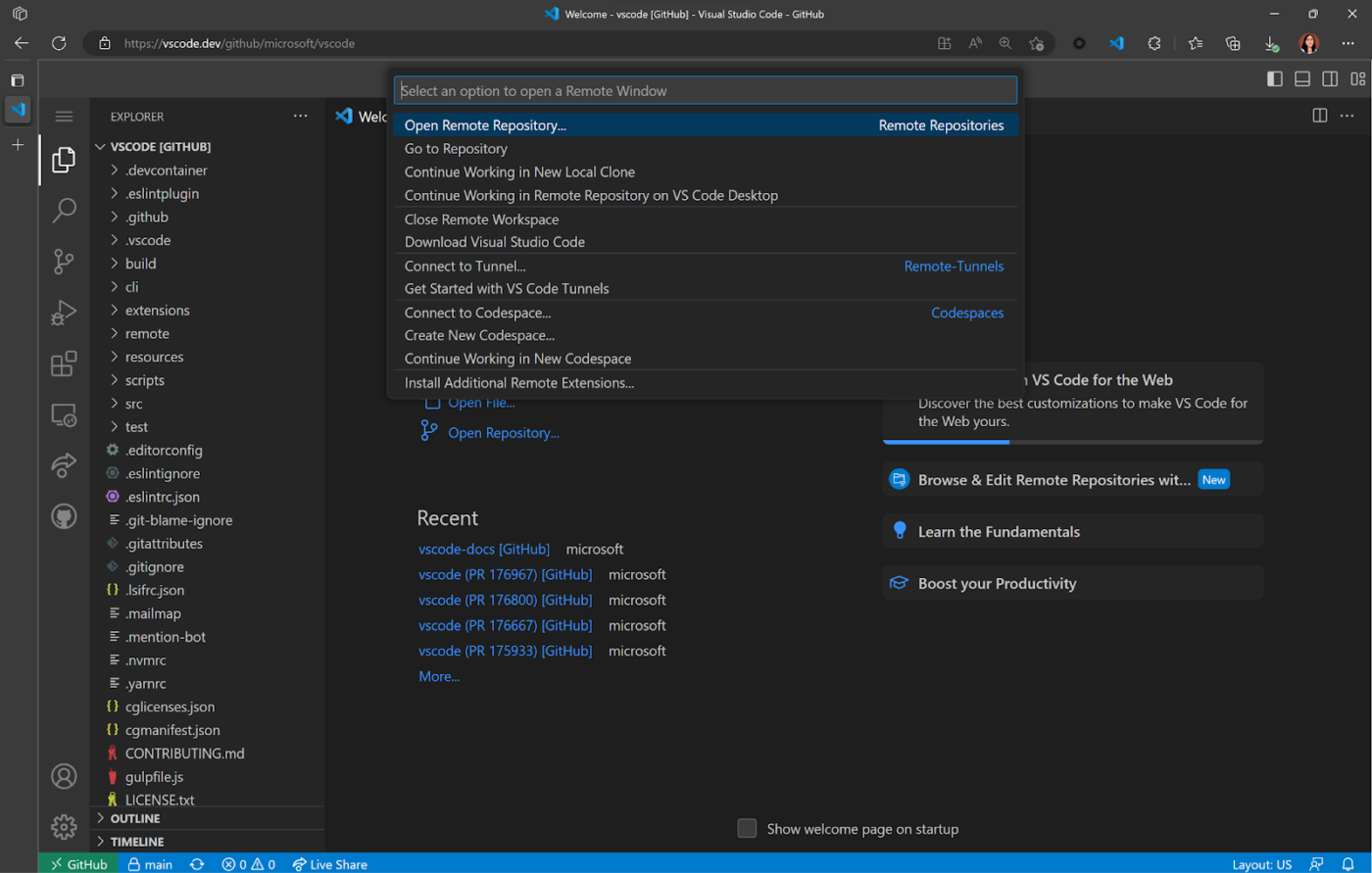
Next on our list is Microsoft’s VSC Online (vscode.dev or via integrations like GitHub Codespaces), a lightweight, browser-based version of the popular Visual Studio Code editor. It’s relatively popular IDE option among developers. The solution features an online code editor that supports all the popular languages and an intuitive and easy-to-navigate interface.
Aside from the lightweight foundation, Visual Studio Code’s standout feature is the wide range of extensions available in its marketplace.
A Capterra review says:
VS Code is one of the best lightweight IDEs out there. It runs smoothly on most systems and offers a huge collection of extensions.
🧠 Fun Fact: The term “debugging” originated from a real bug, a moth, found in a Harvard Mark I computer.
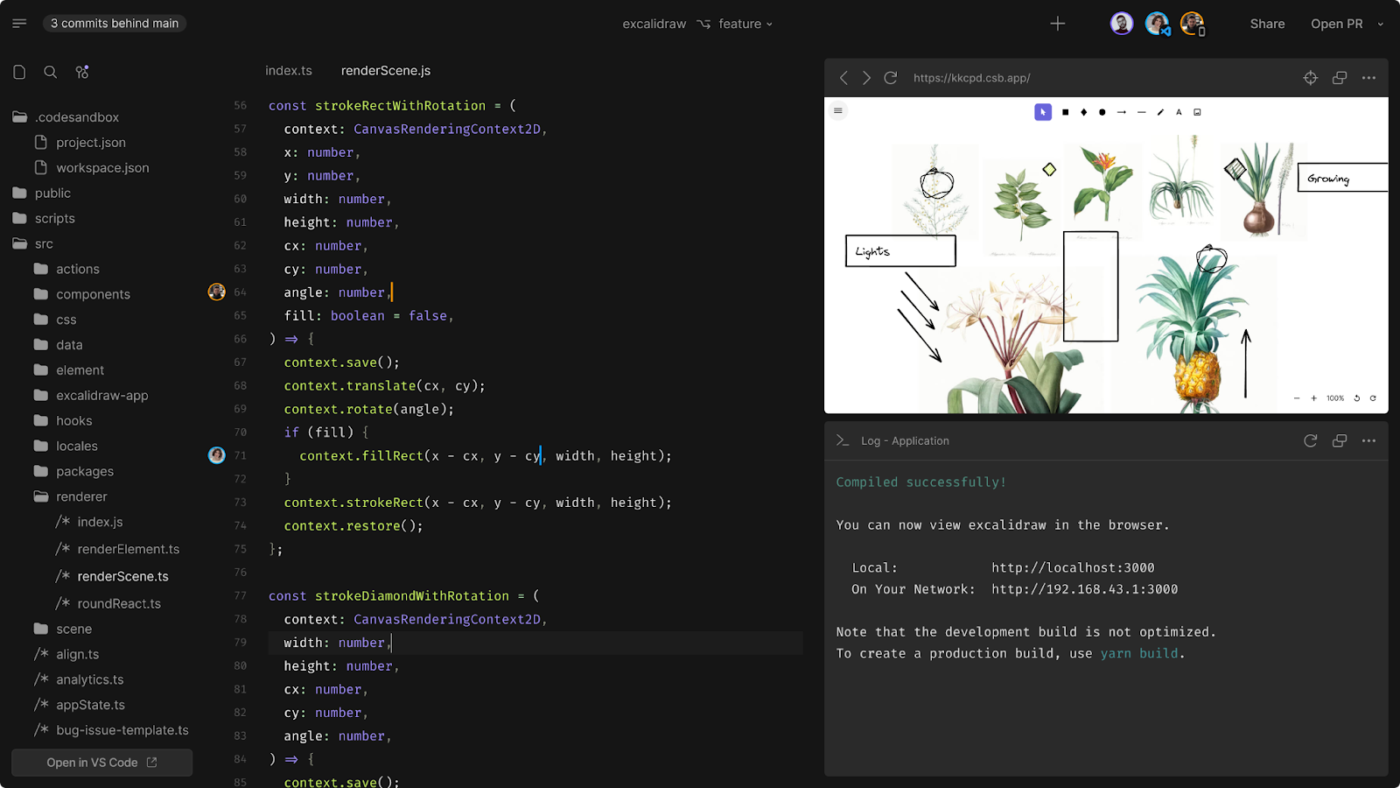
CodeSandbox is the tool developers turn to for fast coding. It provides instant, shareable development environments primarily for web technologies (React, Vue, Angular, Node.js). It offers collaboration, built-in hosting, and seamless integration with GitHub.
Its browser-based editor and live previews also speed up testing ideas, sharing code, and repeating iterations. Overall, CodeSandbox’s simplicity and speed make it a popular choice for efficiently developing web apps.
💡 Pro Tip: Document Sandbox results separately to streamline troubleshooting. This helps new coders and experts fix bugs faster.
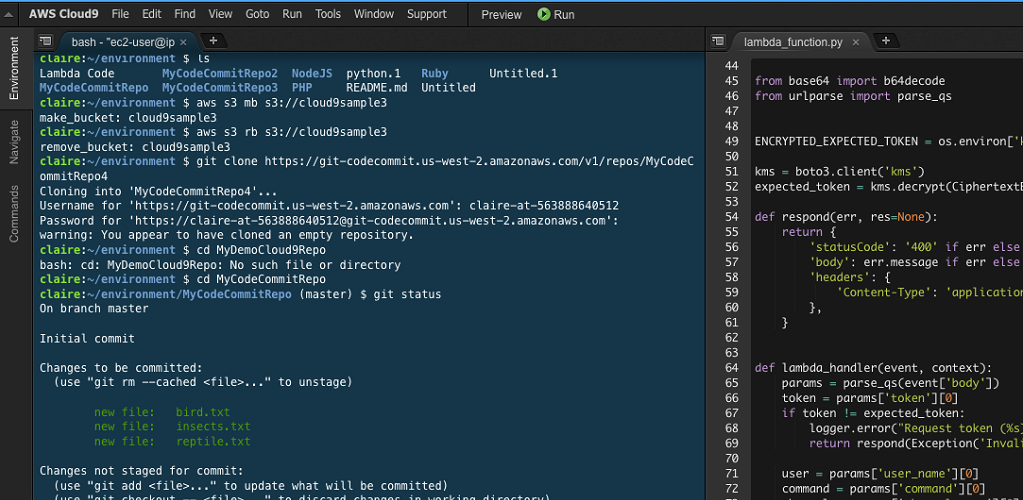
AWS Cloud9 is like a coding dojo in the cloud—perfect for pair programming and structured workflows. Its seamless terminal access to other AWS services is a standout feature that makes software development a breeze.
It also offers a chat function, real-time code updates, and instant debugging before you go into app or site production.
A G2 review reads:
The seamless AWS service integration and pre-configured environment make development and deployment incredibly efficient.
📖 Also Read: Unlocking the Power of ClickUp AI for Software Teams
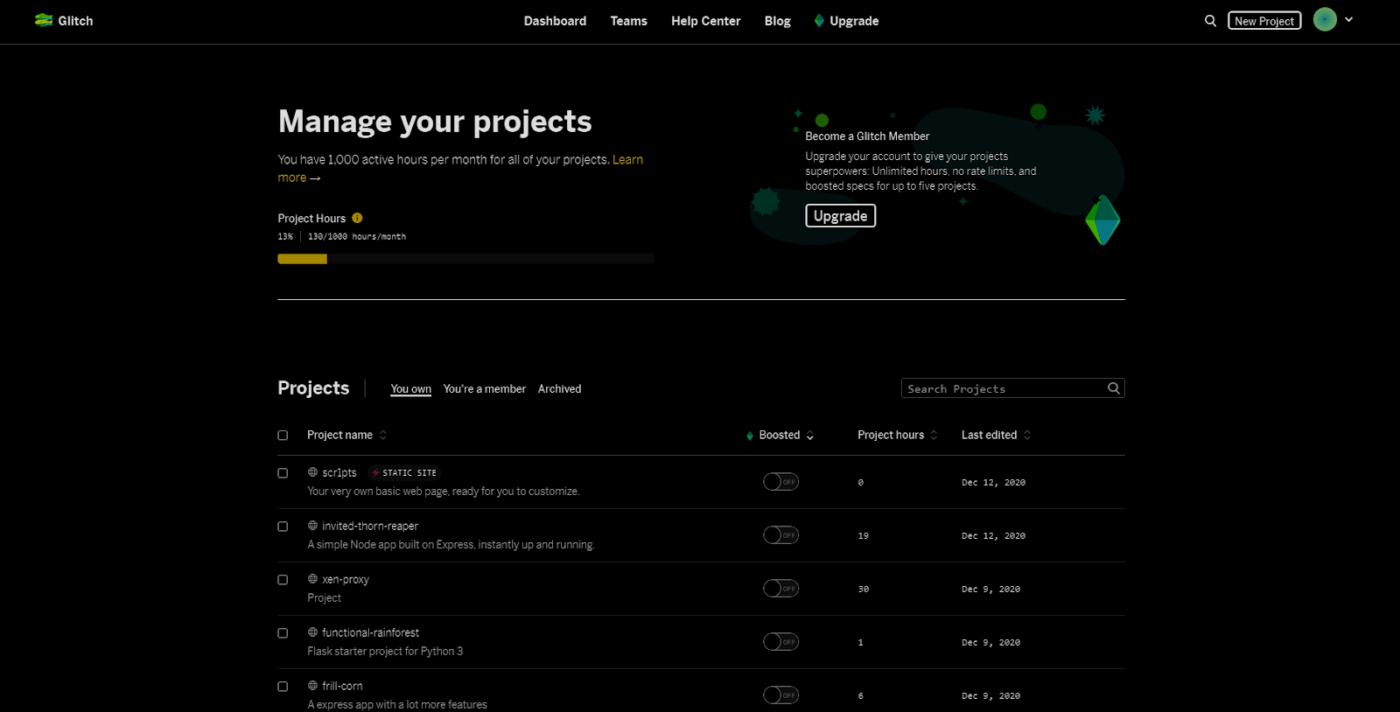
Want a solution with no setup, no waiting—just pure creativity? Glitch exudes that functionally and visually. It lets you “remix” (instantly forking) projects, clone from GitHub, or tinker with JavaScript frameworks.
Glitch also lets you go public or private and share apps like veteran coders. Plus, it comes with custom API integrations and secure programming that blends freedom and security.
A Capterra review reads:
Integration and uploading of assets is also very intuitive and the “prettier” function is very helpful
💡 Pro Tip: Adopt the Prettier library into Glitch’s ‘Format This File’ feature to customize how your code looks.
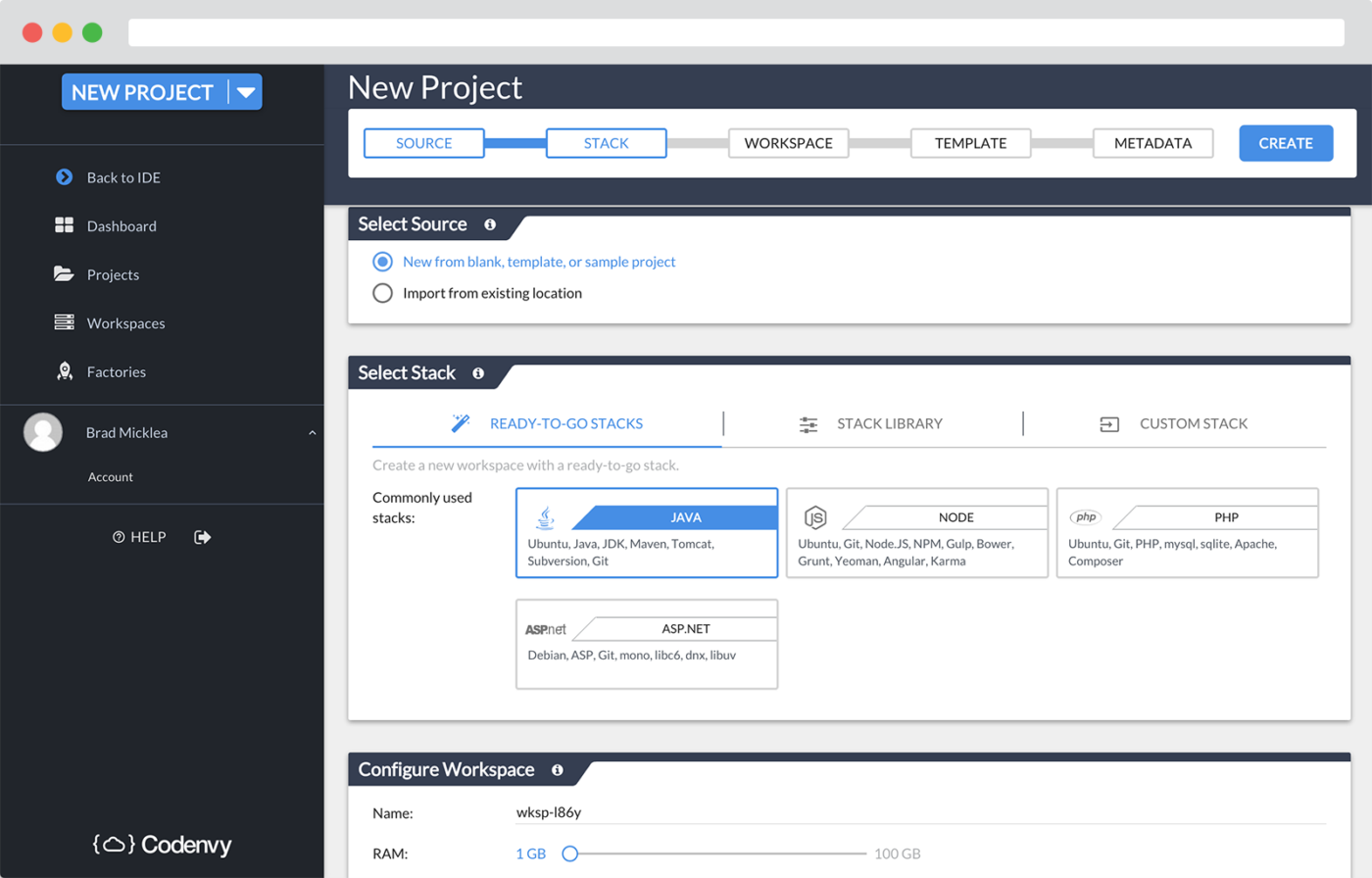
Eclipse Che is an IDE built for large-scale organizations that need power and efficiency. It runs in containerized environments on Kubernetes or OpenShift, making setup and scaling seamless.
The solution also integrates with CI/CD pipelines and supports collaboration with preconfigured dev spaces.
A G2 review says:
I enjoy the customizability of the workspace and the dynamic structure of the IDE. Being able to run customized Linux commands with a single click has proven to be very helpful.
👀 Did You Know? Eclipse ‘Che’ was named after the city of Cherkasy, where many of its developers reside.
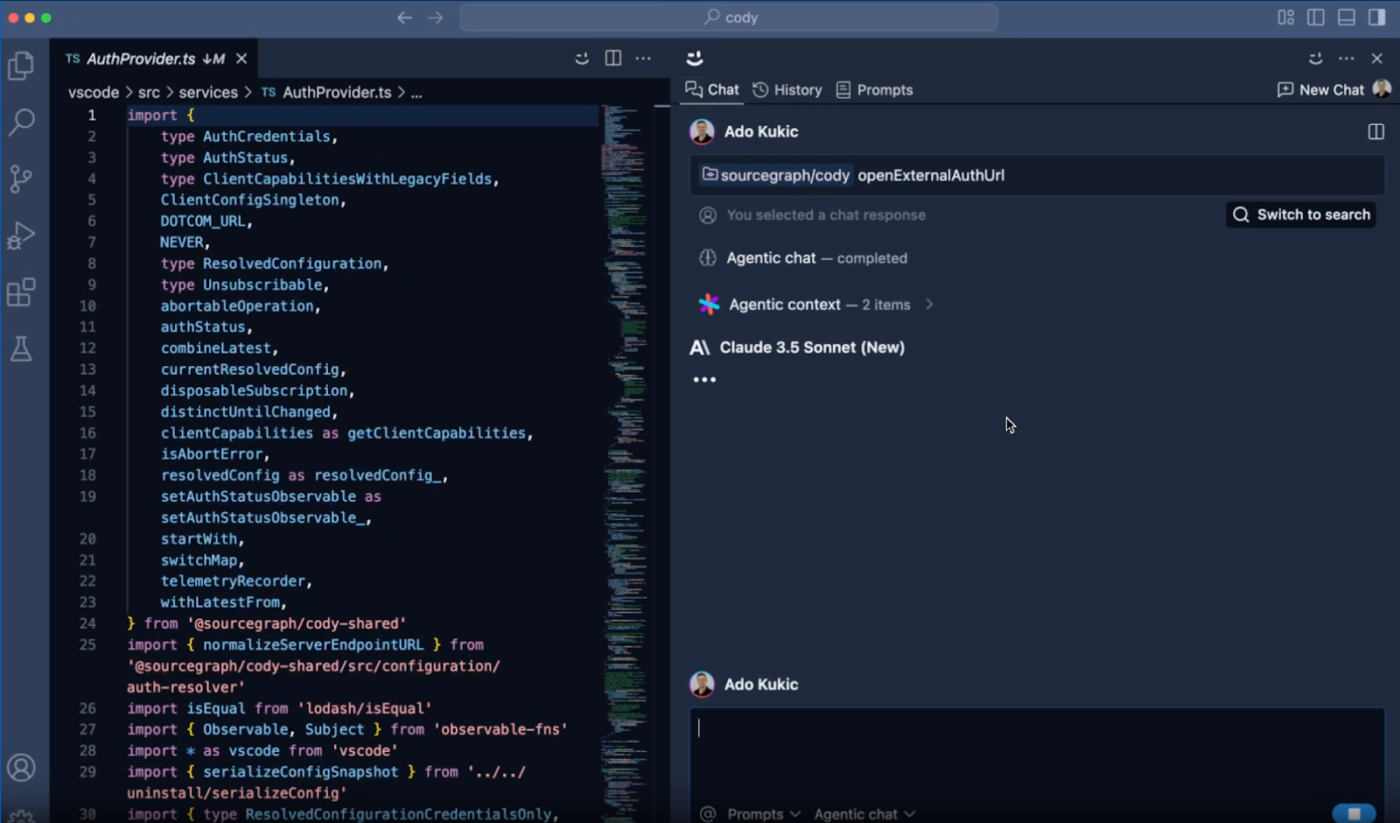
Cody is an AI-powered coding sidekick built by Sourcegraph to supercharge your workflow. Need to autocomplete, refactor, or debug? Cody’s got your back. It also understands your entire codebase to create more relevant suggestions.
Plus, it integrates seamlessly with your favorite editors. Whether tackling a tricky bug or brainstorming the next big feature, Cody keeps you moving fast.
A G2 review reads:
It helps me to be more efficient when I write code, as it allows me to set up commands to automate simple, everyday tasks. It is also a software that is easy to install and use, the search tool is very useful, and it integrates perfectly with GitLab.
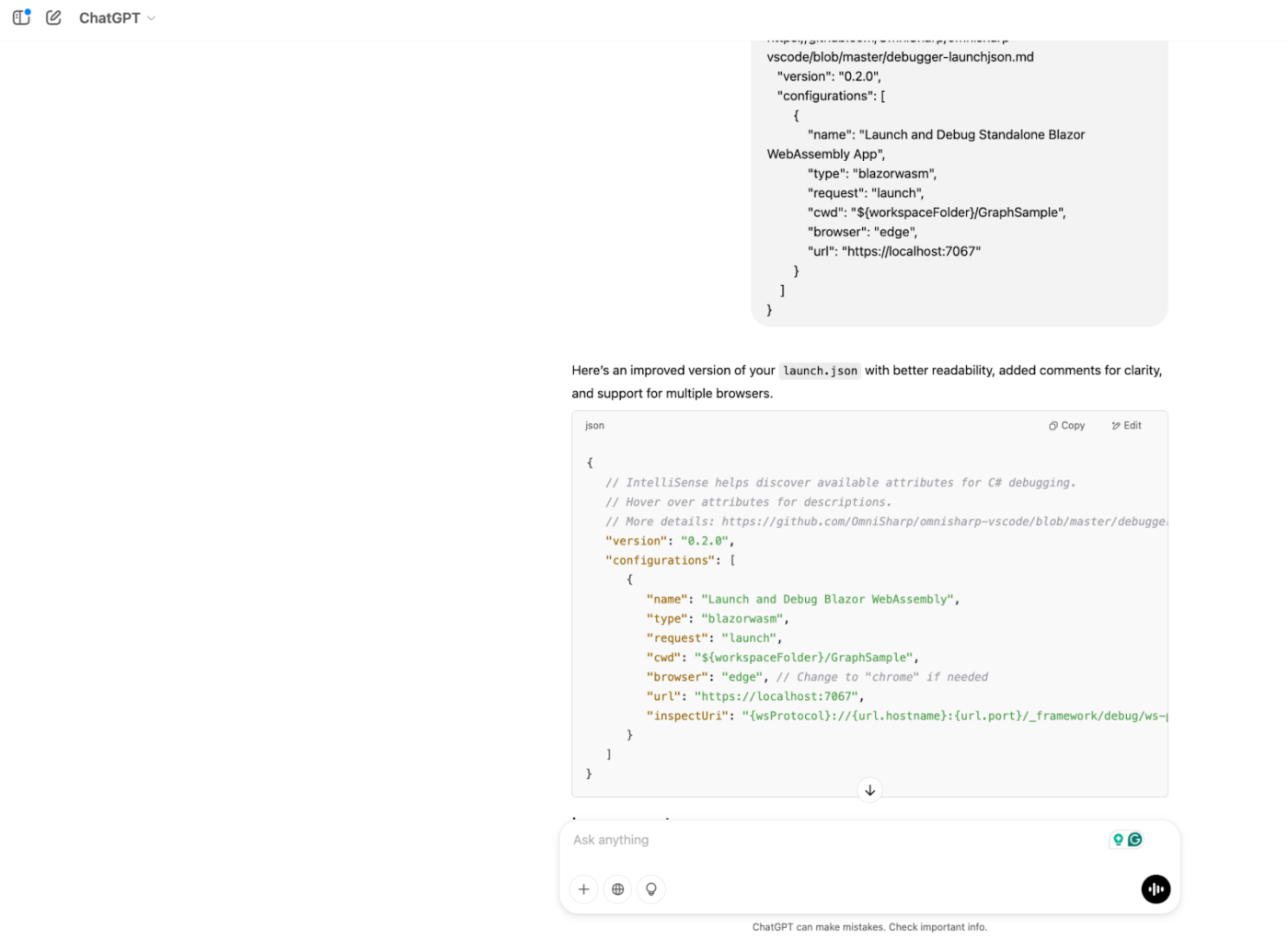
ChatGPT excels with smart algorithms and clear explanations for users refining code or building structures. Its foundational large language model (LLM) optimizes logic, suggests improvements, and generates complete code snippets you can tweak effortlessly.
In short, this conversational AI by OpenAI makes coding more intuitive and creative, perfect for both beginners and experts.
A G2 review says:
Writing code is more efficient and easy with ChatGPT. I wrote my Flutter project with it. Actually, almost all of the app is done by GPT now.
📖 Also Read: How to Use ChatGPT for Writing Code
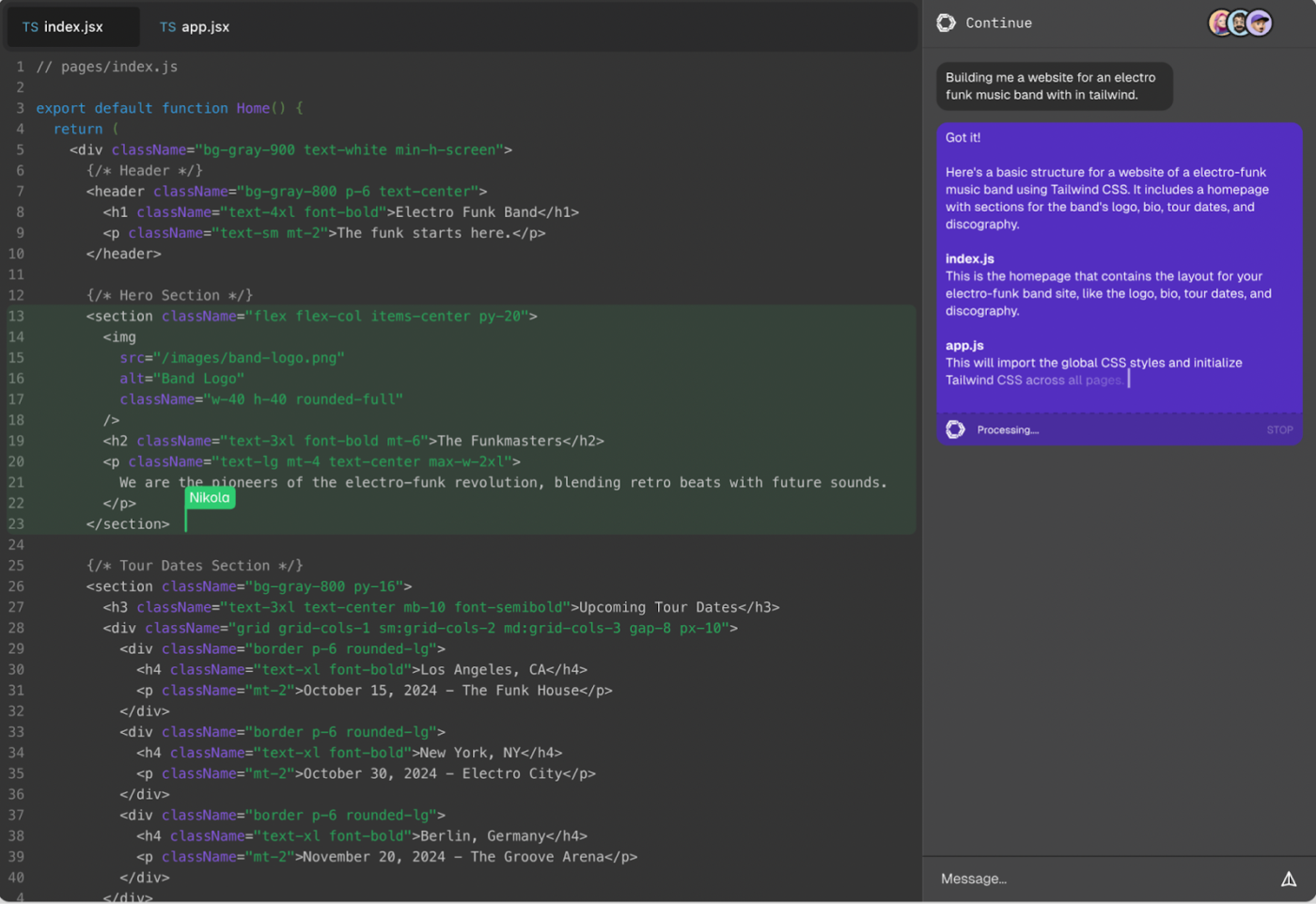
Designed for seamless collaboration, Codeanywhere is the go-to cloud IDE for professionals handling large teams. Its standout SSH feature simplifies custom code sharing—just generate a token, and you’re set.
Codeanywhere, powered by Continue, offers a live code editing space for seamless collaboration. Its interface also highlights active users and auto-generates chat threads to keep teams in sync.
A Capterra review reads:
It is decent as an editor and allows for connections to different remote sources, as well as its own built-in development container system. It works fairly well in different browsers (although some keybinds might interfere).
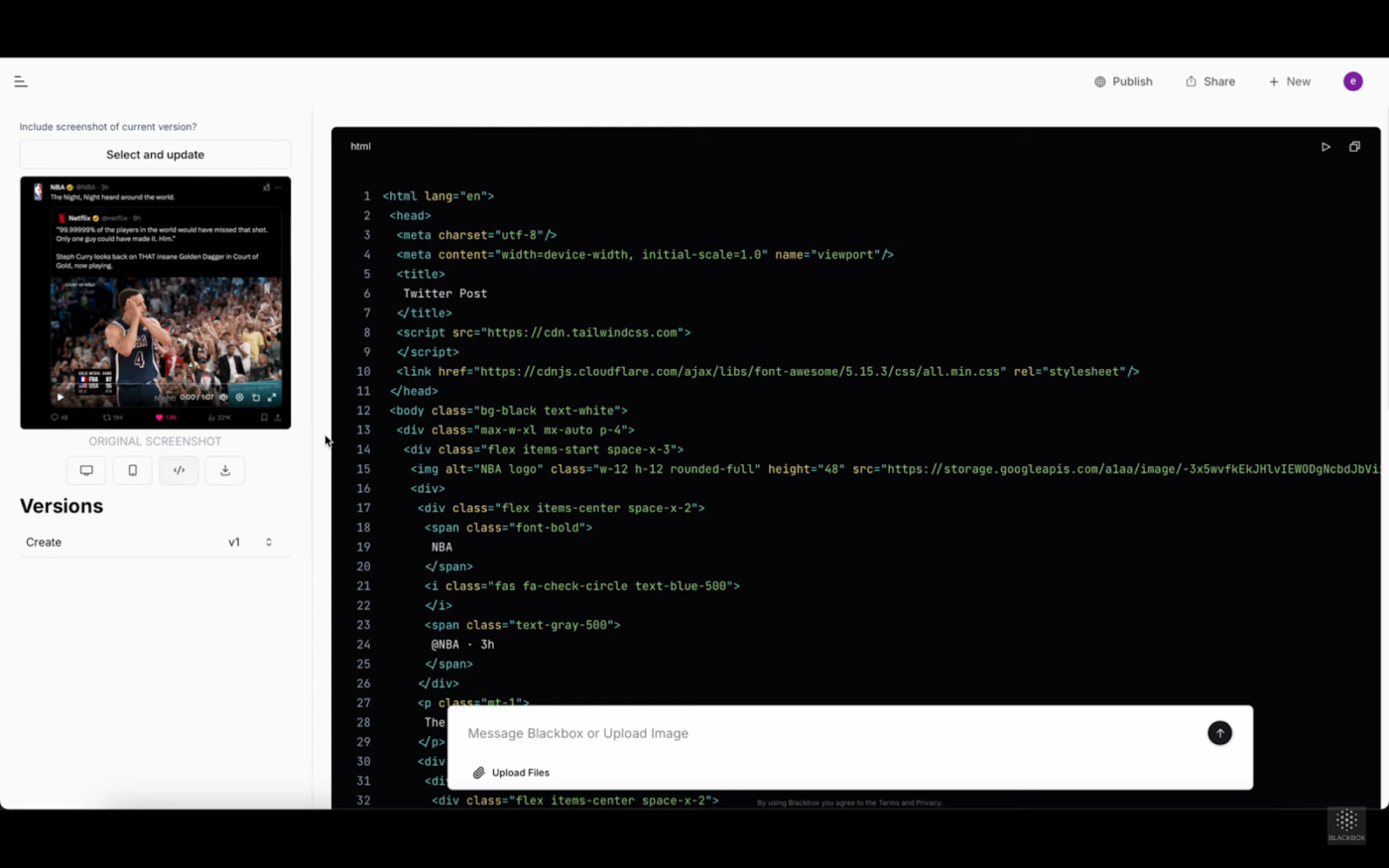
Have an idea to turn into code? Blackbox is an AI coding agent that prepares your code for publishing. Of all its features, including code search and autocomplete, its conversational AI makes it a really efficient choice.
Aside from creating quick app codes, Blackbox also helps you optimize your development specifically for desktop and mobile screens. It even comes in smart color themes that allow users to instantly follow and identify code segments.
A G2 review reads:
What I like most is code auto-complete. It is a boon for entry-level developers, which assists in getting suggestions for writing new components or converting logic into code.
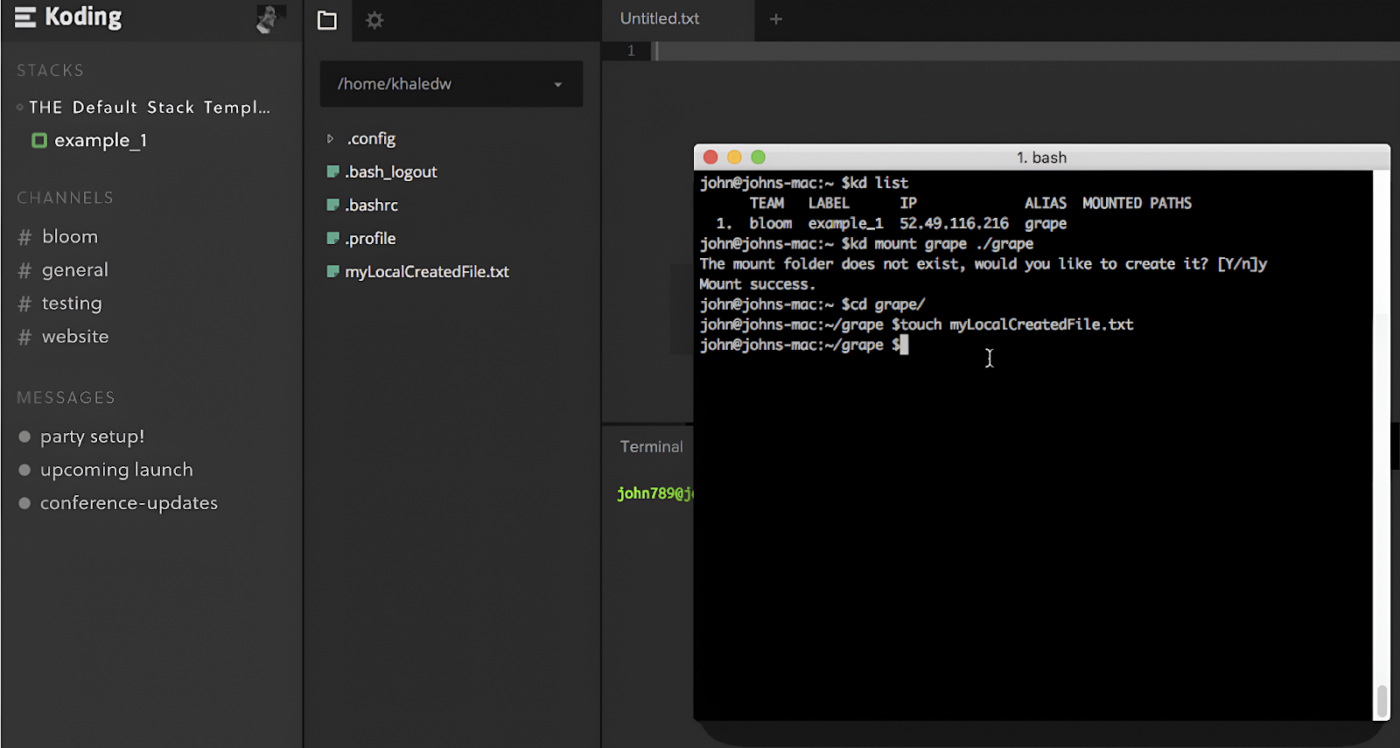
Want to streamline your coding workflow? Koding is one of the top picks on this list. With simple curl commands, this IDE software lets you connect large tools and local environments to your cloud account.
Koding also keeps your team on track with notification features that send updates to your team when any stack changes are made. Plus, you can run your app on an entire network of machines with a few lines of code in your stack script.
A G2 review reads:
In the past, setting up the development environment took a long time. But now, Koding allows me to have all the options ready in a matter of minutes. Support for different IDEs is also an amazing feature.
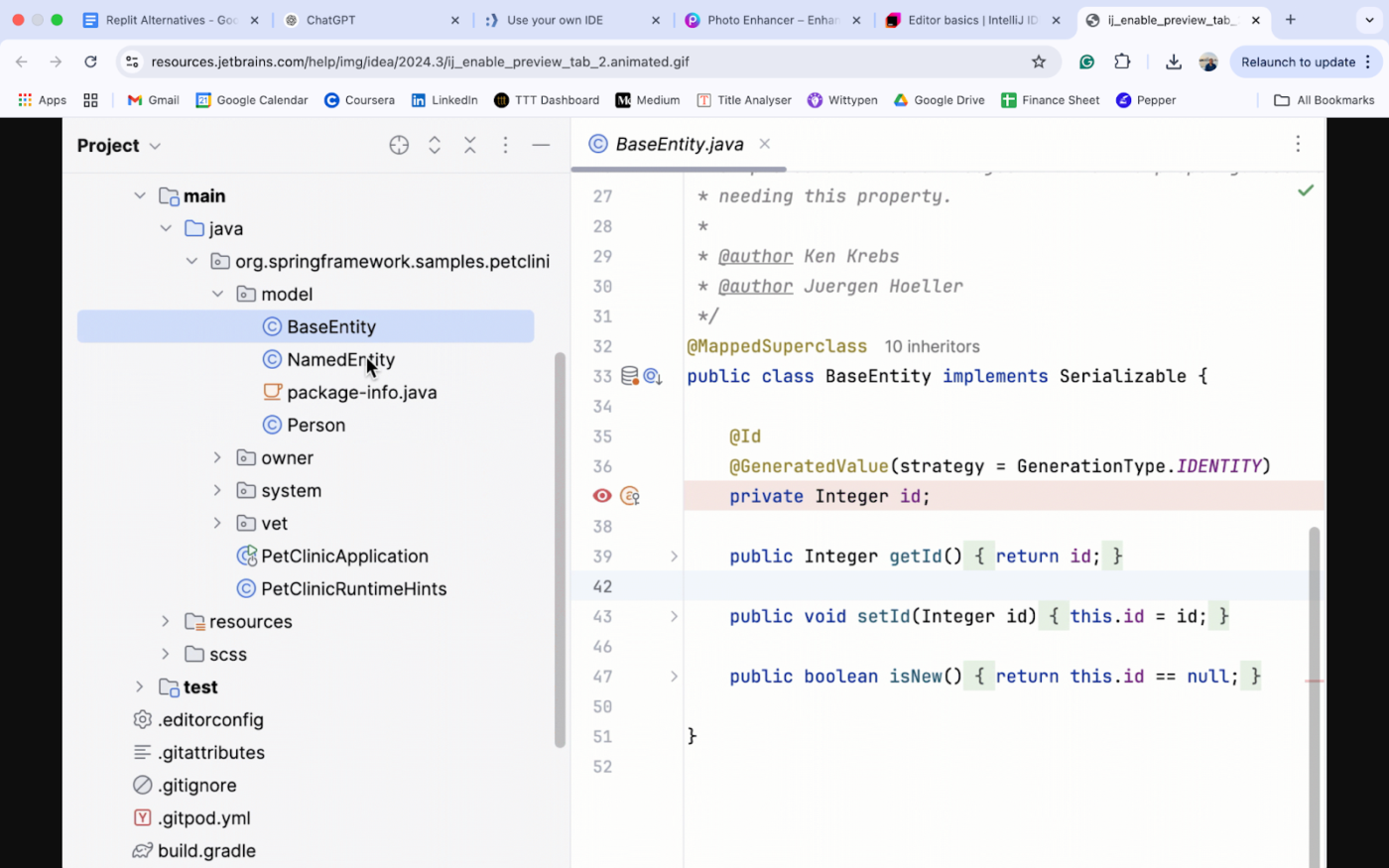
Developed by JetBrains, IntelliJ IDEA is a powerful IDE for Java and Kotlin development. It boosts productivity with intelligent code completion, advanced debugging, and seamless unit testing. With built-in support for popular frameworks, it adapts to diverse project needs.
It’s built for flexibility, with multiple version control integrations and third-party plugins. It also offers an intuitive workflow, strong security, and customizable setups—everything you need to build high-performance applications with confidence.
A Capterra review reads:
The shortcuts and suggestion for code makes the coding journey very easy. The interface is pleasing for the eyes which makes the code debugging quick and effective.
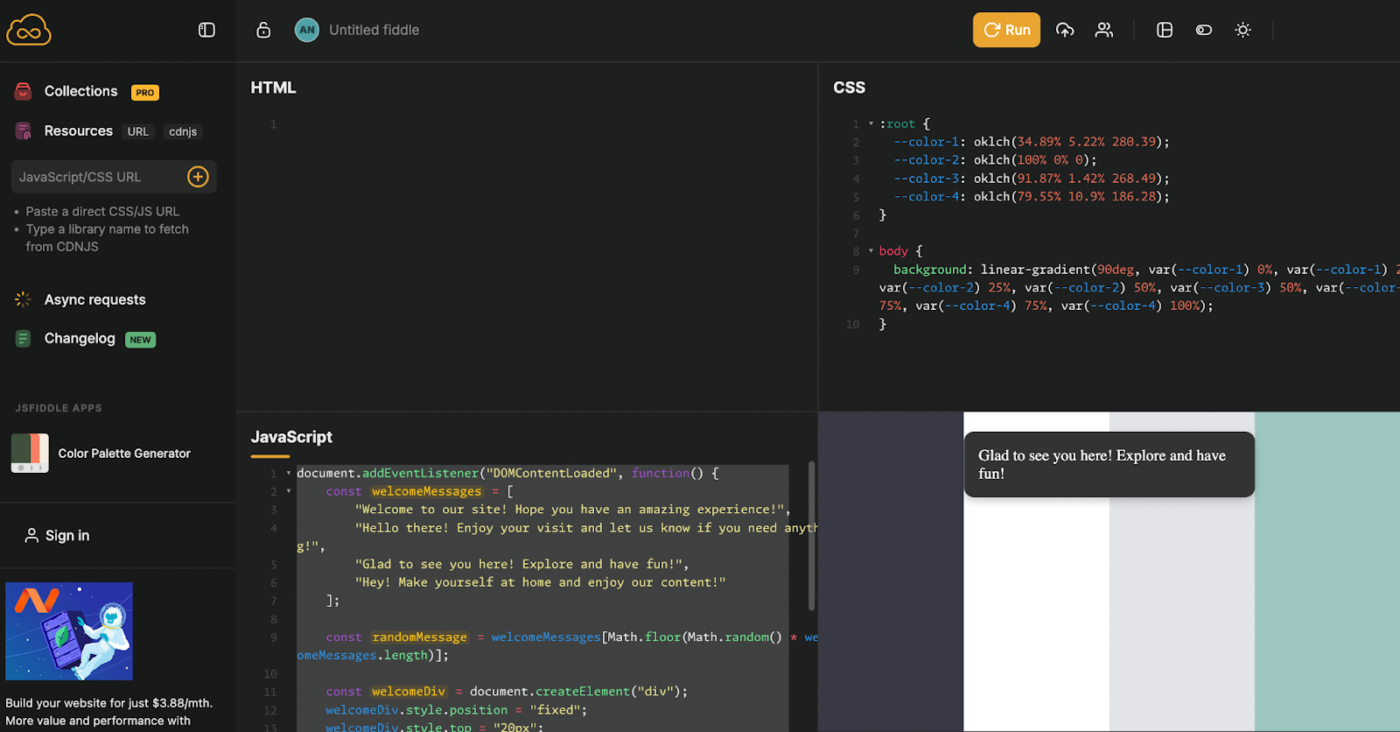
JSFiddle is a fast and interactive online editor for testing and sharing JavaScript, HTML, and CSS. It features a panel-based layout for writing and previewing code in real time. With support for preprocessors like SCSS and JavaScript frameworks, it’s great for quick prototyping.
Users can collaborate and embed projects effortlessly. Customizable layouts, live previews, and built-in version control make it an essential tool for web developers who want to experiment with and refine their code.
Cloud-based IDEs are key for coding, whether troubleshooting source code or building apps in a programming language. But you’re losing time and money if Replit isn’t maximizing productivity.
While we’ve covered options for every scenario, it’s also important to prioritize productivity, automate workflows, and drive collaboration. ClickUp is a great partner and the perfect blend of all that and more with its AI-powered suggestions, seamless documentation, and in-depth reporting.
Plus, it even records hacks and explains coding best practices to keep your projects on track.
Want to master effortless code development? Sign up with ClickUp today! 🚀

© 2026 ClickUp